• Regeln für den Video-Bereich:

    In den Börsenbereich gehören nur Angebote die bereits den Allgemeinen Regeln entsprechen.

    Einteilung

    - Folgende Formate gehören in die angegeben Bereiche:
    - Filme: Encodierte Filme von BluRay, DVD, R5, TV, Screener sowie Telesyncs im Format DivX, XviD und x264.
    - DVD: Filme im Format DVD5, DVD9 und HD2DVD.
    - HD: Encodierte Filme mit der Auflösung 720p oder darüber von BluRay, DVD, R5, TV, Screener sowie Telesyncs im Format x264.
    - 3D: Encodierte Filme von BluRay, die in einem 3D Format vorliegen. Dies gilt auch für Dokus, Animation usw.
    - Serien: Cartoon/Zeichentrick, Anime, Tutorials, Dokumentationen, Konzerte/Musik, Sonstiges sind demnach in die entsprechenden Bereiche einzuordnen, auch wenn sie beispielsweise im High Definition-Format oder als DVD5/DVD9/HD2DVD vorliegen. Ausnahme 3D.
    - Bereich Englisch: Englische Releases gehören immer in diesen Bereich.
    - Bereich Talk: Der Bereich, in dem über die Releases diskutiert werden kann, darf, soll und erwünscht ist.


    Angebot/Beitrag erstellen

    - Ein Beitrag darf erst dann erstellt werden, wenn der Upload bei mindestens einem OCH komplett ist. Platzhalter sind untersagt.
    - Bei einem Scenerelease hat der Threadtitel ausschließlich aus dem originalen, unveränderten Releasenamen zu bestehen. Es dürfen keine Veränderungen wie z.B. Sterne, kleine Buchstaben o.ä. vorgenommen werden. Ausnahme Serienbörse:
    - Bei einem Sammelthread für eine Staffel entfällt aus dem Releasename natürlich der Name der Folge. Beispiel: Die Simpsons S21 German DVDRip XviD - ITG
    - Dementsprechend sind also u.a. verboten: Erweiterungen wie "Tipp", "empfehlenswert", "only", "reup", usw. / jegliche andere Zusatzinformation oder Ergänzung, welche nicht in obiger Beschreibung zu finden ist.

    Aufbau des Angebots und Threadtitel

    Der Titel nach folgendem Muster erstellt zu werden. <Name> [3D] [Staffel] [German] <Jahr> <Tonspur> [DL] [Auflösung] <Quelle> <Codec> - <Group>
    Beispiel: The Dark Knight German 2008 AC3 DVDRip XviD - iND
    Beispiel: The Dark Knight 2008 DTS DL BDRip x264 - iND
    Beispiel: The Dark Knight 2008 AC3 DL BDRip XviD - iND
    Beispiel: The Dark Knight German 2008 AC3 720p BluRay x264 iND
    Beispiel: The Dark Knight 2008 DTS DL 1080p BluRay x264 iND
    Beispiel: Die Simpsons S01 German AC3 DVDRip XviD iND
    Beispiel: Die Simpsons S20 German AC3 720p BluRay x264 iND
    Beispiel: Sword Art Online II Ger Sub 2014 AAC 1080p WEBRip x264 - peppermint
    Entsprechend sind also u.a. verboten: Sonderzeichen wie Klammern, Sterne, Ausrufezeichen, Unterstriche, Anführungszeichen / Erweiterungen wie "Tipp", "empfehlenswert", "only", "reup", usw. / jegliche andere Zusatzinformation oder Ergänzung, welche nicht in obiger Beschreibung zu finden ist
    Ausnahmen hiervon können in den Bereichen geregelt sein.

    Die Beiträge sollen wie folgt aufgebaut werden:
    Überschrift entspricht dem Threadtitel
    Cover
    kurze Inhaltsbeschreibung
    Format, Größe, Dauer sind gut lesbar für Downloader außerhalb des Spoilers zu vermerken
    Nfo sind immer Anzugeben und selbige immer im Spoiler in Textform.
    Sind keine Nfo vorhanden z.B. Eigenpublikationen, sind im Spoiler folgende Dateiinformationen zusätzlich anzugeben :
    Quelle
    Video (Auflösung und Bitrate)
    Ton (Sprache, Format und Bitrate der einzelnen Spuren)
    Untertitel (sofern vorhanden)
    Hosterangabe in Textform außerhalb eines Spoiler mit allen enthaltenen Hostern.
    Bei SD kann auf diese zusätzlichen Dateiinformationen verzichtet werden.

    Alle benötigten Passwörter sind, sofern vorhanden, in Textform im Angebot anzugeben.
    Spoiler im Spoiler mit Kommentaren :"Schon Bedankt?" sind unerwünscht.


    Releases

    - Sind Retail-Release verfügbar, sind alle anderen Variationen untersagt. Ausnahmen: Alle deutschen Retail-Release sind CUT, in diesem Fall sind dubbed UNCUT-Release zulässig.
    - Im Serien-Bereich gilt speziell: Wenn ein Retail vor Abschluss einer laufenden Staffel erscheint, darf diese Staffel noch zu Ende gebracht werden.62
    - Gleiche Releases sind unbedingt zusammenzufassen. Das bedeutet, es ist zwingend erforderlich, vor dem Erstellen eines Themas per Suchfunktion zu überprüfen, ob bereits ein Beitrag mit demselben Release besteht. Ist dies der Fall, ist der bereits vorhandene Beitrag zu verwenden.
    - P2P und Scene Releases dürfen nicht verändert oder gar unter einem iND Tag eingestellt werden.


    Support, Diskussionen und Suche

    - Supportanfragen sind entweder per PN oder im Bereich Talk zu stellen.
    - Diskussionen und Bewertungen sind im Talk Bereich zu führen. Fragen an die Uploader haben ausschließlich via PN zu erfolgen, und sind in den Angeboten untersagt.
    - Anfragen zu Upload-Wünschen sind nur im Bereich Suche Video erlaubt. Antworten dürfen nur auf Angebote von MyBoerse.bz verlinkt werden.


    Verbote

    - Untersagt sind mehrere Formate in einem einzigen Angebotsthread, wie beispielsweise das gleichzeitige Anbieten von DivX/XviD, 720p und 1080p in einem Thread. Pro Format, Release und Auflösung ist ein eigener Thread zu eröffnen.
    - Grundsätzlich ebenso verboten sind Dupes. Uploader haben sich an geeigneter Stelle darüber zu informieren, ob es sich bei einem Release um ein Dupe handelt.
    - Gefakte, nur teilweise lauffähige oder unvollständige Angebote sind untersagt. Dies gilt auch für eigene Publikationen, die augenscheinlich nicht selbst von z.B. einer DVD gerippt wurden. Laufende Serien, bei denen noch nicht alle Folgen verfügbar sind, dürfen erstellt und regelmäßig geupdatet werden.
    - Untersagt sind Angebote, welche nur und ausschließlich in einer anderen Sprache als deutsch oder englisch vorliegen. Ausnahmen sind VORHER mit den Moderatoren zu klären.


    Verstoß gegen die Regeln

    - Angebote oder Beiträge, die gegen die Forenregeln verstoßen, sind über den "Melden"-Button im Beitrag zu melden.
  • Bitte registriere dich zunächst um Beiträge zu verfassen und externe Links aufzurufen.

*** Bestes IPTV *** bester Preis *** gratis Test ***


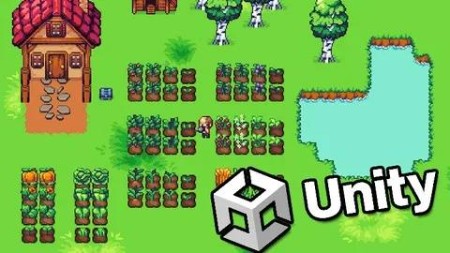
Learn To Create A Farming Game With Unity 6 & C#

babymore87

MyBoerse.bz Pro Member
4a04d83674702c2058d8fff2cef1b95e.jpeg

Free Download Learn To Create A Farming Game With Unity 6 & C#
Published 10/2024
Created by James Doyle
MP4 | Video: h264, 1280x720 | Audio: AAC, 44.1 KHz, 2 Ch
Genre: eLearning | Language: English | Duration: 85 Lectures ( 11h 28m ) | Size: 5.77 GB

Game development made easy. Learn C# using Unity and create your own crop growing game!
What you'll learn
Learn C#, a modern versatile programming language
Understand the capabilities of game development in Unity
Develop strong and transferrable problem solving skills
Gain a complete understanding of the game development process
Learn how object oriented programming works in practice
Requirements
Mac or PC capable of running Unity 3D
A copy of Unity
Description
Learn how to create and program your very own farming game using Unity, an industry-standard game development program used by large gaming studios and indie developers across the world.In this course you won't just be learning programming concepts, but tying these concepts to real game development uses. You will have access to a course forum where you can discuss the topics covered in the course as well as the next steps to take once the course is complete.This course has been designed to be easily understandable to everyone, so whether you're a complete beginner, an artist looking to expand their game development range or a programmer interested in understanding game design, this course will help you gain a greater understanding of development.At the end of this course you will have developed the ability to understand such game elements as:Generating a grid to plant onBuying and selling seeds and cropsSwitching between various toolsFull player movementA complete time and day progression systemPlanting and growing cropsTargeting points in the gridAn inventory systemTracking MoneyFull Menu and Audio systemsand much more...The course also includes a complete version of the project to use for your own reference to ensure everything in your game works as it should!Start learning today and let me help you become a game developer!
Who this course is for
Anyone who wants to make their own card battling games
People who want to create and publish their own games
Complete beginners with an interest in learning game development
Developers who want to re-skill across to game development
People interested in working in the game design industry
Competent and confident with using a computer
Homepage
Screenshot


Recommend Download Link Hight Speed | Please Say Thanks Keep Topic Live
No Password - Links are Interchangeable
 

cae00a4fb384820bc9b138a900a74804.jpg

Learn To Create A Farming Game With Unity 6 & C#
Published 10/2024
MP4 | Video: h264, 1920x1080 | Audio: AAC, 44.1 KHz
Language: English | Size: 5.86 GB | Duration: 11h 28m​

Game development made easy. Learn C# using Unity and create your own crop growing game!

What you'll learn

Learn C#, a modern versatile programming language

Understand the capabilities of game development in Unity

Develop strong and transferrable problem solving skills

Gain a complete understanding of the game development process

Learn how object oriented programming works in practice

Requirements

Mac or PC capable of running Unity 3D

A copy of Unity

Description

Learn how to create and program your very own farming game using Unity, an industry-standard game development program used by large gaming studios and indie developers across the world.In this course you won't just be learning programming concepts, but tying these concepts to real game development uses. You will have access to a course forum where you can discuss the topics covered in the course as well as the next steps to take once the course is complete.This course has been designed to be easily understandable to everyone, so whether you're a complete beginner, an artist looking to expand their game development range or a programmer interested in understanding game design, this course will help you gain a greater understanding of development.At the end of this course you will have developed the ability to understand such game elements as:Generating a grid to plant onBuying and selling seeds and cropsSwitching between various toolsFull player movementA complete time and day progression systemPlanting and growing cropsTargeting points in the gridAn inventory systemTracking MoneyFull Menu and Audio systemsand much more.The course also includes a complete version of the project to use for your own reference to ensure everything in your game works as it should!Start learning today and let me help you become a game developer!

Overview

Section 1: Introduction

Lecture 1 Introduction

Lecture 2 Project Assets

Section 2: Getting Started

Lecture 3 Setting Up The Project

Section 3: Tiles & Tilemaps

Lecture 4 Creating Tiles

Lecture 5 Using Tilemaps For The Ground

Section 4: The Player

Lecture 6 Setting Up The Player

Lecture 7 Setting Up Our First Script

Lecture 8 Moving The Player

Lecture 9 Controlling The Player

Lecture 10 Limiting Diagonal movement

Lecture 11 Setting Up Animations

Lecture 12 Making The Animator Work

Lecture 13 Flipping The Player

Section 5: The Camera

Lecture 14 Making The Camera Follow The Player

Lecture 15 Keeping The Camera Confined

Lecture 16 Showing The Correct Visible Area

Lecture 17 Keeping The Player Confined

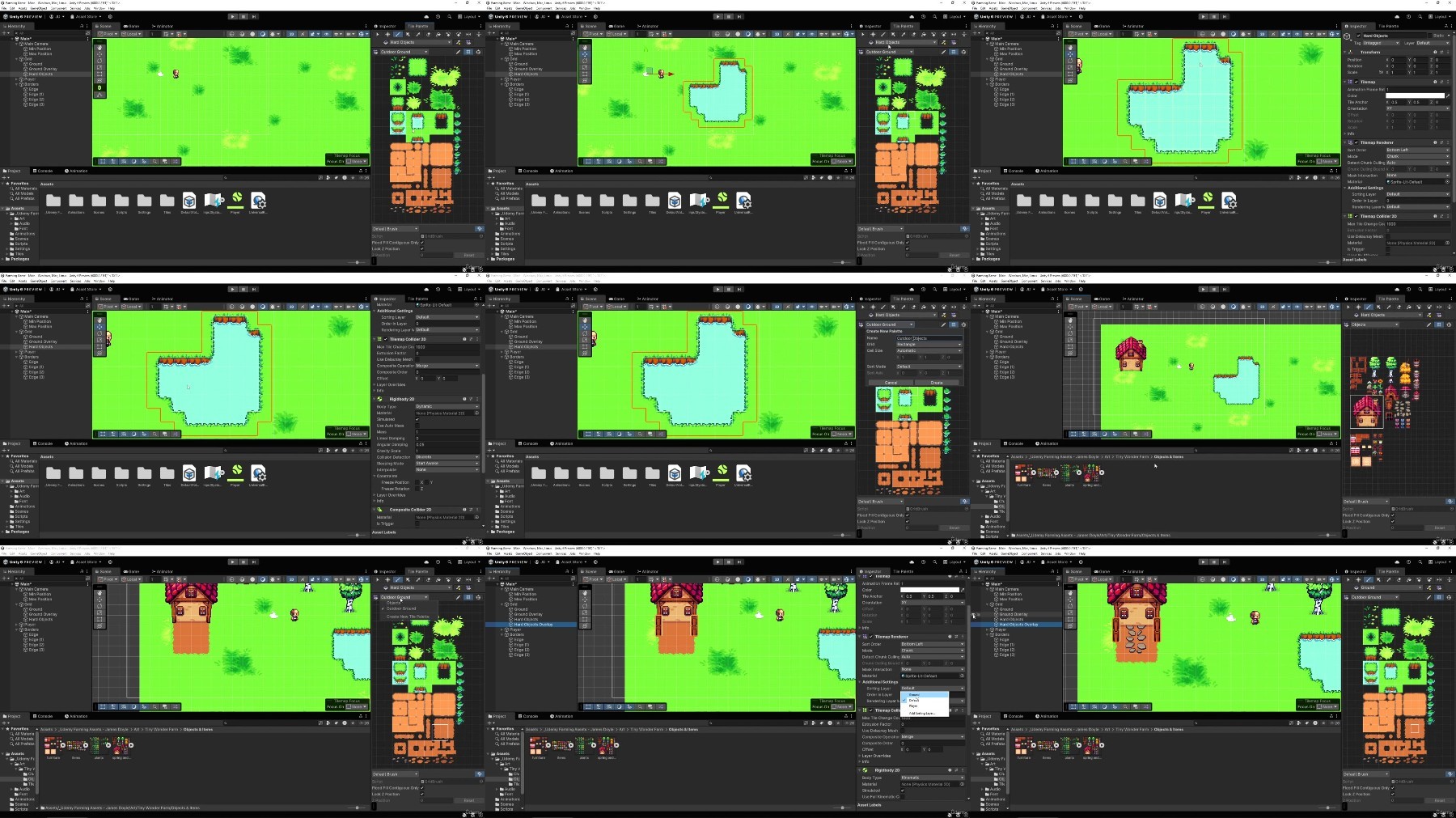
Lecture 18 Creating Hard Objects with the tilemap

Lecture 19 Fixing Stray Lines

Section 6: Ploughing

Lecture 20 Creating a planting block

Lecture 21 Showing Growth

Lecture 22 Making The Player Plough

Section 7: Managing Tools

Lecture 23 Setting Up Tools

Lecture 24 Using Switch Statements

Lecture 25 Displaying Tools

Lecture 26 Displaying Selected Tool

Lecture 27 Making The Player Update UI

Lecture 28 Updating At The Start

Section 8: Managing Crops

Lecture 29 Watering The Soil

Lecture 30 Animating Tools

Lecture 31 Limiting Movement While Using Tools

Lecture 32 Planting Crops

Lecture 33 Making Crops Grow

Lecture 34 Harvesting Crops

Section 9: Planting On A Grid

Lecture 35 Setting up block positions

Lecture 36 Getting The Grid Size

Lecture 37 Filling The Grid

Lecture 38 Tracking Grid Blocks

Lecture 39 Preventing Blocks Spawning

Section 10: Targetting

Lecture 40 Adding A Target Indicator

Lecture 41 Adjusting The Indicator

Lecture 42 Getting A Block With The Indicator

Lecture 43 Clearing The Grid

Section 11: Moving Indoors

Lecture 44 Creating An Indoor Area

Lecture 45 Switching Scenes

Lecture 46 Bringing The Player

Lecture 47 Preventing Duplicate Players

Lecture 48 Switching Between Multiple Areas

Section 12: Storing Information

Lecture 49 Keeping The Plant Grid

Lecture 50 Updating The Information

Lecture 51 Getting Information Back To The Plant Grid

Lecture 52 Growing Plants From Another Scene

Lecture 53 Sleeping In A Bed

Lecture 54 BUGFIX: Using The Tool With No Grid

Section 13: Controlling Time & Days

Lecture 55 Controlling Time

Lecture 56 Displaying Time

Lecture 57 Start And End The Day

Lecture 58 Creating A Day End Scene

Lecture 59 Waking Up Beside Bed

Section 14: More Crops

Lecture 60 Adding Different Kinds Of Crop

Lecture 61 Planting Different Crop

Lecture 62 Tracking Seeds & Crops Harvested

Lecture 63 Randomising Growth Chances

Lecture 64 Reverting Soil

Section 15: Inventory

Lecture 65 Setting Up Inventory

Lecture 66 Controlling The Inventory

Lecture 67 Displaying Seeds

Lecture 68 Making Seeds Selectable

Lecture 69 Stop The Player Moving

Lecture 70 Displaying Crops

Section 16: The Shop

Lecture 71 Setting Up Shop

Lecture 72 Tracking Money & Adding Plant Prices

Lecture 73 Updating Seeds

Lecture 74 Buying Seeds

Lecture 75 Displaying Money

Lecture 76 Updating Crops

Lecture 77 Selling Crops

Lecture 78 Activating The Shop

Section 17: Menus & Sounds

Lecture 79 Adding A Title Screen

Lecture 80 Making It Look Nicer

Lecture 81 Pausing The Game

Lecture 82 Adding Music

Lecture 83 Adding Sound Effects

Section 18: Finishing Up

Lecture 84 Building The Game

Lecture 85 Next Steps

Anyone who wants to make their own card battling games,People who want to create and publish their own games,Complete beginners with an interest in learning game development,Developers who want to re-skill across to game development,People interested in working in the game design industry,Competent and confident with using a computer

iKExw1P5_o.jpg

 
Zurück
Oben Unten