• Regeln für den Video-Bereich:

    In den Börsenbereich gehören nur Angebote die bereits den Allgemeinen Regeln entsprechen.

    Einteilung

    - Folgende Formate gehören in die angegeben Bereiche:
    - Filme: Encodierte Filme von BluRay, DVD, R5, TV, Screener sowie Telesyncs im Format DivX, XviD und x264.
    - DVD: Filme im Format DVD5, DVD9 und HD2DVD.
    - HD: Encodierte Filme mit der Auflösung 720p oder darüber von BluRay, DVD, R5, TV, Screener sowie Telesyncs im Format x264.
    - 3D: Encodierte Filme von BluRay, die in einem 3D Format vorliegen. Dies gilt auch für Dokus, Animation usw.
    - Serien: Cartoon/Zeichentrick, Anime, Tutorials, Dokumentationen, Konzerte/Musik, Sonstiges sind demnach in die entsprechenden Bereiche einzuordnen, auch wenn sie beispielsweise im High Definition-Format oder als DVD5/DVD9/HD2DVD vorliegen. Ausnahme 3D.
    - Bereich Englisch: Englische Releases gehören immer in diesen Bereich.
    - Bereich Talk: Der Bereich, in dem über die Releases diskutiert werden kann, darf, soll und erwünscht ist.


    Angebot/Beitrag erstellen

    - Ein Beitrag darf erst dann erstellt werden, wenn der Upload bei mindestens einem OCH komplett ist. Platzhalter sind untersagt.
    - Bei einem Scenerelease hat der Threadtitel ausschließlich aus dem originalen, unveränderten Releasenamen zu bestehen. Es dürfen keine Veränderungen wie z.B. Sterne, kleine Buchstaben o.ä. vorgenommen werden. Ausnahme Serienbörse:
    - Bei einem Sammelthread für eine Staffel entfällt aus dem Releasename natürlich der Name der Folge. Beispiel: Die Simpsons S21 German DVDRip XviD - ITG
    - Dementsprechend sind also u.a. verboten: Erweiterungen wie "Tipp", "empfehlenswert", "only", "reup", usw. / jegliche andere Zusatzinformation oder Ergänzung, welche nicht in obiger Beschreibung zu finden ist.

    Aufbau des Angebots und Threadtitel

    Der Titel nach folgendem Muster erstellt zu werden. <Name> [3D] [Staffel] [German] <Jahr> <Tonspur> [DL] [Auflösung] <Quelle> <Codec> - <Group>
    Beispiel: The Dark Knight German 2008 AC3 DVDRip XviD - iND
    Beispiel: The Dark Knight 2008 DTS DL BDRip x264 - iND
    Beispiel: The Dark Knight 2008 AC3 DL BDRip XviD - iND
    Beispiel: The Dark Knight German 2008 AC3 720p BluRay x264 iND
    Beispiel: The Dark Knight 2008 DTS DL 1080p BluRay x264 iND
    Beispiel: Die Simpsons S01 German AC3 DVDRip XviD iND
    Beispiel: Die Simpsons S20 German AC3 720p BluRay x264 iND
    Beispiel: Sword Art Online II Ger Sub 2014 AAC 1080p WEBRip x264 - peppermint
    Entsprechend sind also u.a. verboten: Sonderzeichen wie Klammern, Sterne, Ausrufezeichen, Unterstriche, Anführungszeichen / Erweiterungen wie "Tipp", "empfehlenswert", "only", "reup", usw. / jegliche andere Zusatzinformation oder Ergänzung, welche nicht in obiger Beschreibung zu finden ist
    Ausnahmen hiervon können in den Bereichen geregelt sein.

    Die Beiträge sollen wie folgt aufgebaut werden:
    Überschrift entspricht dem Threadtitel
    Cover
    kurze Inhaltsbeschreibung
    Format, Größe, Dauer sind gut lesbar für Downloader außerhalb des Spoilers zu vermerken
    Nfo sind immer Anzugeben und selbige immer im Spoiler in Textform.
    Sind keine Nfo vorhanden z.B. Eigenpublikationen, sind im Spoiler folgende Dateiinformationen zusätzlich anzugeben :
    Quelle
    Video (Auflösung und Bitrate)
    Ton (Sprache, Format und Bitrate der einzelnen Spuren)
    Untertitel (sofern vorhanden)
    Hosterangabe in Textform außerhalb eines Spoiler mit allen enthaltenen Hostern.
    Bei SD kann auf diese zusätzlichen Dateiinformationen verzichtet werden.

    Alle benötigten Passwörter sind, sofern vorhanden, in Textform im Angebot anzugeben.
    Spoiler im Spoiler mit Kommentaren :"Schon Bedankt?" sind unerwünscht.


    Releases

    - Sind Retail-Release verfügbar, sind alle anderen Variationen untersagt. Ausnahmen: Alle deutschen Retail-Release sind CUT, in diesem Fall sind dubbed UNCUT-Release zulässig.
    - Im Serien-Bereich gilt speziell: Wenn ein Retail vor Abschluss einer laufenden Staffel erscheint, darf diese Staffel noch zu Ende gebracht werden.62
    - Gleiche Releases sind unbedingt zusammenzufassen. Das bedeutet, es ist zwingend erforderlich, vor dem Erstellen eines Themas per Suchfunktion zu überprüfen, ob bereits ein Beitrag mit demselben Release besteht. Ist dies der Fall, ist der bereits vorhandene Beitrag zu verwenden.
    - P2P und Scene Releases dürfen nicht verändert oder gar unter einem iND Tag eingestellt werden.


    Support, Diskussionen und Suche

    - Supportanfragen sind entweder per PN oder im Bereich Talk zu stellen.
    - Diskussionen und Bewertungen sind im Talk Bereich zu führen. Fragen an die Uploader haben ausschließlich via PN zu erfolgen, und sind in den Angeboten untersagt.
    - Anfragen zu Upload-Wünschen sind nur im Bereich Suche Video erlaubt. Antworten dürfen nur auf Angebote von MyBoerse.bz verlinkt werden.


    Verbote

    - Untersagt sind mehrere Formate in einem einzigen Angebotsthread, wie beispielsweise das gleichzeitige Anbieten von DivX/XviD, 720p und 1080p in einem Thread. Pro Format, Release und Auflösung ist ein eigener Thread zu eröffnen.
    - Grundsätzlich ebenso verboten sind Dupes. Uploader haben sich an geeigneter Stelle darüber zu informieren, ob es sich bei einem Release um ein Dupe handelt.
    - Gefakte, nur teilweise lauffähige oder unvollständige Angebote sind untersagt. Dies gilt auch für eigene Publikationen, die augenscheinlich nicht selbst von z.B. einer DVD gerippt wurden. Laufende Serien, bei denen noch nicht alle Folgen verfügbar sind, dürfen erstellt und regelmäßig geupdatet werden.
    - Untersagt sind Angebote, welche nur und ausschließlich in einer anderen Sprache als deutsch oder englisch vorliegen. Ausnahmen sind VORHER mit den Moderatoren zu klären.


    Verstoß gegen die Regeln

    - Angebote oder Beiträge, die gegen die Forenregeln verstoßen, sind über den "Melden"-Button im Beitrag zu melden.
  • Bitte registriere dich zunächst um Beiträge zu verfassen und externe Links aufzurufen.


Learn facial Rigging In Maya From Scratch

babymore87

MyBoerse.bz Pro Member
0dbc5bf7e8c26b21833a5956abf5f702.webp

Learn facial Rigging In Maya From Scratch
Published 9/2026
Created by Jhankar Singh
MP4 | Video: h264, 1920x1080 | Audio: AAC, 44.1 KHz, 2 Ch
Level: All Levels | Genre: eLearning | Language: English | Duration: 20 Lectures ( 3h 48m ) | Size: 4.1 GB

Master production-ready facial rigging in Maya using joint, blend shapes, wire deformers, skinning, and controls.
What you'll learn
⚡ Apply anatomical principles to accurately place and align facial joints for realistic movement.
⚡ Utilize essential deformers (such as blend shapes, wires, and lattices) to craft believable and dynamic facial expressions.
⚡ Design and optimize node-based networks to ensure efficient rig performance and smooth playback.
⚡ Construct clean, intuitive control structures using native hierarchies, eliminating the need for complex custom scripting.
Requirements
❗ The only requirement is a foundational understanding of Autodesk Maya. Everything else you need to master these rigging techniques will be covered in the curriculum
Description
Learn Facial Rigging in Maya from Scratch((Lecture based on weak evidence)
Unlock the art of professional facial rigging in Autodesk Maya and learn how to build expressive, animator-friendly facial rigs from the ground up.
Whether you're an aspiring Character TD, Rigging Artist, Animator, or 3D student, this course will guide you through a complete production-style facial rigging workflow used in animation, games, and VFX.
Starting with the fundamentals, you'll progressively build a complete facial rig while understanding the logic behind every setup. By the end of the course, you'll have the confidence to create your own production-ready facial rigs.
What you'll learn
✨ Facial rigging fundamentals and workflow
✨ Joint placement for facial features
✨ Eyebrow rigging using Wire Deformers
✨ Skinning and Paint Skin Weights techniques
✨ Creating animator-friendly facial controls
✨ Corrective shapes for clean deformations
✨ Eye rigging and eye controls
✨ Jaw rig setup and constraints
✨ Lip rigging techniques
✨ Blend Shape workflow
✨ Control hierarchy and clean rig organization
✨ Production-ready rigging practices
✨ Troubleshooting common deformation issues
✨ Best practices for animation-ready facial rigs
Who this course is for
⭐ Intermediate 3D Artists: Individuals with foundational Maya skills looking to specialize in character rigging and facial deformation. 3D Generalists & Animators: Professionals or students who want to understand the technical foundations of rigging to build their own expressive characters.
Homepage
Recommend Download Link Hight Speed | Please Say Thanks Keep Topic Live
No Password - Links are Interchangeable

 

767925570_yxusj-62u4m2v3bwn8.jpg

Learn Facial Rigging In Maya From Scratch
MP4 | Video: h264, 1920x1080 | Audio: AAC, 44.1 KHz, 2 Ch
Level: All Levels | Genre: eLearning | Language: English | Duration: 20 Lectures ( 3h 48m ) | Size: 4.1 GB​

What you'll learn

Apply anatomical principles to accurately place and align facial joints for realistic movement.

Utilize essential deformers (such as blend shapes, wires, and lattices) to craft believable and dynamic facial expressions.

Design and optimize node-based networks to ensure efficient rig performance and smooth playback.

Construct clean, intuitive control structures using native hierarchies, eliminating the need for complex custom scripting.

Requirements

The only requirement is a foundational understanding of Autodesk Maya. Everything else you need to master these rigging techniques will be covered in the curriculum

Description

Learn Facial Rigging in Maya from Scratch((Lecture based on weak evidence)Unlock the art of professional facial rigging in Autodesk Maya and learn how to build expressive, animator-friendly facial rigs from the ground up.Whether you're an aspiring Character TD, Rigging Artist, Animator, or 3D student, this course will guide you through a complete production-style facial rigging workflow used in animation, games, and VFX.Starting with the fundamentals, you'll progressively build a complete facial rig while understanding the logic behind every setup. By the end of the course, you'll have the confidence to create your own production-ready facial rigs.What You'll LearnFacial rigging fundamentals and workflowJoint placement for facial featuresEyebrow rigging using Wire DeformersSkinning and Paint Skin Weights techniquesCreating animator-friendly facial controlsCorrective shapes for clean deformationsEye rigging and eye controlsJaw rig setup and constraintsLip rigging techniquesBlend Shape workflowControl hierarchy and clean rig organizationProduction-ready rigging practicesTroubleshooting common deformation issuesBest practices for animation-ready facial rigsWho This Course Is ForBeginners who want to learn facial rigging from scratchMaya users interested in character rigging3D artists looking to specialize in riggingCharacter TDs who want to improve facial rigging skillsStudents preparing for careers in animation, games, or VFXFreelancers looking to expand their rigging expertiseCourse RequirementsBasic knowledge of Autodesk Maya is helpful but not required.Autodesk Maya installed on your computer.Passion to learn professional character rigging.Why Take This Course?This course focuses on practical, production-ready techniques rather than theory alone. Every lesson is designed to help you understand not only how to build a facial rig but also why each technique is used. You'll gain hands-on experience with industry-standard workflows that can be applied to your own characters and portfolio projects.By the end of this course, you'll have built a complete facial rig from scratch and developed the skills needed to create clean, efficient, and animation-ready facial rigs for professional production.

Intermediate 3D Artists: Individuals with foundational Maya skills looking to specialize in character rigging and facial deformation. 3D Generalists & Animators: Professionals or students who want to understand the technical foundations of rigging to build their own expressive characters.

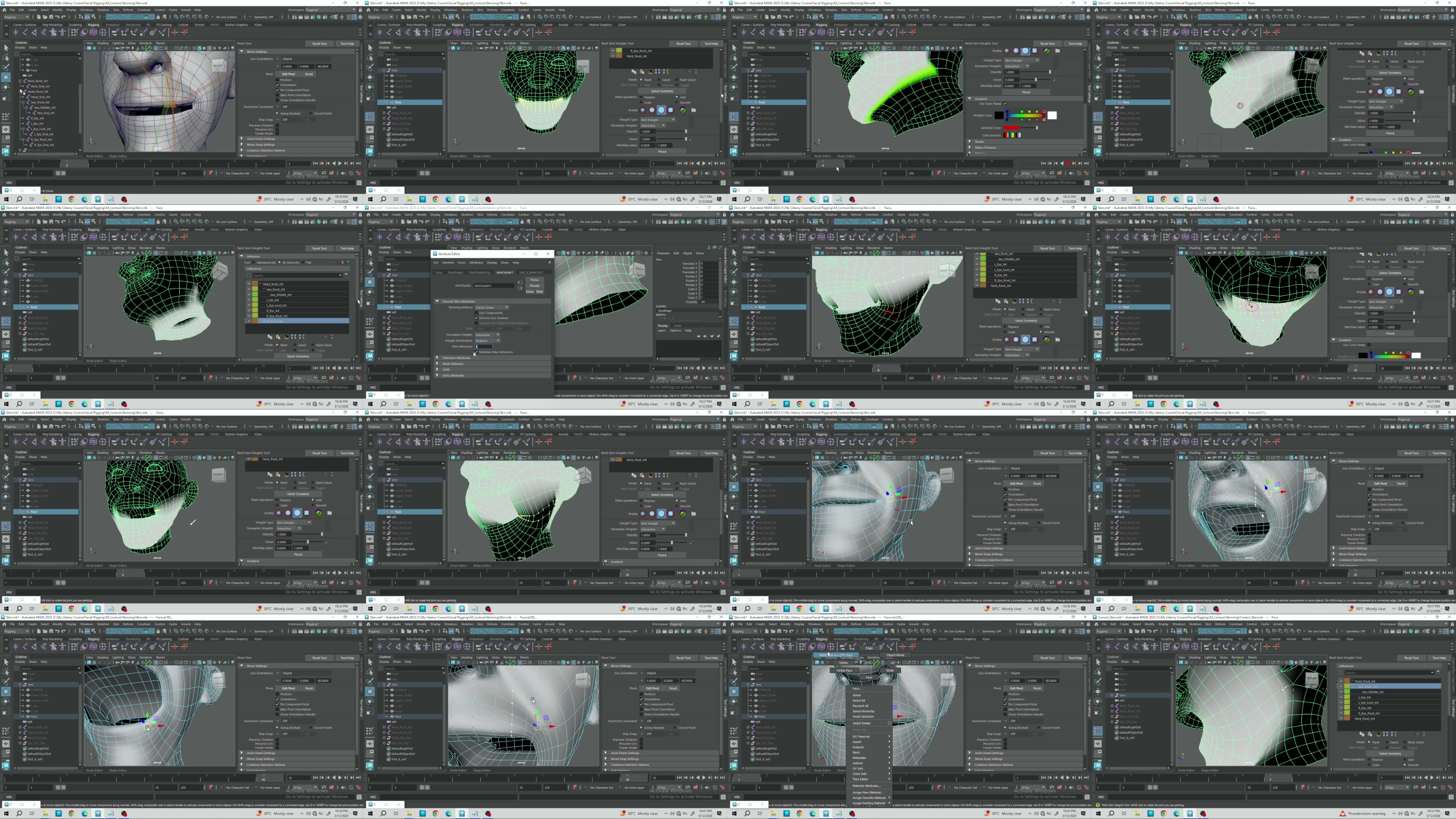
yxusj-6-Skin-Part-2.jpg

767925599_yxusj-h87drtz143c9.jpg

 
Zurück
Oben Unten