




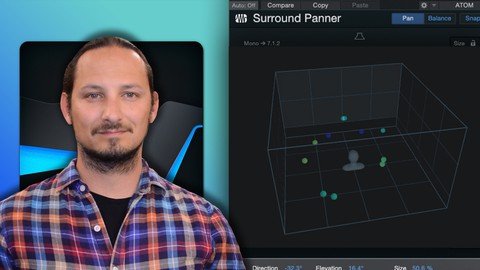
Free Download Learn Dolby Atmos Mixing In Studio One
Published 10/2023
MP4 | Video: h264, 1920x1080 | Audio: AAC, 44.1 KHz
Language: English | Size: 894.84 MB | Duration: 1h 7m
Learn how to use the Dolby ATMOS Integration in Studio One and Mix in Binaural
What you'll learn
Learn how to use the Dolby Atmos Integration in Studio One
Learn how to mix in a Dolby ATMOS Environment
Learn how to mix with Surround and Object Panners in Dobly ATMOS
Learn how to use Binaural Mixing
Requirements
Studio One Artist or Professional Software, or Studio One+
A basic knowledge on how a DAW (Digital Audio Workstation) works
A basic knowledge on what Dolby ATMOS is
Stereo Headphones to listen to your Dolby Atmos Mixes in Binaural
A good knowledge on how to mix music
Description
Do you know how to use the new Dolby Atmos Integration in Studio One?You can really transform your stereo mixes, by converting them to Dolby spatial audio mixes in Studio One, and hear the benefits of the 3D space with the extra speaker channels. And you can even do with with a set of stereo headphones! using the Binaural Mix mode within the Dolby Renderer.In this course you will see how you can move from the stereo mix to a spatial audio ATMOS mix, and hear the extra depth with the audio field. And you will feel more immersed in the environment and mix. Plus, you will understand all the new terminology like objects, beds, and renderers and outputs.Dolby ATMOS is an exciting new area to explore with your music productions, and now with the Dolby ATMOS Rendered integration in Studio One, you can take full control of the New audio environment and learn how to mix to multichannel audio outputs. And how you can use these extra speakers to add extra depth to your mixes and listening experience.In this course if will explain the Dolby ATMOS Integration and Renderer. You will learn about the beds, surround panners, surround objects, and how to use the binaural mode to mix on a pair of headphones to get the Dolby ATMOS experience, you with this knowledge can take your songs and productions to the next level!So, if sounds like something interesting that you want to learn, then this is the perfect course for you!Learn EVERYTHING you can know about DOLBY in Studio One!This course will take you step-by-step on how to get everything setup. And then we will look at how to transfrom your stereo mixes to ATMOS.With easy-to-follow tutorials and a real-world example to follow, you'll enjoy learning while taking action.WHAT WILL YOU LEARN?What DOLBY ATMOS is and how the Renderer worksHow to Load up a Stereo Mix and Convert it to a Spatial Audio SongLearn about the Audio Output SetupLearn the difference Surround Panners and how to use themUsing Objects and Automating them around the 3D spaceBuilding up a Mix with the Surround Panners and EffectsAnd Finally, how to export out your Song as a Master ADM ATMOS audio fileWHY USE STUDIO ONE?Studio One is a packed with a ton of tools and features to use when working to video. And its ease of use and drag and drop functionality really make it easy to work to video.WHY LEARN FROM US?This course will go through the steps on how to get up and running in Studio One and its bundled delay effects, plus show you all the features and functions you can do with them.My goal with the course is to give you the tools and tricks that you need within Studio One to use the application efficiently.I CAN'T WAIT TO SEE YOU IN THE COURSE!Cheers,Gary Hiebner
Overview
Section 1: Introduction
Lecture 1 Introduction
Lecture 2 Converting a Stereo Mix to Binaural ATMOS Mix
Lecture 3 Mixing Drums with Surround Panners
Lecture 4 What are Objects and Object Panners
Lecture 5 Automating Your Object Panners
Section 2: Surround Effects
Lecture 6 Using the Surround Delay
Lecture 7 Using the New Spatial Audio Convolution Reverb
Section 3: Mixing and Exporting
Lecture 8 Building Up the Mix with the Panners, levels, and Surround Effects
Lecture 9 Exporting Out Your Spatial Audio Atmos Mix
Lecture 10 Conclusion
Lecture 11 BONUS SECTION
Music Producers and Songwriters who are wanting to know how to use Dolby ATMOS Mixing in their productions,Studio One users who want to improve their music productions by learning how to mix in Dolby ATMOS,Studio One users who want to learn about the Dolby ATMOS Integration and Binaural Mixing
Recommend Download Link Hight Speed | Please Say Thanks Keep Topic Live
No Password - Links are Interchangeable
