• Regeln für den Software-Bereich:


    Allgemeines:

    - In erster Linie sind unsere Boardregeln zu beachten, zu finden HIER.
    - Software zur Audiobearbeitung sollte ausschließlich im Unterforum "Audio" eingestellt werden.
    - Für Cracks, Keygens oder sonstige Freischaltungssoftware gibt es das Unterforum "Freischaltung".
    - Portable Software bitte im entsprechenden Unterforum "Portable Software" eintragen.
    - Diskussionen zur Installation und anderen Problemen mit der Software, bitte im enstprechenden Unterforum "Talk" führen.
    - Bei Unklarheiten und Fragen zu den Regeln bitte die Moderatoren kontaktieren.


    Angebot erstellen

    - Die Struktur des Threadtitels muss wie folgt umgesetzt werden: Herstellername - Softwarename - Versionsnummer
    - Unnötige Zusätze im Threadtitel wie "HOT", "NEW" oder Punkte zwischen den Wörtern sind nicht erlaubt.
    - Achtet darauf immer nur die Hauptversion und deren Updates in einem Thread zusammenfassen, konkretes Beispiel: SoftwareXY v3.12 gehört in den selben Thread mit SoftwareXY v3.13; SoftwareXY v.4.1 gehört in einen neuen eigenen Thread. Ausgenommen hiervon sind Sammelthreads und Dauerangebote.
    - Bei nicht bekannten Herstellern oder Angebote einer privaten Software, ist die Programmbezeichnung + Versionsnummer ausreichend.
    - Besondere Beachtung gilt für den ersten Beitrag eines Angebots. Dort muss eine kurze Beschreibung der Software in deutscher Sprache angegeben werden. Für offizielle Releases ist es Pflicht die NFO im Beitrag einzustellen(Spoiler, siehe nächster Punkt).
    - Weitere Informationen wie NFOs oder Changelogs, versteckt ihr bitte in einem Spoiler.


    Software Suche

    - Für Suchanfragen haben wir das Unterforum "Suche" erstellt.
    - Auch hier sollte vorher die Suchfunktion benutzt werden, um Doppelthreads vorzubeugen. Sollte es bereits eine Suchanfrage geben, könnt ihr den Thread gerne mit einem "Danke" pushen.


    Trojaner- und Virusalarm

    - Falls Euer Virenscanner bei einem Angebot Alarm schlägt, solltet ihr zunächst Ruhe bewahren. Viele Virenscanner erkennen Cracks/Keygens oft fälschlicherweise als Bedrohung.
    - Prüft die verdächtige Datei zuerst mit http://virustotal.com , sollte es sich hierbei wirklich um eine Bedrohung handeln, meldet den Beitrag und/oder wendet euch mit dem Bericht von VirusTotal.com an einen Moderator.


    Unerwünschte Angebote

    - Keylogger, Spionagetools, alles rund ums Thema Hacking/Cracking ist nicht erwünscht.
  • Bitte registriere dich zunächst um Beiträge zu verfassen und externe Links aufzurufen.


JP Software Take Command v26

Meera169

Banned
linvafkp8kjh.jpg


JP Software Take Command 26.00.28 (x64) Multilingual + Cracked-Radixx11 | 34.84 MB

Information:


JP Software Take Command v26.01.33 (x64) Final

QnahEHx.png


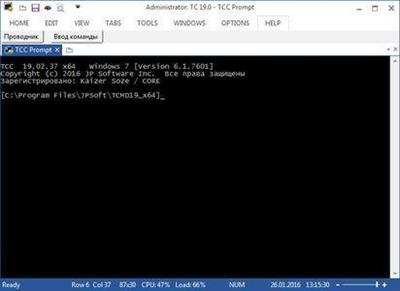
Take Command is a comprehensive interactive GUI and command line environment that makes using the Windows command prompt and creating batch files easy and far more powerful. Take Command displays your command line applications in tabbed windows, with optional Explorer-style integration for a visual look at your folders. Take Command includes hundreds of major enhancements to the command line and CMD commands such as COPY, DEL, and DIR, and adds more than 140 new commands, 460 internal variables and functions, a batch file IDE / debugger, and thousands of other features.

Features

Modify and re-execute previous commands with a powerful command line editor
Copy, delete, move, and rename groups of files and directories, not just individual ones
Extended directory searches allow you to change to a directory anywhere on your system by entering only part of its name
Batch debugger with singlestepping, breakpoints, syntax coloring, bookmarks, popup variable windows, variable watch windows, and editing
An improved batch language adds subroutines, IF/THEN/ELSE logic, DO loops, SWITCH statements, error and exception handling, and more than 130 internal commands, while retaining compatibility with batch files written for CMD
More than 130 built-in variables include system configuration, device status, network drive detection, and free memory and disk space
Start graphical and character-mode applications with ease – even run most console programs in the Take Command window
Built-in screen scrollback buffer lets you review or print output from past commands at any time
Customizable toolbar gives you quick access to frequently used commands and applications
Find File dialog lets you search quickly for files or text, anywhere on your system – or search from the command line with the new FFIND command

36.9 MB
rar archive

Download Link:
 
JP Software Take Command 26.01.40

RT5cmkQ.png


Take Command is a comprehensive interactive GUI and command line environment that makes using the Windows command prompt and creating batch files easy and far more powerful. Take Command displays your command line applications in tabbed windows, with optional Explorer-style integration for a visual look at your folders. Take Command includes hundreds of major enhancements to the command line and CMD commands such as COPY, DEL, and DIR, and adds more than 140 new commands, 460 internal variables and functions, a batch file IDE / debugger, and thousands of other features. Command Line Features:
· Modify and re-execute previous commands with a powerful command line editor
· Copy, delete, move, and rename groups of files and directories, not just individual ones
· Extended directory searches allow you to change to a directory anywhere on your system by entering only part of its name
· Quickly locate files or text within files anywhere on your system
· Built-in file viewer includes scrolling, search, and print capabilities
· Select or exclude files by date, time, size, and/or extended wildcards for extraordinary flexibility in file management
· Redefine commands, create new commands and functions for your regular tasks, even assign frequently used commands to a single keystroke
· Direct access to FTP, TFTP and HTTP (including SSL) directories and files in all file-handling commands
· Complete configuration adjustment, either through interactive dialogs or on the command line
· File descriptions up to 511 characters long provide information that can't fit in a filename

Batch File Features:
· Batch debugger with singlestepping, breakpoints, syntax coloring, bookmarks, popup variable windows, variable watch windows, and editing
· An improved batch language adds subroutines, IF/THEN/ELSE logic, DO loops, SWITCH statements, error and exception handling, and more than 130 internal commands, while retaining compatibility with batch files written for CMD
· More than 130 built-in variables include system configuration, device status, network drive detection, and free memory and disk space
· More than 200 variable functions assist with manipulation and display of strings, characters, numbers, date and time, file names, etc

Windows Features:
· Start graphical and character-mode applications with ease - even run most console programs in the Take Command window
· Built-in screen scrollback buffer lets you review or print output from past commands at any time
· Customizable toolbar gives you quick access to frequently used commands and applications
· Find File dialog lets you search quickly for files or text, anywhere on your system - or search from the command line with the new FFIND command
· Dialogs, accessible from the Options and Utilities menus, for editing environment variables, aliases, file descriptions, and startup parameters
· New commands such as ACTIVATE, MSGBOX, and QUERYBOX that allow you to use GUI features and control GUI applications from your batch files

37 MB
rar/zip archive

Download Link:

 
JP Software Take Command 26.02.42 (x64) Multilingual


5eeae471712f169da14d29cbc1aa77e0.jpeg


JP Software Take Command 26.02.42 (x64) Multilingual | 37 MB | Language: Multilanguage


Take Command is a comprehensive interactive GUI and Windows command line toolkit that makes your Windows command prompts easier to use and far more powerful. Take Command includes optional Windows Explorer integration, tabbed console windows, and major enhancements to standard Windows CMD commands such as COPY, DEL, FOR, MOVE, REN, SET, and START And it and adds 210+ new commands, command dialogs, command line syntax coloring, vastly improved command line editing, programmable filename and directory completion, and thousands of other features.


Take Command is also a powerful batch file programming tool, including an integrated IDE with a sophisticated editor and batch debugger. Take Command offers extensions such as DO loops, SWITCH statements, error and exception handling, system monitoring and event triggers, third-party plugins, and more than 700 built-in variables and functions.

Take Command combines the power of the command line with the ease of use of Explorer. You can manipulate files in the tabbed command prompt windows and graphically see the results.

Take Command is compatible with your existing Windows command prompt commands and CMD batch files, while adding thousands of new features. (And Take Command runs your CMD batch files faster than CMD!)

The integrated and familiar environment means you are immediately more productive with your interactive command prompt and batch file programming tasks.
The consistent command prompt commands syntax reduces learning and development time.

The comprehensive help (including context-sensitive popup help for command line commands syntax), speeds your development time and reduces syntax errors.
Create and debug your batch scripts in a fraction of the time with the integrated editor and batch file debugger.

It's fast - 20-200% faster at displaying output than the standard CMD command prompt.
Take Command is fully customizable, including multiple themes, colors, menus, toolbars, and windows.

You can redefine your commands through aliasing, create new commands and functions for your regular tasks, and assign frequently used commands to a single keystroke.
The user interface is available in English, French, German, Italian, Russian, and Spanish.

Operating System:
Take Command is compatible with Microsoft Windows 8 and 2012, and Windows 10, 2016, and 2019 (64-bit only)


Home Page -


DOWNLOAD LINKS:


Zurück
Oben Unten