



• Regeln für den Video-Bereich:

    In den Börsenbereich gehören nur Angebote die bereits den Allgemeinen Regeln entsprechen.

    Einteilung

    - Folgende Formate gehören in die angegeben Bereiche:
    - Filme: Encodierte Filme von BluRay, DVD, R5, TV, Screener sowie Telesyncs im Format DivX, XviD und x264.
    - DVD: Filme im Format DVD5, DVD9 und HD2DVD.
    - HD: Encodierte Filme mit der Auflösung 720p oder darüber von BluRay, DVD, R5, TV, Screener sowie Telesyncs im Format x264.
    - 3D: Encodierte Filme von BluRay, die in einem 3D Format vorliegen. Dies gilt auch für Dokus, Animation usw.
    - Serien: Cartoon/Zeichentrick, Anime, Tutorials, Dokumentationen, Konzerte/Musik, Sonstiges sind demnach in die entsprechenden Bereiche einzuordnen, auch wenn sie beispielsweise im High Definition-Format oder als DVD5/DVD9/HD2DVD vorliegen. Ausnahme 3D.
    - Bereich Englisch: Englische Releases gehören immer in diesen Bereich.
    - Bereich Talk: Der Bereich, in dem über die Releases diskutiert werden kann, darf, soll und erwünscht ist.


    Angebot/Beitrag erstellen

    - Ein Beitrag darf erst dann erstellt werden, wenn der Upload bei mindestens einem OCH komplett ist. Platzhalter sind untersagt.
    - Bei einem Scenerelease hat der Threadtitel ausschließlich aus dem originalen, unveränderten Releasenamen zu bestehen. Es dürfen keine Veränderungen wie z.B. Sterne, kleine Buchstaben o.ä. vorgenommen werden. Ausnahme Serienbörse:
    - Bei einem Sammelthread für eine Staffel entfällt aus dem Releasename natürlich der Name der Folge. Beispiel: Die Simpsons S21 German DVDRip XviD - ITG
    - Dementsprechend sind also u.a. verboten: Erweiterungen wie "Tipp", "empfehlenswert", "only", "reup", usw. / jegliche andere Zusatzinformation oder Ergänzung, welche nicht in obiger Beschreibung zu finden ist.

    Aufbau des Angebots und Threadtitel

    Der Titel nach folgendem Muster erstellt zu werden. <Name> [3D] [Staffel] [German] <Jahr> <Tonspur> [DL] [Auflösung] <Quelle> <Codec> - <Group>
    Beispiel: The Dark Knight German 2008 AC3 DVDRip XviD - iND
    Beispiel: The Dark Knight 2008 DTS DL BDRip x264 - iND
    Beispiel: The Dark Knight 2008 AC3 DL BDRip XviD - iND
    Beispiel: The Dark Knight German 2008 AC3 720p BluRay x264 iND
    Beispiel: The Dark Knight 2008 DTS DL 1080p BluRay x264 iND
    Beispiel: Die Simpsons S01 German AC3 DVDRip XviD iND
    Beispiel: Die Simpsons S20 German AC3 720p BluRay x264 iND
    Beispiel: Sword Art Online II Ger Sub 2014 AAC 1080p WEBRip x264 - peppermint
    Entsprechend sind also u.a. verboten: Sonderzeichen wie Klammern, Sterne, Ausrufezeichen, Unterstriche, Anführungszeichen / Erweiterungen wie "Tipp", "empfehlenswert", "only", "reup", usw. / jegliche andere Zusatzinformation oder Ergänzung, welche nicht in obiger Beschreibung zu finden ist
    Ausnahmen hiervon können in den Bereichen geregelt sein.

    Die Beiträge sollen wie folgt aufgebaut werden:
    Überschrift entspricht dem Threadtitel
    Cover
    kurze Inhaltsbeschreibung
    Format, Größe, Dauer sind gut lesbar für Downloader außerhalb des Spoilers zu vermerken
    Nfo sind immer Anzugeben und selbige immer im Spoiler in Textform.
    Sind keine Nfo vorhanden z.B. Eigenpublikationen, sind im Spoiler folgende Dateiinformationen zusätzlich anzugeben :
    Quelle
    Video (Auflösung und Bitrate)
    Ton (Sprache, Format und Bitrate der einzelnen Spuren)
    Untertitel (sofern vorhanden)
    Hosterangabe in Textform außerhalb eines Spoiler mit allen enthaltenen Hostern.
    Bei SD kann auf diese zusätzlichen Dateiinformationen verzichtet werden.

    Alle benötigten Passwörter sind, sofern vorhanden, in Textform im Angebot anzugeben.
    Spoiler im Spoiler mit Kommentaren :"Schon Bedankt?" sind unerwünscht.


    Releases

    - Sind Retail-Release verfügbar, sind alle anderen Variationen untersagt. Ausnahmen: Alle deutschen Retail-Release sind CUT, in diesem Fall sind dubbed UNCUT-Release zulässig.
    - Im Serien-Bereich gilt speziell: Wenn ein Retail vor Abschluss einer laufenden Staffel erscheint, darf diese Staffel noch zu Ende gebracht werden.62
    - Gleiche Releases sind unbedingt zusammenzufassen. Das bedeutet, es ist zwingend erforderlich, vor dem Erstellen eines Themas per Suchfunktion zu überprüfen, ob bereits ein Beitrag mit demselben Release besteht. Ist dies der Fall, ist der bereits vorhandene Beitrag zu verwenden.
    - P2P und Scene Releases dürfen nicht verändert oder gar unter einem iND Tag eingestellt werden.


    Support, Diskussionen und Suche

    - Supportanfragen sind entweder per PN oder im Bereich Talk zu stellen.
    - Diskussionen und Bewertungen sind im Talk Bereich zu führen. Fragen an die Uploader haben ausschließlich via PN zu erfolgen, und sind in den Angeboten untersagt.
    - Anfragen zu Upload-Wünschen sind nur im Bereich Suche Video erlaubt. Antworten dürfen nur auf Angebote von MyBoerse.bz verlinkt werden.


    Verbote

    - Untersagt sind mehrere Formate in einem einzigen Angebotsthread, wie beispielsweise das gleichzeitige Anbieten von DivX/XviD, 720p und 1080p in einem Thread. Pro Format, Release und Auflösung ist ein eigener Thread zu eröffnen.
    - Grundsätzlich ebenso verboten sind Dupes. Uploader haben sich an geeigneter Stelle darüber zu informieren, ob es sich bei einem Release um ein Dupe handelt.
    - Gefakte, nur teilweise lauffähige oder unvollständige Angebote sind untersagt. Dies gilt auch für eigene Publikationen, die augenscheinlich nicht selbst von z.B. einer DVD gerippt wurden. Laufende Serien, bei denen noch nicht alle Folgen verfügbar sind, dürfen erstellt und regelmäßig geupdatet werden.
    - Untersagt sind Angebote, welche nur und ausschließlich in einer anderen Sprache als deutsch oder englisch vorliegen. Ausnahmen sind VORHER mit den Moderatoren zu klären.


    Verstoß gegen die Regeln

    - Angebote oder Beiträge, die gegen die Forenregeln verstoßen, sind über den "Melden"-Button im Beitrag zu melden.
  • Bitte registriere dich zunächst um Beiträge zu verfassen und externe Links aufzurufen.

*** Bestes IPTV *** bester Preis *** gratis Test ***


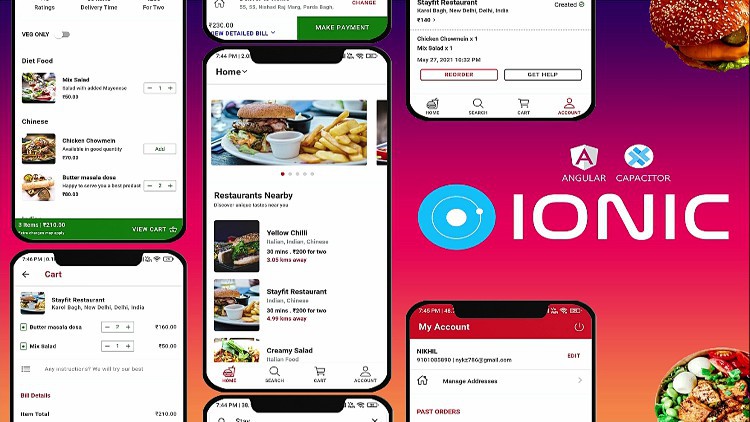
Ionic 5+ From Beginner to Advanced - Build Food Delivery App

Srbin

MyBoerse.bz Pro Member
4312570a4844djl2.jpg


Ionic 5+ From Beginner to Advanced - Build Food Delivery App
MP4 | Video: h264, 1280x720 | Audio: AAC, 44.1 KHz, 2 Ch
Genre: eLearning | Language: English + srt | Duration: 182 lectures (46h 58m) | Size: 26.4 GB

Build Native iOS & Android Apps (like Swiggy/Zomato/Uber-Eats), also PWA with Angular, Capacitor v3, Firebase & Ionic 5+

What you'll learn:
Build Food Delivery App like Swiggy / Zomato / Uber-Eats (includes Customer App & Admin Panel in the Same App) with Angular & Capacitor
Build Native apps for iOS & Android, using Angular and the powerful features that Ionic offers along with Capacitor
Learn to build Native Apps & Progressive Web Apps using Capacitor v2 & learn to upgrade all Plugins to Capacitor v3
Learn the Basic Fundamentals of Ionic coupled with Advanced Features
Learn to use different Capacitor Plugins (also with Cordova) & Resolve all encountered issues in it
Test iOS & Android Apps on Real Devices (including Emulators & Simulators) and Publish those Apps to their respective stores (App Store & Google Play Store)
Clean Coding Best Approaches
Firebase Cloud Firestore & Cloud Storage (along with Setting Security Rules)

Requirements
One should be little familiar with modern web development: HTML, CSS, JavaScript
A brief understanding of Angular and Typescript would be beneficial, but not ultimately required.


Description
Ionic is one of the most exciting & evolving technologies you should learn at the moment. It empowers you to build leading cross-platform mobile apps (native mobile apps) for iOS and Android, and also Progressive Web Apps (PWAs) using one codebase (written in HTML, JS and CSS)

This course will introduce you to Ionic step by step and gradually adding more and more Ionic components. It teaches you the latest version of Ionic from scratch with no prior knowledge needed about it.

Angular allows you to create awesome web applications powered by TypeScript / JavaScript. We will use it to build web applications that can be compiled into native mobile apps, running on any iOS or Android device, also teach you to build progressive web apps with same codebase simultaneously.

The Ionic framework allows you to build Native Mobile Apps using your existing Angular, HTML, JS and CSS knowledge. Ionic provides a lot of beautiful components (which you'll learn about in this course) that can be used to create Native-like User Interfaces (UI).

Capacitor (a tool provided by the Ionic team) will be used to then build a native mobile app for iOS/ Android based on your code. This allows you to publish your application on all possible devices (desktop and mobile) without having to learn lots of different languages! So with Ionic, you can use one codebase to create 3 different apps (iOS, Android, web).

No wonder that hybrid frameworks like Ionic are extremely popular and getting into high demand day by day!

My name is Nikhil Agarwal and I'm a professional web & app developer. I love creating awesome applications that are challenging & amazing.

This course takes you from being a newbie(zero) to expert (advanced level) in making Apps, taking a very practice-orientated route. At first you will gain all the basics knowledge along with that you'll build an app to use main Capacitor plugins & some basics concepts about Ionic. In the basics of Ionic you'll learn about its rich component library, how to fetch and handle user input, how to store data and access native device features and much more! After bagging all the basics, you'll build a realistic app (similar to Swiggy / Zomato / Uber-Eats) in this course.

You'll dive into all important Ionic components & concepts such as navigation, user input, native device features (e.g. camera, geolocation, call, contacts, local notifications, share etc.), storage,http, authentication!

And since building apps is only part of the fun, you'll of course also learn how to run your apps either in the browser, on an emulator or on your own device!

Here's a quick rundown of what you are going to learn in this course?

- How to set up environment for Ionic projects in Windows & MAC &

- How to run native apps in Emulator, Simulator & real devices for both iOS & Android. Also, testing app in browser, with all debugging tools

- The basics about Ionic - How navigation works, how your project is structured and you use its rich component library

- How to use the many beautiful components Ionic provides

- How to use modals, alerts, toasts and many, many more useful UI components

- How to fetch and handle user input through inputs, text-fields, dropdowns, dialogs etc.

- How to authenticate users and access web servers to store & load data

- How to work with different Capacitor plugins for PWAs & Native Mobile Apps (using Capacitor v2 & Capacitor v3 also)

- Clean Coding Practice along with App Styling & theming

- & many more

Finally, you'll learn how to configure your app and publish it to the App Store or Google Play Store (or as a progressive web app).

Does this sound great?

I can't wait to welcome you in this course! :)

Who this course is for
This course is for everyone (whether beginner or already an Ionic Developer) who wants to become an Advanced-level Ionic Developer.
Even a school student with little knowledge of HTML, CSS, JS can also enroll in this course.
This course is for everyone interested in diving into the development of native mobile apps for iOS and Android using one codebase
It is useful for Web developers as well as App developers.

Homepage
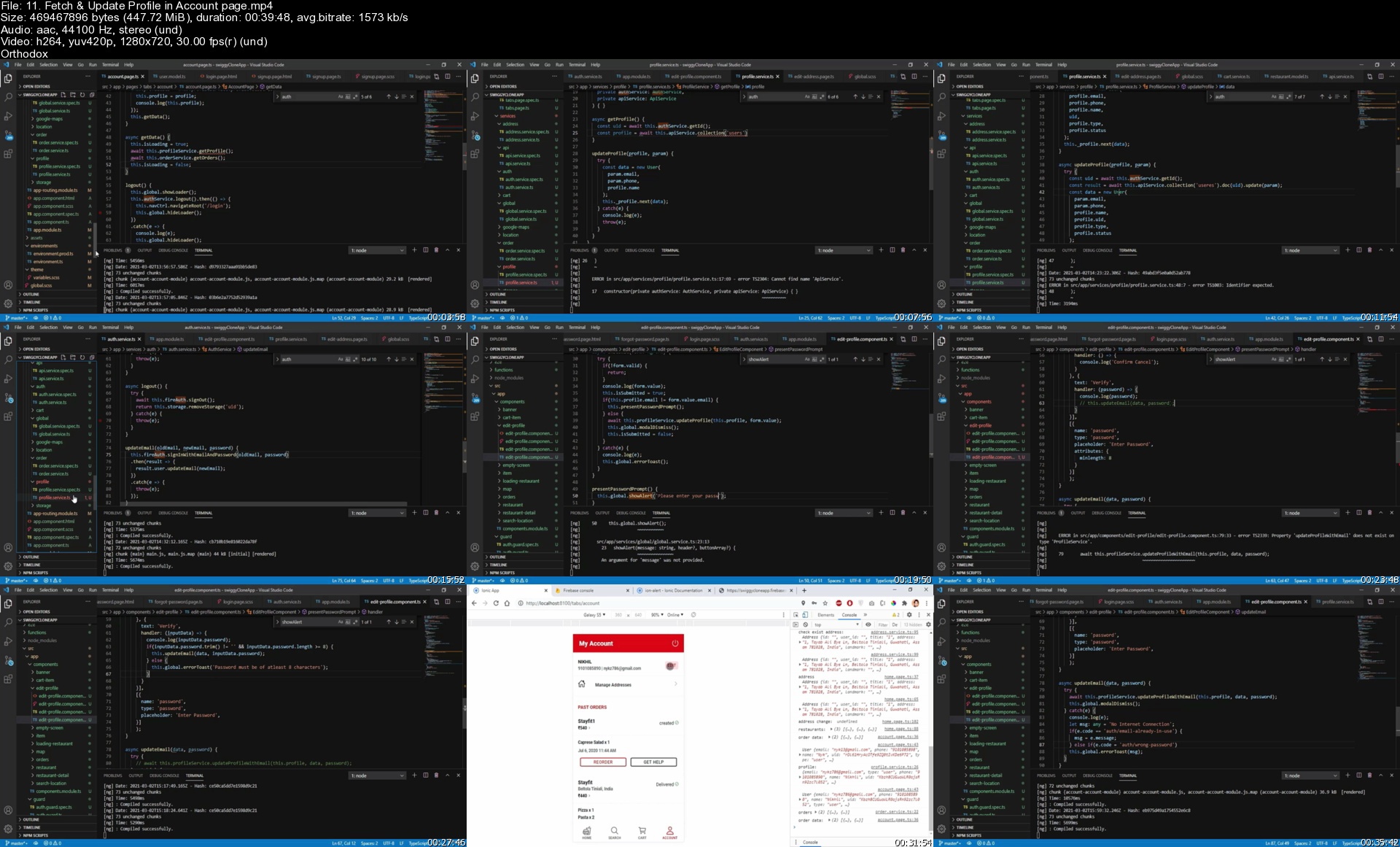

11.fetchupdateprofilemskx1.jpg


Zurück
Oben Unten
