




hopaxom869
MyBoerse.bz Pro Member
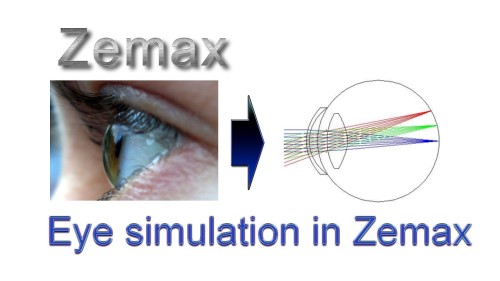
Introduction To Optical Eye Modeling With Zemax
Published 9/2024
MP4 | Video: h264, 1920x1080 | Audio: AAC, 44.1 KHz
Language: English | Size: 1.34 GB | Duration: 4h 34m
Master Eye Optics with Zemax: Geometrical Optics, Aberrations, Eye Modeling, and Performance Optimization
What you'll learn
Simulate the optical components of the eye using Zemax software to understand how light interacts with the cornea and lens.
Analyzing Optical Performance: Teach methods for evaluating the performance of eye models in Zemax.
Customizing Eye Models: Guide students in customizing eye models to fit various optical scenarios.
Compare different optical materials used in eye model simulations and assess their impact on image quality and aberration control.
Assess the impact of lens parameters on the overall optical system performance through Zemax simulations and optimization techniques.
Identify the anatomical structure of the human eye, including the cornea, lens, retina, and other key components.
Explain the function of each part of the eye in the process of vision, focusing on how light is refracted and focused.
Describe the variations in the refractive index of different parts of the eye and their roles in image formation.
Model the eye's refractive surfaces, such as the cornea and lens, using both theoretical knowledge and Zemax simulations.
Analyze common optical aberrations in the eye, such as spherical and chromatic aberration, and their effects on vision.
Apply the knowledge of eye anatomy and refractive properties to design optical systems that mimic or interact with human vision.
Requirements
Understanding of basic optics principles
Understanding of Zemax Software
Description
This comprehensive course, "Introduction to Optical Eye Modeling with Zemax," is meticulously designed for optical engineers, researchers, and professionals working in areas such as retinal imaging, AR/VR optics, and other vision-related technologies. The course equips learners with a profound understanding of both the theoretical foundations of optical systems and their practical implementation in Zemax OpticStudio.The course begins by covering the essential principles of geometrical optics, including the laws of reflection and refraction, thin lenses, focal length, optical power, and image formation. Learners will also explore critical concepts such as dispersion, the Abbe number, and nasal-temporal distinctions. A thorough treatment of aberration theory follows, with a focus on both monochromatic and chromatic aberrations, including defocus, spherical aberration, coma, and astigmatism.A significant portion of the course is dedicated to modeling the human eye as an optical system. Students will delve into the detailed anatomy and optical properties of the cornea, including its refractive index, power, and asphericity, as well as the crystalline lens, with an emphasis on thickness, curvature, and refractive index distribution. The course also covers accommodation of the eye, including a practical example of calculating the amplitude of accommodation.Utilizing Zemax OpticStudio, students will build a paraxial schematic eye model and the more advanced Liou and Brennan schematic eye model. Participants will gain hands-on experience in simulating and analyzing optical performance, detecting aberrations, and optimizing lens designs for enhanced results. Practical exercises, including the design of a singlet lens and the modeling of the Navarro 1985 accommodated eye, are incorporated to deepen the learners' practical skills.By the end of the course, participants will have a solid foundation in both the theoretical and practical aspects of optical eye modeling and will be fully equipped to apply these skills to complex optical systems. This course is ideal for those seeking to master Zemax OpticStudio in the context of advanced optical modeling and simulation.
Overview
Section 1: Introduction
Lecture 1 Welcome to this course!
Lecture 2 Instructor
Section 2: Geometrical optics basics
Lecture 3 Law of reflection
Lecture 4 Law of Refraction (Snell's Law)
Lecture 5 Thin Lens
Lecture 6 Focal length and optical power
Lecture 7 Image formation
Lecture 8 Dispersion
Lecture 9 Abbe number
Section 3: Aberration theory
Lecture 10 Abberation theory
Lecture 11 Definition of Aberrations
Section 4: Monochromatic aberrations
Lecture 12 Defocus
Lecture 13 Spherical aberration
Lecture 14 Coma
Lecture 15 Astigmatism
Lecture 16 Field curvature
Lecture 17 Distortion
Section 5: Chromatic aberrations
Lecture 18 Axial (or longitudinal) chromatic aberration
Lecture 19 Lateral (or transverse) chromatic aberration
Section 6: The human eye overview
Lecture 20 Optical system overview
Section 7: Cornea
Lecture 21 Cornea Refractive index
Lecture 22 Toric lens
Lecture 23 With and against the rule astigmatism
Lecture 24 Asphericity
Lecture 25 Central thickness
Lecture 26 Cornea Anterior Surface Toricity
Lecture 27 Cornea Anatomical Structure
Section 8: Crystalline lens
Lecture 28 Crystaline lens overview
Lecture 29 Refractive index distribution
Lecture 30 Equivalent refractive index
Lecture 31 Lens power
Section 9: The pupil
Lecture 32 The IRIS
Lecture 33 Enterance and exit pupil
Lecture 34 Pupil centration
Lecture 35 Pupil size and level of illumination
Lecture 36 Depth of filed
Section 10: Axes of the eye
Lecture 37 Optical axis
Lecture 38 Line of sight
Section 11: Accommodation
Lecture 39 What is Accommodation of the Eye?
Lecture 40 Example of calculation of amplitude of accommodation
Section 12: Paraxial schematic eye
Lecture 41 Eye main optical componenets
Lecture 42 Cornea
Lecture 43 Anterior chamber
Lecture 44 Pupil
Lecture 45 Lens (Crystalline Lens)
Lecture 46 Modeling the Lens Refractive Index Distribution in zemax
Lecture 47 Vitrouse chamber
Lecture 48 Retina
Lecture 49 Fovea
Section 13: Zemax OpticStudio
Lecture 50 Navigating the Zemax Environment: Windows, Tools, and Functionalities
Lecture 51 Zemax tabs, and ribbons
Lecture 52 Window Management in Zemax
Lecture 53 Working with the Lens Data Editor in Zemax
Lecture 54 System Explorer
Section 14: Designing a Singlet Lens: Practical exmaple
Lecture 55 How to setup a signlet lens?
Lecture 56 Setup the system explorer
Lecture 57 Adding surfaces, in lens data editor
Lecture 58 Solves
Lecture 59 Visualizing the Optical System with Different Zemax Layouts
Section 15: Human eye model in Zemax(Liou and Brennan-1977)
Lecture 60 System settings
Lecture 61 Surface 1: Object
Lecture 62 Surface 1: Dummy
Lecture 63 Surface 2: Cornea
Lecture 64 Surface 3: Aqeous
Lecture 65 Surface 4: Pupil
Lecture 66 Surface 5: Lens Grad A
Lecture 67 Surface 6: Lens Grad B
Lecture 68 Surface 7: Vitreous
Lecture 69 Surface 8: Retina
Lecture 70 Pupil abberation
Lecture 71 Analyzing performance
Lecture 72 Underperforming eye, and addign a lens
Lecture 73 Optimize the lens, analyze the performance, and results
Section 16: Zemax Model for an Accommodated Eye
Lecture 74 Navarro 1985 eye model
Lecture 75 Navarro 1985 eye model parameters
Lecture 76 Create a spreadsheet in Excel to organize and list the parameters.
Lecture 77 Modeling in zemax: System Explorer
Lecture 78 Modeling in zemax: Adding surfaces, spot diagram
Optics Enthusiasts: Individuals with a background in optics who want to perform simulations of eye optical models using Zemax.,Ophthalmologists and Eye Care Professionals: Those with a strong understanding of eye optical systems looking to enhance their skills with Zemax for precise simulations.,Optical System Designers: Engineers and designers working on devices that involve human vision, such as AR/VR headsets, microscopes, telescopes, and riflescopes, where integrating the eye's optical system is crucial.,Medical Device Developers: Professionals designing optical systems for examining the eye, such as fundus imaging devices, aiming to improve diagnostic capabilities.,Research Scientists: Researchers focused on eye optics and vision science who wish to use Zemax for detailed and accurate simulations.,Academic Instructors: Educators seeking to incorporate practical simulation techniques into their curriculum for optics and ophthalmology students.,Innovation Teams: Teams working on cutting-edge technology that requires precise modeling of the human eye's optical components for enhanced functionality.
Screenshots
