• Regeln für den Software-Bereich:


    Allgemeines:

    - In erster Linie sind unsere Boardregeln zu beachten, zu finden HIER.
    - Software zur Audiobearbeitung sollte ausschließlich im Unterforum "Audio" eingestellt werden.
    - Für Cracks, Keygens oder sonstige Freischaltungssoftware gibt es das Unterforum "Freischaltung".
    - Portable Software bitte im entsprechenden Unterforum "Portable Software" eintragen.
    - Diskussionen zur Installation und anderen Problemen mit der Software, bitte im enstprechenden Unterforum "Talk" führen.
    - Bei Unklarheiten und Fragen zu den Regeln bitte die Moderatoren kontaktieren.


    Angebot erstellen

    - Die Struktur des Threadtitels muss wie folgt umgesetzt werden: Herstellername - Softwarename - Versionsnummer
    - Unnötige Zusätze im Threadtitel wie "HOT", "NEW" oder Punkte zwischen den Wörtern sind nicht erlaubt.
    - Achtet darauf immer nur die Hauptversion und deren Updates in einem Thread zusammenfassen, konkretes Beispiel: SoftwareXY v3.12 gehört in den selben Thread mit SoftwareXY v3.13; SoftwareXY v.4.1 gehört in einen neuen eigenen Thread. Ausgenommen hiervon sind Sammelthreads und Dauerangebote.
    - Bei nicht bekannten Herstellern oder Angebote einer privaten Software, ist die Programmbezeichnung + Versionsnummer ausreichend.
    - Besondere Beachtung gilt für den ersten Beitrag eines Angebots. Dort muss eine kurze Beschreibung der Software in deutscher Sprache angegeben werden. Für offizielle Releases ist es Pflicht die NFO im Beitrag einzustellen(Spoiler, siehe nächster Punkt).
    - Weitere Informationen wie NFOs oder Changelogs, versteckt ihr bitte in einem Spoiler.


    Software Suche

    - Für Suchanfragen haben wir das Unterforum "Suche" erstellt.
    - Auch hier sollte vorher die Suchfunktion benutzt werden, um Doppelthreads vorzubeugen. Sollte es bereits eine Suchanfrage geben, könnt ihr den Thread gerne mit einem "Danke" pushen.


    Trojaner- und Virusalarm

    - Falls Euer Virenscanner bei einem Angebot Alarm schlägt, solltet ihr zunächst Ruhe bewahren. Viele Virenscanner erkennen Cracks/Keygens oft fälschlicherweise als Bedrohung.
    - Prüft die verdächtige Datei zuerst mit http://virustotal.com , sollte es sich hierbei wirklich um eine Bedrohung handeln, meldet den Beitrag und/oder wendet euch mit dem Bericht von VirusTotal.com an einen Moderator.


    Unerwünschte Angebote

    - Keylogger, Spionagetools, alles rund ums Thema Hacking/Cracking ist nicht erwünscht.
  • Bitte registriere dich zunächst um Beiträge zu verfassen und externe Links aufzurufen.


InPixio Eclipse HDR PRO v1

Bleed

Warez Upper
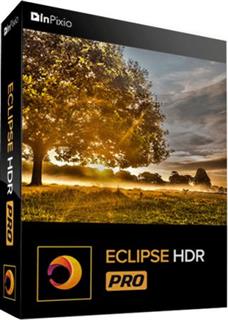
InPixio Eclipse HDR PRO 1.3.700.620

Englisch/Französisch // Voraktiviert // 64-Bit


46841405eg.png


Beschreibung:

Eclipse HDR PRO – Erstellen Sie professionelle Fotos mit erweiterter HDR-Bearbeitung. Mit Eclipse HDR Pro haben Sie wieder die Kontrolle über Ihre Fotos. Es gab noch nie einen schnelleren und einfacheren Weg, professionelle HDR-Bilder zu erstellen. Mit der vollständigen Kontrolle über Beleuchtung und Belichtung können Sie bei Ihren RAW- und HDR-Projekten ein neues Maß an Kreativität erreichen.

Mit Eclipse HDR Pro haben Sie wieder die Kontrolle über Ihre Fotos. Es gab noch nie eine schnellere und einfachere Möglichkeit, professionelle HDR-Bilder zu erstellen.
Mit der vollständigen Kontrolle über Beleuchtung und Belichtung können Sie bei Ihren RAW- und HDR-Projekten ein neues Maß an Kreativität erreichen.

_________________________________________________

Größe: 43 MB
Sprache: Englisch/Französisch
Format: RAR/EXE (1x gepackt)
Plattform: Windows 7/8/10/11 (64-bit)
Hoster: RapidGator|Ddownload|Katfile
________________________________________


Zuletzt bearbeitet:

InPixio Eclipse HDR PRO v1.3.500.524 (x64)


895f5774f53a50e789621a18a4190c35.jpg


InPixio Eclipse HDR PRO v1.3.500.524 (x64) | 43 MB | Languages: English, French


Eclipse HDR PRO - Create professional photos with advanced HDR editing. Eclipse HDR Pro puts you back in control of your photos. There has never been a faster or easier way to create professional HDR images.With full control over lighting and exposure, you can achieve a new level of creativity with your RAW and HDR projects.


HDR ToneMapping Engine™
- Easily re-expose your images without compromising on detail and color.
- Eclipse HDR provides full resolution tone mapping in real time. No halo, no color shift, just balanced and natural-looking HDR images.
- You can see the results in the image to the left.

State-of-the-art HDR
- Eclipse HDR Pro puts you back in control of your photos. There has never been a faster or easier way to create professional HDR images.
- With full control over lighting and exposure, you can achieve a new level of creativity with your RAW and HDR projects.

RAW Photo Processing
- Eclipse HDR comes with a complete RAW and image processing module that lets you optimize your RAW images.
- Precision-edit color, brightness and saturation in specific areas of your photos with the wide selection of curves. You can completely transform colors in your images without branding or artifacts.
- Eclipse HDR Pro supports over 600 cameras.

50+ spectacular features for all your HDR editing needs
- Custom Presets. Batch Mode & Raw Processing.
- Advanced Tonemapping Management. Color Equalizer. Ultra-wide chromatic scale.

Over 40 Creative Presets
- Eclipse HDR comes ready to use with a wide range of effects and HDR Styles to play with!

From natural to surreal!
- Eclipse HDR does both - you can correct and enhance your photos while keeping a natural, realistic look. Or you can go wild and create stunning surreal effects that will turn your photos into works of art.

HDR ReLight
- Switch on (or off) the lights wherever you want them in your photo!
- HDR ReLight automatically detects ambient light sources in your photos and lets you edit the white balance, temperature, tint and intensity to stunning effect.
- Switch daytime to night, or totally change the color of your lighting. You can even use this function to create studio-quality pictures with a basic lighting set-up.

HDR DeNoise
- Denoising can sometimes mean lost details, but not with Eclipse HDR.
- This powerful feature processes multiple RAWs or JPEGs to correct noise and grain in your photos with no over-smoothing or artifacts.
- Now you can admire every detail of your evening and nighttime shots.

HDR for all your needs
- Eclipse HDR has already proved to be one of the best and most versatile HDR tools available today. This easy-to-use software is perfect for enhancing all kinds of photographs, including landscape, interior, panorama, architecture and real estate to name just a few.

RELEASE NOTES:
- Initial Release.

System Requirements:
- OS : Windows 7/8/10 (64-bit)
- Processor Intel® or AMD
- 100 MB free disk space


HOMEPAGE:
screenshot-1jbjpu.png


DOWNLOAD LINKS:


Zuletzt bearbeitet:
InPixio Eclipse HDR PRO 1.3.700.620

inpixioeclipsehdrprocyjq2.png


Eclipse HDR PRO - Create professional photos with advanced HDR editing. Eclipse HDR Pro puts you back in control of your photos. There has never been a faster or easier way to create professional HDR images.With full control over lighting and exposure, you can achieve a new level of creativity with your RAW and HDR projects.


Language: English, French

File Size: 43.09 MB

Format: RAR, EXE

Platform: Windows 7, 8/8.1, 10, 11 (32/64Bit)


Hoster:

Rapidgator.net

filestore.me


DOWNLOAD


InPixio Eclipse HDR PRO v1.3.700.620

AuKpkzC.jpg


InPixio Eclipse HDR PRO v1.3.700.620 || Pre-Activated || 43.09 MB || Sprache: Englisch


Beschreibung:


Sprache: Englisch
File Size: 43.09 MB
Format: .Rar und .Exe
Plattform: Windows 11, 10, 8.1, 8, 7 (64 Bit)
Passwort: Wird nicht benötigt
Hoster: nitroflare.com , ddownload.com , uploadgig.com , rapidgator.net

Mirrors sind untereinander kompatibel


Download Links


KCsbvy.dRrc.png


InPixio Eclipse HDR PRO 1.3.700.620 (64-Bit) | Sprachen: Englisch, Französisch


Plattform: windows 10 , 8 , 8.1 , 7 , 11 (64-Bit)
Größe: 43.09 MB
Sprache(n) -> Englisch / Französisch
Format: rar / exe
Hoster: rapidgator / ddownload / nitroflare


Eclipse HDR PRO Erstellen Sie professionelle Fotos mit erweiterter HDR-Bearbeitung.Mit Eclipse HDR Pro haben Sie wieder die Kontrolle über Ihre Fotos.Es gab noch nie einen schnelleren und einfacheren Weg, professionelle HDR-Bilder zu erstellen. Mit der vollständigen Kontrolle über Beleuchtung und Belichtung können Sie bei Ihren RAW- und HDR-Projekten ein neues Maß an Kreativität erreichen.Mit Eclipse HDR Pro haben Sie wieder die Kontrolle über Ihre Fotos.Es gab noch nie eine schnellere und einfachere Möglichkeit, professionelle HDR-Bilder zu erstellen.Mit der vollständigen Kontrolle über Beleuchtung und Belichtung können Sie bei Ihren RAW- und HDR-Projekten ein neues Maß an Kreativität erreichen.

Download:
3n4lcsdgx9kme.gif


Zurück
Oben Unten