KAMAL
MyBoerse.bz Pro Member
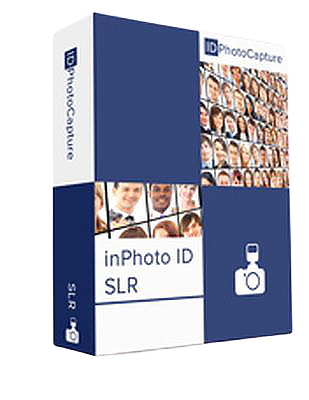
inPhoto Capture / ID SLR 4.2.2 Multilingual
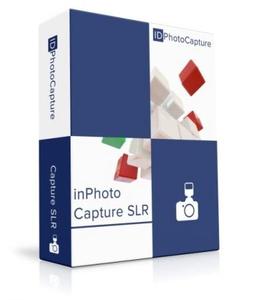
inPhoto Capture / ID SLR 4.2.2 Multilingual | 94 MB | Language: Multilanguage
inPhoto Capture SLR is the camera control application that allows the Canon SLR (reflex) digital camera functions being controlled from PC. inPhoto ID SLR is the application for identification photo preparation which also includes camera control functions. It works with Canon SLR (reflex) digital cameras allowing to control them from PC and to perform ID photo preparation based on captured images.
inPhoto Capture SLR Main Features:
Remote shooting
inPhoto Capture SLR controls camera shutter and release remotely and captures snapshots to your PC;
Live preview
allows selecting the best view before shooting, controlling picture quality, and verifying current shooting settings in run-time on big resolution. Live preview for SLR cameras is fast and have perfect quality;
TWAIN image capture
allows transfer acquired images via TWAIN protocol directly to necessary applications - Adobe Photoshop, Google Picasa, XnView, and any other that support TWAIN protocol, including your own application;
Save to file
allows you to save acquired images to file and set desired file name and folder automatically or manually;
Remote control of camera settings
- Exposure settings (Aperture, Shutter, Exposure Compensation);
- Shooting mode (Sensitivity, White Balance Mode, Flash Mode);
- Captured image settings (Compression, Resolution);
Focus mode full control
inPhoto Capture SLR supports Canon SLR cameras mode that allows focusing on the object automatically with no need to turn the camera lens by hands. Different camera autofocus modes are supported. Manual focus setting is also available remotely, you may choose focus zone directly on live preview;
Image rotation
both live preview and snapshots can be rotated manually by 90 degrees;
inPhoto ID SLR Main Features:
Remote shooting
inPhoto ID SLR controls camera shutter and release remotely and captures snapshots to your PC;
Identification (ID) photo preparation
- Fully automatic face detection;
- Automatic crop based on detected face area and crop settings;
Live preview
allows selecting the best view before shooting, controlling picture quality, and verifying current shooting settings in run-time on big resolution. Live preview for SLR cameras is fast and have perfect quality;
Face detection on live preview
allows control of crop frame before capturing right on live image from camera preview, you may control position just before capturing and get excellent results from the first time;
TWAIN image capture
allows transfer prepared identification (ID) photos and acquired images via TWAIN protocol directly to necessary applications - Adobe Photoshop, ID Works, CardFive, EPISuite, and any other that support TWAIN protocol, including your own application;
Save to file
allows you to save acquired images to file and set desired file name and folder automatically or manually;
Remote control of camera settings
- Exposure settings (Aperture, Shutter, Exposure Compensation);
- Shooting mode (Sensitivity, White Balance Mode, Flash Mode);
- Captured image settings (Compression, Resolution);
Focus mode full control
inPhoto ID SLR supports Canon SLR cameras mode that allows focusing on the object automatically with no need to turn the camera lens by hands. Different camera autofocus modes are supported. Manual focus setting is also available remotely, you may choose focus zone directly on live preview;
Captured image enhancement
- inPhoto ID SLR allows adjusting image brightness, contrast, gamma, and sharpness;
- Resize the result image in accordance with your requirements
Image rotation
both live preview and snapshots can be rotated manually by 90 degrees;
System Requirements:
- Windows 10;
- Windows 8;
- Windows 7;
- 32/64-bit version support;
.NET Framework 3.5
Home Page -
DOWNLOAD LINKS:
inPhoto Capture / ID SLR 4.2.2 Multilingual | 94 MB | Language: Multilanguage
inPhoto Capture SLR is the camera control application that allows the Canon SLR (reflex) digital camera functions being controlled from PC. inPhoto ID SLR is the application for identification photo preparation which also includes camera control functions. It works with Canon SLR (reflex) digital cameras allowing to control them from PC and to perform ID photo preparation based on captured images.
inPhoto Capture SLR Main Features:
Remote shooting
inPhoto Capture SLR controls camera shutter and release remotely and captures snapshots to your PC;
Live preview
allows selecting the best view before shooting, controlling picture quality, and verifying current shooting settings in run-time on big resolution. Live preview for SLR cameras is fast and have perfect quality;
TWAIN image capture
allows transfer acquired images via TWAIN protocol directly to necessary applications - Adobe Photoshop, Google Picasa, XnView, and any other that support TWAIN protocol, including your own application;
Save to file
allows you to save acquired images to file and set desired file name and folder automatically or manually;
Remote control of camera settings
- Exposure settings (Aperture, Shutter, Exposure Compensation);
- Shooting mode (Sensitivity, White Balance Mode, Flash Mode);
- Captured image settings (Compression, Resolution);
Focus mode full control
inPhoto Capture SLR supports Canon SLR cameras mode that allows focusing on the object automatically with no need to turn the camera lens by hands. Different camera autofocus modes are supported. Manual focus setting is also available remotely, you may choose focus zone directly on live preview;
Image rotation
both live preview and snapshots can be rotated manually by 90 degrees;
inPhoto ID SLR Main Features:
Remote shooting
inPhoto ID SLR controls camera shutter and release remotely and captures snapshots to your PC;
Identification (ID) photo preparation
- Fully automatic face detection;
- Automatic crop based on detected face area and crop settings;
Live preview
allows selecting the best view before shooting, controlling picture quality, and verifying current shooting settings in run-time on big resolution. Live preview for SLR cameras is fast and have perfect quality;
Face detection on live preview
allows control of crop frame before capturing right on live image from camera preview, you may control position just before capturing and get excellent results from the first time;
TWAIN image capture
allows transfer prepared identification (ID) photos and acquired images via TWAIN protocol directly to necessary applications - Adobe Photoshop, ID Works, CardFive, EPISuite, and any other that support TWAIN protocol, including your own application;
Save to file
allows you to save acquired images to file and set desired file name and folder automatically or manually;
Remote control of camera settings
- Exposure settings (Aperture, Shutter, Exposure Compensation);
- Shooting mode (Sensitivity, White Balance Mode, Flash Mode);
- Captured image settings (Compression, Resolution);
Focus mode full control
inPhoto ID SLR supports Canon SLR cameras mode that allows focusing on the object automatically with no need to turn the camera lens by hands. Different camera autofocus modes are supported. Manual focus setting is also available remotely, you may choose focus zone directly on live preview;
Captured image enhancement
- inPhoto ID SLR allows adjusting image brightness, contrast, gamma, and sharpness;
- Resize the result image in accordance with your requirements
Image rotation
both live preview and snapshots can be rotated manually by 90 degrees;
System Requirements:
- Windows 10;
- Windows 8;
- Windows 7;
- 32/64-bit version support;
.NET Framework 3.5
Home Page -
DOWNLOAD LINKS: