• Regeln für den Software-Bereich:


    Allgemeines:

    - In erster Linie sind unsere Boardregeln zu beachten, zu finden HIER.
    - Software zur Audiobearbeitung sollte ausschließlich im Unterforum "Audio" eingestellt werden.
    - Für Cracks, Keygens oder sonstige Freischaltungssoftware gibt es das Unterforum "Freischaltung".
    - Portable Software bitte im entsprechenden Unterforum "Portable Software" eintragen.
    - Diskussionen zur Installation und anderen Problemen mit der Software, bitte im enstprechenden Unterforum "Talk" führen.
    - Bei Unklarheiten und Fragen zu den Regeln bitte die Moderatoren kontaktieren.


    Angebot erstellen

    - Die Struktur des Threadtitels muss wie folgt umgesetzt werden: Herstellername - Softwarename - Versionsnummer
    - Unnötige Zusätze im Threadtitel wie "HOT", "NEW" oder Punkte zwischen den Wörtern sind nicht erlaubt.
    - Achtet darauf immer nur die Hauptversion und deren Updates in einem Thread zusammenfassen, konkretes Beispiel: SoftwareXY v3.12 gehört in den selben Thread mit SoftwareXY v3.13; SoftwareXY v.4.1 gehört in einen neuen eigenen Thread. Ausgenommen hiervon sind Sammelthreads und Dauerangebote.
    - Bei nicht bekannten Herstellern oder Angebote einer privaten Software, ist die Programmbezeichnung + Versionsnummer ausreichend.
    - Besondere Beachtung gilt für den ersten Beitrag eines Angebots. Dort muss eine kurze Beschreibung der Software in deutscher Sprache angegeben werden. Für offizielle Releases ist es Pflicht die NFO im Beitrag einzustellen(Spoiler, siehe nächster Punkt).
    - Weitere Informationen wie NFOs oder Changelogs, versteckt ihr bitte in einem Spoiler.


    Software Suche

    - Für Suchanfragen haben wir das Unterforum "Suche" erstellt.
    - Auch hier sollte vorher die Suchfunktion benutzt werden, um Doppelthreads vorzubeugen. Sollte es bereits eine Suchanfrage geben, könnt ihr den Thread gerne mit einem "Danke" pushen.


    Trojaner- und Virusalarm

    - Falls Euer Virenscanner bei einem Angebot Alarm schlägt, solltet ihr zunächst Ruhe bewahren. Viele Virenscanner erkennen Cracks/Keygens oft fälschlicherweise als Bedrohung.
    - Prüft die verdächtige Datei zuerst mit http://virustotal.com , sollte es sich hierbei wirklich um eine Bedrohung handeln, meldet den Beitrag und/oder wendet euch mit dem Bericht von VirusTotal.com an einen Moderator.


    Unerwünschte Angebote

    - Keylogger, Spionagetools, alles rund ums Thema Hacking/Cracking ist nicht erwünscht.
  • Bitte registriere dich zunächst um Beiträge zu verfassen und externe Links aufzurufen.


ImageRanger Pro Edition v1


ImageRanger Pro Edition v1.7.7.1667 (x64)

ac0dd7ca76ca5dc77a409234bf5021ef.jpg


ImageRanger Pro Edition v1.7.7.1667 (x64) | 109 MB | Language: English


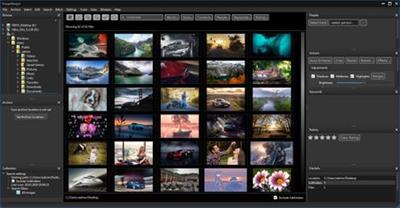
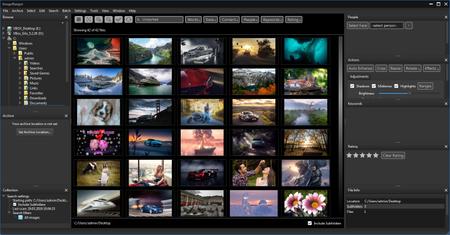
We live in the day in which pictures are a common thing, especially with all phones being equipped with pretty powerful cameras. As such, your computer can end up the storage place of your picture collections, but it can be a hassle to manually handle it. In this regard, ImageRanger comes as an advanced picture finding and organizing tool.


ImageRanger will index photos on your PC or storage drives so you can:
Quickly load thousands of images
Find portraits, faces
Sort and filter
Find duplicates and remove copies
Organize in folders by year, location
Crop, resize very quickly
Manually sort collections from multiple folders
Sort out your images from other illustrations, clip arts
Find low quality images and improve image contrast
Perform general photo managment tasks
Print hundreds of photos

ImageRanger Features:
- Image Indexing
ImageRanger only needs to traverse your photo collection once, and you're free to search, sort and filter images anytime.
- NAS and USB drives support
ImageRanger index can be recorded directly in remote folders. This way you can quickly search and sort your photos on any other machine, using a previously built index.
- Manual Sorting
Exclude or include only folders you need while browsing images. Alternatively, ImageRanger can read your entire storage drive.
- Collections
Save and load previously found image collections to make sure you quickly restore important slideshows with manual ordering.
- Face Recognition
ImageRanger detects faces even in big portraits and group photos, letting you tag faces and quickly find images with specific people.
- Duplicates Removal
ImageRanger shows you the number of duplicated images and lets you remove redundant content.
- Arrange into folders
Option to import all your photos into a new folder structure, organized by capture time and location.
- GPS filtering
With built-in GPS locations, your images are sorted by captured city automatically. You can find all photos 5 meters away from any point on earth.

Release Notes:
System Requirements:
- Windows 10 (64-bit)
- Windows 8 (64-bit)
- Windows 7 (64-bit)

Homepage:


Größe: 109 MB
Sprache: English
Format: .rar / .exe
Plattform: Windows (64 Bit)


HOSTER:

K2s.cc (Keep2Share)

Rapidgator.net

Nitroflare.com

Uploadgig.com


DOWNLOAD



ImageRanger Pro Edition v1.7.8.1685 (x64)


11f9a36ce04dc4b85b9c4ba98dacb00f.jpg


ImageRanger Pro Edition v1.7.8.1685 (x64) | 111 MB | Language: English


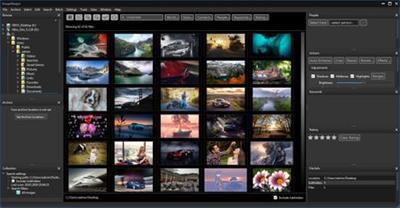
We live in the day in which pictures are a common thing, especially with all phones being equipped with pretty powerful cameras. As such, your computer can end up the storage place of your picture collections, but it can be a hassle to manually handle it. In this regard, ImageRanger comes as an advanced picture finding and organizing tool.


ImageRanger will index photos on your PC or storage drives so you can:
Quickly load thousands of images
Find portraits, faces
Sort and filter
Find duplicates and remove copies
Organize in folders by year, location
Crop, resize very quickly
Manually sort collections from multiple folders
Sort out your images from other illustrations, clip arts
Find low quality images and improve image contrast
Perform general photo managment tasks
Print hundreds of photos

ImageRanger Features:
- Image Indexing
ImageRanger only needs to traverse your photo collection once, and you're free to search, sort and filter images anytime.
- NAS and USB drives support
ImageRanger index can be recorded directly in remote folders. This way you can quickly search and sort your photos on any other machine, using a previously built index.
- Manual Sorting
Exclude or include only folders you need while browsing images. Alternatively, ImageRanger can read your entire storage drive.
- Collections
Save and load previously found image collections to make sure you quickly restore important slideshows with manual ordering.
- Face Recognition
ImageRanger detects faces even in big portraits and group photos, letting you tag faces and quickly find images with specific people.
- Duplicates Removal
ImageRanger shows you the number of duplicated images and lets you remove redundant content.
- Arrange into folders
Option to import all your photos into a new folder structure, organized by capture time and location.
- GPS filtering
With built-in GPS locations, your images are sorted by captured city automatically. You can find all photos 5 meters away from any point on earth.

Release Notes:
- Viewing SVG vector files is now possible with ImageRanger.
- Improved performance and bug fixes, case sensitive keywords.
- New, improved face detection. New read-only mode to disable writing face tags in the image files. New image formats are now supported.
- Viewing transparent PNGs is now possible. Bug fixes and performance improvements.
- New suppport for 3fr, fff, m2ts formats. Merging people names is now possible. Bug fixes and performance improvements.
- Case sensitive keywords, better thumbnail rendering.
- New face search feature allows you to find an original image with a specified face.
- Improved user experience with facial recognition. Critical bug fixes and speed improvements.
- Sorting video files is now straightforward.
- New black and white photo search tool. Improved user experience with face recognition.
- Tag, rate and sort any file on your storage drive.

System Requirements:
- Windows 10 (64-bit)
- Windows 8 (64-bit)
- Windows 7 (64-bit)

Homepage:


Größe: 111 MB
Sprache: English
Format: .rar / .exe
Plattform: Windows (64 Bit)


HOSTER:

K2s.cc (Keep2Share)

Rapidgator.net

Nitroflare.com

Uploadgig.com


DOWNLOAD



ImageRanger Pro Edition 1.8.0.1723
Requirements: Windows 7\8\10
Overview:
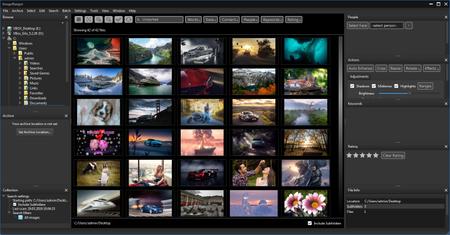
We live in the day in which pictures are a common thing, especially with all phones being equipped with pretty powerful cameras. As such, your computer can end up the storage place of your picture collections, but it can be a hassle to manually handle it. In this regard, ImageRanger comes as an advanced picture finding and organizing tool.
mzjiasl.png

ImageRanger will index photos on your PC or storage drives so you can:
· Quickly load thousands of images
· Find portraits, faces
· Sort and filter
· Find duplicates and remove copies
· Organize in folders by year, location
· Crop, resize very quickly
· Manually sort collections from multiple folders
· Sort out your images from other illustrations, clip arts
· Find low quality images and improve image contrast
· Perform general photo managment tasks
· Print hundreds of photos

ImageRanger Features
- Image Indexing
ImageRanger only needs to traverse your photo collection once, and you're free to search, sort and filter images anytime.
- NAS and USB drives support
ImageRanger index can be recorded directly in remote folders. This way you can quickly search and sort your photos on any other machine, using a previously built index.
- Manual Sorting
Exclude or include only folders you need while browsing images. Alternatively, ImageRanger can read your entire storage drive.
- Collections
Save and load previously found image collections to make sure you quickly restore important slideshows with manual ordering.
- Face Recognition
ImageRanger detects faces even in big portraits and group photos, letting you tag faces and quickly find images with specific people.
- Duplicates Removal
ImageRanger shows you the number of duplicated images and lets you remove redundant content.
- Arrange into folders
Option to import all your photos into a new folder structure, organized by capture time and location.
- GPS filtering
With built-in GPS locations, your images are sorted by captured city automatically. You can find all photos 5 meters away from any point on earth.

More Info:
Download Instructions:
Platform: Windows
Size: 112.02 MB
Format:".rar/.zip" archive.. ".exe" after extracting
Language: English
Hoster: uploaded / zippyshare


ImageRanger Pro Edition v1.8.4.1795 (x64)


dc50684c1d041aa4c94ee3bba2f3aca9.jpg


ImageRanger Pro Edition v1.8.4.1795 (x64) | 117 MB | Language: English


Homepage:


Größe: 117 MB
Sprache: English
Format: .rar / .exe
Medizin: Present
Plattform: Windows 10 , Windows 8/8.1 , Windows 7
Bit depth: 64bit


HOSTER:

K2s.cc (Keep2share)

Rapidgator.net

Nitroflare.com

Uploadgig.com


DOWNLOAD


ImageRanger Pro Edition 1.8.4.1795 (x64)


303f317ab8711441735263496e8de5e2.png


ImageRanger Pro Edition 1.8.4.1795 (x64)


Wir leben in einer Zeit, in der Bilder alltäglich sind, insbesondere da alle Telefone mit ziemlich leistungsstarken Kameras ausgestattet sind. Als solcher kann Ihr Computer zum Speicherort Ihrer Bildersammlungen werden, aber es kann mühsam sein, ihn manuell zu handhaben. In dieser Hinsicht ist ImageRanger ein fortschrittliches Werkzeug zum Finden und Organisieren von Bildern.


Sprache: English | Größe: 114 MB | Format: RAR, EXE | Plattform: Windows 7, 8, 8.1, 10 (64Bit)


Hoster:
UploadGig.com | RapidGator.net | DDownload.com


DOWNLOAD Links:


ImageRanger Pro Edition v1.8.5.1805 (x64)


b7e07702375dc43669cd73cbb7c45c38.jpeg


ImageRanger Pro Edition v1.8.5.1805 (x64) | 110 MB | Language: English


Homepage:


Größe: 110 MB
Sprache: English
Format: .rar / .exe
Medizin: Present
Plattform: Windows 10 , Windows 8/8.1 , Windows 7
Bit depth: 64bit


HOSTER:

K2s.cc (Keep2share)

Rapidgator.net

Nitroflare.com

Uploadgig.com


DOWNLOAD


ImageRanger Pro Edition 1.8.5.1805 (x64)


303f317ab8711441735263496e8de5e2.png


ImageRanger Pro Edition 1.8.5.1805 (x64)


Verwalten Sie Ihre 100K-Fotos ganz einfach. Wir leben in einer Zeit, in der Bilder alltäglich sind, insbesondere da alle Telefone mit ziemlich leistungsstarken Kameras ausgestattet sind. Als solcher kann Ihr Computer zum Speicherort Ihrer Bildersammlungen werden, aber es kann mühsam sein, ihn manuell zu handhaben. In dieser Hinsicht ist ImageRanger ein fortschrittliches Werkzeug zum Finden und Organisieren von Bildern.


Sprache: English | Größe: 112 MB | Format: RAR, EXE | Plattform: Windows 7, 8, 8.1, 10 (64Bit)


Hoster:
UploadGig.com | RapidGator.net | DDownload.com


DOWNLOAD Links:


ImageRanger Pro Edition v1.8.6.1819 (x64)


03363d8983389ec7779660e69a2f4529.jpeg


ImageRanger Pro Edition v1.8.6.1819 (x64) | 112 MB | Language: English


Homepage:


Größe: 112 MB
Sprache: English
Format: .rar / .exe
Medizin: Present
Plattform: Windows 11/10/8.1/8/7
Bit depth: 64bit


HOSTER:

K2s.cc (Keep2share)

Rapidgator.net

Nitroflare.com

Uploadgig.com


DOWNLOAD


ImageRanger Pro Edition v1.8.7.1827 (x64)


6dba6a131e10434244793bcc9136c08b.jpeg


ImageRanger Pro Edition v1.8.7.1827 (x64) | 113 MB | Language: English


Homepage:


Größe: 113 MB
Sprache: English
Format: .rar / .exe
Medizin: Present
Plattform: Windows 10/8.1/8/7
Bit depth: 64bit


HOSTER:

K2s.cc (Keep2share)

Rapidgator.net

Nitroflare.com

Uploadgig.com


DOWNLOAD



ImageRanger Pro Edition v1.8.8.1829

Englisch // Crack // 64-Bit

imageranger3wjt8.png


Beschreibung:

Wir leben in einer Zeit, in der Bilder alltäglich sind, insbesondere da alle Telefone mit ziemlich leistungsstarken Kameras ausgestattet sind. Daher kann Ihr Computer der Speicherort Ihrer Bildersammlungen sein, aber es kann mühsam sein, ihn manuell zu handhaben. In dieser Hinsicht ist ImageRanger ein fortschrittliches Tool zum Finden und Organisieren von Bildern.

ImageRanger indiziert Fotos auf Ihrem PC oder Ihren Speicherlaufwerken, damit Sie dies tun können

· Laden Sie schnell Tausende von Bildern
· Finden Sie Porträts, Gesichter
· Sortieren und filtern
· Finden Sie Duplikate und entfernen Sie Kopien
· In Ordnern nach Jahr und Standort organisieren
· Zuschneiden, sehr schnell die Größe ändern
· Sammlungen aus mehreren Ordnern manuell sortieren
· Sortieren Sie Ihre Bilder aus anderen Illustrationen, Cliparts
· Finden Sie Bilder mit geringer Qualität und verbessern Sie den Bildkontrast
· Führen Sie allgemeine Fotoverwaltungsaufgaben durch
· Hunderte von Fotos drucken

_________________________________________________

Größe: 116 MB
Sprache: Englisch
Format: RAR/EXE (1x gepackt)
Plattform: Windows 7/8/10/11 (64-Bit)
Hoster: RapidGator|Ddownload|Nitroflare
________________________________________


Zurück
Oben Unten