




File size: 53/57 MB
Do you own a digital camera?
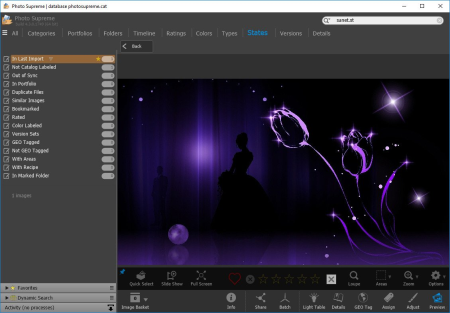
Then in no you will have thousands of images on your computer, and finding that one image you are looking for will become a chore. But Photo Supreme can change all that. Whether you have 1,000 or 500,000 images in your archive, Photo Supreme's integrated photo cataloging and photo management features will help you quickly find and work with your desired image. Extremely powerful yet easy-to-use
From the ground up, Photo Supreme was developed with easy-of-use as the primary focus. We were able to pack most of the features requested by our user base into a user interface that is clean and efficient, yet extremely powerful.
Photo Supreme comes with every essential image management feature you'll need to bring structure in your image archive. Assigning catalog labels, importing images to your computer, search features, etc. And once you have your images cataloged then you'll be able to find that one image you need within seconds to then view, duplicate, email, share on your favorite photo site, upload it to your FTP server, or edit it in your favorite photo editor.
Integrates with your favorite tools
Photo Supreme makes integration with your favorite photo editing tools seaminglessly. At installation it will automatically find and add the most common used image editing tools to the user interface.
Simply select an image and click on the application icon to start editing your image.
Unparalleled Speed
Digital Asset Management software uses a catalog database and should be optimized to work with thousands of images in the database. We took this seriously and were able to get the speed up, there where it belongs. Searches will return results in just milliseconds.
Always take your images with you
With Photo Supreme you can store previews of your images inside the database. Then, even if your images are physically located on your network, they travel with you. The previews can be stored in the size that you prefer, from small to large ones, up to 1680 pixels
Open architecture
Right from the start, Photo Supreme was designed with an open cataloging architecture in mind. Because existing industry standards are used to store its data, you can extract your information at any , even without our software. Should you ever decide to switch applications (although once you've tried Photo Supreme, you'll never go back!), you won't have to repeat the consuming operation of re-cataloging your data. After all, it is YOUR data, not the application's data!
Share with friends and family
Photo Supreme easily interfaces to public photo sharing sites like Facebook, Flickr, PicasaWeb, Zenfolio, or SmugMug. Resize or rename your images as you upload them to your on-line account without having to prepare them first. Also, add or remove your metadata, convert color space, or add your personal signature to your uploaded images.
Get started right away
If you already use some sort of image collection tool then Photo Supreme can help you get your existing data into Photo Supreme, saving you lots of . There are import feature available for iPhoto, Aperture, Lightroom 3 and 4, iMatch, and Foto. At the same , PSU is able to read and import meta-data that was written with XMP supporting tools, including Adobe products, Nikon software, iView, MediaPro.
Vocabularies
In addition there are import features to support market standard vocabularies, including David Rieck's ControlledVocabulary, UltraTAG, Lightroom-Keyword Files, or any other tool that supports exporting to Formatted Vocabulary Files.
Advanced search capabilities
Multi Tab Browsing
Import/Ingest images
Side-by-Side comparison (up to 6 images)
Keyword tagging
Advanced GEO Tagging
Image organization in portfolios
Duplicate Detection
Share images with Flickr, Smugmug, Zenfolio, Picasaweb, FTP, EMail
Dual Monitor Support
Creative Commons support
Face Detection
Area Tagging
Extensible metadata with Custom Fields
Take your previews with you while travelling
Color Managed
Lossless Image Editing
Fully Scriptable
Available for Windows and MacOSX platform
Multi-User network/server version available for PostgreSQL and SQLServer (Server Edition)
English, German, French, Italian, Dutch, Portuguese, and Russian locale
DownLoad Links
Nitroflare
Rapidgator
Links are Interchangeable - No Password - Single Extraction
