• Regeln für den Software-Bereich:


    Allgemeines:

    - In erster Linie sind unsere Boardregeln zu beachten, zu finden HIER.
    - Software zur Audiobearbeitung sollte ausschließlich im Unterforum "Audio" eingestellt werden.
    - Für Cracks, Keygens oder sonstige Freischaltungssoftware gibt es das Unterforum "Freischaltung".
    - Portable Software bitte im entsprechenden Unterforum "Portable Software" eintragen.
    - Diskussionen zur Installation und anderen Problemen mit der Software, bitte im enstprechenden Unterforum "Talk" führen.
    - Bei Unklarheiten und Fragen zu den Regeln bitte die Moderatoren kontaktieren.


    Angebot erstellen

    - Die Struktur des Threadtitels muss wie folgt umgesetzt werden: Herstellername - Softwarename - Versionsnummer
    - Unnötige Zusätze im Threadtitel wie "HOT", "NEW" oder Punkte zwischen den Wörtern sind nicht erlaubt.
    - Achtet darauf immer nur die Hauptversion und deren Updates in einem Thread zusammenfassen, konkretes Beispiel: SoftwareXY v3.12 gehört in den selben Thread mit SoftwareXY v3.13; SoftwareXY v.4.1 gehört in einen neuen eigenen Thread. Ausgenommen hiervon sind Sammelthreads und Dauerangebote.
    - Bei nicht bekannten Herstellern oder Angebote einer privaten Software, ist die Programmbezeichnung + Versionsnummer ausreichend.
    - Besondere Beachtung gilt für den ersten Beitrag eines Angebots. Dort muss eine kurze Beschreibung der Software in deutscher Sprache angegeben werden. Für offizielle Releases ist es Pflicht die NFO im Beitrag einzustellen(Spoiler, siehe nächster Punkt).
    - Weitere Informationen wie NFOs oder Changelogs, versteckt ihr bitte in einem Spoiler.


    Software Suche

    - Für Suchanfragen haben wir das Unterforum "Suche" erstellt.
    - Auch hier sollte vorher die Suchfunktion benutzt werden, um Doppelthreads vorzubeugen. Sollte es bereits eine Suchanfrage geben, könnt ihr den Thread gerne mit einem "Danke" pushen.


    Trojaner- und Virusalarm

    - Falls Euer Virenscanner bei einem Angebot Alarm schlägt, solltet ihr zunächst Ruhe bewahren. Viele Virenscanner erkennen Cracks/Keygens oft fälschlicherweise als Bedrohung.
    - Prüft die verdächtige Datei zuerst mit http://virustotal.com , sollte es sich hierbei wirklich um eine Bedrohung handeln, meldet den Beitrag und/oder wendet euch mit dem Bericht von VirusTotal.com an einen Moderator.


    Unerwünschte Angebote

    - Keylogger, Spionagetools, alles rund ums Thema Hacking/Cracking ist nicht erwünscht.
  • Bitte registriere dich zunächst um Beiträge zu verfassen und externe Links aufzurufen.


Guthrie QA-CAD 2020

KAMAL

MyBoerse.bz Pro Member
Guthrie QA-CAD 2020 A.36

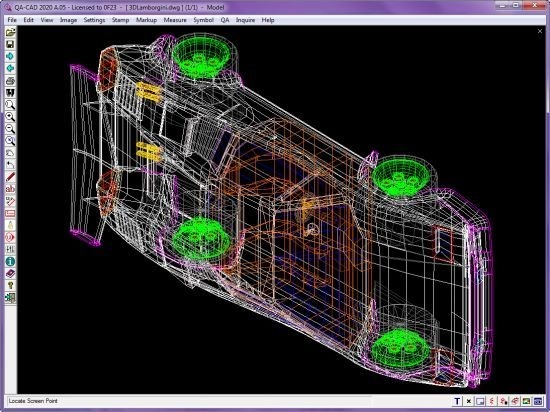
b5660d6e9c8d14529d6bed5da6e8bf3f.jpeg


Guthrie QA-CAD 2020 A.36 | 116 MB | Language: English


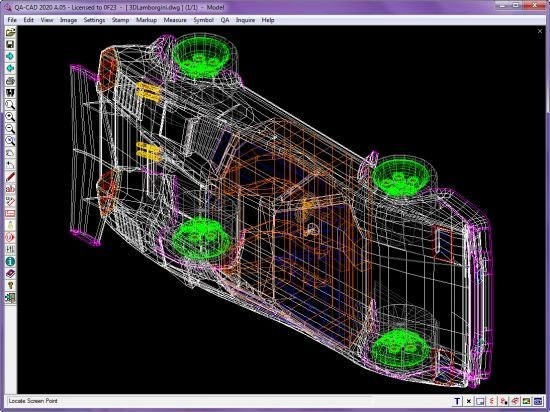
QA-CAD is an essential tool in the engineering design process. If you are still Descriptionting drawings and adding numbered stamps and revisions by hand, then QA-CAD is for you! Save your valuable time and resources with our QA stamping software that overlays drawings with auto-numbered stamps and markup notes and corrections (text, sketches, boxes, lines and arrows).


(QA-CAD also includes all the features and functions of CAD Viewer, CAD Markup, SymbolCAD, and also includes the valuable add-on extension CAD Viewer Batch Command.)

EXPORT EMBEDDED DATA TO EXCEL/CSV:
* Export embedded data to EXCEL forms for First Article Inspection, AS9102/EN 9102 and PPAP
* Export embedded data to a spreadsheet (EXCEL/ CSV) for revision management or inspection
* Export ballooned drawing to PDF
* Export bills of characters to customisable EXCEL reports.

BALLOONS (BUBBLES) DRAWING FEATURE:
* You can choose to draw balloons (bubbles) or QA Stamps on AutoCAD / PDF drawing
* Overlay drawings with unlimited no. of balloons or QA stamps and Markup annotations.
* Field-based data or attributes may be embedded into balloons or QA stamps.

SUPPORT MULTIPLE FORMATS:
* Vector (DWG, DXF, HPGL/2, DWF), pixel (TIFF, JPG, BMP) and PDF formats can be opened and stamped.
* All AutoCAD DWG/DXF versions/ formats support including AutoCAD 2020.
* Inventor DWG format support including Inventor 2019.
* Save the drawing with bubbles and markup overlays to PDF, DWG, DXF, TIFF ...

AUTO-NUMBERED BALLOONS:
* Stamps are automatically numbered and easily configured.
* Alter numbering system of balloons (QA Stamps) anytime during stamping process.

BALLOON SIZE, COLOR AND NUMBERS:
* Color changer - Choose from 20 different ballooning ink (stamping inks).
* Alter each stamp to any size.
* Rotate stamps in any direction.
* Add leaders to stamps.
CAPTURE DATA FROM CAD DRAWING:
* Automatically pick up dimension values from drawings.
* Automatically pick up GD&T symbols from drawings. (plan to support in near future)

SAVE BALLOON EDITS:
* Save balloons (QA stamps) and markup annotations separate to the drawing.

INTEGRATION WITH YOUR EMAIL SOFTWARE:
* Send ballooned PDF by email with just the process of a button.

USER-DEFINED STAMP:
* User-defined Time / Date / 'Checked by' stamp.

FIELD ENTRY CONTROL:
* Option to configure field entry controls as a dropdown list of user defined values.

Home Page:


DOWNLOAD LINKS:



Guthrie QA-CAD 2020 A.38
Requirements:Windows 7/8/10
Overview:
QA-CAD is an essential tool in the engineering design process. If you are still Descriptionting drawings and adding numbered stamps and revisions by hand, then QA-CAD is for you! Save your valuable time and resources with our QA stamping software that overlays drawings with auto-numbered stamps and markup notes and corrections (text, sketches, boxes, lines and arrows).

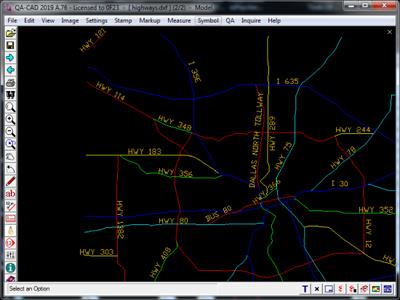
vqqGhNb.jpg

(QA-CAD also includes all the features and functions of CAD Viewer, CAD Markup, SymbolCAD, and also includes the valuable add-on extension CAD Viewer Batch Command.)
EXPORT EMBEDDED DATA TO EXCEL/CSV:
* Export embedded data to EXCEL forms for First Article Inspection, AS9102/EN 9102 and PPAP
* Export embedded data to a spreadsheet (EXCEL/ CSV) for revision management or inspection
* Export ballooned drawing to PDF
* Export bills of characters to customisable EXCEL reports.

BALLOONS (BUBBLES) DRAWING FEATURE:
* You can choose to draw balloons (bubbles) or QA Stamps on AutoCAD / PDF drawing
* Overlay drawings with unlimited no. of balloons or QA stamps and Markup annotations.
* Field-based data or attributes may be embedded into balloons or QA stamps.

SUPPORT MULTIPLE FORMATS:
* Vector (DWG, DXF, HPGL/2, DWF), pixel (TIFF, JPG, BMP) and PDF formats can be opened and stamped.
* All AutoCAD DWG/DXF versions/ formats support including AutoCAD 2020.
* Inventor DWG format support including Inventor 2019.
* Save the drawing with bubbles and markup overlays to PDF, DWG, DXF, TIFF ...

AUTO-NUMBERED BALLOONS:
* Stamps are automatically numbered and easily configured.
* Alter numbering system of balloons (QA Stamps) anytime during stamping process.

BALLOON SIZE, COLOR AND NUMBERS:
* Color changer - Choose from 20 different ballooning ink (stamping inks).
* Alter each stamp to any size.
* Rotate stamps in any direction.
* Add leaders to stamps.

CAPTURE DATA FROM CAD DRAWING:
* Automatically pick up dimension values from drawings.
* Automatically pick up GD&T symbols from drawings. (plan to support in near future)

SAVE BALLOON EDITS:
* Save balloons (QA stamps) and markup annotations separate to the drawing.

INTEGRATION WITH YOUR EMAIL SOFTWARE:
* Send ballooned PDF by email with just the process of a button.

USER-DEFINED STAMP:
* User-defined Time / Date / 'Checked by' stamp.

FIELD ENTRY CONTROL:
* Option to configure field entry controls as a dropdown list of user defined values.

More Info:
Download Instructions:
116.76 Mb
rar/zip archive
Language: English


Guthrie QA-CAD 2020 A.41


e3372bbc2a9cf0126a94ebf343d545bc.jpg


Guthrie QA-CAD 2020 A.41 | 116 MB | Language: English


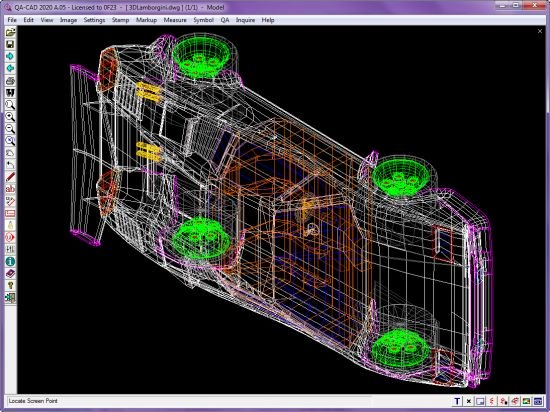
QA-CAD is an essential tool in the engineering design process. If you are still plotting drawings and adding numbered stamps and revisions by hand, then QA-CAD is for you! Save your valuable time and resources with our QA stamping software that overlays drawings with auto-numbered stamps and markup notes and corrections (text, sketches, boxes, lines and arrows). With just a press of a button the drawing, along with the revision stamps and markup notes/corrections, can be saved to a PDF and sent in an email. The source drawing remains untouched by the stamping and markup operations.

Features:

(QA-CAD also includes all the features and functions of CAD Viewer, CAD Markup, SymbolCAD, and also includes the valuable add-on extension CAD Viewer Batch Command.)

Export embedded data to EXCEL/CSV:
• Export embedded data to EXCEL forms for First Article Inspection, AS9102/EN 9102 and PPAP
• Export embedded data to a spreadsheet (EXCEL/ CSV) for revision management or inspection
• Export ballooned drawing to PDF
• Export bills of characters to customisable EXCEL reports.

Balloons (bubbles) drawing feature:
• You can choose to draw balloons (bubbles) or QA Stamps on AutoCAD / PDF drawing
• Overlay drawings with unlimited no. of balloons or QA stamps and Markup annotations.
• Field-based data or attributes may be embedded into balloons or QA stamps.

Support multiple formats:
• Vector (DWG, DXF, HPGL/2, DWF), pixel (TIFF, JPG, BMP) and PDF formats can be opened and stamped.
• All AutoCAD DWG/DXF versions/ formats support including AutoCAD 2019.
• Inventor DWG format support including Inventor 2019.
• Save the drawing with bubbles and markup overlays to PDF, DWG, DXF, TIFF ...

Auto-numbered Balloons:
• Stamps are automatically numbered and easily configured.
• Alter numbering system of balloons (QA Stamps) anytime during stamping process.

Balloon size, color and numbers:
• Color changer - Choose from 20 different ballooning ink (stamping inks).
• Alter each stamp to any size.
• Rotate stamps in any direction.
• Add leaders to stamps.

Capture data from CAD drawing:
• Automatically pick up dimension values from drawings.
• Automatically pick up GD&T symbols from drawings. (plan to support in near future)

Save balloon edits:
• Save balloons (QA stamps) and markup annotations separate to the drawing.

Integration with your email software:
• Send ballooned PDF by email with just the process of a button.

User-defined Stamp:
• User-defined Time / Date / 'Checked by' stamp.

Field entry control:
• Option to configure field entry controls as a dropdown list of user defined values.

Homepage:


DOWNLOAD LINKS:


Guthrie QA-CAD 2020 A.62


1ca3dde4d7014f34aacc142a591cd198.jpg


Guthrie QA-CAD 2020 A.62 | 139 MB | Language: English


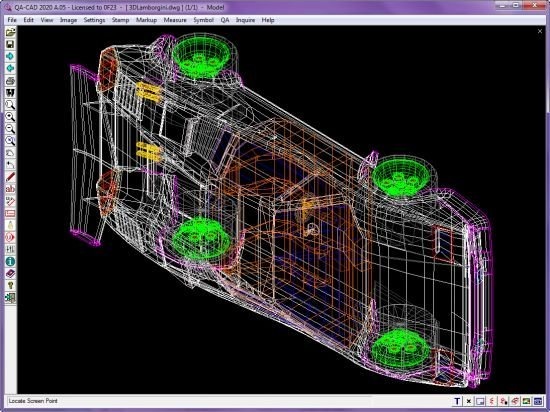
QA-CAD is an essential tool in the engineering design process. If you are still plotting drawings and adding numbered stamps and revisions by hand, then QA-CAD is for you! Save your valuable time and resources with our QA stamping software that overlays drawings with auto-numbered stamps and markup notes and corrections (text, sketches, boxes, lines and arrows). With just a press of a button the drawing, along with the revision stamps and markup notes/corrections, can be saved to a PDF and sent in an email. The source drawing remains untouched by the stamping and markup operations.


Features:

(QA-CAD also includes all the features and functions of CAD Viewer, CAD Markup, SymbolCAD, and also includes the valuable add-on extension CAD Viewer Batch Command.)

Export embedded data to EXCEL/CSV:
• Export embedded data to EXCEL forms for First Article Inspection, AS9102/EN 9102 and PPAP
• Export embedded data to a spreadsheet (EXCEL/ CSV) for revision management or inspection
• Export ballooned drawing to PDF
• Export bills of characters to customisable EXCEL reports.

Balloons (bubbles) drawing feature:
• You can choose to draw balloons (bubbles) or QA Stamps on AutoCAD / PDF drawing
• Overlay drawings with unlimited no. of balloons or QA stamps and Markup annotations.
• Field-based data or attributes may be embedded into balloons or QA stamps.

Support multiple formats:
• Vector (DWG, DXF, HPGL/2, DWF), pixel (TIFF, JPG, BMP) and PDF formats can be opened and stamped.
• All AutoCAD DWG/DXF versions/ formats support including AutoCAD 2019.
• Inventor DWG format support including Inventor 2019.
• Save the drawing with bubbles and markup overlays to PDF, DWG, DXF, TIFF ...

Auto-numbered Balloons:
• Stamps are automatically numbered and easily configured.
• Alter numbering system of balloons (QA Stamps) anytime during stamping process.

Balloon size, color and numbers:
• Color changer - Choose from 20 different ballooning ink (stamping inks).
• Alter each stamp to any size.
• Rotate stamps in any direction.
• Add leaders to stamps.

Capture data from CAD drawing:
• Automatically pick up dimension values from drawings.
• Automatically pick up GD&T symbols from drawings. (plan to support in near future)

Save balloon edits:
• Save balloons (QA stamps) and markup annotations separate to the drawing.

Integration with your email software:
• Send ballooned PDF by email with just the process of a button.

User-defined Stamp:
• User-defined Time / Date / 'Checked by' stamp.

Field entry control:
• Option to configure field entry controls as a dropdown list of user defined values.


Größe: 139 MB
Sprache: English
Format: .rar / .exe
Medizin: Crack / Patch
Plattform: Windows (32 Bit 64 Bit)


HOSTER:

K2s.cc (Keep2share)

Rapidgator.net

Nitroflare.com

Uploadgig.com


DOWNLOAD


Guthrie QA-CAD 2020 A.63


fc36acfa79e57645fbacff2e3352cd7d.jpg


Guthrie QA-CAD 2020 A.63 | 140 MB | Language: English


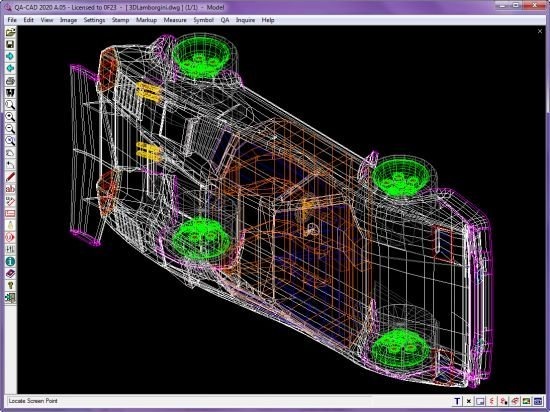
QA-CAD is an essential tool in the engineering design process. If you are still plotting drawings and adding numbered stamps and revisions by hand, then QA-CAD is for you! Save your valuable time and resources with our QA stamping software that overlays drawings with auto-numbered stamps and markup notes and corrections (text, sketches, boxes, lines and arrows). With just a press of a button the drawing, along with the revision stamps and markup notes/corrections, can be saved to a PDF and sent in an email. The source drawing remains untouched by the stamping and markup operations.


Features:

(QA-CAD also includes all the features and functions of CAD Viewer, CAD Markup, SymbolCAD, and also includes the valuable add-on extension CAD Viewer Batch Command.)

Export embedded data to EXCEL/CSV:
• Export embedded data to EXCEL forms for First Article Inspection, AS9102/EN 9102 and PPAP
• Export embedded data to a spreadsheet (EXCEL/ CSV) for revision management or inspection
• Export ballooned drawing to PDF
• Export bills of characters to customisable EXCEL reports.

Balloons (bubbles) drawing feature:
• You can choose to draw balloons (bubbles) or QA Stamps on AutoCAD / PDF drawing
• Overlay drawings with unlimited no. of balloons or QA stamps and Markup annotations.
• Field-based data or attributes may be embedded into balloons or QA stamps.

Support multiple formats:
• Vector (DWG, DXF, HPGL/2, DWF), pixel (TIFF, JPG, BMP) and PDF formats can be opened and stamped.
• All AutoCAD DWG/DXF versions/ formats support including AutoCAD 2019.
• Inventor DWG format support including Inventor 2019.
• Save the drawing with bubbles and markup overlays to PDF, DWG, DXF, TIFF ...

Auto-numbered Balloons:
• Stamps are automatically numbered and easily configured.
• Alter numbering system of balloons (QA Stamps) anytime during stamping process.

Balloon size, color and numbers:
• Color changer - Choose from 20 different ballooning ink (stamping inks).
• Alter each stamp to any size.
• Rotate stamps in any direction.
• Add leaders to stamps.

Capture data from CAD drawing:
• Automatically pick up dimension values from drawings.
• Automatically pick up GD&T symbols from drawings. (plan to support in near future)

Save balloon edits:
• Save balloons (QA stamps) and markup annotations separate to the drawing.

Integration with your email software:
• Send ballooned PDF by email with just the process of a button.

User-defined Stamp:
• User-defined Time / Date / 'Checked by' stamp.

Field entry control:
• Option to configure field entry controls as a dropdown list of user defined values.


Größe: 140 MB
Sprache: English
Format: .rar / .exe
Medizin: Crack / Patch
Plattform: Windows (32 Bit 64 Bit)


HOSTER:

K2s.cc (Keep2share)

Rapidgator.net

Nitroflare.com

Uploadgig.com


DOWNLOAD


Guthrie QA-CAD 2020 A.64


890cc890859ceb53741f7ecf4d3c0052.jpg


Guthrie QA-CAD 2020 A.64 | 140 MB | Language: English


QA-CAD is an essential tool in the engineering design process. If you are still plotting drawings and adding numbered stamps and revisions by hand, then QA-CAD is for you! Save your valuable time and resources with our QA stamping software that overlays drawings with auto-numbered stamps and markup notes and corrections (text, sketches, boxes, lines and arrows). With just a press of a button the drawing, along with the revision stamps and markup notes/corrections, can be saved to a PDF and sent in an email. The source drawing remains untouched by the stamping and markup operations.


Features:
(QA-CAD also includes all the features and functions of CAD Viewer, CAD Markup, SymbolCAD, and also includes the valuable add-on extension CAD Viewer Batch Command.)

Export embedded data to EXCEL/CSV:
• Export embedded data to EXCEL forms for First Article Inspection, AS9102/EN 9102 and PPAP
• Export embedded data to a spreadsheet (EXCEL/ CSV) for revision management or inspection
• Export ballooned drawing to PDF
• Export bills of characters to customisable EXCEL reports.

Balloons (bubbles) drawing feature:
• You can choose to draw balloons (bubbles) or QA Stamps on AutoCAD / PDF drawing
• Overlay drawings with unlimited no. of balloons or QA stamps and Markup annotations.
• Field-based data or attributes may be embedded into balloons or QA stamps.

Support multiple formats:
• Vector (DWG, DXF, HPGL/2, DWF), pixel (TIFF, JPG, BMP) and PDF formats can be opened and stamped.
• All AutoCAD DWG/DXF versions/ formats support including AutoCAD 2019.
• Inventor DWG format support including Inventor 2019.
• Save the drawing with bubbles and markup overlays to PDF, DWG, DXF, TIFF ...

Auto-numbered Balloons:
• Stamps are automatically numbered and easily configured.
• Alter numbering system of balloons (QA Stamps) anytime during stamping process.

Balloon size, color and numbers:
• Color changer - Choose from 20 different ballooning ink (stamping inks).
• Alter each stamp to any size.
• Rotate stamps in any direction.
• Add leaders to stamps.

Capture data from CAD drawing:
• Automatically pick up dimension values from drawings.
• Automatically pick up GD&T symbols from drawings. (plan to support in near future)

Save balloon edits:
• Save balloons (QA stamps) and markup annotations separate to the drawing.

Integration with your email software:
• Send ballooned PDF by email with just the process of a button.

User-defined Stamp:
• User-defined Time / Date / 'Checked by' stamp.

Field entry control:
• Option to configure field entry controls as a dropdown list of user defined values.


Größe: 140 MB
Sprache: English
Format: .rar / .exe
Medizin: Crack / Patch
Plattform: Windows


HOSTER:

K2s.cc (Keep2share)

Rapidgator.net

Nitroflare.com

Uploadgig.com


DOWNLOAD


Zurück
Oben Unten