• Regeln für den Video-Bereich:

    In den Börsenbereich gehören nur Angebote die bereits den Allgemeinen Regeln entsprechen.

    Einteilung

    - Folgende Formate gehören in die angegeben Bereiche:
    - Filme: Encodierte Filme von BluRay, DVD, R5, TV, Screener sowie Telesyncs im Format DivX, XviD und x264.
    - DVD: Filme im Format DVD5, DVD9 und HD2DVD.
    - HD: Encodierte Filme mit der Auflösung 720p oder darüber von BluRay, DVD, R5, TV, Screener sowie Telesyncs im Format x264.
    - 3D: Encodierte Filme von BluRay, die in einem 3D Format vorliegen. Dies gilt auch für Dokus, Animation usw.
    - Serien: Cartoon/Zeichentrick, Anime, Tutorials, Dokumentationen, Konzerte/Musik, Sonstiges sind demnach in die entsprechenden Bereiche einzuordnen, auch wenn sie beispielsweise im High Definition-Format oder als DVD5/DVD9/HD2DVD vorliegen. Ausnahme 3D.
    - Bereich Englisch: Englische Releases gehören immer in diesen Bereich.
    - Bereich Talk: Der Bereich, in dem über die Releases diskutiert werden kann, darf, soll und erwünscht ist.


    Angebot/Beitrag erstellen

    - Ein Beitrag darf erst dann erstellt werden, wenn der Upload bei mindestens einem OCH komplett ist. Platzhalter sind untersagt.
    - Bei einem Scenerelease hat der Threadtitel ausschließlich aus dem originalen, unveränderten Releasenamen zu bestehen. Es dürfen keine Veränderungen wie z.B. Sterne, kleine Buchstaben o.ä. vorgenommen werden. Ausnahme Serienbörse:
    - Bei einem Sammelthread für eine Staffel entfällt aus dem Releasename natürlich der Name der Folge. Beispiel: Die Simpsons S21 German DVDRip XviD - ITG
    - Dementsprechend sind also u.a. verboten: Erweiterungen wie "Tipp", "empfehlenswert", "only", "reup", usw. / jegliche andere Zusatzinformation oder Ergänzung, welche nicht in obiger Beschreibung zu finden ist.

    Aufbau des Angebots und Threadtitel

    Der Titel nach folgendem Muster erstellt zu werden. <Name> [3D] [Staffel] [German] <Jahr> <Tonspur> [DL] [Auflösung] <Quelle> <Codec> - <Group>
    Beispiel: The Dark Knight German 2008 AC3 DVDRip XviD - iND
    Beispiel: The Dark Knight 2008 DTS DL BDRip x264 - iND
    Beispiel: The Dark Knight 2008 AC3 DL BDRip XviD - iND
    Beispiel: The Dark Knight German 2008 AC3 720p BluRay x264 iND
    Beispiel: The Dark Knight 2008 DTS DL 1080p BluRay x264 iND
    Beispiel: Die Simpsons S01 German AC3 DVDRip XviD iND
    Beispiel: Die Simpsons S20 German AC3 720p BluRay x264 iND
    Beispiel: Sword Art Online II Ger Sub 2014 AAC 1080p WEBRip x264 - peppermint
    Entsprechend sind also u.a. verboten: Sonderzeichen wie Klammern, Sterne, Ausrufezeichen, Unterstriche, Anführungszeichen / Erweiterungen wie "Tipp", "empfehlenswert", "only", "reup", usw. / jegliche andere Zusatzinformation oder Ergänzung, welche nicht in obiger Beschreibung zu finden ist
    Ausnahmen hiervon können in den Bereichen geregelt sein.

    Die Beiträge sollen wie folgt aufgebaut werden:
    Überschrift entspricht dem Threadtitel
    Cover
    kurze Inhaltsbeschreibung
    Format, Größe, Dauer sind gut lesbar für Downloader außerhalb des Spoilers zu vermerken
    Nfo sind immer Anzugeben und selbige immer im Spoiler in Textform.
    Sind keine Nfo vorhanden z.B. Eigenpublikationen, sind im Spoiler folgende Dateiinformationen zusätzlich anzugeben :
    Quelle
    Video (Auflösung und Bitrate)
    Ton (Sprache, Format und Bitrate der einzelnen Spuren)
    Untertitel (sofern vorhanden)
    Hosterangabe in Textform außerhalb eines Spoiler mit allen enthaltenen Hostern.
    Bei SD kann auf diese zusätzlichen Dateiinformationen verzichtet werden.

    Alle benötigten Passwörter sind, sofern vorhanden, in Textform im Angebot anzugeben.
    Spoiler im Spoiler mit Kommentaren :"Schon Bedankt?" sind unerwünscht.


    Releases

    - Sind Retail-Release verfügbar, sind alle anderen Variationen untersagt. Ausnahmen: Alle deutschen Retail-Release sind CUT, in diesem Fall sind dubbed UNCUT-Release zulässig.
    - Im Serien-Bereich gilt speziell: Wenn ein Retail vor Abschluss einer laufenden Staffel erscheint, darf diese Staffel noch zu Ende gebracht werden.62
    - Gleiche Releases sind unbedingt zusammenzufassen. Das bedeutet, es ist zwingend erforderlich, vor dem Erstellen eines Themas per Suchfunktion zu überprüfen, ob bereits ein Beitrag mit demselben Release besteht. Ist dies der Fall, ist der bereits vorhandene Beitrag zu verwenden.
    - P2P und Scene Releases dürfen nicht verändert oder gar unter einem iND Tag eingestellt werden.


    Support, Diskussionen und Suche

    - Supportanfragen sind entweder per PN oder im Bereich Talk zu stellen.
    - Diskussionen und Bewertungen sind im Talk Bereich zu führen. Fragen an die Uploader haben ausschließlich via PN zu erfolgen, und sind in den Angeboten untersagt.
    - Anfragen zu Upload-Wünschen sind nur im Bereich Suche Video erlaubt. Antworten dürfen nur auf Angebote von MyBoerse.bz verlinkt werden.


    Verbote

    - Untersagt sind mehrere Formate in einem einzigen Angebotsthread, wie beispielsweise das gleichzeitige Anbieten von DivX/XviD, 720p und 1080p in einem Thread. Pro Format, Release und Auflösung ist ein eigener Thread zu eröffnen.
    - Grundsätzlich ebenso verboten sind Dupes. Uploader haben sich an geeigneter Stelle darüber zu informieren, ob es sich bei einem Release um ein Dupe handelt.
    - Gefakte, nur teilweise lauffähige oder unvollständige Angebote sind untersagt. Dies gilt auch für eigene Publikationen, die augenscheinlich nicht selbst von z.B. einer DVD gerippt wurden. Laufende Serien, bei denen noch nicht alle Folgen verfügbar sind, dürfen erstellt und regelmäßig geupdatet werden.
    - Untersagt sind Angebote, welche nur und ausschließlich in einer anderen Sprache als deutsch oder englisch vorliegen. Ausnahmen sind VORHER mit den Moderatoren zu klären.


    Verstoß gegen die Regeln

    - Angebote oder Beiträge, die gegen die Forenregeln verstoßen, sind über den "Melden"-Button im Beitrag zu melden.
  • Bitte registriere dich zunächst um Beiträge zu verfassen und externe Links aufzurufen.

*** Bestes IPTV *** bester Preis *** gratis Test ***


Godot 2d Academy: Create A Brotato Style Game With Godot 4

wowojeh111

MyBoerse.bz Pro Member
hq720.jpg

Godot 2d Academy: Create A Brotato Style Game With Godot 4
Published 5/2025
Created by Gianny Dantas
MP4 | Video: h264, 1280x720 | Audio: AAC, 44.1 KHz, 2 Ch
Level: All | Genre: eLearning | Language: English | Duration: 95 Lectures ( 12h 16m ) | Size: 7.13 GB​


Master 2D Game Development with the Latest Version of Godot and GDScript
What you'll learn
Master Godot 4 and its interface to create 2D games.
Implement a modular spawner.
Create item systems with tiers.
Build interactive panels.
Reuse scenes and classes.
Create a complete weapon system.
Add a Sound Manager
Master the use of Resources
Requirements
Have a solid foundation in Godot 4.
A proactive attitude and willingness to learn.
A PC or laptop capable of running Godot 4.4.
Description
Learn to Create a Brotato-Style Game with Godot 4Are you looking to boost your game development skills using Godot 4 and GDScript?This course is for you!In this project, we'll practice the basics of Godot 4 and take our skills further by building a Brotato-style game packed with mechanics and systems found in Bullet Hell or Survivor games. You'll find everything you need to master Godot-one of the most powerful and fast-growing tools in the industry.What will you learn in this course?Scene compositionScene and class inheritanceWorking with different nodesCreating reusable componentsBuilding user interfacesCreating item systemsBuilding a full weapon systemCreating entity systemsDesigning panels and cardsCreating item tiersMaking a complete spawnerGetting items based on tiersBringing enemies to life with abilitiesStructured programmingAnd much more!You'll also get access to:All assets and resources used in the courseFull source code to download and compareGodot is growing fast, and now is the best time to learn it. Become a professional game developer and start building your own projects with Godot 4 and GDScript.Enroll now and take your passion for game development to the next level!
Who this course is for
People interested in 2D game development who want to improve their skills.
Programming and design students who want to apply their knowledge in practical and creative projects.
Developers with experience in other engines looking to expand their skills and explore new capabilities.
Video game enthusiasts who want to understand the creation process and develop their own games.


15f23196907582c1d1b302c8654ec179.jpg

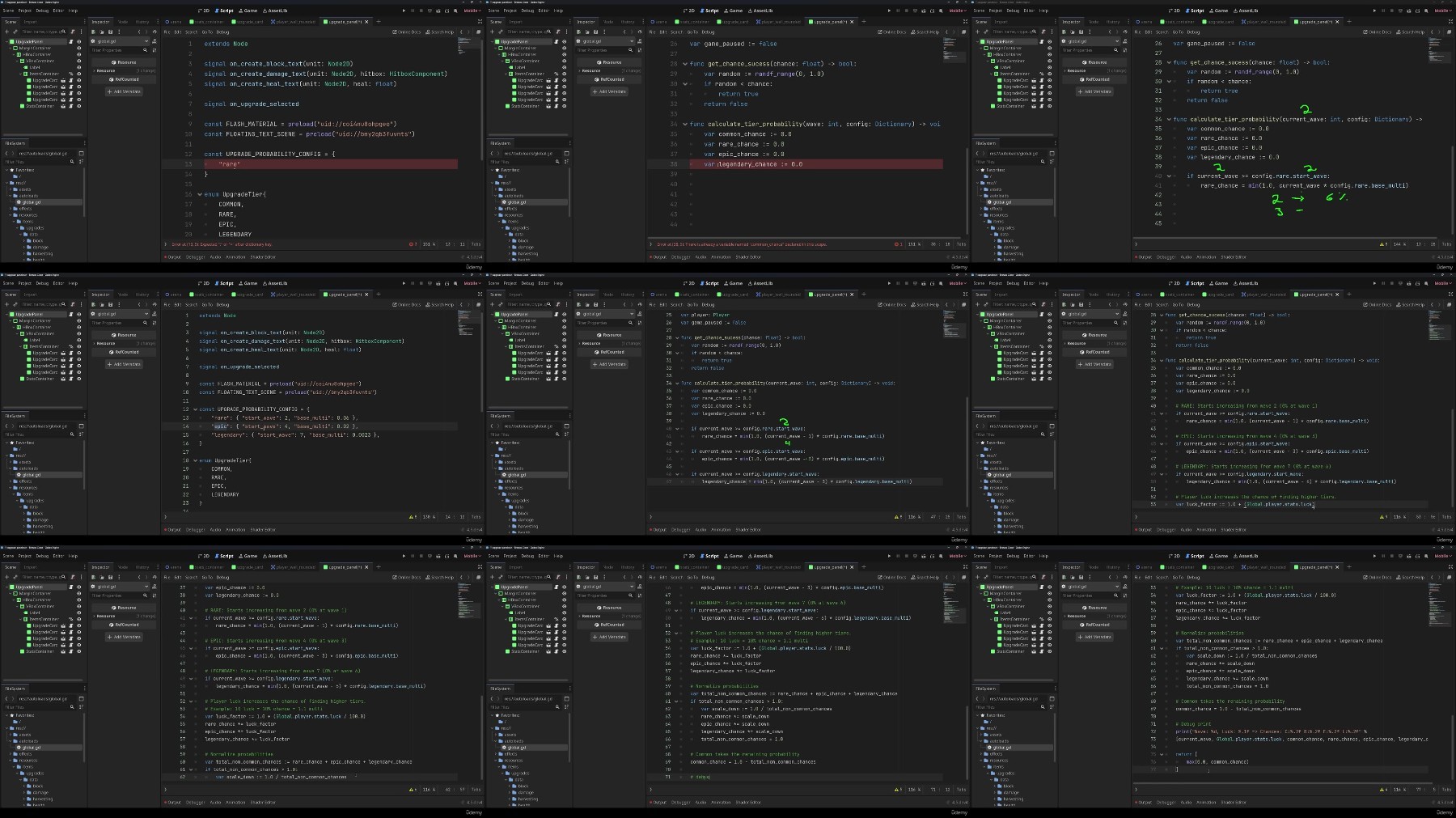
Godot 2D Academy: Create A Brotato Style Game With Godot 4
Published 5/2025
MP4 | Video: h264, 1920x1080 | Audio: AAC, 44.1 KHz
Language: English | Size: 8.58 GB | Duration: 12h 16m​

Master 2D Game Development with the Latest Version of Godot and GDScript

What you'll learn

Master Godot 4 and its interface to create 2D games.

Implement a modular spawner.

Create item systems with tiers.

Build interactive panels.

Reuse scenes and classes.

Create a complete weapon system.

Add a Sound Manager

Master the use of Resources

Requirements

Have a solid foundation in Godot 4.

A proactive attitude and willingness to learn.

A PC or laptop capable of running Godot 4.4.

Description

Learn to Create a Brotato-Style Game with Godot 4Are you looking to boost your game development skills using Godot 4 and GDScript?This course is for you!In this project, we'll practice the basics of Godot 4 and take our skills further by building a Brotato-style game packed with mechanics and systems found in Bullet Hell or Survivor games. You'll find everything you need to master Godot-one of the most powerful and fast-growing tools in the industry.What will you learn in this course?Scene compositionScene and class inheritanceWorking with different nodesCreating reusable componentsBuilding user interfacesCreating item systemsBuilding a full weapon systemCreating entity systemsDesigning panels and cardsCreating item tiersMaking a complete spawnerGetting items based on tiersBringing enemies to life with abilitiesStructured programmingAnd much more!You'll also get access to:All assets and resources used in the courseFull source code to download and compareGodot is growing fast, and now is the best time to learn it. Become a professional game developer and start building your own projects with Godot 4 and GDScript.Enroll now and take your passion for game development to the next level!

Overview

Section 1: Introduction

Lecture 1 Introduction

Lecture 2 Game Assets

Lecture 3 Important Notes

Section 2: Create Player

Lecture 4 Introduction

Lecture 5 Create Project

Lecture 6 Create Unit Scene

Lecture 7 Player Scene

Lecture 8 Player Dash

Lecture 9 Stats Resource

Lecture 10 Create Trail

Lecture 11 Create All Players

Lecture 12 Add Arena

Lecture 13 Fix Parent Node

Lecture 14 Section 2 Project

Section 3: Add Enemy

Lecture 15 Introduction

Lecture 16 Enemy Scene

Lecture 17 Follow Player

Lecture 18 Hitbox and Hurtbox

Lecture 19 Health Component

Lecture 20 Health Bar

Lecture 21 Add Flash

Lecture 22 Block Attacks

Lecture 23 Add Floating Text

Lecture 24 Section 3 Project

Section 4: Melee Weapons

Lecture 25 Introduction

Lecture 26 Configure Weapons

Lecture 27 Create Weapon Scene

Lecture 28 Weapon Position

Lecture 29 Equip Weapons

Lecture 30 Closest Target

Lecture 31 Melee Attack

Lecture 32 Knockback

Lecture 33 Challenge: Complete Weapons

Lecture 34 Review Weapons

Lecture 35 Section 4 Project

Section 5: Range Weapons

Lecture 36 Introduction

Lecture 37 Configure Range Weapon

Lecture 38 Create Projectile

Lecture 39 Configure Pistol

Lecture 40 Add More Projectiles

Lecture 41 Challenge: More Weapons

Lecture 42 Review Range Weapons

Lecture 43 Section 5 Project

Section 6: Enemy Attack Behavior

Lecture 44 Introduction

Lecture 45 Charge Attack Behavior

Lecture 46 Shooting Attack Behavior

Lecture 47 Section 6 Project

Section 7: Enemy Spawner

Lecture 48 Introduction

Lecture 49 Wave Data

Lecture 50 Add Spawner

Lecture 51 Complete Waves

Lecture 52 Clean Arena

Lecture 53 Pause State

Lecture 54 Section 7 Project

Section 8: Upgrade Panel

Lecture 55 Introduction

Lecture 56 Stats Container

Lecture 57 Update Stats

Lecture 58 Upgrade Card

Lecture 59 Upgrade Panel

Lecture 60 Item Upgrade

Lecture 61 Load Upgrades

Lecture 62 Continue Waves

Lecture 63 HP Regen

Lecture 64 Challenge: Add More Upgrades

Lecture 65 Calculate Chances

Lecture 66 Load Items Using Tiers

Lecture 67 Update Item Style

Lecture 68 Life Steal and Harvesting

Lecture 69 Section 8 Project

Section 9: Shop Panel

Lecture 70 Introduction

Lecture 71 Shop Card

Lecture 72 Shop Panel

Lecture 73 Load Weapons

Lecture 74 Get Descriptions

Lecture 75 Show Shop Panel

Lecture 76 Add Coins

Lecture 77 Move Coins

Lecture 78 Buy Weapons

Lecture 79 Check Combine

Lecture 80 Combine Weapons

Lecture 81 Sell Weapons

Lecture 82 Add Passives

Lecture 83 Add Tier Outline

Lecture 84 Outline Shader

Lecture 85 Section 9 Project

Section 10: Player Selection Panel

Lecture 86 Introduction

Lecture 87 Selection Panel

Lecture 88 Load Players

Lecture 89 Load Weapons

Lecture 90 Enemy Spawn Animation

Section 11: Sound Manager

Lecture 91 Sound Autoload

Lecture 92 Challenge: More Wave Data

Section 12: Expand The Game

Lecture 93 Ideas To Expand The Game

Section 13: Complete Project

Lecture 94 Final Project

Section 14: Bonus

Lecture 95 Bonus Lecture

People interested in 2D game development who want to improve their skills.,Programming and design students who want to apply their knowledge in practical and creative projects.,Developers with experience in other engines looking to expand their skills and explore new capabilities.,Video game enthusiasts who want to understand the creation process and develop their own games.

JvlXUCPU_o.jpg

 
Zurück
Oben Unten