• Regeln für den Software-Bereich:


    Allgemeines:

    - In erster Linie sind unsere Boardregeln zu beachten, zu finden HIER.
    - Software zur Audiobearbeitung sollte ausschließlich im Unterforum "Audio" eingestellt werden.
    - Für Cracks, Keygens oder sonstige Freischaltungssoftware gibt es das Unterforum "Freischaltung".
    - Portable Software bitte im entsprechenden Unterforum "Portable Software" eintragen.
    - Diskussionen zur Installation und anderen Problemen mit der Software, bitte im enstprechenden Unterforum "Talk" führen.
    - Bei Unklarheiten und Fragen zu den Regeln bitte die Moderatoren kontaktieren.


    Angebot erstellen

    - Die Struktur des Threadtitels muss wie folgt umgesetzt werden: Herstellername - Softwarename - Versionsnummer
    - Unnötige Zusätze im Threadtitel wie "HOT", "NEW" oder Punkte zwischen den Wörtern sind nicht erlaubt.
    - Achtet darauf immer nur die Hauptversion und deren Updates in einem Thread zusammenfassen, konkretes Beispiel: SoftwareXY v3.12 gehört in den selben Thread mit SoftwareXY v3.13; SoftwareXY v.4.1 gehört in einen neuen eigenen Thread. Ausgenommen hiervon sind Sammelthreads und Dauerangebote.
    - Bei nicht bekannten Herstellern oder Angebote einer privaten Software, ist die Programmbezeichnung + Versionsnummer ausreichend.
    - Besondere Beachtung gilt für den ersten Beitrag eines Angebots. Dort muss eine kurze Beschreibung der Software in deutscher Sprache angegeben werden. Für offizielle Releases ist es Pflicht die NFO im Beitrag einzustellen(Spoiler, siehe nächster Punkt).
    - Weitere Informationen wie NFOs oder Changelogs, versteckt ihr bitte in einem Spoiler.


    Software Suche

    - Für Suchanfragen haben wir das Unterforum "Suche" erstellt.
    - Auch hier sollte vorher die Suchfunktion benutzt werden, um Doppelthreads vorzubeugen. Sollte es bereits eine Suchanfrage geben, könnt ihr den Thread gerne mit einem "Danke" pushen.


    Trojaner- und Virusalarm

    - Falls Euer Virenscanner bei einem Angebot Alarm schlägt, solltet ihr zunächst Ruhe bewahren. Viele Virenscanner erkennen Cracks/Keygens oft fälschlicherweise als Bedrohung.
    - Prüft die verdächtige Datei zuerst mit http://virustotal.com , sollte es sich hierbei wirklich um eine Bedrohung handeln, meldet den Beitrag und/oder wendet euch mit dem Bericht von VirusTotal.com an einen Moderator.


    Unerwünschte Angebote

    - Keylogger, Spionagetools, alles rund ums Thema Hacking/Cracking ist nicht erwünscht.
  • Bitte registriere dich zunächst um Beiträge zu verfassen und externe Links aufzurufen.


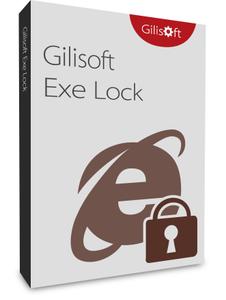
GiliSoft Exe Lock v10

finding_nimo

MyBoerse.bz Pro Member

GiliSoft Exe Lock v10.0


eecb2ab970b2dadff38ecc94892e71a9.jpg


GiliSoft Exe Lock v10.0 | 4 MB | Language: English


Most applications do not come with user restrictions and this becomes a security flaw when two or more people are using the same computer (There are some applications on my computer that I don't want people to use, and I can't put a password on Windows due to certain reasons.). Password protecting the executable files is just another way you can heightened security in a shared environment.


What I need is a software that works like AppLock on Android or something, which is basically asking you for password every time you open it. Is such an application available? GiliSoft Exe Lock can lock any programs on your local computer, a person can not run the password locked programs without a password. For example, if you do don't want other persons to use your tax preparation software, personal finance or other programs you like, you simply need to run this application.

Exclusive Features of GiliSoft EXE Lock:

Password Protect Any Software & EXE File
Lock executable programs on your computer to password-protect any executable file from non-authorized execution. You can block running the senstive software when anyone runs the locked programs.

Stop Viruses that Modify Your Software
Software Trojans, viruses, spyware, and other malware can not only damage or destroy your computer data but is also capable of modifying the binary file of software. Do not worry after lock them.

Does Not Make Any Changes to EXE
GiliSoft EXE Lock offers the password protection for executable programs but it will not change the source binary file. So no chance to destroy the source file or cause incompatibility.

Lock With Secure Cryptographic Algorithms
When user clicks on icon or shortcut on Desktop, he will be asked for a password to access that app. After user supplies password and app launches, or no password/wrong password, no app.

Password protect your web browsers
No need to study "How to Password Protect Internet Explorer, Firefox and Chrome Browsers" Use GiliSoft EXE Lock to lock them is the easiest solution.

Lock media players like WMP, RealPlayer, KMPlayer, etc.
The vast majority of parents love their children and want the best for them, parents can use EXE Lock to lock the video player on home computers.

Lock various chatting tools
Use this light weight tool to protect your privacy and keep people out of your identity theft or fraud by some chat tools.

Eay to Use & Support Command Line
You can run GiliSoft Exe Lock with commamd line arguments to lock or unlock programs.

Homepage:


Größe: 4 MB
Sprache: English
Format: .rar / .exe
Medizin: Crack / Patch
Plattform: Windows (32 Bit 64 Bit)


HOSTER:

K2s.cc (Keep2Share)

Rapidgator.net

Nitroflare.com

Uploadgig.com


DOWNLOAD



​
 

GiliSoft Exe Lock v10.1


fe049a24b48eee33c1c021d426147536.jpg


GiliSoft Exe Lock v10.1 | 4 MB | Language: English


Most applications don't come with user restrictions and this becomes a security flaw when two or more people are using the same computer (There are some applications on my computer that I don't want people to use, and I can't put a password on Windows due to certain reasons.). Password protecting the executable files is just another way you can heightened security in a shared environment.


What I need is a software that works like AppLock on Android or something, which is basically asking you for password every time you open it. Is such an application available? GiliSoft Exe Lock can lock any programs on your local computer, a person can not run the password locked programs without a password. For example, if you do don't want other persons to use your tax preparation software, personal finance or other programs you like, you simply need to run this application.

Exclusive Features of GiliSoft EXE Lock:

Password Protect Any Software & EXE File
Lock executable programs on your computer to password-protect any executable file from non-authorized execution. You can block running the senstive software when anyone runs the locked programs.

Stop Viruses that Modify Your Software
Software Trojans, viruses, spyware, and other malware can not only damage or destroy your computer data but is also capable of modifying the binary file of software. Do not worry after lock them.

Does Not Make Any Changes to EXE
GiliSoft EXE Lock offers the password protection for executable programs but it will not change the source binary file. So no chance to destroy the source file or cause incompatibility.

Lock With Secure Cryptographic Algorithms
When user clicks on icon or shortcut on Desktop, he will be asked for a password to access that app. After user supplies password and app launches, or no password/wrong password, no app.

Password protect your web browsers
No need to study "How to Password Protect Internet Explorer, Firefox and Chrome Browsers" Use GiliSoft EXE Lock to lock them is the easiest solution.

Lock media players like WMP, RealPlayer, KMPlayer, etc.
The vast majority of parents love their children and want the best for them, parents can use EXE Lock to lock the video player on home computers.

Lock various chatting tools
Use this light weight tool to protect your privacy and keep people out of your identity theft or fraud by some chat tools.

Eay to Use & Support Command Line
You can run GiliSoft Exe Lock with commamd line arguments to lock or unlock programs.

Homepage:


Größe: 4 MB
Sprache: English
Format: .rar / .exe
Medizin: Crack / Patch
Plattform: Windows (32 Bit 64 Bit)


HOSTER:

K2s.cc (Keep2Share)

Rapidgator.net

Nitroflare.com

Uploadgig.com


DOWNLOAD



​
 

GiliSoft Exe Lock v10.3


fc6152df6c2c8791779bapk0f.jpeg


GiliSoft Exe Lock v10.3 | 8 MB | Language: English


Homepage:


Größe: 8 MB
Sprache: English
Format: .rar / .exe
Medizin: Present
Plattform: Windows 11/10/8.1/8/7/Vista/XP
Bit depth: 32bit 64bit


HOSTER:

K2s.cc (Keep2share)

Rapidgator.net

Nitroflare.com

Uploadgig.com


DOWNLOAD


​
 

GiliSoft Exe Lock v10.4


58ffb6ddedf18046525ch3juf.jpeg


GiliSoft Exe Lock v10.4 | 8 MB | Language: English


Homepage:


Größe: 8 MB
Sprache: English
Format: .rar / .exe
Medizin: Present
Plattform: Windows 11/10/8.1/8/7/Vista/XP
Bit depth: 32bit 64bit


HOSTER:

K2s.cc (Keep2share)

Rapidgator.net

Nitroflare.com

Uploadgig.com


DOWNLOAD


​
 

GiliSoft Exe Lock v10.5


2baf51084816da7803a2m3dsx.jpeg


GiliSoft Exe Lock v10.5 | 8 MB | Language: English


Homepage:


Größe: 8 MB
Sprache: English
Format: .rar / .exe
Medizin: Present
Plattform: Windows 11/10/8.1/8/7/Vista/XP
Bit depth: 32bit 64bit


HOSTER:

K2s.cc (Keep2share)

Rapidgator.net

Nitroflare.com

Uploadgig.com


DOWNLOAD


​
 
GiliSoft Exe Lock 10.6

2baf51084816da7803a2m3dsx.jpeg


Most applications don't come with user restrictions and this becomes a security flaw when two or more people are using the same computer (There are some applications on my computer that I don't want people to use, and I can't put a password on Windows due to certain reasons.). Password protecting the executable files is just another way you can heightened security in a shared environment.

What I need is a software that works like AppLock on Android or something, which is basically asking you for password every time you open it. Is such an application available? GiliSoft Exe Lock can lock any programs on your local computer, a person can not run the password locked programs without a password. For example, if you do don't want other persons to use your tax preparation software, personal finance or other programs you like, you simply need to run this application.

Exclusive Features of GiliSoft EXE Lock
Password Protect Any Software & EXE File
Lock executable programs on your computer to password-protect any executable file from non-authorized execution. You can block running the senstive software when anyone runs the locked programs.

Stop Viruses that Modify Your Software
Software Trojans, viruses, spyware, and other malware can not only damage or destroy your computer data but is also capable of modifying the binary file of software. Do not worry after lock them.

Does Not Make Any Changes to EXE
GiliSoft EXE Lock offers the password protection for executable programs but it will not change the source binary file. So no chance to destroy the source file or cause incompatibility.

Lock With Secure Cryptographic Algorithms
When user clicks on icon or shortcut on Desktop, he will be asked for a password to access that app. After user supplies password and app launches, or no password/wrong password, no app.

Password protect your web browsers
No need to study "How to Password Protect Internet Explorer, Firefox and Chrome Browsers" Use GiliSoft EXE Lock to lock them is the easiest solution.

Lock media players like WMP, RealPlayer, KMPlayer, etc.
The vast majority of parents love their children and want the best for them, parents can use EXE Lock to lock the video player on home computers.

Lock various chatting tools
Use this light weight tool to protect your privacy and keep people out of your identity theft or fraud by some chat tools.

Eay to Use & Support Command Line
You can run GiliSoft Exe Lock with commamd line arguments to lock or unlock programs.

Language: Deutsch, Multi

File Size: 9 MB

Format: RAR, EXE

Platform: Windows 7, 8/8.1, 10, 11 (32/64Bit)


Hoster:

RapidGator

ddownload


DOWNLOAD


GiliSoft Exe Lock 10.6


th_xdf8k8t9qqhpueolm1opfdx.jpg


GiliSoft Exe Lock 10.6


Die meisten Anwendungen haben keine Benutzereinschränkungen und dies wird zu einer Sicherheitslücke, wenn zwei oder mehr Personen denselben Computer verwenden (Es gibt einige Anwendungen auf meinem Computer, die ich nicht verwenden möchte, und ich kann keine Passwort unter Windows aus bestimmten Gründen.). Der Kennwortschutz der ausführbaren Dateien ist nur eine weitere Möglichkeit, die Sicherheit in einer gemeinsam genutzten Umgebung zu erhöhen.


Sprache: English | Größe: 8.64 MB | Format: RAR, EXE | Plattform: Windows 7, 8/8.1, 10, 11 (32/64Bit)


Hoster:
UploadGig.com | RapidGator.net | DDownload.com | NitroFlare.com


DOWNLOAD Links:


​
 

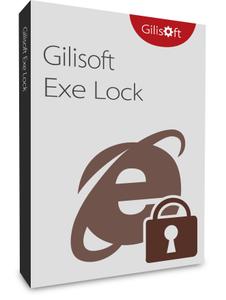
GiliSoft Exe Lock v10.6


e825323341571b38ddcdn2cxq.jpeg


GiliSoft Exe Lock v10.6 | 8 MB | Language: English


Homepage:


Größe: 8 MB
Sprache: English
Format: .rar / .exe
Medizin: Present
Plattform: Windows 11/10/8.1/8/7/Vista/XP
Bit depth: 32bit 64bit


HOSTER:

K2s.cc (Keep2share)

Rapidgator.net

Nitroflare.com

Uploadgig.com


DOWNLOAD


​
 
gili-soft-exe-lockkreiv.jpg


GiliSoft Exe Lock 10.6 (32 oder 64-Bit)


Plattform: windows 10 , 8 , 8.1 , 7 , 11 (32 oder 64-Bit)
Größe: 8.64 MB
Sprache(n) -> Englisch
Format: rar / exe
Hoster: rapidgator / ddownload / nitroflare


Die meisten Anwendungen haben keine Benutzereinschränkungen und dies wird zu einer Sicherheitslücke, wenn zwei oder mehr Personen denselben Computer verwenden (Es gibt einige Anwendungen auf meinem Computer, die ich nicht verwenden möchte, und ich kann keine Passwort unter Windows aus bestimmten Gründen.). Der Passwortschutz der ausführbaren Dateien ist nur eine weitere Möglichkeit, die Sicherheit in einer gemeinsam genutzten Umgebung zu erhöhen. Was ich brauche, ist eine Software, die wie AppLock auf Android oder so funktioniert, die Sie bei jedem Öffnen nach dem Passwort fragt. Gibt es eine solche Anwendung? GiliSoft Exe Lock kann alle Programme auf Ihrem lokalen Computer sperren, eine Person kann die passwortgeschützten Programme nicht ohne Passwort ausführen. Wenn Sie beispielsweise nicht möchten, dass andere Personen Ihre Steuervorbereitungssoftware, Ihre persönlichen Finanzen oder andere Programme verwenden, die Sie mögen, müssen Sie einfach diese Anwendung ausführen Programme auf Ihrem Computer, um ausführbare Dateien vor unbefugter Ausführung mit einem Kennwort zu schützen. Sie können die Ausführung sensibler Software blockieren, wenn jemand die gesperrten Programme ausführt. Stoppen Sie Viren, die Ihre Software modifizieren Software-Trojaner, Viren, Spyware und andere Malware können nicht nur Ihre Computerdaten beschädigen oder zerstören, sondern können auch die Binärdatei der Software modifizieren . Machen Sie sich keine Sorgen, nachdem Sie sie gesperrt haben. Nimmt keine Änderungen an EXE vor. GiliSoft EXE Lock bietet den Passwortschutz für ausführbare Programme, aber es ändert nicht die Quell-Binärdatei. Also keine Chance, die Quelldatei zu zerstören oder Inkompatibilität zu verursachen.

Download:
3n4lcsdgx9kme.gif


GiliSoft Exe Lock 10.7

e825323341571b38ddcdn2cxq.jpeg


Most applications don't come with user restrictions and this becomes a security flaw when two or more people are using the same computer (There are some applications on my computer that I don't want people to use, and I can't put a password on Windows due to certain reasons.). Password protecting the executable files is just another way you can heightened security in a shared environment.

What I need is a software that works like AppLock on Android or something, which is basically asking you for password every time you open it. Is such an application available? GiliSoft Exe Lock can lock any programs on your local computer, a person can not run the password locked programs without a password. For example, if you do don't want other persons to use your tax preparation software, personal finance or other programs you like, you simply need to run this application.

Exclusive Features of GiliSoft EXE Lock
Password Protect Any Software & EXE File
Lock executable programs on your computer to password-protect any executable file from non-authorized execution. You can block running the senstive software when anyone runs the locked programs.

Stop Viruses that Modify Your Software
Software Trojans, viruses, spyware, and other malware can not only damage or destroy your computer data but is also capable of modifying the binary file of software. Do not worry after lock them.

Does Not Make Any Changes to EXE
GiliSoft EXE Lock offers the password protection for executable programs but it will not change the source binary file. So no chance to destroy the source file or cause incompatibility.

Lock With Secure Cryptographic Algorithms
When user clicks on icon or shortcut on Desktop, he will be asked for a password to access that app. After user supplies password and app launches, or no password/wrong password, no app.

Password protect your web browsers
No need to study "How to Password Protect Internet Explorer, Firefox and Chrome Browsers" Use GiliSoft EXE Lock to lock them is the easiest solution.

Lock media players like WMP, RealPlayer, KMPlayer, etc.
The vast majority of parents love their children and want the best for them, parents can use EXE Lock to lock the video player on home computers.

Lock various chatting tools
Use this light weight tool to protect your privacy and keep people out of your identity theft or fraud by some chat tools.

Eay to Use & Support Command Line
You can run GiliSoft Exe Lock with commamd line arguments to lock or unlock programs.

Language: English

File Size: 9 MB

Format: RAR, EXE

Platform: Windows 7, 8/8.1, 10, 11 (32/64Bit)


Hoster:

RapidGator

ddownload


DOWNLOAD


Zurück
Oben Unten