



• Regeln für den Video-Bereich:

    In den Börsenbereich gehören nur Angebote die bereits den Allgemeinen Regeln entsprechen.

    Einteilung

    - Folgende Formate gehören in die angegeben Bereiche:
    - Filme: Encodierte Filme von BluRay, DVD, R5, TV, Screener sowie Telesyncs im Format DivX, XviD und x264.
    - DVD: Filme im Format DVD5, DVD9 und HD2DVD.
    - HD: Encodierte Filme mit der Auflösung 720p oder darüber von BluRay, DVD, R5, TV, Screener sowie Telesyncs im Format x264.
    - 3D: Encodierte Filme von BluRay, die in einem 3D Format vorliegen. Dies gilt auch für Dokus, Animation usw.
    - Serien: Cartoon/Zeichentrick, Anime, Tutorials, Dokumentationen, Konzerte/Musik, Sonstiges sind demnach in die entsprechenden Bereiche einzuordnen, auch wenn sie beispielsweise im High Definition-Format oder als DVD5/DVD9/HD2DVD vorliegen. Ausnahme 3D.
    - Bereich Englisch: Englische Releases gehören immer in diesen Bereich.
    - Bereich Talk: Der Bereich, in dem über die Releases diskutiert werden kann, darf, soll und erwünscht ist.


    Angebot/Beitrag erstellen

    - Ein Beitrag darf erst dann erstellt werden, wenn der Upload bei mindestens einem OCH komplett ist. Platzhalter sind untersagt.
    - Bei einem Scenerelease hat der Threadtitel ausschließlich aus dem originalen, unveränderten Releasenamen zu bestehen. Es dürfen keine Veränderungen wie z.B. Sterne, kleine Buchstaben o.ä. vorgenommen werden. Ausnahme Serienbörse:
    - Bei einem Sammelthread für eine Staffel entfällt aus dem Releasename natürlich der Name der Folge. Beispiel: Die Simpsons S21 German DVDRip XviD - ITG
    - Dementsprechend sind also u.a. verboten: Erweiterungen wie "Tipp", "empfehlenswert", "only", "reup", usw. / jegliche andere Zusatzinformation oder Ergänzung, welche nicht in obiger Beschreibung zu finden ist.

    Aufbau des Angebots und Threadtitel

    Der Titel nach folgendem Muster erstellt zu werden. <Name> [3D] [Staffel] [German] <Jahr> <Tonspur> [DL] [Auflösung] <Quelle> <Codec> - <Group>
    Beispiel: The Dark Knight German 2008 AC3 DVDRip XviD - iND
    Beispiel: The Dark Knight 2008 DTS DL BDRip x264 - iND
    Beispiel: The Dark Knight 2008 AC3 DL BDRip XviD - iND
    Beispiel: The Dark Knight German 2008 AC3 720p BluRay x264 iND
    Beispiel: The Dark Knight 2008 DTS DL 1080p BluRay x264 iND
    Beispiel: Die Simpsons S01 German AC3 DVDRip XviD iND
    Beispiel: Die Simpsons S20 German AC3 720p BluRay x264 iND
    Beispiel: Sword Art Online II Ger Sub 2014 AAC 1080p WEBRip x264 - peppermint
    Entsprechend sind also u.a. verboten: Sonderzeichen wie Klammern, Sterne, Ausrufezeichen, Unterstriche, Anführungszeichen / Erweiterungen wie "Tipp", "empfehlenswert", "only", "reup", usw. / jegliche andere Zusatzinformation oder Ergänzung, welche nicht in obiger Beschreibung zu finden ist
    Ausnahmen hiervon können in den Bereichen geregelt sein.

    Die Beiträge sollen wie folgt aufgebaut werden:
    Überschrift entspricht dem Threadtitel
    Cover
    kurze Inhaltsbeschreibung
    Format, Größe, Dauer sind gut lesbar für Downloader außerhalb des Spoilers zu vermerken
    Nfo sind immer Anzugeben und selbige immer im Spoiler in Textform.
    Sind keine Nfo vorhanden z.B. Eigenpublikationen, sind im Spoiler folgende Dateiinformationen zusätzlich anzugeben :
    Quelle
    Video (Auflösung und Bitrate)
    Ton (Sprache, Format und Bitrate der einzelnen Spuren)
    Untertitel (sofern vorhanden)
    Hosterangabe in Textform außerhalb eines Spoiler mit allen enthaltenen Hostern.
    Bei SD kann auf diese zusätzlichen Dateiinformationen verzichtet werden.

    Alle benötigten Passwörter sind, sofern vorhanden, in Textform im Angebot anzugeben.
    Spoiler im Spoiler mit Kommentaren :"Schon Bedankt?" sind unerwünscht.


    Releases

    - Sind Retail-Release verfügbar, sind alle anderen Variationen untersagt. Ausnahmen: Alle deutschen Retail-Release sind CUT, in diesem Fall sind dubbed UNCUT-Release zulässig.
    - Im Serien-Bereich gilt speziell: Wenn ein Retail vor Abschluss einer laufenden Staffel erscheint, darf diese Staffel noch zu Ende gebracht werden.62
    - Gleiche Releases sind unbedingt zusammenzufassen. Das bedeutet, es ist zwingend erforderlich, vor dem Erstellen eines Themas per Suchfunktion zu überprüfen, ob bereits ein Beitrag mit demselben Release besteht. Ist dies der Fall, ist der bereits vorhandene Beitrag zu verwenden.
    - P2P und Scene Releases dürfen nicht verändert oder gar unter einem iND Tag eingestellt werden.


    Support, Diskussionen und Suche

    - Supportanfragen sind entweder per PN oder im Bereich Talk zu stellen.
    - Diskussionen und Bewertungen sind im Talk Bereich zu führen. Fragen an die Uploader haben ausschließlich via PN zu erfolgen, und sind in den Angeboten untersagt.
    - Anfragen zu Upload-Wünschen sind nur im Bereich Suche Video erlaubt. Antworten dürfen nur auf Angebote von MyBoerse.bz verlinkt werden.


    Verbote

    - Untersagt sind mehrere Formate in einem einzigen Angebotsthread, wie beispielsweise das gleichzeitige Anbieten von DivX/XviD, 720p und 1080p in einem Thread. Pro Format, Release und Auflösung ist ein eigener Thread zu eröffnen.
    - Grundsätzlich ebenso verboten sind Dupes. Uploader haben sich an geeigneter Stelle darüber zu informieren, ob es sich bei einem Release um ein Dupe handelt.
    - Gefakte, nur teilweise lauffähige oder unvollständige Angebote sind untersagt. Dies gilt auch für eigene Publikationen, die augenscheinlich nicht selbst von z.B. einer DVD gerippt wurden. Laufende Serien, bei denen noch nicht alle Folgen verfügbar sind, dürfen erstellt und regelmäßig geupdatet werden.
    - Untersagt sind Angebote, welche nur und ausschließlich in einer anderen Sprache als deutsch oder englisch vorliegen. Ausnahmen sind VORHER mit den Moderatoren zu klären.


    Verstoß gegen die Regeln

    - Angebote oder Beiträge, die gegen die Forenregeln verstoßen, sind über den "Melden"-Button im Beitrag zu melden.
  • Bitte registriere dich zunächst um Beiträge zu verfassen und externe Links aufzurufen.

*** Bestes IPTV *** bester Preis *** gratis Test ***


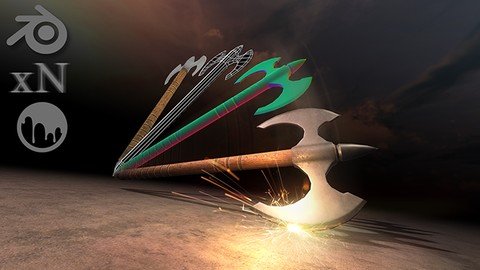
Game Asset Crash Course - 3D Modeling In Blender And 3D-Coat

Tutorials

MyBoerse.bz Pro Member
114225293902ba7d1dc90c6b425c9151.jpeg

Last updated 4/2019
MP4 | Video: h264, 1280x720 | Audio: AAC, 44.1 KHz
Language: English | Size: 1.96 GB | Duration: 2h 30m
Learn 3D modeling, texturing, and rendering with Blender and 3D-Coat by creating AAA ready game assets

What you'll learn
Use 3D modeling in Blender to create a practical, real world game asset that you can use in your own creations or expand upon into other game assets.
Make awesome, AAA game assets by utilizing just the right tools and techniques of the software that you need.
Save time and money by creating your own 3D models, quickly and efficiently.
Learn 3D modeling, texturing, rendering, and exporting with Blender, the world's premiere 3D application for creating amazing game assets.
Requirements
Students who want to follow along with the project should have the newest version of Blender installed. We will be using the most current version at the time of this recording, but the tools and techniques are generally the same as other versions.
Description
This course has been updated to use Blender 2.8Get*up to speed on the techniques and pipelines used to create high quality, AAA ready game assets!This online course will teach you how to use Blender and 3D-Coat to create a*PRACTICAL*REAL*WORLD*project*for your game asset ideas!Do you want to learn 3d modeling, texturing, and rendering, but don't know where to begin?Have you spent time and energy Googling Blender tutorials online, only to find out that it never covers exactly what you need?Do your 3D renders look plain and boring, and you want to know how to take your 3D models to the next level?
If you answered yes to any of these questions,*you're*in the right place!*I know it can be frustrating watching other people post gorgeous looking renders*and game assets*online, while always wondering how they did it. You can spend hours or even days trying to find the right tutorial online to recreate a 3D asset.*Even then they don't always cover the complete pipeline from start to finish.That's why we*created this course - to teach people just like you how to easily get started with Blender.This course has been specifically designed with you in mind*and we*have developed a system to allow you to learn just what you need to know, only when you need it.*Have fun while learning!*Learn by actually doing!After enrolling in this course, you'll be taken through a complete*project that will show you how to recreate a 3D game asset from start to finish.*Follow along and practice while learning!Downloadable project files make it easy*to follow along and practice.The best part about a course like this is that you won't waste time learning tools and functions inside of Blender*that you will never use. Most courses will tell you about every little part of the program, which is daunting to most people.*Game Asset Crash Course - 3D Modeling in Blender and 3D-Coat*will*show you the necessary tools as you apply them.This course will cover every aspect of:Blender and 3D-Coat's Interface and How to Navigate It3D Modeling Your Very First 3D Game AssetUV*Unwrapping and Understanding How UVs WorkHow Normals Work and How to Bake Textures Into Your Model*Texturing Your Game Asset with Smart MaterialsExporting Your Model to Unity, the Number One Game*Engineand so much more!Whether you want to create game assets just for fun, or you work in a production studio and need this information done right this instant, this course is for you. We will guide you every step of the way and are here to make sure you succeed in your ventures. We*are*always available to answer any messages, discussions, questions, or feedback that you have.Get a Certificate of Completion when you finish the course!With our 30-Day 100% money back guarantee, there's no reason hesitate!ENROLL*NOW
Overview
Section 1: Welcome to Game Asset Crash Course - 3D Modeling in Blender and 3D-Coat
Lecture 1 How to use the Project Files
Lecture 2 Learning the Interface
Lecture 3 Manipulating Objects
Lecture 4 Working with Meshes
Lecture 5 Essential Hotkeys
Section 2: Modeling the Axe
Lecture 6 The 3 Fundamental Tools of Modeling
Lecture 7 Importing the Image Plane
Lecture 8 Building the Blade (Part 1)
Lecture 9 Building the Blade (Part 2)
Lecture 10 Building the Blade (Part 3)
Lecture 11 Building the Spikes
Lecture 12 Shading and Smoothing Groups
Lecture 13 Creating Perfect Topology
Section 3: High Resolution Modeling
Lecture 14 Creating High Resolution Models
Lecture 15 Creating the Hi-Res Mesh (Part 1)
Lecture 16 Creating the Hi Res Mesh (Part-2)
Section 4: UV Unwrapping the Axe
Lecture 17 Understanding UVs
Lecture 18 Cutting the Seams
Lecture 19 Unwrapping and Packing the Axe UVs
Section 5: Baking the Normal Map
Lecture 20 Understanding Normal Maps
Lecture 21 Preparing the Scene for Baking
Lecture 22 Baking the Normal Map
Lecture 23 Common Baking Errors
Section 6: Texturing the Axe
Lecture 24 The 3D-Coat Interface
Lecture 25 Texturing with Smart Materials
Lecture 26 Making our Own Smart Material
Lecture 27 Finishing the Texturing
Section 7: Exporting the Axe
Lecture 28 Exporting the Axe to Unity
Lecture 29 Exporting the Axe to Unreal
This course is geared to anyone who wants to learn how to use Blender as well as the basics of 3D modeling, texturing, rendering, and exporting to a game engine.,A prior knowledge of Blender will really help out, though students who are beginners and follow along carefully can learn Blender rather quickly as we cover the basic aspects of the using the software.,Anyone who is looking for a complete Blender course that explains every tool and facet of the application should not take this course. This is a course that provides a practical project for 3D artists in real world settings, so not every tool and function will be explained.

Homepage

Recommend Download Link Hight Speed | Please Say Thanks Keep Topic Live
Links are Interchangeable - No Password - Single Extraction

 
Zurück
Oben Unten