




Video: MPEG4 Video (H264) 1920x1080 24fps 1086kbps | Audio: AAC 44100Hz stereo 156kbps
Genre: eLearning | Duration: 5hrs+ | Language: English | File size: 4.5 GB
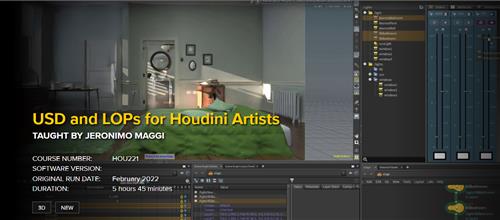
More and more applications are starting to support USD and most studios are in some way using it in their pipelines. USD is here to stay and it is slowly becoming the industry standard. This course is designed for artists who want to get familiar with how USD works to better understand the pipelines that they are working in. It will cover all the basics you need to know about USD in general, and then it will focus more on Houdini and its new LOP context introduced in version 18.0 which allows artists to procedurally edit and create USD files.
The course begins by explaining all the core concepts of USD, followed up by applying this knowledge on an example shot as it moves along a USD based pipeline. It will go over asset creation, layout, animation, FX and lighting. In the end, you will have a solid understanding of what a USD pipeline looks like from start to finish and especially how you can work with USD files in Houdini. Everything you will need as a Houdini artist from opening USD files to importing them into SOPs and then successfully exporting it back to USD will be covered.
Jeronimo Maggi started his career as a 3D generalist and has been working with Houdini as an FX TD in feature films for the last 6 years. He worked for several years in the education field teaching Houdini and currently works in Animal Logic Vancouver as a Character FX Technical Director.
course syllabus
CLASS 1: DATA STRUCTURES IN USD PART 1
We are going to look at the very basics of USD with a focus on how data is structured, as well as introduce LOPs as the place to create and edit USD data. There will also be an introduction to the project we are going to be working on throughout the whole course. Afterwards, we will begin to cover some USD terminology such as Prim, Schema, Namespace, Properties, Attributes, Relationships and Metadata, while learning how to view all these things in Houdini. This lesson finishes with a small example of how a model from SOPs can be converted into a hierarchy of Prims when imported to LOPs.
CLASS 2: DATA STRUCTURES IN USD PART 2
Continuing with the example from the previous class, this lesson will cover everything related to attributes. We are going to go over attribute types, primvars, interpolation and default and time sampled values. The last part of the video will introduce the concept of layers and we are going to learn how to export USD files from Houdini and the differences between usda and usdc formats. We will finish by opening the USD file and learning how to read its contents.
CLASS 3: USD COMPOSITION PART 1
Now that we have a good understanding of how USD structures 3D data, we are going to look at how USD's composition engine allows us to combine different layers. Composition is a key feature of USD which allows you to assemble assets into aggregates and let different artists and departments non-destructively edit them. In this lesson, we are going to go over the concept of stage and look at the two main composition arcs called Sublayers and References and learn how to build these compositions in LOPs. We are going to finish this lesson covering Specifiers and their importance when it comes to composition.
CLASS 4: USD COMPOSITION PART 2
In this second part, we will cover the remaining composition arcs: Payloads, Variant Sets, Inherits and Specializes. We will go over a small example that shows how these composition arcs are used throughout the whole pipeline. The second part of the video will focus on LIVRPS and understanding the strength ordering of composition arcs. This last concept is very important and one of the trickiest to understand.
CLASS 5: CREATING ASSETS PART 1
We are finally ready to start creating the assets we are going to be using in our project. In this class, we are going to apply all the concepts we learnt in the previous lessons to come up with what composition arcs and layers we are going to use to structure every USD model. We will go in-depth over how LOPs works and learn how to handle and export multiple anonymous layers at once as well as cover the concepts of Default Prims, lofting properties to a payload, assigning materials and finally having our first look at Karma to see what our materials look like.
CLASS 6: CREATING ASSETS PART 2
In this lesson, we are going to use the setup used to create an asset from class 5 and make it more procedural so we can easily reuse it with all the other assets. We will go over 6 different assets in our project which all have slight variations in their setup, such as multiple model variants or a model and a material variant set. We are also going to cover a few more concepts such as Subsets, Model Hierarchy and Purpose. The last part of this class will go over 5 different ways in which you could structure your asset.
CLASS 7: LAYOUT AND ANIMATION
By looking at how we can assemble a shot, we are going to keep learning and getting more familiar with LOPs. We will look at the Stage Manager and how it can help us quickly load assets to assemble the set, which together with the Interactive Edit will allow us to place these assets in our scene. In this lesson, we will also cover Viewport Overrides, Instancing and look into two ways in which the edits from animation and layout can be structured into their own layers.
CLASS 8: FX IN USD PART 1
In this lesson, we will cover the first part of the workflow of an FX artist, from loading animation in LOPs to importing it to SOPs. In order to achieve this, we will have to learn about the LOP Import and the USD Unpack and how to traverse the stage and import what we want. An integral part of this workflow is the usdxform attribute, so we will go over world and local space and its importance when roundtripping between LOPs and SOPs. Finally, we will look at writing out the FX layer as a sequence of files and learn how to stitch it into a value clip in order for USD to read it properly.
CLASS 9: FX IN USD PART 2
In the second part of the FX workflow, we are going to learn about Primitive Patterns and Vexpressions to easily select Prims in the stage. We will also look at Collections as a way of easily grouping Prims so they can be imported into SOPs later. This lesson will focus on volumes and how VDBs can be imported into LOPs and finally an introduction to the RBD Destruction LOP which is a very convenient way of letting LOPs take care of all the USD side of things when we do an RBD sim.
CLASS 10: FX IN USD PART 3
This class will cover the two remaining effects which are the picture frame falling and an RBD simulation of the books. Instead of using the RBD Destruction LOP as before, we are going to learn how to import packed geometry into LOPs manually. In the case of the books where the geometry hasn't changed, we are going to cover how we can only author the transforms of the book simulation without actually modifying any of the Mesh Prims.
CLASS 11: LIGHTING AND RENDERING
To end our example we will go over the last stage in our pipeline which involves lighting and rendering. In this lesson, we will learn about lights in USD and how this is implemented in LOPs. We will cover how to use the Light Mixer, the Light Linker and how to edit existing materials without changing the original layer. Finally, we will look at Karma, Houdini's new renderer. We are going to cover the basic settings as well as creating custom component AOVs per light using Light Path Expressions.
CLASS 12: ADVANCED LOPS
In the last lesson of this course, we will look at a few advanced tips and tricks that weren't covered in the course but are worth knowing. We will begin by taking a look at 2 tools that come with USD which are called usdcat and usdview, followed by a look at the Instancer LOP and how it can be used to author composition arcs procedurally. Another tip we will look into is the HoudiniLayerInfo Prim and how we can temporarily store data using the Store Parameter LOP. Finally, we will learn about the Python LOP and how to create the Loft Variant Set HDA.
Homepage
Recommend Download Link Hight Speed | Please Say Thanks Keep Topic Live
Links are Interchangeable - No Password - Single Extraction
