




Full Rhino - A Complete Course For Architects And Designers

From SKETCH to SHEETS - Learn Rhino 3D from scratch, structured arround a core project that we will build together
What you'll learn
Import a hand skecth to scale in Rhino
Vectorize your sketch with 2D curves
3D modeling from basic to advanced geomery
Model your site from Surveyor's document
Learn how to apply texture and play with display mode to export diagrams of your project
Create more realistic images and animation with a free software synchronized with Rhino
Setup and export layout drawings from your model
Improve your workflow efficiency with Rhino
Requirements
No past experience in Rhino needed. This course will cover all the steps from the ultimate beginning.
Description
We will design together a tower in 3D starting from a sketch all the way to renderings and layout. During the process, i will make sure to hit all the most important commands that you need to know as a designer. I have been using Rhino as a design Architect for more than 15 years. What i realized is that you only need to know approximately 80 to 100 commands to model any geometry that your architecture journey will put before you. In this course i will cover 130 commands which will give you a solid toolbox to generate the simple but also the more advanced massing.At the end of each chapter, you will see a workflow consolidation course. This is where you will gradually enrich your shortcut skills and efficiency in using the software. This is an important step that will help you save a lot of time in your modeling.Since Rhino rendering isn't the best. I added a course using a free software that is way more appropriate for designers. With a minimum amount of effort, you can get out amazing images and save a lot of time on designing instead of setting up lighting, texture, people etc...Finally you will learn how to get the most out of your 3D model for diagrams by playing with the Rhino Display Mode. Texture Mapping, adding shadows, play with line-weight etc.. We will also see how to slice your model and generate Layout with annotations. A 100% of what you see in the presentation video is extracted from the course. This course is appropriate for all levels, even for absolute beginner. I will be using Rhino 8 for PC. Mac users, and or PC users with lower Rhino versions can still follow the class as more than 90% of the commands will be the same. However, for the rendering software i am presenting in Chapter 9, Mac users will not be able to use it as it is not compatible.
Overview
Section 1: Introduction
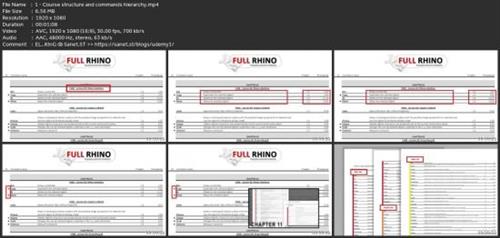
Lecture 1 Course structure and commands hierarchy
Lecture 2 Rhino interface - Box/Copy/ZS/Move
Lecture 3 Import a hand sketch - Units/Picture/Rotate/Rotate3D/Scale/Distance
Section 2: 2D Curve tools - drawing and functions
Lecture 4 Curve introduction
Lecture 5 Draw the Plan Grid - Line/Arc/Polyline
Lecture 6 Draw the Tower structure - Rectangle/Block/Point
Lecture 7 Draw Tower outline - Offset/Area
Lecture 8 Draw the Site - Connect/*Connect/Fillet/Chamfer/BlendCrv
Lecture 9 Draw Landscape - Curve/Rebuild/Tweencurves
Lecture 10 Bulk curves operation - Extend/Intersect/Split/Trim/OffsetMultiple/FilletCorners
Lecture 11 Curve closing statement - Circle
Lecture 12 Workflow consolidation 01 - CPlane/Explode
Section 3: 3D Modeling tools - Part 1
Lecture 13 NURBS introduction - DupEdge/DupBorder/Dir/Flip/Extractisocurve/Scale2D/Scale1D
Lecture 14 Build Tower Massing - ExtrudeCrv/Points/SrfPt/PlanarSrf/ExtendSrf
Lecture 15 Curve tool & Surface tool Analogy - ConnectSrf/OffsetSrf/BlendSrf/FilletEdge/...
Lecture 16 Build the Core - Group/Purge/Ungroup/SolidPtOn/PushPull/Mirror
Lecture 17 Workflow Consolidation 02 - Hide/Show/Lock/Isolate/Unisolate/Z
Section 4: 3D Modeling tools - Part 2
Lecture 18 Build the Slab - ExtrudeSrf/Sweep1/Sweep2
Lecture 19 Expand the Slabs to Tower - ArrayLinear/Array
Lecture 20 Build Facade module - Divide/ArrayCrv/Cap
Lecture 21 Expand Facade on tower
Lecture 22 Build the Parapet - SelVolumeObject/SelBoundary
Lecture 23 Block strategy
Lecture 24 Workflow consolidation 03
Section 5: 3D Modeling tools - Part 3
Lecture 25 Build Lobby Soffit - Loft/Contour
Lecture 26 Spiral Staircase - Length/Spiral/Calc
Lecture 27 Core Pattern - UnrollSrf/FlowAlongSrf
Lecture 28 Surface and Curve interaction - Crv2View
Lecture 29 Record History tool
Lecture 30 Workflow Consolidation 04 - SelLast/MatchProperties
Section 6: 3D Modeling - Build a site
Lecture 31 Build a site from a Survey - What/Blockmanager/Insert/Patch/Volume/Untrim
Lecture 32 Second site survey example
Lecture 33 Merge Project and Site - SetPt/Plan
Section 7: 3D Modeling tools - part 4
Lecture 34 Treelike Canopy - PointGrid/Pipe
Lecture 35 "Y" Connector - Dot/Extractwireframe/BlendSrf/ShowEdge/Zebra/FitSrf/MatchSrf
Lecture 36 Simple Structure for canopies - Torus/hatch
Lecture 37 Bench and Flow alignement - Revolve/Flow
Section 8: Booleans & Transformations
Lecture 38 Boolean operation tools - Boolean2Objects/Difference/Union/intersection/Split
Lecture 39 CageEditing tool - CageEdit
Lecture 40 Transformation Tools - Twist/Bend/Taper/Shear
Lecture 41 SubD introduction - ToNURBS
Section 9: Generate Renderings for your projects.
Lecture 42 Software presentation
Lecture 43 Prepare your file for rendering.
Lecture 44 Rendering program Overlook
Lecture 45 Apply Materials in rendering software
Lecture 46 Mass landscape
Lecture 47 Mass Vehicules and People
Lecture 48 Render an image
Lecture 49 Render an Animation
Section 10: Diagrams and Layout
Lecture 50 Apply Texture Mapping in Rhino
Lecture 51 Customize Display mode - Options/SetObjectDisplayMode/Mesh
Lecture 52 Linetype Parameters
Lecture 53 Clipping Plane Manipulation - ClippingPlane/NamedView
Lecture 54 Export a Viewport image
Lecture 55 Make 2D drawings from your 3D model - SelVisible/Make2D
Lecture 56 Layout and Annotations - Detail/Dim/DimRadius
Section 11: Workflow Optimization, Shortcut creation and recommendations
Lecture 57 Shortcut Creation and my top tier commands to know
Architectural students who wants to start modeling their project.,Interior Design students who wants to start modeling their project.,Small Architecture pratice who wants to add some 3d workflow to their practice.,Architect proffessionals who Joined a big firm that requires to know Rhino for competitions and early stage 3D design studies.,Non Architect who have a small design project they want to plan on their own.
rapidgator.net:
ddownload.com:
Published 10/2024
MP4 | Video: h264, 1920x1080 | Audio: AAC, 44.1 KHz
Language: English | Size: 14.40 GB | Duration: 11h 57m
MP4 | Video: h264, 1920x1080 | Audio: AAC, 44.1 KHz
Language: English | Size: 14.40 GB | Duration: 11h 57m
From SKETCH to SHEETS - Learn Rhino 3D from scratch, structured arround a core project that we will build together
What you'll learn
Import a hand skecth to scale in Rhino
Vectorize your sketch with 2D curves
3D modeling from basic to advanced geomery
Model your site from Surveyor's document
Learn how to apply texture and play with display mode to export diagrams of your project
Create more realistic images and animation with a free software synchronized with Rhino
Setup and export layout drawings from your model
Improve your workflow efficiency with Rhino
Requirements
No past experience in Rhino needed. This course will cover all the steps from the ultimate beginning.
Description
We will design together a tower in 3D starting from a sketch all the way to renderings and layout. During the process, i will make sure to hit all the most important commands that you need to know as a designer. I have been using Rhino as a design Architect for more than 15 years. What i realized is that you only need to know approximately 80 to 100 commands to model any geometry that your architecture journey will put before you. In this course i will cover 130 commands which will give you a solid toolbox to generate the simple but also the more advanced massing.At the end of each chapter, you will see a workflow consolidation course. This is where you will gradually enrich your shortcut skills and efficiency in using the software. This is an important step that will help you save a lot of time in your modeling.Since Rhino rendering isn't the best. I added a course using a free software that is way more appropriate for designers. With a minimum amount of effort, you can get out amazing images and save a lot of time on designing instead of setting up lighting, texture, people etc...Finally you will learn how to get the most out of your 3D model for diagrams by playing with the Rhino Display Mode. Texture Mapping, adding shadows, play with line-weight etc.. We will also see how to slice your model and generate Layout with annotations. A 100% of what you see in the presentation video is extracted from the course. This course is appropriate for all levels, even for absolute beginner. I will be using Rhino 8 for PC. Mac users, and or PC users with lower Rhino versions can still follow the class as more than 90% of the commands will be the same. However, for the rendering software i am presenting in Chapter 9, Mac users will not be able to use it as it is not compatible.
Overview
Section 1: Introduction
Lecture 1 Course structure and commands hierarchy
Lecture 2 Rhino interface - Box/Copy/ZS/Move
Lecture 3 Import a hand sketch - Units/Picture/Rotate/Rotate3D/Scale/Distance
Section 2: 2D Curve tools - drawing and functions
Lecture 4 Curve introduction
Lecture 5 Draw the Plan Grid - Line/Arc/Polyline
Lecture 6 Draw the Tower structure - Rectangle/Block/Point
Lecture 7 Draw Tower outline - Offset/Area
Lecture 8 Draw the Site - Connect/*Connect/Fillet/Chamfer/BlendCrv
Lecture 9 Draw Landscape - Curve/Rebuild/Tweencurves
Lecture 10 Bulk curves operation - Extend/Intersect/Split/Trim/OffsetMultiple/FilletCorners
Lecture 11 Curve closing statement - Circle
Lecture 12 Workflow consolidation 01 - CPlane/Explode
Section 3: 3D Modeling tools - Part 1
Lecture 13 NURBS introduction - DupEdge/DupBorder/Dir/Flip/Extractisocurve/Scale2D/Scale1D
Lecture 14 Build Tower Massing - ExtrudeCrv/Points/SrfPt/PlanarSrf/ExtendSrf
Lecture 15 Curve tool & Surface tool Analogy - ConnectSrf/OffsetSrf/BlendSrf/FilletEdge/...
Lecture 16 Build the Core - Group/Purge/Ungroup/SolidPtOn/PushPull/Mirror
Lecture 17 Workflow Consolidation 02 - Hide/Show/Lock/Isolate/Unisolate/Z
Section 4: 3D Modeling tools - Part 2
Lecture 18 Build the Slab - ExtrudeSrf/Sweep1/Sweep2
Lecture 19 Expand the Slabs to Tower - ArrayLinear/Array
Lecture 20 Build Facade module - Divide/ArrayCrv/Cap
Lecture 21 Expand Facade on tower
Lecture 22 Build the Parapet - SelVolumeObject/SelBoundary
Lecture 23 Block strategy
Lecture 24 Workflow consolidation 03
Section 5: 3D Modeling tools - Part 3
Lecture 25 Build Lobby Soffit - Loft/Contour
Lecture 26 Spiral Staircase - Length/Spiral/Calc
Lecture 27 Core Pattern - UnrollSrf/FlowAlongSrf
Lecture 28 Surface and Curve interaction - Crv2View
Lecture 29 Record History tool
Lecture 30 Workflow Consolidation 04 - SelLast/MatchProperties
Section 6: 3D Modeling - Build a site
Lecture 31 Build a site from a Survey - What/Blockmanager/Insert/Patch/Volume/Untrim
Lecture 32 Second site survey example
Lecture 33 Merge Project and Site - SetPt/Plan
Section 7: 3D Modeling tools - part 4
Lecture 34 Treelike Canopy - PointGrid/Pipe
Lecture 35 "Y" Connector - Dot/Extractwireframe/BlendSrf/ShowEdge/Zebra/FitSrf/MatchSrf
Lecture 36 Simple Structure for canopies - Torus/hatch
Lecture 37 Bench and Flow alignement - Revolve/Flow
Section 8: Booleans & Transformations
Lecture 38 Boolean operation tools - Boolean2Objects/Difference/Union/intersection/Split
Lecture 39 CageEditing tool - CageEdit
Lecture 40 Transformation Tools - Twist/Bend/Taper/Shear
Lecture 41 SubD introduction - ToNURBS
Section 9: Generate Renderings for your projects.
Lecture 42 Software presentation
Lecture 43 Prepare your file for rendering.
Lecture 44 Rendering program Overlook
Lecture 45 Apply Materials in rendering software
Lecture 46 Mass landscape
Lecture 47 Mass Vehicules and People
Lecture 48 Render an image
Lecture 49 Render an Animation
Section 10: Diagrams and Layout
Lecture 50 Apply Texture Mapping in Rhino
Lecture 51 Customize Display mode - Options/SetObjectDisplayMode/Mesh
Lecture 52 Linetype Parameters
Lecture 53 Clipping Plane Manipulation - ClippingPlane/NamedView
Lecture 54 Export a Viewport image
Lecture 55 Make 2D drawings from your 3D model - SelVisible/Make2D
Lecture 56 Layout and Annotations - Detail/Dim/DimRadius
Section 11: Workflow Optimization, Shortcut creation and recommendations
Lecture 57 Shortcut Creation and my top tier commands to know
Architectural students who wants to start modeling their project.,Interior Design students who wants to start modeling their project.,Small Architecture pratice who wants to add some 3d workflow to their practice.,Architect proffessionals who Joined a big firm that requires to know Rhino for competitions and early stage 3D design studies.,Non Architect who have a small design project they want to plan on their own.
Screenshots
rapidgator.net:
ddownload.com:
