



• Regeln für den Audio-Bereich:

    Allgemeine Boardregeln: MyBoerse-bz-Regelwerk Regelwerk Audioboerse

    1. Das richtige Forum

    Wähle ein passendes Unterforum für dein Angebot

    2. Doppelte Threads vermeiden / Ein Thread pro Interpret


    Da es hier langsam ausartet mit gleichen Interpreten, aber verschiedenen Jahren, gilt ab sofort: Nur noch ein Thread pro Interpret, unabhängig von der Jahreszahl der verschiedenen Alben. Wünschenswert wäre es wenn ihr den Titel ab sofort so benennt: Interpret - Diskographie

    Um Doppelpost zu vermeiden, nutze vor dem Posten die Suchenfunktion. Gibt es schon einen passenden Thread, dann poste Dein Angebot dort hinein. Für einzelne Alben einer Sammlung bzw. Hörbuchreihen bitte in den passenden Sammelthreads posten.

    3. Der richtige Titel

    Gib dem Thread einen einfachen aber vernünftigen Titel, der zum Angebot passt. Um den Thread besser über die Suche zu finden, solltest du einen normalen Titel benutzen. Bei Threads in den Foren Musik, HQ Audio / Lossless und Soundtracks / OST immer das Jahr am Ende des Threadtitels in Klammern angeben, z.B.: Interpretname - Albumname (2016)

    4. Die richtigen Angaben

    Ein Thread/Thema in der Audio-Börse muss dem User Informationen über das Angebot geben können.

    Pflichtangaben:

    Bild des Uploads
    Genre
    Bitrate der Musik Datei: in Kbit/s
    Hoster
    Größe in MB oder GB
    Tracklist

    Optional: Angabe wenn Cover dabei sind.


    Sollte ein Angebot diese Pflichtangaben nicht beinhalten, wird der Verfasser darauf hingewiesen. Sollte dieses dann nicht geändert werden, werden die Beiträge gelöscht.

    (Sollte der Upload nicht als mp3 vorliegen, sondern als ogg/Bin/Cue o.Ä., dann ist dies auch eine Pflichtangabe)

    5. Defekte/nicht verfügbare Links und andere Probleme mit einem Upload

    Sollte ein Upload down sein, dann meldet es per PN dem Uploader. Gibt es zwei Threads zum gleichen Thema oder ein Upload im falschen Forum, dann meldet dies via "Beitrag melden" Funktion, diese befindet sich neben dem Bedanken-Button.

    6. Reupp- /Hosteranfragen
    Reuppanfragen oder auch Anfragen ob es bei einem anderen Hoster geuppt werden kann, bitte direkt per PN an den Uploader und nicht in den Thread.
  • Bitte registriere dich zunächst um Beiträge zu verfassen und externe Links aufzurufen.

*** Bestes IPTV *** bester Preis *** gratis Test ***


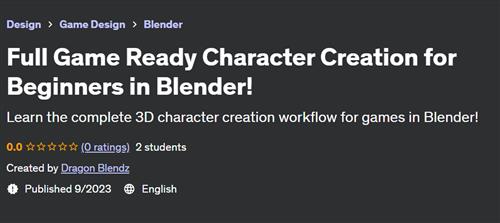
Full Game Ready Character Creation for Beginners in Blender!

Tutorials

MyBoerse.bz Pro Member
6bb6091c404ce1711240db674112e384.jpeg

Free Download Full Game Ready Character Creation for Beginners in Blender!
Published 9/2023
Created by Dragon Blendz
MP4 | Video: h264, 1280x720 | Audio: AAC, 44.1 KHz, 2 Ch
Genre: eLearning | Language: English | Duration: 46 Lectures ( 11h 45m ) | Size: 10.5 GB

Learn the complete 3D character creation workflow for games in Blender!
What you'll learn
How to Download and Set-up Blender!
How to add References!
How to block out the shape!
Learn Lizard Anatomy!
How to add Details to our Character!
Learn Manual Retopology!
How to Uv Unwrap and Bake!
How to Texture Paint!
Learn Manual Rigging!
Requirements
There is no need for any previous experience with Blender.
Graphic tablet is an option.
Description
In this course, I will lead you to through the whole workflow that is widely used to create characters for games. When we set up Blender, we will get to know the interfaces which we will use in the process. After importing the references, which will help us make our lizard, we will make the basic shape of him in edit mode. In sculpt mode, we will learn important lizard muscles which we will then outline and sculpt together. Of course, in sculpt mode we will be using our references to fix and detail the lizard to our liking. When we are satisfied with the result, we will begin retopology to optimize our sculpted lizard. In the next step we will UV Unwrap our lizard and transfer the details by baking a normal map . After that, our Lizard will be ready for texturing in Blender. Once we finish with the texturing process, we will move onto Rigging. We will do a simple rig so we can pose our lizard on a Rock in a similar way we see the lizard posed in the course intro. And don't worry we will go thought the whole process together, but of course you can always ask any questions under the lecture if something did go wrong and I will be happy to help you make it alright again :)
Who this course is for
Have you ever wanted to learn how to make game ready characters and begin your journey in 3D industry?
Then this is the perfect course to get you started!
It doesn't matter if you already advanced Blender user or installing Blender for the first time you will find this course useful for developing your 3D skills.
We will go through the whole workflow without skipping any steps, until we have complete game ready character!
Homepage


Recommend Download Link Hight Speed | Please Say Thanks Keep Topic Live
No Password - Links are Interchangeable

 
Zurück
Oben Unten