• Regeln für den Video-Bereich:

    In den Börsenbereich gehören nur Angebote die bereits den Allgemeinen Regeln entsprechen.

    Einteilung

    - Folgende Formate gehören in die angegeben Bereiche:
    - Filme: Encodierte Filme von BluRay, DVD, R5, TV, Screener sowie Telesyncs im Format DivX, XviD und x264.
    - DVD: Filme im Format DVD5, DVD9 und HD2DVD.
    - HD: Encodierte Filme mit der Auflösung 720p oder darüber von BluRay, DVD, R5, TV, Screener sowie Telesyncs im Format x264.
    - 3D: Encodierte Filme von BluRay, die in einem 3D Format vorliegen. Dies gilt auch für Dokus, Animation usw.
    - Serien: Cartoon/Zeichentrick, Anime, Tutorials, Dokumentationen, Konzerte/Musik, Sonstiges sind demnach in die entsprechenden Bereiche einzuordnen, auch wenn sie beispielsweise im High Definition-Format oder als DVD5/DVD9/HD2DVD vorliegen. Ausnahme 3D.
    - Bereich Englisch: Englische Releases gehören immer in diesen Bereich.
    - Bereich Talk: Der Bereich, in dem über die Releases diskutiert werden kann, darf, soll und erwünscht ist.


    Angebot/Beitrag erstellen

    - Ein Beitrag darf erst dann erstellt werden, wenn der Upload bei mindestens einem OCH komplett ist. Platzhalter sind untersagt.
    - Bei einem Scenerelease hat der Threadtitel ausschließlich aus dem originalen, unveränderten Releasenamen zu bestehen. Es dürfen keine Veränderungen wie z.B. Sterne, kleine Buchstaben o.ä. vorgenommen werden. Ausnahme Serienbörse:
    - Bei einem Sammelthread für eine Staffel entfällt aus dem Releasename natürlich der Name der Folge. Beispiel: Die Simpsons S21 German DVDRip XviD - ITG
    - Dementsprechend sind also u.a. verboten: Erweiterungen wie "Tipp", "empfehlenswert", "only", "reup", usw. / jegliche andere Zusatzinformation oder Ergänzung, welche nicht in obiger Beschreibung zu finden ist.

    Aufbau des Angebots und Threadtitel

    Der Titel nach folgendem Muster erstellt zu werden. <Name> [3D] [Staffel] [German] <Jahr> <Tonspur> [DL] [Auflösung] <Quelle> <Codec> - <Group>
    Beispiel: The Dark Knight German 2008 AC3 DVDRip XviD - iND
    Beispiel: The Dark Knight 2008 DTS DL BDRip x264 - iND
    Beispiel: The Dark Knight 2008 AC3 DL BDRip XviD - iND
    Beispiel: The Dark Knight German 2008 AC3 720p BluRay x264 iND
    Beispiel: The Dark Knight 2008 DTS DL 1080p BluRay x264 iND
    Beispiel: Die Simpsons S01 German AC3 DVDRip XviD iND
    Beispiel: Die Simpsons S20 German AC3 720p BluRay x264 iND
    Beispiel: Sword Art Online II Ger Sub 2014 AAC 1080p WEBRip x264 - peppermint
    Entsprechend sind also u.a. verboten: Sonderzeichen wie Klammern, Sterne, Ausrufezeichen, Unterstriche, Anführungszeichen / Erweiterungen wie "Tipp", "empfehlenswert", "only", "reup", usw. / jegliche andere Zusatzinformation oder Ergänzung, welche nicht in obiger Beschreibung zu finden ist
    Ausnahmen hiervon können in den Bereichen geregelt sein.

    Die Beiträge sollen wie folgt aufgebaut werden:
    Überschrift entspricht dem Threadtitel
    Cover
    kurze Inhaltsbeschreibung
    Format, Größe, Dauer sind gut lesbar für Downloader außerhalb des Spoilers zu vermerken
    Nfo sind immer Anzugeben und selbige immer im Spoiler in Textform.
    Sind keine Nfo vorhanden z.B. Eigenpublikationen, sind im Spoiler folgende Dateiinformationen zusätzlich anzugeben :
    Quelle
    Video (Auflösung und Bitrate)
    Ton (Sprache, Format und Bitrate der einzelnen Spuren)
    Untertitel (sofern vorhanden)
    Hosterangabe in Textform außerhalb eines Spoiler mit allen enthaltenen Hostern.
    Bei SD kann auf diese zusätzlichen Dateiinformationen verzichtet werden.

    Alle benötigten Passwörter sind, sofern vorhanden, in Textform im Angebot anzugeben.
    Spoiler im Spoiler mit Kommentaren :"Schon Bedankt?" sind unerwünscht.


    Releases

    - Sind Retail-Release verfügbar, sind alle anderen Variationen untersagt. Ausnahmen: Alle deutschen Retail-Release sind CUT, in diesem Fall sind dubbed UNCUT-Release zulässig.
    - Im Serien-Bereich gilt speziell: Wenn ein Retail vor Abschluss einer laufenden Staffel erscheint, darf diese Staffel noch zu Ende gebracht werden.62
    - Gleiche Releases sind unbedingt zusammenzufassen. Das bedeutet, es ist zwingend erforderlich, vor dem Erstellen eines Themas per Suchfunktion zu überprüfen, ob bereits ein Beitrag mit demselben Release besteht. Ist dies der Fall, ist der bereits vorhandene Beitrag zu verwenden.
    - P2P und Scene Releases dürfen nicht verändert oder gar unter einem iND Tag eingestellt werden.


    Support, Diskussionen und Suche

    - Supportanfragen sind entweder per PN oder im Bereich Talk zu stellen.
    - Diskussionen und Bewertungen sind im Talk Bereich zu führen. Fragen an die Uploader haben ausschließlich via PN zu erfolgen, und sind in den Angeboten untersagt.
    - Anfragen zu Upload-Wünschen sind nur im Bereich Suche Video erlaubt. Antworten dürfen nur auf Angebote von MyBoerse.bz verlinkt werden.


    Verbote

    - Untersagt sind mehrere Formate in einem einzigen Angebotsthread, wie beispielsweise das gleichzeitige Anbieten von DivX/XviD, 720p und 1080p in einem Thread. Pro Format, Release und Auflösung ist ein eigener Thread zu eröffnen.
    - Grundsätzlich ebenso verboten sind Dupes. Uploader haben sich an geeigneter Stelle darüber zu informieren, ob es sich bei einem Release um ein Dupe handelt.
    - Gefakte, nur teilweise lauffähige oder unvollständige Angebote sind untersagt. Dies gilt auch für eigene Publikationen, die augenscheinlich nicht selbst von z.B. einer DVD gerippt wurden. Laufende Serien, bei denen noch nicht alle Folgen verfügbar sind, dürfen erstellt und regelmäßig geupdatet werden.
    - Untersagt sind Angebote, welche nur und ausschließlich in einer anderen Sprache als deutsch oder englisch vorliegen. Ausnahmen sind VORHER mit den Moderatoren zu klären.


    Verstoß gegen die Regeln

    - Angebote oder Beiträge, die gegen die Forenregeln verstoßen, sind über den "Melden"-Button im Beitrag zu melden.
  • Bitte registriere dich zunächst um Beiträge zu verfassen und externe Links aufzurufen.

++ Premium IPTV ++ 7000 Live Sender ++ UHD Qualität ++ Mediathek mit 18.000 Inhalten ++


VenneTV


From Design to Animation | Adobe Illustrator & After Effects

babymore87

MyBoerse.bz Pro Member
33db5479b51da3a5b6f5bcc712253cad.webp

Free Download From Design to Animation | Adobe Illustrator & After Effects
Published 8/2026
MP4 | Video: h264, 1920x1080 | Audio: AAC, 44.1 KHz, 2 Ch
Language: English | Duration: 2h 21m | Size: 1.95 GB
Create Infographics Cartoon Animation
What you'll learn

Core Animation Skills - master keyframes, easing, and timing to create smooth, professional motion.
Motion Graphics Design - build text reveals, logo animations, and explainer videos that captivate audiences.
Visual Effects Techniques - apply tracking, compositing, and green screen magic for cinematic results.
3D Space & Camera Work - explore lights, cameras, and layers to add depth and realism.
Expressions & Automation - simplify complex animations with dynamic, code-driven controls.
Social Media Content Creation - design intros, transitions, and short-form animations for YouTube, TikTok, and Instagram.
Workflow Optimization - learn shortcuts, templates, and project organization to save time and boost creativity.
Portfolio Projects - complete real-world assignments to showcase your skills to clients and employers.
Foundations of Animation - keyframes, easing, timing, and the principles of smooth motion.
Text & Typography Animation - dynamic titles, kinetic typography, and professional lower thirds.
Logo & Branding Motion - create polished logo reveals and brand animations for clients.
Explainer Video Techniques - design engaging infographics and animated storytelling for businesses.
Cinematic Visual Effects - tracking, rotoscoping, compositing, and green screen workflows.
3D Layers & Camera Tools - add depth, perspective, and realism with lights and cameras.
Particle Systems & Special Effects - fire, smoke, rain, and abstract motion designs.
Transitions & Scene Building - craft seamless cuts, wipes, and creative scene changes.
Advanced Compositing - blending multiple elements into one cohesive, cinematic shot.
Color Grading & Visual Style - enhance mood and storytelling with color correction.
Creative Confidence - the ability to turn ideas into professional animations that stand out.
Essential Plugins Overview: Get familiar with industry favorites like Element 3D, Trapcode Particular, and Optical Flares.
Real-World Projects: Apply plugins in hands-on exercises to design motion graphics for ads, films, and social media.
Installation & Management Tips: Step-by-step guidance on installing, updating, and managing plugins without software issues.
Requirements
No Prior Knowledge of After Effects
All project files are available in After Effects CC 2025, 2024
All Plugins are available to download from this course
A willingness to learn by doing - practice along with the lessons for best results.
Basic familiarity with using a computer (opening files, saving projects, navigating software).
Description
Bring your creative ideas to life with2D Animation using Adobe Illustrator and Adobe After Effects. In this practical, project-based course, you'll learn how to transform static illustrations into engaging, professional animations from start to finish.
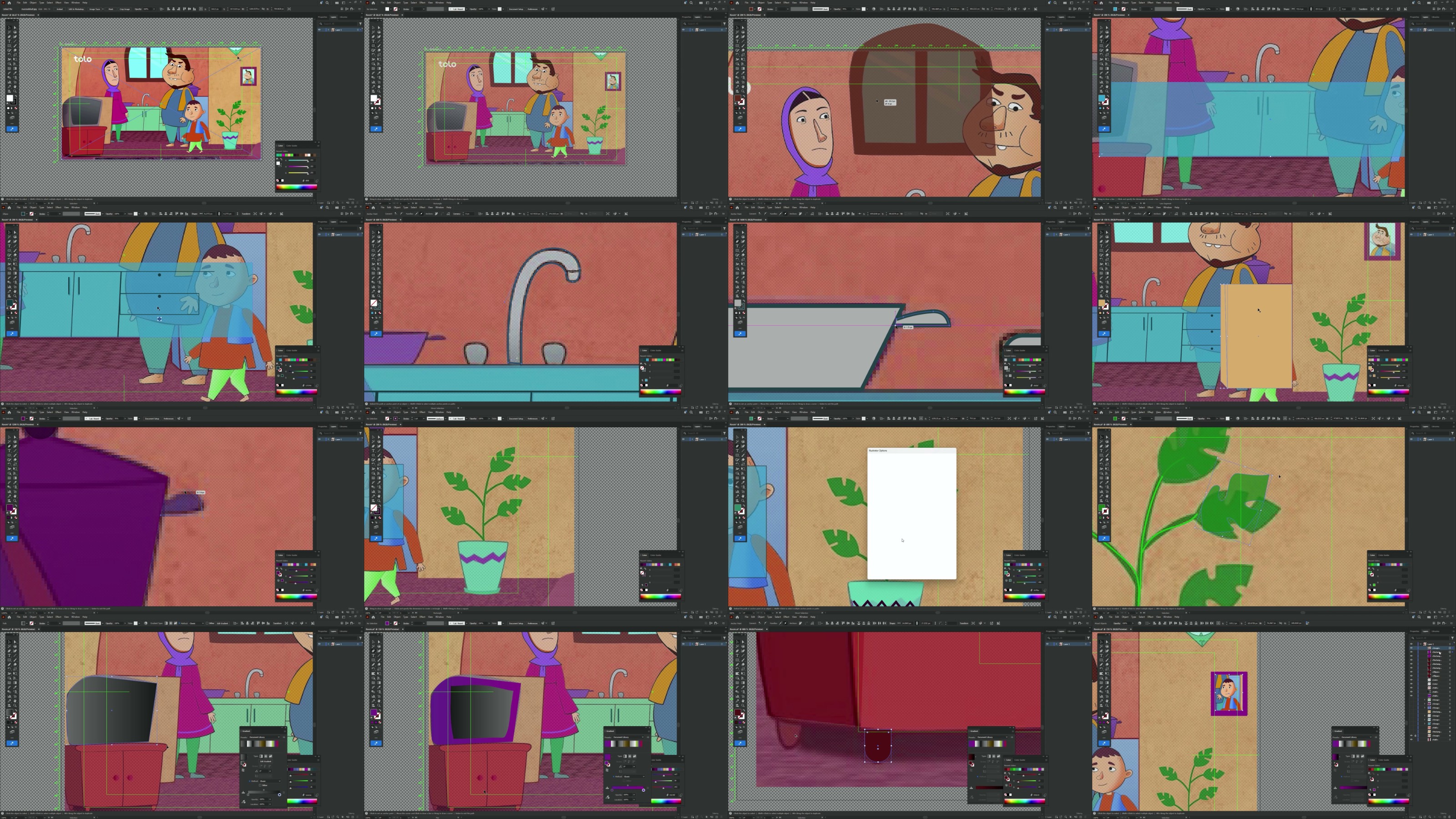
You'll begin by learning how to prepare and organize artwork inAdobe Illustrator, creating clean, animation-ready characters, objects, icons, and graphic elements. Then, you'll take your designs intoAdobe After Effects and learn how to animate them using keyframes, layers, shape animation, parenting, masking, motion paths, and other essential animation techniques.
Throughout the course, you'll work with real-world animation workflows and learn how to create smooth movement, expressive character actions, animated typography, transitions, visual effects, and polished motion graphics. You'll also discover how to control timing, spacing, easing, and motion to make your animations feel more natural and professional.
This course is designed to take you from thebasic principles of 2D animation to creating complete animated projects. By the end, you'll have the skills and workflow needed to create animations for YouTube videos, social media, advertisements, explainer videos, presentations, promotional content, and creative projects.
What You'll Learn
- Create animation-ready artwork in Adobe Illustrator
- Understand the fundamentals of 2D animation
- Import and organize Illustrator files in After Effects
- Animate characters, objects, icons, and illustrations
- Work with keyframes and animation properties
- Use parenting and layer relationships effectively
- Create smooth and natural motion
- Apply easing and control animation timing
- Animate paths, shapes, and graphic elements
- Create character and object movement
- Use masks, mattes, and basic visual effects
- Create animated text and typography
- Build professional transitions and motion graphics
- Combine Illustrator artwork with After Effects animation
- Organize projects using a professional workflow
- Render and export animations for different platforms
Who Is This Course For?
This course is ideal forgraphic designers, illustrators, beginners, content creators, motion designers, and anyone who wants to turn their static designs into professional 2D animations.
No advanced animation experience is required. You'll learn step by step, with practical projects that help you build your skills while creating real animated content.
By the end of the course, you won't just know how to animate-you'll understand how to think like a 2D motion designer and turn your illustrations into engaging visual stories.
Who this course is for
Beginners who want to start their journey in motion graphics and visual effects.
Content creators on YouTube, TikTok, and Instagram looking to make eye-catching intros, transitions, and animations.
Graphic designers eager to expand their skillset into dynamic video and animation.
Video editors who want to add professional-level effects and motion graphics to their projects.
Students & freelancers aiming to build a portfolio and attract clients in the creative industry.
Marketing professionals who need engaging visual content for ads, presentations, and campaigns.
No Coding or python
Homepage

Recommend Download Link Hight Speed | Please Say Thanks Keep Topic Live
No Password - Links are Interchangeable

 

763400670_yxusj-06w9s81zutj2.jpg

From Design to Animation | Adobe Illustrator & After Effects
Published 8/2026
MP4 | Video: h264, 1920x1080 | Audio: AAC, 44.1 KHz, 2 Ch
Genre: eLearning | Language: English (US) | Duration: 2.5 h | Size: 1.95 GB​

Bring your creative ideas to life with
2D Animation using Adobe Illustrator and Adobe After Effects
. In this practical, project-based course, you'll learn how to transform static illustrations into engaging, professional animations from start to finish.
You'll begin by learning how to prepare and organize artwork in
Adobe Illustrator
, creating clean, animation-ready characters, objects, icons, and graphic elements. Then, you'll take your designs into
Adobe After Effects
and learn how to animate them using keyframes, layers, shape animation, parenting, masking, motion paths, and other essential animation techniques.
Throughout the course, you'll work with real-world animation workflows and learn how to create smooth movement, expressive character actions, animated typography, transitions, visual effects, and polished motion graphics. You'll also discover how to control timing, spacing, easing, and motion to make your animations feel more natural and professional.
This course is designed to take you from the
basic principles of 2D animation to creating complete animated projects
. By the end, you'll have the skills and workflow needed to create animations for YouTube videos, social media, advertisements, explainer videos, presentations, promotional content, and creative projects.
What You'll Learn

Create animation-ready artwork in Adobe Illustrator

Understand the fundamentals of 2D animation

Import and organize Illustrator files in After Effects

Animate characters, objects, icons, and illustrations

Work with keyframes and animation properties

Use parenting and layer relationships effectively

Create smooth and natural motion

Apply easing and control animation timing

Animate paths, shapes, and graphic elements

Create character and object movement

Use masks, mattes, and basic visual effects

Create animated text and typography

Build professional transitions and motion graphics

Combine Illustrator artwork with After Effects animation

Organize projects using a professional workflow

Render and export animations for different platforms
Who Is This Course For?
This course is ideal for
graphic designers, illustrators, beginners, content creators, motion designers, and anyone who wants to turn their static designs into professional 2D animations
.
No advanced animation experience is required. You'll learn step by step, with practical projects that help you build your skills while creating real animated content.
By the end of the course, you won't just know how to animate-you'll understand how to think like a 2D motion designer and turn your illustrations into engaging visual stories.


yxusj-2-How-To-Illutrate-Room-For-Animation.jpg

763400764_yxusj-w8h082ag6gf8.jpg

 
Zurück
Oben Unten