




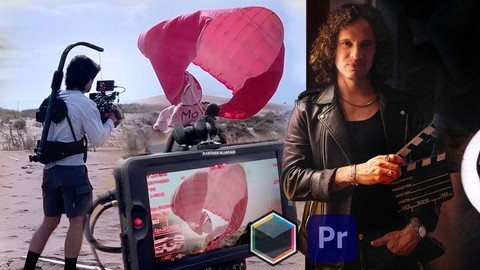
Free Download Filmmaking, Video Production & Film Editing - Deluxe Edition
Published 4/2024
MP4 | Video: h264, 1920x1080 | Audio: AAC, 44.1 KHz
Language: English | Size: 12.26 GB | Duration: 6h 33m
Intensive Course: Mastering Filmmaking Production and Editing. Become a Complete Filmmaker: Adobe Premiere, Boris FX
What you'll learn
Master the complete filmmaking process: From conceptualization to post-production, learn to navigate every stage of creating compelling audiovisual content.
Enhance post-production skills: Unlock the secrets of cinematic editing, advanced color correction, and visual effects to bring your creative vision to life.
Explore essential equipment, cinematographic techniques, and cinematic references to elevate your creative projects and produce high-quality visual content.
Gain proficiency in crafting impactful narratives that resonate with audiences, utilizing narrative structures, character development, and plot dynamics.
Requirements
No prerequisites are necessary for this course. However, if you wish to deepen your understanding, you may consider taking the Art of Filmmaking and Film Editing courses, which are also available on this platform, either before or after this one
For the post-production lessons, it is recommended to have a basic knowledge of Adobe Premiere
Description
Welcome to the Filmmaking and Video Production Deluxe Edition course! This all-encompassing course brings together two volumes into one immersive experience, guiding you through every aspect of creating captivating audiovisual content, from initial concept to final post-production.Embark on an exciting journey into the world of filmmaking and video production, where creativity meets technical expertise to produce stunning visual narratives. Through a carefully crafted curriculum, you'll delve into the art and science of bringing ideas to life on the screen, exploring the intricacies of production, editing, and post-production.You don't need to be a visual effects expert to develop excellent productions. In this course, you will learn how to do visual composition using Adobe Premiere and Boris FX in a simple and fast way.Throughout the course, you'll have the unique opportunity to learn from two exclusive audiovisual productions created specifically for this program. These cinematic music videos will serve as your guides, illustrating key concepts and techniques as you progress through the course material.Production and Planning (Volume 1): In the first volume, you'll lay the foundation for your creative vision, mastering the essential elements of production and planning. Here's what you'll learn:Turning an Idea into an Audiovisual Project: Dive deep into the process of transforming abstract concepts into tangible audiovisual experiences. Learn to harness the power of storytelling to engage your audience and evoke emotion through visual narrative.Building an Impactful Story: Discover the art of crafting compelling narratives that resonate with your audience. Explore narrative structures, character development, and plot dynamics to create stories that captivate and inspire.Equipment Selection and Shoot Planning: Navigate the world of production equipment and logistics, from cameras and lighting to sound and set design. Learn to plan and execute seamless shoot days, ensuring smooth operations and optimal creative output.Utilizing Cinematic References: Draw inspiration from the rich history of cinema and visual storytelling. Analyze iconic films and cinematographic techniques to inform and elevate your own creative projects.Fundamentals of Cinematography: Master the principles of cinematography, from composition and framing to lighting and color theory. Explore how visual elements can convey mood, tone, and narrative intent, shaping the viewer's emotional response. Editing and Post-Production (Volume 2): In the second volume, you'll transition from production to post-production, where the magic truly comes to life. Here's what's in store:All post-production classes are conducted using Adobe Premiere software and utilizing the Boris FX suite.All post-production classes are conducted using Adobe Premiere software and utilizing the Boris FX suite.Secrets of Cinematic Editing: Unlock the power of editing to shape narrative flow, rhythm, and pacing. Dive into the intricacies of nonlinear storytelling, exploring techniques such as montage, juxtaposition, and parallel editing.Advanced Color Correction: Elevate your visuals through advanced color grading techniques. Explore the capabilities of professional-grade color correction tools, such as the Boris effects suite, to enhance mood, atmosphere, and visual coherence.Visual Composition and Special Effects: Explore the art of visual composition and digital manipulation to create stunning visual effects. Learn to seamlessly integrate CGI elements, motion graphics, and compositing techniques into your projects, adding depth, realism, and visual impact.Sound Design: You will learn in a simple way how to create a professional sound design using the tools available to you.Course Project: As a course project, you will create a montage of the sequence of the soldier arriving by parachute and ending up in front of the sea. I will guide you step by step in the first 5 lessons of the course on how to do it from my point of view, but it's up to you to create your own version. I will leave all the material here for you to use.Important note: It is not allowed to make personal videos with the material provided in the course; therefore, the videos you create cannot be public. They should simply be a montage for the educational purpose of the course, uploaded as a private link as mentioned before.Thank you very much and good luck.Join us on this exciting journey and take your creativity to the next level in the world of filmmaking and deluxe video production!
Overview
Section 1: INTRODUCTION
Lecture 1 The idea
Section 2: Production
Lecture 2 The Story
Lecture 3 The References
Lecture 4 The Communication Process & Attention
Lecture 5 Equipment Selection - The Camera & Lenses
Lecture 6 Equipment Selection - Steadycam & Follow Focus
Lecture 7 The Day of the Shooting Planning, development & Unexpected Problems
Lecture 8 Cinematography - Natural Light
Lecture 9 Cinematography - Breaking Myths about Handheld Shots & Equipment
Lecture 10 Low Quality Lenses and Faces
Lecture 11 Importance of Low Angle Technique
Lecture 12 The Viability
Lecture 13 Film Director Decisions to take into account for editing - Stock videos
Lecture 14 The Pitch
Section 3: Montage
Lecture 15 Ordering and Selecting Footage: Lecture
Lecture 16 Soldier Landing
Lecture 17 Runining Away from fighter jets
Lecture 18 Among the Dunes
Lecture 19 Reaching the sea
Lecture 20 Creating the passage of tiime in Editing
Lecture 21 Orderinig Footage: Point of view and progresson in the explosion
Section 4: Color Correction
Lecture 22 Enhancing Sky - Lumetri Scopes & HSL Secondary
Lecture 23 Enhancnig Sky - Boris Sunset Filter
Lecture 24 Enhancing Drone Footage - Cinematic Look
Lecture 25 Removing Flicker
Lecture 26 Restoring Underexposed Footage
Lecture 27 Cinematic Look - Lumetri Tint
Lecture 28 Boris Beauty Effect
Section 5: Visual Effects
Lecture 29 Nuclear Bomb Nuke Footage
Lecture 30 Nuclear Bomb Tracking
Lecture 31 Missile Impact
Lecture 32 Gunshot Review
Section 6: Sound Effects (Extra lessons)
Lecture 33 Sound Design - Intro - River and Splash
Lecture 34 Grass Sounds & Actor Sounds
Lecture 35 Reverb & Audio
Lecture 36 Effects on the clips and Music
Lecture 37 ENDING COURSE
Aspiring Filmmakers,Video Production Enthusiasts,Creative Content Creators,Film and Media Students,Independent Filmmakers,Digital Storytellers,Amateur Cinematographers,YouTube Content Creators,Documentary Filmmakers,Multimedia Artists
Homepage
Recommend Download Link Hight Speed | Please Say Thanks Keep Topic Live
No Password - Links are Interchangeable
