• Regeln für den Video-Bereich:

    In den Börsenbereich gehören nur Angebote die bereits den Allgemeinen Regeln entsprechen.

    Einteilung

    - Folgende Formate gehören in die angegeben Bereiche:
    - Filme: Encodierte Filme von BluRay, DVD, R5, TV, Screener sowie Telesyncs im Format DivX, XviD und x264.
    - DVD: Filme im Format DVD5, DVD9 und HD2DVD.
    - HD: Encodierte Filme mit der Auflösung 720p oder darüber von BluRay, DVD, R5, TV, Screener sowie Telesyncs im Format x264.
    - 3D: Encodierte Filme von BluRay, die in einem 3D Format vorliegen. Dies gilt auch für Dokus, Animation usw.
    - Serien: Cartoon/Zeichentrick, Anime, Tutorials, Dokumentationen, Konzerte/Musik, Sonstiges sind demnach in die entsprechenden Bereiche einzuordnen, auch wenn sie beispielsweise im High Definition-Format oder als DVD5/DVD9/HD2DVD vorliegen. Ausnahme 3D.
    - Bereich Englisch: Englische Releases gehören immer in diesen Bereich.
    - Bereich Talk: Der Bereich, in dem über die Releases diskutiert werden kann, darf, soll und erwünscht ist.


    Angebot/Beitrag erstellen

    - Ein Beitrag darf erst dann erstellt werden, wenn der Upload bei mindestens einem OCH komplett ist. Platzhalter sind untersagt.
    - Bei einem Scenerelease hat der Threadtitel ausschließlich aus dem originalen, unveränderten Releasenamen zu bestehen. Es dürfen keine Veränderungen wie z.B. Sterne, kleine Buchstaben o.ä. vorgenommen werden. Ausnahme Serienbörse:
    - Bei einem Sammelthread für eine Staffel entfällt aus dem Releasename natürlich der Name der Folge. Beispiel: Die Simpsons S21 German DVDRip XviD - ITG
    - Dementsprechend sind also u.a. verboten: Erweiterungen wie "Tipp", "empfehlenswert", "only", "reup", usw. / jegliche andere Zusatzinformation oder Ergänzung, welche nicht in obiger Beschreibung zu finden ist.

    Aufbau des Angebots und Threadtitel

    Der Titel nach folgendem Muster erstellt zu werden. <Name> [3D] [Staffel] [German] <Jahr> <Tonspur> [DL] [Auflösung] <Quelle> <Codec> - <Group>
    Beispiel: The Dark Knight German 2008 AC3 DVDRip XviD - iND
    Beispiel: The Dark Knight 2008 DTS DL BDRip x264 - iND
    Beispiel: The Dark Knight 2008 AC3 DL BDRip XviD - iND
    Beispiel: The Dark Knight German 2008 AC3 720p BluRay x264 iND
    Beispiel: The Dark Knight 2008 DTS DL 1080p BluRay x264 iND
    Beispiel: Die Simpsons S01 German AC3 DVDRip XviD iND
    Beispiel: Die Simpsons S20 German AC3 720p BluRay x264 iND
    Beispiel: Sword Art Online II Ger Sub 2014 AAC 1080p WEBRip x264 - peppermint
    Entsprechend sind also u.a. verboten: Sonderzeichen wie Klammern, Sterne, Ausrufezeichen, Unterstriche, Anführungszeichen / Erweiterungen wie "Tipp", "empfehlenswert", "only", "reup", usw. / jegliche andere Zusatzinformation oder Ergänzung, welche nicht in obiger Beschreibung zu finden ist
    Ausnahmen hiervon können in den Bereichen geregelt sein.

    Die Beiträge sollen wie folgt aufgebaut werden:
    Überschrift entspricht dem Threadtitel
    Cover
    kurze Inhaltsbeschreibung
    Format, Größe, Dauer sind gut lesbar für Downloader außerhalb des Spoilers zu vermerken
    Nfo sind immer Anzugeben und selbige immer im Spoiler in Textform.
    Sind keine Nfo vorhanden z.B. Eigenpublikationen, sind im Spoiler folgende Dateiinformationen zusätzlich anzugeben :
    Quelle
    Video (Auflösung und Bitrate)
    Ton (Sprache, Format und Bitrate der einzelnen Spuren)
    Untertitel (sofern vorhanden)
    Hosterangabe in Textform außerhalb eines Spoiler mit allen enthaltenen Hostern.
    Bei SD kann auf diese zusätzlichen Dateiinformationen verzichtet werden.

    Alle benötigten Passwörter sind, sofern vorhanden, in Textform im Angebot anzugeben.
    Spoiler im Spoiler mit Kommentaren :"Schon Bedankt?" sind unerwünscht.


    Releases

    - Sind Retail-Release verfügbar, sind alle anderen Variationen untersagt. Ausnahmen: Alle deutschen Retail-Release sind CUT, in diesem Fall sind dubbed UNCUT-Release zulässig.
    - Im Serien-Bereich gilt speziell: Wenn ein Retail vor Abschluss einer laufenden Staffel erscheint, darf diese Staffel noch zu Ende gebracht werden.62
    - Gleiche Releases sind unbedingt zusammenzufassen. Das bedeutet, es ist zwingend erforderlich, vor dem Erstellen eines Themas per Suchfunktion zu überprüfen, ob bereits ein Beitrag mit demselben Release besteht. Ist dies der Fall, ist der bereits vorhandene Beitrag zu verwenden.
    - P2P und Scene Releases dürfen nicht verändert oder gar unter einem iND Tag eingestellt werden.


    Support, Diskussionen und Suche

    - Supportanfragen sind entweder per PN oder im Bereich Talk zu stellen.
    - Diskussionen und Bewertungen sind im Talk Bereich zu führen. Fragen an die Uploader haben ausschließlich via PN zu erfolgen, und sind in den Angeboten untersagt.
    - Anfragen zu Upload-Wünschen sind nur im Bereich Suche Video erlaubt. Antworten dürfen nur auf Angebote von MyBoerse.bz verlinkt werden.


    Verbote

    - Untersagt sind mehrere Formate in einem einzigen Angebotsthread, wie beispielsweise das gleichzeitige Anbieten von DivX/XviD, 720p und 1080p in einem Thread. Pro Format, Release und Auflösung ist ein eigener Thread zu eröffnen.
    - Grundsätzlich ebenso verboten sind Dupes. Uploader haben sich an geeigneter Stelle darüber zu informieren, ob es sich bei einem Release um ein Dupe handelt.
    - Gefakte, nur teilweise lauffähige oder unvollständige Angebote sind untersagt. Dies gilt auch für eigene Publikationen, die augenscheinlich nicht selbst von z.B. einer DVD gerippt wurden. Laufende Serien, bei denen noch nicht alle Folgen verfügbar sind, dürfen erstellt und regelmäßig geupdatet werden.
    - Untersagt sind Angebote, welche nur und ausschließlich in einer anderen Sprache als deutsch oder englisch vorliegen. Ausnahmen sind VORHER mit den Moderatoren zu klären.


    Verstoß gegen die Regeln

    - Angebote oder Beiträge, die gegen die Forenregeln verstoßen, sind über den "Melden"-Button im Beitrag zu melden.
  • Bitte registriere dich zunächst um Beiträge zu verfassen und externe Links aufzurufen.


Englische Tutorials

dacaae1ef8f7432e1b040faee36d5ec8.jpg


Building AI-Powered Blazor Applications
Published 6/2026
MP4 | Video: h264, 1920x1080 | Audio: AAC, 44.1 KHz, 2 Ch
Language: English + subtitle | Duration: 16h 42m | Size: 38.99 GB

A Practical and Beginner-Friendly Guide to Modern .NET AI Development using OpenAI, Local LLMs and MS Agent Framework


What you'll learn
Learn to create simple Blazor Hybrid (.NET MAUI) applications , extending the capabilities of .NET developers beyond the Web into desktop and mobile development
Learn about the concept of Localization. The the process of customizing applications to display and operate in the culture of the user.
Create simple applications that integrates Localization into Blazor WebAssembly, Server and .NET MAUI Blazor
Learn about the latest features and enhancements to Blazor in .NET 9
Learn how to Integrate the OpenAI API within Blazor Applications and Implement the .NET Smart Components - AI powered UI Controls
Learn how to use Open Source Tools (Ollama) to Run Large Language Models in Blazor
Learn how to perform AI Image Analysis and connect the results to a Database
Learn how to perform AI Video Analysis from various sources including using a Webcam
Learn how to Record Audio and convert it to Text (transcription/translation) and take Text and convert it to Speech using OpenAI's Whisper model
Learn how to implement real-time speech-to-text capabilities in a Blazor Web App and send the transcribed text to other users via Email
Learn how to Scrape a Website and analyze the contents using AI in a Blazor Application
Learn how to implement AI in Blazor Hybrid Applications (Windows Desktop/Android/IOS)
Learn how to Generate SQL Queries via AI for use in Blazor Database Applications (Natural Language to SQL)
Learn how to implement RAG (Retrieval Augmented Generation) within a simple Blazor AI application
Learn how to implement the new Microsoft Agent Framework and work with Multi-Agent Workflows scenarios
Learn how to implementing Human in the Loop AI Agents using the Microsoft Agent Framework
Learn how to implement the new OpenAI Responses API
Learn how to add custom memory to the Microsoft Agent Framework. It enables AI agents to recall user preferences, and past interactions
Learn how to implement the Google Gemini LLM into a .NET MAUI Blazor Hybrid application which then allows you to integrate the Google Maps Tool
Learn about Authentication and Authorization in a .NET MAUI Blazor Hybrid Application
Learn about AG-UI (Agent User Interaction Protocol) and how to implement it in a Blazor Web App

Requirements
You should have a basic understanding of how to create simple web pages using HTML
Having some knowledge of CSS will help but it's not required
You should have a basic beginners understanding of C# (STRONGLY recommended)
You should have Beginners knowledge of ASP.NET and specifically the Blazor Framework
You should have access to the Visual Studio IDE for Windows ... Community Edition Version 2022/2026 (freely downloadable)

Description
Artificial Intelligence is transforming software development, and Blazor developers now have access to an incredible set of tools for building intelligent, responsive, and modern applications.

In this course, you'll learn how to integrate AI capabilities directly into your Blazor applications using practical, hands-on examples designed for developers who are new to AI as well as those looking to expand their existing skills.

We'll begin by exploring AI integration fundamentals, including working with the OpenAI API, running local Large Language Models (LLMs), and using AI to analyze web content and generate SQL queries. From there, we'll dive into advanced topics such as Retrieval Augmented Generation (RAG), AI-powered data access, and Blazor Hybrid applications enhanced with intelligent features.

You'll also gain valuable experience with the latest AI development tools and frameworks, including GitHub Copilot Agent Mode, the Microsoft Agent Framework, custom tools, MCP, structured outputs, multi-agent systems, workflows, human-in-the-loop agents, and the Responses API. Along the way, we'll examine emerging technologies such as AG-UI and discuss the evolving landscape of AI development within the .NET ecosystem.

By the end of this course, you'll have the knowledge and confidence to design, build, and deploy AI-powered Blazor applications using modern techniques, tools, and best practices available today.

Who this course is for
Beginner ASP.NET developers who want to extend their skills related to implementing AI in Blazor specific applications
Experienced Developers who want to gain expertise in more advanced topics like Hybrid Applications (mobile/desktop/web) and AI implementations


Homepage


751525467_20-blazor-and-ai-what-we-know-so-far-part-2_s.jpg


b4c6edc9017508019ac5a24e19c1ca00.jpg


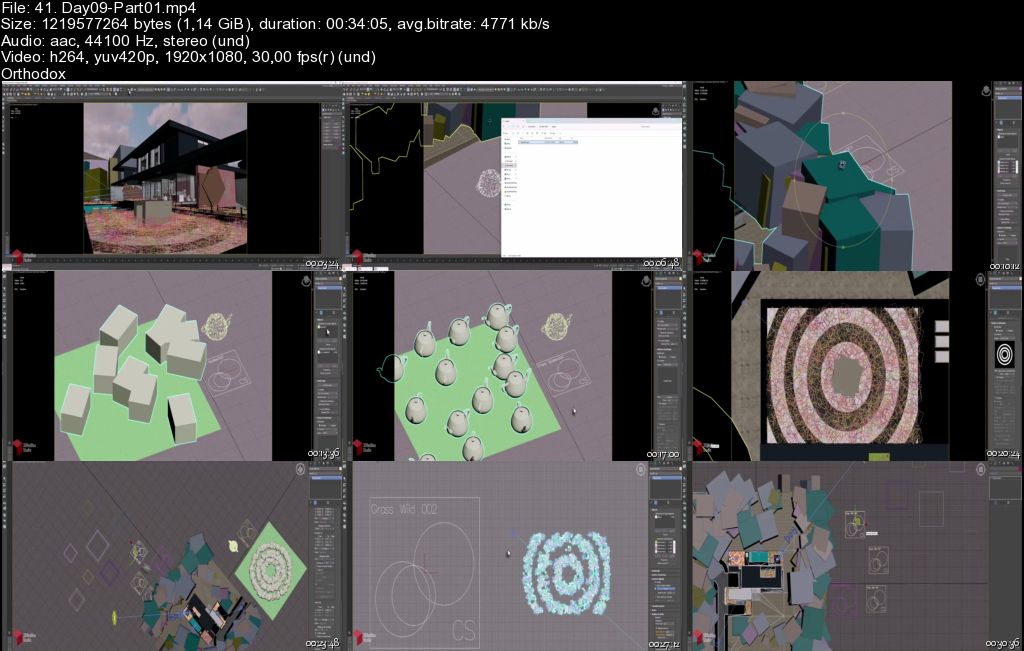
Corona Renderer Masterclass - Architectural Rendering (9-Day)
Published 6/2026
Created by 3DRedBox Studio
MP4 | Video: h264, 1920x1080 | Audio: AAC, 44.1 KHz, 2 Ch
Level: All Levels | Genre: eLearning | Language: English | Duration: 44 Lectures ( 15h 57m ) | Size: 27.9 GB

Master Corona Renderer for archviz, product & interior visualization - lighting, materials, and AI-assisted workflows.


What you'll learn
⚡ 1. Build professional, production-ready Corona renders for architecture, interiors, and product visualization
⚡ 2. Master realistic lighting setups for day, night, interior, exterior, and studio scenes
⚡ 3. Create advanced materials from scratch - metals, glass, concrete, fabric, and displacement
⚡ 4. Integrate modern AI-assisted workflows into your rendering pipeline
⚡ 5. Set up cinematic cameras and capture professional renders from multiple angles
⚡ 6. Prepare and present your projects for selling on online marketplaces

Requirements
❗ A copy of 3ds Max 2025 with Corona Renderer installed. No advanced experience needed - workflows are explained step by step.

Description
"This course contains the use of artificial intelligence."

Master Corona Renderer and create professional-quality renders for architecture, product visualization, and marketplace production!

This is NOT just another technical tutorial where you memorize settings and buttons. Based on 10+ years of hands-on Corona experience, this 9-day intensive course teaches you real production workflows - the same techniques used in actual professional projects. Every day is built around real projects, so you'll understand exactly how cinematic scenes are created from start to finish.

Day 1 - Corona Foundations

Core concepts, workflow basics, camera composition, scene setup, and essential plugins & scripts to boost your speed.

Day 2 - Nighttime Interior

Build realistic night lighting, work with render effects, and master the settings that give renders atmosphere and cinematic quality.

Day 3 - AI-Powered Workflows

Work on an AI-generated scene, then dive into arrangement, material creation, and enhancing renders with modern AI technologies.

Day 4 - Exterior Visualization

Outdoor lighting scenarios, exterior material workflows, and professional post-production techniques.

Day 5 - Materials Deep Dive

Metals, concrete, bricks, glass, displacement workflows, and advanced surface behaviors built from scratch.

Day 6 - Interior Kitchen & Fabrics

A full interior kitchen project plus a fabric chair study with detailed fabric and leather materials.

Day 7 - Studio Product Lighting

Clean, high-end studio lighting setups that give products a premium, commercial look.

Day 8 - Full Interior Scene

Build advanced materials, place multiple cinematic cameras, and capture professional renders from every angle.

Day 9 - Large-Scale Environments

Environment composition, vegetation placement, scene organization, and how to prepare your projects for selling on marketplaces.

Whether you're freelancing, working in a studio, creating content, or selling digital products online, this course takes you beyond beginner tutorials into a real professional production pipeline.

────────────────────

TECHNICAL DETAILS

• Software: 3ds Max 2025

• Duration: 15 hours

• Quality: Full HD

• Language: English

• Voice: AI (human quality-controlled)

• 9 Days | 44 Video Tutorials

• Project Files Included

Who this course is for
⭐ 3D artists who want to move beyond beginner tutorials into a professional Corona production pipeline - for freelancing, studio work, or selling digital products online.


Homepage


41-Day09-Part01-s.jpg


457dbb8669c1f9d6a4428ca3496b8e04.jpg


Complete Angular 22 - Ultimate Guide - with Real World App
MP4 | Video: h264, 1920x1080 | Audio: AAC, 44.1 KHz
Language: English | Size: 24.43 GB | Duration: 42h 39m

Angular 22, Angular Material, REST API, JWT Authentication, Angular Project, Asp .Net Core, Dashboard


What you'll learn
Confidently speak about most of the essential concepts of Angular
Crack angular job interviews easier
Solve most common bugs and issues in Angular applications
Secure Angular applications using the most-recommended - JWT Authentication
Creating unit test cases for the angular apps
Create Angular Apps From Scratch and scale it up to any level
Create Angular Folder Structure with industry best practices like a Pro
Add Angular to your prior knowledge of any Server technology (Asp .Net Core, NodeJS, Python, Java etc.), to become successful Full-stack developer
Create Professional Dashboards with ease
Angular Material (UI Components)
Angular Flex Layout
Highcharts basis

Requirements
Intermediate level knowledge of HTML, CSS, JavaScript is needed.
Basics of OOP Features, Classes, Objects and Interfaces
Knowledge of any one server side technology (Asp .NET Core MVC, NodeJS, Python or Java etc.) is recommended to understand Server side programming part of AJAX & Authentication Lectures.
Intermediate level of Bootstrap is required to understand UI part of the course
Basic Knowledge of Postman is recommended [Not must]

Description
Complete Angular 22 - Ultimate Guide - with Real World App

THE BEST SELLING ANGULAR COURSE ON UDEMY - OVER 1900 REVIEWS - 5 STARS!

LEARN these HOT TOPICS in Angular

Stand-alone Components

Data Bindings

Bootstrap Integration with Angular

@if, @for, @switch, ngIf, ngFor, ngSwitch, Style Management

Built-in Pipes & Custom Pipes

Modules

Services and Dependency Injection

RxJS Basics, Observables

REST-API calls using HTTP calls

Observable Map

CRUD operations with real databases

Authentication with Asp.Net Core and Angular

JWT Authentication for REST API end points

Http Interceptors and Http Headers

User Registration and Login in Secured way

Role Based Authentication

Secure Routes using Guards

Handle Forms in Efficient way with Reactive Forms and Form Builder

Component Communication with siblings, children and parent level, and with Custom events, RxJS Subject

ViewChild, ViewChildren, ContentChild, ContentChildren, ElementRef

Build custom pipes and directives

Pass route parameters in handle them in different ways

Create and secure child routes and animate them

Understand router events

Understand feature modules

Create Responsive Dashboard with Bindings.

Understand handling XSS and XSRF.

Understand basics of TypeScript classes and interfaces.

Angular Material

Angular Flex Layout

REAL-TIME PROJECT

A mini project, "Task Manager", where the admin can create projects and issue tasks to employees and the employees can update status of tasks.

Angular Version

Please note that, the new lectures of Angular 22 are still in progress; so the first 16 sections cover Angular 22; and the remaining sections were covered in Angular 11 - but those concepts are same among Angular older and newer versions - so you don't miss anything.

POTENTIAL BENEFITS OF THIS COURSE

By the end of this course, you will create all of the source code for a complete Angular real-time project, with all features like page navigation with routing, CRUD operations with real databases, User registration and login with JWT authentication, handle other aspects such as directives, pipes, organize the big picture of the application using angular modules.

You will type in every line of code with me in the videos ... all from scratch.

I explain every line of angular code that we create. So this isn't a copy/paste exercise, you will have a full understanding of the code.

I am a RESPONSIVE INSTRUCTOR.. post your questions and I will RESPOND in 24 hours, ASAP.

All source code is available for download

English, Hindi captions are available.

Sample of the reviews

★★★★★

Harsha, Really excellent course, because of you i learned Angular, I can say proudly, project based learning ur courses standout best for me. as Im a .net developer, this course really helped me lot. now a days every org is looking for full stack only, this course is really helpful to learners. Please keep uploading these kind of real time project based learning courses frequently. pls do on micro-services and latest .net core frameworks as well, so this will be huge help to people like me. - Siva Sai Sambela

★★★★★

This is the best available course on Angular and he has beaten everyone on Udemy - Alok Verma

★★★★★

It's wonderful experience !! I am very much thanks full to Harsha that he made this tutorial interesting, easy. He teaches angular concept in very easy manner. I am expecting more courses on different technologies from Harsha. - Mithun Patil

★★★★★

explained very neat to understand every topic. - Praveen Kumar T

★★★★★

Excellent course content and delivery. Instructor speaks clearly and ensures that course remains relevant as Angular gets updated by their creators. - Mohan Singam

★★★★★

yeah it is really amazing .I am loving the course. Thank you Harsha - Kiran Kumar

★★★★★

i have completed around 70% of this course and it is absolutely brilliant. Harsha have complete knowledge about his subject and give in depth knowledge about angular. We don't only learn what to use we will learn why to use. Its an in depth explanation about angular. From zero to Hero. - Atal Srivastava

★★★★★

It's 5 Star Rating, Well explained help me in order to get a new job. Thanks :) - Kapil Gupta

★★★★★

Excellent awesome.. You Harsh covered all the basic and advanced Angular-10 topics in such a simple way that i am really putting my hands together. - Hitesh kumar Nath

★★★★★

He makes sure the even the backbench guys like us can understand the subject. - Jagdish Dundi

★★★★★

I want to appreciate Harsha for covering different aspects in angular in deep. I can definitely say that I learnt a lot. - Dileep

★★★★★

This instructor has such a talent explaining all the concepts and we acquire the knowledge of all about complete project structure which we will need in real time like Authentication and security really superb.. - Santosh

No Risk - Money-Back Guarantee

Finally, there is no risk. You can preview first few lectures of the course for free. Once you buy this course, for some reason if you are not happy with the course, Udemy offers a 30-day money back guarantee.

So you have nothing to lose, sign up for this course and learn how to build Angular Projects from scratch!

Key Points about this Course:

In the older videos, all the concepts are progressively integrated into a sample mini project called "Task Manager", which includes all essential features that a real-time project should have.

All the concepts explained in both theoretically and practically.

In the older videos, We use Bootstrap from the beginning of the course.

We use Windows O/S, Visual Studio Code, TypeScript, Angular 11 or 22.

This course is offered by Web Academy by Harsha Vardhan. Any watermark stating "Harsha Web University" is from our old branding and does not represent an academic institution. This course is for educational purposes only and is not affiliated with any university or degree-granting institution.
Who this course is for

Fresher / Experienced, who wants to understand Angular 11 with complete theoretical and real-time hands-on experience.
Developers, who already have knowledge on any Server technology (Asp .Net Core Mvc, NodeJS, Python, Java etc.), and wants to become Full-Stack Developer


750947645_198_-_user_authentication_in_aspnet_core_skip_if_nonaspnet_core_developer.jpg


Premium Links


Download from RapidGator



db023eb2415a8eb5f6a1c51ea7d61970.jpg


Curso Integral de Redes Industriales aplicadas a procesos
Published 6/2026
MP4 | Video: h264, 1920x1080 | Audio: AAC, 44.1 KHz, 2 Ch Language: Spanish | Duration: 57h 58m | Size: 62.33 GB

Redes Industriales: Domina Protocolos Modbus RTU/TCP, PROFINET IO, PROFIBUS DP, HART, Fieldbus y Enlaces con Variadores.


What you'll learn
Comprender la introducción, interfaces y fundamentos esenciales que estructuran las redes de comunicación industrial.
Dominar el protocolo Modbus RTU configurando los parámetros de enlace serie en múltiples sesiones prácticas.
Implementar y diagnosticar el protocolo Modbus TCP/IP para la transmisión de datos a través de redes Ethernet.
Analizar la teoría y los criterios de aplicación del protocolo HART en la instrumentación de procesos.
Configurar redes basadas en el protocolo PROFIBUS DP para la interconexión eficiente de periféricos descentralizados.
Comprender la arquitectura y el funcionamiento del protocolo Foundation Fieldbus en entornos de control de procesos.
Establecer la configuración y comunicación de la red PROFINET IO para el intercambio de datos en tiempo real.
Realizar el enlace efectivo de redes industriales con variadores de velocidad para el control de motores.
Desarrollar soluciones de recuperación, diagnóstico e integración de múltiples protocolos de comunicación.


Requirements
Manejo básico de sistemas operativos Windows para instalar las herramientas de configuración de redes.
Nociones elementales de automatización industrial, aunque cada protocolo se detalla desde sus fundamentos.
Contar con lápiz, papel y una alta disposición para asimilar las tramas de datos y topologías de comunicación.


Description
¡Te damos la bienvenida alCurso Integral de Redes Industriales Aplicadas a Procesos! En el entorno de la automatización moderna, la eficiencia, el diagnóstico predictivo y la productividad de una planta no dependen únicamente de los controladores, sino de la robustez de su arquitectura de comunicación. Lograr que los sensores, actuadores, PLCs y sistemas de supervisión intercambien datos sin errores a través de buses de campo y redes Ethernet es la competencia técnica más crítica y cotizada para cualquier integrador de sistemas.

A lo largo de este programa especializado, abordaremos de manera analítica, estructurada y directa las tecnologías de comunicación más utilizadas en el sector industrial. Iniciaremos con una sólida introducción a lasredes industriales, interfaces y protocolos. Aprenderás paso a paso la configuración de tramas y direccionamiento enModbus RTU yModbus TCP/IP a lo largo de múltiples sesiones prácticas de diseño.

El curso profundiza de forma rigurosa en los estándares que gobiernan la instrumentación y el control de procesos, analizando el protocoloHART,PROFIBUS DP y la tecnologíaFoundation Fieldbus. Además, dominarás la configuración de redes de alta velocidad mediante el estudio detallado dePROFINET e Internet de las Cosas Industrial (PROFINET IO). Finalmente, aplicarás estos conocimientos en escenarios reales ejecutando elenlace con variadores de velocidad y métodos de recuperación de redes.

No importa si eres un estudiante universitario buscando destacar, un técnico de planta buscando actualizarse, o un entusiasta con muchos deseos de aprender; la metodología estructurada de estas clases te brindará las herramientas necesarias para conectar la pirámide de automatización con total confianza. ¡Inscríbete hoy mismo!

Who this course is for
Técnicos, estudiantes e ingenieros que busquen especializarse en la integración de redes y protocolos industriales.
Instrumentistas y personal de mantenimiento que necesiten configurar enlaces con variadores y buses de campo.
Cualquier persona que no necesariamente sea técnico o ingeniero, pero que tenga muchos deseos de aprender sobre redes.


Homepage

750580883_10_-_redes_industriales_configuracion_profinet.jpg


Premium Links


Download from RapidGator



38579e1eaf9470b6373bf1e37a3b37e0.jpg


Autodesk Plant 3D - Proyecto Minero PTAR
Published 6/2026
Created by Juan Carlos Piñas Leon
MP4 | Video: h264, 1920x1080 | Audio: AAC, 44.1 KHz, 2 Ch Level: Intermediate | Genre: eLearning | Language: Spanish | Duration: 16 Lectures ( 45h 45m ) | Size: 52.6 GB

Explicacion, uso de herramientas de Plant 3D y desarrollo de proyecto real


What you'll learn
⚡ Uso de herramientas de Plant 3D
⚡ Desarrollo de modelo 3D para tuberias
⚡ Gestionar datos de entrada para proyecto
⚡ Generacion de planos isometricos

Requirements
❗ Conocimiento de programa AutoCAD, normas ASTM y ASME

Description
INTRODUCCIÓN I - HERRAMIENTAS P&ID

✅ Explicación de las herramientas del programa

✅ Creación de nuevo proyecto

✅ Revisión del Project Setup (Drawing Properties, File Name Format, Project Detail y P&ID DWG Setting)

✅ Inserción de marco y membrete para plano PID parametrizado con el Project Setup

USO DE HERRAMIENTAS PARA RUTEO P&ID

✅ Ruteo de tuberías, modificación y edición

✅ Creación de TAG y modificación de LineNumber para líneas de tuberías

✅ Inserción y edición de equipos 2D (crear nuevo y modificar existente)

✅ Configuración de Paint P&ID

✅ Uso de conectores para vincular planos

USO DE SPEC EDITOR I

✅ Explicación de los puertos (End types)

✅ Importar especificación existente a nuevo proyecto

✅ Explicación del entorno Spec Editor, Branch Table Editor y Catalog Editor

✅ Crear una nueva especificación, agregar tuberías, accesorios.

USO DE SPEC EDITOR II

✅ Explicación del Piping Connection Settings (juntas simples y compuestas)

✅ Selección de líneas (por conexión, total o número de spool)

✅ Uso del Data Manager (explicación y usos)

✅ Exportación e Importación de datos con Excel (Data Manager)

✅ Crear una especificación HDPE explicación de sus puertos

USO DE SPEC EDITOR III Y INSERCION DE EQUIPOS

✅ Crear una especificación VITAULIC explicación de sus puertos

✅ Insertar válvula por medio usando Custom Part y PlantPartConvert

✅ Insertar válvula por medio usando PlantPartConvert y Spec Editor

✅ Crear nuevos equipos paramétricos, uso de sus variables y exportación

MODELADO 3D Y SUS HERRAMIENTAS I

✅ Interoperabilidad Inventor Proffesional con Plant 3D

✅ Importar equipos 3D (DWG, IPT, STEP, SAT entre otros) para Plant 3D

✅ Crear un segundo TAG (Plant Define Properties)

✅ Insertar soportes, nuevos, importados y combinados.

MODELADO 3D Y SUS HERRAMIENTAS II

✅ Uso de herramientas para modelado en tuberías (Part Insertion)

✅ Insertar TAG (Project Setup) a las tuberías 3D

✅ Compatibilizar modelado 3D con P&ID

✅ Asignar colores sobre líneas de tuberías por especificación o servicio

MODELADO ESTRUCTURAL 3D Y SUS HERRAMIENTAS

✅ Exportación e importación de tuberías PCF

✅ Explicación de herramientas para estructuras

✅ Uso de herramientas (grid, member, railing, stairs, footing, ladder)

✅ Exportación de Modelado Estructural a Advance Steel

HERRAMIENTAS PARA PLANOS ORTOGONALES

✅ Creación de plantilla para planos, membrete, rotulo y cajetín

✅ Configuración de layers y colores para la presentación

✅ Creación de vistas ortogonales (Ortho cube, select, output appearance y output size)

✅ Edición de planos ortogonales (Ortho view, Plant object tools y table Placement & Setup).

GENERACIÓN DE PLANOS ISOMETRICOS

✅ Uso de Create Quick ISO, Production ISO y sus opciones

✅ Edición de Project Setup para ISO's

✅ Configuración de membrete para ISO (usar atributos externos con Excel)

✅ Generación de planos ISO (Flow Arrow, Insulation Symbol, Location Point, Start Point, Break Point)

✅ Cambiar nombre de archivo de planos ISO, según Empresa (Uso XML)

✅ Explicación de Offset location para coordenadas de tuberías

Who this course is for
⭐ estudiantes
⭐ ingenieros
⭐ proyectistas


750580848_14-_planta_ptar_-_desarrollo_de_proyecto_parte_4.jpg


Premium Links


Download from RapidGator



79d225d75cdd519d5916b44fbf61c973.jpg


Advance Steel - Estructura Metalicas
Last updated 5/2025
Created by Juan Carlos Piñas Leon
MP4 | Video: h264, 1920x1080 | Audio: AAC, 44.1 KHz, 2 Ch Level: All Levels | Genre: eLearning | Language: Spanish + subtitle | Duration: 15 Lectures ( 45h 38m ) | Size: 51.3 GB

Desarrollo de modelo 3D con el programa de Advance Steel


What you'll learn
⚡ Aprenderas las mejores herramientas de Advance Steel 2023 para desarrollar estructuras metalicas
⚡ Modeladar estructuras metalicas desde cero como: porticos, columnas, vigas, escaleras, barandas, gratingas, conexion parametricas, conexiones personalizas
⚡ Aprenderas a generar interferencias, reporte de materiales y desarrollo de planos tipo: Arreglo general, ensambles, fabricacion o carpinteria metalica
⚡ Aprenderas conceptos y criterios para diseñar estructuras, ademas de conceptos de dibujo tecnico

Requirements
❗ Tener experiencia en manejo de AutoCAD
❗ Conocimiento basico de estructuras metalicas
❗ Conocimiento de Dibujo Tecnico

Description
Con el curso de Advance Steel aprenderas lo siguientes

✨ Revision del proyecto a desarrollar

✨ Creacion de plantilla para modelado

✨ Revision de Project Settings

✨ Revision de herramientas Advance Tool Palletes

✨ Explicacion de tipos de elementos (Beams, Polybeams, Curved Beam, Plates, Bolts,Anchor Wall, Slab, Concrete Beam)

✨ Generacion de porticos y sus parametreos

✨ Generacion de columnas y vigas

✨ Generacion de arriostres y escaleras

✨ Generacion de barandas y grating (Pisos)

✨ Generacion de malla o grilla

✨ Usar el symbol Level

✨ Uso de workplane, levantamiento de columnas de concreto y acero

✨ Usar los filtros para busqueda de elementos (Queries)

✨ Usar las herramientas de operaciones siguiente un criterio constructivo del programa

✨ Usar las herramientas para generar diferentes conexiones como: placas bases, conexiones a momento, conexiones a corte, entre otros.

✨ Usar la opcion de deteccion de interferencia entre los elementos modelados

✨ Usar las numeraciones para elementos individuales y grupales

✨ Busqueda de elementos para verificados duplicidas de marcas

✨ Generacion de distintos reportes de matariales

✨ Explicacion del Drawing Steel Manager

✨ Configuracion del Menbrete del plano

✨ Creacion de vistas ortogonales - Planta y elevacion

✨ Desarrollo de planos como Arreglos Generales, Planos de ensambles y planos de frabricacion

✨ Presentacion de planos en ensamble con despieces

✨ Modificacion de lista de materiales

✨ Generacion de planos de despieces

Who this course is for
⭐ Dibujantes Tecnico
⭐ Proyectistas Estructurales y/o Mecanicos
⭐ Ingenierios Civil, Mecanico o Industrial
⭐ Estudiantes de carreras de Ingenieria


750947722_9-_herramientas_para_modelado_3d_-_conexiones_iii.jpg


Premium Links


Download from RapidGator



ff278a388bd819fece6a25937efb72af.jpg


SAP S/4HANA Embedded EWM 2023- Functional Consultant Course
Published 6/2026
Created by Studyuuu SAP MM/EWM
MP4 | Video: h264, 1920x1080 | Audio: AAC, 44.1 KHz, 2 Ch Level: All Levels | Genre: eLearning | Language: English | Duration: 42 Lectures ( 46h 9m ) | Size: 37.9 GB

SAP S/4 HANA EWM - Extended Warehouse Management


What you'll learn
⚡ you"ll understand the roles and responsibilities of EWM functional consultant
⚡ You can Understand business requirements and perfrom customizing and creating FSD for Gaps
⚡ you can Identify the gaps and fill the gaps through customizing and development
⚡ Complete understanding of full customizing and gaps and requriements from business

Requirements
❗ No experiance required, just practice what i teached for EWM to become a consultant

Description
SAP S/4HANA Embedded Extended Warehouse Management (EWM) 2023 is SAP's advanced warehouse management solution that is natively integrated within the S/4HANA system. It enables organizations to manage and optimize warehouse operations, including receiving, storing, moving, picking, packing, and shipping goods. Since it operates within the same S/4HANA environment, it shares master data, transactional data, and business processes with other modules such as Materials Management (MM), Sales and Distribution (SD), Production Planning (PP), Quality Management (QM), and Transportation Management (TM).

Embedded EWM 2023 provides real-time visibility of warehouse inventory and activities. Every movement of stock is recorded and monitored through warehouse tasks and warehouse orders, ensuring accurate inventory tracking and efficient warehouse execution. The system supports various warehouse layouts, storage strategies, and automation requirements, making it suitable for both simple and highly complex warehouse operations.

A key capability of Embedded EWM is its intelligent warehouse process management. The system can automatically determine optimal storage locations for incoming goods, create replenishment tasks when picking areas require stock, and guide warehouse operators through RF devices and Fiori applications. This helps reduce manual effort, improve productivity, and minimize operational errors.

SAP S/4HANA Embedded EWM 2023 also strengthens integration with manufacturing and transportation processes. It supports production material staging, consumption tracking, and finished goods receipt for manufacturing environments. Through Advanced Shipping and Receiving (ASR), the system enables seamless coordination between warehouse and transportation activities, improving loading, unloading, and freight execution processes.

The 2023 release introduces several enhancements focused on user experience, operational efficiency, and process automation. These include improved Fiori applications, enhanced warehouse monitoring capabilities, stronger production warehouse integration, quality management improvements, and better support for transportation-related processes. These innovations help organizations streamline warehouse operations and improve supply chain performance.

Overall, SAP S/4HANA Embedded EWM 2023 provides a centralized platform for managing end-to-end warehouse operations with high levels of inventory accuracy, process control, automation, and real-time visibility. It enables businesses to respond quickly to changing operational demands while maintaining efficient and reliable warehouse execution.

Who this course is for
⭐ Beginners, Experianced Consultants


750580784_5-_configuring_warehouse_and_storage_types_and_sections.jpg


Premium Links


Download from RapidGator



e8028c1cba84cddd2aaaedb2db9aef71.jpg


Microsoft Excel: From Beginner to Advanced Microsoft Excel
Published 6/2026
MP4 | Video: h264, 1920x1080 | Audio: AAC, 44.1 KHz, 2 Ch Language: English | Duration: 30h 49m | Size: 25.46 GB

Learn Excel 365 from beginner to advanced with formulas, PivotTables, charts, Power Query, VBA, dashboards & AI tools


What you'll learn
Master Excel 365 fundamentals, formulas, functions, and productivity shortcuts
Analyze data using PivotTables, PivotCharts, dashboards, and visual reports
Clean, organize, and automate workflows with Power Query and VBA macros
Use advanced Excel tools like XLOOKUP, dynamic arrays, Power Pivot, and Excel Copilot AI

Requirements
No prior Excel experience is required. You only need a computer with Excel 365 and a willingness to practice and learn.

Description
If you have ever opened Excel and felt overwhelmed, confused, or unsure where to start,this course is for you.

This Excel 365 Masterclass is designed to take you from beginner toconfident Excel user through a practical, modern, and hands-on learning experience. Whether you want to improve your job skills, analyze data, build reports, automate tasks, or simply become faster and more organized, this course will guide youstep by step.

We start with the foundations of Excel 365, helping you understand workbooks, spreadsheets, formulas, formatting, shortcuts, and productivity techniques before gradually moving into more advanced topics. You will not just memorize tools. You will learn how to actually think and work inside Excellike a professional.

Throughout the course, you will work on practical examples, mini projects, and real-world business scenarios so every lesson connects to something useful and applicable.

You will learn how to
• Clean and organize messy real-world data
• Use powerful formulas and functions with confidence
• Master VLOOKUP, XLOOKUP, INDEX & MATCH, FILTER, SORT, and dynamic arrays
• Build PivotTables and PivotCharts for data analysis
• Create professional charts, dashboards, and visual reports
• Automate repetitive work with Macros and VBA
• Use Power Query and Power Pivot for advanced workflows
• Work faster using keyboard shortcuts and productivity systems
• Use modern AI tools likeExcel Copilot to improve workflows and analysis

This course also focuses heavily on clarity and real understanding. Instead of throwing random features at you, we explain when to use tools, why they matter, and how professionals apply them in real situations.

By the end of the course, you will feel comfortable working with large datasets, building reports, analyzing trends, automating tasks, and creating professional Excel workflows that save time and improve decision-making.

Whether you are a student, professional, business owner, analyst, freelancer, or complete beginner, the skills in this course will continue to help youthroughout your career.

Let's open Excel and start building real skills together.
Who this course is for
Anyone who wants to learn Excel 365 for work, business, data analysis, reporting, automation, or everyday productivity, from beginners to advanced users.


Homepage

751391255_44_-_pie_and_donut_charts_-_showing_proportions.jpg


Premium Links


Download from RapidGator


af29630c3de670973d3803800efe4043.jpg


Canva Master Course 2026 | Design Smarter with Ronny & Diana
MP4 | Video: h264, 1920x1080 | Audio: AAC, 44.1 KHz
Language: English | Size: 40.10 GB | Duration: 36h 18m

Master Canva's AI Tools, Build Real Projects & Learn from Two Verified Experts Who Use Canva to Run Their Business


What you'll learn
Learn How to Use ALL the latest AI features (Including Canva Code & VEO3)
Learn the fundamentals of Canva & graphic design while having fun
Discover all the latest features now available in Canva
Build a strong brand identity & a brand style guide for your business
Use Canva to create ALL the visuals you need to promote your business
Discover how to make a positive first impression with all your designs

Requirements
You will need a laptop or desktop computer and an Internet connection. No previous design skills required.

Description
Learn Canva with Ronny & Diana, two Canva Verified Experts who built a thriving content business using the very tools they teach.This edition of the Canva Master Course reflects the current Canva ecosystem, including Canva AI, modern video workflows, Canva Code, Docs, Whiteboards, and more. The course is regularly refreshed to match how Canva actually works today, making it the most comprehensive Canva course on Udemy.What's New in the course?Brand-new sections covering Canva's most recent AI tools: Canva AI, Canva Code, VEO3, Canva Sheets & DocsUpdated lectures reflecting Canva's redesigned UI/UXRefined scripts with less fluff and faster wins, based on real feedback from 13,000+ reviews10 practical projects + downloadable templates, slides, cheat sheets, and AI prompt packsTaught by two official Canva Verified Experts. Not just instructors, but creators who live and breathe CanvaWhat You'll LearnNavigate the newest Canva interface like a proUse Canva's AI tools to create images, videos, code snippets, and websitesDesign real-world content for social media, business, and marketingCreate scroll-stopping visuals, presentations, videos, and brand kitsBuild a consistent visual brand from scratchLaunch a professional website, without touching codeSave time using Canva's Magic Studio features and AI-powered workflowsStay current with monthly updates as Canva evolvesThis Course Is For You If.You're a beginner wanting to master Canva, fastYou're a creator, entrepreneur, or small business owner who needs stunning visual contentYou want real hands-on practice (not just theory)You want to save time, boost creativity, and grow your brandYou've tried Canva but want to go from casual user to confident proAbout Your InstructorsWe're Ronny & Diana from Team RonDi.We're both Canva Verified Experts, a badge held by fewer than 50 people worldwide.Ronny worked at Canva HQ in Sydney for 2 years. Together, we've published over 700 Canva tutorials on YouTube (35M+ views) and trained thousands of creators, freelancers, and business owners.This isn't just theory, we've used Canva to build our entire business.Why Students Love This CourseFun, engaging content that never feels boring with humor, personality, and high-energy visualsTrusted instructors who are passionate Canva Experts and business owners using Canva dailyInspires creativity and confidence, even if you're brand new to designClear, beginner-friendly structure with step-by-step teaching and recap resourcesPacked with deep, practical knowledge and updated regularly to stay ahead of Canva's latest toolsJoin 75,000+ students who've transformed their design skills through this course.Enroll now and start designing with Canva the smart way.Let us show you how to turn your creativity into real results!

Beginner designers and anyone interested in graphic design.,Entrepreneurs and small business owners who want to create a strong brand,Executive who want to design Presentations, Docs and Spreadsheets that impress the team,Social media managers and visual content creators,Virtual assistants who need to create professional graphics, videos and websites for their clients,Freelancers who want to boost their career on Fiverr, Upwork, etc.,Anyone who wants to get started with video editing the easy way,Anyone who needs to create a website but have no idea how to code


750238645_203_-_february_202613_new_features_sheets_page_breaks.jpg


Premium Links


Download from RapidGator


20babc40bcf3502de1ed4201949d513e.jpg


NEC Contract Suite: Complete Practitioner Curriculum
Published 6/2026
MP4 | Video: h264, 1920x1080 | Audio: AAC, 44.1 KHz, 2 Ch Language: English + subtitle | Duration: 15h 26m | Size: 23.02 GB

Master NEC4 contracts - ECC, PSC, TSC, SC and more - with practical, no-jargon guidance for construction professionals.


What you'll learn
full NEC3 and NEC4 contract family
Procurement routes, delivery models, risk allocation, partnering, KPIs, supplier selection, and Early Contractor Involvement
ECC Core Clauses (NEC3 and NEC4) - Deep dive into general provisions, early warnings, programme management, contractor responsibilities, quality/defects managem
Pricing and Risk Models
Preparing an ECC Contract
Managing an ECC Contract
Specialist contracts: ECSC, ECS, and ECSS, TSC, TSSC, and TSS, Supply Contracts (SC and SSC), Alliance Contracting (ALC), Design Build and Operate (DBO),
Dispute Resolution and Adjudication

Requirements
No formal qualifications required. This course is designed to be accessible. Here's what learners should have
Helpful but not required: Basic familiarity with construction or engineering projects (you've worked on a site, in a design office, or in a project management role - even briefly) Some exposure to contracts in general - you don't need to have read an NEC contract, but knowing that contracts govern project relationships helps
Useful tools: A copy of an NEC4 contract (ECC, PSC, or whichever is most relevant to your role) to follow along - available from the NEC website. A free trial or sample is enough to get started. No software required
No requirement for: A law degree or legal background Prior NEC training or certification Engineering qualifications Any specific role or seniority level

Description

Are you working on NEC contract projects but struggling to understand the fine print?
Whether you're a site engineer, project manager, quantity surveyor, safety officer, or just starting out in the construction industry, NEC contracts can feel overwhelming. The terminology is dense, the options are many, and the consequences of getting it wrong are real.

This course cuts through the complexity. In plain English, you'll learn how the NEC4 contract suite works from the inside out - giving you the practical knowledge to do your job with confidence.

What makes this course different?
Most NEC training is aimed at lawyers or senior managers preparing for certification. This course is built for everyone else - the professionals who actually work on projects every day and need to understand what the contract says, what it means, and what to do about it.

No law degree. No prior NEC experience. Just clear, structured, practical learning.


What you'll learn
- The full NEC4 contract suite: Engineering and Construction Contract (ECC), Professional Services Contract (PSC), Term Service Contract (TSC), Supply Contract (SC), Engineering and Construction Subcontract (ECS), Alliance Contract (ALC), and Design Build Operate Contract (DBOC)

- All six ECC main options (A through F) and when to use each one

- How secondary options work and which ones matter most on real projects

- How to manage compensation events step by step - the most critical skill in any NEC project

- Early warning notices: why they matter and how to use them to protect your position

- Programme management under NEC: what the contract requires and what happens if you don't comply

- Dispute resolution mechanisms: W1, W2, adjudication, and how to avoid disputes in the first place

- The key differences between NEC3 and NEC4 - so you can work confidently on projects under either version

Who is this course for?
This course was designed for professionals across five key groups

-Construction and design professionals - engineers, architects, project managers, and site supervisors working under NEC contracts

-Surveyors and real estate practitioners - quantity surveyors, cost managers, and property professionals dealing with NEC procurement

-Safety and compliance officers - professionals who need to understand contractual obligations around health, safety, and compliance

-Property owners and DIY enthusiasts - clients commissioning works who want to understand what they are signing

-Students and career changers - anyone transitioning into a contracts, commercial, or project management role in construction

Why NEC4 knowledge matters now
NEC contracts are the standard for major infrastructure projects across the UK and increasingly across the world. Highways England, Network Rail, the Environment Agency, and hundreds of local authorities all procure work under NEC. If you work in construction, engineering, or project management, understanding NEC is no longer optional - it's a core professional skill.

NEC4 introduced significant changes from NEC3, including new contracts (ALC, DBOC), new secondary options (X19 BIM, X21 whole life cost, X22 Early Contractor Involvement), and updated terminology. This course covers both versions so you're prepared regardless of which you encounter on the job.

What students say matters most
Practical knowledge. Not theory for its own sake. Every topic in this course is grounded in how NEC contracts actually work on real projects - from the first programme submission to the final account.

Enrol today and gain the NEC contract knowledge that sets you apart.Keywords embedded: NEC contracts, NEC4, Engineering and Construction Contract, ECC, PSC, TSC, NEC compensation events, NEC early warning, NEC programme, NEC dispute resolution, NEC3 vs NEC4, construction contracts, project management contracts, UK construction law, quantity surveying, infrastructure contracts, NEC Alliance Contract, DBOC, ECS, NEC secondary options.

Who this course is for
construction professionals - project managers
contract administrators
clients, contractors
consultants


Homepage

750238596_44_-_lesson_2_psc_payment_options_and_compensation_events.jpg


Premium Links


Download from RapidGator



3dfd3055035734e351a0586dfbc653d7.jpg


Artificial Intelligence With Machine Learning, Deep Learning
MP4 | Video: h264, 1920x1080 | Audio: AAC, 44.1 KHz
Language: English | Size: 24.54 GB | Duration: 67h 8m

Artificial Intelligence (AI) with Python Machine Learning & Python Deep Learning, Transfer Learning, Tensorflow,ChatGPT


What you'll learn
Machine learning isn't just useful for predictive texting or smartphone voice recognition.
Learn Artificial intelligence with Machine Learning and deep learning with Hands-On Examples
Machine Learning Terminology, machine learning a-z
What is Machine Learning?
Evaluation Metrics for Python machine learning, Python Deep learning
Supervised Learning and unsupervised learning, transfer learning, ai, artificial intelligence programming
Machine Learning with SciKit Learn
Python, python machine learning and deep learning
Machine Learning, machine learning A-Z
Deep Learning, Deep learning a-z
Machine learning is constantly being applied to new industries and new problems. Whether you're a marketer, video game designer, or programmer
Machine learning describes systems that make predictions using a model trained on real-world data.
Machine learning is being applied to virtually every field today. That includes medical diagnoses, facial recognition, weather forecasts, image processing
It's possible to use machine learning without coding, but building new systems generally requires code.
What is the best language for machine learning? Python is the most used language in machine learning.
Engineers writing machine learning systems often use Jupyter Notebooks and Python together.
Machine learning is generally divided between supervised machine learning and unsupervised machine learning.
Python instructors on Udemy specialize in everything from software development to data analysis, and are known for their effective, friendly instruction
What are the limitations of Python? Python is a widely used, general-purpose programming language, but it has some limitations.
How is Python used? Python is a general programming language used widely across many industries and platforms.
How do I learn Python on my own? Python has a simple syntax that makes it an excellent programming language for a beginner to learn.

Requirements
Determination to learn artificial intelligence and patience
Desire to master on python, machine learning a-z, deep learning a-z
Motivation to learn the the second largest number of job postings relative program language among all others
Learn to create Machine Learning and Deep Algorithms in Python Code templates included.
Desire to learn artificial intelligence, deep learning, machine learning methods, supervised learning
Desire to learn history of machine learning, ai, artificial learning
Desire to learn fundamentals of machine learning, deep learning, artificial intelligence, ai, tensorflow

Description
Welcome to the "Artificial Intelligence with Machine Learning, Deep Learning" CourseAre you ready to enter the world of Artificial Intelligence, Machine Learning, Deep Learning, Data Science, Generative AI, Python Programming, Data Analysis, Data Visualization, Kaggle, and AI-Powered Data Science workflows?This course is one of the most comprehensive and practical Artificial Intelligence with Machine Learning and Deep Learning courses designed for students, developers, data analysts, aspiring data scientists, AI enthusiasts, Python programmers, and professionals who want to build strong real-world skills in Machine Learning, Data Science, Deep Learning, Data Visualization, Exploratory Data Analysis (EDA), Kaggle Projects, and Generative AI tools.Throughout this course, you will learn:Artificial Intelligence (AI)Machine LearningDeep LearningPython ProgrammingData ScienceData AnalysisData VisualizationExploratory Data Analysis (EDA)NumPyPandasMatplotlibSeabornPlotlyMachine Learning AlgorithmsDeep Learning ConceptsTransfer LearningTensorFlowScikit-LearnKaggleFeature EngineeringHyperparameter OptimizationModel EvaluationClassification and RegressionClustering and PCAAI-Assisted Data ScienceChatGPTDeepSeek AIClaude AIGemini AICopilot AIGrok AIGenerative AI workflows for Data ScienceThis course is not only about theory.This course is designed as a hands-on Artificial Intelligence, Machine Learning, Deep Learning, and Data Science Bootcamp with real-world projects, real datasets, practical examples, machine learning workflows, visualization studies, Kaggle projects, AI-supported analysis systems, and step-by-step implementations.You will build real projects using:Machine Learning with PythonDeep Learning with TensorFlowData Analysis with PandasData Visualization with Matplotlib, Seaborn, and PlotlyEDA (Exploratory Data Analysis)Kaggle Datasets and Kaggle CompetitionsHeart Attack Prediction ProjectConflict Data Analysis ProjectAI-assisted Data Science workflowsChatGPT for Data AnalysisDeepSeek AI for Data ScienceGemini AI for Dataset AnalysisClaude AI for Long Text ProcessingCopilot AI for ProductivityGenerative AI for Machine Learning projectsToday, Artificial Intelligence and Machine Learning technologies are transforming every industry.From healthcare to cybersecurity, from finance to education, from marketing to software engineering, from recommendation systems to AI assistants, from predictive analytics to computer vision - Machine Learning and Artificial Intelligence are everywhere.That is why Data Science, Artificial Intelligence, Machine Learning, Deep Learning, Python Programming, and Generative AI skills are among the most demanded skills in the world today.Whether you are:a complete beginner,a Python developer,a university student,a data analyst,a software engineer,a future data scientist,an AI enthusiast,or someone who wants to start a career in Artificial Intelligence and Data Science,this course is designed for you.We designed this course in a simple, beginner-friendly, practical, and modern way.You will learn step-by-step with:practical coding examples,real-life datasets,visual explanations,EDA workflows,machine learning projects,deep learning concepts,Kaggle practices,AI-powered analysis systems,and modern Generative AI tools.By the end of this course, you will have a strong understanding of:Artificial Intelligence, Machine Learning, Deep Learning, Python Data Science, Data Analysis, EDA, Data Visualization, Kaggle workflows, AI-powered Data Science, Generative AI tools, and real-world Machine Learning projects.Why Should You Learn Artificial Intelligence, Machine Learning, Deep Learning, and Data Science?Artificial Intelligence, Machine Learning, Deep Learning, Data Science, Python Programming, and Generative AI technologies are changing the future of the world.Today, millions of companies, startups, government institutions, healthcare systems, banks, e-commerce companies, cybersecurity companies, marketing agencies, software companies, and global technology organizations rely on:Artificial IntelligenceMachine LearningDeep LearningData ScienceData AnalysisPredictive AnalyticsBig DataAI AutomationGenerative AIPython ProgrammingData VisualizationAI-assisted workflowsto improve their systems, automate processes, analyze data, make predictions, reduce costs, and create intelligent solutions.That is why careers in:Artificial IntelligenceMachine LearningData ScienceDeep LearningPython DevelopmentAI EngineeringData AnalyticsBusiness IntelligenceGenerative AIAI-assisted Data Scienceare growing faster than ever before.In this course, you will not only learn the theory behind Artificial Intelligence, Machine Learning, Deep Learning, Python Data Science, and Generative AI, but you will also learn how to apply these technologies in real-world projects and practical scenarios.This course includes extensive training on:NumPyPandasMatplotlibSeabornPlotlyScikit-LearnTensorFlowMachine Learning AlgorithmsDeep Learning ConceptsKaggleEDA (Exploratory Data Analysis)Data CleaningFeature EngineeringHyperparameter OptimizationModel EvaluationClassificationRegressionClusteringPCATransfer LearningNeural NetworksAI-powered Data AnalysisChatGPTClaude AIGemini AIDeepSeek AICopilot AIGrok AIYou will also learn modern AI-supported workflows such as:using ChatGPT for Data Scienceusing Generative AI for EDAusing AI tools for dataset analysisusing AI for feature engineeringusing AI for machine learning supportusing AI-assisted exploratory data analysiscomparing different AI models and AI assistantsunderstanding modern AI ecosystemsThis course was designed for students who want to build strong practical skills in:Artificial IntelligenceMachine LearningDeep LearningPython ProgrammingData ScienceKaggleData AnalysisEDAData VisualizationGenerative AIAI ToolsReal-world Machine Learning projectsYou will work on real datasets and complete practical studies including:Heart Attack Prediction ProjectConflict Data Analysis ProjectMachine Learning modeling projectsEDA projectsVisualization projectsKaggle workflowsAI-assisted Data Science studiesDuring the course, you will perform:data cleaning,feature engineering,visualization,statistical analysis,outlier detection,clustering analysis,PCA analysis,machine learning modeling,hyperparameter optimization,model evaluation,feature importance analysis,AI-supported interpretation studies,and deployment-oriented workflows.This course is designed with a beginner-friendly but comprehensive structure.Even if you have never worked with:Artificial Intelligence,Machine Learning,Deep Learning,Python,Data Science,Kaggle,EDA,ChatGPT,or Generative AI tools before,you can still follow the course comfortably and build your skills step-by-step.At the same time, the course also contains many advanced practical workflows for:developers,analysts,engineers,researchers,university students,and professionals who want to improve their AI and Data Science knowledge.By joining this course, you will gain practical experience in one of today's most important and fastest-growing technology fields:Artificial Intelligence, Machine Learning, Deep Learning, Data Science, Python Programming, Generative AI, and AI-assisted Data Analysis.What Will You Learn in This Course?In this course, we will start from the fundamentals and move step-by-step into the world of:Artificial IntelligenceMachine LearningDeep LearningPython ProgrammingData ScienceData AnalysisExploratory Data Analysis (EDA)Data VisualizationKaggleGenerative AIAI-assisted Data ScienceModern AI ToolsThis course includes both theoretical explanations and hands-on practical projects.Before many practical lessons, you will first learn the theory behind the topic, and then reinforce your knowledge with real-world coding examples, data analysis studies, visualization workflows, machine learning projects, Kaggle practices, and AI-powered analysis systems.Throughout the course, you will learn:python for Data Science and Machine LearningPython Programming FundamentalsPython for Data AnalysisPython for Machine LearningPython for Artificial IntelligencePython Hands-On ExamplesPython ProjectsNumPy and Pandas for Data ScienceNumPy ArraysArray OperationsStatistical OperationsData ManipulationPandas Series and DataFramesData CleaningMissing ValuesGroupBy OperationsMerge & Join OperationsMulti-Index StructuresFile Operations with CSV and ExcelData Visualization and Exploratory Data Analysis (EDA)MatplotlibSeabornPlotlyData Visualization TechniquesExploratory Data AnalysisUnivariate AnalysisBivariate AnalysisHeatmapsPair PlotsSwarm PlotsBox PlotsPie ChartsDistribution AnalysisCorrelation AnalysisOutlier DetectionStatistical AnalysisNormality TestsZ-Score AnalysisInteractive VisualizationsMachine Learning with PythonWhat is Machine Learning?Machine Learning TerminologyClassification vs RegressionEvaluation MetricsCross ValidationBias Variance Trade-OffHyperparameter OptimizationFeature EngineeringModel EvaluationFeature ImportanceMachine Learning AlgorithmsLinear RegressionLogistic RegressionK-Nearest Neighbors (KNN)Decision TreesRandom ForestSupport Vector Machines (SVM)K-Means ClusteringHierarchical ClusteringPrincipal Component Analysis (PCA)Gradient BoostingCatBoostDeep Learning and Neural NetworksWhat is Deep Learning?Artificial Neural Networks (ANN)Convolutional Neural Networks (CNN)Recurrent Neural Networks (RNN)LSTM NetworksTransfer LearningTensorFlow FundamentalsNeural Network ConceptsKaggle and Real-World ProjectsKaggle CompetitionsKaggle DatasetsKaggle NotebooksPublishing Kaggle ProjectsWorking with Real DatasetsHeart Attack Prediction ProjectConflict Data Analysis ProjectReal-world Machine Learning workflowsAI-Powered Data Science and Generative AIYou will also learn how to use modern AI tools inside real Data Science workflows.This course includes practical AI-assisted workflows with:ChatGPTDeepSeek AIClaude AIGemini AICopilot AIGrok AIYou will learn:AI-assisted Data AnalysisAI-assisted EDAAI-supported Machine Learning workflowsDataset interpretation with AIAI-supported visualization studiesAI-assisted feature engineeringAI-assisted statistical analysisPrompt usage for Data ScienceComparing modern AI toolsUsing Generative AI for productivity and analysisYou will also learn modern AI ecosystem concepts such as:Generative AIAI AssistantsAI Tools for Data ScienceAI-supported productivity workflowsAI-supported coding workflowsAI-supported research systemsWhy Would You Want to Take This Course?Because this course combines:Artificial IntelligenceMachine LearningDeep LearningPython ProgrammingData ScienceEDAData VisualizationKaggleReal ProjectsGenerative AIModern AI Toolsinside one comprehensive, practical, beginner-friendly, and modern learning experience.This is not only a theory course.This is a practical, project-oriented, AI-powered Data Science and Machine Learning Bootcamp designed to help you build real skills with real datasets, modern workflows, practical examples, and modern Artificial Intelligence tools.Who Is This Course For?This course is designed for:Complete beginnersPython developersData Science enthusiastsFuture Data ScientistsMachine Learning enthusiastsAI enthusiastsStudentsEngineersAnalystsResearchersProfessionals who want to transition into AI and Data ScienceAnyone who wants to learn Artificial Intelligence, Machine Learning, Deep Learning, Data Science, and Generative AI with practical examplesWhat Makes This Course Different?Unlike many traditional Machine Learning courses, this course combines:Classical Machine LearningDeep LearningData ScienceVisualizationEDAKaggle workflowsReal-world projectsAI-assisted workflowsModern Generative AI toolsPractical implementationsinside one large learning ecosystem.You will not only learn algorithms.You will also learn:how to analyze datasets,how to visualize data,how to interpret results,how to work with Kaggle,how to use AI tools in Data Science,and how modern AI-powered workflows operate in real-world environments.Join the Course TodayArtificial Intelligence, Machine Learning, Deep Learning, Data Science, Python Programming, Generative AI, and AI-powered workflows are shaping the future of technology.Now is the perfect time to build your skills and become part of this transformation.If you are ready to learn:Artificial IntelligenceMachine LearningDeep LearningPython ProgrammingData ScienceData AnalysisData VisualizationEDAKaggleGenerative AIAI-assisted Data ScienceModern AI Toolswith practical examples and real-world projects.Dive in now and start your Artificial Intelligence and Data Science journey today!

Anyone who wants to start learning "Machine Learning",Anyone who needs a complete guide on how to start and continue their career with machine learning,Anyone who needs a complete guide on how to start and continue their career with machine learning,Students Interested in Beginning Data Science Applications in Python Environment,People Wanting to Specialize in Anaconda Python Environment for Data Science and Scientific Computing,Students Wanting to Learn the Application of Supervised Learning (Classification) on Real Data Using Python,People who want to learn machine learning, deep learning, python,People who want to learn artificial intelligence,People who want to learn artificial intelligence with machine learning,People who want to learn artificial intelligence with deep learning,People who want to learn artificial intelligence with transfer learning, supervised learning,People who want to learn artificial intelligence with machine learning, deep learning, transfer learning, supervised learning, unsupervised machine learning methods, ai


750238622_200_-_competitions_on_kaggle_lesson_2.jpg


Premium Links


Download from RapidGator



f07592b6dec0512cf62328a7ed2ec703.jpg


The Complete OpenAI Codex Masterclass 2026
Published 6/2026
MP4 | Video: h264, 1920x1080 | Audio: AAC, 44.1 KHz, 2 Ch Language: English | Duration: 11h 37m | Size: 25.87 GB

Master OpenAI Codex, Skills and Plugins to Build AI Applications, Automate Knowledge Work, and Deploy Autonomous Agents


What you'll learn
Master Codex by OpenAI for building agentic AI workflows for everyday knowledge work and automation.
Master built-in Codex Skills & Plugins and build custom Codex skills and reusable workflows.
Connect Codex with tools such as Gmail, Drive, Calendar, and Canva.
Create presentations, reports, dashboards, marketing assets, and business deliverables in Canva using Codex.
Design and orchestrate multi-agent systems and operate and control them from your phone for real-time delegation.
Build real-world applications, games, and AI-powered solutions with Codex.
Automate research and browser-based workflows. Analyze data and build forecasting models with Codex.
Write effective agent prompts & master "Meta Prompting" for high-quality AI outputs.
Master Codex Agents to automate tasks in finance, legal, marketing, data analysis, & research.
Build, debug, and deploy full-stack applications and websites using Codex and its autonomous agentic capabilities.
Leverage specialized plugins to clean data, perform statistical analysis, and automatically build visual dashboards and comprehensive reports.
Automate the creation of branded PowerPoint presentations and professional executive reports directly from raw data and deep-dive research.
Master prompt engineering & context Engineering techniques to optimize Codex's output for advanced code generation, creative content, & problem-solving.
Understand the concept of "Subagents" and "Agent Teams" to handle multi-step, advanced complex projects.
Master Codex to autonomously scaffold, design, and deploy full-stack websites through terminal-based agentic orchestration and live previews.
Leverage Codex for Data Analytics and Master how to import Anthropic Skills into Codex

Requirements
No programming experience is required, the course is open to anyone with a laptop and internet connection!

Description
In thisOpenAI Codex Masterclass, you will move beyond traditional AI chatbots and master the next generation of agentic AI workflows. You'll learn how to leverage Codex toperform research, browse the internet, generate images, build games, create presentations, build websites, analyze spreadsheets, and automate complex knowledge work using specialized AI agents. By moving beyond simple prompting, you will gain the skills to orchestrate AI systems that can execute entire projects with remarkable speed and efficiency.

This course provides a comprehensive hands-on experience designed forboth technical and non-technical professionals. You will learn how to use Codex to automate tasks across business, finance, marketing, operations, and content creation while combining multiple AI agents to work together as a coordinated digital team. From creating branded logos and executive presentations to building dashboards, games, websites, and analytical reports, you will discover how to transform Codex into a powerful AI coworker capable of handling real-world professional workflows.

Throughout the course, you will master advanced prompting strategies, agent orchestration, browser-based research, image generation, and workflow automation techniques. You will learn how to create reusable skills and custom workflows that dramatically accelerate repetitive tasks and improve productivity. Whether you're analyzing financial data, preparing business presentations, building internal tools, or generating marketing assets, you'll learn how to turn AI into a fully integrated digital workforce.

By the end of this masterclass, you will be able to design and manage your own AI-powered workflows and deploy multi-agent systems for end-to-end project execution. Whether you are a startup founder pursuing the vision of a "one-person unicorn," a knowledge worker looking to automate digital labor, a creator seeking to scale content production, or a professional wanting to stay ahead in the AI economy, this course will provide the practical blueprints to do so. You will graduate with a portfolio of real-world projects and the skills needed to thrive in the emerging era of agentic AI.

Who this course is for
AI Enthusiasts & "Vibe Coders": Transition from simple prompting to managing multi-step autonomous agents that execute tasks directly on your local system.
Startup Founders & Solopreneurs: Build MVPs in days, automate investor reporting, and run a "one-person unicorn" by orchestrating multi-agent teams with Claude.
Data Scientists & Analysts: Master agentic workflows to clean datasets, generate predictive models, and build automated dashboards without manual scripting.
Software Developers & Engineers: Learn to use Claude Code for autonomous debugging, repository-wide refactoring, and AI-driven full-stack application building.
Research Scientists & Academics: Leverage Claude to synthesize vast literature, manage research files, and automate the "digital labor" of scientific discovery.
Marketing & Creative Directors: Automate SEO audits, content flywheels, and "vibe marketing" campaigns by connecting Claude to your local design and media asset
Finance & Legal Professionals: Automate complex document reviews, compliance checks, and financial reporting using Claude Cowork's native desktop agent.


Homepage

751598664_47_-_generate_assets_and_game_design_documents.jpg


Premium Links


Download from RapidGator


Zurück
Oben Unten