• Regeln für den Video-Bereich:

    In den Börsenbereich gehören nur Angebote die bereits den Allgemeinen Regeln entsprechen.

    Einteilung

    - Folgende Formate gehören in die angegeben Bereiche:
    - Filme: Encodierte Filme von BluRay, DVD, R5, TV, Screener sowie Telesyncs im Format DivX, XviD und x264.
    - DVD: Filme im Format DVD5, DVD9 und HD2DVD.
    - HD: Encodierte Filme mit der Auflösung 720p oder darüber von BluRay, DVD, R5, TV, Screener sowie Telesyncs im Format x264.
    - 3D: Encodierte Filme von BluRay, die in einem 3D Format vorliegen. Dies gilt auch für Dokus, Animation usw.
    - Serien: Cartoon/Zeichentrick, Anime, Tutorials, Dokumentationen, Konzerte/Musik, Sonstiges sind demnach in die entsprechenden Bereiche einzuordnen, auch wenn sie beispielsweise im High Definition-Format oder als DVD5/DVD9/HD2DVD vorliegen. Ausnahme 3D.
    - Bereich Englisch: Englische Releases gehören immer in diesen Bereich.
    - Bereich Talk: Der Bereich, in dem über die Releases diskutiert werden kann, darf, soll und erwünscht ist.


    Angebot/Beitrag erstellen

    - Ein Beitrag darf erst dann erstellt werden, wenn der Upload bei mindestens einem OCH komplett ist. Platzhalter sind untersagt.
    - Bei einem Scenerelease hat der Threadtitel ausschließlich aus dem originalen, unveränderten Releasenamen zu bestehen. Es dürfen keine Veränderungen wie z.B. Sterne, kleine Buchstaben o.ä. vorgenommen werden. Ausnahme Serienbörse:
    - Bei einem Sammelthread für eine Staffel entfällt aus dem Releasename natürlich der Name der Folge. Beispiel: Die Simpsons S21 German DVDRip XviD - ITG
    - Dementsprechend sind also u.a. verboten: Erweiterungen wie "Tipp", "empfehlenswert", "only", "reup", usw. / jegliche andere Zusatzinformation oder Ergänzung, welche nicht in obiger Beschreibung zu finden ist.

    Aufbau des Angebots und Threadtitel

    Der Titel nach folgendem Muster erstellt zu werden. <Name> [3D] [Staffel] [German] <Jahr> <Tonspur> [DL] [Auflösung] <Quelle> <Codec> - <Group>
    Beispiel: The Dark Knight German 2008 AC3 DVDRip XviD - iND
    Beispiel: The Dark Knight 2008 DTS DL BDRip x264 - iND
    Beispiel: The Dark Knight 2008 AC3 DL BDRip XviD - iND
    Beispiel: The Dark Knight German 2008 AC3 720p BluRay x264 iND
    Beispiel: The Dark Knight 2008 DTS DL 1080p BluRay x264 iND
    Beispiel: Die Simpsons S01 German AC3 DVDRip XviD iND
    Beispiel: Die Simpsons S20 German AC3 720p BluRay x264 iND
    Beispiel: Sword Art Online II Ger Sub 2014 AAC 1080p WEBRip x264 - peppermint
    Entsprechend sind also u.a. verboten: Sonderzeichen wie Klammern, Sterne, Ausrufezeichen, Unterstriche, Anführungszeichen / Erweiterungen wie "Tipp", "empfehlenswert", "only", "reup", usw. / jegliche andere Zusatzinformation oder Ergänzung, welche nicht in obiger Beschreibung zu finden ist
    Ausnahmen hiervon können in den Bereichen geregelt sein.

    Die Beiträge sollen wie folgt aufgebaut werden:
    Überschrift entspricht dem Threadtitel
    Cover
    kurze Inhaltsbeschreibung
    Format, Größe, Dauer sind gut lesbar für Downloader außerhalb des Spoilers zu vermerken
    Nfo sind immer Anzugeben und selbige immer im Spoiler in Textform.
    Sind keine Nfo vorhanden z.B. Eigenpublikationen, sind im Spoiler folgende Dateiinformationen zusätzlich anzugeben :
    Quelle
    Video (Auflösung und Bitrate)
    Ton (Sprache, Format und Bitrate der einzelnen Spuren)
    Untertitel (sofern vorhanden)
    Hosterangabe in Textform außerhalb eines Spoiler mit allen enthaltenen Hostern.
    Bei SD kann auf diese zusätzlichen Dateiinformationen verzichtet werden.

    Alle benötigten Passwörter sind, sofern vorhanden, in Textform im Angebot anzugeben.
    Spoiler im Spoiler mit Kommentaren :"Schon Bedankt?" sind unerwünscht.


    Releases

    - Sind Retail-Release verfügbar, sind alle anderen Variationen untersagt. Ausnahmen: Alle deutschen Retail-Release sind CUT, in diesem Fall sind dubbed UNCUT-Release zulässig.
    - Im Serien-Bereich gilt speziell: Wenn ein Retail vor Abschluss einer laufenden Staffel erscheint, darf diese Staffel noch zu Ende gebracht werden.62
    - Gleiche Releases sind unbedingt zusammenzufassen. Das bedeutet, es ist zwingend erforderlich, vor dem Erstellen eines Themas per Suchfunktion zu überprüfen, ob bereits ein Beitrag mit demselben Release besteht. Ist dies der Fall, ist der bereits vorhandene Beitrag zu verwenden.
    - P2P und Scene Releases dürfen nicht verändert oder gar unter einem iND Tag eingestellt werden.


    Support, Diskussionen und Suche

    - Supportanfragen sind entweder per PN oder im Bereich Talk zu stellen.
    - Diskussionen und Bewertungen sind im Talk Bereich zu führen. Fragen an die Uploader haben ausschließlich via PN zu erfolgen, und sind in den Angeboten untersagt.
    - Anfragen zu Upload-Wünschen sind nur im Bereich Suche Video erlaubt. Antworten dürfen nur auf Angebote von MyBoerse.bz verlinkt werden.


    Verbote

    - Untersagt sind mehrere Formate in einem einzigen Angebotsthread, wie beispielsweise das gleichzeitige Anbieten von DivX/XviD, 720p und 1080p in einem Thread. Pro Format, Release und Auflösung ist ein eigener Thread zu eröffnen.
    - Grundsätzlich ebenso verboten sind Dupes. Uploader haben sich an geeigneter Stelle darüber zu informieren, ob es sich bei einem Release um ein Dupe handelt.
    - Gefakte, nur teilweise lauffähige oder unvollständige Angebote sind untersagt. Dies gilt auch für eigene Publikationen, die augenscheinlich nicht selbst von z.B. einer DVD gerippt wurden. Laufende Serien, bei denen noch nicht alle Folgen verfügbar sind, dürfen erstellt und regelmäßig geupdatet werden.
    - Untersagt sind Angebote, welche nur und ausschließlich in einer anderen Sprache als deutsch oder englisch vorliegen. Ausnahmen sind VORHER mit den Moderatoren zu klären.


    Verstoß gegen die Regeln

    - Angebote oder Beiträge, die gegen die Forenregeln verstoßen, sind über den "Melden"-Button im Beitrag zu melden.
  • Bitte registriere dich zunächst um Beiträge zu verfassen und externe Links aufzurufen.

*** Bestes IPTV *** bester Preis *** gratis Test ***


Englische Tutorials

Learn Unity'S Entity Component System To Optimise Your Games

zccdtgpjls5ikrgpkoypygtedo.jpg


Learn Unity'S Entity Component System To Optimise Your Games
Last updated 5/2022
MP4 | Video: h264, 1280x720 | Audio: AAC, 44.1 KHz
Language: English | Size: 8.83 GB | Duration: 13h 9m

Update your Unity programming skills to take advantage of the new Data Orientated Technology Stack and Burst Compiler


What you'll learn
Take existing Unity projects created without the use of DOTs and convert them to employ parallel processing and the entity component system.
The advantages and disadvantages of using DOTs.

Requirements
Students should have a strong working understanding of the Unity game engine.
Students should be proficient in C#

Description
Unity's new Data-Oriented Technology Stack (DOTS) and Entity Component System (ECS) programming paradigm have been developed to optimize game development and open up new ways of accessing memory and parallel processing for developing high-performance C# code that takes advantage of contemporary multicore computers. Through the use of the Burst Compiler, your game programs become native code, able to run faster on multiple threads thus pushing the boundaries of the size of your virtual environments and the simultaneous processing of tens of thousands of game objects.In this course, Penny demystifies Unity's new DOTS architecture and introduces intermediate Unity users to ECS by upgrading classic Unity projects and developing a multitude of examples of the use of DOTS concentrating on the most popular game mechanics. Using her internationally acclaimed teaching style and knowledge from over 25 years working with games, graphics and having written two award-winning books on games AI, Penny will take you from familiar object-oriented programming and upgrade your skill to the more memory efficient and optimized entity component architecture. Throughout, you will follow along with hands-on workshops designed to take you through every step of becoming familiar with ECS. You will build on numerous scenarios that examine the basics of ECS programming through the new DOTS-specific math and physics libraries.While DOTS is still in preview, this course aims to assist you in understanding how it works and how games are constructed with it. The knowledge you obtain will further your ability to decipher future released Unity ECS tech demos and handle API updates.This course requires Unity 2019.3.0f6. and the Hybrid Renderer Package 0.3.3.Learn how to program and work with:Entities and ComponentsThe C# Job SystemsCollision SystemsTrigger SystemsUser Input to Control EntitiesInterfacing with classic Unity and game objects to entity-based systems.Contents and OverviewThe course begins with a section that compares the old way of working with game objects in Unity, through to the creation of a complete ECS system using the exact same scenario in each instance to give you time to compare the programming methods and optimizations gained through implementing DOTS.Following this, you will dive deeper into the creation and debugging of entities while learning how to tag, identify and add data to them with custom components. You will also learn how to find entities once they are injected into the game environment and to access and manipulate them at runtime.After you've become comfortable with the nature of entities, you will discover how the new math library can be used to replicate many of the functions you've become familiar with in the Unity Mathf API. The content will cover transformation, rotations, slerps, pivoting, following waypoints and pursuing and fleeing from targets. A space-based scenario will be created with several planets and thousands of spacecraft programmed to attack, by generating even more thousands of bullets and finally explosions.Next, you'll build a blocky Minecraft inspired landscape from cubes that can be infinitely generated in any direction by implementing Perlin Noise and examining how parallel processing (achieved through the C# Jobs system) dramatically speeds up processing that has in the past been limited to the main thread.On completion of this exercise, a thorough examination of the new DOTS physics capabilities will take place. All the classic Unity elements you've become used to will be replicated via the new physics API and ECS job systems. You will learn about collisions, triggers, camera tracking, bullet physics and the basics of recreating Newtonian physics for moving dynamic and kinematic entities.The course ends with a challenge and project to recreate a third person shooter in which a single player takes on a swarm of zombies.At the completion of this course, you will be familiar with DOTS and the ECS and be able to further your skills by interpreting and making sense of the Unity tech demos as they are released, presenting updated API and introducing more and more functionality into DOTS.What students are saying about Penny's courses:Excellent course!! I am already in game development industry and there is one quote here that "Whenever you are not able to solve complex problem, its the right time to get back to the BASICS"She is the best teacher ever in this platformMost instructors are very smart people. Some are good at teaching and some are not. Penny is great at describing complex concepts without going down a dark cerebral rabbit hole that so many instructors feel obligated to do. It's like they need to demonstrate their knowledge by explaining every tiny aspect. Penny does not go there. She explains things clearly but does not overwhelm the student with more than they need to know.

Overview

Section 1: Introduction

Lecture 1 Welcome

Lecture 2 What Version of Unity Should I Use?

Lecture 3 What Version of Unity Should I Use 2.0.

Lecture 4 Information Relevant to this Course

Lecture 5 Join the H3D Student Community

Lecture 6 Contacting H3D

Lecture 7 FAQs

Section 2: DOTS in a Nutshell

Lecture 8 Understanding DOTS

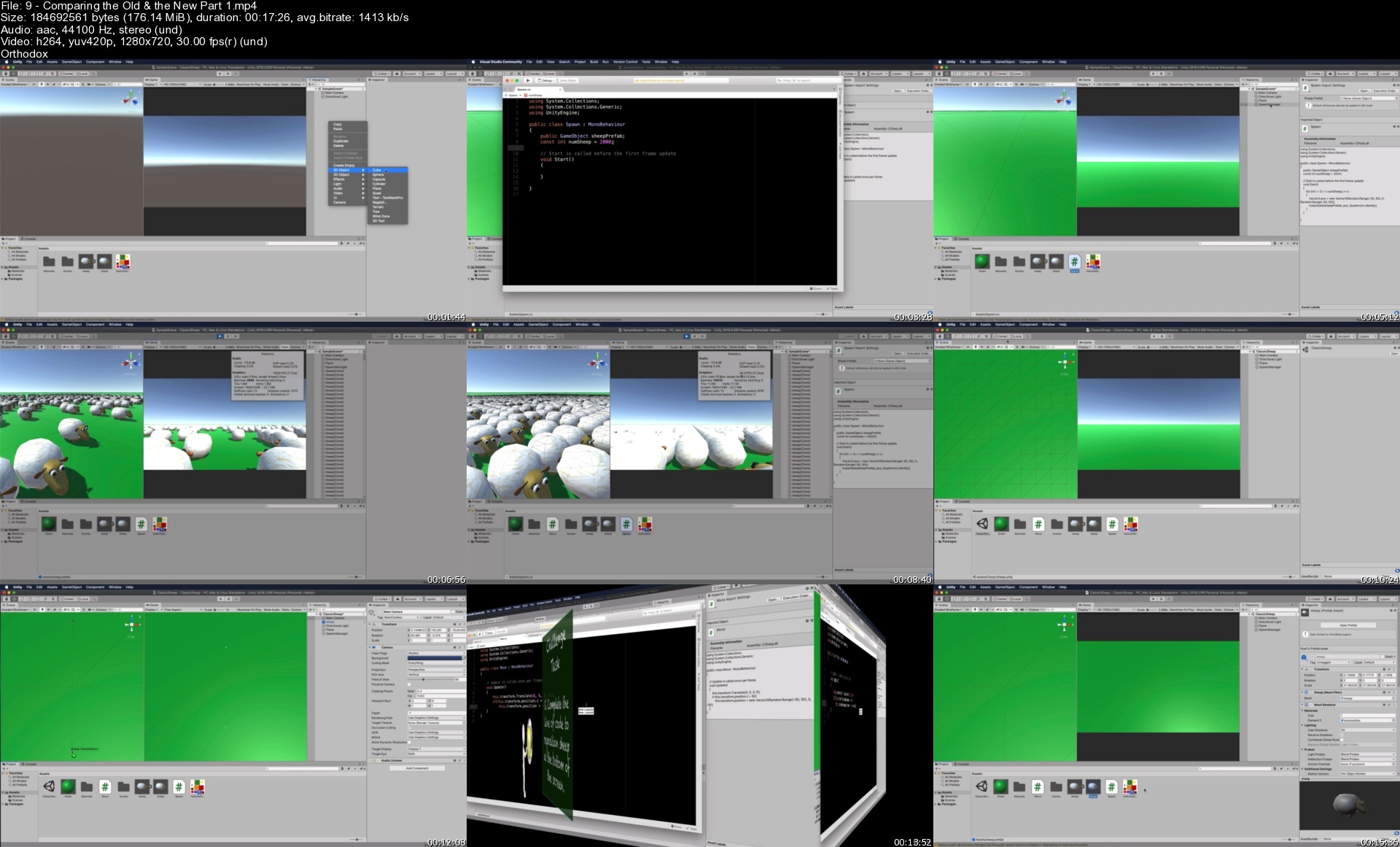
Lecture 9 Comparing the Old & the New Part 1

Lecture 10 Comparing the Old & the New Part 2

Lecture 11 Comparing the Old & the New Part 3

Lecture 12 Comparing the Old & the New Part 4

Lecture 13 Comparing the Old & the New Part 5

Lecture 14 Your First ECS Challenge

Lecture 15 Parallel Computing

Lecture 16 Structures, Classes and Blittable Types

Section 3: Working with Entities

Lecture 17 Creating and Debugging Entities

Lecture 18 Accessing and Modifying Entity Data

Lecture 19 Adding IComponentData Challenge

Lecture 20 Performing Entity Queries

Lecture 21 Entity Query Interface Challenge

Lecture 22 Adding an Entity from Monobehaviour at Runtime

Lecture 23 Constructing an Entity from Scratch

Lecture 24 Constructing Sheep Entities from a Mesh Challenge

Section 4: Transformation Mathematics in DOTS

Lecture 25 Performing Translations

Lecture 26 Performing Rotations

Lecture 27 Performing a Slerp to Face a Target

Lecture 28 Rotating Around a Pivot Point

Lecture 29 Pivoting Challenge

Section 5: Working with Custom Components

Lecture 30 Getting Player Transformations into Entities

Lecture 31 Adding and Setting Data Values in a Custom Components

Lecture 32 Updating Custom Component Values

Lecture 33 Waypoint Follow Challenge

Section 6: Project: Space Wars Simulation

Lecture 34 Finding Closest Planet

Lecture 35 Attacking and Retreat Movement

Lecture 36 Spawning an Entity from an Entity Part 1

Lecture 37 Spawning an Entity from an Entity Part 2

Lecture 38 Spawning Entities from Another Location Part 1

Lecture 39 Spawning Entities from Another Location Part 2

Lecture 40 Restricting the Lifetime of an Entity

Lecture 41 Restricting the Lifetime of an Entity Update

Lecture 42 Implementing Line of Sight in an Entity

Lecture 43 Faking Collisions

Lecture 44 Instantiating Explosions

Lecture 45 A System for Scaling Particles

Section 7: Project: Infinite Cube World

Lecture 46 Creating a Landscape with Cubes

Lecture 47 Using Perlin Noise for Height

Lecture 48 Enhanced Perlin Heights

Lecture 49 Changing Materials on an Entity

Lecture 50 Identifying Bottlenecks and Solutions to FPS Drop

Lecture 51 Scrolling the Landscape with the Player

Section 8: DOTS Physics

Lecture 52 The Physics Components

Lecture 53 An ECS Physics-Based Character Controller

Lecture 54 Spawning Multiple Physics Entities

Lecture 55 Shooting Physics Bullets Challenge

Lecture 56 Moving a Bullet with Physics

Lecture 57 Upgrading a Package

Lecture 58 Detecting Collisions

Lecture 59 Using Custom Values in a Collision Event

Lecture 60 Destroying an Entity on Collision

Lecture 61 Entity Tracking with the Camera

Lecture 62 Detecting Physics Triggers

Lecture 63 Converting to a Dynamic Character

Lecture 64 Using Custom Values in a Trigger Event

Section 9: Raycasting

Lecture 65 Starting with a Tower Defence Setup

Lecture 66 Performing a Raycast Hit Part 1

Lecture 67 Performing a Raycast Hit Part 2

Lecture 68 Destroying an Entity Hit by a Raycast

Lecture 69 Performing Raycast Distance Hits P1

Lecture 70 Performing Raycast Distance Hits P2

Lecture 71 Locating and Following The Closest Physics Entity

Lecture 72 Destroying Tracked Physics Entity

Lecture 73 Destroying Zombie Challenge P1

Lecture 74 Destroying Zombie Challenge P2

Section 10: Final Words

Lecture 75 Some Final Words from Penny

Lecture 76 Where to now?

Professionals and students who are comfortable using Unity but would like to upgrade their skills to implement the new Unity DOTS system.

Homepage

9comparingtheoldthenecxdvw.jpg


React 2021 Par La Pratique, De A À Z (Évolution Progressive)

czd8fhyhv6r8uhvgdzeog5rdht.jpg


React 2021 Par La Pratique, De A À Z (Évolution Progressive)
Last updated 2/2022
MP4 | Video: h264, 1280x720 | Audio: AAC, 44.1 KHz
Language: French | Size: 6.68 GB | Duration: 13h 26m

Apprenez les bases de React et ses modules importants dont React-Router V5/Axios/React-Bootstrap en créant 4 applis


What you'll learn
Développer des applications avec la librairie React
Communiquer avec des serveurs et API REST (axios)
Mettre en place de manière basique un serveur Firebase et une database
Créer des sites internet "Single page" avec le module React-Router
Mettre en ligne ses applications et sites internet développés avec React sur un serveur Apache
Utiliser Bootstrap avec et sans React-Bootstrap

Requirements
Avoir de bonnes connaissances en Javascript (+ connaître bootstrap, HTML, CSS)

Description
Le cours utilise la version 5 de REACT ROUTER. La V6 est disponible depuis fin 2021. Pour suivre cette formation, je vous inviterai à utiliser la même version que moi et à regarder la documentation relative aux mises à jours de la V6.Nouveau 2021 : Ajout de 2 modules sur les Hooks (1,5h) : - Introduction aux Hooks- 5ème mini-projet utilisant les hooksREACT 2020 par la pratique, de A à Z (évolution progressive) :Avec ce cours, vous apprendrez les bases de la librairie JavaScript REACT au travers de 4 applications différentes.C'est l'un des "cours de fin de parcours" que je propose dans le cursus JavaScript H2PROG ; il en contient 10 autres permettant d'apprendre ce langage de programmation, les bases de données (MongoDB / SQL), l'architecture MVC, la programmation Serveur, la programmation Front-End ....Un niveau Intermédiaire :Même si j'explique tout ce qui est réalisé, il vous faudra disposer de bonnes bases en programmation JavaScript pour suivre ce cours dans de bonne conditions ! Je ne recommande pas à un débutant en programmation de démarrer son apprentissage par l'utilisation d'un Framework ou d'une librairie (en particulier REACT).La progression normale d'un apprenti développeur est la suivante : Algorithmique -> langage de programmation -> framework / librairieLe niveau est cependant "Débutant" en ce qui concerne la librairie REACT.Le cours...... permettra d'apprendre les bases de la librairie et toutes les notions fondamentales pour l'utiliser dans de bonnes conditions. Vous aurez des diapositives de synthèse téléchargeables que vous pourrez imprimer et utiliser au besoin dans la poursuite de votre apprentissage.La première application...... contiendra toutes les bases de la librairie et sera un "gros" exercice du cours. Nous rajouterons en plus deux notions fondamentales liées aux sites et applications web avec : la création de formulaires avec React, l'utilisation des modules Formik et Yup pour valider les formulairesNous créerons une application permettant de gérer des livres (CRUD front-End).La deuxième application...... permettra de mettre en pratique tous vos acquis et rajoutera la possibilité d'échanger avec un "serveur" tels que Firebase. Nous créerons sur ce dernier une base de données qui contiendra plusieurs informations que nous pourrons récupérer dans notre application grâce à Axios. Nous verrons également comment envoyer des informations au serveur. Nous programmerons une application permettant de créer des personnages (type RPG).La troisième application...... permettra encore plus de pratique sur les fondamentaux, l'utilisation des compétences apprises dans la deuxième application, en particulier sur le module Axios. Nous communiquerons avec une API REST (REST Countries) pour récupérer des données et les traiter en Front avec React. Nous en profiterons pour apprendre comment créer un site web complet via l'utilisation de React RouterNous créerons un site permettant d'afficher tous les pays du monde (drapeau, nom, capitale ....), depuis une l'API REST Countries.La quatrième application...... permettra de consolider les acquis des 3 premières et de créer un site web supplémentaire avec 3 pages (la page d'accueil, l'application, la page de contact). Cette application fournira l'occasion d'installer le module React-Bootstrap et de voir comment il s'utilise en combinaison avec React-Router. Nous ajouterons une application permettant de lister tous les établissements publics Français, en utilisant une API REST du gouvernement.Nous verrons enfin comment mettre en ligne ce site internet sur un serveur Apache!L'objectif...Avec plus de 10 heures d'enregistrements, vous disposerez du nécessaire pour développer sereinement des applications et sites internet Front-end avec la librairie REACT. A l'issue de cette formation vous pourrez rajouter cette nouvelle compétence sur votre CV.Les applications sont disponibles en ligne et sont testables !Merci et à très vite !Matthieu de H2PROG.

Overview

Section 1: Introduction

Lecture 1 Introduction

Lecture 2 Qui suis-je ?

Lecture 3 Conseils pour suivre la formation

Lecture 4 Le parcours de formation

Lecture 5 Installations

Lecture 6 Installation de Visual Studio Code

Lecture 7 Installation de Node.JS

Lecture 8 Qu'est ce que REACT ?

Lecture 9 PDF

Section 2: Initialisation

Lecture 10 Avant de démarrer

Lecture 11 Création de la première application

Lecture 12 Le JSX

Section 3: Les composants

Lecture 13 Composants simples

Lecture 14 Des composants plus "complexes"

Lecture 15 Des composants dans des composants

Lecture 16 Passage d'informations à un composant

Lecture 17 Classes

Lecture 18 Synthèse

Section 4: Le states

Lecture 19 Le principe

Lecture 20 Cycle de vie

Lecture 21 L'horloge & setState

Lecture 22 setState

Lecture 23 Synthèse

Section 5: Structuration (Dossier, CSS ...)

Lecture 24 Restructuration du dossier SRC

Lecture 25 Le CSS dans REACT

Lecture 26 Tests et ternaires

Lecture 27 Synthèse

Section 6: Les événements

Lecture 28 Le clic sur un bouton

Lecture 29 Evénements et states

Lecture 30 Modifier une personne

Lecture 31 Synthèse

Section 7: Propriété "children"

Lecture 32 L'utilisation de la propriété "children"

Lecture 33 Synthèse

Section 8: Les listes

Lecture 34 Listes et fonction map

Lecture 35 La propriété "key"

Lecture 36 Synthèse

Section 9: Projet 1 : Les livres et un CRUD Front-End

Lecture 37 Présentation du projet et choix des composants

Lecture 38 Création du projet

Lecture 39 Ajout de bootstrap

Lecture 40 Composant "Titre"

Lecture 41 Créer un Snippet

Lecture 42 Changer la police

Lecture 43 Composant Bouton

Lecture 44 Composant Livres

Lecture 45 Liste de livres

Lecture 46 Composant Livre

Lecture 47 Supprimer un livre

Lecture 48 Bouton d'ajout d'un livre

Lecture 49 Composant formulaire d'ajout

Section 10: Les formulaires dans REACT

Lecture 50 Création du formulaire d'ajout

Lecture 51 Soumission du formulaire

Lecture 52 Ajout du livre dans les states

Lecture 53 Fermer le formulaire

Lecture 54 La modification d'un livre

Lecture 55 Composant Alert

Lecture 56 Synthèse

Section 11: La validation des formulaires

Lecture 57 Le formulaire d'ajout d'un livre avec Formik

Lecture 58 La validation des saisies avec Formik

Lecture 59 La validation des saisies avec YUP

Section 12: Projet 2 : Créateur de personnages (Ajout de firebase)

Lecture 60 Présentation du projet

Lecture 61 Préparation du projet

Lecture 62 Composants bouton et titre

Lecture 63 Composant CreateurPersonnage

Lecture 64 Composant ImagePerso

Lecture 65 Les flèches

Lecture 66 Changer d'image

Lecture 67 Points de caractéristiques

Lecture 68 Les boutons liés aux caractéristiques

Lecture 69 La mise à jours des points de caractéristiques dans les states

Lecture 70 Affichage des armes

Lecture 71 Sélectionner une arme

Lecture 72 Bouton "créer" et "réinitialiser"

Section 13: Firebase & Database & Axios

Lecture 73 Création de la DB

Lecture 74 Axios & Firebase

Lecture 75 Enregistrer les personnages

Lecture 76 Lister les personnages créés

Lecture 77 Rafraîchissement des données

Section 14: Projet 3 : API REST & Axios

Lecture 78 Présentation du projet

Lecture 79 Création du projet

Lecture 80 Utilisation de l'API REST

Lecture 81 Filtrer sur les pays

Lecture 82 La pagination

Section 15: Routage

Lecture 83 Attention : Comptabilité V5 - V6

Lecture 84 Les bases du routage

Lecture 85 NavBar

Lecture 86 Afficher un pays (étape1)

Lecture 87 Afficher un pays (étape 2)

Lecture 88 Erreur 404

Lecture 89 Paramétrage des NavLinks

Lecture 90 Mise en ligne

Lecture 91 Synthèse sur le routage

Section 16: Projet 4

Lecture 92 Présentation du projet

Lecture 93 Structure du site

Lecture 94 React router

Lecture 95 NavBar avec React-Bootstrap et React-Router

Lecture 96 La page d'accueil

Lecture 97 Erreur 404

Lecture 98 Page contact et formulaire

Lecture 99 Validation du formulaire avec Formik et Yup

Lecture 100 Page localisation (étape 1)

Lecture 101 Page localisation (étape 2)

Section 17: Introduction aux Hooks

Lecture 102 Les hooks

Lecture 103 useState

Lecture 104 useState et les objets

Lecture 105 useEffect

Lecture 106 Hook personnalisé

Section 18: Projet 5 : Utilisation des connaissances sur les hooks

Lecture 107 Présentation du projet

Lecture 108 Les bases du projet

Lecture 109 Lister les formations

Lecture 110 Hook personnalisé : useLoadData

Lecture 111 Filtrer par catégorie

Section 19: Bonus - Mes autres cours

Lecture 112 Continuer son apprentissage

Développeur web,Etudiant en développement,Reconversion professionnelle

Homepage


35laproprietekeysqdcsh.jpg


Lerne Flutter & Dart Und Erstelle Native Ios & Android Apps

okdxf54f5n0kmc0rwqypgjjf1q.jpg


Lerne Flutter & Dart Und Erstelle Native Ios & Android Apps
Zuletzt aktualisiert am 2/2020
MP4 | Video: h264, 1280x720 | Audio: AAC, 44.1 KHz
Language: Deutsch | Size: 17.89 GB | Duration: 37h 29m

Eine vollständige Anleitung zum Flutter SDK & Flutter Framework zum Erstellen nativer iOS- und Android-Anwendungen


What you'll learn
Erstelle ansprechende native mobile Anwendungen für Android und iOS.
Nutzen Funktionen wie Google Maps, die Gerätekamera, Authentifizierung und vieles mehr!
Lerne alle Grundlagen und erweiterten Funktionen, die Du in keinem anderen Kurs finden wirst.

Requirements
Anfänger und erfahrene Entwickler, die daran interessiert sind, in die Entwicklung mobiler Anwendungen mit einer Sprache für beide Plattformen einzusteigen.
Erfahrene iOS- oder Android-Entwickler, die plattformübergreifende (iOS + Android) Anwendungen mit einer einzigen Programmiersprache erstellen möchten.

Description
Nimm am umfangreichsten und meistverkauften Flutter-Kurs teil und lerne, wie man erstaunliche iOS- und Android-Anwendungen erstellt!Du musst nicht Android/ Java und iOS/ Swift lernen, um echte native mobile Anwendungen zu erstellen!Flutter - ein von Google entwickeltes Framework - ermöglicht es Dir, im Handumdrehen eine Sprache zu lernen (Dart) und schöne native mobile Apps zu erstellen. Flutter ist ein SDK, das das Werkzeug zur Verfügung stellt, um Dart Code in nativen Code zu kompilieren, und es bietet Dir auch einen reichen Satz von vorgefertigten und vorgefertigten Oberflächenelementen (so genannte Widgets), mit denen Du Deine Benutzeroberflächen zusammenstellen kannst.Flutter ist extrem im Trend und wird für große Google-Apps wie ihre Adwords-App verwendet - sie ist jetzt als "ready for production" markiert, daher ist es jetzt an der Zeit, einzusteigen und es zu lernen!Dieser Kurs vermittelt Flutter & Dart von Grund auf, KEINE Vorkenntnisse über eine der beiden sind erforderlich! Und Du brauchst sicherlich keine Android- oder iOS-Entwicklungserfahrung, da die ganze Idee hinter Flutter darin besteht, nur eine Sprache zu lernen.Du wirst Flutter nicht nur in der Theorie lernen, sondern wir werden während dieses Kurses mehrere, realistische Apps erstellen. Diese Apps werden sowohl alle wichtigen Grundlagen als auch erweiterte Funktionen wie Google Maps, die Gerätekamera, das Hinzufügen von Animationen und mehr enthalten!Mit Flutter kannst Du Code nur einmal schreiben und Deine Apps sowohl im Apple AppStore als auch im Google Play veröffentlichen.Verwende Googles Material Design, um schöne, aber vollständig anpassbare Apps im Handumdrehen und mit fast null Aufwand zu erstellen. Du kannst die reichhaltige Widgetsuite Flutter bietet, um gängige Oberflächenelemente wie Buttons, Switches, Formulare, Symbolleisten, Listen und mehr hinzuzufügen - oder Du erstellst einfach Deine eigenen Widgets - Flutter macht das auch kinderleicht.Hier ist, was im Kurs enthalten ist:Detaillierte Installationsanweisungen für MacOS und WindowsEine gründliche Einführung in Flutter, Dart und das Konzept der Widgets.Eine Übersicht über die integrierten Widgets und wie Du Deine eigenen Widgets hinzufügen kannst.Debugging-Tipps & TricksSeitennavigation mit Registerkarten, seitlichen Schubladen und stapelbasierter NavigationZustandsverwaltungslösungenHandhabung und Validierung von BenutzereingabenVerbindung Deiner Flutter-App mit Backend-Servern durch Senden von Http-AnfragenBenutzerauthentifizierungHinzufügen von Google MapsVerwendung von nativen Gerätefunktionen wie der KameraHinzufügen von schönen Animationen und SeitenübergängenSo veröffentlichest Du Deine App in den App StoresUnd vieles mehr!
Overview

Section 1: Einleitung

Lecture 1 Einleitung

Lecture 2 Was ist Flutter?

Lecture 3 Die Flutter Architektur verstehen

Lecture 4 Wie Flutter & Dart Code zu nativen Apps kompiliert

Lecture 5 Flutter macOS Setup

Lecture 6 macOS Entwicklungsumgebung

Lecture 7 Flutter Windows Setup

Lecture 8 Windows Entwicklungsumgebung

Lecture 9 Flutter & Material Design

Lecture 10 Kursübersicht

Lecture 11 Wie du das meiste aus dem Kurs holst

Lecture 12 Nützliche Ressourcen und Links

Section 2: Flutter Grundlagen[QUIZ APP]

Lecture 13 Kapiteleinführung

Lecture 14 Ein neues Projekt erstellen

Lecture 15 Eine Übersicht der generierten Dateien und Ordner

Lecture 16 Mehr über Git (Versionskontrolle)

Lecture 17 Analyse der Default App

Lecture 18 Dart Grundlagen Teil 1

Lecture 19 Dart Grundlagen Teil 2

Lecture 20 Dart Grundlagen - Zusammenfassung

Lecture 21 Eine App von Grund auf Entwickeln

Lecture 22 Hinweis Virtualisierung Einstellungen

Lecture 23 Eine App im Emulator testen

Lecture 24 Klassen Konstruktoren und Named Arguements

Lecture 25 Erste Zusammenfassung und weitere Syntax

Lecture 26 Einen Widget Tree entwickeln

Lecture 27 Sichtbare (Input/Output) & unsichtbare (Layout/Control) Widgets

Lecture 28 Layout Widgets hinzufügen

Lecture 29 Funktionen mit Buttons verbinden

Lecture 30 Anonyme Funktionen

Lecture 31 Widget Data aktualisieren (bzw. StatelessWidget falsch verwenden)

Lecture 32[DART DEEP DIVE] Listen verstehen

Lecture 33 Richtiges Aktualisieren mit Stateful Widgets

Lecture 34 Ein kurzer Blick unter die Haube

Lecture 35 Private Properties verwenden

Lecture 36 Erstellen eines neuen, benutzerdefinierten Widgets

Lecture 37 Erste Styling- und Layout-Schritte

Lecture 38 Enum & mehrere Konstruktoren

Lecture 39 Offizielle Dokumente & Der Widget-Katalog

Lecture 40 Callback-Funktionen übergeben

Lecture 41 Einführung von Maps

Lecture 42 Zuordnung von Listen zu Widgets

Lecture 43 final vs const

Lecture 44 Einführung von "if"-Statements

Lecture 45[DART DEEP DIVE] Mehr zu "if"-Anweisungen

Lecture 46[DART DEEP DIVE] Der "null" Wert

Lecture 47 Widgets bedingt ausgeben

Lecture 48 Aufteilen der App in Widgets

Lecture 49 Berechnen einer Gesamtpunktzahl

Lecture 50 Getters & "else-if"

Lecture 51 Quiz zurücksetzen

Lecture 52 Zusammenfassung

Lecture 53 Kapitel Ressourcen

Section 3: Apps auf unterschiedlichen Geräten Testen und Debuggen

Lecture 54 Kapitel Einführung

Lecture 55 Ausführen der App auf einem echten Android-Gerät

Lecture 56 Ausführen der App auf einem iOS-Emulator

Lecture 57 Ausführen der App auf einem echten iOS-Gerät

Lecture 58 Arbeiten mit den Emulatoren / Verwendung der Emulatoren

Lecture 59 Fehlermeldungen verstehen & Fehler beheben

Lecture 60 Verwendung des Debuggers

Lecture 61 Erste Schritte mit den Dart DevTools

Lecture 62 Verständnis des Repaint Rainbow

Lecture 63 Zusammenfassung der Dart DevTools

Lecture 64 Nützliche Ressourcen & Links

Section 4: Widgets, Styling, Logik hinzufügen -[PERSÖNLICHE AUSGABEN APP]

Lecture 65 Kapitel Einführung

Lecture 66 Ein Überblick über die Core Flutter Widgets

Lecture 67 Planen der App

Lecture 68 Kombinieren von Widgets

Lecture 69 Verstehen der Spaltenausrichtung

Lecture 70 Kein Widget: Hinzufügen eines Transaktionsmodells & Transaktionsdaten

Lecture 71 Mapping von Daten in Widgets

Lecture 72 Erstellen eines benutzerdefinierten Listenelements

Lecture 73 Styling eines Containers

Lecture 74 Text stylen

Lecture 75 Mehr styling

Lecture 76 Container vs Spalten vs Zeilen

Lecture 77 Verwendung der String-Interpolation

Lecture 78 Installation von externen Paketen & Formatierung von Daten

Lecture 79 DateFormat Patterns

Lecture 80 Hinzufügen von Texteingabe-Widgets (TextField)

Lecture 81 Abrufen von Benutzereingaben

Lecture 82 Aufteilen der App in Widgets

Lecture 83 Widgets verbinden & Daten / Status verwalten

Lecture 84 Benutzertransaktionen zur Liste hinzufügen

Lecture 85 Die Liste scrollbar machen!

Lecture 86 Arbeiten mit ListViews

Lecture 87 Input etwas anpassen

Lecture 88 Hinzufügen von AppBar-Buttons und Floating Action-Buttons

Lecture 89 Zeigen eines Model Bottom Sheets

Lecture 90 Verbesserung und Styling des Modal Bottom Sheets

Lecture 91 Konfigurieren und Verwenden von Designs/Themes

Lecture 92 Custom Fonts & arbeiten mit Text Themes

Lecture 93 Hinzufügen von Bildern zur App

Lecture 94 Planung des Chart Widgets

Lecture 95 Durchlaufen von Listen

Lecture 96 Mehr über "for" Loops

Lecture 97 Ableitung der letzten Transaktionen

Lecture 98 Erstellen von Balken für unser Chart

Lecture 99 Füllen des Charts mit Werten

Lecture 100 Fertigstellung der Chart Bars

Lecture 101 Flexibel & Erweitert: Deep Dive

Lecture 102 Hinzufügen eines ListTile Widgets

Lecture 103 Verbesserung des Overall Charts

Lecture 104 Widgets & Konfigurieren von Widgets - Zusammenfassung / Übersicht

Lecture 105 Erste Schritte mit der Datumsauswahl

Lecture 106 Anzeigen eines DatePicker

Lecture 107 Transaktionen mit einem Datum hinzufügen

Lecture 108 Transaktionen löschen & IconButtons verwenden

Lecture 109 Der App den letzten Schliff geben

Lecture 110 Zusammenfassung

Lecture 111 Nützliche Ressourcen & Links

Section 5: Responsive und Adaptive Benutzeroberflächen und Apps

Lecture 112 Modul Einführung

Lecture 113 Was bedeutet "Responsive" und "Adaptive"?

Lecture 114 Beispiele: Wo wir die App verbessern können!

Lecture 115 Größen dynamisch berechnen

Lecture 116 Arbeiten mit dem "textScaleFactor".

Lecture 117 Verwendung des LayoutBuilder Widgets

Lecture 118 Steuern der Geräteausrichtung

Lecture 119 Darstellung alternativer Landscape Content - 1

Lecture 120 Fertigstellen des Landscape Mode

Lecture 121 Anzeigen verschiedener Inhalte basierend auf der Geräteausrichtung

Lecture 122 Respektieren der Softkey-Insets

Lecture 123 Verwendung der Gerätegröße unter Bedingungen

Lecture 124 Verwalten des MediaQuery-Objekts

Lecture 125 Überprüfen der Geräteplattform

Lecture 126 Cupertino (iOS) Widgets verwenden

Lecture 127 Verwendung der SafeArea

Lecture 128 Mehr Cupertino Styles

Lecture 129 Verwendung von Cupertino-Buttons

Lecture 130 Erstellen von benutzerdefinierten adaptiven Widgets

Lecture 131 Zusammenfassung

Lecture 132 Nützliche Ressourcen & Links

Section 6: Widget & Flutter Internals - Deep Dive

Lecture 133 Modul Einführung

Lecture 134 Das vorliegende Problem

Lecture 135 Widget Tree & Element Tree - Was, Warum und Wie?

Lecture 136 Wie Flutter den Bildschirm wiederherstellt und neu anzeigt

Lecture 137 Wie Flutter build() ausführt

Lecture 138 Verwendung von "const" Widgets & Konstruktoren

Lecture 139 Schreiben von gutem Code

Lecture 140 Extrahieren von Widgets

Lecture 141 Verwendung von Builder-Methoden

Lecture 142 Den Lebenszyklus eines Widgets verstehen

Lecture 143 Aufrufen von super.initState() etc.

Lecture 144 Verständnis des App-Lebenszyklus

Lecture 145 Kontext verstehen

Lecture 146 Ein Problem mit Listen & Stateful Widgets

Lecture 147 Verständnis der Problemursache

Lecture 148 Tasten Verwenden

Lecture 149 Zusammenfassung

Lecture 150 Nützliche Ressourcen & Links

Section 7: Navigation & mehrere Bildschirme (MEALS APP)

Lecture 151 Einführung

Lecture 152 App planen

Lecture 153 Beginnend mit der App - Hinzufügen von Basisdaten

Lecture 154 Erstellen eines Grid & Arbeiten mit linearen Gradienten

Lecture 155 Registrieren eines Bildschirms als Hauptbildschirm

Lecture 156 Styling & Theming

Lecture 157 Navigieren zu einer neuen Seite

Lecture 158 Datenübergabe über den Konstruktor

Lecture 159 Named Routes verwenden & Daten mit Named Routes übergeben

Lecture 160 Tiefer in Named Routes eintauchen

Lecture 161 Hinzufügen eines Essens-Modells & Daten

Lecture 162 Auswahl der Mahlzeiten für eine ausgewählte Kategorie

Lecture 163 Rezeptpositionen anzeigen & Netzwerkbilder verwenden

Lecture 164 Fertigstellung des Elements der Speiseliste

Lecture 165 Navigieren zur Detailseite der Mahlzeit

Lecture 166 onGenerateRoute & onUnknownRoute

Lecture 167 Fertigstellung der Detailseite der Mahlzeit

Lecture 168 Hinzufügen einer TabBar zur Appbar

Lecture 169 Hinzufügen einer unteren TabBar

Lecture 170 Hinzufügen einer benutzerdefinierten Drawer

Lecture 171 Links zum Drawer hinzufügen

Lecture 172 Seiten ersetzen (statt schieben)

Lecture 173 Poppen von Seiten & Zurückgeben von Daten

Lecture 174 Hinzufügen von Filter Switches

Lecture 175 Hinzufügen von Filter Logic

Lecture 176 Hinzufügen eines "Mark as Favorite" Feature

Lecture 177 Ein Problem

Lecture 178 Zusammenfassung

Lecture 179 Nützliche Ressourcen & Links

Section 8: State Management[SHOP APP]

Lecture 180 Kapitel Einführung

Lecture 181 App planen

Lecture 182 Daten Model definieren

Lecture 183 Arbeiten an den "Produkt" Grid- und Item-Widgets

Lecture 184 Styling & Theming der App

Lecture 185 Hinzufügen der Navigation zur App

Lecture 186 Warum StateManagement? Und was ist "State" und "StateManagement"?

Lecture 187 Verständnis des "Provider"-Pakets & -Ansatzes

Lecture 188 Arbeiten mit Providers & Listeners

Lecture 189[DART DEEP DIVE] Vererbung ("extends") vs Mixins ("with")

Lecture 190 Bereitstellung von non-Objekts

Lecture 191 "Hören" an verschiedenen Orten & Wegen

Lecture 192 Verwendung verschachtelter Modelle & Provider

Lecture 193 Erkundung alternativer Provider-Syntaxen

Lecture 194 Verwendung von "Consumer" anstatt "Provider.of"

Lecture 195 Local State vs App-wide State

Lecture 196 Hinzufügen der Shopping Cart Data

Lecture 197 Arbeiten mit mehreren Providers

Lecture 198 Anschluss des Cart Providers

Lecture 199 Arbeiten am Shopping Cart & Anzeigen einer Summe

Lecture 200 Anzeigen einer Liste von Cart Items

Lecture 201 Warenkorb-Elemente löschbar machen

Lecture 202 Hinzufügen von Produktdetaildaten

Lecture 203 Bereitstellen eines Auftragsobjekts

Lecture 204 Hinzufügen von Bestellungen

Lecture 205 Hinzufügen eines Bestell Screens

Lecture 206 Verwenden eines Side Drawers

Lecture 207 Bestellungen erweiterbar machen & Stateful Widgets vs. Provider

Lecture 208 Zusammenfassung

Lecture 209 Nützliche Ressourcen & Links

Section 9: Mit Benutzereingaben und Forms arbeiten[SHOP APP]

Lecture 210 Einführung

Lecture 211 Snackbars & Widerrufen der "In den Warenkorb" Aktionen

Lecture 212 Alert Dialog anzeigen

Lecture 213 Eine "Produkte verwalten" Seite hinzufügen

Lecture 214 "Produkte bearbeiten" Screen und ein Problem

Lecture 215 Verwendung von Formularen & Arbeiten mit Formulareingaben

Lecture 216 ListView oder Column

Lecture 217 Verwaltung des Fokus der Formulareingabe

Lecture 218 Mehrzeilige Eingaben & Objekte löschen

Lecture 219 Image Input & Image Preview

Lecture 220 Formulare übermitteln

Lecture 221 Benutzereingabe überprüfen

Lecture 222 Hinzufügen der Validierung zu allen Eingaben

Lecture 223[OPTIONAL] arbeiten mit Regular Expressions

Lecture 224 Neue Produkte speichern

Lecture 225 Produkte und Zeit aktualisieren

Lecture 226 Benutzern das Löschen von Produkten ermöglichen

Lecture 227 Zusammenfassung

Lecture 228 Nützliche Ressourcen & Links

Section 10: HTTP Request senden[SHOP APP]

Lecture 229 Modul Einführung

Lecture 230 On Device vs Web Storage

Lecture 231 Wie man Flutter zu einer Datenbank verbindet

Lecture 232 Unser Backend vorbereiten

Lecture 233 Wie man einen HTTP Request sendet

Lecture 234 Einen POST Request senden

Lecture 235 Mit Futures in Dart arbeiten

Lecture 236[DART DEEP DIVE] Futures & Async Code

Lecture 237 Anzeigen eines Ladeindikators

Lecture 238 Fehlerbehandlung mit Leichtigkeit

Lecture 239 Arbeiten mit "async" & "await"

Lecture 240 Abrufen von Data, initState & "of(context)"

Lecture 241 Wie man abgerufene Daten transformiert

Lecture 242 Implementieren von Pull-to-Refresh

Lecture 243 Aktualisierung von Daten über PATCH-Requests

Lecture 244 Optimistische Aktualisierung nutzen

Lecture 245 Erstellen von benutzerdefinierten Ausnahmen und mehr Fehlerbehandlung

Lecture 246 Eine Herausforderung für Sie!

Lecture 247 Den Status "Favorit" optimistisch aktualisieren

Lecture 248 Speichern von Aufträgen im Web

Lecture 249 Bestellungen einholen & ein Problem beheben

Lecture 250 Verwendung des "FutureBuilder" Widgets & Verbesserung des Codes

Lecture 251 Zusammenfassung

Lecture 252 Nützliche Ressourcen & Links

Section 11: Benutzerauthentifizierung implementieren[SHOP APP]

Lecture 253 Kapitel Einführung

Lecture 254 Wie Authentifizierung funktioniert

Lecture 255 Backend vorbereiten

Lecture 256 Hinzufügen des Auth Screen

Lecture 257 Hinzufügen der Benutzerregistrierung

Lecture 258 Dem Benutzer das Einloggen ermöglichen

Lecture 259 Authentifizierungsprobleme lösen

Lecture 260 Verwaltung des Auth Token lokal (in der App)

Lecture 261 Verwendung des "ProxyProviders" und Anhängen des Token an ausgehende Http-Reques

Lecture 262 Probleme bei Provider Packages verhindern

Lecture 263 Hinzufügen des Token zu allen Requests

Lecture 264 Verbinden des Status "Favorit" mit Benutzern

Lecture 265 Produkte an Benutzer anhängen & Nach Ersteller filtern

Lecture 266 Bestellungen an Benutzer anhängen

Lecture 267 Hinzufügen einer Abmeldefunktionalität

Lecture 268 Benutzer automatisch abmelden (nach einiger Zeit)

Lecture 269 Benutzer automatisch anmelden

Lecture 270 Zusammenfassung

Lecture 271 Nützliche Ressourcen & Links

Section 12: Animationen Hinzufügen[SHOP APP]

Lecture 272 Einführung

Lecture 273 Animationen von Grund auf (vollständig manuell gesteuert)

Lecture 274 Verwendung des "AnimatedBuilder"-Widgets

Lecture 275 Arbeiten mit dem "AnimatedContainer".

Lecture 276 Mehr eingebaute Animations- und Übergangs-Widgets

Lecture 277 Einblenden geladener Bilder (und Anzeigen eines Platzhalters)

Lecture 278 Hinzufügen eines "Hero"-Übergangs

Lecture 279 Arbeiten mit Slivers

Lecture 280 Üben: Animieren von Auftragsboxen

Lecture 281 Zusammenfassung

Lecture 282 Nützliche Ressourcen & Links

Section 13: Verwendung nativer Gerätefunktionen (Kamera, Karten,...)[GREAT PLACES APP]

Lecture 283 Kapitel Einführung

Lecture 284 Planen der App

Lecture 285 PlaceList & Place Provider Einrichtung

Lecture 286 Hinzufügen des Bildschirms "Add Place" & einer Bildeingabe

Lecture 287 Verwendung von Image Picker & der Gerätekamera

Lecture 288 Speichern des Bildes auf dem Dateisystem (auf dem Gerät)

Lecture 289 Verwaltung von Daten und Bildern über das Provider Package

Lecture 290 Testen auf realen Geräten

Lecture 291 Vorbereiten von SQLite

Lecture 292 Speichern und Abrufen von Daten mit SQLite

Lecture 293 Hinzufügen einer Location-Input & des "location"-Pakets

Lecture 294 Abrufen der Benutzerkoordinaten

Lecture 295 Anzeigen eines Schnappschusses für eine statische Karte

Lecture 296 Darstellung einer dynamischen Karte (über Google Maps)

Lecture 297 Ermöglicht es Benutzern, einen Standort auf der Karte auszuwählen.

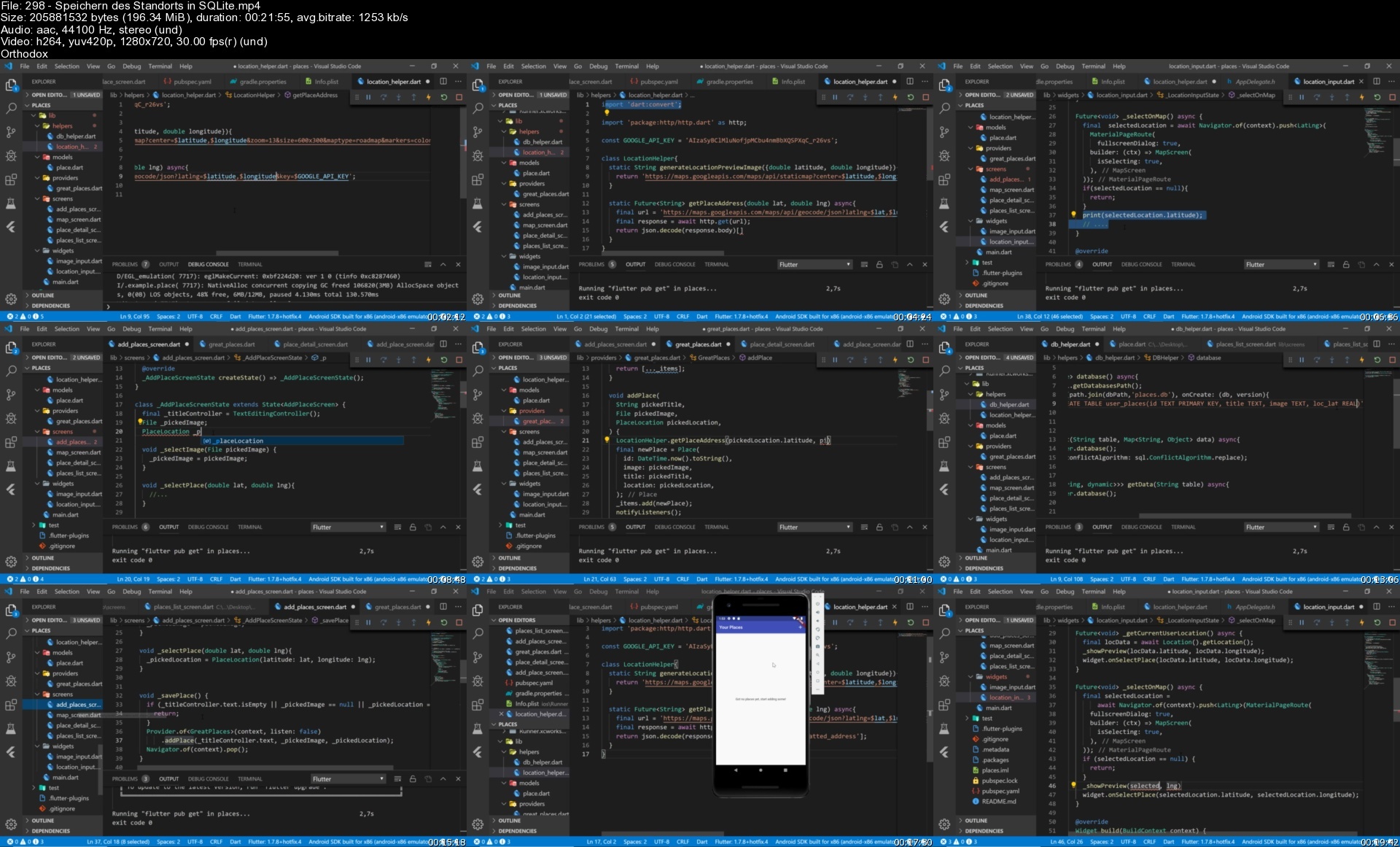
Lecture 298 Speichern des Standorts in SQLite

Lecture 299 Hinzufügen von"Place Detail"-Bildschirm & Öffnen der Karte im "readonly"-Mode

Lecture 300 Zusammenfassung

Lecture 301 Nützliche Ressourcen & Links

Section 14: Ausführen von Native Swift, ObjectiveC, Java oder Kotlin Code

Lecture 302 Einführung

Lecture 303 Verwenden des richtigen Project Setups

Lecture 304 Senden eines Methodenaufrufs von Flutter aus

Lecture 305 Ausführen von Android-Code

Lecture 306 Ausführen von iOS-Code

Lecture 307 Zusammenfassung

Lecture 308 Nützliche Ressourcen & Links

Section 15: App im App Store veröffentlichen

Lecture 309 Einführung

Lecture 310 App Einstellungen vorberieten

Lecture 311 Third Party Services vorbereiten

Lecture 312 Icon uns Splash Screen vorbereiten

Lecture 313 Android App veröffentlichen

Lecture 314 iOS App Veröffentlichen

Lecture 315 Nützliche Ressourcen & Links

Section 16: Zusammenfassung und nächste Schritte

Lecture 316 Du hast es geschafft!

Lecture 317 Deine nächsten Schritte um ein toller Entwickler zu werden

Lecture 318 Wie man erfolgreiche Apps plant und entwickelt

Grundlegende Programmiersprachenkenntnisse werden sehr helfen, sind aber nicht erforderlich.,Du brauchst NICHTs über Flutter oder Dart zu wissen,Du musst weder iOS (Swift/ObjectiveC) noch Android (Java) kennen.

Homepage


298speicherndesstandocid59.jpg


How To Create A Website: An Html Tutorial And Css Tutorial

csuovl1a7a4tls05puceyo0f9g.jpg


How To Create A Website: An Html Tutorial And Css Tutorial
Last updated 4/2022
MP4 | Video: h264, 1280x720 | Audio: AAC, 44.1 KHz
Language: English | Size: 20.28 GB | Duration: 31h 54m

Learn How To Make Websites - HTML - CSS - Flexbox - Transitions - Animations - SVGs - The Box Model - CSS Specificity


What you'll learn
Build beautiful webpages using today's best practices
Understand the importance of performance and build performant websites
Acquire an outstanding foundation in the fundamentals of web programming
Taught by a professor with 20 years of experience teaching individuals of all abilities
Achieve mastery in the understanding and application of HTML & CSS
Apply cutting-edge techniques such as Flexbox and SVGs

Requirements
No prerequisite knowledge is required to take this course. This course starts at the very beginning and will teach you everything you need to know to be an outstanding web developer.

Description
You can learn to build websites quickly and easily if it is taught correctly.This course will show you how to build websites. It will give you a solid foundation in building websites. By the end of this course, you will have strong skills in creating websites with HTML & CSS. As with any craft, the fundamentals are essential. If you have a strong foundation in the fundamentals, you will be poised to grow and develop professionally as a craftsperson who knows their craft.My name is Todd McLeod and I began creating websites in 1997. I began teaching how to create websites in 2001. I am tenured faculty in California and I have taught individuals of all ability levels how to create websites. After completing this course, you will have mastered the fundamentals of creating websites with HTML & CSS. Here are the highlights of what you will receive in this class:32 hours of on-demand videoExtensive hands-on exercisesSolutions to the hands-on exercisesAccess to all of the code used in the course74 exclusive resources which you can download286 page book on the fundamentals of HTML and CSSLifetime access to everything in this course100% money-back satisfaction guaranteeA certificate of completionHere are the highlights of what you will learn in this course:Learn the art of building websitesUnderstand what it takes to succeedDiscover Google's Teapot, how to change the news, and how to play the Dinosaur video gameGain insight into the history of the Internet and the World Wide WebLearn about the best documentation for building websitesUnderstand how the World Wide Web worksDiscover new ways to use your web browserAcquire the ability to highlight webpagesLearn all about developer toolsGain the ability to use an IDE (integrated development environment)Acquire the ability to use git and github for version controlLearn how to code in HTML and CSSGain a solid foundation in HTML and CSSAcquire the ability to use emmetUnderstand relative and absolute URLsLearn about CSS rule-sets and CSS selectorsLearn how to link CSS documents to HTML documentsLearn all about the layout of webpages including the box-model and flexboxGain the ability to work with older layout modalities such as position and floatMaster the nuances of CSS specificityGain the ability to correctly structure HTML documentsAcquire mastery over media-queriesLearn the "above the fold" design patternMaster using SVG's to optimize your images and make your sites more performantAcquire the ability to work with advanced techniques such as transitions and animationsIf you want to learn how to create websites, the first place to begin is with the fundamentals of HTML & CSS. The first place to begin is with this course. This class is guaranteed to teach you how to build websites. Once enrolled, you will have access to this Excel course for the rest of your life. Described as "fun" and "amazing" and "life changing," Todd McLeod's website course will forever transform your life. Try this course for yourself and see how quickly and easily you too can learn to build websites.

Overview

Section 1: Introduction

Lecture 1 Welcome

Lecture 2 Course outline

Lecture 3 Code resources

Lecture 4 How To Succeed

Lecture 5 The Art of Building Websites

Section 2: Getting Started

Lecture 6 Having Fun #1 - HTTP Status Codes

Lecture 7 Having Fun #2 - Making The News

Lecture 8 Having Fun #3 - The Dinosaur Video Game

Section 3: Understanding The Internet & World Wide Web

Lecture 9 History of the Internet

Lecture 10 History of the World Wide Web

Lecture 11 Who Controls the Internet & WWW?

Lecture 12 Web Documentation

Lecture 13 Highlighting Webpages & Chrome Extensions

Lecture 14 How The Web Works

Section 4: An Introduction to HTML

Lecture 15 Your First Webpage

Lecture 16 Anatomy of an HTML Page

Lecture 17 HTML Terminology

Section 5: An Introduction to CSS

Lecture 18 A Separation of Concerns

Lecture 19 CSS Rule-sets

Lecture 20 Linking CSS to HTML

Lecture 21 Multiple CSS Selectors

Section 6: Configuring Your Environment

Lecture 22 Integrated Development Environments

Lecture 23 WebStorm

Lecture 24 Atom.io

Lecture 25 Sublime

Lecture 26 Dreamweaver

Section 7: Becoming Skilled with Github

Lecture 27 Github Overview

Lecture 28 Git & Github - The Story

Lecture 29 Setting up git and github on Windows

Lecture 30 Setting up git and github on Mac

Lecture 31 Terminal Essentials

Lecture 32 Creating a "Master" Local Git Repository

Lecture 33 Creating an "Origin/Master" Remote Github Repository

Lecture 34 Using Github - Basic Commands

Lecture 35 Using Github - Deleting A Repo

Section 8: HTML Essentials

Lecture 36 Section Overview

Lecture 37 FIle Naming Conventions

Lecture 38 Folder Naming Conventions

Lecture 39 Opening A Project in Webstorm

Lecture 40 Essential Tags

Lecture 41 Emmet.io

Lecture 42 Modifying Webstorm Formatting

Lecture 43 Tag Attributes

Lecture 44 Relative URLs

Lecture 45 Absolute URLs

Lecture 46 Comments

Lecture 47 Hands-On Exercises

Lecture 48 Hands-On Exercises - Solutions

Section 9: CSS Essentials

Lecture 49 Section Overview

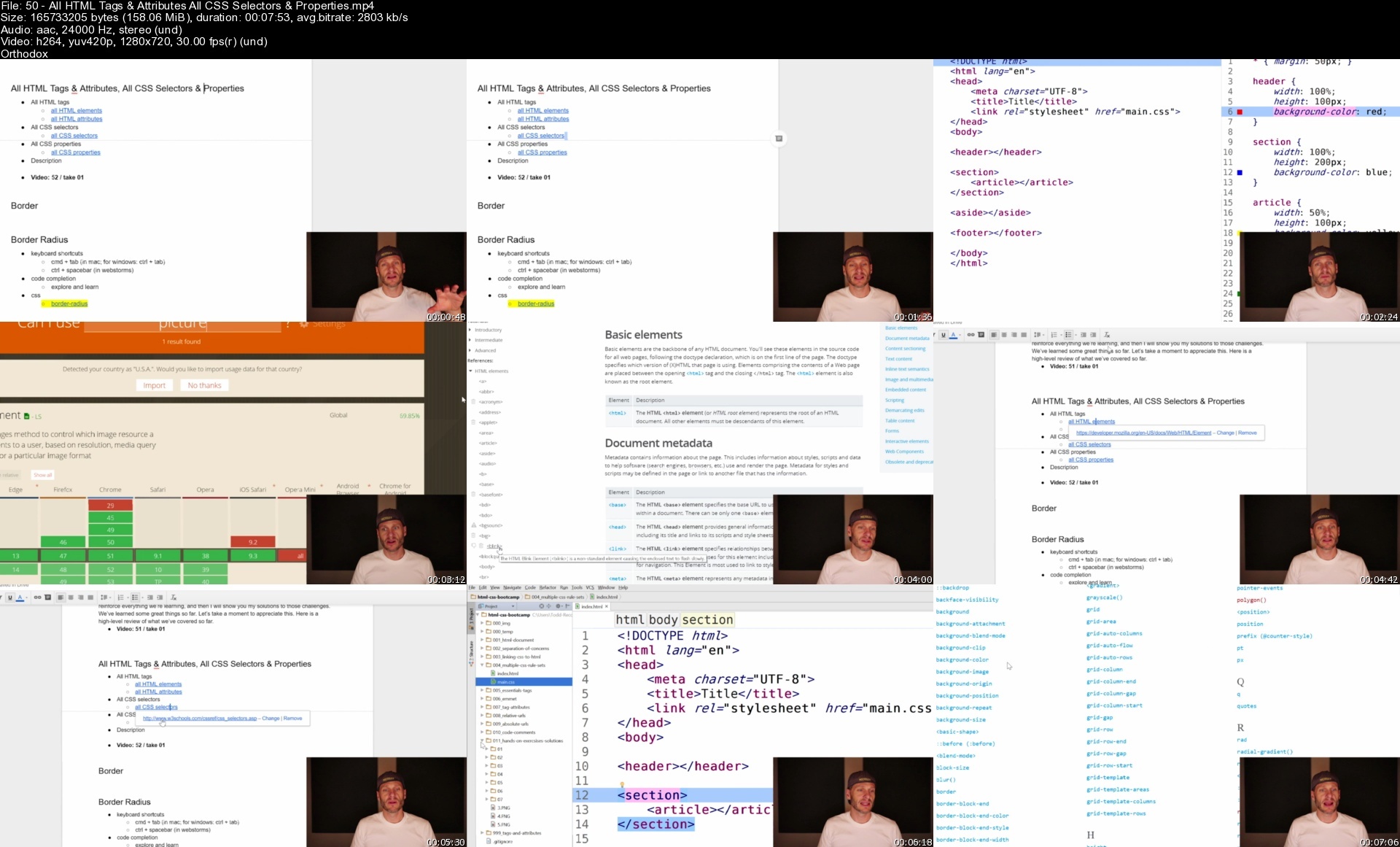
Lecture 50 All HTML Tags & Attributes, All CSS Selectors & Properties

Lecture 51 border Property

Lecture 52 border-radius Property

Lecture 53 display Property

Lecture 54 padding & margin Properties

Lecture 55 Box Model

Lecture 56 box-Sizing Property

Lecture 57 Review

Lecture 58 Hands-On Exercises

Lecture 59 Hands-On Exercises - Solutions

Section 10: CSS Selectors

Lecture 60 Section Overview

Lecture 61 CSS Resets

Lecture 62 CSS Selectors: element, class, id

Lecture 63 Selectors: attribute

Lecture 64 Selectors: pseudo-classes

Lecture 65 Selectors: pseudo-class :focus

Lecture 66 Selectors: pseudo-class nth child - part I

Lecture 67 Selectors: pseudo-class nth child - part II

Lecture 68 Selectors: pseudo-class typography

Lecture 69 Selectors: nested selectors

Lecture 70 margin: 0 auto & The Display Property

Lecture 71 Hands-On Exercise - The Surfer Page

Lecture 72 Hands-On Exercise - The Surfer Page - Solution

Lecture 73 Hands-On Exercises

Lecture 74 Hands-On Exercises - Solutions I

Lecture 75 Hands-On Exercises - Solutions II

Lecture 76 Review

Section 11: CSS Order & Specificity

Lecture 77 Section Overview

Lecture 78 The Browser's Application of CSS

Lecture 79 Challenge & Solution #1

Lecture 80 Challenge & Solution #2, 3, 4

Lecture 81 Challenge & Solution #5, 6

Lecture 82 Hands-On Exercise

Lecture 83 Hands-On Exercises - Solutions

Lecture 84 Review

Section 12: Formatting Text

Lecture 85 Section Overview

Lecture 86 font Property

Lecture 87 font-family Property

Lecture 88 font-size Property

Lecture 89 font-weight & font-style Properties

Lecture 90 font-variant & text-transform Properties

Lecture 91 line-height Property

Lecture 92 letter-spacing, word-spacing, & color Properties

Lecture 93 Google Fonts

Lecture 94 text-align & text-shadow Properties

Lecture 95 text-decoration Property &

Lecture 96 text-indent Property

Lecture 97 Hands-On Exercises

Lecture 98 Hands-On Exercises - Solutions

Lecture 99 Review

Section 13: Structuring Documents

Lecture 100 Section Overview

Lecture 101 Document Structure - Terminology

Lecture 102 Semantic HTML

Lecture 103 Hands-On Exercises - Semantic HTML

Lecture 104 Hands-On Exercises - Semantic HTML - My Solutions

Lecture 105 Semantic HTML - header, nav, main

Lecture 106 Semantic HTML - article, section

Lecture 107 Semantic HTML - aside & footer

Lecture 108 Semantic HTML - Examples

Lecture 109 Semantic HTML - headings - h1 - h6

Lecture 110 Semantic HTML - figure, figcaption

Lecture 111 Hands-On Exercises

Lecture 112 Hands-On Exercises - Solutions

Lecture 113 Hands-On Exercises - Learning HTML Elements - My Solutions

Lecture 114 Review

Section 14: Layout Fundamentals - Box Model & Display

Lecture 115 Section Overview

Lecture 116 Layout Resources & Review

Lecture 117 Display Property Review

Lecture 118 Hands-On Exercise - Page of Divs

Lecture 119 Hands-On Exercise - Page of Divs - Solution

Lecture 120 Hands-On Exercise - Horizontal Menu

Lecture 121 Hands-On Exercise - Horizontal Menu - Solution

Lecture 122 Taco Shop - Display Property

Lecture 123 Review

Section 15: Layout with Flexbox

Lecture 124 Section Overview

Lecture 125 Understanding Flexbox - Container & Items

Lecture 126 Containers & Creating A Flex Container

Lecture 127 Container Property: flex-wrap

Lecture 128 Container Property: flex-direction (primary-axis & cross-axis)

Lecture 129 Container Property: flex-flow

Lecture 130 Container Property: justify-content

Lecture 131 Container Property: align-items

Lecture 132 Container Property: align-content

Lecture 133 Item Property: align-self

Lecture 134 Item Property: order

Lecture 135 Item Property: flex-grow

Lecture 136 Item Property: flex-shrink

Lecture 137 Item Property: flex-basis

Lecture 138 Item Property: flex

Lecture 139 Hands-On Exercise - Flexbox Froggy

Lecture 140 Hands-On Exercises

Lecture 141 Hands-On Exercises - Solutions - 8 Pages

Lecture 142 Hands-On Exercises - Solutions - 6 Pages

Lecture 143 Review

Section 16: Media Queries

Lecture 144 Section Overview

Lecture 145 Understanding Media Queries

Lecture 146 Min-Width & Max-Width

Lecture 147 Print Media Query

Lecture 148 Media Type & Expressions

Lecture 149 Taco Shop & Scaling Font - Examples

Lecture 150 Responsive Design & Mobile First Design

Lecture 151 Hands-On Exercises

Lecture 152 Hands-On Exercises - Solutions

Lecture 153 Review

Section 17: Flexbox Design Patterns

Lecture 154 Section Overview

Lecture 155 Google's Flexbox Design Pattern #1

Lecture 156 Google's Flexbox Design Pattern #2

Lecture 157 Google's Flexbox Design Pattern #3

Lecture 158 Hands-On Exercises

Lecture 159 Hands-On Exercises - Solutions

Lecture 160 Flexbox Example #1 - Responsive Menu

Lecture 161 Flexbox Example #2 - Above The Fold

Lecture 162 Flexbox Example #3 - Holy Grail Example

Lecture 163 Flexbox Example #4 - Holy Grail Redux

Lecture 164 Hands-On Exercises

Lecture 165 Review

Section 18: Layout with Position

Lecture 166 Section Overview

Lecture 167 Layout Essentials - A Quick Reference

Lecture 168 Position Overview

Lecture 169 Position Fixed

Lecture 170 Position Relative

Lecture 171 Position Absolute

Lecture 172 Taco Shop - Position Property

Lecture 173 Hands-On Exercises

Lecture 174 Hands-On Exercises - Solutions

Lecture 175 Review

Section 19: Layout with Float

Lecture 176 Section Overview

Lecture 177 Float Images & Overflow: Auto

Lecture 178 Float Layout & Clearing Floats

Lecture 179 Float Example - Holy Grail

Lecture 180 Taco Shop - Float Property

Lecture 181 Hands-On Exercises

Lecture 182 Hands-On Exercises - Solutions

Lecture 183 Review

Section 20: Background

Lecture 184 Section Overview

Lecture 185 Background Color

Lecture 186 background-image, background-repeat, background-size

Lecture 187 background-position, background-origin

Lecture 188 background-attachment

Lecture 189 background

Lecture 190 Hands-On Exercises

Lecture 191 Hands-On Exercises - Solutions

Lecture 192 Review

Section 21: Refactor Challenge

Lecture 193 Section Overview

Lecture 194 Analyzing The Starting Files

Lecture 195 inline-block Refactor

Lecture 196 flexbox Refactor

Section 22: Full-Page Above-The-Fold

Lecture 197 Section Overview

Lecture 198 Step #1: HTML Structure

Lecture 199 Step #1: HTML Structure - Solution

Lecture 200 Step #2: Layout

Lecture 201 Step #2: Layout - Solution

Lecture 202 Step #3: background image

Lecture 203 Step #3: background image - Solution

Lecture 204 Step #4: Format Text

Lecture 205 Step #4: Format Text - Solution

Lecture 206 Step #5: Style The Button

Lecture 207 Step #5: Style The Button - Solution

Lecture 208 Step #6: Mobile

Lecture 209 Step #6: Mobile - Solution

Lecture 210 Review

Section 23: Expanding Your Skillset

Lecture 211 Section Overview

Lecture 212 q, blockquote, & cite elements; cite attribute

Lecture 213 pre, samp, code, kbd, abbr elements

Lecture 214 HTML Entities

Lecture 215 Linking Images & Bookmarks

Lecture 216 box-shadow Property

Lecture 217 vertical-align property

Lecture 218 mobile devices - mobile history & font-boosting

Lecture 219 mobile devices - meta viewport width=device-width

Lecture 220 mobile devices - meta viewport initial-scale=1

Lecture 221 meta viewport - picture example

Lecture 222 Review

Section 24: Graphics

Lecture 223 Section Overview

Lecture 224 Colors

Lecture 225 Picking Color Combinations - Adobe Color ( Kuler )

Lecture 226 Image Types - Raster/Bitmap & Vector

Lecture 227 Font Awesome

Lecture 228 Font Awesome - Performance

Lecture 229 Font Awesome - Instructions on Use Review

Lecture 230 Font Awesome to SVG - Adobe Illustrator

Lecture 231 Understanding SVG - Basic SVG Shapes

Lecture 232 SVG Terminology

Lecture 233 SVG Path Element

Lecture 234 SVG Path - More Examples

Lecture 235 SVG Stroke & Fill

Lecture 236 SVG - Notes & Resources

Lecture 237 SVG - Viewbox

Lecture 238 Styling SVGs with CSS

Lecture 239 SVG - Symbol & Use Elements

Lecture 240 Symbol, Use, & CSS

Lecture 241 Symbol with Multiple Paths

Lecture 242 Leave Room For Strokes

Lecture 243 Stroke %

Lecture 244 symbol & use vs img

Lecture 245 Review

Section 25: Full-Page Background

Lecture 246 Section Overview

Lecture 247 Fixed Header

Lecture 248 Fixed Header - Solution

Lecture 249 Header Containers

Lecture 250 Header Containers - Solution

Lecture 251 Make SVG'S

Lecture 252 Make SVG'S - Solution

Lecture 253 Insert SVGs

Lecture 254 Insert SVGs - Solution

Lecture 255 Style SVGs - Solution

Lecture 256 Dev Tools Styling & Company Naming - Solution

Lecture 257 Adding Links & Style - Solution

Lecture 258 Responsive, Mobile-First

Lecture 259 Responsive, Mobile-First - Solution

Lecture 260 Mobile Menu

Lecture 261 Mobile Menu - Solution

Lecture 262 Review

Section 26: Favicon

Lecture 263 Section Overview

Lecture 264 Create An Image

Lecture 265 Generate Favicon

Lecture 266 Generate Favicon - Subfolder

Lecture 267 Generate Favicon - Clears Cache

Lecture 268 Generate Favicon - Compression

Lecture 269 Favicon Essentials

Lecture 270 Full Page Background - Favicon

Lecture 271 Review

Section 27: Flexbox Practicum - Part 1

Lecture 272 Section Overview

Lecture 273 Counter

Lecture 274 Counter - Solution

Lecture 275 Tab Menu

Lecture 276 Tab Menu - Solution

Lecture 277 Header Menu

Lecture 278 Header Menu - Solution

Lecture 279 Review

Section 28: Transitions & Animations

Lecture 280 Section Overview

Lecture 281 Transitions

Lecture 282 Transition Examples

Lecture 283 Animations

Lecture 284 Animation Examples & Hands-On Exercise

Lecture 285 Hands-On Exercise Solution & Another Hands-On Exercise

Lecture 286 Hands-On Exercise Solution

Lecture 287 Transform & Animations

Section 29: Flexbox Practicum - Part 2

Lecture 288 Section Overview

Lecture 289 Footer Saving - Solution

Lecture 290 Sidebar Menu - Solution

Lecture 291 Welcome Page - Solution

Lecture 292 Dial Icon - Solution

Lecture 293 Feature List - Solution

Lecture 294 Card - Solution

Lecture 295 Card Group - Solution

Section 30: You Are A Hero

Lecture 296 Section Overview

Lecture 297 Above-The-Fold Flexbox Practice

Lecture 298 Side-Bar Fly-Out

Lecture 299 Linear-Gradient

Lecture 300 Audio & video

Lecture 301 Markdown

Lecture 302 Vendor Prefixes, AutoPrefixer, Task-Runners Gulp & Grunt

Lecture 303 Publishing Your Site - An Overview

Lecture 304 Publishing Your Site - Buying A Domain

Lecture 305 Publishing Your Site - Google Cloud

Lecture 306 Publishing Your Site - Google Cloud II

Lecture 307 Review

Section 31: Forms

Lecture 308 Section Overview

Lecture 309 The Form Element

Lecture 310 The Input Element

Lecture 311 The Label Element

Lecture 312 The Input Element - Types

Lecture 313 textarea, select, option, optgroup

Lecture 314 fieldset & legend

Lecture 315 Form Examples, progress, meter

Lecture 316 Review

Section 32: Now Go Build It

Lecture 317 Overview of Three Projects

Lecture 318 Game Plan - Contractor Website

Lecture 319 Starting Files - Contractor Website

Lecture 320 Game Plan - Travel Website

Lecture 321 Starting Files - Travel Website

Section 33: Farewell & Next Steps

Lecture 322 Congratulations!

Lecture 323 Bonus lecture

This is a first semester university level course.,This course is ideal for beginners wanting to learn how to build websites.,This course is perfect for experienced developers wanting a thorough introduction to current best-practices.,This course is perfect for experienced developers wanting to fill in gaps in their knowledge.

Homepage


50allhtmltagsattributlnd36.jpg


Python Mega Course: Learn Python Programming

lbg787xw4cgigwnjhyovotli7v.jpg


Python Mega Course: Learn Python Programming
Last updated 12/2021
MP4 | Video: h264, 1280x720 | Audio: AAC, 44.1 KHz
Language: English | Size: 10.03 GB | Duration: 33h 15m

Build Various Types of Apps step by step


What you'll learn
Learn Python from the ground up.
Learn how to setup a python development environment.
Learn how to create GUI applications
Create a functional todo app and deploy to cloud
Create a functional portfolio app
Create a basic calculator
Create a digital clock
Create a times table generator
Create a weight conversion tool
Create a number guessing game
Create a random number generator
Create a vowel stripping program
Create a countdown timer
Create a lottery number simulator
Interacting with Python in various ways
Python Operators
Python Data Types
Data type casting
Python String Methods and Formatting
Python Data Structures
Python Functions
Python DocStrings
Python Decorators
Python Control Flow Statements
Python Modules and Packages
Working with external files in Python
Working with dates and times
Handling exception errors
Version control system with Git and Github
Web scrapping with Python
Python and Machine Learning
Django
Using Python with PostgreSQL Relational Database Management System
Python Object Oriented Programming

Requirements
Internet access and a computer required.

Description
Python is a dynamic modern object -oriented programming language that is easy to learn and can be used to do a lot of things both big and small. Python is what is referred to as a high level language. That means it is a language that is closer to humans than computer. It is also known as a general purpose programming language due to it's flexibility.Python is object -oriented means it regards everything as an object. An object in the real world could be a person or a car.Python is an interpreted language that does not need to be complied like for example java programming language.It is interpreted and run on the fly the same time.Python has been used in a lot of places like in creating games, for statistical data and visualisation, speech and face recognition.Python is used for:web development (server-side),software development,mathematics,system scripting.What can Python do?Python can be used on a server to create web applications.Python can be used alongside software to create workflows.Python can connect to database systems. It can also read and modify files.Python can be used to handle big data and perform complex mathematics.Python can be used for rapid prototyping, or for production-ready software development.Why Python?Python works on different platforms (Windows, Mac, Linux, Raspberry Pi, etc).Python has a simple syntax similar to the English language.Python has syntax that allows developers to write programs with fewer lines than some other programming languages.Python runs on an interpreter system, meaning that code can be executed as soon as it is written. This means that prototyping can be very quick.Python can be treated in a procedural way, an object-oriented way or a functional way.Some of the biggest websites on this planet earth use python in one way or another. Examples include:GoogleYouTubeFacebookNasaDisneyPixarRedditPinterestInstagramSpotifySurvey MonkeyYahoo MapsIn this absolute beginners course you will learn Python in a practical wayfrom the ground up. The course consist of over 30 hours of video over 300 lectures and several practical hands on projects.Topics covered include:How to download and install pythonInstalling text editors and PycharmInteracting with Python in various waysCommand line basicsPython OperatorsPython Data TypesData type castingPython String Methods and FormattingPython Data StructuresPython FunctionsPython DocStringsPython DecoratorsPython Control Flow StatementsPython Modules and PackagesWorking with external files in PythonWorking with dates and timesWorking with calendarsHandling exception errorsVersion control system with Git and GithubWeb scrapping with PythonPython and Machine LearningDjangoBootstrapPostgreSQL Relational Database Management SystemPython Object Oriented ProgrammingPolymorphismClasses and MethodsInheritanceEncapsulationAbstractionProjects we will create:Create a functional todo app and deploy to cloudCreate a functional portfolio appCreate a basic calculatorCreate a digital clockCreate a times table generatorCreate a weight conversion toolCreate a number guessing gameCreate a random number generatorCreate a vowel stripping programCreate a countdown timerCreate a lottery number simulator

Overview

Section 1: Installations and Setups

Lecture 1 Introduction

Lecture 2 What is Python

Lecture 3 Installing Python on Windows

Lecture 4 Installing Python3 on a Mac

Lecture 5 Installing Pycharm on Windows

Lecture 6 Installing Pycharm on a Mac

Lecture 7 How to change theme in Pycharm

Lecture 8 Pycharm Configuration on Windows Part 1

Lecture 9 Pycharm Configuration on Windows Part 2

Lecture 10 Pycharm configuration on a Mac

Lecture 11 Introduction to Plain Text Editors

Lecture 12 Installing Atom text editor

Lecture 13 Installing Brackets

Lecture 14 Installing SublimeText Editor

Lecture 15 Installing Visual studio code

Lecture 16 How to change background color on mac terminal

Lecture 17 How to change font size on mac terminal

Section 2: Introduction to the command line interface

Lecture 18 What is the commandline

Lecture 19 How to access the command line

Lecture 20 What you can do with the commandline

Lecture 21 Useful Commands

Section 3: Interacting with Python

Lecture 22 High and Low Level Programming languages

Lecture 23 Compilers and Interpreters

Lecture 24 Interacting with Python Part 1

Lecture 25 Interacting with Python Part 2

Lecture 26 Python Expressions

Lecture 27 Python Statement

Lecture 28 Python Code Comments

Lecture 29 Code Indentation

Lecture 30 Python Variables

Lecture 31 Creating Variables

Lecture 32 Algorithms

Lecture 33 Getting Input From Users

Section 4: Python Operators

Lecture 34 Introduction to Python Operators

Lecture 35 Python Arithmetic Operators

Lecture 36 Python Assignment Operators

Lecture 37 Python Comparison Operators

Lecture 38 Python Logical Operators

Lecture 39 Python Identity Operators

Lecture 40 Python Membership Operators

Lecture 41 Binary Numbers

Lecture 42 Python Bitwise Operators -Part 1

Lecture 43 Python Bitwise Operators -Part 2

Lecture 44 Python Operators Precedence

Section 5: Python Data Types

Lecture 45 Number Data Type

Lecture 46 String Data Type

Lecture 47 Boolean Data Type

Lecture 48 Casting Data Types

Section 6: Python String Methods and Formatting

Lecture 49 Python String Methods Part 1

Lecture 50 Python String Methods Part 2

Lecture 51 Python String Formatting Part 1

Lecture 52 Python String Formatting Part 2

Section 7: Python Data Structures

Lecture 53 What is a Python List

Lecture 54 Create a Python List

Lecture 55 Accessing elements in a List

Lecture 56 Python List Methods Part 1

Lecture 57 Python List Methods Part 2

Lecture 58 Nested List and For Loop

Lecture 59 Python Tuple Part 1

Lecture 60 Python Tuple Part 2

Lecture 61 Python Set

Lecture 62 Python Set Methods

Lecture 63 Python Dictionary

Lecture 64 Python Dictionary Methods

Lecture 65 Creating a directory for your python files

Section 8: Python Functions

Lecture 66 What are Functions in Python ?

Lecture 67 Python Return Keyword Value

Lecture 68 Using Default Parameter Value

Lecture 69 Using Keyword Arguments

Lecture 70 Functions Returning Other Functions

Lecture 71 Assigning Functions to Variables

Lecture 72 Global and Local Variable Scopes

Lecture 73 Nesting Functions

Lecture 74 Nesting Functions Accessing Variable Scope

Lecture 75 Function Pass Keyword

Lecture 76 Passing Functions as Arguments

Lecture 77 Using VarArgs Parameter

Lecture 78 Python Function Vs Python Method

Lecture 79 Anonymous Functions

Lecture 80 Python DocStrings

Lecture 81 Python Decorators

Section 9: Python Control Flow Statements

Lecture 82 Introduction to Control Flow

Lecture 83 If Statements

Lecture 84 Else Statements

Lecture 85 Elif Statements

Lecture 86 While loops

Lecture 87 For Loops

Lecture 88 Nested For Loops

Lecture 89 Break Statement

Lecture 90 Continue Statement

Lecture 91 For loop and break statement

Lecture 92 For Loop and Continue Statement

Lecture 93 For Loop and else statement

Lecture 94 For Loop and Range Statement

Section 10: Object Oriented Programming with Python

Lecture 95 Introduction to OOP

Lecture 96 Creating a Class

Lecture 97 Instantiating a Class

Lecture 98 Modifying Classes

Lecture 99 Class and Instance Variables

Lecture 100 Inheritance Part 1

Lecture 101 Inheritance Part 2

Lecture 102 Inheritance Part 3

Lecture 103 Inheritance Part 4

Lecture 104 Polymorphism Part1

Lecture 105 Polymorphism Part 2

Lecture 106 Polymorphism Part 3

Lecture 107 Encapsulation Part 1

Lecture 108 Encapsulation Part 2

Lecture 109 Encapsulation Part 3

Lecture 110 Abstraction Part 1

Lecture 111 Abstraction Part 2

Section 11: Python Modules and Packages

Lecture 112 What are Modules ?

Lecture 113 How to use a Module

Lecture 114 Built in Modules

Lecture 115 What are Python Packages ?

Lecture 116 Python dir Function

Lecture 117 Pycache Directory

Section 12: Working with External Files in Python

Lecture 118 Introduction to File Handling

Lecture 119 Opening and Reading External File Part 1

Lecture 120 Opening and Reading External File Part 2

Lecture 121 Appending and writting to external files

Lecture 122 Acessing File Object attributes

Lecture 123 Setting the File Pointer

Lecture 124 Renaming and Deleting External Files

Section 13: Working with Dates and Time

Lecture 125 Working with dates and time - Part 1

Lecture 126 Working with dates and time - Part 2

Lecture 127 Working with dates and time - Part 3

Lecture 128 Formatting date and time objects -Part 1

Lecture 129 Formatting date and time objects -Part 2

Lecture 130 Formatting date and time objects -Part 3

Lecture 131 Datetime calculations using TimeDelta Objects -pt1

Lecture 132 Datetime calculations using TimeDelta Objects -pt2

Lecture 133 Datetime calculations using TimeDelta Objects -pt3

Section 14: Working with Calendars

Lecture 134 Working with Calendars -Part 1

Lecture 135 Working with Calendars -Part 2

Lecture 136 Working with Calendars -Part 3

Section 15: Handling Exceptions (Errors)

Lecture 137 Introduction to Python Exceptions

Lecture 138 Handling Exceptions

Lecture 139 Implementing basic exception handling -Part 1

Lecture 140 Implementing basic exception handling -Part 2

Lecture 141 Implementing basic exception handling -Part 3

Section 16: Introduction to Version Control - Git and Github

Lecture 142 What is Git

Lecture 143 What is Github

Lecture 144 Basic Git Architecture Illustration

Lecture 145 Git Workflow illustration

Lecture 146 Create a Github account

Lecture 147 Installing Git

Lecture 148 Basic Git Configuration

Lecture 149 Retrieving Specific Configuration Settings

Lecture 150 Creating a file and directory

Lecture 151 Initialise empty Git Repository

Lecture 152 Adding files to staging index

Lecture 153 More ways to add files to staging

Lecture 154 Committing files to repository

Lecture 155 Using Git Help

Lecture 156 Creating git ignore file

Lecture 157 Editing and committing changes

Lecture 158 Creating a git branch

Lecture 159 Merging Branches

Lecture 160 Creating a remote repository

Lecture 161 Create readme.md file

Lecture 162 Clone a remote repository

Lecture 163 Forking a repository

Lecture 164 How to fork a repository

Lecture 165 Getting updates by pulling

Lecture 166 Viewing commit log

Lecture 167 What is a HEAD?

Section 17: Web Scraping with Python

Lecture 168 What is Web Scraping

Lecture 169 Tools for web scraping

Lecture 170 What we will scrape

Lecture 171 Installing a Virtual Environment

Lecture 172 Creating and Activating a Virtual Environment

Lecture 173 Installing BeautifulSoup

Lecture 174 Build a web scraping script -part 1

Lecture 175 Build a web scraping script -part 2

Lecture 176 Prototyping the script - Part 1

Lecture 177 Prototyping the script - Part 2

Lecture 178 Prototyping the script - Part 3

Lecture 179 Prototyping the script - Part 4

Lecture 180 Prototyping the script - Part 5

Lecture 181 Testing and saving scrapped data

Lecture 182 Installing Scrapy

Lecture 183 Creating a Scrapy Project

Lecture 184 Components of a Scrapy Project

Lecture 185 Scrapy Architecture

Lecture 186 Creating a Spider: Part 1

Lecture 187 Creating a Spider: Part 2

Lecture 188 Scraping data with Scrapy Shell -Part 1

Lecture 189 Scraping data with Scrapy Shell -Part 2

Lecture 190 Running the spider and saving scraped data

Section 18: Django

Lecture 191 What is Django

Lecture 192 Famous Apps Built with Django

Lecture 193 Django Architecture

Lecture 194 What is an API

Lecture 195 What is HTTP

Lecture 196 How the internet works

Lecture 197 Create and activate a virtual environment

Lecture 198 Install Django

Lecture 199 Django App Vs Django Project

Section 19: Introduction to Bootstrap

Lecture 200 What is Bootstrap

Lecture 201 How to access Bootstrap

Lecture 202 Overview

Lecture 203 Create a basic website

Lecture 204 Creating a progress Bar

Lecture 205 Creating a carousel

Lecture 206 Creating Buttons

Section 20: Create a Django TodoApp : Part 1

Lecture 207 What we will create

Lecture 208 Create a new Django project

Lecture 209 Anatomy of a Django Project

Lecture 210 Starting a Django Development Server

Lecture 211 What are Django Migrations

Lecture 212 Install a Django App

Lecture 213 Anatomy of a Django App

Section 21: Create a Django TodoApp : Part 2 Building the Django TodoApp

Lecture 214 Create a Mockup design for the TodoApp

Lecture 215 Django Admin and Superuser

Lecture 216 What are Django Templates

Lecture 217 What are Django Views

Lecture 218 Django URL and URL Patterns

Lecture 219 Accessing static files

Lecture 220 What are Django Models

Lecture 221 Creating a Model

Lecture 222 Migrating Models

Lecture 223 Adding model to admin site

Section 22: Create a Django TodoApp : Part 3 Adding Dynamic Data Display from the Database

Lecture 224 Displaying data from the database

Lecture 225 Project source code

Lecture 226 Setting a background color for completed items

Lecture 227 Committing changes to Github

Lecture 228 Adding a Form

Lecture 229 Capture text input from form

Lecture 230 Adding form to template and view

Lecture 231 Creating a view for completed items

Lecture 232 Creating a view to delete completed items

Lecture 233 Create a view for completed items

Lecture 234 Pushing updates to version control

Section 23: Create a Django TodoApp : Part 4 :Deploying to cloud

Lecture 235 Deploying TodoApp to internet -Part 1

Lecture 236 Deploying TodoApp to internet -Part 2

Lecture 237 Deploying TodoApp to internet -Part 3

Section 24: PostgreSQL Database System

Lecture 238 What is PostgreSQL

Lecture 239 Who is using PostgreSQL

Lecture 240 What is SQL

Lecture 241 Installing PosgreSQL

Lecture 242 Connecting to PostgreSQL Database

Lecture 243 Download sample database

Lecture 244 Database Concepts

Lecture 245 Creating a database

Lecture 246 Creating a table with admin tool

Lecture 247 Create a table with SQL

Lecture 248 Query data from table

Lecture 249 Updating records in a table

Lecture 250 Deleting Records

Lecture 251 Adding new records

Lecture 252 Query data from a specific column

Lecture 253 Query data from all columns

Section 25: Create a Django Portfolio App

Lecture 254 What we will create

Lecture 255 Updating Pip

Lecture 256 Django App Vs Django Project

Lecture 257 Installing a virtual environment

Lecture 258 Creating a virtual environment

Lecture 259 Installing Django

Lecture 260 Creating a new django project

Lecture 261 Components of a new django project

Lecture 262 Running Django Development Server

Lecture 263 Creating a new django app

Lecture 264 Registering django app

Lecture 265 Database setup part 1

Lecture 266 Database setup part 2

Lecture 267 Setting your time zone

Lecture 268 Running Migrations

Lecture 269 Creating a basic view

Lecture 270 Creating a model

Lecture 271 Activating a model

Lecture 272 Creating a superuser account

Lecture 273 Registering model with admin site

Lecture 274 Creating model objects

Lecture 275 Using Templates

Lecture 276 Displaying objects from database

Lecture 277 Adding Bootstrap to template part 1

Lecture 278 Adding Bootstrap to template part 2

Lecture 279 Adding static files part 1

Lecture 280 Adding static files part 2

Lecture 281 Adding links to buttons

Lecture 282 Displaying media content part 1

Lecture 283 Displaying media content part 2

Lecture 284 Creating object links part 1

Lecture 285 Creating object links part 2

Lecture 286 Project Source Code

Section 26: Python and Machine Learning

Lecture 287 What is Machine Learning ?

Lecture 288 Machine Learning Frameworks

Lecture 289 Machine Learning Vocabulary

Lecture 290 Supervised Machine Learning

Lecture 291 Where Machine Learning is used

Lecture 292 Installing Anaconda

Lecture 293 Create a basic house value estimator

Lecture 294 Using Scikit-learn

Lecture 295 Loading dataset - Part 1

Lecture 296 Loading dataset - Part 2

Lecture 297 Making predictions - Part 1

Lecture 298 Making predictions - Part 2

Section 27: Introduction to Tkinter Module

Lecture 299 What is Tkinter

Lecture 300 Tk and Tcl

Lecture 301 Installing Tk and TCL on a mac

Lecture 302 Create a basic Tkinter app

Section 28: Basic Python Projects

Lecture 303 Creating a digital clock part 1

Lecture 304 Creating a digital clock part 2

Lecture 305 Running your python app

Lecture 306 Creating a lottery number simulator

Lecture 307 Create a countdown timer part 1

Lecture 308 Create a countdown timer part 2

Lecture 309 Create a countdown timer part 3

Lecture 310 Creating a calculator part 1

Lecture 311 Creating a calculator part 2

Lecture 312 Creating a calculator part 3

Lecture 313 Creating a weight conversion tool part 1

Lecture 314 Creating a weight conversion tool part 2

Lecture 315 Creating a weight conversion tool part 3

Lecture 316 Timetables generator part 1

Lecture 317 Timetables generator part 2

Lecture 318 Random Number Generator

Lecture 319 Number Guessing Game

Lecture 320 Removing vowel program

Lecture 321 Thank You

Beginner Python Developers,Beginners to Python,Beginners to Data Science

Homepage


84elsestatementssshcdd.jpg


Fullstack Javascript : Learn Javascript,React ,Node,Mongo Db

9nfr26hncpsehogailqyhw0fd7.jpg


Fullstack Javascript : Learn Javascript,React ,Node,Mongo Db
Last updated 9/2020
MP4 | Video: h264, 1280x720 | Audio: AAC, 44.1 KHz
Language: English | Size: 11.71 GB | Duration: 25h 7m

Learn all the Javascript Technologies Like Vanilla Javascript, React JS , Node JS , Express JS and Mongo DB (FullStack)


What you'll learn
Full Stack Web Development
JavaScript From Scrach To Advanced
React JS
Node JS
Mongo DB
Connecting FrontEnd and Backend
Why JavaScript is better than Other...

Requirements
HTML , CSS Basics

Description
JavaScript has been around for over 20 years. It is the dominant programming language in web development.In the beginning, JavaScript was a language for the web client (browser). Then came the ability to use JavaScript on the webserver (with Node.js).Today the hottest buzzword is "Full Stack JavaScript".The idea of "Full Stack JavaScript" is that all software in a web application, both client-side and server-side, should be written using JavaScript only.In This Course You Will LearnJavascript BasicsDom ManipulationJqueryAjaxModern Javascript ES6Javascript AnimationsTop Javascript LibrariesReact IntroductionHow To Create a new React ApplicationComponents and Different types of ComponentsComponents Structure and Life CycleHow to handle events in ReactApplying styles to React JS ComponentsReact HooksForms and Form SubmissionsRouting in ReactControlling one component from another Component with the help of Context-APIWhat is MERN StackAdvantages Of Mern StackNode JsImplementing Routes in Node JSRendering HTML Files in Node JsExpress JSExpress RoutingNPM Node Package ManagerMongo DBMongoDB Commands Like Create, Read, Update, DeleteConnecting Node JS With Mongo DBJavaScript is a dynamic computer programming language. It is lightweight and most commonly used as a part of the web pages, whose implementation allows a client-side script to interact with a user and to make dynamic pages. It is an interpreted programming language with object-oriented capabilities.

Overview

Section 1: Introduction

Lecture 1 Javascript Introduction

Lecture 2 Course Structure

Lecture 3 Join The Community

Section 2: Javascript Basics

Lecture 4 Where to write

Lecture 5 External Javascript

Lecture 6 Javascript Statements

Lecture 7 Finding Errors

Lecture 8 Helloworld Program

Lecture 9 Datatypes

Lecture 10 Conditional Statements

Lecture 11 Loops

Lecture 12 Functions

Lecture 13 Passing parametres to functions

Lecture 14 Arrays

Lecture 15 Array methods

Lecture 16 Strings

Lecture 17 Object Part-1

Lecture 18 Object Part-2

Lecture 19 This Keyword

Lecture 20 Date and Time

Lecture 21 Sorting of an Array

Lecture 22 Type Casting

Section 3: DOM Manipulation

Lecture 23 DOM Introduction

Lecture 24 Accessing HTML Elemements

Lecture 25 CSS Manipulation

Lecture 26 Buttons Onlick'

Lecture 27 Event Handling

Lecture 28 Adding / Deleting HTML elements using JS

Lecture 29 Getting Input Values

Lecture 30 Popup Boxes

Lecture 31 Addition Program

Lecture 32 Project 1 - User Authentication

Lecture 33 Radio Buttons

Lecture 34 Selection list

Lecture 35 CheckBoxes

Lecture 36 Student Registration form

Section 4: Jquery

Lecture 37 Jquery Introduction

Lecture 38 Jquery CSS

Lecture 39 Jquery Append/Remove

Lecture 40 Jquery Events

Section 5: Ajax

Lecture 41 Ajax Intro

Lecture 42 Ajax in Practical

Lecture 43 JSON

Lecture 44 Project 2 - Meals Project

Section 6: Browser DOM

Lecture 45 Window Property

Lecture 46 Screen Property

Lecture 47 Location Property

Lecture 48 Timout Property

Section 7: Browser Storage

Lecture 49 Local Storage

Lecture 50 Session storage

Section 8: Modern Javascript ES6

Lecture 51 ES6 Introduction

Lecture 52 Let Keyword

Lecture 53 Const Keyword

Lecture 54 Arrow Functions

Lecture 55 For Of loop

Lecture 56 Spread Operator

Lecture 57 IndexOf method

Lecture 58 Array Filter

Lecture 59 Default Parametres

Section 9: Project - Covid Stats

Lecture 60 Covid - Statistics

Section 10: Animations

Lecture 61 Jquery Animate

Lecture 62 Jquery Animate Properties

Lecture 63 Jquery Fade

Section 11: Libraries

Lecture 64 What is library

Lecture 65 AOS Part-1

Lecture 66 AOS - Part2

Lecture 67 Typed JS

Lecture 68 Dark Theme Js

Section 12: React - Intro

Lecture 69 What is React

Lecture 70 What is Component

Lecture 71 JSX Overview

Section 13: First React App

Lecture 72 First React App : HelloWorld

Lecture 73 Project Structure of React-App

Lecture 74 Debuggung React App

Section 14: Components in React

Lecture 75 Components

Lecture 76 Class Components

Lecture 77 Functional Components

Lecture 78 Parent , Child Components

Section 15: States and Props

Lecture 79 What is state

Lecture 80 setState Method

Lecture 81 Props in Class Components

Lecture 82 Props in Functional Components

Section 16: Event Handling

Lecture 83 Event Handling in Class Components

Lecture 84 Event Handling in Functional Components

Section 17: CSS in React

Lecture 85 Inline CSS

Lecture 86 Local CSS

Lecture 87 Manipulating CSS using Events

Section 18: Project - Counter App

Lecture 88 Counter Application

Section 19: LifeCycle

Lecture 89 LifeCycle in Class Component

Section 20: React Hooks

Lecture 90 What is a React Hook

Lecture 91 useState Hook

Lecture 92 useEffect Hook

Lecture 93 Manipulating CSS using Hooks

Section 21: React Forms

Lecture 94 Forms Introduction

Lecture 95 Form Submission

Section 22: Project - User Authentication

Lecture 96 Authentication - Part1

Lecture 97 Authentication - Part2

Lecture 98 Authentication - Part3

Section 23: Project - TODO List

Lecture 99 Todo List Part-1

Lecture 100 Todo List Part-2

Section 24: React Router

Lecture 101 Routing Part-1

Lecture 102 Routing Part-2

Section 25: Maps in React

Lecture 103 Maps Introduction

Lecture 104 Maps Part-2

Lecture 105 Maps Part-3

Section 26: Conditional Rendering

Lecture 106 Conditional Rendering in React

Section 27: Local Storage

Lecture 107 Local Storage Intro

Lecture 108 Local Storage with Arrays and Objects

Section 28: Project - Facebook

Lecture 109 Facebook - Part1

Lecture 110 Facebook-Part2

Lecture 111 Facebook - Part3

Lecture 112 Facebook - Part4

Section 29: Context-API

Lecture 113 What is Context API

Lecture 114 Implementing Context API

Lecture 115 Manipulating Components using Context API

Section 30: Project - Movies App

Lecture 116 Movies App Part-1

Lecture 117 Movies App Part-2

Section 31: HTTP Methods

Lecture 118 Fetch Method

Lecture 119 Axios Method

Lecture 120 Return HTML Content using HTTP Methods

Section 32: Project - React Meals

Lecture 121 Meals App Part-1

Lecture 122 Meals App Part-2

Section 33: Node JS

Lecture 123 What is Node Js

Lecture 124 Hello World in Node JS

Lecture 125 Hello World in Node JS on Screen

Lecture 126 Basic Routing in Node JS

Section 34: Modules In Node JS

Lecture 127 What is a Node JS Module

Lecture 128 Local Modules

Lecture 129 NPM

Lecture 130 Installing first NPM Module - Nodemon

Section 35: Express Js

Lecture 131 What is Express Framework

Lecture 132 Express Helloworld

Section 36: Creating Rest API

Lecture 133 Postman - GET Method

Lecture 134 Postman - POST Method

Section 37: Mongo DB

Lecture 135 What is Mongo DB

Lecture 136 Mongo DB Installation

Lecture 137 Mongo DB Insert

Lecture 138 Mongo DB Update and Delete

Section 38: Node + Mongo

Lecture 139 Connecting Node JS with Mongo DB

Lecture 140 Mongo-Node Insert

Lecture 141 Mongo-Node Update and Delete

Section 39: Connecting Front-End and Backend

Lecture 142 Connecting Node JS and React JS

Lecture 143 MERN Stack Helloworld

Fullstack Developers

Homepage


65aospart1st4fto.jpg


The Software Development Process - The Complete Course

2263236_c891znfzn.jpg


The Software Development Process - The Complete Course
Last Updated 07/2022
MP4 | Video: h264, 1280x720 | Audio: AAC, 44.1 KHz, 2 Ch
Genre: eLearning | Language: English + srt | Duration: 281 lectures (22h 49m) | Size: 20.6 GB

Learn how to select the right software development model and process, the tools and resources for your software projects


What you'll learn
how to setup a software development process and model
How to organize a software development project
How to specify a software product or project
How to collect the requirements from customers and translate them into technical requirements
How to write user stories for your software requirements
How to manage and deploy software releases
How to verify a software solution
How to validate a software solution
How to prepare, release and manage documents in a software project
How to manage the versions of a software system
How to implement incident management in a software project
How to implement change management in a software project
How to use Git and Github for your versioning management
How to implement risk management in a software project
How to plan and control a software project
How to implement agile methodologies to specify and manage a software project
How to use the kanban boards in a software project
How to create software platforms and implement customizations
How to develop the code of a software product
How to setup and run the user acceptance tests (UAT) in a software project
How to setup the infrastructures for a software project


Requirements
Basic knowledge of software programming
use the computer
use windows or MAC OSX


Description
The software development process is what software developers have to know when developing a software system

But it is also something that software project managers have to know to have software projects under control

If you launch a software business this is the process you need to get familiar with in order to manage your suppliers, your customers, third parties and have elements to understand your business and its performances

It is not only related to develop a software product but also to specify it, verify and validate it and set it available for use and maintain it

The software development models are the various processes or methodologies that are being selected for the development of the project depending on the project's aims and goals

There are many development life cycle models that have been developed in order to achieve different required objectives

The models specify the various stages of the process and the order in which they are carried out

The selection of model has very high impact on the testing that is carried out

The aim of this course is to help students to identify their software development model and provide them with all the tools and knowledge on the processes and phases related to it

In details the course covers the following topics

Software development models

Requirement Gathering

DESIGN - The Unified Modeling Language (UML)

DESIGN - Software Architecture and design definition

DESIGN - Database Architecture

DESIGN - Technical Requirements

Implementation - Development

Implementation - Version Management

Implementation - Risk assessment

Implementation - Change management

Implementation - The deployment process (.,regression tests)

Quality Assurance - Verification

Quality Assurance - Validation

Quality Assurance - Incident Management, debugging and bug fixing

Go Live

Software Maintenance

Software Platform Development

Agile Frameworks: SCRUM & Kanban

Object-Oriented Programming Concepts

Project Management

Documentation management

Who this course is for
Software architects
Scrum Masters
Software project managers
Solution architects
Software developers
Software methodologies students

Homepage


3.uatexitproceduresltin7.jpg


The Beginner'S Guide To Animation In Unity (V5 To V2020+)

fkj0ldpzgcgnzilbq1timuzcd2.jpg


The Beginner'S Guide To Animation In Unity (V5 To V2020+)
Last updated 5/2022
MP4 | Video: h264, 1280x720 | Audio: AAC, 44.1 KHz
Language: English | Size: 6.36 GB | Duration: 11h 20m

Your ultimate guide to Unity's Mecanim covering keyframes, curves, inverse kinematics, strafe sets, blending and more.


What you'll learn
create animations from scratch using the Unity Mecanim system and place them onto game objects.
import third party animated assets into Unity and set up animation controllers.
write C# code to dynamically control animations through user interaction.
explore the use of inverse kinematics in humanoid rigs.
create complex animation sequences and blends dynamically controlled by the user at runtime.

Requirements
Download the free version of the Unity Game Engine.
You do not need to be able to model or animate in an external package - all resources are provided.

Description
The Beginner's Guide to Animation in Unity with Mecanim is for animators and Unity practitioners who want to bring their characters to life in a game environment and want to learn the ins and outs of the mecanim system. You don't need to be able to model or animate in external packages as all models and animations are provided. All aspects of animation in Unity are covered from physics, key framing, curves, forward and inverse kinematics, animation state machines and working with third party assets. Students will be introduced to elementary code, in C#, that is essential for making dynamic animations and triggers to control character behaviour at run time. In this course, Penny teaches all the invaluable skills you will require to begin animating your own game characters in Unity using her internationally acclaimed teaching style and knowledge from over 25 years working with games and computer graphics.Updated to cover Unity Versions 5 to 2020 the course now contains 5 hours of extra content with:new challenges and projectsblending animations to create strafe setsadjusting curvesdesigning a character and the placing of motion capture with free third-party toolsLearn how to animate and work with:the mecanim timelinecurve and keyframe editorsanimation events that trigger coderoot motionimported animations created in third party packagesanimation state machinesContents and OverviewThe course begins with the very basics of the Unity interface and progresses to an in-depth examination of all the mecanim components (including the Animation, Animator, DopeSheet and Curve windows). The majority of lectures are follow-along, hands-on workshops in which the student will explore a variety of animation techniques from creating a simple bouncing ball, through to a complex animation for a wall climbing character. Animated models and starter projects are included for students who are not confident in creating their own. By the end of this course, the student will have thoroughly explored the functionality of the mecanim system, under the instruction of an internationally-recognised professor, and be well on their way to developing snippets of code to control all aspects of 3d game animation.

Overview

Section 1: Introduction

Lecture 1 Welcome

Lecture 2 Join the H3D Student Community

Lecture 3 Contacting H3D

Lecture 4 FAQs

Lecture 5 Installation

Lecture 6 Unity's Windows

Lecture 7 3D Navigation

Lecture 8 External Resources

Lecture 9 Fixing Model Issues

Lecture 10 Physics Bounce

Section 2: Press Play

Lecture 11 Why Animation Works

Lecture 12 The Principles of Animation

Lecture 13 Keyframes

Lecture 14 The Animation Window Part 1

Lecture 15 The Animation Window Part 2

Lecture 16 Curves

Lecture 17 Local and World Space

Lecture 18 Squash Challenge

Section 3: States and Transitions

Lecture 19 The Animator

Lecture 20 Triggering Animation States Part 1

Lecture 21 Triggering Animation States Part 2

Lecture 22 Trigger Challenge Part 1

Lecture 23 Trigger Challenge Part 2

Section 4: The Bare Bones

Lecture 24 Bones, Joints and Rigs

Lecture 25 Importing Animations from 3D Software

Lecture 26 Generic Animations

Lecture 27 Animation Cycles

Lecture 28 Generic Animations and Avatars

Lecture 29 Making a Humanoid

Lecture 30 Animating a Humanoid

Lecture 31 Animating and Rigging with Mixamo

Lecture 32 Importing Mixamo to Unity

Section 5: Runtime Control

Lecture 33 A Simple Character Controller

Lecture 34 Transitioning Between Walking and Idle Animations

Lecture 35 Walking In a Straight Line

Lecture 36 Jumping

Lecture 37 Simple Blending of Animation Transitions

Lecture 38 Humanoid Root Motion Challenge Part 1

Lecture 39 Humanoid Root Motion Challenge Part 2

Section 6: Triggering Animations

Lecture 40 Triggering Animations with Colliders

Lecture 41 Triggering Animations By Clicking Part 1

Lecture 42 Triggering Animations By Clicking Part 2

Lecture 43 Triggering Animations By Clicking Part 3

Lecture 44 Jumping and Climbing Part 1

Lecture 45 Editing Read Only Animations

Lecture 46 Jumping and Climbing Part 2

Lecture 47 Jumping and Climbing Part 3

Lecture 48 Jumping and Climbing Part 4

Lecture 49 Jumping and Climbing Part 5

Section 7: Blend Shapes

Lecture 50 Introducing Blendshapes

Lecture 51 Creating Blendshapes

Lecture 52 Blendshapes for Facial Animation

Lecture 53 Blend Tree Basics

Lecture 54 Strafe Sets Part 1

Lecture 55 Strafe Sets Part 2

Section 8: Inverse Kinematics

Lecture 56 Using Inverse Kinematics

Lecture 57 Making A Dynamic Animated Character

Lecture 58 Using IK to Pickup and Hold an Object

Section 9: Final Project

Lecture 59 Project Specifications

Lecture 60 Project Solution Part 1

Lecture 61 Project Solution Part 2

Lecture 62 Project Solution Part 3

Section 10: Final Words

Lecture 63 Final Words

Lecture 64 Where to now?

This course is for those interested in a thorough understanding of the Unity Mecanim system. It is suitable for beginner game developers and animators, as well as well seasoned animators wanting to import their work into games.,This course is not for those wanting to learn to program in Unity.

Homepage


40triggeringanimation0of5b.jpg


Spring & Hibernate for Beginners (includes Spring Boot)

647428be286j9ffy.jpg


Spring & Hibernate for Beginners (includes Spring Boot)
Last Updated 07/2022
MP4 | Video: h264, 1280x720 | Audio: AAC, 44.1 KHz, 2 Ch
Genre: eLearning | Language: English + srt | Duration: 568 lectures (42h 24m) | Size: 20.8 GB

Spring 5: Learn Spring 5 Core, AOP, Spring MVC, Spring Security, Spring REST, Spring Boot 2, Thymeleaf, JPA & Hibernate


What you'll learn
Develop a REAL-TIME project with Spring MVC, Spring REST, Spring Boot and Hibernate CRUD ... all from SCRATCH
You will TYPE IN EVERY LINE of code with me in the videos. I EXPLAIN every line of code to help you learn!
LEARN key Spring 5 features: Core, Annotations, Java Config, AOP, Spring MVC, Hibernate and Maven
I am a RESPONSIVE INSTRUCTOR ... post your questions and I will RESPOND in 24 hours.
POPULAR VIDEOS for: Spring Boot 2, Spring Security, Spring REST, Spring Data JPA, Spring Data REST and Thymeleaf
Join an ACTIVE COMMUNITY of 215,000+ students that are already enrolled! Over 55,000+ Reviews - 5 STARS
Students have LANDED NEW JOBS with the skills from this course. Spring and Hibernate developers are in HIGH-DEMAND!
You can DOWNLOAD all source code and PDFs. Perfect for offline LEARNING and REVIEW.


Requirements
Basic Java knowledge is required
Basic HTML knowledge is helpful


Description
SPRING BOOT SECTION NOW INCLUDES OVER 6.5 HOURS OF NEW VIDEOS

#1 BEST SELLING SPRING-HIBERNATE COURSE ON UDEMY - OVER 55,000 REVIEWS - 5 STARS!

---

THIS COURSE COVERS SPRING 5

LEARN these HOT TOPICS in Spring 5

Spring Framework 5

Spring Core

Spring Annotations

Spring Java Configuration (all Java, no xml)

Spring AOP

Spring MVC

Hibernate CRUD

JPA CRUD

Spring Security

Spring REST

Maven

SPRING BOOT

Spring Boot Starters

Spring Boot and Hibernate

Spring Boot and Spring Data JPA

Spring Boot and Spring Data REST

Spring Boot, Thymeleaf and Spring MVC

REAL-TIME PROJECTS

Spring MVC and Hibernate CRUD real-time project

Spring Security (with password encryption in the database)

Spring REST (with full database CRUD real-time project)

Spring Boot REST (with full database CRUD real-time project)

Spring Boot with JPA and Spring Data JPA (with full database CRUD real-time project)

Spring Boot with Spring Data REST (with full database CRUD real-time project)

Spring Boot with Thymeleaf (with full database CRUD real-time project)

---

[COURSE UPDATES]

Updated course to SPRING 5 and Tomcat 9

Added Spring Boot and Thymeleaf videos ... 12 videos, 2.5 hours of new content

Added Spring Boot videos ... 34 videos, 4 hours of new content

Added Spring Security Role-based Registration lecture

Added ADVANCED Spring REST videos ... 40 videos, 3 hours of new content

Added Spring REST videos ... 18 videos, 1.5 hours of new content

Added Spring Security User Registration Lecture

Added Spring Security JDBC videos ... 16 new videos, 1 hour of new content

Added more Spring Security videos ... 52 videos, 3.5 hours of new content

Added Spring Security videos ... 16 new videos, 1 hour of new content

New Advanced Hibernate videos ... 57 new videos, 4 hours of new content

---

This course covers the LATEST VERSIONS of Spring 5 and Hibernate 5! The course also includes Spring Boot and Spring Data JPA

Build a complete Spring MVC + Hibernate CRUD web app ... all from scratch! (real-time project)

You will learn about: Spring Core, AOP, Spring MVC, Spring Security, Spring REST, Spring Boot, Spring Data JPA, Spring Data REST, Thymeleaf and Hibernate ... all connected to a MySQL database

---

By the end of this course, you will create all of the source code for a complete Spring MVC - Hibernate CRUD real-time project.

You will also develop Spring REST APIs for a full CRUD REST API real-time project.

You will type in every line of code with me in the videos ... all from scratch.

I explain every line of code that we create. So this isn't a copy/paste exercise, you will have a full understanding of the code.

---

I am a RESPONSIVE INSTRUCTOR .... post your questions and I will RESPOND in 24 hours.

---

Join 215,000+ students that are already enrolled!

Over 55,000+ Reviews! (the most reviews for any Spring-Hibernate course on Udemy, nearly TRIPLE the nearest competitor)

---

Sample of the reviews:

I worked in some company, so I can say that this course is 100% industry oriented. The best course for learning Spring Framework. Getting replies within 24 hours. - Premang

Chad Darby has done a superb job organizing this course, and has made Spring Framework, MVC, AOP, Hibernate, Security easy to learn and use. I have a bs and ms in CS, have been developing software for 25 years, and have taken many courses over the years at the different companies I've been at and Chad is easily the best instructor I've had.

He's extremely well-organized and knowledgeable, and lays out this course in a step-by-step approach to fully cover the material and make it easy to learn. I highly recommend this course, and Chad as an instructor.

I'm adding to my review following Chad's recent updates to his course to cover Spring Boot, JPA, etc. After finishing the course originally, I found another Spring Boot class, and after working on this other class, I appreciate more what Chad has done here. He's made Spring Boot for CRUD applications with Thymeleaf very easy to follow and learn. I've taken half a dozen other software courses, and while other instructors might be good, Chad is the gold standard here. I can't recommend him highly enough. - Dave Zeltserman

This is the best tutorial I've seen so far for Spring/Hibernate, each step is well explained and the tutorial videos are made to a high standard. I highly recommend this course! - Rob

Hats off to you Chad, the best Spring fundamentals course I have done on Udemy thus far. You never disappoint. - Morebodi Modise

Chad is an excellent natural teacher. His course is well organized. He makes difficult concepts very easy to understand. - Julie Hodgson

---

Live Coding - I code all of the real-time projects from scratch

All source code is available for download

Responsive Instructor - All questions answered within 24 hours

---

PDFs of all lectures are available for download

Closed-Captions / Subtitles available for English and other languages (new!)

Professional video and audio recordings (check the free previews)

---
This course includes mini-courses on Maven, Spring Security, Spring REST and Spring Boot. These mini-courses are designed to help you quickly get started with Maven, Spring Security, Spring REST and Spring Boot.

Mini-Courses

Maven mini-course includes 16 videos (1 hour of video)

Spring Security mini-course includes 68 videos (5 hours of video)

Spring REST mini-course includes 55 videos (4.5 hours of video)

Spring Boot mini-course includes 39 videos (6.5 hours of video)

This is all included in this existing course. :)

---

What Is Spring?

Spring is an enterprise Java framework. It was designed to simplify Java EE development and make developers more productive. Spring makes use of Inversion of Control and Dependency Injection to promote good software coding practices and speed up development time.

This course covers Spring Core, Annotations, All Java Spring Configuration, Spring AOP, Spring MVC, Spring Security, Spring REST, Spring Boot and Spring Data JPA.

What Is Hibernate?

Hibernate is an Object-to-Relational-Mapping (ORM) framework. It simplifies database access for Java applications. By using the framework, you can easily store and retrieve Java objects by setting up some simple configuration mappings.

This course covers basic Hibernate CRUD. Also, advanced Hibernate mappings are covered for one-to-one, one-to-many and many-to-many.

Benefits of Taking This Spring and Hibernate Course

Knowing Spring and Hibernate can get you a job or improve the one you have. It's a skill that will put you more in demand in the enterprise Java industry, and make your software life easier, that's why it's so popular.

Nearly every job posting asks for skills in Spring and Hibernate!

This course will help you quickly get up to speed with Spring and Hibernate. I will demystify the technology and help you understand the essential concepts to build a real Spring and Hibernate application from scratch.

You Will Learn How To

Spring Core

Build a complete Spring MVC and Hibernate CRUD Project ... all from scratch

Set up your Spring and Hibernate development environment with Tomcat and Eclipse

Wire beans together in the Spring container using Inversion of Control

Configure the Spring container for Dependency Injection

Define Spring Beans using the @Component annotation

Perform auto-scanning of Spring beans to minimize configuration

Automatically wire beans together using @Autowired annotation

Apply all Java configuration to Spring Beans (no xml)

.

Spring MVC

Set up your Spring MVC environment with configs and directories

Create controllers using @Controller annotation

Read HTML form data using @RequestParam

Leverage Spring MVC model to transport data between controller and view page

Define Request Mappings for GET and POST requests

Minimize coding with Spring MVC Form data binding

Apply Spring MVC form validation on user input

Create custom Spring MVC form validation rules

.

Hibernate

Perform object/relational mapping with Hibernate

Leverage the Hibernate API to develop CRUD apps

Develop queries using the Hibernate Query Language (HQL)

Apply advanced Hibernate mappings: one-to-one, one-to-many and many-to-many

Create a real-time project using Spring and Hibernate together in a Real-Time Project

.

Spring AOP

Apply Aspect-Oriented-Programming AOP for cross-cutting concerns

Examine AOP use-cases and how AOP can resolve code-tangling

Create AOP pointcut expressions to match on method invocations

Leverage AOP annotations: @Before, @After, @AfterReturning, @AfterThrowing, @Around

Create a real-time project using AOP and Spring MVC together in a Real-Time Project

.

Spring Security

Secure your web application with Spring Security

Set up your Maven pom.xml file with compatible Spring Security dependencies

Configure Spring Security with all Java configuration (no xml)

Create custom Spring Security login pages with Bootstrap CSS

Add logout support using default features of Spring Security

Leverage Spring Security support for Cross Site Request Forgery (CSRF)

Define users and roles for authentication

Display user login info and role using Spring Security tags

Restrict access to URLs based on user role

Hide and Display content based on user role

Add JDBC authentication, store user accounts and passwords in the database

Store encrypted passwords in the database using bcrypt

Register new users and encrypt passwords using Java code

Create a Spring Security Real-Time Project using authorization, authentication and database encryption

.

Spring REST Web Services - Spring REST APIs

Overview of REST Web Services - REST APIs

Investigating Spring REST support

Sending JSON data over HTTP

JSON Data Binding with the Jackson project

Converting JSON data to Java POJO with Jackson

Processing nested JSON objects and JSON arrays

Developing a Spring REST API

Setting up a Spring REST project with Maven

Creating the Spring REST Controller using @RestController

Running the Spring REST Controller with Eclipse and Tomcat

Testing Spring REST Web Services with Postman

Parameterize REST API endpoints using @PathVariable

Add Spring REST exception handling with @ExceptionHandler

Integrate global REST exception handling with @ControllerAdvice

Leverage ResponseEntity for fine-grained control of Spring REST HTTP response

Build REST API to execute CRUD actions on the Database with Hibernate

Create a Real-Time Project using REST API with full database CRUD

.

Spring Boot

What is Spring Boot?

Creating a Project with Spring Boot Initializr

Develop a REST API Controller with Spring Boot

Explore the Spring Boot Project Structure

Leverage Spring Boot Starters - A Curated List of Dependencies

Inherit Defaults with Spring Boot Starter Parents

Automatically Restart with Spring Boot Dev Tools

Add DevOps functionality with Spring Boot Actuator Endpoints

Secure Spring Boot Actuator Endpoints

Run Spring Boot apps from the Command-Line

Use the Spring Boot Maven Plugin to package and run Spring Boot apps

Inject custom application properties into a Spring Boot REST Controller

.

Spring Boot REST API CRUD

Develop a REST API Controller with Spring Boot with full CRUD support

Configure Spring Boot Data Source for MySQL Database

Create DAO implementations using JPA Entity Manager

Apply Best Practices by integrating a Service Layer

Expose REST API endpoints in Controller code (GET, POST, PUT and DELETE)

Access the REST API using Postman

Add support for Standard JPA API

Learn the benefits of the JPA API in Spring Boot applications

.

Spring Boot and Spring Data JPA

Minimize boilerplate code with Spring Data JPA and the JpaRepository

Refactor existing REST API to integrate with Spring Data JPA

Leverage new features of the the Java Optional pattern with JpaRepository

Test the Spring Data JPA repository with Postman

.

Spring Boot and Spring Data REST

Accelerate your development process with Spring Data REST

Leverage Spring Data REST to eliminate custom code for controllers and service

Automatically expose REST endpoints for your JPA Repositories

Customize REST base path endpoints

Apply pagination and sorting to REST API endpoints

Configure default page sizes for REST APIs

Investigate HATEOAS compliant REST responses

Test Spring Data REST with Postman

.

Spring Boot and Thymeleaf

Develop view templates with Thymeleaf in Spring Boot projects

Compare the functionality of Thymeleaf to JSP

Examine the auto-configuration of Thymeleaf in Spring Boot projects

Create a Spring Boot project with Thymeleaf using the Spring Initializer website

Develop a Spring MVC Controller and a Thymeleaf template

Leverage Thymeleaf expressions to access data from the Spring MVC Model

Apply CSS stylesheets to your Thymeleaf templates

.

Spring Boot, Thymeleaf and Database CRUD

Develop a real-time project with Thymeleaf and Spring Boot with full database CRUD support

Integrate the @Repository to execute CRUD actions on the Database with Spring Data JPA

Apply best practices with the @Service layer design pattern

Create a @Controller to handle web browser requests

Develop Thymeleaf templates to render database results

Beautify your Thymeleaf templates with Bootstrap CSS

.

Maven

Simplify your build process with Maven

Create Maven POM files and add dependencies

Search Central Maven repository for Dependency Coordinates

Run Maven builds from the Eclipse IDE

Use Maven during the development of Real-Time Projects for Spring MVC, Spring Security, Spring REST, Spring Boot and Hibernate.

Compared to other Spring/Hibernate courses

This course is fully up to date and covers the latest versions of Spring 5 and Hibernate 5. The course also includes new content on Spring Boot, Spring Data JPA, Spring Data REST and Thymeleaf.

Beware of other Udemy Spring/Hibernate courses. Most of them are outdated and use old versions of Spring and Hibernate. Don't waste your time or money on learning outdated technology.

Also, I create all of the code from scratch in this course. Beware of other courses, those instructors simply copy/paste from their github repo or they use pre-written code. Their approach is not ideal for real-time learning.

Take my course where I show you how to create all of the code from scratch. You can type the code along with me in the videos, which is the best way to learn.

I am a very responsive instructor and I am available to answer your questions and help you work through any problems.

Finally, all source code is provided with the course along with setup instructions.

Student Reviews Prove This Course's Worth

Those who have reviewed the course have pointed out that the instruction is clear and easy to follow, as well as thorough and highly informative.

Many students had also taken other Spring and Hibernate courses in the past, only to find that this Spring and Hibernate course was their favorite. They enjoyed the structure of the content and the high quality audio/video.

Sample of the Student Reviews

I worked in some company, so I can say that this course is 100% industry oriented. The best course for learning Spring Framework. Getting replies within 24 hours. - Premang

Chad Darby has done a superb job organizing this course, and has made Spring Framework, MVC, AOP, Hibernate, Security easy to learn and use. I have a bs and ms in CS, have been developing software for 25 years, and have taken many courses over the years at the different companies I've been at and Chad is easily the best instructor I've had.

He's extremely well-organized and knowledgeable, and lays out this course in a step-by-step approach to fully cover the material and make it easy to learn. I highly recommend this course, and Chad as an instructor.

I'm adding to my review following Chad's recent updates to his course to cover Spring Boot, JPA, etc. After finishing the course originally, I found another Spring Boot class, and after working on this other class, I appreciate more what Chad has done here. He's made Spring Boot for CRUD applications with Thymeleaf very easy to follow and learn. I've taken half a dozen other software courses, and while other instructors might be good, Chad is the gold standard here. I can't recommend him highly enough. - Dave Zeltserman

This is the best tutorial I've seen so far for Spring/Hibernate, each step is well explained and the tutorial videos are made to a high standard. I highly recommend this course! - Rob

Hats off to you Chad, the best Spring fundamentals course I have done on Udemy thus far. You never disappoint. - Morebodi Modise

Chad is an excellent natural teacher. His course is well organized. He makes difficult concepts very easy to understand. - Julie Hodgson

Quality Material

You will receive a quality course, with solid technical material and excellent audio and video production. This is my fifth course at Udemy.

My first four courses on Udemy were

Eclipse IDE for Beginners

Java Database Connection (JDBC)

JavaServer Faces (JSF) for Beginners

JSP and Servlets for Beginners

These courses have received rave 5 star reviews and over 450,000 students have taken the courses. Also, these courses are the most popular courses in their respective categories.

Similar thing for this Spring course, it is ranked as #1 best seller for Spring courses.

I also have an active YouTube channel where I post regular videos. In the past year, I've created over 300 video tutorials (public and private). My YouTube channel has over 5 million views and 38k subscribers. So I understand what works and what doesn't work for creating video tutorials.

No Risk - Udemy Refund

Finally, there is no risk. You can preview 25% of the course for free. Once you purchase the course, if for some reason you are not happy with the course, Udemy offers a 30-day refund (based on Udemy's Refund Policy).

So you have nothing to lose, sign up for this course and learn how to build Spring and Hibernate Real-Time Projects from scratch!

Target Audience

Java Developers with basic Java experience

Who this course is for
The course is appropriate for all Java developers: beginners to advanced

Homepage


001hibernateoverviewsz0cl1.jpg


CSS Layouts Masterclass: Build Responsive-Adaptive Websites

4656094e2b43sxctb.jpg


CSS Layouts Masterclass: Build Responsive-Adaptive Websites
Published 08/2022
MP4 | Video: h264, 1280x720 | Audio: AAC, 44.1 KHz, 2 Ch
Genre: eLearning | Language: English + srt | Duration: 239 lectures (49h 26m) | Size: 26.3 GB

Learn & Master Responsive, Adaptive & Mobile-First Layouts to Build Real-World Websites with Flexbox, Grid & Sass

What you'll learn
The go-to resource for everyone who want to learn the best practices of creating real-world layouts and websites with the most up-to-date techniques
A real-world problem-based learning approach to learning CSS Flexbox and CSS Grid to create responsive and adaptive websites
How to utilize problem-based learning to stimulate and enhance your problem-solving skills
Learn the best practices of creating modern and sophisticated responsive and adaptive layouts
How to come up with a real-world project workflow or developer setup for creating amazing responsive and adaptive websites
How to utilize cutting-edge Sass to create scalable and maintainable websites
You will become a master of creating Layouts with CSS Flexbox and CSS Grid
You will create 2 desktop-first responsive websites
You will create 1 mobile-first adaptive website
Crucial HTML and CSS Concepts that lay the foundation of web development
Taking your HTML and CSS skills to the next level
How to create any kind of layout with CSS Flexbox and CSS Grid
How to draft layouts with CSS Flexbox and CSS Grid
Learning how to draw layouts with CSS Flexbox and CSS Grid
You will create 20 layouts with CSS Flexbox and CSS Grid
You will solve 20 layouts with CSS Flexbox and CSS Grid exercises
How to optimize websites to load faster
How deploy websites to the internet for free

Requirements
No prior knowledge of HTML and CSS is required
I start from the very beginning and cover everything you will ever need to master creating real-world responsive and adaptive desktop-first and mobile-first websites
Just have a computer and leave the rest to me :)

Description
Welcome to the CSS Layouts Masterclass

I am really excited to present to you this comprehensive and real-world oriented masterclass. This masterclass is a product of years of research and experience that will teach you all the ins and outs, all the secrets and tips of becoming a true HTML and CSS master. You will also learn how to create a modern developer workflow using Sass, a CSS pre-processor.

Prominent Masterclass Features

10 Layouts for CSS Flexbox

10 Layouts for CSS Grid

10 Exercises for CSS Flexbox

10 Exercises for CSS Grid

2 Complete Real-World Responsive Websites

1 Complete Real-World Adaptive Website

Modern Sass Workflow

Masterclass Description

I start this masterclass off with the essentials of HTML and CSS. Rather than a boring and theoretical approach, I will teach you all the essentials of HTML and CSS by creating our very first portfolio website. There are also exercises at the end of the HTML essentials and CSS essentials sections to reinforce the concepts and get you involved as well.

Afterwards, you will learn to create 20 layouts with CSS Flexbox and CSS Grid in a problem-based and practical manner. Not only that, you will also have 20 exercises to solve using Flexbox and Grid.

Flexbox and Grid are technologies that help us create stunning websites. In this masterclass, you will learn Flexbox and Grid by solving and coding layouts. I do not follow a boring approach of just going over the Flexbox and Grid without any practical aspect to them. Instead, I am going to teach you every layout in two ways.

*-*-*-*-*-*-* White-boarding Layouts with Flexbox and Grid

Firstly, you will watch me come up with the ideation of the layout in a white-boarding lecture where it is just me and a whiteboard, no computer and no vs code. I will teach you how to come up with the HTML structure for your layouts and how to differentiate among the elements to come up with strategic elements that play vital roles in the context of either Flexbox or Grid. Then, I will write the CSS code on the whiteboard and teach you how to solve that specific layout using either Flexbox or Grid.

*-*-*-*-*-*-* Coding Layouts with Flexbox and Grid

After the white-boarding lecture is done, I am going to jump into vs code and teach you all the HTML and CSS code for that layout as well. As a result, you will learn the thought process of coming up with layouts' ideas in the white-boarding lectures and you will learn how to code them in the coding lectures.

Now that you have learned your way around Flexbox and Grid, we will code the UI of the portfolio website I taught you in the essentials sections of HTML and CSS. I will also teach you all the secrets and shortcuts to making a website look incredibly awesome and accessible on all kind of devices, big and small.

*-*-*-*-*-*-* Exercises for Flexbox and Grid

There is still something missing, and that is giving you more time to practice and hone your Flexbox and Grid layout creating skills.

You will have 20 unique and mainly e-commerce layouts to exercise for Flexbox and Grid.

Throughout the exercises' sections, you will have a real-world opportunity to take your Flexbox and Grid to the next level. To make the challenges worth your while, I have included screenshots of all the exercises for Flexbox and Grid and there is no need for you to play any videos. Just download the resource files and work your way through the exercises. There is also one video solution for every exercise layout for you to refer to in case you get stuck.

At this point in the masterclass, you might think that you are done, you learned to create layouts with Flexbox and Grid and you know how to create a responsive website and you have also had a ton of practice and exercises.

*-*-*-*-*-*-* More Projects

But, to take your skills to the absolute MONSTER level, I have two more projects in mind. Our focus will not be on learning Flexbox and Grid anymore as you have already mastered these technologies, rather on more real-world oriented skill sets.

I will teach the thought process of a responsive website and an adaptive website. Yes, you read that right, an adaptive website. Chances are this is the first time you read about an adaptive website, because there is very limited content about it online.

*-*-*-*-*-*-* Modern Developer Workflow

Throughout the second and the third projects, you will learn how to initiate a modern developer workflow and when it comes to project maintainability and scalability. I will teach you project organization, custom properties and variables, functions, utility classes and prepossessing your CSS with Sass.

*-*-*-*-*-*-* Second Project

The second project of this masterclass is to create the UI of a multi-page, real-world and a truly fully-fledged website that is just one step away from becoming a Full-Stack App. This project is called EventGrids and is a responsive, desktop-first project in which the creation and design process of the website start off from a large screen and, consequently the screen size shrinks down. It is the largest website of the masterclass in which you will not only learn a lot of new techniques, but also take your responsive skills to the absolute MONSTER level.

*-*-*-*-*-*-* Third Project

The third project of this masterclass is an adaptive website called ZeaL. It is a single page, mobile-first adaptive website. Throughout this project, I will teach you how to design a website starting from a small screen. This approach is called a mobile-first design approach and is sought out by companies as well. The reason that this skill is high in demand is because, the process of making a website look readable and accessible on all devices becomes easier and more strategic when started from a mobile screen size. Since most of the users visit websites on their smart phones, the demand for this skill has already skyrocketed.

*-*-*-*-*-*-* Third Project Features

The ZeaL project is not done yet when it comes to teaching you cutting-edge skills. By designing and coding this project, you will also learn the adaptive design as well. Adaptive design is often confused or mixed with responsive design. But, these two techniques could not be more different.

*-*-*-*-*-*-* Responsive Design

In a responsive design, the unit values are dynamic. They are constantly changing as the viewport units are shrinking or expanding. That makes the initiation of responsive design extremely difficult.

*-*-*-*-*-*-* Adaptive Design

Adaptive design on the other hand, does not contain any dynamic unit values. It is all about static unit values. The advantage of static units over dynamic units is that static units do not change in regard to viewport dimensions.

This is a very broad topic to which I have dedicated 3 projects. By completing these projects, you will not only understand the differences between responsive and adaptive designs, but also master the design process for any kind of layout and website.

I am sure you will learn a ton of new and real-world skills that will turn into the next generation of web developers.

So, come with me and let me teach you all the cool stuff HTML and CSS can do.

Can't wait to see you in the masterclass

Who this course is for
Everyone who want to become a true master of creating responsive and adaptive websites
Beginners who want to get started with HTML and CSS as fast as possible and gain a real-world production ready blueprint on how to create responsive and adaptive websites
Intermediate HTML and CSS developers who want to create stunning modern layouts with You will create 20 layouts with CSS Flexbox and CSS Grid
Advanced HTML and CSS developers who want to take their skills to the next level and create responsive and adaptive websites
Everyone wanting to learn CSS Flexbox and CSS Grid in a real-world context
Everyone wanting to enhance their problem-solving skills
Everyone wanting to learn all the best practices of creating modern production ready websites and layouts

Homepage


15.setupcreatingovera1xe48.jpg


Zuletzt bearbeitet:
JavaFX Master Class: Create A Banking Application - 2022

479228840b56mheuz.jpg


JavaFX Master Class: Create A Banking Application - 2022
Last Updated 10/2022
MP4 | Video: h264, 1280x720 | Audio: AAC, 44.1 KHz, 2 Ch
Genre: eLearning | Language: English + srt | Duration: 116 lectures (24h 56m) | Size: 11 GB

Put Those Java Skills To Use By Learning How To Develop Rich Client Apps In JavaFX. Regularly Updated Course


What you'll learn
Understand and apply JavaFX fundamentals
Best practices and software architecture
How to add data persistence using a database
How to manage large applications and design for future expansion.


Requirements
Intermidiate Knowledge In Java
Experience with an IDE of choice.
Basic knowledge of HTML and CSS (Not necessary, but desired)


Description
You've arrived at the most comprehensive and latest JavaFX course. This course is designed to help you gain a concrete understanding of JavaFX and scale your Java knowledge. We focus on good design and industry best practices in software architecture. We regularly update this course with new material and projects. We believe that only a student who understands the why of fundamentals can become a good developer so If you desire to learn JavaFX the right way and how to apply it in a real-world application beyond the basics, then we believe this is the course for you.

A few things you will learn in this course

- JavaFX architecture and execution cycle.

- How to use a project management tool to manage your application's lifecycle.

- Different ways to design JavaFX applications.

- How to customize and style controls and layouts.

- Best design patterns and data structures frequently used in JavaFX.

- How to create data persistence with databases.

Why would you learn JavaFX?

The truth is there probably are more reasons to learn JavaFX than one can count, but the one I usually give is simply because one is curious. JavaFX has come a long way and as such has seen a multitude of applications even on mobile and will continue to be widely used even in the face of a growing shift to internet-based applications. However, with all that being said perhaps the biggest impact it can have on new students is to broaden their knowledge of Java and programming at large while also serving as an important addition to one's resume and portfolio.

Who this course is for
A simple HelloWorld app isn't going to impress any potential employers let alone be good enough to appear on your portfolio.
What is required is a deep understanding of the basics and most importantly how to apply them.
Unlike many other sciences, programming isn't reducible. Certain concepts only exist at a higher level beyond the simple basics.
This course aims to bridge that gap between basics and high level application.

Homepage


9.conveniencepropertinwin8.jpg


The Beginner'S Guide To Artificial Intelligence (Unity 2022)

qmyw87vw858f52v4xajexord9f.jpg


The Beginner'S Guide To Artificial Intelligence (Unity 2022)
Last updated 8/2022
MP4 | Video: h264, 1280x720 | Audio: AAC, 44.1 KHz
Language: English | Size: 20.48 GB | Duration: 30h 11m

A practical guide to programming non-player characters for games in the Unity Game Engine with C#


What you'll learn
Design and program NPCs with C# in Unity
Explain how AI is applied in computer games
Implement AI-related Unity Asset plugins into existing projects
Work with a variety of AI techniques for developing navigation and decision making abilities in NPCs

Requirements
You should be familiar with C# and the Unity Game Development Engine.

Description
Do your non-player characters (NPCs) lack drive and ambition? Are they slow, stupid and constantly banging their heads against the wall? Then this course is for you. Join Penny as she explains, demonstrates and assists you in creating your very own NPCs in Unity with C#. All you need is a sound knowledge of Unity, C# and the ability to add two numbers together.This course uses Unity Version 2021.3 LTSIn this course, Penny reveals the most popular AI techniques used for creating believable character behaviour in games using her internationally acclaimed teaching style and knowledge from over 30 years working with games, graphics and having written two award winning books on games AI. Throughout, you will follow along with hands-on workshops designed to teach you about the fundamental AI techniques used in today's games. You'll join in as NPCs are programmed to chase, patrol, shoot, race, crowd and much more.Learn how to program and work with:vectorswaypointsnavmeshesthe A* algorithmcrowdsflocksanimated charactersvehiclesand industry standard techniques such as goal-oriented action learning and behaviour trees.Contents and OverviewThe course begins with a detailed examination of vector mathematics that sits at the very heart of programming the movement of NPCs. Following this, systems of waypoints will be used to move characters around in an environment before examining the Unity waypoint system for car racing with AI controlled cars. This leads into an investigation of graph theory and the A* algorithm before we apply these principles to developing navmeshes and developing NPCs who can find their way around a game environment. Before an aquarium is programmed complete with autonomous schooling fish, crowds of people will be examined from the recreation of sidewalk traffic, to groups of people fleeing from danger. Having examined the differing ways to move NPCs around in a game environment, their thinking abilities will be discussed with full explanations and more hands-on workshops using finite state machines and behaviour trees.The follow-along workshops included in the course come with starter Unity asset files and projects complete with solutions. Throughout, there are also quizzes and challenge exercises to reinforce your learning and guide you to express your newfound knowledge.At the completion of this course you will have gained a broad understanding of what AI is in games, how it works and how you can use it in your own projects. It will equip you with a toolset to examine any of the techniques presented in more depth to take your game environments to the next level.What students are saying about this course:This has been my favourite Udemy-Unity course so far. It took me from literally 0% knowledge of how game AI is achieved, and took me to a whole new level. Waypoints, pathfinding, state machines, etc etc etc are all covered in-depth and will reveal the magic (spoiler alert: it isn't magic) behind making your computer characters seem like they really have a mind of their own.Oh My God. I love her way of teaching things. I haven't finished this course yet. But all i can say is that it is another brilliant course from her. Artificial intelligence by itself is a tricky thing to do. And before starting this course i never thought that i will understand anything in it. But i was wrong. With her style of teaching, you will learn how to move your characters in an "intelligent" way. This course is perfectly sliced and the pace is wonderful.

Overview

Section 1: Introduction

Lecture 1 Welcome to the Course

Lecture 2 Introduction to Artificial Intelligence

Lecture 3 Join the H3D Student Community

Lecture 4 FAQs

Lecture 5 Not So Scary Vector Mathematics

Lecture 6 Vector Mathematics Basics Cheat Sheet

Section 2: The Mathematics of AI

Lecture 7 The Cartesian plane

Lecture 8 Vectors Part 1

Lecture 9 Vectors Part 2

Lecture 10 Vectors Part 3

Lecture 11 Calculating Distance Part 1

Lecture 12 Calculating Distance Part 2

Lecture 13 Calculating the Dot Product

Lecture 14 Calculating the Angle Between Vectors

Lecture 15 Calculating the Cross Project

Lecture 16 A Simple Autopilot Project

Lecture 17 A Simple AI Pet Challenge Project

Section 3: The Physics of AI

Lecture 18 Time

Lecture 19 Normalising Movement with Time

Lecture 20 Velocity

Lecture 21 Predicting Future Locations of Game Objects Part 1

Lecture 22 Predicting Future Locations of Game Objects Part 2

Lecture 23 Acceleration Part 1

Lecture 24 Acceleration Part 2

Lecture 25 Acceleration Part 3

Lecture 26 Trajectories Part 1

Lecture 27 Trajectories Part 2

Lecture 28 Trajectories Part 3

Section 4: The A* Algorithm

Lecture 29 The A* Pathfinding Algorithm Part 1

Lecture 30 The A* Pathfinding Algorithm Part 2

Lecture 31 The A* Pathfinding Algorithm Part 3

Lecture 32 The A* Pathfinding Algorithm Part 4

Lecture 33 The A* Pathfinding Algorithm Part 5

Lecture 34 The A* Pathfinding Algorithm Part 6

Section 5: Waypoints and Graphs

Lecture 35 Waypoints

Lecture 36 Slerping to the Direction of Travel

Lecture 37 Following a Circuit

Lecture 38 Following a Tracker

Lecture 39 Using A* with Waypoints Part 1

Lecture 40 A Simple Graph API Part 1

Lecture 41 A Simple Graph API Part 2

Lecture 42 A Simple Graph API Part 3

Lecture 43 Using A* with Waypoints Part 2

Lecture 44 Traversing a Path

Lecture 45 Giving Commands to Pathfind

Section 6: Vehicles

Lecture 46 Setting up Wheel Physics

Lecture 47 Forces on Wheels

Lecture 48 Constructing a Simple Car

Lecture 49 Turning the Steering Wheel

Lecture 50 Creating A Circuit with Waypoints

Lecture 51 Automatically Driving a Circuit Part 1

Lecture 52 Braking

Lecture 53 Driving Forces

Lecture 54 Improved Driving Tactics

Lecture 55 Adding a Progress Tracker

Lecture 56 Adding Antiroll Stabilising

Lecture 57 Reconfiguring for Car Setting Testing

Lecture 58 Avoiding Other Drivers

Lecture 59 Improving Avoidance and Reversing

Section 7: Navigation Meshes

Lecture 60 Navigation Mesh Introduction

Lecture 61 From Waypoints to Navigation Meshes

Lecture 62 NavMesh Agents Part 1

Lecture 63 NavMesh Agents Part 2

Lecture 64 NavMesh Agents Part 3

Lecture 65 Following a Player on a NavMesh

Section 8: Finite State Machines

Lecture 66 Finite State Machines

Lecture 67 Creating a State Class

Lecture 68 Patrolling

Lecture 69 Building the AI Class

Lecture 70 Chasing the Player Part 1

Lecture 71 Chasing the Player Part 2

Lecture 72 FSM Challenge

Section 9: Autonomously Moving Agents

Lecture 73 Seek and Flee

Lecture 74 Pursuit

Lecture 75 Evade

Lecture 76 Wander

Lecture 77 Hide Part 1

Lecture 78 Hide Part 2

Lecture 79 Hide Part 3

Lecture 80 Complex Behaviours

Lecture 81 Behaviour Challenge

Section 10: Crowd Simulation

Lecture 82 Moving As One

Lecture 83 Creating a City Crowd Part 1

Lecture 84 Creating a City Crowd Part 2

Lecture 85 Fleeing Part 1

Lecture 86 Fleeing Part 2

Lecture 87 Flocking Part 1

Lecture 88 Flocking Part 2

Lecture 89 Flocking Part 3

Lecture 90 Flocking Part 4

Lecture 91 Crowd Challenge Project

Lecture 92 Flock Challenge Project

Section 11: Goal Driven Behaviour

Lecture 93 An Introduction to GOAP

Lecture 94 Setting up a GOAP Environment

Lecture 95 Preplanning the agent's actions

Lecture 96 The World States

Lecture 97 Actions

Lecture 98 Agents

Lecture 99 The GOAP Planner Part 1

Lecture 100 The GOAP Planner Part 2

Lecture 101 Executing a Simple Plan

Lecture 102 Creating a Multistep Plan

Lecture 103 Spawning Patients

Lecture 104 Plans that Require Multiple Agents

Lecture 105 Matching Agents with Agents

Lecture 106 Adding More Resources to the World

Lecture 107 Implementing the Inventory System

Lecture 108 Moving the Nurse

Lecture 109 Adding a Goal Challenge

Section 12: Behaviour Trees

Lecture 110 Introducing Behaviour Trees

Lecture 111 Nodes

Lecture 112 Tree Printing

Lecture 113 Leaf and Action Nodes

Lecture 114 NavMesh Movement

Lecture 115 Sequences

Lecture 116 Selectors

Lecture 117 Extended Action Methods

Lecture 118 Conditions

Section 13: Final Words

Lecture 119 Some Final Words from Penny

Lecture 120 Where to now?

Section 14: Moving

Lecture 121 This is the previous version of the course.

Lecture 122 Vectors and Moving in a Straight Line

Lecture 123 Traveling to a Goal Location

Lecture 124 Pushing the Character Forward

Lecture 125 Slerping

Lecture 126 About Animation and Translation

Lecture 127 Waypoints

Lecture 128 Challenge

Section 15: Cars

Lecture 129 Unity's Waypoint System

Lecture 130 Car Racing with Waypoints

Lecture 131 Customising Car Behaviours

Lecture 132 Unity's Vehicle System

Section 16: Waypoints

Lecture 133 Graph Theory and Pathfinding

Lecture 134 Pathfinding through Waypoints

Lecture 135 Pathfinding through Waypoints Part 2

Lecture 136 Challenge

Lecture 137 Waypoints in 2D

Section 17: NavMeshes

Lecture 138 NavMesh Basics

Lecture 139 From Waypoints to NavMesh

Lecture 140 NavMesh Agents Part 1

Lecture 141 NavMesh Agents Part 2

Lecture 142 Following a Player on A NavMesh and Setting-Up Off Mesh Links

Lecture 143 Fixing Mixamo Textures

Lecture 144 Animating on a NavMesh

Lecture 145 Syncing Animation Speed with NavMesh Agent Speed

Lecture 146 Multiple NavMeshes for Different Agent Sizes

Lecture 147 Challenge

Section 18: Autonomously Moving Agents

Lecture 148 Seek and Flee

Lecture 149 Pursuit

Lecture 150 Evade

Lecture 151 Wander

Lecture 152 Hide Part 1

Lecture 153 Hide Part 2

Lecture 154 Complex Behaviours

Lecture 155 Behaviour Challenge

Section 19: Moving As One

Lecture 156 Crowd Simulation

Lecture 157 Creating a City Crowd Part 1

Lecture 158 Creating a City Crowd Part 2

Lecture 159 Fleeing

Lecture 160 Flocking Part 1

Lecture 161 Flocking Part 2

Lecture 162 Flocking Part 3

Lecture 163 Challenge 1

Lecture 164 Challenge 2

Lecture 165 Challenge 3

Section 20: Let's Start Thinking

Lecture 166 Line of Sight

Lecture 167 Finite State Machines Part 1

Lecture 168 Finite State Machines Part 2

Lecture 169 Finite State Machines Part 3

Lecture 170 Converting the FSM to Work on a Navmesh

Lecture 171 Challenge

Section 21: Behaviour Trees

Lecture 172 Introduction to Behaviour Trees

Lecture 173 Sequence Nodes Part 1

Lecture 174 Sequence Nodes Part 2

Lecture 175 Embedding Logic in Behaviour Trees

Lecture 176 Selector Nodes

Lecture 177 More Logic for Complex Behaviours

Lecture 178 Putting Together a Complex Behaviour Tree

Lecture 179 Challenge

Section 22: Goal-Orientated Action Planning

Lecture 180 Introduction to GOAP

Lecture 181 Getting Started with GOAP in Unity

Lecture 182 Adding Actions to GOAP

Lecture 183 Adding Multiple Plans to GOAP

Lecture 184 Global States and Multiple Agents

Section 23: End Words

Lecture 185 Where To Now?

Anyone interested in learning how to program their own non-player characters (NPCs).,Anyone interested in seeing how artificial intelligence is applied in computer games.

Homepage


84creatingacitycrowdpdleis.jpg


Zurück
Oben Unten