• Regeln für den Video-Bereich:

    In den Börsenbereich gehören nur Angebote die bereits den Allgemeinen Regeln entsprechen.

    Einteilung

    - Folgende Formate gehören in die angegeben Bereiche:
    - Filme: Encodierte Filme von BluRay, DVD, R5, TV, Screener sowie Telesyncs im Format DivX, XviD und x264.
    - DVD: Filme im Format DVD5, DVD9 und HD2DVD.
    - HD: Encodierte Filme mit der Auflösung 720p oder darüber von BluRay, DVD, R5, TV, Screener sowie Telesyncs im Format x264.
    - 3D: Encodierte Filme von BluRay, die in einem 3D Format vorliegen. Dies gilt auch für Dokus, Animation usw.
    - Serien: Cartoon/Zeichentrick, Anime, Tutorials, Dokumentationen, Konzerte/Musik, Sonstiges sind demnach in die entsprechenden Bereiche einzuordnen, auch wenn sie beispielsweise im High Definition-Format oder als DVD5/DVD9/HD2DVD vorliegen. Ausnahme 3D.
    - Bereich Englisch: Englische Releases gehören immer in diesen Bereich.
    - Bereich Talk: Der Bereich, in dem über die Releases diskutiert werden kann, darf, soll und erwünscht ist.


    Angebot/Beitrag erstellen

    - Ein Beitrag darf erst dann erstellt werden, wenn der Upload bei mindestens einem OCH komplett ist. Platzhalter sind untersagt.
    - Bei einem Scenerelease hat der Threadtitel ausschließlich aus dem originalen, unveränderten Releasenamen zu bestehen. Es dürfen keine Veränderungen wie z.B. Sterne, kleine Buchstaben o.ä. vorgenommen werden. Ausnahme Serienbörse:
    - Bei einem Sammelthread für eine Staffel entfällt aus dem Releasename natürlich der Name der Folge. Beispiel: Die Simpsons S21 German DVDRip XviD - ITG
    - Dementsprechend sind also u.a. verboten: Erweiterungen wie "Tipp", "empfehlenswert", "only", "reup", usw. / jegliche andere Zusatzinformation oder Ergänzung, welche nicht in obiger Beschreibung zu finden ist.

    Aufbau des Angebots und Threadtitel

    Der Titel nach folgendem Muster erstellt zu werden. <Name> [3D] [Staffel] [German] <Jahr> <Tonspur> [DL] [Auflösung] <Quelle> <Codec> - <Group>
    Beispiel: The Dark Knight German 2008 AC3 DVDRip XviD - iND
    Beispiel: The Dark Knight 2008 DTS DL BDRip x264 - iND
    Beispiel: The Dark Knight 2008 AC3 DL BDRip XviD - iND
    Beispiel: The Dark Knight German 2008 AC3 720p BluRay x264 iND
    Beispiel: The Dark Knight 2008 DTS DL 1080p BluRay x264 iND
    Beispiel: Die Simpsons S01 German AC3 DVDRip XviD iND
    Beispiel: Die Simpsons S20 German AC3 720p BluRay x264 iND
    Beispiel: Sword Art Online II Ger Sub 2014 AAC 1080p WEBRip x264 - peppermint
    Entsprechend sind also u.a. verboten: Sonderzeichen wie Klammern, Sterne, Ausrufezeichen, Unterstriche, Anführungszeichen / Erweiterungen wie "Tipp", "empfehlenswert", "only", "reup", usw. / jegliche andere Zusatzinformation oder Ergänzung, welche nicht in obiger Beschreibung zu finden ist
    Ausnahmen hiervon können in den Bereichen geregelt sein.

    Die Beiträge sollen wie folgt aufgebaut werden:
    Überschrift entspricht dem Threadtitel
    Cover
    kurze Inhaltsbeschreibung
    Format, Größe, Dauer sind gut lesbar für Downloader außerhalb des Spoilers zu vermerken
    Nfo sind immer Anzugeben und selbige immer im Spoiler in Textform.
    Sind keine Nfo vorhanden z.B. Eigenpublikationen, sind im Spoiler folgende Dateiinformationen zusätzlich anzugeben :
    Quelle
    Video (Auflösung und Bitrate)
    Ton (Sprache, Format und Bitrate der einzelnen Spuren)
    Untertitel (sofern vorhanden)
    Hosterangabe in Textform außerhalb eines Spoiler mit allen enthaltenen Hostern.
    Bei SD kann auf diese zusätzlichen Dateiinformationen verzichtet werden.

    Alle benötigten Passwörter sind, sofern vorhanden, in Textform im Angebot anzugeben.
    Spoiler im Spoiler mit Kommentaren :"Schon Bedankt?" sind unerwünscht.


    Releases

    - Sind Retail-Release verfügbar, sind alle anderen Variationen untersagt. Ausnahmen: Alle deutschen Retail-Release sind CUT, in diesem Fall sind dubbed UNCUT-Release zulässig.
    - Im Serien-Bereich gilt speziell: Wenn ein Retail vor Abschluss einer laufenden Staffel erscheint, darf diese Staffel noch zu Ende gebracht werden.62
    - Gleiche Releases sind unbedingt zusammenzufassen. Das bedeutet, es ist zwingend erforderlich, vor dem Erstellen eines Themas per Suchfunktion zu überprüfen, ob bereits ein Beitrag mit demselben Release besteht. Ist dies der Fall, ist der bereits vorhandene Beitrag zu verwenden.
    - P2P und Scene Releases dürfen nicht verändert oder gar unter einem iND Tag eingestellt werden.


    Support, Diskussionen und Suche

    - Supportanfragen sind entweder per PN oder im Bereich Talk zu stellen.
    - Diskussionen und Bewertungen sind im Talk Bereich zu führen. Fragen an die Uploader haben ausschließlich via PN zu erfolgen, und sind in den Angeboten untersagt.
    - Anfragen zu Upload-Wünschen sind nur im Bereich Suche Video erlaubt. Antworten dürfen nur auf Angebote von MyBoerse.bz verlinkt werden.


    Verbote

    - Untersagt sind mehrere Formate in einem einzigen Angebotsthread, wie beispielsweise das gleichzeitige Anbieten von DivX/XviD, 720p und 1080p in einem Thread. Pro Format, Release und Auflösung ist ein eigener Thread zu eröffnen.
    - Grundsätzlich ebenso verboten sind Dupes. Uploader haben sich an geeigneter Stelle darüber zu informieren, ob es sich bei einem Release um ein Dupe handelt.
    - Gefakte, nur teilweise lauffähige oder unvollständige Angebote sind untersagt. Dies gilt auch für eigene Publikationen, die augenscheinlich nicht selbst von z.B. einer DVD gerippt wurden. Laufende Serien, bei denen noch nicht alle Folgen verfügbar sind, dürfen erstellt und regelmäßig geupdatet werden.
    - Untersagt sind Angebote, welche nur und ausschließlich in einer anderen Sprache als deutsch oder englisch vorliegen. Ausnahmen sind VORHER mit den Moderatoren zu klären.


    Verstoß gegen die Regeln

    - Angebote oder Beiträge, die gegen die Forenregeln verstoßen, sind über den "Melden"-Button im Beitrag zu melden.
  • Bitte registriere dich zunächst um Beiträge zu verfassen und externe Links aufzurufen.

*** Bestes IPTV *** bester Preis *** gratis Test ***


Englische Tutorials

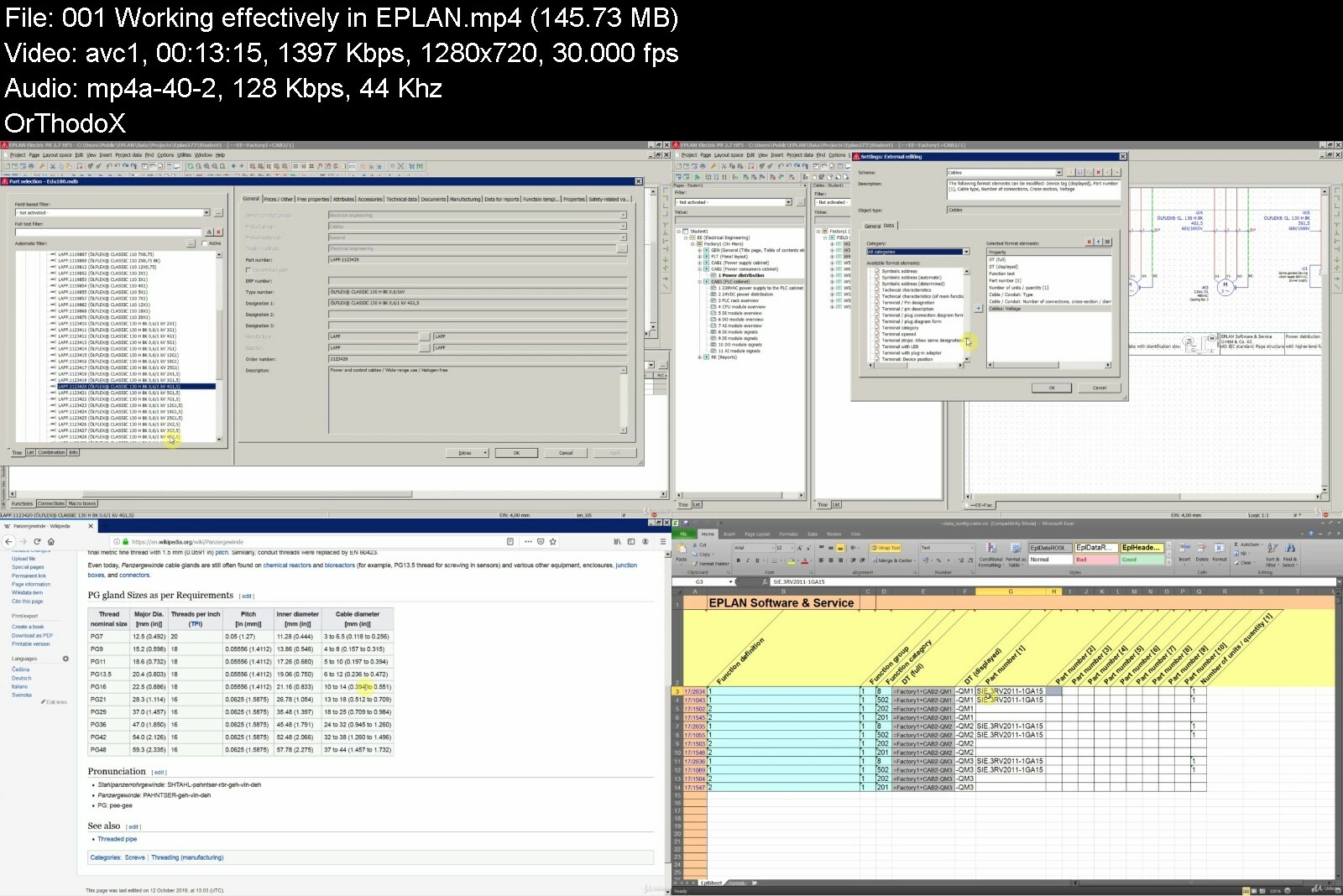
ePLAN Electric P8 - Custom Symbols / Tips And Tricks

eplanelectricp8customhacbr.jpg


ePLAN Electric P8 - Custom Symbols / Tips And Tricks
MP4 | Video: h264, 1280x720 | Audio: AAC, 44.1 KHz, 2 Ch
Genre: eLearning | Language: English + srt | Duration: 11 lectures (1h 3m) | Size: 504.1 MB

Symbol libraries management, custom symbols, layer management, funtions to help you work more efficiently in EPLAN etc.


What you'll learn
To work with Layer Management in EPLAN (to see what layers in EPLAN can do for us)
To manage symbols and symbol libraries in EPLAN (create, adjust, new variant, import/export, delete etc.)
To work with the data within EPLAN project more effectively (Navigators, Edit in Table, Edit Properties Externally)
To tag a cable according to special requiremet from some customers (special case)
To graphically represent a phase reversal in the circuit diagram (required for some actuators like pumps)
To graphically represent spare cable cores (2 most common ways in the practice)
Requirements
Eplan Electric P8 software (any version, including Eplan Education)
Description
DISCLAIMER: Please note that this is not an official EPLAN course. For official training and certification as well as for the purchase of EPLAN software contact the manufacturer of the software.
*** UPDATES ***
- October 26, 2019 - Captions in English (EDITED, not auto-generated).
Dear Student,
I welcome you to, according to my opinion, the intermediate course on EPLAN Electric P8.
In this short but intense course we are going to cover the following sections / function in EPLAN:
Symbols and symbol libraries - masterclass - everything you need to know about custom symbols in EPLAN
Layer management in EPLAN - what layers in EPLAN can do for us in the real-world
How to be more effective when working in EPLAN
Bonus lecture - very interesting way to tag cables (a requirement from some customers in the real-world)
This is going to be one of my last courses on EPLAN Electric P8. I might do another one and for that one I will ask for a feedback from you, my students, to tell me which are the things you would like me to cover in the last one.
After EPLAN courses I will concentrate more on electrical design, with examples of projects I have worked on so far.
To help you master electrical design on a professional level so that you can consider a career in this field of electrical engineering.
I hope you will find my course valuable and fun and I wish you a great success in mastering EPLAN and electrical design!
Also please don't forget to rate my course and leave a short review. I thank you for that in advance.
Your Instructor for Electrical Design,
Ivan
Who this course is for
Everyone who wants to work in EPLAN Electric P8


eplanelectricp8custom8odj8.jpg


Download from RapidGator


Download from NitroFlare
 
Speed Sketching Animals

6wzb8bmonzmwlzubi7sj8j6dog.png


Speed Sketching Animals
MP4 | Video: h264, yuv420p, 1920x1080 | Audio: aac, 44100 Hz | Duration: 12h 48m | 9.1 GB
Genre: eLearning | Language: English

Speed sketching is a useful skill for artists to have in their arsenal, but the process of speed sketching animals can be quite difficult to understand. However, it can be far easier when you have the artist explain how and why they put down "those marks," especially when that person paints and draws animals for a living! Before creating animals, creatures and characters for feature films and video games, multi-award-winning artist, Bobby Chiu, taught life drawing in college. In this course, he teaches how to sketch efficiently and purposefully using different approaches and how to apply these techniques to various animals.
This course is for ANY SKILL LEVEL. It's not about 'how to sketch,' but, 'how does Bobby Chiu sketch?' So get ready for a mind-opening experience as Bobby draws with you while he demonstrates how to apply his techniques and thinking that will take your art to the next level.

Homepage

speedsketchinganimalst0dn7.jpg


Download from RapidGator


Download from NitroFlare


A Practical Approach to Timeseries Forecasting using Python

16641631844864698e06e9hchb.jpg


A Practical Approach to Timeseries Forecasting using Python
Published 09/2022
MP4 | Video: h264, 1280x720 | Audio: AAC, 44.1 KHz, 2 Ch
Genre: eLearning | Language: English | Duration: 124 lectures (12h 21m) | Size: 5.2 GB


A Complete Course on Time Series Forecasting using Machine Learning and Recursive Neural Networks with Projects


What you'll learn
• Learn the basics of Time Series Analysis and Forecasting.
• Learn basics of Data Analysis Techniques and to Handle Time Series Forecasting.
• Learn to implement the basics of Data Visualization Techniques using Matplotlib
• Learn to Evaluate and Analyze Time Series Forecasting Parameters i.e., Seasonality, Trend, and Stationarity etc.
• Learn to compute and visualize the auto correlation, mean over time, standard deviation and gaussian noise in time series datasets.
• Learn to evaluate applied machine learning in Time Series Forecasting
• Learn to implement Machine Learning Techniques for Time Series Forecasting i.e., Auto Regression, ARIMA, Auto ARIMA, SARIMA, and SARIMAX
• Learn basics of RNN Models i.e., GRU, LSTM, BiLSTM
• Learn to model LSTM, Stacked LSTM, BiLSTM and Stacked BiLSTM models for time series forecasting.
• Learn the impact of Overfitting, Underfitting, Bias and Variance on the performance of RNN Models
• Learn how to implement ML and RNN Models with three state-of-the-art projects.
• And much more.
Requirements
• No prior knowledge of Deep Learning, Data Analysis or Maths is needed. We will start from the basics and gradually build your knowledge in the subject.
• A willingness to learn and practice.
• Only basic Python is required.
Description
Comprehensive Course Description
Have you ever wondered, how weather predictions are made?
Have you ever thought to estimate the global population in 2050!
What if, someone told you that you can predict the expected life of our universe by just sitting next to your laptop in your home.
Its all true! Just because of the Time Series Forecasting pedagogies by using state-of-the-art and robust models of Machine Learning and Deep Learning.
You might have searched for many relevant courses, but this course is different!
This course is a complete package for the beginners to learn time series, data analysis and forecasting methods from scratch. Every module has engaging content, a complete practical approach is used in along with brief theoretical concepts. At the end of every module, we assign you a hand-on exercise or quiz, the solution to the quizzes is also available in the next video.
We will be starting with the theoretical concepts of time series analysis, after a brief overview of its features, examples, mechanism of time series data collection and its scope in the real world, we will learn the basic bench marked steps to compute time series forecasting.
This complete package will enable you to learn the basic to advance data analysis and visualization with respect to time series data by using Numpy, Pandas and Matplotlib. We'll be using Python as a programming language in this course, which is the hottest language nowadays if we talk about machine leaning. Python will be taught from elementary level up to an advanced level so that any machine learning concept can be implemented.
This comprehensive course will be your guide to learning how to use the power of Python to evaluate your time series datasets on the basis of seasonality, trend, noise, autocorrelation, mean overtime, correlation, and on stationarity. Moreover, the impact and role of feature engineering will make you capable of performing exceptional data handling for your forecasting models. Based on this learning you will be able to prepare your time series data for the applied Machine Learning and RNNs Models to test, train and evaluate your forecasted scores.
We'll learn all the basic and necessary concepts for the applied machine learning models such as Auto-Regression, Moving Average, ARIMA, Auto-ARIMA, SARIMA, Auto-SARIMA and SARIMAX in the perspective of the time series forecasting. Moreover, the performance comparison of these models will also be comprehensively discussed.
Machine learning has been ranked as one of the hottest jobs on Glassdoor, and the average salary of a machine learning engineer is over $110,000 in the United States, according to Indeed! Machine Learning is a rewarding career that allows you to solve some of the world's most interesting problems!
In the RNNs Module, we'll be learning a complete mechanism of building GRU, LSTM, Stacked LSTM, BiLSTM and Stacked BiLSTM models along with the practical concepts of the underfitting, overfitting, bias, variance, dropout, role of dense layers, impact of batch sizes, and performance of different activation functions on the RNN models of multiple different layers. Each concept of the "Recursive Neural Networks" (RNNs) will be taught theoretically and will be implemented using Python.
This course is designed for both beginners with some programming experience or even those who know nothing about Data Analysis, ML and RNNs!
This comprehensive course is comparable to other Time Series Courses using Machine Learning and RNNs courses that usually cost thousands of dollars, but now you can learn all that information at a fraction of the cost in only one course! With over 12 hours of HD video lectures that are divided into more than 120 videos and detailed code notebooks for every address this is one of the most comprehensive courses for Time Series Forecasting with Machine Learning and RNNs on Udemy!
Why Should You Enroll in This Course?
The course is crafted to help you understand not only the role and impact of timeseries analysis and how to use ML and build RNNs but also how to train them, understand their impact with the key concept of overfitting and underfitting. This straightforward learning by doing course will help you in mastering the concepts and methodology with regards to Python.
This course is
· Easy to understand.
· Expressive and self-explanatory.
· To the point.
· Practical with live coding.
· A complete package with three in depth projects covering complete course contents.
· Thorough, covering the most advanced and recently discovered RNN models by renowned data scientists.
Teaching Is Our Passion
We focus on creating online tutorials that encourage learning by doing. We aim to provide you with more than a superficial look at time series forecasting with the help of RNNs and Machine Learning Algorithms such as ARIMA, SARIMA and SARIMAX etc. For instance, this course has three projects in the final module which will help you to see for yourself via experimentation the practical implementation of RNNs and ML with advance data analysis on the real-world datasets of Birthrates, Stock Exchange and COVID-19. We have worked extra hard to ensure you understand the concepts clearly. We want you to have a sound understanding of the basics before you move onward to the more complex concepts. The course materials that make certain you accomplish all this include high-quality video content, course notes, meaningful course materials, handouts, and evaluation exercises. You can also get in touch with our friendly team in case of any queries.
Course Content
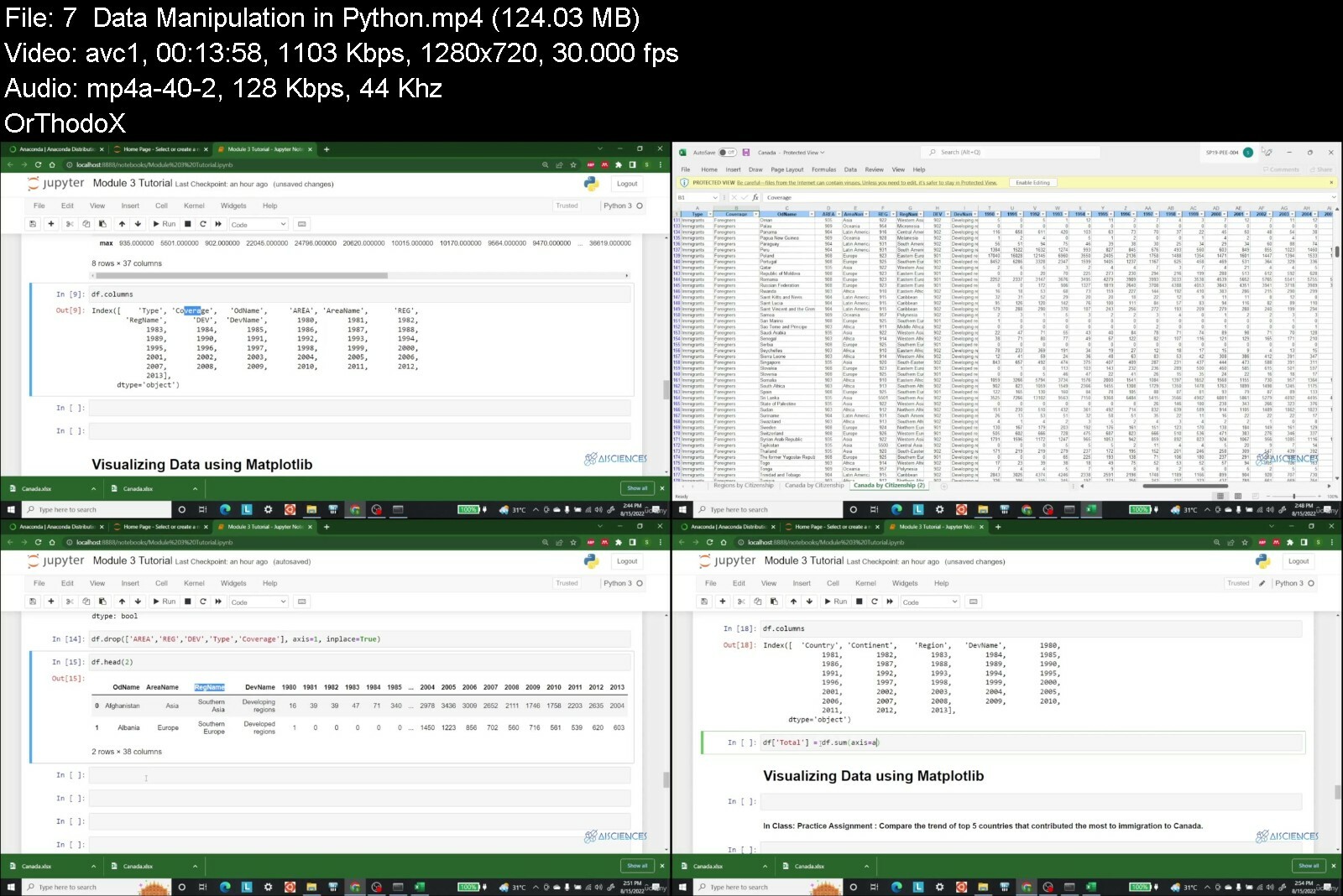
We'll teach you how to program with Python, how to use it for data visualization, data manipulation and RNNs! Here are just a few of the topics that we will be learning
1. Packages Installation
2. Basic Data Manipulation in Time Series using Python
3. Data Processing for Timeseries Forecasting using Python
4. Machine Learning in Time Series Forecasting using Python
5. Recurrent Neural Networks for Time Series using Python
6. Project 1: COVID-19 Prediction using Machine Learning Algorithms
7. Project 2: Microsoft Corporation Stock Prediction using RNNs
8. Project 3: Birthrate Forecasting using RNNs with Advance Data Analysis and much more
Enroll in the course and become a time series forecasting expert today!
After completing this course successfully, you will be able to
· Relate the concepts and theories for time series forecasting and its parameters.
· Understand evaluate the machine learning models.
· Understand the model and implementation of RNN models for the time series forecasting
Who this course is for
· People who want to advance their skills in machine learning and deep learning.
· People who want to master relation of data science with time series analysis.
· People who want to implement time series parameters and evaluate their impact on it.
· People who want to implement machine learning algorithms for time series forecasting.
· Individuals who are passionate about RNNs specially, LSTM, Stacked LSTM, BiLSTM and Stacked BiLSTM Models.
· Machine Learning Practitioners.
· Research Scholars.
· Data Scientists.
Who this course is for
• People who want to advance their skills in machine learning and deep learning.
• People who want to master relation of data science with time series analysis.
• People who want to implement time series parameters and evaluate their impact on it.
• People who want to implement machine learning algorithms for time series forecasting.
• Individuals who are passionate about RNNs specially, LSTM, Stacked LSTM, BiLSTM and Stacked BiLSTM Models.
• Machine Learning Practitioners.
• Research Scholars.
• Data Scientists.


apracticalapproachtotxwcn3.jpg


Download from RapidGator


Download from NitroFlare


Download from Keep2Share


Eplan Electric P8 - Full course from Beginner to Advance (updated 6/2021)

zni3zwtzx9lzwk3gksex9wniv5.jpg


Eplan Electric P8 - Full course from Beginner to Advance (updated 6/2021)
MP4 | Video: h264, 1280x720 | Audio: AAC, 44.1 KHz
Language: English | Size: 3.95 GB | Duration: 6h 12m


What you'll learn
Students will learn about software Eplan, and how to create projects of Electrical circuits and theirs report.
Project - create, copy, delete, rename, backup, restore.
Pages - type, number, structures Structure in EPLAN - how it works and why we need to understand it.
Page / Window macro - how and why to use it.
The Plot frame, Plot form - how we can make it.
Basic EPLAN circuit functions - insert symbol and create new symbol library, adjust, number.
Reports (Title page, cable overview, terminal diagram, parts reports) Export EPLAN Project to PDF.
Create 3D mounting panel and 3D macro.
How to install Eplan software?
How to numerise conductors?
How to create 3D model views?
You can download books and summaries and practice in your home.
How to create PLC controller macro and device?
How to create revision and project options?
How to create PLC box and adress bits?
Requirements
Every Student will be able to complete this course, and after that they will be able to create their own projects on Advanced level.

Description
Welcome in my complete video course about Eplan Student Version 2.73. I would like to recomended you to download all of PDF lectures and books for learning Eplan software.
I would recomended you to do all quizes. The best way to learn Eplan effectively is to do all of exercises and you have to print PDF of all lectures during course. Course is for students of all level of knowledge Eplan software 2.73. Course is designed for students who wants more. Course have PDF books, PDF lectures, and Quizes.
These features enable students to learn more and faster. Eplan software is for Electrical Engineers, Automation Engineers. In this course i will attach schematic circuits form industry of automatisation for practice.
In this course we will learn how to create plot frames for pages, plot form for cover pages, how to create projects, basic projects and template.
In this course you will learn how to create reports and how to modfy reports and translate on other language. In this course you will learn how to create panel layout in encloshures. In this course you will learn how to optimise project and how to send them by email.
In this course you will learn how you can set you own parameters in project and how to make template for this parameters for future project. In this course you will learn how to set workspace, pages and so on.

Who this course is for:
This course is projected for students from Beginner to some Intermediate level.


eplanelectricp8fullcokxdis.jpg


Download from RapidGator


Download from NitroFlare

 
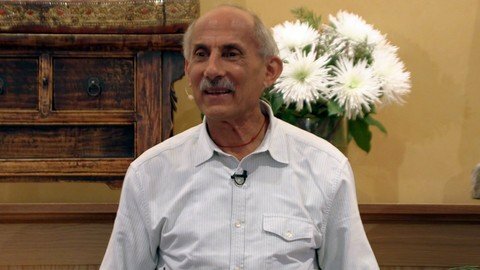
Mindfulness Meditation With Jack Kornfield

xhovjouvjkta5swhzxoctuxcnn.jpg


Mindfulness Meditation With Jack Kornfield
Last updated 10/2019
MP4 | Video: h264, 1280x720 | Audio: AAC, 44.1 KHz
Language: English | Size: 5.95 GB | Duration: 4h 13m

Core Practices For Living Wisely

What you'll learn
Sitting meditation
Walking meditation
Handle strong sensations & pain
Eat with mindfulness
Acknowledge thoughts & feelings without getting caught in them
Cultivate compassion
Attune to highest intentions
Requirements
There are no prerequisites for taking this course

Description
Mindfulness Meditation with Jack Kornfield is a complete course in practicing mindfulness by one of the world's leading experts. Decades of neuroscience studies show the power of mindfulness to relieve stress, awaken our positive capacities, and bring balance to our lives. Mindfulness gives us the power to meet any situation wisely, to be fully present, and to operate with compassion. When we can look more clearly into ourselves and our life situation, new possibilities naturally open up for transforming difficulties and emerging stronger and wiser.This comprehensive training in all the fundamental mindfulness practices is entirely accessible to everyone, from beginners to those with prior meditative experience. Rich with stories, practices, teachings and good humor, it features eight complete sessions of guided exercises in sitting meditation including mindfulness of breath, body, feelings and thoughts; walking meditation; mindful eating; compassion practice to free the heart; and connection with our deepest aspirations and intention. These guided segments are a valuable resource that can be used again and again to sustain or refresh your regular, ongoing practice.Here is the benefit: We all know how busy and divisive modern times can be, and how easily they can fuel stress and anxiety. Mindfulness is both healing and liberating. Learning to meet our complex world and our own changing mental states with mindful loving awareness and courage allows us to find spacious, clear and healthy responses to life, rather than be caught in habitual reactions and struggle.Mindfulness quiets the mind and heals the heart. Systematically practicing mindfulness, we can recognize and foster positive states of mind like kindness, generosity, steadiness, and love -- discovering how they are natural to us; and learn to nurture and strengthen them into a new, more gracious life of well-being.
Overview
Section 1: MEDITATION: THE FUNDAMENTALS
Lecture 1 Our Human Predicament
Lecture 2 Course Overview: Living Wisely in Times of Change & Conflict
Lecture 3 The Most Fundamental Practice
Lecture 4 Guided Sitting Meditation Practice
Lecture 5 Distraction and Resistance: Helpful Hints + Q/A
Section 2: WALKING MEDITATION; BEGINNING TO WORK WITH PAIN
Lecture 6 Introduction to Walking Meditation: Instructions
Lecture 7 Walking Meditation Self-Guided Practice (timer segment)
Lecture 8 Bringing Mindfulness To Difficult Sensations
Lecture 9 Skillfully Relating To Vulnerability
Section 3: MEDITATING WITH STRONG SENSATIONS; MINDFUL EATING
Lecture 10 Challenges Around Mindfulness of Breathing: Q/A
Lecture 11 Guided Practice: Sitting With Strong Sensations
Lecture 12 Guided Mindful-Eating Practice
Lecture 13 Reflections on Eating Practice
Section 4: WHAT REALLY MATTERS
Lecture 14 Introduction to Heart Practices
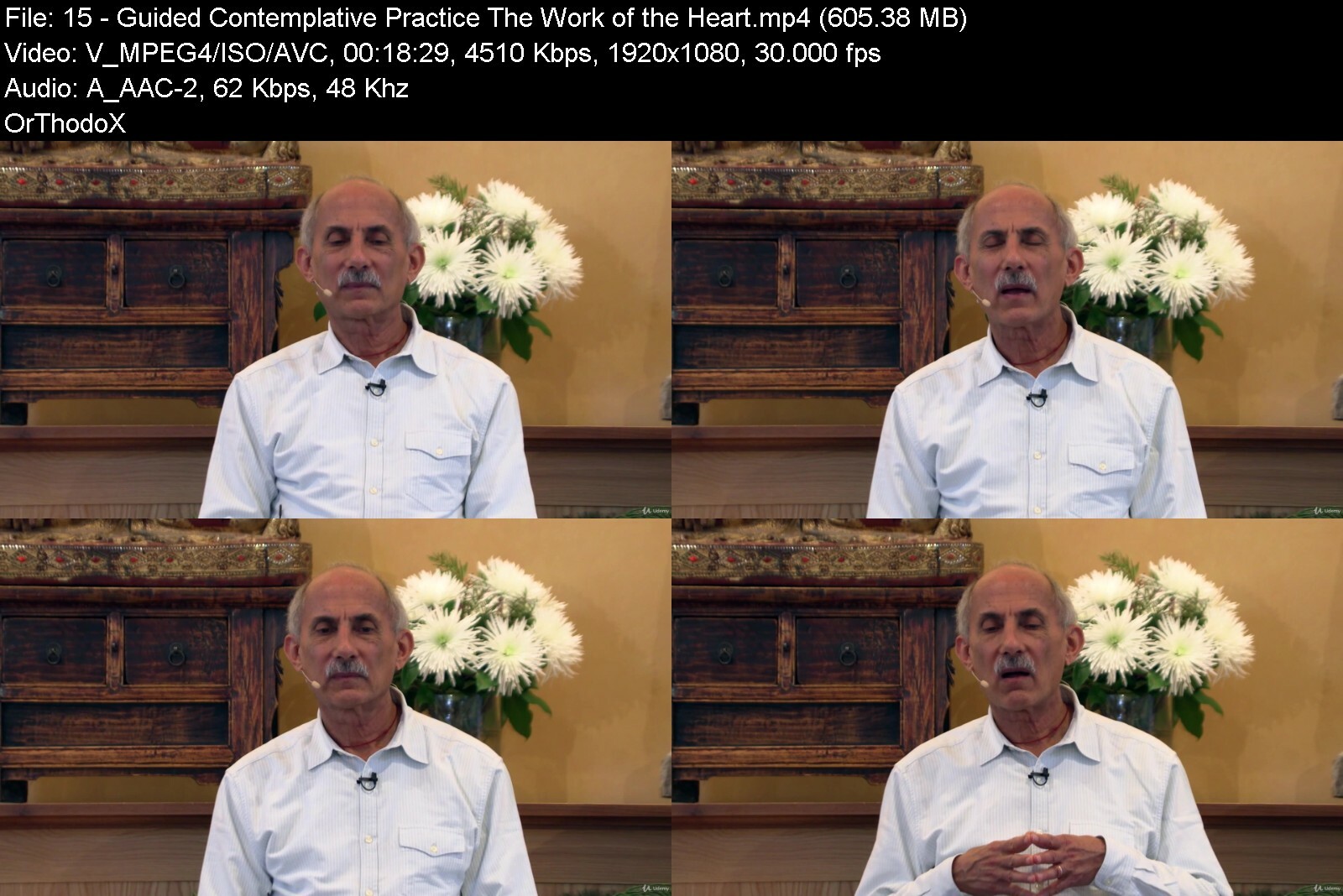
Lecture 15 Guided Contemplative Practice: The Work of the Heart
Lecture 16 Neuroscientific Support For Kindness & Compassion Practice
Section 5: AWARENESS THAT CAN HOLD IT ALL
Lecture 17 Mindfulness of Emotions
Lecture 18 Unpleasant Feelings & Thoughts
Lecture 19 Additional Comments on Mindfulness of Feelings & Thoughts
Lecture 20 Guided Sitting Meditation Practice
Section 6: STEWARDING OUR OWN LIFE
Lecture 21 Progress and Benefits of the Practice
Lecture 22 Attentional Hygiene
Lecture 23 Courage and Understanding
Lecture 24 Not Alone
Lecture 25 Dire Circumstances
Section 7: BRINGING OUR GIFTS TO THE WORLD
Lecture 26 Hope and Peace in These Times
Lecture 27 Connecting Deeply
Lecture 28 Joyfully Tending the Garden of the World
Lecture 29 Guided Exercise: Your Vow
Lecture 30 Guided Practice Exercise: Nobody Else Can Do It For You
Section 8: BONUS: 24-MINUTE, LIGHTLY-GUIDED PRACTICE
Lecture 31 24-Minute, Lightly-Guided Sitting Practice
Section 9: Additional Resources and Acknowledgements
Lecture 32 Resources and Acknowledgments
Everyone who wants to learn to practice mindfulness,Anyone feeling overwhelmed by inner or outer challenges,Everyone seeking greater concentration and clarity


mindfulnessmeditationlmext.jpg


Download from RapidGator


Download from NitroFlare


Download from Keep2Share


Zuletzt bearbeitet:
Market Research | Complete Marketing Research Course 2022

tul0fnsuagl8ishtdp4yae4f6y.jpg


Market Research | Complete Marketing Research Course 2022
Published 9/2022
MP4 | Video: h264, 1280x720 | Audio: AAC, 44.1 KHz
Language: English | Size: 5.43 GB | Duration: 12h 3m

Exam DP-100: Designing and Implementing a Data Science Solution on Azure Covered, Learn Azure Machine Learning


What you'll learn
Prepare for DP-100 Exam
Getting Started with Azure ML
Setting up Azure Machine Learning Workspace
Running Experiments and Training Models
Deploying the Models
AzureML Designer: Data Preprocessing
Regression Using AzureML Designer
Classification Using AzureML Designer
AzureML SDK: Setting up Azure ML Workspace
AzureML SDK: Running Experiments and Training Models
Use Automated ML to Create Optimal Models
Tune hyperparameters with Azure Machine Learning
Use model explainers to interpret models
Requirements
Basic Understanding of Machine Learning
A Free or Paid Subscription to Microsoft Azure

Description
Machine Learning and Data Science are one of the hottest tech fields now a days ! There are a lot of opportunities in these fields. Data Science and Machine Learning has applications in almost every field, like transportation, Finance, Banking, Healthcare, Defense, Entertainment, etc.Most of the professionals and students learn Data Science and Machine Learning but specifically they are facing difficulties while working on cloud environment. To solve this problem I have created this course, DP-100. It will help you to apply your data skills in Azure Cloud smoothly.This course will help you to pass the "Exam DP-100: Designing and Implementing a Data Science Solution on Azure". In this course you will understand what to expect on the exam and it includes all the topics that are require to pass the DP-100 Exam.Below are the skills measured in DP-100 Exam,1) Manage Azure resources for machine learning (25-30%)Create an Azure Machine Learning workspaceManage data in an Azure Machine Learning workspaceManage compute for experiments in Azure Machine LearningImplement security and access control in Azure Machine LearningSet up an Azure Machine Learning development environmentSet up an Azure Databricks workspace2) Run experiments and train models (20-25%)Create models by using the Azure Machine Learning designerRun model training scriptsGenerate metrics from an experiment runUse Automated Machine Learning to create optimal modelsTune hyperparameters with Azure Machine Learning3) Deploy and operationalize machine learning solutions (35-40%)Select compute for model deploymentDeploy a model as a serviceManage models in Azure Machine LearningCreate an Azure Machine Learning pipeline for batch inferencingPublish an Azure Machine Learning designer pipeline as a web serviceImplement pipelines by using the Azure Machine Learning SDKApply ML Ops practices4) Implement responsible machine learning (5-10%)Use model explainers to interpret modelsDescribe fairness considerations for modelsDescribe privacy considerations for dataSo what are you waiting for, Enroll Now and understand Azure Machine Learining to advance your career and increase your knowledge!
Overview
Section 1: Getting Started with Azure ML
Lecture 1 Introduction to Azure Machine Learning
Lecture 2 Introduction to Azure Machine Learning Studio
Lecture 3 Azure ML Cheat Sheet
Lecture 4 DP-100 Exam Skills Measured (Exam Curriculum)
Section 2: Setting up Azure Machine Learning Workspace
Lecture 5 Azure ML: Architecture and Concepts
Lecture 6 Creating AzureML Workspace
Lecture 7 Workspace Overview
Lecture 8 AzureML Studio Overview
Lecture 9 Introduction to Azure ML Datasets and Datastores
Lecture 10 Creating a Datastore
Lecture 11 Creating a Dataset
Lecture 12 Exploring AzureML Dataset
Lecture 13 Introduction to Azure ML Compute Resources
Lecture 14 Creating Compute Instance and Compute Cluster
Lecture 15 Deleting the Resources
Section 3: Running Experiments and Training Models
Lecture 16 Azure ML Pipeline
Lecture 17 Creating New Pipeline using AzureML Designer
Lecture 18 Submitting the Designer Pipeline Run
Section 4: Deploying the Models
Lecture 19 Creating Real-Time Inference Pipeline
Lecture 20 Deploying Real-Time Endpoint in AzureML Designer
Lecture 21 Creating Batch Inference Pipeline in AzureML Designer
Lecture 22 Running Batch Inference Pipeline in AzureML Designer
Lecture 23 Deleting the Resources
Section 5: AzureML Designer: Data Preprocessing
Lecture 24 Setting up Workspace and Compute Resources
Lecture 25 Sample Datasets
Lecture 26 Select Columns in Dataset
Lecture 27 Importing External Dataset From Web URL
Lecture 28 Edit Metadata - Column Names
Lecture 29 Edit Metadata - Feature Type and Data Type
Lecture 30 Creating Storage Account, Datastore and Datasets
Lecture 31 Adding Columns From One Dataset to Another One
Lecture 32 Adding Rows From One Dataset to Another One
Lecture 33 Clean Missing Data Module
Lecture 34 Splitting the Dataset
Lecture 35 Normalizing Dataset
Lecture 36 Exporting Data to Blob Storage
Lecture 37 Deleting the Resources
Section 6: Project 1: Regression Using AzureML Designer
Lecture 38 Creating Workspace, Compute Resources, Storage Account, Datastore and Dataset
Lecture 39 Business Problem
Lecture 40 Analyzing the Dataset
Lecture 41 Data Preprocessing
Lecture 42 Training ML Model with Linear Regression (Online Gradient Descent)
Lecture 43 Evaluating the Results
Lecture 44 Training ML Model with Linear Regression (Ordinary least squares)
Lecture 45 Training ML Model with Boosted Decision Tree and Decision Forest Regression
Lecture 46 Finalizing the ML Model
Lecture 47 Creating and Deploying Real-Time Inference Pipeline
Lecture 48 Creating and Deploying Batch Inference Pipeline
Lecture 49 Deleting the Resources
Section 7: Project 2: Classification Using AzureML Designer
Lecture 50 Creating Workspace, Compute Resources, Storage Account, Datastore and Dataset
Lecture 51 Business Problem
Lecture 52 Analyzing the Dataset
Lecture 53 Data Preprocessing
Lecture 54 Training ML Model with Two-Class Logistic Regression
Lecture 55 Training ML Model with Two-Class SVM
Lecture 56 Training ML Model with Two-Class Boosted Decision Tree & Decision Forest
Lecture 57 Finalizing the ML Model
Lecture 58 Creating and Deploying Batch Inference Pipeline
Section 8: AzureML SDK: Setting up Azure ML Workspace
Lecture 59 AzureML SDK Introduction
Lecture 60 Creating Workspace using AzureMl SDK
Lecture 61 Creating a Datastore using AzureMl SDK
Lecture 62 Creating a Dataset using AzureMl SDK
Lecture 63 Accessing the Workspace, Datastore and Dataset with AzureML SDK
Lecture 64 AzureML Dataset and Pandas Dataset Conversion
Lecture 65 Uploading Local Datasets to Storage Account
Section 9: AzureML SDK: Running Experiments and Training Models
Lecture 66 Running Sample Experiment in AzureML Environment
Lecture 67 Logging Values to Experiment in AzureML Environment
Lecture 68 Introduction to Azure ML Environment
Lecture 69 Running Script in AzureML Environment Part 1
Lecture 70 Running Script in AzureML Environment Part 2
Lecture 71 Uploading the output file to Existing run in AzureML Environment
Lecture 72 Logistic Regression in Local Environment Part 1
Lecture 73 Logistic Regression in Local Environment Part 2
Lecture 74 Creating Python Script - Logistic Regression
Lecture 75 Running Python Script for Logistic Regression in AzureML Environment
Lecture 76 log_confusion_matrix Method
Lecture 77 Provisioning Compute Cluster in AzureML SDK
Lecture 78 Automate Model Training - Introduction
Lecture 79 Automate Model Training - Pipeline Run Part 1
Lecture 80 Automate Model Training - Pipeline Run Part 2
Lecture 81 Automate Model Training -Data Processing Script
Lecture 82 Automate Model Training - Model Training Script
Lecture 83 Automate Model Training - Running the Pipeline
Section 10: Use Automated ML to Create Optimal Models
Lecture 84 Introduction to Automated ML
Lecture 85 Automated ML in Azure Machine Learning studio
Lecture 86 Automated ML in Azure Machine Learning SDK
Section 11: Tune hyperparameters with Azure Machine Learning
Lecture 87 What Hyperparameter Tuning Is?
Lecture 88 Define the Hyperparameters Search Space
Lecture 89 Sampling the Hyperparameter Space
Lecture 90 Specify Early Termination Policy
Lecture 91 Configuring the Hyperdrive Run - Part 1
Lecture 92 Configuring the Hyperdrive Run - Part 2
Lecture 93 Creating the Hyperdrive Training Script
Lecture 94 Getting the Best Model and Hyperparameters
Section 12: Use model explainers to interpret models
Lecture 95 Interpretability Techniques in Azure
Lecture 96 Model Explainer on Local Machine
Lecture 97 Model Explainer in AzureML Part 1
Lecture 98 Model Explainer in AzureML Part 2
Anyone who wants to learn Azure Machine Learning,Students and Professionals Who Wants to Pass DP-100 Exam


marketresearchcompletpzfyb.jpg


Download from RapidGator


Download from NitroFlare


Download from Keep2Share


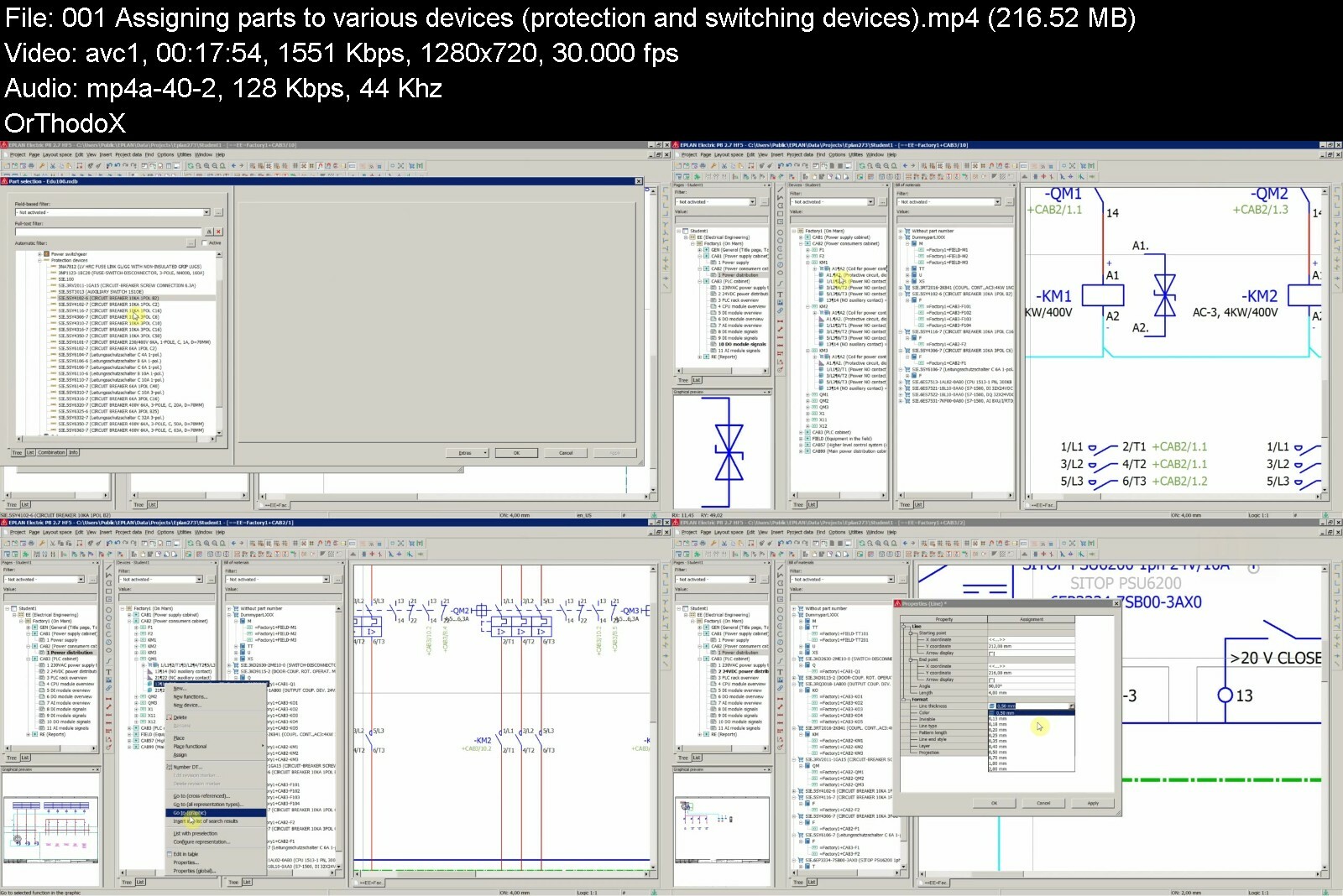
ePLAN Electric P8 Heavyweight Vol.2/2 - 2D Panel, Parts

eplanelectricp8heavywzribh.jpg


ePLAN Electric P8 Heavyweight Vol.2/2 - 2D Panel, Parts
MP4 | Video: h264, 1280x720 | Audio: AAC, 44.1 KHz, 2 Ch
Genre: eLearning | Language: English + srt | Duration: 13 lectures (2h 15m) | Size: 1.33 GB

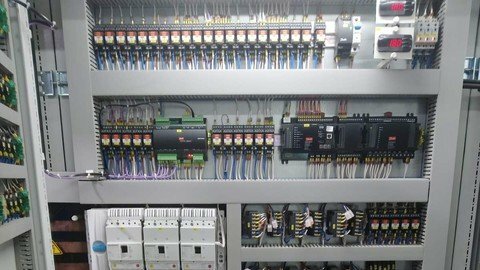
Learn how to properly work with databases (Access), parts and 2D panel layout in Eplan Electric P8


What you'll learn
To get the most of Eplan Electric P8 by using it the proper way (in this course databases, parts, 2D panel layout)
To manage databases (Access) and parts in Eplan
To assign parts to various elements in the schematics - devices, cables, terminals etc.
To import DWG/DXF files to Eplan and to adjust them to your need
To create 2D mounting panel layout properly
To place various elements on the mounting panel
To setup, generate and adjust Enclosure legend and place it on the page of the panel layout.
To solve various issues when working with parts (function definition, too many connections at a connection point etc.)
To generate reports for parts - parts list and summarized parts list in Eplan
Requirements
Basic understanding of electrical symbols and electrical drawings
Eplan Electric P8 software 2.7 HF5 license (but any other version will do the job, including Education)
Description
DISCLAIMER: Please note that this is not an official EPLAN course. For official training and certification as well as for the purchase of EPLAN software contact the manufacturer of the software.
Important: Lecture 2 of the ePLAN Heavyweight Vol. 1 course (free preview) shows you how to download and import parts from Siemens and Phoenix Contact without access to Data Portal.
*** UPDATES ***
- September 11, 2019 - Captions in English (EDITED, not auto-generated).
Dear Student,
In this tutorial we are going to continue to work on our automation project we created in the EPLAN Vol.1 Course. We are going to further expand our project by assigning parts to all the elements in the schematics and then we are going to create 2D mounting panel layouts for all of the cabinets.
Of course, as in the previous course, I am going to share with you a number of useful tips and tricks as you make your progress through the lectures.
If you feel that you are still somewhere on the beginner's level in EPLAN then I recommend that you check my first EPLAN course (Eplan Heavyweight Vol.1) where I show you how to start to work in EPLAN from scratch - i.e. from creating a project all the way up to creating circuit diagrams for PLC and some advanced topis like editing plotframe/form and EPLAN's "Check project" functionality.
I hope you will find this course valuable and I wish you a lot of fun and a lot of success in mastering Eplan Electric P8.
See you in the lectures!
Your Instructor for Electrical Design,
Ivan
Who this course is for
Generally everyone who would like to significantly improve their chance of getting a job anywhere in the world just by knowing how to work properly in Eplan Electric P8
Everyone considering to start to use ePLAN for electrical design
Electricians, technicians and engineers


eplanelectricp8heavywoxfgg.jpg


Download from RapidGator


Download from NitroFlare
 
Most Complete Teaching of BGP

4892284b9e15qfav.jpg


Most Complete Teaching of BGP
Published 09/2022
MP4 | Video: h264, 1280x720 | Audio: AAC, 44.1 KHz, 2 Ch
Genre: eLearning | Language: English | Duration: 317 lectures (41h 18m) | Size: 15.4 GB

Border Gateway Protocol


What you'll learn
BGP - Fundamentals
eBGP - Neighborship with Connected Interface
eBGP - Neighborship Conditions
eBGP - Neighborship over Multiple Links
BGP - Keep Alive Interval and Holdtime
BGP - Messages and Neighborship States
BGP - Injecting Routes into BGP Table
BGP - Automatic Summarization
BGP - Basic Aggregation
BGP - Atomic Aggregate , Aggregator Attribute
BGP - Advanced Aggregation with AS-SET
BGP - Advanced Aggregation with UnSuppress-Map
BGP - Advanced Aggregation with Suppress-Map
BGP - Advanced Aggregation with Advertise Map
BGP - Origin Code Path Attribute
BGP - Advanced Aggregation with Attribute Map
BGP - Backdoor
BGP - Next-Hop Path Attribute
BGP - Internal BGP[iBGP]
BGP - Peer Group
BGP - iBGP Neighborship with Loopback Interfaces
BGP - Confederation
BGP - Route Reflector Redundancy
BGP - Route Reflection with Multiple Clusters
BGP - Hierarchical Route Reflection
BGP - Default Route Advertisement
BGP - Best Path Selection - Weight
BGP - Best Path Selection - Local Weight
BGP - Best Path Selection - Local Preference
BGP - Best Path Selection - Preference of Locally Injected Path
BGP - Best Path Selection - Accumulated IGP[AIGP]
BGP - Best Path Selection - AS-Path
BGP - Best Path Selection - Origin Code
BGP - Best Path Selection - Multi Exit Discriminator[MED]
BGP - Advanced MED - Always Compare MED
BGP - Advanced MED - Missing-as-worst
BGP - Best Path Selection - Prefer eBGP to iBGP Path
BGP - Best Path Selection - Lowest IGP Metric to Next-Hop
BGP - Best Path Selection - Oldest eBGP Route
BGP - Best Path Selection - Lower BGP Router-ID
BGP - Best Path Selection - Minimum Cluster-List Length
BGP - Best Path Selection - Lowest Neighbor IP
BGP - MultiPath Equal Cost Load Balancing[ECLB]
BGP - MultiPath Unequal Cost Load Balancing[UCLB]
BGP - Route Filtering with ACL
BGP - Route Filtering with IP Prefix-List
BGP - Route Filtering with Route-Map
BGP - Route Filtering with AS-Path ACL
BGP - BGP Regular Expressions - REGEXPs
BGP - Hard Clearing , Soft Clearing
BGP - Outbound Route Filtering[ORF]
BGP - Maximum Prefix
BGP - Remove Private AS Number
BGP - Allow AS
BGP - Dynamic iBGP Peer Group
BGP - Dynamic eBGP Peer Group
BGP - Path Attributes
BGP - Fast Neighbor Loss Detection
BGP - Route-Reflector with Full Mesh Client
BGP - Multi Cluster ID[ MCID ]
BGP - Selective Route Download
BGP - Diverse Path with Shadow Co-located RR
BGP - Diverse Path with Shadow Session
BGP - Single Homed Connection
BGP - Floating Static Route
BGP - Multiprotocol BGP[ MBGP ]
BGP - TTL Security
BGP - Dynamic Update Peer-Group
BGP - Max AS
BGP - Multi Session Capability
BGP - Route Server
BGP - Route Server Context

Requirements
CCNA


Description
Border Gateway Protocol (BGP) is a standardized exterior gateway protocol designed to exchange routing and reachability information among autonomous systems (AS) on the Internet. BGP is classified as a path-vector routing protocol, and it makes routing decisions based on paths, network policies, or rule-sets configured by a network administrator.

BGP used for routing within an autonomous system is called Interior Border Gateway Protocol, Internal BGP (iBGP). In contrast, the Internet application of the protocol is called Exterior Border Gateway Protocol, External BGP (eBGP).

BGP neighbors, called peers, are established by manual configuration among routers to create a TCP session on port 179. A BGP speaker sends 19-byte keep-alive messages every 30 seconds (protocol default value, tunable) to maintain the connection. Among routing protocols, BGP is unique in using TCP as its transport protocol.

When BGP runs between two peers in the same autonomous system (AS), it is referred to as Internal BGP (iBGP or Interior Border Gateway Protocol). When it runs between different autonomous systems, it is called External BGP (eBGP or Exterior Border Gateway Protocol). Routers on the boundary of one AS exchanging information with another AS are called border or edge routers or simply eBGP peers and are typically connected directly, while iBGP peers can be interconnected through other intermediate routers. Other deployment topologies are also possible, such as running eBGP peering inside a VPN tunnel, allowing two remote sites to exchange routing information in a secure and isolated manner.

Who this course is for
Network Engineers

Homepage


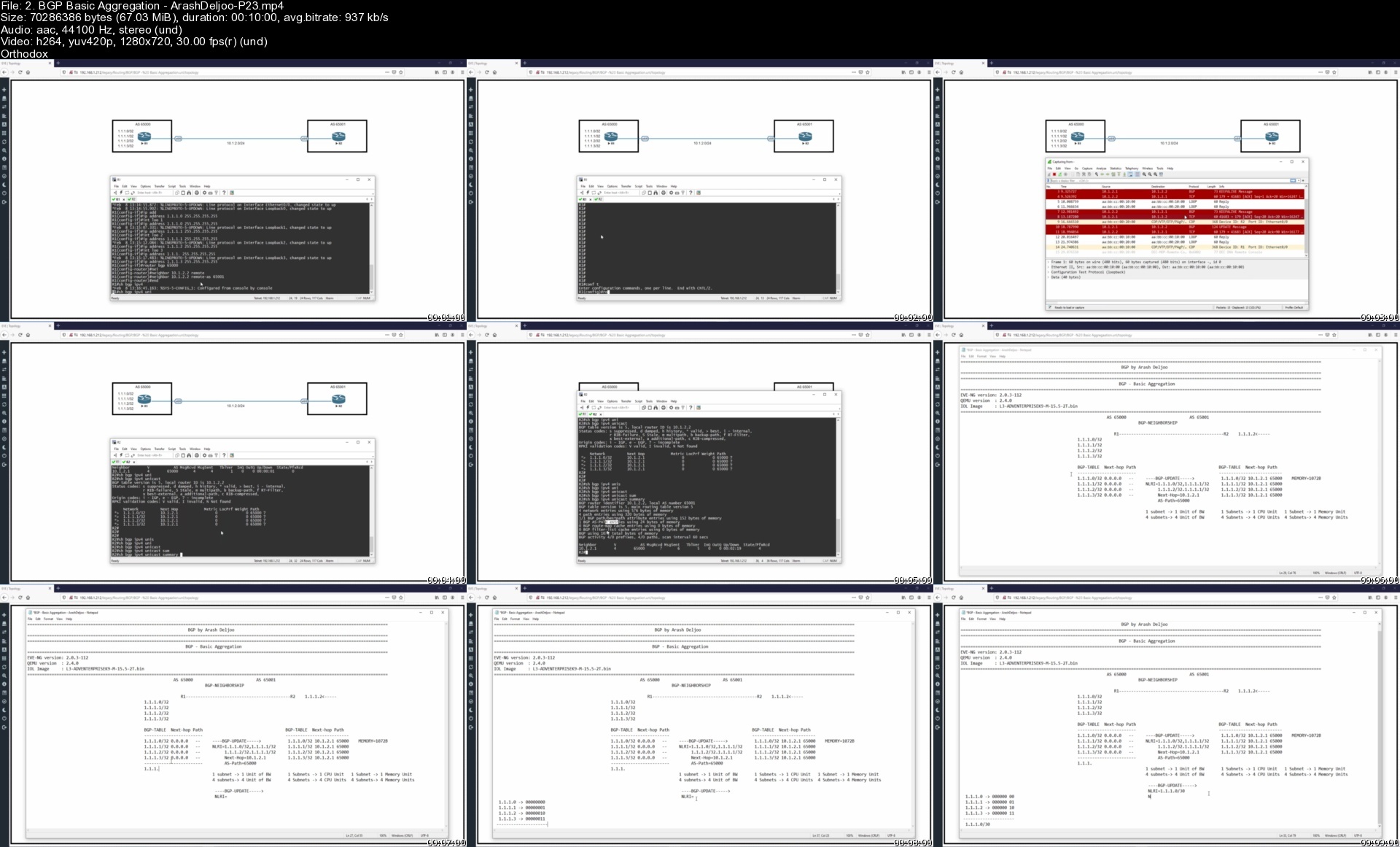
2.bgpbasicaggregation02dfh.jpg


The Ultimate Microsoft Office 2021/365 Training Bundle

tuerfzh353gcxhq440wsqyjcix.jpg


The Ultimate Microsoft Office 2021/365 Training Bundle
Published 9/2022
MP4 | Video: h264, 1280x720 | Audio: AAC, 44.1 KHz
Language: English | Size: 23.60 GB | Duration: 47h 27m

Learn the essentials of Microsoft Office in this 5-course bundle for Office 365 or Office 2021 users.


What you'll learn
Become familiar with what's new in Excel 2021
Navigate the Excel 2021 interface and create your first spreadsheet
Utilize useful keyboard shortcuts to increase productivity
Use basic and intermediate Excel formulas and functions
Effectively apply formatting to cells and use conditional formatting
Use Excel lists, master sorting and filtering, and work with views, zooms, and freezing panes
Work efficiently by using the cut, copy, and paste options
Analyze data using charts, insert pictures in a spreadsheet, and link to other worksheets and workbooks
Protect and share workbooks, set page layout and print options, and save your workbook in different file formats
Navigating the interface and mastering the most common uses of Word 2021/365
Accessing and modifying Word options and customizing the quick access toolbar
Creating new documents from scratch and from a template and switching between different document views
Applying and modifying Word styles and annotating a document
Inserting content like shapes, icons, text boxes, 3D images, SmartArt, and charts
Applying headers and footers, creating a table of contents, and creating re-usable content with Quick Parts
Linking to websites, other documents, and other sections using hyperlinks and bookmarks
Creating multiple letters, envelopes, and labels using mail merge and tracking changes from multiple authors
Checking a document, sharing a document with others, and collaborating in real time
Creating visually stunning presentations that meet best practice guidelines
Improving efficiency with keyboard shortcuts and the Quick Access Toolbar
Working with PowerPoint templates and applying slide layouts to new or existing slides
Working with images, icons, video, text, shapes, audio files, animations, transitions, and motion paths
Correctly selecting, aligning, and grouping objects on a slide and inserting charts, diagrams, and tables
Creating motion video backgrounds, inserting screenshots, and recording/narrating presentations
Working with the Slide Master to make universal changes and incorporating third-party add-ins into PowerPoint
Preparing a presentation for delivery by adding speaker notes, header and footer, and comments
Using Presenter View to deliver a presentation and exporting, sharing, and printing a presentation
Work with the new simplified ribbon as part of the wider Outlook 2021 interface and configure a Microsoft and Gmail account
Open and customize Outlook Today, customize Outlook settings, and clean up a mailbox that's reached its size limit
Open, read, send, and receive mail, insert attachments, save attachments from a message, and use the search and filter buttons to find mail
Ignore conversations that are no longer relevant, resend and recall a message, and flag messages as junk
Organize mail using follow-up flags, categories, and folders, and process messages automatically using rules
Create and attach an email signature, add voting buttons to get feedback from recipients, and set delivery options on messages
Translate messages from one language to another, send an out-of-office message, and draw using ink
Import multiple contacts from a CSV file into Outlook, organize contacts using contact groups and folders, and share contacts with others
Create appointments, all-day events, and meetings, use the scheduler to find free time, and create a Microsoft Teams meeting from within Outlook
Add delegates to manage your inbox on your behalf, assign tasks to others, and monitor the completion status
Requirements
Microsoft Office 2021 or 365 applications (Excel, Word, PowerPoint, and Outlook) installed on your computer.
No prior knowledge of Excel, Word, PowerPoint, or Outlook is required

Description
**This bundle includes downloadable course instructor files and exercise files to work with and follow along.**Learn Microsoft Excel, Word, PowerPoint, and Outlook 2021 with this huge-value five-course bundle from Microsoft Office expert, Simon Sez IT.Microsoft Office remains the go-to tool for the modern worker, yet so many users fall short of using its full potential.We're here to make sure you aren't one of those people.In this Microsoft Office bundle, we make the four essential and widely used MS Office programs (Excel, Word, PowerPoint, and Outlook) simple to understand. The bundle includes five full-length courses to help you achieve your goals: Excel 2021 for Beginners, Word 2021, PowerPoint 2021, Outlook 2021, and Excel 2021 Intermediate.Each course goes into depth on how to get the most from each program and will help you become a more skillful user.What's included?Excel 2021 for BeginnersBecome familiar with what's new in Excel 2021Navigate the Excel 2021 interfaceUtilize useful keyboard shortcuts to increase productivityCreate your first Excel spreadsheetUse basic and intermediate Excel formulas and functionsEffectively apply formatting to cells and use conditional formattingUse Excel lists and master sorting and filteringWork efficiently by using the cut, copy, and paste optionsLink to other worksheets and workbooksAnalyze data using chartsInsert pictures in a spreadsheetWork with views, zooms, and freezing panesSet page layout and print optionsProtect and share workbooksSave your workbook in different file formatsWord 2021 Navigate the Word 2021 interfaceCustomize the quick access toolbarAccess and modify Word optionsCreate new documents from scratch and from a templateOpen and save existing documentsSwitch between different document viewsEnter, select, and apply formatting to textUse cut, copy, paste, and different paste optionsFind and replace text in a documentFormat paragraphsAlign paragraphs using indents and tab stopsInsert bulleted and numbered listsApply a theme to control the look and feel of the documentApply and modify Word stylesInsert content like shapes, icons, text boxes, 3D images, SmartArt, and chartsAnnotate a documentOrganize information using tablesAdjust the margins and orientationInsert section and page breaksApply headers and footersInsert blank pages and cover pagesLink to websites, other documents, and other sections using hyperlinks and bookmarksCreate re-usable content with Quick PartsCreate and format a table of contentsAdd footnotes and end notes to a documentCreate citations and inserting a bibliographyCreate an indexAdd captions to pictures and create a table of figuresCreate multiple letters, envelopes, and labels using mail mergeCheck spelling and set up auto-correct optionsTrack changes from multiple authorsCompare and combine documentsAdjust document propertiesCheck a document for accessibility and compatibility issuesProtect a document to prevent changesShare a document with othersCollaborate on a document with others in real timePrint a documentPowerPoint 2021Create visually stunning presentations that meet best practice guidelinesFind free, high-quality resources like images, icons, fonts, and videosImprove efficiency with keyboard shortcuts and the Quick Access ToolbarOpen, close, and save presentationsWork with PowerPoint templatesApply slide layouts to new or existing slidesDuplicate, arrange, copy, and paste slides and objectsWork with images, icons, video, text, shapes, and audio filesCorrectly select, align, and group objects on a slideWork with animations, transitions, and motion pathsCreate summary pages using slide and summary zoomInsert and edit charts, diagrams, and tablesInsert hyperlinks to other slides, external websites, and mail addressesCreate motion video backgroundsInsert screenshots and record and narrate presentationsWork with the Slide Master to make universal changesIncorporate third-party add-ins into PowerPointPrepare a presentation for delivery by adding speaker notes, header and footer, and commentsSet up a custom slide show and rehearsing timingsUse Presenter View to deliver a presentationExport, share, and print a presentationOutlook 2021Work with the new simplified ribbon as part of the wider Outlook interface.Configure a Microsoft and Gmail account.Customize the Quick Access Toolbar.Open and customize Outlook Today.Know where to go to get Help.Open, Read, Send and Receive mail.Insert Attachments and Save Attachments from a Message.Use the Search and Filter buttons to find Mail.Flag Messages as Junk and work with the Blocked Senders List.Ignore conversations that are no longer relevant.Clean-up long conversation threads.Organize mail using Follow-up Flags, Categories and Folders.Make emails stand out using Conditional Formatting.Process messages automatically using Rules.Create Search Folders to re-run common searches.Delete and Archive Mail.Create and Format New Messages.Resend and Recall a Message.Reply and Forward Messages.Create and Attach an Email Signature.Add Voting Buttons to get feedback from recipients.Set Delivery Options on messages.Use mentions to target specific people.Translate messages from one language to another.Use Read Aloud to have messages read to you.Send an Out of Office message.Annotate and Draw using Ink.Insert tables, shapes, icons and other media into messages.Add new contacts.Import multiple contacts from a CSV file into Outlook.Organize contacts using contact groups and folders.Share contacts with others.Customize Calendar Settings.Create Appointments, All Day Events and Meetings.Use the Scheduler to find free time.Respond to meeting invites.Create a Microsoft Teams Meeting from within Outlook.Add Delegates to manage your inbox on your behalf.Share Calendars with others.Create and edit tasks in the to do list.Assign task to others and monitor the completion status.Create and manage notes.Customize Outlook Settings.Clean-up a Mailbox that's reached its size limit.Excel 2021 IntermediateDesign better spreadsheets and control user inputUse logical functions to make better business decisionsConstruct functional and flexible lookup formulasUse Excel tables to structure data and make it easy to updateExtract unique values from a listSort and filter data using advanced features and new Excel formulasWork with date and time functionsExtract data using text functionsImport data and clean it up before analysisAnalyze data using PivotTablesRepresent data visually with PivotChartsAdd interactions to PivotTables and PivotChartsCreate an interactive dashboard to present high-level metricsAudit formulas and troubleshoot common Excel errorsControl user input with data validationUse WhatIf analysis tools to see how changing inputs affect outcomesThis bundle includes:47+ hours of video tutorials440+ individual video lecturesCourse and exercise files to follow alongCertificate of completion

Overview

Section 1: Excel 2021 Beginners: Introduction

Lecture 1 Course Introduction

Lecture 2 WATCH ME: Essential Information for a Successful Training Experience

Lecture 3 DOWNLOAD ME: Course Exercise Files

Lecture 4 DOWNLOAD ME: Course Instructor Files

Lecture 5 Downloadable Course Transcript

Lecture 6 Excel 2021 vs Excel for Microsoft 365

Section 2: Excel 2021 Beginners: Getting Started in Excel 2021

Lecture 7 Launching Excel

Lecture 8 The Start Screen

Lecture 9 Exploring the Interface

Lecture 10 Understanding Ribbons, Tabs and Menus

Lecture 11 The Backstage Area

Lecture 12 Customizing the Quick Access Toolbar

Lecture 13 Useful Keyboard Shortcuts

Lecture 14 Getting Help

Lecture 15 Exercise 01

Section 3: Excel 2021 Beginners: Creating You First Excel Spreadsheet

Lecture 16 Working with Excel Templates

Lecture 17 Working with Workbooks and Worksheets

Lecture 18 Saving Workbooks and Worksheets

Lecture 19 Entering and Editing Data

Lecture 20 Navigating and Selecting Cells, Rows and Columns

Lecture 21 Exercise 02

Section 4: Excel 2021 Beginners: Introduction to Excel Formulas and Functions

Lecture 22 Formulas and Functions Explained

Lecture 23 Performing Calculations with the SUM Function

Lecture 24 Counting Values and Blanks

Lecture 25 Finding the Average with the AVERAGE Function

Lecture 26 Working with the MIN and MAX Functions

Lecture 27 Handling Errors in Formulas

Lecture 28 Absolute vs Relative Referencing

Lecture 29 Autosum and AutoFill

Lecture 30 Flash Fill

Lecture 31 Exercise 03

Section 5: Excel 2021 Beginners: Using Named Ranges

Lecture 32 What are Named Ranges?

Lecture 33 Creating Named Ranges

Lecture 34 Managing Named Ranges

Lecture 35 Using Named Ranges in Calculations

Lecture 36 Exercise 04

Section 6: Excel 2021 Beginners: Formatting Numbers and Cells

Lecture 37 Applying Number Formats

Lecture 38 Applying Date and Time Formats

Lecture 39 Formatting Cells, Rows and Columns

Lecture 40 Using Format Painter

Lecture 41 Exercise 05

Section 7: Excel 2021 Beginners: Formatting Worksheets

Lecture 42 Working with Rows and Columns

Lecture 43 Deleting and Clearing Cells

Lecture 44 Aligning Text and Numbers

Lecture 45 Applying Themes and Styles

Lecture 46 Exercise 06

Section 8: Excel 2021 Beginners: Working with Excel Lists

Lecture 47 How to Structure a List

Lecture 48 Sorting a List (Single-Level Sort)

Lecture 49 Sorting a List (Multi-Level Sort)

Lecture 50 Sorting Using a Custom List (Custom Sort)

Lecture 51 Using Autofilter to Filter a List

Lecture 52 Format as a Table

Lecture 53 Creating Subtotals in a List

Lecture 54 Exercise 07

Section 9: Excel 2021 Beginners: Moving and Linking to Data

Lecture 55 Using Cut and Copy

Lecture 56 Paste Options

Lecture 57 Pasting from the Clipboard

Lecture 58 Linking to Other Worksheets and Workbooks

Lecture 59 3D Referencing

Lecture 60 Inserting Hyperlinks to Worksheets

Lecture 61 Exercise 08

Section 10: Excel 2021 Beginners: An Introduction to Intermediate Formulas

Lecture 62 Looking up Information with VLOOKUP

Lecture 63 VLOOKUP Approximate Match

Lecture 64 Error Handling Functions

Lecture 65 Basic Logical Functions (IF, AND, OR)

Lecture 66 Making Decisions with IF Statements

Lecture 67 Cleaning Data using Text Functions

Lecture 68 Working with Time and Date Functions

Lecture 69 Exercise 09

Section 11: Excel 2021 Beginners: Analyzing Data with Charts

Lecture 70 Choosing the Correct Chart Type

Lecture 71 Presenting Data with Charts

Lecture 72 Formatting Charts

Lecture 73 Exercise 10

Section 12: Excel 2021 Beginners: Conditional Formatting

Lecture 74 Highlighting Cell Values

Lecture 75 Data Bars

Lecture 76 Color Scales

Lecture 77 Icon Sets

Lecture 78 Exercise 11

Section 13: Excel 2021 Beginners: Inserting Items into a Spreadsheet

Lecture 79 Inserting Pictures

Lecture 80 Inserting Shapes and Text Boxes

Lecture 81 Inserting Icons and 3D Models

Lecture 82 Creating Diagrams using SmartArt

Lecture 83 Inserting Screenshots

Lecture 84 Inserting Comments

Lecture 85 Exercise 12

Section 14: Excel 2021 Beginners: Working with Views and Zoom

Lecture 86 Workbook Views

Lecture 87 Using Zoom in a Worksheet

Lecture 88 Arranging Workbooks and Worksheets

Lecture 89 Freezing Panes

Lecture 90 Exercise 13

Section 15: Excel 2021 Beginners: Page Layout and Print Options

Lecture 91 Setting Margins and Orientation

Lecture 92 Setting and Clearing the Print Area

Lecture 93 Inserting Page Breaks

Lecture 94 Setting Print Titles and a Background

Lecture 95 Inserting Headers and Footers

Lecture 96 Printing a Workbook

Lecture 97 Exercise 14

Section 16: Excel 2021 Beginners: Finalizing the Spreadsheet

Lecture 98 Protecting Workbooks and Worksheets

Lecture 99 Spell Checking

Lecture 100 Inspecting the Workbook

Lecture 101 Saving the Workbook in Different Formats

Lecture 102 Sharing a Workbook

Lecture 103 Exercise 15

Section 17: Excel 2021 Beginners: Course Close

Lecture 104 Course Close

Section 18: Word 2021: Introduction

Lecture 105 Course Introduction

Lecture 106 WATCH ME: Essential Information for a Successful Training Experience

Lecture 107 DOWNLOAD ME: Course Exercise Files

Lecture 108 DOWNLOAD ME: Course Instructor Files

Lecture 109 DOWNLOAD ME: Course Transcript

Lecture 110 Exercise 01

Section 19: Word 2021 - The Basics

Lecture 111 The Start Screen

Lecture 112 Explore the Word Interface

Lecture 113 Work with the Ruler and Zoom

Lecture 114 Check Spelling as You Type

Lecture 115 Customize the Quick Access Toolbar

Lecture 116 Keyboard Shortcuts

Lecture 117 Screentips, Contextual Menus and Ribbons

Lecture 118 Get Help

Lecture 119 Exercise 02

Section 20: Word 2021: Get Started - Work with Documents

Lecture 120 Create and Save a Document

Lecture 121 Open and Edit an Existing Document

Lecture 122 Create a Document from a Template

Lecture 123 Navigate Around a Document

Lecture 124 Find Tools in Word

Lecture 125 Exercise 03

Section 21: Word 2021: View Documents

Lecture 126 Switch Document Views

Lecture 127 Use the Immersive Reader and Focus

Lecture 128 Dark Mode

Lecture 129 Exercise 04

Section 22: Word 2021: Work with Text

Lecture 130 Enter Text and Apply Basic Formatting

Lecture 131 Make Selections

Lecture 132 Advanced Text Formatting

Lecture 133 Move Text with Cut, Copy and Paste

Lecture 134 Copy Formatting Using Format Painter

Lecture 135 Paste Options

Lecture 136 Find and Replace

Lecture 137 Exercise 05

Section 23: Word 2021: Work with Paragraphs

Lecture 138 Format Paragraphs and Alignment

Lecture 139 Line Spacing Options

Lecture 140 Work with Non-Printing Characters

Lecture 141 Bullets and Numbered Lists

Lecture 142 Indent Paragraphs

Lecture 143 Align Text with Tabs

Lecture 144 Exercise 06

Section 24: Word 2021: Themes

Lecture 145 Apply a Theme

Lecture 146 Create a Custom Theme

Lecture 147 Exercise 07

Section 25: Word 2021: Word Styles

Lecture 148 Why Styles are Useful?

Lecture 149 Apply Styles to Paragraphs

Lecture 150 Modify Styles in the Styles Pane

Lecture 151 Create a Custom Style

Lecture 152 Exercise 08

Section 26: Word 2021: Insert Pictures, Tables and Other Objects

Lecture 153 Insert and Format Pictures

Lecture 154 Insert Stock and Online Pictures

Lecture 155 Text Wrapping

Lecture 156 Insert and Format Text Boxes

Lecture 157 Insert and Format Shapes

Lecture 158 Use the Selection Pane

Lecture 159 Insert Other Graphics

Lecture 160 Insert SmartArt, Charts and Screenshots

Lecture 161 Draw with Touch

Lecture 162 Organize Information in a Table

Lecture 163 Exercise 09

Section 27: Word 2021: Format Pages

Lecture 164 Page Size and Margins

Lecture 165 Work with Section and Page Breaks

Lecture 166 Inserting Additional Pages (Cover Page and Blanks)

Lecture 167 Apply Columns

Lecture 168 Add Headers, Footers and Page Numbers

Lecture 169 Insert Hyperlinks

Lecture 170 Insert Bookmarks

Lecture 171 Use Quick Parts

Lecture 172 Exercise 10

Section 28: Word 2021: References

Lecture 173 Modify and Update a Table of Contents

Lecture 174 Use Footnotes and Endnotes

Lecture 175 Build a Bibliography

Lecture 176 Insert Captions and a Table of Figures

Lecture 177 Create an Index

Lecture 178 Insert a Table of Authorities

Lecture 179 Insert Cross References

Lecture 180 Exercise 11

Section 29: Word 2021: Mail Merge

Lecture 181 Use the Mail Merge Wizard to Create Letters

Lecture 182 Create Envelopes with Merge Fields

Lecture 183 Create Labels Using Merge Fields

Lecture 184 Exercise 12

Section 30: Word 2021: Spelling and Grammar

Lecture 185 Check Spelling and Grammar

Lecture 186 Use Auto-correct to Fix Mistakes

Lecture 187 Exercise 13

Section 31: Word 2021: Track Changes and Comments

Lecture 188 Use Track Changes

Lecture 189 Accept and Reject Changes

Lecture 190 Track Change Settings

Lecture 191 Add Comments

Lecture 192 Document Comparison

Lecture 193 Exercise 14

Section 32: Word 2021: Finalize a Document

Lecture 194 Print Documents

Lecture 195 Document Properties

Lecture 196 Check a Document for Issues

Lecture 197 Protect a Document

Lecture 198 Share a File with Others

Lecture 199 Co-author Documents Online

Lecture 200 Exercise 15

Section 33: Word 2021: Course Close

Lecture 201 Course Close

Section 34: PowerPoint 2021: Introduction

Lecture 202 Introduction to PowerPoint 2021

Lecture 203 WATCH ME: Essential Information for a Successful Training Experience

Lecture 204 DOWNLOAD ME: Course Exercise Files

Lecture 205 DOWNLOAD ME: Course Files

Lecture 206 Downloadable Course Transcripts

Lecture 207 Creating Visually Stunning Presentations

Lecture 208 Presentation Tips and Best Practice

Lecture 209 Free PowerPoint Resources

Lecture 210 Exercise 01

Section 35: PowerPoint 2021: Getting Started in PowerPoint 2021

Lecture 211 The PowerPoint 2021 Interface

Lecture 212 Customizing the Quick Access Toolbar

Lecture 213 Opening, Closing, and Saving Presentations

Lecture 214 Using PowerPoint Templates

Lecture 215 Setting PowerPoint Options

Lecture 216 Exercise 02

Section 36: PowerPoint 2021: Slides and Layouts

Lecture 217 Slide Layouts

Lecture 218 Adding, Arranging, and Duplicating Slides

Lecture 219 Reusing Slides from Other Presentations

Lecture 220 Creating Slides from an Outline

Lecture 221 Slide Themes and Backgrounds

Lecture 222 Exercise 03

Section 37: PowerPoint 2021 Slide Workshop: Title Slide

Lecture 223 Resizing a Background Image: Crop and Fill

Lecture 224 Transparent Shape Overlays

Lecture 225 Drawing and Formatting Shapes

Lecture 226 Locking Shapes and Setting a Default Shape

Lecture 227 Merging Shapes

Lecture 228 Inserting a Logo: Filling Shapes with Pictures

Lecture 229 Adding a Title and Subtitle: Inserting Text Boxes

Lecture 230 Using the Eyedropper Tool

Lecture 231 Exercise 04

Section 38: PowerPoint 2021: Selection, Alignment and Grouping

Lecture 232 Selecting Objects

Lecture 233 Arranging, Renaming, and Changing the Z-Order

Lecture 234 Aligning and Grouping Objects

Lecture 235 Exercise 05

Section 39: PowerPoint 2021 Slide Workshop: Meet The Team

Lecture 236 Duplicating and Reformatting Slides

Lecture 237 Filling Shapes with Images

Lecture 238 Copying Formatting: Format Painter

Lecture 239 Bullets, Numbered Lists, and Paragraph Text

Lecture 240 The Morph Transition

Lecture 241 Exercise 06

Section 40: PowerPoint 2021 Slide Workshop: Divider Slides

Lecture 242 Merging Images Across Shapes

Lecture 243 Inserting and Formatting Icons

Lecture 244 Compressing Pictures

Lecture 245 Animating Objects: Entrance, Emphasis, and Exit Effects

Lecture 246 Applying Multiple Animations

Lecture 247 Triggering Animations

Lecture 248 Organising Slides: Slide Sorter View

Lecture 249 Exercise 07

Section 41: PowerPoint 2021 Slide Workshop: Our Destinations

Lecture 250 Adding Half-Page Image Slides

Lecture 251 Actions: Linking to Slides

Lecture 252 Using Slide Zoom

Lecture 253 Inserting Hyperlinks to Slides, Websites, Documents, and Email

Lecture 254 Exercise 08

Section 42: PowerPoint 2021 Slide Workshop: Tables, Charts and Diagrams

Lecture 255 Adding and Formatting Tables

Lecture 256 Creating a Process Flow Diagram with SmartArt

Lecture 257 Creating a Custom Process Flow Diagram with Shapes and Connectors

Lecture 258 Creating an Organization Diagram with SmartArt

Lecture 259 Inserting Charts: Line Chart

Lecture 260 Formatting Charts

Lecture 261 Exercise 09

Section 43: PowerPoint 2021: More Graphics

Lecture 262 Inserting Stickers, Cut Out People, Illustrations, and Cartoon Images

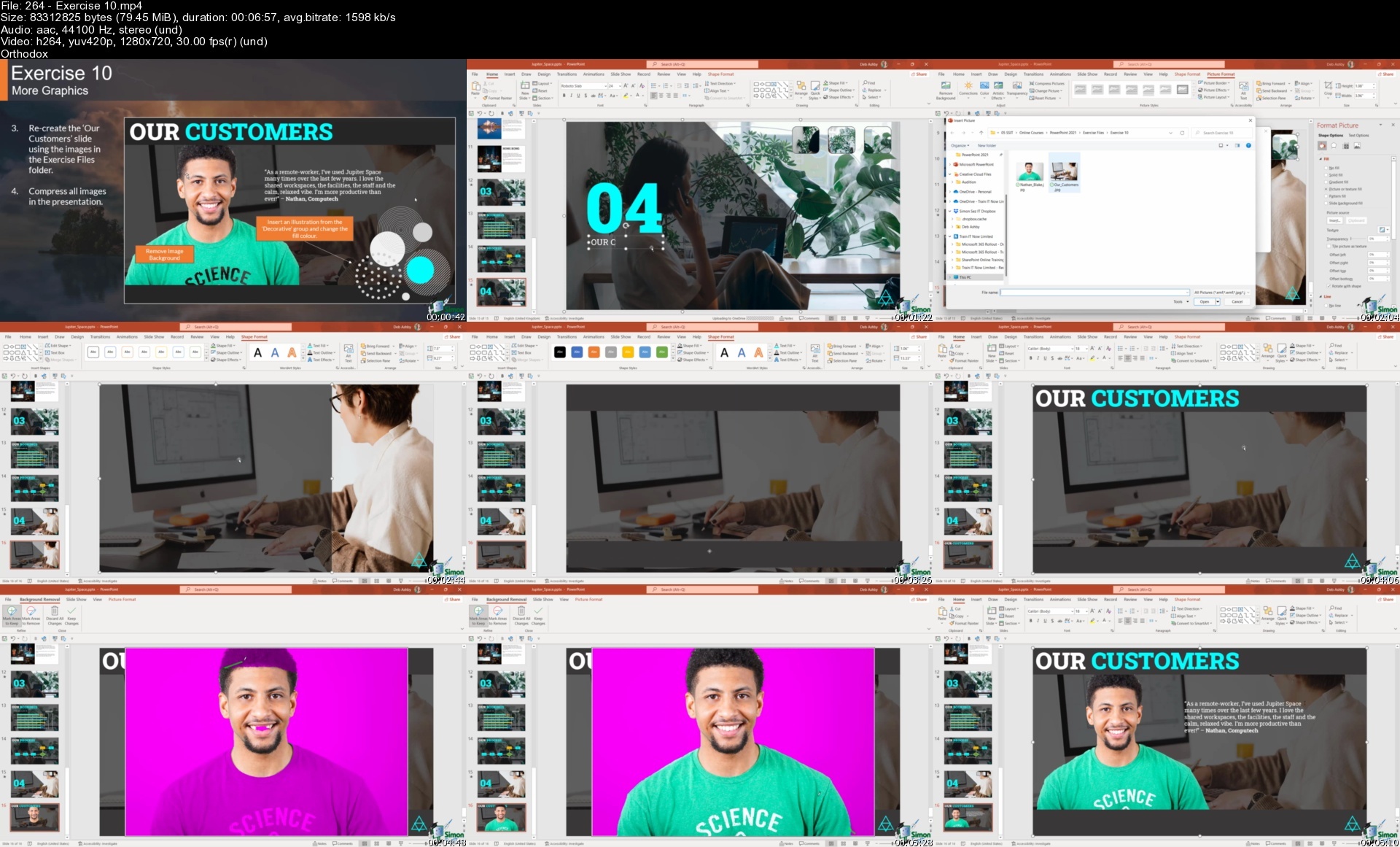
Lecture 263 Removing an Image Background

Lecture 264 Exercise 10

Section 44: PowerPoint 2021: Video, Audio and Screenshots

Lecture 265 Inserting and Editing Videos

Lecture 266 Creating a Motion Video Background

Lecture 267 Adding Audio Files

Lecture 268 Inserting Screenshots

Lecture 269 Recording the Screen

Lecture 270 Exercise 11

Section 45: PowerPoint 2021 Slide Workshop: Transitions, Zoom and Motion Paths

Lecture 271 Adding and Modifying Slide Transitions

Lecture 272 Advanced Morph

Lecture 273 Summary Zoom

Lecture 274 Pan and Zoom

Lecture 275 Animating Objects with Motion Paths

Lecture 276 Exercise 12

Section 46: PowerPoint 2021: Master Slides

Lecture 277 What are Master Slides?

Lecture 278 Modifying Master Slides

Lecture 279 Exercise 13

Section 47: PowerPoint 2021: Extending PowerPoint with Add-ins

Lecture 280 PowerPoint Add-ins

Lecture 281 Countdown Timer Add-in

Lecture 282 QR Code Add-in

Lecture 283 Pro Word Cloud

Lecture 284 Exercise 14

Section 48: PowerPoint 2021: Preparing Slides for Delivery

Lecture 285 Adding a Header and Footer

Lecture 286 Adding and Formatting Speaker Notes to a Presentation

Lecture 287 Using the Notes Master

Lecture 288 Hiding and Unhiding Slides

Lecture 289 Rehearse Timings

Lecture 290 Setting Up and Running a Custom Slide Show

Lecture 291 Adding and Replying to Comments

Lecture 292 Exercise 15

Section 49: PowerPoint 2021: Delivering a Presentation

Lecture 293 Using Presenter View

Lecture 294 On-screen Presentation Options

Lecture 295 Record and Narrate a Presentation

Lecture 296 Exercise 16

Section 50: PowerPoint 2021: Exporting, Sharing and Printing

Lecture 297 Sharing a Presentation

Lecture 298 Exporting a Presentation

Lecture 299 The Info Tab

Lecture 300 Protecting a Presentation

Lecture 301 Printing a Presentation

Lecture 302 Exercise 17

Section 51: PowerPoint 2021: Course Close

Lecture 303 Course Close

Section 52: Outlook 2021: Introduction

Lecture 304 Course Introduction

Lecture 305 WATCH ME: Essential Information for a Successful Training Experience

Lecture 306 DOWNLOAD ME: Course Exercise Files

Lecture 307 DOWNLOAD ME: Course Instructor Files

Lecture 308 Downloadable Course Transcript

Lecture 309 Staying Organized with Outlook 2021

Lecture 310 Exercise 01

Section 53: Outlook 2021: Get Started and Connect Accounts

Lecture 311 Explore the Outlook 2021 Interface

Lecture 312 Configure a Microsoft Account

Lecture 313 Add a Gmail Account (IMAP)

Lecture 314 Check Spelling and Grammar Settings

Lecture 315 Customize the Quick Access Toolbar

Lecture 316 Using Outlook Today

Lecture 317 Get Help

Lecture 318 Exercise 02

Section 54: Outlook 2021: Work with Mail - The Basics

Lecture 319 Send and Receive Mail

Lecture 320 Open and Read Mail

Lecture 321 Compose a Mail and Save to Drafts

Lecture 322 Insert Attachments

Lecture 323 Save Attachments from a Message

Lecture 324 Search and Find Mail

Lecture 325 Use Filters to Find Mail

Lecture 326 Customize the Inbox

Lecture 327 Exercise 03

Section 55: Outlook 2021: Organize and Manage Mail

Lecture 328 Flag Messages as Junk

Lecture 329 Ignore Conversations

Lecture 330 Clean Up Conversations

Lecture 331 Apply Follow Up Flags and Set Reminders

Lecture 332 Assign Mail to Categories

Lecture 333 Organize Mail into Folders and Subfolders

Lecture 334 Make Emails Stand Out with Conditional Formatting

Lecture 335 Process Messages with Mail Rules

Lecture 336 Use Search Folders for Email Management

Lecture 337 Delete and Archive Mail

Lecture 338 Exercise 04

Section 56: Outlook 2021: Create and Send Mail

Lecture 339 Create and Format a New Message

Lecture 340 Resend and Recall a Message

Lecture 341 Reply to and Forward a Message

Lecture 342 Create and Attach an Email Signature

Lecture 343 Create Voting Buttons

Lecture 344 Set Delivery Options

Lecture 345 Use Mentions to Target Specific People

Lecture 346 Translate and Read Messages Aloud

Lecture 347 Send an Out Of Office (Auto-Reply) Message

Lecture 348 Annotate Messages with Ink

Lecture 349 Insert Tables, Shapes, Icons and Other Items into a Mail

Lecture 350 Exercise 05

Section 57: Outlook 2021: Work with Contacts

Lecture 351 Add a New Contact

Lecture 352 Import Contact Information from Excel

Lecture 353 Create Contact Groups

Lecture 354 Organize Contacts with Folders

Lecture 355 Share Contact Cards with Others

Lecture 356 Exercise 06

Section 58: Outlook 2021: Manage Appointments and Meetings with the Calendar

Lecture 357 Customize Calendar Settings

Lecture 358 Create an Appointment or All Day Event

Lecture 359 Create and Respond to a Meeting Invite

Lecture 360 Add Delegates to Act on Your Behalf

Lecture 361 Work with Teams in Outlook

Lecture 362 Share Your Calendar and Open Other Calendars

Lecture 363 Exercise 07

Section 59: Outlook 2021: Tasks and Notes

Lecture 364 Create Tasks in the ToDo List

Lecture 365 Edit, Assign and Monitor Tasks

Lecture 366 Create and Manage Notes

Lecture 367 Exercise 08

Section 60: Outlook 2021: Outlook Settings

Lecture 368 Customize Outlook Settings

Lecture 369 The Navigation Pane

Lecture 370 Mailbox Cleanup

Lecture 371 Exercise 09

Section 61: Outlook 2021: Course Close

Lecture 372 Course Close

Section 62: Excel 2021 Intermediate: Introduction

Lecture 373 Course Introduction

Lecture 374 WATCH ME: Essential Information for a Successful Training Experience

Lecture 375 DOWNLOAD ME: Course Exercise Files

Lecture 376 DOWNLOAD ME: Course Instructor Files

Lecture 377 Downloadable Course Transcripts

Section 63: Excel 2021 Intermediate: Designing Better Spreadsheets

Lecture 378 The Golden Rules of Spreadsheet Design

Lecture 379 Improving Readability with Cell Styles

Lecture 380 Controlling Data Input

Lecture 381 Adding Navigation Buttons

Section 64: Excel 2021 Intermediate: Making Decisions with Logical Functions

Lecture 382 Logical Functions (AND, OR, IF)

Lecture 383 The IF Function

Lecture 384 Nested IFs

Lecture 385 The IFS Function

Lecture 386 Conditional IFs (SUMIF, COUNTIF, AVERAGEIF)

Lecture 387 Multiple Criteria (SUMIFS, COUNTIFS, AVERAGEIFS)

Lecture 388 Error Handling with IFERROR and IFNA

Lecture 389 Exercise 01

Section 65: Excel 2021 Intermediate: Looking Up Information

Lecture 390 Looking Up Information using VLOOKUP (Exact Match)

Lecture 391 Looking Up Information using VLOOKUP (Approx Match)

Lecture 392 Looking Up Information Horizontally Using HLOOKUP

Lecture 393 Performing Flexible Lookups With INDEX And MATCH

Lecture 394 Using XLOOKUP and XMATCH

Lecture 395 The OFFSET Function

Lecture 396 The INDIRECT Function

Lecture 397 Exercise 02

Section 66: Excel 2021 Intermediate: Advanced Sorting and Filtering

Lecture 398 Performing Sorts on Multiple Columns

Lecture 399 Sorting Using a Custom List

Lecture 400 The SORT and SORTBY Functions

Lecture 401 Using the Advanced Filter

Lecture 402 Extracting Unique Values - The UNIQUE Function

Lecture 403 The FILTER Function

Lecture 404 Exercise 03

Section 67: Excel 2021 Intermediate: Working with Date and Time

Lecture 405 Understanding How Dates are Stored in Excel

Lecture 406 Applying Custom Date Formats

Lecture 407 Using Date and Time Functions

Lecture 408 Using the WORKDAY and WORKDAY.INT Functions

Lecture 409 Using the NETWORKDAYS and NETWORKDAYS.INT Function

Lecture 410 Tabulate Date Differences with the DATEDIF Function

Lecture 411 Calculate Dates with EDATE and EOMONTH

Lecture 412 Exercise 04

Section 68: Excel 2021 Intermediate: Preparing Data for Analysis

Lecture 413 Importing Data into Excel

Lecture 414 Removing Blank Rows, Cells and Duplicates

Lecture 415 Changing Case and Removing Spaces

Lecture 416 Splitting Data using Text to Columns

Lecture 417 Splitting Data using Text Functions

Lecture 418 Splitting or Combining Cell Data Using Flash fill

Lecture 419 Joining Data using CONCAT

Lecture 420 Formatting Data as a Table

Lecture 421 Exercise 05

Section 69: Excel 2021 Intermediate: PivotTables

Lecture 422 PivotTables Explained

Lecture 423 Creating a PivotTable from Scratch

Lecture 424 Pivoting the PivotTable Fields

Lecture 425 Applying Subtotals and Grand Totals

Lecture 426 Applying Number Formatting to PivotTable Data

Lecture 427 Show Values As and Summarize Values By

Lecture 428 Grouping PivotTable Data

Lecture 429 Formatting Error Values and Empty Cells

Lecture 430 Choosing a Report Layout

Lecture 431 Applying PivotTable Styles

Lecture 432 Exercise 06

Section 70: Excel 2021 Intermediate: Pivot Charts

Lecture 433 Creating a Pivot Chart

Lecture 434 Formatting a Pivot Chart - Part 1

Lecture 435 Formatting a Pivot Chart - Part 2

Lecture 436 Using Map Charts

Lecture 437 Exercise 07

Section 71: Excel 2021 Intermediate: Adding Interaction to PivotTables and Charts

Lecture 438 Inserting and Formatting Slicers

Lecture 439 Inserting Timeline Slicers

Lecture 440 Connecting Slicers to Pivot Charts

Lecture 441 Updating PivotTable Data

Lecture 442 Exercise 08

Section 72: Excel 2021 Intermediate: Interactive Dashboards

Lecture 443 What is a Dashboard?

Lecture 444 Assembling a Dashboard - Part 1

Lecture 445 Assembling a Dashboard - Part 2

Lecture 446 Assembling a Dashboard - Part 3

Lecture 447 Exercise 09

Section 73: Excel 2021 Intermediate: Formula Auditing

Lecture 448 Troubleshooting Common Errors

Lecture 449 Tracing Precedents and Formula Auditing

Lecture 450 Exercise 10

Section 74: Excel 2021 Intermediate: Data Validation

Lecture 451 Creating Dynamic Drop-down Lists

Lecture 452 Other Types of Data Validation

Lecture 453 Custom Data Validation

Lecture 454 Exercise 11

Section 75: Excel 2021 Intermediate: WhatIf Analysis Tools

Lecture 455 Goal Seek and the PMT Function

Lecture 456 Using Scenario Manager

Lecture 457 Data Tables: One Variable

Lecture 458 Data Tables: Two Variables

Lecture 459 Exercise 12

Section 76: Excel 2021 Intermediate: Course Close

Lecture 460 Course Close

Users new to Microsoft Office 2021 and those upgrading from previous software versions,Anyone who wants to be more productive at work and organize their spreadsheets, documents, mail, calendar, or presentations

Homepage


264exercise10sk8ebe.jpg


Az-104: Microsoft Azure Administrator - Full Course

y8gua9p44mdd1zqk7oc0uw0d17.jpg


Az-104: Microsoft Azure Administrator - Full Course
Last updated 9/2022
MP4 | Video: h264, 1280x720 | Audio: AAC, 44.1 KHz
Language: English | Size: 6.88 GB | Duration: 17h 45m

Learn and Prepare for Azure 104 certification - Learn it the right way + 2 Full Practice Tests


What you'll learn
Manage subscriptions, accounts, Azure policies, and Role-Based Access Control
Implement and manage Azure storage
Deploy , manage and scale Azure virtual machines
Configure and manage Azure virtual networks
Configure and manage Traffic Mangement
Manage and Secure identities with Azure Active Directory and users and groups
Administer Azure using the Resource Manager, Azure portal, Cloud Shell, Azure PowerShell, CLI, and ARM templates.
Configure virtual networks including planning, IP addressing, Azure DNS, Network Security Groups, and Azure Firewall.
Configure intersite connectivity solutions like VNet Peering, virtual network gateways, and Site-to-Site VPN connections.
Manage network traffic using network routing and service endpoints, Azure load balancer, and Azure Application Gateway.
Implement, manage and secure Azure storage accounts, blob storage, and Azure files with File Sync.
Administer Azure App Service, Azure Container Instances, and Kubernetes.
Backup files, folders, and virtual machines.
Monitor the Azure infrastructure with Azure Monitor, Azure alerts, Log Analytics, and Network Watcher.
Requirements
General knowledge of IT architecture
Basics of Cloud Computing
Understanding of network configuration, including TCP/IP, Domain Name System (DNS), virtual private networks (VPNs), firewalls, and encryption technologies.
Understanding of resilience and disaster recovery, including backup and restore operations.
Understanding of on-premises virtualization technologies, including: VMs, virtual networking, and virtual hard disks

Description
Welcome to Microsoft Azure Az 104 Certificaton. This course teaches the participants to prepare for AZ 104 Certification. If certification is not in your mind at this time, you can still opt for this course as it gives you the knowledge to make you Azure ready and become a better Azure Administrator . This course is derived from Az 103 just like the certification itself. All the changes that were made to Az 103 by Microsoft to make it Az 104 are now incorporated in this course as well .We will dive into all aspects of Azure service offerings and work our way with simple tasks like creating Virtual machines , storage accounts etc . We would also learn how to manage them using Powershell and Azure CLI. A brief overview of the course agenda / description is mentioned below. Update : 2 Practice Tests added to reinforce your learningUpdate : Azure 104 Certification - 2021 Updates -Added 14 Sept 2021Update : Changes in September 24th 2021 : There are ONLY wording changes in Az 104 .There are no technological changes / addition of services with this update.Module 01 - Identity Module 02 - Governance and ComplianceModule 03 - Azure AdministrationModule 04 - Virtual NetworkingModule 05 - Intersite ConnectivityModule 06 - Network Traffic ManagementModule 07 - Azure StorageModule 08 - Azure Virtual MachinesModule 09 - Serverless ComputingModule 10 - Data ProtectionModule 11 - MonitoringTips for Learning : 1) Create an Azure account before you start the course.2) Always keep a notebook and a pen handy to make notes. Research indicates that traditional old school learning helps retain concepts for longer time. 3) Have an end date to finish the course. Dont let it drag forever. Its important to take this learning to next level before it evaporates. 4) Do as many labs as possible. 5) Ask questions. I love to work with my students and ensure they succeeed. Join me in the Q & A in the udemy portal. I hope this course would be informative to you in all aspects. Lets Get Started. Happy Learning.Some of the TOP Course Reviews :Gavin : Great course. Passed AZ-104 with the help of this course, the free official Microsoft AZ-104 labs, and the Measureup Practice test. Sean Nash : Really like how Anand explains these topics and the labs that go with it. It makes it very easy to understand.Stephen Mitchell : Seems to be so far. Style is clear and easy to follow for me.Masanori Ozaki : i passed my exam!this cource is very easy to understandSitender Kumar : This course is quite better than others! all topics covered in the training. Honestly, I appreciate the efforts of the trainerShanif Salim : Kudos to the trainer. especially the language is refreshing to listen to.Martin Smith : So Far So good. great, digestible lectures with Labs to follow along to. Clear, concise information with lots of detail. Some pages look slightly different as Azure is constantly changing but close enough to follow labs.Bammidi Dileep kumar : this course awesome subject .good teaching skill. learned lot of subjectVinicius Torino : Clear explanation .. and a lot of labsEmmanuel Yeboah : The training delivery has been great so far, insightful content, and great practical labs.chaitanya kumar Mortha : Hello Anand Sir,Thanks for sharing your knowledge. You are explanation is crystal clear. These videos are very helpful for me in ramping up my skills. I Truly appreciate your efforts & Time.Expecting more videos.Than s for everything.ChaitanyaJason Wang : Commenting on the above comments. I like how you didn't edit out the errors and mistakes so we got to see how you troubleshooter. I hate demos that "work" the first time all the time because that isn't real life.Shrikant Yerge Preparation and efforts behind quality of videos is awesome and off course content and way of delivery is next level.Thank you so much for making these videos!Juan Alfredo Blancas Velázquez : Excellent course, the information is very clear and understable. I recommend 100% this course if you want to learn Azure Administration topics.Senzi : experience has been really good. Valuable content being shared here.Ambarish Sivanapura Naraharirao : Descriptions are to the point. Pronunciation is clear. Easy to take notes from the lectures as the topics so far has been kept short.Olawale Olashina Bello Awesome! A well detailed and explanatory content. The instructor was very clear and knowledgable.Habeeb Rahman : All the points mentioned was very clear. looking forward to learn more. Thank you

Overview

Section 1: Introduction

Lecture 1 Introduction to AZ 104 Program

Lecture 2 Course Introduction

Lecture 3 Disclaimer

Lecture 4 Gratitude - Thank you for your kind reviews !!

Lecture 5 September 24th 2021 - Update

Section 2: Azure Services - An Overview

Lecture 6 What Can you Expect in this Section

Lecture 7 Overview of Azure Services

Lecture 8 Using Azure Portal - I

Lecture 9 Using Azure Portal - II

Lecture 10 Using Azure CLI

Lecture 11 Service Categories

Lecture 12 Designing a Solution - An Overview

Lecture 13 How do you Manage these Services?

Section 3: Identity and Access Management (IAM) in Azure

Lecture 14 Introduction to Identities

Lecture 15 Azure Active Directory Features and Benefits

Lecture 16 Azure AD Vs On Premise Active Directory

Lecture 17 Understanding Azure Active Directory - Lab Activity

Lecture 18 Managing Azure AD with Powershell - Lab Activity

Lecture 19 All About Azure AD Groups - Lab Activity

Lecture 20 Managing Azure AD Groups with Powershell - Lab Activity

Lecture 21 What is Multi Factor Authentication

Lecture 22 Azure Multi Factor Authentication - Lab Activity

Lecture 23 Authentication methods

Lecture 24 Types of Azure AD Users

Lecture 25 Self Service Options in Azure AD

Lecture 26 Azure AD Editions

Lecture 27 What is Azure AD Join

Lecture 28 Azure AD Connect

Lecture 29 Azure AD connect Health

Lecture 30 Azure AD B2B

Lecture 31 Azure AD B2C

Lecture 32 Monitoring Azure AD

Section 4: Azure Governance & Compliance

Lecture 33 Management Groups

Lecture 34 Create Management Groups using Powershell and UI

Lecture 35 Azure Subscriptions

Lecture 36 How do you get a Azure Subscription

Lecture 37 Azure Subscription Usage

Lecture 38 Subscription User Types

Lecture 39 Resource Limits and Quotas

Lecture 40 Resource Tagging

Lecture 41 Azure Pricing Calculator

Lecture 42 Billing Alerts

Lecture 43 Azure Reservations

Lecture 44 RBAC Concepts

Lecture 45 RBAC Roles

Lecture 46 Azure AD Roles and Permissions

Lecture 47 Role Definitions

Lecture 48 Role Defintions - Powershell

Lecture 49 Azure Active Directory and Powershell

Lecture 50 Azure Policy

Lecture 51 Azure Policy Lab Activity - I

Lecture 52 Azure Policy WalkThrough and LAB Activity

Section 5: Azure Administration

Lecture 53 Azure Portal

Lecture 54 Azure Mobile App

Lecture 55 Azure Portal Demo

Lecture 56 Azure Cloud Shell

Lecture 57 Azure Cloud Shell - Demo

Lecture 58 Introduction to Powershell

Lecture 59 Introduction to Powershell - II

Lecture 60 What is a Powershell Module

Lecture 61 Azure Modules for Powershell

Lecture 62 Manage Resource Groups with PS

Lecture 63 Azure RM vs AZ

Lecture 64 Demo - Working with Azure CLI Locally

Lecture 65 Benefits of Resource Manager

Lecture 66 Resource providers

Lecture 67 Resource Providers - Lab Activity

Lecture 68 Moving Resources

Lecture 69 Resource Group : Demo - Lab Activity

Lecture 70 Advantages of Using ARM Templates

Lecture 71 What is JSON

Lecture 72 Parameters and Variables

Lecture 73 Azure Resource Manager Templates

Lecture 74 Understanding JSON

Lecture 75 Demonstration - Run templates with PS

Lecture 76 Interacting with VM using Powershell

Lecture 77 Cleaning up Resources - With Powershell

Lecture 78 ARM Viz Tool

Section 6: Azure Virtual Networking

Lecture 79 Azure Network Introduction

Lecture 80 Purpose of Virtual Networks

Lecture 81 Virtual Networks - LAB

Lecture 82 Creating Virtual Networks with Powershell - Lab Activity

Lecture 83 What are Subnets

Lecture 84 Multiple NICs - LAB Activity

Lecture 85 IP Addressing

Lecture 86 Private IP Addresses

Lecture 87 Public IP Addresses

Lecture 88 Manage IP Addresses - Lab Activity

Lecture 89 Azure Service Endpoints

Lecture 90 Why use Service Endpoints

Lecture 91 Service Endpoints Demo

Lecture 92 Services that Use Service Endpoints

Lecture 93 Domain and Custom Domains

Lecture 94 Azure DNS

Lecture 95 DNS Delegation

Lecture 96 Private Zone - Scenario I

Lecture 97 Private Zone - Scenario II

Lecture 98 Private DNS - Demo

Lecture 99 What are NSG's

Lecture 100 Scope of NSG's

Lecture 101 NSG Demo

Section 7: Interconnectivity

Lecture 102 Interconnectivity Intro

Lecture 103 Vnet Peering

Lecture 104 Benefits of Network peering

Lecture 105 Vnet Peering - Lab Activity

Lecture 106 Gateway Transit

Lecture 107 Service Chaining

Lecture 108 Virtual Network Gateway

Lecture 109 Virtual Network Gateway Lab - I ( Point to Site )

Lecture 110 Virtual Network Gateway Lab - II ( Point to Site )

Lecture 111 Express Route -I

Lecture 112 Express Route - II

Lecture 113 Express Route - III

Lecture 114 Azure Connectivity - Comparision

Lecture 115 Inter-connectivity - Conclusion

Section 8: Network Traffic Management

Lecture 116 Network Routing - System Routes

Lecture 117 Network Routing - User Defined Routes

Lecture 118 What is a Load Balancer - I

Lecture 119 What is a Load Balancer - II

Lecture 120 Public Load Balancer

Lecture 121 Internal Load Balancer

Lecture 122 Load Balancer SKU

Lecture 123 Load Balancer - Lab - I

Lecture 124 Load Balancer - Lab -II

Lecture 125 Load Balancer - Lab -III

Lecture 126 Azure Traffic Manager Profiles

Lecture 127 Traffic Manager : Priority Routing

Lecture 128 Traffic Manager : Performance Routing

Lecture 129 Traffic Manager : Geographic Routing

Lecture 130 Traffic Manager : Weighted Routing

Lecture 131 Traffic Manager Profiles - Lab Activity

Section 9: Azure Storage

Lecture 132 Azure Storage

Lecture 133 Azure Storage Account

Lecture 134 Standard and premium storage accounts

Lecture 135 Storage Types

Lecture 136 Creating - Storage Account - Lab Activity

Lecture 137 Create Storage Account with Powershell - Lab Activity

Lecture 138 Create Storage Account with CLI - Lab Activity

Lecture 139 Azure Storage Explorer - Introduction

Lecture 140 Azure Blob Containers

Lecture 141 Storage Performance Tiers

Lecture 142 Uploading Blobs

Lecture 143 Blob Access Policies

Lecture 144 Blob Storage Pricing

Lecture 145 Blob Storage - Lab Activity

Lecture 146 Azure Files

Lecture 147 Files Vs Blobs

Lecture 148 Create Azure File Share ( Lab Activity )

Lecture 149 Creating File Share with Poweshell and Mouting on Linux ( Lab Activity )

Lecture 150 Secure File Transfer

Lecture 151 File Share Snaphots

Lecture 152 FIle Share Snapshots - Lab Activity

Lecture 153 Storage Security

Lecture 154 Authorization Options

Lecture 155 Shared Access Signatures

Lecture 156 Shared Access Signatures - Lab Activity

Lecture 157 Storage Security Encryption

Lecture 158 Customer Managed Keys

Lecture 159 SAS Best Practices

Lecture 160 Blob Public Access Level

Section 10: Azure Virtual machines

Lecture 161 Supported Operating Systems

Lecture 162 What is not supported?

Lecture 163 What is Azure Compute

Lecture 164 Virtual Machine I - LAB

Lecture 165 Virtual machine II - LAB

Lecture 166 Virtual Machine III - LAB

Lecture 167 Virtual Machine IV - Lab

Lecture 168 Virtual Machine V - LAB

Lecture 169 Virtual Machine VI - Lab

Lecture 170 Creating VM with Powershell

Lecture 171 Managing Linux Instances

Lecture 172 Maintenance and Downtime

Lecture 173 Availability Sets

Lecture 174 Fault Domain and Update Domain

Lecture 175 Custom Script Extensions

Lecture 176 CSE - LAB

Section 11: Serverless Computing

Lecture 177 Introduction

Lecture 178 App Service Plan

Lecture 179 App Service Plan - Pricing Tiers

Lecture 180 App Service Plan Scaling

Lecture 181 Auto scaling Features - Lab

Lecture 182 Autoscale considerations

Lecture 183 Creating a web app

Lecture 184 Azure App service Features

Lecture 185 Azure web app deployment options

Lecture 186 Azure app deployment Slots

Lecture 187 Authentication and Authorization

Lecture 188 Web App Custom Domains

Lecture 189 App Services - Backup and Restore

Lecture 190 What are Containers?

Lecture 191 Containers VS Virtual Machines

Lecture 192 Containerization Benefits

Lecture 193 What is Container Orchestration?

Lecture 194 Azure Container Instances - Lab Activity - I

Lecture 195 Azure Container Instances - Lab Activity - II

Lecture 196 Azure Container Instances -Deploy with CLI- Lab - III

Lecture 197 Build Custom Apps and Azure Container Registry - LAB Activity

Lecture 198 Azure Container Groups

Lecture 199 What is Docker ?

Lecture 200 Docker Terminologies

Lecture 201 Azure Kubernetes Services

Lecture 202 Azure Kubernetes Services - Features

Lecture 203 AKS Nodes and Clusters

Lecture 204 AKS Networking - Services

Lecture 205 AKS - Volumes

Lecture 206 AKS Security

Lecture 207 AKS and Azure AD Introduction

Lecture 208 Kubernetes Service Accounts

Lecture 209 AKS and Azure AD - Roles and ClusterRoles

Lecture 210 Kubernetes LAB Activity - I

Lecture 211 Kubernetes LAB Activity - II

Lecture 212 Kubernetes LAB Activity - III

Lecture 213 Kubernetes Architecture

Section 12: Data Protection

Lecture 214 Data Protection Agenda

Lecture 215 Storage Account Replication Options

Lecture 216 Local Redundant Storage

Lecture 217 Zone Redundant Storage

Lecture 218 GRS and RA-GRS

Lecture 219 GZRS and RA-GZRS

Lecture 220 Comparing Replication Strategies

Lecture 221 Azure Backup

Lecture 222 Recovery Services Vault - Backup I

Lecture 223 Recovery Services Vault - Backup II

Lecture 224 Recovery Services Vault - Backup III

Lecture 225 Azure Site Recovery

Lecture 226 Data Protection for Virtual Machines

Lecture 227 Image Vs Snapshots

Lecture 228 Azure Site Recovery - Replication LAB

Section 13: Azure Monitoring

Lecture 229 Azure Monitoring Service - Introduction

Lecture 230 Key Capabilities

Lecture 231 Monitoring Data Platform

Lecture 232 Log Data

Lecture 233 Data Types

Lecture 234 Azure Advisor

Lecture 235 Azure Advisor - Lab Activity

Lecture 236 Activity Log - Lab

Lecture 237 Event Categories

Lecture 238 Azure Alerts

Lecture 239 Log Analytics

Lecture 240 Log Analytics - Lab Activity

Lecture 241 Network Watcher - Introduction

Lecture 242 Network Watcher - Connection Monitor - Lab

Lecture 243 Network Watcher - Topology - Demo

Lecture 244 Network Watcher - IP Flow Verify

Lecture 245 Network Watcher - Next Hop

Lecture 246 Network Watcher - Connection Troubleshoot

Section 14: Azure 104 Certification - 2021 Updates

Lecture 247 Azure File Sync - Introduction

Lecture 248 Azure File Sync - Lab Activity - I

Lecture 249 Azure File Sync - Lab Activity - II

Lecture 250 Azure Import Export Service

Lecture 251 Azure Import Export Service - Lab Activity

Lecture 252 Az Copy - Introduction

Lecture 253 Az Copy - LAB Activity

Lecture 254 Content Delivery Networks

Lecture 255 CDN Benefits

Lecture 256 How CDN works ?

Lecture 257 Azure CDN - Lab Activity

Lecture 258 Azure Bastion Host - End to End Lab

Lecture 259 Adding Additonal Disk to VM

Lecture 260 Azure Replication Strategy - Theory

Lecture 261 Azure Replication Strategy - Lab

Section 15: Practice Test

IT professionals who want to become Azure administrators,IT professionals preparing for Microsoft's AZ-104 exam,participants who have knowledge of other cloud platforms like AWS or Google cloud and want to explore Azure cloud service offerings

Homepage


75demonstrationruntem0qcgz.jpg


Sap S/4 Hana Fico

4oojb8qsutyi5zkf3ffcefnd7d.jpg


Sap S/4 Hana Fico
Published 9/2022
MP4 | Video: h264, 1280x720 | Audio: AAC, 44.1 KHz
Language: English | Size: 9.84 GB | Duration: 22h 37m

Get a firm grasp on SAP FICO's basics to advance of financial accounting as a beginner.


What you'll learn
Obtain the opportunity to learn more complex things in SAP later
Configuration and Implementation for SAP FICO module
Be able to work as both SAP End-User and Consultant
Understand the Ledger Concept with Accounting Principles
General Ledger Accounting (G/L)
Settings in AP and AR
Consolidation, Down Payment, Vendor Credit Memo
Profitability Analysis (CO-PA)
Detailed implementation and configuration steps on SAP FICO system
Controlling and Products Cost Controlling (CO-PC)
Reports and Management Information System
Product Costing, Profitability Analysis
End to end cycle of S/4 HANA FICO
Requirements
No prior SAP experience is necessary
You will learn everything you need to know about SAP S/4 HANA FICO

Description
SAP FICO COURSE DETAILS & CURRICULUMIntroduction:Introduction to ERPIntroduction to SAPPart 1: Enterprise Structure:Definition of companyDefinition of employer codeAssignment of business enterprise to employer codeDefinition of commercial enterprise areaPart 2: Financial Accounting Basic SettingsDefinition of fiscal yr variantAssignment of fiscal yr variant to organization codeDefinition of posting length variantAssignment of posting duration variant to organization codeOpen and shut posting periodMaintenance of area popularity variantsAssignment of subject reputation variant to employer codeCreation of chart of AccountsDefining Accounts GroupsDefining Retained Earnings AccountDefinition of tolerance organizations for GL accountsDefinition of tolerance companies for employeesAssignment of tolerance corporations to usersTaxes on Sales & Purchases (input & output)Defining record kind & quantity rangesPART 3: General Ledger AccountingCreation of General Ledger Master (with and besides reference)Display/Change/Block/Unblock of time-honored ledger masterDocument Entry posting ordinary postings and posting with referenceDisplay and alternate of documentsDisplay of GL balancesDisplay GL account line itemsParked documentsHold documentsCreation of Sample Document postings with pattern documentsReversal of person documents, mass reversal and reversal of reversed documentMonth End Provisions -Open object Management - Full clearing, Partial Clearing and Residual ClearingAccrual and Deferral documentsInterest calculations on time period loansPART 4: Accounts PayableCreation of supplier account groupsCreation of quantity stages for seller grasp recordsAssignment of variety stages to dealer account groupsCreation of tolerance team for vendorsCreation of seller grasp (display/change/block/unblock of supplier master)Posting of supplier transactions (invoice posting, price posting, deposit memo)Display Vendor balances and G/L BalancesConfiguration Settings for increase repayments to Vendors (down payment)Clearing of down price towards invoices (special GL transactions)Posting of partial Payment & Residual PaymentCreation of fee terms,Creation of residence banks and account ids.Creation of test plenty and Creation of void reasonsMaintenance of take a look at registerDisplay take a look at registerCancellation of unissued checksCancellation of issued checksposting of buy returns.BRSConfiguration of computerized charge programDefining correspondence & birthday party assertion of accountsPART 5: Accounts receivableCreation of client account groupsCreation of range degrees for patron grasp recordsAssignment of quantity tiers for client account groupsCreation of tolerance team for customersCreation of client grasp (display/change/block/unblock of vender master)Posting of client transactions (sales consignment posting, charge posting, debit memo)
Overview

Section 1: Introduction

Lecture 1 Introduction

Section 2: Creating Entries

Lecture 2 Creating Entries

Section 3: Vendor Invoice Entries

Lecture 3 Vendor Invoice Entries

Section 4: Interval Maintenance

Lecture 4 Interval Maintenance

Section 5: Post Delete Single Transactions

Lecture 5 Post Delete Single Transactions

Section 6: Mass Reversal Of Documents

Lecture 6 Mass Reversal Of Documents

Section 7: Reverse Accrual Document

Lecture 7 Reverse Accrual Document

Section 8: Payment Transactions Accounting FICO

Lecture 8 Payment Transactions Accounting

Section 9: Vendor Transactions

Lecture 9 Vendor Transactions

Section 10: Displaying G_L Account

Lecture 10 Displaying G_L Account

Section 11: Displaying Check Lots

Lecture 11 Displaying Check Lots

Section 12: Payment with Printout Header Data

Lecture 12 Payment with Printout Header Data

Section 13: Maintaining Tax Codes

Lecture 13 Maintaining Tax Codes

Section 14: Maintaining Tax Records

Lecture 14 Maintaining Tax Records

Section 15: Displaying Account Configuration

Lecture 15 Displaying Account Configuration

Section 16: Non-Taxable Transactions

Lecture 16 Non-Taxable Transactions

Section 17: Creating G_L Account

Lecture 17 Creating G_L Account

Section 18: Depreciation Treatment

Lecture 18 Depreciation Treatment

Section 19: Exploring Asset Values

Lecture 19 Exploring Asset Values

Section 20: Financial Statement

Lecture 20 Financial Statement

Section 21: Maintaining controlling area

Lecture 21 Maintaining controlling area

Section 22: Cost Center & Cost Element

Lecture 22 Cost Center & Cost Element

Section 23: Internal order and Group Maintenance

Lecture 23 Internal order and Group Maintenance

Section 24: Account Determination

Lecture 24 Account Determination

Section 25: Displaying Assets in Master Data

Lecture 25 Displaying Assets in Master Data

Section 26: Vendor Invoices

Lecture 26 Vendor Invoices

Section 27: Cash General Documents

Lecture 27 Cash General Documents

Section 28: Accounting document for P2P

Lecture 28 Accounting document for P2P

Section 29: Automatic posting run

Lecture 29 Automatic posting run

SAP FI / SAP CO Consultants,ERP Consultants wishing to learn SAP FICO configuration and implementation,Finance Professionals who understand and work on financial accounting,MBA students wishing for a career in Finance & Accounting,Accounts Payable / Accounts Receivable / Asset Accounting Analysts,Accountants and Senior Accountants,SAP FICO Functional Consultants,SAP FICO Analysts & Consultants,Interested Professionals

Homepage


9vendortransactionsskzeii.jpg


Dp-100: Azure Machine Learning & Data Science For Beginners

3ukjvhlstxprljf02mzihs7czr.jpg


Dp-100: Azure Machine Learning & Data Science For Beginners
Published 9/2022
MP4 | Video: h264, 1280x720 | Audio: AAC, 44.1 KHz
Language: English | Size: 5.49 GB | Duration: 13h 13m

Exam DP-100: Designing and Implementing a Data Science Solution on Azure Covered, Learn Azure Machine Learning


What you'll learn
Prepare for DP-100 Exam
Getting Started with Azure ML
Setting up Azure Machine Learning Workspace
Running Experiments and Training Models
Deploying the Models
AzureML Designer: Data Preprocessing
Regression Using AzureML Designer
Classification Using AzureML Designer
AzureML SDK: Setting up Azure ML Workspace
AzureML SDK: Running Experiments and Training Models
Use Automated ML to Create Optimal Models
Tune hyperparameters with Azure Machine Learning
Use model explainers to interpret models
Requirements
Basic Understanding of Machine Learning
A Free or Paid Subscription to Microsoft Azure

Description
Machine Learning and Data Science are one of the hottest tech fields now a days ! There are a lot of opportunities in these fields. Data Science and Machine Learning has applications in almost every field, like transportation, Finance, Banking, Healthcare, Defense, Entertainment, etc.Most of the professionals and students learn Data Science and Machine Learning but specifically they are facing difficulties while working on cloud environment. To solve this problem I have created this course, DP-100. It will help you to apply your data skills in Azure Cloud smoothly.This course will help you to pass the "Exam DP-100: Designing and Implementing a Data Science Solution on Azure". In this course you will understand what to expect on the exam and it includes all the topics that are require to pass the DP-100 Exam.Below are the skills measured in DP-100 Exam,1) Manage Azure resources for machine learning (25-30%)Create an Azure Machine Learning workspaceManage data in an Azure Machine Learning workspaceManage compute for experiments in Azure Machine LearningImplement security and access control in Azure Machine LearningSet up an Azure Machine Learning development environmentSet up an Azure Databricks workspace2) Run experiments and train models (20-25%)Create models by using the Azure Machine Learning designerRun model training scriptsGenerate metrics from an experiment runUse Automated Machine Learning to create optimal modelsTune hyperparameters with Azure Machine Learning3) Deploy and operationalize machine learning solutions (35-40%)Select compute for model deploymentDeploy a model as a serviceManage models in Azure Machine LearningCreate an Azure Machine Learning pipeline for batch inferencingPublish an Azure Machine Learning designer pipeline as a web serviceImplement pipelines by using the Azure Machine Learning SDKApply ML Ops practices4) Implement responsible machine learning (5-10%)Use model explainers to interpret modelsDescribe fairness considerations for modelsDescribe privacy considerations for dataSo what are you waiting for, Enroll Now and understand Azure Machine Learining to advance your career and increase your knowledge!

Overview

Section 1: Getting Started with Azure ML

Lecture 1 Introduction to Azure Machine Learning

Lecture 2 Introduction to Azure Machine Learning Studio

Lecture 3 Azure ML Cheat Sheet

Lecture 4 DP-100 Exam Skills Measured (Exam Curriculum)

Section 2: Setting up Azure Machine Learning Workspace

Lecture 5 Azure ML: Architecture and Concepts

Lecture 6 Creating AzureML Workspace

Lecture 7 Workspace Overview

Lecture 8 AzureML Studio Overview

Lecture 9 Introduction to Azure ML Datasets and Datastores

Lecture 10 Creating a Datastore

Lecture 11 Creating a Dataset

Lecture 12 Exploring AzureML Dataset

Lecture 13 Introduction to Azure ML Compute Resources

Lecture 14 Creating Compute Instance and Compute Cluster

Lecture 15 Deleting the Resources

Section 3: Running Experiments and Training Models

Lecture 16 Azure ML Pipeline

Lecture 17 Creating New Pipeline using AzureML Designer

Lecture 18 Submitting the Designer Pipeline Run

Section 4: Deploying the Models

Lecture 19 Creating Real-Time Inference Pipeline

Lecture 20 Deploying Real-Time Endpoint in AzureML Designer

Lecture 21 Creating Batch Inference Pipeline in AzureML Designer

Lecture 22 Running Batch Inference Pipeline in AzureML Designer

Lecture 23 Deleting the Resources

Section 5: AzureML Designer: Data Preprocessing

Lecture 24 Setting up Workspace and Compute Resources

Lecture 25 Sample Datasets

Lecture 26 Select Columns in Dataset

Lecture 27 Importing External Dataset From Web URL

Lecture 28 Edit Metadata - Column Names

Lecture 29 Edit Metadata - Feature Type and Data Type

Lecture 30 Creating Storage Account, Datastore and Datasets

Lecture 31 Adding Columns From One Dataset to Another One

Lecture 32 Adding Rows From One Dataset to Another One

Lecture 33 Clean Missing Data Module

Lecture 34 Splitting the Dataset

Lecture 35 Normalizing Dataset

Lecture 36 Exporting Data to Blob Storage

Lecture 37 Deleting the Resources

Section 6: Project 1: Regression Using AzureML Designer

Lecture 38 Creating Workspace, Compute Resources, Storage Account, Datastore and Dataset

Lecture 39 Business Problem

Lecture 40 Analyzing the Dataset

Lecture 41 Data Preprocessing

Lecture 42 Training ML Model with Linear Regression (Online Gradient Descent)

Lecture 43 Evaluating the Results

Lecture 44 Training ML Model with Linear Regression (Ordinary least squares)

Lecture 45 Training ML Model with Boosted Decision Tree and Decision Forest Regression

Lecture 46 Finalizing the ML Model

Lecture 47 Creating and Deploying Real-Time Inference Pipeline

Lecture 48 Creating and Deploying Batch Inference Pipeline

Lecture 49 Deleting the Resources

Section 7: Project 2: Classification Using AzureML Designer

Lecture 50 Creating Workspace, Compute Resources, Storage Account, Datastore and Dataset

Lecture 51 Business Problem

Lecture 52 Analyzing the Dataset

Lecture 53 Data Preprocessing

Lecture 54 Training ML Model with Two-Class Logistic Regression

Lecture 55 Training ML Model with Two-Class SVM

Lecture 56 Training ML Model with Two-Class Boosted Decision Tree & Decision Forest

Lecture 57 Finalizing the ML Model

Lecture 58 Creating and Deploying Batch Inference Pipeline

Section 8: AzureML SDK: Setting up Azure ML Workspace

Lecture 59 AzureML SDK Introduction

Lecture 60 Creating Workspace using AzureMl SDK

Lecture 61 Creating a Datastore using AzureMl SDK

Lecture 62 Creating a Dataset using AzureMl SDK

Lecture 63 Accessing the Workspace, Datastore and Dataset with AzureML SDK

Lecture 64 AzureML Dataset and Pandas Dataset Conversion

Lecture 65 Uploading Local Datasets to Storage Account

Section 9: AzureML SDK: Running Experiments and Training Models

Lecture 66 Running Sample Experiment in AzureML Environment

Lecture 67 Logging Values to Experiment in AzureML Environment

Lecture 68 Introduction to Azure ML Environment

Lecture 69 Running Script in AzureML Environment Part 1

Lecture 70 Running Script in AzureML Environment Part 2

Lecture 71 Uploading the output file to Existing run in AzureML Environment

Lecture 72 Logistic Regression in Local Environment Part 1

Lecture 73 Logistic Regression in Local Environment Part 2

Lecture 74 Creating Python Script - Logistic Regression

Lecture 75 Running Python Script for Logistic Regression in AzureML Environment

Lecture 76 log_confusion_matrix Method

Lecture 77 Provisioning Compute Cluster in AzureML SDK

Lecture 78 Automate Model Training - Introduction

Lecture 79 Automate Model Training - Pipeline Run Part 1

Lecture 80 Automate Model Training - Pipeline Run Part 2

Lecture 81 Automate Model Training -Data Processing Script

Lecture 82 Automate Model Training - Model Training Script

Lecture 83 Automate Model Training - Running the Pipeline

Section 10: Use Automated ML to Create Optimal Models

Lecture 84 Introduction to Automated ML

Lecture 85 Automated ML in Azure Machine Learning studio

Lecture 86 Automated ML in Azure Machine Learning SDK

Section 11: Tune hyperparameters with Azure Machine Learning

Lecture 87 What Hyperparameter Tuning Is?

Lecture 88 Define the Hyperparameters Search Space

Lecture 89 Sampling the Hyperparameter Space

Lecture 90 Specify Early Termination Policy

Lecture 91 Configuring the Hyperdrive Run - Part 1

Lecture 92 Configuring the Hyperdrive Run - Part 2

Lecture 93 Creating the Hyperdrive Training Script

Lecture 94 Getting the Best Model and Hyperparameters

Section 12: Use model explainers to interpret models

Lecture 95 Interpretability Techniques in Azure

Lecture 96 Model Explainer on Local Machine

Lecture 97 Model Explainer in AzureML Part 1

Lecture 98 Model Explainer in AzureML Part 2

Anyone who wants to learn Azure Machine Learning,Students and Professionals Who Wants to Pass DP-100 Exam

Homepage


21creatingbatchinfere3odn5.jpg


Zurück
Oben Unten