• Regeln für den Video-Bereich:

    In den Börsenbereich gehören nur Angebote die bereits den Allgemeinen Regeln entsprechen.

    Einteilung

    - Folgende Formate gehören in die angegeben Bereiche:
    - Filme: Encodierte Filme von BluRay, DVD, R5, TV, Screener sowie Telesyncs im Format DivX, XviD und x264.
    - DVD: Filme im Format DVD5, DVD9 und HD2DVD.
    - HD: Encodierte Filme mit der Auflösung 720p oder darüber von BluRay, DVD, R5, TV, Screener sowie Telesyncs im Format x264.
    - 3D: Encodierte Filme von BluRay, die in einem 3D Format vorliegen. Dies gilt auch für Dokus, Animation usw.
    - Serien: Cartoon/Zeichentrick, Anime, Tutorials, Dokumentationen, Konzerte/Musik, Sonstiges sind demnach in die entsprechenden Bereiche einzuordnen, auch wenn sie beispielsweise im High Definition-Format oder als DVD5/DVD9/HD2DVD vorliegen. Ausnahme 3D.
    - Bereich Englisch: Englische Releases gehören immer in diesen Bereich.
    - Bereich Talk: Der Bereich, in dem über die Releases diskutiert werden kann, darf, soll und erwünscht ist.


    Angebot/Beitrag erstellen

    - Ein Beitrag darf erst dann erstellt werden, wenn der Upload bei mindestens einem OCH komplett ist. Platzhalter sind untersagt.
    - Bei einem Scenerelease hat der Threadtitel ausschließlich aus dem originalen, unveränderten Releasenamen zu bestehen. Es dürfen keine Veränderungen wie z.B. Sterne, kleine Buchstaben o.ä. vorgenommen werden. Ausnahme Serienbörse:
    - Bei einem Sammelthread für eine Staffel entfällt aus dem Releasename natürlich der Name der Folge. Beispiel: Die Simpsons S21 German DVDRip XviD - ITG
    - Dementsprechend sind also u.a. verboten: Erweiterungen wie "Tipp", "empfehlenswert", "only", "reup", usw. / jegliche andere Zusatzinformation oder Ergänzung, welche nicht in obiger Beschreibung zu finden ist.

    Aufbau des Angebots und Threadtitel

    Der Titel nach folgendem Muster erstellt zu werden. <Name> [3D] [Staffel] [German] <Jahr> <Tonspur> [DL] [Auflösung] <Quelle> <Codec> - <Group>
    Beispiel: The Dark Knight German 2008 AC3 DVDRip XviD - iND
    Beispiel: The Dark Knight 2008 DTS DL BDRip x264 - iND
    Beispiel: The Dark Knight 2008 AC3 DL BDRip XviD - iND
    Beispiel: The Dark Knight German 2008 AC3 720p BluRay x264 iND
    Beispiel: The Dark Knight 2008 DTS DL 1080p BluRay x264 iND
    Beispiel: Die Simpsons S01 German AC3 DVDRip XviD iND
    Beispiel: Die Simpsons S20 German AC3 720p BluRay x264 iND
    Beispiel: Sword Art Online II Ger Sub 2014 AAC 1080p WEBRip x264 - peppermint
    Entsprechend sind also u.a. verboten: Sonderzeichen wie Klammern, Sterne, Ausrufezeichen, Unterstriche, Anführungszeichen / Erweiterungen wie "Tipp", "empfehlenswert", "only", "reup", usw. / jegliche andere Zusatzinformation oder Ergänzung, welche nicht in obiger Beschreibung zu finden ist
    Ausnahmen hiervon können in den Bereichen geregelt sein.

    Die Beiträge sollen wie folgt aufgebaut werden:
    Überschrift entspricht dem Threadtitel
    Cover
    kurze Inhaltsbeschreibung
    Format, Größe, Dauer sind gut lesbar für Downloader außerhalb des Spoilers zu vermerken
    Nfo sind immer Anzugeben und selbige immer im Spoiler in Textform.
    Sind keine Nfo vorhanden z.B. Eigenpublikationen, sind im Spoiler folgende Dateiinformationen zusätzlich anzugeben :
    Quelle
    Video (Auflösung und Bitrate)
    Ton (Sprache, Format und Bitrate der einzelnen Spuren)
    Untertitel (sofern vorhanden)
    Hosterangabe in Textform außerhalb eines Spoiler mit allen enthaltenen Hostern.
    Bei SD kann auf diese zusätzlichen Dateiinformationen verzichtet werden.

    Alle benötigten Passwörter sind, sofern vorhanden, in Textform im Angebot anzugeben.
    Spoiler im Spoiler mit Kommentaren :"Schon Bedankt?" sind unerwünscht.


    Releases

    - Sind Retail-Release verfügbar, sind alle anderen Variationen untersagt. Ausnahmen: Alle deutschen Retail-Release sind CUT, in diesem Fall sind dubbed UNCUT-Release zulässig.
    - Im Serien-Bereich gilt speziell: Wenn ein Retail vor Abschluss einer laufenden Staffel erscheint, darf diese Staffel noch zu Ende gebracht werden.62
    - Gleiche Releases sind unbedingt zusammenzufassen. Das bedeutet, es ist zwingend erforderlich, vor dem Erstellen eines Themas per Suchfunktion zu überprüfen, ob bereits ein Beitrag mit demselben Release besteht. Ist dies der Fall, ist der bereits vorhandene Beitrag zu verwenden.
    - P2P und Scene Releases dürfen nicht verändert oder gar unter einem iND Tag eingestellt werden.


    Support, Diskussionen und Suche

    - Supportanfragen sind entweder per PN oder im Bereich Talk zu stellen.
    - Diskussionen und Bewertungen sind im Talk Bereich zu führen. Fragen an die Uploader haben ausschließlich via PN zu erfolgen, und sind in den Angeboten untersagt.
    - Anfragen zu Upload-Wünschen sind nur im Bereich Suche Video erlaubt. Antworten dürfen nur auf Angebote von MyBoerse.bz verlinkt werden.


    Verbote

    - Untersagt sind mehrere Formate in einem einzigen Angebotsthread, wie beispielsweise das gleichzeitige Anbieten von DivX/XviD, 720p und 1080p in einem Thread. Pro Format, Release und Auflösung ist ein eigener Thread zu eröffnen.
    - Grundsätzlich ebenso verboten sind Dupes. Uploader haben sich an geeigneter Stelle darüber zu informieren, ob es sich bei einem Release um ein Dupe handelt.
    - Gefakte, nur teilweise lauffähige oder unvollständige Angebote sind untersagt. Dies gilt auch für eigene Publikationen, die augenscheinlich nicht selbst von z.B. einer DVD gerippt wurden. Laufende Serien, bei denen noch nicht alle Folgen verfügbar sind, dürfen erstellt und regelmäßig geupdatet werden.
    - Untersagt sind Angebote, welche nur und ausschließlich in einer anderen Sprache als deutsch oder englisch vorliegen. Ausnahmen sind VORHER mit den Moderatoren zu klären.


    Verstoß gegen die Regeln

    - Angebote oder Beiträge, die gegen die Forenregeln verstoßen, sind über den "Melden"-Button im Beitrag zu melden.
  • Bitte registriere dich zunächst um Beiträge zu verfassen und externe Links aufzurufen.

*** Bestes IPTV *** bester Preis *** gratis Test ***


Englische Tutorials

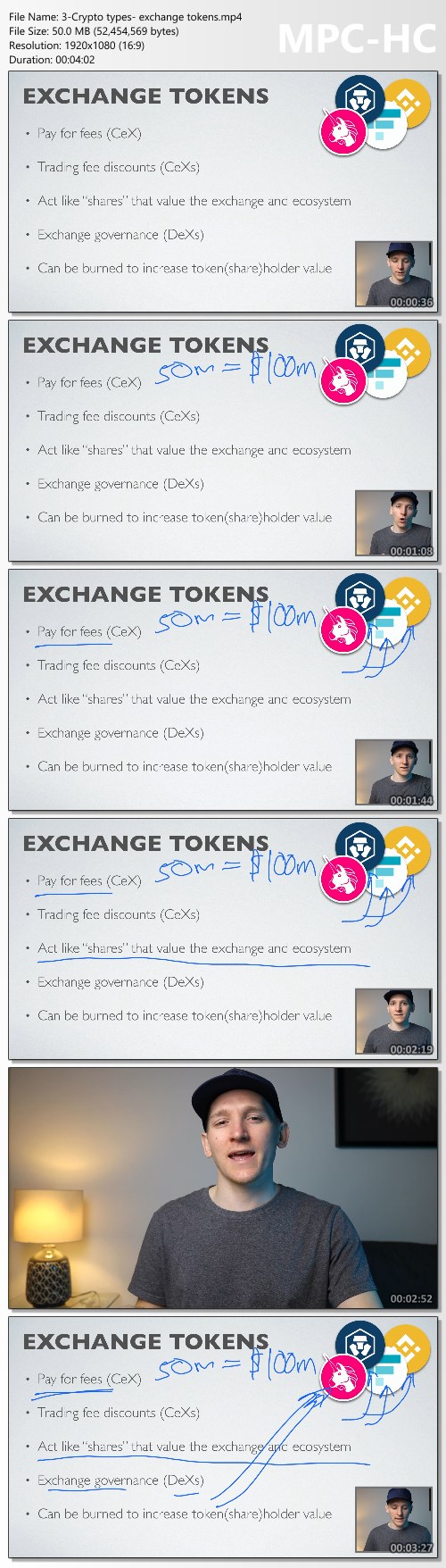
Crypto Investor Course - MoneyZG

2c8ac4712b00cb057ca36df44f8875bd.jpg

Crypto Investor Course - MoneyZG | 10.8 GB
Cryptocurrency trading, analysis and investing. Learn about the crypto markets in great detail with guidance from a former London Stock Exchange broker.

Learn vital trading and investing lessons like:
How to invest along the risk curve
How to value assets
How to analyse crypto projects
The value of tokenomics
How to use decentralised finance
How to analyse on-chain data
Full trading guidance from a pro
How to use blockchain apps
Full crypto wallet guidance
How I build my crypto portfolio
Course content is added over time. The price will go up as more content becomes available.

Here's What You Get
Full lifetime access for a flat fee
Future course content at no extra cost
New content and value added over time
A broker with real professional experience
Private Discord groups {1,000's of members}
My portfolio and trade alerts

Homepage:

Screenshots
010f4464aba016c5e5fbf1d2bf35ead4.jpg


Link Download
Extract files with WinRar 5 or Latest !
 
Linux Shell Commands for Absolute Beginners using Ubuntu 20x

linuxshellcommandsforyfevs.jpg


Linux Shell Commands for Absolute Beginners using Ubuntu 20x
Last Updated 06/2022
MP4 | Video: h264, 1280x720 | Audio: AAC, 44.1 KHz, 2 Ch
Genre: eLearning | Language: English + srt | Duration: 289 lectures (22h 34m) | Size: 10.9 GB

A master class on linux commands for absolute beginners using Ubuntu 20.04


What you'll learn
Setup Ubuntu Linux on Windows using wsl
Getting Started with Linux Shell Commands using commands such as pwd, help, etc
Listing files and folders in Linux File System using ls
Filtering files and folders in Linux File System using commands such as find
Processing Data in Files using Linux Commands using commands such cat, tail, head, more, cut, sort, uniq, etc
Understanding File and Folder Properties and also commands to change the ownership as well as permissions
Managing Files and Folders in Linux using commands such as cp, mv, rm, etc along with awk for the automation
Basic System Commands in Linux such as lscpu, free, df, du, etc to get CPU, memory, free or available as well as used storage respectively
Comparing Files and Folders in Linux using diff
Variables and Environment Variables in Linux including commands such as env and concepts related to PATH Environment Variable
Getting Started with AWS to provision EC2 Instances to explore SSH, networking concepts, scp, etc
Overview of SSH to interact with remote servers which includes all key concepts such as sshd, configuration files, running commands remotely, etc
Basic Networking Concepts such as different ip addresses, ports using Linux including telnet command to troubleshoot networking issues
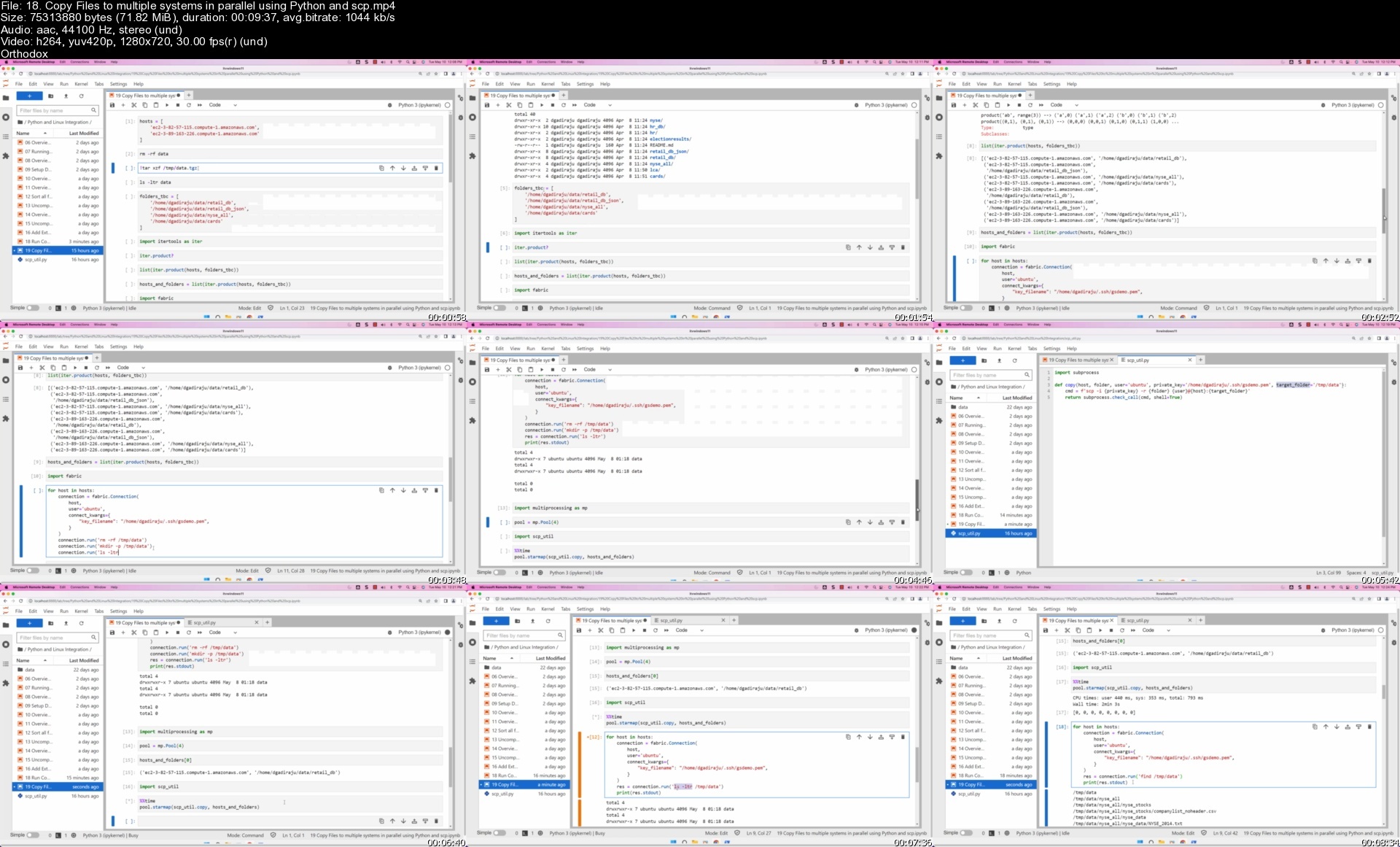
Copy Files and Folders between Multiple Systems using scp including fine tuning the performance of scp
Troubleshooting Application issues using find and grep in Linux

Requirements
PC or Mac with decent configuration
At least 8 GB RAM, i5 or equivalent processor
CPU with dual core or with higher configuration


Description
As part of this course, you will learn most of the important Linux commands that can come in handy while working in Linux-based environments.

Here are the high-level details of the Linux Commands that are covered as part of this hands-on course.

You will get started by having an appropriate environment to practice. Windows users can set up Ubuntu 20.04 using wsl.

Once the environment is ready, you will understand how to get started with basic Linux Commands.

The most commonly used command in Linux is ls. It is used to list the files. We will see different variations of ls by going through all the relevant arguments.

One of the powerful Linux commands and also my favorite is "find". It helps us to filter the files and directories based on name, type, modified time, etc. You will learn how to use the find command effectively from the perspective of finding the files based on the criteria.

As we understand how to get details related to files and folders in Linux, we will go through the details related to previewing the data in files using important Linux commands such as cat, tail, more, etc. Also, we will review Linux commands such as cut, sort, uniq to process the data. All these commands are typically used against text files.

After going through details related to ls, find commands as well as commands related to processing data in files, we will walk you through the details related to file and folder properties in Linux. You will get an overview of commands such as useradd, userdel, chmod, etc which are typically associated with file permissions.

One of the key aspects related to files and folders is to manage them effectively. We will go through the details about managing files and folders using Linux commands such as cp for copy, mv for move or rename, rm for delete or remove, tar to build uncompressed as well as compressed tar balls. Also, you will get a taste of the awk command to automate some of the common tasks such as reorganizing the files based on patterns.

The core components of a computer are nothing but CPU, Memory, and Storage. In this section or module, you will be learning Linux commands such as lscpu to get CPU details, free to get memory details, and then df and du to get storage details.

At times, we need to make sure the data is in files as well as codebase to troubleshoot the production issues or bugs in QA. In this section, you will learn how to use the Linux command called diff to compare files and folders and review the differences.

Environment Variables are the ones that can impact the sessions logged in by users in Linux. As part of this section, you will be learning details related to Variables, Environment Variables. Also, you will understand how to list all the Environment Variables using Linux commands such env, and how to get a value of a Variable or Environment Variable using the Linux command echo. On top of these things, you will also learn all important aspects related to one of the most important Environment Variables called PATH.

As we gain a decent amount of knowledge related to Linux commands using a single server, it is time for us to explore other important commands such as ssh, scp, pssh, pscp, etc which require more than one Linux System or Server. Also, we need to go through basic networking concepts. To learn commands to interact between the servers as well as to understand basic networking concepts, we will get started with AWS to provision Ubuntu-based virtual machines. These Virtual Machines will be used in the subsequent sections to learn the concepts mentioned earlier as part of this bullet point.

Once we go through the details about getting started with AWS, we will focus on learning all key concepts related to SSH such as sshd daemon, updating ssh config files, and restarting sshd using systemctl or service command. Also, we will go through the details related to passwordless login and also ability to run commands remotely via ssh. We will also understand how to set up parallel ssh and then run commands on multiple Linux systems in parallel.

To be comfortable with learning in a Linux environment, it is very important for one to understand key concepts such as different types of IP Addresses, Port Numbers, relationships between applications and databases with ports, etc. In this section, we will go through all important networking concepts using apache2, MongoDB, etc.

Once we are comfortable with SSH, it is time for us to use tools such as scp which uses ssh under the hood to copy files and folders between the Linux Systems. We will also explore parallel scp to copy files in parallel to multiple target systems from one source system. Also, we will go through the details related to speeding up the copy using different techniques which include submitting multiple scp commands using nohup.

Basic Linux Commands

Running the first command on Linux

Getting usage of Linux commands using the help

Overview of Files and Folders

Fully Qualified or Absolute Paths and Relative Paths of Files and Folders

Listing files and folders in Linux File System using ls

Overview of ls command to list files and folders in Linux

Setup Files and Folders from GitHub Account to learn Shell Commands

Setup Jupyter Lab to go through help on linux commands

Getting the properties of files and folders using the ls command in Linux

Sorting ls output while listing files in Linux

List files and folders in Linux sorted by time

List files and folders in Linux sorted by size

Overview of Hidden Folders and Files

Listing Hidden Files and Folders in Linux

Listing the files and folders recursively in Linux

Exploring Control Arguments while listing files in Linux

Overview of representation of file sizes

Overview of alias command and ll to list files and folders

Filtering files and folders in Linux File System

Introduction to the filtering files and folders on Linux File System

Accessing Windows Files and Folders from Linux setup using wsl

Overview of grep command

Few basic examples using grep and piping

Overview of Piping while running shell commands

Overview of Basic Pattern Matching

Deep Dive into the wc command to get word count or line count

Overview of the find command to filter files and folders

Understand the behavior of the simplest form of find command in Linux

Using Linux find command to find directories or folders

Using Linux find command to find files by type and pattern

Overview of Standard Directories in Linux

Get the list of files based on the modified time using the Linux find command

Get the list of files based on size using the Linux find command

Processing Data in Files using Linux Commands

Introduction to commands used for processing data in files using Linux

Overview of Different File Formats

Get file format or type using file command in Linux

Preview the data in the text file using head command in Linux

Preview the data in the text file using tail command

Install apache web server on Ubuntu Linux

Generate Apache Logs every second using shell script and nohup

Monitoring Logs using tail command in Linux

Preview the data in the text file using more command

Extract data from files in Linux using cut command

Sort data in files in Linux using sort command

Sort data in files in Linux using sort command based on key and delimiter

Extract Information and Redirect to a file in Linux

Getting Unique Records from File using sort in Linux

Using uniq to get unique values in Linux

Understanding File and Folder Properties

Introduction to Properties of Files and Folders

Understand File and Folder Properties provided by ls command

Understanding Owner of the Files in Linux

Overview of groups associated with files and folders in Linux

Creating Groups in Linux using groupadd

Create users in Linux using useradd command

Specifying bash as the default shell while creating users in Linux

Create Users with Group in Linux

Add users to supplementary or secondary groups in Linux

Overview of File Permissions in Linux

Overview of umask for default permissions on Files and Folders

Permissions on Home Folders for different Linux Users

File and Folder Permissions for Groups and Others

Conclusion for File and Folder Properties using Linux

Managing Files and Folders in Linux

Introduction to Managing Files and Folders in Linux

Generate empty files in Linux using touch command

Creating Directories in Linux using mkdir command

Overview of awk command in Linux

Overview of cp command to copy files in Linux

Using cp command to copy files in Linux

Create multiple folders at once using awk in Linux

Copy files using Patterns in Linux

Automate file copy using awk and cp in linux

Copying folders recursively using cp command in Linux

Copying files using cp while preserving properties in Linux

Moving Files in linux using mv command

Automate file move using awk and mv in linux

Overview of tar command to take the backups

Create backup of files and folders using tar command in linux

Restoring Files and Folders using tar command in Linux

Moving Folders in Linux using mv command

Overview of rm command to remove files from Linux File System

Delete files from Linux File System using rm command

Use alias to delete files interactively from Linux File System

Delete folders from Linux File System using rm command

Restore Data Folder from the tar ball

Delete files using find and rm from Linux file system based on name

Delete files using find and awk from Linux file system based on name

Generate log files for multiple years using touch with patterns

Update timestamp of files based on names in Linux using touch

Delete files using find and rm based on modified time in Linux

Renaming the files and folders in Linux

Basic System Commands in Linux

Introduction to Basic System Commands in Linux

Overview of core components of a computer

Get CPU Details using lscpu command in Linux

Get Memory Details using free on Linux

Get Storage Details using df in Linux

Get Disk Usage Details using du in Linux

Get largest folders and files using du and sort on Linux

Understand Storage Details of Directories using du on Windows

Get storage use of folders and files

Get Storage Details of larger files using find and du

Comparing Files and Folders in Linux using diff

Introduction to comparing files and folders in Linux using diff

Overview of the diff command

Prepare Dataset to explore diff command in Linux

Understand the output of the diff command in Linux

Compare Files Ignoring Blank Lines and White Spaces using diff in Linux

Compare Files Ignoring case using diff in Linux

Unified and Side By Side Comparison using diff in Linux

Compare Folders in Linux using the diff command

Variables and Environment Variables in Linux

Creating and Printing Variables using echo in Linux

Overview of Environment Variables in Linux and env command

Overview of Environment Variables in Windows

Review some of the standard environment variables in Linux

Get the location of commands in linux using which

Review PATH and unset PATH in Linux

Relevance of PATH Environment Variable while running Linux Commands

Overview of Profile and rc in Linux

Create a simple shell script and grant execute permissions in Linux

Update PATH with parent folders of custom applications

Update PATH in profile with parent folders of custom applications

Getting Started with AWS

Introduction to Getting Started with AWS

Signing up for AWS

Overview of AWS Web Console

Overview of AWS EC2 Console or Dashboard

Create AWS EC2 Key Pair using AWS EC2 Console

Create our first AWS EC2 Instance using Ubuntu 20

Login into AWS EC2 Instance using Key Pair

Overview of AWS Free Tier and Pricing

Overview of AWS Web Console Cloud Shell

Overview of AWS EC2 Instance Concepts

Managing AWS EC2 Instances

Overview of SSH to interact with remote servers

Introduction to Overview of SSH to interact with Remote Servers

Create Multiple AWS EC2 Instances

Different Modes of SSH Login to Remote Servers

Understanding Password less login to Remote Server

Overview of SSH Daemons on Remote Servers

Understand SSH Properties Files and Properties

Enabling Password login on Remote Server

Run Commands on Remote Servers using SSH

Connect to Remote Servers from Windows using Powershell as well as wsl

Setup pssh or parallel-ssh on Mac as well as Ubuntu Linux

Run Commands on multiple servers using parallel-ssh or pssh

Run Commands on multiple servers using pssh using the hosts file

Enable Password less login using ssh keys and the ssh-copy-id command

Terminate AWS EC2 Instances used for demo

Basic Networking Concepts using Linux

Introduction to Basic Networking Concepts using Linux

Provision EC2 Instance from AWS

Overview of AWS Security Groups

Overview of Different Types of IP Addresses

Install Apache Webserver on Ubuntu

Update Security Group to access Apache Web Application

Overview of Daemon or Background Processes and Ports

Understanding Structure of IP Address

Overview of DNS Aliases for IP Addresses

Install Jupyter Lab on Ubuntu

Run Jupyter Lab using Localhost

Update Security Group to access Jupyter Lab

Setup Mongo DB on AWS EC2 Instance

Run MongoDB on Universal IP Address

Update Security Group to access Mongo DB

Cleanup AWS EC2 Instance used to demo networking concepts

Copy Files and Folders between Multiple Systems using scp

Introduction to Copying Files and Folders between multiple Linux Systems using scp

Provision of multiple EC2 Instances from AWS

Connect to EC2 Instances using Windows Powershell

Connect to EC2 Instances from Linux on Windows

Prepare Data Sets to explore Copying Files

Overview of scp for secure copy between Multiple Systems

Copy Files using scp between Multiple Systems

Copy Folders using scp between Multiple Systems

Copy Tar Ball or Zip File using scp between Linux Servers

Setup parallel-scp or pscp to copy files to multiple systems

Prepare Target Systems by recreating folders using pssh

Copy Files onto remote machines in parallel using pscp

Copy Folders onto remote machines in parallel using pscp

Overview of Copying Files and Folders between two systems in parallel

Submit Long-Running Applications or Commands in the Background using nohup

Run multiple scp commands in parallel using nohup in Linux

Stop or Terminate AWS EC2 Instances used for the tasks

Desired Audience

Here is the desired audience for this advanced course.

Experienced application developers to gain expertise related to Linux shell commands

Experienced Data Engineers to gain enough skills related to Linux shell commands

Testers to improve their testing capabilities by using Linux shell commands effectively

Prerequisites

Logistics

Computer with decent configuration (At least 4 GB RAM, however 8 GB is highly desired)

Dual Core is required and Quad-Core is highly desired

Chrome Browser

High-Speed Internet

Who this course is for
Students who want to learn Linux commands by hands-on practice
Freshers and entry level IT professionals who want to gain the knowledge of Linux commands
Any Software developers such as Python, Java, etc who would like to gain proficiency of Linux Commands
Any Software Testers who would like to gain proficiency related to Linux Commands
This course is designed for all those IT Professionals who frequently work on Linux based Environment
System Administrators, Network Administrators, DevOps Engineers, etc

Homepage


18.copyfilestomultiplajd0b.jpg


0f080d9d81f66d9586b49498a0addd91.png


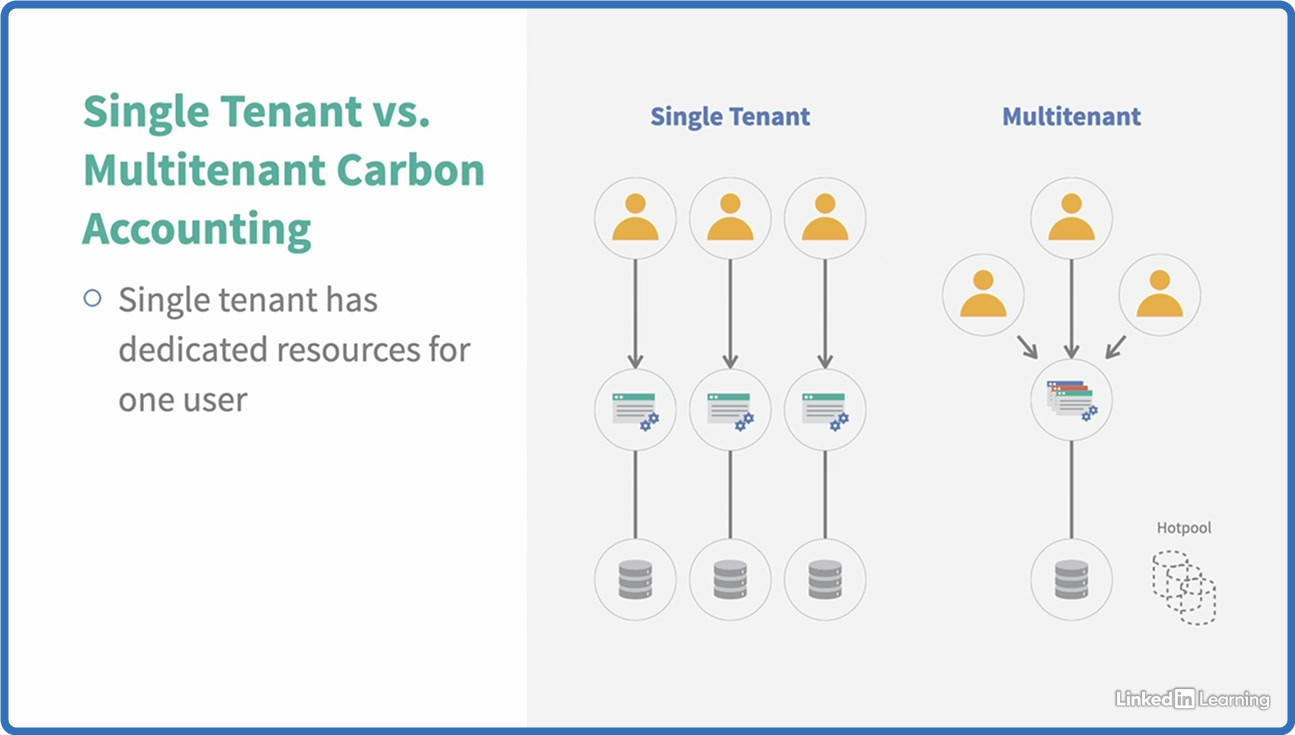
Linkedin.Learning.Including.Sustainability.in.Your.Cloud.Strategy
Language: English
Files Type:sfv, nfo, mkv| Size:76.75 MB
Video:00:34:47 | 1280X720 | 157 Kbps
Audio:A_AAC-2 | 127 Kbps | AAC
Genre:eLearning


Videos Files :
01.01 do not waste water.mkv (3.5 MB)
01.02 designing for scarcity in a world of abundance.mkv (2.65 MB)
01.03 the green behind the cloud.mkv (5 MB)
02.01 factors impacting carbon consumption in the cloud.mkv (8.19 MB)
02.02 understanding types of emissions.mkv (3.81 MB)
02.03 impact of cpu utilization on carbon consumption.mkv (5.09 MB)
02.04 power usage effectiveness.mkv (5.23 MB)
02.05 cloud shared responsibility models.mkv (3.12 MB)
02.06 to autoscale or not to autoscale.mkv (5.81 MB)
03.01 measuring parallel efficiency of the cloud systems.mkv (5.21 MB)
04.01 carbon tax rates and carbon intensity.mkv (5.89 MB)
04.02 csp sustainability calculators.mkv (2.86 MB)
04.03 using golden coefficients for carbon estimation.mkv (1.48 MB)
05.01 energy consumption case study 1.mkv (3.47 MB)
05.02 energy consumption case study 2.mkv (2.58 MB)
06.01 benefits of consolidation.mkv (6.81 MB)
07.01 learning more about sustainability.mkv (6.04 MB)


_3439969c74c497f7b1454363e4ec49d2.jpeg


Linkedin.Learning.Achieving.Low Latency.Data.with.Edge.Computing
Language: English
Files Type:sfv, nfo, mkv| Size:177.22 MB
Video:01:13:09 | 1280X720 | 1184 Kbps
Audio:A_AAC-2 | 127 Kbps | AAC
Genre:eLearning


Videos Files :
01.01 introduction.mkv (6.5 MB)
01.02 prerequisites.mkv (1.35 MB)
01.03 exercise files.mkv (1.01 MB)
02.01 what is edge computing.mkv (10.05 MB)
02.02 overview of data latency.mkv (6.91 MB)
02.03 why is low latency data with edge computing important.mkv (21.71 MB)
03.01 reference architecture.mkv (5.54 MB)
03.02 messaging systems.mkv (5.28 MB)
03.03 push vs. pull.mkv (7.32 MB)
03.04 in memory access.mkv (7.29 MB)
03.05 scalability.mkv (13.15 MB)
04.01 implementation architecture.mkv (6.66 MB)
04.02 mqtt.mkv (6.62 MB)
04.03 rabbitmq.mkv (8.87 MB)
04.04 apache geode.mkv (8.77 MB)
04.05 spring.mkv (7.8 MB)
05.01 demo example implementation overview.mkv (7.73 MB)
05.02 producing at the edge using rabbitmq.mkv (18.13 MB)
05.03 consuming edge data using rabbitmq.mkv (20.55 MB)
05.04 low latency access using apache geode.mkv (2.32 MB)
06.01 wrap up.mkv (3.65 MB)


94a65f72deb47fb4660588fdc7e19886.png


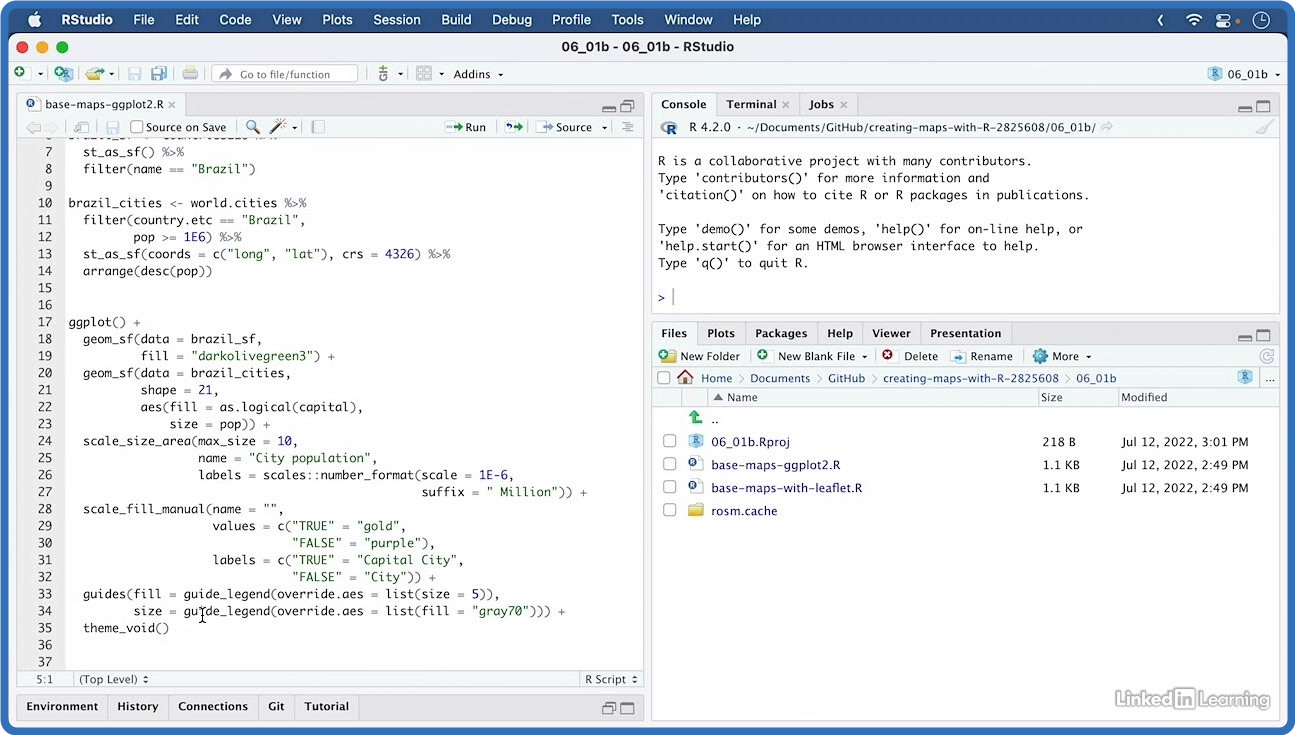
Linkedin.Learning.Creating.Maps.with.R
Language: English
Files Type:sfv, nfo, mkv| Size:501.52 MB
Video:02:31:48 | 1280X720 | 393 Kbps
Audio:A_AAC-2 | 127 Kbps | AAC
Genre:eLearning


Videos Files :
01.01 why create maps with r.mkv (4.97 MB)
01.02 base knowledge.mkv (3.41 MB)
01.03 github repository and exercise files.mkv (4.35 MB)
02.01 how to choose a map.mkv (20.57 MB)
02.02 geo marker and scatter plots.mkv (10.7 MB)
02.03 geo bubble charts.mkv (7.64 MB)
02.04 choropleth shaded area maps.mkv (7.69 MB)
02.05 hexbin maps or hexagonally binned choropleth.mkv (10.18 MB)
02.06 dot density.mkv (10.86 MB)
02.07 cartograms distorted area maps.mkv (5.04 MB)
03.01 standardize country names with countrycode.mkv (3.16 MB)
03.02 join shapefiles with data in excel files.mkv (15.92 MB)
03.03 convert addresses to coordinates with geocoding.mkv (22.44 MB)
03.04 challenge geolocate all us state capitol buildings.mkv (3.04 MB)
03.05 solution geolocate all us state capitol buildings.mkv (11.14 MB)
04.01 gis data formats raster or vector.mkv (8.81 MB)
04.02 vector gis data sf and sp.mkv (3.13 MB)
04.03 work with sf datasets and the tidyverse.mkv (12.9 MB)
04.04 challenge visualizing continent populations.mkv (1.88 MB)
04.05 solution visualizing continent populations.mkv (9.28 MB)
05.01 use geom sf to visualize geo locations.mkv (16.48 MB)
05.02 ggplot2 choropleth and continuous data.mkv (23.11 MB)
05.03 ggplot2 choropleth and discrete data.mkv (19.93 MB)
05.04 label maps with ggrepel package.mkv (17.12 MB)
05.05 zoom into regions with coords sf().mkv (11.03 MB)
05.06 transform crs with coord sf().mkv (7.24 MB)
05.07 challenge label a geobubble chart of germanys biggest cities.mkv (1.76 MB)
05.08 solution label a geobubble chart of germanys biggest cities.mkv (14.5 MB)
05.09 challenge visualize state coastline length with choropleth.mkv (1.73 MB)
05.10 solution visualize state coastline length with choropleth.mkv (13.32 MB)
06.01 the basics of using leaflet.mkv (11.95 MB)
06.02 use leaflet to visualize geo locations.mkv (18.36 MB)
06.03 add labels and pop ups to leaflet maps.mkv (16.25 MB)
06.04 leaflet choropleth and continuous data.mkv (21.63 MB)
06.05 leaflet choropleth and discontinuous data.mkv (20.69 MB)
06.06 set a background color with leaflet.extras.mkv (5.07 MB)
06.07 challenge add pop up labels to a map of german cities.mkv (1.82 MB)
06.08 solution add pop up labels to a map of german cities.mkv (20.46 MB)
06.09 challenge interactive choropleth of state coastline length.mkv (2.13 MB)
06.10 solution interactive choropleth of state coastline length.mkv (22.75 MB)
07.01 base maps and tiles.mkv (23.56 MB)
07.02 what are projections and crs.mkv (7.9 MB)
07.03 geographics vs. projected crs.mkv (7.3 MB)
07.04 how to choose crs and use them with sf.mkv (15.63 MB)
08.01 what else can you learn about creating maps in r.mkv (2.68 MB)


6849005be30f2b8101a771fc5cf46434.png


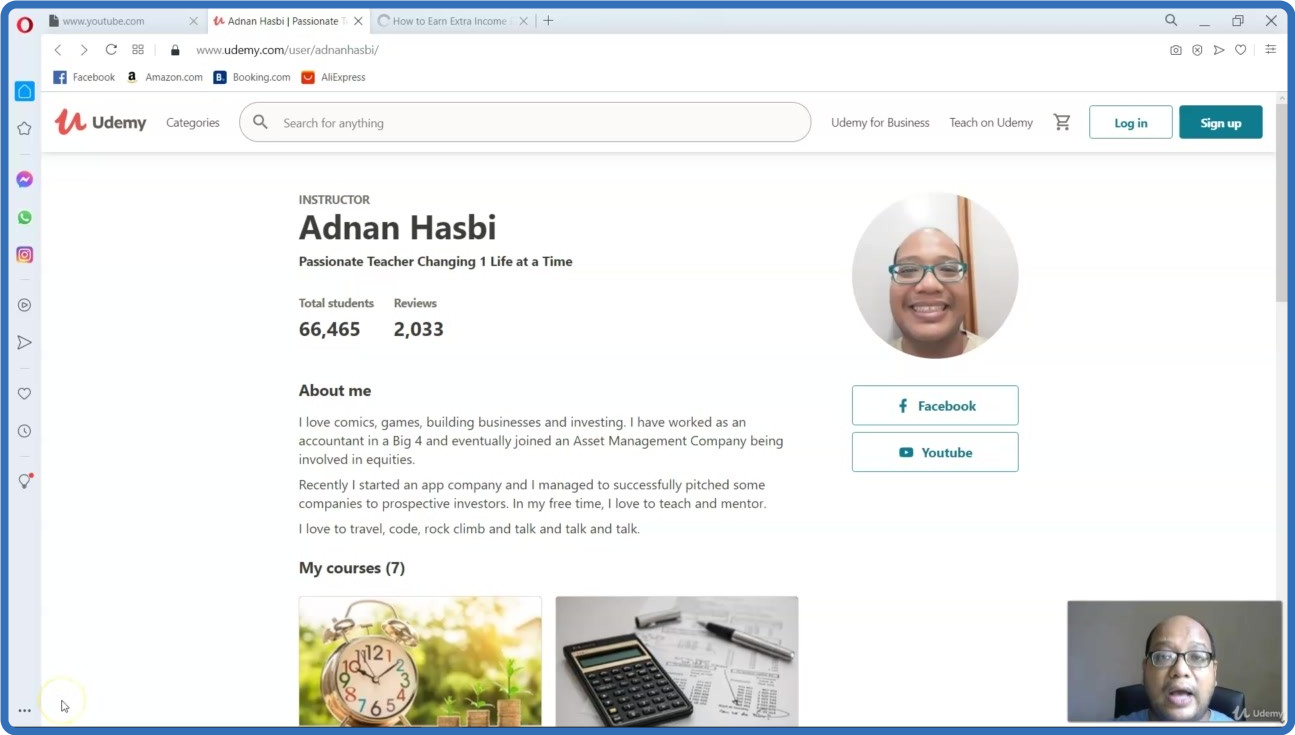
UDEMY.Accounting.for.Beginners.Financial.Accounting.Made.Easy.
Language: English
Files Type:mp4, sfv, nfo| Size:230.87 MB
Video:02:03:40 | 1280X720 | 1220 Kbps
Audio:mp4a-40-2 | 128 Kbps | AAC
Genre:eLearning


Videos Files :
1. Introduction to this Course.mp4 (4.58 MB)
10. Structure 3 Corporations.mp4 (7.88 MB)
11. Introduction of an Asset.mp4 (5.07 MB)
12. Short Term vs Long Term Assets.mp4 (2.96 MB)
13. Analyzing Asset What We Analyst Look for in A Company.mp4 (4.03 MB)
14. Bonus Limitation of Accounting.mp4 (2.62 MB)
15. Liability What is it.mp4 (3.19 MB)
16. Liability Short Term vs Long Term.mp4 (5.03 MB)
17. Liability Analysis.mp4 (4.18 MB)
18. Shareholder Equity The Outline.mp4 (4.83 MB)
19. Shareholder Equity The Building Blocks.mp4 (5.58 MB)
2. Introduction of Myself.mp4 (1.76 MB)
20. Shareholder Equity Conclusion.mp4 (5.7 MB)
21. Intro to the Financial Statements.mp4 (11.78 MB)
22. Income Statement.mp4 (7.09 MB)
23. The Balance Sheet.mp4 (10.49 MB)
24. Bonus Section Analysis of Income Statement.mp4 (9.18 MB)
25. Introduction of Accounting Principals.mp4 (6.67 MB)
26. Fundamental 1 Entity Concept.mp4 (8.82 MB)
27. Fundamental 2 Going Concern.mp4 (5.06 MB)
28. Fundamental 3 Accrual.mp4 (6.61 MB)
29. Fundamental 4 Money Measurement.mp4 (3.84 MB)
3. What is Accounting.mp4 (4.79 MB)
30. Fundamental 5 Periodicity.mp4 (6.66 MB)
31. Fundamental 6 Matching.mp4 (4.59 MB)
32. Fundamental 7 Consistency.mp4 (5.02 MB)
33. Fundamental 8 Materiality.mp4 (4.11 MB)
34. Fundamental 9 Cost Concept.mp4 (3.7 MB)
35. Fundamental 10 Conservatism.mp4 (6.27 MB)
36. Intro of Tying Up Everything.mp4 (1.92 MB)
37. Company's First Investors.mp4 (4.38 MB)
38. Company's First Loan.mp4 (6.19 MB)
39. Company's First Assets.mp4 (3.41 MB)
4. Why bother taking Accounting.mp4 (6.27 MB)
40. Company's Expenses.mp4 (7.29 MB)
41. Company's Revenues.mp4 (4.08 MB)
42. The End.mp4 (1.32 MB)
43. Thank You From Me.mp4 (13.1 MB)
5. Who will be interested in our Accounts.mp4 (5.65 MB)
6. But Accounting can be dull.mp4 (4.37 MB)
7. The Different Structures a company may adpot.mp4 (964.56 KB)
8. Structure 1 Sole Proprietor.mp4 (4.13 MB)
9. Structure 2 Partnership.mp4 (5.71 MB)


a7cc1908ace8b8a2ba3e1d537ea2fb35.png


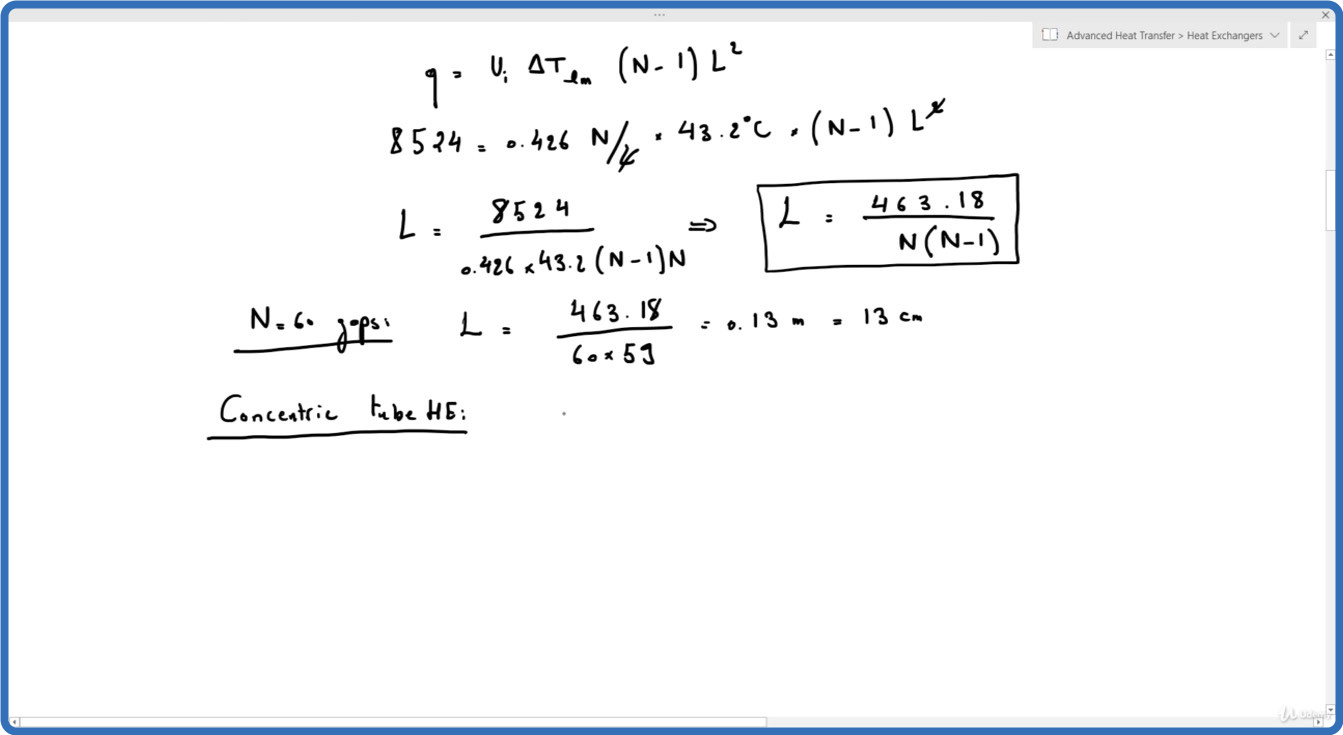
UDEMY.Advanced.Heat.Transfer.Heat.Exchangers.
Language: English
Files Type:mp4, sfv, nfo| Size:1.4 GB
Video:04:44:45 | 1280X720 | 587 Kbps
Audio:mp4a-40-2 | 128 Kbps | AAC
Genre:eLearning


Videos Files :
1. Types of Heat Exchangers.mp4 (64.14 MB)
10. Example 4.mp4 (80.83 MB)
11. Example 5.mp4 (157.91 MB)
12. Multipass and Cross Flow Heat Exchangers Use of a Correction Factor.mp4 (84.87 MB)
13. Example 6.mp4 (40.19 MB)
14. Example 7.mp4 (57.73 MB)
15. Example 8.mp4 (55.71 MB)
16. Example 9.mp4 (48.21 MB)
17. Effectiveness NTU Method Introduction.mp4 (24.01 MB)
18. Effectiveness NTU Method Definitions.mp4 (60.27 MB)
19. Effectiveness NTU Method Parallel Flow HE.mp4 (38.88 MB)
2. The Overall Heat Transfer Coefficient.mp4 (54.29 MB)
20. Effectiveness NTU Method Relations and Charts.mp4 (97.38 MB)
21. Example 10.mp4 (54.92 MB)
22. Example 11.mp4 (45.47 MB)
23. Example 12.mp4 (79.63 MB)
3. Example 1.mp4 (89.37 MB)
4. Example 2.mp4 (112.05 MB)
5. Example 3.mp4 (44.15 MB)
6. Analysis of Heat Exchangers.mp4 (39.89 MB)
7. The Log Mean Temperature Difference Method Parallel Flow HE.mp4 (43.43 MB)
8. Counter Flow Heat Exchanger.mp4 (46.23 MB)
9. Special Operating Conditions.mp4 (15.07 MB)


f4ee2752c6783f87cebb721f66f9a40c.png


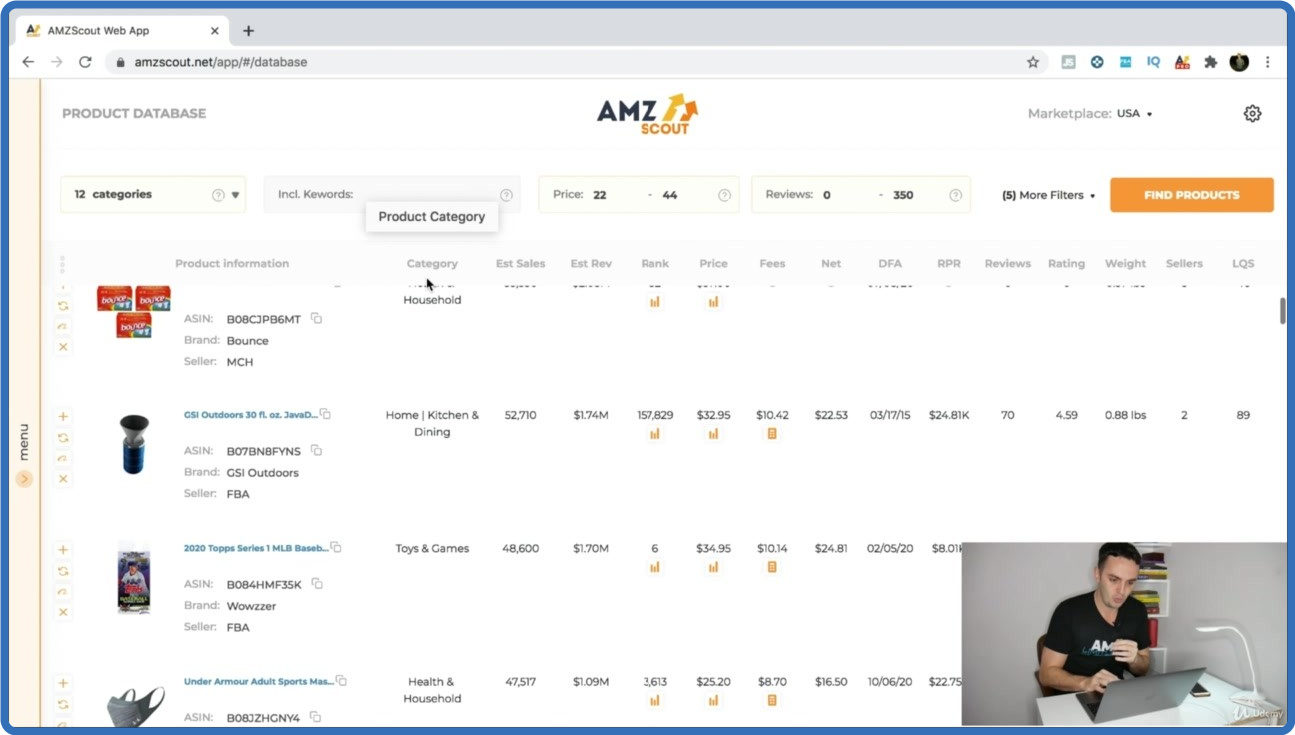
UDEMY.Amazon.FBA.Limitless.Course.Master.Amazon.FBA.Selling.2022.
Language: English
Files Type:mp4, sfv, nfo| Size:3.57 GB
Video:03:55:09 | 1280X720 | 2095 Kbps
Audio:mp4a-40-2 | 128 Kbps | AAC
Genre:eLearning


Videos Files :
1. Introduction, Mentoring + Private Student FB Group.mp4 (28.69 MB)
10. Product Research Using The Product Database.mp4 (260.89 MB)
11. Finding Products Using The Best Sellers List.mp4 (146.99 MB)
12. Product Research Deep Search Method.mp4 (200.09 MB)
13. Product Research Using The Storefront Method.mp4 (77.01 MB)
14. Non Conventional Product Research Methods.mp4 (144.26 MB)
16. Tracking a Product.mp4 (169.61 MB)
17. Make Sure Your Product is Not Seasonal.mp4 (107.68 MB)
18. How to search for a Patent or Trademark.mp4 (113.5 MB)
19. How Much Will You Need for Your 1st Order.mp4 (39.73 MB)
2. The Best Strategy to Sell Successfully.mp4 (52.95 MB)
21. Creating a Superior Product.mp4 (89.16 MB)
22. How to Create a Product Bundle.mp4 (41.02 MB)
23. Product Restrictions, Gated Categories and Getting Ungated.mp4 (98.52 MB)
26. How To Find The Best Product Suppliers.mp4 (137.27 MB)
27. The Quickest Way To Contact Your Supplier.mp4 (27.33 MB)
29. Getting The Best Shipping Quotes.mp4 (187.61 MB)
3. Accounts You're Going to Need.mp4 (35.65 MB)
30. The Best Shipping Method (Air vs Sea).mp4 (48.92 MB)
31. The Safest Way To Pay Your Suppliers.mp4 (58.7 MB)
32. Ordering a Product Sample.mp4 (37.53 MB)
34. How To Create The Perfect Amazon Product Listing.mp4 (21.29 MB)
35. How To Get Your Product Barcode.mp4 (55.55 MB)
36. How To Start Building Your Product Listing.mp4 (72.83 MB)
37. How To Get Your Logo & Product Packaging Designed.mp4 (56.74 MB)
38. How To Find The Best Keywords To Target.mp4 (151.09 MB)
39. How To Create Your Product Title.mp4 (39.06 MB)
4. Opening Your Amazon Seller Account.mp4 (35.77 MB)
40. How To Create The Best Descriptive Bullet Points.mp4 (60.91 MB)
41. How To Get Product Photos + Graphic Design.mp4 (48.01 MB)
42. Product Picture Hack (Increase Your Ranking).mp4 (51.48 MB)
43. How To Apply for Amazon Brand Registry A+ Content.mp4 (61.45 MB)
44. How To Create a Shipping Plan.mp4 (210.37 MB)
45. How To Launch Your Product.mp4 (41.2 MB)
46. How To Get Your Initial Reviews.mp4 (133.49 MB)
47. Create a Keyword Targeted Link For Your Launch.mp4 (69.25 MB)
5. Creating a Business License.mp4 (42.7 MB)
6. Sales Tax.mp4 (35.74 MB)
7. Choosing a Storefront Name.mp4 (37.68 MB)
8. The Perfect Private Label Product Criteria.mp4 (109.78 MB)
9. Product Research Using The Chrome Extension.mp4 (252.27 MB)


df1cb1cea1cb62c2987caa56a0a788ec.png


UDEMY.Become.an.Admin.and.Office.Manager.
Language: English
Files Type:mp4, sfv, nfo| Size:408.6 MB
Video:00:44:52 | 1280X720 | 1200 Kbps
Audio:mp4a-40-2 | 128 Kbps | AAC
Genre:eLearning


Videos Files :
1. Introduction to the Course.mp4 (12.35 MB)
10. Share Office Procedure Guide.mp4 (28.84 MB)
11. Successfully Executing.mp4 (33.61 MB)
2. Why Your Office Needs Admin Procedures.mp4 (52.2 MB)
3. Gathering the Right Tools.mp4 (44.06 MB)
4. Identifying Procedures to Include.mp4 (33.4 MB)
5. Top 5 Procedures.mp4 (38.96 MB)
6. What to Include Part 1.mp4 (43.32 MB)
7. What to Include Part 2.mp4 (38.54 MB)
8. Organizing Your Binder.mp4 (38.02 MB)
9. What Not to Include.mp4 (45.3 MB)


_986dd01d42e46024b1367023b8b876db.jpeg


UDEMY.Adobe.Photoshop.CC.Fundamentals.and.Essentials.Training.
Language: English
Files Type:mp4, sfv, nfo| Size:5.35 GB
Video:06:41:04 | 1280X720 | 2331 Kbps
Audio:mp4a-40-2 | 128 Kbps | AAC
Genre:eLearning


Videos Files :
1. Introduction.mp4 (59.93 MB)
10. How To Make Black And White Image.mp4 (40.1 MB)
11. Dodge and Burn Tool.mp4 (71.95 MB)
12. Fix Image Using Levels.mp4 (72.31 MB)
13. Your Feedback.mp4 (7.69 MB)
15. Class Project 1 Create Four Different Image With Four Different Shoe Color.mp4 (71.7 MB)
16. Shape.mp4 (157.57 MB)
17. Custom Shapes Tools.mp4 (56.24 MB)
18. Create Postcard Using Shapes.mp4 (105.27 MB)
19. Content Aware.mp4 (111.2 MB)
20. Remove Man and Text Using Content Aware.mp4 (60.4 MB)
21. Crop.mp4 (81.23 MB)
22. Class Project 2 Remove First Ten Orange Using Content Aware.mp4 (49.97 MB)
23. Text.mp4 (74.21 MB)
24. Warp Text.mp4 (19.58 MB)
25. Text In Circle.mp4 (17.71 MB)
26. Gradient.mp4 (38.65 MB)
27. Gradient in Text.mp4 (53.11 MB)
28. Gradient in Image.mp4 (58.77 MB)
29. Stroke.mp4 (70.74 MB)
3. Need Help Have Question During Learning.mp4 (19.62 MB)
30. Bevel and Emboss.mp4 (48.81 MB)
31. Add Gradient Stroke and Bevel In A Text.mp4 (31.52 MB)
32. Class Project 3 Create Gradient, Stroke, Bevel and Emboss in Text.mp4 (64.12 MB)
33. How To Add Drop Shadow.mp4 (82.92 MB)
34. How To Add Drop Shadow On Text.mp4 (113 MB)
35. How To Add Long Drop Shadow.mp4 (68.06 MB)
36. Class Project 4 Add Long Drop Shadow.mp4 (73.19 MB)
37. Image Blending.mp4 (80.4 MB)
38. Text Blending.mp4 (56.84 MB)
39. Copy Image And Paste in Another Image.mp4 (65.1 MB)
4. Need Your Feedback.mp4 (12.07 MB)
40. Class Project 5 Copy Coconut Tree and Paste in Sea Side Sand.mp4 (88.08 MB)
41. How To Add Image Inside Text.mp4 (49.87 MB)
42. How To Add Text Behind An Image.mp4 (105.63 MB)
43. Text In and Out With Image.mp4 (120.66 MB)
44. How To Remove Background.mp4 (49.72 MB)
45. Text Interaction With Tree.mp4 (171 MB)
46. Class Project 6 Text Interaction With Leaf.mp4 (138.93 MB)
47. How To Make Image Blur.mp4 (58.32 MB)
48. How To Make Background Blur.mp4 (75.34 MB)
49. How To Add Motion Blur.mp4 (55.44 MB)
5. Layers In Photoshop.mp4 (162.95 MB)
50. How To Add Poster Edge In Image.mp4 (111.5 MB)
51. How To Add Lens Flare.mp4 (69.48 MB)
52. Class Project 7 Image Background Blur.mp4 (104.71 MB)
53. Transform.mp4 (85.38 MB)
54. Distort.mp4 (55.38 MB)
55. Warp.mp4 (59.04 MB)
56. Dripping Paint Text Effect.mp4 (119.38 MB)
57. Class Project 8 Dripping Paint Text Effect.mp4 (95.98 MB)
58. How To Remove Red Eye.mp4 (44.85 MB)
59. Spot Healing.mp4 (98.41 MB)
6. Layer Placement Sky Placement in Sunflower Field With Layer.mp4 (85.67 MB)
60. Whitening Eye.mp4 (57.75 MB)
61. Eye Retouch.mp4 (46.54 MB)
62. Eye Blue Lens.mp4 (36.51 MB)
63. Teeth Retouch.mp4 (71.33 MB)
64. Class Project 9 Remove Spot From Skin.mp4 (60.28 MB)
65. How To Create 3D Glass Effect.mp4 (70.71 MB)
66. How To Make New Image Old.mp4 (131.73 MB)
67. Class Project 10 3D Glass Effect On Image and Text.mp4 (95.13 MB)
68. Brush.mp4 (181.42 MB)
69. Save Option.mp4 (126.96 MB)
7. Hue and Saturation.mp4 (71.06 MB)
70. How To Earn Money By Graphics Design Work From Online.mp4 (133.09 MB)
71. Advance Use Of Tool Liquify.mp4 (55.28 MB)
72. Advance Selection.mp4 (18.19 MB)
73. Tips For Image Collection.mp4 (65.57 MB)
74. Royalty Free Image & Image Finding.mp4 (65.1 MB)
75. Resource For Learning.mp4 (57.64 MB)
77. Bonus Course Lecture.mp4 (18.55 MB)
8. Vibrance and Saturation.mp4 (53.15 MB)
9. Change Specific Color Using Hue.mp4 (61.28 MB)


_f16d63aebd6df0dd082e5963731937ca.jpeg


UDEMY.AutoCAD.2020 2021.
Language: English
Files Type:mp4, sfv, nfo| Size:2.53 GB
Video:04:06:14 | 1280X720 | 1555 Kbps
Audio:mp4a-40-2 | 128 Kbps | AAC
Genre:eLearning


Videos Files :
1. Tanıtım.mp4 (12 MB)
10. Measure (Ölçülü bölme) Komutu.mp4 (17.27 MB)
11. Donut (Halka) ve Explode (patlatma ) komutları.mp4 (17.19 MB)
12. Block Komutu.mp4 (21.16 MB)
13. Consturction (inşaat) ve Ray (ışın) Komutu.mp4 (25.37 MB)
14. Extend (Uzatma) Komutu.mp4 (12.17 MB)
15. Join (birleştirme) Komutu.mp4 (8.62 MB)
16. Overkill Komutu.mp4 (18.5 MB)
17. Properties Komutu.mp4 (17.74 MB)
18. QCalc (Hesap makinesi) Komutu.mp4 (11.99 MB)
19. Offset Komutu.mp4 (9.7 MB)
2. AutoCAD arayüzleri.mp4 (35.81 MB)
20. Spline (eğimli doğru) VE Helix (yay doğrusu) komutu.mp4 (31.81 MB)
21. Attach Komutu.mp4 (23 MB)
22. Viewports (Çoklu ekran) Komutu.mp4 (23.36 MB)
23. Save (çizim kaydetme) Komutu.mp4 (22.94 MB)
24. 2 Boyutta 1. Uygulama.mp4 (92.93 MB)
25. 2 Boyutta 1. Uygulama devamı.mp4 (20.26 MB)
26. 2 Boyutta 2. Uygulama.mp4 (61.55 MB)
27. 2 Boyutta 3.Uygulama.mp4 (90.51 MB)
28. Hatch (tarama) komutu.mp4 (25.19 MB)
29. Boundary (Alan seçme ) Komutu.mp4 (22.46 MB)
3. Koordinat sistemi.mp4 (13.55 MB)
30. Revision Cloud Komutu.mp4 (28.38 MB)
31. Layer özellikleri.mp4 (47.76 MB)
32. QSelect Komutu.mp4 (25.56 MB)
33. Centerlines ( Eksen) Komutu.mp4 (9.72 MB)
34. Dimension (Ölçüm) 1.mp4 (24.19 MB)
35. Dimension (Ölçüm) 2.mp4 (41.97 MB)
36. Parametric (Geometric Constrain).mp4 (67.25 MB)
37. Parametric Dimensional.mp4 (55.56 MB)
38. Text (Yazı yazma ve sembol ekleme) komutu.mp4 (25.11 MB)
39. TABLE (Tablo) komutu.mp4 (16.02 MB)
4. IdPoint (koordinat bulma) Komutu.mp4 (9.48 MB)
40. Çizimi PDF haline getirip yazdırma işlemi.mp4 (39.08 MB)
41. Ödev 3 kontrol çizimi.mp4 (51.23 MB)
42. İzometrik Çizim ayarlaması.mp4 (32.12 MB)
43. İzometrik Uygulama 1.mp4 (55.27 MB)
44. İzometrik Çember çizimi Dimension ( boyut ) komutu.mp4 (14.79 MB)
45. İzometrik Çember çizimi.mp4 (23.47 MB)
46. İzometrik Uygulama 2.mp4 (93.93 MB)
47. Perspektif Bakış Özellikleri.mp4 (42.66 MB)
48. Teknik Resim Çizimi (Perspektif).mp4 (19.08 MB)
49. Perspektif Bakış Uygulamalı örnek.mp4 (85.09 MB)
5. Units (Birim ayarları) Komutu.mp4 (13.93 MB)
50. Kesit alma.mp4 (87.92 MB)
51. Ters Perspektif Çizim Örnek.mp4 (40.39 MB)
52. 3 Boyut uygulamalı tantım.mp4 (138.78 MB)
53. Revolve Komutu.mp4 (23.04 MB)
54. Loft Ve Sweep Komutu.mp4 (27.45 MB)
55. 3 Boyut Spline ve helix komutu.mp4 (50.69 MB)
56. Mesh Komutu.mp4 (31.77 MB)
57. Mesh Edit Komutu.mp4 (49.6 MB)
58. Çizimlere Malzeme Atama.mp4 (53.68 MB)
59. Uygulama (masa çizimi).mp4 (43.76 MB)
6. AutoCAD arayüzleri.mp4 (72.99 MB)
60. 3 Boyut uygulamalı ders.mp4 (100.31 MB)
61. 3 Boyut uygulamalı ders (Somon çizimi).mp4 (96.92 MB)
62. 3 Boyut uygulamalı ders.mp4 (104.72 MB)
63. Pafta Çizimi.mp4 (50.46 MB)
7. AutoCAD arayüzleri.mp4 (116.71 MB)
8. Multipoint (Nokta) Komutu.mp4 (27.57 MB)
9. Divide (bölme) Komutu.mp4 (18.8 MB)


_de9f5ad83374b54ba371daeb844c7ddf.jpeg


UDEMY.Becoming.A.Recruitment.And.Selection.Specialist.
Language: English
Files Type:mp4, sfv, nfo| Size:662.96 MB
Video:01:53:07 | 1280X720 | 814 Kbps
Audio:mp4a-40-2 | 128 Kbps | AAC
Genre:eLearning


Videos Files :
1. Welcome on Board.mp4 (5.91 MB)
10. Orientation and Retention.mp4 (14.75 MB)
11. Measuring the Results.mp4 (12.16 MB)
12. Conclusion.mp4 (2.91 MB)
13. Introduction.mp4 (4.19 MB)
14. Getting Started.mp4 (4.31 MB)
15. Defining and Knowing the Position.mp4 (31.65 MB)
16. Hiring Strategy.mp4 (29.7 MB)
17. Lure in Great Candidates.mp4 (30.94 MB)
18. Filtering Applicants to Interview.mp4 (32.83 MB)
19. The Interview Part 1.mp4 (30.3 MB)
2. Introduction to Recruitment.mp4 (16.58 MB)
20. The Interview Part 2.mp4 (25.09 MB)
21. Selection Process Part 1.mp4 (33.05 MB)
22. Selection Process Part 2.mp4 (29.38 MB)
23. Making an Offer.mp4 (32.57 MB)
24. On Boarding.mp4 (28.72 MB)
25. Introduction.mp4 (8.16 MB)
26. Identifying Stereotypes.mp4 (25.19 MB)
27. Wise Words.mp4 (10.37 MB)
28. Cornerstones of Diversity.mp4 (20.06 MB)
29. How to Discourage Diversity.mp4 (17.14 MB)
3. The Selection Process.mp4 (14.78 MB)
30. The Stop Technique.mp4 (17.95 MB)
31. Managing for Diversity.mp4 (25.63 MB)
32. Dealing with Descrimination.mp4 (29.45 MB)
33. Biases.mp4 (24.64 MB)
34. How Does Diversity Affect Me.mp4 (17.82 MB)
4. Goal Setting.mp4 (14.28 MB)
5. The Interview.mp4 (11.85 MB)
6. Types of Interview Questions.mp4 (10.98 MB)
7. Avoiding Bias in Your Selection.mp4 (20.53 MB)
8. The Background Check.mp4 (17.48 MB)
9. Making Your Offer.mp4 (11.62 MB)


Zurück
Oben Unten