• Regeln für den Video-Bereich:

    In den Börsenbereich gehören nur Angebote die bereits den Allgemeinen Regeln entsprechen.

    Einteilung

    - Folgende Formate gehören in die angegeben Bereiche:
    - Filme: Encodierte Filme von BluRay, DVD, R5, TV, Screener sowie Telesyncs im Format DivX, XviD und x264.
    - DVD: Filme im Format DVD5, DVD9 und HD2DVD.
    - HD: Encodierte Filme mit der Auflösung 720p oder darüber von BluRay, DVD, R5, TV, Screener sowie Telesyncs im Format x264.
    - 3D: Encodierte Filme von BluRay, die in einem 3D Format vorliegen. Dies gilt auch für Dokus, Animation usw.
    - Serien: Cartoon/Zeichentrick, Anime, Tutorials, Dokumentationen, Konzerte/Musik, Sonstiges sind demnach in die entsprechenden Bereiche einzuordnen, auch wenn sie beispielsweise im High Definition-Format oder als DVD5/DVD9/HD2DVD vorliegen. Ausnahme 3D.
    - Bereich Englisch: Englische Releases gehören immer in diesen Bereich.
    - Bereich Talk: Der Bereich, in dem über die Releases diskutiert werden kann, darf, soll und erwünscht ist.


    Angebot/Beitrag erstellen

    - Ein Beitrag darf erst dann erstellt werden, wenn der Upload bei mindestens einem OCH komplett ist. Platzhalter sind untersagt.
    - Bei einem Scenerelease hat der Threadtitel ausschließlich aus dem originalen, unveränderten Releasenamen zu bestehen. Es dürfen keine Veränderungen wie z.B. Sterne, kleine Buchstaben o.ä. vorgenommen werden. Ausnahme Serienbörse:
    - Bei einem Sammelthread für eine Staffel entfällt aus dem Releasename natürlich der Name der Folge. Beispiel: Die Simpsons S21 German DVDRip XviD - ITG
    - Dementsprechend sind also u.a. verboten: Erweiterungen wie "Tipp", "empfehlenswert", "only", "reup", usw. / jegliche andere Zusatzinformation oder Ergänzung, welche nicht in obiger Beschreibung zu finden ist.

    Aufbau des Angebots und Threadtitel

    Der Titel nach folgendem Muster erstellt zu werden. <Name> [3D] [Staffel] [German] <Jahr> <Tonspur> [DL] [Auflösung] <Quelle> <Codec> - <Group>
    Beispiel: The Dark Knight German 2008 AC3 DVDRip XviD - iND
    Beispiel: The Dark Knight 2008 DTS DL BDRip x264 - iND
    Beispiel: The Dark Knight 2008 AC3 DL BDRip XviD - iND
    Beispiel: The Dark Knight German 2008 AC3 720p BluRay x264 iND
    Beispiel: The Dark Knight 2008 DTS DL 1080p BluRay x264 iND
    Beispiel: Die Simpsons S01 German AC3 DVDRip XviD iND
    Beispiel: Die Simpsons S20 German AC3 720p BluRay x264 iND
    Beispiel: Sword Art Online II Ger Sub 2014 AAC 1080p WEBRip x264 - peppermint
    Entsprechend sind also u.a. verboten: Sonderzeichen wie Klammern, Sterne, Ausrufezeichen, Unterstriche, Anführungszeichen / Erweiterungen wie "Tipp", "empfehlenswert", "only", "reup", usw. / jegliche andere Zusatzinformation oder Ergänzung, welche nicht in obiger Beschreibung zu finden ist
    Ausnahmen hiervon können in den Bereichen geregelt sein.

    Die Beiträge sollen wie folgt aufgebaut werden:
    Überschrift entspricht dem Threadtitel
    Cover
    kurze Inhaltsbeschreibung
    Format, Größe, Dauer sind gut lesbar für Downloader außerhalb des Spoilers zu vermerken
    Nfo sind immer Anzugeben und selbige immer im Spoiler in Textform.
    Sind keine Nfo vorhanden z.B. Eigenpublikationen, sind im Spoiler folgende Dateiinformationen zusätzlich anzugeben :
    Quelle
    Video (Auflösung und Bitrate)
    Ton (Sprache, Format und Bitrate der einzelnen Spuren)
    Untertitel (sofern vorhanden)
    Hosterangabe in Textform außerhalb eines Spoiler mit allen enthaltenen Hostern.
    Bei SD kann auf diese zusätzlichen Dateiinformationen verzichtet werden.

    Alle benötigten Passwörter sind, sofern vorhanden, in Textform im Angebot anzugeben.
    Spoiler im Spoiler mit Kommentaren :"Schon Bedankt?" sind unerwünscht.


    Releases

    - Sind Retail-Release verfügbar, sind alle anderen Variationen untersagt. Ausnahmen: Alle deutschen Retail-Release sind CUT, in diesem Fall sind dubbed UNCUT-Release zulässig.
    - Im Serien-Bereich gilt speziell: Wenn ein Retail vor Abschluss einer laufenden Staffel erscheint, darf diese Staffel noch zu Ende gebracht werden.62
    - Gleiche Releases sind unbedingt zusammenzufassen. Das bedeutet, es ist zwingend erforderlich, vor dem Erstellen eines Themas per Suchfunktion zu überprüfen, ob bereits ein Beitrag mit demselben Release besteht. Ist dies der Fall, ist der bereits vorhandene Beitrag zu verwenden.
    - P2P und Scene Releases dürfen nicht verändert oder gar unter einem iND Tag eingestellt werden.


    Support, Diskussionen und Suche

    - Supportanfragen sind entweder per PN oder im Bereich Talk zu stellen.
    - Diskussionen und Bewertungen sind im Talk Bereich zu führen. Fragen an die Uploader haben ausschließlich via PN zu erfolgen, und sind in den Angeboten untersagt.
    - Anfragen zu Upload-Wünschen sind nur im Bereich Suche Video erlaubt. Antworten dürfen nur auf Angebote von MyBoerse.bz verlinkt werden.


    Verbote

    - Untersagt sind mehrere Formate in einem einzigen Angebotsthread, wie beispielsweise das gleichzeitige Anbieten von DivX/XviD, 720p und 1080p in einem Thread. Pro Format, Release und Auflösung ist ein eigener Thread zu eröffnen.
    - Grundsätzlich ebenso verboten sind Dupes. Uploader haben sich an geeigneter Stelle darüber zu informieren, ob es sich bei einem Release um ein Dupe handelt.
    - Gefakte, nur teilweise lauffähige oder unvollständige Angebote sind untersagt. Dies gilt auch für eigene Publikationen, die augenscheinlich nicht selbst von z.B. einer DVD gerippt wurden. Laufende Serien, bei denen noch nicht alle Folgen verfügbar sind, dürfen erstellt und regelmäßig geupdatet werden.
    - Untersagt sind Angebote, welche nur und ausschließlich in einer anderen Sprache als deutsch oder englisch vorliegen. Ausnahmen sind VORHER mit den Moderatoren zu klären.


    Verstoß gegen die Regeln

    - Angebote oder Beiträge, die gegen die Forenregeln verstoßen, sind über den "Melden"-Button im Beitrag zu melden.
  • Bitte registriere dich zunächst um Beiträge zu verfassen und externe Links aufzurufen.

*** Bestes IPTV *** bester Preis *** gratis Test ***


Englische Tutorials

_7fe8b940e1fd4d7a6cee35b54cf916bf.jpeg


Linkedin.Learning.CIPP.US.Cert.Prep.1.U.S.Privacy.Environment.UPDATE.20220831
Language: English
Files Type:sfv, nfo, mkv| Size:225.04 MB
Video:01:27:47 | 1280X720 | 2417 Kbps
Audio:A_AAC-2 | 159 Kbps | AAC
Genre:eLearning


Videos Files :
01.01 privacy.mkv (25.99 MB)
01.02 what you should know.mkv (772.51 KB)
01.03 study resources.mkv (3.88 MB)
02.01 branches of government.mkv (10.11 MB)
02.02 sources of law.mkv (6.14 MB)
02.03 legal definitions.mkv (6.11 MB)
02.04 analyzing privacy laws.mkv (4.66 MB)
03.01 federal regulatory authorities.mkv (6.31 MB)
03.02 state regulatory authorities.mkv (6.06 MB)
03.03 industry self regulation.mkv (13.52 MB)
03.04 cross border privacy enforcement.mkv (4.4 MB)
03.05 international data transfers.mkv (7.28 MB)
04.01 legal liability.mkv (4.55 MB)
04.02 contract law.mkv (3.97 MB)
04.03 torts and negligence.mkv (3.89 MB)
04.04 unfair and deceptive trade practices.mkv (10.43 MB)
05.01 privacy program development.mkv (7.31 MB)
05.02 data inventory.mkv (6.8 MB)
05.03 data classification.mkv (4.09 MB)
05.04 interview key employees.mkv (8.91 MB)
05.05 follow data flows.mkv (4.01 MB)
05.06 data sharing and transfers.mkv (1.83 MB)
06.01 eliminate unnecesary business processes.mkv (5.59 MB)
06.02 clean up digital ssn stores.mkv (6.63 MB)
06.03 destroy paper records.mkv (12.5 MB)
07.01 online privacy.mkv (3.14 MB)
07.02 privacy education.mkv (4.36 MB)
08.01 malware.mkv (21.49 MB)
08.02 adware spyware and ransomware.mkv (7.7 MB)
08.03 build an incident response program.mkv (7.72 MB)
08.04 vendor management.mkv (3.52 MB)
09.01 continuing your studies.mkv (1.39 MB)

 
_20acc9a2b7eb87de9c0b1654bf657f91.jpeg


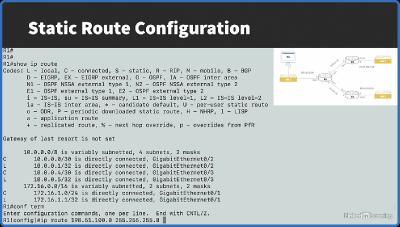
Linkedin.Learning.Cisco.Networking.Foundations.Switching.and.Routing
Language: English
Files Type:sfv, nfo, mkv| Size:271.24 MB
Video:01:43:08 | 1280X720 | 388 Kbps
Audio:A_AAC-2 | 127 Kbps | AAC
Genre:eLearning


Videos Files :
01.01 welcome.mkv (4.52 MB)
01.02 what youll learn.mkv (4.67 MB)
01.03 how to get hands on practice.mkv (7.64 MB)
02.01 mac addresses.mkv (6.31 MB)
02.02 ethernet switch frame forwarding.mkv (7.46 MB)
02.03 ethernet frame format.mkv (9.68 MB)
02.04 vlan theory.mkv (6.74 MB)
02.05 vlan configuration.mkv (14.42 MB)
02.06 trunking theory.mkv (7.08 MB)
02.07 trunking configuration.mkv (6.03 MB)
02.08 introducing spanning tree protocol (stp).mkv (9.34 MB)
02.09 stp the backstory.mkv (6.07 MB)
02.10 stp port states.mkv (11.26 MB)
02.11 stp example.mkv (14.12 MB)
02.12 stp convergence time.mkv (6.28 MB)
02.13 stp variants.mkv (9.17 MB)
02.14 stp configuration.mkv (15.55 MB)
02.15 etherchannel theory.mkv (11.18 MB)
02.16 etherchannel configuration.mkv (15.96 MB)
03.01 packet flow in a routed network.mkv (8.64 MB)
03.02 static and default routes.mkv (6.47 MB)
03.03 configuring static and default routes.mkv (18.39 MB)
03.04 routing protocol selection.mkv (11.32 MB)
03.05 routing protocol categories.mkv (10.12 MB)
03.06 rip theory.mkv (7.65 MB)
03.07 split horizon and poison reverse.mkv (8.22 MB)
03.08 configuring ripv2.mkv (8.5 MB)
03.09 configuring ripng.mkv (15.57 MB)
04.01 next steps.mkv (2.88 MB)

 
_4f2ec66f69a25b622d53c9094d4e2579.jpeg


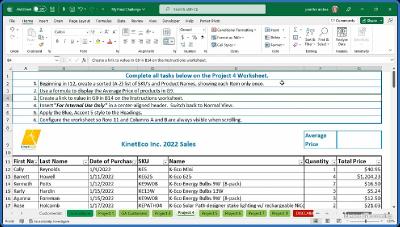
Linkedin.Learning.Cert.Prep.Excel.Associate.Microsoft.Office.Specialist.for.Microsoft.365.Apps
Language: English
Files Type:xlsx, sfv, pdf, xml, nfo, csv, mkv, json, docx| Size:824.12 MB
Video:04:01:58 | 1280X720 | 436 Kbps
Audio:A_AAC-2 | 127 Kbps | AAC
Genre:eLearning


Videos Files :
01.01 prove your excel skills with a mos certification.mkv (5.36 MB)
01.02 who should take this course.mkv (2.74 MB)
01.03 about the exercise files.mkv (1.31 MB)
01.04 about the challenges.mkv (1.67 MB)
02.01 different kinds of microsoft office specialist certifications.mkv (5.91 MB)
02.02 prepare for the test and review learning objectives.mkv (15.61 MB)
03.01 import txt data into a new or existing workbook.mkv (12.54 MB)
03.02 import data from online sources.mkv (12.97 MB)
03.03 search for data within a workbook.mkv (16.31 MB)
03.04 navigate to named cells ranges or workbook elements.mkv (20.96 MB)
03.05 insert and remove hyperlinks.mkv (12.3 MB)
03.06 format worksheets and workbooks.mkv (14.18 MB)
03.07 customize headers and footers.mkv (11.06 MB)
03.08 manage the quick access toolbar.mkv (11.86 MB)
03.09 display and modify worksheets in different views.mkv (21.62 MB)
03.10 modify built in workbook properties.mkv (6.5 MB)
03.11 inspect and export workbooks.mkv (19.35 MB)
03.12 configure print settings.mkv (17.12 MB)
03.13 manage comments and notes.mkv (14.45 MB)
03.14 challenge manage worksheets and workbooks.mkv (6.98 MB)
03.15 solution manage worksheets and workbooks.mkv (32.5 MB)
04.01 paste data using special paste options.mkv (18.3 MB)
04.02 fill cells by using autofill.mkv (11.8 MB)
04.03 insert and delete columns rows and cells.mkv (9.26 MB)
04.04 format cells and ranges.mkv (15.01 MB)
04.05 generate random and sequential data using functions.mkv (14.12 MB)
04.06 apply styles to cells and ranges.mkv (23.18 MB)
04.07 define and reference named ranges.mkv (11.09 MB)
04.08 insert sparklines.mkv (10.19 MB)
04.09 summarize data visually with built in conditional formatting.mkv (10.72 MB)
04.10 challenge manage data cells and ranges.mkv (1.35 MB)
04.11 solution manage data cells and ranges.mkv (20.03 MB)
05.01 create and format tables.mkv (27.23 MB)
05.02 modify tables.mkv (14.04 MB)
05.03 filter and sort table data.mkv (16.36 MB)
05.04 challenge manage tables and table data.mkv (1.35 MB)
05.05 solution manage tables and table data.mkv (13.21 MB)
06.01 insert relative absolute and mixed references.mkv (18.74 MB)
06.02 use structured references in formulas.mkv (15.95 MB)
06.03 using the average() max() min() and sum() functions.mkv (8.86 MB)
06.04 count cells using the count() counta() and countblank() functions.mkv (9.07 MB)
06.05 perform conditional operations using the if() function.mkv (13.54 MB)
06.06 sort data and return unique values using the sort() and unique() functions.mkv (23.54 MB)
06.07 format text using the right() left() and mid() functions.mkv (13.58 MB)
06.08 format text using upper() lower() and len() functions.mkv (6.07 MB)
06.09 format text using the concat() and textjoin() functions.mkv (11.42 MB)
06.10 challenge perform operations using formulas and functions.mkv (1.36 MB)
06.11 solution perform operations using formulas and functions.mkv (20.16 MB)
07.01 create and modify charts.mkv (14.86 MB)
07.02 add and modify chart elements.mkv (11.83 MB)
07.03 format charts.mkv (11.79 MB)
07.04 challenge manage charts.mkv (1.32 MB)
07.05 solution manage charts.mkv (16.87 MB)
08.01 challenge full length practice exam.mkv (1.85 MB)
08.02 solution full length practice exam.mkv (122.63 MB)

 
257d67a1da3a0cad9f669acf2dc58c5e.png


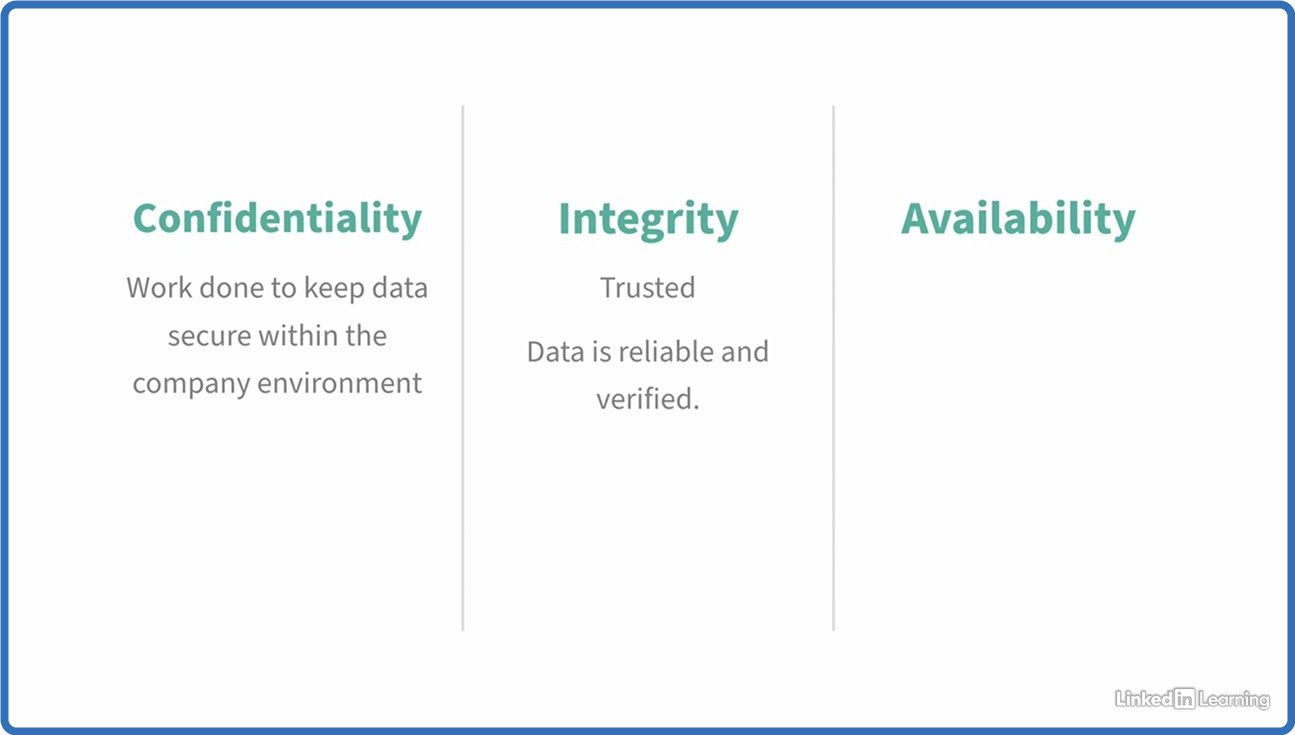
Linkedin.Learning.Cybersecurity.Awareness.Cybersecurity.Terminology
Language: English
Files Type:sfv, nfo, mkv| Size:101.64 MB
Video:00:44:04 | 1280X720 | 195 Kbps
Audio:A_AAC-2 | 127 Kbps | AAC
Genre:eLearning


Videos Files :
01.01 welcome to cybersecurity terminology 101.mkv (5.33 MB)
02.01 what is cybersecurity.mkv (5.53 MB)
02.02 people process and technology.mkv (2.66 MB)
03.01 security awareness and leadership.mkv (7.95 MB)
03.02 red vs. blue vs. purple teams.mkv (4.63 MB)
03.03 who are the adversaries.mkv (4.31 MB)
03.04 understanding privacy.mkv (7.67 MB)
04.01 understanding processes and documentation.mkv (9.72 MB)
04.02 technical controls.mkv (6.72 MB)
05.01 secure practices terms and exercises.mkv (9.46 MB)
05.02 network controls.mkv (6.6 MB)
05.03 advancements in technology.mkv (6.6 MB)
06.01 threat actors and definitions.mkv (6.52 MB)
06.02 technical risks.mkv (8.19 MB)
06.03 threats that target the human element.mkv (7.13 MB)
07.01 apply cybersecurity terminology.mkv (2.61 MB)

 
_d6166b37270a0ab063e1f7025e2df6de.jpeg


Linkedin.Learning.Introduction.to.AWS.for.Non Engineers.1.Cloud.Concepts.UPDATE.20220830
Language: English
Files Type:sfv, nfo, mkv| Size:179.32 MB
Video:01:01:07 | 1280X720 | 2718 Kbps
Audio:A_AAC-2 | 320 Kbps | AAC
Genre:eLearning


Videos Files :
01.01 how did we get in the cloud.mkv (25 MB)
01.02 aws certified cloud practitioner exam.mkv (5.58 MB)
01.03 cloud concepts domain.mkv (4.47 MB)
02.01 what is the cloud.mkv (6.77 MB)
02.02 what is cloud computing.mkv (6.62 MB)
02.03 a brief history of the cloud.mkv (5.23 MB)
02.04 cloud computing in daily life.mkv (5.86 MB)
02.05 wrapping up cloud computing.mkv (5.78 MB)
03.01 advantages of cloud computing.mkv (4.81 MB)
03.02 cloud computing models.mkv (5.22 MB)
03.03 cloud computing deployments.mkv (7.04 MB)
03.04 design principles of cloud computing.mkv (7.92 MB)
03.05 study break reviewing cloud computing.mkv (4.68 MB)
04.01 a brief history of aws.mkv (4.99 MB)
04.02 what is aws.mkv (3.22 MB)
04.03 big companies using aws.mkv (7.35 MB)
05.01 popular services offered in aws.mkv (3.73 MB)
05.02 create an aws account.mkv (9.42 MB)
05.03 exploring the aws dashboard.mkv (7.25 MB)
05.04 aws free tier.mkv (6.31 MB)
05.05 use case aws free tier.mkv (4.67 MB)
06.01 study break exam tips and resources.mkv (9.49 MB)
06.02 next steps.mkv (27.88 MB)

 
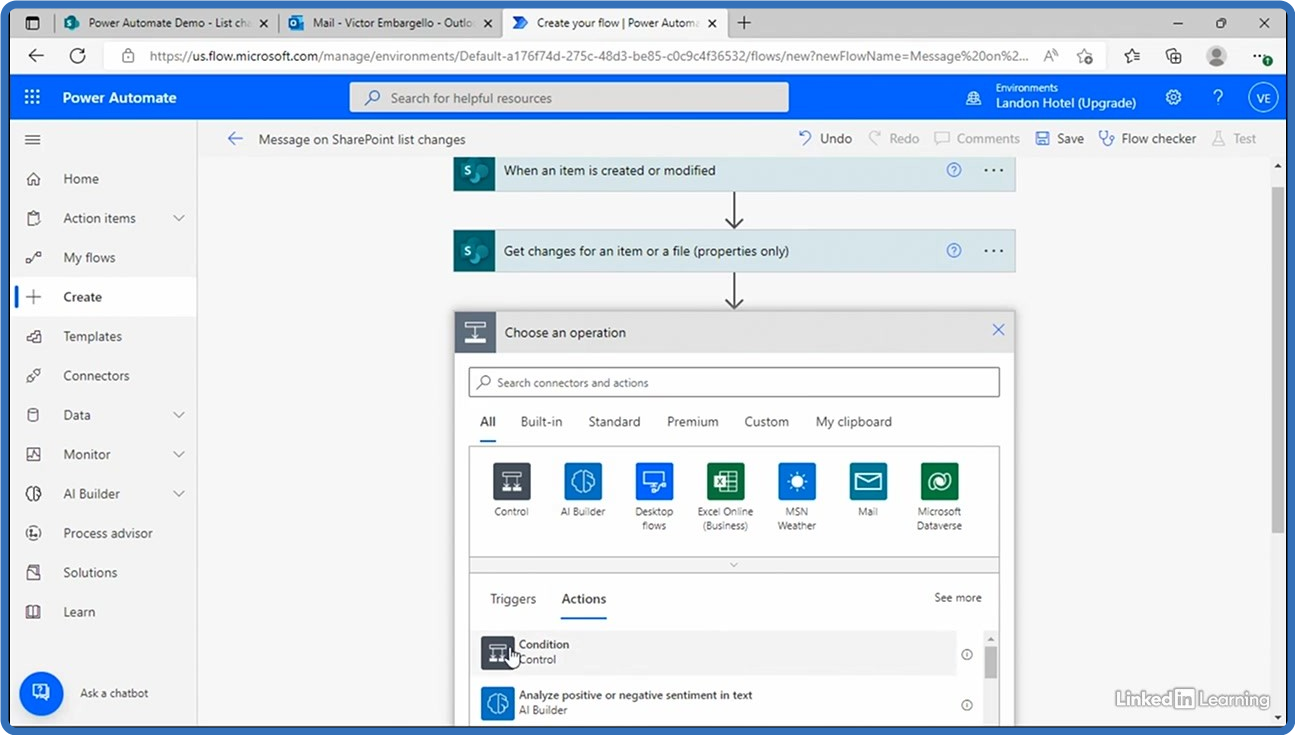
25e2561f5abf0121c0080a9dd7b84bde.png


Linkedin.Learning.Microsoft.Power.Automate.Advanced.Business.Automation
Language: English
Files Type:sfv, pdf, nfo, mkv| Size:187.61 MB
Video:01:07:31 | 1280X720 | 264 Kbps
Audio:A_AAC-2 | 127 Kbps | AAC
Genre:eLearning


Videos Files :
01.01 save time with power automate.mkv (3.58 MB)
01.02 get the most out of power automate.mkv (5.25 MB)
02.01 save attachments in sharepoint and edit excel.mkv (14.05 MB)
02.02 save new email attachments to box.mkv (8.09 MB)
02.03 instantly upload photos to sharepoint.mkv (6.93 MB)
02.04 how to add a sharepoint list item.mkv (9.46 MB)
03.01 create a 10 minute reminder.mkv (5.51 MB)
03.02 block your calendar for one hour.mkv (9.26 MB)
03.03 save a teams message to a onenote notebook.mkv (14.48 MB)
04.01 receive an email for sharepoint changes.mkv (18.17 MB)
04.02 be notified when sharepoint items need attention.mkv (7.68 MB)
04.03 simple sharepoint automation with rules.mkv (8.58 MB)
05.01 request approval for new sharepoint list items.mkv (7.74 MB)
05.02 request approval for new sharepoint library files.mkv (12.82 MB)
05.03 request manager approval in sharepoint.mkv (15.56 MB)
06.01 notify microsoft teams of changes in sharepoint.mkv (9.85 MB)
06.02 notify microsoft teams if a new task is added to planner.mkv (15.24 MB)
06.03 notify email in microsoft teams.mkv (8.65 MB)
07.01 do even more with power automate.mkv (6.56 MB)

 
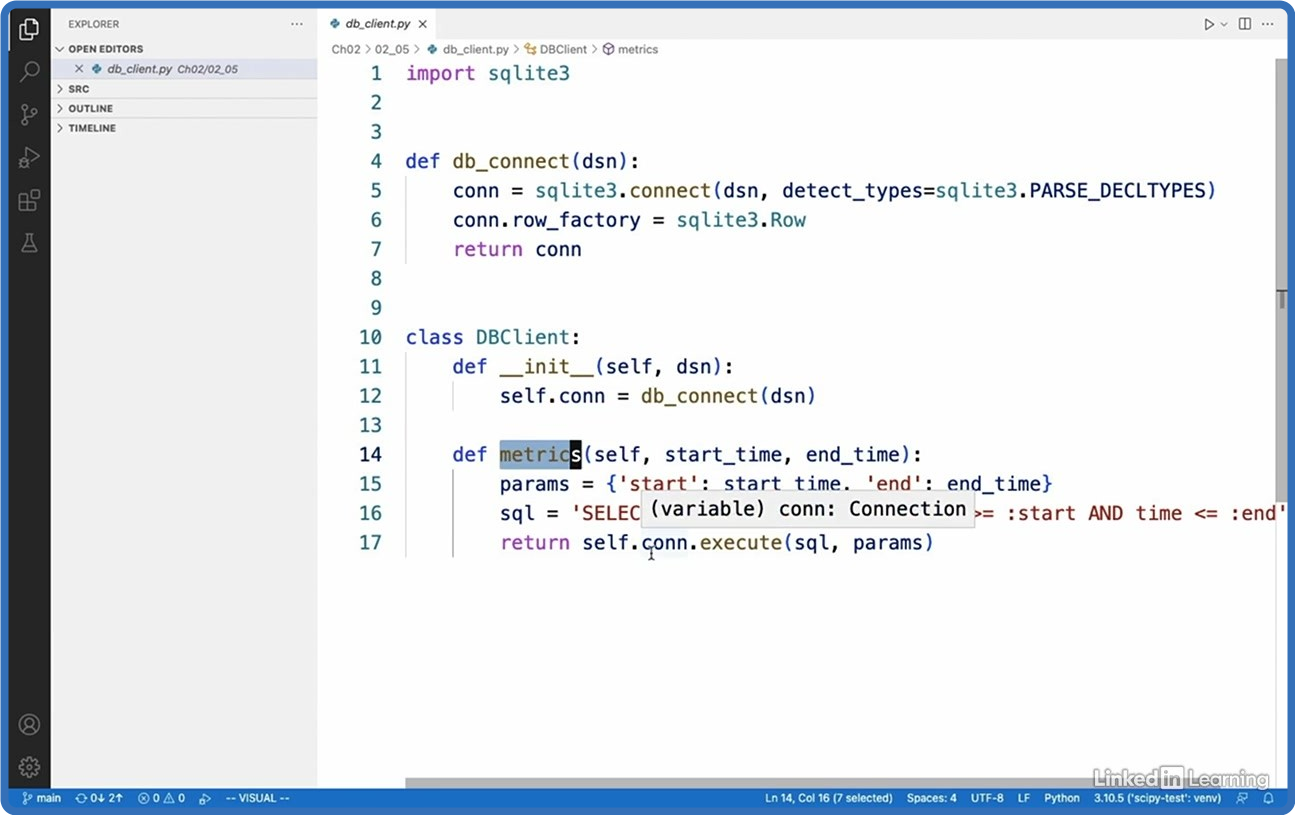
fc397749801e78b225625673838e3ab0.png


Linkedin.Learning.Testing.Python.Data.Science.Code
Language: English
Files Type:sfv, nfo, mkv| Size:176.32 MB
Video:00:54:01 | 1280X800 | 385 Kbps
Audio:A_AAC-2 | 127 Kbps | AAC
Genre:eLearning


Videos Files :
01.01 testing scientific applications.mkv (4 MB)
01.02 what you should know.mkv (1.25 MB)
01.03 setting up.mkv (3.23 MB)
02.01 why test.mkv (4.49 MB)
02.02 types of tests.mkv (2.14 MB)
02.03 challenges in testing scientific applications.mkv (5.16 MB)
02.04 continuous integration overview.mkv (2.55 MB)
03.01 pytest overview.mkv (4.33 MB)
03.02 selecting tests.mkv (6.86 MB)
03.03 parametrized tests.mkv (3.42 MB)
03.04 fixtures.mkv (6.11 MB)
03.05 mocking.mkv (8.44 MB)
03.06 challenge test with pytest.mkv (2.36 MB)
03.07 solution test with pytest.mkv (5.25 MB)
04.01 overview of hypothesis.mkv (1.92 MB)
04.02 testing with hypothesis.mkv (3.97 MB)
04.03 numpy utilities.mkv (5.75 MB)
04.04 pandas utilities.mkv (7.07 MB)
04.05 writing strategies.mkv (5.78 MB)
04.06 challenge test with hypothesis.mkv (1.25 MB)
04.07 solution test with hypothesis.mkv (3.14 MB)
05.01 using schemas.mkv (7.57 MB)
05.02 truth values.mkv (7.57 MB)
05.03 floating point wonders.mkv (5.14 MB)
05.04 approximate testing.mkv (3.17 MB)
05.05 dealing with randomness.mkv (5.75 MB)
05.06 comparing pandas dataframes.mkv (5.14 MB)
05.07 challenge testing numerical code.mkv (2.93 MB)
05.08 solution testing numerical code.mkv (2.74 MB)
06.01 regression testing overview.mkv (2.51 MB)
06.02 selecting regression data.mkv (5.64 MB)
06.03 choosing quality metrics and baseline.mkv (5.7 MB)
06.04 quality regression testing.mkv (3.25 MB)
06.05 choosing speed and memory metrics.mkv (2.3 MB)
06.06 performance regression testing.mkv (4.94 MB)
07.01 testing notebooks overview.mkv (2.5 MB)
07.02 using nbconvert.mkv (7.04 MB)
07.03 refactoring code.mkv (5.82 MB)
07.04 other test libraries.mkv (4.2 MB)
08.01 next steps.mkv (3.93 MB)

 
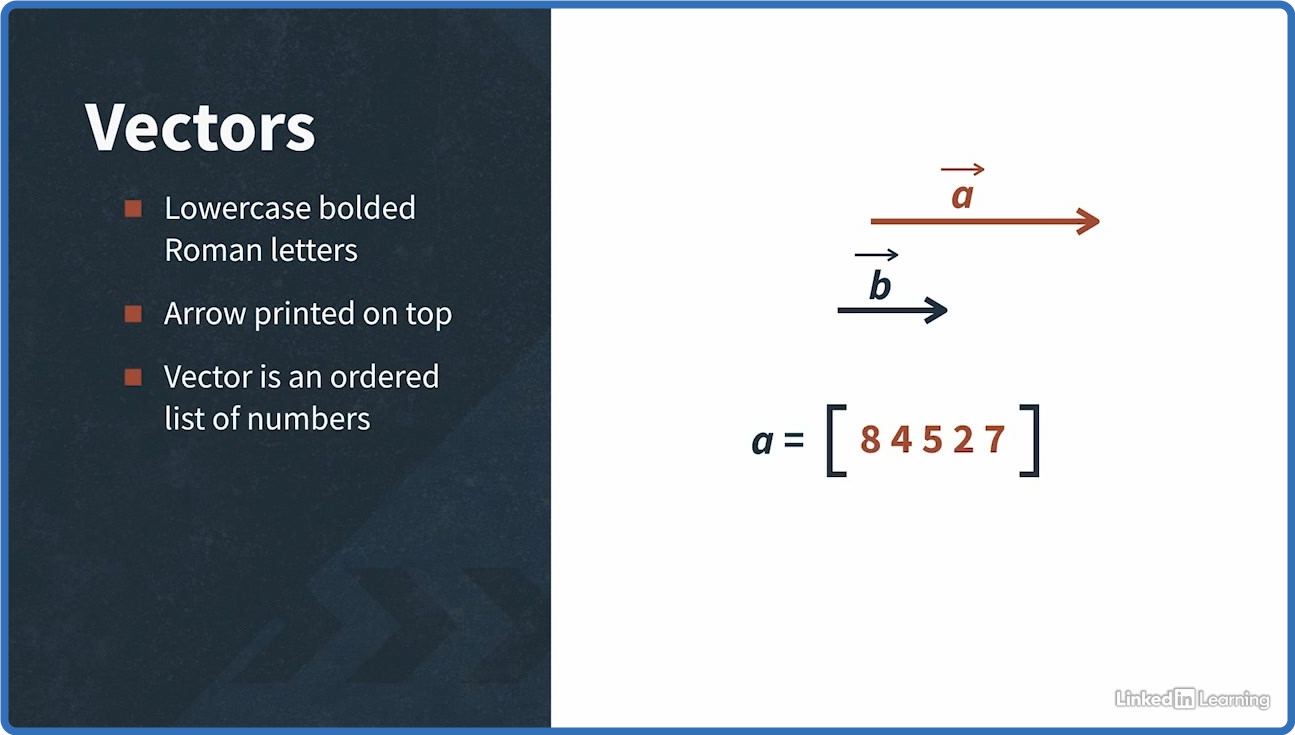
0dbc52da4bdc5ec994fc023e8af02854.png


Linkedin.Learning.Machine.Learning.Foundations.Linear.Algebra
Language: English
Files Type:sfv, pdf, nfo, mkv, ipynb| Size:312.41 MB
Video:01:20:13 | 1280X720 | 732 Kbps
Audio:A_AAC-2 | 127 Kbps | AAC
Genre:eLearning


Videos Files :
01.01 introduction.mkv (8.54 MB)
01.02 what you should know.mkv (5.28 MB)
02.01 defining linear algebra.mkv (11.02 MB)
02.02 applications of linear algebra in ml.mkv (22.5 MB)
03.01 introduction to vectors.mkv (29.62 MB)
03.02 vector arithmetic.mkv (12.13 MB)
03.03 coordinate system.mkv (9.59 MB)
04.01 dot product of vectors.mkv (12.18 MB)
04.02 scalar and vector projection.mkv (12.65 MB)
04.03 changing basis of vectors.mkv (16.84 MB)
04.04 basis linear independence and span.mkv (11.84 MB)
05.01 matrices introduction.mkv (8.2 MB)
05.02 types of matrices.mkv (9.44 MB)
05.03 types of matrix transformation.mkv (8.67 MB)
05.04 composition or combination of matrix transformations.mkv (11.56 MB)
06.01 solving linear equations using gaussian elimination.mkv (16.78 MB)
06.02 gaussian elimination and finding the inverse matrix.mkv (9.51 MB)
06.03 inverse and determinant.mkv (8.18 MB)
07.01 matrices changing basis.mkv (7.25 MB)
07.02 transforming to the new basis.mkv (14.24 MB)
07.03 orthogonal matrix.mkv (6.4 MB)
07.04 gram schmidt process.mkv (10.88 MB)
08.01 introduction to eigenvalues and eigenvectors.mkv (10.21 MB)
08.02 calculating eigenvalues and eigenvectors.mkv (11.29 MB)
08.03 changing to the eigenbasis.mkv (12.91 MB)
08.04 google pagerank algorithm.mkv (12.16 MB)
09.01 next steps.mkv (2.47 MB)

 
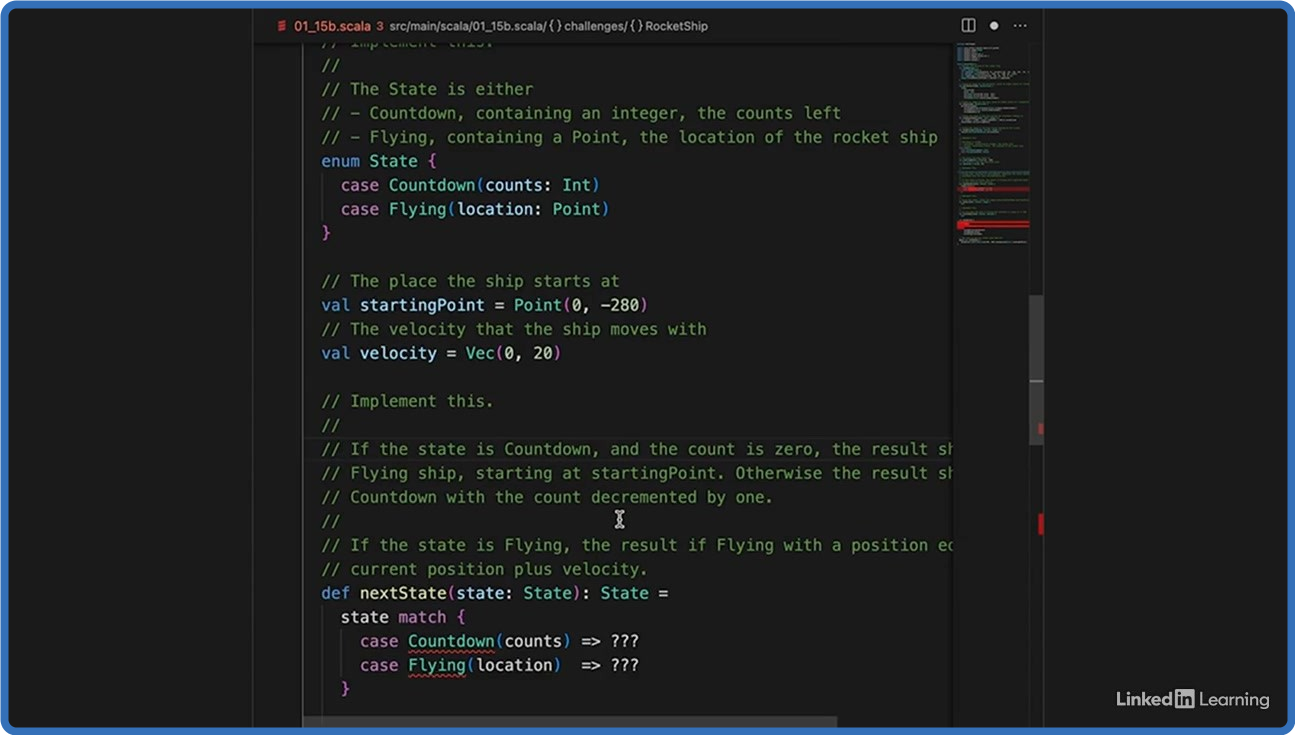
d9809e013a712f51f6dd4a98e2cfea59.png


Linkedin.Learning.Scala.Code.Challenges
Language: English
Files Type:sfv, sbt, scala, nfo, mkv| Size:142.73 MB
Video:00:53:58 | 1280X720 | 285 Kbps
Audio:A_AAC-2 | 127 Kbps | AAC
Genre:eLearning


Videos Files :
01.01 test your scala skills.mkv (3.42 MB)
02.01 palindrome detector.mkv (5.98 MB)
02.02 password checker.mkv (9.89 MB)
02.03 colored boxes.mkv (6.24 MB)
02.04 system properties.mkv (4.01 MB)
02.05 resistor tolerance.mkv (9.17 MB)
02.06 snakes and camels.mkv (5.61 MB)
02.07 stuff the stats sheet.mkv (16.56 MB)
02.08 a slice of pi.mkv (10.82 MB)
02.09 cron and regular expressions.mkv (10.32 MB)
02.10 reservoir sampling.mkv (10.83 MB)
02.11 evaluate a decision tree.mkv (7.42 MB)
02.12 calculator.mkv (7.56 MB)
02.13 error handling.mkv (7.87 MB)
02.14 sierpinski triangle.mkv (5.3 MB)
02.15 rocketship.mkv (21.68 MB)

 
da2bcef90141fe80a0dbe7aec2b030f0.png


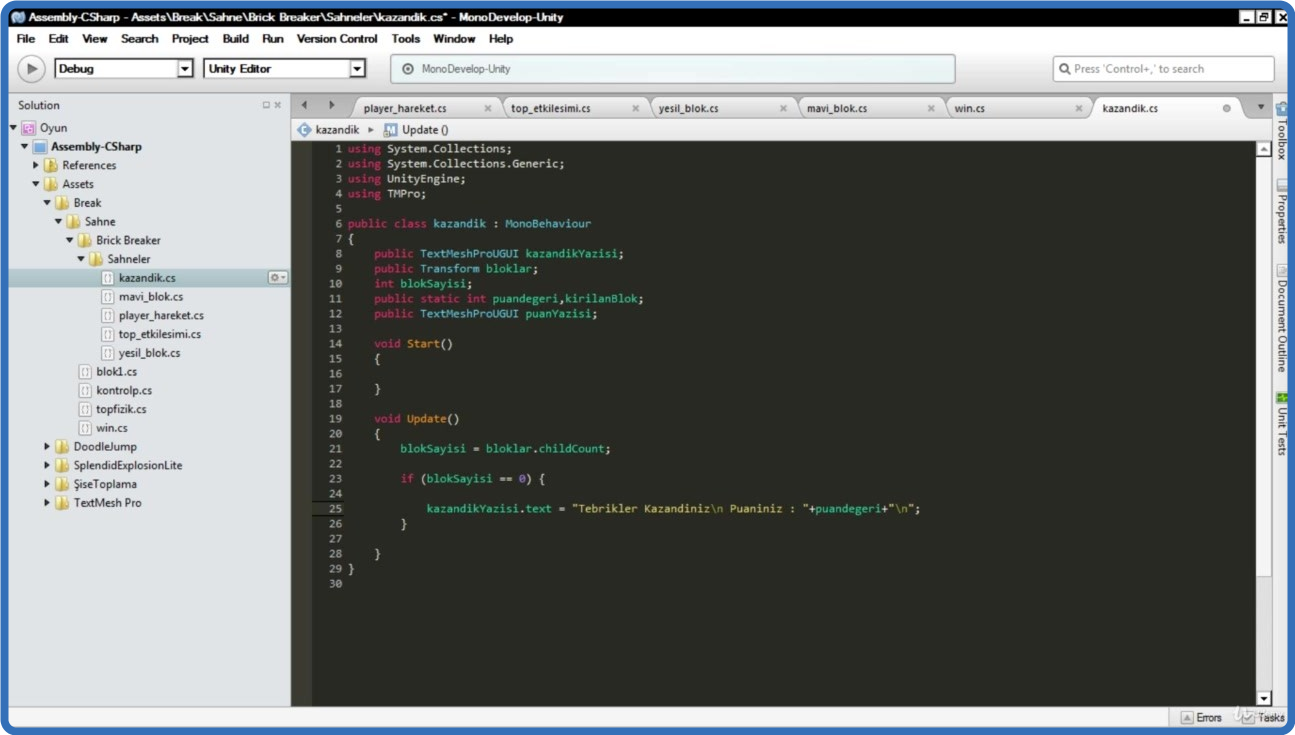
UDEMY.Unity.C.Sharp.2D.Oyun.Gelistirme.Egitimi.TURKISH.
Language: English
Files Type:mp4, sfv, nfo| Size:8.78 GB
Video:28:29:35 | 1280X720 | 666 Kbps
Audio:mp4a-40-2 | 128 Kbps | AAC
Genre:eLearning


Videos Files :
1. Oyun İçi Bazı Görüntüler.mp4 (10.98 MB)
100. Zıplama Sesi ve Arka Plan Müziği.mp4 (69.13 MB)
101. Oyunu Zorlaştırmak (Hızlanan Çemberler).mp4 (76.93 MB)
102. Karakter ve Platformun Fiziksel Özellikleri.mp4 (40.05 MB)
103. Karakterin Otomatik Zıplaması.mp4 (62.89 MB)
104. Platform Teması ve 2D Effector.mp4 (64.99 MB)
105. Karakter Yatay Hareketi ve Kontrolü.mp4 (36.11 MB)
106. Kamera Takibi.mp4 (32.24 MB)
107. Geçtiğimiz Platformları Temizlemek.mp4 (62.65 MB)
108. Yere Düşme ve Yeniden Başlatma.mp4 (79.73 MB)
109. Sonsuz Oyun Mantığı 1.mp4 (207.95 MB)
11. Unity Kurulumu.mp4 (44.8 MB)
110. Sonsuz Oyun Mantığı 2 (İyileştirme).mp4 (28.37 MB)
111. Otomatik Bölüm Oluşturucu (Level Generator) Yazmak.mp4 (165.71 MB)
112. Skor Oluşturmak.mp4 (73.96 MB)
113. Zıplatıcı Platform Oluşturmak.mp4 (72.23 MB)
114. Player Oluşturmak ve Hareket Ettirmek.mp4 (78.42 MB)
115. Top ve Fiziksel Özellikler.mp4 (43.27 MB)
116. Duvarlar ve Topla Etkileşimleri.mp4 (190.12 MB)
117. Topu Kaçırmak ve Oyunu Yeniden Başlatmak.mp4 (36.48 MB)
118. Blok Oluşturmak ve Temas.mp4 (88.3 MB)
119. Top Efekti (Trail Renderer).mp4 (69.46 MB)
12. Unity'de Proje Oluşturmak.mp4 (17.12 MB)
120. Yeni Blok ve Çatlama Efekti.mp4 (108.37 MB)
121. Oyunu Kazanmak ve İstatistikleri Yazdırmak.mp4 (290.2 MB)
122. Oyunu Kaybetme, Yeniden Başlatma ve İstatistik.mp4 (135.27 MB)
123. Top ve Player'a Güncelleme.mp4 (69.47 MB)
124. Blok Sesi ve Arka Plan Müziği.mp4 (80.55 MB)
125. Bouncing Dot Proje Tanıtımı.mp4 (32.57 MB)
126. Altıgenin Oluşturulması ve Renklendirilmesi.mp4 (61.64 MB)
127. Altıgenin Dönüş İşlemleri.mp4 (161.89 MB)
128. Top Oluşturmak ve Fiziksel Hareket.mp4 (91.28 MB)
129. Topa Rastgele Renk Vermek.mp4 (119.06 MB)
13. Project, Inspector ve Hierarchy Panelleri.mp4 (48.61 MB)
130. Oyunu Kaybetmek.mp4 (55.86 MB)
131. Skor Eklemek.mp4 (69.85 MB)
132. Rekor (Highscore) Oluşturmak.mp4 (47.24 MB)
133. Rekor(Highscore) Kaydetmek ve Çağırmak.mp4 (114.87 MB)
134. Bekleme Ekranı Oluşturmak.mp4 (99.77 MB)
135. Animasyonlu Yazı Oluşturmak.mp4 (72.67 MB)
136. Ses Eklemek.mp4 (33.02 MB)
137. Hata Giderme.mp4 (75.33 MB)
138. TextMeshPro'ya Yazı Tipi Eklemek.mp4 (31.33 MB)
139. Unity UI Anchor Kavramı.mp4 (54.95 MB)
14. Scene, Game ve Console Panelleri.mp4 (37.35 MB)
140. transform.LookAt Kullanımı (Odaklanma).mp4 (65.61 MB)
15. Araç Çubuğu,Pozisyon, Eğim ve Boyut (Toolbar,Position, Rotation, Scale).mp4 (62.24 MB)
16. Texture ve Material.mp4 (111.67 MB)
17. Prefab.mp4 (48.11 MB)
18. Component (Bileşen) Nedir.mp4 (28.58 MB)
19. Rigidbody2D.mp4 (45.14 MB)
20. Collider.mp4 (57.15 MB)
21. Asset Store(Varlık Mağazası) Kullanımı.mp4 (45.49 MB)
22. Değişkenler ve Debug.Log.mp4 (83.87 MB)
23. Fonksiyonlar (Metotlar).mp4 (60.95 MB)
24. If Else.mp4 (63.91 MB)
25. Operatörler ve If.mp4 (71.37 MB)
26. Random.Range (Rastgele Sayı ve İşlem).mp4 (63.09 MB)
27. Switch Case Yapısı.mp4 (81.9 MB)
28. Input 1 (Klavye ve Mouse'tan Girdi Almak).mp4 (61.62 MB)
29. Input 2 & T.Translate & deltaTime(Klavye ve Mouse Eksenleri & GetAxis).mp4 (121.88 MB)
30. Temas Fonksiyonları (OnCollision , OnTrigger).mp4 (136.26 MB)
31. For Döngüsü.mp4 (64.77 MB)
32. Input 3 (AnyKey , AnyKeyDown).mp4 (29.11 MB)
33. Destroy Komutu (Obje Yok Etme).mp4 (49.96 MB)
34. SerializeField Kullanımı.mp4 (35.87 MB)
35. Set Active (Aktif ve Pasif Obje).mp4 (54.63 MB)
36. Bool Değişken.mp4 (46.68 MB)
37. Mathf.Clamp Kullanımı (Kelepçe).mp4 (44.2 MB)
38. Mathf.Abs (Mutlak Değer).mp4 (19.77 MB)
39. Mathf.Floor & Mathf.Ceil & Mathf.Round (Taban,Tavan ve Yuvarlama).mp4 (27.94 MB)
40. Instantiate Komutu (Obje Oluşturma ve Klonlama).mp4 (68.14 MB)
41. Coroutine & NewWaitForSeconds.mp4 (49.5 MB)
42. Coroutine 2 StopAllCoroutines Kullanımı.mp4 (38.02 MB)
43. Enum Kullanımı.mp4 (92.17 MB)
44. Obje Oluşturmak ve Material Tanımlamak.mp4 (48.87 MB)
45. Mesh Renderer ve Rastgelelik (Random.Range).mp4 (63.65 MB)
46. Rastgele Renk Verme (Switch Case).mp4 (51.32 MB)
47. Tuşa Basarak Renk Değiştirme (Input).mp4 (24.02 MB)
48. Oyunu Kazanmak.mp4 (39.34 MB)
49. Ses Eklemek.mp4 (31.52 MB)
50. Oyun Hakkında Ön Bilgi.mp4 (14.5 MB)
51. Karakter ve Arkaplan.mp4 (50.51 MB)
52. Karakter Hareketi.mp4 (72.15 MB)
53. Sopa ve Bıçağın Fiziksel Bileşenleri.mp4 (62.48 MB)
54. Sopa ve Bıçağın Yeniden Düşmesi (Spawn) ve Kontrol Çubuğu.mp4 (121.22 MB)
55. Gravity Scale(Yerçekimi Etkisi) Ayarı ve Düşme Hızları.mp4 (16.11 MB)
56. Prefab Mantığı.mp4 (18.28 MB)
57. Karakter ve Engellerin Etkileşimi.mp4 (53.15 MB)
58. Skor Oluşturmak.mp4 (95.76 MB)
59. Linear Drag (Doğrusal Sürtünme).mp4 (25.13 MB)
60. Hak Oluşturmak.mp4 (81.16 MB)
61. Oyun Bitişi.mp4 (107.54 MB)
62. Oyunu Yeniden Başlatma.mp4 (97.19 MB)
63. Kasa ve Şişenin Fiziksel Özellikleri.mp4 (45.9 MB)
64. Kasa ve Şişenin Fiziği (Düzeltme).mp4 (6.15 MB)
65. Kasayı Hareket Ettirmek.mp4 (37.57 MB)
66. Kasa ve Şişe Etkileşimi.mp4 (54.24 MB)
67. Rastgele Şişe Oluşturmak.mp4 (33.03 MB)
68. Şişe Zemin Etkileşimi.mp4 (67.79 MB)
69. Puan Oluşturma.mp4 (73.56 MB)
70. Can Oluşturma ve Yeniden Başlatma.mp4 (63.78 MB)
71. Oyun Bitişi ve Yeniden Başlatma.mp4 (151.63 MB)
72. Şişenin Düşme Hızı (Sürtünme Kuvveti).mp4 (23.3 MB)
73. Daha Gerçekçi Temas.mp4 (17 MB)
74. Şişe Sesleri ve Arkaplan Müziği.mp4 (82.99 MB)
75. 3D Component ve Fonksiyonları 2D'ye Çevirmek.mp4 (60.9 MB)
76. Oyuncular , Top ve Fiziksel Bileşenleri.mp4 (49.1 MB)
77. Oyuncuların Hareketi.mp4 (57.93 MB)
78. Duvarlar ve Ayarları.mp4 (57.86 MB)
79. Oyuncu ve Duvarların Topla Etkileşimi.mp4 (127.61 MB)
80. Topu Kaçırmak ve Oyunu Başa Sarmak.mp4 (26.77 MB)
81. Skorlar ve Süreklilik.mp4 (151.36 MB)
82. Oyunu Bitirmek ve Kazananı Yazdırmak.mp4 (59.58 MB)
83. Oyunun Yeniden Başlaması.mp4 (100.5 MB)
84. Oyun Sesleri ve Arka Plan Müziği.mp4 (76.07 MB)
85. Top Oluşturmak ve Fiziksel Özellikleri.mp4 (38.96 MB)
86. Topun Zıplaması ve Hareketi.mp4 (59.89 MB)
87. Renkli Çember ve Collider.mp4 (40.57 MB)
88. Çemberi Döndürme.mp4 (29.44 MB)
89. Topa Rastgele Renk Verme (Random.Range ve Switch Case).mp4 (156.53 MB)
90. Random.Range Düzeltmesi.mp4 (9.03 MB)
91. Top ve Çember Teması.mp4 (91.27 MB)
92. Renk Değiştirici Oluşturmak.mp4 (85.32 MB)
93. Kamera Takibi.mp4 (38.07 MB)
94. Kendi Şeklimizi Oluşturmak ve Temasa Geçmek.mp4 (99.83 MB)
95. Prefab Sistemi.mp4 (48.73 MB)
96. Sonsuz Renk Değiştirici.mp4 (91.26 MB)
97. Skor Oluşturmak.mp4 (72.12 MB)
98. Sonsuz Oyun Yapmak.mp4 (239.04 MB)
99. Skor Yazısının Otomatik Çözünürlük Ayarı (Anchor).mp4 (15.45 MB)

[links s s

 
50a924997a72f44a149c0b327559124b.png


UDEMY.The.Complete.C.Programming.Course.for.Beginners.
Language: English
Files Type:mp4, sfv, nfo| Size:1.62 GB
Video:06:17:05 | 1280X720 | 566 Kbps
Audio:mp4a-40-2 | 128 Kbps | AAC
Genre:eLearning


Videos Files :
1. Introduction.mp4 (13.7 MB)
10. Printing value of a variable.mp4 (13.96 MB)
11. Datatypes with examples.mp4 (15.81 MB)
12. Precision.mp4 (6.74 MB)
13. Constants.mp4 (9.31 MB)
14. How computer store character.mp4 (36.62 MB)
15. How computer store integer.mp4 (28.89 MB)
16. Introduction to ieee 754.mp4 (6.31 MB)
17. How computer store floating point number.mp4 (24.33 MB)
18. How computer store double number.mp4 (21.74 MB)
19. Signed and Unsigned Integer.mp4 (14.26 MB)
2. Setting up environment for writting C.mp4 (14.39 MB)
20. Different types of operator in C.mp4 (6.9 MB)
21. Assignment operator.mp4 (8.2 MB)
22. Arithmetic operator.mp4 (5.7 MB)
23. Aside #include.mp4 (13.74 MB)
24. Getting input from user.mp4 (53.36 MB)
25. Aside New Line Metacharacter (n).mp4 (12.09 MB)
26. Logical Operator.mp4 (12.03 MB)
27. Short Circuit.mp4 (12.72 MB)
28. Relational Operator.mp4 (7.02 MB)
29. Precedence & Associativity.mp4 (21.96 MB)
30. Integer Division & Fractional Division.mp4 (4.4 MB)
31. If...Else Satement.mp4 (20.31 MB)
32. Nested if...else statement.mp4 (5.41 MB)
33. Checking a number even or odd using if else statement.mp4 (21.55 MB)
34. Switch Statement.mp4 (18.59 MB)
35. Checking a number even or odd using switch statement.mp4 (11.14 MB)
36. Find maximum of two integers.mp4 (15.85 MB)
37. Find maximum of three integers.mp4 (17.98 MB)
38. Find second largest of three integers.mp4 (34.37 MB)
39. What is ternary operator.mp4 (8.22 MB)
4. Basic Structure of a C Program.mp4 (3.41 MB)
40. Find max of three integers using ternary operator.mp4 (12.44 MB)
41. Find second largest using ternary operator.mp4 (19.95 MB)
42. Introduction to loop.mp4 (9.28 MB)
43. for loop.mp4 (11.52 MB)
44. while loop.mp4 (13.67 MB)
45. do...while loop.mp4 (7.02 MB)
46. break and continue statement.mp4 (7.96 MB)
47. Infinite loop.mp4 (16.64 MB)
48. Nested Loop.mp4 (5.54 MB)
49. Keep asking for a positive input.mp4 (10.8 MB)
5. Hello World Program.mp4 (2.22 MB)
50. Sum of first n numbers.mp4 (28.22 MB)
51. Sum of even numbers upto n.mp4 (17.71 MB)
52. Sum of odd numbers upto n.mp4 (16.74 MB)
53. Factorial of a number.mp4 (17.23 MB)
54. GCD of a two numbers.mp4 (21.88 MB)
55. Prime number test.mp4 (39.44 MB)
56. Reverse an integer.mp4 (28.4 MB)
57. Palindrome number.mp4 (25.99 MB)
58. Print a triangle.mp4 (8.92 MB)
59. Introduction to function.mp4 (19.59 MB)
6. Details hash include (#include).mp4 (13.72 MB)
60. Parameter & Argument.mp4 (5.91 MB)
61. Why int main() return 0.mp4 (3.45 MB)
62. Local Variable and Global Variable.mp4 (32.83 MB)
63. 3 Place to declare functions.mp4 (13.18 MB)
64. Implementation of square() function.mp4 (13.97 MB)
65. Implementation of factorial() function.mp4 (18.2 MB)
66. Implemetnation of pow(x, n) function.mp4 (23.77 MB)
67. Implementation of reverse(int) function.mp4 (16.16 MB)
68. Implementation of countDigits(int) function.mp4 (19.84 MB)
69. Implementation of isPalindrome(int) function.mp4 (28.95 MB)
7. How a C Program Execute.mp4 (3.99 MB)
70. Implementation isPrimeNumber() function.mp4 (24.42 MB)
71. Array in C.mp4 (19.59 MB)
72. Two dimentional array (2D Array).mp4 (3.69 MB)
73. How to find the size of an array (sizeof() operator).mp4 (5.45 MB)
74. Linear Search.mp4 (19.28 MB)
75. Binary Search.mp4 (35.68 MB)
76. Find min number in an array.mp4 (14.79 MB)
77. Find max number in an array.mp4 (9.79 MB)
78. Print 2D array.mp4 (11.34 MB)
79. String in C.mp4 (18.24 MB)
8. Datatypes and variables.mp4 (11.26 MB)
80. String functions.mp4 (34.1 MB)
81. puts() & gets().mp4 (20.78 MB)
82. String literal & Character literal.mp4 (12.59 MB)
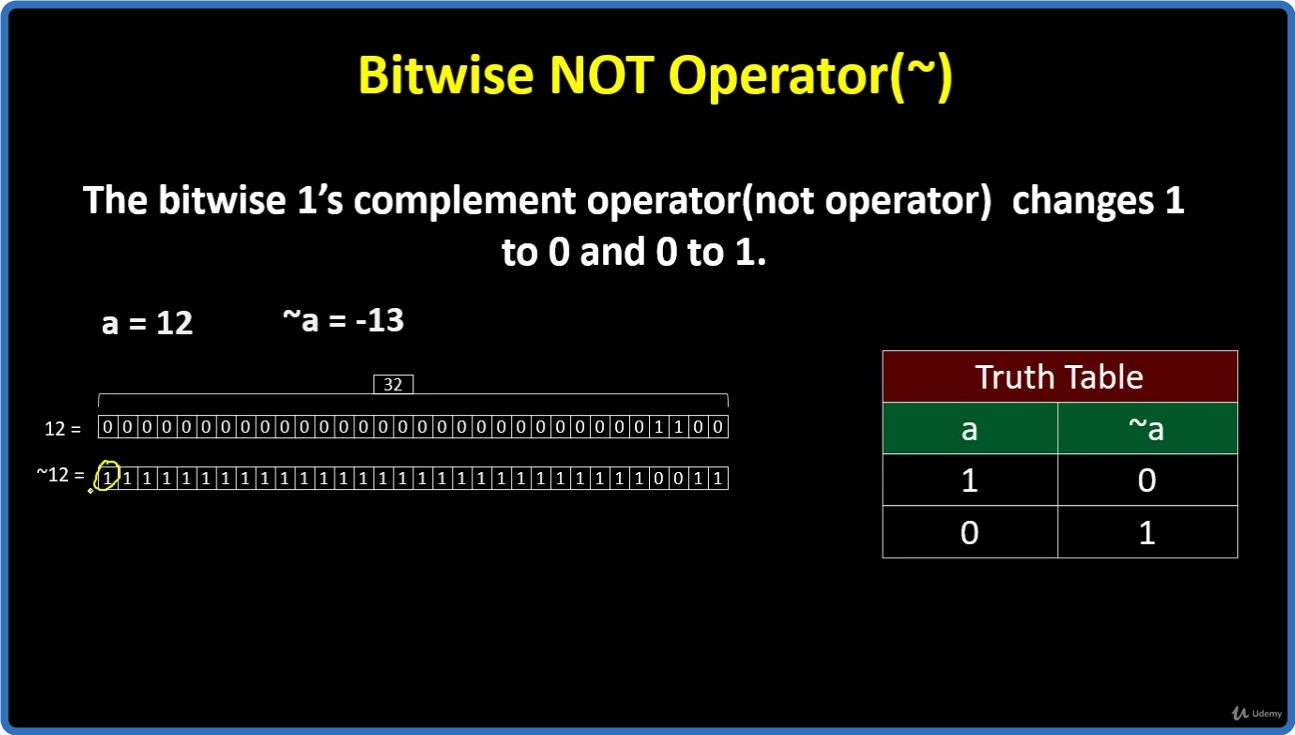
83. Bitwise Operator in C.mp4 (85.02 MB)
84. Bit Masking.mp4 (44.16 MB)
85. Check even odd number using bitwise operator.mp4 (12.02 MB)
86. Pointer in C.mp4 (12.1 MB)
87. Call by value & call by reference.mp4 (17.58 MB)
88. Void Pointers.mp4 (4.12 MB)
89. Null Pointers.mp4 (6.18 MB)
9. Naming convention of a variable.mp4 (27.2 MB)
90. strlen() impelementation.mp4 (18.51 MB)
91. strcat() implementation.mp4 (15.32 MB)
92. strcpy() implementation.mp4 (9.18 MB)
93. strcmp() implementation.mp4 (21.8 MB)
94. strncmp() implementation.mp4 (20.24 MB)
95. What is Struct.mp4 (35.15 MB)
96. Code Struct Example 1.mp4 (29.02 MB)

 
_8bbdd0bf785f205a4b7f8cfbc8a96292.jpeg


UDEMY.The.Complete.Microsoft.SharePoint.MasterClass.
Language: English
Files Type:mp4, sfv, nfo| Size:2.72 GB
Video:06:55:46 | 1280X720 | 1961 Kbps
Audio:mp4a-40-2 | 128 Kbps | AAC
Genre:eLearning


Videos Files :
1. You Can Master Microsoft SharePoint.mp4 (42.54 MB)
10. Registration of Domain in Microsoft SharePoint.mp4 (35.22 MB)
100. Polly.mp4 (19.63 MB)
101. Karma.mp4 (43.92 MB)
102. Request Lecture Any Time.mp4 (5.71 MB)
103. Microsoft Teams Mobile Version Sign in.mp4 (19.39 MB)
104. Microsoft Teams Homepage Mobile App.mp4 (26.26 MB)
105. Microsoft Teams Settings Mobile App.mp4 (23.91 MB)
106. Quick Win Create Unknown Password.mp4 (10.9 MB)
107. Security Is Everthing.mp4 (12.43 MB)
108. Quick Win Insecurity Is Coming from You and Others.mp4 (15.97 MB)
109. Understand Security Type or Category.mp4 (20.49 MB)
11. Domain Configuration in Microsoft SharePoint.mp4 (10.51 MB)
110. Life Savers You Should Know These.mp4 (53.62 MB)
111. Have Proper Password Start Securing You Now.mp4 (49.56 MB)
112. Don't Use the Same Password Anymore.mp4 (38.37 MB)
113. Should You Use Longer Password or Complicated!.mp4 (32.58 MB)
114. Last Pass & Authy Mobile App.mp4 (19.84 MB)
115. The Best and Only Solution to Make and Keep Password Un Crack Able.mp4 (105.11 MB)
116. Lastpass Setup and Configure.mp4 (79.75 MB)
117. Last Pass Options Part 1.mp4 (23.91 MB)
118. Last Pass Options Part 2.mp4 (28.11 MB)
119. Last Pass Option Part 3.mp4 (30.01 MB)
12. Microsoft SharePoint Dashboard and Admin Panel.mp4 (8.98 MB)
120. 2FA Makes You Even Stronger in Password.mp4 (41.98 MB)
121. Security Is Everything, Keep Secured Your Devices.mp4 (60.53 MB)
122. Security on Your Data and Privacy.mp4 (119.81 MB)
124. Congratulations.mp4 (20.3 MB)
125. Another Quick Remainder It Is a Great Time to Provide Us Feedback!.mp4 (18.28 MB)
13. Microsoft SharePoint Environment.mp4 (13.58 MB)
14. Two Type Website in Microsoft SharePoint.mp4 (9.39 MB)
15. Inviting Someone to Your Website in SharePoint.mp4 (16.79 MB)
16. Login Process of Invited User at Microsoft Share Point.mp4 (20.07 MB)
17. Share Point Website Environment.mp4 (22.47 MB)
18. SharePoint Webiste Menu Bar.mp4 (11.89 MB)
19. Team Site Creation in SharePoint.mp4 (11.16 MB)
2. You Can Ask Me Anytime.mp4 (12.24 MB)
20. Menu Edit Options in SharePoint.mp4 (38.49 MB)
21. Adding Section in Share Point Team Site.mp4 (16.14 MB)
22. Insert Option in SharePoint.mp4 (6.24 MB)
23. Inserting Image in Team Site Share Point.mp4 (48.79 MB)
24. Inserting Text in Team Site Share Point.mp4 (24.01 MB)
25. Inserting File Viewer in Share Point Team Site.mp4 (18.22 MB)
26. Inserting A Link In SharePoint Team Site.mp4 (12 MB)
27. How to embed In SharePoint Team Site.mp4 (17.24 MB)
28. High Lighted Content in Share Point Team Site.mp4 (15.1 MB)
29. Audience Targeting in SharePoint Team Site.mp4 (7.31 MB)
3. Your Facebook Support Group.mp4 (12.75 MB)
30. How to insert Bingo Map In SharePoint Team Site.mp4 (6.2 MB)
31. Adding Call to Action In SharePoint Team Site.mp4 (13.13 MB)
32. Adding Hero in SharePoint Team Site.mp4 (28.8 MB)
33. Text, Media and Content Tools in Share Point.mp4 (21.85 MB)
34. Adding Document Library in Share Point Team Site.mp4 (15.91 MB)
35. How to Add List in Share Point Team Site.mp4 (21.89 MB)
36. Adding List Properties in Share Point Team Site.mp4 (7.58 MB)
37. Page Properties in SharePoint Team Site.mp4 (5.3 MB)
38. Quick Links adding in SharePoint Team Site.mp4 (10.11 MB)
39. Discovery and Collaboration Tools.mp4 (32.9 MB)
4. Quick Win Create Site in SharePoint.mp4 (8.26 MB)
40. Discovery and Collaboration Tools (cont.).mp4 (10.87 MB)
41. Conversation in SharePoint Team Site.mp4 (16.91 MB)
42. How to Add New Event in Share Point.mp4 (5.12 MB)
43. Document Tab in Share Point Team Site.mp4 (14.17 MB)
44. How to Insert List in SharePoint Team Site.mp4 (32.5 MB)
45. Creating Page and Managing It on Share Point Site.mp4 (36.17 MB)
46. Creating Document Library on SharePoint Team Site.mp4 (7.46 MB)
47. Creating App in SharePoint Team Site.mp4 (15.15 MB)
48. Creating Subsite in SharePoint.mp4 (11.98 MB)
49. Recycle bin in Team site.mp4 (7.16 MB)
5. Quick Win Creating and Adding User to SharePoint.mp4 (9.77 MB)
50. Communication Site Creation.mp4 (24.83 MB)
51. Communication Topics Site Creation.mp4 (10.35 MB)
52. Admin Center in Share Point.mp4 (11.21 MB)
53. Admin Center Menus.mp4 (7.11 MB)
54. Admin Center Top Bar Menu.mp4 (3.92 MB)
55. Admin Center of Microsoft SharePoint for Adding User.mp4 (13.47 MB)
56. Account Overview in SharePoint Website.mp4 (9.04 MB)
57. Security Info in Share Point Website.mp4 (16.28 MB)
58. Account Settings in SharePoint (cont.).mp4 (11.04 MB)
59. Office Account in SharePoint.mp4 (30.66 MB)
6. Quick Win Add Member to The SharePoint.mp4 (2.9 MB)
60. What is Microsoft Teams.mp4 (36.88 MB)
61. Microsoft Teams and Price.mp4 (35.53 MB)
62. Microsoft Team only needs Microsoft Accounts.mp4 (50.55 MB)
63. Microsoft Downloads.mp4 (20.46 MB)
64. Microsoft Team Desktop App Installation and Sign in.mp4 (34.88 MB)
65. Microsoft Teams Environments.mp4 (13.91 MB)
66. Microsoft Teams Profile Management.mp4 (20.03 MB)
67. Microsoft Team Mobile App Installation.mp4 (21.72 MB)
68. Create a Team in Microsoft Teams.mp4 (9.77 MB)
69. Invitation to the Microsoft teams.mp4 (13.78 MB)
7. What is SharePoint.mp4 (23.67 MB)
70. Management of the ORG.mp4 (12.71 MB)
71. The Core Part of Microsoft Teams, Team (part 1).mp4 (45.06 MB)
72. The Core Part of Microsoft Teams, Team (part 2).mp4 (20.79 MB)
73. Channel settings and options (part 1).mp4 (26.4 MB)
74. Channel settings and options (Part 2).mp4 (15.25 MB)
75. Meeting In Microsoft Teams.mp4 (57.22 MB)
76. Chat in Microsoft Teams.mp4 (28.09 MB)
77. Activity in Microsoft Team.mp4 (11.5 MB)
78. Meeting In Microsoft Teams.mp4 (11.6 MB)
79. Calls In Microsoft Team.mp4 (6.62 MB)
8. Free Plans vs Paid Plans in Microsoft SharePoint.mp4 (49.36 MB)
80. Files in Microsoft Teams.mp4 (6.68 MB)
81. Adding Cloud in Files of Microsoft Teams.mp4 (4.05 MB)
82. General settings of Microsoft Teams.mp4 (16.84 MB)
83. Privacy Settings in Microsoft Teams.mp4 (8.77 MB)
84. Notification Settings in Microsoft Teams.mp4 (10.71 MB)
85. Devices Settings in Microsoft Teams.mp4 (3.82 MB)
86. Permissions Settings in Microsoft Teams.mp4 (2.81 MB)
87. Calls Settings in Microsoft Teams.mp4 (14.41 MB)
88. Search Options.mp4 (27.72 MB)
89. General Channel of Microsoft Teams.mp4 (5.3 MB)
9. You Need a Microsoft Account For SharePoint.mp4 (17.19 MB)
90. Microsoft Word Tab in Microsoft Teams.mp4 (38.99 MB)
91. Microsoft Excel Tab in Microsoft Teams.mp4 (16.3 MB)
92. Microsoft PowerPoint Tab in Microsoft Teams.mp4 (24.28 MB)
93. YouTube in Microsoft Teams.mp4 (11.42 MB)
94. Extra App Tab in Microsoft Teams.mp4 (31.81 MB)
95. Apps Explorations.mp4 (25.77 MB)
96. Trello Sing in at Microsoft Teams.mp4 (14.45 MB)
97. Trello Environment and Functions.mp4 (34.9 MB)
98. Wiki.mp4 (6.87 MB)
99. OneNote.mp4 (61.98 MB)

 
Zurück
Oben Unten