• Regeln für den Video-Bereich:

    In den Börsenbereich gehören nur Angebote die bereits den Allgemeinen Regeln entsprechen.

    Einteilung

    - Folgende Formate gehören in die angegeben Bereiche:
    - Filme: Encodierte Filme von BluRay, DVD, R5, TV, Screener sowie Telesyncs im Format DivX, XviD und x264.
    - DVD: Filme im Format DVD5, DVD9 und HD2DVD.
    - HD: Encodierte Filme mit der Auflösung 720p oder darüber von BluRay, DVD, R5, TV, Screener sowie Telesyncs im Format x264.
    - 3D: Encodierte Filme von BluRay, die in einem 3D Format vorliegen. Dies gilt auch für Dokus, Animation usw.
    - Serien: Cartoon/Zeichentrick, Anime, Tutorials, Dokumentationen, Konzerte/Musik, Sonstiges sind demnach in die entsprechenden Bereiche einzuordnen, auch wenn sie beispielsweise im High Definition-Format oder als DVD5/DVD9/HD2DVD vorliegen. Ausnahme 3D.
    - Bereich Englisch: Englische Releases gehören immer in diesen Bereich.
    - Bereich Talk: Der Bereich, in dem über die Releases diskutiert werden kann, darf, soll und erwünscht ist.


    Angebot/Beitrag erstellen

    - Ein Beitrag darf erst dann erstellt werden, wenn der Upload bei mindestens einem OCH komplett ist. Platzhalter sind untersagt.
    - Bei einem Scenerelease hat der Threadtitel ausschließlich aus dem originalen, unveränderten Releasenamen zu bestehen. Es dürfen keine Veränderungen wie z.B. Sterne, kleine Buchstaben o.ä. vorgenommen werden. Ausnahme Serienbörse:
    - Bei einem Sammelthread für eine Staffel entfällt aus dem Releasename natürlich der Name der Folge. Beispiel: Die Simpsons S21 German DVDRip XviD - ITG
    - Dementsprechend sind also u.a. verboten: Erweiterungen wie "Tipp", "empfehlenswert", "only", "reup", usw. / jegliche andere Zusatzinformation oder Ergänzung, welche nicht in obiger Beschreibung zu finden ist.

    Aufbau des Angebots und Threadtitel

    Der Titel nach folgendem Muster erstellt zu werden. <Name> [3D] [Staffel] [German] <Jahr> <Tonspur> [DL] [Auflösung] <Quelle> <Codec> - <Group>
    Beispiel: The Dark Knight German 2008 AC3 DVDRip XviD - iND
    Beispiel: The Dark Knight 2008 DTS DL BDRip x264 - iND
    Beispiel: The Dark Knight 2008 AC3 DL BDRip XviD - iND
    Beispiel: The Dark Knight German 2008 AC3 720p BluRay x264 iND
    Beispiel: The Dark Knight 2008 DTS DL 1080p BluRay x264 iND
    Beispiel: Die Simpsons S01 German AC3 DVDRip XviD iND
    Beispiel: Die Simpsons S20 German AC3 720p BluRay x264 iND
    Beispiel: Sword Art Online II Ger Sub 2014 AAC 1080p WEBRip x264 - peppermint
    Entsprechend sind also u.a. verboten: Sonderzeichen wie Klammern, Sterne, Ausrufezeichen, Unterstriche, Anführungszeichen / Erweiterungen wie "Tipp", "empfehlenswert", "only", "reup", usw. / jegliche andere Zusatzinformation oder Ergänzung, welche nicht in obiger Beschreibung zu finden ist
    Ausnahmen hiervon können in den Bereichen geregelt sein.

    Die Beiträge sollen wie folgt aufgebaut werden:
    Überschrift entspricht dem Threadtitel
    Cover
    kurze Inhaltsbeschreibung
    Format, Größe, Dauer sind gut lesbar für Downloader außerhalb des Spoilers zu vermerken
    Nfo sind immer Anzugeben und selbige immer im Spoiler in Textform.
    Sind keine Nfo vorhanden z.B. Eigenpublikationen, sind im Spoiler folgende Dateiinformationen zusätzlich anzugeben :
    Quelle
    Video (Auflösung und Bitrate)
    Ton (Sprache, Format und Bitrate der einzelnen Spuren)
    Untertitel (sofern vorhanden)
    Hosterangabe in Textform außerhalb eines Spoiler mit allen enthaltenen Hostern.
    Bei SD kann auf diese zusätzlichen Dateiinformationen verzichtet werden.

    Alle benötigten Passwörter sind, sofern vorhanden, in Textform im Angebot anzugeben.
    Spoiler im Spoiler mit Kommentaren :"Schon Bedankt?" sind unerwünscht.


    Releases

    - Sind Retail-Release verfügbar, sind alle anderen Variationen untersagt. Ausnahmen: Alle deutschen Retail-Release sind CUT, in diesem Fall sind dubbed UNCUT-Release zulässig.
    - Im Serien-Bereich gilt speziell: Wenn ein Retail vor Abschluss einer laufenden Staffel erscheint, darf diese Staffel noch zu Ende gebracht werden.62
    - Gleiche Releases sind unbedingt zusammenzufassen. Das bedeutet, es ist zwingend erforderlich, vor dem Erstellen eines Themas per Suchfunktion zu überprüfen, ob bereits ein Beitrag mit demselben Release besteht. Ist dies der Fall, ist der bereits vorhandene Beitrag zu verwenden.
    - P2P und Scene Releases dürfen nicht verändert oder gar unter einem iND Tag eingestellt werden.


    Support, Diskussionen und Suche

    - Supportanfragen sind entweder per PN oder im Bereich Talk zu stellen.
    - Diskussionen und Bewertungen sind im Talk Bereich zu führen. Fragen an die Uploader haben ausschließlich via PN zu erfolgen, und sind in den Angeboten untersagt.
    - Anfragen zu Upload-Wünschen sind nur im Bereich Suche Video erlaubt. Antworten dürfen nur auf Angebote von MyBoerse.bz verlinkt werden.


    Verbote

    - Untersagt sind mehrere Formate in einem einzigen Angebotsthread, wie beispielsweise das gleichzeitige Anbieten von DivX/XviD, 720p und 1080p in einem Thread. Pro Format, Release und Auflösung ist ein eigener Thread zu eröffnen.
    - Grundsätzlich ebenso verboten sind Dupes. Uploader haben sich an geeigneter Stelle darüber zu informieren, ob es sich bei einem Release um ein Dupe handelt.
    - Gefakte, nur teilweise lauffähige oder unvollständige Angebote sind untersagt. Dies gilt auch für eigene Publikationen, die augenscheinlich nicht selbst von z.B. einer DVD gerippt wurden. Laufende Serien, bei denen noch nicht alle Folgen verfügbar sind, dürfen erstellt und regelmäßig geupdatet werden.
    - Untersagt sind Angebote, welche nur und ausschließlich in einer anderen Sprache als deutsch oder englisch vorliegen. Ausnahmen sind VORHER mit den Moderatoren zu klären.


    Verstoß gegen die Regeln

    - Angebote oder Beiträge, die gegen die Forenregeln verstoßen, sind über den "Melden"-Button im Beitrag zu melden.
  • Bitte registriere dich zunächst um Beiträge zu verfassen und externe Links aufzurufen.

*** Bestes IPTV *** bester Preis *** gratis Test ***


Englische Tutorials

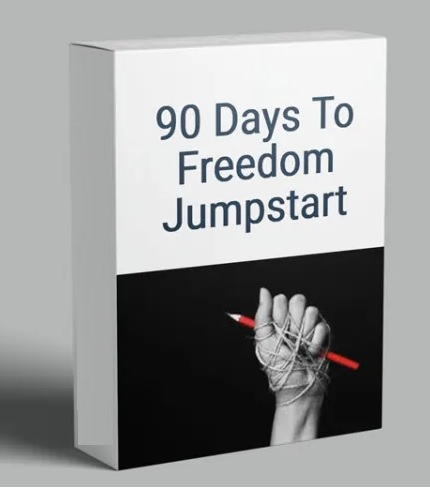
90 Days To Freedom Jumpstart by Ian Stanley

8471e3876bc76876c74aea6ae00ae7e7.jpg

Ian Stanley - 90 Days to Freedom Jumpstart | 77.2 GB
Ian Stanley has the right thing to help you make a full-time living from your laptop. You just need to send emails. You only have to work a few hours per week. You would know because he has been traveling the world for five years, spending as little as an hour per day and running this business model between trips. It's the perfect time to get started in today's home-based economy. This is your opportunity to write emails to small business owners, who are in dire need of your assistance now more than ever.

Ian Stanley: Who are you?
Ian Stanley is a top email marketer and has sold more than $100,000,000 in products online over the last few years. At the age of 12, he started his first business by selling tennis rackets. He has since started several businesses, and recently sold an Ecommerce business to Canada's fastest-growing start-up.

This Model is Different from Dropshipping and Affiliate Marketing.
Email marketing is a skill that can make you rich for the rest your life. It's possible to make money in almost any business around the globe. It's zero-risk. It has zero start up costs. Profit margins of 100% are possible.

It's not hard to understand, but it is easier to say WHAT. IS. THIS?
Emails are written for companies that already make money. Because you make them more, they pay you thousands to even tens and thousands of dollars per month. It's as easy as that. Ian will show you how to increase the business of these businesses so that they are happy to send you money each month.

Hence, your program is different from others.
Ian made $0 per month and now makes $5,000 per month through his first partnership. All this while only working 10 hours per month. He's now making over $100,000 per month. It is simple and works well. He wanted to make a program that anyone could use, even if they had no experience or never finished high school.

"You had me at Hello", however, why would you tell anyone?
All of us are in this together for one reason: To live a life full of freedom. You help us, we help our clients, and everyone is happy. This industry is growing by 10-15 billion each year, and it's impossible for us to meet that demand alone.

I don't know much about marketing or local businesses.
That's why we exist. Our step-by-step system helps students of all levels to build a 5-6 figure business. Our Case Studies are the best part. It reminds us why this is important. We would love to have you as our next case study.

My pocket isn't big, I work full-time. Can I still be successful?
The program takes only 5 hours per week. It can take even less time once your business is up and running. This is the perfect opportunity for anyone looking to start a side business or quit their job. There are no overhead costs. There are no start-up costs. My business grew to seven figures in seven years while I traveled the world. You can do it if I can.

HOmepage:

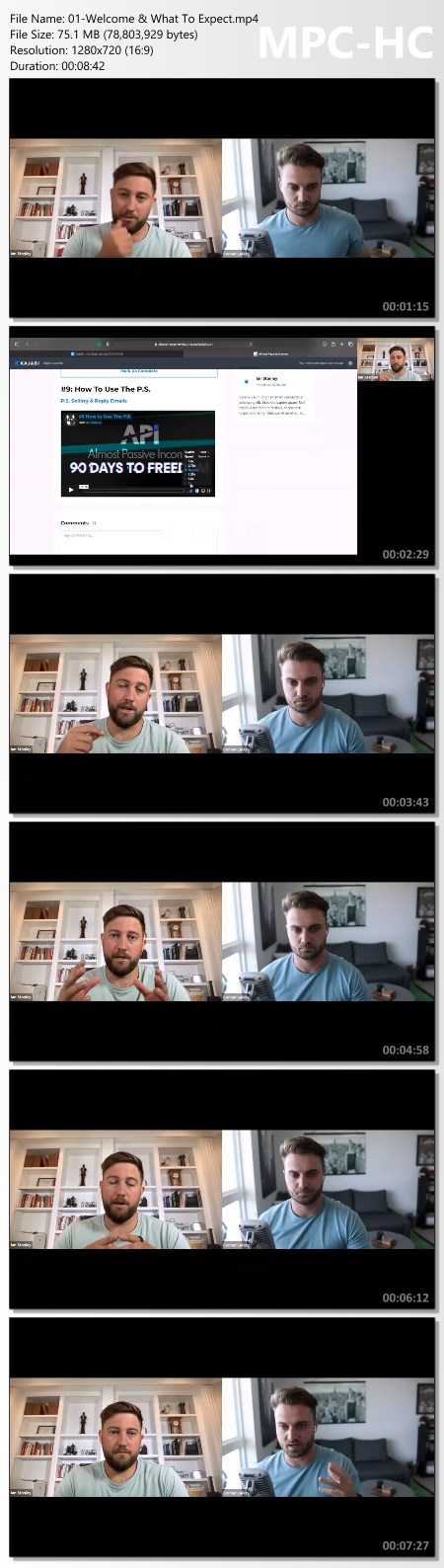
Screenshots
0ff6a6f498f6a5caa81e6a94222c4311.jpg


Link Download
Extract files with WinRar 5 or Latest !
 
Logic Pro X - Complete Guide For Beginners And Intermediates

1mi6hygmwbetzmjc5tqyqb4f70.jpg


Logic Pro X - Complete Guide For Beginners And Intermediates
Published 6/2022
MP4 | Video: h264, 1280x720 | Audio: AAC, 44.1 KHz
Language: English | Size: 5.51 GB | Duration: 8h 58m

Learn how to use all the tools Logic provides to create your own music, using only stock plugins and effects.


What you'll learn
Create your own songs, beats and tracks with Logic Pro X
Create interesting drums and beats with Logics Drummer and Drum Machine Designer
Use the Step Sequencer or Piano Roll Editor for various tasks
Use Software Instruments for chords and melodies
Record and edit your voice and instruments with confidence
Mix and Master your song with the help of Logics Presets
You will learn many tips & tricks to enhance your workflow
Requirements
No preknowledge about audio or music theory necessary
You Need To Own A Computer With macOS
You don't need to purchase the Logic Pro X software, since Apple provides a 90-Day Demo, that fully works with this course.

Description
This course is created for the absolute beginner as well as advanced users who want to expand their knowledge.In this course, you will learn how to use Logic Pro X (Version 10.7) to create your own music.I will lead you step by step through all important features and tools that make Logic so versatile.This course is structured in a way that enables you to create any style of music you like, be it dance, hiphop, soundtracks, singer songwriter - you name it.To be able to immediately realize musical ideas instead of struggling with software is the main goal of this course.After this course you will. know all about the arrange and mixing window. understand how helpful the inspector window can be. create drums like a real drummer with Logics Drummer. create beats & drums with the step sequencer and the Drum Machine Designer. use the Piano Roll and MIDI in many creative ways. record audio (vocals and/or instruments) with ease. know how use apple loops and presets to your advantage. know a lot of tricks and quickly work with key commandsIf you want to. start creating your own music. record your vocals or guitar. create demos and ideas for others. write music for film and tv. start as a producer in various stylesthen this course is for you! - whether you are a new user or already possess some knowledge.The nice thing about Logic Pro X is that it gives you everything you need to produce music of any style. And not only that, it also allows you to choose your own way of being creative, whether you work with logic's extensive loop library, use "ableton-like" Live Loops Grid or classic step sequencer techniques. You don't need anything else - from the first idea, all the way to the final master. And this course is designed to teach you exactly this.

Overview

Section 1: Introduction

Lecture 1 Introduction

Section 2: Getting started with Logic

Lecture 2 Basic Settings (essentiel)

Lecture 3 Logic UPDATE 10.7

Lecture 4 Interface Set Up

Lecture 5 Sound Library

Section 3: The Logic Pro X user interface

Lecture 6 The Arrange View (essentiel)

Lecture 7 The Inspector (essentiel)

Lecture 8 The Mixing Window

Lecture 9 Customising the UI (essentiel)

Section 4: Getting to know Logic Pro X

Lecture 10 Project Handling

Lecture 11 The various Track Types in Logic

Lecture 12 Plug-in UI

Section 5: MIDI in Logic Pro X

Lecture 13 First steps with MIDI

Lecture 14 Inputting and editing MIDI

Lecture 15 Recording and Quantizing MIDI

Section 6: Drums and Drummers

Lecture 16 Logics Drummer

Lecture 17 Drum Machine Designer

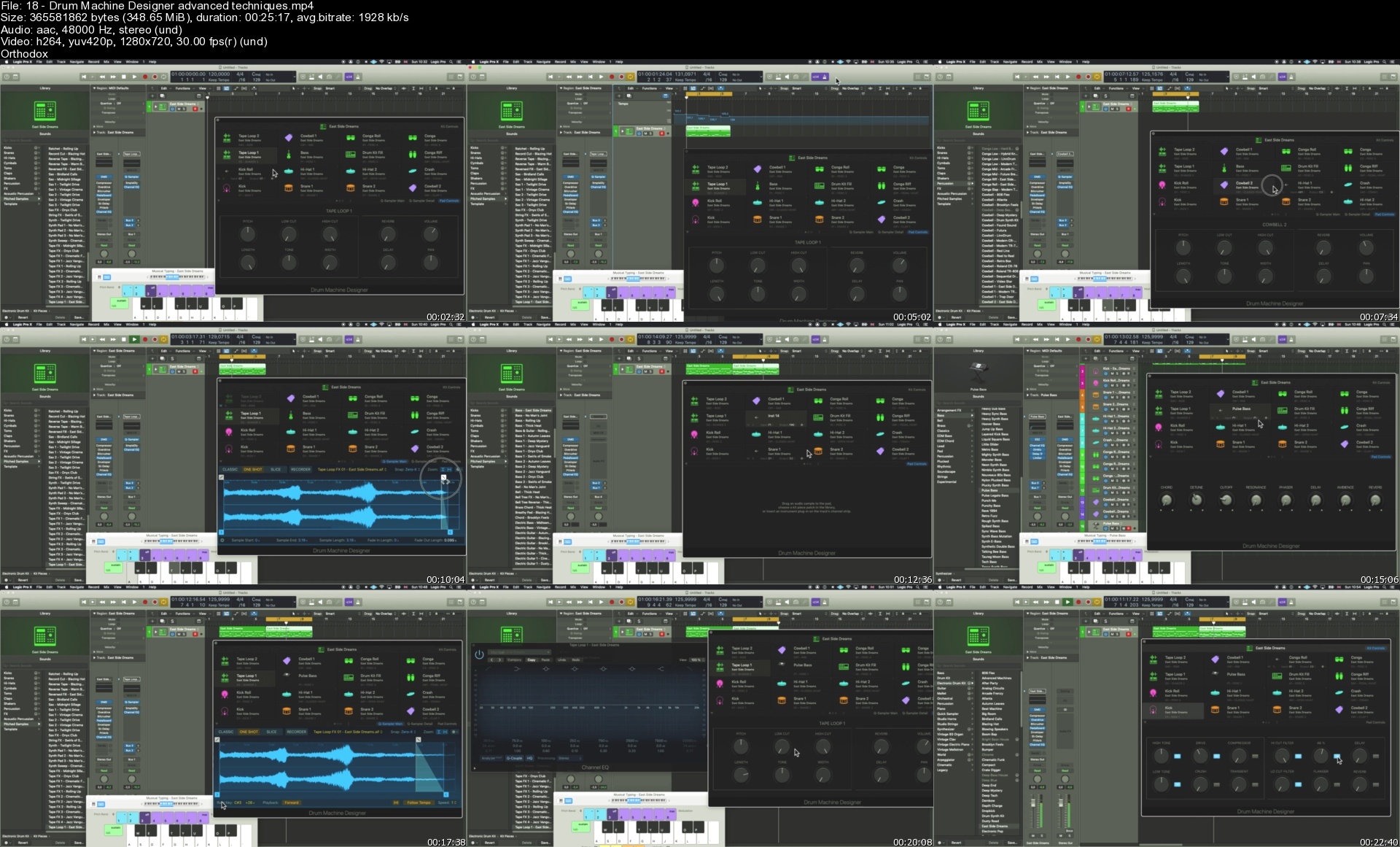
Lecture 18 Drum Machine Designer - advanced techniques

Section 7: The Step Sequencer

Lecture 19 Step Sequencer - Part One

Lecture 20 Step Sequencer - Part Two

Lecture 21 Step Sequencer - Part Three (essentiel)

Lecture 22 Step Sequencer - Logic UPDATE 10.7

Section 8: Global Tracks

Lecture 23 All about Global Tracks

Section 9: Audio in Logic Pro X

Lecture 24 Recording Audio I - Preparation & Monitoring

Lecture 25 Recording Audio II - Different Recording Modes

Lecture 26 Recording Audio III - Track Stacks & Levels

Lecture 27 Recording Audio IV - Recording Vocals

Lecture 28 Additional Video: Audio Editing

Lecture 29 Flex Pitch & Flex Time

Section 10: Live Loops in Logic Pro X

Lecture 30 Live Loops Grid

Section 11: Mixdown

Lecture 31 From Input to Output (essentiel)

Lecture 32 Finalizing the song

Musicians who want to record their music and produce high level demos.,Musicians and Producers who want bring their songs/productions to the next level.,Musicians and Producers who are determined to work with Logic Pro X.

Homepage


18drummachinedesignerk5ikd.jpg


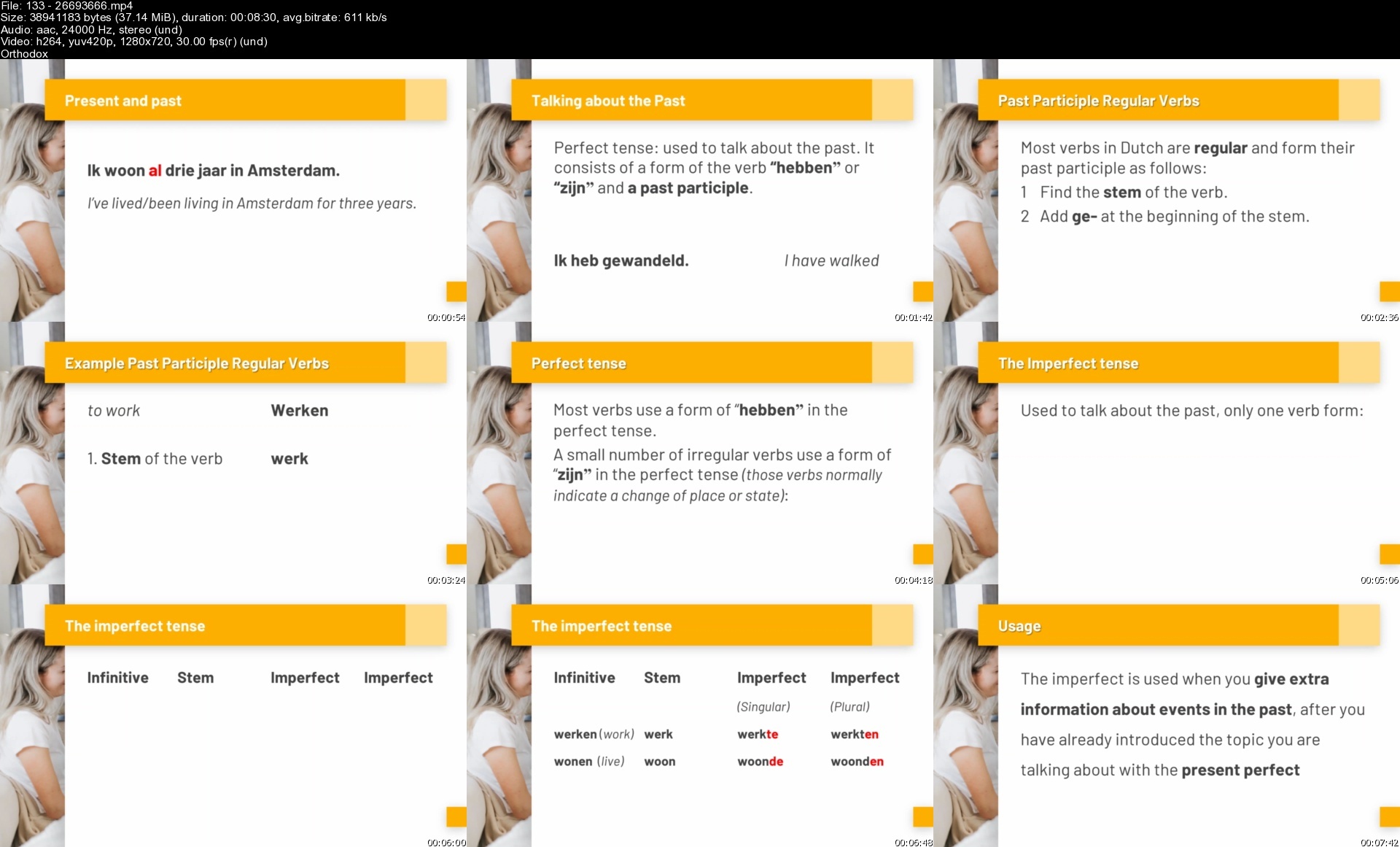
Learn Dutch -The Fast, Easy & Fun Speaking Dutch Method 14Hr

zkeclb0kz7i9dxvgfpgtq52clr.jpg


Learn Dutch -The Fast, Easy & Fun Speaking Dutch Method 14Hr
Last updated 6/2022
MP4 | Video: h264, 1280x720 | Audio: AAC, 44.1 KHz
Language: English | Size: 5.47 GB | Duration: 13h 54m

Learn Dutch for Beginners: Fully Master the Essentials of Dutch Speaking (A1-A2) - Unique Learning Dutch Method, 14 hrs


What you'll learn
Hold simple conversations using common Dutch language phrases from daily life.
Handle the basic structures of Dutch Grammar with ease and confidence.
Introduce yourself and others and can ask and answer a wide range of questions about personal details in Dutch.
Speak Dutch with good pronunciation due to constant repetition and imitation of native speaker.
Speak in Dutch about routine tasks requiring a simple and direct exchange of information on familiar and routine matters.
Requirements
Anyone can join this course, as long as you can understand a little bit of English because the course is being taught from English to Dutch.

Description
I have a quick question for you: "Are you intimidated by the idea to LEARN DUTCH? " You don't have to be... Contrary to what you might believe the Dutch language (language from the Netherlands and part of Belgium) is still considered one of the easiest languages to learn for native and non-native English speakers. I designed this course for anyone who wants to learn to speak, read, write, and listen to the Dutch language from scratch, in a simple, painless manner. So if you are an absolute beginner (A1-A2) and you have very little knowledge of Dutch, this course is good for you. Or if you are going on a holiday, study or move to the Netherlands (Holland) or Belgium and you need to get practical use of basic Dutch as quickly as possible. Then this Learn Dutch course is the right choice for you!After this Dutch course, you will be able to speak Dutch/ Flemish and hold simple conversations using common Dutch phrases from daily life.TRADITIONAL METHODS DO NOT ALWAYS PRODUCE GOOD RESULTSI'm, of course, from the Netherlands and I have learned 6 languages myself. So, I understand the problems and difficulties of learning a new language. I also have taught 1000's of students from all over the world, and it is quite clear to me that the traditional methods for learning Dutch used by many institutions and courses do not produce good results. And that's why I created this course and this new system to help people like you to learn Dutch for beginners, in a simple, painless manner.DUTCH COMMUNICATIVE LANGUAGE TEACHING METHOD (DCLT method)I have created a new learning system: I call it the Dutch Communicative Language Teaching Method. This system of teaching to Learn Dutch for beginners will provide you with a solid base and a practical usage of the Dutch language as quickly as possible. This system is based on the idea that learning a language successfully comes from having to communicate REAL meaning.When you are talking about things that happen in your day-to-day life your natural strategies for language acquisition and learning are much more activated. And this will allow you to learn to use the language faster and better.REAL-WORLD CONVERSATIONS AND SITUATIONS FROM DAILY LIFE ONLYThat's why all the activities in this learn Dutch course are based on the usage of real-world conversations and situations. So, no boring irrelevant content. Learn Dutch naturally and quickly.This is achieved through a carefully designed system that builds up and practices the language in your mind, step by step, until you can understand and make relatively complex sentences with ease.From the very start, you will be listening to and speaking Dutch with your own words and sentences, absorbing structures without even realizing it. The method guides you through basic speaking Dutch exercises in a motivating and stimulating way.HOW DOES THE COURSE WORK?This Learn Dutch Beginner course consists of 11,5 hours and 90+ video lessons of spoken English to Dutch. In every lesson, there is a series of speaking exercises, language insights, Dutch grammar lessons, and Dutch grammar exercises as well as some interesting Cultural Insights of the Netherlands and the Dutch language.WHAT AM I GOING TO LEARN?The topics that will be presented to learn Dutch (CEFR level Dutch A1 - Dutch A2) and that you will absorb are the following:How to introduce yourself and othersHow to say where you're fromHow to ask people's namesHow to ask how people areHow to ask what people want to drinkHow to introduce someoneHow to talk about your familyHow to say which languages you speakHow to say what nationality you areHow to ask and answer questions about accommodationHow to talk about the surrounding areaHow to talk about your living arrangementsHow to Buy food and groceries How to ask for things in shopsHow to say what you want How to say how much you want How to use moneyLEARN DUTCH TODAY!You will be engaged in spoken dialogues that require no pen and paper. Just listen and talk, talk and talk. You will speak Dutch from start to finish. This is the ideal system for beginners to learn Dutch. My goal is for you to become "hooked" on learning to speak Dutch and thereby mastering basic Dutch as quickly as possible.Thank you so much for your interest in this Learn to speak Dutch course. I hope you're as excited as I am and, with our 30-day money-back guarantee, there's no reason to hesitate!>> Click the enroll button right now and we'll see you in lesson one to start learning about: " Meeting New People" <<Make a start and LEARN DUTCH TODAY! | Begin nu en en start met het leren van Nederlands!P.S.,Some explanations about Dutch, Netherlands, (Nederland) Holland an Belgium (Belgie), Flemish (Vlaams)Flemish is the Dutch language as spoken in Flanders, one of the two official languages of Belgium.The Dutch language is spoken by around 23 million native speakers worldwide. Dutch is spoken in the Netherlands, Belgium (Flanders/ Flemish), and Suriname. Dutch is also an official language of Aruba, Curaçao, and St Maarten. The difference between the Netherlands and Holland (holandés / Hollandaca) is: the Netherlands is the term for the country as a whole (12 provinces), while Holland refers to just the two provinces of North and South Holland. However, the name "Holland" continues to be popular with foreigners and even the Dutch themselves.

Overview

Section 1: Welcome, Overview subjects, information about the Dutch language (15 minutes)

Lecture 1 Welcome, Overview subjects, what are you going to learn...

Lecture 2 Quick Introduction to Dutch language

Lecture 3 Quick Wins: Everyday Dutch Words you can use immediately

Lecture 4 Download a printable PDF version / Handout of this whole course

Section 2: Real-World Conversation at a School :Introductions, Greetings, Names (30 min.)

Lecture 5 Real-World Conversation 1 Listen and Learn (Introductions, greetings, names)

Lecture 6 Real-World Conversation 1 Listening and Reading: Introductions, Greetings, Names

Lecture 7 Quick Vocabulary Builder 1: Introductions, Greetings, Names, Places

Lecture 8 Vocabulary Summary, Pronunciation and Review: Introductions, Greetings, Names

Lecture 9 Cultural Insights & facts about the Netherlands and the Dutch culture

Lecture 10 How do you learn a new language?

Lecture 11 Pronunciation Tips and Pronunciation of Dutch Consonants

Section 3: Real-World Conversation in a Restaurant (Introductions, greetings, names) 20min.

Lecture 12 Real-World Conversation 2 Listen and Learn: Introductions, Greetings, Names

Lecture 13 Real-World Conversation 2 Listening and Reading: Introductions, Greetings, Names

Lecture 14 Quick Vocabulary Builder 2: Introductions, Greetings, Names

Lecture 15 Vocabulary Summary, Pronunciation and Review :Introductions, Greetings, Names

Lecture 16 Cultural Insights & facts about the Netherlands and the Dutch culture

Lecture 17 Language insights (How to's, Grammar, Explanations: Introductions, Greetings...

Lecture 18 Pronunciation of Dutch Short Vowel sounds

Section 4: Real-World Conversation in a Café (Greetings, Introductions, Offers) 25 min.

Lecture 19 Real-World Conversation 3 Listen and Learn: Greetings, Introductions, Offers

Lecture 20 Real-World Conversation 3 Listening and Reading: Greetings, Introductions, Offer

Lecture 21 Quick Vocabulary Builder 3: Greetings, Introductions, Offers

Lecture 22 Vocabulary Summary, Pronunciation and Review: Greetings, Introductions, Offers

Lecture 23 Cultural Insights & facts about the Netherlands and the Dutch culture

Lecture 24 Language insights (How to's, Grammar, Explanations of "negative" = NIET in Dutch

Lecture 25 Pronunciation of Dutch Long Vowel Sounds

Section 5: Real-World Conversation on a bar at the beach Greetings, Offers, Goodbye 35min.

Lecture 26 Real-World Conversation 4 Listen and Learn: Greetings, Offers, Goodbye's

Lecture 27 Real-World Conversation 4 Listening and Reading: Greetings, Offers, Goodbye's

Lecture 28 Quick Vocabulary Builder 4 : Greetings, Offers, Goodbye's

Lecture 29 Vocabulary Summary, Pronunciation and Review: Greetings, Offers, Goodbye's

Lecture 30 Cultural Insights & facts about the Netherlands and the Dutch culture

Lecture 31 Language insights (How to's, Grammar, Explanations) Dutch Verbs, Make Questions

Lecture 32 Practice your Dutch

Lecture 33 Cultural Insights & facts about the Netherlands and the Dutch culture

Lecture 34 Pronunciation of Dutch Combination Vowel Sounds

Section 6: Real-World Conversation in game chat group on social media: Introductions 35min.

Lecture 35 Real-World Conversation 5 Listen and Learn: Introductions, Names, Locations

Lecture 36 Real-World Conversation 5 Listening and Reading: Introductions, Names, Locations

Lecture 37 Quick Vocabulary Builder 5: Introductions, Names, Locations

Lecture 38 Vocabulary Summary, Pronunciation and Review: Introductions, Names, Locations

Lecture 39 Language insights (How to's, Grammar, Explanations)

Lecture 40 Practice your Dutch

Lecture 41 Cultural Insights & facts about the Netherlands and the Dutch culture

Lecture 42 Language insights (How to's, Grammar, Explanations)

Lecture 43 Practice your Dutch

Lecture 44 Language insights (How to's, Grammar, Explanations)

Lecture 45 Key language Reminders

Section 7: Real-World Conversation at the office:Intro, Family, Languages, Nationality 1h50

Lecture 46 Real-World Conversation 6 Listen & Learn: Intro. Family, Languages, Nationality

Lecture 47 Real-World Conversation 6 Listening & Reading: Intro, Family, Languages, Nation

Lecture 48 Quick Vocabulary Builder 6: Introducing, Family, Languages, Nationalities

Lecture 49 Cultural Insights & facts about the Netherlands and the Dutch culture

Lecture 50 Quick Vocabulary Builder 6 cont.: Introducing, Family, Languages, Nationalities

Lecture 51 Cultural Insights & facts about the Netherlands and the Dutch culture

Lecture 52 Quick Vocabulary Builder 6 cont.: Introducing, Family, Languages, Nationalities

Lecture 53 Vocabulary Summary, Pronunciation & Review: Introducing, Family, Language...

Lecture 54 Language insights (How to's, Grammar, Explanations)

Lecture 55 Practice your Dutch

Lecture 56 Language insights (How to's, Grammar, Explanations) Countries, Nationalities

Lecture 57 Cultural Insights & facts about the Netherlands and the Dutch culture

Lecture 58 Dutch Grammar Booster: Talking about the Present: Regular Verbs

Lecture 59 Dutch Grammar Booster: Talk about the Present: Irregular Verbs

Lecture 60 Dutch Numbers 1-10

Lecture 61 Dutch Numbers 11-20

Lecture 62 Practice your Dutch

Lecture 63 Key language Reminders

Section 8: Real-World Conversation Colleagues during coffee break (Accommodations) 30min.

Lecture 64 Real-World Conversation 7 Listen and Learn: Talking about Living Arrangements

Lecture 65 Real-World Conversation 7 Listening and Reading: Living Arrangements

Lecture 66 Quick Vocabulary Builder 7 : Talking about Living Arrangements

Lecture 67 Cultural Insights & facts about the Netherlands and the Dutch culture

Lecture 68 Quick Vocabulary Builder 7 :Talking about Living Arrangements

Lecture 69 Vocabulary Summary, Pronunciation and Review: Talking about living arrangements

Lecture 70 Practice your Dutch

Lecture 71 Cultural Insights & facts about the Netherlands and the Dutch culture

Section 9: Real-World Conversation Two people on the train :Living arrangements 30min.

Lecture 72 Real-World Conversation 8 Listen and Learn: Living Arrangements & Surroundings

Lecture 73 Real-World Conversation 8 Listening & Reading: Living Arrangements & Surrounding

Lecture 74 Quick Vocabulary Builder 8 :Living Arrangements & Surroundings

Lecture 75 Cultural Insights & facts about the Netherlands and the Dutch culture

Lecture 76 Quick Vocabulary Builder 8 cont.: Living Arrangements & Surroundings

Lecture 77 Vocabulary Summary, Pronunciation and Review: Living Arrangements & Surroundings

Lecture 78 Practice your Dutch

Section 10: Real-World Conversation Two friends making an appointment and locations 1h15

Lecture 79 Real-World Conversation 9 Listen and Learn: Questions about Locations

Lecture 80 Real-World Conversation 9 Listening and Reading: Questions about Locations

Lecture 81 Quick Vocabulary Builder 9: Questions about Locations

Lecture 82 Vocabulary Summary, Pronunciation and Review: Questions about Locations

Lecture 83 Practice your Dutch

Lecture 84 Language insights (How to's, Grammar, Explanations) Usage: De, het , Een, Plural

Lecture 85 Language insights (How to's, Grammar, Explanations) continued: Three Verbs

Lecture 86 Dutch Numbers 20-50

Lecture 87 Dutch Numbers 50-1000

Lecture 88 Dutch Grammar Booster: Possessive Pronouns My, Your, His/Her

Lecture 89 Practice your Dutch

Lecture 90 Key language Reminders

Section 11: Real-World : Buying Food and Groceries :Ask things, Say what you want 3h15

Lecture 91 Real-World Conversation 10 Listen and Learn: How to Buy Food and Groceries

Lecture 92 Real-World Conversation 10 Listening and Reading :How to Buy Food and Groceries

Lecture 93 Quick Vocabulary Builder Conversation 10 : Buying groceries

Lecture 94 Vocabulary Summary, Pronunciation and Review :Grocery shopping

Lecture 95 Real-World Conversation 11 Listen and Learn: How to Buy Food and Groceries

Lecture 96 Real-World Conversation 11 Listening and Reading :How to Buy Food and Groceries

Lecture 97 Quick Vocabulary Builder Conversation 11 : Buying groceries

Lecture 98 Vocabulary Summary, Pronunciation and Review :Grocery shopping

Lecture 99 Real-World Conversation 12 Listen and Learn: How to Buy Food and Groceries

Lecture 100 Real-World Conversation 12 Listening and Reading :How to Buy Food and Groceries

Lecture 101 Quick Vocabulary Builder Conversation 12 : Buying groceries

Lecture 102 Vocabulary Summary, Pronunciation and Review :Grocery shopping

Lecture 103 Real-World Conversation 13 Listen and Learn: How to Buy Food and Groceries

Lecture 104 Real-World Conversation 13 Listening and Reading :How to Buy Food and Groceries

Lecture 105 Quick Vocabulary Builder Conversation 13 : Buying groceries

Lecture 106 Vocabulary Summary, Pronunciation and Review :Grocery shopping

Lecture 107 Language Insights: How to Buy food and Groceries

Lecture 108 Language Insights: Fruits, Vegetables, Cheese, Bread, Drinks, Snacks

Lecture 109 Practice your Dutch

Lecture 110 Language Insights: Dutch Pronouns

Lecture 111 Practice your Dutch

Lecture 112 Practice your Dutch

Lecture 113 Language Insights: Quantities

Lecture 114 Practice your Dutch

Lecture 115 Language Insights: Modal Verbs

Lecture 116 Practice your Dutch

Lecture 117 Practice your Dutch

Lecture 118 Key language Reminders

Section 12: Key Dutch Grammar and Spelling Summary 60min.

Lecture 119 Spelling (Short and Long Vowels)

Lecture 120 Personal Pronouns

Lecture 121 Verbs

Lecture 122 Hoe gaat het? A common greeting

Lecture 123 Object Pronouns

Lecture 124 Negative answers

Lecture 125 Referring to the time you will see each other again when you Say goodbye

Lecture 126 Articles: De, Het, Een

Lecture 127 Three ways of making Dutch Plurals

Lecture 128 Possessive Pronouns in Dutch

Lecture 129 Usage of More Than One Verb

Lecture 130 This and That: Deze/die + dit/dat

Lecture 131 Dutch Adjectives

Lecture 132 Comparatives and Superlatives

Lecture 133 Present and Past Tenses in Dutch

Lecture 134 Separable verbs

Lecture 135 Relative clauses

Lecture 136 Diminutives

Lecture 137 The multipurpose verb: Zou

Lecture 138 Er + prepositions

Lecture 139 Sub-clauses

Section 13: DUTCH BASICS: 8 Most common "How To Say.... in Dutch" Topics 2h20

Lecture 140 How to Say Please and Thank you in the Dutch

Lecture 141 How To Say 'Hello' In Dutch And How To Say 'Goodbye' In Dutch

Lecture 142 How to Say Happy Birthday in the Dutch Language

Lecture 143 How to Say I love you in the Dutch Language

Lecture 144 How to count in Dutch

Lecture 145 How To Name And Pronounce Colors In Dutch

Lecture 146 Learn the Dutch Alphabet and Pronunciation

Lecture 147 How To Tell The Time In Dutch

Absolute beginners or those with very little knowledge of the Dutch language.,Those who require a complete, comprehensive "brush-up" of the basics of Dutch language.,Anyone who would prefer to learn Dutch from scratch through speaking and active involvement rather than studying rules and lists.,Anyone who is either vacationing or moving (study, work, relationship) to a Dutch speaking country who needs to acquire a practical use of basic Dutch as quickly as possible.,Anyone whose purpose is to learn Dutch from scratch, in a simple, painless manner.

Homepage


13326693666sfgefv.jpg


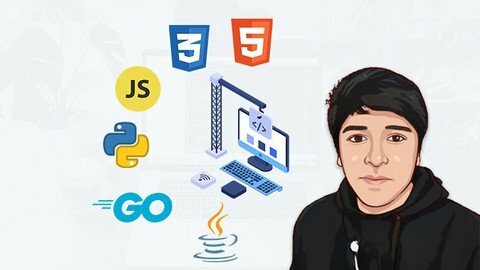
Escuela De Programación Y Desarrollo Web Desde Cero A Master

dgszjdlzvb3sbgqibcwobbxijr.jpg


Escuela De Programación Y Desarrollo Web Desde Cero A Master
Última actualización: 5/2022
MP4 | Video: h264, 1280x720 | Audio: AAC, 44.1 KHz
Language: Español | Size: 24.28 GB | Duration: 65h 43m

Aprende programación y desarrollo Web desde cero con lenguajes HTML, CSS, JavaScript, Python, Go (Golang) y Java.


What you'll learn
Utiliza el Lenguaje de Marcado de Hipertexto (HTML), darle estructurar, desplegar una página web y sus contenidos.
Utiliza el Lenguaje de Hojas de estilo en cascada (CSS), personalizar y diseñar una página web, describe cómo se deben mostrar los elementos HTML.
Maquetar sitios web estáticos usando HTML y CSS.
Crear paginar dinámicas con HTML, CSS Y manipulando el DOM con JavaScript.
Entender el Desarrollo frontend a un Nivel Intermedio.
Entender Lenguajes de programación a profundidad como JavaScript, Python, GO (Golang) y Java a un nivel básico, intermedio y avanzado.
webpack: Empaquetar y exportar tus proyectos en todos los ficheros necesarios para que un proyecto funcione con todas sus dependencias Frontend.
Construye con JavaScript aplicaciones Web con Node JS solo Backend.
Crear aplicaciones de escritorio con TKINTER.
Utiliza Flask para desarrollar aplicaciones Web con Python en lado de Frontend y Backend.
Utiliza Django para desarrollar aplicaciones Web profesionales y avanzado con Python en lado de Frontend y Backend.
Construye con GO (Golang) Aplicación web estática del lado del servidor - Backend.
Construye Aplicación web del lado del servidor con puro Java y HTML- Backend.
En este curso con más de 12 practicas y más de 5 Proyectos.
Requirements
No hay prerequisitos para este curso. Todo lo que necesita es una computadora (Mac, Windows o Linux) y una conexión a Internet

Description
Bienvenido a la Escuela de Programación y Desarrollo Web desde cero a MasterUn curso paso a paso si deseas comenzar en el mundo de la programación Web.En este curso aprenderás 2 Lenguajes (HTML/CSS), 4 Lenguajes de programación (JavaScript, Python, GO, Java) y Tecnologías de desarrollo Web (Node.js, Flask, Django):1. HTML5:Utilizar el lenguaje de marcado estándar para describir una estructura de una página web estática. Conocer la estructura de HTML como la cabecera y el cuerpo de un documento web, aportar contenido manipulando varias etiquetas HTML a una estructura de un documento web.2. CSS:Definir estilos para sus páginas web, incluido el diseño, describir cómo se mostrarán los elementos HTML en la pantalla. Seleccionar elementos HTML para aplicarle un estilo concreto dándole una propiedad y un valor. Posicionar nuestro sitio web utilizando flexbox y grid.3. JAVASCRIPTHTML es para definir el contenido de las páginas web, CSS para especificar el diseño de las páginas web y JavaScript para programar el comportamiento de las páginas web. Darle vida a tu sitio web, que pueda interactuar con el usuario de una forma dinámica.Conocerás los fundamentos de JavaScript, Estructura de control, funciones, manipular el DOM, y la Programación Orientada a Objetos.NODE.JS: Correr JavaScript del lado del servidor usando Node.js solo backend.4. PYTHONAprenderás lo básico de Python, Estructuras de control y Colecciones, Funciones y la Programación Orientada a Objetos. También conocerás a crear aplicaciones web, conectarse a sistemas de bases de datosFlask: Usar Flask para crear sitios web simples y dinámico con Python del lado del servidor.Django: Usar Django para crear sitios web avanzados y dinámicos con Python del lado del servidor.5. GO (golang)Aprenderás lo básico de GO, Estructuras de Datos, control de flujo, funciones, Estructuras e Interfaces - POO, etc. Desarrollaras sitios web estáticos del lado del servidor, conectarse a base de datos.6. JAVAAprenderás lo básico de Java, Estructura de Control, Funciones y la Programación Orientada a Objetos, etc. Crear tu propio sitio web y la conexión a base de datos en java puro.Este curso con más de 12 practicas y más de 5 Proyectos.¿Por qué es importante aprender a programar?Comencemos por entender por qué es importante aprender a programar y crear productos webLa industria tech ha estado creciendo de manera acelerada en los últimos años, sin importar cuántas personas se gradúan al año de la universidad, la industria tendrá más necesidad de profesionales que universidades graduando estudiantes.Si nos ponemos a pensar un poco, recuerda cómo era tu vida hace 10 o 15 años. ¿Qué hacías? ¿Cómo era tu celular? ¿Cómo era tu forma de consumo? ¿Cuáles eran tus hobbies? ¿Cómo te comunicabas con tus amigos? ¿Cómo conocías nuevos amigos o personas? ¿Te imaginabas tener acceso a todo desde tu celular o computadora sin importar el lugar donde estuvieras?Actualmente solo necesitamos un celular o computador y acceso a internet para poder lograr cualquier cosa. Desde estudiar, trabajar, pedir al súper las compras del mes, conocer nuevas personas alrededor del mundo, solicitar o rentar un carro para poder salir, rentar o tomar un scooter eléctrico o bici, puedo hacer pagos de servicios y ni hablar de todo el entretenimiento que tenemos a nuestro alcance con tan solo algunas apps y páginas web.Aprender a programar nos da un conjunto de habilidades que enfocamos a resolver problemas, es por eso que las empresas te van a contratar, porque mientras más hábil seas resolviendo problemas, mejores oportunidades encontrarás para aplicar tus conocimientos.

Overview

Section 1: Introducción

Lecture 1 Presentación del Curso

Section 2: Fundamentos de Programación

Lecture 2 Programacióm

Lecture 3 Lenguajes de programación

Lecture 4 Pasos para crear un programa

Lecture 5 Herramineta de desarrollo

Lecture 6 Mi primer aplicación

Section 3: Lenguaje HTML

Lecture 7 HTML y CSS

Lecture 8 Introducción a HTML

Lecture 9 Atributos

Lecture 10 Encabezados H

Lecture 11 Tipos de Textos

Lecture 12 Listas

Lecture 13 Tablas

Lecture 14 Enlaces

Lecture 15 Imágenes

Lecture 16 Videos

Lecture 17 Formularios

Lecture 18 Atributos de Input

Lecture 19 Contenedores

Lecture 20 Etiqueta Meta

Lecture 21 PRÁCTICA: Página de imágenes

Lecture 22 Favicon

Section 4: Lenguaje CSS

Lecture 23 Primeros estilos

Lecture 24 Selectores

Lecture 25 Seudo Clases y seudo Elementos

Lecture 26 Modelo de Cajas

Lecture 27 Estilos de Textos

Lecture 28 Tipos de Elementos

Lecture 29 Elemento Buttom

Lecture 30 Posicionamiento

Lecture 31 Uso de Float

Lecture 32 Estilos de Tabla

Lecture 33 Estilos de Lista

Lecture 34 PRÁCTICA: Diseño para cálculos de figuras geométricas parte 01

Lecture 35 PRÁCTICA: Diseño para cálculos de figuras geométricas parte 02

Lecture 36 PRÁCTICA: Diseño para cálculos de figuras geométricas parte 03

Lecture 37 PRÁCTICA: Diseño para cálculos de figuras geométricas parte 04

Lecture 38 Diseño web adaptable (Responsive web design)

Section 5: PRACTICA DE HTML Y CSS

Lecture 39 Presentación de la Practica

Lecture 40 Maquetación con HTML el HEADER

Lecture 41 Usando CSS Grid

Lecture 42 Grid y Flexbox

Lecture 43 Main de Página de Inicio

Lecture 44 Página de BLOGS parte 01

Lecture 45 Página de BLOGS parte 02

Lecture 46 Página de BLOG

Lecture 47 Página de PROFILE

Lecture 48 RETO: Web Responsivo de Blog Personal

Section 6: JS - JavaScript Básico

Lecture 49 ¿Qué es JavaScript?

Lecture 50 Hola Mundo

Lecture 51 Comentarios

Lecture 52 Variables

Lecture 53 Tipos de datos

Lecture 54 Casting de Datos

Lecture 55 PRÁCTICA: Suma de dos Números

Lecture 56 Operadores Aritméticos

Lecture 57 Operadores en Asignación

Lecture 58 Operadores de Comparación

Lecture 59 Operadores Lógicos

Lecture 60 Operadores de Incremento y Decremento

Lecture 61 PRÁCTICA: Cociente y Residuo

Lecture 62 PRÁCTICA: Precio de venta

Lecture 63 Salida de datos

Section 7: JS - Estructuras de Control y Array

Lecture 64 Condiciones If-Else

Lecture 65 Condiciones anidadas

Lecture 66 Múltiples Condiciones - else-if

Lecture 67 Switch

Lecture 68 Operador Ternario

Lecture 69 Array

Lecture 70 Bucle For

Lecture 71 Bucle While

Lecture 72 Break y Continue

Lecture 73 PRÁCTICA: Descuento de Restaurante Parte 01

Lecture 74 PRÁCTICA: Descuento de Restaurante Parte 02

Lecture 75 PRÁCTICA: Usando array y For

Section 8: JS - Funciones

Lecture 76 Definir una Función

Lecture 77 Parámetros y Argumentos

Lecture 78 Funciones con Retorno

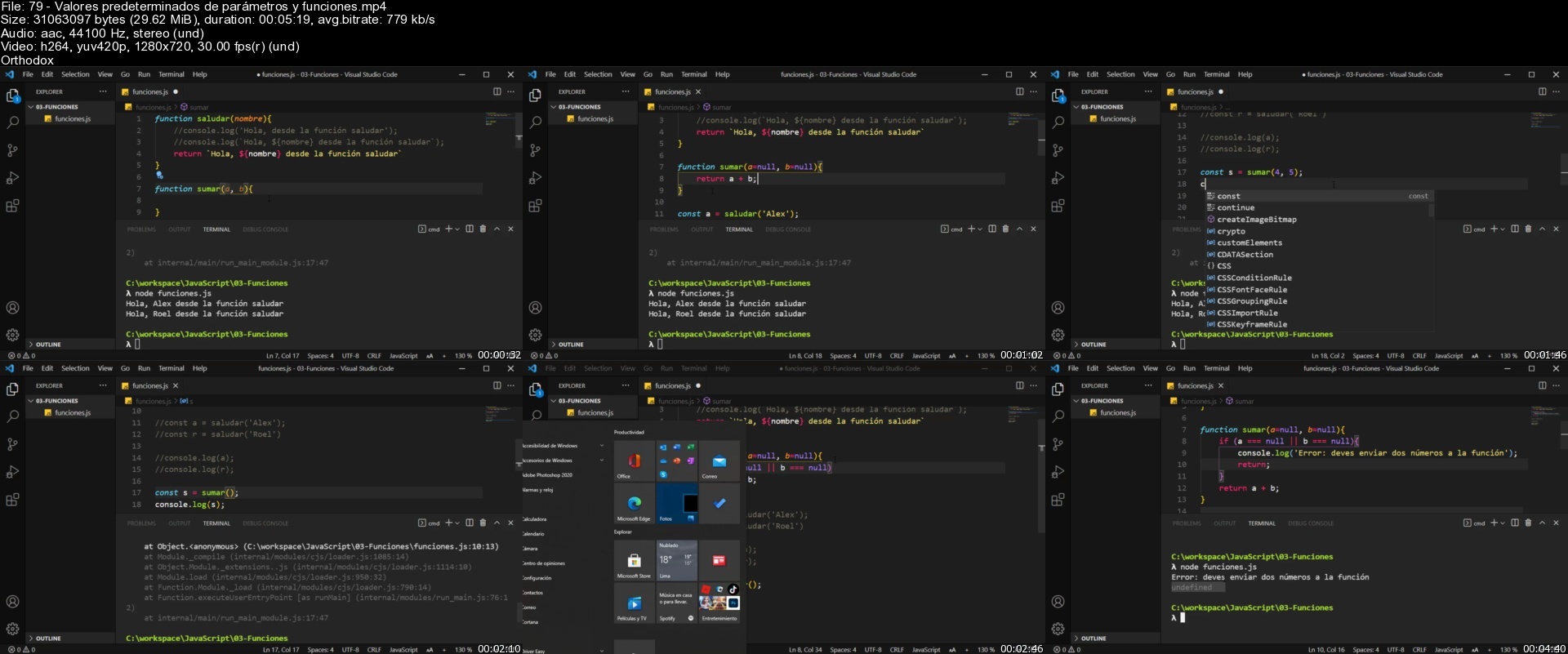
Lecture 79 Valores predeterminados de parámetros y funciones

Lecture 80 Argumentos Indeterminados

Lecture 81 Funciones recursivas

Lecture 82 Función Flecha

Lecture 83 Métodos de Cadenas

Lecture 84 PRÁCTICA: Palíndromo

Lecture 85 PRÁCTICA: Primalidad

Section 9: JS - Manipulación del DOM

Lecture 86 Introducción a DOM

Lecture 87 Manipular mas el DOM

Lecture 88 PRÁCTICA: Presentación del Proyecto

Lecture 89 PRÁCTICA: Funciones Lógicas

Lecture 90 PRÁCTICA: Trabajando con DOM

Lecture 91 PRÁCTICA: Área de cuadrado

Lecture 92 Patrón Modular

Lecture 93 Exportar de Patrón Modular

Lecture 94 Evento click desde JavaScript

Lecture 95 Minificar Código

Section 10: JS - POO con JavaScript

Lecture 96 ¿Qué es POO?

Lecture 97 ¿Qué es un Objeto?

Lecture 98 ¿Qué es una Clase?

Lecture 99 Objetos Literales

Lecture 100 Clases con funciones

Lecture 101 Clases y Objetos

Lecture 102 Constructor

Lecture 103 Herencia

Lecture 104 Encapsulamiento

Lecture 105 Propiedades Estáticas

Section 11: Paquete de Módulos Webpack

Lecture 106 Introducción a Webpack

Lecture 107 Modularización y Empaquetación con Webpack

Lecture 108 Trabajando con HTML Parte 01

Lecture 109 Trabajando con HTML Parte 02

Lecture 110 Configuración de Servidor de Desarrollo

Lecture 111 Cargar CSS

Lecture 112 Estilo Global

Lecture 113 Manejando Imágenes

Lecture 114 Modo Producción

Lecture 115 Agregando Babel

Section 12: Back-end con Express

Lecture 116 Introducción a Back-end con express

Lecture 117 Crear proyecto

Lecture 118 Hola Mundo con Express

Lecture 119 Base de datos con MongoDB

Lecture 120 Conexión a Base de datos

Lecture 121 Modularizar: Crear Model

Lecture 122 Modularizar: Crear Handler

Lecture 123 Crear un Registro

Lecture 124 Obtener un registro

Lecture 125 Editar y Eliminar un Registro

Section 13: PYTHON - Introducción a Python

Lecture 126 Presentación de Secciones

Lecture 127 ¿Qué es Python?

Lecture 128 ¿Por qué aprender Python?

Lecture 129 Instalar Python 3

Lecture 130 Instalar Visual Studio Code

Lecture 131 Terminal y Pylint

Section 14: PYTHON - Python Básico

Lecture 132 Presentación de sección

Lecture 133 Interprete de Python

Lecture 134 Variables

Lecture 135 Variables y Tipos de datos

Lecture 136 Cadena de Caracteres

Lecture 137 Operaciones con cadenas

Lecture 138 Listas

Lecture 139 Primer Programa

Lecture 140 Concatenación

Lecture 141 Comentarios en Python

Lecture 142 Entrada de datos

Lecture 143 Casting de Datos

Lecture 144 Practica: Cociente y Residuo

Lecture 145 Practica: Precio de Venta

Lecture 146 Operadores Relacionales

Lecture 147 Operadores Lógicos

Lecture 148 Expresiones Anidadas

Lecture 149 Operadores en Asignación

Lecture 150 Incremento y Decremento

Lecture 151 Operador de Identidad

Lecture 152 Operador de Pertenencia

Lecture 153 Operaciones con Booleanos

Lecture 154 Código fuente de la sección

Section 15: PYTHON - Estructura de control y Colecciones

Lecture 155 Estructura de control y Colecciones

Lecture 156 Sentencia IF-ESLE

Lecture 157 Condiciones anidadas

Lecture 158 Múltiples Condiciones - ELIF

Lecture 159 While Loop

Lecture 160 For Loop

Lecture 161 Break y Continue

Lecture 162 Mas sobre Listas

Lecture 163 Pilas en Python

Lecture 164 Colas en Python

Lecture 165 Tuplas

Lecture 166 Diccionarios

Lecture 167 Conjuntos

Lecture 168 Instrucción DEL

Lecture 169 Práctica: Descuento de Restaurante Parte 01

Lecture 170 Práctica: Descuento de Restaurante Parte 02

Lecture 171 Práctica: Guardar resultados de pares e impares

Lecture 172 Código fuente de la sección

Section 16: PYTHON - Funciones

Lecture 173 Funciones en Python

Lecture 174 Definir una Función

Lecture 175 Funciones con Retorno

Lecture 176 Parámetros y Argumentos

Lecture 177 Argumentos Indeterminados

Lecture 178 Función Recursiva

Lecture 179 Lambda

Lecture 180 Funciones Integradas

Lecture 181 Métodos de Cadenas

Lecture 182 PRÁCTICAS: Palíndromo

Lecture 183 PRÁCTICAS: Primalidad

Lecture 184 PRÁCTICAS: Generador de contraseñas

Lecture 185 PRÁCTICAS: Conversor de Monedas parte 01

Lecture 186 PRÁCTICAS: Conversor de Monedas Parte 02

Lecture 187 PRÁCTICAS: Juego adivina el número parte 01

Lecture 188 PRÁCTICAS: Juego adivina el número Parte 02

Lecture 189 Código fuente de la sección

Section 17: PYTHON - Modularidad

Lecture 190 Modularización

Lecture 191 Crear Módulo

Lecture 192 Formas de importas Módulos

Lecture 193 Entrada desde Script

Lecture 194 Formateo de Información

Lecture 195 Función DIR

Lecture 196 Módulo Math

Lecture 197 Módulo Datetime

Lecture 198 Paquetes en Python

Lecture 199 Código fuente de la sección

Section 18: PYTHON - POO en Python

Lecture 200 Programación Orientada a Objetos

Lecture 201 ¿Qué es un Objeto?

Lecture 202 ¿Qué es una Clase?

Lecture 203 Clases y Objetos

Lecture 204 Constructores

Lecture 205 Encapsulamiento

Lecture 206 Herencia

Lecture 207 Función SUPER

Lecture 208 Herencia sin SUPER

Lecture 209 Polimorfismo

Lecture 210 Herencia Múltiple

Lecture 211 Reto para el estudiante.

Lecture 212 RETO

Lecture 213 Código fuente de la sección

Section 19: PYTHON - Errores y Archivos en Python

Lecture 214 Manejo de Errores y Archivos

Lecture 215 Errores de Sintaxis

Lecture 216 Excepciones

Lecture 217 Gestionar Excepciones

Lecture 218 Gestionar Excepciones Múltiples

Lecture 219 Lanzar Excepciones

Lecture 220 Crear Excepciones

Lecture 221 Crear y escribir Archivo

Lecture 222 Leer Archivo

Lecture 223 Agregar datos al Archivo

Lecture 224 Modificar datos de Archivo

Lecture 225 Eliminar datos de Archivo

Lecture 226 Código fuente de la sección

Section 20: PYTHON - Python, Tkinter y SQLite

Lecture 227 Presentación de Sección

Lecture 228 Presentación del PROYECTO

Lecture 229 Entorno Virtual

Lecture 230 Ventana en Tkinter

Lecture 231 Frame en Tkinter

Lecture 232 Barra de Menú

Lecture 233 Label

Lecture 234 Entrys

Lecture 235 Buttons

Lecture 236 Habilitar y deshabilitar Elementos

Lecture 237 Uso de StringVar

Lecture 238 Crear Tabla - Treeview

Lecture 239 Conexión a base de datos SQLite

Lecture 240 Crear y Eliminar Tabla - SQLite

Lecture 241 Messagebox

Lecture 242 Guardar registro en Base de Datos

Lecture 243 Listar registros desde la Base de Datos

Lecture 244 Scrollbar

Lecture 245 Editar registro en la base de datos

Lecture 246 Eliminar registro en la Base de Datos

Lecture 247 Ejecutable para DISTRIBUCIÓN

Lecture 248 Código fuente de la sección

Section 21: FLASK - Introducción

Lecture 249 Presentación de Sección

Lecture 250 Funciones decoradoras

Lecture 251 Instalar Flask

Lecture 252 Hola Mundo con Flask

Lecture 253 Modo desarrollador

Lecture 254 Plantillas de HTML

Lecture 255 Enviar datos a la Vista

Lecture 256 Recorrer listas con Jinja

Lecture 257 Manejo de archivos Estáticos

Lecture 258 Enlaces a plantillas

Lecture 259 Enviar datos por URL

Lecture 260 Capturar Errores Básicas

Lecture 261 Código fuente de la sección

Section 22: FLASK - Modularización, Jinja, Blueprint

Lecture 262 PRÁCTICA: Entorno virtual para el proyecto

Lecture 263 Crear la Aplicación

Lecture 264 Modularización del Proyecto

Lecture 265 PRÁCTICA: Crear Vistas y Plantillas

Lecture 266 Crear Vistas y Plantillas

Lecture 267 Herencia de Plantillas

Lecture 268 Titulo Dinámico

Lecture 269 Modularizar con Blueprint

Lecture 270 Agregar Appa - Paquete

Lecture 271 Data en el Models

Section 23: FLASK - MySQL y SQLAlchemy

Lecture 272 ORM con Flask

Lecture 273 Instalar SQLAlchemy y Crear BD

Lecture 274 Configuración de Base de Datos

Lecture 275 Crear Módulo

Lecture 276 Listar Datos

Lecture 277 Formulario de Insertar Datos

Lecture 278 Insertar Registro

Lecture 279 Formulario de Editar Datos

Lecture 280 Editar Registro

Lecture 281 Eliminar Registro

Lecture 282 Código fuente de la Aplicación

Lecture 283 Que vamos aprender ahora

Section 24: DJANGO 3 - Introducción

Lecture 284 Introducción ¿Qué es Django?

Lecture 285 Crear espacio de Trabajo

Lecture 286 Crear Proyecto con Django

Lecture 287 Hola Mundo con Django

Lecture 288 Petición y Respuesta

Lecture 289 RETO: Ordenar números

Lecture 290 SOLUCIÓN DEL RETO: Ordenar números

Lecture 291 Enviar argumentos mediante URL

Lecture 292 Crear App

Lecture 293 Código fuente de la sección

Section 25: DJANGO 3 - Backend con Python - Blog Personal

Lecture 294 Tema de está sección

Lecture 295 ¿Qué es App en Django?

Lecture 296 Patrón de diseño MVT

Lecture 297 RETO: Crear el proyecto

Lecture 298 SOLUCIÓN DEL RETO: Crear proyecto

Lecture 299 Apps y Views

Lecture 300 Models

Lecture 301 Migrar Apps

Lecture 302 Shell de Django

Lecture 303 Obtener datos de Base de Datos

Section 26: DJANGO 3 - Panel de Administrador - Blog Personal

Lecture 304 Introducción

Lecture 305 Temas de esta sección

Lecture 306 Admin

Lecture 307 Personalizar panel de administrador Parte 1

Lecture 308 Personalizar panel de administrador Parte 2

Lecture 309 Agregar CKEditor

Lecture 310 Manejando Imágenes

Lecture 311 RETO: App Perfil

Lecture 312 SOLUCIÓN DEL RETO: App perfil

Section 27: DJANGO 3 - Templates - Blog Personal

Lecture 313 Presentación de Sección

Lecture 314 Temas de esta sección

Lecture 315 Renderizar Plantillas

Lecture 316 Archivos Estáticos

Lecture 317 Herencia de Plantillas

Lecture 318 RETO: Herencia de Plantilla

Lecture 319 SOLUCIÓN DEL RETO: Herencia de Plantillas

Lecture 320 Manejo de Rutas

Lecture 321 Renderizar con Registros

Lecture 322 Blog y CKEditor

Lecture 323 Titulo Dinámico

Lecture 324 RETO: Terminar con Perfil

Lecture 325 SOLUCIÓN DEL RETO: Perfil

Section 28: GO - Introducción a GOLANG

Lecture 326 Presentación del Curso

Lecture 327 Notas para Tomar el Curso

Lecture 328 ¿Qué es GO?

Lecture 329 Go Playground

Lecture 330 Materiales extras para el Curso

Lecture 331 Soporte del Curso

Lecture 332 Herramientas de Trabajo

Section 29: GO - Entorno de Trabajo en Windows

Lecture 333 Instalago Golang

Lecture 334 Instalar VSCode

Lecture 335 Instalar Terminal Cmder

Section 30: GO - Entorno de Trabajo en Linux

Lecture 336 Instalar Go

Lecture 337 Instalar Visual Studio Code

Section 31: GO - Básico

Lecture 338 Hola Mundo en GO

Lecture 339 Variables y Constantes

Lecture 340 Operadores Aritméticos

Lecture 341 Paquete fmt

Lecture 342 Funciones

Lecture 343 Tipos de datos

Lecture 344 Go Doc

Lecture 345 RETO: Para estudiante.

Lecture 346 SOLUCIÓN DEL RETO: Suma de dos números

Lecture 347 SOLUCIÓN DEL RETO: Residuo y cociente.

Lecture 348 SOLUCIÓN DEL RETO: Precio de Venta.

Lecture 349 Código fuente de la Sección.

Section 32: GO - Estructura de Datos

Lecture 350 Arrays Parte 01

Lecture 351 Arrays Parte 02

Lecture 352 Slicen Parte 01

Lecture 353 Slicen Parte 02

Lecture 354 Funcion Make

Lecture 355 Mapas Parte 01

Lecture 356 Mapas Parte 02

Lecture 357 Código fuente de la sección.

Section 33: GO - Control de Flujos

Lecture 358 Operadores Relacionales

Lecture 359 Operadores Lógicos

Lecture 360 Condiciones If-Else

Lecture 361 Condiciones múltiples y anidadas

Lecture 362 Variables en IF

Lecture 363 Switch

Lecture 364 Operadores en Asignación

Lecture 365 Operadores de Incremento y Decremento

Lecture 366 For Loop

Lecture 367 Break y Continue

Lecture 368 For-Each

Lecture 369 Código fuente de la Sección.

Section 34: GO - Strings y Strconv

Lecture 370 Presentación

Lecture 371 ToLower y ToUpper

Lecture 372 Replace y ReplaceAll

Lecture 373 Split

Lecture 374 Join

Lecture 375 Calculadora

Lecture 376 Strconv

Lecture 377 Manejo de Errores

Lecture 378 Código fuente de la Sección.

Section 35: GO - Funciones

Lecture 379 Variádicas

Lecture 380 Retorno de Múltiples valores

Lecture 381 Recursivas

Lecture 382 Anónima

Lecture 383 Closures

Lecture 384 Punteros

Lecture 385 Manejo de Errores

Lecture 386 Variables Globales

Lecture 387 Leer Archivo

Lecture 388 Defer

Lecture 389 Panic

Lecture 390 Recover

Lecture 391 Código fuente de la Sección.

Section 36: GO - Estructuras y Interfaces - POO

Lecture 392 POO en Go

Lecture 393 Struct

Lecture 394 Métodos

Lecture 395 Herencia

Lecture 396 PRÁCTICA: Estructura de Tarea

Lecture 397 PRÁCTICA: Lista de Tareas

Lecture 398 Relación de uno a uno

Lecture 399 Relación de uno a muchos

Lecture 400 Interfaces

Lecture 401 RETO: Uso de Interfaces.

Lecture 402 SOLUCIÓN DEL RETO: Uso de Interfaces.

Lecture 403 Código fuente de la Sección.

Section 37: GO - Modularización - Paquetes y Módulos

Lecture 404 Paquetes en Go

Lecture 405 Modificadores de Acceso

Lecture 406 RETO: Modulariza practica de interfaces.

Lecture 407 SOLUCIÓN DEL RETO: Modulariza practica de interfaces.

Lecture 408 Emular Constructor - Encapsulamiento Parte 01

Lecture 409 Getter y Setter - Encapsulamiento Parte 02

Lecture 410 Instalar módulos de terceros

Lecture 411 Subir módulo a repositorio de GitHub

Lecture 412 Utilizar mi módulo

Lecture 413 Código fuente de la Sección.

Section 38: GO - Concurrencia y Canales

Lecture 414 Sin concurrencia

Lecture 415 GoRoutines

Lecture 416 Channels

Lecture 417 Código fuente de la Sección.

Section 39: GO - Testing

Lecture 418 Primer Testing

Lecture 419 Testing convencional

Lecture 420 Code Coverage

Lecture 421 Profiling

Lecture 422 Profiling y Graphviz

Lecture 423 Código fuente de la Sección.

Section 40: GO - Introducción a Desarrollo Web

Lecture 424 Primer Servidor

Lecture 425 Router y Handler

Lecture 426 Obtener Métodos de Petición

Lecture 427 Página no encontrada

Lecture 428 Envió de Errores

Lecture 429 Argumentos por URL

Lecture 430 Mux

Lecture 431 Reiniciar el servidor automáticamente

Lecture 432 Código fuente de la Sección.

Section 41: GO - Templates

Lecture 433 Tema de está sección.

Lecture 434 Renderizar Plantillas

Lecture 435 Enviar datos a Templates

Lecture 436 Condiciones If-Else

Lecture 437 Iterador

Lecture 438 Ejecutar Funciones

Lecture 439 Herencia de Plantillas

Lecture 440 Must

Lecture 441 Execute Template

Lecture 442 Parse Glob

Lecture 443 Render Template

Lecture 444 Error

Lecture 445 Enlaces

Lecture 446 Código fuente de la Sección.

Section 42: GO - Archivos Estáticos

Lecture 447 Configuración para archivos estáticos

Lecture 448 Cargar CSS

Lecture 449 Cargar JavaScript

Lecture 450 Cargar Imagen

Lecture 451 Agregar Bootstrap

Lecture 452 Código fuente de la Sección.

Section 43: GO - Base de Datos con MySQL

Lecture 453 Introducción

Lecture 454 Tema de está sección.

Lecture 455 Crear Base de Datos

Lecture 456 Conexión a MySQL

Lecture 457 Ping

Lecture 458 Crear Tabla

Lecture 459 Verificar si existe una tabla

Lecture 460 Exec y Query

Lecture 461 Truncate Tabla

Lecture 462 Insertar Registro

Lecture 463 ID de ultimo Registro

Lecture 464 Listar Registros

Lecture 465 Obtener un Registro

Lecture 466 Editar Registro

Lecture 467 Eliminar Registro

Lecture 468 Código fuente de la Sección.

Section 44: GO - API REST

Lecture 469 Preparar para API REST

Lecture 470 EndPoint y Handlers

Lecture 471 Listar Registros

Lecture 472 Responder con JSON

Lecture 473 Responder con XML

Lecture 474 Responder con YAML

Lecture 475 Obtener un Registro

Lecture 476 Realizar un Registro

Lecture 477 Actualizar un Registro

Lecture 478 Eliminar un Registro

Lecture 479 Refactorizar código

Lecture 480 Response para Api

Lecture 481 Reutilizar Response

Lecture 482 Código fuente de la Sección.

Section 45: GO - ORM con GORM

Lecture 483 Instalar GORM

Lecture 484 Conexión a MySQL con GORM

Lecture 485 Migrar un Modelo

Lecture 486 Response

Lecture 487 Find

Lecture 488 First

Lecture 489 Save

Lecture 490 Error

Lecture 491 Delete

Lecture 492 Código fuente de la Sección.

Section 46: JAVA - Introducción

Lecture 493 ¿Qué es Java?

Lecture 494 ¿Qué es JDK?

Lecture 495 Instalar JDK

Lecture 496 Instalar Apache NetBeans

Lecture 497 Shell

Section 47: JAVA - Básico

Lecture 498 Presentación de Sección

Lecture 499 Hola Mundo en Java

Lecture 500 Compilar y Ejecutar

Lecture 501 Comentarios en Java

Lecture 502 Variables

Lecture 503 Tipos de Datos en Java

Lecture 504 Operadores Matemáticos

Lecture 505 Operadores Lógicos

Lecture 506 Incremento y Decremento

Lecture 507 Entrada de Datos en Java

Lecture 508 Salida de datos en Java

Lecture 509 PRACTICA: Suma de dos números

Lecture 510 PRACTICA: Precio de Venta

Section 48: JAVA - Estructura de Control

Lecture 511 Presentación de Sección

Lecture 512 Condiciones If-Else

Lecture 513 Condiciones Anidadas

Lecture 514 Múltiples Condiciones

Lecture 515 Swicht - Case

Lecture 516 Bucle While

Lecture 517 Bucle Do-While

Lecture 518 Bucle For

Lecture 519 Break y Continue

Lecture 520 Array en Java

Lecture 521 For-Each

Lecture 522 Matriz Multidimensional

Section 49: JAVA - Funciones en Java

Lecture 523 Presentación de Sección

Lecture 524 Definir una Función

Lecture 525 Parámetros y Argumentos

Lecture 526 Función con Retorno

Lecture 527 Sobrecarga de Funciones

Lecture 528 Función Recursiva

Lecture 529 Varargs en Java

Lecture 530 Clase Math

Lecture 531 Clase String

Lecture 532 StringBuilder

Section 50: JAVA - Crear Aplicaciones

Lecture 533 Presentación de Sección

Lecture 534 Primalidad

Lecture 535 Palíndromo

Lecture 536 Generar Contraseña

Lecture 537 PRACTICA 1: Conversor de Moneda

Lecture 538 PRACTICA 2: Conversor de Moneda

Lecture 539 PRACTICA 1: Juego

Lecture 540 PRACTICA 2: Juego

Lecture 541 Java Doc

Lecture 542 Ejecutable JAR

Section 51: JAVA - Programación Orientada a Objetos

Lecture 543 Presentación de Sección

Lecture 544 POO en Java

Lecture 545 Objetos

Lecture 546 Clases

Lecture 547 Modularidad

Section 52: JAVA - Clases y Objetos

Lecture 548 Clases y Objetos

Lecture 549 Paquetes

Lecture 550 Modificadores de Acceso

Lecture 551 Variables y Métodos Estáticos

Lecture 552 Variables Constantes

Lecture 553 Constructores

Lecture 554 Sobrecarga de Métodos

Lecture 555 This en Java

Lecture 556 Variables y Objetos

Section 53: JAVA - Encapsulamiento

Lecture 557 ¿Qué es Encapsulamiento?

Lecture 558 Setters y Getters

Lecture 559 Sobre escribir Métodos- toString

Section 54: JAVA - Herencia

Lecture 560 ¿Qué es la Herencia?

Lecture 561 Superclase y Protected

Lecture 562 Subclases y uso de Super

Lecture 563 Probar Herencia

Lecture 564 Polimorfismo

Lecture 565 InstanceOF

Lecture 566 Conversión de Objetos

Lecture 567 equals en Java

Lecture 568 HashCode en Java

Section 55: JAVA - Más sobre Programación Orientada a Objetos

Lecture 569 Enumeraciones

Lecture 570 Enumeraciones con Valores

Lecture 571 Clases Abstractas

Lecture 572 Heredar Clases Abstractas

Lecture 573 Interfaces

Lecture 574 Implementar Interfaces

Lecture 575 Inicializar Bloque de Código

Lecture 576 Clases Envolventes

Section 56: JAVA - Manejo de Errores

Lecture 577 Los Errores

Lecture 578 Generar Excepciones

Lecture 579 Jerarquía de Excepciones

Lecture 580 Múltiples Excepciones

Lecture 581 Crear Excepciones

Lecture 582 Excepciones Verificadas

Section 57: JAVA - PROYECTO: PELÍCULA

Lecture 583 Presentación de Sección

Lecture 584 Java Bean

Lecture 585 Array List

Lecture 586 Cuadro de Dialogo

Lecture 587 Interface Catalogo de Película

Lecture 588 Implementar Catalogo de Película

Lecture 589 UI de Película

Lecture 590 Manejo de Errores

Lecture 591 Generar Ejecutable Final

Section 58: JAVA - Persistencia de Datos

Lecture 592 Presentación de Persistencia de Datos

Lecture 593 Persistencia de Datos

Lecture 594 Lista

Lecture 595 Set

Lecture 596 Map

Lecture 597 Crear Archivo

Lecture 598 Escribir Archivo

Lecture 599 Leer Archivo

Lecture 600 Eliminar Archivo

Section 59: MySQL- Introducción

Lecture 601 Instalar MySQL

Lecture 602 Crear Base de Datos

Lecture 603 Crear Tabla

Lecture 604 Insertar Registro

Lecture 605 Editar y Eliminar registro

Section 60: JAVA - Conexión a MySQL

Lecture 606 Descargar Dependencias de MySQL

Lecture 607 De Java a MySQL

Lecture 608 SELECT - desde Java

Lecture 609 INSERT INTO - desde Java

Lecture 610 UPDATE - desde Java

Lecture 611 DELETE - desde Java

Section 61: JAVA - Introducción a Java Web

Lecture 612 Instalar Apache Tomcat 9

Lecture 613 Hola Mundo Web

Lecture 614 ¿Qué es JSP?

Lecture 615 Diseñar en JSP - Crear Mensaje

Lecture 616 Diseñar en JSP - Mostrar Mensaje

Lecture 617 Métodos GET y POST

Section 62: JAVA - Proyectos de Mensajes

Lecture 618 Conexión a MySQL

Lecture 619 Clase Mensaje

Lecture 620 Listar datos de Tipo Objeto

Lecture 621 Insertar datos de Tipo Objeto

Lecture 622 Editar datos de Tipo Objeto

Lecture 623 Eliminar datos de Tipo Objeto

Lecture 624 Mostrar Mensaje

Lecture 625 Crear Mensaje

Lecture 626 Editar Mensaje

Lecture 627 Eliminar Mensaje

Estudiantes que quieran aprender una variedad de lenguajes de programación como (JavaScript, Python, Go, Java).,Para estudiantes que quieran desarrollar en el lado del Frontend usando HTML, CSS Y JavaScript.,Para estudiantes que quieran desarrollar en el lado del backend usando framework web como (Node JS, Flask, Django ),Introducirse en el lado del desarrollo web.,Crear tus sitios Web.

Homepage


79valorespredetermina1dcua.jpg


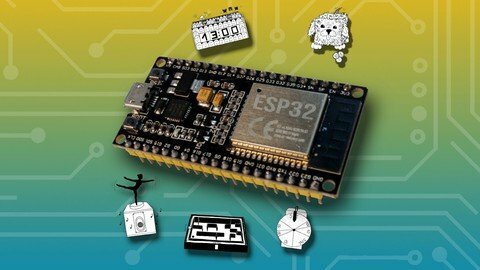
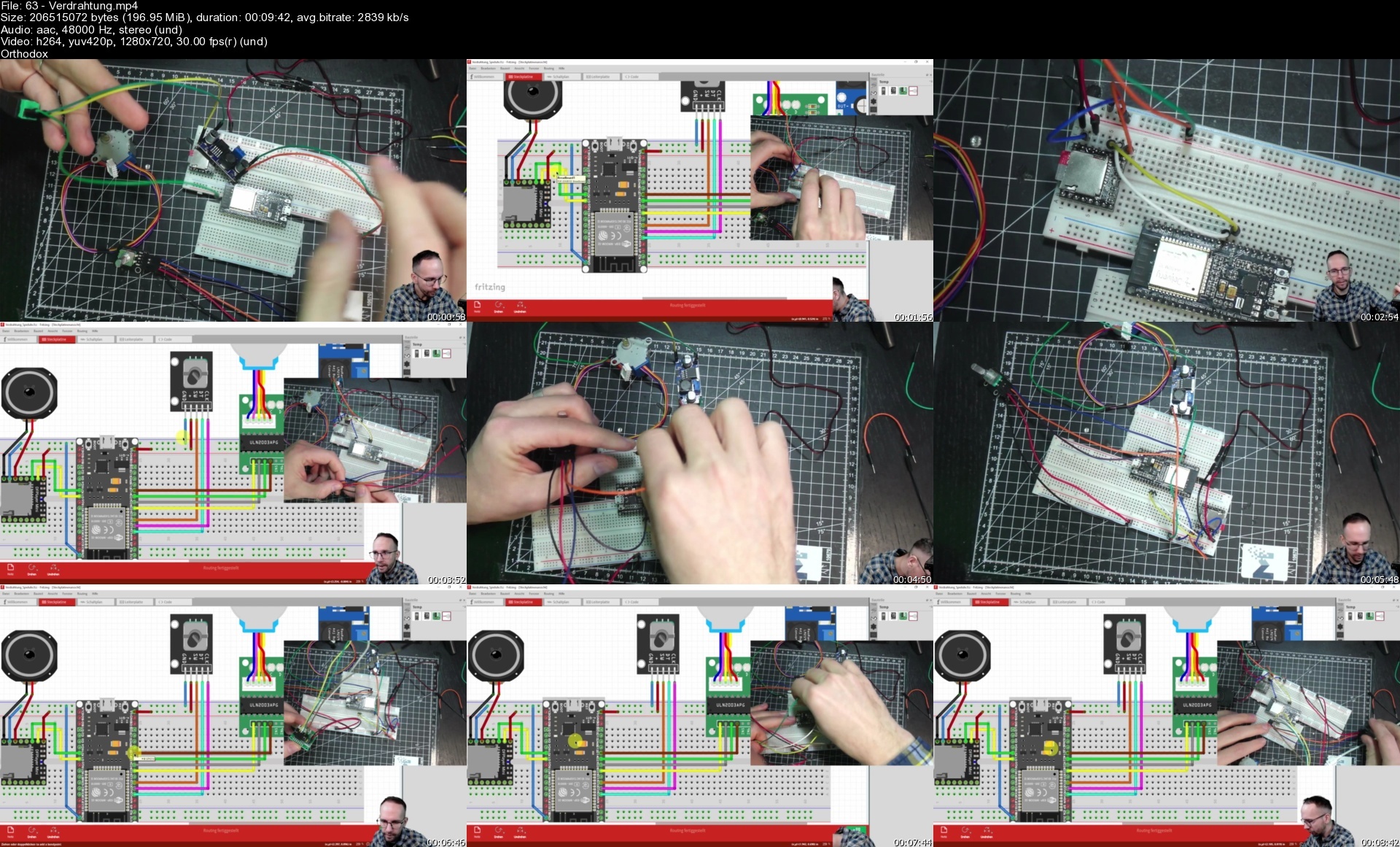
Der Große Arduino/Esp Bastelkurs

lhab2ddposldv7woeobh6o5idl.jpg


Der Große Arduino/Esp Bastelkurs
Zuletzt aktualisiert am 2/2022
MP4 | Video: h264, 1280x720 | Audio: AAC, 44.1 KHz
Language: Deutsch | Size: 9.12 GB | Duration: 9h 42m

Lerne in fünf tollen und interaktiven Bastelprojekten über 10 Sensoren und viele Features des ESP32 (ESP8266) kennen.


What you'll learn
Grundlagen der ARDUINO Programmierung kennenlernen
Fünf große Bastelprojekte in denen du alle angeführten Sensoren kennen lernst
ESP32 und ESP8266
Servomotor SG90
RGB Sensor TCS34725
MP3 Modul MP3-TF16FP
OLED Display SD1306
RFID-RC522
12v Motor mit MOSFET Steuerung
Schrittmotor 28BYJ-48
Drehwinkelgeber KY040
ESP NOW Programmierung
BLYNK Anbindung
8x32 4 in 1 LED Matrix MAX7219
Infrarot Hindernis-Sensor HW 201
OTA - Sketch via WIFI updaten
Aktuelle Zeit via NTP Programmierung
Requirements
Beginner_in freundlich
Erste Schritte der Programmierung werden im Kurs erklärt

Description
Wie lernt man am besten Software- und Hardware-Programmierung kennen? In dem man praktische Übungen macht und Schritt für Schritt ein Projekt umsetzt.Mit Hilfe dieses Buches lernst du mehr als 10 Sensoren/Bauteile im Detail kennen und 5 wichtige ESP Grundlagen (Webserver, ESP NOW, NTP, IoT Broker Anbindung, ESP32 vs. ESP8266) kennen. Die Beispiele sind vorwiegend (bis auf ein Projekt) für den ESP32 ausgelegt, da dieser Mikrocontroller perfekt für Internet of Things Projekte ist. Jedoch lassen sich alle Projekte, mit etwas Anpassung, auch mit dem ESP8266 realisieren.Übersicht zu diesem Kurs-----------------------------17 Grundlagenkapitel in dem alle verwendeten Bauteile und Logiken separat und einzeln erklärt werden.Fünf große Bastelprojekte für die ganze FamilieSchritt-für-Schritt-Anleitung bei jedem PraxisprojektInternet of Things Entwicklung.APIs: Daten von öffentlichen Schnittstellen verarbeiten und anzeigenIoT: Echtzeitsteuerung von ESP mit Webdashboard (kostenloser IoT Broker)Einfache WebFrustfreies lernen durch Zugriff auf alle Codes & VerdrahtungsschematasNach diesem Kurs kannst du:-------------------------------Eigenständige Arduino-Projekte umsetzenSelbständig die gezeigten Sensoren und Komponenten mit einem Arduino ansteuern und auswerten.Deinen ESP/Arduino in Echtzeit über das Internet steuernEine lokale Website erstellen und darüber deinen ESP steuern.Du baust dir eine Datenkommunikation über das ESP-NOW Protokoll auf, damit kannst du Distanzen von über 100 Metern Datenaustausch bewältigen.APIs (Schnittstellen) vom Web mit dem ESP auswerten und die enthaltene Information analysieren bzw. auf einem Display anzeigen lassen.und noch vieles mehr.In diesem Kurs ist enthalten: -----------------------------------Expresskurs C++Vorbereitung IDEVorstellung Bauteile/SensorenVerdrahtungProgrammierung und AuswertungMusikbox mit Internet-SteuerungGlücksrad mit WebanbindungFerngesteuertes 3D KugellabyrinthInteraktive SparbüchseIoT LED Matrix Uhr mit Wetterfunktion (NTP-Server und Online Wetter-API)Für wen ist dieser Kurs geeignet?--------------------------------------Bastler_innen,Smart-Home Einsteiger_innenHobby-Programmierer InnenWenn du an Soft- und Hardware Programmierung interessiert bistAlle die in die Arduino Welt eintauchen wollenHol dir jetzt gleich diesen Kurs und du es direkt losgehen.Wir sehen uns im KursMarkus Edenhauser

Overview

Section 1: Einleitung

Lecture 1 Einleitung zu diesem Kurs

Lecture 2 Vorstellung Dozent

Lecture 3 Codeschnipsel zum Downloaden

Lecture 4 Erwartungen

Lecture 5 Chronologische Abfolge der Videos?

Lecture 6 Das geht sicher auch anders

Lecture 7 Haftungsausschluss

Section 2: Kann es schon losgehen?

Lecture 8 Intro

Lecture 9 Was ist ein Arduino?

Lecture 10 Ein ESP ist doch kein Arduino?

Lecture 11 Arduino Shields

Lecture 12 Arduino IDE

Lecture 13 Simulatoren

Lecture 14 Auch die Verdrahtung gehört dokumentiert

Lecture 15 Bibliotheken

Section 3: Programmierung des Arduinos

Lecture 16 Intro

Lecture 17 Sketch, nein keine Comedy

Lecture 18 Variablen und Datentypen

Lecture 19 Funktionen

Lecture 20 IF

Lecture 21 Serial.begin und Serial.print

Lecture 22 GPIO, PWM und Pinout

Lecture 23 War das schon alles?

Section 4: Vorbereitungen

Lecture 24 Intro

Lecture 25 IDE Einrichten

Lecture 26 Bibliotheken und H-Dateien

Lecture 27 Werkzeuge und Drumherum

Lecture 28 12 V Netzteil und Einbaubuchse

Lecture 29 Spannungsregler

Lecture 30 Pullup Widerstände

Section 5: Verwendete Bauteile und Programmlogiken

Lecture 31 Intro

Lecture 32 ESP8266 oder ESP32

Lecture 33 Servomotor SG90 Verdrahtung

Lecture 34 Servomotor SG90 Programmierung

Lecture 35 RGB Sensor TCS34725 Verdrahtung

Lecture 36 RGB Sensor TCS34725 Programmierung

Lecture 37 3-Achsen-Beschl. GY-521 MPU 6050 Verdrahtung

Lecture 38 3-Achsen-Beschl. GY-521 MPU 6050 Programmierung

Lecture 39 MP3 Modul MP3-TF-16P Verdrahtung

Lecture 40 MP3 Modul MP3-TF-16P Programmierung

Lecture 41 0,96 OLED Display SSD1306 Verdrahtung

Lecture 42 0,96 OLED Display SSD1306 Programmierung

Lecture 43 12V Motor mit MOSFET Verdrahtung

Lecture 44 12V Motor mit MOSFET Programmierung

Lecture 45 RFID-RC522 Verdrahtung

Lecture 46 RFID-RC522 Programmierung

Lecture 47 Schrittmotor 28BYJ-48 Verdrahtung

Lecture 48 Schrittmotor 28BYJ-48 Programmierung

Lecture 49 Drehwinkelgeber KY040 Verdrahtung

Lecture 50 Drehwinkelgeber KY040 Programmierung

Lecture 51 Webserver mit LittleFS Verdrahtung

Lecture 52 Webserver mit LittleFS Programmierung

Lecture 53 ESP NOW Programmierung

Lecture 54 BLYNK Anbindung Verdrahtung

Lecture 55 BLYNK Anbindung Programmierung

Lecture 56 8x32 4 in 1 LED Matrix MAX7219 Verdrahtung

Lecture 57 8x32 4 in 1 LED Matrix MAX7219 Programmierung

Lecture 58 Infrarot Hindernis-Sensor HW 201

Lecture 59 OTA - Sketch via WIFI updaten Programmierung

Lecture 60 Aktuelle Zeit via NTP Programmierung

Section 6: Umsetzung der Bastelprojekte

Lecture 61 Info zu den Umsetzungen

Section 7: Musikbox

Lecture 62 Intro

Lecture 63 Verdrahtung

Lecture 64 Ablaufdiagramm

Lecture 65 Programmcode ohne Blynk

Lecture 66 Blynk einrichten

Lecture 67 Programmcode mit IoT Broker

Lecture 68 Konstruktion

Lecture 69 Learnings aus diesem Projekt

Section 8: Glücksrad

Lecture 70 Intro

Lecture 71 Projektvorstellung

Lecture 72 Verdrahtung

Lecture 73 Ablaufdiagramm

Lecture 74 Quellcode der Website

Lecture 75 Erster Teil von der Hauptdatei

Lecture 76 Wifi.h und Webserver-Test

Lecture 77 Website Eingabe Motor drehen

Lecture 78 Farbauswertung

Lecture 79 Server Side Events

Lecture 80 Konstruktion

Lecture 81 Learnings aus diesem Projekt

Section 9: Labyrinth

Lecture 82 Intro

Lecture 83 Verdrahtung

Lecture 84 Ablaufdiagramm

Lecture 85 Servos mit Lagesensor ansteuern

Lecture 86 Grafiken für OLED erstellen

Lecture 87 Aktuelle Werte auf OLED anzeigen

Lecture 88 Servo und Lagesensor abstimmen

Lecture 89 Verdrahtung Wireless Controller

Lecture 90 Programmierung Wirless Controller

Lecture 91 Überblick Konstruktion

Lecture 92 Learnings aus diesem Projekt.mp4

Section 10: Interaktive Sparbüchse

Lecture 93 Intro

Lecture 94 Verdrahtung

Lecture 95 Ablaufdiagramm

Lecture 96 Setup

Lecture 97 Infrarotmodul und erster Test

Lecture 98 Eigene Grafiken erstellen Byte Arrays

Lecture 99 Augen auf den OLEDs anzeigen

Lecture 100 Mit RFID den Servo ansteuern

Lecture 101 Touchpin Auslösung bei 1 Sekunde

Lecture 102 Konstruktion

Lecture 103 Learnings aus diesem Projekt

Section 11: LED Matrix

Lecture 104 Intro

Lecture 105 Projektvorstellung

Lecture 106 Verdrahtung

Lecture 107 Ablaufdiagramm und Setup

Lecture 108 NTP und Timestamp in my_localtime

Lecture 109 startDisplay in my_ledmatrix.h

Lecture 110 WIFI und OTA in my_wifi.h

Lecture 111 Erster Funktionstest

Lecture 112 openweathermap.org API Key

Lecture 113 fetchWeathererster GET-Request mit ESP

Lecture 114 Eigene Dot-Grafiken erstellen

Lecture 115 Aktuelle Uhrzeit anzeigen

Lecture 116 Flag Startup im Loop

Lecture 117 Weitere Hilfsfunktionen

Lecture 118 Wetterdaten am Display anzeigen

Lecture 119 Logik für Zufallsanimation

Lecture 120 Learnings aus diesem Projekt

Section 12: Abschluss

Lecture 121 Danke und Verabschiedung

An alle DIY'er und Hobby-Bastler mit Technik-Interesse,Schritt für Schritt Anleitung zum mitmachen und alle Codes zum download für ein frustfreies programmieren

Homepage

63verdrahtungspsd9y.jpg


Complete Unity 2D Megacourse: Beginner to Expert

uluye9dofrr6yklijc6qdcedoh.jpg


Complete Unity 2D Megacourse: Beginner to Expert
Published 06/2022
Genre: eLearning | MP4 | Video: h264, 1280x720 | Audio: AAC, 48.0 KHz
Language: English | Size: 11.7 GB | Duration: 64 lectures • 22h 31m

Learn how to develop games with C# like a pro with this step-by-step course!


What you'll learn
How to use Unity and its elements
The principles of video game mechanics
How to work with C#
The principles of animation in Unity
How to find and create assets for your games
How to design, develop and script your level to replicate your favourite games
How to make games for different devices
How to export your games

Requirements
No previous knowledge of Unity required
A desire to learn!
A positive attitude!

Description
Learn games development with Unity!

Develop like a pro!

Have you ever wanted to create your own video games? In the era of digital technology, we are constantly surrounded by them. Maybe you want to make a brand new game you have in mind, or you want to recreate your favourite video game. Whether you are just starting, or already studying, this course will get you through the main aspects which are required to create a game with Unity.

In this course, you're going to learn everything about 2D game development in Unity, from creating and exporting your own games, to learning how to find and create assets, and exercising your logic and creativity. Upon the completion of the course, you should have a good foundation and be able to create complex games, decide which kind of projects suit you best, as well as which field inside Game Development fits you better, in order to become an expert at it. In addition, all the notions and procedures shown are useful for both 3D and 2D projects, while the application can be used for most of the platforms, mobile, consoles and pc's.

Our instructors have years of experience not only in games design, but also in teaching, and the expertly-crafted syllabus is designed to be easy to follow and thorough. We've even included plenty of examples designed on-screen for you to study. That's why this is the only Unity course you'll ever need to develop games and design like a pro!

Start designing your game today!

Who this course is for
Anyone who wants to learn to develop games - no experience needed!
Game developers/designers who want to learn new styles
Anybody with an interest in games development in Unity

Homepage


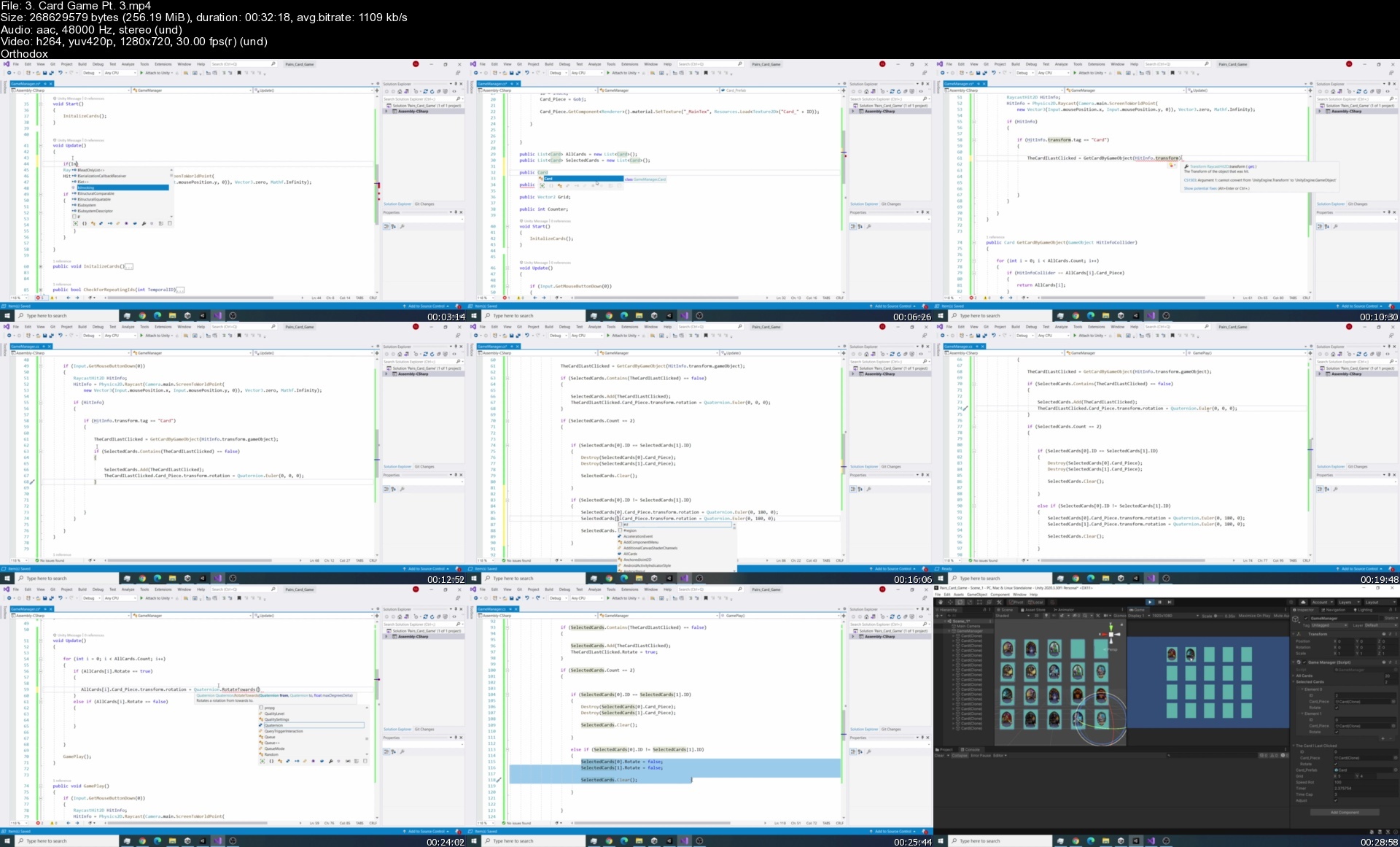
3.cardgamept.3s4qcq8.jpg


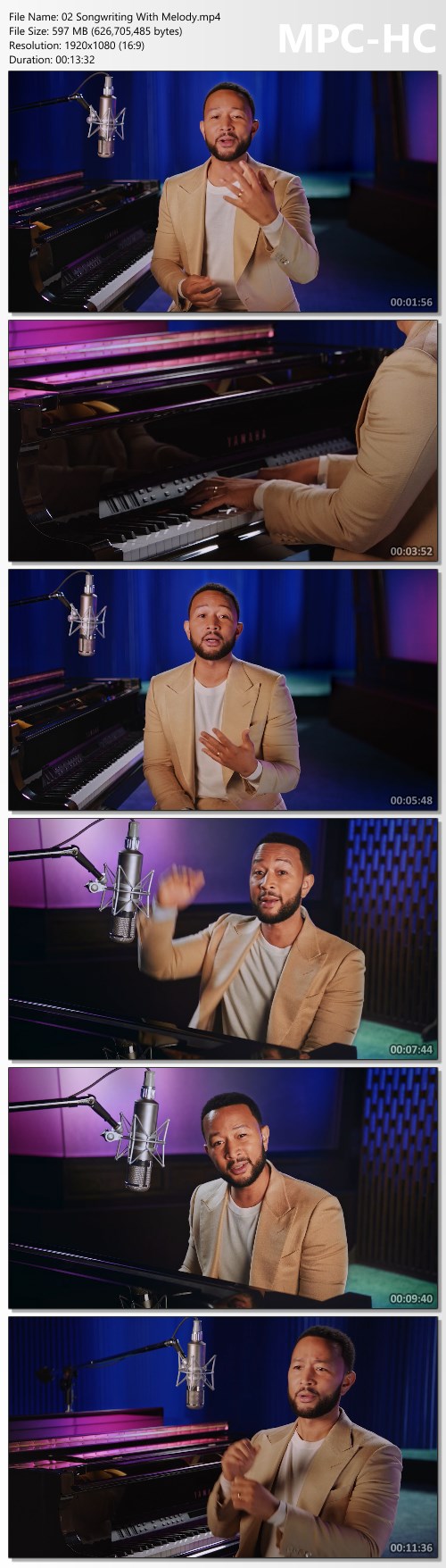
John Legend Teaches Songwriting - MasterClass

96735dfcab8b277d620bcd1f93b2df56.jpg

MasterClass - John Legend Teaches Songwriting
MP4 | Video: h264, 1920x1080 | Audio: AAC, 44.1 KHz, 2 Ch | Released 08/2022
Genre: eLearning | Language: English | Duration: 18 Lessons (4h 4m) | Size: 10.8 GB​
John Legend, the EGOT-winning music icon and coach on "The Voice," teaches you his process for creating music with impact.

When 12-time Grammy winner John Legend released "Free" in the wake of the invasion of Ukraine, he called it a prayer for peace. Now the recipient of the first-ever Recording Academy Global Impact Award teaches you how he wrote and recorded the song-and his process for creating hits like "All of Me" and "Glory." Layer melodies and lyrics, develop your musical point of view, and make music that makes the moment.

Browse Lesson Plan
1. Meet Your Instructor
2. Songwriting With Melody
3. Song Structure
4. Choosing Subject Matter
5. Developing Your Musical Point of View

Homepage:

Screenshots
7c1b4e9292b2c8ac2870d8e4aeb48027.jpg


Link Download
Extract files with WinRar 5 or Latest !
 
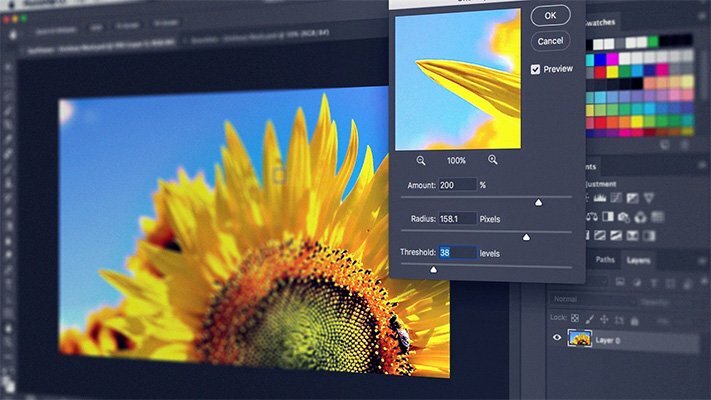
Photoshop for Creative Professionals (Path)

pljgyeyoj5cfjowyszanzvuek9.jpg


Photoshop for Creative Professionals (Path)
Matthew Pizzi (et al.) | Duration: 39h 00m | Video: H264 1280x720 | Audio: AAC 44,1 kHz 2ch | 13,03 GB | Language: English

Photoshop is a software program used by many creative professionals, such as Designers, Illustrators, Marketing Creatives, Photographers, Concept Artists, and Hobbyists. This path starts with the basic features and takes you through the advanced features of Photoshop.
Contents

A: Beginner
These courses will help learners reach a comfort level when working with basic features of Photoshop. Topics for this fundamental level of learning include concepts like workflow, navigating the interface, making selections, working with Type, using and understanding Camera Raw, and getting a little taste of Bridge and how it works in conjunction with Photoshop.
A1. Photoshop CC Fundamentals (Matthew Pizzi, 2020)
A2. Photoshop CC Selections (Matthew Pizzi, 2016)
A3. Photoshop CC Working with Type (Matthew Pizzi, 2016)
A4. Photoshop CC Camera Raw (Matthew Pizzi, 2016)
A5. Bridge CC Fundamentals (Matthew Pizzi, 2016)

B: Intermediate
This section focuses on diving deeper into some core Photoshop skills. Portrait retouching and using Photoshop for the web are vital parts of a designer's skillset and will be a part of your knowledge base when you're finished with this section. You'll also come away with an understanding of using the Smart Objects and the Shape tools.
B1. Photoshop CC for the Web (Matthew Pizzi, 2016)
B2. Photoshop CC Portrait Retouching (Matthew Pizzi, 2016)
B3. Photoshop CC Smart Objects (Matthew Pizzi, 2016)
B4. Photoshop CC Working with Filters (Sebastian Bleak, 2017)
B5. Photoshop CC Mastering Layer Styles (Justin Seeley, 2017)
B6. Photoshop CC Working with Shape Tools (Kirk Nelson, 2017)

C: Advanced
This section is also a deep dive into Photoshop skills but with a focus on some of the most advanced skills you need. You will have already seen things like Curves and Masks earlier in the path but you may not realize some new and exciting ways to use them that you'll learn here. You'll also get a comprehensive understanding of Color Management, 3D, and working with video.
C1. Photoshop CC Working with Curves (Megan Young, 2017)
C2. Photoshop CC Channels and Masks (Kirk Nelson, 2016)
C3. Photoshop CC Color Management (Andrew Rodney, 2016)
C4. Harnessing the Power of Photoshop Actions (Gary Simon, 2016)
C5. Understanding 3D in Photoshop (Kirk Nelson, 2016)
C6. Photoshop CC Video Editing (Anastasia Mouyis, 2017)

Homepage


3.stackingimagess9eftt.jpg


Post Like a Pro by Laura Bitoiu

3b3f7f717fe46eba2438082123f6f1c9.jpg

Laura Bitoiu - Post Like a Pro | 3.92 GB
What You Get:
Module 1: CONTENT STRATEGY
How to build the "know, like, factor" with your Instagram page
Proper storytelling techniques for creating community
Best posting time for higher engagement
So how often should you post anyway?

Module 2: 6 STEPS TO THE ULTIMATE CONTENT PLAN
How to find and define your target audience
Establishing objectives and creating content for each one
Creating your content pillars for your dream client
Establishing your content theme and branding
Finding your UVP and x factor to eliminate competitors
How to create HIGH-CONVERTING content that drives sales

Module 3: REELS STRATEGY
How to create reels that get seen and convert viewers into followers, and followers into clients!
Understand how the reels algorithm works and learn how to use it to your advantage
Streamline your reels creation process so you can save time and stay consistent
Troubleshoot the common glitches that drive us all crazy!

Module 4: STORIES STRATEGY
Creating engaging IG Stories for building authority, creating conversations, and driving sales
- The sales psychology in Stories you NEED to grow a profitable business
- How to have a powerful connection with your community to build your brand and convert your followers into paying customers
- Learn what content to use for each day so you never run out of ideas or feel awkward on Stories
- How to get people to the DM's: where the magic happens

Module 5: CONTENT PLANNING
How to stay consistent and plan your content goals
How to organize your content strategy
Posting schedule & daily Instagram tasks to stay organized

Module 6: SALES STRATEGY
The #1 key to creating sales momentum - no matter what you're selling
Tapping sales psychology the 'gram way to outsell your competitors
Learn the 311 Social Selling Framework used by Fortune 500 brands without spending a penny
How to get people to the DM's and 5 things to do to close the sale.

BONUS MODULES
Here's where you can add a short intro blurb about the bonus modules.

CAROUSELS MASTERCLASS
Learn all about how to make great Instagram carousel posts that are seamless and interactive. We'll show you through a Canva tech tutorial how to create this popular post type for higher engagement and sales.

TRANSITIONS MASTERCLASS
Taught by Reels transitions expert, Harley Jordan, this class will teach you how to level up your reels by including transitions that hook people in under 2 seconds and keeps them watching until the end. You will learn how to rock your transitions in video with confidence.

HASHTAGS MASTERCLASS
Learn how the search function works on Instagram and how hashtags are an important part for your reach. You'll also learn how to quickly find the right hashtags that work for your account, content, and target audience.

HOW TO SELL WITH REELS MASTERCLASS
Learn everything you need to know about utilizing and creating Instagram reels that convert your followers to customers and generate leads quickly while selling in disguise.

INSTAGRAM CONTENT GENERATOR
Instagram calendar with "done for you" content ideas and post prompts for creating scroll stopping content that is relatable, engaging & drives sales in posts, Stories, Reels, and Lives without ever having to rack your brain about what to post ever again.

INSTAGRAM LAUNCH PLANNER
This is a magical spreadsheet that will gives you a step-by-step rollout for your launch, whether it's a physical or a digital product with a task list for "when" and "where" you should be promoting your product.

REELS THAT SELL WORKBOOK
Learn how to create Reels that speak to your ideal customer or client wherever they are in their buyer's journey. We walk you through each phase of selling and prompt you on ideas and strategies that help you create reels that sell!

REELS PLANNER TEMPLATE
Consistency is a key ingredient to Reel success. The Reels Planner Template helps you stay on track week after week and map out your Reels strategically.

Screenshots
ea18b0b5fb2aac00b9b994ef2023942d.jpg


Link Download
Extract files with WinRar 5 or Latest !
 
Parikchhit Basnet - Elite Email - New Edition Academy

484acb19b2c41bae1c94c98caa780a32.jpg

Parikchhit Basnet - Elite Email Marketing Course | 24.4 GB
Elite Email is an online course that teaches and demonstrates how to start and run a successful email marketing agency with no prior experience.
We cover the exact strategies and tactics we use to run our multi-million dollar per year company, Mint Ave, and show you how you can build an agency for yourself.

Basically, it's like having us as your mentor, guiding you every step of the way and helping you avoid both rookie mistakes and advanced pitfalls in an industry where things change fairly rapidly.and where having an experienced guide can make all the difference between success and failure.

This course will not just teach you how to run another "agency"...it's focused on helping you become a better entrepreneur and run a long term sustainable business with the skill of email marketing.We will cover the basics of email marketing, teach you how to get started with your first clients, help you understand sales and overall focus on the business aspect of operating an agency.

Outside of teaching you email marketing, it will help you become a better person outside of business. We focus on mindset, productivity and living the New Edition way. Becoming 3% better everyday and reaching self-mastery in every area of our lives.

What you'll get:
- Lifetime access to all past and current versions of the course
- In-depth agency training
- Access to Discord community/ Skool.com exclusive community
- Access to lifetime course updates
- Advanced Mindset Course ($500 VALUE)
- Advanced "Email Effect" Course ($797 VALUE)
- Access to Discord Community ($1000 VALUE)
- Access to LIVE CALLS with mentors ($2000 VALUE)

Homepage:

Screenshots
ebcc5bd19b8bd6753f345c1107136fa7.jpg


Link Download
Extract files with WinRar 5 or Latest !
 
The Future Filmmakers by Sandi & Jimi

f2da8dc416bfee60dd24ea4fc50a5d6d.jpg

Sandi & Jimi - Future Filmmakers | 11.3 GB
If you are interested in creating videos and don't know where to start or you have some experience and want to take it to the next level, this video course is for YOU! We have had a thriving film business for the past 11 years, we have worked with major corporations, celebrities and have filmed multiple million dollar weddings. We decided to take our years of experience and knowledge and turn it into a complete beginners film course.

For years we have been asked about how we film, what cameras do we use, how to edit, what software we use, etc. so we are now taking it online and giving you all of our secrets! Our youtube channel has also sparked a lot of interest in the way we tell stories so that is another huge aspect of this course, we want you to be able to tell a captivating story that will engage your audience or just make really cool videos where you can let your imagination run wild!

What You Get:
In this course, we will share with you our 11 years of video knowledge and experience to help you become better at storytelling, getting creative, what gear to get, how to edit faster and become a rockstar on youtube!

We share our Top 10 Secrets with you in this FREE webinar training!
Are you ready to start making better videos NOW?
These tips alone will instantly improve your videos!

What we cover:
- GEAR
- MUSIC
- AUDIO
- EDITING
- LIGHTING
- COMPOSITION
- STORYTELLING
and more....

Homepage:

Screenshots
4dbc55f315d849529e911a68f85d9fee.jpg


Link Download
Extract files with WinRar 5 or Latest !
 
Content Agency Blueprint - Vince's School

1f4d3ef107202a4aead0bf4c8809bb98.jpg

Vince Opra - Content Agency Blueprint | 4.81 GB
Content Agency Blueprint
Learn how to build & run a successful social media content agency!

What's Included In The Course?
50+ Value Packed Video Tutorials (8+ hours)
In this in-depth course I walk you through my step-by-step blueprint of how I make a full-time income running a social media content agency.
Private Mastermind Group
Instant access to the private Facebook mastermind group with other content agency owners to receive professional and peer mentoring.
Downloads
Download presets, templates, and calculators to better learn my workflow and optimize yours.
Monthly Live Q&A Calls
Ask any questions on the monthly livestreams from Vince personally.
Lifetime Access!
Instant access to ALL the content FOR LIFE! And the content just keeps coming as I constantly learn new things!

Here's what you'll get in the Content Agency Blueprint:
- 8 hours of video content
- Private Facebook Mastermind group for all members
- Bonus Q&A live calls every month with Vince personally
- Future course updates
- Downloadable templates, plug and plays and calculators

HOmepage:

Screenshots
c99f25ba9c6a76a798a653784b82bdfa.jpg


Link Download
Extract files with WinRar 5 or Latest !
 
Zurück
Oben Unten