Mastering Airbnb | Learn From Sf'S Top Host, 100+ Lectures
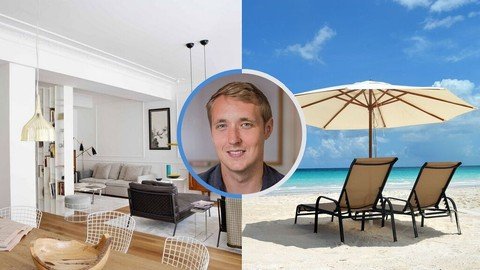
Mastering Airbnb | Learn From Sf'S Top Host, 100+ Lectures
Last updated 6/2022
MP4 | Video: h264, 1280x720 | Audio: AAC, 44.1 KHz
Language: English | Size: 7.80 GB | Duration: 15h 42m
The comprehensive guide to meeting great people, getting paid to travel, and becoming a master of Airbnb
What you'll learn
Turn your spare room into a rental income of up to $250 / night
Turn your entire place into a rental income of up to $600 / night
Price your listing in a way that gets bookings without reviews
Scope out your competition to identify your listing's market potential
Identify and add amenities to dramatically increase the value of your listing
Take Airbnb quality photos without a professional photo team
Choose the thumbnail that creates the most interest
Tips for using free software to enhance your listing's photos
Learn how to get featured by AirBNB
How to show up on the first page of AirBNB search
Write listing descriptions that grab bookings
Write the perfect attention-grabbing title for your space
Correctly set cleaning fees and minimum night restrictions
Figure out the right long-term cleaning arrangement
Use house rules and extra people fees to your advantage
Maximize income with other sources like VRBO and Roomorama
Have your Airbnb run itself while you travel abroad without an internet connection
Prevent burnout by choosing and limiting guest interaction
Learn fun (and cheap) ways to guarantee 5-star reviews
Identify the moving parts of your listing and reduce incident rates by 80%
Integrate useful (and free) Airbnb tools for extra help and automation
Correctly use your reviews to prevent 90% of bad reviews
Use the "augmentable amenities" strategy to grab bookings you would otherwise lose
Manage your homesharing taxes and comply with IRS guidelines
Learn how to meet great people and have fun with your guests
Requirements
Students should have an open mind and be willing to try new things.
A basic familiarity with AirBNB is helpful but not necessary.
Access to a computer where you can download either iPhoto or Windows Live Gallery.
Access to a camera or camera phone is helpful, but not necessary.
Putting up a listing and starting to make money will require a minimum of a half day's work.
Description
My property was officially number one in San Francisco when you searched for 3+ guests. That was number one out of 5,000+ listings. Over 11,000 students have taken this course that contains 16+ hours of content and has over 300 five-star reviews. Join in! -------------------- "Best course I've taken on Udemy. Solid course. I'm in the middle of starting a business and this is perfect. I had heard about how companies had funded their initial start through Airbnb and this course is a complete steal. There are so many ways you can use Airbnb to upgrade your situation. This course ROCKS." -- Jeff Tran "Fantastic Investment. I signed up for this course when it first came out a little over a month ago. I was already a host but I was in what Evan called the "beginning blues" where I was getting bookings but not enough and for little money. I took his course and I'm happy to say already in a month, his techniques are making a really big difference. My bookings next month are already up 30% in price and I'm getting close to filling all my weekends I wanted. Next month I've already booked $2300, which is really exciting. I've gone back to this course so many times already because its been so valuable. Evan's even helped me out on several occasions. I just wanted to come back and write this review to encourage anyone reading this to take this course. Its already paid for itself many times over." -- Laura Greer -------------------- I once made $7,579 while vacationing in Bali. How did I make that much? By doing nothing. Absolutely nothing. All I had to do was rent my apartment out on Airbnb and leave for the month.I know it sounds ridiculous but it's true. I got paid $260 / day to simply not be in my apartment.I bet that by now you've heard of Airbnb. If you don't use it, chances are someone you know does. Airbnb lets you rent out your spare room or entire space for money, and the company has been growing like wildfire. Airbnb now has over 350,000 hosts, who are just ordinary people, renting their spaces in over 192 countries. They have booked over 10 million rental nights in homes, apartments, rooms, and spaces just like yours. You know what the best part is? A private room on Airbnb rents for an average of $120 / night. You could make that by renting out a spare room - or 3x that for your whole space.I have personally made over $60,000 renting out my space on Airbnb. On average I spent about 4~ hours per week handling guests, maintaining the space, and everything else involved. On a typical month I would make $4,000 - $5,000. If I was traveling I would make between $7,000 - $10,000 a month.Is this abnormal? Not at all. I have helped several of my friends list their places on Airbnb and they all make a minimum of $2,000 / month. Thousands of hosts on Airbnb make well over $100,000 a year from their rental income and with only one property. When I first started hosting on AirBNB, I thought, "What the heck, its worth a shot." I had just moved to San Francisco and signed a big one-year lease for an apartment that was $3,000 a month. Not to mention being self employed with a business that ebbs and flows. What if I hit a bad month and couldn't make rent? A terrible feeling that most of us have probably had. The first month I started Airbnb, I made $4,963. That blew my expectations away. It covered my rent, utilities, cleanings, and I pocketed an extra $1,500. Airbnb saved me like it's saved so many others.Just so you know, the spaces on Airbnb are not hotel quality spaces. They're spare rooms, apartments, and homes that everyday, ordinary people live in. Spare bedrooms, living rooms, empty condos, spare family homes, and any other dwelling you can think of. Do you have extra space where you're living? Do you ever leave for the weekend or go home for the holidays? Can you crash at a significant other's for the weekend? If you're like me, or really anyone else, I'm sure you can think of a time where you've had unused space. You could be missing out on a significant amount of money. Money that could make a big difference in your life. ------------------------------------------------------- Some things you'll learn in the course: - How to step-by-step get your spare room or space renting for up to $5,000 / month, or your entire space for up to $10,000 / month - Everything you need to know before starting the process so you can hit the ground running - How to scope out your competition, create a plan, and land on the first page of search - How to perfect your listing: from photographs to thumbnails to listing descriptions - Every tip and trick I used to triple my booking inquiries in jone month - How to limit your rental related work to 3-4 hours a week- How to virtually guarantee 5-star reviews from each guest - How to become a SuperHost and join the top 5% of Airbnb hosts - Plus so much more. There are over 100+ lectures and 13 hours of content included in this course. ----------------------------------------------------- Some common questions: Can anyone do this? Yes, absolutely anyone can do this. Airbnb is in 192 countries and even in cities with fewer than 10,000 people. With my course I'll show you exactly how you can be successful in any environment. What if my space isn't nice? Every space has a price and if you follow my steps you can maximize that price. If you're not happy with the price you get, follow my advice and you can easily get more and more per night. What if I don't own my space, I just rent it? Even if you don't own your space, even if you don't think you have room, even if you think your city is too small, you can rent out your space. ------------------------------------------------------- AirBNB was a life changer for me and I want it to be the same for you. I've studied the AirBNB market, have hosted over 200 guests, and collaborated with five other rockstar hosts to bring this course together. In this course you'll get everything you need to skip the painful learning process and start maximizing your profit quickly.
Overview
Section 1: Get Acquainted (44 minutes)
Lecture 1 Meet Evan
Lecture 2 Join our community on Slack!
Lecture 3 What is AirBNB?
Lecture 4 Course format
Lecture 5 The benefits of homesharing
Lecture 6 Can it work in my city? (Hint: yes)
Lecture 7 How much can I make? I'll show you!
Lecture 8 Looking at my revenue
Lecture 9 Cheat sheet: Can it work in my city? (Hint: yes)
Lecture 10 Course feedback: Let me know what you think so far!
Lecture 11 Section 1 Review Material
Lecture 12 Review sheets, cheat sheets, resources - all in one PDF
Section 2: Laying the foundation (86 minutes)
Lecture 13 Ready to create an account? Get $200 extra for your first guest
Lecture 14 Is my space good enough? What you need to know...
Lecture 15 How long will this take? It's surprisingly less than you think...
Lecture 16 Scoping out the competition and making a game plan
Lecture 17 Pricing strategies guaranteed to work
Lecture 18 The hotel pricing strategy
Lecture 19 Advanced skills: How to drill down on your host competition
Lecture 20 Cheat sheet: Is my space good enough? What you need to know
Lecture 21 Cheat sheet: How long is this going to take? Surprisingly less than you think
Lecture 22 Cheat sheet: Scope your competition and make a game plan
Lecture 23 Cheat sheet: Pricing strategies that work
Lecture 24 Cheat sheet: The hotel pricing strategy
Lecture 25 Section 2 Review Material
Section 3: Getting your listing up (110 minutes)
Lecture 26 Four easy rules for taking high quality photos that "wow" your listing
Lecture 27 Add the magical touch: Edit your photos like an AirBNB professional
Lecture 28 Resources: Camera accessories, apps, and free software
Lecture 29 The amenities drill down: All the amenities you need in 6 minutes
Lecture 30 The amenities guests expect that you always forget
Lecture 31 The key to writing great descriptions that book guests
Lecture 32 Writing the perfect title: Trickier than you would think
Lecture 33 The secret to thumbnails
Lecture 34 What to do with "Cleaning Fees"
Lecture 35 Set your "House Rules" correctly to save yourself down the line
Lecture 36 "Extra People Fees": Do it right and add +20% to your rental income
Lecture 37 Tip #1: How to get AirBNB quality photos for free (without AirBNB)
Lecture 38 Tip #2: The secret number of photos to use
Lecture 39 Tip #3: The rambling text strategy
Lecture 40 Cheat sheet: Four easy rules for taking photos that "wow"
Lecture 41 Cheat sheet: Add the magical touch: Edit your photos like an
Lecture 42 Cheat sheet: The amenities drill down: All the amenities you need
Lecture 43 Cheat sheet: The amenities guests expect that you always forget
Lecture 44 Cheat sheet: The secret to thumbnails
Lecture 45 Cheat sheet: What to do with "Cleaning Fees"
Lecture 46 Cheat sheet: "Extra People Fees": Do it right and you can add +20%
Lecture 47 Cheat sheet: How to get AirBNB quality photos for free (without AirBNB)
Lecture 48 Cheat sheet: Writing the perfect title: Trickier than you would think
Lecture 49 Cheat sheet: Set your "House Rules" correctly to save yourself down the line
Lecture 50 Cheat sheet: The rambling text strategy
Lecture 51 Cheat sheet: The secret number of photos to use
Lecture 52 Course feedback: Let me know what you think!
Lecture 53 Section 3 Review Material
Section 4: Starting Out (40 minutes)
Lecture 54 The art of the start
Lecture 55 The beginning pricing strategy crucial to your success
Lecture 56 The cleaning is crucial, skip this at your AirBNB peril
Lecture 57 Resources: Cleaning services
Lecture 58 Your first guest: Let me walk you through it
Lecture 59 Why so many hosts are using Instant Book wrong
Lecture 60 When to use the "Minimum Days" setting
Lecture 61 Do deposits matter? What actually matters
Lecture 62 Tip #1: How to turbocharge your listing (not for the faint of heart)
Lecture 63 Tip #2: Think like a hotel but don't act like one
Lecture 64 Cheat sheet: The cleaning is crucial, skip this at your AirBNB peril
Lecture 65 Cheat sheet: Why so many hosts are using Instant Book wrong
Lecture 66 Cheat sheet: When to use the "Minimum Days" setting
Lecture 67 Cheat sheet: Your first guest: Let me walk you through it
Lecture 68 Cheat sheet: Do deposits matter? What actually matters
Lecture 69 Cheat sheet: Think like a hotel, don't act like one
Lecture 70 Cheat sheet: Turbocharge your listing (not for the faint of heart)
Lecture 71 Section 4 Review Material
Section 5: Maximizing the guest experience (43 minutes)
Lecture 72 Mastering the warm & fuzzy: Becoming the best host you can
Lecture 73 Finding the happy amount of face-to-face time
Lecture 74 The $7 solution to all of your problems: Up your positive reviews by 50%
Lecture 75 Damage Control: My five-step framework for minimizing potential bad reviews
Lecture 76 Tip #1: The guidebook that makes hosting so much easier
Lecture 77 Tip #2: Towels & Linens: Follow this advice and save $100's a year
Lecture 78 Tip #3: The wonderful thing about Uber
Lecture 79 Tip #4: The VA trick that no one talks about
Lecture 80 Cheat sheet: Mastering the warm and fuzzy: Becoming the best host
Lecture 81 Cheat sheet: Damage Control: My five-step framework for minimizing bad reviews
Lecture 82 Cheat sheet: Finding the right amount of face time
Lecture 83 Cheat sheet: The $7 solution to all of your problems: Up your positive reviews
Lecture 84 Cheat Sheet: Towels & Linens: Follow this advice and save $100's a year
Lecture 85 Section 5 Review Material
Section 6: Separating yourself from the pack (83 minutes)
Lecture 86 The winning mentality for AirBNB hosts
Lecture 87 Identifying your winners and your losers
Lecture 88 Hawking your calendar and how to easily increase bookings by 20%
Lecture 89 Removing the maintenance and reducing your weekly input to < 3 hours a week
Lecture 90 Expanding your platforms: Add an extra 20% to your booking inquiries
Lecture 91 Resources: Popular Airbnb hosting tools
Lecture 92 Tip #1: The "cheap nothing gift", your secret hosting weapon
Lecture 93 Tip #2: The pre-emptive review strategy that works every time
Lecture 94 Tip #3: How I added an extra $1k / month for just $100 / month
Lecture 95 Tip #4: The copy / paste trick that saves you a ton of time
Lecture 96 Tip #5: Other hosts are awesome, here's why
Lecture 97 Tip #6: How to use your review correctly
Lecture 98 Tip #7: Get 10% more bookings with the foreign languages tactic
Lecture 99 Tip #8: Last second hosting and how to use it to your advantage
Lecture 100 A word of warning about the response rate metric
Lecture 101 Response timing: Live and die by this metric
Lecture 102 Cheat Sheet: The winning mentality for AirBNB hosts
Lecture 103 Cheat sheet: Hawking your calendar and how to increase earnings
Lecture 104 Cheat sheet: The "cheap nothing gift", your secret hosting weapon
Lecture 105 Cheat sheet: How to use your review correctly
Lecture 106 Cheat sheet: Picking your winners and losers
Lecture 107 Cheat sheet: Removing the maintenance and reducing your weekly input
Lecture 108 Section 6 Review Material
Section 7: The Extra Section (150 minutes)
Lecture 109 What would you like to see here?
Lecture 110 Setting up & getting out: Renting your space while you're abroad
Lecture 111 Adding multiple spaces to your account
Lecture 112 How to do your taxes and what to know: Part One
Lecture 113 How to do your taxes and what to know: Part Two
Lecture 114 Tax Day Powerpoint for following along
Lecture 115 LearnAirbnb Webinar: Launch strategies, going on autopilot, and squatters
Lecture 116 Section 7 Review Material
Section 8: Bonus Section
Lecture 117 Bonus Lecture: How to get your next course for as low as $12.99
Anyone interested in the sharing economy.,Anyone who travels out of town frequently or even occasionally.,Anyone who wants an out-of-the-box way to fund their lifestyle, freelance career, or business venture.,Anyone who has an extra room in their apartment / home.,This course is not limited to students from big cities: AirBNB is all over the world in cities as small as 20,000 people.,Anyone not willing to put a couple hours of work into putting their listing up is not encouraged to take this course.
Homepage

Mastering Airbnb | Learn From Sf'S Top Host, 100+ Lectures
Last updated 6/2022
MP4 | Video: h264, 1280x720 | Audio: AAC, 44.1 KHz
Language: English | Size: 7.80 GB | Duration: 15h 42m
The comprehensive guide to meeting great people, getting paid to travel, and becoming a master of Airbnb
What you'll learn
Turn your spare room into a rental income of up to $250 / night
Turn your entire place into a rental income of up to $600 / night
Price your listing in a way that gets bookings without reviews
Scope out your competition to identify your listing's market potential
Identify and add amenities to dramatically increase the value of your listing
Take Airbnb quality photos without a professional photo team
Choose the thumbnail that creates the most interest
Tips for using free software to enhance your listing's photos
Learn how to get featured by AirBNB
How to show up on the first page of AirBNB search
Write listing descriptions that grab bookings
Write the perfect attention-grabbing title for your space
Correctly set cleaning fees and minimum night restrictions
Figure out the right long-term cleaning arrangement
Use house rules and extra people fees to your advantage
Maximize income with other sources like VRBO and Roomorama
Have your Airbnb run itself while you travel abroad without an internet connection
Prevent burnout by choosing and limiting guest interaction
Learn fun (and cheap) ways to guarantee 5-star reviews
Identify the moving parts of your listing and reduce incident rates by 80%
Integrate useful (and free) Airbnb tools for extra help and automation
Correctly use your reviews to prevent 90% of bad reviews
Use the "augmentable amenities" strategy to grab bookings you would otherwise lose
Manage your homesharing taxes and comply with IRS guidelines
Learn how to meet great people and have fun with your guests
Requirements
Students should have an open mind and be willing to try new things.
A basic familiarity with AirBNB is helpful but not necessary.
Access to a computer where you can download either iPhoto or Windows Live Gallery.
Access to a camera or camera phone is helpful, but not necessary.
Putting up a listing and starting to make money will require a minimum of a half day's work.
Description
My property was officially number one in San Francisco when you searched for 3+ guests. That was number one out of 5,000+ listings. Over 11,000 students have taken this course that contains 16+ hours of content and has over 300 five-star reviews. Join in! -------------------- "Best course I've taken on Udemy. Solid course. I'm in the middle of starting a business and this is perfect. I had heard about how companies had funded their initial start through Airbnb and this course is a complete steal. There are so many ways you can use Airbnb to upgrade your situation. This course ROCKS." -- Jeff Tran "Fantastic Investment. I signed up for this course when it first came out a little over a month ago. I was already a host but I was in what Evan called the "beginning blues" where I was getting bookings but not enough and for little money. I took his course and I'm happy to say already in a month, his techniques are making a really big difference. My bookings next month are already up 30% in price and I'm getting close to filling all my weekends I wanted. Next month I've already booked $2300, which is really exciting. I've gone back to this course so many times already because its been so valuable. Evan's even helped me out on several occasions. I just wanted to come back and write this review to encourage anyone reading this to take this course. Its already paid for itself many times over." -- Laura Greer -------------------- I once made $7,579 while vacationing in Bali. How did I make that much? By doing nothing. Absolutely nothing. All I had to do was rent my apartment out on Airbnb and leave for the month.I know it sounds ridiculous but it's true. I got paid $260 / day to simply not be in my apartment.I bet that by now you've heard of Airbnb. If you don't use it, chances are someone you know does. Airbnb lets you rent out your spare room or entire space for money, and the company has been growing like wildfire. Airbnb now has over 350,000 hosts, who are just ordinary people, renting their spaces in over 192 countries. They have booked over 10 million rental nights in homes, apartments, rooms, and spaces just like yours. You know what the best part is? A private room on Airbnb rents for an average of $120 / night. You could make that by renting out a spare room - or 3x that for your whole space.I have personally made over $60,000 renting out my space on Airbnb. On average I spent about 4~ hours per week handling guests, maintaining the space, and everything else involved. On a typical month I would make $4,000 - $5,000. If I was traveling I would make between $7,000 - $10,000 a month.Is this abnormal? Not at all. I have helped several of my friends list their places on Airbnb and they all make a minimum of $2,000 / month. Thousands of hosts on Airbnb make well over $100,000 a year from their rental income and with only one property. When I first started hosting on AirBNB, I thought, "What the heck, its worth a shot." I had just moved to San Francisco and signed a big one-year lease for an apartment that was $3,000 a month. Not to mention being self employed with a business that ebbs and flows. What if I hit a bad month and couldn't make rent? A terrible feeling that most of us have probably had. The first month I started Airbnb, I made $4,963. That blew my expectations away. It covered my rent, utilities, cleanings, and I pocketed an extra $1,500. Airbnb saved me like it's saved so many others.Just so you know, the spaces on Airbnb are not hotel quality spaces. They're spare rooms, apartments, and homes that everyday, ordinary people live in. Spare bedrooms, living rooms, empty condos, spare family homes, and any other dwelling you can think of. Do you have extra space where you're living? Do you ever leave for the weekend or go home for the holidays? Can you crash at a significant other's for the weekend? If you're like me, or really anyone else, I'm sure you can think of a time where you've had unused space. You could be missing out on a significant amount of money. Money that could make a big difference in your life. ------------------------------------------------------- Some things you'll learn in the course: - How to step-by-step get your spare room or space renting for up to $5,000 / month, or your entire space for up to $10,000 / month - Everything you need to know before starting the process so you can hit the ground running - How to scope out your competition, create a plan, and land on the first page of search - How to perfect your listing: from photographs to thumbnails to listing descriptions - Every tip and trick I used to triple my booking inquiries in jone month - How to limit your rental related work to 3-4 hours a week- How to virtually guarantee 5-star reviews from each guest - How to become a SuperHost and join the top 5% of Airbnb hosts - Plus so much more. There are over 100+ lectures and 13 hours of content included in this course. ----------------------------------------------------- Some common questions: Can anyone do this? Yes, absolutely anyone can do this. Airbnb is in 192 countries and even in cities with fewer than 10,000 people. With my course I'll show you exactly how you can be successful in any environment. What if my space isn't nice? Every space has a price and if you follow my steps you can maximize that price. If you're not happy with the price you get, follow my advice and you can easily get more and more per night. What if I don't own my space, I just rent it? Even if you don't own your space, even if you don't think you have room, even if you think your city is too small, you can rent out your space. ------------------------------------------------------- AirBNB was a life changer for me and I want it to be the same for you. I've studied the AirBNB market, have hosted over 200 guests, and collaborated with five other rockstar hosts to bring this course together. In this course you'll get everything you need to skip the painful learning process and start maximizing your profit quickly.
Overview
Section 1: Get Acquainted (44 minutes)
Lecture 1 Meet Evan
Lecture 2 Join our community on Slack!
Lecture 3 What is AirBNB?
Lecture 4 Course format
Lecture 5 The benefits of homesharing
Lecture 6 Can it work in my city? (Hint: yes)
Lecture 7 How much can I make? I'll show you!
Lecture 8 Looking at my revenue
Lecture 9 Cheat sheet: Can it work in my city? (Hint: yes)
Lecture 10 Course feedback: Let me know what you think so far!
Lecture 11 Section 1 Review Material
Lecture 12 Review sheets, cheat sheets, resources - all in one PDF
Section 2: Laying the foundation (86 minutes)
Lecture 13 Ready to create an account? Get $200 extra for your first guest
Lecture 14 Is my space good enough? What you need to know...
Lecture 15 How long will this take? It's surprisingly less than you think...
Lecture 16 Scoping out the competition and making a game plan
Lecture 17 Pricing strategies guaranteed to work
Lecture 18 The hotel pricing strategy
Lecture 19 Advanced skills: How to drill down on your host competition
Lecture 20 Cheat sheet: Is my space good enough? What you need to know
Lecture 21 Cheat sheet: How long is this going to take? Surprisingly less than you think
Lecture 22 Cheat sheet: Scope your competition and make a game plan
Lecture 23 Cheat sheet: Pricing strategies that work
Lecture 24 Cheat sheet: The hotel pricing strategy
Lecture 25 Section 2 Review Material
Section 3: Getting your listing up (110 minutes)
Lecture 26 Four easy rules for taking high quality photos that "wow" your listing
Lecture 27 Add the magical touch: Edit your photos like an AirBNB professional
Lecture 28 Resources: Camera accessories, apps, and free software
Lecture 29 The amenities drill down: All the amenities you need in 6 minutes
Lecture 30 The amenities guests expect that you always forget
Lecture 31 The key to writing great descriptions that book guests
Lecture 32 Writing the perfect title: Trickier than you would think
Lecture 33 The secret to thumbnails
Lecture 34 What to do with "Cleaning Fees"
Lecture 35 Set your "House Rules" correctly to save yourself down the line
Lecture 36 "Extra People Fees": Do it right and add +20% to your rental income
Lecture 37 Tip #1: How to get AirBNB quality photos for free (without AirBNB)
Lecture 38 Tip #2: The secret number of photos to use
Lecture 39 Tip #3: The rambling text strategy
Lecture 40 Cheat sheet: Four easy rules for taking photos that "wow"
Lecture 41 Cheat sheet: Add the magical touch: Edit your photos like an
Lecture 42 Cheat sheet: The amenities drill down: All the amenities you need
Lecture 43 Cheat sheet: The amenities guests expect that you always forget
Lecture 44 Cheat sheet: The secret to thumbnails
Lecture 45 Cheat sheet: What to do with "Cleaning Fees"
Lecture 46 Cheat sheet: "Extra People Fees": Do it right and you can add +20%
Lecture 47 Cheat sheet: How to get AirBNB quality photos for free (without AirBNB)
Lecture 48 Cheat sheet: Writing the perfect title: Trickier than you would think
Lecture 49 Cheat sheet: Set your "House Rules" correctly to save yourself down the line
Lecture 50 Cheat sheet: The rambling text strategy
Lecture 51 Cheat sheet: The secret number of photos to use
Lecture 52 Course feedback: Let me know what you think!
Lecture 53 Section 3 Review Material
Section 4: Starting Out (40 minutes)
Lecture 54 The art of the start
Lecture 55 The beginning pricing strategy crucial to your success
Lecture 56 The cleaning is crucial, skip this at your AirBNB peril
Lecture 57 Resources: Cleaning services
Lecture 58 Your first guest: Let me walk you through it
Lecture 59 Why so many hosts are using Instant Book wrong
Lecture 60 When to use the "Minimum Days" setting
Lecture 61 Do deposits matter? What actually matters
Lecture 62 Tip #1: How to turbocharge your listing (not for the faint of heart)
Lecture 63 Tip #2: Think like a hotel but don't act like one
Lecture 64 Cheat sheet: The cleaning is crucial, skip this at your AirBNB peril
Lecture 65 Cheat sheet: Why so many hosts are using Instant Book wrong
Lecture 66 Cheat sheet: When to use the "Minimum Days" setting
Lecture 67 Cheat sheet: Your first guest: Let me walk you through it
Lecture 68 Cheat sheet: Do deposits matter? What actually matters
Lecture 69 Cheat sheet: Think like a hotel, don't act like one
Lecture 70 Cheat sheet: Turbocharge your listing (not for the faint of heart)
Lecture 71 Section 4 Review Material
Section 5: Maximizing the guest experience (43 minutes)
Lecture 72 Mastering the warm & fuzzy: Becoming the best host you can
Lecture 73 Finding the happy amount of face-to-face time
Lecture 74 The $7 solution to all of your problems: Up your positive reviews by 50%
Lecture 75 Damage Control: My five-step framework for minimizing potential bad reviews
Lecture 76 Tip #1: The guidebook that makes hosting so much easier
Lecture 77 Tip #2: Towels & Linens: Follow this advice and save $100's a year
Lecture 78 Tip #3: The wonderful thing about Uber
Lecture 79 Tip #4: The VA trick that no one talks about
Lecture 80 Cheat sheet: Mastering the warm and fuzzy: Becoming the best host
Lecture 81 Cheat sheet: Damage Control: My five-step framework for minimizing bad reviews
Lecture 82 Cheat sheet: Finding the right amount of face time
Lecture 83 Cheat sheet: The $7 solution to all of your problems: Up your positive reviews
Lecture 84 Cheat Sheet: Towels & Linens: Follow this advice and save $100's a year
Lecture 85 Section 5 Review Material
Section 6: Separating yourself from the pack (83 minutes)
Lecture 86 The winning mentality for AirBNB hosts
Lecture 87 Identifying your winners and your losers
Lecture 88 Hawking your calendar and how to easily increase bookings by 20%
Lecture 89 Removing the maintenance and reducing your weekly input to < 3 hours a week
Lecture 90 Expanding your platforms: Add an extra 20% to your booking inquiries
Lecture 91 Resources: Popular Airbnb hosting tools
Lecture 92 Tip #1: The "cheap nothing gift", your secret hosting weapon
Lecture 93 Tip #2: The pre-emptive review strategy that works every time
Lecture 94 Tip #3: How I added an extra $1k / month for just $100 / month
Lecture 95 Tip #4: The copy / paste trick that saves you a ton of time
Lecture 96 Tip #5: Other hosts are awesome, here's why
Lecture 97 Tip #6: How to use your review correctly
Lecture 98 Tip #7: Get 10% more bookings with the foreign languages tactic
Lecture 99 Tip #8: Last second hosting and how to use it to your advantage
Lecture 100 A word of warning about the response rate metric
Lecture 101 Response timing: Live and die by this metric
Lecture 102 Cheat Sheet: The winning mentality for AirBNB hosts
Lecture 103 Cheat sheet: Hawking your calendar and how to increase earnings
Lecture 104 Cheat sheet: The "cheap nothing gift", your secret hosting weapon
Lecture 105 Cheat sheet: How to use your review correctly
Lecture 106 Cheat sheet: Picking your winners and losers
Lecture 107 Cheat sheet: Removing the maintenance and reducing your weekly input
Lecture 108 Section 6 Review Material
Section 7: The Extra Section (150 minutes)
Lecture 109 What would you like to see here?
Lecture 110 Setting up & getting out: Renting your space while you're abroad
Lecture 111 Adding multiple spaces to your account
Lecture 112 How to do your taxes and what to know: Part One
Lecture 113 How to do your taxes and what to know: Part Two
Lecture 114 Tax Day Powerpoint for following along
Lecture 115 LearnAirbnb Webinar: Launch strategies, going on autopilot, and squatters
Lecture 116 Section 7 Review Material
Section 8: Bonus Section
Lecture 117 Bonus Lecture: How to get your next course for as low as $12.99
Anyone interested in the sharing economy.,Anyone who travels out of town frequently or even occasionally.,Anyone who wants an out-of-the-box way to fund their lifestyle, freelance career, or business venture.,Anyone who has an extra room in their apartment / home.,This course is not limited to students from big cities: AirBNB is all over the world in cities as small as 20,000 people.,Anyone not willing to put a couple hours of work into putting their listing up is not encouraged to take this course.
Homepage