• Regeln für den Video-Bereich:

    In den Börsenbereich gehören nur Angebote die bereits den Allgemeinen Regeln entsprechen.

    Einteilung

    - Folgende Formate gehören in die angegeben Bereiche:
    - Filme: Encodierte Filme von BluRay, DVD, R5, TV, Screener sowie Telesyncs im Format DivX, XviD und x264.
    - DVD: Filme im Format DVD5, DVD9 und HD2DVD.
    - HD: Encodierte Filme mit der Auflösung 720p oder darüber von BluRay, DVD, R5, TV, Screener sowie Telesyncs im Format x264.
    - 3D: Encodierte Filme von BluRay, die in einem 3D Format vorliegen. Dies gilt auch für Dokus, Animation usw.
    - Serien: Cartoon/Zeichentrick, Anime, Tutorials, Dokumentationen, Konzerte/Musik, Sonstiges sind demnach in die entsprechenden Bereiche einzuordnen, auch wenn sie beispielsweise im High Definition-Format oder als DVD5/DVD9/HD2DVD vorliegen. Ausnahme 3D.
    - Bereich Englisch: Englische Releases gehören immer in diesen Bereich.
    - Bereich Talk: Der Bereich, in dem über die Releases diskutiert werden kann, darf, soll und erwünscht ist.


    Angebot/Beitrag erstellen

    - Ein Beitrag darf erst dann erstellt werden, wenn der Upload bei mindestens einem OCH komplett ist. Platzhalter sind untersagt.
    - Bei einem Scenerelease hat der Threadtitel ausschließlich aus dem originalen, unveränderten Releasenamen zu bestehen. Es dürfen keine Veränderungen wie z.B. Sterne, kleine Buchstaben o.ä. vorgenommen werden. Ausnahme Serienbörse:
    - Bei einem Sammelthread für eine Staffel entfällt aus dem Releasename natürlich der Name der Folge. Beispiel: Die Simpsons S21 German DVDRip XviD - ITG
    - Dementsprechend sind also u.a. verboten: Erweiterungen wie "Tipp", "empfehlenswert", "only", "reup", usw. / jegliche andere Zusatzinformation oder Ergänzung, welche nicht in obiger Beschreibung zu finden ist.

    Aufbau des Angebots und Threadtitel

    Der Titel nach folgendem Muster erstellt zu werden. <Name> [3D] [Staffel] [German] <Jahr> <Tonspur> [DL] [Auflösung] <Quelle> <Codec> - <Group>
    Beispiel: The Dark Knight German 2008 AC3 DVDRip XviD - iND
    Beispiel: The Dark Knight 2008 DTS DL BDRip x264 - iND
    Beispiel: The Dark Knight 2008 AC3 DL BDRip XviD - iND
    Beispiel: The Dark Knight German 2008 AC3 720p BluRay x264 iND
    Beispiel: The Dark Knight 2008 DTS DL 1080p BluRay x264 iND
    Beispiel: Die Simpsons S01 German AC3 DVDRip XviD iND
    Beispiel: Die Simpsons S20 German AC3 720p BluRay x264 iND
    Beispiel: Sword Art Online II Ger Sub 2014 AAC 1080p WEBRip x264 - peppermint
    Entsprechend sind also u.a. verboten: Sonderzeichen wie Klammern, Sterne, Ausrufezeichen, Unterstriche, Anführungszeichen / Erweiterungen wie "Tipp", "empfehlenswert", "only", "reup", usw. / jegliche andere Zusatzinformation oder Ergänzung, welche nicht in obiger Beschreibung zu finden ist
    Ausnahmen hiervon können in den Bereichen geregelt sein.

    Die Beiträge sollen wie folgt aufgebaut werden:
    Überschrift entspricht dem Threadtitel
    Cover
    kurze Inhaltsbeschreibung
    Format, Größe, Dauer sind gut lesbar für Downloader außerhalb des Spoilers zu vermerken
    Nfo sind immer Anzugeben und selbige immer im Spoiler in Textform.
    Sind keine Nfo vorhanden z.B. Eigenpublikationen, sind im Spoiler folgende Dateiinformationen zusätzlich anzugeben :
    Quelle
    Video (Auflösung und Bitrate)
    Ton (Sprache, Format und Bitrate der einzelnen Spuren)
    Untertitel (sofern vorhanden)
    Hosterangabe in Textform außerhalb eines Spoiler mit allen enthaltenen Hostern.
    Bei SD kann auf diese zusätzlichen Dateiinformationen verzichtet werden.

    Alle benötigten Passwörter sind, sofern vorhanden, in Textform im Angebot anzugeben.
    Spoiler im Spoiler mit Kommentaren :"Schon Bedankt?" sind unerwünscht.


    Releases

    - Sind Retail-Release verfügbar, sind alle anderen Variationen untersagt. Ausnahmen: Alle deutschen Retail-Release sind CUT, in diesem Fall sind dubbed UNCUT-Release zulässig.
    - Im Serien-Bereich gilt speziell: Wenn ein Retail vor Abschluss einer laufenden Staffel erscheint, darf diese Staffel noch zu Ende gebracht werden.62
    - Gleiche Releases sind unbedingt zusammenzufassen. Das bedeutet, es ist zwingend erforderlich, vor dem Erstellen eines Themas per Suchfunktion zu überprüfen, ob bereits ein Beitrag mit demselben Release besteht. Ist dies der Fall, ist der bereits vorhandene Beitrag zu verwenden.
    - P2P und Scene Releases dürfen nicht verändert oder gar unter einem iND Tag eingestellt werden.


    Support, Diskussionen und Suche

    - Supportanfragen sind entweder per PN oder im Bereich Talk zu stellen.
    - Diskussionen und Bewertungen sind im Talk Bereich zu führen. Fragen an die Uploader haben ausschließlich via PN zu erfolgen, und sind in den Angeboten untersagt.
    - Anfragen zu Upload-Wünschen sind nur im Bereich Suche Video erlaubt. Antworten dürfen nur auf Angebote von MyBoerse.bz verlinkt werden.


    Verbote

    - Untersagt sind mehrere Formate in einem einzigen Angebotsthread, wie beispielsweise das gleichzeitige Anbieten von DivX/XviD, 720p und 1080p in einem Thread. Pro Format, Release und Auflösung ist ein eigener Thread zu eröffnen.
    - Grundsätzlich ebenso verboten sind Dupes. Uploader haben sich an geeigneter Stelle darüber zu informieren, ob es sich bei einem Release um ein Dupe handelt.
    - Gefakte, nur teilweise lauffähige oder unvollständige Angebote sind untersagt. Dies gilt auch für eigene Publikationen, die augenscheinlich nicht selbst von z.B. einer DVD gerippt wurden. Laufende Serien, bei denen noch nicht alle Folgen verfügbar sind, dürfen erstellt und regelmäßig geupdatet werden.
    - Untersagt sind Angebote, welche nur und ausschließlich in einer anderen Sprache als deutsch oder englisch vorliegen. Ausnahmen sind VORHER mit den Moderatoren zu klären.


    Verstoß gegen die Regeln

    - Angebote oder Beiträge, die gegen die Forenregeln verstoßen, sind über den "Melden"-Button im Beitrag zu melden.
  • Bitte registriere dich zunächst um Beiträge zu verfassen und externe Links aufzurufen.

*** Bestes IPTV *** bester Preis *** gratis Test ***


Englische Tutorials

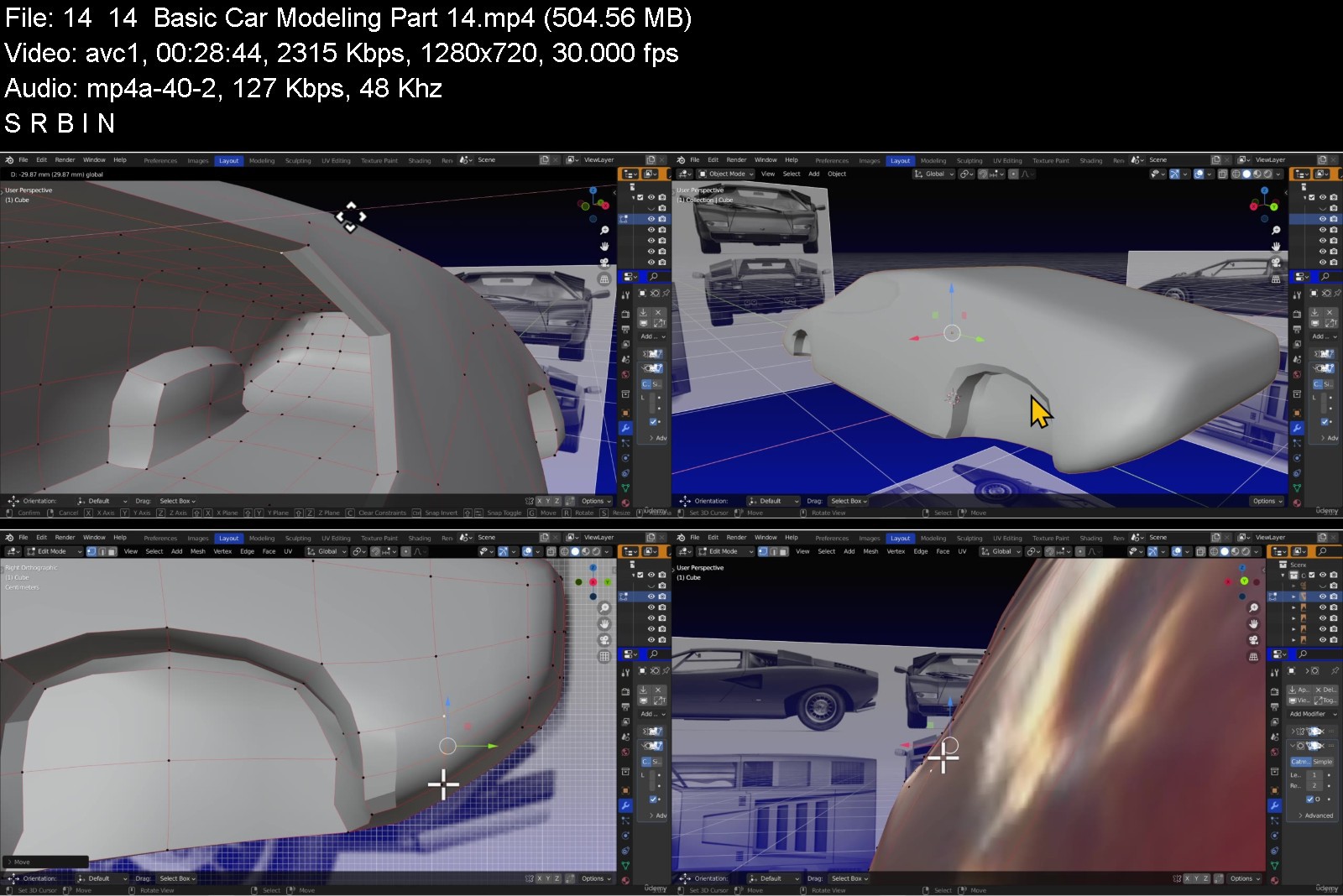
Blender for Beginners Part 1: Basic Modeling

5112eda1aea240b5a9750tbkhz.png


Blender for Beginners Part 1: Basic Modeling
MP4 | Video: h264, 1280x720 | Audio: AAC, 44.1 KHz, 2 Ch
Genre: eLearning | Language: English| Duration: 134 lectures (12h 19m) | Size: 10.4 GB

98% modeling and 2% tips to help beginners with the learning curve of Cycles nodes, Blender's main render engine


What you'll learn
Reduce "Blender's learning curve" via the most important topic.
Build confidence by repetition.
Create various objects with a handful of editing tools.
Establish a beginner, shortcut system for material creation.
Requirements
Any Blender version with similar interface of 2.8+
MMB to navigate 3d viewport.
Use ADD tab or SHIFT-A to add objects...and more.
Only Windows 10/11...(asks a Windows' user for a favor).
Description
Blender is 3d software program which enables users to create various objects such as: buildings, utensils, environments and landscapes, desks, vehicles, planets, abstract constructs, animals and characters (cartoony, anime or realistic).
Before you start creating your scene or world, first you must learn how to make it. In this course, we start with the absolute first phase...modeling.
If you're a Blender beginner, learning from various sources, covering a wide range of topics, and piecing things together, will exponentially increase the learning curve and leave your head spinning.
Poly Model Path strongly recommends, new users - first - learn modeling-related Blender topics. After which, you can branch off into this remarkable software.
Blender for Beginners Part 1: Basic Modeling will place you in the perfect position to get familiar with Blender without being overwhelmed.
Once you see the handful of editing tools used to create various items, you'll quickly grasp Blender's manual, modeling process.
We make our models vertex by vertex, edge by edge, face by face and of course the cube!
In this course, perfection isn't the goal. We want you to start at Blender's core...making something. After that, make something else and make something else and so forth.
The key is repetition.
First, you'll see manual retopology, which is a "form" of modeling. Next, we'll move on to modeling a Sci-Fi icon. Following up, we'll model a human female. Listen, we're not going to spoil the fun!
Forget the technical aspects of Blender: addons, modifiers, nodes, data, code... (it's easy to get lost). That will develop later.
All you need to understand is...Blender is like any other application - SAVE OFTEN.
Not to mention, you won't use every: tab, render setting, menu option, hotkey, modifier, preference setting, addon and so forth. (maybe one day or project). Nonetheless, jamming needless information into one course is futile.
This course isn't meant to give Blender beginners false confidence by making a "perfect" session. You'll see the real-time conundrums and corrections.
Blender for Beginners Part 1: Basic Modeling will not promise, "You'll be a pro", when you've completed the curriculum. The "pro" is - how you train.
We do hope, this course will be a great start.
You don't need to be a keyboard or shortcut/hotkey genius, you'll see the proof for yourself.
NOTE: THIS COURSE HAS BEEN RE-STRUCTURED. IF YOU SEE THINGS WE DIDN'T GO OVER, PAY NO MIND.
IT'S TIME TO MODEL!
Who this course is for
New users wanting to learn Blender without being overwhelmed.
New users wanting to learn Blender (non-technically).


blenderforbeginnerspafpjhb.jpg


Download from RapidGator


Download from Keep2Share



ChIP Next Generation Sequencing Analysis: Complete A to Z

3647866cc2d2nxj4a.jpg


ChIP Next Generation Sequencing Analysis: Complete A to Z
MP4 | Video: h264, 1280x720 | Audio: AAC, 44.1 KHz, 2 Ch
Genre: eLearning | Language: English + srt | Duration: 134 lectures (8h 29m) | Size: 6 GB

ChIPseq Analysis - Bioinformatics - RStudio - Miniconda - Docker - Linux - Epigenomics - Epigenetics


What you'll learn
You'll be able to undertake a ChIPseq analysis pipeline in Linux and R environment
You'll be given a FREE access to ChIPseq-analysis-ready Docker containers
You'll be given a FREE access to a whole chapter from a review paper worth $31.50
You'll be able to set up ChIPseq analysis Docker container
You'll be able to setup ChIPseq analysis conda virtual environment
You'll be able to manage the working environment of your ChIPseq projects
You'll be able to evaluate the quality of ChIPseq sequencing data using FastQC
You'll be able to perform alignment of reads to the genome using Bowtie2
You'll be able to filter aligned reads based on criteria of your own choosing
You'll be able to run MACS3 peak calling algorithm
You'll be able to use your epigenetic knowledge in order to aid interpretation of ChIP data
You'll be able to use the principles of functional studies and epigenetic lab techniques
You'll understand the full ChIPseq analysis workflow
You'll learn about relationship between epigenetics and environment
Requirements
Exposure to R programming language is required but you don't have to be an R developer!
Familiarity with UNIX command line, conda and docker containers will be advantageous but not necessary
You'll need 80GB of available disc space or access to external hard drive or cloud storage to comfortably do all the ChIPseq analyses
Having an basic understanding of central dogma of molecular biology
Being open-minded and ready to learn!
Description
Did you know that chromatin immunoprecipitation (ChIP) is one of the most commonly used techniques when assessing the effect of epigenetic modifications on gene expression and hence cell identity? Traditionally ChIP was combined with polymerase chain reaction (PCR), but with the advent of next-generation sequencing (NGS), a far more powerful way to study epigenetic modifications on a genome-wide level is through ChIP followed by sequencing (ChIPseq) which this course is about.
I'm Alexander Abdulkader Kheirallah, PhD and I'll be your instructor in this course. I have a doctorate in bioinformatics and my project involved analysis of many ChIPseq datasets. My bioinformatic work has been published in peer-reviewed journals. I have worked as a bioinformatician at University of Cambridge and I am also a data scientist. After the success of my first course on RNAseq differential gene expression analysis, I've decided to take it further by condensing years of my experience in the form of a concise and practical course about epigenomics and ChIPseq data analysis. The ability to analyse big genomic data gives you a lot of opportunities at the intersection of biology, medicine and computer science.
What makes this course unique is that it combines thorough study of epigenetic biology with deep and practical analytical capabilities.
Not only you'll gain epigenetic knowledge to aid your ChIPseq analysis endeavors but also you'll be able to effectively manage your projects, assess their quality, and analyse. You'll be provided with NGS ChIPseq data and I'll walk you through the ChIPseq analysis step-by-step.
--- --- --- --- --- --- --- --- ---
The course is split into 11 sections culminating with a capstone project that you can add to your portfolio
Introduction to the course
Epigenetics of gene expression: a thorough view of biology - Part 1
Epigenetics of gene expression: a thorough view of biology - Part 2
Epigenetics and environment
Laboratory techniques of epigenetics and introduction to functional studies
Canonical ChIPseq analysis workflow
Environment setup and ChIPseq project management
Quality assessment with FastQC
Alignment
Filtering
Peak calling
Your capstone project
By the end of this course you will
Be able to manage the working environment of your ChIPseq projects
You'll be given a FREE access to ChIPseq-analysis-ready Docker containers
You'll be given a FREE access to a whole chapter from a review paper worth $31.50
Be able to evaluate the quality of ChIPseq sequencing data using FastQC
Be able to perform alignment of reads to the genome using Bowtie2
Be able to filter aligned reads based on criteria of your own choosing
Be able to run MACS3 peak calling algorithm
Understand the full ChIPseq analysis workflow
Be able to use your epigenetic knowledge in order to aid interpretation of ChIP data
Be able to use the principles of functional studies and epigenetic lab techniques
Be able to explain the relationship between epigenetics and environment
Who this course is for
STEM graduates that aspire to become bioinformaticians specialising in the study of epigenetic control of gene expression and ChIPseq
Curious learners that want to gauge the subject of epigenomics and ChIPseq
Individuals seeking an opportunity for a hands on ChIPseq analysis experience
Individuals wanting to learn about epigenomics and epigenetics
Doctoral or post-doctoral researchers who need to expand their ChIPseq experience
Students who want to start a higher degree (Bachelor, Masters or PhD) project related to epigenetics and regulation of gene expression


chipnextgenerationseqajkvl.jpg


Download from RapidGator


Download from Keep2Share


 
Learn and explore 15+ Business Models in Waste Management

4499960268d2dpkst.jpg


Learn and explore 15+ Business Models in Waste Management
MP4 | Video: h264, 1280x720 | Audio: AAC, 44.1 KHz, 2 Ch
Genre: eLearning | Language: English | Duration: 31 lectures (19h 40m) | Size: 10.5 GB

From Zero to Minimum to Million Dollar Business Models to create an Income/Impact/Influence in Waste Management


What you'll learn
Learn Various Business Models/Ideas in Waste Management
In-Depth Analysis of 15+ Business Models in Waste Management
Explore Operational Knowledge in Waste Management
The disparity between Manufacturing and De-Manufacturing
How to Validate any Trash technology in terms of Suitability, Viability, Feasibility and Economics
25 Downloadable Worksheet
Requirements
There is no prerequisite
Description
Waste Management is a $2000 Billion dollar global market and climate change is a $26 Trillion opportunity.
Learn 15+ Business ideas from Zero to Minimum to Million Dollar Investment.
In this course, you'll learn Business Models classified based on investment level. No business model is too small and No business model is a get-rich quick scheme. Each has its own advantages and disadvantages. In-depth analysis of each business model to help you become a better entrepreneur, change maker, researcher or policy maker.
Low Investment Business Model
Collection
Segregation
Upcycling
Repair
Social
High Investment Business Model (Capex Model)
Dismantling
Recycling
Re-engineering
TSDF
Medium Investment Business Model
Producer Responsibility Organisation
New Product Design
Security
Market Place
Import/Export
Digital
Technology
Wondering what to do with the business ideas/models and where to leverage?. There are more than 25+ waste types to leverage
Plastic
Electronic Waste
Battery
Textile
Metal
Sanitary
Oil
Paper
Food
Glass
Chemical
Agriculture
Automobile
Wood
Rubber
Foam
Leather
Construction
Medical
Wastewater
Space
Fecal
Others
The course includes case study and bonus module
Disparity between manufacturing and de-manufacturing
Why the Informal sector (unorganized sector) in the developing and undeveloped countries is the King
8 R's of Trash Technology (Raw Material, Resource, Recovery, etc.) to validate any trash technology in terms of suitability, viability, feasibility and economics.
About the Instructor
Founded a Waste Management Recycling Company in Asia
Udemy Instructor in Waste Management with over 3400 students enrolled.
Entrepreneur turned coach and helping individuals to identify their niche in waste management to create an Impact/Income/Influence.
Engaged in waste management innovation programs in schools and colleges.
Who this course is for
Students
Aspiring Entrepreneurs / Social Entrepreneurs
Researchers
Policy Makers
Sustainability Fellows


learnandexplore15busiankxb.jpg


Download from RapidGator


Download from Keep2Share



How Do I Do That in After Effects (2022)

hgyva4ripd1qsgizq0flajujcc.jpg


How Do I Do That in After Effects (2022)
LinkedIn
Learning Duration: 4h 12m | .MP4 1280x720, 30 fps(r) | AAC, 48000 Hz, 2ch | 7.4 GB
Genre: eLearning | Language: English

Do you want to work faster and more efficiently in After Effects? Do you need to be able to troubleshoot specific problems effectively? This course offers you essential techniques to solve specific problems, as well as detailed instructions on how to improve your workflow in After Effects. You don't need to take this results-oriented course in order-you can jump into any movie and immediately learn how to solve problems. Topics include project setup, working with compositions and keyframe, animating layers, repairing footage, working in 3D space, and much more. This is the perfect course for self-taught users and users who want to learn specific skills.
Note: This course was created by Richard Harrington. We are pleased to host this training in our library.

Homepage

howdoidothatinafterefayk8g.jpg


Download from RapidGator


Download from Keep2Share


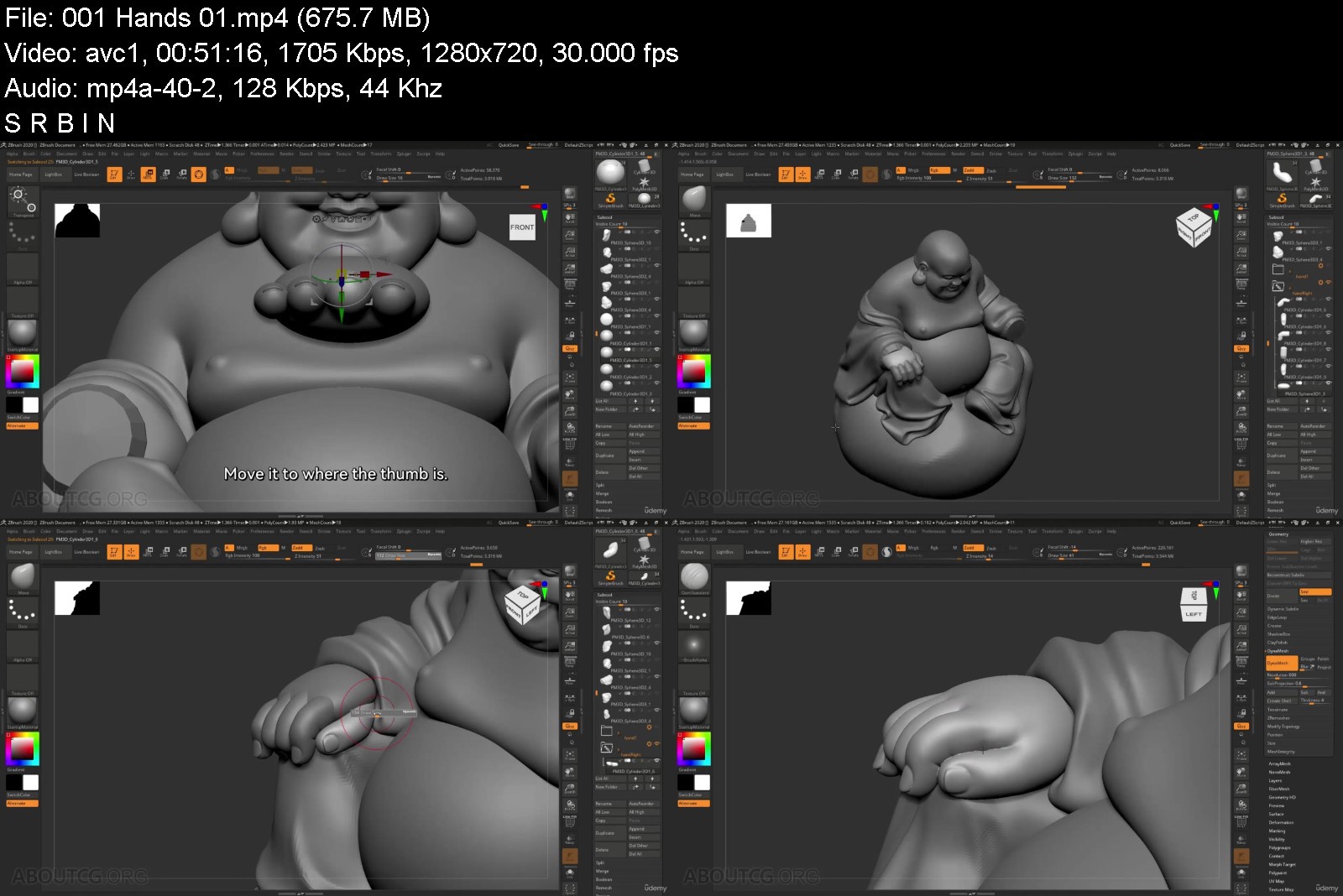
6 Hours Detailed Analysis Sculpting of Stylized Buddha

rmmelm94adls03p7fvt3h64k2r.jpg


6 Hours Detailed Analysis Sculpting of Stylized Buddha
Genre: eLearning | MP4 | Video: h264, 1280x720 | Audio: AAC, 44.1 KHz
Language: English | Size: 5.61 GB | Duration: 6h 27m


What you'll learn
Sculpting technique.
Konw such stylized sculpting techniques about portrait and apparel modeling.
Translate large-scale analysis into detailed sculptures.
Turn real structure into the stylized 3D embodiment.
Requirements
No additional plugins are needed for this tutorial. It only uses the most basic brushes and commands such as dynamesh, zremasher, etc. You only need to have a certain understanding of basic 3D concepts and terms, such as polygon, edge, surface, axis, space, texture, etc.

Description
This is our first entry into the market outside of mainland China and we are very excited about it. Hope you can give us feedback to help us provide you with courses that better meet your needs.
In this 6-hour tutorial, we will be looking at how to properly sculpt the image of Maitreya Buddha. We can often see the sculpture of him made of different materials, such as metal, wood, and ceramics.
WHY THIS TUTORIAL
Easy to Understand - This 6-hour tutorial starts from the basic simple geometry, with the easy-to-understand sculpting technique and the step-by-step explanation of the entire process, which even beginners can also easily understand.
The Chinese audio will not be a problem, English subtitles translated and proofread by professionals will clearly convey the author's full intent to you.
Easy to get started - No additional plugins are needed for this tutorial. It only uses the most basic brushes and commands such as dynamesh, zremasher, etc. You only need to have a certain understanding of basic 3D concepts and terms, such as polygon, edge, surface, axis, space, texture, etc.
Stylization - This tutorial is about the sculpture of the Chinese traditional Buddha. There are detailed explanations of such stylized sculpting techniques about portrait and apparel modeling. You'll learn how to translate large-scale analysis into detailed sculptures, as well as turn the real structure into the stylized 3D embodiment of the Maitreya Buddha.
Who this course is for
Beginner friendly. This 6-hour tutorial starts from the basic simple geometry, with the easy-to-understand sculpting technique and the step-by-step explanation of the entire process, which even beginners can also easily understand. The Chinese audio will not be a problem, English subtitles translated and proofread by professionals will clearly convey author's full intent to you. Easy to get started - No additional plugins are needed for this tutorial. It only uses the most basic brushes and commands such as dynamesh, zremasher, etc. You only need to have a certain understanding of basic 3D concepts and terms, such as polygon, edge, surface, axis, space, texture, etc.


6hoursdetailedanalysi77jfm.jpg


Download from RapidGator


Download from Keep2Share


 
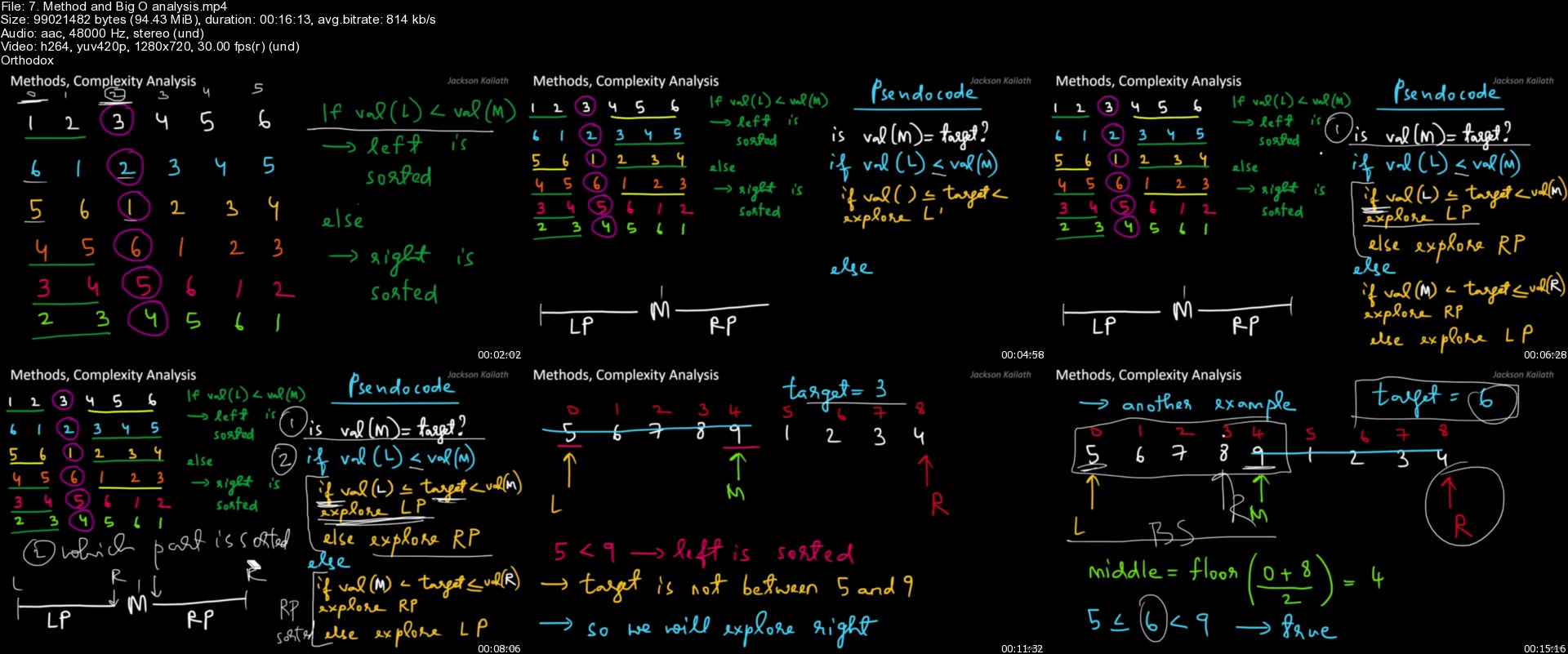
Master Coding Interview :Data structures + Algorithms

4477020eea5369j77.jpg


Master Coding Interview :Data structures + Algorithms
Updated 03/2022
MP4 | Video: h264, 1280x720 | Audio: AAC, 44.1 KHz, 2 Ch
Genre: eLearning | Language: English + srt | Duration: 254 lectures (36h 7m) | Size: 13 GB

34 Hours | Big O | Javascript | Leetcode | DSA | Coding Interview | Data Structures | Algorithsm


What you'll learn
Common Data Structures such as Arrays, Hash Table,Linked List,Binary trees,Graphs etc.
Real Coding Interview Questions from Google, Meta,Amazon,Netflix ,Microsoft etc.
Time and Space Complexity of Algorithms, Detailed Discussion of Logic to solve questions
Code Implementation in Javascript

Requirements
Basic knowledge of Javascript or any other Programming language ( things like write a loop, function etc)


Description
Welcome to the Coding Interview Bootcamp!

Once you get an interview from a top tech company, the only thing that matters for you to get your dream Software Engineering role is your performance in the coding Interviews.

The only way to ace the coding interview is to take one problem at a time and really understand how to solve it and then do this for a lot of problems to get sufficient tools and techniques in your arsenal to face and conquer any coding interview. This is what my aim is for you with this course.

This course is structured as DAILY CODING CHALLENGES to give you a clear target for every day. By not missing a single day and by staying consistent you will have solved a variety of questions by the end of this course, getting you prepared for coding interviews and more practice on your own from Leetcode.

We start right from the basics and discuss Big O analysis and then move on to cover the common data structures and then discuss real life problems asked in Big Tech companies such as Google, Meta, Amazon, Netflix, Apple, Microsoft etc.

For Each Question we discuss

1. The Logic or the method by which we can approach this question in an optimal manner

2. The Time and Space complexity of the Solution

3. Code the Solution in Javascript ( You can follow along in any coding language of your choice)

This course also includes multiple downloadable resources, trackers to keep you motivated, and cheat sheets to make your coding interview prep smooth.

COURSE OUTLINE

DAY 1: Arrays

Data Structures Introduction

Big O

DS: Arrays Crash Course

Question 1: Sorted Squared Array

Question 2: Monotonic Array

DAY 2: Arrays

Question 1: Rotate Array

Question 2:Container with most Water

DAY 3: Hash Table

DS: Hash Tables Crash Course

Question 1: Two Sum

Question 2:Isomorphic Strings

DAY 4: Recursion

Question 1: Fibonacci

Question 2:power Sum

DAY 5: Recursion

Question 1: Permutations

Question 2:power Set

DAY 6: String

DS: Strings Crash Course

Question 1: Non repeating character

Question 2: Palindrome

DAY 7: String

Question 1: Longest Unique char Substring

Question 2: Group Anagrams

DAY 8: Searching

Question 1: Binary Search

Question 2: Search in Rotated Sorted array

DAY 9: Searching

Question 1: Find First and Last Position of Element in Sorted Array

Question 2: Search in 2D Array

DAY 10: Sorting

Question 1: Bubble Sort

Question 2: Insertion Sort

DAY 11: Sorting

Question 1: Selection Sort

Question 2: Merge Sort

DAY 12: Sorting

Question 1: Quick Sort

Question 2: Radix Sort

DAY 13: Singly Linked List

DS: Linked List Crash Course

Question 1: Construct SLL

Question 2: delete duplicates

Day 14: Singly Linked List

Question 1: Reverse SLL

Question 2: Cycle Detection

DAY 15: Singly Linked List

Question 1: find duplicate number

Question 2: Add 2 numbers

DAY 16: Doubly Linked List

Question 1: DLL remove insert

Question 2: DLL remove all, insert at position

DAY 17: Stacks

DS: Stacks Crash Course

Question 1: Construct Stack

Question 2: Reverse Polish Notation

DAY 18: Queues

DS: Queues Crash Course

Question 1: Construct Queue

Question 2: Implement Queue with Stack

DAY 19: Binary Tree and Binary Search Tree

DS: Binary Tree, Binary Search Tree Crash Course

Question 1: Construct BST

Question 2: Traverse BST (Breadth first and Depth first - Inorder, Preorder,Post order)

DAY 20: Binary Tree and Binary Search Tree

Question 1: Level Order traversal

Question 2: Left/Right View of binary tree

DAY 21: Binary Tree and Binary Search Tree

Question 1: Invert Binary Tree

Question 2: Diameter of binary tree

DAY 22: Binary Tree and Binary Search Tree

Question 1: Convert Sorted Array to Binary Search Tree

Question 2: Validate BST

DAY 23: Heaps and Priority Queue

DS: Heaps Crash Course

Question 1: Max Heap Construction

Question 2: min Priority Queue Construction

DAY 24: Graphs

DS: Graphs Crash Course

Question 1: BFS - Adj List and Adj Matrix

Question 2: DFS - Iterative and Recursive

DAY 25: Graphs

Question 1: Number of connected components

Question 2: Course Scheduler / Topological sort

I'm sure you'll love this course and so we're offering a full money-back guarantee for 30 days in case you are not sure at the moment!

Enroll today and see you inside the course !

Let's make your dreams come true

- Jackson

Who this course is for
Students who are about to graduate and trying to get into top Tech companies as software engineers
Self taught programmers looking for their first job
Experienced developers wanting to get into MAANG companies ( top tech firms)

Homepage


7.methodandbigoanalyswijot.jpg


Top 10 Easy Small Business Startups for Broke People

45548123e50tpk15.jpg


Top 10 Easy Small Business Startups for Broke People
MP4 | Video: h264, 1280x720 | Audio: AAC, 44.1 KHz, 2 Ch
Genre: eLearning | Language: English + srt | Duration: 30 lectures (27h 41m) | Size: 37.3 GB

Be Your Own Boss with very little Education, Experience, or Money


What you'll learn
Learn the steps to start a profitable business quickly, with minimal experience, education, and startup costs
Learn about 10 different small business startups that you can start almost immediately
These 10 courses include advice on how to set your prices, how to find all the customers you will ever need, and where to get business equipment on the cheap.
Over 27 hours of video content, covering the essentials of starting each of 10 businesses, go from newbie to expert in a short time.
Requirements
Of the 10 trades listed, some require nothing more than simple English speaking. Other trades, like handyman and fence installer, require basic carpentry skills. Anyone can learn any of these trades in a very short time, and without a lot of expense.
Description
Choose from 10 powerful careers, without expensive training or college, without prior experience, and with almost no startup capital!
Handyman
Painter
Dog Sitting
Auto Detailer
Dog Grooming
Fence Installer
Flea Market Vendor
House Cleaning
Lawn Care
Window Cleaning
I will guide you step by step, from knowing nothing about a business, to becoming an expert in the field.
We will cover customer relations, on the job training, marketing and promotion, equipment needed, estimating and pricing, and so much more!
This megapack of small business courses is designed for people who need money now, and are not afraid of hard work. In the attached text files, you will find hundreds of links to videos, groups and resources that will help you master any trade you select. Over 40 hours of video instruction!
Each student will qualify for a certificate of course completion.
Not everyone is cut out for the corporate world. Some of us didn't do well in school, and don't have time for additional college. If you need money now, there aren't too many businesses you can start in a week or a month. Businesses that allow you to make cash money on your very first day. Businesses that cost little more to start up than some business equipment and tools, and some well placed ads. These 10 businesses are exactly what you need, to generate reliable income, now.
Plus, you will receive my personal email address, to help you start your own business. I will be your mentor and guide, to answer any questions, and give you support and encouragement. You can do this!
Who this course is for
This course is for anyone who hates their corporate job. It's for people who can't find a job, or wish they were self employed. If you just got out of jail, or rehab, if you can't pass a drug test or a background check, if you struggle with computers or modern tech, this course is for you.


top10easysmallbusinesuwk1v.jpg


Download from RapidGator


Download from Keep2Share


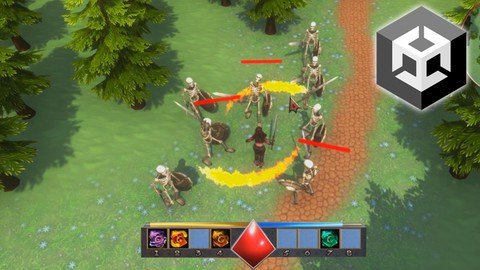
Create an RPG Game in Unity

pxff3zfbfe7upzfhirhhzomj1o.jpg


Create an RPG Game in Unity
Genre: eLearning | MP4 | Video: h264, 1280x720 | Audio: AAC, 48.0 KHz
Language: English | Size: 30.2 GB | Duration: 40h 39m


What you'll learn
[/b]Create an RPG fantasy game in Unity
Upgrade your knowledge of C# coding to an intermediate level
Create a dynamic menu system for storing pickup items
Create a potion mixing system for creating magic attacks
Setting up enemy AI pathfinding navigation
Requirements
You should have a basic understanding of Unity and C# coding
You will need a computer capable of running Unity 2021
Description
Do you want to create a great RPG fantasy game in Unity?
In this course I am going to take you through the process step by step
Setting up the terrain and level layout
creating menus and inventory systems
setting up an onscreen mini map
creating a shop system to buy ingredients for potions or weapons and armour
setting up a dynamic inventory menu where you can mix potions to create unique magic attacks
spawning in enemies and boss characters with combat systems and navigation pathfinding
setting up player magic attacks and melee combat
saving and loading player progress
This is a huge course covering more than 40 hours and is intended for learners who have a basic familiarity with Unity and C# coding
By the end of this course you will learn key concepts in advanced game design and upgrade your knowledge of C# coding to an intermediate level
You will also have a completed RPG fantasy game which you can include in your portfolio, share with friends or even sell online
I have over 9 years experience of teaching Unity and like all my courses I make learning game design fun and easy, this is why my courses are highly recommended by my learners in the reviews.
So, why not enrol today and I look forward to seeing you in my course.
Who this course is for
This course is for learners who want to develop their coding ability when creating games in Unity
For learners who want to make their own RPG fantasy games


createanrpggameinunitdijf9.jpg


Download from RapidGator


Download from Keep2Share


The Unreal Arsenal: Learn C++ and Unreal Engine

0iau5jvpbjhtt44jyahgfdeklb.jpg


The Unreal Arsenal: Learn C++ and Unreal Engine
Genre: eLearning | MP4 | Video: h264, 1280x720 | Audio: AAC, 44.1 KHz
Language: English | Size: 28.7 GB | Duration: 286 lectures • 58h 31m

Learn Programming and Game Development Fundamentals with C++ and Unreal Engine in this course for complete beginners


What you'll learn
Learn C++ programming fundamentals through simple examples and illustrations
Debugging and problem solving skills
Learn how C++ is used in real-world projects, with examples from the Unreal Engine codebase
Understand how intermediate C++ features, such as object oriented programming, inheritance and templates can be used in combination
Apply your newly acquired C++ skills to game development fundamentals in Unreal Engine

Requirements
Windows PC capable of running Visual Studio and Unreal Engine.
Dedication and willing to work hard.

Description
If you're looking for a curriculum to prepare you for a job as a C++ developer, or maybe your ambition is to develop your own indie games - the typical introductory C++ curriculum will not prepare you adequately for the industry.

Learning C++ concepts in isolation by writing simple console applications is not enough - you must learn to use intermediate features in combination.

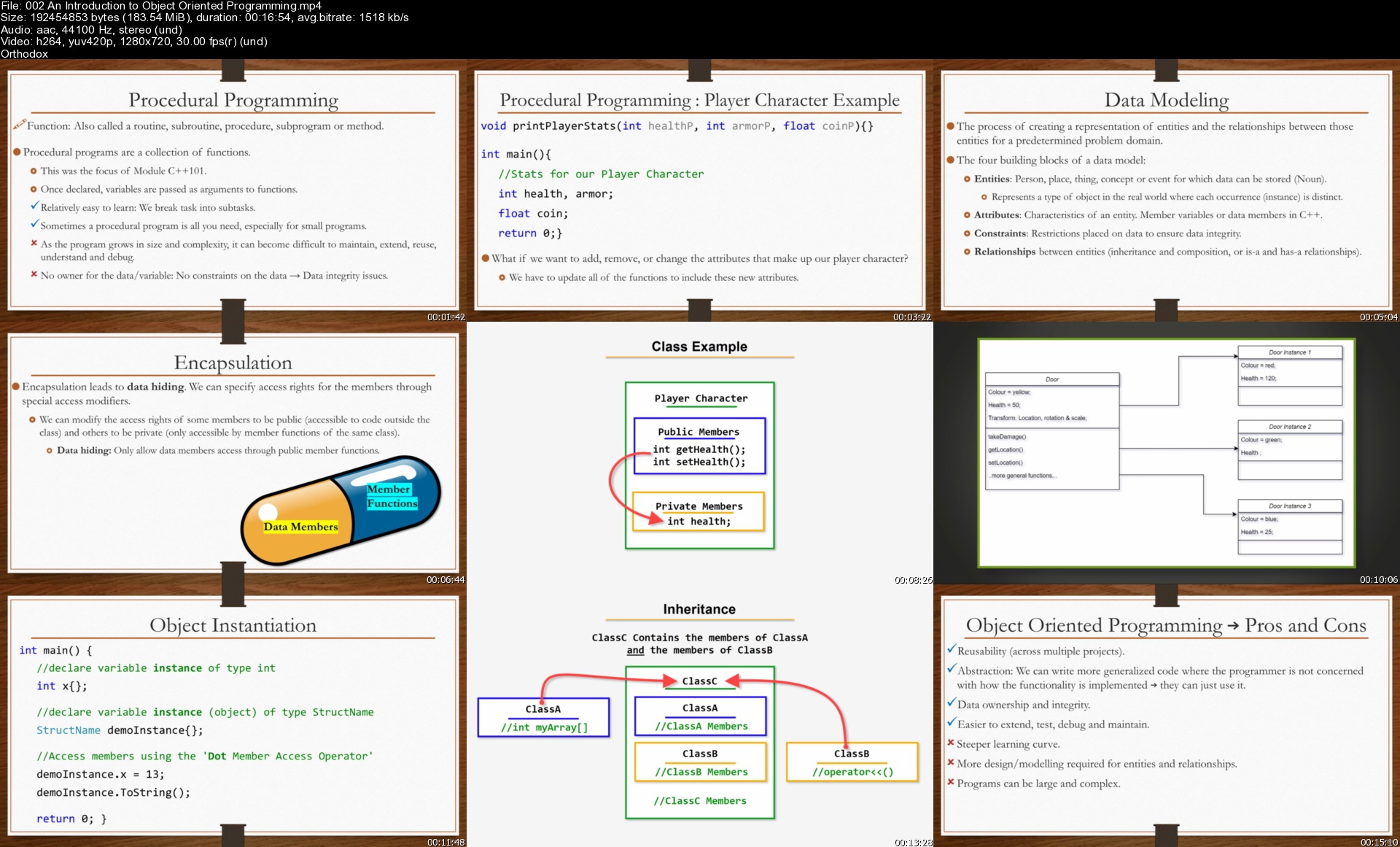
Intermediate topics such as object oriented programming, pointers, inheritance and templates can be intimidating to students, but I use simple examples, summaries, exercises and step by step illustrations throughout.

Through Unreal Engine examples, I explain where specific language features are useful in a real world project. This will give you a much deeper understanding of those language features and not just how to use them, but why they are important to learn and remember and where they will be useful.

Following the foundational modules, C++101 and C++102, you will learn to use intermediate C++ features in combination by programming game logic in Unreal Engine.

Whether you have no programming experience, or are already familiar with a programming language and want to learn how to code game logic in Unreal Engine with C++, this course is for you!

Don't wait, start learning C++ and Unreal Engine now. This course will be updated with Unreal Engine 5 content soon.

Who this course is for
Complete beginners.
Aspiring C++ Programmers
Aspiring independent game developers.
Developers/Programmers who want to re-skill to game development.
C# or Unity developers who want to broaden their skill set to boost job prospects.

Homepage


002anintroductiontoobaykkf.jpg


Powershell and Windows Server: 25+ Hours Bootcamp with Labs

em1ielgtjzgazhd37bmz012jq7.jpg


Powershell and Windows Server: 25+ Hours Bootcamp with Labs
Genre: eLearning | MP4 | Video: h264, 1280x720 | Audio: AAC, 44.1 KHz
Language: English | Size: 11.9 GB | Duration: 305 lectures • 24h 51m

Windows Server with Powershell: Learn Active Directory, DHCP, DNS, IIS, Powershell Fundamentals, Pipeline, WMI, CIM, etc


What you'll learn
Makeing up the Commands for Automation Administrative Tasks
Installing DNS Role with GUI/Powershell
Installing and Configuring the Web Server
Installing and Managing Active Directory
Managing, configuring and modifying User objects in AD
Managing, configuring and modifying Computer objects in AD
Managing, configuring and modifying Groups objects in AD
Managing the file system
Configuring the ISE|Console
Executing Commands by Using the Full Command Syntax
Working with PowerShell Pipeline
Selecting, Sorting and Measuring Objects
Converting, Exporting and Importing Objects
Filtering Objects out of the Pipeline
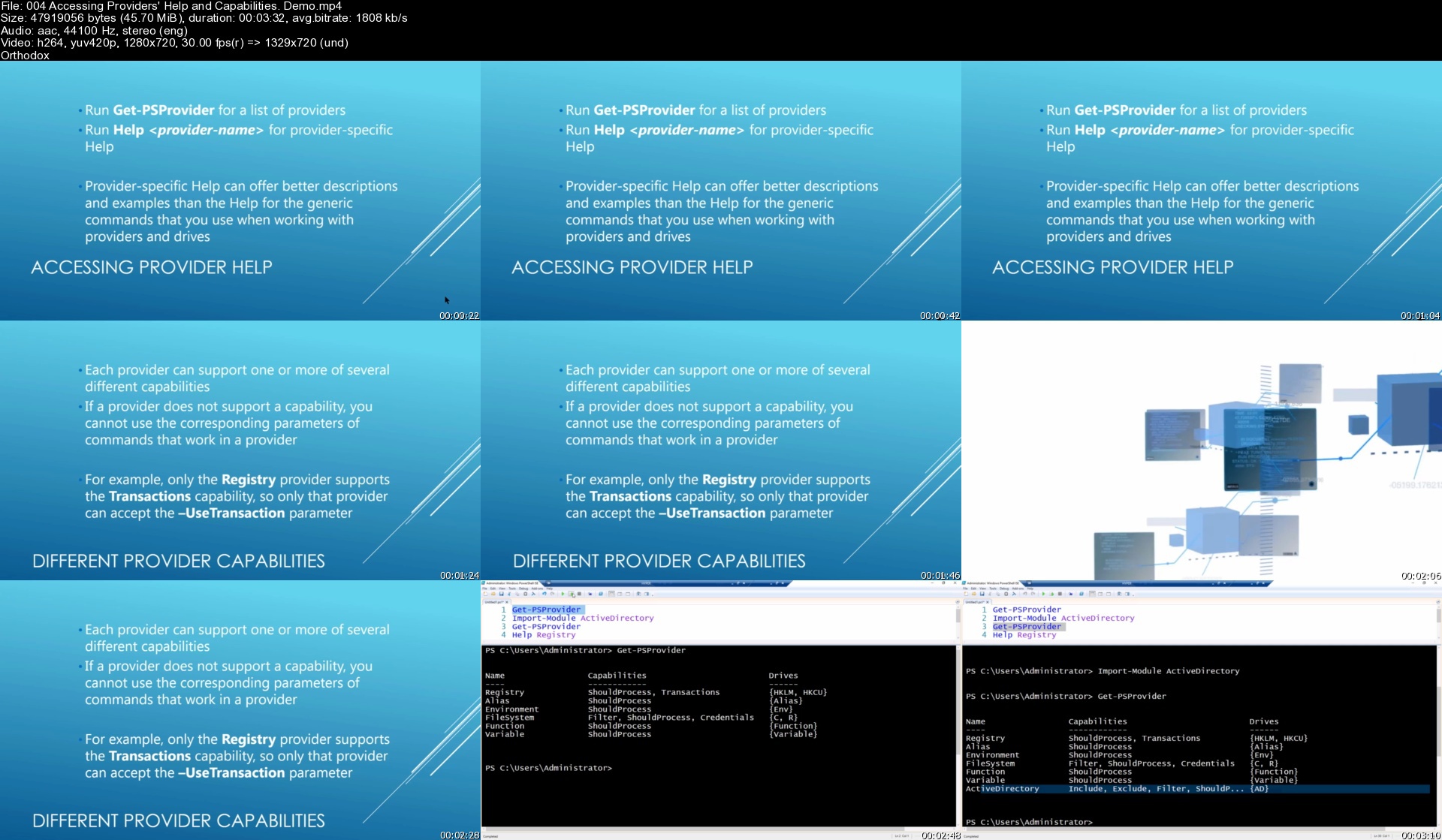
Managing PSProviders and PSDrives
Displaying and Sorting data in Lists, Tables etc.
Working with WMI or CIM
Working with Exchange Server
Installing and Configuring Nano Server
Working with DHCP Server

Requirements
Familiarity with general Windows and Microsoft server administration

Description
This course is aimed to IT Pros and is supposed to give the viewer the information they need to know to get started with Powershell and how to manage Windows Server 2016 with its help.

The goal is to provide coverage of Powershell Fundamental tasks including topics like Active Directory, DNS, DHCP, IIS etc.

The course is targeted to help to automate and script daily tasks. There are lots of live demonstrations how to use PowerShell commands and a Server's GUI. I hope it will help to do your job more efficiently.

This course does not have a direct mapping to any exam. However, while there is not a standalone Windows PowerShell exam the topics are covered across all the individual Microsoft Certified Solutions Associate (MCSA) and Microsoft Certified Certified Solutions Expert (MCSE) exams. This course will help prepare you for Windows PowerShell related concepts and processes within those exams.

A Brief Contents of the Course

Windows Server 2016 with PowerShell: Active Directory

Powershell and Active Directory Users, Computers, Groups

Powershell and DHCP

Powershell and DNS

Powershell and IIS

Powershell Fundamentals

Powershell with Pipeline

Powershell: Formatting Output

Powershell: PSProviders

Powershell: PSDrives

Using WMI and CIM

Powershell and Exchange Server

Powershell and Nano Server

Preparing for Scripting

Using Variables

Using the write-host

Parameterizing Changing Values

Wrapping a Script in a Function

Creating a Script Module

Understanding Error Actions

Using Scripting Constructs

Much more...

Who this course is for
IT Specialists
System Administrators
DevOps Technicians
IT Technicians
Junior IT Technicians

Homepage


004accessingproviderst8jpa.jpg


NestJS - Building an API for Real Project From Scratch

cctg2p3nzjjtwy5o1ozca3zjrb.jpg


NestJS - Building an API for Real Project From Scratch
MP4 | Video: h264, 1280x720 | Audio: AAC, 44.1 KHz
Language: English | Size: 7.13 GB | Duration: 8h

In this course we will build a Medium clone API using NestJS, Typescript, Typeorm and PostgreSQL. This course is fully focused on fast and deep dive into creation of API for real application with NestJS. We will start from scratch and step by step you will get close to finished real application. You will deeply understand how to structure your application, build reusable and understandable modules and services and split code into smaller chunks of code. We will write code together in efficient way to make it pure and avoid data complexity.

For each lesson you'll get source code of the lesson, so it's easy to see the progress and get a working app on any lesson you want.

What you will learn in this course

Structure and configure project
Write high quality code with NestJS on real project
Create reusable modules, controllers and services
Implementing authentication
Deeply understand NestJS design patterns
No prior knowledge except of Javascript is needed (because I will teach you everything from basics) but if you have experience with any of this (Angular/NodeJS/Express/Typescript/Typeorm/PostgreSQL) it will be easier for you to go through this course.

If you are feeling like you learned NodeJS but you still still missing knowledge of how to build your own real application this course is what you need. This course is fully focused on creating the application without getting deep into basic knowledge of NodeJS!

Homepage


29.creatingfeeds17jqo.jpg


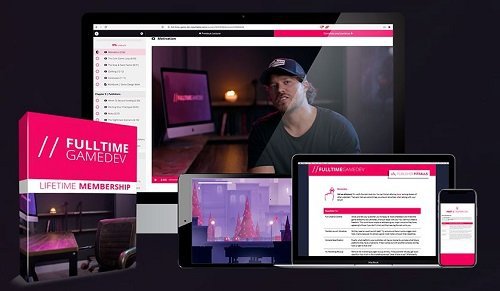
Full Time Game Dev By Thomas Brush

wceb0wqqpnvkeuob1e6fro3j0u.jpg


Full Time Game Dev By Thomas Brush
MP4 | Video: h264, yuv420p, 1920x1080 | Audio: aac, 44100 Hz | Duration: 35h 11m | 14.7 GB
Genre: eLearning | Language: English

Full Time Game Dev will take you from knowing nothing about game development to making money from your indie game on the Steam store. We'll study branding, marketing, publishers, Kickstarter, C# coding, Unity development, PR, launching on Steam, and everything in between! After 10 years of making indie games (and also making a ton of mistakes), I'm thrilled to teach you what I've learned!

You're Now A Game Dev!
How I Became A Full Time Game Dev
Why Listen To Me?
Course Overview
Start Selling Your Game...Now!
Branding Fundamentals
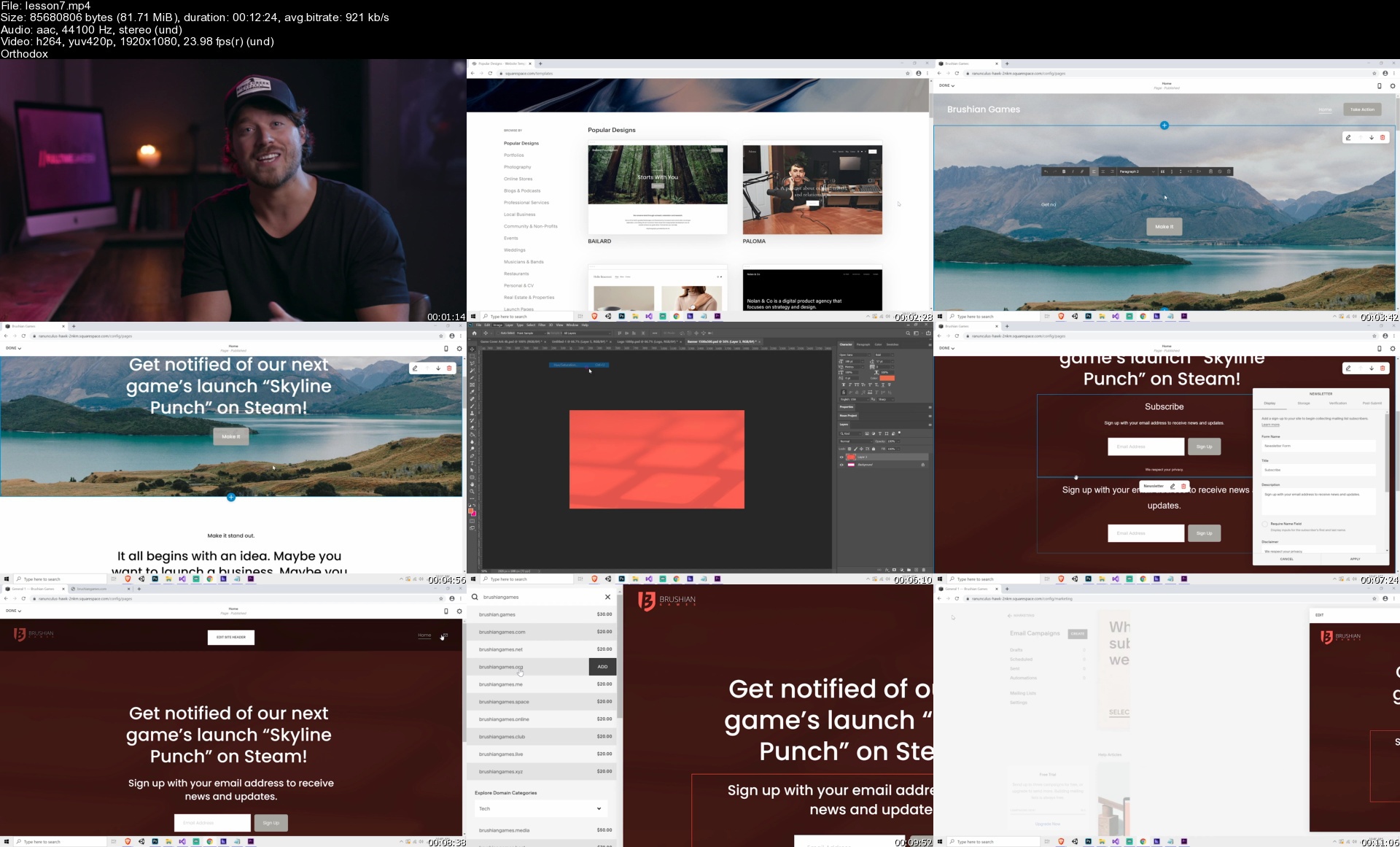
Create Your Website
Fishing For Wishlists
The What?
Inspiration
Motivation
The Core Game Loop
The Stop & Stare Factor
Quitting
Conclusion
Intro To Email Marketing
Why You Should Care About Email Lists
Reciprocity
Creating A Mailchimp Account
Creating The Form
Customer Journeys
Growing Your List
Combining Email And Wishlists
The End Goal
It's Up To You!
Is My Prototype Ready?
Pitching Your Prototype
Risks
The Nightmare Scenario
The Silver Lining
Why Kickstarter?
Risks
Campaign Ingredients
Ingredient 1: Your Video
Ingredient 2: The Body Content
Ingredient 3: Marketing Prep
Ingredient 4: Rewards
Ingredient 5: Feedback
Ingredient 6: Launch Prep
Launch!
Should You Secure Funding?
Finish Your Game!
Intro
Requesting Steam Keys
Creating The Form
Find Testers
Invite Testers!
Intro
Create Your Trailer | Part 1
Create Your Trailer | Part 2
Create Your Trailer | Part 3
Create Your Trailer | Part 4
Create Your Trailer | Part 5
Create Your Trailer | Part 6
The Final Trailer!
Let's Do This!
The Steam Cannon Ball
Pep Talk
Now What?
Steam Sales
Other Revenue Streams
Other Platforms
Congratulations!
Indie Chat | How This 20 Year Old Went Full Time
Indie Chat | How This Dev Sold 200K Units
Introduction (Don't Skip!)
Download Unity
Install Photoshop
The Editor
Professional Layout
Tools
Visual Studio
Creating Your First Script
Moving A Box
Variables
Input
Conditions
Functions (Part 1)
Functions (Part 2)
Quick Review
Install Packages
Physics
The Ground
The Player (Part 1)
The Player (Part 2)
The Player (Part 3)
The Camera
Layering
Cleaning Up Player Movement
Floating Platforms
Collectables
UI (Part 1)
Quick Tip | Referencing Components
UI (Part 2)
UI (Part 3)
Inventory
Gates
Singletons
Enemies
Quick Tip | Naming
Attacking
Dying
Finalize Your Scene
Loading Scenes
The Game Manager
Preparing for Art
Project Clean Up
Choosing Your Colors
Illustrating Layers
Detailing
Designing Interactables
Preparing Your PSB For Import
Importing Your PSB
Creating Prefabs From Your PSB
Building Your Level (Part 1)
Building Your Level (Part 2)
Setting Up Your Player Graphics
Animating Horizontal Player Movement
Animating Other Movements (Part 1)
Animating Other Movements (Part 2)
Quick Tip | Animation Errors
Animating Player Sound
Animating The Enemies
Particles (Part 1)
Particles (Part 2)
Animating Death
Animating Screenshake
Animating Gates
Adding Music & Ambience
Finalizing The Character Design
Controlling Titles
Fall Forgiveness
Player Knockback
Creating A Demo / Prototype Ender
Creating A Main Menu
Building & Uploading To Steam
Introduction: Let's Create a Striking, Short Game for Free
Day 1: Brainstorming
Day 2: Gathering Assets
Day 3: Visual Design
Day 4: Level Design
Day 5: Adding an Objective
Day 6: Enemy Scripting
Assignment: Record the Voice-over
Day 7: The Final Touches
Conclusion: Postmortem, Unity Recorder, and Publishing on itch.io

Homepage

lesson7sv2kga.jpg


Zurück
Oben Unten