• Regeln für den Video-Bereich:

    In den Börsenbereich gehören nur Angebote die bereits den Allgemeinen Regeln entsprechen.

    Einteilung

    - Folgende Formate gehören in die angegeben Bereiche:
    - Filme: Encodierte Filme von BluRay, DVD, R5, TV, Screener sowie Telesyncs im Format DivX, XviD und x264.
    - DVD: Filme im Format DVD5, DVD9 und HD2DVD.
    - HD: Encodierte Filme mit der Auflösung 720p oder darüber von BluRay, DVD, R5, TV, Screener sowie Telesyncs im Format x264.
    - 3D: Encodierte Filme von BluRay, die in einem 3D Format vorliegen. Dies gilt auch für Dokus, Animation usw.
    - Serien: Cartoon/Zeichentrick, Anime, Tutorials, Dokumentationen, Konzerte/Musik, Sonstiges sind demnach in die entsprechenden Bereiche einzuordnen, auch wenn sie beispielsweise im High Definition-Format oder als DVD5/DVD9/HD2DVD vorliegen. Ausnahme 3D.
    - Bereich Englisch: Englische Releases gehören immer in diesen Bereich.
    - Bereich Talk: Der Bereich, in dem über die Releases diskutiert werden kann, darf, soll und erwünscht ist.


    Angebot/Beitrag erstellen

    - Ein Beitrag darf erst dann erstellt werden, wenn der Upload bei mindestens einem OCH komplett ist. Platzhalter sind untersagt.
    - Bei einem Scenerelease hat der Threadtitel ausschließlich aus dem originalen, unveränderten Releasenamen zu bestehen. Es dürfen keine Veränderungen wie z.B. Sterne, kleine Buchstaben o.ä. vorgenommen werden. Ausnahme Serienbörse:
    - Bei einem Sammelthread für eine Staffel entfällt aus dem Releasename natürlich der Name der Folge. Beispiel: Die Simpsons S21 German DVDRip XviD - ITG
    - Dementsprechend sind also u.a. verboten: Erweiterungen wie "Tipp", "empfehlenswert", "only", "reup", usw. / jegliche andere Zusatzinformation oder Ergänzung, welche nicht in obiger Beschreibung zu finden ist.

    Aufbau des Angebots und Threadtitel

    Der Titel nach folgendem Muster erstellt zu werden. <Name> [3D] [Staffel] [German] <Jahr> <Tonspur> [DL] [Auflösung] <Quelle> <Codec> - <Group>
    Beispiel: The Dark Knight German 2008 AC3 DVDRip XviD - iND
    Beispiel: The Dark Knight 2008 DTS DL BDRip x264 - iND
    Beispiel: The Dark Knight 2008 AC3 DL BDRip XviD - iND
    Beispiel: The Dark Knight German 2008 AC3 720p BluRay x264 iND
    Beispiel: The Dark Knight 2008 DTS DL 1080p BluRay x264 iND
    Beispiel: Die Simpsons S01 German AC3 DVDRip XviD iND
    Beispiel: Die Simpsons S20 German AC3 720p BluRay x264 iND
    Beispiel: Sword Art Online II Ger Sub 2014 AAC 1080p WEBRip x264 - peppermint
    Entsprechend sind also u.a. verboten: Sonderzeichen wie Klammern, Sterne, Ausrufezeichen, Unterstriche, Anführungszeichen / Erweiterungen wie "Tipp", "empfehlenswert", "only", "reup", usw. / jegliche andere Zusatzinformation oder Ergänzung, welche nicht in obiger Beschreibung zu finden ist
    Ausnahmen hiervon können in den Bereichen geregelt sein.

    Die Beiträge sollen wie folgt aufgebaut werden:
    Überschrift entspricht dem Threadtitel
    Cover
    kurze Inhaltsbeschreibung
    Format, Größe, Dauer sind gut lesbar für Downloader außerhalb des Spoilers zu vermerken
    Nfo sind immer Anzugeben und selbige immer im Spoiler in Textform.
    Sind keine Nfo vorhanden z.B. Eigenpublikationen, sind im Spoiler folgende Dateiinformationen zusätzlich anzugeben :
    Quelle
    Video (Auflösung und Bitrate)
    Ton (Sprache, Format und Bitrate der einzelnen Spuren)
    Untertitel (sofern vorhanden)
    Hosterangabe in Textform außerhalb eines Spoiler mit allen enthaltenen Hostern.
    Bei SD kann auf diese zusätzlichen Dateiinformationen verzichtet werden.

    Alle benötigten Passwörter sind, sofern vorhanden, in Textform im Angebot anzugeben.
    Spoiler im Spoiler mit Kommentaren :"Schon Bedankt?" sind unerwünscht.


    Releases

    - Sind Retail-Release verfügbar, sind alle anderen Variationen untersagt. Ausnahmen: Alle deutschen Retail-Release sind CUT, in diesem Fall sind dubbed UNCUT-Release zulässig.
    - Im Serien-Bereich gilt speziell: Wenn ein Retail vor Abschluss einer laufenden Staffel erscheint, darf diese Staffel noch zu Ende gebracht werden.62
    - Gleiche Releases sind unbedingt zusammenzufassen. Das bedeutet, es ist zwingend erforderlich, vor dem Erstellen eines Themas per Suchfunktion zu überprüfen, ob bereits ein Beitrag mit demselben Release besteht. Ist dies der Fall, ist der bereits vorhandene Beitrag zu verwenden.
    - P2P und Scene Releases dürfen nicht verändert oder gar unter einem iND Tag eingestellt werden.


    Support, Diskussionen und Suche

    - Supportanfragen sind entweder per PN oder im Bereich Talk zu stellen.
    - Diskussionen und Bewertungen sind im Talk Bereich zu führen. Fragen an die Uploader haben ausschließlich via PN zu erfolgen, und sind in den Angeboten untersagt.
    - Anfragen zu Upload-Wünschen sind nur im Bereich Suche Video erlaubt. Antworten dürfen nur auf Angebote von MyBoerse.bz verlinkt werden.


    Verbote

    - Untersagt sind mehrere Formate in einem einzigen Angebotsthread, wie beispielsweise das gleichzeitige Anbieten von DivX/XviD, 720p und 1080p in einem Thread. Pro Format, Release und Auflösung ist ein eigener Thread zu eröffnen.
    - Grundsätzlich ebenso verboten sind Dupes. Uploader haben sich an geeigneter Stelle darüber zu informieren, ob es sich bei einem Release um ein Dupe handelt.
    - Gefakte, nur teilweise lauffähige oder unvollständige Angebote sind untersagt. Dies gilt auch für eigene Publikationen, die augenscheinlich nicht selbst von z.B. einer DVD gerippt wurden. Laufende Serien, bei denen noch nicht alle Folgen verfügbar sind, dürfen erstellt und regelmäßig geupdatet werden.
    - Untersagt sind Angebote, welche nur und ausschließlich in einer anderen Sprache als deutsch oder englisch vorliegen. Ausnahmen sind VORHER mit den Moderatoren zu klären.


    Verstoß gegen die Regeln

    - Angebote oder Beiträge, die gegen die Forenregeln verstoßen, sind über den "Melden"-Button im Beitrag zu melden.
  • Bitte registriere dich zunächst um Beiträge zu verfassen und externe Links aufzurufen.

*** Bestes IPTV *** bester Preis *** gratis Test ***


Englische Tutorials

th_rWFxIRO1HKP3oasAGt1Hhpk8doqOCJYX.jpg

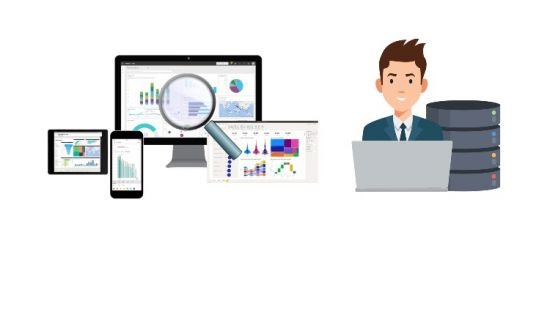
SQL & Power BI Data Analyst: MS SQL | SSRS | SSAS | Power BI
Published 05/2022
MP4 | Video: h264, 1280x720 | Audio: AAC, 44.1 KHz, 2 Ch
Genre: eLearning | Language: English + srt | Duration: 107 lectures (9h 11m) | Size: 3.4 GB


Perform Data Analyst Tasks using SQL and Power BI
What you'll learn
Perform data exploration and analysis with SQL
Write SQL Queries to explore and analyse data
Write SQL CTE queries to extract and query data
Write SQL temporary table queries to extract and query data
Connect to multiple data sources with Power BI
Clean and transform data with Power BI
Create visualizations with Power BI
Create Dashboards with Power BI
Create Reports with SQL Server Reporting Services - SSRS
Create and analyse tabular data models with SQL Server Analysis Services - SSAS
Requirements
Basic knowledge of Excel advised
Basic knowledge of database concepts advised
Basic knowledge of SQL advised
Description
Data analysis is a process of inspecting, cleansing, transforming, and modelling data with the goal of discovering useful information, informing conclusions, and supporting decision-making.
Data analysts are in high demand across all sectors, such as finance, consulting, manufacturing, pharmaceuticals, government and education.
The ability to pay attention to detail, communicate well and be highly organised are essential skills for data analysts. They not only need to understand the data, but be able to provide insight and analysis through clear visual, written and verbal communication.
You can work across a range of areas, including: Types of data analyst
data assurance
business intelligence
data quality
Finance
higher education
marketing
sales.
Some responsibilities of a data analyst includes
Developing records management processes and policies
identify areas to increase efficiency and automation of processes
set up and maintain automated data processes
identify, evaluate and implement external services and tools to support data validation and cleansing
produce and track key performance indicators
develop and support reporting processes
monitor and audit data quality
liaise with internal and external clients to fully understand data content
gather, understand and document detailed business requirements using appropriate tools and techniques
design and carry out surveys and analyse survey data
manipulate, analyse and interpret complex data sets relating to the employer's business
prepare reports for internal and external audiences using business analytics reporting tools
create data dashboards, graphs and visualisations
provide sector and competitor benchmarking
mine and analyse large datasets, draw valid inferences and present them successfully to management using a reporting tool
In this course we will perform some task of an SQL and Power BI Data Analyst . We will connect to a variety of data sources, perform data transformation ,cleaning and exploration . We will create dashboards to visual data . We will also create reports using SQL Server Reporting Services (SSRS) and also create then analyse tabular data model using SQL Server Analysis Services (SSAS).
Who this course is for
Beginner data analyst
Beginner data scientist
Homepage




 
service-design-surveys-analysis-v1.jpg

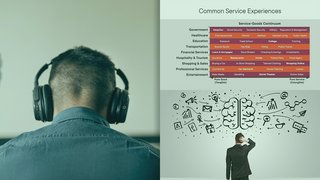
Service Design Surveys and Analysis
Duration: 56m | Video: .MP4, 1280x720 30 fps | Audio: AAC, 48 kHz, 2ch | Size: 200 MB
Genre: eLearning | Language: English​

You will learn a set of tools and concrete steps towards a meaningful service design experience in your organization by focusing on how to create customer surveys & interviews and how to analyse & interpret data through visual representations.
What you'll learn
Service design can be that bridge that connects multiple components, ranging from people, infrastructure, communication to materials in order to improve the interaction between the service provider and its users/customers. In this course, Service Design Surveys and Analysis, you'll learn to manage interviews and surveys. First, you'll start cleaning up your data, aligning it to the end goal, and understand why it's important to do so. Next, you'll discover how to work with data manipulation, putting your input into a visual representation, and understanding the tools you have at hand. Finally, you'll be prepared to manage interviews, develop surveys and establish a research methodology. When you're finished with this course, you'll have the skills and knowledge of design services needed to improve the interaction between the service provider and its users/customers through data analysis.
Screenshots


d5c5a582-357b-4f13-9e3a-29d6418eb32a.png

Storyboarding for Filmmakers and Content Creators
Published 05/2022
MP4 | Video: h264, 1280x720 | Audio: AAC, 44.1 KHz, 2 Ch
Genre: eLearning | Language: English + srt | Duration: 15 lectures (2h 8m) | Size: 1.11 GB


For non-drawers. Share your vision, streamline pre-production and visualise your film
What you'll learn
Drawing basic characters
Creating a composition with depth and perspective
Applying Camera Movement
Creating a full sequence to communicate your vision
Requirements
Designed for all levels of drawing ability
All levels of flimmakers and video content creators
Description
Are you looking for a way to
Streamline your pre-production?
Share your vision with your crew, cast or client?
Visualise your film?
Storyboarding is a simple and easy to learn tool for visualising your film or video project. Unlock the powers of storyboarding like famous directors Martin Scorsese (Taxi Driver 1976), Bong Joon-ho (Parasite 2019) Jody Foster (Black Mirror 2017) and many more. Share your vision, streamline pre-production and visualise your film.
Best of all this course is designed for all drawing abilities!
My name is Carl and through this course I've created I hope to help you achieve a more enjoyable and productive film and video production by learning how to storyboard.
The idea for this course all started back in 2017 where I was starting out on my first film project as an Art Department Assistant...
During the first pre-production meeting there was no visualisation of the script, no way to communicate the directors vision or any dynamic collaboration with the crew. And worst of all it didn't feel creative or fun. I thought to myself "there must be a better way" and the answer was Storyboarding. But storyboarding isn't an obscure tool so why don't filmmakers use it? And that's where this courses journey begins.
As an experienced classroom teacher, skilled illustrator and professional filmmaker I look forward to helping you develop your storyboarding ability and start you on your own storyboarding journey.
Who this course is for
Filmmakers wanting to visualise their script
Professional video content creators wanting to obtain a way to communicate their ideas to their clients
Non-drawers wanting to use storyboarding to streamline their pre-production process
Directors wanting to share their vision like successful directors Martin Scorsese, Jody Foster, Bong Joon-ho and many more
Homepage


b175a967-0281-4910-8db3-8505a6b3a5a2.png

The Complete Odoo Accounting Course [V15 2022]
Genre: eLearning | MP4 | Video: h264, 1280x720 | Audio: AAC, 48.0 KHz
Language: English | Size: 2.03 GB | Duration: 52 lectures • 6h 6m
The Most Comprehensive and Complete Odoo Accounting Course on the Market!

What you'll learn
Set up Odoo accounting for other businesses
Manage all of your accounting needs in Odoo
Understand the fundamentals of Odoo accounting
Transition your entire accounting needs to Odoo
Requirements
Basic accounting principles
Basic Odoo knowledge
Description
The Complete Odoo Accounting Course will teach you everything you need to know about the Odoo accounting application. Odoo is an Enterprise Resource Planning (ERP) software with dozens of interconnected applications. Applications such as inventory, manufacturing, website, expenses, and sales have a direct impact on your accounting books.
There are three primary goals of this course.
Teach you all of the basic accounting functions you need to perform on daily basis to run your business.
We will cover every basic accounting function including Inventory Accounting, Accounts Payable, Accounts Receivable, Reconciliation, Sales Tax, Expense Accounting, Revenue Accounting, and Asset Management. You will be exposed to all of the main accounting reports such as the Balance Sheet, Profit and Loss Statement, and Cash Flow statements. At the end of the course, you will be comfortable making manual journal entries, navigating the General Ledger, and troubleshooting any accounting errors.
Teach you how every application interacts with the accounting application.
If you have used any ERP software you know that every business decision and record you create in the system may affect your accounting books. It is essential that you understand the impact of each of your decisions. In this course, we will cover exactly how each application interacts with accounting. This includes manual and automated inventory valuation, expense management, re-invoicing expenses, collecting customer payments, dealing with multiple currencies and exchange rates, applying landed costs, and dealing with cash.
Teach you how to transition from a legacy system to Odoo Accounting.
Once you are comfortable with the software we will go over exactly how to transition your accounting books to Odoo. This process involves importing your trial balance, using clearing accounts, importing your open bills and invoices, and making sure you have all of your location-specific accounts set up such as your scrap, inventory adjustment, and Work in Progress (WIP).
This course is designed for Implementation Consultants or Business Systems Analyst, Bookkeepers, Accountants, and anyone evaluating Odoo as an ERP solution. It will be incredibly helpful for anyone who wants to understand the accounting impact on every decision they make throughout the Odoo ecosystem.
During the creation of each video, I attempt to think of all the most common edge cases and bring them to your attention. I take pride in each video being as comprehensive and complete as possible. Every business has slightly different accounting needs. Nonetheless, in this course, you will touch on every accounting function in Odoo. Even if we do not directly cover an exact use case you will have the knowledge to build out your own complete solution.
The only prerequisites for this course are basic accounting knowledge and basic Odoo knowledge. This course will not teach you the fundamentals of accounting.
Thousands of people have benefited from my free videos on YouTube. Here are some of the comments
"Excellent video! This exactly what I was looking for as a pragmatic solution."
"Great tutorial! Very detailed. Keep up the great work."
"Kevin, As your Pick - Pack - Ship video, this is also a great tutorial. Very detailed."
"Another great tutorial! Thank you very much for posting all these outstanding and detailed tutorials."
"Thanks brother. It was really helpful"
"Nice work, really appreciate it."
"Great video Kevin thank you!"
"I was struggling with documents spreadsheet, thank you so much for this!"
"This was done better than Amy Caroline. Thanks"
DISCLAIMER
THIS IS NOT FINANCIAL ADVICE. I AM NOT AN ACCOUNTANT. I STRONGLY RECOMMEND THAT YOU CHECK WITH YOUR ACCOUNTANT BEFORE IMPLEMENTING ANYTHING YOU LEARN IN THIS COURSE. ANY RECOMMENDATIONS ARE PURELY BASED ON EXPERIENCE AND SHOULD NOT BE TAKEN AS AN ABSOLUTE TRUTH.
This is course is not sponsored or affiliated with Odoo.
Who this course is for
Bookkeepers who want to manage their accounting in Odoo
Companies switching to Odoo accounting
Consultants implementing Odoo accounting
Screenshots


1af904f2-3aa4-4218-9b67-0ad2ae021a6b.png

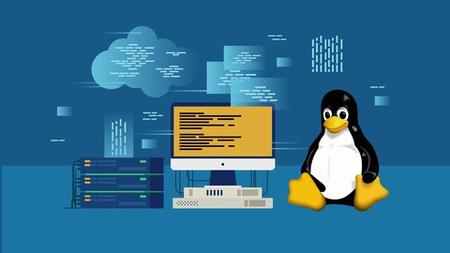
Udemy - Linux Bash Scripting
Instructors: Peter A
1 section • 12 lectures • 32m total length
Video: MP4 1280x720 44 KHz | English + Sub
Updated 3/2019 | Size: 222 MB​

Start with Bash scripting and Automate Tasks
What you'll learn
Linux users that want to start Bash scripting
Any Linux user
<h
Requirements
No prequisities, except access to a Linux computer
Description
This course is an introduction to Bash scripting.
You will learn the beginners concepts and be able to make your own bash scripts. This will make your life easier, as you won't have to type each command manually but instead run scripts. We'll go over file scripts, loops, if statements and many other scripting concepts.
Why Linux Bash Scripting?
Bash scripting is a very powerful tool in the hands of a Linux administrator. It is capable of doing everything similar to Windows batch file, but with more ease. Many system administrators are not familiar with Linux Bash scripting and thus do not find it useful. It is my opinion that any Linux sysadmin worth his or her salt, should learn how to use Bash scripting as soon as possible in order to automate their daily tasks.
There are a few reasons why Linux Bash scripting is so powerful. One reason is that it is very easy to use. Unlike Windows batch files, which can be quite complex and difficult to understand, Bash scripts are much simpler and easier to read. This makes them perfect for automating tasks that would otherwise be tedious and time-consuming.Another reason why Linux Bash scripting is so useful is because it is extremely versatile. It can be used for a wide range of tasks, from simple file management to complex system administration. In addition, Bash scripts can be easily modified and customized to meet the specific needs of any user or organization.Finally, Linux Bash scripting is very popular among experienced Linux users and administrators. This popularity means that there is a large community of users who are familiar with the script and who can offer support and advice when needed.
Who this course is for:Beginner Linux usersSystem administrators
Homepage
Screenshots


8ec362ee-8aa6-47ff-9c8e-5d4701e3cd83.png

Using Gender Inclusive Language
Released 05/2022
MP4 | Video: h264, 1280x720 | Audio: AAC, 44.1 KHz, 2 Ch
Skill Level: General | Genre: eLearning | Language: English + srt | Duration: 55m | Size: 1 GB

Language shapes the way we understand ourselves, our world, and our relationships. The words we use can create a sense of belonging, but they can also be exclusionary without our realizing it, particularly when they touch on elements of our unique identities such as gender, race and ethnicity, disability, sexual orientation, and more. In this course, instructor Lori Nishiura Mackenzie shows you how to create and hold space for others by using gender-inclusive language at work.
Learn about the importance of inclusive language and how it relates to workplace culture and belonging. Lori walks you through core concepts related to gender, gendered language, binary and nonbinary associations, hierarchies, and archetypes. She demonstrates practical ways to help others feel welcome by you. By the end of this course, you'll be equipped with new strategies to incorporate gender-inclusive language into your daily practices at work to foster a sense of belonging for yourself and others around you.
Homepage


a4f552b9-8e7a-4e2e-9dbe-ebd3ad56bb62.png

Web Development with Go (2022)
Published 05/2022
MP4 | Video: h264, 1920x1080 | Audio: AAC, 44.1 KHz, 2 Ch
Genre: eLearning | Language: English | Duration: 80 Lessons (11h 45m) | Size: 4.94 GB

Learn to build real, production-grade web applications from scratch.
? No trivial TODO apps that barely touch the complexity of a real app.
? No frameworks that hide all the details.
In this course we build and deploy a photo sharing application complete with users, authentication, image uploads, a database, and more. We even deploy to a production server and set up automatic HTTPS.
Homepage


th_IN4Fb79JANKC18NrHtXktWzFXkkVuohm.jpg

Windows 11 Quick Tips and Tricks
Published 05/2022
MP4 | Video: h264, 1280x720 | Audio: AAC, 44.1 KHz, 2 Ch
Genre: eLearning | Language: English + srt | Duration: 30 lectures (1h 4m) | Size: 591 MB


In Less than 2 hrs improve your Windows 10 or Windows 11 Productivity with these Tips and Tricks Skills
What you'll learn
Using Windows 11 multiple workspaces
Increasing contrast and inverting colors
Modifying the taskbar
Removing preloaded apps and tiles
Managing files
Disabling notifications for specific apps
Drawing a route in Maps
Adjusting system settings
Requirements
Should have a Windows 11 or Windows 10 Machine to practice
A computer with Windows 11 installed.
Little to no experience needed. Turn on your Windows 11 system, press play on the tutorials and enjoy.
Willingness to Learn :)
You should have basic PC computer knowledge.
A basic understanding of Windows Operating system
Added advantage if you know already Windows OS
The rest is just motivation, which depends on you if you are interested in learning how to start using & understanding the new features & functions of Windows 10/11.
Description
This course will help you to improve your overall Windows 10/11 Operating skills and in results it will improve the productivity and saves your time. This course will cover almost all the tips and tricks of Windows 10 and Windows 11. If you spend a sizable portion of your day working in Windows 10 / Windows 11, it pays to discover new, more efficient ways of working in the OS. This course designed with tips to help you boost your efficiency in Windows and leverage helpful features you may have forgotten about.Each video covers "How do I .?" problems in Windows 10 or Windows 11 operating system day to day tasks.
Learning objectives
Windows 11 tips and tricks
Windows 10 tips
Using multiple workspaces
Increasing contrast and inverting colors
Modifying the taskbar
Managing files
Removing preloaded apps and tiles
Disabling notifications for specific apps
Drawing a route in Maps
Adjusting system settings
General Interface Tips
Set up dark or light mode
Use Snap Assist to position windows
Use multiple workspaces
Use Magnifier to enlarge part of the screen
Use Focus Assist to decrease notifications
Copy and paste multiple items with the clipboard history
Print any page as a PDF
Cancel a print job
Check the battery level of Bluetooth devices
Quickly switch user accounts
Increase contrast and invert colors
Set text scaling
Modify the Taskbar
Move or resize the taskbar
Hide the taskbar
Hide Cortana, Task View, or Windows Search
Remove items from the system tray
File Management Tips
Check the size of a file or folder
Show or hide file extensions
Zip and unzip files
Working with Apps
Remove preloaded apps and tiles from the Start menu
Disable smart tiles
Disable notifications for specific apps
Use Windows Search to launch apps
Draw a route in maps
Save offline maps
System Settings
Adjust settings in the old Control Panel
Force an application to quit
Who this course is for
Students
Professionals
All Windows Users
All Windows Users to improve productivity
Computer operators
PC users
For IT Employees
Windows User
Students, who want to successfully start out with using Windows OS efficient & productive, like a professionell does.
Homepage


53856beb-efbe-405c-9f66-20d422293768.png

Writing effective minutes of meeting
Instructors: Management Study Guide
1 section • 17 lectures • 55m total length
Video: MP4 1280x720 44 KHz | English + Sub
Updated 3/2022 | Size: 516 MB​

"Minutes" can be referred to as the notes or written records of a meeting.
What you'll learn
What is minute?
What are meetings for?
Types of meetings
Arranging a meeting
<h
Requirements
No prior knowledge is required
Description
Minutes can be referred to as the notes or written records of a meeting. Minutes contain the names of the attendees, issues discussed in the meeting, views expressed by the participants, and decisions made. Minutes are normally recorded by a secretary or typist using shorthand notations. After recording all the details and structuring the notes, it is distributed to the participants. The person who writes the minutes is also called as "minute taker". Almost 60% of all the managers' time is spent on meetings. It can even go up to 90% in the near future. Some meetings are energizing, inspiring, and fun while some meetings are dull, ineffective, and unproductive.
The team members of a particular team meet frequently to discuss various issues. When this becomes a routine, the members lose interest. Normally, a team leader conducts team meetings that are more active, interesting, and successful. Team briefing is very important because it helps the employees to understand what they are doing in an organization and why they are doing it. Various issues related to their team and work are discussed. The team leader's brief is the "core" brief supplied by the senior management.
Preparation is essential when you meet a client. During your meeting with a client, if you are not able to provide your client with what he exactly wants, the meeting might fail. Part of your job is to analyze and find out what the client exactly wants. Negotiation is done by every manager in a firm. For achieving certain objectives, negotiation plays an important role. A negotiation is considered successful if all the participants in a meeting are satisfied. When the meeting creates genuine agreement, the negotiator is very happy.
Most of the participants hate long meetings. A meeting should be long enough to allow the business to be discussed completely. After preparing the agenda, the minute taker has to calculate the time required for each item. If the meeting lasts for more than a couple of hours, the concentration slips. The room chosen for the meeting should be comfortable. Only if it is comfortable, it will be easier for the person to chair and minute, and it will also be productive. The room where the meeting is going to be held should be airy and bright with less disturbance.
Who this course is for:SecretariesThose pursuing ACS courseManagers and SupervisorsManagement Staff
Homepage
Screenshots


5b7034be-f17a-47c9-beea-1f3a1cfd771a.png

YOGA 101: Living right (Yamas and Niyamas)
Duration: 32m | Video: .MP4, 1280x720, 30 fps | Audio: AAC, 48 kHz, 2ch | Size: 196 MB
Genre: eLearning | Language: English​

Hi there and welcome to my course!
There is so much more to Yoga than just the physical practice! It is a way of living. According to one of the most important ancient text, known as Yoga Sutras of Patanjali, there are 8 limbs of Yoga or 8-fold path to Yoga, also known as Ashtanga/ Raja Yoga.
In this course you will learn all about the first two limbs, which are:
YAMAS - guidelines/ our attitudes toward our environment
NIYAMAS - observances/ our attitudes toward ourselves
One of my Yoga teachers in India once said to me, that you should first understand Yamas and Niyamas and then move on to the third limb of Yoga, Asanas (the physical practice).
This course is designed for all Yoga practitioners, who want to learn more about the very foundations of Yoga, going beyond the physical practice, AND for everyone else in general, who want to live a better, happier, healthier, more meaningful and higher quality life.
"You cannot always control what goes on outside, but you CAN control what goes on INSIDE.":)
Homepage
Screenshots


images.jpg

10-Day Double Your Self-Confidence & Self-Esteem Challenge
Last Updated 04/2022
MP4 | Video: h264, 1280x720 | Audio: AAC, 44.1 KHz, 2 Ch
Genre: eLearning | Language: English + srt | Duration: 22 lectures (1h 23m) | Size: 1.83 GB


Step-by-step process to creating lasting confidence in personal life and business. Boost your inner and outer confidence
What you'll learn
Double Your Confidence in 10 Days
Become More Confident in Business & Your Professional Life
Learn How To Adopt a Powerful and Confident Body Language
Each Day You Will Learn 1 Proven Strategy & 1 Powerful Exercise
Learn a Fundamental Step to Confidence that Most People Miss
Stop Comparing Yourself to Others
Discover How Your Identity May Be Holding You Back
How To Be Confident in Social Situations
Overcome Your Fear of Rejection
Gain Access to Top-Quality, Multiple Angle Videos
Become More Assertive and Don't Allow People to Take Advantage of You
Learn How To Be Confident while staying AUTHENTIC
How To Get Comfortable with Uncomfortable Situations
Discover a Proven System to Stop Worrying
Requirements
An Open Mind
Commitment of 10-20 Minutes Per Day
Description
Do you have moments when a lack of self-confidence prevents you from doing important things you know you should be pursuing to take things to the next level?
Maybe, you want to negotiate a pay raise, make an important phone call, or introduce yourself at a team meeting?
Or perhaps, it's something even more uncomfortable like speaking at a conference or pitching a group of clients?
Whatever the challenge is, your self-esteem and self-confidence are the foundation. Without a healthy level of self-esteem and confidence, it's virtually impossible to tackle important challenges. After all, if you don't truly believe in yourself, how can you expect other people to believe in you and to find the courage necessary to make bigger moves.
This course has been structured in a very clear way and designed to be a simple blueprint for boosting your confidence and self-esteem.
Whatever your situation is, you can (and will) gain more confidence and increase your self-esteem, if you take each lecture seriously and stick to the process.
My goal is simple: provide you with a world-class education that you will benefit from tremendously, even as a busy professional.
You just need to commit 10 to 20 minutes each day and give your best effort. There are 10 sections in this course, and in each one of them you will learn
- 1 powerful mindset or strategy
- 1 proven exercise & action step
The content of this course is based on science, case studies, and real-life experiences. It was also filmed in a beautiful location with multiple camera angles for a nicer visual experience.
I'm very excited to see you on the inside,
Jimmy Naraine
Who this course is for
Busy professionals who want more confidence in their business environment
Those who enjoy structured learning
Anyone who craves more confidence and higher self-esteem
Homepage


W3yDpjunQKzCJIp0iWLqbcYscXqf3ATc.jpg

21 day hormonal face yoga challenge
Video: .mp4 (1280x720, 30 fps(r)) | Audio: aac, 48000 Hz, 2ch | Size: 3.83 GB
Genre: eLearning Video | Duration: 22 lectures (3 hour, 2 mins) | Language: English


Face yoga program for hormonal balance, composed of more than 21 exercises, sculpting the face and neck
What you'll learn
Over 21 face sculpting exercises that include warming up exercises as well as toning, strengthening and stretching the facial muscles and neck area.
The program will help you activate your hormone system and bring it into balance. Consequently you will feel better, look younger and have more energy!
You will reduce the wrinkles around the mouth, nasolabial folds, sagging cheeks, sagging jowls, eye bags, puffy eyes, forehead wrinkles and frown lines.
You will learn exercises that will help you improve your eyesight and build the volume of your cheeks.
You will learn the facelifting techniques and the connection between the muscles of the face with organs and glands.
In the 21 day face yoga for hormonal balance program you will activate more than 50 muscles of your face, as well as the neck and cranial areas.
You will reinforce mouth circular muscle, eye circular muscles, forehead area, the temples, the zygomatic area of the face, cheeks, neck and cranial region.
The program offers a 21 days routine that you can repeat in cycles and, thus, have a 5min guided Face Yoga program for each day.
Requirements
Face Yoga practice is beneficial for everyone. It is important to progress gradually, listen to the reactions of our bodies and stop if there is any pain.
After operation (face, cranial area, neck, eyes), botox or fillers it is advised to postpone the practice for few weeks
Description
Face yoga program for hormonal balance is composed of more than 21 exercises with the focus on the face, neck and cranial areas resulting in
· Toning of muscles and decreasing of wrinkled areas - reducing the wrinkles around the mouth, nasolabial folds, sagging cheeks, sagging jowls, double chin, eye bags, puffy eyes, forehead wrinkles and frown lines
· Better facial circulation and blood flow
· Positive impact on the endocrine system and organs
The program is designed to slowly guide you from the simple to more complex exercises. In each session you will get to know the benefits of the exercise we are going to learn, its connection to the glands and organs and details that are important for the best possible performance and top results. With regular practice of this program you will feel better, have more energy and look younger!
Activating facial as well as scull muscles helps tighten the muscles, increases blood flow, and brings more oxygen to the skin. Impulses of this activation are proven to affect the hypothalamus, pineal and pituitary glands situated in our brain.
Other exercises that activate the neck area activate thyroid and parathyroid glands. Every part of the face is also connected to a different organ. Activation of specific facial, neck and cranial regions activates our glands.
With the face yoga practice we are not only toning our muscles and reducing the wrinkles but also influencing our organs and the entire hormone system. We activate our hormone system and bring it into balance!
All exercises are performed with the focus on deep breathing and this helps that more toxins are freed from our body.
Who this course is for
Ladies and gentleman of all age wishing to reduce wrinkles around the mouth, nasolabial folds, sagging cheeks, sagging jowls, eye bags, puffy eyes, forehead wrinkles, frown lines and wishing to improve the eyesight and build the volume in the cheeks.
Beneficial for hormonal disorders, after giving birth, perimenopause, menopause, andropause and excessive stress problems.
Screenshots


Zurück
Oben Unten