• Regeln für den Video-Bereich:

    In den Börsenbereich gehören nur Angebote die bereits den Allgemeinen Regeln entsprechen.

    Einteilung

    - Folgende Formate gehören in die angegeben Bereiche:
    - Filme: Encodierte Filme von BluRay, DVD, R5, TV, Screener sowie Telesyncs im Format DivX, XviD und x264.
    - DVD: Filme im Format DVD5, DVD9 und HD2DVD.
    - HD: Encodierte Filme mit der Auflösung 720p oder darüber von BluRay, DVD, R5, TV, Screener sowie Telesyncs im Format x264.
    - 3D: Encodierte Filme von BluRay, die in einem 3D Format vorliegen. Dies gilt auch für Dokus, Animation usw.
    - Serien: Cartoon/Zeichentrick, Anime, Tutorials, Dokumentationen, Konzerte/Musik, Sonstiges sind demnach in die entsprechenden Bereiche einzuordnen, auch wenn sie beispielsweise im High Definition-Format oder als DVD5/DVD9/HD2DVD vorliegen. Ausnahme 3D.
    - Bereich Englisch: Englische Releases gehören immer in diesen Bereich.
    - Bereich Talk: Der Bereich, in dem über die Releases diskutiert werden kann, darf, soll und erwünscht ist.


    Angebot/Beitrag erstellen

    - Ein Beitrag darf erst dann erstellt werden, wenn der Upload bei mindestens einem OCH komplett ist. Platzhalter sind untersagt.
    - Bei einem Scenerelease hat der Threadtitel ausschließlich aus dem originalen, unveränderten Releasenamen zu bestehen. Es dürfen keine Veränderungen wie z.B. Sterne, kleine Buchstaben o.ä. vorgenommen werden. Ausnahme Serienbörse:
    - Bei einem Sammelthread für eine Staffel entfällt aus dem Releasename natürlich der Name der Folge. Beispiel: Die Simpsons S21 German DVDRip XviD - ITG
    - Dementsprechend sind also u.a. verboten: Erweiterungen wie "Tipp", "empfehlenswert", "only", "reup", usw. / jegliche andere Zusatzinformation oder Ergänzung, welche nicht in obiger Beschreibung zu finden ist.

    Aufbau des Angebots und Threadtitel

    Der Titel nach folgendem Muster erstellt zu werden. <Name> [3D] [Staffel] [German] <Jahr> <Tonspur> [DL] [Auflösung] <Quelle> <Codec> - <Group>
    Beispiel: The Dark Knight German 2008 AC3 DVDRip XviD - iND
    Beispiel: The Dark Knight 2008 DTS DL BDRip x264 - iND
    Beispiel: The Dark Knight 2008 AC3 DL BDRip XviD - iND
    Beispiel: The Dark Knight German 2008 AC3 720p BluRay x264 iND
    Beispiel: The Dark Knight 2008 DTS DL 1080p BluRay x264 iND
    Beispiel: Die Simpsons S01 German AC3 DVDRip XviD iND
    Beispiel: Die Simpsons S20 German AC3 720p BluRay x264 iND
    Beispiel: Sword Art Online II Ger Sub 2014 AAC 1080p WEBRip x264 - peppermint
    Entsprechend sind also u.a. verboten: Sonderzeichen wie Klammern, Sterne, Ausrufezeichen, Unterstriche, Anführungszeichen / Erweiterungen wie "Tipp", "empfehlenswert", "only", "reup", usw. / jegliche andere Zusatzinformation oder Ergänzung, welche nicht in obiger Beschreibung zu finden ist
    Ausnahmen hiervon können in den Bereichen geregelt sein.

    Die Beiträge sollen wie folgt aufgebaut werden:
    Überschrift entspricht dem Threadtitel
    Cover
    kurze Inhaltsbeschreibung
    Format, Größe, Dauer sind gut lesbar für Downloader außerhalb des Spoilers zu vermerken
    Nfo sind immer Anzugeben und selbige immer im Spoiler in Textform.
    Sind keine Nfo vorhanden z.B. Eigenpublikationen, sind im Spoiler folgende Dateiinformationen zusätzlich anzugeben :
    Quelle
    Video (Auflösung und Bitrate)
    Ton (Sprache, Format und Bitrate der einzelnen Spuren)
    Untertitel (sofern vorhanden)
    Hosterangabe in Textform außerhalb eines Spoiler mit allen enthaltenen Hostern.
    Bei SD kann auf diese zusätzlichen Dateiinformationen verzichtet werden.

    Alle benötigten Passwörter sind, sofern vorhanden, in Textform im Angebot anzugeben.
    Spoiler im Spoiler mit Kommentaren :"Schon Bedankt?" sind unerwünscht.


    Releases

    - Sind Retail-Release verfügbar, sind alle anderen Variationen untersagt. Ausnahmen: Alle deutschen Retail-Release sind CUT, in diesem Fall sind dubbed UNCUT-Release zulässig.
    - Im Serien-Bereich gilt speziell: Wenn ein Retail vor Abschluss einer laufenden Staffel erscheint, darf diese Staffel noch zu Ende gebracht werden.62
    - Gleiche Releases sind unbedingt zusammenzufassen. Das bedeutet, es ist zwingend erforderlich, vor dem Erstellen eines Themas per Suchfunktion zu überprüfen, ob bereits ein Beitrag mit demselben Release besteht. Ist dies der Fall, ist der bereits vorhandene Beitrag zu verwenden.
    - P2P und Scene Releases dürfen nicht verändert oder gar unter einem iND Tag eingestellt werden.


    Support, Diskussionen und Suche

    - Supportanfragen sind entweder per PN oder im Bereich Talk zu stellen.
    - Diskussionen und Bewertungen sind im Talk Bereich zu führen. Fragen an die Uploader haben ausschließlich via PN zu erfolgen, und sind in den Angeboten untersagt.
    - Anfragen zu Upload-Wünschen sind nur im Bereich Suche Video erlaubt. Antworten dürfen nur auf Angebote von MyBoerse.bz verlinkt werden.


    Verbote

    - Untersagt sind mehrere Formate in einem einzigen Angebotsthread, wie beispielsweise das gleichzeitige Anbieten von DivX/XviD, 720p und 1080p in einem Thread. Pro Format, Release und Auflösung ist ein eigener Thread zu eröffnen.
    - Grundsätzlich ebenso verboten sind Dupes. Uploader haben sich an geeigneter Stelle darüber zu informieren, ob es sich bei einem Release um ein Dupe handelt.
    - Gefakte, nur teilweise lauffähige oder unvollständige Angebote sind untersagt. Dies gilt auch für eigene Publikationen, die augenscheinlich nicht selbst von z.B. einer DVD gerippt wurden. Laufende Serien, bei denen noch nicht alle Folgen verfügbar sind, dürfen erstellt und regelmäßig geupdatet werden.
    - Untersagt sind Angebote, welche nur und ausschließlich in einer anderen Sprache als deutsch oder englisch vorliegen. Ausnahmen sind VORHER mit den Moderatoren zu klären.


    Verstoß gegen die Regeln

    - Angebote oder Beiträge, die gegen die Forenregeln verstoßen, sind über den "Melden"-Button im Beitrag zu melden.
  • Bitte registriere dich zunächst um Beiträge zu verfassen und externe Links aufzurufen.

*** Bestes IPTV *** bester Preis *** gratis Test ***


Englische Tutorials

6834b3d0-9ba5-49ea-afcb-6b3db6f9d9a1.png

Microsoft Ads MasterClass 2022 - All Campaigns & Features
Published 05/2022
MP4 | Video: h264, 1280x720 | Audio: AAC, 44.1 KHz, 2 Ch
Genre: eLearning | Language: English + srt | Duration: 64 lectures (3h 47m) | Size: 1.45 GB


Microsoft Ads 2022: Learn How To Use Search Ads, Campaigns & Features To Reach Your Customers & Grow Your Revenue!!
What you'll learn
Bring Sales, Leads & Website Traffic To Your Online Business
Get In-Depth Knowledge Of Google Ads To Grow Your Online Business
Learn To Create Search Campaigns, Shopping Campaigns, Mobile Campaigns, Remarketing Campaigns
Setup UET Tag To Boost Sales Of Your Online Business
Build Remarketing Campaigns To Follow Users On The Internet
Target Different Types Of Audiences, Demographics, Content To Reach Your Customers
Learn How To Do In-Depth Campaign Optimisations In Microsoft Ads
Requirements
There Is NO Course Requirement Needed For Microsoft Ads
Anybody Who Has A Website, Blog, Facebook Page Can Use Microsoft Ads To Promote Their Business
Anyone With A Laptop, Personal Computer, Tablet Or Smartphone & Internet Connection Can Learn Microsoft Ads
Description
Hi Guys,
Welcome to my Microsoft Ads MasterClass 2022!
In my course you will learn everything about Microsoft Ads. I have created video lessons on every campaign and every feature of Microsoft Ads. You will get to see the real practical implementation of how to create each and every campaign and how to use every feature of this product.
This is the most detailed course on Microsoft Ads you will ever find on the internet. I have created different sections based on different topics of Microsoft Ads and in each section, I have gone in-depth into explaining the concept of the each feature and how to practically implement it in Microsoft Ads.
This course will give you a 100% understanding of Microsoft Ads and after going through this course you will be capable of applying these concepts in building your own online business or handling Microsoft Ads accounts of your clients.
For your convenience I am mentioning some of the crucial topics I cover in this course below
- Microsoft Ads Overview
- Keyword Research
- Microsoft Ads Formats
- Microsoft Ads Extensions
- Bidding Strategies
- Audience Network
- Conversion Tracking
- Remarketing Campaign
- Shopping Campaign
- Mobile App Campaign
- Dimensions, Reports, Saved Custom Reports
- Shared Library
- Automated Rules, Microsoft Ads Editor
- Keyword Planner Tool, Ad Preview & Diagnostics Tool
- Experiment Campaign
- Agency Management
- Microsoft Ads Resources
- Microsoft Ads Certifications
Thank you so much for checking out my course. I look forward to see you in the course. So wait no more!
Click on the 'Buy now' button and and join my course today!! Also check out my other courses!!
Who this course is for
Entrepreneurs Who Are Starting Their New Business
Existing Business Who Want To Try Microsoft Ads To Check How It Helps To Boost Sales
Professionals Who Are Working In The Field Of PPC & Want To Upskill Their Knowledge About Microsoft Ads
Young Professionals Who Are Entering Into The Field Of Digital Marketing
Homepage



 
028647a8-293f-4e43-8bff-f621af7a7ea3.png

Microsoft Power Automate: Master Basics in Just 40 Mins!
Duration: 42m | Video: .MP4, 1280x720,30 fps | Audio: AAC, 48 kHz, 2ch | Size: 270 MB
Genre: eLearning | Language: English​

Last time you opened an automation in Microsoft Power Automate and are overwhelmed by the number of things to do. You don't know how to make the best use of your time.
But it doesn't have to be this way!
You Will Walk Away With...
MORE TIME!
Create your*own Automation from scratch*in just 40 minutes!
Automate your manual repetitive boring work with this!
Understand the essence*of the*Power Automate concepts and techniques, and see them in action!
See how*it is done in Power Automate*with real examples!
After this class you will be able to
Actually SMILE when you open the*Automation :)
Brag to your friends about how you can perform real-world automations*confidently!
If you're like me, you do manual repetitive work on a daily basis for important tasks*and projects. Whether it's for business or personal related projects, everyone wants to be able to automate these mundane tasks freely and easily.
Here's what we will cover in Power Automate
Accessing Power Automate
Using Templates
Using Connectors
Different Flow Types
Creating and Testing your first Automation
Real World Example - Book Order Tracker Automation
Homepage
Screenshots


53fbefbc-3586-4e29-88af-78be7875a23d.png

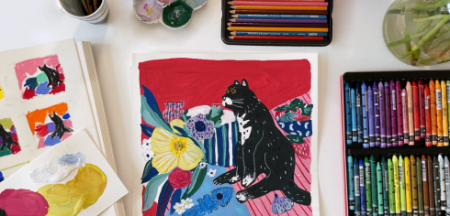
No Perspective Still-Lifes: Playing With Line, Color & Composition
Duration: 1h 43m | Video: .MP4, 1280x720, 30 fps | Audio: AAC, 48 kHz, 2ch | Size: 1.24 GB
Genre: eLearning | Language: English​

Do you want to create a graphic, bold and expressive still-life that feels dynamic and unique while developing your own illustration style?
In this class, I will show you some*techniques I have been using for over 10 years in my own career as an artist in order to train my eye, get inspired and get*my creative juices flowing. This is a mix media project, and that basically means use whatever you have at home.
I think a still life with no perspective is an unconventional project that can perfectly illustrate the idea that you really don't need to be an expert in order to create compelling, fun and personal art. All levels of expertise are welcome to join!
You'll learn how to
simplify and reinterpret objects with loose and confident lines,
apply simple compositional rules and use color as a narrative device in order to guide the viewer's eye through your painting,
And finally, how to add depth and personality to your illustration with texture and marks!
I will show you that you really do not need to rely on perspective or any known art rules in order to create interesting illustrations that feel like you.*This class is packed with hands-on exercises, tips, and tricks I wish someone had told me when I just started illustrating, and examples of great works of art for you to get inspired.
The main takeaway here is*that art is accessible to everyone; you just need to ignore perspective :p , approach the painting process with joy and the results will show!
Can't wait to see what you come up with!!!
Homepage
Screenshots


f9638930-e242-4896-a347-28ed378b2ea9.png

Personal & Professional Development: Creating Adaptive Planning Systems For Teams
Duration: 35m | Video: .MP4, 1280x720, 30 fps | Audio: AAC, 48 kHz, 2ch | Size: 330 MB
Genre: eLearning | Language: English​

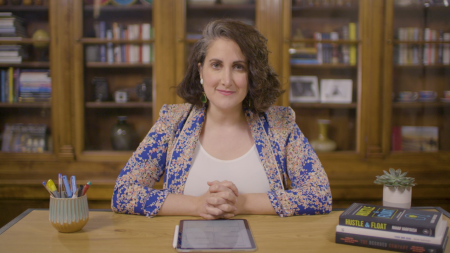
Create an adaptive planning system customized for your team with digital anthropologist and author Rahaf Harfoush!
There is no shortage of planning tools out there to help us better organize our time, but finding a system that sticks can be tough. This is because many tools encourage us to accommodate overly rigid systems despite our unique needs. Our days are different, our priorities are different, and our goals are different, so doesn't it make sense to build a system that reflects our uniqueness? Join Rahaf as she walks us through how to plan for and achieve our yearly, quarterly, monthly and weekly goals.
Together with Rahaf, you will:
Identify your planning baseline
Customize your planning system
Embrace your whole self
Align with your natural rhythms
Embrace constant change
Set end of year and quarterly goals
Plan your end of year goals on a monthly and weekly level
Whether you are in a leadership position on your team or just starting out, this class will equip you with the tools to tackle any task or goal you set your mind to.
_______
Rahaf's class is designed for students of all levels to participate and enjoy.
Homepage
Screenshots


44c4cc73-4ed4-4234-8970-fd9e92d107a7.png

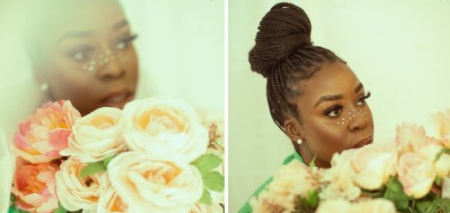
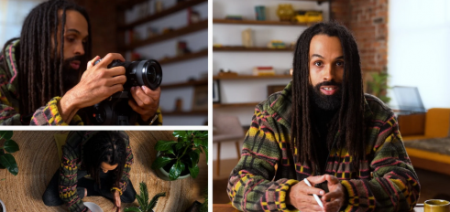
Photography as Healing: Creating Empowering Self-Portraits
Duration: 55m | Video: .MP4, 1280x720, 30 fps | Audio: AAC, 48 kHz, 2ch | Size: 629 MB
Genre: eLearning | Language: English​

As photographers, we often forget to capture ourselves. We spend so much time capturing our clients, our families, and our friends, but how often do we turn our cameras on ourselves? Self-portraiture is a powerful tool that will allow you to unlock a new level of vulnerability in your work and self development as well.
Within my 6 years of experience as a photographer, I have learned that incorporating emotion in your work can not only allow for you to create powerful art that can connect with your audience, but can also help with your healing journey as well. With my*portrait project, "Self Portrait Sunday" I felt I was finally giving myself the opportunity to be seen and for my story and journey to be documented. It has transformed the way that I look at myself and through this class, I will teach you the tips that helped me grow in this space.
In this class, I'll cover how*to go from being a technical photographer to becoming a visual storyteller and how vulnerability can be used as a tool to create powerful self-portraits.
You'll learn how to
Use vulnerability and emotion as a tool in your art
Source inspiration, prepare for, and shoot your own self-portrait
And of course, how to bring your images to life through editing in Adobe Lightroom & Photoshop
This class is perfect*for creatives that are looking for ways to present emotion and vulnerability in their work, and*anyone who wants to become a better*visual storyteller. All you need is a camera (yes, your phone will do!) and a little creativity and courage-see you in class!
Homepage
Screenshots


cd4997a5-7b95-4133-b70d-954ec7085fad.png

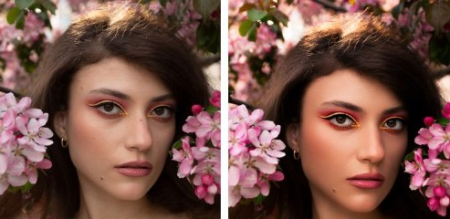
Portrait Retouching - Photoshop tutorial
Duration: 2h 2m | Video: .MP4, 1280x720, 30 fps | Audio: AAC, 48 kHz, 2ch | Size: 1.16 GB
Genre: eLearning | Language: English
High-End Skin Retouching
What you'll learn​

frequency separation
dodge and burn
camera raw filter
adjustments layers
colour grading
overall editing
lighting, how highlights and shadowds can change an image
Bonus
A Small Project for all of you.
Requirements
Photoshop CC
No photoshop experience needed.
Beginner
Intermediate
Description
You are in the right place. I am Anil Raj, Photographer and Photo Retoucher. I have been exploring photoshop for years to finally settle in the retouching area.
this is a 130+ minutes long video + voiceover in English course where I have explained everything in detail and trust me you'll learn about many new things here, I have provided all the shortcuts as a PDF and I have used completely easy techniques to make your workflow much faster and easier. you'll get a bonus file in the last which contains a complete in detail video on how to get much more contrast and sharp pictures.
In this course, You will get over 7 lessons and 2 hours of content. What's best - You will also get free premium portrait retouching actions. And of course, other resources which allow You to speed up Your workflow!
Don't worry if you are a beginner because we are going to cover the whole process from the very beginning till the final touch-ups. I will show You how to do raw processing using a camera raw. And also, if You are a little bit more advanced user, I believe You can find a lot of new information on processing and retouching Your Images and color grading techniques.
Here you'll be learning
1. Removing Blemishes
2. Frequency Separation
3. Dodge & Burn
4. Eye Retouching
5. Camera Raw Filter
6. Bonus
and you'll get free premium portrait retouching actions too.
I have also Added a Premium Portrait Retouching Actions which includes -
1. Frequency Separation
2. Dodge & Burn in a single layer
3. Dodge & Burn curves normal
4. Dodge & Burn one click
5. Eye Shade Enhancement
6. Eye Liner Enhancement
7. Rosy Lips
8. Smokey Lips
9. Rosy Cheek
10. Color Pop
11. to add Shine
12. Final step
and many more photoshop actions to make everything easier for you ( Worth 30$ ) but this is absolutely free of cost, waiting just for you.
Who is this course for?
Beginner Photographers
Intermediate Photographers
Pro Photographers
Photoshop enthusiast
Freelance Photographer
Freelance Photo editor
Photo Retoucher.
Retouch a photo of your choice!
I've added the same photo that I'll be working on into the project folder of this class. You can edit along with me or use a different photo.
You can also find some free RAW photo for practice below
signatureedits/free-raw-photos
As you complete the class project you'll go through
Removing blemishes from your photo
Retouching and smoothening skin using frequency separation
Dodge & Burn ( local and global ), Retouch Eyes
Edit in Camera Raw Filter with the settings of your choice.
Upload a before and after photo of your choice to the Project Gallery section of this class and I'd be happy to give you some feedback.
I can't wait to see what you come up with!
course image credit - Anna Matulis
Who this course is for
Beginner Photographer
Intermediate Photographer
Portrait Retoucher
Portrait Photographer
Homepage
Screenshots


e038b329-ade0-4fc9-87be-2c7436776cde.png

Powerful Social Media Marketing For Beginners
Last Update: 12/2020
Duration: 9h 48m | Video: .MP4, 1280x720 30 fps | Audio: AAC, 48 kHz, 2ch | Size: 4.41 GB
Genre: eLearning | Language: English​

Master the world of social media marketing, become a social media manager, grow your business, & become irreplaceable.
What you'll learn:
Understand your own purpose within your online career
Become a productivity and organisation master
Create stunning content for social media platforms
Understand use of social media for business
Create an extensive and customised social media strategy, specific to individual client needs
Requirements
Just a basic understanding of social media and a positive attitude!
Description
"Define success on your own terms, achieve it by your own rules, and build a life you're proud to live." - Anne Sweeney
With this in mind, I created this course to provide you with the tools and techniques you need to become an awesome social media manager, and help you design your own freedom lifestyle, whatever that may look like to you.
Whether you want to travel the world while working from your laptop like myself, or just want to work from home so you can spend more time with your loved ones - either way, you're in the right place.
What can you expect?
If you follow the steps I teach you and you keep a hard-working, positive attitude throughout the course - you will have the best chance at guaranteeing your own success.
I landed my very first client the day I set up my online profile and replaced my full-time income within 4 months of working online. And all of the content you will find here, is based on the exact tips and techniques I wish I knew about when I first began working online - combined with the latest knowledge of the rapid-moving social media world.
Why is this course special?
I know you probably already know how to post a status on Facebook, and how to like a comment on Instagram. so in the hopes of cutting all the fluff and filler out, I've only included the most in-depth tutorials, featuring skills that every business out there with an online presence desperately needs.
This course is designed in a way that provides you with an exact blueprint, or checklist, to follow when you finish.
By the end of the course you'll have the skills you need to get started in your career as a social media manager or grow your business online if you're a business owner looking to learn social media to improve your own presence.
Some course highlights
Finding your purpose - Narrow down your purpose, discover your "why" and find the care factor which will make you an irreplaceable asset to any business
Guarantee your success - Take charge of your own success and learn all the best tips on how to achieve it
Social media platforms - Get a behind-the-scenes look into Twitter, Facebook, Instagram, Pinterest, LinkedIn and YouTube
Content creation - Learn the techniques that have made me stand out from my competition by thinking outside of the box. Discover how to create graphics, gifs, and videos - all using free resources, no prior design skills necessary.
Creating a social media strategy - Learn the tricks I have used to land my dream clients from the very beginning. Tricks that you can copy and use in your own online work.
The only question that remains is - are you ready to invest in yourself and create the lifestyle you've always wanted?
I hope the answer is 'HECK YES' and I hope see you on the other side!
Who this course is for
Anyone who wants to learn a fun and creative way to work from their laptop
Anyone who wants to have the freedom to work as a social media manager
Anyone with an interest in expanding their knowledge of using social media for their own business
Anyone wanting to learn social media to enhance their existing skillset
Homepage
Screenshots


eb8fd9bb-35aa-41e1-acfc-734e90e12718.png

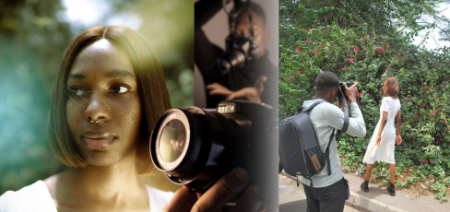
Professional Photography on a Budget: Stunning Photos with Minimal Equipment
Duration: 47m | Video: .MP4, 1280x720, 30 fps | Audio: AAC, 48 kHz, 2ch | Size: 697 MB
Genre: eLearning | Language: English​

Do you want to improve your current photography skills, but don't have fancy equipment? Would you like to learn how to shoot and edit professional quality photos that actually stand out on social media? No problem! This class is for you!
My name is Ebuka Mordi and I'm a fashion and portrait Photographer based in Nigeria.
Low budgets and limited equipment can deter photographers who wish to improve or attain a specific look in their photos. This workshop class will present you with practical solutions for the majority of these issues, as well as providing you with the confidence that is required in your chosen field of photography. When shooting, editing, and posting on social media, the skills learned in this class will come in very handy.
This class focuses on teaching students how to capture stunning images, and create masterpieces with minimum equipment.
And I'll also teach you how to develop as professionals in your fields. We will be covering photo manipulation, photo grading, color grading, composition techniques, photo editing and even how to market yourself on social media!
This class is appropriate for both beginning and experienced photographers using low-cost equipment.
By the end of this class you will know exactly how I was able to create these images.
Now if you're ready, Let's get started!
Homepage
Screenshots


4667342-e4e7.jpg

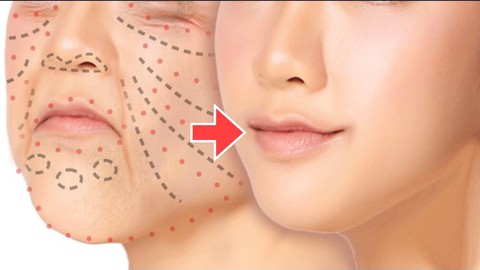
Regenerate your youth with Practical Facial Exercises
Published 05/2022
MP4 | Video: h264, 1280x720 | Audio: AAC, 44.1 KHz, 2 Ch
Genre: eLearning | Language: English + srt | Duration: 14 lectures (1h 28m) | Size: 1.9 GB


Learn once and for all to regenerate your youth without plastic!
What you'll learn
get younger skin
facial self care
skin rejuvenation
the to be more beautiful than ever!
Requirements
no equipment needed
younger skin without chemical
Description
What is this course about?
The course is an ancient method that brings many physical and mental benefits. Besides stress reduction, regular practice is also able to relieve anxiety and improve self-esteem. But it is not only the body and mind that benefit from this type of exercise. With the boom in skin care in recent years, facial yoga has gained prominence among practitioners of a personal care routine, thus leaving skin younger and more beautiful.
What will students learn?
The method includes a huge variety of exercises that target all skin types. This is because each facial region and each muscle needs a specific amount of repetition and activity.
With so many options in the repertoire of the routine, the facial muscles always respond positively to different stimuli.
But remember: consistency is more important than variations. So avoid overdoing the exercises on the internet, or you may cause negative effects.
Who is this course for?
With the movements taught by the technique, there is a greater stimulation of blood circulation in the region - allowing more oxygen and nutrients to reach the skin cells. The result is what everyone wants: skin with a more homogeneous, healthy, and shiny aspect, and with the aging signs softened.
And there is scientific proof: a study from Northwestern Feinberg University of Medicine in Chicago has shown that exercising the muscles of the face helps rejuvenate the complexion. This research was done on a group of women between 45 and 60 years old, who were left with skin up to three years younger by including facial yoga in their routine. Pure Beauty!
But it's also effective regardless of age or gender.
What are the benefits of facial yoga?
There are several positives to including this technique in your skin care routine. The one that draws the most attention is undoubtedly its rejuvenating power. In short, this technique works the 57 muscles of the face, helping to prevent wrinkles, expression marks, and flaccidity, in addition to giving a lift to the contour of the face, providing the much-dreamed-of natural lifting effect.
So, here are some of the main advantages of adopting this practice daily
Relaxation of the face: the stress of everyday life causes tension in the muscles of the face, resulting in the famous "tired face". Facial Yoga helps to relax all these muscles
Activates blood and lymphatic circulation: in this way, it brings nutrients to the skin, helps eliminate toxins from the body and drains possible excess fluids, and helps renew the cells.
Reduces dark circles under the eyes: by improving blood circulation, making the right movements in the area under the eyes, it is possible to minimize inflammation and dark circles under the eyes.
Combats the appearance of wrinkles: facial yoga movements help to stretch the skin and lengthen facial muscles, smoothing sagging and fighting the appearance of wrinkles.
It has a therapeutic effect: the techniques not only work the facial muscles, but also help the mind to relax, entering into a meditative-like state. Therefore, they promote a sense of well-being that goes beyond the massage itself.
Do I have to follow the course in the indicated order?
No, you can choose the themes of your preference and just watch the videos and do the practical activities for those themes only.
What do I need to start?
Just the willpower to get younger!
What if I don't like the course?
That probably won't happen. But if it does, you are covered by Udemy's 30-day money-back guarantee, so you can return the course quickly. No questions asked.
Is this course just about Facial Yoga?
No, more than that, the course and teaches Japanese beauty techniques.
Does the course expire?
No. Once you purchase the course, it is yours. You will also receive all future updates for free.
Who this course is for
for those who want to look younger regardless of age
for those who don't want to depend on genetics!
to learn facial self-care
Homepage


85c3c50f-6969-4298-af79-b0c82c6ea2b6.png

Speak Your Truth: Mindful Content Creation for YouTube
Duration: 46m | Video: .MP4, 1280x720, 30 fps | Audio: AAC, 48 kHz, 2ch | Size: 633 MB
Genre: eLearning | Language: English​

Tell your story and create content that elevates yourself and others.
Creating content for YouTube (or any platform, for that matter) doesn't have to be an ego-driven vanity project. With the right approach, content creation can be a journey of self discovery and an opportunity to impact people's lives. Hindz has built a highly engaged following of over 1 million people by producing authentic videos that reflect his true self and align with his core values.
In this class, Hindz will teach both the self-care and technical practices he uses to transform content creation into a personal development tool. Using real world examples, Hindz will guide you through a series of self-reflective exercises to help you overcome the challenges that are holding you back.
You will
Remove your blocks and stop procrastinating
Define your values so your content has focus
Build a production plan that works for you
Find your story and style so you feel like yourself
Grow an audience that appreciates the real you
Plus, you'll get the structure and guidance you need to "Just Start Creating" with the help of a 7-day challenge. Hindz will help you plan your first video and build a system so you can sustainably create content.
The greatest story is the one you live! Tap into your inner creator and start your mindful content creation journey with Hindz-no matter how much time, money, or equipment you do or don't have.
This class is for you whether you've never uploaded to YouTube or you've been at it a while but don't feel like your content resonates with you, your audience, or your spirit.All you need is the class workbook, a camera to film with, and a way to edit.
Homepage
Screenshots


28cdb87e-560f-4b04-abcc-5988dcfc5c77.png

The Ultimate Photo Manipulation Course
Duration: 2h 40m | Video: .MP4, 1280x720, 30 fps | Audio: AAC, 48 kHz, 2ch | Size: 1.61 MB
Genre: eLearning | Language: English​

Learn Essentials Of Photo Manipulation
A true photo manipulation tutorial should teach you how to create seamless digital projects, ready to be a part of any movie or a game or exhibited in a digital gallery.
Hence, it should take your Photoshop skills to the next level. However, not all tutorials are the same.
Some go too fast or don't explain well enough. Others go too slow and bore you halfway through.
Some tutorials include just chunks of information and let you figure out the rest by yourself.
You need a photo manipulation tutorial created by a professional with pedagogical skills, and a teacher who understands your struggle and knows how to make Photoshop work in your favor.
Moreover, you need the right information as editing in Photoshop is a vast topic.
Photo manipulation requires only a part of the program's functionalities.
You know very well there are a lot of them. So you don't want to waste time with the tools and shortcuts you'll never use.
Instead, the tutorial should extract what's valuable for a digital artist and place it in the context of photo manipulation.
You'll see soon enough that Photoshop skills usually aren't enough for a digital artist or illustrator.*That's because digital art also includes video and audio editing.
Therefore, you should look for a comprehensive tutorial that guides you all the way through and covers much more than image processing software.
But where can you find this photo manipulation tutorial that covers all important aspects of becoming an established digital artist? Well, we have the answer right here!
Here's A Sneak Peek Into This Course
Step 1: Adding a Background
Step 2: Adding Subjects
Step 3: Transforming Day To Night
Step 4: Applying the Light Effect
Step 5: Adjusting the Light
Final Composite Image
Create Amazing Photo Manipulations
Embark in a new adventure and take your first photo manipulation tutorial from a professional digital artist and illustrator with more than 9 years of experience.
He will teach you all the secrets that he has developed over time and shows you how to produce amazing digital art yourself. The best tips and tricks you can find!
The material covers the entire editing process from overlaying multiple images to fine-tuning your digital artworks.
Although much of it relates to Adobe Photoshop, the final touches will be made in Adobe Premiere.
As you know, it isn't enough to take parts of an image and place them in another image.
Photo manipulation means seamless editing, matching lighting, and smooth color grading.
No one should know what the image looked like before it was edited. Photo manipulation is all about mystery and fantasy.
Therefore, step by step, the videos will explain you how to merge images and create collages, do color and light corrections, explore color grading, and set up lighting.
After you master the basics of photo manipulation, you can export your work in a format of your choice.*The tutorial will teach you which are the most popular video formats and how to export your work.
Before sharing your digital art, a few fine-tune adjustments are required.*But those you'll be doing in Adobe Premiere as Photoshop doesn't know how to edit videos.
This is a complete tutorial you can use for any art project, including concept art for games and movies.*The only limit is your imagination. So start learning and bring your imagination to life.
Get this amazing photo manipulation tutorial for just $29 and learn how to transform your photographs into digital artworks from a professional.
Homepage
Screenshots


8bcae0f6-6328-4e58-b266-73f8df3409e4.png

Udemy - Working Capital Management
Instructors: Management Study Guide
1 section • 12 lectures • 58m total length
Video: MP4 1280x720 44 KHz | English + Sub
Updated 3/2022 | Size: 606 MB​

Working capital, a positive component of the balance sheet is considered as a store of value to repay the loans
What you'll learn
Concepts in Working Capital Management
Working capital ratios and other metrics
Cash management and fraud prevention
Short term financial institutions
<h
Requirements
No prior knowledge is required
Description
Working capital was not getting the due importance in the past by the companies. The companies were concerned in raising funds through equity and were focusing on choosing information and manufacturing technologies to operate their business and sold their products by developing domestic and global marketing strategies. These global factors have paved way for companies to improve profitability, to reduce costs and to make business efficient.
Working capital, a positive component of the balance sheet is considered as a store of value to repay the loans borrowed by the companies. While lending money, the bankers look for financial ratios and other numbers that surpass the preset standards. In the past, this demand was to enable the bank to force a company to borrow to put more cash on the balance sheet, thereby growing the bank's loan portfolio.
In modern times, working capital is considered as a hindrance on the financial performance. Current assets block the performance of a company as they do not contribute to Return on Equity. Current assets hide the obsolete inventory which cannot be sold and receivables that may not be collectible. The emphasis now is on reducing current asset accounts to the point that current liabilities can be funded from the ongoing operations of the business.
The essence of cost management is the efficient design of an entire business process, not a single step or action within that process. The basic methodology advocated is a multiphase approach:-
Develop a baseline for the all-in cost for the full timeline of an existing business process
Analyze and cost multiple alternate scenarios for handling that process
Specify non-quantifiable factors and select the most appropriate scenario
Funds which are in the process of collection or disbursement is called as a float. The company has to spend a lot to recollect the money which is delayed unnecessarily. Savings opportunities should be examined at every step of the cash-flow timeline. Processing expenses are similarly important, as each transaction along the timeline - whether performed internally or outsourced - has a cost that directly affects your profitability.
Who this course is for:StudentsEntrepreneursManagement StaffStore owners / RetailersCost AccountantsFinance department
Homepage
Screenshots


Zurück
Oben Unten