• Regeln für den Video-Bereich:

    In den Börsenbereich gehören nur Angebote die bereits den Allgemeinen Regeln entsprechen.

    Einteilung

    - Folgende Formate gehören in die angegeben Bereiche:
    - Filme: Encodierte Filme von BluRay, DVD, R5, TV, Screener sowie Telesyncs im Format DivX, XviD und x264.
    - DVD: Filme im Format DVD5, DVD9 und HD2DVD.
    - HD: Encodierte Filme mit der Auflösung 720p oder darüber von BluRay, DVD, R5, TV, Screener sowie Telesyncs im Format x264.
    - 3D: Encodierte Filme von BluRay, die in einem 3D Format vorliegen. Dies gilt auch für Dokus, Animation usw.
    - Serien: Cartoon/Zeichentrick, Anime, Tutorials, Dokumentationen, Konzerte/Musik, Sonstiges sind demnach in die entsprechenden Bereiche einzuordnen, auch wenn sie beispielsweise im High Definition-Format oder als DVD5/DVD9/HD2DVD vorliegen. Ausnahme 3D.
    - Bereich Englisch: Englische Releases gehören immer in diesen Bereich.
    - Bereich Talk: Der Bereich, in dem über die Releases diskutiert werden kann, darf, soll und erwünscht ist.


    Angebot/Beitrag erstellen

    - Ein Beitrag darf erst dann erstellt werden, wenn der Upload bei mindestens einem OCH komplett ist. Platzhalter sind untersagt.
    - Bei einem Scenerelease hat der Threadtitel ausschließlich aus dem originalen, unveränderten Releasenamen zu bestehen. Es dürfen keine Veränderungen wie z.B. Sterne, kleine Buchstaben o.ä. vorgenommen werden. Ausnahme Serienbörse:
    - Bei einem Sammelthread für eine Staffel entfällt aus dem Releasename natürlich der Name der Folge. Beispiel: Die Simpsons S21 German DVDRip XviD - ITG
    - Dementsprechend sind also u.a. verboten: Erweiterungen wie "Tipp", "empfehlenswert", "only", "reup", usw. / jegliche andere Zusatzinformation oder Ergänzung, welche nicht in obiger Beschreibung zu finden ist.

    Aufbau des Angebots und Threadtitel

    Der Titel nach folgendem Muster erstellt zu werden. <Name> [3D] [Staffel] [German] <Jahr> <Tonspur> [DL] [Auflösung] <Quelle> <Codec> - <Group>
    Beispiel: The Dark Knight German 2008 AC3 DVDRip XviD - iND
    Beispiel: The Dark Knight 2008 DTS DL BDRip x264 - iND
    Beispiel: The Dark Knight 2008 AC3 DL BDRip XviD - iND
    Beispiel: The Dark Knight German 2008 AC3 720p BluRay x264 iND
    Beispiel: The Dark Knight 2008 DTS DL 1080p BluRay x264 iND
    Beispiel: Die Simpsons S01 German AC3 DVDRip XviD iND
    Beispiel: Die Simpsons S20 German AC3 720p BluRay x264 iND
    Beispiel: Sword Art Online II Ger Sub 2014 AAC 1080p WEBRip x264 - peppermint
    Entsprechend sind also u.a. verboten: Sonderzeichen wie Klammern, Sterne, Ausrufezeichen, Unterstriche, Anführungszeichen / Erweiterungen wie "Tipp", "empfehlenswert", "only", "reup", usw. / jegliche andere Zusatzinformation oder Ergänzung, welche nicht in obiger Beschreibung zu finden ist
    Ausnahmen hiervon können in den Bereichen geregelt sein.

    Die Beiträge sollen wie folgt aufgebaut werden:
    Überschrift entspricht dem Threadtitel
    Cover
    kurze Inhaltsbeschreibung
    Format, Größe, Dauer sind gut lesbar für Downloader außerhalb des Spoilers zu vermerken
    Nfo sind immer Anzugeben und selbige immer im Spoiler in Textform.
    Sind keine Nfo vorhanden z.B. Eigenpublikationen, sind im Spoiler folgende Dateiinformationen zusätzlich anzugeben :
    Quelle
    Video (Auflösung und Bitrate)
    Ton (Sprache, Format und Bitrate der einzelnen Spuren)
    Untertitel (sofern vorhanden)
    Hosterangabe in Textform außerhalb eines Spoiler mit allen enthaltenen Hostern.
    Bei SD kann auf diese zusätzlichen Dateiinformationen verzichtet werden.

    Alle benötigten Passwörter sind, sofern vorhanden, in Textform im Angebot anzugeben.
    Spoiler im Spoiler mit Kommentaren :"Schon Bedankt?" sind unerwünscht.


    Releases

    - Sind Retail-Release verfügbar, sind alle anderen Variationen untersagt. Ausnahmen: Alle deutschen Retail-Release sind CUT, in diesem Fall sind dubbed UNCUT-Release zulässig.
    - Im Serien-Bereich gilt speziell: Wenn ein Retail vor Abschluss einer laufenden Staffel erscheint, darf diese Staffel noch zu Ende gebracht werden.62
    - Gleiche Releases sind unbedingt zusammenzufassen. Das bedeutet, es ist zwingend erforderlich, vor dem Erstellen eines Themas per Suchfunktion zu überprüfen, ob bereits ein Beitrag mit demselben Release besteht. Ist dies der Fall, ist der bereits vorhandene Beitrag zu verwenden.
    - P2P und Scene Releases dürfen nicht verändert oder gar unter einem iND Tag eingestellt werden.


    Support, Diskussionen und Suche

    - Supportanfragen sind entweder per PN oder im Bereich Talk zu stellen.
    - Diskussionen und Bewertungen sind im Talk Bereich zu führen. Fragen an die Uploader haben ausschließlich via PN zu erfolgen, und sind in den Angeboten untersagt.
    - Anfragen zu Upload-Wünschen sind nur im Bereich Suche Video erlaubt. Antworten dürfen nur auf Angebote von MyBoerse.bz verlinkt werden.


    Verbote

    - Untersagt sind mehrere Formate in einem einzigen Angebotsthread, wie beispielsweise das gleichzeitige Anbieten von DivX/XviD, 720p und 1080p in einem Thread. Pro Format, Release und Auflösung ist ein eigener Thread zu eröffnen.
    - Grundsätzlich ebenso verboten sind Dupes. Uploader haben sich an geeigneter Stelle darüber zu informieren, ob es sich bei einem Release um ein Dupe handelt.
    - Gefakte, nur teilweise lauffähige oder unvollständige Angebote sind untersagt. Dies gilt auch für eigene Publikationen, die augenscheinlich nicht selbst von z.B. einer DVD gerippt wurden. Laufende Serien, bei denen noch nicht alle Folgen verfügbar sind, dürfen erstellt und regelmäßig geupdatet werden.
    - Untersagt sind Angebote, welche nur und ausschließlich in einer anderen Sprache als deutsch oder englisch vorliegen. Ausnahmen sind VORHER mit den Moderatoren zu klären.


    Verstoß gegen die Regeln

    - Angebote oder Beiträge, die gegen die Forenregeln verstoßen, sind über den "Melden"-Button im Beitrag zu melden.
  • Bitte registriere dich zunächst um Beiträge zu verfassen und externe Links aufzurufen.

*** Bestes IPTV *** bester Preis *** gratis Test ***


Englische Tutorials

f3a78a3e-5fdd-48d9-9f5f-65f3a1fb6163.png

Fiverr Freelancing Beginner Course
Duration: 1h 52m | Video: .MP4, 1280x720, 30 fps | Audio: AAC, 48 kHz, 2ch | Size: 809 MB
Genre: eLearning | Language: English​

Hi,
Welcome To
Join Fiverr
Join Me On YouTube
Fiverr Freelancing Beginner Course
In This Course You Will Learn
Welcome to Fiverr Mastery Course 2022
How to Create A Account On Fiverr
How to Verify Your Fiverr Account
How to Complete Fiverr Public Profile
How to Write Best Fiverr Gig Title
How to Select Fiverr Gig Category
How to Add Metadata To Your Fiverr Gig
how to find and add tags for your Fiverr Gig - Add SEARCH TAGS in Fiverr Gig
How To Set Pricing On Fiverr - Fiverr Gig packages - Scope & Pricing
How To Add Extra Services In Your Gig On Fiverr
How to Add FAQ In Your Gig On Fierr - What is Fiverr Gig FAQ
How to Add Payment Method On Fiverr
How to Learn Online Courses On Fiverr
How to Use Fiverr Dashboard - Fiverr Dashboard Tutorial
Best Regards:
Muhammad Sufyan Ali
Homepage
Screenshots


e8d48d4d-9d29-40f2-821c-db5936e6649f.png

Fundamentals of Electric Vehicles by SkillShark EduTech
Last Updated 12/2021
MP4 | Video: h264, 1280x720 | Audio: AAC, 44.1 KHz, 2 Ch
Genre: eLearning | Language: English + srt | Duration: 36 lectures (8h 19m) | Size: 6.36 GB


(Value Added Course with Certification)
What you'll learn
Introduction to EV Ecosystem
Vehicle Powertrain Architecture
Motors
Controllers
Batteries
Charging Stations
The future of EV Industry
Requirements
Basic physics knowledge (class 12 and above)
Interest in automotive industry & electric vehicles
Description
India's automotive future looks electric. Concerted policy push and innovations from automotive manufacturers are fast making e-mobility viable. While we are heading towards E-Mobility Mission, we need to work on creating EV Ecosystem. Fostering Skills, Innovations, Employability, and Entrepreneurship will contribute a significant part to EV Ecosystem Development. In the coming time, there will be a huge demand for Skilled-Workforce in EV Industry. In accordance with that, the learning functionality of an EV is very essential for an engineering student irrespective of his or her stream. Skill Development for EV Industry should happen in both ways: Concept-Based Learning & Project Based Learning. Then only there will be a scope of Innovations & Research in the future of transportation systems
Skill Shark is one of its kind Ed-Tech start-up focusing on imparting 21st-century skills to youth. We aim to upskill the current workforce in Sustainable Technologies (Electric Vehicles, Renewable Energy & Mechatronics). The team at Skill Shark strives towards Electrifying the World by Upskilling. We have strategic MoUs with 30+ Universities/Institutions & EV Startups/Companies and associations with more than 250+ Institutions in India & Africa for creating Skilled Workforces through tailored courses, Events & Programs. We have our Center of Excellence in Hyderabad India & Bono Region, Africa for encouraging Electric Vehicle Learning & Development.
This course covers fundamental concepts related to electric vehicles including an overview of the automotive industry, different types of powertrain layouts, parts of an electric vehicle such as motors, controllers & batteries and an overview of charging station technology. By the end of this course, you will have a good beginners' level knowledge of the electric vehicle transition in the industry and will have a good idea of what specializations you would be interested in pursuing, in the field of electric vehicles.
Who this course is for
Students, Faculties, Innovators, Researchers, Professionals can join this course. This course covers fundamental concepts related to electric vehicles including an overview of the automotive industry, different types of powertrain layouts, parts of an electric vehicle such as motors, controllers & batteries and an overview of charging station technology. By the end of this course you will have a good beginners' level knowledge of the electric vehicle transition in the industry and will have a good idea of what specializations you would be interested in pursuing, in the field of electric vehicles.
Homepage


044da1a1-2abc-433f-a0b4-da21154367ff.png

GoPro for Beginners: Everything you Need to Know
Duration: 2h 29m | Video: .MP4, 1280x720, 30 fps | Audio: AAC, 48 kHz, 2ch | Size: 1.75 GB
Genre: eLearning | Language: English​

Hello everyone and welcome to this course! My name is Lambros and I am a fourth-year medical student and part-time filmmaker. During the past five years in the filmmaking field I have found myself shooting with Go Bros for as long as I can remember and taking them with me in every shooting that I have been to.
In my opinion the combination of their tiny footprint as well as the amazing image quality that they deliver makes those small cameras and essential for everyone that wants to capture moments of his life. So in this course we are going to dive into everything that a beginner is going to need in order to understand and mastered those cameras.
We're going to start by analizing the external features of Go pros, then we're gonna move into the software and different filming modes the those cameras are capable of shooting, after that I'm gonna share my personal experience in each one of those modes, and finally we're going to grab our gear charger cameras and go out to shoot a sequence.
Then we're going to import the footage into our computers and produce an edit. By the end of this lesson you will be confident with your go pros, and armed with knowledge to tackle any filming scenario from now on.
Homepage
Screenshots


c186ea9d-6c15-49ef-962f-f75a0e9f99fc.png

Gouache Masterclass: A Complete Guide to Everything About Gouache (Floral Special Edition)
Duration: 3h 21m | Video: .MP4, 1280x720, 30 fps | Audio: AAC, 48 kHz, 2ch | Size: 1.79 GB
Genre: eLearning | Language: English​

GOUACHE MASTERCLASS: FLORAL EDITION
Gouache is an extremely popular medium to work with and artists are welcoming this medium for all the valid reasons! Gouache has a creamy texture and it dries to be opaque and matte. It has beautiful color ranges from bright to neutral to pastel. Gouache florals are extremely popular at the moment and they look absolutely gorgeous with the matte look.
In this class we will be covering the following
1. Gouache Basics & characteristics
2. Gouache Blending Techniques & How to Use Gouache?
3. Gouache Painting Styles with examples of how to paint various florals
Basic Layering Method
Layering + Brush Strokes
Advanced Brush strokes
Patchwork
This class is a complete guide to everything you need to know about Gouache - the how's and what's of it. This masterclass will equip you with all the tips and tricks to make art that is vibrant, sophisticated and artistic.
It is suitable for artists at all different levels. I urge you take this class to watch my painting styles and try it out yourself to find that sweet spot that works for you, which then becomes your own signature style!
Music:*

Homepage
Screenshots


d9da244e-ce0e-407c-8562-9313915cf1eb.png

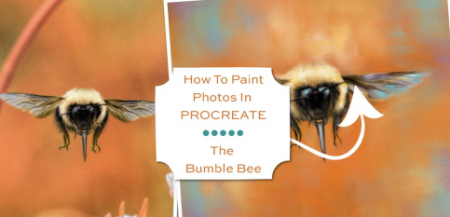
How To Paint Photos In Procreate: The Bumble Bee
Duration: 2h 8m | Video: .MP4, 1280x720, 30 fps | Audio: AAC, 48 kHz, 2ch | Size: 1.16 GB
Genre: eLearning | Language: English​

Hello, and welcome to my class! If you love to take photos and have been searching for ways to*transform your photos into works of fine art, you're in the right place!
In this class we will be taking a snapshot of a*flying bumble bee, and*we will paint the photo into*a*fun, colorful and charming work of*art using Procreate on the iPad. We will do it all using my*Paint and Blend Brush Set, which I have provided to you in the class resources.*You can choose to paint my*bee photo I've provided you with, or you can choose to paint one of your own*insect photos if you desire.
In the class, I show you
How to set up your canvas
How to do a brush test to learn the characteristics of the brushes
How to select accent colors for adding more vibrancy to your painting
How to*loosely paint the background
How to paint the bee
How to paint*in details and add more color
How to*paint*and enhance the background, tying the subject and background together
How to add*final touches, including your own signature
To participate in this class, you'll need
An iPad
An Apple Pencil
Procreate 5 installed on your iPad
A basic understanding of how to use the features of Procreate, including installing brushes
The brush set I have provided you with
An understanding of how to transfer the photo you wish to paint onto your iPad, whether that be the photo I've provided you with or one of your own
When you're finished with this class, you will have a painting similar to mine, but with your own special touches and unique style. And remember, the techniques you will learn in this class can be applied to painting any photo you wish to paint in Procreate on your iPad!
Homepage
Screenshots


5c0efe17-b766-401b-9412-6183bc58c465.png

How to Draw Landscapes in Procreate: Utilizing Layers in your Process
Duration: 42m | Video: .MP4, 1280x720, 30 fps | Audio: AAC, 48 kHz, 2ch | Size: 342 MB
Genre: eLearning | Language: English​

If you're new to Procreate or digital art and want to learn how to paint landscapes, while using layers to your advantage, this class is for you!
In this class you will learn
- Basic use of layers such as alpha lock and clipping masks
- Simple ways to blend through an exercise
- How to break up a landscape into smaller digestible bits
- How add texture with basic Procreate brushes
- How keeping separate layers adds room for editing
In this class we'll be going over the entire process of painting a landscape in Procreate, seeing how the different parts can come together, while working in different layers for each. We will use Procreate's own texture brushes to bring life and interest to our drawing, while going over tips for using layers to their fullest.
You'll be completing a blending exercise and hear the basics of layers to help prepare your to give an entire landscape a try. From sketching to adding the final details, it's all demonstrated for you to follow along with. The exercise template, reference, and my favorite blending brush is available under resources.
Even if you are using a different drawing software or devise, you can learn from these exercises and methods, as they translate well to e.g. Photoshop and pc.
Although starting my digital art journey in Photoshop, once I got my first taste of Procreate I've never looked back. I use layers all the time in my work, as I create fantasy portraits and magical settings.
Music from

Homepage
Screenshots


ab227ede-3385-4d7e-94a0-e7112dc3caba.png

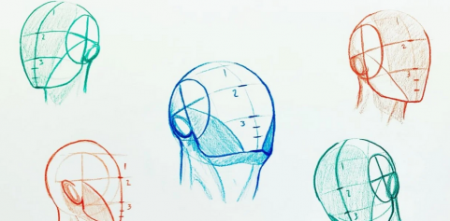
How to Easily Draw Heads | Understanding the Loomis Method
Duration: 28m | Video: .MP4, 1280x720, 30 fps | Audio: AAC, 48 kHz, 2ch | Size: 372 MB
Genre: eLearning | Language: English​

In this class, we will be going through the initial steps and drawing out (7) different Loomis heads based on reference. I will be taking you through each step in real-time so that you thoroughly understand what the entire process looks like. You won't need much to draw along with me and ALL of the tools are listed down below under Amazon Affiliate links.
Happy drawing my fellow artist :) Here are ALL the TOOLS you will NEED to draw along with me!
Mix media paper -


f95fce65-912f-4d87-ae43-8800ecbe6ac0.png

How to draw Heads | Figure Drawing Essentials | REALISTIC DRAWING
Duration: 1h 33m | Video: .MP4, 1280x720, 30 fps | Audio: AAC, 48 kHz, 2ch | Size: 646 MB
Genre: eLearning | Language: English​

In this*this class, I'm going to show you my favorite tips and techniques for drawing the head.
We're going to cover things like proportions, the structure*of the head, and lots of cool tips on these specific details like eyes, noses and ears.
Then we're going to finish it by doing a completed head drawing together.
With the techniques you're going to gain a lot of confidence in your drawings when you're working with the head, from real life or from photos.
Homepage
Screenshots


3981976e-0800-4027-bbe1-547ebd6ae2b9.png

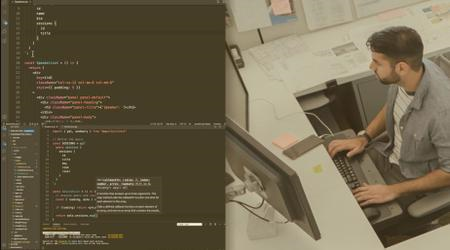
Learn CSS for Modern Responsive Web Design create websites from scratch HTML5 CSS3
Duration: 1h 36m | Video: .MP4, 1280x720, 30 fps | Audio: AAC, 48 kHz, 2ch | Size: 462 MB
Genre: eLearning | Language: English​

CSS is a crucial part of the web development process Learn how to bring your HTML to life applying CSS to your web code
Quick Start Guide to CSS styling web pages for beginners
Includes 35+ page PDF downloadable Guide
Explore and learn how to design web pages with CSS styling.*Apply CSS to bring your web pages to life. Modern CSS syntax and coding to create websites quickly and easily. Source code included so that you can try the code as you go through the lessons of the course.
Adding CSS to your HTML page from CSS file
How to select page elements CSS HTML Page Element Selection
Setting Colors for Text and Backgrounds with CSS adding Images to elements Color Value Units
What is the CSS Box Model and How to set Border Margin Padding for elements
How to apply CSS to text setting font styling,text decoration and transformations.
How to set the element display values and what display none does vs visibility property
CSS position method for HTML page Element Absolute Relative Fixed Static
How to use float to set images in line with text and position elements with CSS Element Float
CSS Pseudo-classes for hover effects and more create interactive content CSS
Pseudo-elements CSS adding content to page elements with CSS
How to create a simple template using CSS Float Layout with CSS
Create a 3 column Website layout with CSS flexbox Simple Layout Design
Modern Responsive 3 column website template with CSS Grid Quick Layout design
Adding CSS to your HTML page from CSS file
How to add CSS to your web pages. Create a separate CSS file and link it to your HTML page. Select page elements apply styling values to the style properties. Inline line style attribute, style tag and style CSS file.
How to select page elements CSS HTML Page Element Selection
Page element selection can be done by selecting elements by tag, by class name, or by the element id attribute. All elements can be selected using a wildcard. Element selection can also be grouped by comma separation of the selectors. When planning and designing your HTML webpage elements, ensure to plan for element selection with CSS. Create elements that if needing a specific style applied, should be easy to select and unique enough that other elements won't match the selection.
Setting Colors and Backgrounds with CSS
Colors of text and background colors can easily be applied. Different color values can be used, such as the HEX value of the color, the RGB color value, or the named color value. Background images can also be set to any page element. Using a background image, there are properties that can be set to apply images with more specific details. HEX values are in three parts, just like the RGB color values. HEX value for 0 is 00, and the highest value of 255 is FF. Using the hex value you can apply colors to the value. RGB is Red Green Blue colors, with a minimum value of 0 and a max value of 255. The highest value just like for the HEX values will apply the most of that particular color value.
What is the CSS Box Model and How to set Border Margin Padding for elements
HTML elements are in a rectangular shape, each can be thought of as a box. With the outer property of a margin, and inner with padding and content. The divider line is the border which can be set on any element. The box model wraps around the HTML element consisting of the margin, borders, padding, and content. Content dimensions of height and width can also set for the content to be contained within.
How to apply CSS to text setting font styling, text decoration and transformations.
Use CSS to update how the text looks and feels from your website. Set the text alignment within the parent element, with left right and center. How to transform text within an element to uppercase, lowercase and how to capitalize text with CSS. Font styling with italic and bold. How to add a new font family and set text font styling with CSS. Use of Google Fonts selecting a font to use from Google's web fonts.
How to set the element display values and what display none does vs visibility property
CSS element Display of block and inline and how they differ. How to use inline-block display value. What the difference is between display none and visibility hidden for HTML page elements when the CSS properties are applied.
CSS position method for HTML page Element
Setting a value for the position of a page element can be done with 5 different position values. Elements can be set in position once the property is added, setting where the element will be displayed from the bottom, top, right and left properties values. Not all the position values will work with all the properties for the positions.
How to use float to set images in line with text and position elements with CSS Element Float
Float property can be used to position elements within the container. Floating is commonly done with images so that they have the surrounding text to wrap around the image. Floats can also be used for layouts, to create columns with elements. Floats are useful properties for positioning elements within a parent element container.
CSS Pseudo-classes for hover effects and more create interactive content CSS
Pseudo classes used to define the state of an element. By default on anchor tags, these properties can set the look and feel on the various states. Pseudo classes can be applied to any element, making the element styling update on change of state.
Pseudo-elements CSS adding content to page elements with CSS
Pseudo elements can select part of an element and apply styling. They can also be used to add content before and after the content within the element selection.
How to create a simple template using CSS Float Layout with CSS
Create a simple layout that can be used as a starting template. Three column website created quickly and easily with CSS float. Explore how you can create a CSS template for your website using CSS float.
Create a 3 column Website layout with CSS flexbox Simple Layout Design
Explore how to create a 3 column website that is fully responsive and mobile ready. Create columns within the main content section, and set up the navigation bar that is responsive with CSS Flexbox. Modern web design and template with CSS Flexbox.
Modern Responsive 3 column website template with CSS Grid Quick Layout design
Use CSS grid for a modern fully responsive website that can be used as a template for more complex web design. Apply CSS Grid properties and values to create a 3 column website from scratch. Create a fully responsive navigation bar using CSS grid.
This is the ultimate course to learn about CSS. Cascading Style Sheets are one of the main building blocks of web content, used everywhere to add styling to plain HTML.*Its easy to use and apply to any HTML code.
Learn to create CSS templates - which can be the base for infinite number of new web pages. Bring your web content to life with CSS
We walk you through all the syntax used within CSS and help you understand where to apply the properties and values. Whether you are a beginner or want to update your skills, this course is for YOU!
Homepage
Screenshots




 
0a8766c6-75f6-4c90-af44-1e3ce1968731.png

Learn Japanese from ZERO. (Romanized version)
Published 05/2022
MP4 | Video: h264, 1280x720 | Audio: AAC, 44.1 KHz, 2 Ch
Genre: eLearning | Language: English | Duration: 60 lectures (2h 49m) | Size: 683.3 MB


Entry level-Level 0 to 0.5 (Before kana - Romanized version)
What you'll learn
You will learn the basic sound system and high/low pitches to pronounce Japanese.
You will learn how to say - basic greetings, self-introduction, asking questions, and making requests, like/dislike.
You will learn basic grammar - particles, pronouns (demonstrative and personal), there is/are, i-adjectives/na-adjectives, and verb conjugation (present tense)
You will learn how to count the numbers and say the time.
You will learn the basic 107 useful phrases in polite form of Japanese.
Requirements
No Japanese experience required! You do not need to know Hiragana/Katakana as this course is taught in Romaji (alphabets).
Your passion
Description
Perfect for absolute beginners with passion to learn Japanese, or those who learned Japanese a long time ago and forgot everything but want to start again to remember what it was like.
If you have never learned Japanese but you are interested in learning it for some reason and want to see how it is like, this is the perfect course for you!
This course focuses on speaking and listening, not reading and writing.
You will learn natural and authentic Japanese from a native speaker of Japanese.
All the explanations are made in English - not only about the language but also the differences from English.
This course is taught by romaji (alphabets).
However, there is a kana script along with romaji (alphabets) in most of the videos, so you can learn Japanese kana naturally. A sheet of kana is also available in resources.
You will learn basic sounds, greetings, self-introduction, asking questions, requesting something, counting numbers, saying time, and basic grammar such as pronouns, na-adjectives, i-adjectives, there is/are, like/dislike, and basic verb conjugation.
You will learn 107 useful phrases by the end of the course.
There is a practice session (speaking and sometimes listening) at the end of each learning section to enhance your learning.
18 resources are available for your note and self-study.
If you are more than a beginner level and you are already familiar with Hiragana, Katakana and Kanji and want to develop your skills more, I am so proud of you but this is not the right course for you. You will find it too easy.
Who this course is for
For beginners with zero experience in Japanese.
For beginners who want to learn Japanese from a Japanese native speaker (me!) but want a teacher to explain in English.
For beginners who want to see how Japanese is like before they learn Japanese characters.
If you want to learn the Japanese writing system, this is not the right course for you, but I appreciate your interests.
Homepage


045dfb38-24dd-4ed4-ad5c-201c45c605c6.png

Learning Olympiad Algebra
Published 05/2022
MP4 | Video: h264, 1280x720 | Audio: AAC, 44.1 KHz, 2 Ch
Genre: eLearning | Language: English + srt | Duration:20 lectures (9h 10m) | Size: 2.44 GB


Prepare for the AMC/AIME/Math Olympiads
What you'll learn
Prepare for AMC-8, AMC-10 and AMC-12
Learn Algebra for higher level Olympiads
Learn problem-solving skills that will help you with non-routine Maths
Cover the complete theory for equations, polynomials, inequalities and functional equations
Requirements
Very little background knowledge is necessary. The lectures start from basics and ramp up to the Olympiad levels.
Description
You either love Algebra or you are scared of it (or hate it)! This course is for both of these types of students. We start by learning how algebra can be used in real life, how we use it to solve equations and then build more concepts. This course teaches you the techniques you missed out in school.
In this course, we learn about Algebra from a Olympiad Math perspective. The course involves theory discussions and problem-solving sessions to help you master the Algebra section for the AMCs, AIME, or any other national level Maths Olympiad.
The course starts off with a deep dive into the theory of Polynomials and equations. We look at different ways of solving equations, non-trivial problems from contests. Then we move on to the beautiful theory of inequalities which is also a very important section for the Olympiads. We look at all standard inequalities that are frequently used in contest problems and learn how to apply them in a variety of situations.
Each lecture has theory discussion and a lot of problems that are fully solved. This course can be used as a supplementary problem course for your regular Algebra classes in school. The course is suitable for beginners and starts from basics. However the course deals with some challenging topics in later lectures and will definitely interest advanced students as well.
Who this course is for
Students who are preparing for Maths Olympiads (AMCs, AIME, national level Olympiads) will benefit from the course.
Homepage


cdd94344-1cc2-4589-ae8e-580e1c1f6182.png

Mathematical Finance with Python : Theory and Practice
Published 05/2022
MP4 | Video: h264, 1280x720 | Audio: AAC, 44.1 KHz, 2 Ch
Genre: eLearning | Language: English + srt | Duration: 84 lectures (12h 34m) | Size: 4 GB


A Holistic Course to Learn Financial Modelling , Mathematics for Finance and Machine Learning
What you'll learn
Essentials of Python Programming : Printing, Data Types, Branching, Loops, Advanced Data Structures, Functions, Recursion, Classes & Object oriented programming
Python for Finance : Statistics, Detailed modelling of Options using the Black-Scholes Model, Bond Valuation, Mathematical functions for finance(exp,log-normal)
Stochastic Finance : Random Walk Modelling, Monte-Carlo simulation for finance (Estimation of stock and options price), Brownian process , Histogram generation.
Machine Learning for Finance : Technical Analysis with Candlestick OHLC and other charts, Prediction of stock prices using advanced machine learning algorithms.
Detailed Mathematical Modelling of Black-Scholes Equation with Python. Comparison techniques for different BS Options pricing models with respect to impact
Special techniques for testing and debugging codes. Conceptual understanding of testing and debugging coupled with live debugging sessions in the virtual lab
Building mathematical models for financial instruments using custom functions & classes. Converting mathematical expressions into concise pieces of python code
Clear understanding of essential mathematical concepts required for financial modelling ( writing a mathematical expression in python language using functions)
Theoretical understanding of programming concepts and Hands-on python lab for each concept to apply the theoretical learning immediately in coding environment
Key model building techniques for Finance like Black-Scholes Options Pricing, Monte Carlo Simulation for Finance, Stock prediction using Machine Learning etc.,
Requirements
No programming experience needed.
No prior knowledge on mathematics / statistics needed.
All you need is a computer with internet connection and loads of enthusiasm to learn.
Description
This course combines the right mix of programming concepts with Python, Mathematical Modelling, Quantitative Finance and Machine Learning. This course is divided into four parts.
Part one covers the essentials of python programming. This includes basic printing, data types, branching and iteration. This part also covers key topics like tuples, mutability, functions, recursion, classes and concepts of object oriented programming. This part culminates with a capstone project, wherein we would build a financial model to calculate mortgage payments.
Part two covers python and mathematics for finance. This part entails two capstone projects which would cover detailed modelling of options using the Black-Scholes Model and detailed modelling of valuation of bond instruments. This part clearly explain all the basic math concepts required for finance in a theoretical (white board fashion) and each concept session is followed by a hands-on lab session in python. The topics covered are exponential functions, logarithmic functions, Log-normal functions. There is also a special bonus session on modelling of options Greeks
Part three covers stochastic modelling for finance. This part is key for quantitative finance and we give a solid foundational understanding of the key concepts of stochastic finance. There is an exclusive and exhaustive coverage of Monte Carlo simulation techniques for Finance and its application by means of estimation of stock price and options price. Other topics covered are Random Walk Modelling, Geometric Brownian process simulation, Calculation of Pi using Monte Carlo Simulation.
Part four covers machine learning for finance . In this part , students would learn technical analysis of stocks with candlestick and OHLC charts, prediction of stock prices using advanced machine learning algorithms and real time market research.
This course covers mathematics of finance in detail. The USP of the course is that each concept is explained in a theoretical fashion (using a digital white board) and is immediately followed by a hands-on lab session. This powerful combination would ensure that the students learn the concepts very well.
Important concepts of python programming , mathematics and finance are explained in a way with which the student would have absolute clarity. Hard core coding in Python is involved, wherein the mathematical models are designed using user defined custom functions and not consumed from standard libraries. The student gets to learn the nuts and bolts of model creation in python.
Who this course is for
Working Professionals who would want to upskill themselves, in order to meet the demands of the changing business landscape.
University students from any background, who would want to strengthen their profile with job ready skills
Academic professionals and Research scholars, who would want to add a new set of skills in their arsenal.
Homepage


Zurück
Oben Unten