• Regeln für den Video-Bereich:

    In den Börsenbereich gehören nur Angebote die bereits den Allgemeinen Regeln entsprechen.

    Einteilung

    - Folgende Formate gehören in die angegeben Bereiche:
    - Filme: Encodierte Filme von BluRay, DVD, R5, TV, Screener sowie Telesyncs im Format DivX, XviD und x264.
    - DVD: Filme im Format DVD5, DVD9 und HD2DVD.
    - HD: Encodierte Filme mit der Auflösung 720p oder darüber von BluRay, DVD, R5, TV, Screener sowie Telesyncs im Format x264.
    - 3D: Encodierte Filme von BluRay, die in einem 3D Format vorliegen. Dies gilt auch für Dokus, Animation usw.
    - Serien: Cartoon/Zeichentrick, Anime, Tutorials, Dokumentationen, Konzerte/Musik, Sonstiges sind demnach in die entsprechenden Bereiche einzuordnen, auch wenn sie beispielsweise im High Definition-Format oder als DVD5/DVD9/HD2DVD vorliegen. Ausnahme 3D.
    - Bereich Englisch: Englische Releases gehören immer in diesen Bereich.
    - Bereich Talk: Der Bereich, in dem über die Releases diskutiert werden kann, darf, soll und erwünscht ist.


    Angebot/Beitrag erstellen

    - Ein Beitrag darf erst dann erstellt werden, wenn der Upload bei mindestens einem OCH komplett ist. Platzhalter sind untersagt.
    - Bei einem Scenerelease hat der Threadtitel ausschließlich aus dem originalen, unveränderten Releasenamen zu bestehen. Es dürfen keine Veränderungen wie z.B. Sterne, kleine Buchstaben o.ä. vorgenommen werden. Ausnahme Serienbörse:
    - Bei einem Sammelthread für eine Staffel entfällt aus dem Releasename natürlich der Name der Folge. Beispiel: Die Simpsons S21 German DVDRip XviD - ITG
    - Dementsprechend sind also u.a. verboten: Erweiterungen wie "Tipp", "empfehlenswert", "only", "reup", usw. / jegliche andere Zusatzinformation oder Ergänzung, welche nicht in obiger Beschreibung zu finden ist.

    Aufbau des Angebots und Threadtitel

    Der Titel nach folgendem Muster erstellt zu werden. <Name> [3D] [Staffel] [German] <Jahr> <Tonspur> [DL] [Auflösung] <Quelle> <Codec> - <Group>
    Beispiel: The Dark Knight German 2008 AC3 DVDRip XviD - iND
    Beispiel: The Dark Knight 2008 DTS DL BDRip x264 - iND
    Beispiel: The Dark Knight 2008 AC3 DL BDRip XviD - iND
    Beispiel: The Dark Knight German 2008 AC3 720p BluRay x264 iND
    Beispiel: The Dark Knight 2008 DTS DL 1080p BluRay x264 iND
    Beispiel: Die Simpsons S01 German AC3 DVDRip XviD iND
    Beispiel: Die Simpsons S20 German AC3 720p BluRay x264 iND
    Beispiel: Sword Art Online II Ger Sub 2014 AAC 1080p WEBRip x264 - peppermint
    Entsprechend sind also u.a. verboten: Sonderzeichen wie Klammern, Sterne, Ausrufezeichen, Unterstriche, Anführungszeichen / Erweiterungen wie "Tipp", "empfehlenswert", "only", "reup", usw. / jegliche andere Zusatzinformation oder Ergänzung, welche nicht in obiger Beschreibung zu finden ist
    Ausnahmen hiervon können in den Bereichen geregelt sein.

    Die Beiträge sollen wie folgt aufgebaut werden:
    Überschrift entspricht dem Threadtitel
    Cover
    kurze Inhaltsbeschreibung
    Format, Größe, Dauer sind gut lesbar für Downloader außerhalb des Spoilers zu vermerken
    Nfo sind immer Anzugeben und selbige immer im Spoiler in Textform.
    Sind keine Nfo vorhanden z.B. Eigenpublikationen, sind im Spoiler folgende Dateiinformationen zusätzlich anzugeben :
    Quelle
    Video (Auflösung und Bitrate)
    Ton (Sprache, Format und Bitrate der einzelnen Spuren)
    Untertitel (sofern vorhanden)
    Hosterangabe in Textform außerhalb eines Spoiler mit allen enthaltenen Hostern.
    Bei SD kann auf diese zusätzlichen Dateiinformationen verzichtet werden.

    Alle benötigten Passwörter sind, sofern vorhanden, in Textform im Angebot anzugeben.
    Spoiler im Spoiler mit Kommentaren :"Schon Bedankt?" sind unerwünscht.


    Releases

    - Sind Retail-Release verfügbar, sind alle anderen Variationen untersagt. Ausnahmen: Alle deutschen Retail-Release sind CUT, in diesem Fall sind dubbed UNCUT-Release zulässig.
    - Im Serien-Bereich gilt speziell: Wenn ein Retail vor Abschluss einer laufenden Staffel erscheint, darf diese Staffel noch zu Ende gebracht werden.62
    - Gleiche Releases sind unbedingt zusammenzufassen. Das bedeutet, es ist zwingend erforderlich, vor dem Erstellen eines Themas per Suchfunktion zu überprüfen, ob bereits ein Beitrag mit demselben Release besteht. Ist dies der Fall, ist der bereits vorhandene Beitrag zu verwenden.
    - P2P und Scene Releases dürfen nicht verändert oder gar unter einem iND Tag eingestellt werden.


    Support, Diskussionen und Suche

    - Supportanfragen sind entweder per PN oder im Bereich Talk zu stellen.
    - Diskussionen und Bewertungen sind im Talk Bereich zu führen. Fragen an die Uploader haben ausschließlich via PN zu erfolgen, und sind in den Angeboten untersagt.
    - Anfragen zu Upload-Wünschen sind nur im Bereich Suche Video erlaubt. Antworten dürfen nur auf Angebote von MyBoerse.bz verlinkt werden.


    Verbote

    - Untersagt sind mehrere Formate in einem einzigen Angebotsthread, wie beispielsweise das gleichzeitige Anbieten von DivX/XviD, 720p und 1080p in einem Thread. Pro Format, Release und Auflösung ist ein eigener Thread zu eröffnen.
    - Grundsätzlich ebenso verboten sind Dupes. Uploader haben sich an geeigneter Stelle darüber zu informieren, ob es sich bei einem Release um ein Dupe handelt.
    - Gefakte, nur teilweise lauffähige oder unvollständige Angebote sind untersagt. Dies gilt auch für eigene Publikationen, die augenscheinlich nicht selbst von z.B. einer DVD gerippt wurden. Laufende Serien, bei denen noch nicht alle Folgen verfügbar sind, dürfen erstellt und regelmäßig geupdatet werden.
    - Untersagt sind Angebote, welche nur und ausschließlich in einer anderen Sprache als deutsch oder englisch vorliegen. Ausnahmen sind VORHER mit den Moderatoren zu klären.


    Verstoß gegen die Regeln

    - Angebote oder Beiträge, die gegen die Forenregeln verstoßen, sind über den "Melden"-Button im Beitrag zu melden.
  • Bitte registriere dich zunächst um Beiträge zu verfassen und externe Links aufzurufen.

*** Bestes IPTV *** bester Preis *** gratis Test ***


Englische Tutorials

8ce1f50e-1962-45c4-b9da-6c7c8475eb84.png

Craftsy - Advanced Cake Topper
Published 02/2022
MP4 | Video: h264, 1280x720 | Audio: AAC, 44.1 KHz, 2 Ch
Genre: eLearning | Language: English | Duration: 6 Lessons (2h 26m) | Size: 2.72 GB

Interested in challenging your cake topping skills? Let Joly Diaz guide you through this advanced class where you will learn how to create personalized characters to decorate your cakes. Discover new techniques and learn to perfect the ones you already know to form a charming cake topper for your next confectionery creation!
Homepage


9918751e-5f94-43db-940b-0cd171f2ceee.png

Django | Build People Management System
Published 04/2022
MP4 | Video: h264, 1280x720 | Audio: AAC, 44.1 KHz, 2 Ch
Genre: eLearning | Language: English + srt | Duration: 35 lectures (1h 57m) | Size: 945.1 MB


Build People Management System From Scratch Using Django
What you'll learn
How to install Python
Create Python files
Run Python files
Run Django app
Use HTML & CSS in Django
How to work on the UI.
How to create models
How to insert employee info
How to update employees info
How to get and display employees info
How to delete employees info
How to create forms
How to submit forms
Create Django paths/url
And much more...
Requirements
PC with Windows or Mac
Internet connection
Basic knowledge in Python (How to create simple python scripts)
Description
This courses will teach you How to Build a Complete People Management Web App Using Django Framework. You will learn a lot in thus course. You will learn how to build a brilliant employees management system, how to get employees info, how to insert a new employee in the system, how to update employees info and how to delete employees from the system. Python was described as the language that is capable of doing anything and everything. And web apps are no exception. The good news about this course is that you do not need advanced knowledge in Python, all you need is just simple knowledge of how to create simple Python functions/scripts.
Being able to create Python web applications on your own is so important if you want to take your Python skills to the next level and specialize in web app development. Moreover, this course gives you the opportunity to accomplish that by honing in on a Pythons Django Framework. It is a super powerful yet simple framework that is capable of creating awesome web apps quickly.
By the end of this course you will have built a website using Python programming language specifically using Django.
Why should you take this course?
There are many reasons why this course is extremely important.
First and most prominently is that you will learn one of the most amazing Python capabilities.
Secondly you will improve your python skills by creating a complete project.
Third you can highlight this particular skill in your CV which would potentially make you stand out from the crowd.
What you will learn in this course?
1. How to install Python.
2. How to get started with Django Framework.
3. How to create urls.
4. How to return data to users.
5. How use HTML and CSS in Django.
6. How to work on the UI.
7. How to create models.
8. How to insert a new employee in the system.
9. How to make the website responsive.
10. How to update employees info.
11. How to get and display employees info.
12. How to delete employees info.
13. How to create forms.
14. How to submit forms.
15. Create Django paths/url
16. And much more...
Who this course is for
Web developers
Python developers
Homepage


ffe83c10-a03e-4439-94b6-f9ac425b3453.png

Egghead - Create a GraphQL Powered Vue 3 Application
MP4 | Video: h264, 1280x720 | Audio: AAC, 44.1 KHz, 2 Ch
Genre: eLearning | Language: English | Duration: 21 Lessons (52m) | Size: 266.2 MB

Get started building dynamic apps with GraphQL and Vue3.
As your app scales, so does the complexity of managing your routes and API endpoints.
It gets tiresome.
But this aspect of web development can be streamlined considerably!
GraphQL is a powerful tool for querying and mutating your data. In this course, we are going to create a Vue3 app that leverages GraphQL to create a dynamic front end.
But what does GraphQL do?
Its power comes from giving you a single endpoint that you make all your queries to. Instead of making a request to a specific endpoint and getting a fixed response, you can write flexible queries to a single endpoint.
Vue3 has some great new features that we will be exploring, such as the setup script syntax. But you won't just be exploring Vue3's new features, we will be building a dynamic front end with an index, view pages generated from data, and forms.
To make our frontend dynamic, we will be powering it with GraphQL. We start with the basics by creating queries but we move on to more advanced topics such as query params, mutations, and pagination.
To actually use GraphQL in our Vue app we will be using the Vue Apollo Client. Which gives us convenient methods for making queries, getting the data back into the client, and handling errors.
Gain These Skills
Add GraphQL to a Vue 3 project
Query and mutate data with GraphQL in Vue 3
Create data-driven views with Apollo client
Handle routing within a Vue 3 project
Implement optimistic updates and infinite scroll
Prerequisites
Some entry-level knowledge on Vue and GraphQL is recommended, but this course is beginner-friendly enough to where it isn't a strict requirement.
If you want to build a deeper foundation for both Vue and GraphQL we have a couple of awesome courses that you can hack through.
For Vue, check out The Beginner's Guide to Vue 3, which is also by Kevin. It's great for both newcomers to web dev and veterans alike.
And for GraphQL, work through GraphQL Query Language from Eve Porcello. Eve literally wrote the book on learning GraphQL and her course is similarly top quality.
Homepage


340542a3-1eb2-4a51-ac0c-339597c73d13.png

English language basics for beginners & intermediate level 3
Published 04/2022
MP4 | Video: h264, 1280x720 | Audio: AAC, 44.1 KHz, 2 Ch
Genre: eLearning | Language: English + srt | Duration: 40 lectures (2h 3m) | Size: 742.1 MB


Start your English learning journey from the basics till mastering it
What you'll learn
You will learn Elementary level grammar lessons and structures.
You will learn basic English structures and their grammatical usage with samples.
After finishing each section, you will do activities to review the rules that you have studied.
You will be able to write and say perfect sentences in English and communicate with people in English.
Requirements
Just be ready to do the activities at the end of each section.
Each lesson comes with clear examples in English. Just concentrate and study the words you get in each video.
Description
This Udemy course gives you the basic of English grammar that make you speak and write English well.
This English grammar course is taught by one of the most famous communications trainers, Mme Cathy.
We have been teaching English to adults for over 30 years. This is the best course on Udemy that respects your time. The lessons are well-crafted.
The course has unlimited Downloadable PDFs for each lesson.
We encourage you as a learner to ask questions if you feel that something is not clear. We will be more than happy to give you answer.
Here are the benefits of the course
Native speaker that is qualified and experienced
The trainer utters the lessons slowly to be understandable.
The Lessons structure is so easy and well - organized
Each lesson comes with Downloadable documents, mp3s and videos.
You will get the advantage of Udemy 30-day refund policy
In a nutshell, This English Grammar course is ideal for anyone searching for more info on the following: English speaking - English - English grammar - learn English - English course - grammar - advanced English grammar. Plus, this course will be a great addition to anyone trying to build out their knowledge in the following areas: English language - English conversation - English pronunciation.
Who this course is for
English learners who are intersted in taking their grammar level to a step further.
Homepage


13baaf72-6a5e-4e24-a4a2-3d7a67575684.png

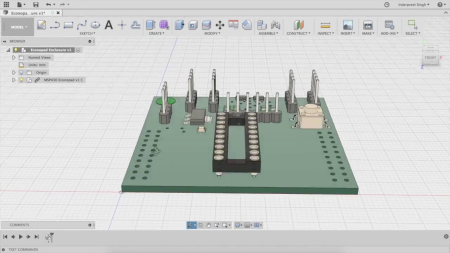
Fusion360 and Eagle integration to design PCB
Published 04/2022
MP4 | Video: h264, 1280x720 | Audio: AAC, 44.1 KHz, 2 Ch
Genre: eLearning | Language: English + srt | Duration: 54 lectures (4h 15m) | Size: 3.2 GB


Learn how to integrate and move your electronic design to Fusion360 and how to design 3D enclosure for your PCB
What you'll learn
Learn how to create managed libraries to work with Fusion360 and eagle
Learn how to link your project to Fusion360 for 3D View
Learn how to design PCB project , schematic , board , libraries in Fusion360
To be able to design simple plastic enclosure using Fusion360 and print it using your 3D printer
Requirements
You should have basic knowledge about Electronics
Computer with Windows or MAC OS, Linux users can't use FUSION360 for now
Basic knowledge about EAGLE PCB software.
Description
Hello everyone.
If you are an electrical engineer or a product designer or someone who's passionate about design PCB, or existing user for EAGLE PCB design and want to integrate your designs with Fusion360 or move all your designs and libraries to Fusion360, this course is just what you want.
This course has been designed to cover the electrical integration between Eagle and Fusion360, and also how to design PCB project completely using Fusion360.
Fusion360 is a powerful tool from Autodesk where you can design your mechanical sketch and turn it into 3D part and create simulation, interactive design, animation, manufacturing and more.
This course will allow you to know more about Fusion360 and the easiest way to
Move your libraries from EAGLE to Fusion360 and vise versa.
Create new electronic libraries on Fusion360 (Schematic , Board , 3D View).
Connect your EAGLE design with Fusion360 for 3D view.
Design real world PCB for simple applications and see how to design it from scratch.
Design 3D enclosures for 2 designs we have and guide you step by step to design your own 3D model for your PCB design.
Print our 3D designs using 3D printer and assemble it with our PCB.
I hope this course will be useful for you, looking forward to see you inside :)
Who this course is for
For PCB designers who want to integrate there libraries and projects and move to FUSION360.
Homepage


4a5ecff5-98ed-49ee-b44e-98b6269d5935.png

Generate More Sales With Social Selling
MP4 | Video: h264, 1280x720 | Audio: AAC, 44.1 KHz
Language: English | Size: 1.80 GB | Duration: 1h 25m
The Modern Way To Engage And Nurture Potential And Existing Customers
What you'll learn​

Identify who are your most valued customers.
Define and optimise your personal profile for sales.
Turn social conversations into sales opportunities.
Create your social selling customer growth plan.
Understand your audience better through social.
Engage and connect your prospects with Personality.
Create visibility through content that educates ideal and key customers.
Requirements
No specific requirements.
Description
About The Course
Do you understand sales methodology but have not yet mastered social selling? Do you feel as if you're not getting the crucial results from social media that lead to sales conversations? Are you ready to learn how to use social media to develop business leads into sales conversations? Then this Social Selling course is for you.
In an online world, you must master the art of social selling if you want to influence online and generate more sales. This course covers the power of social selling, including the importance of integrating social into your current sales process so that you can use it alongside the phone, email and face-to-face meetings.
This practical programme introduces you to modern relationship-building techniques which have the aim of leading to sales. We'll equip you with the knowledge, tools, and techniques to generate excellent results by leveraging social media to connect, engage, educate, and develop sales opportunities.
What You Will Learn
This course has been specifically designed to take your instructor Janice B Gordon's robust 'Scale Your Sales' framework entitled '7 Essential Strategies to Social Selling Your Way to Success'. The intention is to supercharge your social engagement, offer relevant value and open targeted sales conversations.
The course will help you master 7 key objectives
Identify who your most valued customers are
Understand your audience better through social
Define and optimise your personal profile for sales
Engage and connect your prospects with personality
Create visibility through content that educates ideal and key customers
Turn social conversations into sales opportunities
Create your social selling customer growth plan
Through a series of short video lectures and exercises you will learn
What has changed in sales and selling?
Why social selling is an essential modern sales tool to scale your sales
What social selling is and is not!
The essential skills needed for social selling success
How to create a personal brand and profile page that helps generate leads and start conversations.
How to define and optimise your personal profile for sales
How to nurture your network for prospects, create engaging content that sells, use social tools for your best advantage, and, most importantly, turn social interaction into pipeline and sales revenue!
How to understand your audience better through social
How to engage and connect with 'personality'
How to create visibility through content that engages and educates
How to turn social conversations into sales opportunities
How to create a social selling customer growth plan
Who Is This Course For?
While it can benefit sales professionals at all levels, it especially suits
Business owners, Founders, all Sales Professionals and Sales leaders, all Entrepreneurs and, career builders.
Who this course is for
Business owners, Founders, all Sales professionals and Sales leaders, all Entrepreneurs and, career builders.
Screenshots


88d11e5c-fdbb-46bf-9c9a-2cf4fc8dfefb.png

Introduction to Nonprofit Grant Writing
Published 04/2022
MP4 | Video: h264, 1280x720 | Audio: AAC, 44.1 KHz, 2 Ch
Genre: eLearning | Language: English + srt | Duration: 8 lectures (1h 52m) | Size: 2.05 GB


Learn the grant writing process so you can prepare to submit quality proposals and increase your nonprofit's funding.
What you'll learn
How to research and find the best grant opportunities
Understanding what grant funders look for and how to make your organization competitive
How to develop a full, comprehensive, and competitive grant proposal
How to develop a budget and consider financial implications of grant funding
Requirements
There are no prerequisites
Description
Many nonprofit leaders are eager to receive more funding for their non-profit. However, many leaders find this process challenging for a few reasons.
There is a lack of understanding about the grant writing process
Nonprofit leaders may not know what grant funders are truly looking for when selecting organizations to invest in
The nonprofit may not be truly grant ready and prepared for the grant application process.
This Introduction to Nonprofit Grant Writing will help you overcome those challenges.
This course will give you an overview of the full grant writing process. Here's what you'll learn
What a grant is, and what a grant is not, so you can dispel the most common myths you may have heard.
How to write about the background of your organization and show the importance of your programs.
How to demonstrate to funders that you are a good match for their grant funds.
The importance of setting, and explaining, your nonprofit program's goals, objectives and outcomes.
How to prepare to take action through implementation plans and organization.
The importance of evaluating your programs and how to create your own evaluation plan.
The importance of financial planning, and how to set a realistic program budget and financial plan.
You'll also receive a bonus lesson on "grant readiness" that will help you prepare to take the next steps forward in the grant application process.
Who this course is for
Leaders of small to new nonprofit organizations, people new to grant writing and nonprofit fundraising
Homepage


c182c6f9-f6ab-47ac-9bd1-3400baaf4ee1.png

Jq Command Tutorials for Bash Shell Scripting
Published 04/2022
MP4 | Video: h264, 1280x720 | Audio: AAC, 44.1 KHz, 2 Ch
Genre: eLearning | Language: English + srt | Duration: 9 lectures (30m) | Size: 172.7 MB


Jq Command and Bash Shell Scripting to Automate DevOps Tasks
What you'll learn
Jq Basics
How to Parse (read and write) JSON Data with Jq Command ?
How to use Jq Command in Bash Shell Scripting ?
How to pretty print json in the command line ?
How to use different type of filter on JSON Data ?
Requirements
Linux/Mac System to Practice
Knowledge on Command Line
Basic Knowledge on Usage of Pipelines and redirections
Basic Knowledge on JSON Data
Basic Knowledge on any editor like vi/vim/vcode ....
Description
This course is for anyone who works with json on Command-line or using Bash Shell Scripts.
Now a Days , DevOps Automation is more into REST APIs usage and REST APIs Response is json. So, to implement bash shell scripts by using REST APIs then you must know how to parse the response of REST API (I.e,. parsing JSON Data)
JQ is a program developed to filter JSON data. You can consider jq as sed, awk, grep like program but designed specifically for filtering JSON data. JQ supports filters, conditions, operators and other language features. While creation and understanding of JSON data is very simple due to its human readable format, JSON data parsing is still a very complicated task to achieve if done manually. Instead, you can use programs like jq to parse JSON data in minutes.
Concepts
1. Usage of jq Command in Bash Shell Scripts
2. Part-1: Filters & Options
a. Identity Filter
b. Field Filter
c. Raw String
d. Field Filter with the combination of command and raw string
3. Basics to use jq command in Bash Shell Scripts
Who this course is for
Programmers who work with json
IT professionals who work with json
Anyone who works with json
Who this course is for
Bash Shell Scripting Developers to use jq command in scripts
Homepage


3c930aa3-765d-4e89-a674-4d8b5a8ef79c.png

Measure and Marking for Construction
Published 04/2022
MP4 | Video: h264, 1280x720 | Audio: AAC, 44.1 KHz, 2 Ch
Genre: eLearning | Language: English + srt | Duration: 20 lectures (2h 9m) | Size: 2.73 GB


Great building starts with strong measuring skills
What you'll learn
Learn about the parts and types of a Tape Measure, as well as how to read the marks and symbols.
Learn about the Speed Square and how to use it for marking and angles
Learn about the Chalk Line and how to use it for marking
Learn about Levels and how to use them for plumb and level
Learn about squaring with the 3-4-5 method
Requirements
No prerequisites or tools needed, but it is helpful if you had a tape measure for practice.
Description
All skilled craftspeople have one thing in common, they have strong fundamental skills including measurement and marking skills. This course will help you develop your skills with a tape measure, a speed square, a chalk line, and a level. Join us to watch a few lesson videos, check your knowledge on a mini quiz, and hone your skills with one of our skills exercises.
These fundamental skills will help you in all your future construction endeavors and will also help you succeed in our more advanced classes, especially our Basic Power Saws course. The lessons include the parts and types of tape measures and how to read the marks and symbols on them. Since we are in the United States, all measurements are in Inches and Fractions - we save the metric system to our friends in Europe.
You will also learn all about the Speed Square for measuring and marking, including using this versatile tool for measuring angles. The chalk line is next in the course, a really simple tool that you just can not live without for a few tasks. The course has a skills exercise to use the chalk line in a solo squaring exercise or grab a friend and practice really large 3-4-5 squaring exercises. The course then finishes off with the trusty level, this is one time where bigger is better.sort of.
Join us to learn construction fundamentals, starting with the Tape Measure.
Who this course is for
This course is valuable to anyone that wants to learn about measuring and marking, especially for construction
Homepage


39894058-3c75-44c0-b2e4-04c5c3e8b9e4.png

Play Music by Ear
MP4 | Video: h264, 1280x720 | Audio: AAC, 44.1 KHz
Language: English | Size: 3.17 GB | Duration: 3h 12m
How to Learn Songs by Ear
What you'll learn​

Identify & play melodies by ear
Identify & play chords by ear
Learn to play rhythm and meter by ear
Learn entire songs by ear
Requirements
Some musical experience: know the musical alphabet and how to play each note on your instrument
Description
The Fastest Way to Learn How to Play Music By Ear
Play Your Favorite Songs, Jot Down the Music in Your Head, Be a Hit at Parties
Musicians who play music by ear are huge hits at parties and on social media, but they also have a huge advantage when it comes to composing music or accompanying themselves while they sing.
They can identify the tonal center of a song just by listening, figure out the specific intervals of the melody, find the correct chords that accompany the melody, see how the bass line interacts with melody and harmony, play it with the appropriate rhythm and meter, and do it all in a short moment.
It's even more impressive when you line it up like that.
Most people believe that these incredibly gifted musicians were just born with this ability. Prodigies, perhaps, but most musicians with the ability to play music by ear studied each of these concepts on their own before putting them together into practice. When starting at a young age, it can take years for these concepts to take hold in their minds and practice, especially as they don't see the end goal.
When you, a mentally independent human being, seek to develop your ear-playing skills, it won't take as long, especially if you have a guide (like this course!) to teach you each independent skill and to continually point that toward the final goal of playing an entire song by ear.
What People Are Saying About Girl in Blue Music
What Will You Do with Your Newfound Abilities to Play Music by Ear?
One of my favorite parts about Christmas time is how families and friends join together in song. It's one of the only times of the year when people who generally don't sing suddenly do.
What you can do with your ability to play by ear is accompany the group! A cappella music is lovely on its own, but when you can add some piano or any other instrument behind it, it adds another timbre to the mix.
You can also develop the musical ideas that have been locked in your head for an eternity into full songs and pieces. When you can write down or see the notes on your instrument, you unlock the ability to think more about the phrases or chords in terms of the big picture of the final product: the full song.
One of the most rewarding experiences for a musician is when you finish writing a song. Learning a song is an accomplishment, but writing one from scratch? That's something you created. That's some form of goodness, self-expression, and potential to connect deeply with others that you have put into the world. It's the light you get to share.
Learning to play by ear unlocks that gift for you.
With Such Big Benefits to Playing by Ear, Why Don't More people do it?
Playing by ear involves a wide range of smaller skills, all which fall under the umbrella of aural skills. In most traditional lessons or online courses, aural skills are not a focus, they fall to the side, so you may train only one at a time over longs periods, so you can prioritize healthy technique and musicality.
These skills include: hearing the tonal center of a song, figuring out the interval (distance) between two notes in a melody, building chords, identifying chord progressions, hearing specific voices (Bass versus melody and accompaniment), and understanding rhythm and meter.
If you have sheet music in front of you, you don't need to hear the tonal center of a song to identify it, so that skill often gets overlooked in lessons. The other skills are often overlooked for the same reason that lessons are traditionally taught from a sheet-music first philosophy.
This isn't a bad or wrong thing, but the focus is just different than when your goal is to play by ear.
Play Music by Ear is Designed to Fill Those Gaps as Efficiently as Possible
Because this course focuses on only the skills required to play music by ear, the other myriad parts of musicianship won't get in the way of your singular goal to play by ear. Play Music by Ear boils down the skills into 10-days' worth of lessons and exercises, which means that you'll be a musician who plays by ear in as few as 10 days.
You begin with basic intervals, learning how to accurately figure a melody out by ear before even touching your instrument or notation software. This is much more efficient that picking out one note of a melody at a time (and then forgetting it once you figure out the next 3 notes).
You'll learn basics of chord building and harmony, so you can understand how to parse out chords by ear, which is one of the hardest parameters to hear and reproduce. You don't need prior knowledge of chord building; this course includes a comprehensive look at chord building. You'll be able to easily tell the difference between major and minor chords without batting an eye.
Next, you'll look at how harmony interacts with the melody: what are the most likely chords to line up with parts of the melody? Since you can already hear the difference between major and minor chords, you'll be picking out chords in time with hardly a thought.
Finally, you'll line these parts of the song up with rhythm and meter. You will look at the two categories of meter - simple and compound - and identify which is happening in the song you of your choice.
Additionally, throughout this entire process, you'll practice your skills with exercises that give you immediate feedback. Need more practice on interval practice? There's an interactive exercise that's infinitely long that gives you immediate feedback on whether your answer was right or wrong.
Need more practice on hearing the difference between major and minor chords? There's also an infinitely long exercise for that.
Play Music by Ear is built to give you the strongest, most efficient foundation in playing music by ear, so you can get to making the music you've always wanted to without the hassle of going note by note or getting overly frustrated when it doesn't sound right.
Who this course is for
Musicians who want to develop their aural skills to play music by ear
Screenshots










 
2b9cb9fd-0b54-404a-9538-5dd08eb58183.png

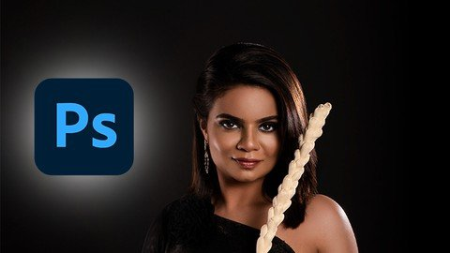
Premium Portrait Retouching
MP4 | Video: h264, 1280x720 | Audio: AAC, 44.1 KHz
Language: English | Size: 1.50 GB | Duration: 1h 46m
High-End Skin Retouching
What you'll learn​

frequency separation
dodge and burn
camera raw filter
adjustments layers
colour grading
overall editing
lighting, how highlights and shadowds can change an image
Bonus
Requirements
Photoshop CC
No photoshop experience needed.
Beginner
Intermediate
Description
You are in the right place. I am Anil Raj, Photographer and Photo Retoucher. I have been exploring photoshop for years to finally settle in the retouching area.
this is a 130+ minutes long video + voiceover in English course where I have explained everything in detail and trust me you'll learn about many new things here, I have provided all the shortcuts as a PDF and I have used completely easy techniques to make your workflow much faster and easier. you'll get a bonus file in the last which contains a complete in detail video on how to get much more contrast and sharp pictures.
You are in the right place. I am Anil Raj, Photographer and Photo Retoucher. I have been exploring photoshop for years to finally settle in the retouching area.
In this course, You will get over 7 lessons and 2 hours of content. What's best - You will also get free premium portrait retouching actions. And of course, other resources which allow You to speed up Your workflow!
Don't worry if you are a beginner because we are going to cover the whole process from the very beginning till the final touch-ups. I will show You how to do raw processing using a camera raw. And also, if You are a little bit more advanced user, I believe You can find a lot of new information on processing and retouching Your Images and color grading techniques.
Here you'll be learning
1. Removing Blemishes
2. Frequency Separation
3. Dodge & Burn
4. Eye Retouching
5. Camera Raw Filter
6. Bonus
and you'll get free premium portrait retouching actions too.
I have also Added a Premium Portrait Retouching Actions which includes -
1. Frequency Separation
2. Dodge & Burn in a single layer
3. Dodge & Burn curves normal
4. Dodge & Burn one click
5. Eye Shade Enhancement
6. Eye Liner Enhancement
7. Rosy Lips
8. Smokey Lips
9. Rosy Cheek
10. Color Pop
11. to add Shine
12. Final step
and many more photoshop actions to make everything easier for you ( Worth 30$ ) but this is absolutely free of cost, waiting just for you.
Who is this course for?
Beginner Photographers
Intermediate Photographers
Pro Photographers
Photoshop enthusiast
Freelance Photographer
Freelance Photo editor
Photo Retoucher.
Who this course is for
Beginner Photographer
Intermediate Photographer
Portrait Retoucher
Portrait Photographer
Screenshots


26d56293-102a-4527-9cc9-f8d4e8485d28.png

Project Organization in Film & Video Editing
Instructors: Piotr Toczyński
Duration: 24m • 6 Lessons
Video: MP4 1280x720 44 KHz | English
Level: All levels | Size: 320 MB​

Are you ready to organize video projects like a Master?
Project Organization might be a tedious part of the job yet it's essential to be able to deliver great results under time pressure.
To Geoff Richman:
How well you organize and think about your select reels absolutely determines how well the edit is going to go.
If you don't organize your select reels, you'll get to your first cut faster but it's a waste of time because the select reel is how you create the 1,000 cuts that come after.
Screenshots


Zurück
Oben Unten