• Regeln für den Video-Bereich:

    In den Börsenbereich gehören nur Angebote die bereits den Allgemeinen Regeln entsprechen.

    Einteilung

    - Folgende Formate gehören in die angegeben Bereiche:
    - Filme: Encodierte Filme von BluRay, DVD, R5, TV, Screener sowie Telesyncs im Format DivX, XviD und x264.
    - DVD: Filme im Format DVD5, DVD9 und HD2DVD.
    - HD: Encodierte Filme mit der Auflösung 720p oder darüber von BluRay, DVD, R5, TV, Screener sowie Telesyncs im Format x264.
    - 3D: Encodierte Filme von BluRay, die in einem 3D Format vorliegen. Dies gilt auch für Dokus, Animation usw.
    - Serien: Cartoon/Zeichentrick, Anime, Tutorials, Dokumentationen, Konzerte/Musik, Sonstiges sind demnach in die entsprechenden Bereiche einzuordnen, auch wenn sie beispielsweise im High Definition-Format oder als DVD5/DVD9/HD2DVD vorliegen. Ausnahme 3D.
    - Bereich Englisch: Englische Releases gehören immer in diesen Bereich.
    - Bereich Talk: Der Bereich, in dem über die Releases diskutiert werden kann, darf, soll und erwünscht ist.


    Angebot/Beitrag erstellen

    - Ein Beitrag darf erst dann erstellt werden, wenn der Upload bei mindestens einem OCH komplett ist. Platzhalter sind untersagt.
    - Bei einem Scenerelease hat der Threadtitel ausschließlich aus dem originalen, unveränderten Releasenamen zu bestehen. Es dürfen keine Veränderungen wie z.B. Sterne, kleine Buchstaben o.ä. vorgenommen werden. Ausnahme Serienbörse:
    - Bei einem Sammelthread für eine Staffel entfällt aus dem Releasename natürlich der Name der Folge. Beispiel: Die Simpsons S21 German DVDRip XviD - ITG
    - Dementsprechend sind also u.a. verboten: Erweiterungen wie "Tipp", "empfehlenswert", "only", "reup", usw. / jegliche andere Zusatzinformation oder Ergänzung, welche nicht in obiger Beschreibung zu finden ist.

    Aufbau des Angebots und Threadtitel

    Der Titel nach folgendem Muster erstellt zu werden. <Name> [3D] [Staffel] [German] <Jahr> <Tonspur> [DL] [Auflösung] <Quelle> <Codec> - <Group>
    Beispiel: The Dark Knight German 2008 AC3 DVDRip XviD - iND
    Beispiel: The Dark Knight 2008 DTS DL BDRip x264 - iND
    Beispiel: The Dark Knight 2008 AC3 DL BDRip XviD - iND
    Beispiel: The Dark Knight German 2008 AC3 720p BluRay x264 iND
    Beispiel: The Dark Knight 2008 DTS DL 1080p BluRay x264 iND
    Beispiel: Die Simpsons S01 German AC3 DVDRip XviD iND
    Beispiel: Die Simpsons S20 German AC3 720p BluRay x264 iND
    Beispiel: Sword Art Online II Ger Sub 2014 AAC 1080p WEBRip x264 - peppermint
    Entsprechend sind also u.a. verboten: Sonderzeichen wie Klammern, Sterne, Ausrufezeichen, Unterstriche, Anführungszeichen / Erweiterungen wie "Tipp", "empfehlenswert", "only", "reup", usw. / jegliche andere Zusatzinformation oder Ergänzung, welche nicht in obiger Beschreibung zu finden ist
    Ausnahmen hiervon können in den Bereichen geregelt sein.

    Die Beiträge sollen wie folgt aufgebaut werden:
    Überschrift entspricht dem Threadtitel
    Cover
    kurze Inhaltsbeschreibung
    Format, Größe, Dauer sind gut lesbar für Downloader außerhalb des Spoilers zu vermerken
    Nfo sind immer Anzugeben und selbige immer im Spoiler in Textform.
    Sind keine Nfo vorhanden z.B. Eigenpublikationen, sind im Spoiler folgende Dateiinformationen zusätzlich anzugeben :
    Quelle
    Video (Auflösung und Bitrate)
    Ton (Sprache, Format und Bitrate der einzelnen Spuren)
    Untertitel (sofern vorhanden)
    Hosterangabe in Textform außerhalb eines Spoiler mit allen enthaltenen Hostern.
    Bei SD kann auf diese zusätzlichen Dateiinformationen verzichtet werden.

    Alle benötigten Passwörter sind, sofern vorhanden, in Textform im Angebot anzugeben.
    Spoiler im Spoiler mit Kommentaren :"Schon Bedankt?" sind unerwünscht.


    Releases

    - Sind Retail-Release verfügbar, sind alle anderen Variationen untersagt. Ausnahmen: Alle deutschen Retail-Release sind CUT, in diesem Fall sind dubbed UNCUT-Release zulässig.
    - Im Serien-Bereich gilt speziell: Wenn ein Retail vor Abschluss einer laufenden Staffel erscheint, darf diese Staffel noch zu Ende gebracht werden.62
    - Gleiche Releases sind unbedingt zusammenzufassen. Das bedeutet, es ist zwingend erforderlich, vor dem Erstellen eines Themas per Suchfunktion zu überprüfen, ob bereits ein Beitrag mit demselben Release besteht. Ist dies der Fall, ist der bereits vorhandene Beitrag zu verwenden.
    - P2P und Scene Releases dürfen nicht verändert oder gar unter einem iND Tag eingestellt werden.


    Support, Diskussionen und Suche

    - Supportanfragen sind entweder per PN oder im Bereich Talk zu stellen.
    - Diskussionen und Bewertungen sind im Talk Bereich zu führen. Fragen an die Uploader haben ausschließlich via PN zu erfolgen, und sind in den Angeboten untersagt.
    - Anfragen zu Upload-Wünschen sind nur im Bereich Suche Video erlaubt. Antworten dürfen nur auf Angebote von MyBoerse.bz verlinkt werden.


    Verbote

    - Untersagt sind mehrere Formate in einem einzigen Angebotsthread, wie beispielsweise das gleichzeitige Anbieten von DivX/XviD, 720p und 1080p in einem Thread. Pro Format, Release und Auflösung ist ein eigener Thread zu eröffnen.
    - Grundsätzlich ebenso verboten sind Dupes. Uploader haben sich an geeigneter Stelle darüber zu informieren, ob es sich bei einem Release um ein Dupe handelt.
    - Gefakte, nur teilweise lauffähige oder unvollständige Angebote sind untersagt. Dies gilt auch für eigene Publikationen, die augenscheinlich nicht selbst von z.B. einer DVD gerippt wurden. Laufende Serien, bei denen noch nicht alle Folgen verfügbar sind, dürfen erstellt und regelmäßig geupdatet werden.
    - Untersagt sind Angebote, welche nur und ausschließlich in einer anderen Sprache als deutsch oder englisch vorliegen. Ausnahmen sind VORHER mit den Moderatoren zu klären.


    Verstoß gegen die Regeln

    - Angebote oder Beiträge, die gegen die Forenregeln verstoßen, sind über den "Melden"-Button im Beitrag zu melden.
  • Bitte registriere dich zunächst um Beiträge zu verfassen und externe Links aufzurufen.

*** Bestes IPTV *** bester Preis *** gratis Test ***


Englische Tutorials

9ab43ab8-3039-49d7-8f0f-0556289899bb.png

Dome Arena with Door and Atrium using Grasshopper in Rhino for Parametric Architecture & Design
MP4 | Video: h264, 1280x720 | Audio: AAC, 44.1 KHz
Language: English | Size: 479 MB | Duration: 37m​

In this Course you will learn how to create a Dome Arena with Door and Atrium using Grasshopper for Rhino. You can add shelves, and dowel settings to change the design.
I walk you through the initial steps and mindset to get into when working with this program. Once you visualize how you can model using this method, you will unlock a new world of modeling.
Grasshopper is a bit intimidating at first, but with some experience it can become one of the most useful tools. These tutorials are great for students who are trying to expand their design arsenal. They will allow you to create some complex and impressive designs in a quick amount of time. The steps in this tutorial are useful for many other applications. So make sure to follow me for future lessons, and let me know if you have any questions. By the end of this course, you will have a better understanding of how Parametric Design works and how you can apply it to your specific use case.
At the end of the course, you will have the ability to download the script I created for the course, so you can add to your library.
Perfect for
Architecture Students, Design Students or anyone interested in advanced 3D modeling
Screenshots


f050fea5-b050-43e3-a49e-c40d7c105517.png

Financial Statement Analysis: Understanding Financial Statements can become your Superpower!
MP4 | Video: h264, 1280x720 | Audio: AAC, 44.1 KHz
Language: English | Size: 1.08 GB | Duration: 3h 23m
The employees want a raise!​

You need to commit to a supplier!
A customer wants assurance!
You need to raise funds and quick!
No matter what business situation you are in, financial statements provide the information you need. Sure, you can ask an accountant to read the financial statements. However, since most accountants are not experts in your field their analysis would be less than your own.
Here's the reality, you don't need an accountant to do your job. But, you do need financial statement information to help with many business decisions.
The good news, is that you can understand financial statements on your own and apply that information in your field better than an accountant unfamiliar with the business.
I'm Dr Eric Knight, I am a CPA with over 20 years' experience in business and academics.
I've designed this course to explain financials in a thorough but straightforward manner without the complexities.
You'll be introduced to the financial statement information. Then, you learn how to analyze financial statements.
I'm not just going to provide formulas but I'll explain why you need the ratios and how to apply them to a business.
I'll demonstrate using real world company data to see the story of the business behind the financial information.
You will learn where you can exploit a business opportunity.
In addition to case studies and examples, you can complete the project consisting of discussion questions offering you an opportunity to apply the information to your own field.
There are no prerequisites needed to benefit from this course. A basic understanding of business will do.
Whatever field you are in, make understanding financial statements your new skill!
Screenshots


7d096bf0-ffff-4bd3-8766-de24f7fafb92.png

Introduction to Apache Tomcat - Deploy Oracle APEX (2022)
Genre: eLearning | MP4 | Video: h264, 1280x720 | Audio: AAC, 44.1 KHz
Language: English | Size: 558 MB | Duration: 1h 30m
Learn the basics of Apache Tomcat. Install the necessities to deploy Oracle APEX application in Web Server.

What you'll learn
Understand the architecture of Apache Tomcat
Learn about the directory structure of Apache Tomcat
Configure Apache Tomcat depending on the requirements
Able to understand the APEX-ORDS-Tomcat connection
Get knowledge about SYS DBA role in Oracle Database
Understand the interface of Apache Tomcat manager app
Understand the role of ORDS in Apache Tomcat
Deployment of Oracle APEX app in Apache Tomcat server
Requirements
A standard web browser like Google Chrome / Mozilla Firefox / Opera / Edge / Safari
Modern web app architecture
Command-line text editors (Any platform like Windows/Mac/Linux where you are comfortable)
Oracle Database and Oracle APEX (preferable)
Description
This is a practical course about deploying Oracle APEX application in Apache Tomcat Server from your local machine.
This course guides you through the basics of Apache Tomcat covering its architecture and its MVC Design.
Apache Tomcat, being a Java based application requires Java to be installed in your local and you will be learning how to setup Java so as to start the server without any issues.
The setup process will be smooth as Apache Tomcat is a light weight application.
You will learn how to configure it based on the needs of your project.
This configuration will also leads you to learn the directory structure of Apache Tomcat.
With Tomcat being installed, you will learn the connection between APEX-ORDS-Tomcat.
You will get to know the system requirements for installing Oracle APEX.
You will learn the installation process of Oracle Database, APEX and ORDS in your local machine.
The installation will help you to know the role of ORDS and which is necessary for deployment in Apache Tomcat.
You will learn how Apache Tomcat is loading its existing and sample apps.
Finally you will be able to deploy any Oracle APEX application in Apache Tomcat with ease.
And you will be exploring new topics in Apache Tomcat like Web Encryption.
Who this course is for
Developers/Engineers looking to understand the Oracle APEX deployment process in Apache Tomcat
Screenshots


6vJ0PbyGdhoLmslVQjwrAmcKaPsksnLb.jpg

Introduction to Kubernetes - Run Docker Containers at Scale
MP4 | Video: h264, 1280x720 | Audio: AAC, 44.1 KHz
Language: English | Size: 129 MB | Duration: 54m​

Learn to operate the leading container orchestration engine.
What you'll learn
After completing this class, you should be able to explain the function of the primary components of a Kubernetes deployment and be able to use Kubernetes to deploy and scale a Docker container based application.
Requirements
We've targeted this course to be accessible to anyone, however, you will get more out of the course if you are generally familiar with the Linux command line. You'll need access to a personal computer or virtual server system to run the labs.
Description
This short course provides an initial opportunity to understand what Kubernetes is, how it fits into the world of cloud-native software and offers an opportunity to try out Kubernetes on your own. It is intended as a "first look" at Kubernetes' function as a container orchestration tool and is appropriately followed up, if appropriate for you, with our Kubernetes bundle.
This course will provide you with an understanding of the basic architecture and functionality of Kubernetes, a container orchestrating/scheduling system. More importantly you will be able to follow along on your laptop (or compute environment of your choice) as you instructor shows you how to launch Kubernetes and use it to deploy, manage and troubleshoot Docker containers.
Who this course is for
Anyone that wants to understand the basic architecture and features of Kubernetes and how it is used to manage Docker container based apps.
Screenshots


0RFDxc2oKzpj1YpqC6tBEdeX9nkFN9VZ.jpg

Introduction to Sustainable Fashion and Sewing - Module 1 - Sewing Basics
MP4 | Video: h264, 1280x720 | Audio: AAC, 44.1 KHz
Language: English | Size: 535 MB | Duration: 35m​

This is the first module of my beginner course for technical fashion design and sewing. In this course student will learn the basics of practical fashion design. This course covers an introductory module as well as modules on seam construction, panel designing, facings and darts. Students will be working in half scale to learn various techniques and keep a folder they can always refer to in future. Some modules are more technical, while others are more creative.
This first introductory module explores the very basics, including
What to have in your sewing box
What do you need for pattern cutting
Fabrics by type
Fabrics by structure
What is a grain line
How to cut patterns in fabric
You will also have available a fabric information chart, a terminology sheet and a half a scale front bodice template to download and print at home.
Screenshots


f0d9ef27-9043-4de3-8add-f3d95ec958f0.png

Java EE, Web Development HTTP, Server,Servlet,HTMLCSS,JSP
Genre: eLearning | MP4 | Video: h264, 1280x720 | Audio: AAC, 48.0 KHz
Language: English | Size: 4.94 GB | Duration: 11h 9m
Learn Client-Server Architecture, TCP/IP, HTTP, Web Servers, Tomcat, HTML/CSS, Servlets, Web Filters, JSP, JSTL, Maven

What you'll learn
Web Development
Client-server Architecture
Web Servers
Apache Tomcat Web Server / Servlet Container
OSI Model
TCP/IP concept
Deep understandanding of HTTP protocol
Servlets in Java
HTML & CSS
HTML Forms
HTTP Session
Cookies
Web Filters
Events Handling in Web Application
Error Handling in Web Application
JSP (Java Server Pages)
JSTL
Custom Tags in JSP
Tag Library Descriptors
Build Tools for Java Apps
Maven
We will create online store web application together to practice skills gained during the course
Requirements
Understanding of Core Java and Java Syntax
Knowledge of JDBC, Relational Databases and SQL (this skills needed to understand the online shop example)
Description
From this course, you can learn Web Development in Java.
There are a lot of other courses on this topic. So, why would you choose exactly this course? Here are just a few reasons
- Coding examples
To learn to program is not enough just watching videos and reading books. You also need to have a lot of practice. In this training course, you will review multiple practical tasks and coding examples which will help you learn and understand Java better.
- Open source code
We hide nothing from our students! Including the source code for the home task solutions and source code of examples that were shared during the lesson. Having the source code you can just copy and paste it to run it on your local computer to understand how things work better.
You are allowed to use all source code examples for learning purposes. This helps significantly to configure the environment and make tests work, especially in case students didn't work with any testing framework in the past.
- Q&A support
The significant difference between the online and offline learning process is the instructor's availability. If you are in one room with a tutor he always can help you to get understand the specific concept or to help fix your code on your computer.
In this course, we are supporting students with answers to any questions flagged in the Q&A section. In case there will be recurring questions - separate video lessons will be created to show how to address the issue.
So with this course you are not just getting video materials, code exercises, source code, access to the free mobile application without limits (which is still pretty cool, huh? :) ), but you also get tutor support and answers to your questions along with this course.
- Relevant knowledge
After our team investigated other Java courses on Udemy we realized that most of them have nothing in common with real life. The information which is shared there is very old and significantly out of date. For example, the instructor teaches a framework which is not been used already for 15 years. Or instructors do stress on the programming design which is not used anymore at all!
The instructor of this course is a consultant in a top-rated IT outsourcing company and helps to bring cutting-edge solutions in IT for all his clients. Feel free to check the LinkedIn page of the instructor and check skills endorsement. More than 19 thousand people across all over the world (BTW most of them are from the top 100 companies of the world) evaluated the skills of Andrii Piatakha.
With this course, you can be sure that you will spend your time learning the right things from one of the best IT consultants in the world.
- Free mobile App without limits for our students
Knowing Java is one skill. Be able to pass interviews in the company - that is another skill :) Nowadays a lot of companies use tests to select candidates on the first level of interview. We developed applications to practice skills specifically for such purposes.
In this course, we will provide you link to download our FREE mobile app for android. (soon it will be also available for iOS platforms)
The instructor of this course comes up with hundreds of tests that are used to test the knowledge of candidates. With this application, you will be well-prepared for the interview.
Also, only for our students - there is no limit on attempts to pass certification. In the course, we will tell you how to set up a special bonus code that will remove restrictions for our students inside the app.
- High concentration of useful material in each lesson
Sometimes you can notice that watching 5 minutes of our lesson is equivalent to watching another 30 minutes lesson.
This is because time spent for preparation for the lesson (script for the lesson, lesson structure) and video editing (to cut boring pieces of the lesson or time when the program loads) sometimes 10 times as much (sometimes even 20) as the final lesson duration after video editing.
Also, each topic is separated from another. In case some concept will be explained in the next lesson and you don't need to worry about understanding this in the scope of this lesson - the instructor will make an announcement when a specific topic will be covered.
Go and try it yourself! We will appreciate your feedback.
So don't wait! Take a look at the lessons' preview if you still have doubts!
Buy this course today, and you will get all updates for FREE!
For those who successfully passed this training course, or for students who were recognized for asking amazing questions, there is a special offer from the IT-Bulls company! The creator of this course is IT-Bulls company CEO and Founder. We are always in search of talents to run our amazing startups together with you. Probably you always dreamed about running your startup? In this course, you will be able to find the team who will teach you how to do that and (in particular cases) will be glad to help with implementation!
Hope you enjoy this course! And remember, we appreciate all your feedback! Your feedback will help us to become even better! Your feedback will help us to create to best Java course ever!
See you at the lessons! :)
Who this course is for
Java Software Engineer who made a decision to learn Java Web Development
Screenshots


FCFOOMs6TOiYRO9igQPveugnZq9M0JIC.jpg

Kubernetes + Docker Complete Course - 2 in 1 Hands On!
MP4 | Video: h264, 1280x720 | Audio: AAC, 44.1 KHz
Language: English | Size: 2.66 GB | Duration: 6h 58m
Kubernetes - Kubernetes Docker - kubernetes AWS - kubernete cloud - kubernetes using docker - 100% Hands On!​

What you'll learn
Be able to understand, administer and deploy Kubernetes
Deploy Kubernetes clusters
Get started with Containerization and run containers on Kubernetes
Make applications running on Kubernetes using Load Balancing
Be able to run stateless and stateful applications on Kubernetes
Be able to deploy MySQL,Wordpress Kubernetes
Requirements
Basic understanding of computer science concepts: About operating system and executable unit
Basic understanding on docker and containers
Be comfortable at the Linux, MacOS, or Windows command-line (we'll guide you through, but just a bit of familiarity is needed)
Basic understanding of cloud computing will help you but it is not necessary
Description
This Kubernetes Docker Complete Course will help you to understand how to run, deploy and maintain your applications on Kubernetes. If you are into DevOps, then this is a technology you need to learn. Kubernetes has gained a lot of popularity lately and it is a well-aimed skill by companies.
The course will show you how to build apps in containers using docker and how to deploy it Kubernetes cluster. On the other hand,this Kubernetes Course will explain you how to set up your Kubernetes cluster on your desktop, or on the cloud using AWS.
What is Kubernetes?
Kubernetes is an open-source container orchestration technology system .Kubernetes is mainly used for automating deployment, scaling and management of containerized applications.
Kubernetes was originally designed by Google and then open sourced.And from then to now Kubernetes is maintained by the Cloud Native Computing Foundation.
Kubernetes aims to provide a "platform for automating deployment, scaling, and operations of application containers across clusters of hosts It works with a range of container tools, including Docker.
Kubernetes is a portable as well as extensible platform for managing containerized workloads and services, that facilitates both declarative configuration and automation. Kubernetes has a large, rapidly growing ecosystem. There are widely availablity in Kubernetes services, support, and tools.
Google open-sourced the Kubernetes project in 2014. Kubernetes builds upon a decade and a half of experience that Google has with running production workloads at scale, combined with best-of-breed ideas and practices from the community.
Even though Kubernetes provides a lot of functionality, there are always new scenarios that would benefit from new features. Application-specific workflows can be streamlined to accelerate developer velocity. Ad hoc orchestration that is acceptable initially often requires robust automation at scale. This is why Kubernetes was also designed to serve as a platform for building an ecosystem of components and tools to make it easier to deploy, scale, and manage applications.
Labels in Kubernetes empower users to organize their resources however they please. Annotations enable users to decorate resources with custom information to facilitate their workflows and provide an easy way for management tools to checkpoint state.
The Kubernetes control plane is mainly built upon the same APIs that are available to developers and users. Users can write their own controllers, such as schedulers, with their own APIs that can be targeted by a general-purpose command-line tool.
This design has enabled a number of other systems to build the Kubernetes.
On the other hand Kubernetes is not a traditional or all-inclusive Platform as a Service( PaaS) system. Since Kubernetes operates at the container level rather than at the hardware level, it provides some generally applicable features common to PaaS offerings, such as deployment, scaling, load balancing, logging, and monitoring. However, Kubernetes is not monolithic, and these default solutions are optional and pluggable. Kubernetes provides the building blocks for building developer platforms but preserves user choice and flexibility where it is important.
Here are some advantages of Kubernetes
Firstly Kubernetes does not limit the types of applications supported. Moreover, Kubernetes aims to support an extremely diverse variety of workloads, including stateless and stateful even data-processing workloads. Thatswhy If an application can run in a container, it should run great on Kubernetes.
Kubernetes never deploy source code and does not build your application. Continuous Integration, Delivery, and Deployment (CI/CD) workflows are determined by organization cultures and preferences as well as technical requirements.
Kubernetes does not provide application-level services, such as middleware (e.g., message buses), data-processing frameworks (for example, Spark), databases like MySQL, caches as built-in services. Such components can run on Kubernetes, and/or can be accessed by applications running on Kubernetes through portable mechanisms, such as the Open Service Broker.
Kubernetes never dictate logging, monitoring, or alerting solutions. It provides some integrations as proof of concept, and mechanisms to collect and export metrics.
Kubernetes does not also provide nor mandate a configuration language/system (e.g., jsonnet). It provides a declarative API that may be targeted by arbitrary forms of declarative specifications.
Kubernetes never provide nor adopt any comprehensive machine configuration, maintenance, management, or self-healing systems.
Though Kubernetes is not a mere orchestration system. In fact,kubernetes eliminates the need for orchestration. In contrast, Kubernetes is comprised of a set of independent, composable control processes.Kubernetes also drive the current state continuously towards the provided desired state.
What is Kubernetes for ?
Kubernetes is an open source system for managing containerized applications across multiple hosts, providing basic mechanisms for deployment, maintenance, and scaling of applications.In short, Kubernetes is a container orchestration tool from Google.
How Does Kubernetes work?
Kubernetes can mainly defines as a set of building blocks.Kubernetes collectively provides mechanisms that deploy, maintain and scale applications. Kubernetes is loosely coupled and extensible to meet different workloads. This extensibility is provided in large part by the Kubernetes API, which is used by internal components as well as extensions and containers that run on Kubernetes
There are some key components which are widely used is Kuberntes are
Pods
Labels and selectors
Controllers
Services
What is the pod in Kubernetes
A Kubernetes pod is a group of containers. Pods can be deployed together on the same host. If you frequently deploy single containers, you can generally replace the word "pod" with "container" and accurately understand the concept.
Pods operate at one level higher than individual containers because it's very common to have a group of containers work together to produce an artifact or process a set of work.
For example, consider this pair of containers: a caching server and a cache "warmer". You could build these two functions into a single container, but now they can each be tailored to the specific task and shared between different projects.
What is labels and selectors in Kubernetes?
Labels and selectors are the primary grouping mechanism in Kubernetes and determine the components an operation applies to.
Labels are key-value pairs that are attached to Kubernetes objects, such as Pods. They are intended to be used to specify object attributes which are meaningful and relevant to users, while not directly impacting implying semantics of the core system.
Unlike names and UIDs, labels in Kubernetes do not provide uniqueness. In general, we expect many objects to carry the same label(s).
Via a label selector, the client/user can identify a set of objects. The label selector is the core grouping primitive in Kubernetes.
The API currently supports two types of selectors: equality-based and set-based. A label selector can be made of multiple requirements which are comma-separated. In the case of multiple requirements, all must be satisfied so the comma separator acts as a logical AND (&&) operator.
What is Controllers in Kubernetes?
A controller is a reconciliation loop that drives actual cluster state toward the desired cluster state. It does this by managing a set of pods. One kind of controller is a replication controller, which handles replication and scaling by running a specified number of copies of a pod across the cluster. It also handles creating replacement pods if the underlying node fails. Other controllers that are part of the core Kubernetes system include a "DaemonSet Controller" for running exactly one pod on every machine or some subset of machines and a "Job Controller" for running pods that run to completion, as part of a batch job. The set of pods that a controller manages is determined by Kubernetes label selectors that are part of the controller's definition.
What is Services in Kubernetes?
A Kubernetes service is a set of pods which can work together, such as one tier of a multi-tier application. The set of pods that constitute a service are defined by a label selector.Kubernetes provides service discovery and request routing by assigning a stable IP address and DNS name to the service, and load balances traffic in a round-robin manner to network connections of that IP address among the pods matching the selector even as failures cause the pods to move from machine to machine.By default, a service is exposed inside a cluster but a service can also be exposed outside a kubernetes cluster.
Why you should start learning Kubernetes?
When our clients ask us to create a highly available distributed system, we usually recommend Kubernetes, because Kubernetes is really easy to use and even though it has a steep initial learning curve and kubernetes still a lot more simple than other competing orchestration engines.
Kubernetes also works perfectly with Node apps because it's based on Docker.Thatswhy you can run any kind of application using Kubernetes.
As we all know kubernetes is a open source project spun out of Google which automates the process of deploying and managing multi-container applications at scale. While Kubernetes works mainly with Docker, it can also work with any container system that conforms to the Open Container Initiative (OCI) standards for container image formats and runtimes.
And because Kubernetes is open source, with relatively few restrictions on how it can be used, it can be used freely by anyone who wants to run containers, most anywhere they want to run them.
Kubernetes introduces new abstractions and concepts, and the learning curve for Kubernetes is high so it is only normal to ask what the long-term payoffs are for using Kubernetes. Here's a rundown of some of the specific ways running apps inside Kubernetes becomes easier.
Kubernetes manages app health, replication, load balancing, and hardware resource allocation for you. One of the most basic duties Kubernetes takes off your hands is the busywork of keeping an application up, running, and responsive to user demands. Apps that become "unhealthy," or don't conform to the definition of health you describe for them, can be automatically healed using kubernetes.
Another benefit of Kubernetes is that it maximizes the use of hardware resources including memory, storage I/O, and network bandwidth. Applications can have soft and hard limits set on their resource usage. Many apps that use minimal resources can be packed together on the same hardware; apps that need to stretch out can be placed on systems. And again, rolling out updates across a cluster, or rolling back if updates break, can be automated.
Kubernetes Helm charts ease the deployment of preconfigured applications. Package managers such as Debian Linux's APT and Python's Pip save users the trouble of manually installing and configuring an application. This is especially handy when an application has multiple external dependencies.
Helm is something like a package manager for Kubernetes. Many popular software applications must run as multiple, ganged-together containers in Kubernetes. Helm provides a definition mechanism, a "chart," that describes how a given piece of software can be run as a group of containers inside Kubernetes.
Kubernetes simplifies management of storage, secrets, and other application-related resources. Containers are meant to be immutable; whatever you put into them isn't supposed to change. But applications need state so it means they need a reliable way to deal with external storage volumes. That's made all the more complicated by the way containers live, die, and are reborn across the lifetime of an app.
Kubernetes always allow containers and apps to deal with storage in the same decoupled way as other resources. Many common kinds of storage, from Amazon EBS volumes to plain old NFS shares, can be accessed via Kubernetes storage drivers, called volumes. Normally, volumes are bound to a specific pod, but a volume subtype called a "Persistent Volume" can be used for data which needs to live on independently of any pod in Kubernetes.
Sometimes these containers need to work with "secrets" which is nothing but credentials like API keys or service passwords that you don't want hardwired in a container or stashed openly on a disk volume. While third-party solutions are available for this, like Docker secrets and HashiCorp Vault,
In that case, Kubernetes uses its own mechanism of handling secrets. For instance, Etcd must be configured to use SSL/TLS when sending information including secrets between nodes, rather than in plaintext.
Kubernetes apps can run in hybrid and multi-cloud environments. One of the long-standing dreams of cloud computing is to be able to run any app in any cloud or any mix of clouds public or private.
Kubernetes's architecture makes use of various concepts and abstractions. Some of these are variations on existing, familiar notions, but others are specific to Kubernetes.
The highest-level Kubernetes abstraction, the cluster, refers to the group of machines running Kubernetes (itself a clustered application) and the containers managed by it. A Kubernetes cluster must have a master, the system that commands and controls all the other Kubernetes machines in the cluster. A highly available Kubernetes cluster replicates the master's facilities across multiple machines. But only one master at a time runs the job scheduler and controller-manager.
Each cluster contains Kubernetes nodes. This Kubernetes nodes might be physical machines or VMs. Again, the idea is abstraction: whatever the app is running on, Kubernetes handles deployment on that substrate. It is also possible to ensure that certain containers run only on VMs or only on bare metal.
Nodes run pods, the most basic Kubernetes objects that can be created or managed. Each pod represents a single instance of an application or running process in Kubernetes and consists of one or more containers. On the other hand Kubernetes starts, stops, and replicates all containers in a pod as a group. Pods keep the user's attention on the application, rather than on the containers themselves.
Pods are created and destroyed on nodes as needed to conform to the desired state specified by the user in the pod definition. Kubernetes provides an abstraction called a controller for dealing with the logistics of how pods are spun up, rolled out, and spun down.
Controllers come in a few different flavors depending on the kind of application being managed. For instance, the recently introduced "StatefulSet" controller is used to deal with applications that need persistent state. Another kind of controller, the deployment, is used to scale an app up or down, update an app to a new version, or roll back an app to a known-good version if there's a problem.
Because pods in Kubernetes live and die as needed, we need a different abstraction for dealing with the application lifecycle. An application is supposed to be a persistent entity, even when the pods running the containers that comprise the application aren't themselves persistent.
To that end, Kubernetes provides an abstraction called a service.
A service describes how a given group of pods or other Kubernetes objects can be accessed via the network. As the Kubernetes documentation puts it, the pods that constitute the back end of an application might change, but the front end shouldn't have to know about that or track it. Services make this possible.
A few more pieces internal to Kubernetes round out the picture. The scheduler parcels out workloads to nodes so that they're balanced across resources and so that deployments meet the requirements of the application definitions. The controller manager ensures the state of the system-applications, workloads, etc.-matches the desired state defined in Etcd's configuration settings.
How much does a Kubernetes Engineer can make per annum?
The salaries of kubernetes engineers are also very attractive.
Software Engineer- $76K to $152K
Senior Software Engineer - $103K to $166K
Development Operations (DevOps) Engineer - $84K to $154K
Site Reliability Engineer (SRE) - $69K to $164K
Sr. Software Engineer / Developer / Programmer - $92K to $157K
Software Development Engineer - $104K to $118K
Software Architect - $95K to $154K
Career Opportunities in Kubernetes and Companies using Kubernetes
In Kubernetes there are no. of jobs worldwide and the companies which are hiring Kubernetes experts some are listed below
Red Hat
Oracle
Google
Microsoft
Samsung SDS
IBM
ING
Huawei
Naic
Monjo
Philips
Pinterest
SAP
Soundcloud
Yahoo
Wink
Sling
OpenAI
The New York Time
Mirantis
Centurylink
Apprenda
GitHub
Weaveworks
Asana
Buffer
CircleCi
Evernote
Harvest
Intel
InVisionApp
Shopify
Starbucks
Digital Ocean
Capscale
Adform
Amadeus
Ancestry
Box
BlackRock
Comcast
eBay and many more
30-day money-back guarantee!
Now again coming to this course,So this Kubernetes course is ideal for beginners to experts to container technology or those who are new to Kubernetes engineering or who want to enrich their knowledge in Kubernetes much more.
This course includes the following chapters
Course Introduction and Overview
What is Kubernetes?
Why Kubernetes?
Up and Running: Basics
Cluster Architecture
Core Objects and Primitives
The introduction lectures that show you the Kubernetes desktop installation are free to preview, so you can already put a glance over it before buying the course!
So what are you waiting for? Enroll in the course and get started with Kubernetes today!
You will get 30-day money-back guarantee from Udemy for this course.
If not satisfied simply ask for a refund within 30 days. You will get full refund. No questions whatsoever asked.
Are you ready to take your DevOps skills and career to the next level, take this course now!
You will go from zero to Kubernetes hero in few hours.
Who this course is for
Anyone who are interested in developing applications for production
Engineers, Admins, and DevOps personnel that run,deploy & maintain applications
Project and Functional Managers,and architects who need to understand application deployment
Screenshots









 
vtUnLEAhyTZcYqsIAkxQB0a5LiQIlHVc.jpg

Learn Kubernetes with AWS and Docker
MP4 | Video: h264, 1280x720 | Audio: AAC, 44.1 KHz
Language: English | Size: 1.13 GB | Duration: 4h 1m
Kubernetes Training Course
What you'll learn​

Learn how Kubernetes helps you to automate the process of application deployment, management, and scaling with AWS and Docker.
Requirements
No, there is no prerequisites for this course.
Description
Learn how Kubernetes helps you to automate the process of application deployment, management, and scaling with AWS and Docker.
This Kubernetes training course covers everything that is required for you to learn and work with Kubernetes. Check out the list of topics below that are covered in the Kubernetes with AWS and Docker online course
Introduction to the Course
Overview of the Course
What is Kubernetes?
Kubernetes Architecture
Object ManagementModels
Setup a Kubernetes Cluster
Overview of Nodes
Setup Kubernetes Nodes
Overview of Docker Containers
Deploying a website on a Docker Container
Overview of Pods
Deploying Pods
Overview of ReplicationController
Deploying a ReplicationController
Overview of Services
Deploying a Service
Overview of Deployment
Scaling using Deployment and ReplicaSet
Rolling Deployment - Demo
Summary
Annexure: Setting up AWS Free Tier Account
Who this course is for
This course is focused on the basics as well as advanced concepts of the Kubernetes including docker containers, nodes, replication controller, pods, services and more. This Kubernetes training course covers everything that is required for you to learn and work with Kubernetes.
Screenshots


5aa0da10-89b7-4c61-b4a0-cd9b8fb95fbc.png

Learn Oracle NetSuite Client Script
Genre: eLearning | MP4 | Video: h264, 1280x720 | Audio: AAC, 48.0 KHz
Language: English | Size: 301 MB | Duration: 50m
Learn NetSuite and Became a NetSuite Expert

What you'll learn
Write one script
implementation & Execution
Form-level script & deployment
Record-level script & deployment with all functions
Requirements
NetSuite Functional
Description
Highlights
The objective of the Client Script course is to make aspirants understand Suite Script, Implementation & Execution, Form-level Scripting & Deployment, Record-Level Scripting & Deployment with all Functions.
Client Script Course will help you to grow your career as NetSuite Developer and NetSuite Technical Consultant.
If you are IT professional, ERP domain, Cloud Developer, Client Script will help you to understand the technical aspects of Client Script development.
About Course
Topics Covered
Write one Script
Implementation & Execution
Form-level Script & Deployment
Record-Level Script
Deployment with all Functions
Client Script Overview
SuiteScript allows developers and administrators to create flexible business logic within NetSuite tailored to specific business need from sophisticated business processes to entirely new applications.​
Client scripts are SuiteScripts executed in the browser. They can run on most standard records, custom record types, and custom NetSuite pages.​
Generally, client scripts are used to validate user-entered data and to auto-populate fields or sublists at various form events.
Form-level and Record-level Client Scripts​
Form-based client scripts run against specific fields and forms. Record-level client scripts.​​
Record-level client scripts can also be used on forms and lists that have been generated through UI Objects during Suite lets development.​
How Many Client Events Can I Execute on One Form?​
Client scripts have a limit of 10 client events per form. The following figure shows the Custom Code tab on a Custom Entry Form for a Customer record.​
Who this course is for
If you are IT professionals, ERP domain, Cloud Developer, Client Script will help you to understand the technical aspects of Client Script development.
Screenshots


OqnzVfLbSnBf0D3PR5wduIyEcDUxigrK.jpg

Learn Python GUI programming - Graphical User Interface in Python
MP4 | Video: h264, 1280x720 | Audio: AAC, 44.1 KHz
Language: English | Size: 424 MB | Duration: 54m​

In this class we will learn how to make apps in python using Python GUI Programming where we will build UI applications and learn how to use widgets and link them using tkinter library.
Widgets like
label
Entry
button
radiobutton
checkbutton
We will learn about root window and menus, which will help in understanding GUI programming in python.
Good grip over widgets in tkinter library.
Screenshots


387d6ad1-1d16-46c9-b49f-c33a29d2f160.png

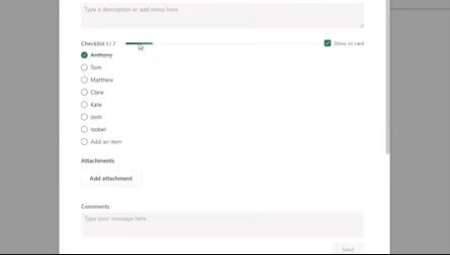
Learn to Organise Personal and Work Projects in Microsoft Planner
MP4 | Video: h264, 1280x720 | Audio: AAC, 44.1 KHz
Language: English | Size: 576 MB | Duration: 1h 42m
Hi guys,​

Welcome to my course on managing personal and team tasks with Microsoft Planner. As the title says, we are going to learn to organise life and work using Microsoft's modern team task manager tool. You need an organisation or education M365 account at least, so that you have Planner in your subscription. Planner is then available for any browser as well as mobile apps. In this course I will teach you to use all of them together, and in my usual way, to stay productive and organised no matter where or when you are thinking about being productive. This modern approach to multi-device strategy allows you to remain productive wherever you are. I also draw on a range of different situations that teams and individuals may need to use Planner within, and outline routines and systems that can support each use case.
This means the course will take you from total novice through to competent and confident and along the way show you a wide range of situations where Planner can be used.
We will cover
Organising task buckets (lists), grouping tasks.
Adding text, images, deadlines, notes, etc to tasks
Utilising the browser and mobile versions
Tags, buckets, filters, grouping for true custom use and views
Integrating with other Office tools
Sharing Plans and assigning tasks to others
Chart and schedule views for overviewing your commitments
Screenshots


A18zW4MyOinZgpjPYvScLkXEnudvG2TQ.jpg

Measuring % work progress and construction interim valuation
MP4 | Video: h264, 1280x720 | Audio: AAC, 44.1 KHz
Language: English | Size: 924 MB | Duration: 1h 24m
Quantity Surveying
What you'll learn​

Measuring % work progress of building contractors
Identifying components of an interim valuation
Preparing construction interim valuations
Discounts and Adjustments to contract sum
Requirements
Students require laptop or desktop computer
Students need to have basic knowledge in construction
Description
A quantity surveying course that focuses on interim valuation and measuring work progress using Bill of Quanties.This course is practical and hands on. Quite easy to follow and understand, even by people who are new to construction and construction costs and estimating.
The course will show you step by step, how you can ascertain what amount is to be paid to a contactor for building services. Two interim valuations were prepared in this course and assignments were given to help students practice some of the things learnt. The basis of preparing this valuations was also explained. Terminologies used by construction cost professionals were also explained in an easy to understand manner. Technical terms pertaining to interim valuation like full retention, half retention and limit of retention will also be well explained. Other topics that will be added include methods of valuing preliminaries.
The course explains the components of an interim valuation and a step by step guide on how to prepare an interim valuation
There will also be a bonus lecture or video with a young but experienced construction project manager who will share tips and advice for those for those wishing to be project managers and project managers who are just starting out.
Who this course is for
Professionals in construction industry like Engineers, Quantity Surveyors and Architects
University Students aspiring to become professionals in construction industry
Inquisitive clients desirous of a birds eye view on their projets
Screenshots


Zurück
Oben Unten