• Regeln für den Video-Bereich:

    In den Börsenbereich gehören nur Angebote die bereits den Allgemeinen Regeln entsprechen.

    Einteilung

    - Folgende Formate gehören in die angegeben Bereiche:
    - Filme: Encodierte Filme von BluRay, DVD, R5, TV, Screener sowie Telesyncs im Format DivX, XviD und x264.
    - DVD: Filme im Format DVD5, DVD9 und HD2DVD.
    - HD: Encodierte Filme mit der Auflösung 720p oder darüber von BluRay, DVD, R5, TV, Screener sowie Telesyncs im Format x264.
    - 3D: Encodierte Filme von BluRay, die in einem 3D Format vorliegen. Dies gilt auch für Dokus, Animation usw.
    - Serien: Cartoon/Zeichentrick, Anime, Tutorials, Dokumentationen, Konzerte/Musik, Sonstiges sind demnach in die entsprechenden Bereiche einzuordnen, auch wenn sie beispielsweise im High Definition-Format oder als DVD5/DVD9/HD2DVD vorliegen. Ausnahme 3D.
    - Bereich Englisch: Englische Releases gehören immer in diesen Bereich.
    - Bereich Talk: Der Bereich, in dem über die Releases diskutiert werden kann, darf, soll und erwünscht ist.


    Angebot/Beitrag erstellen

    - Ein Beitrag darf erst dann erstellt werden, wenn der Upload bei mindestens einem OCH komplett ist. Platzhalter sind untersagt.
    - Bei einem Scenerelease hat der Threadtitel ausschließlich aus dem originalen, unveränderten Releasenamen zu bestehen. Es dürfen keine Veränderungen wie z.B. Sterne, kleine Buchstaben o.ä. vorgenommen werden. Ausnahme Serienbörse:
    - Bei einem Sammelthread für eine Staffel entfällt aus dem Releasename natürlich der Name der Folge. Beispiel: Die Simpsons S21 German DVDRip XviD - ITG
    - Dementsprechend sind also u.a. verboten: Erweiterungen wie "Tipp", "empfehlenswert", "only", "reup", usw. / jegliche andere Zusatzinformation oder Ergänzung, welche nicht in obiger Beschreibung zu finden ist.

    Aufbau des Angebots und Threadtitel

    Der Titel nach folgendem Muster erstellt zu werden. <Name> [3D] [Staffel] [German] <Jahr> <Tonspur> [DL] [Auflösung] <Quelle> <Codec> - <Group>
    Beispiel: The Dark Knight German 2008 AC3 DVDRip XviD - iND
    Beispiel: The Dark Knight 2008 DTS DL BDRip x264 - iND
    Beispiel: The Dark Knight 2008 AC3 DL BDRip XviD - iND
    Beispiel: The Dark Knight German 2008 AC3 720p BluRay x264 iND
    Beispiel: The Dark Knight 2008 DTS DL 1080p BluRay x264 iND
    Beispiel: Die Simpsons S01 German AC3 DVDRip XviD iND
    Beispiel: Die Simpsons S20 German AC3 720p BluRay x264 iND
    Beispiel: Sword Art Online II Ger Sub 2014 AAC 1080p WEBRip x264 - peppermint
    Entsprechend sind also u.a. verboten: Sonderzeichen wie Klammern, Sterne, Ausrufezeichen, Unterstriche, Anführungszeichen / Erweiterungen wie "Tipp", "empfehlenswert", "only", "reup", usw. / jegliche andere Zusatzinformation oder Ergänzung, welche nicht in obiger Beschreibung zu finden ist
    Ausnahmen hiervon können in den Bereichen geregelt sein.

    Die Beiträge sollen wie folgt aufgebaut werden:
    Überschrift entspricht dem Threadtitel
    Cover
    kurze Inhaltsbeschreibung
    Format, Größe, Dauer sind gut lesbar für Downloader außerhalb des Spoilers zu vermerken
    Nfo sind immer Anzugeben und selbige immer im Spoiler in Textform.
    Sind keine Nfo vorhanden z.B. Eigenpublikationen, sind im Spoiler folgende Dateiinformationen zusätzlich anzugeben :
    Quelle
    Video (Auflösung und Bitrate)
    Ton (Sprache, Format und Bitrate der einzelnen Spuren)
    Untertitel (sofern vorhanden)
    Hosterangabe in Textform außerhalb eines Spoiler mit allen enthaltenen Hostern.
    Bei SD kann auf diese zusätzlichen Dateiinformationen verzichtet werden.

    Alle benötigten Passwörter sind, sofern vorhanden, in Textform im Angebot anzugeben.
    Spoiler im Spoiler mit Kommentaren :"Schon Bedankt?" sind unerwünscht.


    Releases

    - Sind Retail-Release verfügbar, sind alle anderen Variationen untersagt. Ausnahmen: Alle deutschen Retail-Release sind CUT, in diesem Fall sind dubbed UNCUT-Release zulässig.
    - Im Serien-Bereich gilt speziell: Wenn ein Retail vor Abschluss einer laufenden Staffel erscheint, darf diese Staffel noch zu Ende gebracht werden.62
    - Gleiche Releases sind unbedingt zusammenzufassen. Das bedeutet, es ist zwingend erforderlich, vor dem Erstellen eines Themas per Suchfunktion zu überprüfen, ob bereits ein Beitrag mit demselben Release besteht. Ist dies der Fall, ist der bereits vorhandene Beitrag zu verwenden.
    - P2P und Scene Releases dürfen nicht verändert oder gar unter einem iND Tag eingestellt werden.


    Support, Diskussionen und Suche

    - Supportanfragen sind entweder per PN oder im Bereich Talk zu stellen.
    - Diskussionen und Bewertungen sind im Talk Bereich zu führen. Fragen an die Uploader haben ausschließlich via PN zu erfolgen, und sind in den Angeboten untersagt.
    - Anfragen zu Upload-Wünschen sind nur im Bereich Suche Video erlaubt. Antworten dürfen nur auf Angebote von MyBoerse.bz verlinkt werden.


    Verbote

    - Untersagt sind mehrere Formate in einem einzigen Angebotsthread, wie beispielsweise das gleichzeitige Anbieten von DivX/XviD, 720p und 1080p in einem Thread. Pro Format, Release und Auflösung ist ein eigener Thread zu eröffnen.
    - Grundsätzlich ebenso verboten sind Dupes. Uploader haben sich an geeigneter Stelle darüber zu informieren, ob es sich bei einem Release um ein Dupe handelt.
    - Gefakte, nur teilweise lauffähige oder unvollständige Angebote sind untersagt. Dies gilt auch für eigene Publikationen, die augenscheinlich nicht selbst von z.B. einer DVD gerippt wurden. Laufende Serien, bei denen noch nicht alle Folgen verfügbar sind, dürfen erstellt und regelmäßig geupdatet werden.
    - Untersagt sind Angebote, welche nur und ausschließlich in einer anderen Sprache als deutsch oder englisch vorliegen. Ausnahmen sind VORHER mit den Moderatoren zu klären.


    Verstoß gegen die Regeln

    - Angebote oder Beiträge, die gegen die Forenregeln verstoßen, sind über den "Melden"-Button im Beitrag zu melden.
  • Bitte registriere dich zunächst um Beiträge zu verfassen und externe Links aufzurufen.

*** Bestes IPTV *** bester Preis *** gratis Test ***


Englische Tutorials

aeea455c-32bd-4d72-8095-bd513a6c3d64.png

MECM : Application Deployment Training : SCCM
Published 04/2022
MP4 | Video: h264, 1280x720 | Audio: AAC, 44.1 KHz, 2 Ch
Genre: eLearning | Language: English | Duration: 57 lectures (10h 47m) | Size: 4.6 GB


Learn step by step how to manage and deploy application using Microsoft Endpoint Configuration Manager
What you'll learn
Microsoft Configuration Manager SCCM / MECM Technology
Implementation of Microsoft Endpoint Configuration Manager
Deployment and manage applications using Microsoft Endpoint Configuration Manager
Step By Step Installation of Configuration Manager (SCCM) and deployment of application
Requirements
Basic Knowledge of computer is sufficient.
This course is designed in such a way that no prior IT knowledge is required
No programming language is needed to learn this course
Description
Learn step by step how to manage and deploy application using Microsoft Endpoint Configuration Manager
In this course you will see
Table Of Content
Learn step by step Course Introduction
Understanding Configuration Manager Sites and Site Roles
Configuration Manager sites hierarchy and architecture
Step by step lab setup with complete practical presentation
Verification and Configuration of SCCM
Discovery of resources
Boundary and boundary group
Client installation settings
Understanding collections in SCCM
Step by step Application Deployment Overview Using MECM
Various methods of application deployments
Verification and Monitoring application deployment
Checking Important log files for application deployment issues and troubleshooting, Etc..
How to manage and deploy application using Microsoft Endpoint Configuration Manager
Application Deployment Overview Using MECM Step By Step
Create A Shared Folder For Source Files
Application Deployment In Available Mode
Application Deployment In Required Mode
Application Deployment In Approval Mode
Application Deployment In Requirement Mode
Application Deployment With Superdense Mode
Application Deployment With Dependencies
Global Conditions
Exe Application Deployment Using Application Model
Exe Application Deployment With Requirement
Application Locations In Registry To Find Uninstall Strings
Packages versus Applications
Exe Application Deployment In Available Mode Using Package Model
MSI Application Deployment In Required Mode Using Package Model
Microsoft Office 365 Deployment Using MECM
How to uninstall application using application model
Deployment of application using bat file via package model
Deployment of application using PowerShell script via package model
Deployment of application with pre-requisites via package model
Deployment of registry key and desktop icon via package model
Restart target computers using package model
How to disable a deployment
How to delete an application
How to delete a package
How to remove and redistribute contents from distribution point
How to create a phased deployment
Who can learn
This course is designed in such a way that anyone from IT or Non-IT can learn easily
No programming knowledge is needed to learn this course
Everything is done in user friendly graphical interface
All sessions are shown in practical presentation so that you can also follow along
Goal
The goal of this course is to implement Configuration Manager and deploy applications in various methods
Who this course is for
Anyone who is from IT or Non-IT Background can learn this course easily
Those who are going to manage and deploy applications using (SCCM) Microsoft Endpoint Configuration Manager
Homepage











 
008dec2c-medium.jpg

Mind map for Beginners. How to make learning fun and fast
Updated 11/2017
MP4 | Video: h264, 1280x720 | Audio: AAC, 44.1 KHz, 2 Ch
Genre: eLearning | Language: English + srt | Duration: 26 lectures (2h 11m) | Size: 1.91 GB


Learn to Mind Map in 2 hrs with these succinct videos. A vital 21C skill to deal with information overload
What you'll learn
Draw your first mind map
Choose if mind mapping works for you.
Calculate how much time mindmapping will save you.
Discover why Colleges and Universities recommend mind mapping for students
Requirements
Need blank A4 paper and a pen.
A hot drink :)
Description
Learn how to mind map. This course will take you as a complete beginner with carefully crafted time lapse videos that condense the normal 6 hours to learn this valuable life long skill into 90 min. Discover how mindmapping can transform your study strategy, saving stress and time. Saving over 2 weeks revision a year. Its especially valuable for working students. You will learn why people map and how to mind map using lots of walk through and time-lapse videos.
Learn Mind Map Basics Quickly and Thoroughly Using Five Principles.
Discover why people mind map.
Find your mind mapping style
Learn five main principles of mind mapping.
Know which words to put on your branches.
Draw your own mind map
Ideal foundation course for High school pupils, University students and working students.
You'll learn how to create a mind map in a step by step fun visual way, as you watch me draw mind maps, so you can see how its done, and the variety of techniques. Its a simple immersive way to learn how to create mind map notes is with a paper and pen.
Mindmap drawing is a simple and powerful learning tool. You can create a mind map straightforwardly with this course. I will show you how the only mindmap tool you need to get started is a paper and pen. You will learn how to mindmap in five easy steps. Using this simple technique you can learn how to create a mind map in an evening.
I've designed this course with lots of time-lapse video of maps being drawn to make it fast and visually engaging. A lot has been fitted into this fast paced course. All the main mind mapping techniques are covered. It would probably take a 5 hour course in real life to do the same without the time-lapse videos.
Mind map technique is simple, but takes a little practice, especially selecting keywords. There are some exercises and demonstrations to show how mind mapping works in real life. Knowing what words to put on the branches is an important mind map technique that is often overlooked and needs a little practice. Its normally what trips people up with actually using mind mapping in real life. There are two videos dedicated to this typical hurdle.
The course is full of creative mind map ideas which you can do without being an artist. Its like painting by numbers or colouring in once you know the techniques. See how you don't need to be artistic to draw a mind map.
You will learn how to draw a mind map by doing the step by step walkthrough and draw a mind map in real time.
Mind mapping is great for revision. I will show you how a basic revision mind map can save you over 60 hours revision a year for high school, university or professional development. Revision maps need a strong grasp of finding the key words to put on the branches. This is a core focus of this course. Keywords are crucial for exam revision and successful mind map revision.
This course is the foundation for how to use mind mapping for studying. Learning mind mapping as a student is the ideal way to learn the skill. Once you have it you can use it for planning a project, business mind map and mind map brainstorming.
If your a student I'm sure you will complete this course inspired and equipped with mind map ideas that will save you time and help you learn faster.
Who this course is for
This course is for students: High school/ College/ University or Professional Development
People completely new to mind mapping
Beginners at mind mapping
Students who are feeling overwhelmed with information overload.
Students looking for more efficient ways to study
Not for people who take notes infrequently
Not for people who want to learn to mind map on a computer
Homepage


2f37215c-0d7a-459e-875b-739154195417.png

Motorcycle Modeling and Rendering with Cinema 4D and V-Ray 5
Published 04/2022
MP4 | Video: h264, 1280x720 | Audio: AAC, 44.1 KHz, 2 Ch
Genre: eLearning | Language: English| Duration: 7 lectures (2h 30m) | Size: 1.88 GB


Learn to create Motorcycles using Cinema 4D and V-Ray 5
What you'll learn
Modeling with Cinema 4D
Detailed rendering with V-Ray 5
Detailed lighting
Detailed render settings
Advanced modeling with Cinema 4D.
Editing renders with Photoshop.
Requirements
Basic 3D Knowledge
Basic Render Knowledge
Basic PC Knowledge
Description
This course is currently only in the modeling phase.
Hello to everyone!
In this training, we are going on a long-term adventure with you. In this adventure, we will tell you how to model all the motorcycles in the world, at which stages you can create a motorcycle for yourself. We will prepare all the textures and materials. Next, we'll take the best light settings and the best camera angles and settings. We will make a very special scene for our model. And we will adjust the render settings for great rendering. From textures and materials to lighting, from lighting to camera settings and finishing, you'll learn everything in this tutorial. At the end of the training, you will model and render all the motorcycles in the world. When you complete the training from start to finish, you will have gained a great skill for yourself. You should follow every detail by seeing the lesson. This training is silent throughout. Just follow me and keep going. Don't forget to ask where you hang out. Before starting the training, please note that the training is quiet and if you get stuck, you will ask me a question.
Throughout this learning...
We will do the modeling and rendering of the motorcycle named "Harley Davidson Street Bob 2021", one of the world's long-established motorcycle brands, together with you. Do not forget to ask me questions even at the smallest point in this process. I'm going to take the motorcycle creation apart. We will go according to the curriculum. But I want to talk about something here; This training is a very detailed training. It is a training that can take hundreds of time. Therefore, this training will be an up-to-date training. It will take a long time to finish. I will include the completed stages in this process. The tutorial will start from modeling and end under rendering. In this process, please do not think that the training is over when there is no video left in the training. Note that I did this part then. I'm going to break down motorcycle training into sections. Here is our curriculum;
- Motorcycle Modeling
- Texture and Material Making
- Light Settings
- Camera settings
- Scene Setup for Motorcycle Rendering from Scratch
- Build Settings
When this entire curriculum is passed on to education, the education will be over.
Regardless of your age, you can follow this training and learn a new skill for yourself.
I wish you a nice trip in advance :)
Who this course is for
Anyone who wants to learn advanced modeling with Cinema 4D.
Anyone who wants to learn advanced rendering with V-Ray 5.
Those who want to learn advanced Cinema 4d and V-Ray 5.
Those who want to learn detailed vehicle modeling and handling.
Homepage


c17556a9-81a2-4174-837c-b2ceb9f71ddd.png

Norwegian Language B2 Part4: Helse, helsestasjon, vaksiner, staten og helsa, resistente bakterier
MP4 | Video: h264, 1280x720 | Audio: AAC, 44.1 KHz
Language: English | Size: 135 MB | Duration: 16m
An Advanced Level Norwegian Course​

Advanced Norwegian Course at the B2 level.
It is recommended to take Norwegian B2 Part 1 - 3 before you start on this course.
This course is focused on the following subjects:
Formynderstat
Fastlege
Folketrygden
Vaksinasjon
Smittsomme sykdommer
Resistente bakterier
Allergi
Psykisk lidelse
Prevensjon og abort
Screenshots


5611fda9-66fe-4ced-b2d9-f4d7dd360074.png

Platzi - Mathematics Foundations Course by Sergio Orduz
Video: MPEG4 Video (H264) 1920x1080 29.97fps 1361kbps | Audio: AAC 48000Hz stereo 128kbps
Genre: eLearning | Duration: 3hrs+ | Language: Spanish (NO SUBTITLE) | File size: 2 GB​

At Platzi math is for everyone! Develop abstract and logical thinking. Master basic math concepts and lay the foundations for understanding more difficult topics, such as machine learning, artificial intelligence, or digital marketing.
Screenshots

- Understand mathematical fundamentals
- Review basic algebra concepts
- Understand and graph mathematical functions
- Develop abstract thinking through exercises
Homepage


4616694-f947-4.jpg

Python Foundations for Data Analysis & Business Intelligence
Published 04/2022
MP4 | Video: h264, 1280x720 | Audio: AAC, 44.1 KHz, 2 Ch
Genre: eLearning | Language: English + srt | Duration: 223 lectures (11h 8m) | Size: 3 GB


Master the building blocks of base Python for data analysis & BI, with hands-on demos & unique, real-world projects!
What you'll learn
Master the building blocks of base Python, including data types, variables, loops, functions and more
Learn how to use Jupyter Notebooks to write, manage, and comment your Python code
Analyze and manipulate numeric data, text strings, lists, tuples, dictionaries and sets
Explore raw data using conditional logic, nested loops, custom functions, and comprehensions
Use Python's Openpyxl package to read & write data to Excel worksheets
Build solid, foundational Python skills for data analysis & business intelligence
Requirements
No Python or programming experience required (we'll cover everything you need to know!)
We'll use Anaconda & Jupyter Notebooks (a free, user-friendly coding environment)
Description
This is a hands-on, project-based course designed to help you master the core building blocks of Python for data analysis and business intelligence.
We'll start by introducing the Python language and ecosystem, installing Anaconda and Jupyter Notebooks where we'll write our first lines of code, and reviewing key Python data types and properties.
From there we'll dive into foundational tools like variables, numeric and string operators, loops, custom functions, and more. You'll learn how to create and manipulate raw data, define conditional logic, loop through iterables or indices, and extract values stored in a wide variety of data types including dictionaries, lists, tuples, and more.
Throughout the course you'll play the role of a Data Analytics Intern for Maven Ski Shop, the world's #1 store for skis, snowboards and winter gear. Using the skills you learn throughout the course, you'll help the Maven team track inventory, pricing, and sales performance using your Python skills.
COURSE OUTLINE
Why Python for Analytics?
Introduce the Python analytics ecosystem and why it's the programming tool of choice for many data analysts
Jupyter Notebooks
Install Anaconda and create your first Jupyter Notebook, a user-friendly Python coding environment designed for data analysis
Python Data Types
Introduce native Python data types, common use cases, type conversion methods, and key concepts like iteration and mutability
Variables
Learn how to name and store values in memory using variables, as well as how to overwrite, delete and track them
Numeric Data
Learn how to work with numeric data, and use numeric functions to perform a range of arithmetic operations
Strings
Learn how to manipulate text via indexing and slicing, calculate string lengths, apply various string methods, and print f-strings to include variables
Conditional Logic
Learn how to use IF statements and Boolean operators to establish conditional logic and control the flow of your programs
Sequence Data Types
Learn how to create, modify, and nest lists, tuples, and ranges, all of which allow you to store many values within a single variable
Loops
Understand the logic behind For and While loops and learn how to refine loop logic and handle common errors
Dictionaries & Sets
Address the limitations of working with lists and explore common scenarios for using dictionaries and sets in their place
Functions
Learn how to create custom functions in Python to boost productivity, and how to import external functions stored in modules or packages
Manipulating Excel Sheets
Import the openpyxl package and manipulate data from an Excel worksheet using the Python skills you've learned throughout the course
Final Project
Import and manipulate data from an Excel workbook
Join today and get immediate, lifetime access to the following
11+ hours of high-quality video
Python Foundations PDF ebook (300+ pages)
Downloadable project files & solutions
Expert support and Q&A forum
30-day money-back guarantee
If you're an Analyst, Data Scientist, or Business Intelligence professional looking to build a strong Python foundation and add powerful skills to your resume, this is the course for you!
Happy learning!
-Chris Bruehl (Python Expert & Lead Instructor, Maven Analytics)
Who this course is for
Analysts or BI professionals looking for a deep introduction to basic Python
Aspiring data scientists who want to build foundational Python programming skills
Anyone interested in learning one of the most popular open source programming languages in the world
Students looking to learn powerful, practical skills with hands-on projects and course demos
Homepage


7dded6a2-c9ba-4579-bd48-fa0572ecb25e.png

Real-world CI/CD Pipelines And Devops With Jenkins
Published 04/2022
MP4 | Video: h264, 1280x720 | Audio: AAC, 44.1 KHz, 2 Ch
Genre: eLearning | Language: English + srt | Duration: 36 lectures (3h 43m) | Size: 1.96 GB


Hands On Continuous Integration, Continuous Delivery Jenkins pipeline With Python, Docker, Git, Java on Linux
What you'll learn
Build awesome CI/CD pipelines with Jenkins
Jenkins integration with github, dockerhub
Install and Run/ Manage Jenkins server
Get a good understanding of CI/CD flows
Requirements
Laptop/PC with internet connection
No practical experience on Jenkins is reqd to take this course
Description
Jenkins is the most popular tool now a days to do Continuous Integration and Continuous Delivery of software
It's free and open source
It has thousands of plugins you can use
Jenkins is easy to start with CI/CD
It is used to automate almost anything now a days
In this course you will learn about - Jenkins jobs, pipelines and host of other configurations & intergrations that will help build practical real world CI/CD pipelines. Each chapter or session will work out on the configurations to help us build a working Continuous Integration and Continuous Delivery pipeline with Jenkins.
We will see about integrate Jenkins Pipelines with other popular tools, like
Docker
GitHub / Bitbucket
DockerHub
Linux
Python
Pyenv
This course is designed for all levels of Jenkins DevOps practitioners, starting from absolute beginner level to advanced users. Anyone can follow along from top, by understanding each of the lessons and replicating it on their own servers. No worries if you are in any level of expertise, you can directly go to the session that you want to learn.
Some of the topics you'll learn thru this course
Understand what Jenkins is
Install, Configure And Operationalize Jenkins
Build Python Projects with Docker
Run Unit tests by pulling code from GitHub
Push Docker Images to DockerHub registry
Run Jenkins jobs in different agents
By the end of the course, you should be able to
Install and Run jenkins in a Linux server
Use Jenkins with different agents
Build docker images and run them with Jenkins
Build awesome CI/CD pipelines for you team
And finally impress your manager/lead :)
Join now and take your devops career to the next level!
Who this course is for
Anyone who wants to learn Jenkins
Anyone who is eager to learn CI/CD pipelines
Anyone who wants to start a career in DevOps
Homepage


a177dd9a-370c-4b72-95a0-a2eaa9e91661.png

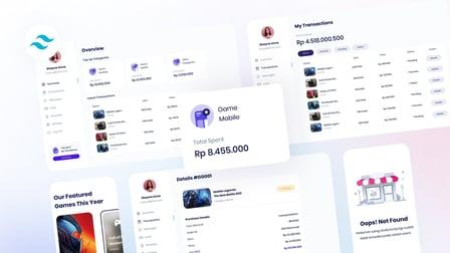
Tailwind CSS 3 Essential Training
Released 04/2022
MP4 | Video: h264, 1280x720 | Audio: AAC, 44.1 KHz, 2 Ch
Skill Level: Intermediate | Genre: eLearning | Language: English + srt | Duration: 2h 27m | Size: 412.9 MB

While the ways in which we work on the web evolve over time, every now and then, a true game changer comes along. The utility-first approach of Tailwind 3 throws out many of the traditional approaches to building projects on the web, allowing you to create a complete and unique website without writing a single line of CSS. In this course, LinkedIn senior staff instructor Ray Villalobos shows how Tailwind CSS 3 offers a lightweight but sophisticated framework for styling content on your sites and apps through labeling with appropriate class names.
Discover utility-first features with techniques vetted by a Tailwind power user. Find out how to modify, customize, and manage content as you build the layout of your pages, adding Tailwind and specifying its use on the HTML elements of each page. Along the way, get tips from Ray on leveraging Tailwind plugins to control your text, classes, designs, line clamp, and typography according to specs.
Homepage


7f219085-2201-42e1-b156-e0bbbfeec47c.png

The Maths behind value generation - Tools to make your business grow!
MP4 | Video: h264, 1024x576 | Audio: AAC, 44.1 KHz
Language: English | Size: 579 MB | Duration: 43m​

In this training we are about to talk about the Maths behind value generation!
Value generation (or Earnings) is a concept normally considered common sense for many, however only few really understand it. And even the ones that fully understand it, sometimes don't know what to do to increase it! That's why I have developed this training :)
In this training we are going to analyze the concept of Earnings in a simple way trying to explain it exploring the Maths supporting this concept. Complicated? Well, let me make it clear: we know that Earnings are equal to Revenues minus Costs and knowing this we are going to peel down revenues and costs in order to illustrate the different tools and strategies at your disposal to influence them and make your businesses grow!
So, in the first part we are going to define the concept of Earnings (1.1 Earnings) and then we are going to analyze the mathematical equation of the Earnings (1.2 The Maths behind).
In the second part of the training (2.Tools to generate value) we are going to explore in detail the mathematical equation using the example of a Retailing business, digging deeply into the different variables within the equation in order to understand the different that you have available to make your business grow!
I hope you like it, and most important, I hope it helps you and your business
Thank you,
Hugo
Screenshots


a5e1bc5f-ea2e-45ce-b082-af39ec40c6ea.png

The Skin Retouch
Released 04/2022
MP4 | Video: h264, 1280x720 | Audio: AAC, 44.1 KHz, 2 Ch
Skill Level: Beginner + Intermediate| Genre: eLearning | Language: English + srt | Duration: 2h 14m | Size: 2.7 GB

Skin retouching doesn't have to be the hardest thing to learn in Photoshop. While it does require advanced techniques, when explained correctly, it can actually be quite easy to get flawless and realistic results simultaneously! Join professional retoucher Kristina Sherk as she demystifies all the techniques you need to know to become a skin retouching expert. This class not only shows you how to retouch skin, but goes into the reasons behind why we do it at all. If you want to learn how to masterfully retouch skin and create stunning portraits like the ones you see in the beauty magazines, check out this course.
Homepage


6ea8caa4-423a-4008-9961-21de71cb21b3.png

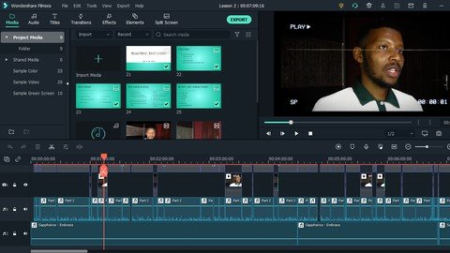
Video Editing Made Easy (FILMORA)
MP4 | Video: h264, 1280x720 | Audio: AAC, 44.1 KHz
Language: English | Size: 660 MB | Duration: 57m
Basic Editing With Filmora
What you'll learn​

How to group and import media
How to synchronize video and audio
How to cut and trim (pan and zoom)
How to use LUTS (color grade), effects and transitions
How to use texts and subtitles
Requirements
No prior video editing skill needed. It is a beginner class
Description
This course seeks to help beginner editors by showing them the basics that are expected foe any video editor. The software of choice here is Filmora which is very user friendly. Topics such as cutting videos, transitioning, use of roll-b and others are taught here.
Professional or other experienced editors may not benefit much from the class.
The basic needs is that come must have Filmora editing software. Even if they have not purchased it, it can be freely downloaded although without purchase, anything you save will have a watermark. Even so, I would suggest that all students download it and 'play around with it' such that when ready, you can purchase it knowing that you already have some experience with it.
The class / course is not very long. Content is straight forward and you will be able to see what the instructor is doing through out allowing you to also imitate or replicate what you are seeing first hand.
The instructor will, naturally, also be available to assist with any enquiries pertaining to the course.
At the end of the course (the last class / outro), a footage is placed and the job of the student is to analyze it and suggest what they would do to embellish it from basic raw footage into something that can be used for an add. One can compare and contrast the intro video to the outro video and get tips...
If you don't know the basics of editing, this is for you.
Who this course is for
This class is strictly for beginner students. Think of it as the basic ABC's. Experienced editors will not gain much from it
Screenshots


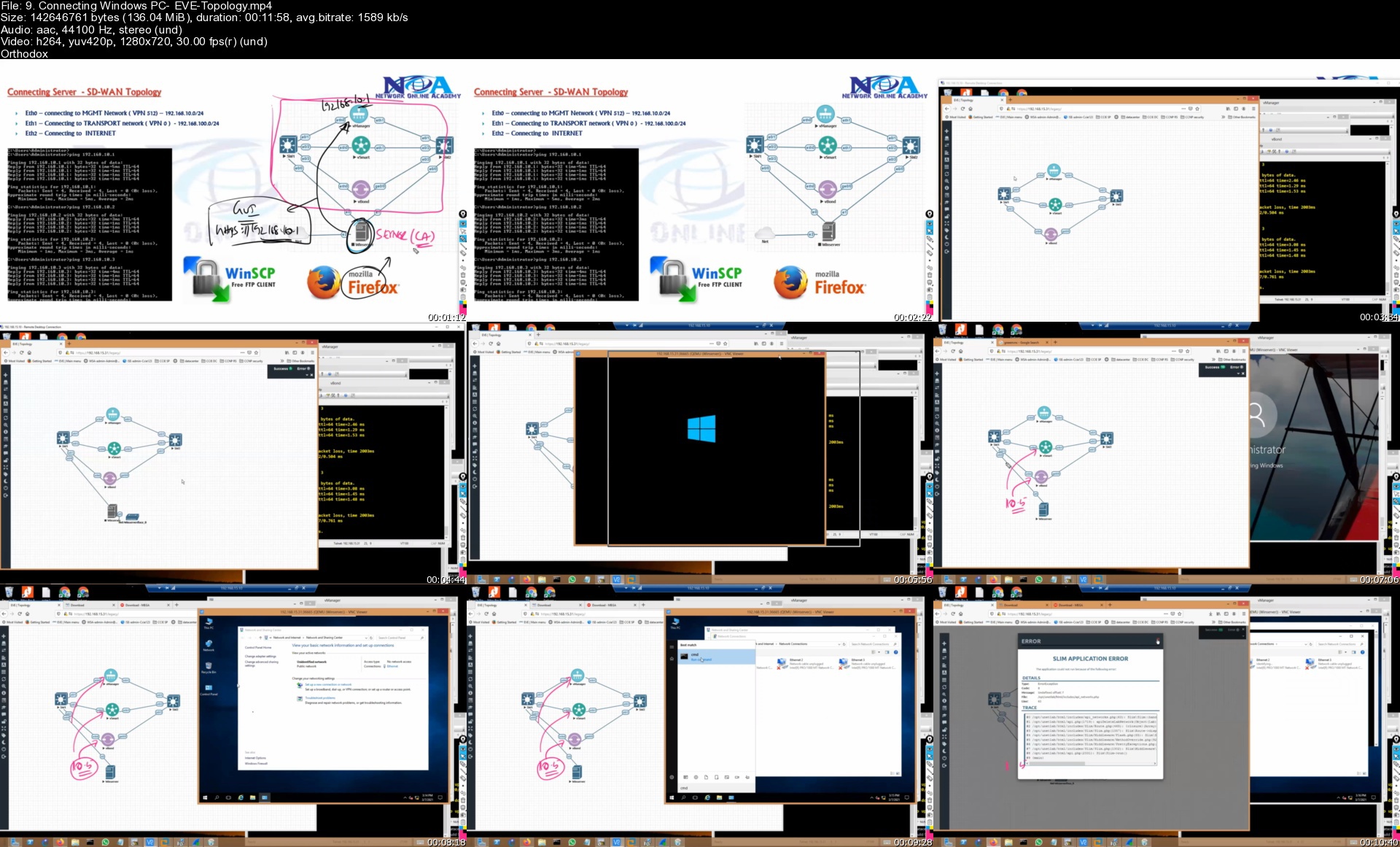
Ccnp Enteprrise - Enarsi-300-410

ndyyrsu5qrgadzqkzvzounrkfu.jpg


Ccnp Enteprrise - Enarsi-300-410
Genre: eLearning | MP4 | Video: h264, 1280x720 | Audio: AAC, 44.1 KHz
Language: English | Size: 29.9 GB | Duration: 58h 13m

Implementing Cisco Enterprise Advanced Routing and Services (ENARSI v1.0) Training


What you'll learn
Implement, Optimizing ,Troubleshooting EIGRP
Implementing, Optimizing, Troubleshooting OSPF
Implementing, Optimizing, Troubleshooting BGP
Configuring & Troubleshooting Redistribution
Implementing Path Control - Route Filtering Methods
Introducing MPLS L3 VPN Architecture
Introducing MPLS L3 VPN Routing
Implementing DMVPN with IPSEC
Implement IPSEC VPN site to Site
Introducing IPv6 First Hop Security
Securing Cisco Routers
Troubleshooting Infrastructure Security and Services
Implementing & Troubleshooting DHCP

Requirements
General understanding of network fundamentals
Basic knowledge of how to implement LANs
General understanding of how to manage network devices
General understanding of how to secure network devices
CCNA level Knowledge

Description
The Implementing Cisco Enterprise Advanced Routing and Services (ENARSI) v1.0 gives you the knowledge you need to install, configure, operate, and troubleshoot an enterprise network. This course covers advanced routing and infrastructure technologies, expanding on the topics covered in the Implementing and Operating Cisco Enterprise Network Core Technologies (ENCOR) v1.0 course.

This course helps prepare you to take the exam, Implementing Cisco Enterprise Advanced Routing and Services (300-410 ENARSI), which leads to the new CCNP® Enterprise and Cisco Certified Specialist - Enterprise Advanced Infrastructure Implementation certifications.

Cisco Authorized course content

Triple CCIE Certified Instructor (Sikandar Shaik CCIEx3)

You Will Learn How To

Configure classic EIGRP and named EIGRP for IPv4 and IPv6

Optimize classic EIGRP and named EIGRP for IPv4 and IPv6

Troubleshoot classic EIGRP and named EIGRP for IPv4 and IPv6

Configure OSPFv2 and OSPFv3 in IPv4 and IPv6 environments

Optimize OSPFv2 and OSPFv3 behavior

Troubleshoot OSPFv2 for IPv4 and OSPFv3 for IPv4 and IPv6

Implement route redistribution using filtering mechanisms

Troubleshoot redistribution

Implement path control using PBR and IP SLA

Configure MP-BGP in IPv4 and IPv6 environments

Optimize MP-BGP in IPv4 and IPv6 environments

Troubleshoot MP-BGP for IPv4 and IPv6

Describe the features of MPLS

Describe the major architectural components of an MPLS VPN

Identify the routing and packet forwarding functionalities for MPLS VPNs

Explain how packets are forwarded in an MPLS VPN environment

Implement Cisco IOS DMVPNs

Implement DHCP

Describe the tools available to secure the IPV6 first hop

Troubleshoot Cisco router security features

Troubleshoot infrastructure security and services

Who this course is for
Enterprise network engineers
System engineers
System administrators
Network administrators

Homepage


9.connectingwindowspcjik6j.jpg


Zurück
Oben Unten