• Regeln für den Video-Bereich:

    In den Börsenbereich gehören nur Angebote die bereits den Allgemeinen Regeln entsprechen.

    Einteilung

    - Folgende Formate gehören in die angegeben Bereiche:
    - Filme: Encodierte Filme von BluRay, DVD, R5, TV, Screener sowie Telesyncs im Format DivX, XviD und x264.
    - DVD: Filme im Format DVD5, DVD9 und HD2DVD.
    - HD: Encodierte Filme mit der Auflösung 720p oder darüber von BluRay, DVD, R5, TV, Screener sowie Telesyncs im Format x264.
    - 3D: Encodierte Filme von BluRay, die in einem 3D Format vorliegen. Dies gilt auch für Dokus, Animation usw.
    - Serien: Cartoon/Zeichentrick, Anime, Tutorials, Dokumentationen, Konzerte/Musik, Sonstiges sind demnach in die entsprechenden Bereiche einzuordnen, auch wenn sie beispielsweise im High Definition-Format oder als DVD5/DVD9/HD2DVD vorliegen. Ausnahme 3D.
    - Bereich Englisch: Englische Releases gehören immer in diesen Bereich.
    - Bereich Talk: Der Bereich, in dem über die Releases diskutiert werden kann, darf, soll und erwünscht ist.


    Angebot/Beitrag erstellen

    - Ein Beitrag darf erst dann erstellt werden, wenn der Upload bei mindestens einem OCH komplett ist. Platzhalter sind untersagt.
    - Bei einem Scenerelease hat der Threadtitel ausschließlich aus dem originalen, unveränderten Releasenamen zu bestehen. Es dürfen keine Veränderungen wie z.B. Sterne, kleine Buchstaben o.ä. vorgenommen werden. Ausnahme Serienbörse:
    - Bei einem Sammelthread für eine Staffel entfällt aus dem Releasename natürlich der Name der Folge. Beispiel: Die Simpsons S21 German DVDRip XviD - ITG
    - Dementsprechend sind also u.a. verboten: Erweiterungen wie "Tipp", "empfehlenswert", "only", "reup", usw. / jegliche andere Zusatzinformation oder Ergänzung, welche nicht in obiger Beschreibung zu finden ist.

    Aufbau des Angebots und Threadtitel

    Der Titel nach folgendem Muster erstellt zu werden. <Name> [3D] [Staffel] [German] <Jahr> <Tonspur> [DL] [Auflösung] <Quelle> <Codec> - <Group>
    Beispiel: The Dark Knight German 2008 AC3 DVDRip XviD - iND
    Beispiel: The Dark Knight 2008 DTS DL BDRip x264 - iND
    Beispiel: The Dark Knight 2008 AC3 DL BDRip XviD - iND
    Beispiel: The Dark Knight German 2008 AC3 720p BluRay x264 iND
    Beispiel: The Dark Knight 2008 DTS DL 1080p BluRay x264 iND
    Beispiel: Die Simpsons S01 German AC3 DVDRip XviD iND
    Beispiel: Die Simpsons S20 German AC3 720p BluRay x264 iND
    Beispiel: Sword Art Online II Ger Sub 2014 AAC 1080p WEBRip x264 - peppermint
    Entsprechend sind also u.a. verboten: Sonderzeichen wie Klammern, Sterne, Ausrufezeichen, Unterstriche, Anführungszeichen / Erweiterungen wie "Tipp", "empfehlenswert", "only", "reup", usw. / jegliche andere Zusatzinformation oder Ergänzung, welche nicht in obiger Beschreibung zu finden ist
    Ausnahmen hiervon können in den Bereichen geregelt sein.

    Die Beiträge sollen wie folgt aufgebaut werden:
    Überschrift entspricht dem Threadtitel
    Cover
    kurze Inhaltsbeschreibung
    Format, Größe, Dauer sind gut lesbar für Downloader außerhalb des Spoilers zu vermerken
    Nfo sind immer Anzugeben und selbige immer im Spoiler in Textform.
    Sind keine Nfo vorhanden z.B. Eigenpublikationen, sind im Spoiler folgende Dateiinformationen zusätzlich anzugeben :
    Quelle
    Video (Auflösung und Bitrate)
    Ton (Sprache, Format und Bitrate der einzelnen Spuren)
    Untertitel (sofern vorhanden)
    Hosterangabe in Textform außerhalb eines Spoiler mit allen enthaltenen Hostern.
    Bei SD kann auf diese zusätzlichen Dateiinformationen verzichtet werden.

    Alle benötigten Passwörter sind, sofern vorhanden, in Textform im Angebot anzugeben.
    Spoiler im Spoiler mit Kommentaren :"Schon Bedankt?" sind unerwünscht.


    Releases

    - Sind Retail-Release verfügbar, sind alle anderen Variationen untersagt. Ausnahmen: Alle deutschen Retail-Release sind CUT, in diesem Fall sind dubbed UNCUT-Release zulässig.
    - Im Serien-Bereich gilt speziell: Wenn ein Retail vor Abschluss einer laufenden Staffel erscheint, darf diese Staffel noch zu Ende gebracht werden.62
    - Gleiche Releases sind unbedingt zusammenzufassen. Das bedeutet, es ist zwingend erforderlich, vor dem Erstellen eines Themas per Suchfunktion zu überprüfen, ob bereits ein Beitrag mit demselben Release besteht. Ist dies der Fall, ist der bereits vorhandene Beitrag zu verwenden.
    - P2P und Scene Releases dürfen nicht verändert oder gar unter einem iND Tag eingestellt werden.


    Support, Diskussionen und Suche

    - Supportanfragen sind entweder per PN oder im Bereich Talk zu stellen.
    - Diskussionen und Bewertungen sind im Talk Bereich zu führen. Fragen an die Uploader haben ausschließlich via PN zu erfolgen, und sind in den Angeboten untersagt.
    - Anfragen zu Upload-Wünschen sind nur im Bereich Suche Video erlaubt. Antworten dürfen nur auf Angebote von MyBoerse.bz verlinkt werden.


    Verbote

    - Untersagt sind mehrere Formate in einem einzigen Angebotsthread, wie beispielsweise das gleichzeitige Anbieten von DivX/XviD, 720p und 1080p in einem Thread. Pro Format, Release und Auflösung ist ein eigener Thread zu eröffnen.
    - Grundsätzlich ebenso verboten sind Dupes. Uploader haben sich an geeigneter Stelle darüber zu informieren, ob es sich bei einem Release um ein Dupe handelt.
    - Gefakte, nur teilweise lauffähige oder unvollständige Angebote sind untersagt. Dies gilt auch für eigene Publikationen, die augenscheinlich nicht selbst von z.B. einer DVD gerippt wurden. Laufende Serien, bei denen noch nicht alle Folgen verfügbar sind, dürfen erstellt und regelmäßig geupdatet werden.
    - Untersagt sind Angebote, welche nur und ausschließlich in einer anderen Sprache als deutsch oder englisch vorliegen. Ausnahmen sind VORHER mit den Moderatoren zu klären.


    Verstoß gegen die Regeln

    - Angebote oder Beiträge, die gegen die Forenregeln verstoßen, sind über den "Melden"-Button im Beitrag zu melden.
  • Bitte registriere dich zunächst um Beiträge zu verfassen und externe Links aufzurufen.

*** Bestes IPTV *** bester Preis *** gratis Test ***


Englische Tutorials

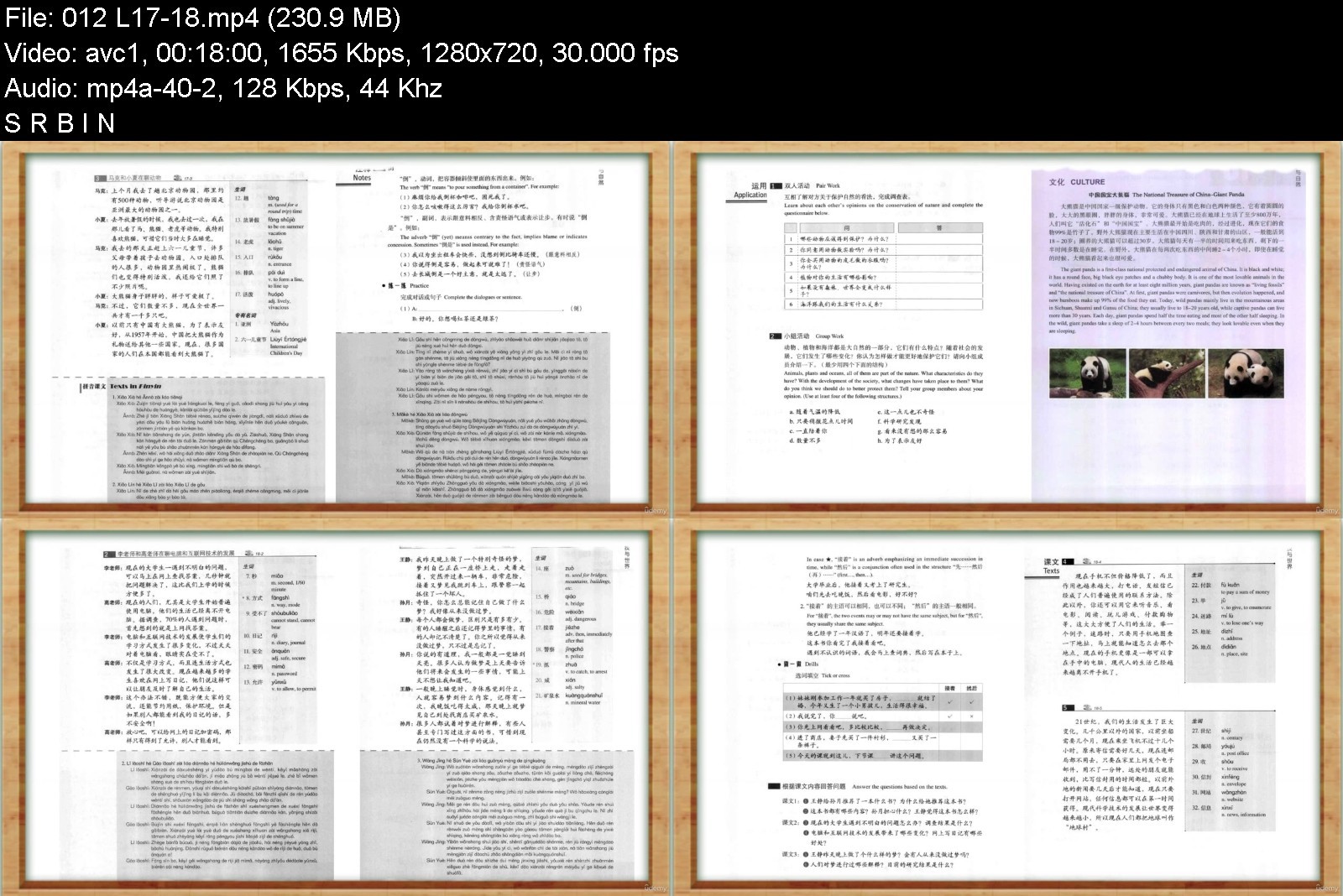
Learn 11000+ Chinese words & HSK1-9 FAST![Full Course]

kqnrs7ftsusghwpsz1udihjkpw.jpg


Learn 11000+ Chinese words & HSK1-9 FAST![Full Course]
MP4 | Video: h264, 1280x720 | Audio: AAC, 44.1 KHz
Language: English | Size: 6.26 GB | Duration: 11h 3m

Mandarin Chinese[HSK1-9] master course: Systematic Learning. Stick to the exam syllabus


What you'll learn
Learn common used Chinese language words and sentences
Carry on a conversation in Mandarin Chinese
Speak Chinese language around your home and at work
Gain confidence in learning and speaking Chinese
Learn Chinese Characters
Requirements
Interest in learing Mandarin Chinese

Description
Introduction to HSK
China's Hanyu Shuiping kaoshi, also known as HSK or the Chinese Proficiency Test, is the national standardized test designed and developed by the HSK Center of Beijing Language and Culture University to assess the Chinese language proficiency of non-native speakers (including foreigners, overseas Chinese and the Chinese students of ethnic groups). According to levels of difficulty, HSK is divided into three categories
basic level (HSK Basic)
elementary-intermediate level (HSK Elementary-Intermediate)
and advanced level (HSK Advanced)
These three categories of the test form a comprehensive testing system, ranging from beginning to advanced level. As tests of general language proficiency, HSK is not based on any particular textbook or course of study. Therefore candidates may refer to any textbook in preparing for the test.
In order to be thoroughly familiar with the test, candidates are expected to read the HSK Guide for Basic, Elementary-Intermediate and Advanced level and the User Handbook which describes the organization and content of the test. HSK is held regularly in China and other countries each year. Certificates of HSK will be issued to those who have secured the required scores.
HSK and the issuing of HSK Certificates are supervised by the State Commission of Chinese Proficiency Test under the Ministry of Education. HSK is jointly administered by the Office of the State Commission of Chinese Proficiency Test under the State Commission of Chinese Proficiency Test and the HSK Center of Beijing Language and Culture University.
HSK Level I Introduction
The HSK (Level I) assesses test takers' abilities in the application of everyday Chinese (Mandarin). It is the counterpart of the Level I of the Chinese Language Proficiency Scales for Speakers of Other Languages and the A1 Level of the Common European Framework of Reference (CEF).
Test takers who are able to pass the HSK (Level I) can understand and use very simple Chinese phrases, meet basic needs for communication and possess the ability to further their Chinese language studies.
Who this course is for
Prepare for HSK test/ Learning Chinese language


learn11000chineseword8aj1b.jpg


Download from RapidGator


Download from NitroFlare



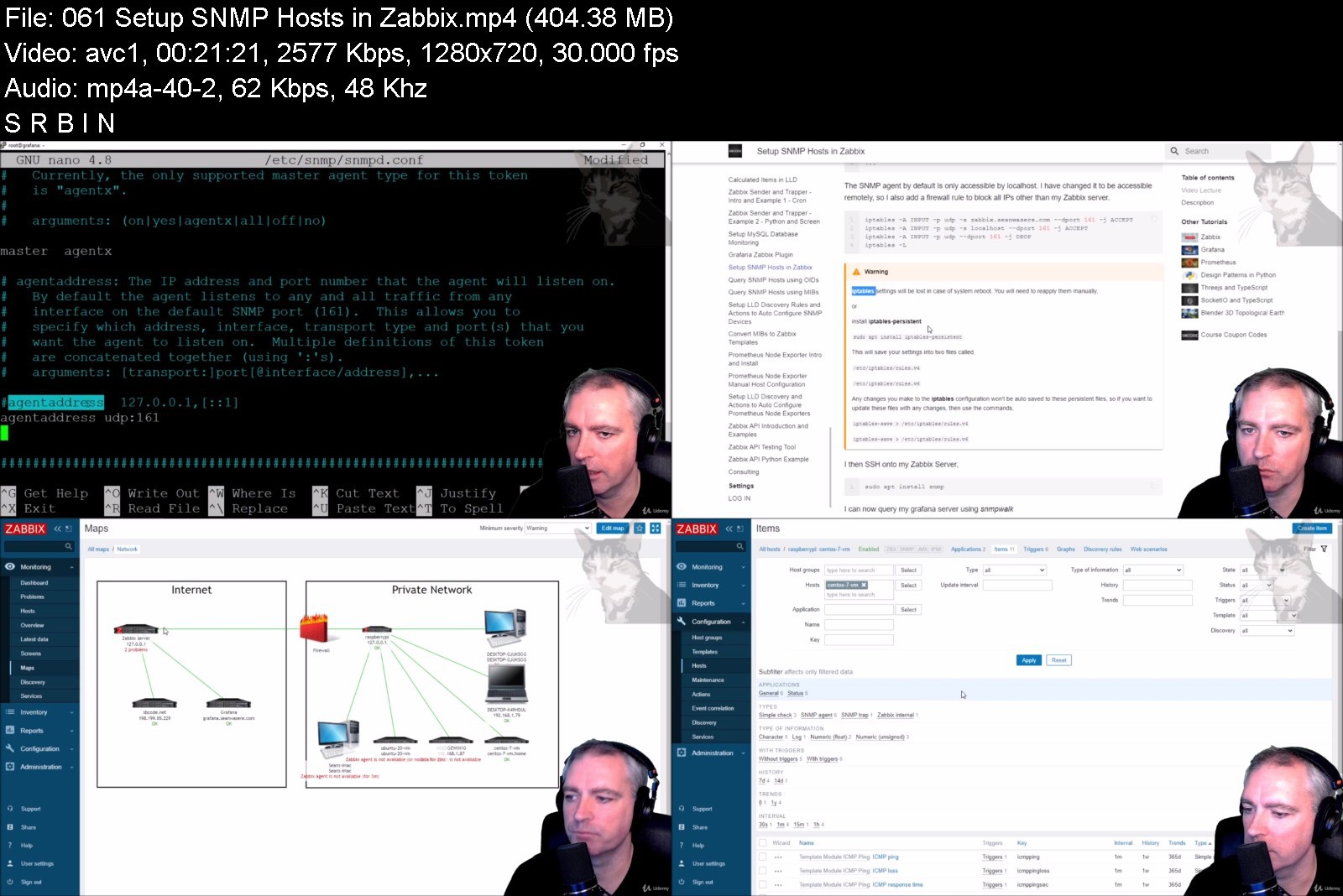
Zabbix 6 Application and Network Monitoring

6ivgdjy2skblr1jwoe2zw06jd7.jpg


Zabbix 6 Application and Network Monitoring
MP4 | Video: h264, 1280x720 | Audio: AAC, 44.1 KHz
Language: English | Size: 9.75 GB | Duration: 11h 9m

Learn Server, Proxy, Agents, Trappers, Items, Triggers, Graphs, Screens, LLD, SNMP, API, Grafana, Prometheus & more


What you'll learn
Installation and Configuration of Zabbix Server, Agents and Proxies on PC, Linux and MacOS
Create Auto Registration and Network Discovery Rules to Auto Add and Configure Discovered Hosts, Network Devices and Applications
Setup LLD Discovery Rules and Actions to Auto Configure SNMP Devices into specific Groups and Assign Templates
Understand Active Versus Passive Items
Construct a Reusable PCI DSS Monitoring Template for all hosts
Configuring Domain name and SSL for Zabbix Server
Install and Configure a Send Only SMTP server for emails
Media Type Configuration for customised Email, Slack and Telegram notifications
Advanced Items and Triggers on PC, Linux and MacOS
Create Standalone and Template Screens
Creating a Graphical Network Map of All Hosts Indicating Status
Creating Template Items for Assigning to Multiple Hosts
Item Preprocessing using Regex, Javascript and JSONPath
Item Cloning to produce a PCI DSS Template
Web Monitoring from Different Geographical Locations for HTTP Status Codes and Response Speeds
Create A Custom LLD Rule From The Ground Up For Service Discovery Including Item and Trigger Prototypes
Create a LLD Graph Prototype from a File System Discovery Rule and Add it to a Template Screen
Create a LLD Trigger Prototype that Triggers Within a Range
Configure PSK Encryption between Zabbix Server, Agents and Proxies
Configure Trigger Ok Event Generation to Minimise Alert Flapping
Execute remote commands on Windows and Linux
Monitor SSL Certificate Expiry
Log File Monitoring Nginx Proxy HTTP Status Codes
Run Docker Commands with Administration Scripts
UserParameters
Execute Powershell Scripts to Check Windows Updates
Calculated Items
Dependent Items
JSON API Monitoring with the HTTP Agent Item
Zabbix Sender and Trapper, with Many Examples
Setup Grafana with the MySQL and Zabbix Datasources
Setup MySQL Monitoring
Setup SNMP Hosts and query using OIDs and MIBs
Setup SNMP Traps
Prometheus Node Exporter Introduction, Installing as a Service and Host Configuration
Setup LLD Discovery and Actions to Auto Configure Prometheus Node Exporters
Zabbix API Introduction with Examples, Python Script, User Permissions and Testing Tool
All Videos in one place, and with no Ads
Requirements
You will need access to several PCs and/or locally hosted or cloud hosted VMs and/or Rasberry PIs. In this course I demonstrate various features using Windows 10, Ubuntu, Rasberry Pi and MacOSX
You have the choice of using dedicated hardware, or using cloud or locally hosted VM managers such as Oracle Virtual Box. The more variation you can access, the better. Zabbix agents will run on most OSs, but Zabbix Server and Proxy will need Linux such as Ubuntu or CentOS
In this course I predominantly demonstrate using Ubuntu Linux, but also provide CentOS equivalent commands in accompanying documentation where applicable.

Description
Hello, and welcome to my course on Zabbix,
Zabbix is a complete open source monitoring software solution for networks, operating systems and applications.
In this course you will install and extensively configure Zabbix Server, Zabbix Proxy, multiple Zabbix Agents on Windows, Linux and MacOS whether on the same network, behind a firewall, on dedicated hardware locally and cloud hosted.
We will also look at,
active an passive checks,
PSK encryption,
host items, triggers, graphs, and dashboards,
understanding Zabbix health,
alerting with email, Telegram and Slack,
creating our own templates.
creating a network map,
reading windows event logs,
item pre-processing using regex and JavaScript
macros,
discovery rule protypes,
JSON API and HTTP monitoring
executing remote bat, PowerShell, sh and python scripts,
Zabbix get and sender,
custom userparameters,
administration scripts,
calculated items,
Creating custom LLD discovery rules from the ground up,
MySQL monitoring,
SMNP agent monitoring and trapper using OIDs and MIBs
Prometheus node exporter monitoring,
Auto registration and discovery
Zabbix API
and much more.
Zabbix can be used in the enterprise or even on you own home network where you can have much better visibility of the things connected and running on it and how they are used.
Thanks for taking part in my course, and let's get started.
Who this course is for
Network Engineers
IT Platform Specialists
System Administrators
DevOps Technicians
Enthusiasts wanting a better understanding and better visibility of their networks in the home or office
Someone who is curious and wants a better understanding of what Zabbix does and what Zabbix is good at


zabbix6applicationandgmklu.jpg


Download from RapidGator


Download from NitroFlare



007c1352-medium.jpg

CompTIA A+ 1001 & 1002 Study Notes for Total Sem A+ Course
Published 04/2022
MP4 | Video: h264, 1280x720 | Audio: AAC, 44.1 KHz, 2 Ch
Genre: eLearning | Language: English + srt | Duration: 48 lectures (2h 24m) | Size: 1.43 GB


Created with permission these Study Notes follow the Total Seminars CompTIA A+ courses. Detailed notes for each lesson
What you'll learn
How to pass the CompTIA A+ Certification Core 1 (220-1001) exam
How to pass the CompTIA A+ Certification Core 2 (220-1002) exam
How to repair and configure mobile devices
All about hardware: monitors, CPUs, motherboards, hard drives, RAM, and more
Understand what the cloud is and how virtualization works
The skills to be a great IT and computer tech
How to set up and configure basic networks
How to build everything from a basic workstation to an awesome gaming system
How to troubleshoot hardware and network issues
All about operating systems: Windows, Mac, Linux, iOS, Android
How to secure your computer, mobile device, and network
How to troubleshoot software and mobile issues
Industry standards and best practices for documentation, change management, disaster prevention and recovery, procedures and policies
The skills to be a great IT and computer tech
Scripting basics (Javascript, Python, Visual Basic and more)
Security concepts like malware, antivirus, anti-malware, and networking security protocols
How to use command-line tools in Windows, Mac, and Linux
Requirements
There are no specific prerequisites as the course covers all the topics in detail.
A basic familiarity with computers and networks is helpful.
CompTIA recommends having 9-12 months of on-the-job experience before taking the A+ exam. This is recommended but not required.
Description
This course's purpose is to provide students with notes to serve as supplemental material to Total Seminars CompTIA A+ (220-1001 & 220-1002) course by Mike Meyers. These notes will help you review the concepts that are discussed that are covered in his course and that are on the exam.
Setting your Expectations for this course - What are you getting?
I really want to emphasize that this is a course where you are purchasing notes on Mike Meyer's (17.5 hour) TOTAL: CompTIA A+ Certification (220-1001) course (Total Seminars) and Mike Meyer's (15 hour) TOTAL: CompTIA A+ Certification (220-1002) course (Total Seminars)
This is not a course where I will be providing any explanations. Please do not expect this.
For explanations, purchase Mike Meyer's video course.
For notes/supplemental materials for the video course, purchase this course.
Why do you need my notes? How will this help me?
For the most part, the topics you'll need to learn for the exam are conceptual, meaning you learn a concept and that's what you'll need to know to answer the questions correctly.
The problem is, Mike Meyers's CompTIA A+ 1001 & 1002 courses, which is the best on the market, runs 17.5 hours & 15 hours long, respectively. Retaining these concepts without taken extensive notes is a very difficult task.
My notes provide you with....
Visualizations - taken directly from Mike Meyers's video course!
Explanations - written in a efficient way to allow you to quickly recall the information
And, for those topics that you just need to (I hate this word so much) memorize, I will provide you with strategies that I've used myself to pass the exam.
What's the best way to use my notes?
For best results, I highly suggest you.....
Preview: Read through the notes first. (Even a simple scan of the pages is better than not having any preview at all.)
Watch: Watch the videos by Mike Meyers associated with the chapter.
Review: Review the notes again to promote memorization.
Reviewing notes is key for recalling concepts, which is exactly what you'll need to do to pass the CompTIA A+ exam.
WHAT'S COVERED IN THIS COURSE?
For the 1001....
Exam Domain 1.0 Mobile Devices - 14%
Laptop hardware components
Mobile device types (tables, smart phones, VR headsets, etc)
Set up mobile devices (syncing and networking)
Exam Domain 2.0 Networking - 20%
Networking hardware devices (routers, switches, firewalls, etc)
Configure a basic SOHO network (wireless access points, IP addressing, IoT devices, etc)
Networking configuration concepts (IPv4 vs. IPv6, DNS, VPNs, etc)
Internet connections and network types (cable, DSL, Fiber, LANs, etc)
Exam Domain 3.0 Hardware - 27%
Cables and connectors (USB, Ethernet, HDMI, Lightning, Thunderbolt, etc)
Motherboards, CPUs, power supplies, RAM, hard drives and SSDs
Peripherals (printers, monitors, keyboards, microphones, etc)
Given a scenario, exploit local host vulnerabilities
Summarize physical security attacks related to facilities
Given a scenario, perform post-exploitation techniques
Exam Domain 4.0 Virtualization and Cloud Computing - 12%
Cloud computing (IaaS, SaaS, PaaS, elasticity, on-demand cloud services, cloud file storage, etc)
Client-side virtualization (virtual machines, emulators, hypervisors)
Exam Domain 5.0 Hardware and Network Troubleshooting - 27%
Resolve problems with best practices and industry standards
Troubleshoot RAM, motherboards, CPUs, power supplies, hard drives, display issues
Troubleshoot mobile device issues, printers, wired/wireless networks
For the 1002....
Exam Domain 1.0 Operating Systems - 27%
Operating system types and purposes (Windows, MacOS, iOS, Android, Linux, etc.)
Windows versions
OS installation
Command-line tools
Exam Domain 2.0 Security - 24%
Physical security (locks, badge readers, guards, etc.)
Logical security concepts (Active Directory, antivirus/anti-malware, firewalls, certificates, etc.)
Wireless security protocols (WPA, WPA2, RADIUS, etc.)
Detect and prevent malware
Social engineering threats, attacks, and vulnerabilities (hackers, phishing, DDoS, brute force, man-in-the-middle, etc.)
Secure workstations and mobile devices
Exam Domain 3.0 Software Troubleshooting - 26%
Troubleshoot Microsoft OS, PC security, mobile OS, and application issues
Malware removal
Exam Domain 4.0 Operational Procedures - 23%
Best practices for documentation, change management, disaster prevention and recovery, safety procedures, and more
Different types of licenses and policies
Professional conduct
Scripting (JavaScript, Python, Visual Basic, etc.)
Remote access technologies
EXAM INFO
Exam codes: 220-1001 & 220-1002
Max. 90 questions (multiple choice, drag-and-drop, and performance-based)
Length of exam: 90 minutes
Passing score: 675 (on a scale of 100-900)
Exam cost: $232 (get discount vouchers and save go to Total Seminars web site)
Languages: English at launch​. German, Japanese, Portuguese, Simplified Chinese and Spanish in 2019.
Recommended experience: 9-12 months' hands-on experience in a lab or in the field
HOW DO I TAKE THE COMPTIA A+ 2019 EXAM?
Buy an exam voucher (get your discount voucher at Total Seminars' website), schedule your exam on the Pearson VUE website, then take the exam at a qualifying Pearson VUE testing center. You can take one exam at a time, or schedule to take both exams at the same time.
To become fully A+ certified you will need to pass both the 220-1001 and 220-1002 exams.
Disclaimer....
These study notes follow the Total Seminar TOTAL: CompTIA A+ Certification (220-1001) video course and the Total Seminar TOTAL: CompTIA A+ Certification (220-1002) video course.
They are created and posted with permission of Total Seminars, the video course instructor.
Who this course is for
Anyone looking to take and pass the CompTIA A+ Certification Core 1 (220-1001) Certification exam
Anyone looking to take and pass the CompTIA A+ Certification Core 2 (220-1002) certification exam
Anyone who wants to improve their skills as a computer or IT technician
Anyone who wants to learn awesome stuff about PCs, Macs, mobile devices, networking, the cloud, IT security and more
Homepage


aae97c8c-7d79-44da-920f-2e6a4956f022.png

Cyber Security: Secure Passwords on Linux
Instructors: Peter A
7 sections • 32 lectures • 1h 19m
Video: MP4 1280x720 44 KHz | English + Sub
Updated 10/2021 | Size: 629 MB​

Learn GPG, Pass & Security Keys
What you'll learn
Best practices for Securing Passwords
Understand how a Hacker gets access to Passwords
Basics of GPG, Pass and Keepass
How to setup Yubikey to work with Pass
How to setup Trezor to work with Pass
How to sign files with a Security Key
Requirements
Basic knowledge of Linux / OpenBSD / FreeBSD / Mac OS XCommand line knowledge
Description
Passwords play an important role in our digital lives. 87% of the Americans re-use passwords. Many online users get hacked with bad consequences. What can you do to make yourself more secure?
In this course you will learn about various ways to secure your passwords. From a hackers view you will learn which methods are safer than others.;The course contains demonstrations that shows how a hacker might get access to the passwords.
You will learn how to protect yourself. About password method so secure, that even if your computer is hacked your passwords will still be secure.
The methods on this course have been tested with Debian/Ubuntu Linux and some on OpenBSD. The methods should work with Mac OS;X;too.
This is a course for intermediate users, who are familiar with the command line. It is not a beginners course, some of the setups in this course can be quite challenging.
Basic knowledge of Linux is recommended. You will learn about gpg and security keys amongst other things and see various ways of how a hacker may get passwords. The course contains various quizes.
If you want to have more security in your daily live, enroll today and learn how to secure passwords.
Who this course is for:Linux users that want more secure passwordsDevelopers (Linux, Mac)Sysadmins (Linux, *BSD)
Homepage
Screenshots


16a5bc31-f282-4b07-ba1c-65d720323c98.png

Digital Affiliate Marketing for Passive Income and Freedom
Instructors: Noble Arya
9 sections • 10 lectures • 1h 44m total length
Video: MP4 1280x720 44 KHz | English + Sub
Updated 10/2021 | Size: 2.0 GB​

Learn the Principles, Models & My Proven Models for True Freedom and Success, I will reveal all my Secrets (Gold Level)
What you'll learn
Mindset of digital lifestyle affiliate marketing for passive Income.
What is digital lifestyle affiliate marketing.
Why is it important to learn digital lifestyle urgently and apply it in your business and life.
What is the potential of digital world and affiliate marketing.
Which tools to use.
How have multiple streams of passive income and true financial freedom up to 10x growth with affiliate marketing.
How to have multiple streams passive income using affiliate marketing digital lifestyle.
Deep History of digital lifestyle affiliate marketing.
Anyone wants to understand end to end affiliate marketing digital lifestyle how it truly works
End to End History of affiliate marketing digital lifestyle.
Requirements
No prior experience of digital world and affiliate marketing is needed to join in this course.Students are advised to take notes for self-reflection purposes.You can study this affiliate marketing digital lifestyle anywhere with a stable internet connection.
Description
Learn the Principles, Models & My Proven Models for true Freedom and Success, i will reveal all Secrets (Gold Level Certification)
Hello, I'm Noble.
Let me share my journey as Global Future Skills & Computer Science - Artificial Intelligence Expert. We have Served 4000+ Students and 500+ Teachers. I have done Global Future Skills Implementation and Future Skills Research for last 15 Years. I am Lifelong Lerner of Future Skills, Future Technologies. I am Self Taught Computer - Artificial Intelligence Scientist and Super Pure Consciousness Expert.
Value Spent on Skills
I have Spent 75000+ USD on 1. Digital Skills 2. Future Skills 3. Freedom and Transformation Skills 4.Technologies Skills 5.Soft Skills and I have done 500+ global digital and future skills trainings.
I have done 100+ Project with these Skills with over 15 years
1. GE.
2. Wipro Technologies.
3. Himalayan Institute of Alternatives Ladakh.
4. Teach for India.
5. Harvard Medical School.
6. Toastmasters International.
Skills Research
Digital and Future Skills Research for last 15 Years and also have done Implementation real projects.
I am Lifelong Learner of all thses skills.
Skills Training Conducted
I have been conducting trainings for 7 years.
I have been training professionals how to file Ideas, Kaizen, Innovative Ideas, Creativity, and Problem-Solving skills.
I have been training CEOs of Fortune 500 companies, Contract Managers, Automobile Project Managers, Project Managers Executives, Teachers, Students, Collage Students, and Universities on Future Skills, Project Management, Future Technologies, Total Quality Management
I do Running training daily as an athlete, I have been participating in WIPRO Runs and other marathons for the last 10 years
Deep Pursuits
I have been doing deep Meditation ( have done 9 courses (10 days) & (served 10 days courses) from 2016.
I have been Reading Business Magazines (Harvard Business Review).
I have been Reading Management Books like Blue Ocean Strategy, Emotional intelligence, Lords of Strategy, Culturomics, Behavioural Economics and Think Fast and slow.
Proactive Learner & Researcher of Future Technology
Cloud Computing
Digital Media
Big Data Stream
Further Natural Interaction
Humanoid
Quantum Computing
Hyper Automation
Artificial Intelligence
Proactive Learning Future New Technology
Computer Architecture
Homepage
Screenshots


E88h-F0oz-TT6-XQi790wn-No-A.png

Egghead - Create A Bar Chart with React and D3
MP4 | Video: h264, 1280x720 | Audio: AAC, 44.1 KHz, 2 Ch
Genre: eLearning | Language: English | Duration: 9 Lessons (29m) | Size: 158.7 MB


D3, or Data Driven Documents, is the defacto standard for data visualization on the web. It's an incredibly powerful library that gives you all the tools you need to build just about visualization you can dream of.
D3 is not a collection of predefined charts. Instead, it's a robust set of utilities you can use to ingest and transform data, to map that data to screen values, and ultimately to manipulate the DOM to render your visuals.
When working with React, D3's desire to manipulate the DOM is at odds with React's goal of rendering the UI as a function of state. So how do we handle this? Simply put, we use D3 for everything up to the point where we want to render our output, and then we hand all that data to React for rendering.
In this course, we'll start from scratch and build out an SVG bar chart for some sample data. We'll lean on D3 for its tools and then hand that data off to React for rendering.
Homepage


17e2f6c5-8627-4cfb-b1db-f5814ddbd2fe.png

English listening skills. Training
Instructors: Halyna Mysynchuk
11 sections • 46 lectures • 1h 33m
Video: MP4 1280x720 44 KHz | English + Sub
Updated 4/2022 | Size: 649 MB​

An immersive course for those who want to improve their listening skills.
What you'll learn
Master effective techniques for working with audio texts, dialogs
Lay the foundation for further development of listening skills
Listen to dialogs of native speakers
Get an algorithm for working with materials and be able to apply it in simpler or more complex situations.
A nice bonus will be learning new vocabulary and grammatical structures
Requirements
Most importantly, the student must have a desire to learn!The course is not suitable: only for those who are just starting to learn English from scratch.
Description
If you have been learning English for a long time, but get confused by fast speech, then I highly recommend taking this intensive course. It will be helpful!!!
Anyone who has problems with listening or who just wants to immerse themselves in the practice of listening, then welcome!!!
This course is an excellent tool for improving English listening skills, which will help you
Improve listening skills
Master effective techniques for working with audio texts, dialogs that will eventually help you to better understand native speakers.
lay the foundation for the further development of listening skills.
Homepage
Screenshots


383e16a7-a432-4864-b066-9bff2865482c.png

Frame by Frame Animation Using Photoshop, After Effects, Cinema4D
Instructors: Klarens Malluta
Duration: 56m • 14 Lessons
Video: MP4 1280x720 44 KHz | English
Level: Beginner | Size: 345.543 MB​

On this class I will teach you how to create a frame by frame animation using Photoshop, After Effects, Cinema4D and a Graphic Tablet.
I will start by showing you some free resources that you can download and
how to use Mixamo to animate your 3D characters.
Then I will show you how to create your first animation in Cinema4D and use
it as a reference to draw all the frames in Photoshop, using a screen or graphic tablet.
After you export all the frames, we will move to After Effects to make our animation
more trippy and do some final adjustments.
In the end I will show you some alternative ways to create a frame by frame animation,
without using Cinema4D.
Screenshots


fb761328-edda-4c06-babb-7ee2cfb67ef7.png

Frontend Master - Data Visualization First Steps
Published 04/2022
MP4 | Video: h264, 1280x720 | Audio: AAC, 44.1 KHz, 2 Ch
Genre: eLearning | Language: English | Duration: 6 Lessons (4h 46m) | Size: 913.7 MB

By participating along with us in the workshop, you'll learn
Learn key data viz concepts like features, channels, aggregation, and faceting
Rapidly build custom charts with the open-source JS library Observable Plot
Develop interactive visualizations you can embed anywhere
Answer questions with data to inform your work as a developer
Get comfortable with data viz basics before tackling more complex libraries like D3.js
Homepage


ab19c786-60d6-41ca-822a-10e538d69547.png

Learning Power BI Desktop (2022)
Released 04/2022
MP4 | Video: h264, 1280x720 | Audio: AAC, 44.1 KHz, 2 Ch
Skill Level: Beginner | Genre: eLearning | Language: English + srt | Duration: 2h 54m | Size: 516.7 MB

Power BI Desktop-the powerful data analysis and visualization software from Microsoft-can help you get more insights from your data, whether that data is stored on your computer or in the cloud. In this course, discover how to leverage this easy-to-use tool to more efficiently model and visualize data. Learn how to connect various data sources, including Excel, databases, and web data sources like Wikipedia. Explore how to search and transform your data using the built-in Query Editor. Plus, instructor Gini von Courter shows how to build and arrange visualizations, create interactive reports, share your work, manage your published files in the Power BI service, and more.
Homepage


4ba1fd5d-6f3d-44ec-bf9b-403c4dc9d52a.png

Lindsey's Painterly Action Workflow Edit
Finding North Educational
Instructors: Lindsey Gutierrez
Duration: 35 mins • 1 Lessons
Video: MP4 1678x1080 44 KHz | English
Size: 250 MB​

Thank you for your subscription. The following is an agreement between Finding North and the consumer. By accessing Finding North's products, the consumer is bound to the following terms.
Due to the digital nature of the Finding North products, subscriptions are not subject to refunds.
Educational videos are not to be shared or distributed in any way. They may be accessed through the Finding North subscription site only.
Overlays and backgrounds provided through the Finding North subscription site are for personal use, by the purchaser, or for client work. They are not to be given, sold, loaned, rented, copied, or re-distributed to others. All images with overlays and backgrounds through the Finding North subscription must be flattened before presenting to the client and may not be given in layered form.
Overlays and backgrounds provided through the Finding North subscription must be combined with your own work and may not be posted or shared as is.
Product through the Finding North subscription may not be altered and offered as re-sell.
Screenshots


4e579d81-d83a-46c6-941a-acd712a30d4a.png

Master Google Sheets with Apps Script
MP4 | Video: h264, 1280x720 | Audio: AAC, 44.1 KHz
Language: English | Size: 3.48 GB | Duration: 10h 31m
A Comprehensive Course to Learn Spreadsheets from the Ground-up to the Advanced Level with Projects using Google Sheets​

What you'll learn
Learn Google Spreadsheet with the most up-to-date features.
In dept Knowledge about the most common and essential functions.
Thorough presentation of the use cases of every functions and techniques.
Concise and on-point discussion about the implementation of the seemingly complicated functions.
Hand on challenges to master the use of the functions.
Many complete and real life project to demand the absolute command over the best practices and versatile use of the functions.
Complete and comprehensive projects that can be implemented in real life situations
Pivot Table, charts and other advanced use of google spreadsheet
Comprehensive and complete lessons on the "QUERY" and "VLOOKUP" functions and their use
Introduction and in depth App script to build real life applications with google spreadsheet
This course covers the majority of the features of MS Excel. So a double whammy!
Requirements
No experience needed as students will learn everything from here
Description
Google Spreadsheet is a data management tool that works with rows and columns (a grid) and it can be administered with several choices. It also visually represents data through different charts and illustrations with appropriate suggestions from Google itself. This application helps its users to express their imagination perfectly.
Google Spreadsheet is a worldwide application that is accepted and used in every working or corporate environment. Using this application has become a common criterion in the job market and sometimes the applicants are provided extra points if they are experts using the spreadsheet. Furthermore, it is also very popular among university students who seek easy applications for data management. It is indeed one of the prominent applications for data management and office management and therefore, people should master it.
This course is designed for the general people to work with proficiency through Google Spreadsheet. This application is used in almost every work arena thus we need to ace our game and this course offers the perfect methods and modules to achieve success. This course is designed for all as it starts with the basics and ends with the expert level; thus, this is a compact and complete package of Google Spreadsheet Application.
Google Sheet basics, managing workspace, data entry and editing, different charts, spreadsheet functions, text functions, conditional functions, info functions, filter functions, math functions, sparkline functions, common errors, data validation, logical functions, conditional formatting, date function, query function, parser functions, VLOOKUP function, Google functions, web functions, Gantt Chart and App Script are explained through several projects and assignments in this course.
How this course will benefit you?
1. You'll learn all the necessary Google Sheet functions
2. You'll get plenty of practice through our precise projects which will help you to build your own style
3. It will help you to organize all sorts of information by just clicking some buttons on your devices
4. It provides video lectures for all the options given by Google and you can link OTHER APPLICATIONS with it
5. It will teach you many shortcuts and small tricks to become a professional easily
6. You'll always be prepared to work with all the latest versions of Google Sheet
What does this course offer to you?
1. Unique designing patterns and DIYs
2. Category-wise discussion on built-in functions.
3. Separate section for important functions such as VLOOKUP, QUERY etc.
5. Learning best practices and tips & tricks.
6. Discussion on the syntax and use cases of Advanced Level Functions.
7. Real-life project to sharpen spreadsheet skills.
8. One course to become a master user of the spreadsheet, thus this course helps you cut the cost.
9. A dedicated section for Google App Script.
10. Creating custom functions and automating your tasks with a google spreadsheet.
11. A complete and comprehensive introduction to different important charts.
12. Ameliorate your creativity and develop your own style.
13. High quality and easy to follow along with video tutorials.
14. Quizzes and assignments.
15. Unique and effective explanation of each section.
16. These functions and features are also the same for MS Excel. So a screamer !!
17. This course gets updated on a regular basis in terms of newer features and course materials such as projects and quizzes.
Who this course is for
Job seekers
Undergraduate and Post Graduate students
Professionals to sharpen their spreadsheet skills
Professionals for career advancement
Business Analytics Enthusiast
Management Professionals
People looking for a data driven career
Screenshots


Zurück
Oben Unten