• Regeln für den Video-Bereich:

    In den Börsenbereich gehören nur Angebote die bereits den Allgemeinen Regeln entsprechen.

    Einteilung

    - Folgende Formate gehören in die angegeben Bereiche:
    - Filme: Encodierte Filme von BluRay, DVD, R5, TV, Screener sowie Telesyncs im Format DivX, XviD und x264.
    - DVD: Filme im Format DVD5, DVD9 und HD2DVD.
    - HD: Encodierte Filme mit der Auflösung 720p oder darüber von BluRay, DVD, R5, TV, Screener sowie Telesyncs im Format x264.
    - 3D: Encodierte Filme von BluRay, die in einem 3D Format vorliegen. Dies gilt auch für Dokus, Animation usw.
    - Serien: Cartoon/Zeichentrick, Anime, Tutorials, Dokumentationen, Konzerte/Musik, Sonstiges sind demnach in die entsprechenden Bereiche einzuordnen, auch wenn sie beispielsweise im High Definition-Format oder als DVD5/DVD9/HD2DVD vorliegen. Ausnahme 3D.
    - Bereich Englisch: Englische Releases gehören immer in diesen Bereich.
    - Bereich Talk: Der Bereich, in dem über die Releases diskutiert werden kann, darf, soll und erwünscht ist.


    Angebot/Beitrag erstellen

    - Ein Beitrag darf erst dann erstellt werden, wenn der Upload bei mindestens einem OCH komplett ist. Platzhalter sind untersagt.
    - Bei einem Scenerelease hat der Threadtitel ausschließlich aus dem originalen, unveränderten Releasenamen zu bestehen. Es dürfen keine Veränderungen wie z.B. Sterne, kleine Buchstaben o.ä. vorgenommen werden. Ausnahme Serienbörse:
    - Bei einem Sammelthread für eine Staffel entfällt aus dem Releasename natürlich der Name der Folge. Beispiel: Die Simpsons S21 German DVDRip XviD - ITG
    - Dementsprechend sind also u.a. verboten: Erweiterungen wie "Tipp", "empfehlenswert", "only", "reup", usw. / jegliche andere Zusatzinformation oder Ergänzung, welche nicht in obiger Beschreibung zu finden ist.

    Aufbau des Angebots und Threadtitel

    Der Titel nach folgendem Muster erstellt zu werden. <Name> [3D] [Staffel] [German] <Jahr> <Tonspur> [DL] [Auflösung] <Quelle> <Codec> - <Group>
    Beispiel: The Dark Knight German 2008 AC3 DVDRip XviD - iND
    Beispiel: The Dark Knight 2008 DTS DL BDRip x264 - iND
    Beispiel: The Dark Knight 2008 AC3 DL BDRip XviD - iND
    Beispiel: The Dark Knight German 2008 AC3 720p BluRay x264 iND
    Beispiel: The Dark Knight 2008 DTS DL 1080p BluRay x264 iND
    Beispiel: Die Simpsons S01 German AC3 DVDRip XviD iND
    Beispiel: Die Simpsons S20 German AC3 720p BluRay x264 iND
    Beispiel: Sword Art Online II Ger Sub 2014 AAC 1080p WEBRip x264 - peppermint
    Entsprechend sind also u.a. verboten: Sonderzeichen wie Klammern, Sterne, Ausrufezeichen, Unterstriche, Anführungszeichen / Erweiterungen wie "Tipp", "empfehlenswert", "only", "reup", usw. / jegliche andere Zusatzinformation oder Ergänzung, welche nicht in obiger Beschreibung zu finden ist
    Ausnahmen hiervon können in den Bereichen geregelt sein.

    Die Beiträge sollen wie folgt aufgebaut werden:
    Überschrift entspricht dem Threadtitel
    Cover
    kurze Inhaltsbeschreibung
    Format, Größe, Dauer sind gut lesbar für Downloader außerhalb des Spoilers zu vermerken
    Nfo sind immer Anzugeben und selbige immer im Spoiler in Textform.
    Sind keine Nfo vorhanden z.B. Eigenpublikationen, sind im Spoiler folgende Dateiinformationen zusätzlich anzugeben :
    Quelle
    Video (Auflösung und Bitrate)
    Ton (Sprache, Format und Bitrate der einzelnen Spuren)
    Untertitel (sofern vorhanden)
    Hosterangabe in Textform außerhalb eines Spoiler mit allen enthaltenen Hostern.
    Bei SD kann auf diese zusätzlichen Dateiinformationen verzichtet werden.

    Alle benötigten Passwörter sind, sofern vorhanden, in Textform im Angebot anzugeben.
    Spoiler im Spoiler mit Kommentaren :"Schon Bedankt?" sind unerwünscht.


    Releases

    - Sind Retail-Release verfügbar, sind alle anderen Variationen untersagt. Ausnahmen: Alle deutschen Retail-Release sind CUT, in diesem Fall sind dubbed UNCUT-Release zulässig.
    - Im Serien-Bereich gilt speziell: Wenn ein Retail vor Abschluss einer laufenden Staffel erscheint, darf diese Staffel noch zu Ende gebracht werden.62
    - Gleiche Releases sind unbedingt zusammenzufassen. Das bedeutet, es ist zwingend erforderlich, vor dem Erstellen eines Themas per Suchfunktion zu überprüfen, ob bereits ein Beitrag mit demselben Release besteht. Ist dies der Fall, ist der bereits vorhandene Beitrag zu verwenden.
    - P2P und Scene Releases dürfen nicht verändert oder gar unter einem iND Tag eingestellt werden.


    Support, Diskussionen und Suche

    - Supportanfragen sind entweder per PN oder im Bereich Talk zu stellen.
    - Diskussionen und Bewertungen sind im Talk Bereich zu führen. Fragen an die Uploader haben ausschließlich via PN zu erfolgen, und sind in den Angeboten untersagt.
    - Anfragen zu Upload-Wünschen sind nur im Bereich Suche Video erlaubt. Antworten dürfen nur auf Angebote von MyBoerse.bz verlinkt werden.


    Verbote

    - Untersagt sind mehrere Formate in einem einzigen Angebotsthread, wie beispielsweise das gleichzeitige Anbieten von DivX/XviD, 720p und 1080p in einem Thread. Pro Format, Release und Auflösung ist ein eigener Thread zu eröffnen.
    - Grundsätzlich ebenso verboten sind Dupes. Uploader haben sich an geeigneter Stelle darüber zu informieren, ob es sich bei einem Release um ein Dupe handelt.
    - Gefakte, nur teilweise lauffähige oder unvollständige Angebote sind untersagt. Dies gilt auch für eigene Publikationen, die augenscheinlich nicht selbst von z.B. einer DVD gerippt wurden. Laufende Serien, bei denen noch nicht alle Folgen verfügbar sind, dürfen erstellt und regelmäßig geupdatet werden.
    - Untersagt sind Angebote, welche nur und ausschließlich in einer anderen Sprache als deutsch oder englisch vorliegen. Ausnahmen sind VORHER mit den Moderatoren zu klären.


    Verstoß gegen die Regeln

    - Angebote oder Beiträge, die gegen die Forenregeln verstoßen, sind über den "Melden"-Button im Beitrag zu melden.
  • Bitte registriere dich zunächst um Beiträge zu verfassen und externe Links aufzurufen.

*** Bestes IPTV *** bester Preis *** gratis Test ***


Englische Tutorials

ab368d70-17a1-4b55-b67e-dc63f94b39f5.png

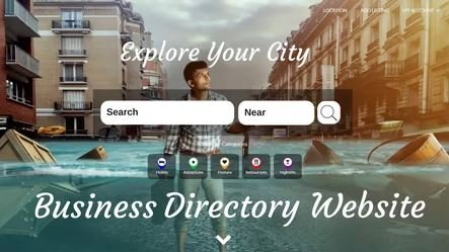
How to Create a Listing or Directory Website with WordPress 2022
MP4 | Video: h264, 1280x720 | Audio: AAC, 44.1 KHz
Language: English | Size: 498 MB | Duration: 1h 3m​

In this wordpress tutorial course for beginners, I will show you how to create a Listing, Directory or a Real estate website with wordpress! You dont need to have any experience whatsoever! You will learn how to use wordpress, you will learn how to create your own wordpress website from scratch. You will learn how to personally customize and manage your own real estate wordpress website!
Why Take This AMAZING Course?
I am a highly rated instructor on udemy.
I Have Helped Teach And Create Over 5000 Wordpress Websites!
Get a Modern And Amazing Look For Your Website That Will Impress!
Learn From A Professional Who Creates Websites For a Living with over Millions Of Visits!
THE MOST UPDATE AND MODERN TUTORIAL. Dont Settle For Outdated Content!
Get A fully Responsive Website And Mobile Responsive
What are the requirements?
Just A Computer And An Internet Connection
What am I going to get from this course?
Master Wordpress
Screenshots


4622908-36c2.jpg

IELTS Writing Task 1 (General) - Complete guide for a 7+
Published 04/2022
MP4 | Video: h264, 1280x720 | Audio: AAC, 44.1 KHz, 2 Ch
Genre: eLearning | Language: English + srt | Duration: 60 lectures (3h 46m) | Size: 1.23 GB


A complete step-by-step guide to General IELTS Writing Task 1, with practice activities at every stage
What you'll learn
Understand how your letter is evaluated by the examiner
Present a clear purpose in your letter
Present the bullet points in the task accurately and sufficiently
Understand the difference between a formal and an informal letter
Use an appropriate tone in your letter
Use appropriate language for beginning and ending your letter
Give your letter a clear, logical structure
Understand how to connect your ideas
Use advanced words and expressions, as well as word combinations, to get a 7+ for vocabulary
Write complex sentences and use a variety of structures to get a 7+ for grammar
Adopt a strategy for reducing your vocabulary and grammar errors
Adopt a strategy to make sure you finish your letter on time, every time!
Requirements
An intermediate level of English is required.
You do not need to know anything about the IELTS test. You will learn everything on this course.
Description
This course will show you exactly what you need to do to get the highest score possible for your letter in General IELTS Writing Task 1.
You will learn precisely what the examiner is looking for in the 4 assessment criteria (Task Achievement, Coherence and Cohesion, Lexical Resource, and Grammatical Range and Accuracy).
To get a 7 or more in General IELTS Writing Task 1, you need to
- present a clear purpose
- do precisely what the bullet points in the task say, and
- use the correct tone and format in your letter.
You also need to
- structure your letter appropriately
- use a range of complex linking words, grammar and vocabulary, and
- not make too many mistakes.
In this course I will show you, step-by-step, how to do all of these things.
I will also give you lots of key vocabulary, 10 model answers and a checklist for each section that you can use as a guide.
Most importantly, in almost every video there is an activity so that you can practice what you've learned.
This means that when you do the IELTS exam, you will know precisely what you need to do and you will have practiced doing it.
This will enable you to get the score that you need so you can leave IELTS behind and move on with the rest of your life.
Who this course is for
People taking the General IELTS test who want a step-by-step guide to Writing Task 1, with practice activities at every stage.
Homepage


4574250-0f48-2.jpg

Introduction to ArcGIS Pro
Updated 03/2022
MP4 | Video: h264, 1280x720 | Audio: AAC, 44.1 KHz, 2 Ch
Genre: eLearning | Language: English | Duration: 31 lectures (10h 32m) | Size: 7.95 GB


Learn concepts of GIS and the ArcGIS Pro Software
What you'll learn
The students will learn how to prepare a mapping project and how to gather the data needed to answer the clients question/questions.
The students will the basic concepts of Geographic Information Systems.
The will learn what tools are available in the ArcGIS Pro Sofware.
The student's will learn how to design a basic map answering the questions of a hypothetical scenario and later do their own exercise.
Requirements
The student's will need to know how to use Windows 10 and be able to save and delete files in their windows platform.
Description
This is a course for beginners that want to learn how to use the ArcGIS Pro software and learn the basics of GIS. The course goes over the ribbon, panes, and tools used by mapmakers using the ArcGIS Pro Software. It takes a consultative approach where you are asked by a client to do an analysis and use a map to present the results of the analysis. The objectives are to think of what the client is asking and prepare folders to store the files needed to do the analysis. Then determine what GIS tools you will need to do the analysis. Finally, to prepare maps to display the information. Below is the table of contents that will be covered in the course.
Table of Contents
1. Gathering and Organizing Data
2. The Project Window
3. Map Projections
4. Queries and Exploring Data
5. Geocoding
6. Join and Relate
7. Geodatabase
8. Editing and Creating Features
9. Geoprocessing Tools
10. Designing a Map (Includes Exercise)
Analysis
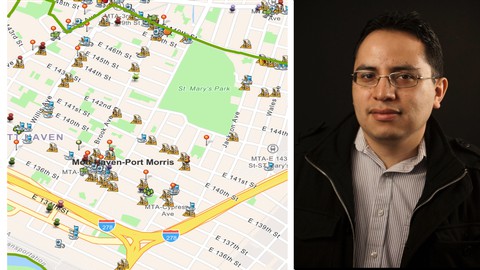
The Institute has been asked to design a map of the Food Environment in Bronx Community Board 1. The Institute must provide demographic data of the Board and how close the food locations are from Public Transportation. Also, how many stores are within ¼ of a mile of a business corridor.
Who this course is for
This course for student's that want to learn ArcGIS Pro and have some familiarity with GIS products.
This course is for student's that want to learn enough about GIS and ArcGIS pro to do an analysis using vector data.
Homepage


2b5ae39e-b14a-4170-b311-f8b099352b06.png

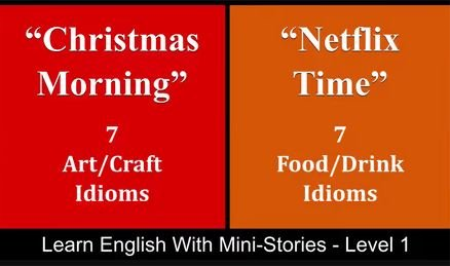
Learn English With Mini-Stories - Level 1 - "Christmas Story, " "Netflix Time"
MP4 | Video: h264, 1280x720 | Audio: AAC, 44.1 KHz
Language: English | Size: 151 MB | Duration: 11m​

In this part of the Learn English With Mini-Stories lesson series, we will have two stories and lessons. The first story, "Christmas Morning," will contain 7 Art/Craft idioms and 2 extras (phrasal verbs, slang, vocabulary/grammar, etc.). The second story, "Netflix Time," will contain 7 Food/Drink idioms and 2 extras.
Learn English With Mini-Stories Series
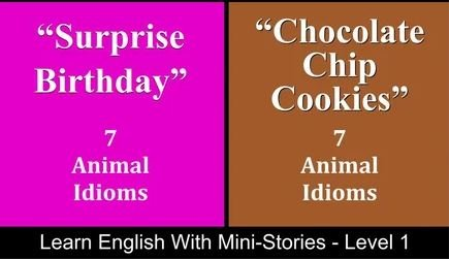
Learn English With Mini-Stories - Level 1 - "Surprise Birthday, " "Chocolate Chip Cookies"
Screenshots


643c9007-ad63-44c8-a0d3-bb5903672b47.png

Learn English With Mini-Stories - Level 1 - "Surprise Birthday, " "Chocolate Chip Cookies"
MP4 | Video: h264, 1280x720 | Audio: AAC, 44.1 KHz
Language: English | Size: 148 MB | Duration: 11m​


In this part of the Learn English With Mini-Stories lesson series, we will have two stories and lessons. The first story, "Surprise Birthday," will contain 7 Animal idioms and 1 extra (phrasal verbs, slang, vocabulary/grammar, etc.). The second story, "Chocolate Chip Cookies," will contain 7 Animal idioms and 2 extras.
Learn English With Mini-Stories Series
Learn English With Mini-Stories - Level 1 - "Christmas Story, " "Netflix Time"
Screenshots


4650018-661e-2.jpg

Learn How to Build News Website Using PHP
Published 04/2022
MP4 | Video: h264, 1280x720 | Audio: AAC, 44.1 KHz, 2 Ch
Genre: eLearning | Language: English + srt | Duration: 29 lectures (1h 50m) | Size: 1.07 GB


Learn How to Build News Website Using PHP From Scratch
What you'll learn
How to Install PHP
Create files and directories in PHP
The logic behind building a news website
How to get news headlines
How to display news headlines and news articles
How to work with News API service
How to work with JSON & response arrays
How to design the UI
How to make the UI responsive
And much much more...
Requirements
Computer with Windows or MAC
Internet connection
Basic knowledge of PHP. (e.g. how to create PHP files)
Description
This courses will teach you how to build latest news website using PHP.
Staying up-to-date with latest news is so important. There is a lot going on around the world in every single moment. Technology has made it easy to know what is happening in any corner around the globe. And with Laravel you can build a real-world news website that informs users with the latest news from any country and with several different languages.
Learning a real-world website using Laravel will open up the door of opportunity for you to become a professional PHP developer.
First, you will learn how to install PHP environment, then you will be taught how to create a project and how to work on the user interface extensively with lots of awesome designs. Then you will be taught how to make the design user-friendly. Next you will learn how to get latest news headlines and articles and display them along with other related news info such as media that published the headline, authors, etc. During the process you will learn how to make HTTP requests, use JSON and array responses and work with complex data.
By the end of this course you will have built a project using PHP programming language that is capable of letting the public visit your news website, check latest headlines, and be notified about the latest.
Why should you take this course?
There are many reasons why this course is extremely important.
1. First, you will build a real-world we app, rather than building unrealistic project.
2. Second, I will teach you the "how-to" rather than concepts that you will end up abandoning.
3. Third, you will learn one of the most important asks that PHP can do. PHP is a web-based server-side programming language which means that it's specialized in the web and can that work perfectly.
4. Forth, you will intensify your programming skills. Let me list out the advantages of taking this course.
What you will learn in this course?
1. Install project environment & create project.
2. Run PHP project files.
3. Structure your project.
4. The logic behind building a news website.
5. How to get news headlines.
6. How to display news headlines and news articles.
7. How to work with News API service.
8. How to work with JSON & response arrays.
9. How to design the UI.
10. How to make the UI responsive
11. Best practices and techniques.
12. Organize your project.
13. Much much more...
Who this course is for
PHP developers
Web developers
Programmers
Homepage







 
4618386-9d70.jpg

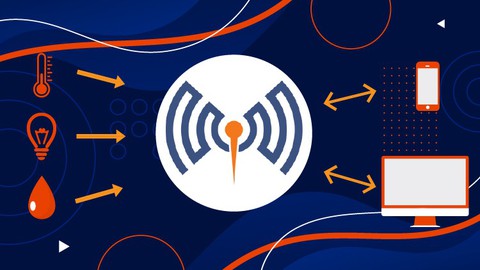
MQTT - Fundamentals (Simulations and Security Setup)
Published 04/2022
MP4 | Video: h264, 1280x720 | Audio: AAC, 44.1 KHz, 2 Ch
Genre: eLearning | Language: English | Duration: 23 lectures (4h 26m) | Size: 2.08 GB


Learn MQTT right now! For beginners who it wants to Understand this Special Protocol
What you'll learn
Implement MQTT and Identify Opportunities to add this protocol in several industries.
Simulate several MQTT Clients: MQTT box, MQTTfx, MQTT Explorer with Mosquitto MQTT Broker
Diagnosing MQTT protocol with Wireshark
Encrypted MQTT messages, Secure ACL control messages on MQTT Protocol
Requirements
No programming experience needed, Entry Level. Dive into MQTT Protocol
Description
Greetings From Alex Castro. In this course, you will learn about the MQTT, from the Core Concepts to Setup, Security, and Real-Time Implementation of MQTT Protocol with different examples.
The course takes off with the introduction of MQTT Which Includes What, Why, and Where the Utilization of MQTT protocol as well compared with other protocols. Then the course explains how MQTT benefits the field of the Internet of Things. Next, the course moves on to the mosquitto MQTT BROKER which is one of the standard MQTT broker tools available and teaches how to install and test it on Different Platforms Including Windows and Raspberry pi 3. Later you Will Learn Mosquitto Pub/Sub Commands for communication with Broker which includes different parameters.
If you are a developer or an engineer who wants to get an in-depth knowledge of all the concepts of the MQTT Protocol or if you want to unlock the full potential of your existing MQTT system, this course is right for you. To get the maximum value out of this course, you should have a functional knowledge of electronics and should have good experience with Raspberry Pi, ESP32, Python, and Linux.
Throughout the course, we have provided a curated collection of original resources. These resources include links to documents for in-depth learning, blog links, videos, and more. Furthermore, our Instructor team has an excellent track record of answering your queries and clearing your doubts. Thus, they will be ready to answer any of your course-related questions.
So, what are you waiting for?! Come, join me in this course. I'm looking forward to being your instructor and make you a Master of the MQTT Protocol.
Who this course is for
PLC Programmers, Electrical Engineer, Technicians, IT, Computer Science, Entry Level.
Homepage


ce45c7ff-efe0-469c-ae18-b8f04f5a3d24.png

On-Location Light and Lighting
Video: .mp4, 1280x720 | Audio: AAC, 48 kHz, 2ch | Size: 1.98 gb
Genre: eLearning | Language: English | Duration: 2hr 15m​

In this class you'll learn to master your outdoor location lighting. Mark Wallace shows you how to use diffusion, reflectors, speedlights and studio strobes in an outdoor location setting. Learn how to light for portrait photography outside and in open shade. Mark demonstrates his lighting techniques by shooting several portrait scenarios.
WHO THIS CLASS IS FOR
Beginner to Intermediate portrait photographers
Photographers with a basic understanding of studio lighting
Students who have completed Mark's Essential Training lighting classes
SOFTWARE USED
Adobe Photoshop CC 2022
Adobe Lightroom Classic 2022
Screenshots


a1c14f22-04a1-4e54-9e11-0d4d939e05cf.png

Practical approach to Project Portfolio Management
MP4 | Video: h264, 1280x720 | Audio: AAC, 44.1 KHz
Language: English | Size: 235 MB | Duration: 34m​

Hi, my name is Martina and I want to help you with your first steps in Project Portfolio Management.
If you want to know more about my background, you can visit my website. But I can tell you Project Portfolio Management may be tricky, but it is not exactly a rocket science. And if it is - don't worry I also have background in aerospace engineering, so you are in good hands! You don't need any special tools to take this class, just an open mind.
I will explain you what the project portfolio really is, what are its elements and how many projects can be gathered in a Project Portfolio. I will show you that sometimes managers are already managing Portfolio without noticing. We will see what are the best ways to report Portfolio and to whom it should be really reported? I will give you some tips with practical aspects like - how often prepare portfolio report, how to organize your team to get information for the report. I will explain what differences between handling project, program and portfolio are. And what most important why Portfolio matters and how portfolio report will help you a lot with managing the portfolio in practice.
And at the end you will get your hand dirty with a final project. You will resume situation in Emma's Portfolio. This will be an excellent warm up before taking care of your own Portfolio situation.
So, let's get started!
Screenshots


4646088-0b98-3.jpg

Python A-Z: Learn Python for Scientific Research by Doing
Published 04/2022
MP4 | Video: h264, 1280x720 | Audio: AAC, 44.1 KHz, 2 Ch
Genre: eLearning | Language: English + srt | Duration: 14 lectures (1h 13m) | Size: 547.8 MB


Python A-Z: Learn Python for Scientific Research by Doing
What you'll learn
It helps you not only be a good practitioner but offers you an opportunity for creativity in data processing, statistics, and graph creation in research.
You will learn how to manipulate, import, and export data.
You will learn descriptive statistics, relationships, multi-correlation, ANOVA, and t-test using Python for scientific research.
You will be proficient in basic, advanced, and animated graphs using Python codes.
Requirements
No programming experience needed.
Description
Learn Python Programming for research by doing!
This tutorial is my experience of many years and tens of scientific research of using Python for research. After every video, you learn a new valuable concept that you can apply right away in your research. Moreover, the best part is that you learn through real examples from different subjects of research.
It helps you not only be a good practitioner but offers you an opportunity for creativity in data processing, statistics, and graph creation in scientific research because it is based on programming which unlimited compared to software such as SPSS and Excel. The series includes types, manipulation, import, and export of data. In addition to descriptive statistics, relationship, multi correlation, ANOVA, and t-test. It also familiarizes you with basic, advanced, and animated graphs. In addition to functions, packages, directories, and others.
I am an Assistant Professor of Remote Sensing at Soran University. GBD Collaborator at the University of Washington. I have more than 10 years of experience in Python and R programming, GEE, Big Data, Remote Sensing/GIS, Earth Observation, and Climate. I obtained Ph.D. degree in Geography (Remote Sensing) at the University of Leicester. Published around 30 peer-reviewed papers.
At the end of the course, you will be able to
Creatively processing data, performing statistics, and creating graphs in research using Python.
Manipulate, import, and export data.
Perform descriptive statistics, relationships, multi-correlation, ANOVA, and t-test using Python for scientific research.
You will be proficient in basic, advanced, and animated graphs using Python codes.
Learn how to use jupyter notebook for scientific research.
Sincerely,
Assist. Prof. Azad Rasul
Who this course is for
Researchers and students who are attempting to efficiently use Python programming for their scientific research.
Homepage


77a85a02-9aab-4197-a5c4-0dac2174c8ce.png

Python for astronomers and astrophysics
Published 04/2022
MP4 | Video: h264, 1280x720 | Audio: AAC, 44.1 KHz, 2 Ch
Genre: eLearning | Language: English + srt | Duration: 11 lectures (1h 15m) | Size: 404.3 MB


Python Astronomy
What you'll learn
Understand and apply basic physics and computational techniques to solve problems in astrophysics, and interpret the results.
Identify different astronomical objects
Realtime data of celestial bodies
Explore different libraries
Requirements
No programming experience needed. you will learn everything you need to know.
Description
Today the astronomy has evolved and grown at an unprecedented rate, particularly in the past decade. The use of Python is noticeably growing among the scientific community, and Astronomy. The power of Python consists of being an extremely versatile high-level language, easy to program that combines both traditional programming and data reduction and analysis tools Python is a great language for science and specifically for astronomy. In this course you will learn how to solve astronomical problems by using python like:-
· Finding exoplanets
· Plotting gravitational wave
· Handling astronomical image file
· Solving Kepler's problem
· Astronomical coordinates
· Astronomical Units
· Plotting Graph
· Python as a calculator
For this course no prior knowledge of python is required. You will also learn about the various python library packages such as numpy, scipy, matplotlib and astropy. To work with the astronomy mostly we will use astropy library. The Astropy project is committed to fostering an inclusive community. The community of participants in open source Astronomy projects is made up of members from around the globe with a diverse set of skills, personalities, and experiences. At the end of the course you will have an excellent understanding of python astronomy.
Requirements
Computer with python installed
Passion to learn and grow
Who this course is for
This course for the people who want to learn astronomy or astrophysics.
Willingness to learn.
Homepage


35a8e576-6909-4265-9bac-9b43c68b2fd1.png

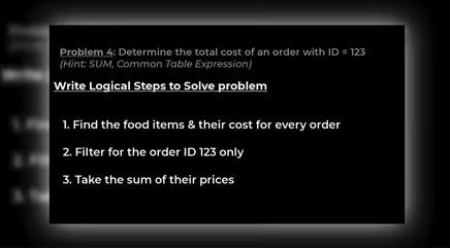
SQL for Solving Problems
MP4 | Video: h264, 1280x720 | Audio: AAC, 44.1 KHz
Language: English | Size: 219 MB | Duration: 1h 3m
This course takes a problem centric approach to teaching SQL.
Take a problem​

Break it down in to multiple subtasks (formulating thoughts, understanding potential outputs, and then actually writing SQL)
Work through each of these sub-tasks
Screenshots


Zurück
Oben Unten