• Regeln für den Video-Bereich:

    In den Börsenbereich gehören nur Angebote die bereits den Allgemeinen Regeln entsprechen.

    Einteilung

    - Folgende Formate gehören in die angegeben Bereiche:
    - Filme: Encodierte Filme von BluRay, DVD, R5, TV, Screener sowie Telesyncs im Format DivX, XviD und x264.
    - DVD: Filme im Format DVD5, DVD9 und HD2DVD.
    - HD: Encodierte Filme mit der Auflösung 720p oder darüber von BluRay, DVD, R5, TV, Screener sowie Telesyncs im Format x264.
    - 3D: Encodierte Filme von BluRay, die in einem 3D Format vorliegen. Dies gilt auch für Dokus, Animation usw.
    - Serien: Cartoon/Zeichentrick, Anime, Tutorials, Dokumentationen, Konzerte/Musik, Sonstiges sind demnach in die entsprechenden Bereiche einzuordnen, auch wenn sie beispielsweise im High Definition-Format oder als DVD5/DVD9/HD2DVD vorliegen. Ausnahme 3D.
    - Bereich Englisch: Englische Releases gehören immer in diesen Bereich.
    - Bereich Talk: Der Bereich, in dem über die Releases diskutiert werden kann, darf, soll und erwünscht ist.


    Angebot/Beitrag erstellen

    - Ein Beitrag darf erst dann erstellt werden, wenn der Upload bei mindestens einem OCH komplett ist. Platzhalter sind untersagt.
    - Bei einem Scenerelease hat der Threadtitel ausschließlich aus dem originalen, unveränderten Releasenamen zu bestehen. Es dürfen keine Veränderungen wie z.B. Sterne, kleine Buchstaben o.ä. vorgenommen werden. Ausnahme Serienbörse:
    - Bei einem Sammelthread für eine Staffel entfällt aus dem Releasename natürlich der Name der Folge. Beispiel: Die Simpsons S21 German DVDRip XviD - ITG
    - Dementsprechend sind also u.a. verboten: Erweiterungen wie "Tipp", "empfehlenswert", "only", "reup", usw. / jegliche andere Zusatzinformation oder Ergänzung, welche nicht in obiger Beschreibung zu finden ist.

    Aufbau des Angebots und Threadtitel

    Der Titel nach folgendem Muster erstellt zu werden. <Name> [3D] [Staffel] [German] <Jahr> <Tonspur> [DL] [Auflösung] <Quelle> <Codec> - <Group>
    Beispiel: The Dark Knight German 2008 AC3 DVDRip XviD - iND
    Beispiel: The Dark Knight 2008 DTS DL BDRip x264 - iND
    Beispiel: The Dark Knight 2008 AC3 DL BDRip XviD - iND
    Beispiel: The Dark Knight German 2008 AC3 720p BluRay x264 iND
    Beispiel: The Dark Knight 2008 DTS DL 1080p BluRay x264 iND
    Beispiel: Die Simpsons S01 German AC3 DVDRip XviD iND
    Beispiel: Die Simpsons S20 German AC3 720p BluRay x264 iND
    Beispiel: Sword Art Online II Ger Sub 2014 AAC 1080p WEBRip x264 - peppermint
    Entsprechend sind also u.a. verboten: Sonderzeichen wie Klammern, Sterne, Ausrufezeichen, Unterstriche, Anführungszeichen / Erweiterungen wie "Tipp", "empfehlenswert", "only", "reup", usw. / jegliche andere Zusatzinformation oder Ergänzung, welche nicht in obiger Beschreibung zu finden ist
    Ausnahmen hiervon können in den Bereichen geregelt sein.

    Die Beiträge sollen wie folgt aufgebaut werden:
    Überschrift entspricht dem Threadtitel
    Cover
    kurze Inhaltsbeschreibung
    Format, Größe, Dauer sind gut lesbar für Downloader außerhalb des Spoilers zu vermerken
    Nfo sind immer Anzugeben und selbige immer im Spoiler in Textform.
    Sind keine Nfo vorhanden z.B. Eigenpublikationen, sind im Spoiler folgende Dateiinformationen zusätzlich anzugeben :
    Quelle
    Video (Auflösung und Bitrate)
    Ton (Sprache, Format und Bitrate der einzelnen Spuren)
    Untertitel (sofern vorhanden)
    Hosterangabe in Textform außerhalb eines Spoiler mit allen enthaltenen Hostern.
    Bei SD kann auf diese zusätzlichen Dateiinformationen verzichtet werden.

    Alle benötigten Passwörter sind, sofern vorhanden, in Textform im Angebot anzugeben.
    Spoiler im Spoiler mit Kommentaren :"Schon Bedankt?" sind unerwünscht.


    Releases

    - Sind Retail-Release verfügbar, sind alle anderen Variationen untersagt. Ausnahmen: Alle deutschen Retail-Release sind CUT, in diesem Fall sind dubbed UNCUT-Release zulässig.
    - Im Serien-Bereich gilt speziell: Wenn ein Retail vor Abschluss einer laufenden Staffel erscheint, darf diese Staffel noch zu Ende gebracht werden.62
    - Gleiche Releases sind unbedingt zusammenzufassen. Das bedeutet, es ist zwingend erforderlich, vor dem Erstellen eines Themas per Suchfunktion zu überprüfen, ob bereits ein Beitrag mit demselben Release besteht. Ist dies der Fall, ist der bereits vorhandene Beitrag zu verwenden.
    - P2P und Scene Releases dürfen nicht verändert oder gar unter einem iND Tag eingestellt werden.


    Support, Diskussionen und Suche

    - Supportanfragen sind entweder per PN oder im Bereich Talk zu stellen.
    - Diskussionen und Bewertungen sind im Talk Bereich zu führen. Fragen an die Uploader haben ausschließlich via PN zu erfolgen, und sind in den Angeboten untersagt.
    - Anfragen zu Upload-Wünschen sind nur im Bereich Suche Video erlaubt. Antworten dürfen nur auf Angebote von MyBoerse.bz verlinkt werden.


    Verbote

    - Untersagt sind mehrere Formate in einem einzigen Angebotsthread, wie beispielsweise das gleichzeitige Anbieten von DivX/XviD, 720p und 1080p in einem Thread. Pro Format, Release und Auflösung ist ein eigener Thread zu eröffnen.
    - Grundsätzlich ebenso verboten sind Dupes. Uploader haben sich an geeigneter Stelle darüber zu informieren, ob es sich bei einem Release um ein Dupe handelt.
    - Gefakte, nur teilweise lauffähige oder unvollständige Angebote sind untersagt. Dies gilt auch für eigene Publikationen, die augenscheinlich nicht selbst von z.B. einer DVD gerippt wurden. Laufende Serien, bei denen noch nicht alle Folgen verfügbar sind, dürfen erstellt und regelmäßig geupdatet werden.
    - Untersagt sind Angebote, welche nur und ausschließlich in einer anderen Sprache als deutsch oder englisch vorliegen. Ausnahmen sind VORHER mit den Moderatoren zu klären.


    Verstoß gegen die Regeln

    - Angebote oder Beiträge, die gegen die Forenregeln verstoßen, sind über den "Melden"-Button im Beitrag zu melden.
  • Bitte registriere dich zunächst um Beiträge zu verfassen und externe Links aufzurufen.

*** Bestes IPTV *** bester Preis *** gratis Test ***


Englische Tutorials

2a66ed8c13c4ce4a78c4716b607c5bb0.jpg

Flutter Hive NoSQL Database
Published 04/2022
MP4 | Video: h264, 1280x720 | Audio: AAC, 44.1 KHz, 2 Ch
Genre: eLearning | Language: English + srt | Duration: 17 lectures (2h 20m) | Size: 1.41 GB


Build Flutter NoSQL Database App With Hive Package
What you'll learn
Flutter
Dart
Hive
Secure Storage
Requirements
Basic of Flutter & Dart
Description
In this Flutter course we are going to learn about local data storage using Hive package which help us to create NoSQL database, it internally make use of key-value and work well both with Android, iOS, Desktop and Web.
Hive is a lightweight and blazing fast key-value database written in pure Dart. Inspired by Bitcask.
Features
Cross platform: mobile, desktop, browser
Great performance (see benchmark)
Simple, powerful, & intuitive API
Strong encryption built in
NO native dependencies
Batteries included
Store objects
Hive not only supports primitives, lists and maps but also any Dart object you like. You need to generate a type adapter before you can store objects
Hive was written with Flutter in mind. It is a perfect fit if you need a lightweight datastore for your app. After adding the required dependencies and initializing Hive, you can use Hive in your project
What are boxes?
All data stored in Hive is organized in boxes. A box can be compared to a table in SQL, but it does not have a structure and can contain anything.
For a small app, a single box might be enough. For more advanced problems, boxes are a great way to organize your data. Boxes can also be encrypted to store sensitive data.
When to use Hive
Hive is very performant because it has little overhead compared to relational databases. The API is very close to how the data is stored on the disk.
Key-value databases can be used to store almost any kind of data. For example
User profiles
Session information
Article/blog comments
Messages
Shopping cart contents
Product categories
Binary data
etc.
Hive is also one of the best options when it comes to cross-platform support. You don't have to include binaries, and it works in the browser using IndexedDB.
If you use the shared_preferences packages and don't need to access them from native code, you should always use Hive instead.
Who this course is for
Anyone interested in Flutter
Homepage


868066882ea96bde8ade27ba624d98ce.jpg

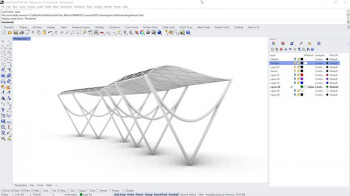
Introduction to Rhino Grasshopper: Parametric Design Primer
Instructors: Brandon Aaron
5 sections • 31 lectures • 47m total length
Video: MP4 1280x720 44 KHz | English + Sub
Updated 4/2022 | Size: 418 MB​

Learn the basics of 3D Parametric Design with Rhino Grasshopper
What you'll learn
How to create programs in Grasshopper
How to plan parametric designs
How to export Grasshopper geometry into Rhino
How to debug Grasshopper script
Requirements
students should have copy of Rhino and know basic usageThe second exercise requires download of free Food4Rhino Plugin
Description
Want to learn Parametric Design in Grasshopper, then this Introduction to Grasshopper and Parametric Design & Modeling is for you.
Parametric Design is one of the key skills for this century, and Grasshopper knowledge is an in demand skill for the Parametric Design Design Field. Parametric Architect and Innovate Designs are what is cutting edge in each industry. This Introduction to Grasshopper and Parametric Design Primer is a entry way to growing competence in Grasshopper.
This course includes an in depth introduction to the Grasshopper interface and functionality, with several small exercises to learn the commands and functions that you can practice and watch start to finish, to incorporate into your parametric design projects.
What you learn
How to skillfully navigate Grasshopper
How to plan Parametric Designs
Important concepts and workflows for successful Grasshopper programs
How to build a program from scratch
How to debug for program issues
How to setup inputs and outputs for Grasshopper program
How to choose visual appearance for parametric models
How to setup program views
How to export geometry for Rhino project
Homepage
Screenshots


0c10c14b-4a6a-4653-b92f-2f9910686fbe.png

Learn Basics of Delta WPL Soft PLC in 1.5 Hours
Published 04/2022
MP4 | Video: h264, 1280x720 | Audio: AAC, 44.1 KHz, 2 Ch
Genre: eLearning | Language: English + srt | Duration: 19 lectures (1h 27m) | Size: 618.6 MB


Delta PLC Programming Using WPL Soft software
What you'll learn
To understand how a Programmable Logic Controller (PLC) works
Pass a technical PLC interview
Understand how to program a PLC
Learn Ladder Logic Programming
Industrial Automation
WPL Soft programming interface
Requirements
Basic Electrical Hardware Understanding
PLC Software (Included in the Course)
Description
This is a comprehensive course for learning the basic level programing of Delta PLC in WPL Soft software. You will learn the logic designing of WPL Soft from scratch in a short period. No hardware equipment will be required to follow the course you will just have to install WPL Soft software on you PC and you can do it. Fundamental programming of WPL Soft will be covered step by step through video lectures and assignments.
Course Outline
1- Introduction to the Course
2- Basics of Relay Logic (How Relay Works)
3- Introduction to Delta PLC
· PLC Communication Protocols
· Inputs, Outputs
· PLC Wiring
· Sink Source
· NPN & PNP Sensors
4- Download and Install WPL Software
5- Basics of WPL Software
· Creation of New Project
· Selection of Device
· Software Interface
· Device Configuration
· Tool Box of Software
· Programming Blocks
· Tag Creation
6- Software communication with Simulator/PLC
· Simulator Setup
· Load Program in Emulator
· Monitor the Program Online
· Ethernet Communication
· Load the Program to PLC
7- Basic Parameters
· Normally Open Contact
· Normally Close Contact
· Output Coil
· Interlocking of Motors
8- Memories Used in WPL Software
9- Branches and Rungs
10- Digital and Ladder Logic
· Basics of Digital Logic Design
· Series AND Operation
· Parallel OR Operation
· Truth Tables
· Digital Logic to Ladder Logic Conversion
· Assignment 1
11- Latching
· Latch and Unlatch an Output
· Set and Reset an Output
12- Timers
· On Delay Timer
o Enable of Timer
o Specifying the Duration of Time
· Resetting a Timer
· Off-Delay Timer
· Retentive On-Delay Timer
· Assignment 2
13- Counters
· Up Counter
o Resetting a Counter
· Down Counter
· Up-Down-Counters
· Assignment 3
14- Extended Instructions
· Clock Cycle of PLC
· Rising Edge
· Falling Edge
· Positive Edge Trigger
· Negative Edge Trigger
· Assignment 4
15- Comparator operations
· Equal (=)
· Less Than (>)
· Greater Than (<)
· Less Than or Equal (>=)
· Greater Than or Equal (<=)
16- MOVE Command
· Moving Operands
· Moving Constants
17- Arithmetic Operations
· Addition
· Subtraction
· Multiplication
· Division
· Assignment 5
18- Basics of HMI
19- Assignments
· Two Way Traffic Signals Control
· Color Mixing Scheme
· Chemical Processing Unit
_______________________________________________________________________________________________________________________________________
all about wpl soft, delta plc programming, how to create new project in wpl soft software, how to use math operations in wpl soft, how to add subroutine in wpl soft, how to use comparators in wpl soft, how to use timers in wpl soft, how to use counters in wpl soft, delta hmi programming, how to build an hmi in wpl soft,
electrical plc training, freelance plc programmer, how to learn plc programming, learn plc programming, learning plc programming, plc application, plc based control system, plc class, plc classes, online plc, computer plc, controlled equipment, plc controller, training plc, course plc, full form plc, industry plc, interface plc, manufacturing plc, network plc, online courses plc, operation plc, programing course, plc programing courses, plc programing training, plc programmable logic controller, plc programmer training, plc programmers, plc programming classes, plc programming companies, plc programming course, plc programming courses, plc programming language, plc programming online course, plc programming school, plc programming service, plc systems, plc training courses, plc training courses online, plc-programs, plcs for dummies, program logic control training, program plc, program plcs, programing plcs, programmable controller application, programmable logic controller applications, programmable logic controller history, programmable logic controller training, what is a programmable logic controller, what is plc control, what is programmable logic controllers,
Who this course is for
Anyone interested in learning how an industrial process works automatically
Production, Maintenance & Electrical Technicians
Electrical, Electronics, Mechatronics and Telecom Engineers
Homepage


9712b21b3883aa973c3dcde0c4039b0c.jpg

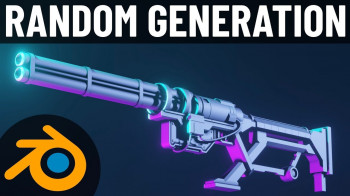
Making Procedural Weapons In Blender 3
Published 04/2022
MP4 | Video: h264, 1280x720 | Audio: AAC, 44.1 KHz, 2 Ch
Genre: eLearning | Language: English + srt | Duration: 60 lectures (7h 1m) | Size: 6.92 GB


Use Geometry Nodes, and Python to create 100s of game ready assets in just one click!
What you'll learn
Make python scripts in blender to speed up your work flow
Learn about Geometry Nodes in Blender 3
Make 100s of weapons in just one click
Create many game assets in a short amount of time.
Requirements
A basic knowledge of Blender would be helpful to get going quickly
Description
Do you want to be able to make hundreds of weapons at the click of a button? Then this is the course for you!
Blender is a brilliant program, capable of creating amazing models which can be exported to any game engine. In this course, we focus on the free and open-source Godot game engine. Many of the techniques taught will be immediately applicable to other game engines as well. Here are just a few of the things you'll learn during this course
Why and when to use procedural generation.
Understand the main workflow steps.
Use geometry nodes to assemble new weapons for you.
Write a basic export script that saves you hours of time!
This is an intermediate course- but wait! What does that really mean?
I always start my courses in an easy to understand manner and talk through all of my steps, however, if you are completely new to Blender or 3D modelling, you might struggle to follow along. If you have some existing Blender knowledge you will be able to jump straight in and follow along!
You'll be OK with little or no experience. With our online tutorials, you'll be amazed at what you can achieve, with instructor support and online help.
The course starts with building some basic weapon components that we will assemble manually and step through all the necessary processes to ensure your exported model works flawlessly... You will apply your new skills to your project all the time. Project files will all be included, as well as additional references and resources - you'll never get stuck. There are talking-head videos along with the screencasts for you to follow.
For each of the models that you build you will follow this process
Be taught a new technique.
Challenged to apply the lessons to your own work.
Be shown step-by-step how to build it.
Apply your previous knowledge regularly.
You'll get lifetime access to the course. The creators are qualified and experienced professionals who are able to explain complex concepts clearly, as well as entertain along the way. By the end of the course, you'll be very confident making 3D assets ready for export to Godot.
Access to this course comes with an optional, free community site where you can share games and 3D models and as well as Discord, where you can connect with other students.
Let's hop on over, into Blender!
Who this course is for
Blender Users want to make game assets quickly without compromising on quality
Homepage


3b273de9-4cd4-4d0f-a7a2-f734c606a32a.png

Practical Linux Command Line 2.0
MP4 | Video: h264, 1280x720 | Audio: AAC, 44.1 KHz
Language: English | Size: 1.59 GB | Duration: 3h 38m
Get started quickly with the Linux Command Line - Step by step, with concrete Linux terminal examples.​

What you'll learn
Master the basics of Linux command line
Be confident when using a Linux terminal
Be able to work on any project which requires the use of Linux
Navigate in the Linux file system
Create, remove, copy files and folders
Edit files in the terminal with the Nano text editor
Manage files and users permissions
Install and update Linux packages
Monitor processes and resources
Network basics
Remotely connect to a Linux terminal with SSH
Use terminal shortcuts to go faster
Work with multiple terminal windows at the same time
Differences between Ubuntu, Debian, CentOS, and MacOS
Apply best practices right from the start
Learn by doing with hands-on lessons
Requirements
A computer and a strong will to learn, that's it!
Description
You are learning how to use the Linux command line, but you're feeling lost?
Or, you're already a Linux user and want a quick refresher of the basics?
And you prefer to learn by doing, with teaching material inspired from real life experience? → This Linux command line course 2.0 is for you.
No need to know anything about Linux to get started. I will start from zero and even provide instructions to install a Linux OS on a virtual machine, if you don't have access to a Linux machine yet.
This course works on any Linux system: Debian, Ubuntu, CentOS, Fedora, and. MacOS! Yes, MacOS is actually based on Linux. The core concepts are the same for all Linux versions, with maybe just a few differences in the commands that I'm going to explain.
→ Why this course?
Well, learning the Linux command line can be quite confusing at best. I experienced that on my own, when I got my first Linux lessons in school. I just didn't get it, and I just didn't see the point of using all those complicated commands to complete exercises that I wasn't going to use in real life anyway.
At first I was lost and kind of demotivated about it. But after a few professional experiences (web/mobile development, server administration and automation, robotics), I started to get a good grasp on the Linux terminal, and more importantly, I started to really understand why I need it and why it's super powerful. Now, whenever I use a Linux OS, I just remove almost all graphical tools and open the terminal for everything.
So here, I've put all my years of Linux experience into this course, with a strong focus on understanding what you're doing, and why you're doing it - basically what was lacking in my own education.
My goal is that you can get a strong Linux command line foundation quickly, in just a few hours, and maybe avoid being confused for a few months/years before really "getting it".
This Linux command line foundation will help you for anything IT related: web or software development, data science, machine learning, robotics, system administration, etc. This is the building block you need to go in any other direction.
And there are many things that look fancy but are a waste of time, especially when you begin. So I'm going to teach you what I really use personally. No need to learn 150 commands to get started. With just a few ones and a good understanding, you can go a long way.
→ How do I teach?
Step by step: each section, each lesson, is built on top of the previous one, in a clean and ordered way. 1 lesson = 1 small step towards your mastery of the Linux command line.
Keep things simple: as an engineer I know it's tempting to make things over complicated to show you I know a lot of stuff. My philosophy for almost anything is: the simpler the better. By keeping things simple you won't feel overwhelmed.
Hands-on: no complicated theoretical explanations, I directly write commands and explain at the same time. And I encourage you to also write the commands on your own.
To the point: if I can explain something in 5 minutes, I don't produce a 15 minutes video to make the course look longer.
Practical: I teach you what you really need to know about Linux using concrete examples, to do stuff you really need to do. I also give you some additional exercises to practice on the key concepts you're going to use a lot.
→ What will you learn/do in the course?
First, if you don't have access to a Linux OS, I will show you step by step how to install Ubuntu on a virtual machine, with a minimal and clean setup.
Once you have your Linux OS ready to be used, we will directly jump in and learn how to
Navigate and understand the Linux file system
Create and manage your own files and folders
Write into files using a command line text editor (Nano)
Change files and users permissions
Install and update software
Monitor Linux processes and computer resources
Remotely connect to a Linux machine using SSH
Bonus: on top of all that, you will also learn how to improve your efficiency with the terminal, using auto-completion, pipes, search tools, keyboard shortcuts, multi-terminal setup, etc.
And I'm going to give you all the best practices I got from my own experience, so you can start off on the right foot.
→ Enroll today
You also get a 30 days money-back guarantee if you're not fully satisfied. So just get started now, and if I don't deliver on what I said, please do get the refund.
See you in the course! :)
Who this course is for
Complete beginners who want to really understand what they do and want to get the "why" behind the Linux command line.
Linux users who want a quick and to-the-point refresher.
Anyone who wants to work in IT, because well, Linux command line is everywhere and you can't just ignore it.
Screenshots






 
2f2a707b82a4ec02ac8f731725a6c73d.jpg

QR Code Generator Using JavaScript 2022: Website and App
Published 04/2022
MP4 | Video: h264, 1280x720 | Audio: AAC, 44.1 KHz, 2 Ch
Genre: eLearning | Language: English + srt | Duration: 15 lectures (37m) | Size: 701.8 MB


Learn How To Generate QR Code Using JavaScript & Build QR Code Generator Website Also QR Code Flutter Mobile App
What you'll learn
How QR code Generator works
How to build QR Code Generator
Build QR Code Generator for Text, URL, Contacts, Apps, Phone, SMS, PDF, Images
How to generate QR code using Javascript
How build and Design QR Code Generator Website
Requirements
Basic Knoweldge Of Web Development
Basic Knoweldge of Programming
Have Basic Knoweldge of HTML CSS/Bootstrap Javascript
Description
Requirements
Text Editors Like Visual Studio Code or NodePad++
Basic Programming Knowledge
Basic Knowledge Of HTML BootStrap/CSS JavaScript
Description
In This Course, You Will Learn How To Generate QR Code Using JavaScript From Scratch through a Stepwise process. This Course is In the English Language. In This Course, We Have Used QR Code JavaScript Library For Generating The QR Code. Also, In This Course, You Will Learn How To Build & Host a QR Code Generator Website For Free and Make a Flutter Of That QR Code Generator, So That Anyone Can Access It Through Mobile App and Web, From Anywhere!
This Course is For You if Want
To learn how to generate a QR Code using JavaScript
To build Your own QR Code Generator Website
To Generate QR Codes of Different Colors and Size
To Convert Text, URL, Phone, Vcard, App link & Message to QR Code
To Copy QR Code Image to Clipboard using JavaScript
To Download QR code Images using JavaScript
To Host Your QR Code Site Free
To Convert Your QR Code Website To Mobile App
Covered in This Course
Introduction
Detail About QR Code
Setup Project File and Libraries
Building UI Design For QR Code Generator
Make Input Form In HTML & Bootstrap
Accessing Elements Using JavaScript (TextBox & TextArea)
Accessing Elements Using JavaScript (Input Fields)
Copy User Input into JavaScript Variables
How To Create QR Code of Input Data
Copy To Clipboard in JavaScript To Copy QR Code Image
Download QR Code Image using JavaScript
Make Form & UI for Link, Phone, Vcard, App Link, & Messaging
Switch Condition in JavaScript
Build QR Code Generator Website
Hosting QR Code Generator Website For Free
Convert QR Code Generator Website To Flutter Mobile App
What is included in this course
Video Lecture
Source Code
Important Links
Extra
Host QR Code Website For Free
Build Mobile App for Site
Outcome Of This Course
You will have Learned, How To Generate QR Code Using JavaScript
You will have Learned, How To build Or Host a QR Code Generator Website For Free
You will have learned, How to Build Flutter Mobile App for a Website
Who this course is for
For Web Developer
For JavaScript Developer
Mobile Apps Developer
Homepage


a4aa2c7743c874b4423887c13c6c4029.jpg

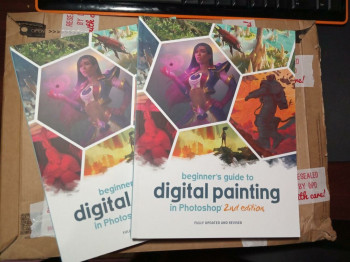
The Beginner's Guide to Digital Illustration in Photoshop
Published 04/2022
MP4 | Video: h264, 1280x720 | Audio: AAC, 44.1 KHz, 2 Ch
Genre: eLearning | Language: English + srt | Duration: 17 lectures (2h 8m) | Size: 1.1 GB


Learn the full process of creating a 2D illustration from scratch using Adobe Photoshop
What you'll learn
How to create the character's structure with the correct anatomical proportions.
How to properly sketch a character in Adobe Photoshop.
How to create the perfect line art using the brush tool.
How to add colors to your illustrations.
How to add shadows and highlights that are consistent with the scene's lighting.
Learn the most important Photoshop shortcuts.
How to add a neon effect and a simple background.
Requirements
Students taking this course should know the basics of Adobe Photoshop and 2D in general.
Students should have Adobe Photoshop or any other 2D application installed on their computers.
Students must have the desire to learn and practice new 2D illustration skills from Day 1.
Description
Do you want to learn how to create a beautiful 2D illustration in Adobe Photoshop?
Do you want to improve your drawing skills using proper anatomy proportions?
If you answered yes to any of those questions, then you are in the right place!
Welcome to The Beginner's Guide to Digital Illustration in Photoshop. In this course, you will learn the process of creating a beautiful Spider Gwen illustration in Adobe Photoshop. We will start with an empty file and work our way up to sketching, outlining, coloring and shading a 2D character illustration.
We will get the most out of the different tools that Photoshop offers, implementing techniques that will help you save lots of time in this and any other illustration project you work on in the future.
This course focuses on creating the 2D illustration you can see in the promo video, but you can use the techniques you learn here to create any other character or illustration you want.
I'm confident that by the end of this course you will have a solid understanding of the 2D illustration workflow and you will be able to start creating your own 2D character illustrations.
So, what are you waiting for? Get ready and I will see you inside!
Who this course is for
This course is for anyone interested in improving their 2D digital illustration skills.
This course is for 2D students who want to take their skills to the next level.
Homepage


4aef267d-3b2b-4ec7-9087-666a614ed3fb.png

Become A Virtual Assistant: Launch Successfully 2022
Instructors: Laurie Miggins
8 sections • 15 lectures • 1h 20m total length
Video: MP4 1280x720 44 KHz | English + Sub
Updated 4/2022 | Size: 7884 MB​

You will learn my best practices, policies and procedures, tips, tricks, social media, marketing, and client nuturing
What you'll learn
Learn how to set your business up for success - Best practises, tools, SOPs, finances, and more!
Learn to properly market and advertise your business on social media organically
Learn your why, business outline ideal client and how to niche your skills
Learn how to pitch and obtain your first clients
Requirements
Computer, time and willingness to do the work
Description
ABOUT COURSE
I am sooooooo excited for you to start this incredible entrepreneurial journey which has been so great for me!
Taking the first leap is always the hardest and scariest - You are already heaps and bounds ahead of many.
This course will lay a solid foundation in how to start your business, and develop and grow it into a lucrative business with the perfect clients who match you and your business.
You will learn my best practices, policies and procedures, tips, tricks, social media, marketing, and how to find prospects to nurture into clients.
This course is for individuals full of motivation to launch a lucrative business with an in-depth course tailor-made for launching a successful VA business.
ABOUT INSTRUCTOR
Hi, I'm Laurie! I started my business back in 2006 as a side hustle and took it full time in 2015. I learned a wealth of information over the years and have poured my best practices, tools, tricks, and tips into all my courses!
I have trained internationally in how to create and develop successful businesses since 2015 and have become a sought-after speaker at different events on entrepreneurial best practices in operations.
I have developed and honed all my skills and knowledge to train others so they can live their best entrepreneurial lives and proper work/life balance.
Who this course is for:Those who would like to start a successful business from home and love virtual assisting
Homepage
Screenshots


c2537dbf928ae2c64c6742d87cb8ebfa.jpg

Domestika - Urban-Style Character Creation by Felixantos
Video: h264, 1920x1080, 1725 kb/s, 25.00 fps | Audio: aac, 44100 Hz, stereo, 128 kb/s
Genre: eLearning | Duration: 26 lessons (4h 2m) | Language: Spanish (NO SUBTITLE) | File size: 1.2 GB​

Use concept art techniques to illustrate unique characters with a professional finish
Screenshots

Turning everyday people into main characters is an interesting exercise that we can all try. It involves our curiosity, by taking a closer look at someone and analyzing what defines them, to then represent it. Illustrator and concept artist Víctor Félix Díaz, better known as Felixantos, is capable of illustrating urban characters just as they are: unique and full of personality.
In this course, he will talk you through the process of creating an urban character as a concept and what that represents. He will guide you in creating your own character, based on a narrative. He introduces the study of color and the representation of the body and face. He goes through basic techniques to draw and color your character with Adobe Photoshop.
Homepage


4-Wyk-Az-T3y8-G7-Ux-QS3-Ls-Bi-TIl3z-UFz-Wrf.jpg

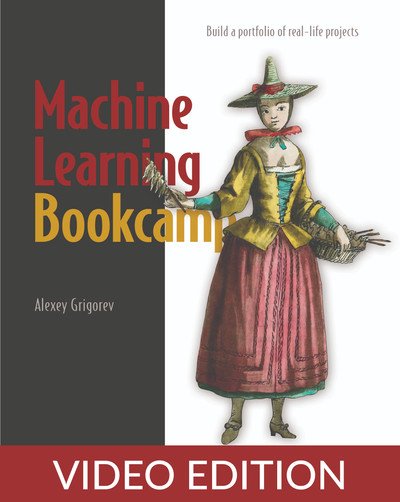
Machine Learning Bookcamp, Video Edition
MP4 | Video: AVC 1280 x 720 | Audio: AAC 44 Khz 2ch | Duration: 08:59:20 | 2.77 GB
Genre: eLearning | Language: English​

In Video Editions the narrator reads the book while the content, figures, code listings, diagrams, and text appear on the screen. Like an audiobook that you can also watch as a video.
The best hands-on guide to begin your machine learning journey.
Gustavo Filipe Ramos Gomes, Troido
Time to flex your machine learning muscles! Take on the carefully designed challenges of the Machine Learning Bookcamp and master essential ML techniques through practical application.
In Machine Learning Bookcamp you will
Collect and clean data for training models
Use popular Python tools, including NumPy, Scikit-Learn, and TensorFlow
Apply ML to complex datasets with images
Deploy ML models to a production-ready environment
The only way to learn is to practice! In Machine Learning Bookcamp, you'll create and deploy Python-based machine learning models for a variety of increasingly challenging projects. Taking you from the basics of machine learning to complex applications such as image analysis, each new project builds on what you've learned in previous chapters. You'll build a portfolio of business-relevant machine learning projects that hiring managers will be excited to see.
about the technology
Master key machine learning concepts as you build actual projects! Machine learning is what you need for analyzing customer behavior, predicting price trends, evaluating risk, and much more. To master ML, you need great examples, clear explanations, and lots of practice. This book delivers all three!
about the book
Machine Learning Bookcamp presents realistic, practical machine learning scenarios, along with crystal-clear coverage of key concepts. In it, you'll complete engaging projects, such as creating a car price predictor using linear regression and deploying a churn prediction service. You'll go beyond the algorithms and explore important techniques like deploying ML applications on serverless systems and serving models with Kubernetes and Kubeflow. Dig in, get your hands dirty, and have fun building your ML skills!
Screenshots


402d6333-d664-46d9-8942-7c2af83b8669.png

Master Deep Learning for Computer Vision with TensorFlow 2
Published 04/2022
MP4 | Video: h264, 1280x720 | Audio: AAC, 44.1 KHz, 2 Ch
Genre: eLearning | Language: English + srt | Duration: 103 lectures (29h 4m) | Size: 12 GB


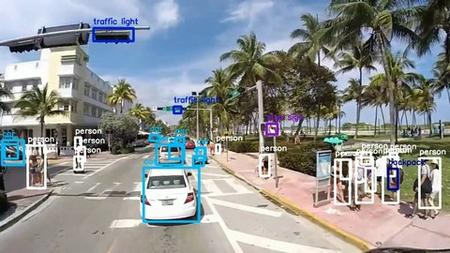
Implement Object detection, Image Segmentation, Image Classification, Image Generation & People Counting from scratch!
What you'll learn
Introductory Python, to more advanced concepts like Object Oriented Programming, decorators, generators, and even specialized libraries like Numpy & Matplotlib
Mastery of the fundamentals of Machine Learning and The Machine Learning Developmment Lifecycle.
Linear Regression, Logistic Regression and Neural Networks built from scratch.
TensorFlow installation, Basics and training neural networks with TensorFlow 2.
Convolutional Neural Networks, Modern ConvNets, training object recognition models with TensorFlow 2.
Breast Cancer detection, people counting, object detection with yolo and image segmentation
Generative Adversarial neural networks from scratch and image generation
Requirements
Basic Math
No Programming experience.
Description
In this course, we shall look at core Deep Learning concepts and apply our knowledge to solve real world problems in Computer Vision using the Python Programming Language and TensorFlow 2. We shall explain core Machine Learning topics like Linear Regression, Logistic Regression, Multi-class classification and Neural Networks. If you've gotten to this point, it means you are interested in mastering Deep Learning For Computer Vision and using your skills to solve practical problems.
You may already have some knowledge on Machine learning, computer vision or Deep Learning, or you may be coming in contact with Deep Learning for the very first time. It doesn't matter from which end you come from, because at the end of this course, you shall be an expert with much hands-on experience.
You shall work on several projects like object detection, image generation, object counting, object recognition, disease detection, image segmentation and more, using knowledge gained from this course.
If you are willing to move a step further in your career, this course is destined for you and we are super excited to help achieve your goals!
This course is offered to you by Neuralearn. And just like every other course by Neuralearn, we lay much emphasis on feedback. Your reviews and questions in the forum, will help us better this course. Feel free to ask as many questions as possible on the forum. We do our very best to reply in the shortest possible time.
Here are the different concepts you'll master after completing this course.
Fundamentals Machine Learning.
Essential Python Programming
Choosing Machine Model based on task
Error sanctioning
Linear Regression
Logistic Regression
Multi-class Regression
Neural Networks
Training and optimization
Performance Measurement
Validation and Testing
Building Machine Learning models from scratch in python.
Overfitting and Underfitting
Shuffling
Ensembling
Weight initialization
Data imbalance
Learning rate decay
Normalization
Hyperparameter tuning
TensorFlow Installation
Training neural networks with TensorFlow 2
Imagenet training with TensorFlow
Convolutional Neural Networks
VGGNets
ResNets
InceptionNets
MobileNets
EfficientNets
Transfer Learning and FineTuning
Data Augmentation
Callbacks
Monitoring with Tensorboard
Breast cancer detection
Object detection with YOLO
Image segmentation with UNETs
People counting
Generative modeling with GANs
Image generation
YOU'LL ALSO GET
Lifetime access to This Course
Friendly and Prompt support in the Q&A section
Udemy Certificate of Completion available for download
30-day money back guarantee
Who this course is for
Beginner Python Developers curious about Applying Deep Learning for Computer vision
Computer Vision practitioners who want to learn how state of art computer vision models are built and trained using deep learning.
Anyone who wants to master deep learning fundamentals and also practice deep learning for computer vision using best practices in TensorFlow.
Deep Learning for Computer vision Practitioners who want gain a mastery of how things work under the hood.
ENjoy!!!
Who this course is for
Beginner Python Developers curious about Applying Deep Learning for Computer vision
Deep Learning for Computer vision Practitioners who want gain a mastery of how things work under the hood
Anyone who wants to master deep learning fundamentals and also practice deep learning for computer vision using best practices in TensorFlow.
Computer Vision practitioners who want to learn how state of art computer vision models are built and trained using deep learning.
Homepage


ad748486-a541-4928-9d19-6ff7ef6912c5.png

NFTs: Creating and Selling NFTs Complete 2022 Guide
Published 04/2022
MP4 | Video: h264, 1280x720 | Audio: AAC, 44.1 KHz, 2 Ch
Genre: eLearning | Language: English + srt | Duration: 41 lectures (3h 57m) | Size: 2.54 GB


Learn how to Create and Sell NFTs in no time and your FIRST NFT is on me!
What you'll learn
The newest and most exciting way to invest!
The concept of Non-Fungible Tokens, and how they work.
The ins and outs of what exactly NFTs are.
The different types of NFTs and how they work.
How to use the most popular platforms for buying, creating and selling NFTs.
How to use Crypto Wallets
What is Ethereum and Polygon
Requirements
No requirements or prerequisites besides having a positive mindset
Description
UPDATES & NEW CONTENT ADDED FREQUENTLY!
April 2022 - NEW! Course Updated
Do you want to learn how to create, buy, and sell NFTs? If so, this is the course for you! In The Complete 2022 Guide to Creating and Selling NFTs, we will teach you everything you need to know about this exciting new investment opportunity. NFTs are non-fungible tokens that represent unique digital assets. These tokens are quickly becoming a hot commodity in the cryptocurrency world, and now is the time to get involved! This course will cover everything from the basics of NFTs to how to create and sell your own NFTs. By the end of this course, you'll be an expert in all things NFTs! So what are you waiting for? Enroll today and let's get started!
What is an NFT?
An NFT is a non-fungible token that represents a unique digital asset. NFTs are stored on a blockchain, just like Bitcoin or Ethereum. However, unlike Bitcoin or Ethereum, NFTs cannot be exchanged for other tokens. Each NFT is unique and can represent anything from a piece of digital art to a virtual world asset.
NFTs are becoming increasingly popular as a new way to invest in digital assets.
For a few years straight, I spent a lot of time researching different ways of generating passive income online. It was only recently that I stumbled across NFTs, and I was immediately hooked. The idea of owning a unique digital asset that can be sold or traded intrigued me, and I knew I had to learn more. In this guide, I'm going to share everything I've learned about NFTs so far. By the end, you'll know everything you need to know about NFTs and how to get started with creating and selling your own NFTs. Let's get started!
This course is designed for beginners who have little to no experience with NFTs but if you are intermediate with this topic, here are a few things you may take away from this course
- A better understanding of NFTs and how they work
- How to create your own NFTs
- How to sell NFTs
- The different types of NFTs
- The benefits of investing in NFTs
- The risks associated with NFTs
- And more!
I have also completed a workbook that I will be updating from time to time as the market changes. Please use the workbook as your cheat sheet and NFT planner.
What is NOT covered in the course
My goal with this course is just to get you started. You could stop after taking this course, but I recommend diving deeper into some of the topics I cover. Here are some things I may touch on but won't dive deep into
- How to code your own NFTs
- In-depth market analysis
- Setting up NFT Ad campaigns
I'm excited to get started and I hope you are too! Let's jump in.
Who this course is for
Beginner NFT Creators and Investors
Artist who would like to create a passive income stream with their designs
Someone new to NFTs and needs inspiration on what can easily be sold on NFT market places
Homepage


Zurück
Oben Unten