• Regeln für den Video-Bereich:

    In den Börsenbereich gehören nur Angebote die bereits den Allgemeinen Regeln entsprechen.

    Einteilung

    - Folgende Formate gehören in die angegeben Bereiche:
    - Filme: Encodierte Filme von BluRay, DVD, R5, TV, Screener sowie Telesyncs im Format DivX, XviD und x264.
    - DVD: Filme im Format DVD5, DVD9 und HD2DVD.
    - HD: Encodierte Filme mit der Auflösung 720p oder darüber von BluRay, DVD, R5, TV, Screener sowie Telesyncs im Format x264.
    - 3D: Encodierte Filme von BluRay, die in einem 3D Format vorliegen. Dies gilt auch für Dokus, Animation usw.
    - Serien: Cartoon/Zeichentrick, Anime, Tutorials, Dokumentationen, Konzerte/Musik, Sonstiges sind demnach in die entsprechenden Bereiche einzuordnen, auch wenn sie beispielsweise im High Definition-Format oder als DVD5/DVD9/HD2DVD vorliegen. Ausnahme 3D.
    - Bereich Englisch: Englische Releases gehören immer in diesen Bereich.
    - Bereich Talk: Der Bereich, in dem über die Releases diskutiert werden kann, darf, soll und erwünscht ist.


    Angebot/Beitrag erstellen

    - Ein Beitrag darf erst dann erstellt werden, wenn der Upload bei mindestens einem OCH komplett ist. Platzhalter sind untersagt.
    - Bei einem Scenerelease hat der Threadtitel ausschließlich aus dem originalen, unveränderten Releasenamen zu bestehen. Es dürfen keine Veränderungen wie z.B. Sterne, kleine Buchstaben o.ä. vorgenommen werden. Ausnahme Serienbörse:
    - Bei einem Sammelthread für eine Staffel entfällt aus dem Releasename natürlich der Name der Folge. Beispiel: Die Simpsons S21 German DVDRip XviD - ITG
    - Dementsprechend sind also u.a. verboten: Erweiterungen wie "Tipp", "empfehlenswert", "only", "reup", usw. / jegliche andere Zusatzinformation oder Ergänzung, welche nicht in obiger Beschreibung zu finden ist.

    Aufbau des Angebots und Threadtitel

    Der Titel nach folgendem Muster erstellt zu werden. <Name> [3D] [Staffel] [German] <Jahr> <Tonspur> [DL] [Auflösung] <Quelle> <Codec> - <Group>
    Beispiel: The Dark Knight German 2008 AC3 DVDRip XviD - iND
    Beispiel: The Dark Knight 2008 DTS DL BDRip x264 - iND
    Beispiel: The Dark Knight 2008 AC3 DL BDRip XviD - iND
    Beispiel: The Dark Knight German 2008 AC3 720p BluRay x264 iND
    Beispiel: The Dark Knight 2008 DTS DL 1080p BluRay x264 iND
    Beispiel: Die Simpsons S01 German AC3 DVDRip XviD iND
    Beispiel: Die Simpsons S20 German AC3 720p BluRay x264 iND
    Beispiel: Sword Art Online II Ger Sub 2014 AAC 1080p WEBRip x264 - peppermint
    Entsprechend sind also u.a. verboten: Sonderzeichen wie Klammern, Sterne, Ausrufezeichen, Unterstriche, Anführungszeichen / Erweiterungen wie "Tipp", "empfehlenswert", "only", "reup", usw. / jegliche andere Zusatzinformation oder Ergänzung, welche nicht in obiger Beschreibung zu finden ist
    Ausnahmen hiervon können in den Bereichen geregelt sein.

    Die Beiträge sollen wie folgt aufgebaut werden:
    Überschrift entspricht dem Threadtitel
    Cover
    kurze Inhaltsbeschreibung
    Format, Größe, Dauer sind gut lesbar für Downloader außerhalb des Spoilers zu vermerken
    Nfo sind immer Anzugeben und selbige immer im Spoiler in Textform.
    Sind keine Nfo vorhanden z.B. Eigenpublikationen, sind im Spoiler folgende Dateiinformationen zusätzlich anzugeben :
    Quelle
    Video (Auflösung und Bitrate)
    Ton (Sprache, Format und Bitrate der einzelnen Spuren)
    Untertitel (sofern vorhanden)
    Hosterangabe in Textform außerhalb eines Spoiler mit allen enthaltenen Hostern.
    Bei SD kann auf diese zusätzlichen Dateiinformationen verzichtet werden.

    Alle benötigten Passwörter sind, sofern vorhanden, in Textform im Angebot anzugeben.
    Spoiler im Spoiler mit Kommentaren :"Schon Bedankt?" sind unerwünscht.


    Releases

    - Sind Retail-Release verfügbar, sind alle anderen Variationen untersagt. Ausnahmen: Alle deutschen Retail-Release sind CUT, in diesem Fall sind dubbed UNCUT-Release zulässig.
    - Im Serien-Bereich gilt speziell: Wenn ein Retail vor Abschluss einer laufenden Staffel erscheint, darf diese Staffel noch zu Ende gebracht werden.62
    - Gleiche Releases sind unbedingt zusammenzufassen. Das bedeutet, es ist zwingend erforderlich, vor dem Erstellen eines Themas per Suchfunktion zu überprüfen, ob bereits ein Beitrag mit demselben Release besteht. Ist dies der Fall, ist der bereits vorhandene Beitrag zu verwenden.
    - P2P und Scene Releases dürfen nicht verändert oder gar unter einem iND Tag eingestellt werden.


    Support, Diskussionen und Suche

    - Supportanfragen sind entweder per PN oder im Bereich Talk zu stellen.
    - Diskussionen und Bewertungen sind im Talk Bereich zu führen. Fragen an die Uploader haben ausschließlich via PN zu erfolgen, und sind in den Angeboten untersagt.
    - Anfragen zu Upload-Wünschen sind nur im Bereich Suche Video erlaubt. Antworten dürfen nur auf Angebote von MyBoerse.bz verlinkt werden.


    Verbote

    - Untersagt sind mehrere Formate in einem einzigen Angebotsthread, wie beispielsweise das gleichzeitige Anbieten von DivX/XviD, 720p und 1080p in einem Thread. Pro Format, Release und Auflösung ist ein eigener Thread zu eröffnen.
    - Grundsätzlich ebenso verboten sind Dupes. Uploader haben sich an geeigneter Stelle darüber zu informieren, ob es sich bei einem Release um ein Dupe handelt.
    - Gefakte, nur teilweise lauffähige oder unvollständige Angebote sind untersagt. Dies gilt auch für eigene Publikationen, die augenscheinlich nicht selbst von z.B. einer DVD gerippt wurden. Laufende Serien, bei denen noch nicht alle Folgen verfügbar sind, dürfen erstellt und regelmäßig geupdatet werden.
    - Untersagt sind Angebote, welche nur und ausschließlich in einer anderen Sprache als deutsch oder englisch vorliegen. Ausnahmen sind VORHER mit den Moderatoren zu klären.


    Verstoß gegen die Regeln

    - Angebote oder Beiträge, die gegen die Forenregeln verstoßen, sind über den "Melden"-Button im Beitrag zu melden.
  • Bitte registriere dich zunächst um Beiträge zu verfassen und externe Links aufzurufen.

*** Bestes IPTV *** bester Preis *** gratis Test ***


Englische Tutorials

2XoW4JhFZBJ46EGRP4Cw6ysVGCPSbYu4.jpg

Getting Answers from Data using Excel for Mac or Windows
MP4 | Video: h264, 1280x720 | Audio: AAC, 44.1 KHz
Language: English | Size: 1.31 GB | Duration: 2h 25m
Data analysis with Excel Pivot tables, filtering and more. Real-world case studies for data-informed decision making​

What you'll learn
Draw hidden insights from any data file: counts, totals, sweet spots, similarities, rankings and more
Design and apply a PivotTable to best answer any particular question, whether numerical or yes/no.
Make data-informed personal and business decisions
Merge disparate data files into a form for easy analysis
Focus and organize your data to surface answers using sort, filter and PivotTables
Apply various Excel tools to organize data and get answers, including sort, filter, PivotTables, VLOOKUP, formulas, conditional formatting and more.
Perform data mining, clustering and segmentation using Excel
Requirements
Basic familiarity with Excel. If you've used it for a list, for example, you're good to go.
Any version of Microsoft Excel on any platform. I'm using a Mac with specific instructions for Windows in the few places the interface differs.
A desire to draw answers out of a mess of data
Description
Getting Answers from Data using Excel brings you the best techniques for slicing and dicing your mess of data until the insights fall right out of it. You will be surprised at the powerful analysis that can be done with simple spreadsheets, including data science techniques like data mining, segmentation, and clustering. You will be given sample spreadsheets for real-world personal and business case studies. Do the hands-on case study challenges and experience the power of these simple analytical techniques. You will learn PivotTables, sorting, filtering, VLOOKUP, formulas and more.
You will learn to turn your mess of data into answers, decisions, and action. First you will structure the data to make finding answers quick and flexible. Your data may be in inconsistent pieces or have extraneous information, and you'll learn how to fix that. Immediately start exploring your data with sort and filter. PivotTables aggregate the data. Summarize it by one factor, then quickly try another. Discover what is driving the outcome. Find the 20% that gives you 80% of the value. The Excel techniques are simple. The complexity comes from applying these seemingly simple techniques to real-life problems. That's why most of the time you spend in this class will be hands on, doing case studies of personal and business issues.
All you need is a basic familiarity with Excel. If you've used Excel for anything--making a list or adding up a column of numbers--you're good to go. You don't need the latest version. These powerful techniques have been in Excel for a long time.
· At the end of this course you will be able to
· Draw hidden insights from any data file
· Design a PivotTable to best answer any particular question
· Make data-informed personal and business decisions
· Merge disparate data files into a form for easy analysis
· Focus and organize your data to surface answers using sort, filter and PivotTables.
· Apply the VLOOKUP function in both forms, in particular to merge data or turn numerical values into pre-defined categories
· Calculate an entire column using a simple formula and replicating
· Sort your data based on numerical and categorical values
· Filter your data based on various criteria
· Use PivotTables to make an instant summary table of the data
· Use a PivotTable to "slice and dice" the data various ways for deeper insights
· Use a PivotTable to analyze an issue whose outcome is "yes" or "no"
· Effectively use the various PivotTable options for "summarized by"
· Find a category most likely to have some characteristic (data mining)
· Organize the data to see similarities (prepare for clustering)
· Build a unified data table using VLOOKUP to draw data from another
· Choose numerical or categorical forms of each column to best answer your questions
· Change categorical values into numerical using Replace
· Change numerical values into categorical using VLOOKUP or grouping
· Write a simple formula
· Replicate a single formula to an entire column
Sometimes you have too much data, overwhelming columns of numbers and categories with no clear order or meaning. The answers may be in there somewhere, but how do you draw them out? That's the focus of this class. You will get the most out of the class if you have or can get data and if you have questions to answer or decisions to make. Keep it in mind as you work through the tools.
Excel is not a spectator sport. You'll have many opportunities to practice what you're learning. You'll often be asked to "try it" to solidify the techniques you're learning. Most of all, you'll be given case studies to explore-a data file and an often-vague issue. Your challenge is to discover what you can in the data to help shed some light on the issue. There are multiple possible answers. What you learn may raise further questions. There may be different approaches to the problem. This is key to learning the essential skill of turning data into answers.
Case Studies
Below are the case studies you will be exploring. Even if you have no knowledge or interest in the specific industries, the techniques you will practice are applicable everywhere. For example, finding bank clients most likely to go into default is an instance of a general and common data mining challenge: Find the ________ most likely to _________. While the case study is about banking, the approach is applicable anywhere. As you do each case study, think about your own issues and how you might use the techniques.
Personal finance
· Data file: Individual expenditures over 5 months
· Issue: Where is all my money going?
· Useful techniques: sorting to find largest expenses; PivotTables to aggregate by month and category; grouping to see how small expenditures add up
Event participant management
· Data file: Participants in a charity race
· Issues: Organize alphabetically or by group, highlight those earning a milestone year pin, and figure out how many T shirts to order in each size
· Useful techniques: sort alphabetically, filter into groups, filter to list those earning pins, and use PivotTables to count T shirts.
Consultant billing
· Data file: Daily time and activity log
· Issue: Billing each client, tracking work hours and income
· Useful techniques: Various PivotTables to look at it from the view of each client, the consultant and overall, both time and money.
Retail sales
· Data file: anonymized customer purchase data
· Issue: Find customers with similar buying patterns or items with similar customers for cross-marketing
· Useful techniques: PivotTables to make a table by customer (or by product) to use for clustering.
Banking
· Data file: Demographic and financial data for customers
· Issue: Find a reasonably large category of customers who are more likely to go into default
· Useful techniques: PivotTables for data mining by looking at the percentage who defaulted on their loans, comparing various demographic groups.
Marketing
· Data file: Customer demographics and marketing campaign data
· Issue: How to increase marketing effectiveness. Specifically, focusing on those customers who had not been contacted before, find the best months for a marketing campaign
· Useful techniques: PivotTables for success percentage comparison.
Market segmentation
· Data file: Customer demographics and marketing campaign data
· Issue: Can the customers be divided into segments for customized marketing? Quantify the benefit of using two different approaches rather than the same approach for everyone.
· Useful techniques: PivotTables for success percentage comparison, benefit calculation.
Repeat marketing
· Data file: Customer data on those who had been contacted previously
· Issue: What is the effect of repeat marketing to the same customers? If they've turned down previous offers, is it a waste of time to contact them again?
· Useful techniques: PivotTables for success comparisons
Your own case study challenge
· Data file: Whatever data you have available to work with
· Issue: You choose. Apply the techniques you've learned to your own data and questions. This is the most important and rewarding of all the case study challenges.
Excel for Decision Makers
Are you a decision maker? Possibly for a business, or maybe in your community, with your family, or just for yourself? If so, you want answers. Your time is valuable. Your goal is not learning Excel. You want to learn how to draw actionable insights from the data you have. The questions are always changing. Every answer raises more questions. You need to explore the data. You need flexibility. Microsoft Excel gives you that flexibility and transparency.
Why does a decision maker need to learn about Excel? Excel has the reputation of being for "bean counters" and "number crunchers." It seems to be about automating repetitive tasks and creating pretty graphs and static reports. But nothing you do is repetitive, and you want substance, not pretty. You need answers and Excel is just the tool to give you the flexibility and transparency to explore and discover.
The problem is that Excel is crammed with features. No one can be an expert in all of them. A typical Excel book is over 1000 pages long and, even then, just explains how to operate Excel. It doesn't tell you how to use Excel to solve your problems.
The good news is that you don't need to learn all these features. There are a few specific features that will help you answer the questions you need to answer. Dig into them, find their power, and forget the rest.
The key is in finding those few magic techniques that unlock the solutions to your specific problems. That's why the courses in the series Excel for Decision Makers all start with a broad problem to be solved and present techniques from a wide variety of Excel features. The techniques in this class allow you to reorganize your data, focus in on key items, summarize in multiple ways and find the sweet spots and outliers. No cute graphics, no fluff.
From Your Instructor, Carol Jacoby
I've been using spreadsheets to answer questions for over 30 years. I used it as a mission analyst at Hughes Electronics and other companies to predict outcomes and compare alternatives. The applications were broad and ill-defined: protect Europe from missile attack, limit drug smuggling, design a highway system for self-driving cars and more. The flexibility of Excel helped me try scenarios, find tipping points, pinpoint key drivers and optimize the solution.
I've tried multiple data base programs and always run into questions they can't answer. I always go back to Excel and use if for everything from simple lists, to tracking doctor visits, to complex retirement planning. I shared these techniques in my book Simple Spreadsheets for Hard Decisions (2008).
I have a PhD in mathematics, and I've been teaching technical classes to managers through major universities for 20 years. I use Excel in these classes to demonstrate the techniques. The students all have Excel already on their computers and are familiar with it, so they can jump right in to hands-on explorations of the complex techniques being taught. For example, they can start digging into data science algorithms without having to learn R or Python. Here are some of the classes where Excel was used extensively.
· Predictive Analytics: Caltech Center for Technology and Management Education
· Lean Six Sigma: Caltech Center for Technology and Management Education
· Systems Engineering: UCLA Extension for Raytheon
· The Decisive Manager: UCLA Technical Management Program
One thing I like about teaching is interacting with the students. I look forward to comments and direct messages and respond promptly. Any feedback is encouraged. If something is confusing or doesn't work as expected, I want to hear about it right away so I can fix it. I especially want to hear about your own data explorations, alternative answers to the case studies and other topics you'd like to learn about or problems you'd like to solve.
So, are you ready to dig into that data and see what you can learn? Learn how in just a couple hours. Sign up now. If you want more of a taste first, check out the quick promo video or some of the free lessons. I hope to see you in class.
Who this course is for
Anyone with data who is looking for answers
Busy decision makers who are more interested in getting answers than in learning a tool
Screenshots






 
th_5xfvIVLAXYL9t0z1U3KplZcICwmHYHDZ.jpg

Google tools for GIS Applications
MP4 | Video: h264, 1280x720 | Audio: AAC, 44.1 KHz, 2 Ch
Genre: eLearning | Language: English + srt | Duration: 39 lectures (6h 37m) | Size: 2.7 GB

An overview of Google Cloud Platform, services, and API's, for geospatial infrastructure and analysis
What you'll learn
Cloud SQL - Managed PostGIS in the cloud
Big Query
Cloud Storage
Data Studio
Colaboratory and Datalab
Automation with cloud shell scripts
Earth Engine
Mapping APIs - geolocation, routing, elevation and more
Requirements
My course "Introduction to Spatial Databases with PostGIS and QGIS" or equivalent knowledge is highly recommended
Description
This course is an overview of Google Cloud Platform tools, analytical tools, and mapping API's that may be of interest to geospatial professionals. The course is broad rather than deep. My goal is to show you how to get started with many different products with an emphasis on geospatial applications. In many cases there are existing courses that cover the details but with little information on geospatial applications and this course is intended to fill in those gaps.
Google has an amazing set of tools available in the cloud and elsewhere. We start with implementing an instance of PostGIS in the Google cloud. Then we import some of that geospatial data into BigQuery for super fast analytical queries. The results of those queries can be visualized in a variety of ways in Data Studio and those visualizations are easily shared. I also demonstrate how to store files in the cloud, get started with Google Earth Engine for remote sensing analysis, Colaboratory as a hosted Jupyter Notebook environment, and mapping APIs that allow display of web maps, geolocation, routing, and elevations for any point on earth.
NOTE: As of today April 9, 2022 this course has over 6 1/2 hours of content and covers Cloud SQL, Big Query, Data Studio, Cloud Storage, and Cloud Shell automation. I believe this in itself to be worth the price of the course so I am releasing it now but I will be adding sections on Colaboratory, Earth Engine, and the mapping API's in May 2022.
This course is different from most of my courses because Google tools are not strictly open source. There are costs associated with them. But rest assured, Google is very generous with its products. Some are completely free to use, some have a free tier that you can use up to a certain amount for free, and even their premium products are very affordable for small businesses as you only pay for what you use.
Who this course is for
Geospatial professionals who want to learn more about leveraging Google Cloud Platform and mapping API's for geospatial applications
Homepage


DDQJpGdMJCd1Q2Wuh484ehgpPTQg2GH4.jpg

How To Make A Brand
MP4 | Video: h264, 1280x720 | Audio: AAC, 44.1 KHz
Language: English | Size: 1.79 GB | Duration: 1h 27m
Brand Building Made Simple
What you'll learn​

Build a brand A-Z
Build a strong foundation and gain clarity focus with the right information
Jumpstart your brand with a proven launch strategy used by some of the top brands in the eCommerce industry
Effortlessly craft the right marketing messages that attract your ideal audience and convert them into customers
Requirements
It doesn't matter if you're just getting started and need help launching OR your store is already up and running, "How To Make A Brand" works.
Description
How To Make A brand is for entrepreneurs looking to start or grow their brand online without having to spend a lot of time and money building.
It doesn't matter if you're just getting started and need help launching OR your store is already up and running, "How To Make A Brand" works.
There's no other program that walks you through step-by-step exactly what you need to know to start an online store fast.
- Imagine learning how to quickly create a UNIQUE brand that stands out from the crowd
(That means consistent happy customers who love what they purchase)
- Imagine never having to worry if your idea will work so you don't waste time and money
(That means building a strong foundation and gaining clarity focus because you have the right information!)
- Imagine jumpstarting your brand with a proven launch strategy used by some of the top brands in the eCommerce industry.
(Effortlessly craft the right marketing messages that attract your ideal audience and convert them into customers)
- Imagine waking up to 24/7 order notifications because you have the blueprint used to generate $10 million dollars in sales in 2 years!
(That means steady and consistent sales and a growing brand people love!)
Who this course is for
Beginners who are just getting started and have no idea where to start
If you already have an online store and looking to grow
If your store is already making sales and you want to scale and build raving fans
Screenshots


FaUk7oiRrvAqeJB6mjtNg8InlyIhATfR.jpg

How to validate your business idea with Market Research
MP4 | Video: h264, 1280x720 | Audio: AAC, 44.1 KHz
Language: English | Size: 215 MB | Duration: 59m
Learn how to research your business idea so that you are able to launch your project as soon as possible​

What you'll learn
Validate a business idea with the most important feedback of all: your target market
Learn the market research process and be able to implement it
Understand the logic behind creating a survey and do it yourself
Get an introduction to Statistical Analysis in Market Research
Requirements
Must have ready access to Google and Google Suite.
Description
Hello!
My name is Eduardo Bechara. I'm an online entrepreneur and CEO of a Software company called Soluvers. I'm also a Masters in Market Research and Consumer Behavior from IE University and a graduate from Babson College. My father is an entrepreneur, my brothers are entrepreneur... it's all I know.
But I'm also a believer in data. In my professional experience, there is no better way to make a decision than when you are informed. And when it comes to launching a business, I believe you can avoid many long term mistakes and wasting of time by spending the right amount of time doing research prior to launching.
This couse is a very practical approach to doing just that: utilizing data to make informed decisions regarding your online business. Specifically, it relies on Market Research to validate your business idea prior to launch.
This method is both a combination of what I learned in my own entrepreneurial experience and in my masters. The only requirements it has is that you have an open mind about your business and that you put effort into it. I guarantee that if you do, you will learn very valuable skills and extremely valuable information to launch your own digital business
I hope you check it out!
Who this course is for
People who want start their own digital business
Screenshots


DZAJaYeQeW5gwQZ6JWY7DiExCasTPrHg.jpg

IASTM Deep Tissue Massage Certificate Course
MP4 | Video: h264, 1280x720 | Audio: AAC, 44.1 KHz
Language: English | Size: 2.14 GB | Duration: 1h 44m​

Learn instrument assisted soft tissue mobilization (IASTM), a popular Myofascial Massage treatment
What you'll learn
Learn how to use the IASTM tools with techniques for the entire body
Have an understanding of the theory and science of IASTM with evidence-based research
Principles and Benefits of IASTM as related to Soft Tissue Dysfunction
Learn various strokes and treatment styles using the IASTM tools
Requirements
none
Description
In this course Manual Osteopath, Registered Massage Therapist and Yoga teacher Mike Everson is going to guide you through how to use Instrument Assisted Soft Tissue Mobilization to increase the effectiveness of your practice, all the while saving your hands and increasing career longevity. IASTM provides clinicians with a mechanical advantage, therefore preventing over-use to the hands while also providing deeper tissue penetration with less compressive forces to not only the joints of the clinician's hand but also the clients tissue.
IASTM is a manual therapy and assessment course that encourages students to use clinical reasoning and creativity when integrating tool work into their practices. This IASTM Course focuses on the idea of using mechanical gliding on the skin, nerves and fascia and also presents how the clients perception of pain is changed via the tools you will use.
IASTM tools are designed to be used with gentle applications of force however they provide a deep effect to the tissues of the body. The anatomy, physiology and myofascia are presented along with evidence-based research that will give you a great understanding of why using these tools is so effective for pain reduction and increasing range of motion.
You can study and complete this entire course in the comfort of your own home with lifetime access to the videos in case you need to go back, review and re-inspire yourself!
In this course you are going to learn
> A very practical and complete guide to IASTM
> How to deliver treatment techniques for the entire body with IASTM tools
> Learn about the evidence-based research and practice of IASTM
> A new skill that enhances career longevity and makes your job a lot easier
> A form of treatment that increases the effectiveness of your practice
Enroll now! Grow your knowledge base and practice today!
Who this course is for
Massage Therapists
Physiotherapists
Chiropractors
Personal Trainers
Osteopaths
Sports Therapists
Screenshots


6b15eb36-6ea7-45f6-a30e-36b102fd7f03.png

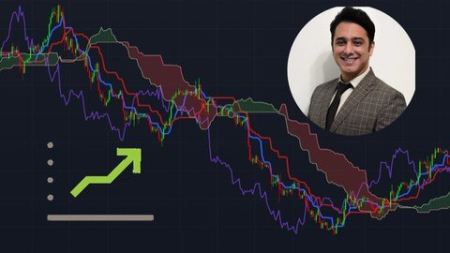
Ichimoku
MP4 | Video: h264, 1280x720 | Audio: AAC, 44.1 KHz
Language: English | Size: 593 MB | Duration: 1h 13m
Ichimoku Cloud in Trading​

What you'll learn
What is Ichimoku?
What is Tenkan Sen?
What is Kijun Sen ?
What are Leading Span A and Leading Span B ?
What is Laggiing Span ?
What is Komu Cloud ?
Tenkan Sen and Kijun Sen crossover
Breakout of Komu Cloud
Bullish and Bearish trends in Ichimoku
Entry/Exit in Ichimoku
Risk management (SL and TP)
Ichimoku Strategy trading with real world Examples
Requirements
you need to know a little about trading, however the course has been designed for beginners. Everything has been explained short and simple.
Description
Trading with indicators or without has always been the topic of controversy among traders and investors. Some of them think they do not work and they are old fashioned, but on the other hand the other group believe in them. I guess it is not true to judge which group is right and in the financial markets, everyone has his or her own strategy.
Japanese Strategies are really working in the world, and Ichimoku cloud strategy is one of the Japanese ones. Many traders think the strategy is old, but we still can see successful traders who take profit by using the indicator.
It has 5 main indicators which some traders find them difficult to work with, but I have tried to teach these 5 main indicators short and simple in 9 lectures that you like it.
My own recommendation is to watch these clips and lectures more than once, and try to practice them on the platforms I explained about. The most important thing you should know is the back testing. In order to get successful, you should forward test this strategy on demo account to see whether it is working or not.
I hope you enjoy the course. You can contact me if you have any question about trading and about Ichimoku cloud strategy.
Who this course is for
this course is suitable for those who are interested in trading in stock market, forex, crypto currencies ,and etc.
Screenshots


Illustrator Tips and Hacks: Creating a Symmetrical Illustration Simply
Duration: 1h 16m | Video: .MP4, 1280x720, 30 fps | Audio: AAC, 48 kHz, 2ch | Size: 218 MB
Genre: eLearning | Language: English​

Have you ever wanted to learn more about digital drawing on Illustrator?*Have you desired to make a full composition in color and detail?*Well this class is for you!
In this class we will be learning some tips and hacks to make digital illustration in composition easier.*Two tools we will be using are the reflect tool, to make a symmetrical vase, and the rotate tool, to make perfect flowers easily.*These two tools or hacks, I learned in my second class in school learning Adobe Illustrator.*I used these tools often in my digital illustrations.
What you'll*learn
• How to draw shapes
• How to color in shapes
•Using tools in illustrator -Rotate and Reflect Tools
•How to draw symmetrical shapes
•How to use the pen tool basics
• Copying whole shapes*easily
• Color and Composition techniques in Illustration and Design
•A beautiful final project
Enjoy taking this class and creating a symmetrical vase with a perfect petal flowers in your choice of colors.
Homepage
Screenshots


th_POSNlFt5Zpmg2CP8MmblVyB2rKcodABk.jpg

Introduction to Blender 3D (2022)
MP4 | Video: h264, 1280x720 | Audio: AAC, 44.1 KHz, 2 Ch
Genre: eLearning | Language: English + srt | Duration: 25 lectures (3h 35m) | Size: 3.47 GB

Basics to your first 3D art
What you'll learn
Blender's idea for an open source and free software
Basic interface navigation
Key tools and techniques for 3D modelling
Understanding and Setting up cameras in blender
Using lights to illuminate 3D objects and scenes
Modelling simple 3D objects in blender
Creating simple 3D scenes in blender
Tips and Best Practices
Requirements
a PC / Mac or Linux. All the digital files needed to complete the class, are included in the resources section.
Description
In This Class, Introduction to Blender 3D - Basics to your first 3D art, Harshavardhan follows a structured process to explain blender for absolute beginners. The class begins with understanding blender and its free & open source nature. Followed by learning the basics of blender with the help of interactive worksheets that makes the learning process easy and enjoyable.
3D modelling is an important and sought-after skill as 3D artworks are used by various industries to showcase what they do and offer, for this reason, the demand for 3D graphics is projected to grow by many times in the upcoming years.
This class introduces you to the free, open source and popular software - blender with simple lessons that are created for absolute beginners, so you can get started right now and begin your journey in 3D design - a giant and a new world of opportunities.
To put the skills learnt to use, the students get an opportunity to create a quick 3D artwork. Finally, the class is concluded with some ideas, tips and best practices to approach and create your own 3D Artwork.
Materials/Resources : a PC / Mac or Linux. All the digital files needed to complete the class, are included in the resources section.
Following this Course does not need any prior experience. You will learn everything here.
Who this course is for
Absolute Beginners in 3D
Aspiring 3D artists
Art Students
Creative Professionals
Designers
Artists
Homepage


AjtxGUf4FEftG1HCjDqGLQe5bRvt9Bo0.jpg

Learn Angular From Scratch - Complete Guide Design to Deploy
MP4 | Video: h264, 1280x720 | Audio: AAC, 44.1 KHz
Language: English | Size: 8.93 GB | Duration: 23h 5m
Master Angular Frontend Framework and Learn to build a Complete Modern World App From Scratch using Bootstrap, Firestore​

What you'll learn
Establish yourself as a skilled professional developer
Benefits of Design & Prototyping, and you will learn how to design a complete web app using Figma Design Tool
Develop modern world web applications with Angular Frontend framework
Master fundamental concepts behind structuring Angular applications
Integrate Bootstrap CSS Framework
Troubleshoot common Angular errors
Write clean and elegant code like a professional developer
Master the best practices
Requirements
Basic level knowledge of HTML, CSS, JavaScript is needed.
You don't need familiarity with TypeScript or any previous versions of Angular. You're going to learn both TypeScript and Angular from scratch in this course.
Description
Angular App From Scratch - Complete Guide Design to Deploy
A few years back I'm also a student or learner like you finding the best resources to master Angular, I struggled a lot to find a tutorial that cover design to deploy all in one, and I know you also struggling with the same problem, so I decided to come up with a brand new course that covers All the Essentials part that you want to build a full modern Angular App from Design to Deploy.
so in this course will build a complete Angular Blog Application, using Angular framework, Firestore database, and Bootstrap CSS Framework, this blog apps comes with two main parts the front end view and the backend dashboard,
so we will develop this Full Fledge Real-world Modern Lookin Angular web app with 3 major steps,
Design Develop and Deploy
Design section,
In this section we will learn how to design a Website idea, into a graphical design using a design tool called Figma, using this tool we will design all the sections and pages of our angular blog site, once it done we will learn to make these graphical designs into a web prototype so then we can get the overall idea off what we are building.
Development stage,
In this Section will learn a to z all the core concepts, features technologies used in Angular from basic to advance, with this will learn,
Components, services, directives, pipes, Angular Forms, routers, Authentication, and so on,
Once we learned all the fundamentals of Angular, will start to build our Final Blog App from scratch, for this will take the advantage of bootstrap CSS framework, so will learn all the fundamentals of Bootstrap as well,
As a backend solution for our Angular app will use Google's Firebase, as the database will use the Cloud Firestore, as the Cloud Storage will use the Firebase Storage, For Authentications system Will Use the Firebase Authentication, and for the Last Deployment, will use the Firebase Host as our Hosting Space, will learn all about these firebase features from scratch one by one,
Actually, in this course, you will not only learn about Angular, but you will also get an overall idea of how to build a real-world modern App From scratch.
This course is well organized from Basic to advanced topics so anyone can follow up on this course even if you are Beginner.
by the end of this course, if you followed my instructions exactly, you will gain the knowledge and Confidence to build any kind of real-world app on your own from scratch.
and finally, if your get stuck with anything, or if you have any questions, I will be always there for you :)
Pay once, benefit a lifetime!
Don't lose any time, gain an edge and start developing now!
Who this course is for
Developers who want to upgrade their skills and get better job opportunities
Front-end developers who want to stay up-to-date with the latest technology
Back-end developers who want to learn front-end development and become full-stack developers
Hobbyist developers who are passionate about working with new frameworks
Screenshots


th_dIFe02twWbBYy0J1xt0wDZaCoTK6jSre.jpg

Learn C++ programming from scratch (Step by step)
MP4 | Video: h264, 1280x720 | Audio: AAC, 44.1 KHz, 2 Ch
Genre: eLearning | Language: English + srt | Duration: 35 lectures (4h 37m) | Size: 1.51 GB

Get started learning C++ language and have a strong foundation for building high performance technologies with C++
What you'll learn
Object-oriented programming in C++
File handling in C++
C++ methods and procedural programming
Basic C++ syntax
Requirements
No programming experience needed, you will learn everything you need to know.
Description
In this course you will learn everything you need to get started to build amazing, fast and robust applications and technologies using C++ programming language. This course is geared towards beginners ,so it will taught as with assumption that you don't have any programming experience.
C++ programming language has through years shown itself to be a language worth learning and using despite many new other new and modern programming languages popping out every day in every direction. There few basically reasons why it is worth to learn C++ language are
It is one of the widely used programming language in the world at different industries from giant tech companies to healthcare technology companies to electronics industries and you can bet some C++ code is on space station or to the rover in Mass.
C++ is a good starter programming language in such a way that if you know how to use C++, you will have no hard time to learn other popular programming languages such as Java, Python, C, C#, etc, as the syntax is closely related.
Some applications high performance is very critical, when comes to choosing programming language to meet those performance goals, C++ is a great choice as it is very fast,when you compare it to other programming languages, like Java ,C# and Python.
C++ is very versatile; it can be used in both applications(software) and technologies(embedded).
Who this course is for
Beginner C++ programmers who want to learn more about programming using C++.
Homepage


WUzJfui8pZ0G2SDG7a9NPZ6akC1s6kjf.jpg

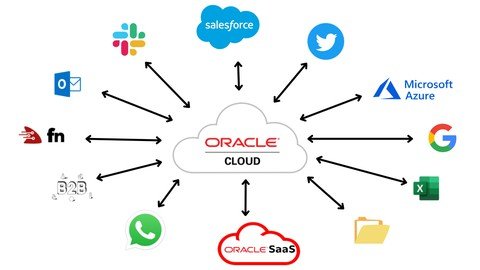
Learn Integration in Oracle Integration (OIC) from scratch
Genre: eLearning | MP4 | Video: h264, 1280x720 | Audio: AAC, 48.0 KHz
Language: English | Size: 1.90 GB | Duration: 3h 24m
You don't have to know anything to learn Integration. This course is tailor made to learn OIC Integration from scratch.

What you'll learn
Create Oracle Cloud account for free
Create Oracle Integration Instance to learn and implement solutions with OIC Integration
Learn basics of Integration in Oracle Integration (OIC)
Learn to build integration (app driven, scheduled), REST adapter, SOAP adapter, package, connectivity agent, JavaScript library, lookup,...etc in Integration
Requirements
Prior integration knowledge is good to have but not essential. Anyone who is keen to learn Integration can take up this course
Description
A Quick Introduction to Oracle Integration
Integration is a fundamental part of your digital business development. It involves connecting on-premises applications and cloud applications and services. Oracle Integration makes it easy to connect your applications and automate end-to-end processes such as procure to pay, inquiry to order, and hire to retire.
With Oracle Integration, you can
Develop integrations to design, monitor, and manage connections between your applications
Create process applications to automate and manage your business work flows
Analyze results to gain insight into your business
Build custom web and mobile applications
Critical business processes, such as those related to human capital management (HCM), customer experience (CX), and enterprise resource planning (ERP), are frequently slow and inflexible. For example, a multi-step process such as Lead to Opportunity to Quote to Order can involve four or more applications and require human exception management at every step of the process. In this scenario, the lack of integration between departments as well as the delays caused by human-based problem resolution can result in lost revenue, frustrated customers, and high costs.
Oracle Integration changes all that. It empowers you to
Establish connectivity between the many applications and people that are part of the entire business process life cycle.
Assemble existing technologies into new business services to better align with the changing pace of new business demands.
Deliver new business innovations faster by rapidly connecting diverse applications and key business roles.
Gain 360-degree views across your entire business. Easily monitor and analyze every application, integration, and workflow spanning the business process life cycle.
About Integrations
Oracle Integration is a complete, secure, but lightweight integration solution that enables you to connect your applications in the cloud. It simplifies connectivity between your applications and connects both your applications that live in the cloud and your applications that still live on premises. Oracle Integration provides secure, enterprise-grade connectivity regardless of the applications you are connecting or where they reside.
Oracle Integration provides native connectivity to Oracle Software as a Service (SaaS) applications, such as Oracle Engagement Cloud Adapter, Oracle B2C Service, and so on. Oracle Integration adapters simplify connectivity by handling the underlying complexities of connecting to applications using industry-wide best practices. You only need to create a connection that provides minimal connectivity information for each system. Oracle Integration lookups map the different codes or terms used by the applications you are integrating to describe similar items (such as country or gender codes). Finally, the visual data mapper enables you to quickly create direct mappings between the trigger and invoke data structures. From the mapper, you can also access lookup tables and use standard XPath functions to map data between your applications.
Once you integrate your applications and activate the integrations to the runtime environment, the dashboard displays information about the running integrations so you can monitor the status and processing statistics for each integration. The dashboard measures and tracks the performance of your transactions by capturing and reporting key information, such as throughput, the number of messages processed successfully, and the number of messages that failed processing. You can also manage business identifiers that track fields in messages and manage errors by integrations, connections, or specific integration instances.
We will try to upload almost all the videos for this course by April 30, 2022. Also, this course will be updated with new chapters and classes based on the feedback we receive from you.
Who this course is for
Beginners in Oracle Integration
Enthusiasts in learning Oracle Integration
If you are a Mulesoft, WebMethods, Boomi or any other integration developer or a consultant and eager to learn Oracle Integration then this course is designed for you to learn from scratch
If you are a fresher and want to learn Integration in Oracle Integration (OIC) to get a dream job in OIC
Professionals who want to learn OIC Integration to take up new assignments in Oracle Integration
Screenshots


th_pRggAKt8h8RjDIkkI9gm2gmpbvN2NvMy.jpg
Learn NodeJS- Condensed Master Track for Beginners
MP4 | Video: h264, 1280x720 | Audio: AAC, 44.1 KHz, 2 Ch
Genre: eLearning | Language: English + srt | Duration: 22 lectures (10h 7m) | Size: 5.96 GB

Learn ONLY what you NEED to know to be a pro in NodeJS-Express, MongoDB, Mongoose and backend programing
What you'll learn
Grasp how NodeJS works under the hood and what powers NodeJS i.e. the JS engine, Node core modules, bindings and the libuv C based library
Learn how to utilize the command line interfaces of common core NodeJS modules, and third part API's and where to find them
Comprehend the asynchronous nature of NodeJS and how it does this with JavaScript ( a synchronous programming language out of the box)
Connect your NodeJS code to a database (i.e. SQL or MongoDB)
Create numerous and very common functionalities using NodeJS that most- if not ALL- NodeJS projects utilize
Build a Web Server in Node and FULLY comprehend what powers it
Understand MEAN stack technologies and how they collaborate together
Become a Proficient NodeJS developer at your job and be able to work on JavaScript based projects or server side applications
Understand how NodeJS events work via some of its core modules
How to use npm and install third party libraries (i.e. nodemon,Mongoose,ejs- common modules) and where to locate these packages and how to use their CLI's
Understand server working directories and those of web files and web templates powered by view engines
Understand ALL the essential functionalities that enable backend integration(via MongoDB) with a website and NodeJS-server file system
Learn how to create a FULLY functional web site with user profile creation, success notifications, backend data querying, data extraction, saving data and more
How to use the Mongoose API to manage your MongoDB backend
How to create and manage database clusters, collections and documents in a MongoDB cloud service architecture
Requirements
Prior familiarity with ECMA 6 JavaScript programming language would be helpful but NOT a requirement
Description
There are MANY things about a technology that are nice to know but NOT a need to know aspect of it, in order for you to be proficient in utilizing that programming language in your job or personal IT projects! This course is condensed, teaching you ALL the things about NodeJS in order to be proficient with it-a hit the ground running sort of approach. Unlike NUMEROUS other NodeJS courses, this one was designed to explain ALL concepts in detail, things that other instructors assume the viewer already knows but does not! That's what makes this curriculum different; also I do not place a great deal of focus on the application that we build with JavaScript & NodeJS, only the functionalities that power it, and essentially any other site or web application-so you can build anything you can dream of-that's my goal!! You will find that this course, with a bit of effort and focus, can easily be completed in a day. I have omitted quizzes and assignments so students can get a jump start on this topic by focusing on merely the subject matter which is relayed in this course. I have worked on MANY projects that involve creating custom server side code using NodeJS, and have hand picked-so to speak-what topics must be covered in order for students to -once again- hit the ground running regarding their use of this coding technology.
Who this course is for
Absolute beginners when it comes to NodeJS development
Anyone looking to become proficient in NodeJS in their current professional role
Anyone who wants to learn how to build a fully functional website with their own custom NodeJS server and backend cloud integration
Those having a hard time finding online resources that provide IN-DEPTH details about client and web server file systems-how they relate and how data is exchanged between them
Homepage


Zurück
Oben Unten