• Regeln für den Video-Bereich:

    In den Börsenbereich gehören nur Angebote die bereits den Allgemeinen Regeln entsprechen.

    Einteilung

    - Folgende Formate gehören in die angegeben Bereiche:
    - Filme: Encodierte Filme von BluRay, DVD, R5, TV, Screener sowie Telesyncs im Format DivX, XviD und x264.
    - DVD: Filme im Format DVD5, DVD9 und HD2DVD.
    - HD: Encodierte Filme mit der Auflösung 720p oder darüber von BluRay, DVD, R5, TV, Screener sowie Telesyncs im Format x264.
    - 3D: Encodierte Filme von BluRay, die in einem 3D Format vorliegen. Dies gilt auch für Dokus, Animation usw.
    - Serien: Cartoon/Zeichentrick, Anime, Tutorials, Dokumentationen, Konzerte/Musik, Sonstiges sind demnach in die entsprechenden Bereiche einzuordnen, auch wenn sie beispielsweise im High Definition-Format oder als DVD5/DVD9/HD2DVD vorliegen. Ausnahme 3D.
    - Bereich Englisch: Englische Releases gehören immer in diesen Bereich.
    - Bereich Talk: Der Bereich, in dem über die Releases diskutiert werden kann, darf, soll und erwünscht ist.


    Angebot/Beitrag erstellen

    - Ein Beitrag darf erst dann erstellt werden, wenn der Upload bei mindestens einem OCH komplett ist. Platzhalter sind untersagt.
    - Bei einem Scenerelease hat der Threadtitel ausschließlich aus dem originalen, unveränderten Releasenamen zu bestehen. Es dürfen keine Veränderungen wie z.B. Sterne, kleine Buchstaben o.ä. vorgenommen werden. Ausnahme Serienbörse:
    - Bei einem Sammelthread für eine Staffel entfällt aus dem Releasename natürlich der Name der Folge. Beispiel: Die Simpsons S21 German DVDRip XviD - ITG
    - Dementsprechend sind also u.a. verboten: Erweiterungen wie "Tipp", "empfehlenswert", "only", "reup", usw. / jegliche andere Zusatzinformation oder Ergänzung, welche nicht in obiger Beschreibung zu finden ist.

    Aufbau des Angebots und Threadtitel

    Der Titel nach folgendem Muster erstellt zu werden. <Name> [3D] [Staffel] [German] <Jahr> <Tonspur> [DL] [Auflösung] <Quelle> <Codec> - <Group>
    Beispiel: The Dark Knight German 2008 AC3 DVDRip XviD - iND
    Beispiel: The Dark Knight 2008 DTS DL BDRip x264 - iND
    Beispiel: The Dark Knight 2008 AC3 DL BDRip XviD - iND
    Beispiel: The Dark Knight German 2008 AC3 720p BluRay x264 iND
    Beispiel: The Dark Knight 2008 DTS DL 1080p BluRay x264 iND
    Beispiel: Die Simpsons S01 German AC3 DVDRip XviD iND
    Beispiel: Die Simpsons S20 German AC3 720p BluRay x264 iND
    Beispiel: Sword Art Online II Ger Sub 2014 AAC 1080p WEBRip x264 - peppermint
    Entsprechend sind also u.a. verboten: Sonderzeichen wie Klammern, Sterne, Ausrufezeichen, Unterstriche, Anführungszeichen / Erweiterungen wie "Tipp", "empfehlenswert", "only", "reup", usw. / jegliche andere Zusatzinformation oder Ergänzung, welche nicht in obiger Beschreibung zu finden ist
    Ausnahmen hiervon können in den Bereichen geregelt sein.

    Die Beiträge sollen wie folgt aufgebaut werden:
    Überschrift entspricht dem Threadtitel
    Cover
    kurze Inhaltsbeschreibung
    Format, Größe, Dauer sind gut lesbar für Downloader außerhalb des Spoilers zu vermerken
    Nfo sind immer Anzugeben und selbige immer im Spoiler in Textform.
    Sind keine Nfo vorhanden z.B. Eigenpublikationen, sind im Spoiler folgende Dateiinformationen zusätzlich anzugeben :
    Quelle
    Video (Auflösung und Bitrate)
    Ton (Sprache, Format und Bitrate der einzelnen Spuren)
    Untertitel (sofern vorhanden)
    Hosterangabe in Textform außerhalb eines Spoiler mit allen enthaltenen Hostern.
    Bei SD kann auf diese zusätzlichen Dateiinformationen verzichtet werden.

    Alle benötigten Passwörter sind, sofern vorhanden, in Textform im Angebot anzugeben.
    Spoiler im Spoiler mit Kommentaren :"Schon Bedankt?" sind unerwünscht.


    Releases

    - Sind Retail-Release verfügbar, sind alle anderen Variationen untersagt. Ausnahmen: Alle deutschen Retail-Release sind CUT, in diesem Fall sind dubbed UNCUT-Release zulässig.
    - Im Serien-Bereich gilt speziell: Wenn ein Retail vor Abschluss einer laufenden Staffel erscheint, darf diese Staffel noch zu Ende gebracht werden.62
    - Gleiche Releases sind unbedingt zusammenzufassen. Das bedeutet, es ist zwingend erforderlich, vor dem Erstellen eines Themas per Suchfunktion zu überprüfen, ob bereits ein Beitrag mit demselben Release besteht. Ist dies der Fall, ist der bereits vorhandene Beitrag zu verwenden.
    - P2P und Scene Releases dürfen nicht verändert oder gar unter einem iND Tag eingestellt werden.


    Support, Diskussionen und Suche

    - Supportanfragen sind entweder per PN oder im Bereich Talk zu stellen.
    - Diskussionen und Bewertungen sind im Talk Bereich zu führen. Fragen an die Uploader haben ausschließlich via PN zu erfolgen, und sind in den Angeboten untersagt.
    - Anfragen zu Upload-Wünschen sind nur im Bereich Suche Video erlaubt. Antworten dürfen nur auf Angebote von MyBoerse.bz verlinkt werden.


    Verbote

    - Untersagt sind mehrere Formate in einem einzigen Angebotsthread, wie beispielsweise das gleichzeitige Anbieten von DivX/XviD, 720p und 1080p in einem Thread. Pro Format, Release und Auflösung ist ein eigener Thread zu eröffnen.
    - Grundsätzlich ebenso verboten sind Dupes. Uploader haben sich an geeigneter Stelle darüber zu informieren, ob es sich bei einem Release um ein Dupe handelt.
    - Gefakte, nur teilweise lauffähige oder unvollständige Angebote sind untersagt. Dies gilt auch für eigene Publikationen, die augenscheinlich nicht selbst von z.B. einer DVD gerippt wurden. Laufende Serien, bei denen noch nicht alle Folgen verfügbar sind, dürfen erstellt und regelmäßig geupdatet werden.
    - Untersagt sind Angebote, welche nur und ausschließlich in einer anderen Sprache als deutsch oder englisch vorliegen. Ausnahmen sind VORHER mit den Moderatoren zu klären.


    Verstoß gegen die Regeln

    - Angebote oder Beiträge, die gegen die Forenregeln verstoßen, sind über den "Melden"-Button im Beitrag zu melden.
  • Bitte registriere dich zunächst um Beiträge zu verfassen und externe Links aufzurufen.

*** Bestes IPTV *** bester Preis *** gratis Test ***


Englische Tutorials

dd2d07d7-bee3-4eab-9a9c-95573ef7d383.png

Log4j Vulnerability: What You Should Know
Duration: 8m | Video: .MP4, 1280x720 30 fps | Audio: AAC, 48 kHz, 2ch | Size: 91 MB
Genre: eLearning | Language: English​

This course is a Q&A session discussing the Log4j vulnerability, known as Log4Shell.
What you'll learn
This course covers a Q&A session discussing the Log4j vulnerability, known as Log4Shell. In this course, Log4j Vulnerability: What You Should Know, we will cover what the vulnerability is, why it's such a critical and widespread vulnerability that can exist in a multitude of systems, and how to identify if you've been affected.
Screenshots


e2a607b6-7bce-4c05-ba4f-2f149ba932f7.png

Machine Learning, Neural Networks, Computer Vision, Deep Learning and Reinforcement
MP4 | Video: h264, 1280x720 | Audio: AAC, 44.1 KHz
Language: English | Size: 2.33 GB | Duration: 8h 37m​

Solving regression problems (linear regression and logistic regression)
Solving classification problems (naive Bayes classifier, Support Vector Machines - SVMs)
Using neural networks (feedforward neural networks, deep neural networks, convolutional neural networks and recurrent neural networks
The most up to date machine learning techniques used by firms such as Google or Facebook
Face detection with OpenCV
TensorFlow and Keras
Deep learning - deep neural networks, convolutional neural networks (CNNS), recurrent neural networks (RNNs)
Reinforcement learning - Q learning and deep Q learning approaches
Requirements
Basic Python - we will use Panda and Numpy as well (we will cover the basics during implementations)
Description
Interested in Machine Learning, Deep Learning and Computer Vision? Then this course is for you!
This course is about the fundamental concepts of machine learning, deep learning, reinforcement learning and machine learning. These topics are getting very hot nowadays because these learning algorithms can be used in several fields from software engineering to investment banking.
In each section we will talk about the theoretical background for all of these algorithms then we are going to implement these problems together. We will use Python with SkLearn, Keras and TensorFlow.
### MACHINE LEARNING ###
1.) Linear Regression
understanding linear regression model
correlation and covariance matrix
linear relationships between random variables
gradient descent and design matrix approaches
2.) Logistic Regression
understanding logistic regression
classification algorithms basics
maximum likelihood function and estimation
3.) K-Nearest Neighbors Classifier
what is k-nearest neighbour classifier?
non-parametric machine learning algorithms
4.) Naive Bayes Algorithm
what is the naive Bayes algorithm?
classification based on probability
cross-validation
overfitting and underfitting
5.) Support Vector Machines (SVMs)
support vector machines (SVMs) and support vector classifiers (SVCs)
maximum margin classifier
kernel trick
6.) Decision Trees and Random Forests
decision tree classifier
random forest classifier
combining weak learners
7.) Bagging and Boosting
what is bagging and boosting?
AdaBoost algorithm
combining weak learners (wisdom of crowds)
8.) Clustering Algorithms
what are clustering algorithms?
k-means clustering and the elbow method
DBSCAN algorithm
hierarchical clustering
market segmentation analysis
### NEURAL NETWORKS AND DEEP LEARNING ###
9.) Feed-Forward Neural Networks
single layer perceptron model
feed.forward neural networks
activation functions
backpropagation algorithm
10.) Deep Neural Networks
what are deep neural networks?
ReLU activation functions and the vanishing gradient problem
training deep neural networks
loss functions (cost functions)
11.) Convolutional Neural Networks (CNNs)
what are convolutional neural networks?
feature selection with kernels
feature detectors
pooling and flattening
12.) Recurrent Neural Networks (RNNs)
what are recurrent neural networks?
training recurrent neural networks
exploding gradients problem
LSTM and GRUs
time series analysis with LSTM networks
13.) Reinforcement Learning
Markov Decision Processes (MDPs)
value iteration and policy iteration
exploration vs exploitation problem
multi-armed bandits problem
Q learning and deep Q learning
learning tic tac toe with Q learning and deep Q learning
### COMPUTER VISION ###
14.) Image Processing Fundamentals
computer vision theory
what are pixel intensity values
convolution and kernels (filters)
blur kernel
sharpen kernel
edge detection in computer vision (edge detection kernel)
15.) Serf-Driving Cars and Lane Detection
how to use computer vision approaches in lane detection
Canny's algorithm
how to use Hough transform to find lines based on pixel intensities
16.) Face Detection with Viola-Jones Algorithm
Viola-Jones approach in computer vision
what is sliding-windows approach
detecting faces in images and in videos
17.) Histogram of Oriented Gradients (HOG) Algorithm
how to outperform Viola-Jones algorithm with better approaches
how to detects gradients and edges in an image
constructing histograms of oriented gradients
using support vector machines (SVMs) as underlying machine learning algorithms
18.) Convolution Neural Networks (CNNs) Based Approaches
what is the problem with sliding-windows approach
region proposals and selective search algorithms
region based convolutional neural networks (C-RNNs)
fast C-RNNs
faster C-RNNs
19.) You Only Look Once (YOLO) Object Detection Algorithm
what is the YOLO approach?
constructing bounding boxes
how to detect objects in an image with a single look?
intersection of union (IOU) algorithm
how to keep the most relevant bounding box with non-max suppression?
20.) Single Shot MultiBox Detector (SSD) Object Detection Algorithm SDD
what is the main idea behind SSD algorithm
constructing anchor boxes
VGG16 and MobileNet architectures
implementing SSD with real-time videos
Who this course is for
This course is meant for newbies who are not familiar with machine learning, deep learning, computer vision and reinforcement learning or students looking for a quick refresher
Screenshots






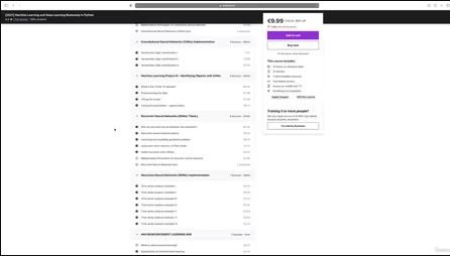

 
3582d557-864e-40df-81ee-91a12a43a851.png

Mapping Data with Python - a beginners' course
MP4 | Video: h264, 1280x720 | Audio: AAC, 44.1 KHz, 2 Ch
Genre: eLearning | Language: English + srt | Duration: 10 lectures (1h 35m) | Size: 733.1 MB

A visual first study for Python and Data Science
What you'll learn
How to get started with Python and Jupyter Notebooks for data science
How to plot data on to a map using Python code
How to use Python's "geopandas" package to manage map data
How to use Python's "contextily" package to manipulate basemaps
Requirements
No Programming experience required. This course is designed so people who have never written any code before can put their data on a map. You can do this with only 7 lines of code and this course leads you line by line through the code required.
You will need a Windows PC with internet access.
Description
Maps are a great visual tool. We all collect spatial data - holiday destinations, favourite places, areas of interest. But paper maps are limited, and the tools to plot digital maps on a computer can seem daunting.
Do you have data that you would like to show on a map but you don't know how to ? Or would you like to try a first coding project and want something simple and very visual as a starting project?
Maps are a great first project for coding or working with data. You can start to produce maps with only 7 lines of code. This beginners' course requires no previous experience and leads you line by line through the code required. It uses the popular Python language which is the most widely used language for Data Science.
In the course lessons, you will find how to
Access free mapping packages to allow you to draw great maps with almost no code
Load your data from a spreadsheet to a map
Apply map projections to shape the map to a screen
Add a background of streets or landscape to the region
Customise the map into what you want it to be, changing appearance, colouring and layout. You can make a detailed streetmap or an impressionistic outline map as you require
Who this course is for
People who have never done any coding and would like to try a simple, but very visual, project.
Anyone who has data that you would like to show on a map but you don't know how to.
Homepage


742d716d-640c-4597-bef1-3314b04f9119.png

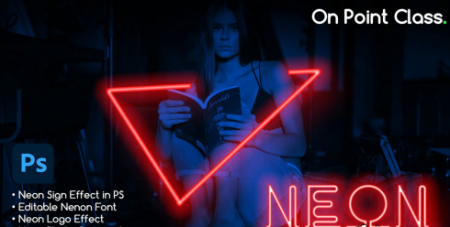
Neon Sign Effect in Photoshop for Pictures, Neon writing and neon logo | To the Point Class
MP4 | Video: h264, 1280x720 | Audio: AAC, 44.1 KHz
Language: English | Size: 242 MB | Duration: 19m​

I will teach you basic techniques and the process of creating Neon Sign light, Neon Logo, Neon writings, and Neon environments in photoshop very easily. and a streamlined workflow for photo manipulations and Neon digital art.
Programs needed: Adobe Photoshop
The skill required: Beginner & intermediate photoshop skills
What You'll Learn In this class I am revealing my secret to recreating and manipulating images into Neon artworks' for commercial and artistic purposes. I created a very easy technique to create this kind of Neon photo realistic artwork in photoshop, without any professional skill requirements, the class is divided into a few parts from the introduction - Neon basic - Neon font - Neon Logo - Neon Sign in Picture
you will learn
Creation Neon Signs For Commercial graphics & Digital Art
Neon Photo Manipulation
Creation Of Style ( To speedup workflow)
Neon logos
Neon Editable Text
A Speedy Workflow of Creating Graphics in a short time
Use Of Channels in Photoshop
By the end, you'll have enough art skills you can use for any number of projects, such as art exhibits, posters, album arts, and commercial use
feel free to ask any questions.
you can also follow me and visit my profile for resources
Screenshots


490ac9a0-a47f-45c6-a381-2abe8b56930a.png

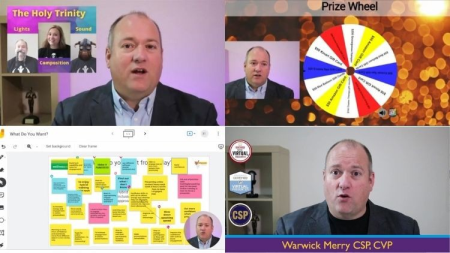
OBS Studio for Presenters, Trainers and Business People
Instructors: Warwick Merry
4 sections • 7 lectures • 35m total length
Video: MP4 1280x720 44 KHz | English + Sub
Updated 3/2022 | Size: 425 MB​

How to easily make your presentations more engaging, more enjoyable and more impressive
What you'll learn
How to master the basics of OBS
How to present online with impressive screen presence
How to have your image showing on top of your slide deck
How to easily share your web browser and other applications as part of your presentation
How to use Stream Deck to make your presentation easier, smoother and more engaging
Free Mask Template for Circle Camera
Requirements
Basic computer understanding
Basic ability to present using a slide deck
Description
As trainer, presenter or manager, giving presentations at meetings, events and conferences are part of what you need to do. Add to this the ease and popularity of online meetings, are you are doing it more and more often.
But what if your presentations are so boring that even YOU can't stand it? Not boring with content, because we know you are awesome, but maybe the delivery is tired or people struggle to engage?
It is time to take things to the next level.
OBS Studio is a powerful and free bit of software that means you can really take your presentations and visual aids to the next level. But it can be very confusing. So often the technobabble confuses you in terms of how to make it work smoothly and effortlessly everytime.
This course takes all the techo geek speak out and tells you exactly what to do to set up OBS and start using it effectively.
Let's be honest, you don't care what half the settings are, you just want to know what they should be!
After this course, you will know exactly how to setup OBS Studio so your presentations look amazing, and then how to simply use it as you need to.
Let's get to Making Events Awesome!
Who this course is for
This course has been designed specifically for managers, presenters, trainers and speakers who are NOT technical gurus. They are comfortable with technology but it is not their core skill set.
Screenshots


1fcddd6f-2150-48b2-81a6-b07f603986d1.png

Practical Time Management Skills - Do More, Stress Less
Duration: 1h 15m | Video: .MP4, 1280x720, 30 fps | Audio: AAC, 48 kHz, 2ch | Size: 258 MB
Genre: eLearning | Language: English​

Time is precious. You can earn more money, but you will never get more time. Managing your time is managing your life.This course will help you take control of your time management skills to get More Done in Less Time.
If you have more things to do than you have time and frequently get overwhelmed with all your priorities and tasks, you are in the right place! I designed this course to help people from all walks of life that struggle with trying to get it all done.
Whats In it For Me?
When you finish this fast paced course course you will
Be able to stay organized, even with changing priorities and distractions - this will lower your stress and give you the feeling of control.
Be much more focused and feel better work satisfaction.
Be more effective and have more time and energy for achieving a good Work Life Balance - family, friends, hobby, development, leisure.
Understand Your Priorities Better and Undertand the Art of Delegation.
Be able to understand various time management techniques and how they fit together.
Spend less time on distractions, social media, multitasking.
All in All You will be able to achieve more in Less Time and Live a more fulfilled and Happy Life.
So What are You Waiting for? I am Super Excited to see you Inside the Course.
Lets Get Started.
Homepage
Screenshots


005fad29-medium.jpg

Spring: Spring Security (2022)
LinkedIn Learning
Duration: 1h 31m | .MP4 1280x720, 30 fps(r) | AAC, 48000 Hz, 2ch | 792 MB
Genre: eLearning | Language: English​

Developers sometimes struggle to see their apps as attackers do. They don't automatically recognize the vulnerabilities. That is where frameworks like Spring Security come in. Spring Security offers built-in authentication and authorization features for securing your apps and services, and easy ways to extend the framework to maximize its value. Join security architect Frank Moley, as he shows how to secure your Java projects with Spring Security, LDAP, Active Directory, and WebFlux. Along the way, learn how to use Spring Security to set up your own OAuth 2.0 servers to secure your apps and network services.
Homepage
Screenshots


e380333d-4b65-4e80-b0c0-575165de02de.png

Systems and Application Security for SSCP
Duration: 1h 34m | Video: .MP4, 1280x720 30 fps | Audio: AAC, 48 kHz, 2ch | Size: 150 MB
Genre: eLearning | Language: English​

This course will teach you system security and application security concepts needed for the System Security Certified Practitioner (SSCP) exam. This is the seventh of the seven domains of the SSCP examination content.
What you'll learn
Preparing for this exam is vital for success, and this course will help you master the concepts in the Systems and Application Security domain. In this course, Systems and Application Security for SSCP®, you'll learn to design and maintain security controls in information systems and applications. First, you'll explore the characteristics of malicious code and learn how to identify malicious activity. Next, you'll discover end point security and zero trust networks. Finally, you'll learn how to address security principles in the cloud. When you're finished with this course, you'll have the skills and knowledge of systems and application security needed for the SSCP® examination.
Screenshots


c7c5d142-05dc-441e-878d-598769d6c79f.png

Tally Prime Basic to Advance Training 2022
Duration: 3h 50m | Video: .MP4, 1280x720, 30 fps | Audio: AAC, 48 kHz, 2ch | Size: 963 MB
Genre: eLearning | Language: English​

By enrolling in this course you will learn
Accounting basics like bills and loans to help you understand and issue records safely.
Learn how to transfer account information from physical books to Tally.
Adjust inventory details and report filters, e.g. B. the availability of certain supplies with certain functions.
Bank Reconciliation - Compare bank statement entries with your bank entries.
Learn more about applying major and advanced topics to GST, such as: B. GST settlement, payment reimbursement, shipping companies and how to make appropriate entries in the calculation log
Find out full salary (employee attendance) by government. a certain percentage of the reduction.
Learn about the manufacturing process that allows you to price the goods you manufacture based on the prices of the various parts/components used to assemble the product.
And among other things, you'll learn to customize the sales invoice number format, which looks something like this - BN / 001 / 19-20 and more.
Study the above subjects for a maximum of 8 hours, in contrast to short courses that teach at the basic level or long courses that require more than necessary.
In addition to learning how to use calculations, consider maintaining consistent accounting practices.
What to expect in this course
This is a basic guide for Tally, which means you will learn all the basic and fundamental concepts that are used every day.
Consider this course a solid foundation for counting.
You will be able to study advanced subjects independently and easily.
Words
This course is for educational purposes and is not intended to provide advice on corporate accounting/compliance.
I hope you have benefited from the insights gleaned from this course.
Homepage


4b97b20d-5706-401c-b83b-560254ff4514.png

The Complete Course On React Hooks [2022] - (w/Firebase)
MP4 | Video: h264, 1280x720 | Audio: AAC, 44.1 KHz, 2 Ch
Genre: eLearning | Language: English + srt | Duration: 27 lectures (5h 4m) | Size: 2.17 GB

Master React Hooks With Firebase and Become an Expert React Developer
What you'll learn
Build enterprise level React applications using hooks and deploy to production.
Learn all about React Hooks and React Components.
Set up authentication using firebase
Routing with React Router
Performance optimization using react hooks
Requirements
Basic HTML, CSS, JavaScript and react knowledge
Description
Congratulations! You've found the most popular, most complete, and most up-to-date resource online for learning React Hooks. React is a JavaScript library for building user interfaces and one of the most popular technologies in the world.
This course teaches you React Hooks in-depth, from the ground up, step by step by diving into all the core basics, exploring multiple projects and also introducing you to advanced concepts as well.
What's in this course?
Introduction to React class based and functional components
Core basics: How React state works, how to work with lifecycle methods.
What is functional components in react
What is UseState and how to manage state in functional components.
UseEffect hook and handle side effects in functional components.
Project 1 : To-Do App
UseContext hook and Global state management
Project 2 : Theme Toggling using UseContext
UseReducer hook and complex state management.
Project 3 : Shopping cart using UseReducer and UseContext
UseRef in Depth
DOM manipulation using useRef
Project 4 : Uncontrolled Forms using UseRef
Create own custom hooks and reuse logic
Project 5 : React Authentication App
UseMemo and UseCallback in depth
Performance improvement with UseMemo and UseCallback
Project 6 : React Cryptocurrency app
What do you need to succeed in this course?
HTML and CSS knowledge required
General/basic understanding of JavaScript
Basic knowledge of react is required
Who this course is for
Anyone who wants to develop scalable web-apps with React and want to become expert react developer.
Programmers who want to increase their value as web developers.
Anyone who wants to become a freelancer or an independent web app developer.
Who this course is for
This course is for everyone who want to become a expert react devloper.
Homepage


10c1b3d9-5d8e-4021-9a80-d1c4cf36d561.png

WordPress.com Essential Training (2022)
LinkedIn Learning
Duration: 2h 53m | .MP4 1280x720, 30 fps(r) | AAC, 48000 Hz, 2ch | 1.49 GB
Genre: eLearning | Language: English​

Learn how to create your own website or blog with WordPress.com-the free, easy-to-use service that's democratizing publishing on the web. Join instructor Carrie Dils as she shows how to sign up for a WordPress.com account, personalize your profile, and start posting right away. Plus, learn how to add images, videos, and links that make blog posts pop; enable social sharing; and change the appearance of your site with custom themes, blocks, and menus. Carrie also details newer features like Full Site Editing, which allows you to create an entire website with blocks, and tools like Crowdsignal, a WordPress.com integration that enables you to seamlessly add polls and surveys to your content. Drawing on her 20 years of experience developing for the web, Carrie also provides her insights on finding and growing an audience, as well as deciding when it's time to grow by upgrading your account or moving on to self-hosting with WordPress.org.
Homepage
Screenshots


Absolute Beginners 3D character in Blender course

nob4x36q807cdvkw5geyyttjuu.jpg


Absolute Beginners 3D character in Blender course
Genre: eLearning | MP4 | Video: h264, 1280x720 | Audio: AAC, 44.1 KHz
Language: English | Size: 13.7 GB | Duration: 14h 28m

Learn 3D character workflow in Blender for portfolio


What you'll learn
3D character workflow in Blender
Blender sculpting and modelling
Blender
Blender rigging, fur, rendering

Requirements
No previous experience with 3D software required.
Graphic tablet is a plus.

Description
So you have heard about Blender, and you want to jump in on this free but powerful program?

Or you already use Blender, but don't know how to make a character inside it?

Weather you are a complete beginner or a bit more advanced Blender user, you could find something for you in this course.

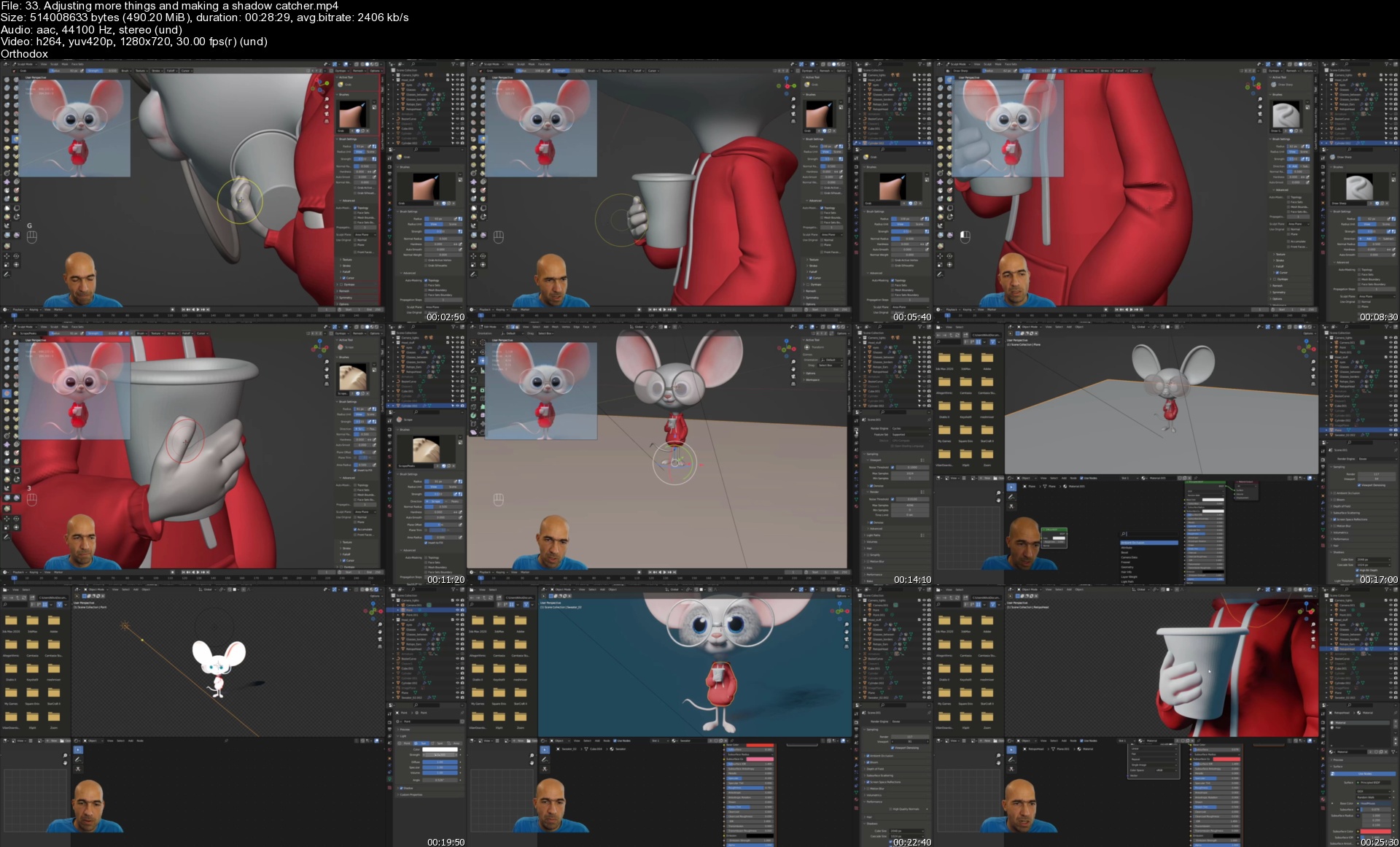
This is the Absolute Beginners 3D character in Blender course and we will be making this cute guy here concepted by Deema Egorov.

My name is Niko and i will be your host trough this creative journey. I am a 3D character artist working in the industry with more than 13 years of experience. I also have more than 15 courses made for character creation, mostly in Zbrush. Now i started to work in Blender only, and i will show you the workflow to create a 3D character in Blender from scratch, rig, pose and present it. We will make some props to practice hard surface modelling in Blender, but since i am a digital sculptor we will emphasize on the sculpting part. I will show you the complete workflow to make a character with clothes, props, pose and present it for your portfolio.

In the course we will start by going trough the most important things a beginner should know about Blender. Then we will start sculpting pretty quickly and i will make a basic quick human head to show you that sculpting is not scary at all. Then we will start our mouse hero from the head while i show you all necessary things and guide you trough the whole process of creating a character from concept as well as making it fast and easy in Blender. After that we will make the basics of the body, hands and fingers. With each step we will learn new things and we will repeat the things we already learned to solidify our knowledge.

Then we will make the sweater and i will show you few ways of making clothes for your character. After that we will manually retopologize the head of our character, using just the tools that Blender provides by default. Although i will show you much faster and useful addon for automatic retopology - QuadRemesher. We will then detail the head and make the glasses.

Following we will be learning basics of lights, cameras and environment textures. Then we will make the tail for a while, before texturing the eyes. We will jump into manual retopologizing the whole body fast and efficient, using various techniques, invented by my humble self :).

Refining the sweater and making the hood will be our next tasks which we will finish with great success. After that we will make UVs of the head and ears and make some texturing work on that too. Then i will show you some hardsurface techniques by making a cleaver weapon. We will also see some character examples from the game i worked on for 3 years from Gameloft, since i work there for 15 years already :).

It will be time to learn basics of hair and fur making in Blender. We will see how to create, adjust and groom our fur. Then it will be time to learn how simple it is to put bones and rig our character so we can animate or pose it. We will pose it and then fix the pose to achieve best final results. Then we will learn how to make transparent background and floor shadows. Lastly we will see how to make a turntable animation to present our characters from all sides. They are 3D characters after all.

This course is for absolute beginners in Blender and in character art, so no previous experience with any 3D software is required. Of course if you like to draw it is definitely a plus :).

Some people say Blender is a lot of things, but none of them is at the right level. I would say from experience, that Blender is good enough for everything i need to make a full character from high poly to low poly and UVs. In this course we will do a character for portfolio, so we will do a high poly, posing, lighting and rendering. So if you want to make your first character and eventually start your 3D character career, you first have to try it and see if you like it. So lets dive into the world of 3D character creation in Blender!

Who this course is for
People who want to learn Blender and make 3D characters in it

Homepage


33.adjustingmorething4vj67.jpg


Zurück
Oben Unten