• Regeln für den Video-Bereich:

    In den Börsenbereich gehören nur Angebote die bereits den Allgemeinen Regeln entsprechen.

    Einteilung

    - Folgende Formate gehören in die angegeben Bereiche:
    - Filme: Encodierte Filme von BluRay, DVD, R5, TV, Screener sowie Telesyncs im Format DivX, XviD und x264.
    - DVD: Filme im Format DVD5, DVD9 und HD2DVD.
    - HD: Encodierte Filme mit der Auflösung 720p oder darüber von BluRay, DVD, R5, TV, Screener sowie Telesyncs im Format x264.
    - 3D: Encodierte Filme von BluRay, die in einem 3D Format vorliegen. Dies gilt auch für Dokus, Animation usw.
    - Serien: Cartoon/Zeichentrick, Anime, Tutorials, Dokumentationen, Konzerte/Musik, Sonstiges sind demnach in die entsprechenden Bereiche einzuordnen, auch wenn sie beispielsweise im High Definition-Format oder als DVD5/DVD9/HD2DVD vorliegen. Ausnahme 3D.
    - Bereich Englisch: Englische Releases gehören immer in diesen Bereich.
    - Bereich Talk: Der Bereich, in dem über die Releases diskutiert werden kann, darf, soll und erwünscht ist.


    Angebot/Beitrag erstellen

    - Ein Beitrag darf erst dann erstellt werden, wenn der Upload bei mindestens einem OCH komplett ist. Platzhalter sind untersagt.
    - Bei einem Scenerelease hat der Threadtitel ausschließlich aus dem originalen, unveränderten Releasenamen zu bestehen. Es dürfen keine Veränderungen wie z.B. Sterne, kleine Buchstaben o.ä. vorgenommen werden. Ausnahme Serienbörse:
    - Bei einem Sammelthread für eine Staffel entfällt aus dem Releasename natürlich der Name der Folge. Beispiel: Die Simpsons S21 German DVDRip XviD - ITG
    - Dementsprechend sind also u.a. verboten: Erweiterungen wie "Tipp", "empfehlenswert", "only", "reup", usw. / jegliche andere Zusatzinformation oder Ergänzung, welche nicht in obiger Beschreibung zu finden ist.

    Aufbau des Angebots und Threadtitel

    Der Titel nach folgendem Muster erstellt zu werden. <Name> [3D] [Staffel] [German] <Jahr> <Tonspur> [DL] [Auflösung] <Quelle> <Codec> - <Group>
    Beispiel: The Dark Knight German 2008 AC3 DVDRip XviD - iND
    Beispiel: The Dark Knight 2008 DTS DL BDRip x264 - iND
    Beispiel: The Dark Knight 2008 AC3 DL BDRip XviD - iND
    Beispiel: The Dark Knight German 2008 AC3 720p BluRay x264 iND
    Beispiel: The Dark Knight 2008 DTS DL 1080p BluRay x264 iND
    Beispiel: Die Simpsons S01 German AC3 DVDRip XviD iND
    Beispiel: Die Simpsons S20 German AC3 720p BluRay x264 iND
    Beispiel: Sword Art Online II Ger Sub 2014 AAC 1080p WEBRip x264 - peppermint
    Entsprechend sind also u.a. verboten: Sonderzeichen wie Klammern, Sterne, Ausrufezeichen, Unterstriche, Anführungszeichen / Erweiterungen wie "Tipp", "empfehlenswert", "only", "reup", usw. / jegliche andere Zusatzinformation oder Ergänzung, welche nicht in obiger Beschreibung zu finden ist
    Ausnahmen hiervon können in den Bereichen geregelt sein.

    Die Beiträge sollen wie folgt aufgebaut werden:
    Überschrift entspricht dem Threadtitel
    Cover
    kurze Inhaltsbeschreibung
    Format, Größe, Dauer sind gut lesbar für Downloader außerhalb des Spoilers zu vermerken
    Nfo sind immer Anzugeben und selbige immer im Spoiler in Textform.
    Sind keine Nfo vorhanden z.B. Eigenpublikationen, sind im Spoiler folgende Dateiinformationen zusätzlich anzugeben :
    Quelle
    Video (Auflösung und Bitrate)
    Ton (Sprache, Format und Bitrate der einzelnen Spuren)
    Untertitel (sofern vorhanden)
    Hosterangabe in Textform außerhalb eines Spoiler mit allen enthaltenen Hostern.
    Bei SD kann auf diese zusätzlichen Dateiinformationen verzichtet werden.

    Alle benötigten Passwörter sind, sofern vorhanden, in Textform im Angebot anzugeben.
    Spoiler im Spoiler mit Kommentaren :"Schon Bedankt?" sind unerwünscht.


    Releases

    - Sind Retail-Release verfügbar, sind alle anderen Variationen untersagt. Ausnahmen: Alle deutschen Retail-Release sind CUT, in diesem Fall sind dubbed UNCUT-Release zulässig.
    - Im Serien-Bereich gilt speziell: Wenn ein Retail vor Abschluss einer laufenden Staffel erscheint, darf diese Staffel noch zu Ende gebracht werden.62
    - Gleiche Releases sind unbedingt zusammenzufassen. Das bedeutet, es ist zwingend erforderlich, vor dem Erstellen eines Themas per Suchfunktion zu überprüfen, ob bereits ein Beitrag mit demselben Release besteht. Ist dies der Fall, ist der bereits vorhandene Beitrag zu verwenden.
    - P2P und Scene Releases dürfen nicht verändert oder gar unter einem iND Tag eingestellt werden.


    Support, Diskussionen und Suche

    - Supportanfragen sind entweder per PN oder im Bereich Talk zu stellen.
    - Diskussionen und Bewertungen sind im Talk Bereich zu führen. Fragen an die Uploader haben ausschließlich via PN zu erfolgen, und sind in den Angeboten untersagt.
    - Anfragen zu Upload-Wünschen sind nur im Bereich Suche Video erlaubt. Antworten dürfen nur auf Angebote von MyBoerse.bz verlinkt werden.


    Verbote

    - Untersagt sind mehrere Formate in einem einzigen Angebotsthread, wie beispielsweise das gleichzeitige Anbieten von DivX/XviD, 720p und 1080p in einem Thread. Pro Format, Release und Auflösung ist ein eigener Thread zu eröffnen.
    - Grundsätzlich ebenso verboten sind Dupes. Uploader haben sich an geeigneter Stelle darüber zu informieren, ob es sich bei einem Release um ein Dupe handelt.
    - Gefakte, nur teilweise lauffähige oder unvollständige Angebote sind untersagt. Dies gilt auch für eigene Publikationen, die augenscheinlich nicht selbst von z.B. einer DVD gerippt wurden. Laufende Serien, bei denen noch nicht alle Folgen verfügbar sind, dürfen erstellt und regelmäßig geupdatet werden.
    - Untersagt sind Angebote, welche nur und ausschließlich in einer anderen Sprache als deutsch oder englisch vorliegen. Ausnahmen sind VORHER mit den Moderatoren zu klären.


    Verstoß gegen die Regeln

    - Angebote oder Beiträge, die gegen die Forenregeln verstoßen, sind über den "Melden"-Button im Beitrag zu melden.
  • Bitte registriere dich zunächst um Beiträge zu verfassen und externe Links aufzurufen.

*** Bestes IPTV *** bester Preis *** gratis Test ***


Englische Tutorials

Certified Kubernetes CKAD & CKA (Video Collection)

275690256_tqbrhmfajlqsbh90imne8e3w83j0gn5l.jpg


Certified Kubernetes CKAD & CKA (Video Collection)
MP4 | Video: AVC 1280 x 720 | Audio: AAC 48 Khz 2ch | Duration: 16:23:08 | 26.38 GB
Genre: eLearning | Language: English

All topics covered to pass the EX180 and EX280 exams.

16+ Hours of Video Instruction


Description

This master class includes the following courses

Red Hat Certified Specialist in Containers and Kubernetes Complete Video Course: Red Hat EX180
Red Hat OpenShift Administration: Red Hat EX280

Red Hat Certified Specialist in Containers and Kubernetes Complete Video Course: Red Hat EX180 provides an in-depth analysis of the core objectives and topics in the Red Hat EX180 exam so you can get started with containers on Red Hat Enterprise Linux and OpenShift, the Red Hat Kubernetes distribution, while also preparing for the Red Hat exam EX180. Topics include managing containers and container images with Podman, running applications in OpenShift, and using OpenShift to automate complex automation builds. This video course is also a great resource for anyone interested in working with standalone containers using Podman on Red Hat, as well orchestrated containers and devops workflows using Red Hat OpenShift.

In almost 9 hours of engaging video training, instructor Sander van Vugt uses deep-dive explanations, whiteboard instruction, and real-world hands-on demos. Each lesson concludes with a hands-on lab, which provides a deeper understanding of all the topics of Red Hat Certified Specialist in Containers and Kubernetes and helps you excel on your EX180 exam.

Red Hat OpenShift Administration Complete Video Course: Red Hat EX280 provides an introduction in administrating OpenShift and prepares viewers to take the Red Hat exam EX280. This course provides in-depth training and hands-on labs exploring the ins and out of administering in OpenShift. Topics include management of cluster nodes, users, and role-based access control, as well as management of applications in an OpenShift environment. The Red Hat Certified Specialist in OpenShift Administration exam (EX280) tests the knowledge, skills, and ability to create, configure, and manage a cloud application platform using Red Hat OpenShift Container Platform.

This engaging self-paced video training solution provides learners with more than 8 hours of video instruction from an expert trainer with years of providing practical Linux teaching experience. Through the use of topic-focused instructional videos, you will gain an in-depth understanding of all topics on the Red Hat OpenShift Administration EX280 exam, as well as a deeper understanding of Ansible. The combination of video and labs provides a unique offering that gives you a full toolkit to learn and excel on your exam.

Course Requirements

One (virtual) machine running Red Hat Enterprise Linux, CentOS, or Rocky Linux 8.x to perform the labs about Podman containers
A computer running any operating system with at least 16GB RAM to run the CodeReady Containers Virtual Machine
Students should be able to run a virtual machine that requires 12GB of RAM
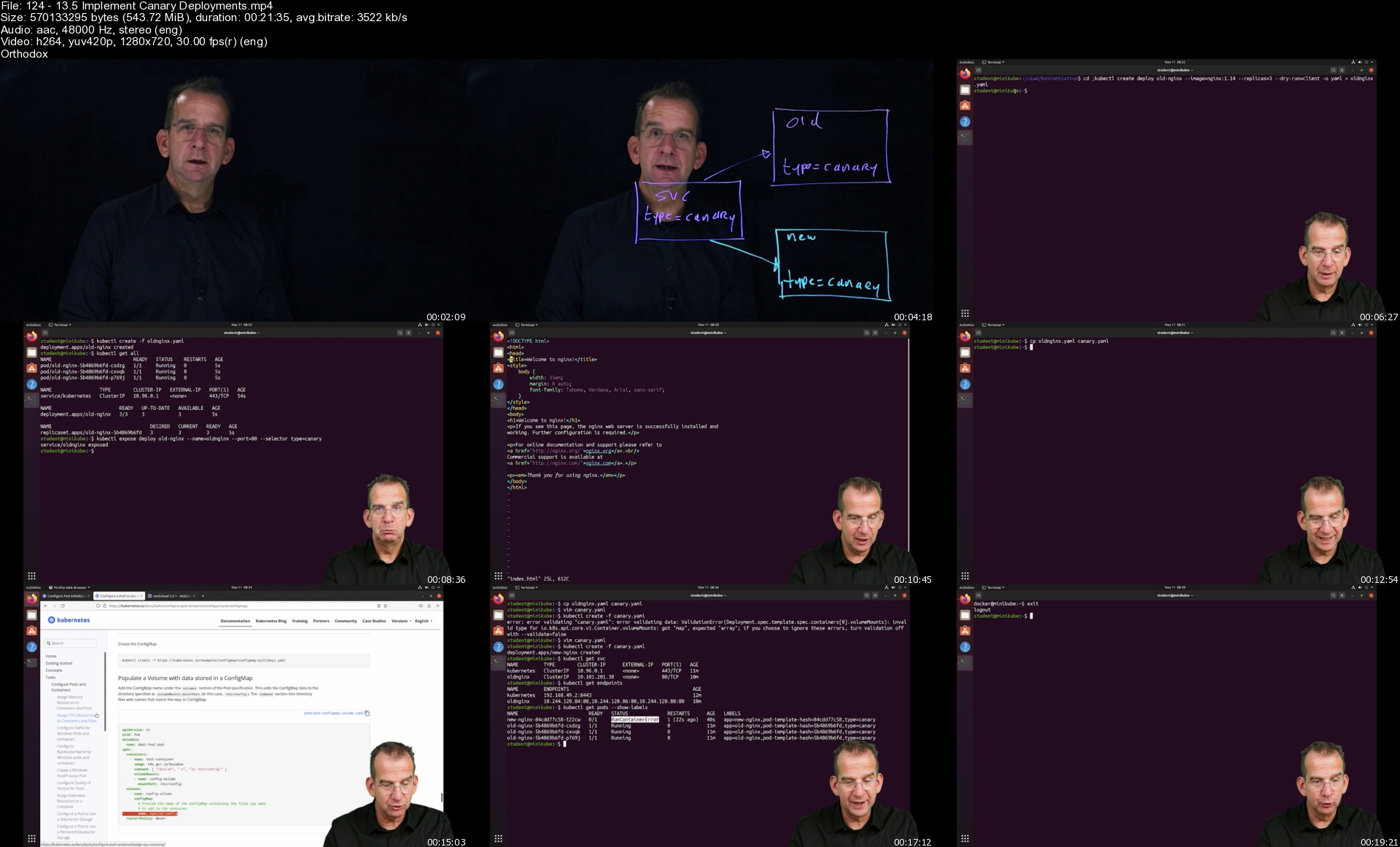
12413.5implementcanar7hj56.jpg


Figma for UI/UX: Master Web Design in Figma

43695446b062twk5t.jpg


Figma for UI/UX: Master Web Design in Figma
MP4 | Video: h264, 1280x720 | Audio: AAC, 44.1 KHz, 2 Ch
Genre: eLearning | Language: English + srt | Duration: 129 lectures (11h 21m) | Size: 8.4 GB

Learn Figma for UI work and modern web design: create beautiful responsive websites. Figma - the future of web design!


What you'll learn
Create beautiful website designs in Figma
Transform the desktop version of the website to the mobile one
How to prepare the design for the client and coders
The most important design principles that can be applied to any web design project
How to start any website project the right way
Get inspiration & design resources - the correct way!

Requirements
Figma is totally free. All you need is a computer and a bit of time.


Description
This course will teach you everything you need to know about modern web design and we're going to use Figma, one of the best design programs. Here are some of the things that you'll learn

The course is beginner friendly - we'll take it step by step and learn through fun exercises!

UI & UX - all the essential principles you have to know

Responsive design: transform the desktop version to the mobile version

How to prepare the design for coding: make coders & clients happy

Design principles that can be applied on any project

Find out what clients want from you - what assets/deliverables and in what format

About Chris Barin
I'm a professional web & app designer and I've been designing websites for over 10 years. I've freelanced, I've run my own design company, and I'm an entrepreneur in the e-commerce space. I know what clients want and I'll share all my experience with you!

Why take this course?

You'll work on real world projects that are actually live and they have visitors & clients;

Discover the best tips & tricks that will take you from beginner to advanced user in a very short time;

Explore case studies where I explain in detail the most common mistakes;

Get access to a Discord group filled with people that love web design - this is a free chat room where you can often find me;

Web design has changed my life in an incredible way - it helped me move out of my parents house, it gave me a wonderful career as a freelancer, I created a design company, but more than anything it made me confident. This is a life skill that you can depend on. I know that no matter what happens in my life, I can create value through my own two hands by designing beautiful websites. I know everything will be OK because of that. At the end of this course, I hope you'll be as confident as I am. Let's get to work!

Who this course is for
This course is great for both beginners and advanced users that want to learn modern web design
Website developers that want to learn how to design websites
People that want to know how to transform the desktop version of a website to the mobile one
Designers that don't know the latest web design trends and principles
Anyone who wants a life skill they can depend on - whethever for a new career or another income stream

Homepage


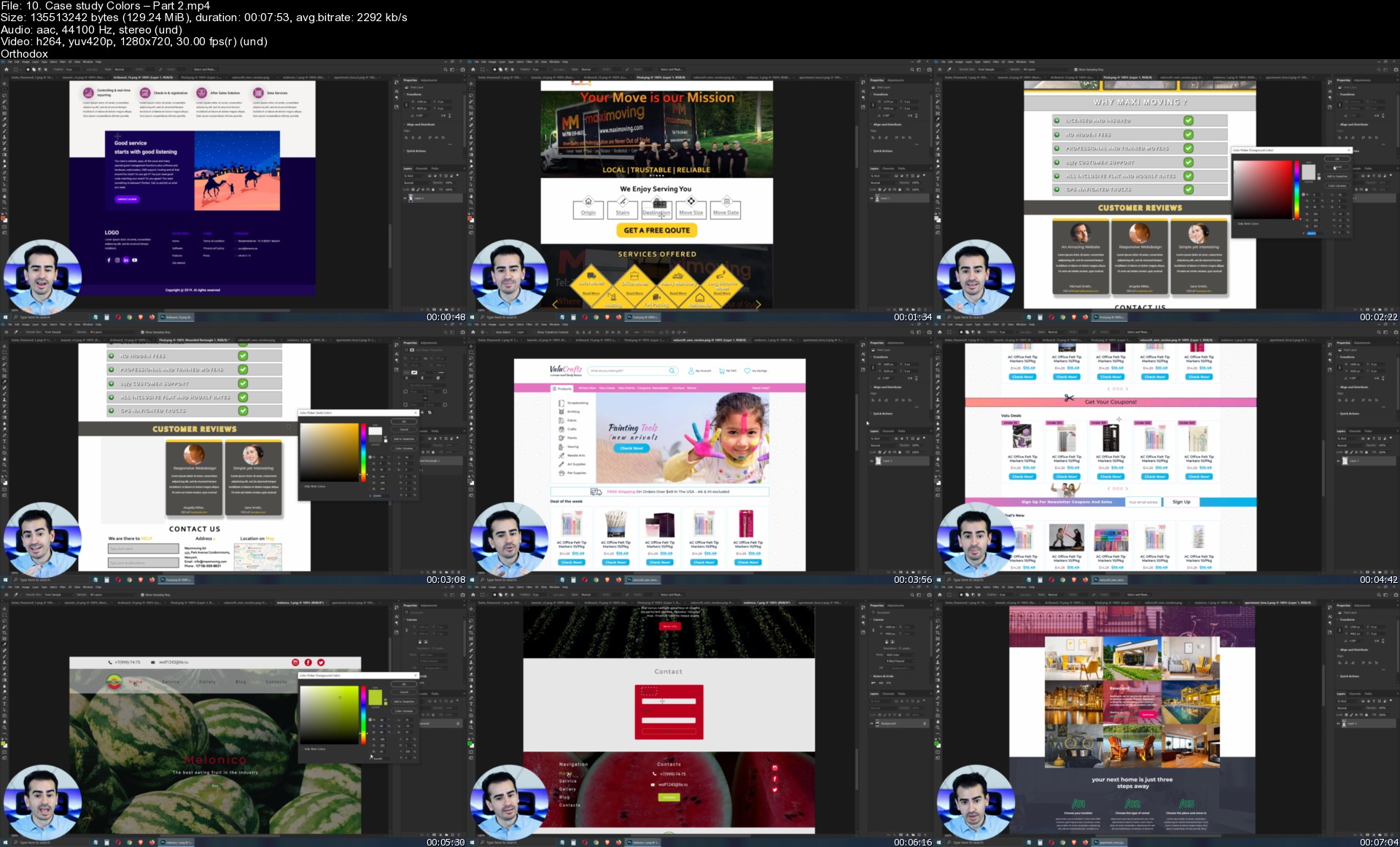
10.casestudycolorsparbtk09.jpg


Machine Learning, Deep Learning and Bayesian Learning

0r5vhld57ycdirtwkuroyuyj01.jpg


Machine Learning, Deep Learning and Bayesian Learning
MP4 | Video: h264, 1280x720 | Audio: AAC, 44.1 KHz
Language: English | Size: 5.53 GB | Duration: 16h 14m

Learn Machine Learning, Deep Learning, Bayesian Learning and Model Deployment in Python.


What you'll learn
Deep Learning with Tensorflow!!!
Deep Learning with PyTorch!!! Yes both Tensorflow + PyTorch!
Bayesian learning with PyMC3
Data Analysis with Pandas
Algorithms from scratch using Numpy
Using Scikit-learn to its full effect
Model Deployment
Model Diagnostics
Natural Language Processing
Unsupervised Learning
Natual Language Processing with Spacy
Time series modelling with FB Prophet
Python

Requirements
Willingness to learn

Description
This is a course on Machine Learning, Deep Learning (Tensorflow + PyTorch) and Bayesian Learning (yes all 3 topics in one place!!!). Yes BOTH Pytorch and Tensorflow for Deep Learning.

We start off by analysing data using pandas, and implementing some algorithms from scratch using Numpy. These algorithms include linear regression, Classification and Regression Trees (CART), Random Forest and Gradient Boosted Trees.

We start off using TensorFlow for our Deep Learning lessons. This will include Feed Forward Networks, Convolutional Neural Nets (CNNs) and Recurrent Neural Nets (RNNs). For the more advanced Deep Learning lessons we use PyTorch with PyTorch Lightning.

We focus on both the programming and the mathematical/ statistical aspect of this course. This is to ensure that you are ready for those theoretical questions at interviews, while being able to put Machine Learning into solid practice.

Some of the other key areas in Machine Learning that we discuss include, unsupervised learning, time series analysis and Natural Language Processing. Scikit-learn is an essential tool that we use throughout the entire course.

We spend quite a bit of time on feature engineering and making sure our models don't overfit. Diagnosing Machine Learning (and Deep Learning) models by splitting into training and testing as well as looking at the correct metric can make a world of difference.

I would like to highlight that we talk about Machine Learning Deployment, since this is a topic that is rarely talked about. The key to being a good data scientist is having a model that doesn't decay in production.

I hope you enjoy this course and please don't hesitate to contact me for further information.

Who this course is for
Anyone interested in Machine Learning.

Homepage


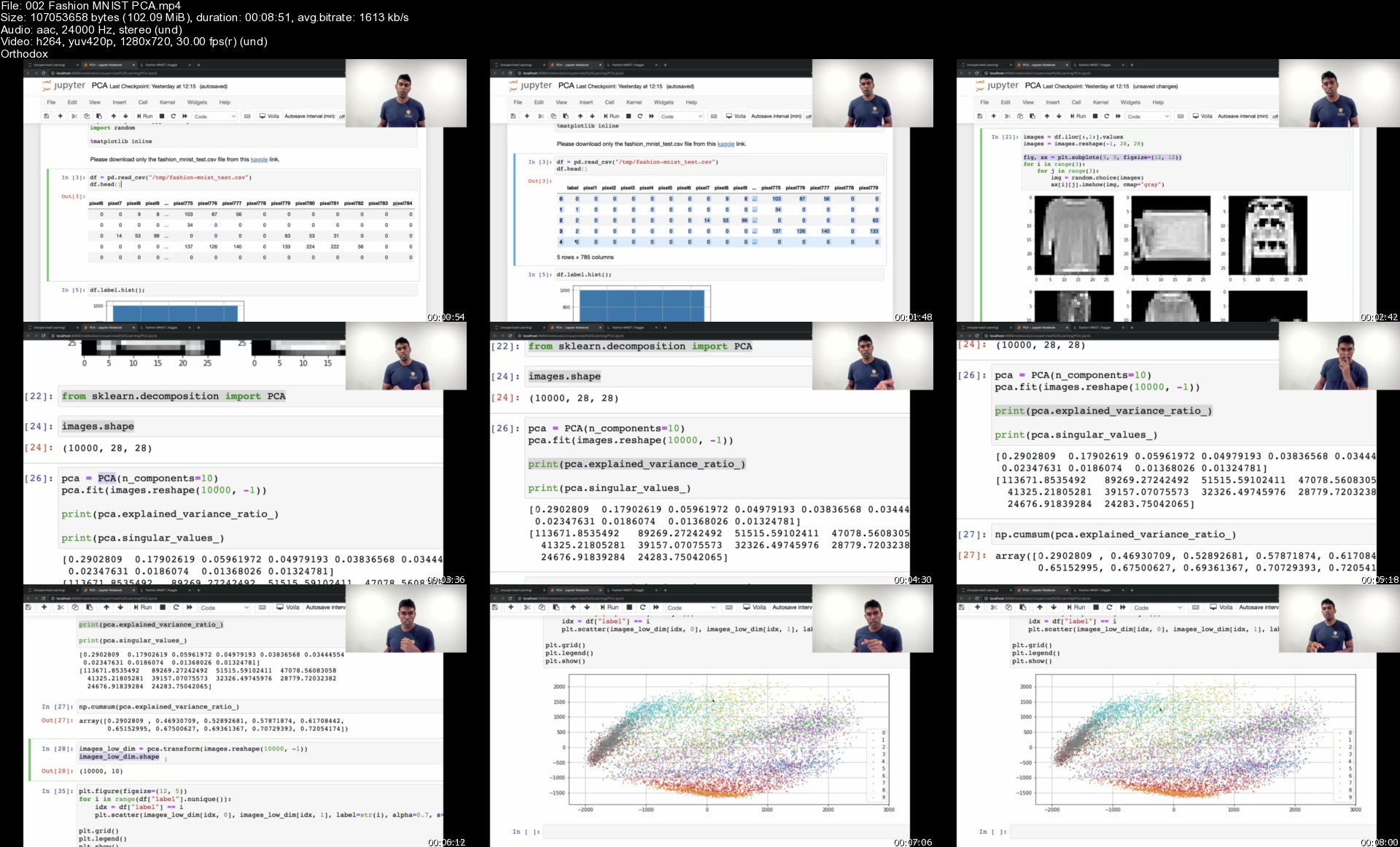
002fashionmnistpcasiykd2.jpg


90Days Data Science Bootcamp: Build Portfolio Of 90 Projects

3572553729d4kjj2q.jpg


90Days Data Science Bootcamp: Build Portfolio Of 90 Projects
MP4 | Video: h264, 1280x720 | Audio: AAC, 44.1 KHz, 2 Ch
Genre: eLearning | Language: English + srt | Duration: 706 lectures (102h 32m) | Size: 51.4 GB

Learn To Build & Deploy Real Data Science, Machine Learning, Python Projects (Flask, Django,AWS,Azure,GCP, Heruko Cloud)


What you'll learn
Understand the full product workflow for the machine learning lifecycle.
Real life case studies and projects to understand how things are done in the real world
Learn best practices when it comes to Data Science Workflow
Master Machine Learning, Data Science, Deep Learning With Python Practically
Have a great intuition of many Machine Learning models
Build a portfolio of work to have on your resume
Have a fundamental understanding of the Python programming language.
Introduction to the python programming, List Comprehension in Python programming, Variables and data types in python programming

Requirements
Basic computer skills: surfing websites, running programs
Basic Knowledge of machine learning & data science


Description
In This Course, Solve Business Problems Using Data Science Practically. Learn To Build & Deploy Machine Learning, Data Science, Artificial Intelligence, Auto Ml, Deep Learning, Natural Language Processing (Nlp) Web Applications Projects With Python (Flask, Django, Heroku, AWS, Azure, GCP, IBM Watson, Streamlit Cloud).

We'll Cover Everything You Need To Know For The Full Data Science And Machine Learning Tech Stack Required At The World's Top Companies. Our Students Have Gotten Jobs At Dell, Google Developers, Tcs, Wipro And Other Top Tech Companies! We've Structured The Course Using Our Experience Teaching Both Online And In-Person To Deliver A Clear And Structured Approach That Will Guide You Through Understanding Not Just How To Use Data Science And Machine Learning Libraries, But Why We Use Them. This Course Is Balanced Between Practical Real World Case Studies And Mathematical Theory Behind The Machine Learning Algorithms.

How Much Does A Data Scientist Make In The United States?

The National Average Salary For A Data Scientist Is Us$1,20,718 Per Year In The United States, 2.8k Salaries Reported, Updated On July 15, 2021 (Source: Glassdoor)

Salaries By Company, Role, Average Base Salary In (Usd)

Facebook Data Scientist Makes Us$1,36,000/Yr. Analyzed From 1,014 Salaries.

Amazon Data Scientist Makes Us$1,25,704/Yr. Analyzed From 307 Salaries.

Apple Data Scientist Makes Us$1,53,885/Yr. Analyzed From 147 Salaries.

Google Data Scientist Makes Us$1,48,316/Yr. Analyzed From 252 Salaries.

Ibm Data Scientist Makes Us$1,32,662/Yr. Analyzed From 388 Salaries.

Microsoft Data Scientist Makes Us$1,33,810/Yr. Analyzed From 205 Salaries.

Intel Corporation Data Scientist Makes Us$1,25,930/Yr. Analyzed From 131 Salaries.

In This Course, We Are Going To Work On 90 Real-World Projects (60 Data Science Projects, 30 Python Development Projects) Listed Below

60 Data Science, Machine Learning Projects ------Starts Here--------

Project-1: Pan Card Tempering Detector App -Deploy On Heroku

Project-2: Dog breed prediction Flask App

Project-3: Image Watermarking App -Deploy On Heroku

Project-4: Traffic sign classification

Project-5: Text Extraction From Images Application

Project-6: Plant Disease Prediction Streamlit App

Project-7: Vehicle Detection And Counting Flask App

Project-8: Create A Face Swapping Flask App

Project-9: Bird Species Prediction Flask App

Project-10: Intel Image Classification Flask App

Project-11: Language Translator App Using IBM Cloud Service -Deploy On Heroku

Project-12: Predict Views On Advertisement Using IBM Watson -Deploy On Heroku

Project-13: Laptop Price Predictor -Deploy On Heroku

Project-14: WhatsApp Text Analyzer -Deploy On Heroku

Project-15: Course Recommendation System -Deploy On Heroku

Project-16: IPL Match Win Predictor -Deploy On Heroku

Project-17: Body Fat Estimator App -Deploy On Microsoft Azure

Project-18: Campus Placement Predictor App -Deploy On Microsoft Azure

Project-19: Car Acceptability Predictor -Deploy On Google Cloud

Project-20: Book Genre Classification App -Deploy On Amazon Web Services

Project-21: Sentiment Analysis Django App -Deploy On Heroku

Project-22: Attrition Rate Django Application

Project-23: Find Legendary Pokemon Django App -Deploy On Heroku

Project-24: Face Detection Streamlit App

Project-25: Cats Vs Dogs Classification Flask App

Project-26: Customer Revenue Prediction App -Deploy On Heroku

Project-27: Gender From Voice Prediction App -Deploy On Heroku

Project-28: Restaurant Recommendation System

Project-29: Happiness Ranking Django App -Deploy On Heroku

Project-30: Forest Fire Prediction Django App -Deploy On Heroku

Project-31: Build Car Prices Prediction App -Deploy On Heroku

Project-32: Build Affair Count Django App -Deploy On Heroku

Project-33: Build Shrooming Predictions App -Deploy On Heroku

Project-34: Google Play App Rating prediction With Deployment On Heroku

Project-35: Build Bank Customers Predictions Django App -Deploy On Heroku

Project-36: Build Artist Sculpture Cost Prediction Django App -Deploy On Heroku

Project-37: Build Medical Cost Predictions Django App -Deploy On Heroku

Project-38: Phishing Webpages Classification Django App -Deploy On Heroku

Project-39: Clothing Fit-Size predictions Django App -Deploy On Heroku

Project-40: Build Similarity In-Text Django App -Deploy On Heroku

Project-41: Black Friday Sale Project

Project-42: Sentiment Analysis Project

Project-43: Parkinson's Disease Prediction Project

Project-44: Fake News Classifier Project

Project-45: Toxic Comment Classifier Project

Project-46: Heart Attack Risk Prediction Using Eval ML (Auto ML)

Project-47: Credit Card Fraud Detection Using Pycaret (Auto ML)

Project-48: Flight Fare Prediction Using Auto SK Learn (Auto ML)

Project-49: Petrol Price Forecasting Using Auto Keras

Project-50: Bank Customer Churn Prediction Using H2O Auto ML

Project-51: Air Quality Index Predictor Using TPOT With End-To-End Deployment (Auto ML)

Project-52: Rain Prediction Using ML models & PyCaret With Deployment (Auto ML)

Project-53: Pizza Price Prediction Using ML And EVALML(Auto ML)

Project-54: IPL Cricket Score Prediction Using TPOT (Auto ML)

Project-55: Predicting Bike Rentals Count Using ML And H2O Auto ML

Project-56: Concrete Compressive Strength Prediction Using Auto Keras (Auto ML)

Project-57: Bangalore House Price Prediction Using Auto SK Learn (Auto ML)

Project-58: Hospital Mortality Prediction Using PyCaret (Auto ML)

Project-59: Employee Evaluation For Promotion Using ML And Eval Auto ML

Project-60: Drinking Water Potability Prediction Using ML And H2O Auto ML

30 Python Development Projects ---- Starts Here----

Project-61: Image Editor Application With OpenCV And Tkinter

Project-62: Brand Identification Game With Tkinter And Sqlite3

Project-63: Transaction Application With Tkinter And Sqlite3

Project-64: Learning Management System With Django

Project-65: Create A News Portal With Django

Project-66 : Create A Student Portal With Django

Project-67 : Productivity Tracker With Django And Plotly

Project-68 : Create A Study Group With Django

Project-69 : Building Crop Guide Application with PyQt5, SQLite

Project-70 : Building Password Manager Application With PyQt5, SQLite

Project-71 : Create A News Application With Python

Project-72 : Create A Guide Application With Python

Project-73: Building The Chef Web Application with Django, Python

Project-74 : Syllogism-Rules of Inference Solver Web Application

Project-75 : Building Vision Web Application with Django, Python

Project-76 : Building Budget Planner Application With Python

Project-77 : Tic Tac Toe Game

Project-78 : Random Password Generator Website using Django

Project-79 : Building Personal Portfolio Website Using Django

Project-80 : Todo List Website For Multiple Users

Project-81 : Crypto Coin Planner Gui Application

Project-82 : Your Own Twitter Bot -python, request, API, deployment, tweepy

Project-83 : Create A Python Dictionary Using python, Tkinter, JSON

Project-84 : Egg-Catcher Game using python

Project-85 : Personal Routine Tracker Application using python

Project-86 : Building Screen -Pet using Tkinter & Canvas

Project-87 : Building Caterpillar Game Using Turtle and Python

Project-88 : Building Hangman Game Using Python

Project-89 : Developing our own Smart Calculator Using Python and Tkinter

Project-90 : Image based steganography Using Python and pillows

Tip: Create A 90 Days Study Plan, Spend 1-2hrs Per Day, Build 90 Projects In 90 Days.

The Only Course You Need To Become A Data Scientist, Get Hired And Start A New Career

Who this course is for
Anyone who is beginner in data science.
Beginners who are interested to know about python.

Homepage


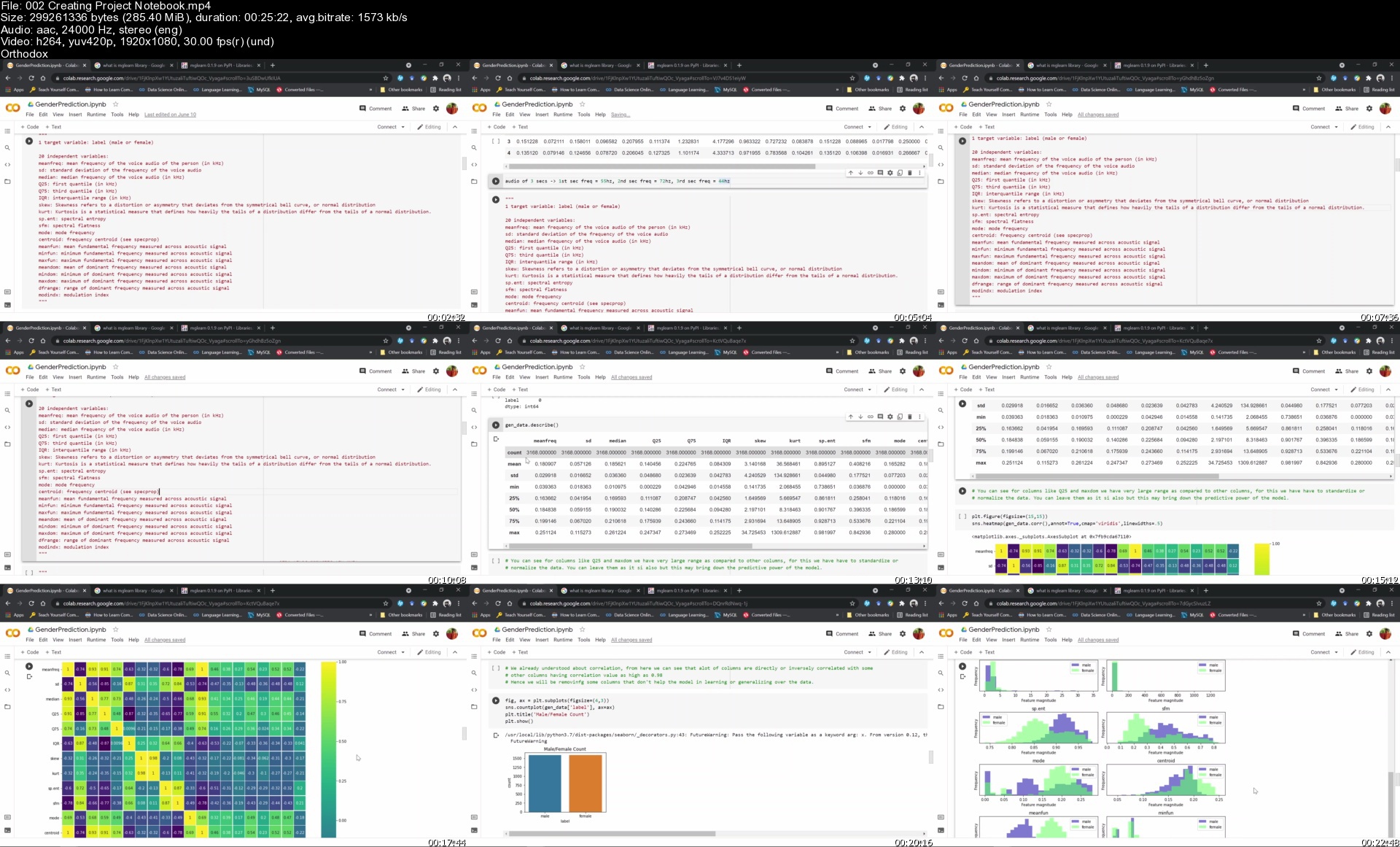
002creatingprojectnotcck4z.jpg


2022 Mobile App Marketing, App Store Optimization, ASO Rank

tznya9ukjv4ul605mmtd9xkkpi.jpg


2022 Mobile App Marketing, App Store Optimization, ASO Rank
MP4 | Video: h264, 1280x720 | Audio: AAC, 44.1 KHz
Language: English | Size: 6.13 GB | Duration: 8h 33m

The Complete Guide To Getting Your App Rank High And Monetise


What you'll learn
How to get millions + of mobile apps download by doing a important research work
Top App Monetisation strategies and methods
Everything you need to know to build and promote your app including a mobile app simulator that you can install in your phone.
The simple step-by-step guide will cover all important subjects like app store optimisation (ASO), mobile app research, Facebook ads and search ads. No experien
Deep research for App Store Optimisation and get tons of download for free
How to be top ranking app in Apple App Store or Google Play Store using effective ASO
How to create awesome App Icons, screenshots and videos that convert installations with our full mobile app graphic guide and templates
How to set up your Facebook page and attract tons of traffic for free
How to scale and expand your app installations regionally/ globally with paid marketing and ASO strategy
Continue to market and promote your app with updates and app engagement for user retention and minimise uninstalls
Effective business model for mobile app
Become a complete and strong mobile app entrepreneur
Requirements
Own a computer
Own a smartphone
DO NOT underestimate yourself

Description
++++++++++++++++++++++++++++++++++++++++++++++++++++++++++++++++++++++++++++++++++++++++++++++++++++++++++

Firstly, thank you for taking a look at this course, really appreciate that.

Here are more information about me and the course that has help thousands build mobile apps over the period of 8 years and I am loving it too. Thank you once again.

Here is the proven A.P.P.S system that is used by thousands of mobile app entrepreneurs

A - App Research: Build a Highly in Demand App within your industry that allows you to Beat Your Competitor.

P - Productise Your App - In-Depth research to have clarity on the app you want to build

P - Position yourself as a Top Ranking App with our proven 9 Steps App Store Optimisation (ASO) System without paying a single cent to App Store and Playstore.

S - Sales conversion and monetisation methods so that you can increase your sales and client base.

++++++++++++++++++++++++++++++++++++++++++++++++++++++++++++++++++++++++++++++++++++++++++++++++++++++++++

WHY IS THIS COURSE UNIQUE

Learn from the best, Asia Smartphone Mobile App Award Winner (Silver Award, 2016), Best App Idea Award (SGTECH 2014). Master coach; Eddie Foong is a hands-on practitioner and Chief Product Officer after public listing his mobile app company in 2017.

With over 9 years of coaching experience, due to his tight schedule; this course is created so that more aspiring mobile app entrepreneur can ride on the mobile app trend, which seems to be unstoppable at this point.

How to get your app to rank top (ASO)

No experience is required

How to market your app with Social Media

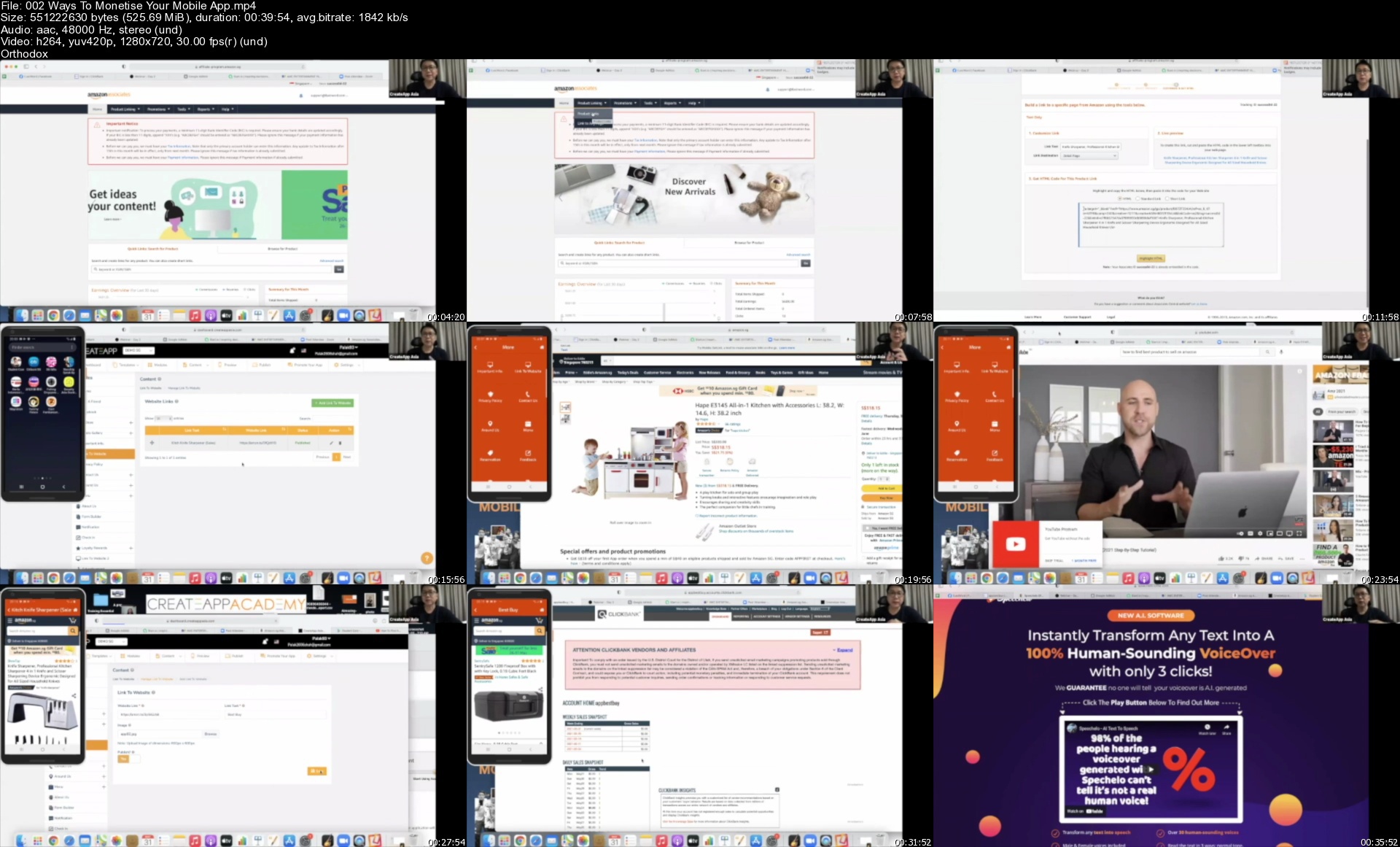
Methods to monetise your mobile app

INSTRUCTOR BACK STORY

Over the course of 8 years, I have trained many students to get their app ranking #1 in Google Play Store and app store simply by following the 9 steps and doing proper research, taught in this course. A whole bunch of them experienced unbelievable results!

I have survived a stage 4 cancer (miraculously and grateful for that :) ) and recently launched a Legacy Planning App myself - iLastWord mobile app which is also top ranking organically in Google Play Store if you search; legacy planning, estate planning, after life you will see the app. This can be achieve by anyone without experience. Yes! Just by following the 9 simple steps and doing your research thoroughly. It is a proven system and not by coincidence that many of our students apps ranked #1. Everyone can do it, we have tons of live testimonials in this course itself.

BONUSES FOR UDEMY USERS

Mobile App Graphics Criteria for Apple Store And Play store Template

Mobile App Reviews from past students

How to Buy and Sell Hot Apps Step-by-step eBook

Facebook Community

INSTRUCTOR SUPPORT AND HELP DESK

If you have any question just go to our help desk and sent us a query. Your query will be answered within 24 hours.

We simply want you to succeed!

COURSE STRUCTURE

This course is structured for aspiring app entrepreneur if you don't know what app to build or if you already have a mobile app or in the midst of launching one.

The course is structured into 4 parts; the proven A.P.P.S step-by-step guide allows you avoid any pitfalls and save you thousands of dollars.

Leverage highly on the A.P.P.S as mentioned above, here is a quick recap

App research

Productise

Position at the top

Sales conversion and monetisation

WHY YOU SHOULD JOIN NOW

Research is the most important in the process of building or launching your mobile app or any business. You want to find out where is the strong demand and not launch something that no one wants to install. This is a costly mistakes made by first time app entrepreneur.

This course is structured to save you time and money, guiding you step by step and avoiding costly pitfalls while you are launching your app.

MOBILE APP CASE STUDY AND APP REVIEWS

I have included a Mobile App review Section so that you can learn from other students as well, and perhaps trigger off some ideas and thoughts. There are videos on prototype of apps created by students using templates and reviews that you can pick up some tips and guides

CERTIFICATE OF COMPLETION

Upon completion of the course 100%, you will be emailed a Certificate Of Completion.

MONEY-BACK GUARANTEE

The course comes with an Udemy-backed, 30-day money-back guarantee with no condition. I just want you to succeed just like I've done for thousands of my other students.

Make your Appreneur's dream come true.

Invest in yourself, Join Us Now!

Who this course is for
people who wants to create a successful mobile app business and make a consistent passive income
Anyone who is thinking of launching a mobile app
Anyone who is stuck or in the midst of launching a mobile app
Anyone who wants to increase their chance of success in launching their app
Anyone without tech knowledge but wants to go into the mobile app business
Not a get rick quick scheme course, so not for people without passion, vision and entrepreneur spirit

Homepage


002waystomonetiseyour35jxy.jpg


Talend Data Integration

nyotjtlankhg6c1qppg1zc5k5e.jpg


Talend Data Integration
Genre: eLearning | MP4 | Video: h264, 1280x720 | Audio: AAC, 44.1 KHz
Language: English | Size: 10.1 GB | Duration: 19h 24m

Talend Data Integration (Beginner to Expert ..Advanced With Real time Scenarios)..


What you'll learn
Talend Data Integration Basics to advanced With Good Real time Usage In Day to Day ..
Good Project Knowledge u Will Get This Course
Error Handling and Project Related Risk
Once This Course is Completed U Can handle The Real time Project Your Win

Requirements
No Programming Knowledge is Required For all Thing Will Cover With this Course

Description
Introduction to Talend

Why Talend?

Installing of Talend & Data Base and Java

Talend Editions and Features

Talend Data Integration Overview

Talend Environment - Overview

Repository and Pallate

Talend Design and Views

Talend Jobs Designing:-

Start Talend Open Studio for Data Integration

Create a Talend project to contain tasks

Create a Talend Job to perform a specific task

Add and configure components to handle data input, data transformation, and data

output

Run a Talend Job and examine the results

Working with files:-

Process different types of files using Talend

Connect to a database from a Talend Job

Use a component to create a database table

Write to and read from a database table from a Talend Job

Write data to an XML file from a Talend Job

Write an XML document to a file

Use components to create an archive and delete files

Orchestration Components:-

Use components to filter data..

Generate sample data rows

Duplicate output flows

Employ mechanisms to kill a Job under specific circumstances

Include Job elements that change the behaviour based on the success or failure of

individual components or sub jobs

How to use tRunJob component

How to design Joblets and use them in Talend Job

Configure an individual component to use parallel execution

Use a Talend component to run sub jobs in parallel

Loop through a job execution - different methods

Pre-Job & Post-Job activities

Working with Database:-

Connect to a database from a Talend Job

Retrieve Schema from a database

Read data from database table

Load data to database table

Use of ETL & ELT components, understand difference

Implement SCD

Transformations:-

Troubleshoot a join by examining failed lookups

Use components to filter data

Generate sample data rows

Duplicate output flows

Filter unique data rows

Perform aggregate calculations on rows

Extend data from one source with data extracted from a second source

Talend Context Variables:-

How to define context variables for a Job

How to centralize context variables in the Repository

How to apply context variables to a Job

How to use variables in a Job

How to run a Job in a selected context

Logs & Error Handling

Log data rows in the console rather than storing them

Employ mechanisms to kill a Job under specific circumstances

Include Job elements that change the behaviour based on the success or failure of

individual components or sub jobs

What are routines

Managing routines (Custom Code)

Accessing the System Routines

Customizing the system routines

Managing user routines

How to create user routines

How to edit user routines

How to edit user routine libraries

Calling a routine from a Job

Use Case #1

Use Case #

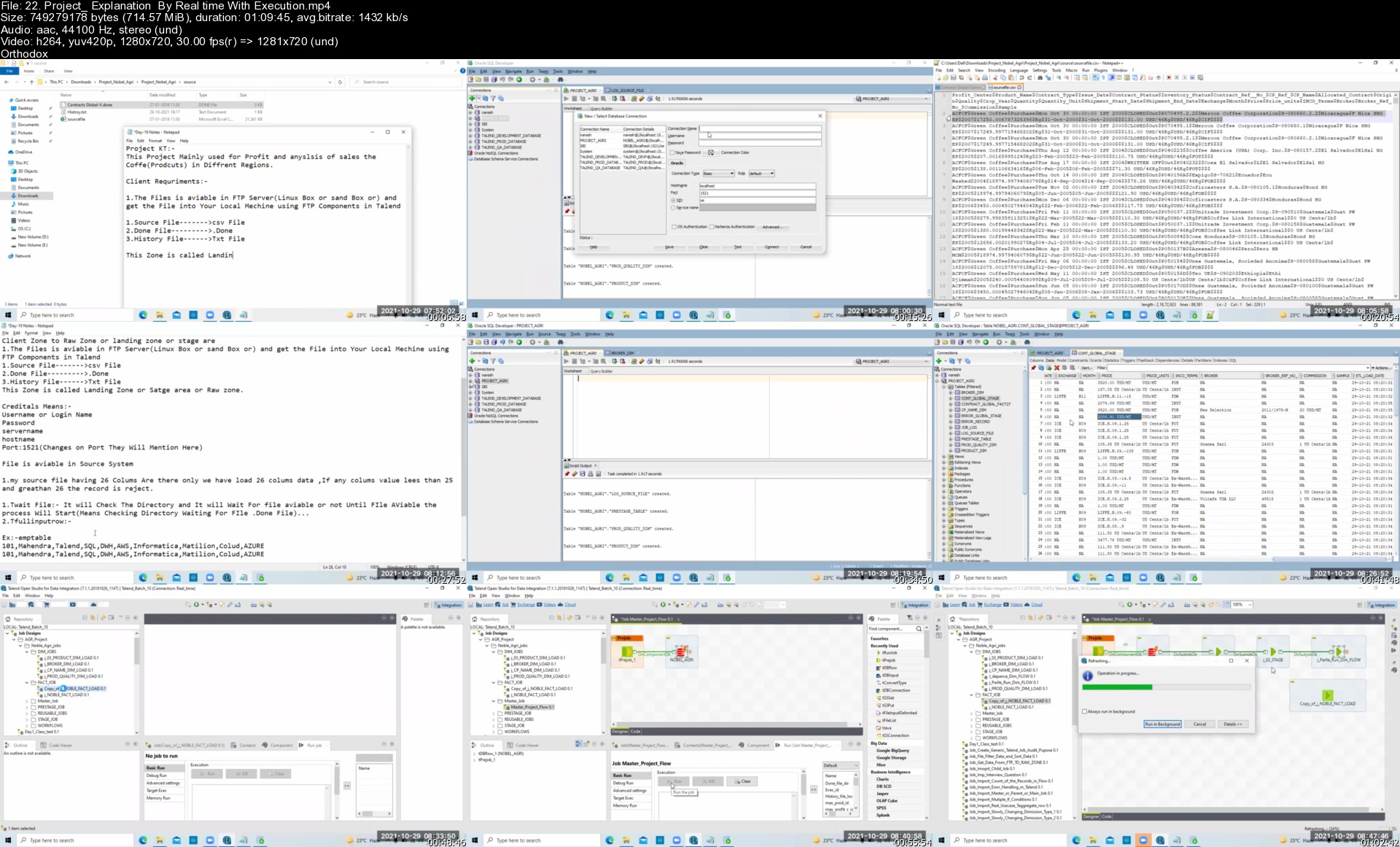
Realtime Project Explain along Data Ware House Concepts:-

SCD1, SCD2, SCD3

Audit table creation using talend

Interview Questions Discuss

Project explain ...

Who this course is for
Beginner For Every Without any Programing Knowleadge

Homepage


22.projectexplanationa4k9d.jpg


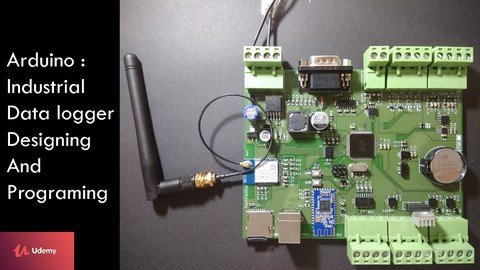
Arduino Electronics circuit, PCB Design & IOT Programming

d5o7iqtsq9qvnwu8iasz6sgk16.jpg


Arduino Electronics circuit, PCB Design & IOT Programming
Genre: eLearning | MP4 | Video: h264, 1280x720 | Audio: AAC, 48.0 KHz
Language: English | Size: 15.7 GB | Duration: 24h 40m

Industrial Datalogger, Electronics circuit design, Embedded System, Eagle PCB Design, Arduino Programming and IOT system


What you'll learn
Industrial electronics circuit design, PCB Layout using Eagle software,
Interface : Wi-Fi, Bluetooth, SD Card, RTC, RS485, RS232, 0-10v Digital Input, 0-10v Analog Input, 4-20mA sensor, speed controller
ATMEGA256 circuit design, Power Supply Designing (SMPS and Linear Regulator)
Basics of Electronics
Micro-controller selection
Understanding Fuse bytes and boot loader programming procedure
How to use Logic Analyzer to debug protocol
Hardware designing and programming to control AC appliance
Hardware designing and programming to control speed of DC Motor
Hardware designing and programming to read 0-10 V digital input sensor
Hardware designing and programming to read 0-10 V analog input sensor
Hardware designing and programming to read 4-20 mA sensor
Hardware designing and programming to read Real Time Clock parameters
Basic programming concepts
Hardware designing and programming for Bluetooth Low Energy (BLE 4.0)
Hardware designing and programming for WiFi Module
Hardware designing and programming for SD Card
Hardware designing and programming for RS232 Interface
Hardware designing and programming for RS485 Interface
Data visualization
Layout design for data logger PCB
Essential websites for components and PCB manufacturer

Requirements
Basic Knowledge of Electronics
Basic Arduino programming knowledge (But Not mandatory)

Description
Courses Offered

1. STM32 : Internet Of Things with 4G LTE Modem

2. Arduino: Electronics circuit, PCB Design & IOT Programming

Note : This course is designed for electronics enthusiast and also for the advanced audience, please check course content before subscribing to this course. I can assure you, you will never regret spending your valuable money on this course.

Brief Description

This course teaches you following things

1. How to design custom hardware for an application.

2. How to do Programming.

3. PCB designing using Eagle software.

4. Internet of Things (IOT) based applications.

5. Protocol decoding using logic analyzer.

I created this course because I believe that, its important how much knowledge you have but even more important thing is at what age you have it. Normally it takes time to develop skills in hardware and in this course I am sharing my experience and giving you a right approach to develop your skills in both hardware designing and programming. Which will help you to avoid mistakes and gain more knowledge in less time.

I remember one quote that I want to share with you.

"Learn from other people's mistakes.

Life is too short to make them all yourself"

- Sam Levenson

Long Description

Here I have described in brief, what you are going to learn in this course. The entire course is constructed in following format.

1. Introduction to section

2. Circuit diagram explanation

3. Circuit diagram designing using eagle

4. Program explanation

5. Practical demonstration

Basic electronics

Basic electronics concepts that are required for the course.

1. Pull up and pull down configuration.

2. Potential divider configuration.

3. Understanding transistor

4. Voltage level converter

5. Introduction to SMD packages and calculations.

Power Supply

Power Supply introduction

1. Linear voltage regulator

2. Switch Mode Power Supply (SMPS)

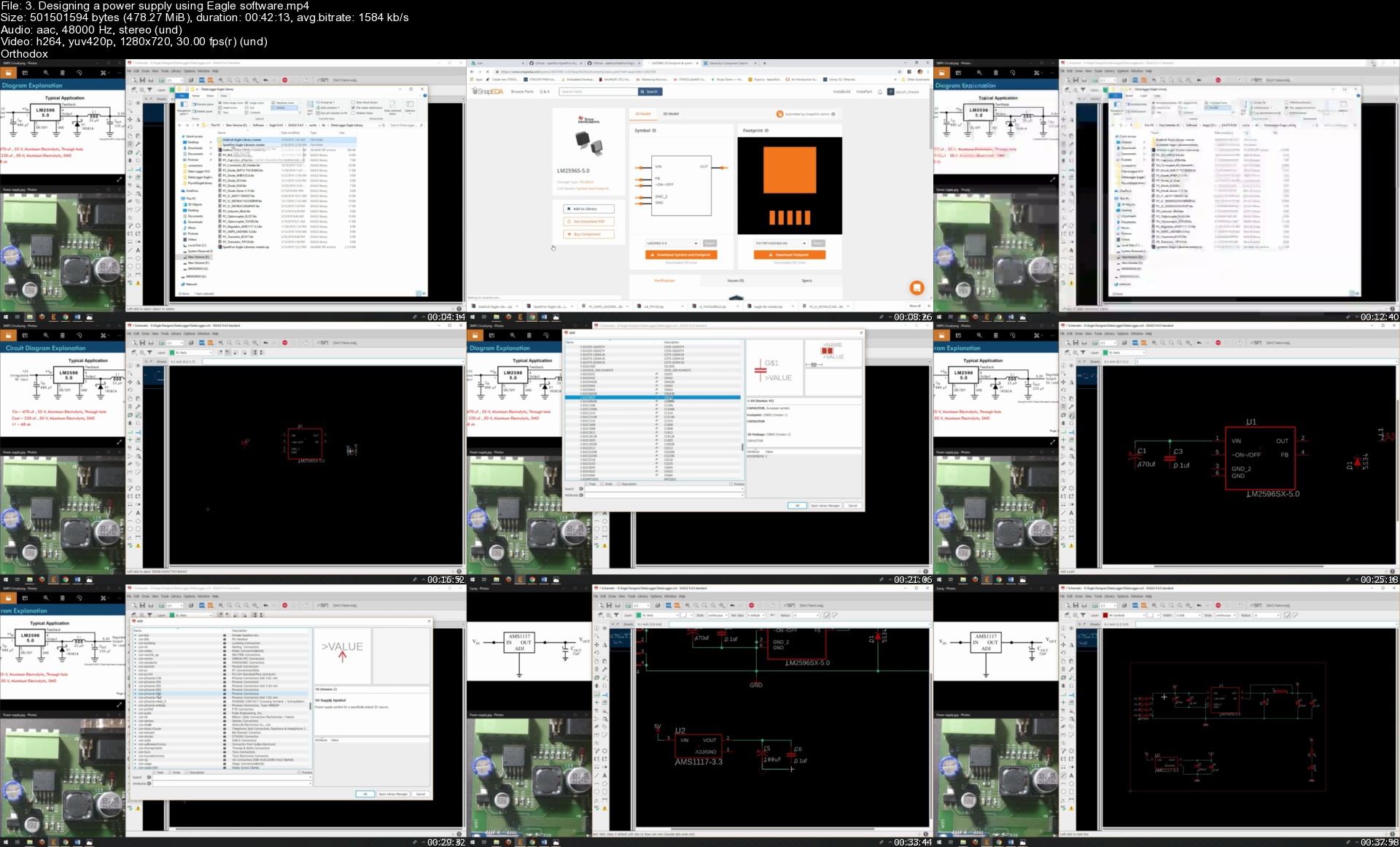
Power Supply Designing

Introduction and circuit design for SMPS and Linear regulator IC's

Introduction and circuit design for power supply protection

Power supply Layout design using eagle software

Micro-controller

Selecting an appropriate micro-controller

Circuit design for ATMEGA256

Introduction to Boot loader and Programming Procedure

Understanding what is boot loader

Understanding fuse byte of ATMEGA256

Introduction to USBASP programmer

Process to program boot loader in ATMEGA256

Introduction to USB to TTL converter

Logic Analyzer

Introduction to logic analyzer

Understanding UART programming and Visualizing UART output using Logic analyzer

Controlling an AC appliance using micro-controller

Introduction to relay driver components and protection circuit

Designing a circuit for relay driver using Eagle Software

Digital Output Programming, Program to drive submersible pump using Relay

DC Motor Speed Controller

Introduction to DC Motor speed controller components and protection circuit

Designing a circuit for DC Motor speed controller using Eagle

Understanding PWM, its programming and visualizing PWM waves using logic analyzer

Program to control the speed of DC Motor

Reading 0-10 v Digital Output sensors

Introduction to components to read digital input

Understanding circuit for optocoupler

Designing a circuit for Digital Inputs using Eagle software

Digital Input programming

Understanding Pin change interrupt feature of ATMEGA256

Program to count external pulses using pin change interrupt

Reading (0 - 5v / 0 - 10v) Analog Output sensors

Understanding circuit to read (0-5v/ 0-10v) Analog Input

Designing a circuit to read Analog input using Eagle software

Analog input programming and reading sensors of different range

Reading (4 - 20 mA) sensor

Understanding 4-20 mA Industrial standard

Introduction and circuit design for Impedance matching circuit

Introduction to 16 bit Analog to digital converter

Brief introduction to I2C Interface

Designing a circuit for 4-20 mA sensor using Eagle software

Introduction to 4-20 mA simulator circuit

Program to read 4-20mA sensor

Visualizing I2C signal of ADC using logic analyzer

Real Time Clock

Introduction to RTC IC

Designing a circuit for RTC IC using Eagle

Real time clock programming

Visualizing RTC parameters using logic analyzer

Basic Programming concepts

Understanding essential C functions

Understanding essential conversion functions

Bluetooth Low Energy (BLE 4.0)

Introduction to BLE module

Introduction to single channel buffer IC

Designing a circuit for BLE module using Eagle

Configuring Bluetooth Low Energy Device

Introduction to Blynk app

Program to send data on Blynk app

Industrial Wi-Fi Module

Introduction to WIFI module

Brief introduction to SPI Interface

Introduction to octal Transceiver IC

Designing a circuit for WIFI module using

Program to check and update the firmware version of WIFI module

Program to connect with WIFI router

Creating an API to fetch Date and Time from cloud

Program to fetch Date and Time from cloud

Program to update RTC parameters with parameters fetched from cloud

SD Card Interface

Introduction to SD card and understanding its circuit

Designing a circuit for SD card using Eagle for SD card

Program to Initialize and write into SD card

Program to store system parameters in CSV format in SD card

Program to store system parameters Date wise in SD card

Program to store system parameters month and year wise in SD card

RS232 Interface

What is RS232 Interface, Introduction to RS232 Interface IC

Understanding a circuit of RS232 Interface and RS232 to USB converter

Designing a circuit for RS232 Interface using Eagle software

Program to receive data over RS232 Interface

Importance of checksum byte and Program to calculate checksum byte

Program to receive data with checksum over RS232 Interface

Designing a custom protocol

Program to send data over RS232

RS485 Interface

What is RS485 Standard, Introduction to RS485 Interface IC

Understanding circuit of RS485 Interface and RS485 to USB converter

Designing a circuit for RS485 Interface using Eagle software

Program to receive data over RS485 Interface

Program to send data over RS485 Interface

Data Visualization

Creating dashboard for Data logger

Program to send system parameters to freeboard website using WIFI module

Layout Designing for schematic

Data Logger layout design

How to generate Bill of material, Gerber file, PCB Preview

Essential Websites

Where to purchase the components

Where to send PCB for manufacturing

My promise!

One thing that I can promise you is this course is going to save your lot of time to learn hardware designing and programming. I will personally answer your questions about this course . If you are in any way not satisfied, for any reason, you can get a full refund from Udemy within 30 days with no questions asked. But I am confident you won't need to. I stand behind this course 100% and I am committed to helping you.

Who this course is for

Hobbyists and engineering students who want to start their career in Embedded world.

If you want to learn hardware and programming then think about taking this course. you will not be disappoint

Who this course is for
Hobbyist, Beginner in electronics, Professionals

Homepage


3.designingapowersupp46jcm.jpg


Red Hat Certified Specialist in Containers and Kubernetes (EX180) and OpenShift Administration (EX280)

275690012_ipfyqyxo9djhmznvtixs5kfnvsfa7m8r.jpg


Red Hat Certified Specialist in Containers and Kubernetes (EX180) and OpenShift Administration (EX280)
MP4 | Video: AVC 1280 x 720 | Audio: AAC 48 Khz 2ch | Duration: 16:46:12 | 26.32 GB
Genre: eLearning | Language: English

All topics covered to pass the EX180 and EX280 exams.

16+ Hours of Video Instruction


Description

This master class includes the following courses

Red Hat Certified Specialist in Containers and Kubernetes Complete Video Course: Red Hat EX180
Red Hat OpenShift Administration: Red Hat EX280

Red Hat Certified Specialist in Containers and Kubernetes Complete Video Course: Red Hat EX180 provides an in-depth analysis of the core objectives and topics in the Red Hat EX180 exam so you can get started with containers on Red Hat Enterprise Linux and OpenShift, the Red Hat Kubernetes distribution, while also preparing for the Red Hat exam EX180. Topics include managing containers and container images with Podman, running applications in OpenShift, and using OpenShift to automate complex automation builds. This video course is also a great resource for anyone interested in working with standalone containers using Podman on Red Hat, as well orchestrated containers and devops workflows using Red Hat OpenShift.

In almost 9 hours of engaging video training, instructor Sander van Vugt uses deep-dive explanations, whiteboard instruction, and real-world hands-on demos. Each lesson concludes with a hands-on lab, which provides a deeper understanding of all the topics of Red Hat Certified Specialist in Containers and Kubernetes and helps you excel on your EX180 exam.

Red Hat OpenShift Administration Complete Video Course: Red Hat EX280 provides an introduction in administrating OpenShift and prepares viewers to take the Red Hat exam EX280. This course provides in-depth training and hands-on labs exploring the ins and out of administering in OpenShift. Topics include management of cluster nodes, users, and role-based access control, as well as management of applications in an OpenShift environment. The Red Hat Certified Specialist in OpenShift Administration exam (EX280) tests the knowledge, skills, and ability to create, configure, and manage a cloud application platform using Red Hat OpenShift Container Platform.

This engaging self-paced video training solution provides learners with more than 8 hours of video instruction from an expert trainer with years of providing practical Linux teaching experience. Through the use of topic-focused instructional videos, you will gain an in-depth understanding of all topics on the Red Hat OpenShift Administration EX280 exam, as well as a deeper understanding of Ansible. The combination of video and labs provides a unique offering that gives you a full toolkit to learn and excel on your exam.

Course Requirements

One (virtual) machine running Red Hat Enterprise Linux, CentOS, or Rocky Linux 8.x to perform the labs about Podman containers
A computer running any operating system with at least 16GB RAM to run the CodeReady Containers Virtual Machine
Students should be able to run a virtual machine that requires 12GB of RAM


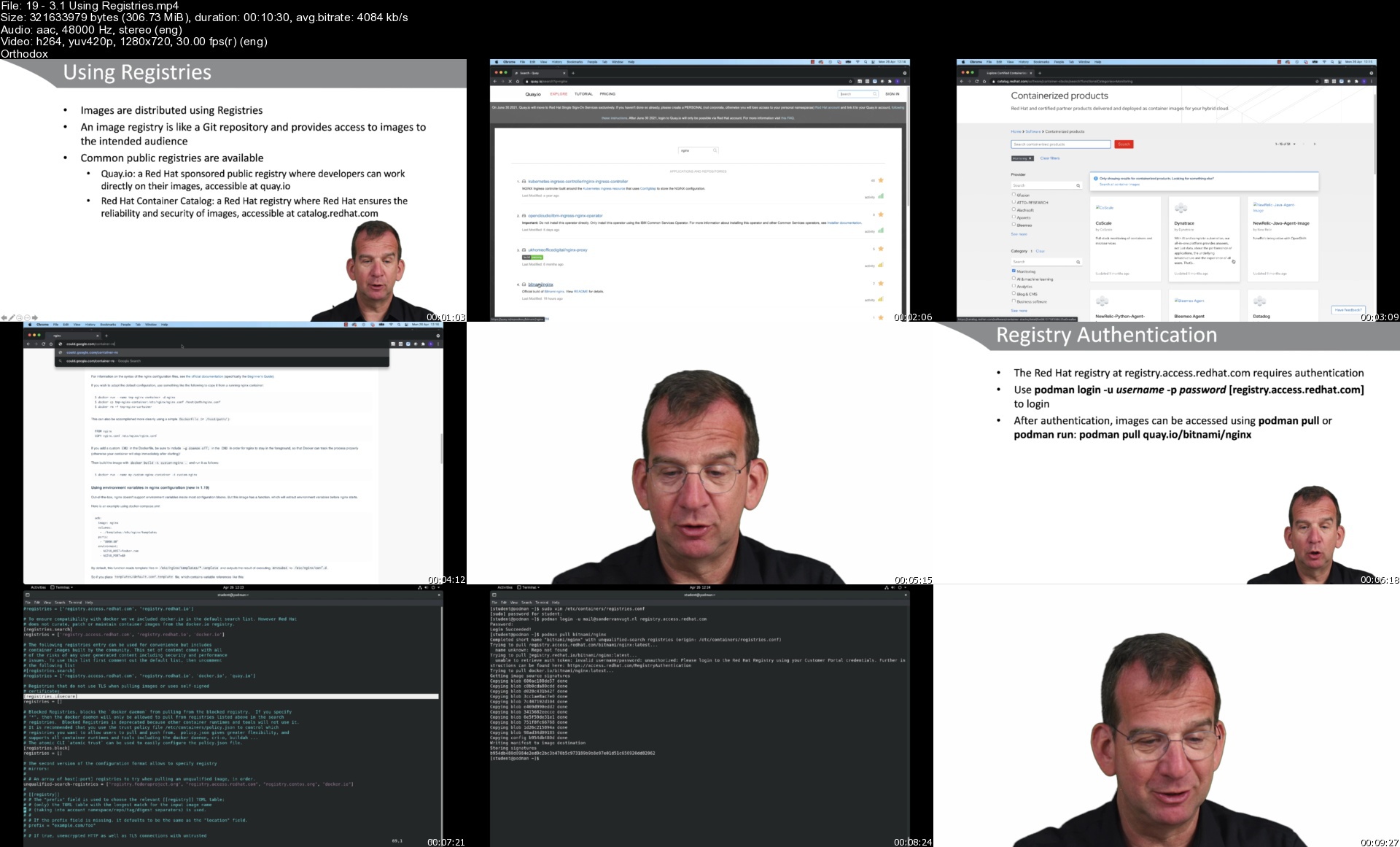
193.1usingregistriessglko7.jpg


9G6e8T9kx17OM0oYBr7RmyDWLVrjpUTP.jpg

Complete course in AutoCAD (2D and 3D) 2022
Genre: eLearning | MP4 | Video: h264, 1280x720 | Audio: AAC, 44.1 KHz
Language: English | Size: 4.3 GB | Duration: 8h 46m
Using AutoCAD 2022

What you'll learn
•The AutoCAD commands you will need to Make and edit their own AutoCAD Drawings, Plans and Layouts.
•To use AutoCAD commands to make a drawing, dimension a drawing, apply constraints to sketches, insert symbols, create text, blocks and dynamic blocks.
•Work with different projects for architecture or engineering.
•How to change your drawing from 2D to 3D.
•Use Autocad 3D Tools or Commands to create a 3D design withing Autocad.
•Main Features of AutoCAD including Autocad 2022.
•Information use for the AutoCAD certification exams.
Requirements
•Basic knowledge of Geometry and Drawing concepts.
•Basic knowledge of Windows or Apple operating system.
•You need to have access to AutoCAD or AutoCAD LT software (student, trial or commercial version).
Description
This Course allows to start learning AutoCAD and also update the knowledge of AutoCAD in students who are already familiar with previous versions of AutoCAD through detailed explanations of the commands and their applications. For this you will find lessons with detail information followed by examples in you can see how they are use in real world scenarios.
By going through this course, you will see how to use AutoCAD Commands to make a drawing, add dimensions, applying constraints, insert texts and blocks, generate drafting views of the model, use CAD Standards and create 3D objects. Starting with basic drafting and designing concepts such as dimension principles, and assembly drawing that allows the users with the essential drafting skills to solve problems in AutoCAD.
While going through this course, the user will learn some advanced tools introduced in the recent versions of AutoCAD.
A few Highlights lights of this course
Detailed explanation of all AutoCAD commands and tools.
Step-by-step instructions to guide the users through the learning process.
All lesson files included for download.
Extra practice drawings and projects at the end of the course.
The course lessons are mostly project-oriented and most of the tools and commands are taught with their real-world applications. Each module ends with a practical question which is related to the course and students are encouraged to answer the questions before moving further.
An overview of AutoCAD for Mac is included.
Self-assessment quizzes and Practice drawings at the end of every section
Quizzes at the end of each section to help the users assess their knowledge.
Practice Tests.
Who this course is for
•Engineers (mechanical, civil, electrical, electronics, and others), Architects and designers.
•Student with no prior knowledge of AutoCAD and professionals looking to refresh their knowledge in Autocad or just simply see what's new in the current version of Autocad.
Screenshots


fekpRHo2jzsm5v6Kp9v8qUeNxFBeQTN0.jpg

Data Science and Machine Learning for Covid-19 using Python
Genre: eLearning | MP4 | Video: h264, 1280x720 | Audio: AAC, 48.0 KHz
Language: English | Size: 6.23 GB | Duration: 9h 28m
Learn how to use Pandas, NumPy, Dash, Plotly, Scikit-Learn, Machine Learning, Tensorflow & more on COVID-19 projects.

What you'll learn
Complete end-to-end realtime projects related to COVID-19.
Apply Deep Learning and Machine Learning concepts on real world cases.
Apply concepts like Time Series Analysis, Dashboard Building, LSTMs, Object Detection, GBMs.
Work with various types of data which includes structured and unstructured data like text, image, videos.
Build a Live COVID-19 Dashboard Using Dash & Plotly
Requirements
Knowledge of Machine Learning and Deep Learning Concepts.
Knowledge of programming preferably in Python.
Description
9 Projects in 1 Using Real-World Datasets for COVID-19!!!!!!!
For over a century, data has been the most powerful weapon to fight disease whether it was SARS in 2003 or MERS in 2012, data has been the most powerful weapon to fight disease. Can we now use data to solve problems related to COVID-19?
Introducing Data Science & Machine Learning for Covid-19 using Python, the only course on the internet that will cover the depth and breadth of using Deep Learning and Machine Learning to solve real-world problems related to COVID-19.
Tired of using dummy datasets? In this course we will use real-world data and solve various problems related to COVID-19. Along the way we will be learning a lot of tools and concepts.
Following are the projects we will be covering
1. Face Mask Detection
2. Building a COVID-19 Live Dashboard using Dash & Plotly
3. mRNA degradation Prediction using LSTMs
4. Classifying COVID-19 based on Symptoms using GBM
5. Time Series Forecasting of COVID-19 cases
6. COVID-19 Classification Using Chest X-rays
7. Detecting Social Distancing Using Object Detection
8. COVID-19 Diagnosis & FAQ Chatbot Using Rasa
9. COVID-19 Tweets Classification on Microsoft Curated Dataset Using RNNs
During this journey, you will be learning a lot of tools and frameworks
1. Pandas
2. Numpy
3. OpenCV
4. Scikitlearn
5. Tensorflow 2
6. Keras
7. RASA
8. YoloV2
9. FB Prophet
Along side we will cover the following concepts and implement the above practical projects
1. Face Detection
2. Object Detection
3. Dashboard Building
4. Sequence to Sequence Prediction
5. Image Classification
6. Chatbot Building
With a blend of slides and code walkthrough you are taken through a complete journey of solving every problem mentioned in each of the projects. The course comes with all the source code used in developing all the projects.
The course will be timely updated! With query resolution in the Q&A section so you are not left out on any concept!
Who this course is for
Anyone with some knowledge of Programming and basic data science concepts.
Beginner Data Scientists
Experienced Data Scientists
Software Developers interested in Data Science
Beginner Python developers curious about Data Science
Screenshots


dc1HLetjWRUvEpi9v5bCvUxdkOLulIuK.jpg

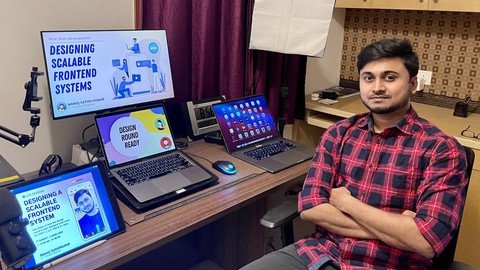
Designing Scalable Frontend Systems
Genre: eLearning | MP4 | Video: h264, 1280x720 | Audio: AAC, 48.0 KHz
Language: English | Size: 753 MB | Duration: 2h 0m
Attend your next frontend system design interview round with confidence

What you'll learn
Represent system design block diagrams.
How to represent complete HLD / LLD ?
How to create a sequence diagram ?
How to identify the right tech stack ?
Consideration aspects for the use case.
Leveraging generic templating mechanism.
Component-based architecture design.
Connection to downstream services.
Requirements
A working internet connection
A laptop / desktop
Description
**This is the recording of a LIVE session I conducted on Designing Scalable Frontend Systems. The design file is also attached in the closing note section for your future reference**
Exactly 1 year ago, in Feb 2021, I gave an interview for the E5 ( Senior SDE ) position in Facebook, London
( React core team ) But little did I know that my dream of working with Dan Abramov would get shattered due to 1 mistake.
I neglected the design round.

I thought "chalta hein"... cracking an interview is just about showing that I can solve problems and implement features that the interviewer would ask me.​
After I failed that design round, I decided that I should become better at representing systems and focusing on various aspects that I should talk about in that specific round. I should clearly represent HLD, LLD & focus on the component architecture.
Hello, my name is Manoj Satishkumar.
I have attended interviews in 35+ companies and got selected in multiple companies including Walmart, PayPal and Cerner. This is a LIVE session I conducted for all the job seekers who are able to crack the coding round but are not able to crack the design round.
I am trying to shed light on what are the aspects interviewers look at in the frontend design round. We will draw in-depth HLD / LLD / Sequence block diagrams and also write pseudocode in this session.
"I wish you all the best in your upcoming interviews"
Who this course is for
Job seekers preparing for interviews - SDE1, 2, 3, 4, SSE & TL roles
Anyone interested about frontend architecture design
Screenshots


OBoDnA9WRDo7CASOyUVScRrMAz2VjwKi.jpg

Flutter with Flutter Projects on Dart Programming Language
Genre: eLearning | MP4 | Video: h264, 1280x720 | Audio: AAC, 48.0 KHz
Language: English | Size: 2.95 GB | Duration: 6h 43m
Flutter Dart course from scratch. Learn Flutter and Dart sdk with Flutter advanced projects on Dart programming language

What you'll learn
Flutter transforms the app development process. Build, test, and deploy beautiful mobile, web, desktop, and embedded apps from a single codebase.
Flutter code compiles to ARM or Intel machine code as well as JavaScript, for fast performance on any device.
Flutter is supported and used by Google, trusted by well-known brands around the world, and maintained by a community of global developers.
Flutter is powered by Dart, a language optimized for fast apps on any platform
Flutter Basics and Structers
Basic Widgets
List Types in Flutter
Functions
Navigation Operations
Input Widgets
Book List Application
Functional Programming
Student Grade Calculator(App)
Build beautiful, fast and native-quality apps with Flutter
Build a portfolio of beautiful Flutter apps to impress any recruiter
Understand all the fundamental concepts of Flutter development
Become proficient in one of the fastest growing technologies
Requirements
Computer with access to the internet.
Willingness and Motivation to successfully complete the training
Desire to learn Flutter
Have 10GB of free space on your hard drive.
Watching the lecture videos completely, to the end and in order.
Nothing else! It's just you, your computer and your ambition to get started today
Description
Flutter, dart, flutter dart, flutter and dart, flutter firebase, dart programming, flutter advanced, flutter project, dart language, dart programing language
Welcome to the " Flutter with Flutter Projects on Dart Programming Language " course.
Flutter Dart course from scratch. Learn Flutter and Dart sdk with Flutter advanced projects on Dart programming language
Flutter is a Google SDK for building native interfaces for iOS and Android using the Dart programming language. Flutter can integrate with existing iOS and Android code bases. It's free and open-source.
Flutter is Google's UI toolkit for building beautiful, natively compiled applications for mobile, web, and desktop from a single codebase. Flutter was originally launched with support for iOS and Android. Flutter 2 was launched as a stable release in March 2021, with support for Windows, macOS, Linux, and web. Flutter runs with Dart, a programming language developed by Google. Dart is a strongly-typed, object-oriented language with a familiar C-style syntax. Developers can compile Dart programs into fast native code that runs smoothly on all supported platforms. On the web, Dart is compiled to JavaScript code that can run on the browser.On the web, dart flutter is compiled to JavaScript code that can run on the browser. Flutter web is composed of three architectural layers: the Flutter framework, which is written in Dart and provides all the widgets that developers use to build their apps; the flutter firebase Engine, written in C++, which provides low-level rendering support.
Flutter is an open-source UI software development kit created by Google. It is used to develop cross platform applications for Android, iOS, Linux, macOS, Windows, Google Fuchsia, and the web from a single codebase
I prepared this Flutter Programming course assuming you have no prior programming background.
By getting this course, you can be rest assured that the course is carefully thought out and edited
Learning Dart and Flutter SDK from scratch; Build high-performance native apps that can run on Android and IOS
This course will get you up and running quickly, and teach you the core knowledge you need to deeply understand and build Flutter, we will have prepared a strong foundation for Flutter applications.
This course is for beginners. Before taking this course, You know any language. In our course, the basics of Flutter is dealt with in detail and students are provided to test what they have learned with code quizzes prepared for each subject.
During our course, you will be informed about the basics of Flutter in detail and how to solve problems.
This course was crafted to benefit absolutely any level of developer. We will start from scratch and learn how to create a development environment for Flutter
During the course, I made sure to explain all the topics that may seem complicated to you in as simple and detailed as possible. I have used some diagrams to help you understand better.
The powerful features and capabilities of Flutter allow you to create complex, customizable, modern, responsive and user friendly web applications.
After taking this course you'll be able to fully take advantage of all features for Flutter
In this course, Develop modern, complex, responsive and scalable web applications with Dart for flutter
Our course based on learning by making practice.
What is Google Flutter?
Flutter is Google's UI toolkit for building beautiful, natively compiled applications for mobile, web, and desktop from a single codebase. Flutter was originally launched with support for iOS and Android. Flutter 2 was launched as a stable release in March 2021, with support for Windows, macOS, Linux, and web. Flutter runs with Dart, a programming language developed by Google. Dart is a strongly-typed, object-oriented language with a familiar C-style syntax. Developers can compile Dart programs into fast native code that runs smoothly on all supported platforms. On the web, Dart is compiled to JavaScript code that can run on the browser. Flutter is composed of three architectural layers: the Flutter framework, which is written in Dart and provides all the widgets that developers use to build their apps; the Flutter Engine, written in C++, which provides low-level rendering support with Google's Skia; and the platform-specific Embedder, which talks directly to the operating system.
Why did Google create Flutter?
Flutter, first known as "Sky", was announced in 2015 with Android support only. It was created to provide a better mobile experience for users and developers, taking the best parts of the web development experience, and bringing them to mobile. Its main goals were high-performance and portability across multiple platforms. While other cross-platform solutions such as React Native and Xamarin were already popular, they could not deliver the same fidelity and performance as apps built with the native iOS and Android SDKs. Flutter changed that by making it possible to create beautiful, performant apps across multiple platforms with a single codebase.
Is Flutter in demand?
Flutter has been a production-ready, stable product on iOS and Android since its official launch in December 2018. Big companies such as eBay, BMW, Alibaba, and Toyota are using Flutter as the core framework for their mobile app development strategy. Over a hundred thousand Flutter apps have already been published on the App Store and Play Store. After overtaking React Native in Google Search trends, Flutter is now the fastest growing software project on GitHub. By choosing Flutter, companies can deliver mobile apps in record-time as they no longer have to build separate apps to support iOS and Android. This makes Flutter an ideal choice for startups, agencies, and small businesses, and as a result, the job market for Flutter developers is also expanding rapidly.
Is Flutter a programming language?
Flutter is not a language, rather an SDK just like Android SDK. For android development Java/Kotlin are the programming languages, for cross-platform development using flutter, DART is the official programming language.
Is Flutter a frontend or backend?
Flutter is a popular frontend development framework from Google that enables developers to build beautiful frontends for any screen. Flutter is designed to streamline cross-platform app development while maintaining a consistent user experience.
Which language is used for Flutter?
Flutter apps are written in the Dart language and make use of many of the language's more advanced features. While writing and debugging an application, Flutter runs in the Dart virtual machine, which features a just-in-time execution engine.
Is Flutter a framework?
Flutter is an open source framework by Google for building beautiful, natively compiled, multi-platform applications from a single codebase.
What is Dart and why does Flutter use it?
Flutter uses Dart as Dart allows Flutter to avoid the need for a separate declarative layout language like JSX and XML. The layout of Dart is declarative and programmatic and it makes it easy for developers to read and visualize it very easily and effortlessly.
Is Flutter written in Dart?
Flutter apps are written in the Dart language and make use of many of the language's more advanced features. While writing and debugging an application, Flutter runs in the Dart virtual machine, which features a just-in-time execution engine.
What applications use Flutter?
There are social networking apps for creating and sharing content, ******, and connecting people through events and real-life activities that use Flutter. Alibaba made a shopping app called Xianyu, which has more than 50MM downloads and more than 10MM active users every day. Nubank is the largest independent digital bank outside Asia, and its mobile apps are built with Flutter. Another shopping app is HuYu, which rewards users with gift cards and vouchers for sharing shopping receipts. You can also find music apps for recording and learning to read music. The Hamilton Musical and the famous Abby Road Studios created apps with Flutter. There are apps for sports, finance, fitness, education, animal adoption, mapped gas stations to compare prices, and a travel app. A Google Ads app helps mobile app customers track their ads. Users can view statistics, update bids and budgets, and get real-time notifications.
Google Flutter provides higher quality for multi-platform development.
Flutter apps use a single codebase, allowing faster time-to-market.
Flutter allows you to build beautiful apps easily.
Flutter widgets make it easy to build beautiful UIs.
The Dart programming language is very productive.
Flutter delivers an excellent developer experience with hot reload.
Flutter is open source.
Flutter comes with a mature ecosystem.
Flutter's unique advantages make it a very strong UI framework on mobile, web, and desktop.
Step-by-Step Way, Simple and Easy With Exercises
Fresh Content
It's no secret how technology is advancing at a rapid rate. New tools are released every day, Vue updates its system, and it's crucial to stay on top of the latest knowledge. With this course, you will always have a chance to follow the latest trends.
Video and Audio Production Quality
All our content is created/produced as high-quality video/audio to provide you with the best learning experience.
You will be,
· Seeing clearly
· Hearing clearly
· Moving through the course without distractions
You'll also get
Lifetime Access to The Cours
Fast & Friendly Support in the Q&A section
Udemy Certificate of Completion Ready for Download
Dive in now into;
" Flutter with Flutter Project on Dart Programming Language
Flutter Dart course from scratch. Learn Flutter and Dart sdk with Flutter advanced projects on Dart programming language " course.
We offer full support, answering any questions.
See you on the other side!
Who this course is for
Anyone who has never programmed before and want to learn Dart and build iOS and Android apps.
Anyone who know how to code, but are new to mobile development, then take this course to build apps with just one codebase.
Anyone who want to build native-quality iOS and Android apps with Flutter.
Anyone who have tried Flutter before, but want to get a comprehensive curriculum that covers all the important aspects of Flutter development
Anyone who wants to deploy to multiple devices from a single codebase: mobile, web, desktop, and embedded devices.
Screenshots


Zurück
Oben Unten