• Regeln für den Video-Bereich:

    In den Börsenbereich gehören nur Angebote die bereits den Allgemeinen Regeln entsprechen.

    Einteilung

    - Folgende Formate gehören in die angegeben Bereiche:
    - Filme: Encodierte Filme von BluRay, DVD, R5, TV, Screener sowie Telesyncs im Format DivX, XviD und x264.
    - DVD: Filme im Format DVD5, DVD9 und HD2DVD.
    - HD: Encodierte Filme mit der Auflösung 720p oder darüber von BluRay, DVD, R5, TV, Screener sowie Telesyncs im Format x264.
    - 3D: Encodierte Filme von BluRay, die in einem 3D Format vorliegen. Dies gilt auch für Dokus, Animation usw.
    - Serien: Cartoon/Zeichentrick, Anime, Tutorials, Dokumentationen, Konzerte/Musik, Sonstiges sind demnach in die entsprechenden Bereiche einzuordnen, auch wenn sie beispielsweise im High Definition-Format oder als DVD5/DVD9/HD2DVD vorliegen. Ausnahme 3D.
    - Bereich Englisch: Englische Releases gehören immer in diesen Bereich.
    - Bereich Talk: Der Bereich, in dem über die Releases diskutiert werden kann, darf, soll und erwünscht ist.


    Angebot/Beitrag erstellen

    - Ein Beitrag darf erst dann erstellt werden, wenn der Upload bei mindestens einem OCH komplett ist. Platzhalter sind untersagt.
    - Bei einem Scenerelease hat der Threadtitel ausschließlich aus dem originalen, unveränderten Releasenamen zu bestehen. Es dürfen keine Veränderungen wie z.B. Sterne, kleine Buchstaben o.ä. vorgenommen werden. Ausnahme Serienbörse:
    - Bei einem Sammelthread für eine Staffel entfällt aus dem Releasename natürlich der Name der Folge. Beispiel: Die Simpsons S21 German DVDRip XviD - ITG
    - Dementsprechend sind also u.a. verboten: Erweiterungen wie "Tipp", "empfehlenswert", "only", "reup", usw. / jegliche andere Zusatzinformation oder Ergänzung, welche nicht in obiger Beschreibung zu finden ist.

    Aufbau des Angebots und Threadtitel

    Der Titel nach folgendem Muster erstellt zu werden. <Name> [3D] [Staffel] [German] <Jahr> <Tonspur> [DL] [Auflösung] <Quelle> <Codec> - <Group>
    Beispiel: The Dark Knight German 2008 AC3 DVDRip XviD - iND
    Beispiel: The Dark Knight 2008 DTS DL BDRip x264 - iND
    Beispiel: The Dark Knight 2008 AC3 DL BDRip XviD - iND
    Beispiel: The Dark Knight German 2008 AC3 720p BluRay x264 iND
    Beispiel: The Dark Knight 2008 DTS DL 1080p BluRay x264 iND
    Beispiel: Die Simpsons S01 German AC3 DVDRip XviD iND
    Beispiel: Die Simpsons S20 German AC3 720p BluRay x264 iND
    Beispiel: Sword Art Online II Ger Sub 2014 AAC 1080p WEBRip x264 - peppermint
    Entsprechend sind also u.a. verboten: Sonderzeichen wie Klammern, Sterne, Ausrufezeichen, Unterstriche, Anführungszeichen / Erweiterungen wie "Tipp", "empfehlenswert", "only", "reup", usw. / jegliche andere Zusatzinformation oder Ergänzung, welche nicht in obiger Beschreibung zu finden ist
    Ausnahmen hiervon können in den Bereichen geregelt sein.

    Die Beiträge sollen wie folgt aufgebaut werden:
    Überschrift entspricht dem Threadtitel
    Cover
    kurze Inhaltsbeschreibung
    Format, Größe, Dauer sind gut lesbar für Downloader außerhalb des Spoilers zu vermerken
    Nfo sind immer Anzugeben und selbige immer im Spoiler in Textform.
    Sind keine Nfo vorhanden z.B. Eigenpublikationen, sind im Spoiler folgende Dateiinformationen zusätzlich anzugeben :
    Quelle
    Video (Auflösung und Bitrate)
    Ton (Sprache, Format und Bitrate der einzelnen Spuren)
    Untertitel (sofern vorhanden)
    Hosterangabe in Textform außerhalb eines Spoiler mit allen enthaltenen Hostern.
    Bei SD kann auf diese zusätzlichen Dateiinformationen verzichtet werden.

    Alle benötigten Passwörter sind, sofern vorhanden, in Textform im Angebot anzugeben.
    Spoiler im Spoiler mit Kommentaren :"Schon Bedankt?" sind unerwünscht.


    Releases

    - Sind Retail-Release verfügbar, sind alle anderen Variationen untersagt. Ausnahmen: Alle deutschen Retail-Release sind CUT, in diesem Fall sind dubbed UNCUT-Release zulässig.
    - Im Serien-Bereich gilt speziell: Wenn ein Retail vor Abschluss einer laufenden Staffel erscheint, darf diese Staffel noch zu Ende gebracht werden.62
    - Gleiche Releases sind unbedingt zusammenzufassen. Das bedeutet, es ist zwingend erforderlich, vor dem Erstellen eines Themas per Suchfunktion zu überprüfen, ob bereits ein Beitrag mit demselben Release besteht. Ist dies der Fall, ist der bereits vorhandene Beitrag zu verwenden.
    - P2P und Scene Releases dürfen nicht verändert oder gar unter einem iND Tag eingestellt werden.


    Support, Diskussionen und Suche

    - Supportanfragen sind entweder per PN oder im Bereich Talk zu stellen.
    - Diskussionen und Bewertungen sind im Talk Bereich zu führen. Fragen an die Uploader haben ausschließlich via PN zu erfolgen, und sind in den Angeboten untersagt.
    - Anfragen zu Upload-Wünschen sind nur im Bereich Suche Video erlaubt. Antworten dürfen nur auf Angebote von MyBoerse.bz verlinkt werden.


    Verbote

    - Untersagt sind mehrere Formate in einem einzigen Angebotsthread, wie beispielsweise das gleichzeitige Anbieten von DivX/XviD, 720p und 1080p in einem Thread. Pro Format, Release und Auflösung ist ein eigener Thread zu eröffnen.
    - Grundsätzlich ebenso verboten sind Dupes. Uploader haben sich an geeigneter Stelle darüber zu informieren, ob es sich bei einem Release um ein Dupe handelt.
    - Gefakte, nur teilweise lauffähige oder unvollständige Angebote sind untersagt. Dies gilt auch für eigene Publikationen, die augenscheinlich nicht selbst von z.B. einer DVD gerippt wurden. Laufende Serien, bei denen noch nicht alle Folgen verfügbar sind, dürfen erstellt und regelmäßig geupdatet werden.
    - Untersagt sind Angebote, welche nur und ausschließlich in einer anderen Sprache als deutsch oder englisch vorliegen. Ausnahmen sind VORHER mit den Moderatoren zu klären.


    Verstoß gegen die Regeln

    - Angebote oder Beiträge, die gegen die Forenregeln verstoßen, sind über den "Melden"-Button im Beitrag zu melden.
  • Bitte registriere dich zunächst um Beiträge zu verfassen und externe Links aufzurufen.

*** Bestes IPTV *** bester Preis *** gratis Test ***


Englische Tutorials

5a0c469c-46b1-499d-8b19-44d132cefe1f.png

Connecting to SQL Server from Databricks
Duration: 55m | Video: .MP4, 1280x720 30 fps | Audio: AAC, 48 kHz, 2ch | Size: 138 MB
Genre: eLearning | Language: English​

This course covers the steps involved in setting up a SQL Server instance and a Databricks workspace in the same virtual network, and querying the database from a notebook.
What you'll learn
Databricks is a versatile and powerful data platform which can help us perform a lot of processing, analysis and machine learning tasks. But it often needs to source its data from external storage systems, such as relational databases. In this course, Connecting to SQL Server from Databricks, you'll learn how the data in a SQL Server database can be accessed from a Databricks workspace. First, you'll explore provisioning a Databricks workspace in a custom virtual network. Next, you'll discover a number of connection rules to ensure that Databricks and SQL server can communicate with each other, and also enable connections to the database from a local SQL client. Finally, you'll learn how to query a table in the SQL Server database from a notebook in our Databricks workspace. Once you complete this course, you will become aware of the infrastructure set-up needed to ensure that two popular data platforms - Databricks and SQL Server - are able to communicate with one another, and can implement such a link in your own environment.
Screenshots


9bfd0dca-ca3a-4cd6-a7c0-308fdf5cb02d.png

Create a Realistic Looking Desert in Blender
Duration: 2h 13m | Video: .MP4, 1280x720, 30 fps | Audio: AAC, 48 kHz, 2ch | Size: 1.05 GB
Genre: eLearning | Language: English​

3D environments are one of the most fascinating things in Blender, and in this course, you will create your own 3D desert from scratch in Blender, and Blender only.
Here's a brief outline of the steps you will take to complete the project
Studying real-life references. It will be our guide to achieve a photorealistic result and understand the feature that makes a desert looks like a desert so that we know exactly what we should create.
How to prepare Blender for the micro-displacement workflow.
Creating the main shapes of the dunes, by using different textures in Blender.
Creating the small waves that are on the surface of the big dunes.
How to frame your shot and create cinematic camera movements.
Creating smaller details on the surface of the sand.
Creating small rocks on the surface of the sand.
Create a Desert shader, and how to make it look realistic. There are many useful tricks and techniques that you will learn from these videos.
How to light your scene.
How to add background elements without increasing the render time.
How to add realistic sky to the scene.
How to add some dust and atmosphere elements to the scene.
How to break down your scene into different render layers, so that later on you will be able to composite them.
How to optimize the render settings in Blender for fast renders.
How to composite your shot, adjust the colors and lighting, and finally how to save them after finishing the project.
After that Congratulations! you just created your first 3D desert in Blender.
Please feel free to share your final renders and progress shots with the class by uploading them to the "Your Project" section. If you have any questions or need more tips, please let me know! I'm happy to help!
Homepage
Screenshots


a90acb70-8b76-4dfd-90ff-6976e5033d80.png

Developer Productivity
ThePrimeagen | Duration: 4h 17m | Video: H264 1912x1088 | Audio: AAC 48 kHz 2ch | 1,58 GB | Language: English​

How can you stay productive across multiple machines, multiple projects, and multiple technologies? By setting up a professional toolchain, you'll get more work done with less effort. We'll start with using Ansible to quickly build a fresh dev environment. Next, you'll how to optimize your workflow using tmux and advanced features of git. We'll finish up by going over Linux Core Utils that can make your life as a developer easier, and what the future of programming could look like!
Homepage


b391701a-4e81-4ce3-890e-dc967c73c123.png

Expressive Marker Landscapes
Duration: 1h 10m | Video: .MP4, 1280x720, 30 fps | Audio: AAC, 48 kHz, 2ch | Size: 533 MB
Genre: eLearning | Language: English​

In this class you will learn how to start drawing expressive landscapes with markers.
Since this is an intermediate class, it will be helpful if you already have an understanding of drawing and how to render light on objects as well as know how to draw simplified rocks and trees.
You do not need prior experience with markers,*because*my basic techniques will be explained.
I'll share my knowledge about marker supplies including papers and sketchbooks, different types of markers and pens, and insights into why I chose my supplies which can help you make informed decisions.
We'll start with some basic shapes and grayscale markers, gradually building up the complexity. I'll share lots of tips for layering and using the markers in a creative way. My broken color technique is ideal for expressive landscapes.
We'll move onto color using a limited palette until finally we put it all together in the final demo.
As always my goal in teaching is to provide you with repeatable strategies and knowledge that will help you draw any subject and help you reach the next level.
My favorite colors and marker supplies.
Sharing Your Work
Homepage
Screenshots


564df3e7-3a69-47b3-840f-c9031532efea.png

Flutter & GraphQL Essential Course
MP4 | Video: h264, 1280x720 | Audio: AAC, 44.1 KHz, 2 Ch
Genre: eLearning | Language: English | Duration: 50 lectures (5h 27m) | Size: 2.35 GB

GraphQL for Flutter Developers
What you'll learn
Build a Flutter app that communicates with a GraphQL API
Write GraphQL queries and mutations with ease
Build a GraphQL API with real-world data models and authentication
Configure a client-side cache for optimal performance
Requirements
Beginner-level experience with Flutter and other API solutions is helpful but not required.
Description
A comprehensive online course for Flutter developers who want to build amazing apps with Flutter and GraphQL.
GraphQL can be intimidating at first...
But with a solid understanding it can greatly improve developer productivity and optimize app performance.
Here are a few common questions from developers trying to get started with GraphQL
- How do I write queries and mutations?
- How do I work with variables?
- What is the "normalized cache"?
- How do I implement authentication?
- How do I use GraphQL with my favorite state management tools?
What's included in the course
We will build a community app similar to Reddit where users can create different communities based on their favorite topics. Within each community, users can create new posts, comment on posts, and upvote/downvote posts.
Introduction & Setup: In this section, you will learn about what GraphQL is and why it helps solve common problems for developers. We will also setup a Flutter project to get ready to start coding.
Introduction to GraphQL: You will create your own GraphQL API and learn how to write GraphQL queries and mutations.
Registration Screen: Here we will build our first feature with Flutter and GraphQL, allowing a user to register a new account. You will learn how to implement a GraphQL client, generate typed classes from your GraphQL schema and execute a mutation within your Flutter application.
Login & Logout: Implement both login and logout functions and learn the best practices for checking whether or not the user is authenticated.
Community Screens: Learn how to query a list of items from your GraphQL API, understand how the GraphQL cache works in Flutter, and learn why Dart Streams work so well with a GraphQL-powered application.
Profile Screens: Understand the GraphQL viewer pattern and GraphQL fragments while implementing user profile functionality. We will also progress to more advanced concepts like how to encapsulate logic, build clean & consistent UI and properly handle GraphQL errors.
Post Screens: Bring everything you've learned over the past few modules to build your own major set of features. We will also learn how to implement an infinitely scrolling list with GraphQL and how to leverage optimistic responses for a smooth end user experience.
Who this course is for
Any Flutter developer interested in learning how to use GraphQL in a Flutter application.
Homepage


b75b9d9d-d923-4290-8d41-2f5994548bc7.png

Gaia - Hypnotherapy for Stress & Anxiety
MP4 | Video: h264, 1920x1080 | Audio: AAC, 44.1 KHz, 2 Ch
Genre: eLearning | Language: English + srt | Duration: 7 Lessons (2h 22m 22s) | Size: 3.57 GB

How can you address the root causes of stress and anxiety in your day to day life?
Hypnotherapy is a powerful therapeutic technique that puts you into a deep state of relaxation, enabling access to the subconscious mind. Using the power of suggestion, the audio guided sessions in this series encourage a positive change to the way you think and feel.
Sophie Fox and Natasha Taylor are guided meditation experts and co-founders of House of Wellbeing. In 2005 they trained in London to be targeted guided meditation & hypnotherapists and have since been on a mission to help people have happy, healthy minds.
Please make sure you have listened to our introduction video at the start of this series to help understand how guided meditation and hypnotherapy works, and all the benefits it can bring.
Homepage


23d9c201-8cc7-4c3b-82ba-adb3a1141a26.png

Getting Started with Databricks SQL
Duration: 1h 5m | Video: .MP4, 1280x720 30 fps | Audio: AAC, 48 kHz, 2ch | Size: 137 MB
Genre: eLearning | Language: English​

This course introduces you to the concepts, architecture, and features of Databricks SQL. These make it possible to analyze and extract insights from data using a combination of queries, visualizations, and dashboards - all from a single platform.
What you'll learn
Most data analysts use a variety of tools in order to gain an all-round understanding of their business data. In this course, Getting Started with Databricks SQL, you will learn various concepts, components, and features of Databricks SQL which allow all of this to be accomplished from a single platform. First, you will discover some of the core concepts around the storing of data in Databricks, including data lakes and lakehouses, and how Databricks SQL makes it easy to access and analyze this data. Then, you will explore into the various components of Databricks SQL, such as SQL endpoints, queries, visualizations, and dashboards, and how all of these come together to enable analysts to look at their data from many points of view and gain a big-picture view of it. Finally, you will learn how to create a table using Databricks SQL, which you will then analyze using a query and a visualization. Once you finish this course, you will recognize the true power of Databricks SQL when it comes to analyzing and gaining insights from big data.
Screenshots


b628b728-a008-4f43-8915-8fbbbd24896b.png

Kubernetes for Developers: Moving from Docker Compose to Kubernetes
Duration: 1h 48m | Video: .MP4, 1280x720 30 fps | Audio: AAC, 48 kHz, 2ch | Size: 205 MB
Genre: eLearning | Language: English​

Do you need to move containers created with Docker Compose into Kubernetes for development or testing purposes? This course covers several solutions to simplify the process and introduces tools that support live development against Kubernetes.
What you'll learn
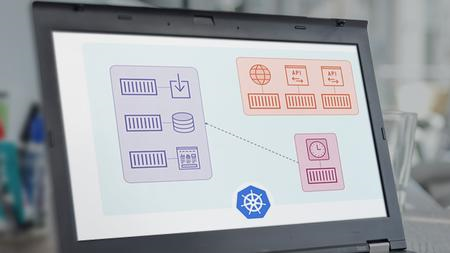
As a developer, you may find that you need to move from the Docker Compose to Kubernetes. In this course, Kubernetes for Developers: Moving from Docker Compose to Kubernetes, you'll be provided with a developer-focused look at how Docker Compose services map to Kubernetes resources, and the process for moving between the two environments. First, you'll learn about different techniques and tools that can be used to convert Docker Compose YAML to Kubernetes manifest YAML such as Kompose. Next, you'll discover how Kubernetes can be used for live development of an application using a tool called Skaffold. Finally, you'll learn how to use Kompose and Skaffold to move an application from Docker Compose to Kubernetes. By the end of the course, you'll understand the available options for moving from Docker Compose to Kubernetes, and understand the different techniques that can help your productivity.
Screenshots


05e876cb-2221-4447-acbf-6e581d73781c.png

Mac Keynote 2022: Master Presentation with Apple Keynote App
MP4 | Video: h264, 1280x720 | Audio: AAC, 44.1 KHz, 2 Ch
Genre: eLearning | Language: English | Duration: 61 lectures (3h 41m) | Size: 3.2 GB

Learn how to build Presentations for Work, School or any other Project with the complete up to date course
What you'll learn
Create presentations in Keynote
Modify Keynote preferences to fit your needs
Learn how to build slides with text, images, shapes and other elements
Learn to style text, adjust images and format other graphics
Add video and audio to your presentations
Animate your presentations with transitions and builds
Learn how to play a presentation
Export the presentation in multiple formats
Requirements
You should be using a computer running on macOS
All we need is the Keynote App that comes for free on every Mac
No other knowledge or experience with macOS needed
Description
Mac Keynote is a GREAT app ... If
You need a presentation that stands out to catch the attention of the audience.
Mac Keynote is a complete course with more than 50 lessons that will show you the whole process of creating the professional presentation.
You can master all the techniques in less that 4 hours
For easier navigation all of that is split into 10 sections + a bonus section with extra videos.
The point of this course in not just boring explanation of the buttons and icons in keynote. It's about showing you what you can really do.
Making presentations is not about putting pictures and graphs on the slides it's about your own style and the way how you can present your ideas.
Free Template Presentations to Download, Use and Inspire
As bonus for enrolled students I have designed 2 unique templates with +30 slide backgrounds which you can also add to your library.
You can download these exclusive templates for FREE.
Test your skills on practical examples
Course assignments are a great way to test what you have already learned and a place for real and practical examples.
So not only that I will give you these unique templates for free, I will also show you how I created some of these elements and slides so you will get real examples of what you can do.
Whether you need to use Keynote for work, school, or any other purpose, this course will help you get it done!
The course is targeted for complete beginners, however if you have worked in the past with older version of Keynote or Microsoft PowerPoint, you can use it to your advantage and go through the course even faster.
I will regularly update the course, with custom video requests from our students, so you will never be left alone in your journey to master Keynote.
Do you have friends using Windows computers? No problem I will show you how to export the presentation in various formats which are available across different operational systems.
Learn how to write and design stunning presentations with the complete up to date course. All we need for that is the powerful Apple Keynote App that comes for free on every Mac.
With Keynote it's easy to create stunning presentations. I believe you have already created a lot of presentations for school projects, or for your work, presenting new ideas. But no matter how good the ideas are, you need a presentation that stands out to catch the attention of the audience.
What makes this course different?
It is the most precise course on the market, which will be updated based on your own requests
It includes unique free templates and assignments with real examples
It uses the most recent version of Keynote and MacOS
It is straight to the point and using the most modern approach - no outdated content or techniques.
I offer full personalised support in Q&A section and also in closed facebook group for enrolled students
Who this course is for
This course is for anyone who wants to learn how to use Keynote App on their Mac.
Students who want to know basics of creating custom presentations
This course is NOT for advanced users who are already experts at using Macs, and Keynote (or PowerPoint) as they might know most of these tips already.
Homepage







 
f8d0a0d7-5b65-4ef4-88f2-6a2412d979c7.png

Modern Web Development with React Bootstrap Redux & REST API
MP4 | Video: h264, 1280x720 | Audio: AAC, 44.1 KHz, 2 Ch
Genre: eLearning | Language: English | Duration: 16 lectures (1h 36m) | Size: 935.2 MB

Become true Frontend Developer in 2022 with ReactJs, Bootstrap5, Redux, Context API and Consuming remote REST API's
What you'll learn
You will learn everything about Bootstrap 5 and how to use different Bootstrap css classes
You will learn about ReactJs and its concepts and how to use Bootstrap 5 with ReactJs
You will learn to use Google Fonts and Font Awesome Icons
You will learn to create a fully functional website using Bootstrap5 with ReactJs with Login and Signup
You will learn to integrate GET, POST, PUT, DELETE REST API's with ReactJs Application using Fetch and Axios library
You will learn about Redux state management and Context API and how to use them together
Requirements
Basics of HTML
Description
In this course, you will learn to develop any kind of modern website using HTML, CSS, Bootstrap 5 and ReactJs.
We will also learn about Redux state management with Context API to hide show functionality based on User session.
We will start by setting up our local development environment, first we will learn to install Visual Studio Code editor, then we will go ahead and install NodeJS runtime.
We will be consuming Remote REST API to perform various operations with the help of GET, POST, PUT, DELETE endpoints.
Next we will move on to creating the first react app, then we will move on to understanding how a create application work.
We will understand the folder structure of the ReactJs project and understand the ReactJs lifecycle and how different aspects works.
We will then move on to integrating Bootstrap 5, Font Awesome, Google Fonts, npm packages into our ReactJs project.
We will Create a complete fully functional professional website with different sections like
Navigation Bar
Footer
Hero section with Carousel and Slider
Featured Posts section
Latest Posts section
Call to Action section
Our Portfolio section
Contact us form
About us page
Footer section with different parts like Quick Links, Newsletter and Contact Address
Create Posts
All Posts
Update Post
Delete Post
Login
Signup
Dynamic navigation
We will make sure our website is professional and responsive in different kinds of devices.
After this course, you will be a pro frontend developer in modern web technologies.
Who this course is for
Any one who wants to become a job ready Frontend Developer with ReactJs, Redux, Bootstrap 5 and API integration
Homepage


a978a557-bdcc-427b-9d7f-879b406385dc.png

Moralis - Bitcoin Vulnerabilities
MP4 | Video: h264, 1920x1080 | Audio: AAC, 44.1 KHz, 2 Ch
Genre: eLearning | Language: English | Duration: 18 Lessons (1h 24m) | Size: 1.16 GB

Is the Bitcoin Network vulnerable to attack? Find out in this course, and understand how the network stays secure
Ivan will show you how, despite having vulnerabilities, the Bitcoin Network stays secure. You'll gain deep knowledge of the type of attacks the network might face, and how they might be executed. Many Blockchain networks share similar characteristics. After this course, you'll have a thorough understanding of Blockchain security in general.
Homepage


6c0cf4fd-2d8e-4ab9-8004-21b66a18a1a3.png

Moralis - Master Technical Analysis : Technical Analysis 101
MP4 | Video: h264, 1920x1080 | Audio: AAC, 44.1 KHz, 2 Ch
Genre: eLearning | Language: English | Duration: 51 Lessons (5h 23m) | Size: 3.44 GB

New to trading? Learn how to interpret the price action of your crypto investments, develop trading strategies, and much more
Chris designed this course for complete beginners. You'll go from no Technical Analysis experience to understanding how to trade using Technical Analysis to inform your decisions. Learn how and why markets move, what support and resistance mean, and how to use TradingView effectively as part of your strategies. And that's just for starters.


Zurück
Oben Unten