• Regeln für den Video-Bereich:

    In den Börsenbereich gehören nur Angebote die bereits den Allgemeinen Regeln entsprechen.

    Einteilung

    - Folgende Formate gehören in die angegeben Bereiche:
    - Filme: Encodierte Filme von BluRay, DVD, R5, TV, Screener sowie Telesyncs im Format DivX, XviD und x264.
    - DVD: Filme im Format DVD5, DVD9 und HD2DVD.
    - HD: Encodierte Filme mit der Auflösung 720p oder darüber von BluRay, DVD, R5, TV, Screener sowie Telesyncs im Format x264.
    - 3D: Encodierte Filme von BluRay, die in einem 3D Format vorliegen. Dies gilt auch für Dokus, Animation usw.
    - Serien: Cartoon/Zeichentrick, Anime, Tutorials, Dokumentationen, Konzerte/Musik, Sonstiges sind demnach in die entsprechenden Bereiche einzuordnen, auch wenn sie beispielsweise im High Definition-Format oder als DVD5/DVD9/HD2DVD vorliegen. Ausnahme 3D.
    - Bereich Englisch: Englische Releases gehören immer in diesen Bereich.
    - Bereich Talk: Der Bereich, in dem über die Releases diskutiert werden kann, darf, soll und erwünscht ist.


    Angebot/Beitrag erstellen

    - Ein Beitrag darf erst dann erstellt werden, wenn der Upload bei mindestens einem OCH komplett ist. Platzhalter sind untersagt.
    - Bei einem Scenerelease hat der Threadtitel ausschließlich aus dem originalen, unveränderten Releasenamen zu bestehen. Es dürfen keine Veränderungen wie z.B. Sterne, kleine Buchstaben o.ä. vorgenommen werden. Ausnahme Serienbörse:
    - Bei einem Sammelthread für eine Staffel entfällt aus dem Releasename natürlich der Name der Folge. Beispiel: Die Simpsons S21 German DVDRip XviD - ITG
    - Dementsprechend sind also u.a. verboten: Erweiterungen wie "Tipp", "empfehlenswert", "only", "reup", usw. / jegliche andere Zusatzinformation oder Ergänzung, welche nicht in obiger Beschreibung zu finden ist.

    Aufbau des Angebots und Threadtitel

    Der Titel nach folgendem Muster erstellt zu werden. <Name> [3D] [Staffel] [German] <Jahr> <Tonspur> [DL] [Auflösung] <Quelle> <Codec> - <Group>
    Beispiel: The Dark Knight German 2008 AC3 DVDRip XviD - iND
    Beispiel: The Dark Knight 2008 DTS DL BDRip x264 - iND
    Beispiel: The Dark Knight 2008 AC3 DL BDRip XviD - iND
    Beispiel: The Dark Knight German 2008 AC3 720p BluRay x264 iND
    Beispiel: The Dark Knight 2008 DTS DL 1080p BluRay x264 iND
    Beispiel: Die Simpsons S01 German AC3 DVDRip XviD iND
    Beispiel: Die Simpsons S20 German AC3 720p BluRay x264 iND
    Beispiel: Sword Art Online II Ger Sub 2014 AAC 1080p WEBRip x264 - peppermint
    Entsprechend sind also u.a. verboten: Sonderzeichen wie Klammern, Sterne, Ausrufezeichen, Unterstriche, Anführungszeichen / Erweiterungen wie "Tipp", "empfehlenswert", "only", "reup", usw. / jegliche andere Zusatzinformation oder Ergänzung, welche nicht in obiger Beschreibung zu finden ist
    Ausnahmen hiervon können in den Bereichen geregelt sein.

    Die Beiträge sollen wie folgt aufgebaut werden:
    Überschrift entspricht dem Threadtitel
    Cover
    kurze Inhaltsbeschreibung
    Format, Größe, Dauer sind gut lesbar für Downloader außerhalb des Spoilers zu vermerken
    Nfo sind immer Anzugeben und selbige immer im Spoiler in Textform.
    Sind keine Nfo vorhanden z.B. Eigenpublikationen, sind im Spoiler folgende Dateiinformationen zusätzlich anzugeben :
    Quelle
    Video (Auflösung und Bitrate)
    Ton (Sprache, Format und Bitrate der einzelnen Spuren)
    Untertitel (sofern vorhanden)
    Hosterangabe in Textform außerhalb eines Spoiler mit allen enthaltenen Hostern.
    Bei SD kann auf diese zusätzlichen Dateiinformationen verzichtet werden.

    Alle benötigten Passwörter sind, sofern vorhanden, in Textform im Angebot anzugeben.
    Spoiler im Spoiler mit Kommentaren :"Schon Bedankt?" sind unerwünscht.


    Releases

    - Sind Retail-Release verfügbar, sind alle anderen Variationen untersagt. Ausnahmen: Alle deutschen Retail-Release sind CUT, in diesem Fall sind dubbed UNCUT-Release zulässig.
    - Im Serien-Bereich gilt speziell: Wenn ein Retail vor Abschluss einer laufenden Staffel erscheint, darf diese Staffel noch zu Ende gebracht werden.62
    - Gleiche Releases sind unbedingt zusammenzufassen. Das bedeutet, es ist zwingend erforderlich, vor dem Erstellen eines Themas per Suchfunktion zu überprüfen, ob bereits ein Beitrag mit demselben Release besteht. Ist dies der Fall, ist der bereits vorhandene Beitrag zu verwenden.
    - P2P und Scene Releases dürfen nicht verändert oder gar unter einem iND Tag eingestellt werden.


    Support, Diskussionen und Suche

    - Supportanfragen sind entweder per PN oder im Bereich Talk zu stellen.
    - Diskussionen und Bewertungen sind im Talk Bereich zu führen. Fragen an die Uploader haben ausschließlich via PN zu erfolgen, und sind in den Angeboten untersagt.
    - Anfragen zu Upload-Wünschen sind nur im Bereich Suche Video erlaubt. Antworten dürfen nur auf Angebote von MyBoerse.bz verlinkt werden.


    Verbote

    - Untersagt sind mehrere Formate in einem einzigen Angebotsthread, wie beispielsweise das gleichzeitige Anbieten von DivX/XviD, 720p und 1080p in einem Thread. Pro Format, Release und Auflösung ist ein eigener Thread zu eröffnen.
    - Grundsätzlich ebenso verboten sind Dupes. Uploader haben sich an geeigneter Stelle darüber zu informieren, ob es sich bei einem Release um ein Dupe handelt.
    - Gefakte, nur teilweise lauffähige oder unvollständige Angebote sind untersagt. Dies gilt auch für eigene Publikationen, die augenscheinlich nicht selbst von z.B. einer DVD gerippt wurden. Laufende Serien, bei denen noch nicht alle Folgen verfügbar sind, dürfen erstellt und regelmäßig geupdatet werden.
    - Untersagt sind Angebote, welche nur und ausschließlich in einer anderen Sprache als deutsch oder englisch vorliegen. Ausnahmen sind VORHER mit den Moderatoren zu klären.


    Verstoß gegen die Regeln

    - Angebote oder Beiträge, die gegen die Forenregeln verstoßen, sind über den "Melden"-Button im Beitrag zu melden.
  • Bitte registriere dich zunächst um Beiträge zu verfassen und externe Links aufzurufen.

*** Bestes IPTV *** bester Preis *** gratis Test ***


Englische Tutorials

0a887aee-5a83-46e2-b329-fa71b70b3984.png

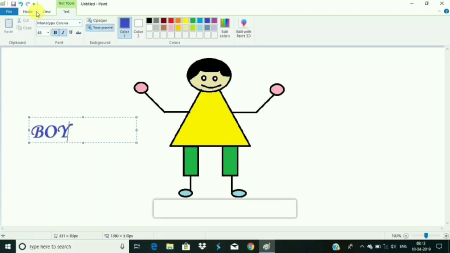
How to draw objects using Microsoft Paint
Duration: 1h 13m | Video: .MP4, 1280x720, 30 fps | Audio: AAC, 48 kHz, 2ch | Size: 167 MB
Genre: eLearning | Language: English​

Drawing objects can be very easy and in this step by step for beginners, I am going to give you some basics on how to draw objects using basic shapes.
I will draw the objects using my laptop's touch screen pen and Microsoft paint.
I will begin with basic shapes.
Combine these basic shapes to form the object
And finally coloring the finished object.
And that's it. Hope you will enjoy this class, and best of luck.
Homepage
Screenshots


TUyvd39.jpg

ISTQB Foundation Level Certification Preparation
MP4 | Video: h264, 1280x720 | Audio: AAC, 44.1 KHz, 2 Ch
Genre: eLearning | Language: English + srt | Duration: 23 lectures (3h 29m) | Size: 1.22 GB

The ISTQB Foundation Level Certification Syllabus explained
What you'll learn
To broaden the knowledge of foundations of software testing
To face the ISTQB CTFL Exam more confidently
To gain from the insights of software testing experience of instructor
Understand how to approach the ISTQB CTFL Syllabus
Requirements
None. But prior experience of testing will help in understanding better
Description
This course helps one to pre
1. Helps preparing for foundation level exam of ISTQB
2. The Videos/Audio should be used in conjunction with ISTQB Syllabus "ISTQB-CTFL-2018-V3.1"
3. Please be informed that Videos are theoretical in nature. No hands-on sessions.
4. Fitting whole syllabus of CTFL in less than 4 hours was Challenge. I have attempted it and I hope you will like the course content and find it useful for CTFL preparations.
Topics covered include sections as per the ISTQB syllabus.
The instructor uses his own experience of the industry where necessary. Instructor has more than decade of industry experience.
Intentionally instructor does not stray away from the focussed topics although lot could have been covered.
Always it is balance of time and content. Instructor has done justice to the time to be invested for learning the basics. Although no prior knowledge of testing is required, basic knowledge helps long way in comprehending the audio and discussions.
The instructor enjoyed the content preparation and hopes the content will be well received by the targeted audiences.
Instructor can be approached through Q&A section. Always it is pleasure interacting with learners. Instructor himself is lifelong learner.
The time that you will invest in this course will be worthwhile. Let us start the journey.
Who this course is for
Preparation for ISTQB CTFL
Homepage


3449088-19d4-4.jpg

Java | Build a Calculator
MP4 | Video: h264, 1280x720 | Audio: AAC, 44.1 KHz, 2 Ch
Genre: eLearning | Language: English + srt | Duration: 14 lectures (42m) | Size: 427.2 MB

Build a Calculator From Scratch Using Java
What you'll learn
How to install Java
How to install eclipse
How to create the user interface
The logic behind building a calculator
Requirements
PC with Windows or Mac
Internet connection
Basic understanding of Java (Good to have)
Description
This courses will teach you how to build a calculator web application using Java. Java was described as the language that is capable of doing anything and everything. The good news about this course is that you don't need advanced knowledge in Java nor in any programming language. All you need is just simple knowledge of how to create simple Java functions/scripts.
Being able to create Java web applications on your own is so important if you want to take your Java skills to the next level. And this course gives you the opportunity to accomplish that by honing in on a Java is a super powerful language that is capable of creating awesome web app quickly and it's also an easy to learn framework with no complexity.
By the end of this course you will have built a web app using Java programming language that is capable of do simple and complex calculations.
Why should you take this course?
There are many reasons why this course is extremely important. First and most prominently is that you will learn one of the most amazing programming languages which is Java. As you know, Java is pretty much able to do anything even web app! Secondly you will improve your Java skills by creating a complete project. Third you can highlight this particular skill in your CV which would potentially make you stand out from the crowd.
What you will learn in this course?
1. How to install Java
2. Create functions.
3. How to install Eclipse
4. How to create routes/urls
5. How to make Get/Post requests to do calculations
6. How run your Java web app
7. How to Navigate to another route/url
Who this course is for
Java developers (All levels)
Homepage


4bc386cb2e4a9285124528ca8204196f.jpg

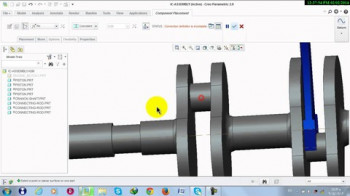
Learn PTC Creo
MP4 | Video: h264, 1280x720 | Audio: AAC, 44.1 KHz, 2 Ch
Genre: eLearning | Language: English + srt | Duration: 5 lectures (1h 55m) | Size: 1 GB

Design Assembly and Drawing
What you'll learn
PTC Creo Basics - Design Assembly and Drawing
5 Classes
IC Engine parts
design, assembly and drawings
Requirements
Any person who is interested can learn this course.
Description
Students can learn Design Assembly and Drawing in PTC Creo
Parts of Machine Engineering components
Various designs methods and design of various components in the machine.
Assemblies and sub assemblies of various components.
Main assembly of the final machine
Work Experience
Design Engineer and CFD Analyst, Structural Analyst in VEDAS company (Vaddadi
Engineering Design and Analysis Services). Experience: 7 years
Education
 B-Tech, Aeronautical Engineering, MLR institute of technology, Jawaharlal Nehru
Technological University in Hyderabad with 64% aggregate, 2014.
 Intermediate education, MPC, Narayana Junior College, Hyderabad, 75.6% marks,
2010.
 SSC from New Era High School, with 80.5% marks, 2008.
Projects
 "Internal Combustion Engine- Rigid Dynamic and Transient Analysis" in Ansys
Workbench 14.5 at CADEM Centre, Tecumseh Products India Pvt. Ltd.
 "Design of Compressor Parts and Subassemblies" using Unigraphics NX at CADEM
Centre, Tecumseh Products India Pvt. Ltd.
 "Magneto-Hydrodynamic Generator for Power Generation and High Speed
Propulsion" as major project in MLRIT.
Projects done under VEDAS company
Design
 BLDC Motor for Aqua Application
 Motor for Defence Applications
 Motor for Ceiling Fan Application
 BLDC Ceiling Fan Design
 Mixie Motors
Analysis
 Ice-cream basket Structural analysis
 Missile launcher structural analysis
 CFD analysis of ceiling fan
 CFD analysis of Aerospace Generator
 CFD analysis of Aqua Application motor
Publications
 Paper title- Case study on manufacturing processes on missile rear fin assembly
Book name- National Conference on Advances in Mechanical Engineering (AIM)
under TEQIP-II (Technical Education Quality Improvement Programme)
Paper presentation- Vasavi college of Engineering.
 Paper title- Study on landing gears
Book name- National Conference on Emerging Trends in Aeronautical Engineering
Paper presentation- GITAM University
Books published on Ancient Aeronautics as Co-Author
 Reverse Engineering Vedic Vimanas
 Vimanas and the Wars of the Gods
Achievements
 Delivered guest lectures on Ancient aeronautics at GITAM University, JNTU
Kakinada, Oakridge International School, Bharatam Reawakening Organization, Aero
STC Webinar by IARE and other universities, India International Science Festival
2020, Bhishma School of Indic Studies, Amrita University, Gujrat Technological
University. My interview on decoding Ancient aeronautics, articles are published in
English and Telugu Newspapers (Such as The Hindu, New Indian Express, Sakshi
etc).
 Participated in "InfoTech Open Innovation Challenge" competition which includes
Flange design of Aircraft engine and received participation certificate.
My Strengths
 Passionate about Aeronautics, especially in fields of Design, analysis.
 Desire to learn new technologies and develop new skills.
 Effective Leadership, Communication and Time Management Skills.
Computer Knowledge
Platforms: Windows.
Design/Drafting: Pro-E, PTC Creo, Unigraphics NX, Solid works.
Analysis Software: ANSYS workbench.
Miscellaneous: MS Office
Personal Profile
Date of Birth: 21-11-1992
Father's Name: Vaddadi Koteswara Rao
Language Known: English, Hindi and Telugu
Who this course is for
Engineers and Engineering Students will find this course helpful
Homepage





 
0002b060-afeb-4317-92e0-6ef01eaa09d3.png

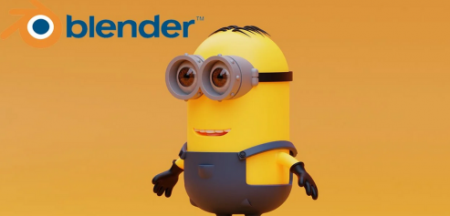
Learn how to Create A Minion From Despicable ME inside Blender
Duration: 1h 10m | Video: .MP4, 1280x720, 30 fps | Audio: AAC, 48 kHz, 2ch | Size: 777 MB
Genre: eLearning | Language: English
Hello Connor here​

In this Course you will Learn how to make the MINION's from*despicable me inside of blender
We will start of with the body and move through out the character
At the end we will render inside of blender using cycles and do some color grading for that nice finish to your model
Homepage
Screenshots


eb8c7c91-1d52-4e3c-9298-7d5c2090c988.png

Learn to Paint 10 Expressive Sky and Aesthetic Clouds With Gouache
Duration: 1h 30m | Video: .MP4, 1280x720, 30 fps | Audio: AAC, 48 kHz, 2ch | Size: 587 MB
Genre: eLearning | Language: English​

Do you ever Look up at the Sky and find the Clouds Speaking to You? The sky and the clouds look as if they have been spray painted by an artist. I am forever that girl who gets pretty excited when I See the Sky and those Aesthetic Clouds.
In this class we will be painting 10 Different Skies and clouds using Gouache. With every class Project we will be following different approach to blending the sky and adding the clouds. This class will help you understand Gouache in different Aspects. You will learn to create 10 Beautiful*Sky with different technique of adding clouds to your sky.
Even if you are a Beginner with Gouache you can easily Create these*Aesthetic Sky and Clouds*and Begin your Creative Journey.
The one thing that makes*Gouache the least expensive medium is the amount of supplies needed to get started, which consists of only the essentials: paints, paintbrushes, drawing paper, a palette, and water.Through every painting I will keep guiding you through all the steps, Color shades alternative, Color Mixing and tips and tricks to work with Gouache.
Here is the List of Materials that you would be needing
Any Brand Paper- 200 GSM
Any Gouache Set or Poster Colors
Round Brushes, Detailer Brush, Flat Brush
White Gouache or White Acrylics
Pencil and a Scale
White Gel Pen, Black Pen, White Permanent Marker
2 Jars of Clean Water
Tissues
Mixing Palette.
Masking Tape
I'm so excited to*Paint these Pretty Sunsets and would love to see you Join me in this Journey. Thanks a lot for joining :)
Homepage
Screenshots


e6b4d1df-7828-4ad3-a61b-34a14e67bdbb.png

Learning to Draw from the Ground Up
Duration: 2h 19m | Video: .MP4, 1280x720, 30 fps | Audio: AAC, 48 kHz, 2ch | Size: 1.51 GB
Genre: eLearning | Language: English​

Learning to do anything means starting from the ground up - creating a good solid foundation and then building upon it, step-by-step.
That is what this beginner's drawing class does. We learn about the basic shapes, how to draw them well, and how to see them in everyday objects - so that we can also draw those objects well.
Every object is made up of basic shapes*and the best way to*see that is to learn 2D or flat-lay drawing, where we are looking straight on at an object and can see what it is made of.
Once we know that a soup can is made of two circles and a rectangle, for example, we are able to understand how those shapes will*change and relate to each other when we deal with different points of view in follow-up, more advanced classes.
But elaborate and beautiful drawings can be done in just a straight-on perspective, and*we will create some drawings that will fill you with admiration - for your own ability.
Join me to discover that drawing is a skill to be learned, not a magic birthright, and anyone can learn to draw well just by paying attention - a small enough price to pay.
Homepage
Screenshots


4321102-4d6a-2.jpg

PowerPoint Presentation Automation using Python
MP4 | Video: h264, 1280x720 | Audio: AAC, 44.1 KHz, 2 Ch
Genre: eLearning | Language: English + srt | Duration: 12 lectures (1h 51m) | Size: 850.7 MB

Python Automation
What you'll learn
Automating Powerpoint Presentation using Python programming language
Managing project workflow
Working with Python libraries
Create Windows software using Python
Requirements
Python programming basics
Description
PowerPoint is the popular presentation software commonly used for office and educational slide shows. Creating presentations manually is time consuming. This python based project can create PowerPoint presentation automatically within few minutes. You will learn to create Python project using Pycharm and Python version 3 and deploy it for Microsoft Windows using Pyinstaller.
In this project automation is being achieved by fetching text from Wikipedia and images from Microsoft Bing search engine module. Create different types of slides using custom functions and then merge them together to create .pptx file. You can later modify them and use them as per your requirement.
Custom functions will create bulleted slides, image slides, title slide, ending slide and more.
By taking this course you will learn multiple skills of time management and mathematical logic behind automation. You can use these skills to automate other things by writing few lines of code. All functions and programs are modular and can be used in new projects. After purchasing this course you will get access to complete source code and Windows software. Lifetime updates to this course is included for your convenience.
We will be creating this project from scratch and build it step by step.
Who this course is for
Python developers
Homepage


6d7a08fe-8d01-4f6f-9214-4217e1b22d98.png

Structural Loading: Loading Types and Forces
MP4 | Video: h264, 1280x720 | Audio: AAC, 44.1 KHz, 2 Ch
Genre: eLearning | Language: English + srt | Duration: 13 lectures (48m) | Size: 544.3 MB

Become more proficient with the different loading types and limit state design
What you'll learn
You will know what the different loading types are and when to apply each
You will review the different loading conditions
You will understand the foundations of the limit state design
You will explore the different design working life categories
Requirements
Knowledge of basic engineering terms and calculations would be helpful but is not essential
Description
By the end of this short course you will be able to pick out the correct loading type for your design and have an understanding of the limit state design. Using real world examples, you will have the tools to make you more relevant in an office environment. The loading code used in the creation of this course is the Eurocode.
I have designed this course for engineers early in their career that are looking to take the theory based learning and apply it to real world design cases. The on demand videos and quizzes focus not only running through the theory, but also real world situations that are not often found in text books.
The main items we'll focus on in this course are
Loading Types (dead, live, wind, snow and accidental)
Limit State Design (ultimate and serviceability)
Forces Refresher (point, uniformly distributed and moment)
Design Working Life
The focus is on taking you beyond the textbook theory to real world design situations to make you more relevant and proficient in the office.
This course has been specifically designed to give value to you, the student, and lifetime access means you will receive all future updates and additions free of charge.
If you are not 100% sure this course is for you, feel free to take a look around. If you are not convinced, there is a 30 day money back guarantee with no hard feelings or questions asked.
Thanks for taking the time to view this course, and I hope to see you in there!!
Who this course is for
Structural engineers early in their career looking to become more relevant in the office
Students studying structural engineering
Structural engineers returning to the field
Homepage


d4f447b5-be30-482d-a40a-5c2bc2bd53f0.png

Structural Mechanics of Materials: Part I
MP4 | Video: h264, 1280x720 | Audio: AAC, 44.1 KHz, 2 Ch
Genre: eLearning | Language: English + srt | Duration: 12 lectures (54M) | Size: 482.7 MB

Master equilibrium, support conditions, applied forces and free body diagrams to push your career to the next level
What you'll learn
Equilibrium
Support and connection conditions
Applied forces
Free body diagrams
Requirements
Basic engineering mathematics
Description
By the end of this first short course, you will be equipped with the fundamental tools to confidently mark out the load path and reactions required to start all of your designs the right way. These key points will form the foundation of your understanding of how structures behave under given loading.
The main focus of this course is to introduce you to the concept of equilibrium by using real world examples of connections and supports to really highlight what the loads would not only like to do, but what we could design them to do.
I have designed this course for engineers early in their career that are looking to take their knowledge of structural mechanics to the next level, but don't have the time to sift through textbooks looking for the relevant facts, or are struggling to get enough actual site time while being stuck in the office all day. We're looking to bridge the gap from graduate to senior engineer in as short a time as possible.
The main items we'll focus on in this course are
The origins and purpose of mechanics
Equilibrium
The different support and connection types (with real world examples)
Free body diagrams
We'll focus not only on the theory, but also real world considerations that are not often found in the text books alone.
This course has been specifically designed to give value to you, the student, and lifetime access means you will receive all future updates and additions free of charge.
If you are not 100% sure this course is for you, feel free to take a look around. If you are not convinced, there is a 30 day money back guarantee with no hard feelings or questions asked.
Thanks for taking the time to view this course, and I hope to see you in there!
Who this course is for
Structural engineers early in their career
Homepage


6540ac3a-46fb-4ef1-862c-162db252a7a9.png

Tailwind CSS projects: 2 TailwindCSS projects (Instagram,..)
MP4 | Video: h264, 1280x720 | Audio: AAC, 44.1 KHz, 2 Ch
Genre: eLearning | Language: English + srt | Duration: 12 lectures (4h 14m) | Size: 2.41 GB

Tailwind CSS projects. Build Instagram and Tesla Clones using Tailwind CSS 3.0. Real Tailwind project for your portfolio
What you'll learn
Best practices of Tailwind CSS 3.0
Build responsive websites
Create Tesla and Instagram clones
Learn core concepts such as Utility-First Fundamentals, Responsive Design, Reusing Styles, and Adding Custom Styles
Learn about Layout, Flexbox & Grid, Spacing, sizing, Typography, Effects, Transitions & Animation and many more
Learn how to use Tailwind CSS official plugins such as scrollbar and form
Requirements
Be familiar with CSS basics
Description
NEW Tailwind CSS projects. Build Instagram and Tesla Clones using Tailwind CSS 3.0. Real Tailwind project for your portfolio
Welcome to the best course for learning Tailwind CSS through the design of real-world websites.
This is a project-based course that includes hands-on projects such as Instagram and Tesla clones. We are going to use the best practices of Tailwind CSS to design and build beautiful and responsive websites. So far, two projects have been created for this course, including Instagram, and Tesla clones, and more projects are being added each month. You can check the preview of each project in the course curriculum.
In this brand new course, you will learn core concepts such as Utility-First Fundamentals, Responsive Design, Reusing Styles, and Adding Custom Styles. You will learn about Layout, Flexbox & Grid, Spacing, sizing, Typography, Effects, Transitions & Animation and many more. This course also teaches you how to use tailwindcss official plugins such as scrollbar and form. You are going to be able to build amazing responsive websites with Tailwind CSS latest version.
My name is Sahand, and I have over 15 years of programming experience.
I will be your instructor and answer any questions you may have in the Q&A section. I hope to see you on the course and begin working on the projects with you.
Project 1: Tesla UI Clone: In this project, we are going to create a Tesla UI clone using tailwind css. We have two parts in the home page including the header and the main section. The header includes the tesla logo, the products and the main menus. These items in the menu have a hovering effect with changing in background colour. The header is responsive in a way that when we have a smaller screen, we can not see the products menu anymore. We are going to achieve this using tailwind css hidden and inline classes. The header and main section of the home page have a background image which is the image of the Model 3. We are going to learn how to change the background image using tailwind css bg class. Under the header we have the car title and touchless delivery link. This link has an underline which gets thicker when we hover over it. We are going to learn how to do that using tailwind css decoration classes. We also have 2 buttons here. The buttons are also responsive. When we have a smaller screen, they are on top of each other, but in a bigger screen, they are next to each other and smaller. At the bottom of the page, we have an arrow which is bouncing. This icon is coming from hero-icons website which has the same owner of the tailwind css. And the bounding effect is added using tailwind css animate class. In the 2 other pages, we have Model Y and accessories and finally at the end we have the footer of the page which is responsive as well. All the website is styled using only tailwind css version 3.0. The entire source code is available in a github repository which you can find inside the resource section.
Project 2: Instagram UI Clone: In this project, we are going to create An Instagram UI clone using tailwind css. We have two parts in the home page including the header and the feed section. The header includes the instagram logo, the search bar and also the menu with the user image. These icons are animated using the scale() CSS function. The header is responsive in a way that when we have a smaller screen, the instagram logo is different and we can not see the home icon anymore. Under the header, in the feed section, we have the stories section which is scrollable firstly and has transition effects for the users as well. We also have 2 posts in the feed section. Each post has a header, an image, buttons, caption, comments and the input box. The number of likes is shown in the second post. Also, in this post, the heart and bookmark icons are filled with a colour. All the website is styled using only tailwind css version 3.0. Also, all the icons of the website are from hero-icons which has the same owner of the tailwind css. The entire source code is available in a github repository which you can find inside the resource section.
Who this course is for
Developers who want to learn Tailwind CSS and build their portfolio with real projects
Homepage


78284e39-8415-489e-a7fc-b682d2e2eeba.png

TikTok Marketing Strategy: Essential Tips & Tricks For Your Brand
Duration: 35m | Video: .MP4, 1280x720, 30 fps | Audio: AAC, 48 kHz, 2ch | Size: 293 MB
Genre: eLearning | Language: English​

Create a stellar marketing strategy on TikTok with director and agency owner, Sue Keogh!
TikTok continues to grow at a phenomenal pace, which can be intimidating for brands wondering how to navigate the platform. Join Sue as she walks you through how to integrate TikTok into your marketing strategy and build upon your success.
Together with Sue, you will learn how to
Build an organic community on TikTok
Work with influencers on the platform
Use paid campaigns to get faster results
Interpret the TikTok algorithm
Utilize hashtags
Measure results for continued success
Whether you are new to TikTok or interested in bolstering your TikTok marketing strategy, this class will provide you with the tools to develop a TikTok marketing strategy that works for your brand.
______
Sue's class is designed for employees on marketing teams, but all students are welcome to enjoy.
Homepage
Screenshots


Zurück
Oben Unten