• Regeln für den Video-Bereich:

    In den Börsenbereich gehören nur Angebote die bereits den Allgemeinen Regeln entsprechen.

    Einteilung

    - Folgende Formate gehören in die angegeben Bereiche:
    - Filme: Encodierte Filme von BluRay, DVD, R5, TV, Screener sowie Telesyncs im Format DivX, XviD und x264.
    - DVD: Filme im Format DVD5, DVD9 und HD2DVD.
    - HD: Encodierte Filme mit der Auflösung 720p oder darüber von BluRay, DVD, R5, TV, Screener sowie Telesyncs im Format x264.
    - 3D: Encodierte Filme von BluRay, die in einem 3D Format vorliegen. Dies gilt auch für Dokus, Animation usw.
    - Serien: Cartoon/Zeichentrick, Anime, Tutorials, Dokumentationen, Konzerte/Musik, Sonstiges sind demnach in die entsprechenden Bereiche einzuordnen, auch wenn sie beispielsweise im High Definition-Format oder als DVD5/DVD9/HD2DVD vorliegen. Ausnahme 3D.
    - Bereich Englisch: Englische Releases gehören immer in diesen Bereich.
    - Bereich Talk: Der Bereich, in dem über die Releases diskutiert werden kann, darf, soll und erwünscht ist.


    Angebot/Beitrag erstellen

    - Ein Beitrag darf erst dann erstellt werden, wenn der Upload bei mindestens einem OCH komplett ist. Platzhalter sind untersagt.
    - Bei einem Scenerelease hat der Threadtitel ausschließlich aus dem originalen, unveränderten Releasenamen zu bestehen. Es dürfen keine Veränderungen wie z.B. Sterne, kleine Buchstaben o.ä. vorgenommen werden. Ausnahme Serienbörse:
    - Bei einem Sammelthread für eine Staffel entfällt aus dem Releasename natürlich der Name der Folge. Beispiel: Die Simpsons S21 German DVDRip XviD - ITG
    - Dementsprechend sind also u.a. verboten: Erweiterungen wie "Tipp", "empfehlenswert", "only", "reup", usw. / jegliche andere Zusatzinformation oder Ergänzung, welche nicht in obiger Beschreibung zu finden ist.

    Aufbau des Angebots und Threadtitel

    Der Titel nach folgendem Muster erstellt zu werden. <Name> [3D] [Staffel] [German] <Jahr> <Tonspur> [DL] [Auflösung] <Quelle> <Codec> - <Group>
    Beispiel: The Dark Knight German 2008 AC3 DVDRip XviD - iND
    Beispiel: The Dark Knight 2008 DTS DL BDRip x264 - iND
    Beispiel: The Dark Knight 2008 AC3 DL BDRip XviD - iND
    Beispiel: The Dark Knight German 2008 AC3 720p BluRay x264 iND
    Beispiel: The Dark Knight 2008 DTS DL 1080p BluRay x264 iND
    Beispiel: Die Simpsons S01 German AC3 DVDRip XviD iND
    Beispiel: Die Simpsons S20 German AC3 720p BluRay x264 iND
    Beispiel: Sword Art Online II Ger Sub 2014 AAC 1080p WEBRip x264 - peppermint
    Entsprechend sind also u.a. verboten: Sonderzeichen wie Klammern, Sterne, Ausrufezeichen, Unterstriche, Anführungszeichen / Erweiterungen wie "Tipp", "empfehlenswert", "only", "reup", usw. / jegliche andere Zusatzinformation oder Ergänzung, welche nicht in obiger Beschreibung zu finden ist
    Ausnahmen hiervon können in den Bereichen geregelt sein.

    Die Beiträge sollen wie folgt aufgebaut werden:
    Überschrift entspricht dem Threadtitel
    Cover
    kurze Inhaltsbeschreibung
    Format, Größe, Dauer sind gut lesbar für Downloader außerhalb des Spoilers zu vermerken
    Nfo sind immer Anzugeben und selbige immer im Spoiler in Textform.
    Sind keine Nfo vorhanden z.B. Eigenpublikationen, sind im Spoiler folgende Dateiinformationen zusätzlich anzugeben :
    Quelle
    Video (Auflösung und Bitrate)
    Ton (Sprache, Format und Bitrate der einzelnen Spuren)
    Untertitel (sofern vorhanden)
    Hosterangabe in Textform außerhalb eines Spoiler mit allen enthaltenen Hostern.
    Bei SD kann auf diese zusätzlichen Dateiinformationen verzichtet werden.

    Alle benötigten Passwörter sind, sofern vorhanden, in Textform im Angebot anzugeben.
    Spoiler im Spoiler mit Kommentaren :"Schon Bedankt?" sind unerwünscht.


    Releases

    - Sind Retail-Release verfügbar, sind alle anderen Variationen untersagt. Ausnahmen: Alle deutschen Retail-Release sind CUT, in diesem Fall sind dubbed UNCUT-Release zulässig.
    - Im Serien-Bereich gilt speziell: Wenn ein Retail vor Abschluss einer laufenden Staffel erscheint, darf diese Staffel noch zu Ende gebracht werden.62
    - Gleiche Releases sind unbedingt zusammenzufassen. Das bedeutet, es ist zwingend erforderlich, vor dem Erstellen eines Themas per Suchfunktion zu überprüfen, ob bereits ein Beitrag mit demselben Release besteht. Ist dies der Fall, ist der bereits vorhandene Beitrag zu verwenden.
    - P2P und Scene Releases dürfen nicht verändert oder gar unter einem iND Tag eingestellt werden.


    Support, Diskussionen und Suche

    - Supportanfragen sind entweder per PN oder im Bereich Talk zu stellen.
    - Diskussionen und Bewertungen sind im Talk Bereich zu führen. Fragen an die Uploader haben ausschließlich via PN zu erfolgen, und sind in den Angeboten untersagt.
    - Anfragen zu Upload-Wünschen sind nur im Bereich Suche Video erlaubt. Antworten dürfen nur auf Angebote von MyBoerse.bz verlinkt werden.


    Verbote

    - Untersagt sind mehrere Formate in einem einzigen Angebotsthread, wie beispielsweise das gleichzeitige Anbieten von DivX/XviD, 720p und 1080p in einem Thread. Pro Format, Release und Auflösung ist ein eigener Thread zu eröffnen.
    - Grundsätzlich ebenso verboten sind Dupes. Uploader haben sich an geeigneter Stelle darüber zu informieren, ob es sich bei einem Release um ein Dupe handelt.
    - Gefakte, nur teilweise lauffähige oder unvollständige Angebote sind untersagt. Dies gilt auch für eigene Publikationen, die augenscheinlich nicht selbst von z.B. einer DVD gerippt wurden. Laufende Serien, bei denen noch nicht alle Folgen verfügbar sind, dürfen erstellt und regelmäßig geupdatet werden.
    - Untersagt sind Angebote, welche nur und ausschließlich in einer anderen Sprache als deutsch oder englisch vorliegen. Ausnahmen sind VORHER mit den Moderatoren zu klären.


    Verstoß gegen die Regeln

    - Angebote oder Beiträge, die gegen die Forenregeln verstoßen, sind über den "Melden"-Button im Beitrag zu melden.
  • Bitte registriere dich zunächst um Beiträge zu verfassen und externe Links aufzurufen.

*** Bestes IPTV *** bester Preis *** gratis Test ***


Englische Tutorials

Otiz6Iy.jpg

Unity: Next Level Game Visuals
MP4 | Video: h264, 1280x720 | Audio: AAC, 44.1 KHz, 2 Ch
Genre: eLearning | Language: English + srt | Duration: 16 lectures (2h 51m) | Size: 2.15 GB

Learn a suite simple techniques that will allow you to transform the look of your game graphics
What you'll learn
Be equipped with the knowledge and practical experience to use a range of simple, yet powerful, techniques to dramatically improve game visuals
Understand the terminology used when rendering textures onto game objects
Create your own height and normal maps, to simulate surface detail on a game object (rivets, scratches, seams etc.)
Create seamless textures
Understand tiling and offsetting of textures to achieve more realistic visuals; use simple code to randomize tiling and offset values to reduce the appearance of repeating textures
Understand the benefits and limitations of all the techniques introduced in this course and where they can be applied
Provide you with the suite of techniques to equip you with the confidence to take the 'next steps' in your journey of creativity
Requirements
Working knowledge of the free, personal version, of Unity (We will be using a small amount of C# but no programming knowledge is required)
Working knowledge of Photoshop or other similar image editing application. Free alternatives to Photoshop are presented in the course
This is a beginners course so don't worry I'll walk you through all that you need to know
Description
By the end of this course you will be able to
Understand the theory behind diffuse maps, height maps and normal maps
Create your own height maps and normal maps from textures that will quickly and simply transform the look of your game graphics
Understand the relationship between textures, materials and shaders
Express your creativity without needing to be an artist
Create your own seamless textures
Understand tiling and offset in order to correctly display textures on game objects
Understand the concept of an texture atlas
Hopefully, along the way, having fun; equipped and inspired to independently explore your own techniques beyond the boundaries of the course
Who this course is for
Anyone who wants to have fun by making your game graphics more realistic
Those who want to express their creativity in games (but don't worry you do not need to be artistic - I'm not!)
Anyone wanting to learn the techniques to create and modify base textures, height maps and normal maps
Anyone wanting to increase the principles and underlying knowledge of textures, materials, height maps & normal maps; what they are and how they work
Game designers who may want to create their own graphical content rather than rely on others or purchases from the Unity Asset Store
Anyone wanting to create their own unique materials for fun or profit (Unity Asset Store and other market places)
Homepage


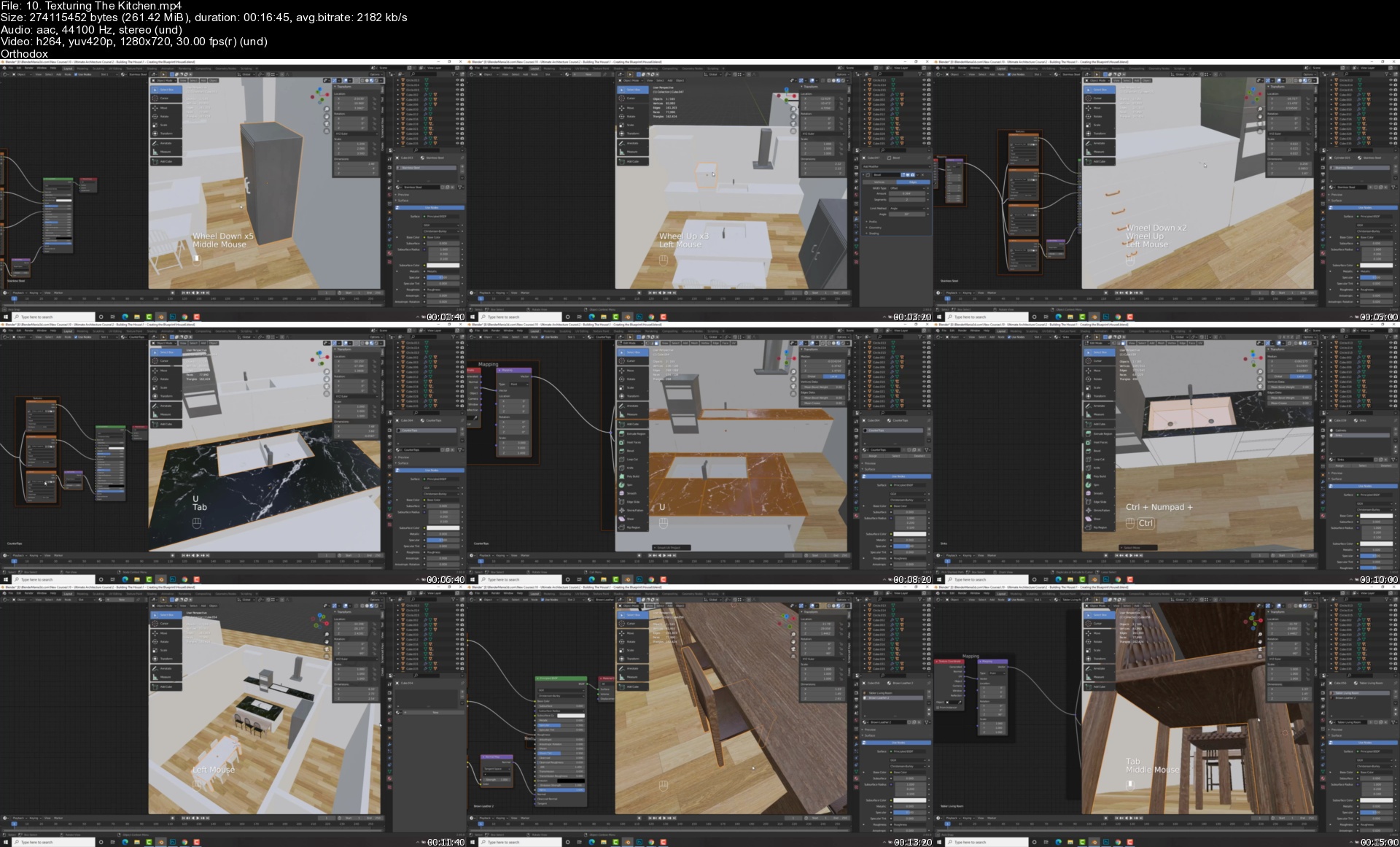
The Ultimate Blender 3D Architecture Course

chrdmoqdhf5orzfcju2mmtfjlc.jpg


The Ultimate Blender 3D Architecture Course
Genre: eLearning | MP4 | Video: h264, 1280x720 | Audio: AAC, 44.1 KHz
Language: English | Size: 10.5 GB | Duration: 13h 56m

Learn The Ins & outs of Architecture Including Modeling, Texturing and Lighting For a complete Architecture workflow!


What you'll learn
By the end of this course students will be able to create architectural designs from start to finish!
We will learn the ins and outs of architecture from modeling, texturing, lighting and more!
We will be covering everything from nodes to compositing, proper measurements, addons, animating & much more!
By the end of this course students will be competent and have learned the skills with Blender to be able to crate their own architecture scenes

Requirements
All you need to do is download Blender which is free and then grab your mouse and keyboard and join me on this adventure!

Description
Learn 3D Architecture from A-Z with the popular 3D program "Blender"

Want to learn 3D Architecture but don't know where to start? No problem! In this course we go from A-Z, from the basics to the more advanced of Architecture . In this course we will be doing an architecture project from start to finish and creating a house with everything in it!

Learn The Art of 3D Architecture & Create a Whole House With Everything In It!

The COMPLETE Architecture workflow

- Modeling

- Texturing

- Lighting

- Animating

- Composting

- & More!

Creating a House From A-Z!

We will kick it off with learning the VERY basics of Blender. How to navigate around the scene, manipulate objects and everything you need to know to be comfortable in Blender!

-Then we will start with our project with modeling the blueprint and foundation of the house and learning how to put in doors and windows.

-We will then be modeling every appliance and furniture that a house would have to scale using measurements. We will learn the skills and techniques for modeling household objects and go over many modifiers and tools!

-After modeling we will go over texturing and adding materials to everything in our scene. We will learn about nodes and different node setups for different materials

-Lighting our scene comes after and we will go over different lighting techniques to light the outside and inside part of our scene

-Finishing off the course with animating and rendering some cool shots of our project!

-End With The Confidence and Know How to Be Able to Create Your Own Projects and Architectural Works From Just An Idea to Finished Product

The Power to Create in the Palm of Your Hands

This course contains over 13 hours of content!

And one awesome teacher!

-Use the skills you learn to then create your own artwork and Architectural renders.

-Finish the course with your very own architectural render and work of art that you can be proud of

-Lifetime access!

By the end of this course, you will emerge equipped with everything you need to know for Architectural design!

Who this course is for
This Blender 3D course is for anyone who wants to learn the ins and outs of architecture. It's great for absolute beginners, intermediate and even more advanced users
This course is not for someone who already knows all the ins and outs of Blender

Homepage


10.texturingthekitchecikif.jpg


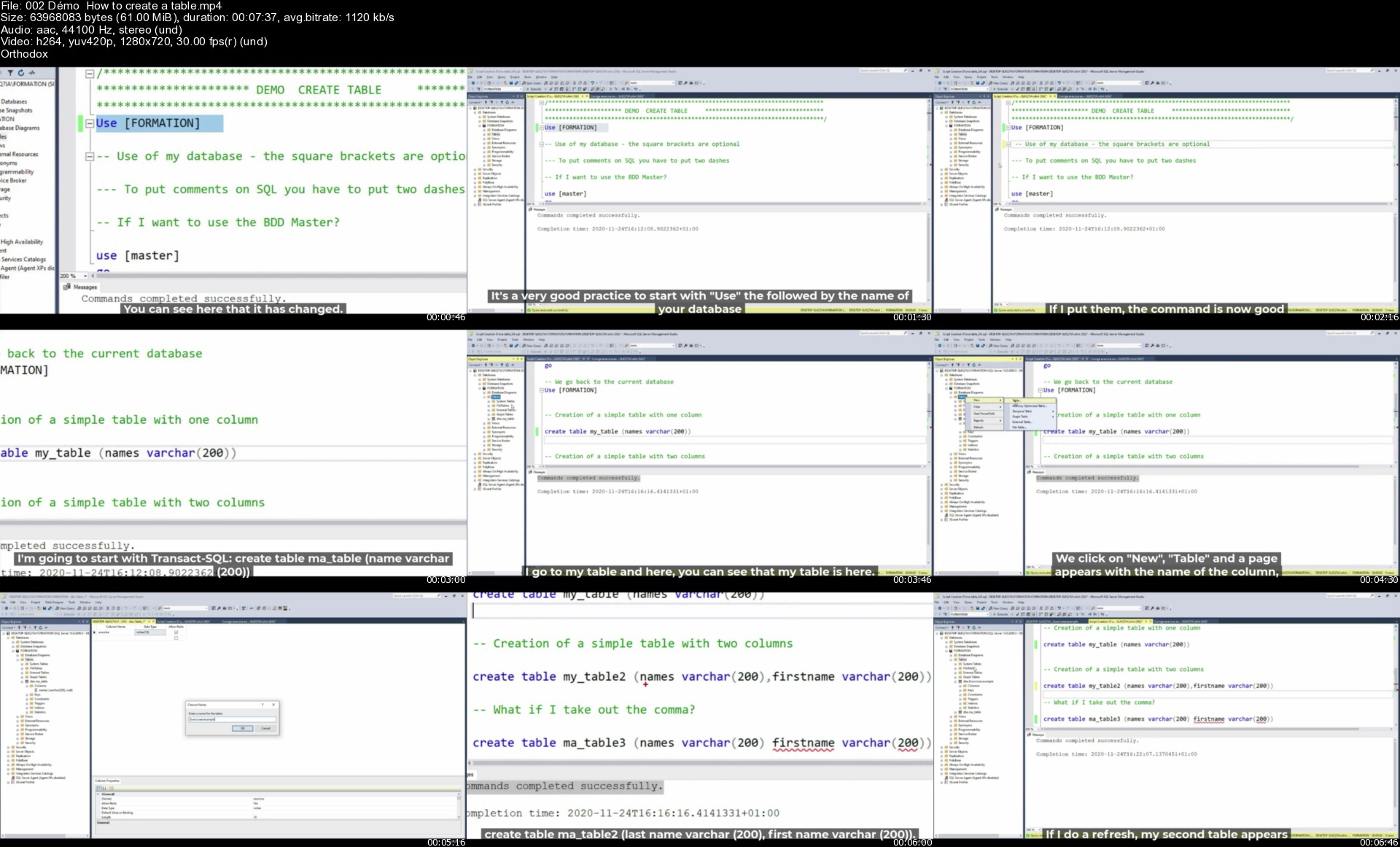
SQL Server: The 28 hour Masterclass course (16 courses in 1)

3597678bd3421cfkds.jpg


SQL Server: The 28 hour Masterclass course (16 courses in 1)
MP4 | Video: h264, 1280x720 | Audio: AAC, 44.1 KHz, 2 Ch
Genre: eLearning | Language: English + srt | Duration: 395 lectures (28h 17m) | Size: 13.8 GB

Learn how to become a future developer, or either a future DBA, or a performance expert on SQL Server with 150 exercices


What you'll learn
Learn the SQL language from A to Z (10 hours of lessons).
To administer an SQL server ( 13 hours of lessons ).
Greatly improve the performance of your SQL Server engine ( 4 hours of lessons ).
And take a virtual interview at the end of the course with these 40 questions and 40 answers!
+ 80 practical exercises are in this course to consolidate your knowledge!
In short, become a real expert on SQL server (and that's very much in demand).

Requirements
Have a great desire to learn, and a computer in great shape


Description
Stop ruining yourself by buying courses and switch to a subscription you will make serious savings !!!

◉ All my training catalogue is on Podia for a subscription of only 4 euros per month or 35 euros per year (more economical)

◉ If you are interested in this great offer contact me to [email protected]

◉ Otherwise, if you are interested in this course for a price between 12 and 16 euros, please send me an email to [email protected]

Average score for all these courses 4.5/5!!!

Welcome to the richest and most comprehensive course on the Udemy platform about SQL Server.

This course lists the 16 courses in my catalogue

SQL Server for complete beginners (7 hours of practice + 80 practical exercises)

Learn the in-demand job of developer SQL

The Complete SQL Server 2019 Database Administration Course

SQL Server 2019 : Administration SQL Server Part 1

SQL Server 2019 : Administration SQL Server Part 2

SQL Server 2019 : Administration SQL Server Part 3

The complete course about BACKUP and RESTORE

Detecting and Correcting Database Corruption

SQL Server: Configuring and modifying a database on SQL

99 queries to master SQL in less than 4 hours!

SQL Server: The complete course on Indexes

Learn the in-demand job of DBA SQL Server

SQL Server: Security and Privilege Management

Come and challenge the Transact SQL with these 50 exercises

Joins, partition functions, and CTE in Transact SQL 2019.

Prepare your future interview on SQL Server (with these 40 questions and 40 answers ! )

I challenge you to find in a single course these 3 very important chapters on SQL Server

◉ Chapter 1 : Transact SQL for the absolute beginner and also experienced developers (10 hours of class)

Let's start by installing SQL Server and management studio on your workstation.

The creation and definition of a database and a table.

Let's start playing with data with SELECT,UPDATE,INSERT and DELETE

Discover the column aliases and tackle the specificity and secrets of LIKE and TOP.

Learn how to remove duplicates with the DISTINCT and discover the Comparison operators = != and Copying a table with the SELECT INTO.

Let's talk about the IN, NOT IN, IS and IS NOT operators, and Sort your data with ORDER BY.

Discover aggregate functions with MIN MAX and AVG and the two operators AND,OR.

Let's discover the specificity of COUNT and SUM and how to SELECT a range of data with the BETWEEN and Group several results with the GROUP BY

A long chapter of 1h30 minutes on JOINS with INNER JOIN,LEFT/RIGHT JOIN FULL OUTER JOIN and so on..

Let's discover the specificity of UNION and UNION ALL, and the LEFT and RIGHT function.

Let's go even further with Transact SQL with the IIF,CASE WHEN,OFFSET FETCH NEXT ROWS and CHOOSE.

Let's look at the conversion functions through CAST and CONVERT, TRY_CAST and TRY_CONVERT.

Let's approach the DATE type functions with DATEADD,DATEDIFF,GETDATE (), EOMONTH ...

Let's deepen our knowledge of TSQL even more With IF/ELSE, STRING SPLIT,STUFF,MERGE.

The creation and definition of a view and Stored Procedure,function, schéma and trigger.

A very long chapter of 1h30 minutes on RANKING functions such as ROW_NUMBER, OVER and PARTITION BY, ROWS /RANGE UNBOUNDED PRECEDING, FIRST and LAST VALUES, LAG and LEAD,ROW_NUMBER, DENSE _RANK, RANK, NTILE.

We will discover a one hour course on CTE (common table expression). So powerful and so little known (I still don't understand by the way) and the derived table.

Do you know the difference between Temporary tables, Variable tables and Global tables?

◉ Chapter 2: The complete administration of a SQL Server (11 hours of class)

Tackle BACKUP and RESTORE for 3 hours, we will see in detail in this course, how to set up a robust and reliable strategy, to guarantee your data on a production server.

In another 2 hour course, we will learn how to detect and repair corruption on a database. Did you know that Microsoft logs over 1000 support cases per day regarding corruption! And you, how would you react in case of corruption?

We will also discuss during 3 hours, the configuration and modification of your database on SQL. Did you know that a bad Autogrow set on your database, can make you lose 60% of your performance? Do you know the TRUSTWORTHY or DB_CHAINING option? Everything is covered in this course, and believe me, you will be surprised at the number of options on a DB that SQL Server offers.

Administration rhymes with precaution, and therefore of course with security. We will discuss security and privilege management during 2 hours. We will learn how to set up a robust and secure SQL server.

We will cover a long chapter on the different isolation modes (READ COMMITED, SERIALIZABLE, SNAPSHOT...), we will also see the different types of constraints (PK,FK,CHECK,UNIQUE...), as well as SEQUENCES, and IDENTITY.

We will also discuss the change data capture (CDC), many new features released on SQL Server 2016 such as Row Level Security, Dynamic Data Masking (DDM), Temporal Data.

◉ Chapter 3: How to improve performance on your production SQL server (4 hours)

If we are talking about performance, we will of course be talking about indexes. This is a good thing because it will be covered in this chapter for 4 hours. A good implementation of your indexes can really save your performance on your SQL server. I strongly advise you to look at this chapter, to perhaps avoid going into huge costs of buying servers, which may not be necessary.

Do you know SARGABLE queries? I let you discover it in this chapter, to rewrite your SQL queries, in a better way, and thus of course, better performance.

◉ Chapter 4: Come and take a virtual interview through these 40 questions and 40 theoretical answers.

Start out more confident by tackling all these theoretical questions, so that you can face an interview on SQL.

You are a Java developer or Python for example, you go to an interview, you don't really know what to review beforehand, this is a summary of the most frequently asked questions.

For example : What is a primary key ? what is an index? What is the difference between OLAP and OLTP ? Do you know the COALLESCE function ? or how do you remove duplicates with your query ?

There will be many new sections added in 2021, of course if you have already purchased this course, these new modules will be free for you

How to administer your SQL server with powershell? (3 hours of class)

Improve the performance of stored procedures (2 hours of class)

Let's go together on SQL Azure ! (3 hours of class)

Of course there are more than 100 exercises and corrections in this course.

Who this course is for
Future Database Administrators (DBA)
Developers who want to learn about SQL
BI consultants working on technologies other than SQL Server (Oracle etc...)
Students who want to get started on SQL
Tech leads (CRM, Web etc...) who want to discover SQL

Homepage


002dmohowtocreateatab3vjsz.jpg


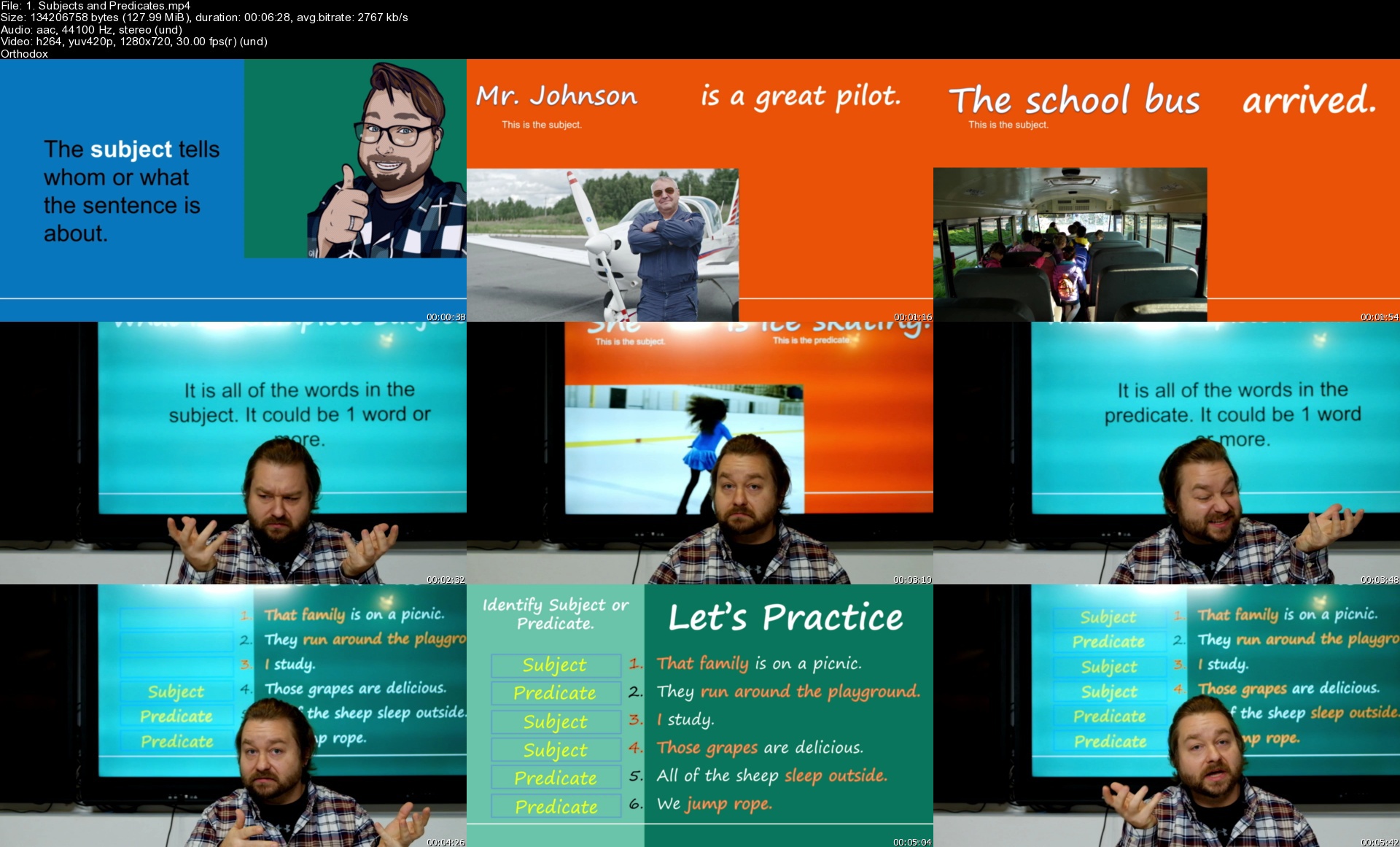
English Grammar the Quick and Easy Way

cnaszu5ww2akpu4wpowbzl1jd0.jpg


English Grammar the Quick and Easy Way
Genre: eLearning | MP4 | Video: h264, 1280x720 | Audio: AAC, 44.1 KHz
Language: English | Size: 7.90 GB | Duration: 6h 8m

Simple English Grammar Video Lessons to Help you Learn How to Speak and Write Correct Sentences


What you'll learn
English Sentence Construction
Nouns
Verbs
Adjectives
Capitalization and Punctuation
Pronouns
Adverbs and Prepositions

Requirements
Basic English

Description
English Grammar doesn't have to be hard. Understanding the grammar rules is often harder than using the grammar rules. In this course, I will teach you how to use grammar naturally through patterns and video examples. Together we will see video describing every sentence we make as well as talk about different parts of grammar in sentences. I have taken out as much of the unnecessary parts of English grammar so that we can quickly and easily use the rules to create sentences. Every lesson has a review quiz and there are tests built in. I frequently update my courses with added content and lessons to help you continue to learn.

Some of the things you will learn in this course include

Essential English grammar, including sentence structures. tenses and other grammar rules

Nouns, Verbs, Adjectives, Punctuation and more!

Each video has a review grammar quiz to help you master the lesson

Tests are built in to test your grammar knowledge.

Practice exercises to help you start thinking in English and improve your English Grammar Naturally

New lessons added as well as bonus content with each update

Now is the time to learn how to use grammar the right way and create sentences correctly. English grammar isn't as hard as it seems when you have the right teacher helping you along the way.

Who this course is for
Students that need to know English Grammar Rules
Students that need to know Language Arts Curriculum

Homepage


1.subjectsandpredicatkdjxq.jpg


Beginners: Learn SAP CPI with Hands On & Practical Examples

441845641c3656jbc.jpg


Beginners: Learn SAP CPI with Hands On & Practical Examples
MP4 | Video: h264, 1280x720 | Audio: AAC, 44.1 KHz, 2 Ch
Genre: eLearning | Language: English | Duration: 90 lectures (21h 7m) | Size: 8.5 GB

Learn SAP CPI (SAP Cloud Platform Integration) with Hands-On and Practical Examples from Beginner to Self-Confidence!


What you'll learn
Develop end-to-end real-world CPI interfaces
CPI groovy mapping technique/example
CPI connectivity technique/example
CPI design technique/example
Setup your own CPI trial account tenant
For more detail please see course description

Requirements
Willingness and determination to learn SAP CPI
Basic programming knowledge (for groovy mapping)


Description
How this SAP CPI course is designed?

This course is designed with practicality in mind, mean the course sections and lectures examples can be used as reusable pattern to apply in real-world CPI projects development needs.

I designed this course content based on my past 15+ CPI projects experiences, with aim that once mastered course lesson, believed able to cover majority of the CPI project development fundamental need.

How this SAP CPI course is structured?

This course is structured to first show the most basic and commonly used CPI steps, like the Content-Modifier, Request-Reply, Router, etc.

Followed by useful example pattern like Splitter-Gather, Multicast, Looping/Pagination, etc.

Lastly show the more intermediate/advanced topic like Groovy Mapping, Data Enrichment and Lookup, Persistence, Variable and Data Store topic etc.

What is covered in this SAP CPI course?

CPI Trial Account Setup - Learn how to setup your own CPI trial account/tenant with basic authentication(mean able to call from client tool, e.g.: Postman), and tips on CPI trial tenant renewal, integration flow backup and restore.

Software Tool Setup - Learn how to download and install java SDK, Groovy library, CPI library. Configure IntelliJ IDEA for local Groovy script development and unit test.

Content Modifier - Learn the basics of Content Modifier on Header, Property and Body, with XPath and expression.

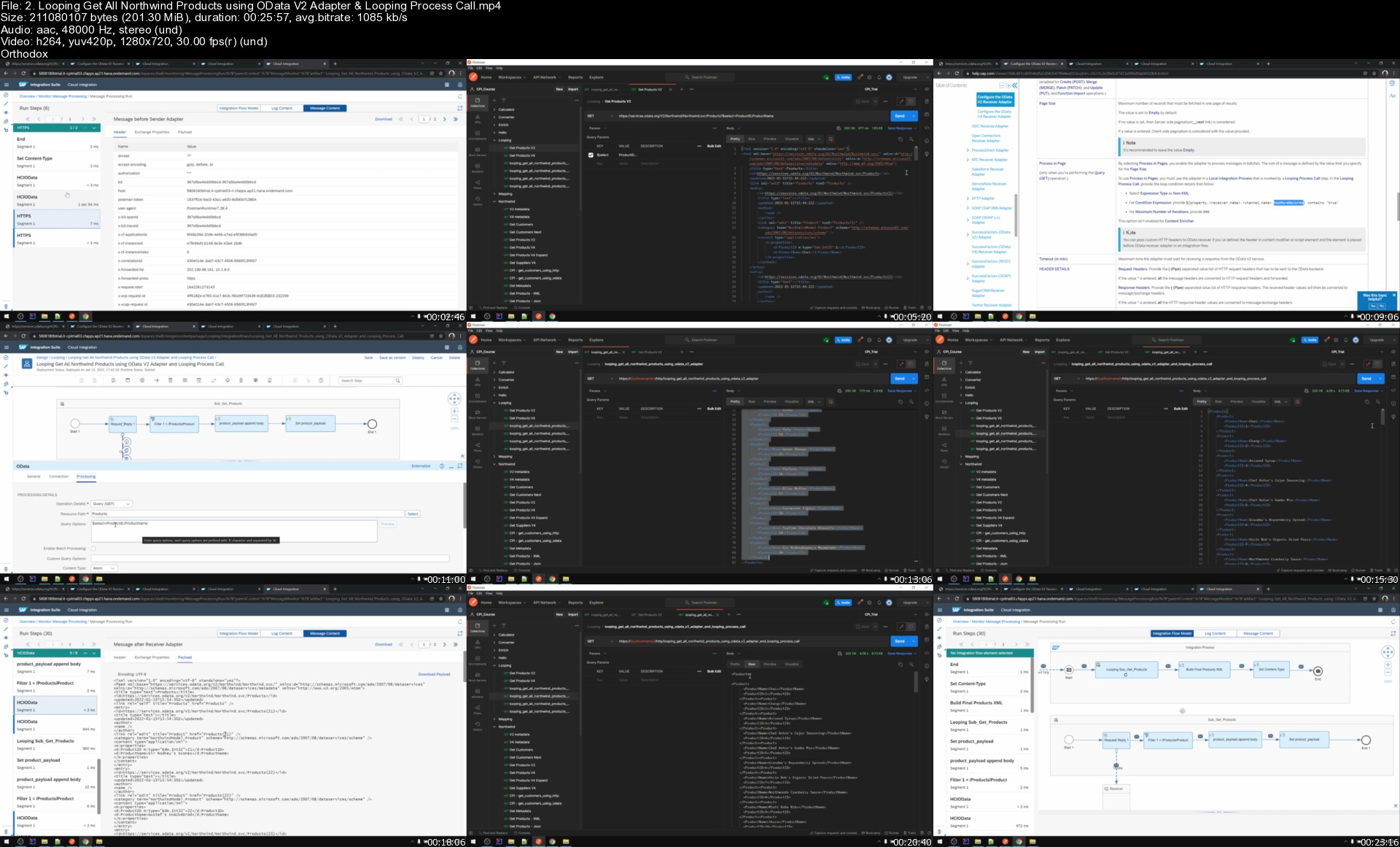
Request Reply - Learn Request Reply to make some calls, and show examples of 3 commonly used adapters: OData, HTTP and SOAP for cloud-based integration. Simulate real-world scenarios by Get and Post to Northwind OData. Bonus: Tips on comparing usage of HTTP vs. OData adapter.

Converter - Learn standard converter JSON To XML, XML to JSON, CSV to XML, XML to CSV. Additionally showing the different converter setting, limitation and pitfalls of these standard converters.

Routing - Router - Learn how to go to different route based on condition and then back to single route.

Routing - Multicast - Learn how to send same message to multiple routes, join gather back. Explored sequential and parallel multicast, alternative way of multiple routes without multicast, and end with a simulated real-world multicast example.

Routing - Splitter - Learn this Splitter pattern to tackle challenge of splitting large payload to smaller one then only process. Understand different between General and Iterating Splitter, Gather back individual processed smaller payload. Split by XPath, Line Break and Token. Handle namespace during splitting. Bonus: additionally explored usage of Nested Splitter.

Groovy Mapping - First learn how to get and set header, property & body using CPI Web IDE. Next introduce example.groovy which is reusable template groovy mapping to be used in IntelliJ IDEA, supported local unit testing. Using example.groovy as template, explored below common groovy mapping format

Map IDOC to Flat XML and Tree XML

Map IDOC to Flat JSON and Tree JSON

Map JSON Tree to IDOC

Map IDOC and JSON Tree to CSV using SuperCSV Library (external Jar library)

Convert CSV to Flat XML for Both Known and Dynamic CSV Fields

Map to Northwind Raw OData Batch Payload (Using HTTP adapter as an alternative of OData adapter)

After master above groovy mapping technique, basically should able to apply the same concept to handle any kind of mapping need from one format to another and work in SAP CPI, as long as it able to code in groovy programming.

Looping/Paging in CPI - Learn how to loop get all OData V2 entity, and usage of Looping Process Call. Comparison of OData V2 and V4 adapter. Bonus: Show example of OData Looping/Pagination using HTTP adapter instead of OData adapter.

Enrich/Lookup in CPI - Learn how to enrich source XML with lookup XML using content enricher and OData adapter. Followed by using content enricher from ProcessDirect to lookup non-xml data (e.g. Json). Finally show how to do advanced lookup and data enrichment using groovy mapping.

Persistence/Variable/Data Store - Learn how to read & write Local Variable and Global Variable, and tips on when to use which. Show usage of variable in CPI using Northwind OData example, and how to on-demand read & write multiple global variables from Postman tool.
Learn below common Data Store operations using step-by-step example

How to write all/list of records to Data Store.

How to get single entry from Data Store A and Write to Data Store B.

How to read multiple entries from Data Store using Get operation and Splitter.

How to read multiple entries from Data Store using Select operation.

Also explored usage and impact of Data Store setting like 'Overwrite Existing Message', 'Delete on Completion', 'Throw Exception on Missing Entry', 'Number of Polled Messages' and 'SapDataStoreMaxResults'.

[New Update Feb 2022] SFTP Adapter Series - Learn common tasks to work on SFTP interface, including setup your own free SFTP server, SAP cloud connector, SFTP authentication using credential and OpenSSH public key, move & delete/archive SFTP files, SFTP file name pattern, SFTP poll enrich.

Can I Hands-On try by myself to develop examples in this SAP CPI course?

Yes! All examples in this course is newly designed and build in my personal CPI trial tenant and using free/community software e.g. Postman, SoapUI and IntelliJ community version. You can follow section 'CPI Trial Account Setup' and 'Software Tool Setup' to setup your own training environment and tools needed.

What can I download from this SAP CPI course? What not available for download?

You will have access to all text notes, groovy script files and sample request payloads used in this course and able to download them.

For CPI packages and iflows, Postman collections and SoapUI projects in this course not available for download. Sorry, No shortcut. Please hands-on develop them manually based on video lessons.

Why this course don't have lessons on SAP CPI Message Mapping(Graphical Mapping) and XSLT Mapping?

For XSLT, I'm not skilled in XSLT, so not capable and not plan to touch on XSLT mapping. Plus I don't like the fact that XSLT is mainly only XML-based.

For CPI Graphical Mapping, its concept is inherited from legacy SAP PI/PO middleware, and mainly due to perceived complexity and difficulties of graphical mapping's queues & contexts concept, plus my personal preference and bias towards Groovy Mapping option, also I already covered SAP PI/PO Graphical Mapping in my personal blog(those similar concept node function, queue, UDF, etc can apply in SAP CPI too) so feel reluctant to repeat again. Hence I will not cover it in this course.

Understood CPI Graphical Mapping still is inevitable in case need support on SAP Standard pre-packaged iflows, for such need have to learn from other resources, e-books, blogs, courses, etc. Please take note on this before you buy this course.

What can I gain after completing this SAP CPI course?

After complete this course, go through all hands-on example and understand the usage of various fundamental SAP CPI building block steps and concept, believed able to apply in real-world CPI project development fundamental need, from Beginner to Self-Confidence in SAP CPI!

Happy Learning!

Who this course is for
SAP CPI Developer/Consultant
Everyone who wants to learn SAP CPI

Homepage


2.loopinggetallnorthwtvjvm.jpg


adobe-Illustrator-for-beginners-400x277.png

Adobe Illustration: Learn From beginner to advance level logo design
Duration: 1h 39m | Video: .MP4, 1280x720, 30 fps | Audio: AAC, 48 kHz, 2ch | Size: 713 MB
Genre: eLearning | Language: English​

One of the most prevalent abilities required in the graphic design profession is logo design. Any brand's logo is its initial impression, and it must appear professional in order to raise brand recognition.
In this lesson, I'll show you strategies and design concepts that will assist you in creating an excellent logo design. We'll walk you through the process of designing various sorts of logos, as well as the tools and thinking techniques that go into it. Knowing the appropriate strategies can help you enhance your graphic design process and create a good portfolio that will help you get more job.
Homepage
Screenshots


65e6b2cfbbe79641daccf442d9456804.jpg

Adobe Premiere Pro 2022 Projects
MP4 | Video: h264, 1280x720 | Audio: AAC, 44.1 KHz, 2 Ch
Genre: eLearning | Language: English + srt | Duration: 63 lectures (2h 43m) | Size: 1.14 GB

Everything you need to know to do Projects with Adobe Premiere Pro 2022
What you'll learn
Setup Creative Cloud Account
Creative Cloud Plans
Creative Cloud Web
Install Adobe Premiere Pro 2022
Project #1 - Adobe Premiere Pro 2022 Promo Video
Project #2 - Adobe After Effects 2022 Promo Video
Project #3 - Adobe Photoshop 2022 Promo Video
Requirements
Willingness to learn and Have Fun!
No Prior Experience Required. Will walk you through the basics to get Adobe Creative Cloud Account with Free Trial
No Prior Experience Required. Will walk you through how to Install Adobe Premiere Pro 2022
Description
Have you always wanted to learn how to Edit Video but don't know where to start?
Would you like to make amazing Videos and bring your ideas to life?
Then Adobe Premiere Pro 2022 Projects is for you!
Hi, I'm your instructor Josh Werner and I'll be leading you through this course.
Video Editing is an in-demand skill in 2022.
The course begins with the basics.
I'll take you through everything you need to know to start Editing Videos like an expert.
You'll learn all the fundamentals of Adobe Premiere Pro 2022.
This is great for students starting or for Video Editors that need a refresher course on Adobe Premiere Pro 2022.
There are no requirements necessary to enroll I only ask that you come open minded and ready to learn
Feel Free to look through the course description and checkout some of my preview videos
The course is packed with over 3 hours of hands-on tutorials
What you will Learn
01. Introduction
01. Welcome
02. Adobe Creative Cloud 2022 - Plans
02. Overview
03. Individuals
04. Business
05. Students & Teachers
06. Schools & Universities
07. Summary
03. Adobe Creative Cloud 2022 - Account Setup
08. Overview
09. Setup Account
10. Creative Cloud Web
11. Summary
04. Adobe Premiere Pro 2022 Setup
12. Overview
13. Install Adobe Premiere Pro 2022
14. Summary
05. Project #1 - Adobe Premiere Pro 2022 Promo Video
15. Overview
16. Download Project Files
17. Create New Project
18. Create New Sequence
19. Import Project Files
20. Organize Files
21. Review Videos
22. Add Video to Sequence
23. Add Graphics to Sequence
24. Add Music to Sequence
25. Preview Final Sequence
26. Render Final Sequence
27. Export Sequence to Media Encoder
28. Render Sequence in Media Encoder
29. View Final Promo
30. Summary
06. Project #2 - Adobe After Effects 2022 Promo Video
31. Overview
32. Download Project Files
33. Create New Project
34. Create New Sequence
35. Import Project Files
36. Organize Files
37. Review Videos
38. Add Video to Sequence
39. Add Graphics to Sequence
40. Add Music to Sequence
41. Preview Final Sequence
42. Render Final Sequence
43. Export Sequence to Media Encoder
44. Render Sequence in Media Encoder
45. View Final Promo
46. Summary
07. Project #3 - Adobe Photoshop 2022 Promo Video
47. Overview
48. Download Project Files
49. Create New Project
50. Create New Sequence
51. Import Project Files
52. Organize Files
53. Review Videos
54. Add Video to Sequence
55. Add Graphics to Sequence
56. Add Music to Sequence
57. Preview Final Sequence
58. Render Final Sequence
59. Export Sequence to Media Encoder
60. Render Sequence in Media Encoder
61. View Final Promo
62. Summary
08. Conclusion
63. Thank You
So what are you waiting for? I look forward to going through course with you I'll see you inside!
Who this course is for
Beginner to Advanced Students wanting to Learn How to Build Projects with Adobe Premiere Pro 2022
Beginners curious about Adobe Premiere Pro 2022
Homepage


16551ecb-9c05-4d0e-b66c-0f4988ae68f1.png

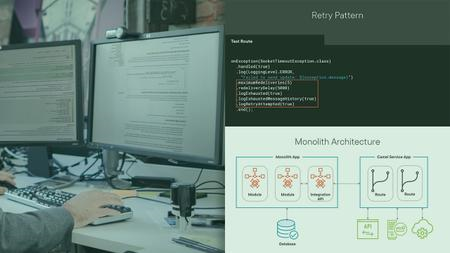
Advanced Apache Camel
MP4 | Video: h264, 1280x720 | Audio: AAC, 44.1 KHz, 2 Ch
Genre: eLearning | Language: English + srt | Duration: 16 lectures (1h 49m) | Size: 1.16 GB

Build advanced knowledge of Apache Camel for complex enterprise applications
What you'll learn
Extend on basic knowledge of Apache Camel
Learn advanced concepts of real-time route management and Camel context management
Learn about starting, stopping, suspending, resuming routes using Control Bus Component
Learn about using Route Policies, building routes dependent on each other
Setting up highly available route clusters - active-active and active-passive routes
Managing Camel and gaining insights using JMX and Hawtio
Embedding Complex rule based decision table in Camel Routes
Using Java and XML DSL together in a single application
Requirements
Developers should be familar with basic concepts of Apache Camel
Developers should understand how exchange propagation works and workings of Camel context
Optional recommendation would be go through Decoded Bytes - Apache Camel with Spring-boot masterclass
Description
In this course, we will build on the basic concepts of Apache Camel and start looking at advanced use-cases and implementation details for Camel Components and endpoints.
We will start by defining and building a simple use-case within our first lecture and then extend onto its capabilities as we move along in the course
Along the course, we will learn about Advanced Camel tools and techniques like
Building custom camel components and endpoints
Enabling High-Availability and Redundancy on Routes
Starting, stopping routes based on conditions within the camel context
Complex Business Rule processing using Camel
We will look into control bus, hawtio and JMX management
How to build dependent routes
and much more...
We expect the developers taking this course to have a basic understanding of what Camel context is, what are endpoints, how to write route definitions and additional semantics like choice, when, simple language, translators, converters, direct, seda etc
Additionally, you should be familiar with Java lambda functions, streams etc
Although a supplemental GIT repository is provided with the course to aid you in development, we strongly encourage you to walk through the development steps alongside the course to better grasp the concepts.
Additionally, feel free to pause the course at any time, and play with multiple permutations to observe the change in behaviour of Camel
Our recommendation would be to go through our Apache Camel w/ Spring Boot Masterclass course before enrolling in this course
Welcome aboard and let's get started...
Who this course is for
Intermediate to Senior Apache Camel developers who would like to look at complex concepts of using Apache Camel
Enterprise Professionals who need operational management and have NFR(s) to comply to. For ex. redundancy, high-availability, monitoring etc
Homepage


16551ecb-9c05-4d0e-b66c-0f4988ae68f1.png

Baby Dress Making
MP4 | Video: h264, 1280x720 | Audio: AAC, 44.1 KHz, 2 Ch
Genre: eLearning | Language: English + srt | Duration: 17 lectures (1h 17m) | Size: 1.62 GB

Create your own Baby Dresses!
What you'll learn
Understand the steps involved in creating Basic Baby Dresses
Draw Patterns for Basic Baby Dresses
Fabric Cutting from the Drawn Patterns
Sew Basic Baby Dresses using a Sewing Machine
Requirements
Suitable for Beginners. The video demos will clearly explain the process involved.
A sewing machine
Basic Sewing Toolkit
Description
With every newborn baby, a little sun rises. And with it, rises your ability to love a new beginning of all wonderful things. Wouldn't it be lovely if you could create your own set of handmade dresses to dress up that munchkin of yours? If you are a new mother, aunt, or grandmother, the joy multiplies infinite times. So here we present you a complete tutorial on not only how to stitch baby dresses but also to choose the right fabric, and the comfortable styles to go with it. After all, you want your little bundle of joy to be wrapped in the superlative of all things.
I am here to take you on a magical journey of learning to dress up a baby. The most comfortable styles like jablas, slip dress and button dress are easy to put on a baby and so we will learn them first.
Topics Covered
#1 Introduction to basics of dressmaking
#2 Types of dresses suitable for babies
#3 Patterns of basic types of dresses
Front Open Dress
One-Piece Dress
Slip Dress
Button-on-Shoulder Dress
#4 Pattern Layout, Cutting & Sewing
In this course, we will learn about how to create the patterns for the above types of dresses. We will cut the fabric using these patterns and sew them into a finished product using a sewing machine.
Let's get started
Who this course is for
People who are interested to create their own dresses for their Babies.
People who are interested in pursuing sewing as a hobby.
People who are interested in starting a Small Apparel Business.
Homepage


6db3c08d-cf4f-493c-a4c5-c1469c99570e.png

Become an Instagram Manager. Go from Beginner to Master - 2022
Duration: 1h 33m | Video: .MP4, 1280x720, 30 fps | Audio: AAC, 48 kHz, 2ch | Size: xxx MB
Genre: eLearning | Language: English​

If you have been thinking about starting as a Social Media Manager, but that sounds like a lot to handle for you right now. Why not start your entrepreneurial journey as an Instagram Manager?
Being a specialist in one thing, will get you further than being a generalist in a lot of things.
This course provides you with my proven Roadmap to start your own business online (from home, or anywhere), to start making money with social media, and offer your skills as a freelancer. This is the same Roadmap I have used to start my own Freelance social media business, which is now transforming into a Marketing agency. It was the best decision of my life and I am so happy to have created this course to help you start your own entrepreneurial journey.
If you are a creator, a student, an aspiring entrepreneur, stay at home parent, or just want to start a side-hustle, this course is for you. All you need is a Wi-Fi connection and the rest will be provided with this course, through step-by-step video lessons, workbooks, checklists, templates, and constant support.
In 2022, a Social Media presence for businesses is a must, and especially a well curated Instagram page. Most business owners don't know, don't have the time, or just don't want to deal with their own Instagram because it can be very time consuming, and it is not always effective, if it's not set properly. That is why they are happy to hire an Instagram Manager.
You do not need to be, or offer, full Social Media Management services immediately, because a lot of smaller businesses, or new businesses, only rely on their Instagram page and do not use any other platform, or their clients are not on other platforms. You don't need previous experience to get clients, because your own account can be a great testimonial for potential clients, even without previous real client experience. This will also be taught inside the course.
Here is what you will learn with this course
How to start and maintain your and your clients Instagram accounts
Instagram Marketing Strategy
Content Strategy & Content Pillars
Instagram Metrics & Analytics
Choosing a Profitable Niche
Attracting and start working with Clients
How to price your services and create Packages
How to handle calls with potential clients
Workflows, send Contracts, Invoicing & receive Payments
The Legal side of being your own boss
This is a hands-on course, full of real life examples, where I have shared the latest, the most updated Instagram Marketing Strategies that I still use to grow my personal brand and business and my clients businesses. These strategies will also work for you and your new clients.*I have shared the latest, the most updated Instagram Marketing Strategies that I still use to grow my personal brand and business & my clients businesses. These strategies will also work for you and your new clients.
Take this course and invest in your knowledge by getting a proven system to get you from Beginner to Superstar Instagram Manager, ready to start working with paying clients.
I would love to take you on this journey with me.
LET'S START TODAY!
Homepage
Screenshots


6d7a08fe-8d01-4f6f-9214-4217e1b22d98.png

Excel Graphs, Infographics & Data Visualization
Duration: 6h 37m | Video: .MP4, 1280x720, 30 fps | Audio: AAC, 48 kHz, 2ch | Size: xxx MB
Genre: eLearning | Language: English​

This Class will guide you through Excel's data visualization features from shapes to conditional formatting to charts.
I include several realistic case studies so you can see how a business question can turn into a chart or dashboard.
We'll start by why and how we visualize data.
Then I'll walk you through the charting techniques to create and modify a chart quickly and easily.
After that, we will chop up the defaults of Excel charts with some ninja skills to use what Excel does have and create powerhouse visualizations.
Once we've mastered the basics, I'll walk you through all the tools to improve your graphs with conditional formatting, custom number formatting, and shapes.
The next section is about info-graphics with excel. Info-graphics are stunning graphic visual representations of information, which are intended to present data quickly and clearly. You will be shocked at how easy you can add great-looking info-graphics to an Excel worksheet.
Then we'll dive into the real meat of the course, the section with custom build advanced charts. In this section, I'll make you a data visualization expert!
Finally, I'll walk you through the next-level dynamic interactive charts with the help of form controls and formulas, and a ton of real-life examples.
The class is entirely project based and it's full of examples which are fully explained and easy to understand. It has been recorder with the brand new Excel 2019 in full HD 1080p.
By the end of this Class, you'll master any Advanced Chart and you'll become a Data Visualization Expert
So let's get started!
Homepage
Screenshots


0646a1fa-5631-442d-b28d-9de7e1703caa.png

How Simple But Attractive Podcast Logo Designs Are Made In Photoshop
Duration: 1h 7m | Video: .MP4, 1280x720, 30 fps | Audio: AAC, 48 kHz, 2ch | Size: 444 MB
Genre: eLearning | Language: English​

In this course, I'm going to be showing you how simple but attractive podcast logo designs are made in Photoshop.
I'm going to be taking you step-by-step through the process of creating unique logos for your podcast, if you're just interested in logo design in general then this class is for you also because It will show you how to design simple logo design.
These classes concise of five examples to pick from and after this example you have the chance to create your own logo and post it in the lecture area for me to see your samples and then we can comment on your own logo and see how good they are and if there's any correction to be made I will definitely let you know in the comment.
So if you're interested in creating logo design in Photoshop this course is for you, this is a logo design class and it is a very simple straight point attractive course so I advise you to ensure you watch the course to the very end if you don't understand any part of it please watch again and drop your comment. Lastly, I also like your feedback so let's go into the class and get started
Homepage
Screenshots


Zurück
Oben Unten