• Regeln für den Video-Bereich:

    In den Börsenbereich gehören nur Angebote die bereits den Allgemeinen Regeln entsprechen.

    Einteilung

    - Folgende Formate gehören in die angegeben Bereiche:
    - Filme: Encodierte Filme von BluRay, DVD, R5, TV, Screener sowie Telesyncs im Format DivX, XviD und x264.
    - DVD: Filme im Format DVD5, DVD9 und HD2DVD.
    - HD: Encodierte Filme mit der Auflösung 720p oder darüber von BluRay, DVD, R5, TV, Screener sowie Telesyncs im Format x264.
    - 3D: Encodierte Filme von BluRay, die in einem 3D Format vorliegen. Dies gilt auch für Dokus, Animation usw.
    - Serien: Cartoon/Zeichentrick, Anime, Tutorials, Dokumentationen, Konzerte/Musik, Sonstiges sind demnach in die entsprechenden Bereiche einzuordnen, auch wenn sie beispielsweise im High Definition-Format oder als DVD5/DVD9/HD2DVD vorliegen. Ausnahme 3D.
    - Bereich Englisch: Englische Releases gehören immer in diesen Bereich.
    - Bereich Talk: Der Bereich, in dem über die Releases diskutiert werden kann, darf, soll und erwünscht ist.


    Angebot/Beitrag erstellen

    - Ein Beitrag darf erst dann erstellt werden, wenn der Upload bei mindestens einem OCH komplett ist. Platzhalter sind untersagt.
    - Bei einem Scenerelease hat der Threadtitel ausschließlich aus dem originalen, unveränderten Releasenamen zu bestehen. Es dürfen keine Veränderungen wie z.B. Sterne, kleine Buchstaben o.ä. vorgenommen werden. Ausnahme Serienbörse:
    - Bei einem Sammelthread für eine Staffel entfällt aus dem Releasename natürlich der Name der Folge. Beispiel: Die Simpsons S21 German DVDRip XviD - ITG
    - Dementsprechend sind also u.a. verboten: Erweiterungen wie "Tipp", "empfehlenswert", "only", "reup", usw. / jegliche andere Zusatzinformation oder Ergänzung, welche nicht in obiger Beschreibung zu finden ist.

    Aufbau des Angebots und Threadtitel

    Der Titel nach folgendem Muster erstellt zu werden. <Name> [3D] [Staffel] [German] <Jahr> <Tonspur> [DL] [Auflösung] <Quelle> <Codec> - <Group>
    Beispiel: The Dark Knight German 2008 AC3 DVDRip XviD - iND
    Beispiel: The Dark Knight 2008 DTS DL BDRip x264 - iND
    Beispiel: The Dark Knight 2008 AC3 DL BDRip XviD - iND
    Beispiel: The Dark Knight German 2008 AC3 720p BluRay x264 iND
    Beispiel: The Dark Knight 2008 DTS DL 1080p BluRay x264 iND
    Beispiel: Die Simpsons S01 German AC3 DVDRip XviD iND
    Beispiel: Die Simpsons S20 German AC3 720p BluRay x264 iND
    Beispiel: Sword Art Online II Ger Sub 2014 AAC 1080p WEBRip x264 - peppermint
    Entsprechend sind also u.a. verboten: Sonderzeichen wie Klammern, Sterne, Ausrufezeichen, Unterstriche, Anführungszeichen / Erweiterungen wie "Tipp", "empfehlenswert", "only", "reup", usw. / jegliche andere Zusatzinformation oder Ergänzung, welche nicht in obiger Beschreibung zu finden ist
    Ausnahmen hiervon können in den Bereichen geregelt sein.

    Die Beiträge sollen wie folgt aufgebaut werden:
    Überschrift entspricht dem Threadtitel
    Cover
    kurze Inhaltsbeschreibung
    Format, Größe, Dauer sind gut lesbar für Downloader außerhalb des Spoilers zu vermerken
    Nfo sind immer Anzugeben und selbige immer im Spoiler in Textform.
    Sind keine Nfo vorhanden z.B. Eigenpublikationen, sind im Spoiler folgende Dateiinformationen zusätzlich anzugeben :
    Quelle
    Video (Auflösung und Bitrate)
    Ton (Sprache, Format und Bitrate der einzelnen Spuren)
    Untertitel (sofern vorhanden)
    Hosterangabe in Textform außerhalb eines Spoiler mit allen enthaltenen Hostern.
    Bei SD kann auf diese zusätzlichen Dateiinformationen verzichtet werden.

    Alle benötigten Passwörter sind, sofern vorhanden, in Textform im Angebot anzugeben.
    Spoiler im Spoiler mit Kommentaren :"Schon Bedankt?" sind unerwünscht.


    Releases

    - Sind Retail-Release verfügbar, sind alle anderen Variationen untersagt. Ausnahmen: Alle deutschen Retail-Release sind CUT, in diesem Fall sind dubbed UNCUT-Release zulässig.
    - Im Serien-Bereich gilt speziell: Wenn ein Retail vor Abschluss einer laufenden Staffel erscheint, darf diese Staffel noch zu Ende gebracht werden.62
    - Gleiche Releases sind unbedingt zusammenzufassen. Das bedeutet, es ist zwingend erforderlich, vor dem Erstellen eines Themas per Suchfunktion zu überprüfen, ob bereits ein Beitrag mit demselben Release besteht. Ist dies der Fall, ist der bereits vorhandene Beitrag zu verwenden.
    - P2P und Scene Releases dürfen nicht verändert oder gar unter einem iND Tag eingestellt werden.


    Support, Diskussionen und Suche

    - Supportanfragen sind entweder per PN oder im Bereich Talk zu stellen.
    - Diskussionen und Bewertungen sind im Talk Bereich zu führen. Fragen an die Uploader haben ausschließlich via PN zu erfolgen, und sind in den Angeboten untersagt.
    - Anfragen zu Upload-Wünschen sind nur im Bereich Suche Video erlaubt. Antworten dürfen nur auf Angebote von MyBoerse.bz verlinkt werden.


    Verbote

    - Untersagt sind mehrere Formate in einem einzigen Angebotsthread, wie beispielsweise das gleichzeitige Anbieten von DivX/XviD, 720p und 1080p in einem Thread. Pro Format, Release und Auflösung ist ein eigener Thread zu eröffnen.
    - Grundsätzlich ebenso verboten sind Dupes. Uploader haben sich an geeigneter Stelle darüber zu informieren, ob es sich bei einem Release um ein Dupe handelt.
    - Gefakte, nur teilweise lauffähige oder unvollständige Angebote sind untersagt. Dies gilt auch für eigene Publikationen, die augenscheinlich nicht selbst von z.B. einer DVD gerippt wurden. Laufende Serien, bei denen noch nicht alle Folgen verfügbar sind, dürfen erstellt und regelmäßig geupdatet werden.
    - Untersagt sind Angebote, welche nur und ausschließlich in einer anderen Sprache als deutsch oder englisch vorliegen. Ausnahmen sind VORHER mit den Moderatoren zu klären.


    Verstoß gegen die Regeln

    - Angebote oder Beiträge, die gegen die Forenregeln verstoßen, sind über den "Melden"-Button im Beitrag zu melden.
  • Bitte registriere dich zunächst um Beiträge zu verfassen und externe Links aufzurufen.

*** Bestes IPTV *** bester Preis *** gratis Test ***


Englische Tutorials

51UgN3Eh18JlggAnk9oBexHnrXUMEa1M.jpg

Evolution of Chinese Characters(&100 common characters list)
MP4 | Video: h264, 1280x720 | Audio: AAC, 44.1 KHz
Language: English | Size: 428 MB | Duration: 59m
& The 100 Most Common Chinese Characters
What you'll learn​

Learn common used Chinese language words and sentences
Carry on a conversation in Mandarin Chinese
Speak Chinese language around your home and at work
Gain confidence in learning and speaking Chinese
Know Chinese Characters
Requirements
Evolution of Chinese Characters
Description
What are Chinese characters?
Chinese characters are logograms. This means that, instead of being written using the letters of an alphabet, logograms consist of characters or "pictures" that represent a word. Egyptian hieroglyphics are a good example of this.
Nowadays, the majority of the world's languages have an alphabet system that's used to write words. Chinese and other each Asian languages which make use of Chinese characters, such as Japanese and Korean, are the main languages that use logograms today.
Are all Chinese characters pictograms?
There is a widespread misconception that all Chinese characters are pictograms (also called "pictographs"), meaning that all characters look like the word or meaning that they are used to represent.
It's common to see characters such as 木 (mù; wood or "tree") and 山 (shān; mountain) used as examples to show the "easy" nature of Chinese character composition. This understanding of the language is sometimes used as a way to "sell" Chinese to new learners.
Introducing Chinese characters to beginners simply as pictograms is misleading, however. Although pictograms are fun and beginner-friendly, they only make up about 4% of all Chinese characters. In actuality, the formation of characters is incredibly complex. Pictograms represent just one relatively minor type of character out of a total of six different types.
Who this course is for
Evolution of Chinese Characters
Screenshots



 
ZWHSxdygUnxd2YOZyJSDK6EOSXRfSpZg.jpg

Functional Programming using Elixir - The Complete Course
MP4 | Video: h264, 1280x720 | Audio: AAC, 44.1 KHz
Language: English | Size: 2.59 GB | Duration: 9h 11m​

Learn the cutting edge functional programming language Elixir and build fault tolerant software
What you'll learn
Learn the core concepts of Elixir programming language
Learn functional programming in Elixir
Learn advance concepts such as metaprogramming, distributed tasks and fault tolerance
Learn to build real world software using Elixir
Requirements
Basic programming language is required to complete the course.
Description
Elixir is a programming language used by application developers of all kinds and it is best for building scalable and maintainable applications. There are lot of people that are jumping on board with Elixir because it sort of has elegance.
Elixir is a functional language and it runs on the top of Erlang virtual machine, which implies it is also inherently concurrent and distributed, whereas the syntax is very straight forward, it's unlike any other functional languages. The emphasizing reasons why people typically get excited is because, it is fun to read and write, and it has lots of built-in features for building reliable systems.
Our course is designed keeping newbies and freshers in mind, the course separates language into simple bits and pieces that enables you grasp the language easily and furthermore help you to start programming quickly.
In this course we are going to start with basics of functional programming which is for example quite different from object oriented programming. We will even dive deep in the basics of Elixir and how it is different from other popular language with all the specifications. How it work with the processes and makes its stand apart.
In the next section we will see what is node, tasks, and agents. You will also learn how to work with GenServer i.e. the part of OTP framework that comes from Erlang with the applications in Elixir with all the dependencies. What are supervisors and how they can ensure for the tool runs.
That's not all, you will also see what is Mix tools that comes with Elixir along with the Metaprogramming concepts. We have designed this course for newbies, everything is packed in this course that a developer need.
We can say that Elixir is not only a great programming language that allows you to build powerful applications, but also because it has all the goodness provided by Erlang, it has many tools under the belt which makes it very easy for newcomers to built complex systems. You don't need any third party solutions to go through all the processes, or to introduce all the parallel execution of the code, to store your data in the memory, because there is even a separate database management system that is available for Erlang in Elixir.
We really encourage you to try Elixir because while alluring this language you will have the possibility to look at the process of programming from a different angle. All these new concepts will allow you to think a bit differently.
With our simple to learn course, you won't just take in the nuts and bolts but will advance further to more complex functional programming ideas.
So, what are you waiting for? Let's get started.
Who this course is for
Any one who wants to learn functional programming in Elixir will find this course very useful
Screenshots


XcWunYEhEqbIyCCfc7MVcz9LKL0IISDQ.jpg

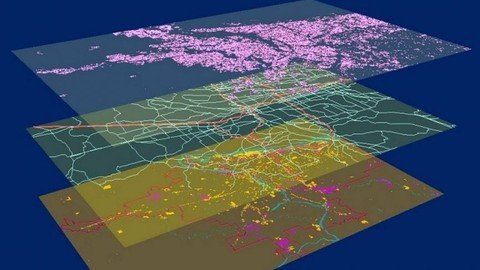
Geographic Information System in QGIS: Basic of GIS Analysis
MP4 | Video: h264, 1280x720 | Audio: AAC, 44.1 KHz
Language: English | Size: 2.36 GB | Duration: 4h 34m
Become proficient in Geographic Information (GIS) in QGIS for vector & raster data analysis, learn fundamentals in QGIS​

What you'll learn
Learn step by step about QGIS using the latest long-lasting release in 2022
Learn how to work with and manipulate GIS data (vector and raster data)
Understand the basic and intermediate GIS concepts and analysis
Learn how to create beautiful maps in QGIS
Learn the core GIS operations on vector and raster layers
Analyze spatial data using QGIS
Learn how to work on geospatial projects in QGIS environment step-by-step
Requirements
Interest in the topic
A working PC with internet connection
Description
Fundamentals of practical Geographic Information System (GIS) in the QGIS
I'm very excited that you have found my Fundamentals of practical GIS in the QGIS course. My course provides you with all the necessary theoretical knowledge and practical skills to implement PRACTICAL, GIS analysis starting with the basic concepts of GIS and equipping you with all necessary knowledge and skills to implement your own independent GIS analysis in great QGIS open-source GIS software! I will also demonstrate to you how to implement GIS analyses in the latest long-lasting release version of open-source software QGIS 3.16, thus that you could immediately start using satellite images for your work and Remote Sensing projects.
This fundamental course is designed to equip you with the theoretical and practical knowledge of applied GIS analysis. By the end of the course, you will
Understand the theory behind GIS analysis
Feel confident and completely understand the basics of GIS and its main components
Learn how to install and configure QGIS
Learn to work with vector and raster data in QGIS as well as use various QGIS plug-ins and toolboxes (SAGA, OTB, SCP etc).
You will learn in QGIS how to perform core vector data analysis (vector overlay, table manipulations, vector editing, value extraction etc) and raster data analysis (raster overlay, distance operations, topographic variable calculation, raster calculator, filtering raster data etc), and produce GIS maps for your reports and much more. In this course, I will also teach you how to work with the popular open-source QGIS software and its great tools and plug-ins for GIS analysis.
The course is ideal for professionals such as geographers, programmers, social scientists, geologists, GIS & Remote Sensing, and all other experts who need to use maps in their field and would like to learn more about geospatial analysis and satellite Remote Sensing in QGIS.
One important part of the course is the practical exercises. You will be given some precise instructions, downloadable practical materials, scripts, and datasets to create maps and conduct geospatial analysis using the QGIS software.
Who this course is for
Anyone who is interested in get started with GIS and QGIS and would like to learn project-oriented GIS analysis
Screenshots


vxeKI71jjUxUQfUxdj54iqRgUGWgcKu2.jpg

Learn How To Code Games In Roblox Studio
Genre: eLearning | MP4 | Video: h264, 1280x720 | Audio: AAC, 44.1 KHz
Language: English | Size: 2.05 GB | Duration: 6h 12m
Learn how to create Roblox games in an easy to understand step by step course

What you'll learn
An understanding of Lua the coding language used to create Roblox Games.
The basic concepts of computer programming
How to get set up to create your first Roblox game by creating an account and downloading and installing Roblox Studio.
How to move, scale and rotate your Roblox parts.
How to create a script, make objects spawn and how to program your Humanoid Roblox Player and much more.
How to Use Roblox Toolbox and create your own models, save them and import them into your projects
How to code the Leaderboard for multi-player games and save player data during the game.
Design, Test, and Play your own game from beginning to end.
You will be able to use all the concepts and coding you learnt in this course to create your own interactive games on Roblox.
Requirements
Have use of a PC or Mac with an internet connection
Able to download software from roblox.
Have WinZip or Archive to expand compressed files
Description
Roblox is one of the most popular entertainment platforms for players under the age of 18, with 1 Billion hours of Roblox being played each month by over 80 Million Roblox players.
Roblox's mission is to bring the world together through play.
"We enable anyone to imagine, create, and have fun with friends as they explore millions of immersive 3D experiences, all built by a global community of developers."
There are currently over 4 million active developers and creators producing their own games using Roblox Studio. As of March 2019 98 million dollars has been paid to these community developers.
My course will teach you how to set up and create your first Roblox game.
The course is divided into 5 Sections. It is designed to be taken in the order it is presented.
Section 1 - I show you how to create a Roblox account, and install and use Roblox Studio.
Section 2 - We then learn about coding concepts and how they work .
Section 3 - We begin to develop a "Camping Game" and discuss the rules and how to implement them using Lua code.
Section 4 - We continue to develop our game, adding more functionality and learn some more advanced coding techniques.
Section 5 - We polish our game and discuss how to take what you have learned and develop it further.
Using the concepts you have learnt by creating this game you will be able to develop it further or use your own ideas to create your own game in Roblox Studio.
Who this course is for
Beginner Lua Programmers
Roblox players
Roblox coders
Beginner Coders
Gamers
Screenshots


Xt9rAVHMoTgwBc2bLwwphyXwkhdTalp1.jpg

On World Tour with the Tornado GR4.
MP4 | Video: h264, 1280x720 | Audio: AAC, 44.1 KHz
Language: English | Size: 12.8 GB | Duration: 11h 38m
a joystick.​

What you'll learn
I will be adding more and more lectures to cover more and more aspects of this aircraft but keeping it as simple as possible.
The world is your oyster
free to go anywhere without politics
Real flying.
Requirements
You will need a computer only to watch and learn from this course.
Description
With a world data base of terrain weather and airports ... Well I did it, in 2018. 260 flights and about the same in hours over ten months. You can do it too. Rudder pedals are recommended but not essential. Obviously not many pilots get there hands on a real Tornado GR4. Out of the pilots that do they are limited to where they can go, But with flight simulator you and I can not only learn to fly and navigate it, we can go on tour anywhere we like, not even the Royal Family can do that. So join me on tour with the Tornado GR4. I always wanted to fly around the world. and I have certainly had some experiences. Try to do it in real time and weather if you can.
Phileas Fogg is a wealthy English gentleman living a solitary life in London. Despite his wealth, Fogg lives modestly and carries out his habits with mathematical precision. Very little can be said about his social life other than that he is a member of the Reform Club, where he spends the best part of his days. Having dismissed his valet for bringing him shaving water at a temperature slightly lower than expected, Fogg hires Frenchman Jean Passepartout as a replacement.
On the evening of 2 October 1872, while at the Reform Club, Fogg gets involved in an argument over an article in The Daily Telegraph stating that with the opening of a new railway section in India, it is now possible to travel around the world in 80 days. He accepts a wager for GB£20,000 (equivalent to £1,798,872 in 2019), half of his total fortune, from his fellow club members to complete such a journey within this time period. With Passepartout accompanying him, Fogg departs from London by train at 8:45 p.m. that same evening; in order to win the wager, he must return to the club by this same time on 21 December, 80 days later. They take the remaining £20,000 of Fogg's fortune with them to cover expenses during the journey.
Who this course is for
If you want to learn how to apply basic flying skills to a more complicated aircraft watch this free course.
Screenshots


3hMa3ARdgOrRo0XJ5KnrSB8k4xtVRNvr.jpg

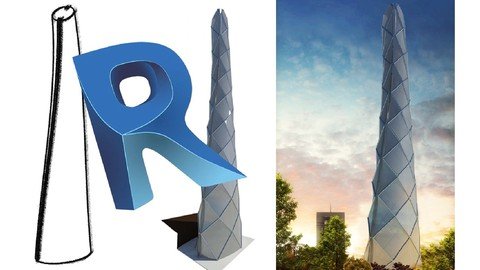
Revit Conceptual Design (BIM Series LOD 100)
Genre: eLearning | MP4 | Video: h264, 1280x720 | Audio: AAC, 44.1 KHz
Language: English | Size: 1.03 GB | Duration: 1h 58m
Use Revit as a presentation software with no need to master it all!

What you'll learn
Model any innovative architectural concept with precise dimensions
Become master in using Revit tools and options related to conceptual design
Apply effective factors on the concept such as sun, orientation and etc.
Complete two case studies from conception to presentation
Improve understanding of BIM LOD 100 in the initial stage of the project
Requirements
No Revit experience needed. You will learn everything you need to know.
A beginner level of knowledge on AutoCAD is needed.
Revit 2018 or higher installed.
Description
This course is for Students, Architects and 3d modelers who don't want or need to learn advanced Revit or willing to present their project in BIM platform. In this course
First we will talk about LOD100 and its definition
Then we will guide you how to prepare your Revit new file environment to start modeling your concept. This session is for those who does not have any previous experience in using Revit.
Defining units and levels, using AutoCad topo information, creating a topo surface, making building pads and working with options are all the tools that will be used in lesson 2
in lesson 3, ways of modeling spatial objects will be practiced.
Mass in-place is the tool that helps you manifest any innovative idea you have in your mind
In the next step we will learn how to run solar study to visualize the impact of natural light and shadows on generic objects we have created before.
You will learn how to use Location, project orientation and sun path options.
In the final stage, we will go through different ways of exporting our concept for presentation. We will learn how to define material for our mass, set up graphic display settings, work with cameras ,Revit walkthrough and also rendering tools. We will practice how to compare different concepts and make them ready for an impressive presentation.
This course will be updated with new releases continuously in order to keep up with the students' demands.
We will be grateful to receive your reviews, comments and suggestions : )
Who this course is for
Architects
Students
3d Modelers
Screenshots


CoH7RQ5mkZWtmSivBQNYpn2GfbA8i2T9.jpg

Teach your language online _ online teaching from home
MP4 | Video: h264, 1280x720 | Audio: AAC, 44.1 KHz
Language: English | Size: 420 MB | Duration: 1h 8m
Teach your language online _ online languages teaching _ start your online business online language teaching​

What you'll learn
Find the websites where you can teach your language online
Apply to teach and get approved quickly
make extra income from teacher your language
How to get new students to teach your language
Requirements
Have at least A2 in English
Ability to teach your native language
Have a good internet
Description
In this course, we be able to learn how to teach your language online. and also you will find students from all over the world.
I will teach you how to work on your schedule and make extra income.
The growing popularity of online language learning means that both experienced language professionals and novices are developing and delivering all or part of their language classes online. This study set out to query practicing online language educators as to how they view themselves; that is, their professional vision of themselves and their craft. One hundred seventy-four online language educators responded to a survey, nine of whom also participated in a synchronous online interview. Responses to questions regarding professional vision varied by stance (teacher-, student-, content-, and medium-centric) with the majority of respondents reporting viewing themselves chiefly as student-centered in their work. Pervasive descriptors of professional vision-comprised of individual stances and qualities, along with how these are enacted in practice-paint a vibrant picture of professionalism in online language education. Respondents report valuing authentic and multimodal affordances, opportunities for tailored instruction/feedback, and highly productive interactions with students, interactions otherwise not feasible in live classrooms. Variations in professional vision are discussed along with implications for online language educator support and development.
Who this course is for
Language teachers
Work online
freelancer
get online Job
English tutors
language tutor
Screenshots


963364aa-3f8a-4395-beb0-642e5641e644.png

Advanced Destruction - Lightning Strike
Instructors: Ciobanu Razvan
Duration: 7h 33m • Lessons
Video: MP4 1280x720 44 KHz | English
Intermediate to Advanced | Size: 7.5 GB​

Welcome to Advanced Destruction Series: Lightning Strike
• Creating the terrain
We will be creating this entire scene in Houdini from scratch, including all the effects, geometry, and compositing.
We will start by first creating a terrain, using the heightfield workflow.
We are going to use multiple cutting techniques to obtain fractured pieces only where we need them.
For the simulation we will create a custom vector that will drive the movement of our pieces.
And then we will create some small rock debris which we add on top of our simulation to add more variation and realism.
• Lightning FX and Rays
For the lightning we will create the geometry in various ways. We will use a combination of POP simulations,
copy to points techniques, and attribute vops to have complete control over the lightning.
From our fractured pieces we will create some volumetric rays to add on top of the lightning.
• Debris Smoke and Dirt
And finally we will use our fractured geometry to create the smoke debris and another layer of particles which
will essentially act as dirt.
• Render and composite
In the rendering section I will go over how we can setup different renders for each layer that also contains AOV's,
to have complete control over each of our elements.
In the Nuke section we will bring everything together to complete the final look. This part will be fairly
straightforward, with the ocasional tips and tricks, and some of my favorites nodes that I use on daily basis.
So I hope you will enjoy this course and we can get started!
Screenshots


9c0fb838446a2c4a6cf4defd5c0ec8e9.png

Canva graphic design | create your business design identity
MP4 | Video: h264, 1280x720 | Audio: AAC, 44.1 KHz, 2 Ch
Genre: eLearning | Language: English + srt | Duration: 21 lectures (3h 14m) | Size: 1.91 GB

Learn Canva and Graphic Design Theory in this course so that you can make your business graphic identity
What you'll learn
Discover Canva dashboard and how to use free and pro tools .
How to creat a professional logo for your business .
Creating design identity for printing .
Creating design for Facebook to promote your business on social media.
Creating design identity for Youtube channel using canva.
Creating design identity for Linkedin using canva.
Creating design for Emailing and for office accounting ( invoice and letterhead).
Requirements
No graphic design expérience Need .
Description
Are you ready to create something remarkable today?
Whether you're a beginner looking for some guidance on basic graphic creation, or an expert looking to pick up some new tricks - there is something in this course just for you!
What can you expect?
This course is packed full of exciting, valuable lessons that teach you exactly how to create beautiful graphics that will help turn your online presence into something truly remarkable. It's taught using follow-along videos where I'll be sharing my screen, so you can create your own projects at your own pace as you watch! Plus, I'll provide you with my custom, downloadable, mobile-friendly templates to ensure that each graphic you create is going to look fabulous on mobile too.
We will be using the Pro (Paid) version of Canva for this course but I will also be showing you how to get around some of the premium features for those of you who will be using the free plan of Canva by using some clever hacks and external helpful tools.
By the end of this course, you'll be able to make your own
Canva graphics to use anywhere online and offline for print
Learn how to create a professional logo with canva.
Learn how to Creating a business card design.
Learn how to creating flayer design with canva.
Learn how to creating design for facebook.
Learn how to creat design content for your Youtube channel with canva.
Learn how to Creating design for Linkedin representing your business.
Learn how to Design for emailing and office sales paper.
Who this course is for
Anyone who wants to learn how to design amazing graphics and videos for their social media platforms, their website or their business
Business owners who want to learn how to design their own simple websites, business cards and eBooks
Freelancers who want to take their design skills up a notch without needing to learn expensive software
Anyone who wants to learn some awesome Canva design hacks!
Who this course is for
This course if for Business owner and for who want to make money from design service faster and easyier.
Homepage


d25a037ee525912e3d20d03ce34af53d.jpg

Excel: Advanced Formatting Techniques (2022)
LinkedIn Learning
Duration: 2h 42m | .MP4 1280x720, 30 fps(r) | AAC, 48000 Hz, 2ch | 1.38 GB
Genre: eLearning | Language: English​

Formatting is not just font colors and pretty graphs. Get simple, powerful tips for making Excel data more readable and understandable in this advanced formatting course from Excel MVP Oz du Soleil. Oz begins with formatting and aligning text, numbers, and dates. Next, he shows how to work with images and shapes. Oz covers advanced features in the conditional formatting menu, and shows how to optimize spreadsheets for print. He also covers formatting tips for tables, slicers, charts, and graphs. Oz concludes with an assortment of interesting, and useful formatting features in Excel.
This course not only shows how to make data more readable, it also shows ways to customize your work environment inside Excel to make it more pleasant to work in.
Homepage
Screenshots


ee920c17ba2bdd8457fd6640bc3d1560.jpg

InDesign 2022 Essential Training
LinkedIn Learning
Duration: 5h 14m | .MP4 1280x720, 30 fps(r) | AAC, 48000 Hz, 2ch | 1.42 GB
Genre: eLearning | Language: English​

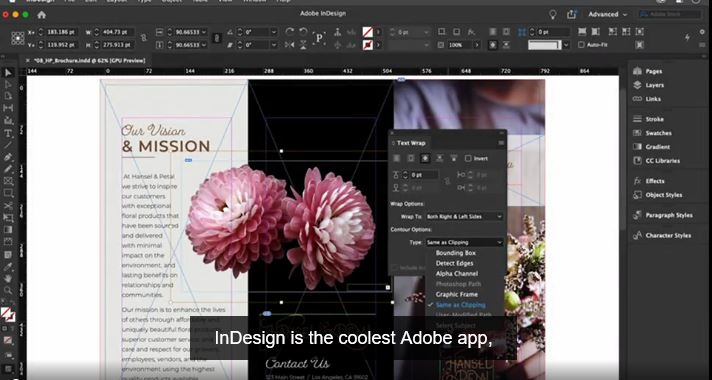
InDesign is an essential tool for design firms, ad agencies, magazines, newspapers, book publishers, and freelance designers around the world. In this course, InDesign expert David Blatner presents a thorough explanation of the core features and techniques that make this powerful page layout application fun and easy to use. He provides a foundation upon which advanced skills and workflows can be built. David shows you how to navigate and customize the workspace, manage documents and pages, work with text frames and graphics, export and print finished documents, explore creating interactive documents, and much more. You can also use the example files and challenges that accompany the course to practice what David explains.
Homepage
Screenshots


35c2bcf7-8597-4aa4-b396-92a78e45c0d0.png

Inclusive and Professional Conversations on LinkedIn: Tips for Success
LinkedIn Learning
Duration: 28m | .MP4 1280x720, 30 fps(r) | AAC, 48000 Hz, 2ch | 350 MB
Genre: eLearning | Language: English​

Today's workplace is rapidly changing. Social media, the global pandemic, and a host of other factors have changed how we communicate, interact, and collaborate. Years ago, we'd say things like "don't talk about religion or politics at work." And it might have been possible for people to go their whole careers without bringing critical aspects of their identities to the workplace. Those days are gone. How we engage online is a critical part of our personal and professional lives, and as conversations we have there evolve it's key to engage authentically. Join Daisy Lovelace in this course as she shows you the tools to have productive, enriching conversations-ones that prompt understanding and inclusion.
Homepage
Screenshots


Zurück
Oben Unten