• Regeln für den Video-Bereich:

    In den Börsenbereich gehören nur Angebote die bereits den Allgemeinen Regeln entsprechen.

    Einteilung

    - Folgende Formate gehören in die angegeben Bereiche:
    - Filme: Encodierte Filme von BluRay, DVD, R5, TV, Screener sowie Telesyncs im Format DivX, XviD und x264.
    - DVD: Filme im Format DVD5, DVD9 und HD2DVD.
    - HD: Encodierte Filme mit der Auflösung 720p oder darüber von BluRay, DVD, R5, TV, Screener sowie Telesyncs im Format x264.
    - 3D: Encodierte Filme von BluRay, die in einem 3D Format vorliegen. Dies gilt auch für Dokus, Animation usw.
    - Serien: Cartoon/Zeichentrick, Anime, Tutorials, Dokumentationen, Konzerte/Musik, Sonstiges sind demnach in die entsprechenden Bereiche einzuordnen, auch wenn sie beispielsweise im High Definition-Format oder als DVD5/DVD9/HD2DVD vorliegen. Ausnahme 3D.
    - Bereich Englisch: Englische Releases gehören immer in diesen Bereich.
    - Bereich Talk: Der Bereich, in dem über die Releases diskutiert werden kann, darf, soll und erwünscht ist.


    Angebot/Beitrag erstellen

    - Ein Beitrag darf erst dann erstellt werden, wenn der Upload bei mindestens einem OCH komplett ist. Platzhalter sind untersagt.
    - Bei einem Scenerelease hat der Threadtitel ausschließlich aus dem originalen, unveränderten Releasenamen zu bestehen. Es dürfen keine Veränderungen wie z.B. Sterne, kleine Buchstaben o.ä. vorgenommen werden. Ausnahme Serienbörse:
    - Bei einem Sammelthread für eine Staffel entfällt aus dem Releasename natürlich der Name der Folge. Beispiel: Die Simpsons S21 German DVDRip XviD - ITG
    - Dementsprechend sind also u.a. verboten: Erweiterungen wie "Tipp", "empfehlenswert", "only", "reup", usw. / jegliche andere Zusatzinformation oder Ergänzung, welche nicht in obiger Beschreibung zu finden ist.

    Aufbau des Angebots und Threadtitel

    Der Titel nach folgendem Muster erstellt zu werden. <Name> [3D] [Staffel] [German] <Jahr> <Tonspur> [DL] [Auflösung] <Quelle> <Codec> - <Group>
    Beispiel: The Dark Knight German 2008 AC3 DVDRip XviD - iND
    Beispiel: The Dark Knight 2008 DTS DL BDRip x264 - iND
    Beispiel: The Dark Knight 2008 AC3 DL BDRip XviD - iND
    Beispiel: The Dark Knight German 2008 AC3 720p BluRay x264 iND
    Beispiel: The Dark Knight 2008 DTS DL 1080p BluRay x264 iND
    Beispiel: Die Simpsons S01 German AC3 DVDRip XviD iND
    Beispiel: Die Simpsons S20 German AC3 720p BluRay x264 iND
    Beispiel: Sword Art Online II Ger Sub 2014 AAC 1080p WEBRip x264 - peppermint
    Entsprechend sind also u.a. verboten: Sonderzeichen wie Klammern, Sterne, Ausrufezeichen, Unterstriche, Anführungszeichen / Erweiterungen wie "Tipp", "empfehlenswert", "only", "reup", usw. / jegliche andere Zusatzinformation oder Ergänzung, welche nicht in obiger Beschreibung zu finden ist
    Ausnahmen hiervon können in den Bereichen geregelt sein.

    Die Beiträge sollen wie folgt aufgebaut werden:
    Überschrift entspricht dem Threadtitel
    Cover
    kurze Inhaltsbeschreibung
    Format, Größe, Dauer sind gut lesbar für Downloader außerhalb des Spoilers zu vermerken
    Nfo sind immer Anzugeben und selbige immer im Spoiler in Textform.
    Sind keine Nfo vorhanden z.B. Eigenpublikationen, sind im Spoiler folgende Dateiinformationen zusätzlich anzugeben :
    Quelle
    Video (Auflösung und Bitrate)
    Ton (Sprache, Format und Bitrate der einzelnen Spuren)
    Untertitel (sofern vorhanden)
    Hosterangabe in Textform außerhalb eines Spoiler mit allen enthaltenen Hostern.
    Bei SD kann auf diese zusätzlichen Dateiinformationen verzichtet werden.

    Alle benötigten Passwörter sind, sofern vorhanden, in Textform im Angebot anzugeben.
    Spoiler im Spoiler mit Kommentaren :"Schon Bedankt?" sind unerwünscht.


    Releases

    - Sind Retail-Release verfügbar, sind alle anderen Variationen untersagt. Ausnahmen: Alle deutschen Retail-Release sind CUT, in diesem Fall sind dubbed UNCUT-Release zulässig.
    - Im Serien-Bereich gilt speziell: Wenn ein Retail vor Abschluss einer laufenden Staffel erscheint, darf diese Staffel noch zu Ende gebracht werden.62
    - Gleiche Releases sind unbedingt zusammenzufassen. Das bedeutet, es ist zwingend erforderlich, vor dem Erstellen eines Themas per Suchfunktion zu überprüfen, ob bereits ein Beitrag mit demselben Release besteht. Ist dies der Fall, ist der bereits vorhandene Beitrag zu verwenden.
    - P2P und Scene Releases dürfen nicht verändert oder gar unter einem iND Tag eingestellt werden.


    Support, Diskussionen und Suche

    - Supportanfragen sind entweder per PN oder im Bereich Talk zu stellen.
    - Diskussionen und Bewertungen sind im Talk Bereich zu führen. Fragen an die Uploader haben ausschließlich via PN zu erfolgen, und sind in den Angeboten untersagt.
    - Anfragen zu Upload-Wünschen sind nur im Bereich Suche Video erlaubt. Antworten dürfen nur auf Angebote von MyBoerse.bz verlinkt werden.


    Verbote

    - Untersagt sind mehrere Formate in einem einzigen Angebotsthread, wie beispielsweise das gleichzeitige Anbieten von DivX/XviD, 720p und 1080p in einem Thread. Pro Format, Release und Auflösung ist ein eigener Thread zu eröffnen.
    - Grundsätzlich ebenso verboten sind Dupes. Uploader haben sich an geeigneter Stelle darüber zu informieren, ob es sich bei einem Release um ein Dupe handelt.
    - Gefakte, nur teilweise lauffähige oder unvollständige Angebote sind untersagt. Dies gilt auch für eigene Publikationen, die augenscheinlich nicht selbst von z.B. einer DVD gerippt wurden. Laufende Serien, bei denen noch nicht alle Folgen verfügbar sind, dürfen erstellt und regelmäßig geupdatet werden.
    - Untersagt sind Angebote, welche nur und ausschließlich in einer anderen Sprache als deutsch oder englisch vorliegen. Ausnahmen sind VORHER mit den Moderatoren zu klären.


    Verstoß gegen die Regeln

    - Angebote oder Beiträge, die gegen die Forenregeln verstoßen, sind über den "Melden"-Button im Beitrag zu melden.
  • Bitte registriere dich zunächst um Beiträge zu verfassen und externe Links aufzurufen.

*** Bestes IPTV *** bester Preis *** gratis Test ***


Englische Tutorials

8252be7c-22ba-456c-80f4-fd6b07fe905e.png

From Sketch to Finishing Touches: Find your Art Style with Procreate
Duration: 1h 3m | Video: .MP4, 1280x720, 30 fps | Audio: AAC, 48 kHz, 2ch | Size: 801 MB
Genre: eLearning | Language: English​

In this class, we'll create*from start to finish (step by step) a beautiful customized wedding portrait using Procreate.*In the process, we'll cover
* How to use references from your favourite artists in a way that will help you grow your drawing skills and find your personal art style
* How to start with a rough sketch and slowly build up to detailed line art
* How to add base colours quickly and effectively
* How to add shadows and highlights, giving your art more depth and visual interest
* How to quickly add a blurred background for your illustrations
* How to play around with blending layers to create cool lighting effects
Homepage


2496ba1c-8c43-4181-8756-8c76757599e4.png

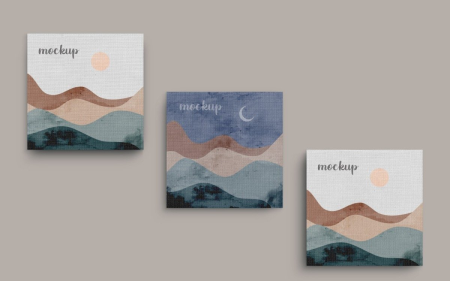
How to Create Mockups for Your Digital Art Using Canva
Duration: 27m | Video: .MP4, 1280x720, 30 fps | Audio: AAC, 48 kHz, 2ch | Size: 280 MB
Genre: eLearning | Language: English​

In this interactive class you will learn how to create beautiful mockups for your digital art. We will be using Canva and Pixabay to bring our mockups to life.
Mockups help you to display your digital products, without going through the hustle of printing physical assets to display in your ship.
That is why you should take this class.
Homepage
Screenshots


de57da28-2d1c-4c6a-9378-a3386b272817.png

Learn The Flat Design Vector Illustration in Adobe Illustrator by Using Simple Shapes.
Duration: 54m | Video: .MP4, 1280x720, 30 fps | Audio: AAC, 48 kHz, 2ch | Size: 248 MB
Genre: eLearning | Language: English​

Learn the flat design vector illustration using only simple shapes. If you are a beginner, this is the best course for you. This course is structured in such a way that you will learn the principle of the tool first, followed by the class project to ensure your understanding.By the end of this course, you will be able to create flat design illustrations just by using basic shapes.What you'll learn:i. Deep understanding of fundamental tools and techniquesii. Techniques to transform the basic shape into your preferred shapeiii. when and where to use the right tool and technique.
Homepage
Screenshots


0ec21246-b2a3-4d92-8c27-2c65d77a019c.png

Machine Learning Deep Learning for Interviewees & Researcher
Genre: eLearning | MP4 | Video: h264, 1280x720 | Audio: AAC, 48.0 KHz
Language: English | Size: 1.53 GB | Duration: 4h 25m
Machine Learning, Linear Regression, PCA, Neural Networks, Hyperparameters, Deep Learning, Keras

What you'll learn
Fundamentals of machine learning and deep learning with respect to big data applications.
Machine learning and deep learning concepts required to give data science interviews.
Suite of tools for exploratory data analysis and machine learning modeling.
Coding-based case studies
Requirements
Basic knowledge of programming is required.
No prior data science experience required. You will learn everything you need to know in the course.
Description
Interested in Machine Learning, and Deep Learning and preparing for your interviews or research? Then, this course is for you!
The course is designed to provide the fundamentals of machine learning and deep learning. It is targeted toward newbies, scholars, students preparing for interviews, or anyone seeking to hone the data science skills necessary. In this course, we will cover the basics of machine learning, and deep learning and cover a few case studies.
This short course provides a broad introduction to machine learning, and deep learning. We will present a suite of tools for exploratory data analysis and machine learning modeling. We will get started with python and machine learning and provide case studies using keras and sklearn.
### MACHINE LEARNING ###
1.) Advanced Statistics and Machine Learning
Covariance
Eigen Value Decomposition
Principal Component Analysis
Central Limit Theorem
Gaussian Distribution
Types of Machine Learning
Parametric Models
Non-parametric Models
2.) Training Machine Learning Models
Supervised Machine Learning
Regression
Classification
Linear Regression
Gradient Descent
Normal Equations
Locally Weighted Linear Regression
Ridge Regression
Lasso Regression
Other classifier models in sklearn
Logistic Regression
Mapping non-linear functions using linear techniques
Overfitting and Regularization
Support Vector Machines
Decision Trees
3.) Artificial Neural Networks
Forward Propagation
Backward Propagation
Activation functions
Hyperparameters
Overfitting
Dropout
4.) Training Deep Neural Networks
Deep Neural Networks
Convolutional Neural Networks
Recurrent Neural Networks (GRU and LSTM)
5.) Unsupervised Learning
Clustering (k-Means)
6.) Implementation and Case Studies
Getting started with Python and Machine Learning
Case Study - Keras Digit Classifier
Case Study - Load Forecasting
So what are you waiting for? Learn Machine Learning, and Deep Learning in a way that will enhance your knowledge and improve your career!
Thanks for joining the course. I am looking forward to seeing you. let's get started!
Who this course is for
Machine learning enthusiasts, scholars or anyone seeking to hone the data science skills necessary
Beginner and intermediate developers interested in data science.
Screenshots








 
5b17729a-1029-4db6-9a90-dd6f08c3054e.png

Microservices in .NET, Second Edition, Video Edition
MP4 | Video: AVC 1280 x 720 | Audio: AAC 44 Khz 2ch | Duration: 08:39:36 | 2.97 GB
Genre: eLearning | Language: English​

In Video Editions the narrator reads the book while the content, figures, code listings, diagrams, and text appear on the screen. Like an audiobook that you can also watch as a video.
A clear presentation of the latest best practices. A highly recommended read.
David Paccoud, Bioclinica
In Microservices in .NET, Second Edition you will learn how to
Build scalable microservices that are reliable in production
Optimize microservices for continuous delivery
Design event-based collaboration between microservices
Deploy microservices to Kubernetes
Set up Kubernetes in Azure
Microservices in .NET, Second Edition is a comprehensive guide to building microservice applications using the .NET stack. After a crystal-clear introduction to the microservices architectural style, it teaches you practical microservices development skills using ASP.NET. This second edition of the bestselling original has been revised with up-to-date tools for the .NET ecosystem, and more new coverage of scoping microservices and deploying to Kubernetes.
about the technology
Microservice architectures connect independent components that must work together as a system. Integrating new technologies like Docker and Kubernetes with Microsoft's familiar ASP.NET framework and Azure cloud platform enables .NET developers to create and manage microservices efficiently.
about the book
Microservices in .NET, Second Edition teaches you to build and deploy microservices using ASP.NET and Azure services. It lays out microservice architecture simply, and then guides you through several real-world projects, such as building an ecommerce shopping cart. In this fully revised edition, you'll learn about scoping microservices, deploying to Kubernetes, and operations concerns like monitoring, logging, and security.
Screenshots


00a0e7be-c2b6-47a0-a8e5-d84237408f86.png

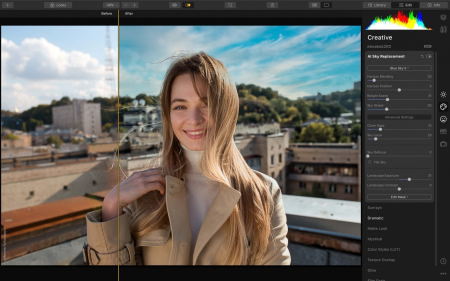
Photo Editing in Luminar for Beginners
Duration: 26m | Video: .MP4, 1280x720, 30 fps | Audio: AAC, 48 kHz, 2ch | Size: 247 MB
Genre: eLearning | Language: English​

Do you want to learn how to edit a picture quickly and easily but with great results? Even without any prior knowledge in photo editing? Then this is the class for you!
Welcome to photo editing in Luminar AI for beginners.
Topics covered
How to download and install the software
Understanding the interface
How to import your own images
Editing a picture using built-in templates
Editing a picture from start to finish
Exposure and color adjustments
Removing unwanted objects
Replacing the sky of an image
How to edit portraits
Best export settings
Why should you take this class? Because it's simple, easy to understand, and to the point. Luminar is an image editing software that uses artificial intelligence, so time-consuming tasks and complicated retouching techniques become a thing of the past.
With the demand of photo editing, these skills could be useful not only to edit your own images, but also to potential clients if you'd like to offer your services as a photo editor.
Who is this class for? The curriculum is designed for beginners,*but some intermediate tips and techniques are shown as well.
What you'll need: A computer with Luminar and some pictures taken with a camera or phone.
Homepage
Screenshots


21192697-70c5-466d-b4a4-12cff53be959.png

Qlik AutoML No-Code Machine Learning and Predictions
Duration: 2h 47m | Video: .MP4, 1280x720, 30 fps | Audio: AAC, 48 kHz, 2ch | Size: 1.08 GB
Genre: eLearning | Language: English​

This Qlik AutoML Course will help you to become a Machine Learning Expert and will enhance your skills by offering you comprehensive knowledge, and the required hands-on experience on this newly launched Cloud based ML tool, by solving real-time industry-based projects, without needing any complex coding expertise.
Top Reasons why you should learn Qlik AutoML :
Qlik AutoML is an automated machine learning platform for analytics teams, or any individual, to generate models, make predictions, and test business scenarios using a simple, code-free experience.
You do not need Advanced Coding expertise generally required in the field of Machine Learning.
Complex knowledge of Statistics, Algorithms, Mathematics that is difficult to master is also not required.
Machine Learning Models that usually takes many days to build, are available very quickly in just a few minutes.
The demand for ML*professionals is on the rise. This is one of the most sought-after profession currently in the lines of Data Science.
There are multiple opportunities across the Globe for everyone with Machine Learning skills.
Qlik AutoML has a small learning curve and you can pick up even advanced concepts very quickly.
You do not need high configuration computer to learn this tool. All you need is any system with internet connectivity.
Top Reasons why you should choose this Course
This course is designed keeping in mind the students from all backgrounds - hence we cover everything from basics, and gradually progress towards advanced topics.
We will not just do some clicks, create model and finish the course - we will learn all the basics, and the various parameters on which ML models are evaluated - in detail. We will learn how to improve the model and generate more accurate predictions.
We take live Industry Projects and do each and every step from start to end in the course itself.
This course can be completed in a Day !
All Doubts will be answered.
Most Importantly, Guidance is offered beyond the Tool - You will not only learn the Software, but important Machine Learning principles. Also, I will share the resources where to get the best possible help from, &*also the sources to get public datasets to work on to get mastery in the ML domain.
A Verifiable Certificate of Completion is presented to all students who undertake this Qlik AutoML course.
Homepage
Screenshots


6aba5be7-e858-4835-a3b5-f6a0d1fa6985.png

Skin Smoothing Technique for Videos in Premiere Pro | Fast and Easy Method
Duration: 13m | Video: .MP4, 1280x720, 30 fps | Audio: AAC, 48 kHz, 2ch | Size: 154 MB
Genre: eLearning | Language: English​

Premiere Pro CC is a powerful program for editing videos.
According to a recent survey, Adobe Premiere Pro is the most popular video editing software among the professionals.
With Premiere Pro you can perform almost anything with your videos by adding special effects, transitions, titles, and more.
But in order to be a successful video editor, it is very important to be familiar with all of the program's tools and techniques.
In this tutorial, we want to tell you about a special effect that will help you smooth out skin for videos in Premiere Pro. If you are editing videos in Premiere Pro, then you should definitely familiarize yourself with this technique.
In this class, we will learn a simple way to smooth out skin for videos in Premiere Pro without using any third-party plugins. We will use only built-in tools in Premiere pro. This method is fast and works great on skin.
We will use the HSL Secondary Panel and the masking technique to isolate the skin from the background and then smooth out the skin.
If you are excited then join me in the class!
Homepage
Screenshots


269d0679-9db1-41db-9a89-c915c07e0283.png

Streamline & Simplify Your Business Processes while Saving Money with a Call Tracking Number
Duration: 17m | Video: .MP4, 1280x720, 30 fps | Audio: AAC, 48 kHz, 2ch | Size: 130 MB
Genre: eLearning | Language: English​

Streamline Your Business Operations Processes with a Call Tracking Number
Do you run a business using your personal phone, or multiple different phone lines, and are beginning to feel overwhelmed with the number of calls you're getting? Or maybe you just want to be able to easily route calls to different team members?
My name's Gabe, I'm an entrepreneur with multiple real estate businesses, an ecommerce business, and soon to be a laundromat, so I know the pain of running a business with disorganized business processes related to your phone system.
One of the absolute best way to streamline your processes is to implement a call tracking phone tree that allows you to plug-and-play different phone numbers and route them to the appropriate team member.
In this course I'm going to show you how to efficiently setup a call tracking phone tree with CallRail.com by first mapping the call tree out and then setting up that tree within the CallRail software.
This course is perfect for any online or offline entrepreneurs out there who are trying to streamline and optimize their operations processes, or even setup their first phone system without having to purchase a brand new phone line!
If you don't yet have a CallRail account, click*here*to get started with a trial.
By the end of this course you will have created a new business number exclusive to your account and built your very own call tree for your business.
Let's get started!
Homepage
Screenshots


93021e24-4821-4b2c-b9e7-a193a7e9bbc8.png

The Complete Productivity Master Class
Duration: 43m | Video: .MP4, 1280x720, 30 fps | Audio: AAC, 48 kHz, 2ch | Size: 501 MB
Genre: eLearning | Language: English​

Welcome to the Complete Productivity Master Class. The only class you need to Master the Art of Productivity.
Being able to complete more tasks in a short time is an unavoidable skill that everyone should master. Imagine yourself being able to complete your homework, project, or any other task faster than ever before, and you can do it by understanding the power of time.
Time is the most valuable thing that the world has ever found.
But we take it for free.
Time is the one that separates the best and the worst.
People who use their time in the best way possible are the ones we call the Productivity Master or Multitalented.
And we call them multitalented because they use those 24 hours of the day effectively. In simple terms, they Don't Waste Time.
The ultimate goal of productivity is to Save Time.
And now you are here to Master it.
What You Will Learn In This Class?
In this class, you will master the art of productivity by learning
How to manage time?
Setting Great Goals.
The Power of Priority list.
Mastering the Art of Visualization.
Magic Meditation & Concentration
Building Great Habits.
Importance of Rewards.
Organizing your workspace
Avoiding Distractions.
Forget Multitasking and much more.
Why You Should Take This Class
You must take this class to
Master the productivity skill with Real-World Examples.
Understand the power of productivity using the Storytelling technique.
Learn using a Well-Organized curriculum.
Implement what you learned using Tasks and Projects.
Become a Productivity Master.
Who This Class is For
Students who want to
Be Productive
Improve Focus
Set Great Habits
Save Time
Be Multitalented
Improve Personal Development skills.
Materials/Resources
To make my students a master in productivity. I provide templates to
Set Goals
Master Meditation
Create Great Habits
Track Time.
Homepage
Screenshots


002e8f84-5a23-407b-90c2-f2ff84deb67e.png

Unity UIToolkit - Introduction To Editor Scripting
Genre: eLearning | MP4 | Video: h264, 1280x720 | Audio: AAC, 48.0 KHz
Language: English | Size: 1.60 GB | Duration: 3h 55m
Learn the basics of the new UIToolkit in the Unity Game Engine

What you'll learn
Create custom Editor Windows for Unity using the UIToolkit.
Visually build your editor UI using the new UIBuilder.
Understand how uss, uxml, and C# work together to drive the look, structure and logic of your editor window.
Create a simple in-editor task list to help track your project progress.
Requirements
This course is aimed at a beginner plus to intermediate level. You'll need a basic understanding of the Unity interface and C# (if you've taken any of our other Unity courses then you should be good to go).
Description
Want to create your own editor tools in Unity to help improve your workflow? Or tidy up those script variables to make them easier to work with in the inspector?
In this course, we'll take you through basic editor scripting using Unity's new UIToolkit.
You'll be introduced to the UI Builder, which is a nice visual interface for crafting new editor windows. You'll learn how many of the common elements work including; the basic visual element, text labels, buttons, toggles and input fields.
You'll also be introduced to USS and UXML (based on the css and xml standards), which are used to drive the look and structure of your editor windows.
Learn how to talk to these visual elements via a C# editor script and tie everything together by creating a custom task list window, which will allow you to record your unfinished project tasks and progress directly within Unity.
This course is aimed at a beginner plus to intermediate level. You'll need a basic understanding of the Unity interface and C# (if you've taken any of our other Unity courses then you should be good to go).
All students have access to the Q&A forums where our Instructors, Teaching Assistants and Community are ready to help answer your questions and cheer on your success.
Ready to supercharge your Unity editor? Come join the course now!
Who this course is for
Anyone interested in learning more about basic editor scripting and/or using Unity's new UIToolkit.
Folks who want to create their own editor tools in Unity to help improve their workflow.
Folks who want to tidy up script variables to make them easier to work with in the inspector.
Screenshots


f5115ade-3153-4017-a6fc-d9bb40d3099e.png

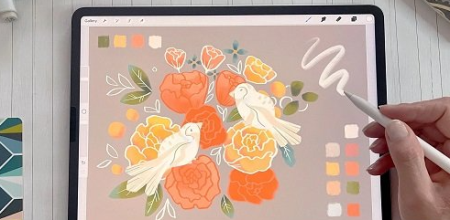
Versatile Procreate Brush: Easy Floral Illustration with Texture
Duration: 57m | Video: .MP4, 1280x720, 30 fps | Audio: AAC, 48 kHz, 2ch | Size: 495 MB
Genre: eLearning | Language: English​

What if you could use just one Procreate*brush to achieve an interesting look,*nice texture, and crisp edges in your*Illustration?
Join me in the class to*find out how!
Some of the most common questions*artists ask me are about the brushes -*which brush should I use,*what size, what settings .*Brushes are indeed important for*the outcome of your digital painting.*Especially if you want to have*some texture in your illustration.
So in this class, you will discover how*you can turn one of the pre-defined*Procreate brushes into a versatile brush,*so you save yourself time, by*pressing the pause button on your next*"best brush hunt".
Basic Procreate*knowledge is helpful but not*necessary for this class as*I will guide you through it.
So without further ado, let's start.
See you in the class!
© Copyright Iva Mikles | All Rights Reserved | Class content &*structure for educational purposes only
Homepage
Screenshots


Zurück
Oben Unten