• Regeln für den Video-Bereich:

    In den Börsenbereich gehören nur Angebote die bereits den Allgemeinen Regeln entsprechen.

    Einteilung

    - Folgende Formate gehören in die angegeben Bereiche:
    - Filme: Encodierte Filme von BluRay, DVD, R5, TV, Screener sowie Telesyncs im Format DivX, XviD und x264.
    - DVD: Filme im Format DVD5, DVD9 und HD2DVD.
    - HD: Encodierte Filme mit der Auflösung 720p oder darüber von BluRay, DVD, R5, TV, Screener sowie Telesyncs im Format x264.
    - 3D: Encodierte Filme von BluRay, die in einem 3D Format vorliegen. Dies gilt auch für Dokus, Animation usw.
    - Serien: Cartoon/Zeichentrick, Anime, Tutorials, Dokumentationen, Konzerte/Musik, Sonstiges sind demnach in die entsprechenden Bereiche einzuordnen, auch wenn sie beispielsweise im High Definition-Format oder als DVD5/DVD9/HD2DVD vorliegen. Ausnahme 3D.
    - Bereich Englisch: Englische Releases gehören immer in diesen Bereich.
    - Bereich Talk: Der Bereich, in dem über die Releases diskutiert werden kann, darf, soll und erwünscht ist.


    Angebot/Beitrag erstellen

    - Ein Beitrag darf erst dann erstellt werden, wenn der Upload bei mindestens einem OCH komplett ist. Platzhalter sind untersagt.
    - Bei einem Scenerelease hat der Threadtitel ausschließlich aus dem originalen, unveränderten Releasenamen zu bestehen. Es dürfen keine Veränderungen wie z.B. Sterne, kleine Buchstaben o.ä. vorgenommen werden. Ausnahme Serienbörse:
    - Bei einem Sammelthread für eine Staffel entfällt aus dem Releasename natürlich der Name der Folge. Beispiel: Die Simpsons S21 German DVDRip XviD - ITG
    - Dementsprechend sind also u.a. verboten: Erweiterungen wie "Tipp", "empfehlenswert", "only", "reup", usw. / jegliche andere Zusatzinformation oder Ergänzung, welche nicht in obiger Beschreibung zu finden ist.

    Aufbau des Angebots und Threadtitel

    Der Titel nach folgendem Muster erstellt zu werden. <Name> [3D] [Staffel] [German] <Jahr> <Tonspur> [DL] [Auflösung] <Quelle> <Codec> - <Group>
    Beispiel: The Dark Knight German 2008 AC3 DVDRip XviD - iND
    Beispiel: The Dark Knight 2008 DTS DL BDRip x264 - iND
    Beispiel: The Dark Knight 2008 AC3 DL BDRip XviD - iND
    Beispiel: The Dark Knight German 2008 AC3 720p BluRay x264 iND
    Beispiel: The Dark Knight 2008 DTS DL 1080p BluRay x264 iND
    Beispiel: Die Simpsons S01 German AC3 DVDRip XviD iND
    Beispiel: Die Simpsons S20 German AC3 720p BluRay x264 iND
    Beispiel: Sword Art Online II Ger Sub 2014 AAC 1080p WEBRip x264 - peppermint
    Entsprechend sind also u.a. verboten: Sonderzeichen wie Klammern, Sterne, Ausrufezeichen, Unterstriche, Anführungszeichen / Erweiterungen wie "Tipp", "empfehlenswert", "only", "reup", usw. / jegliche andere Zusatzinformation oder Ergänzung, welche nicht in obiger Beschreibung zu finden ist
    Ausnahmen hiervon können in den Bereichen geregelt sein.

    Die Beiträge sollen wie folgt aufgebaut werden:
    Überschrift entspricht dem Threadtitel
    Cover
    kurze Inhaltsbeschreibung
    Format, Größe, Dauer sind gut lesbar für Downloader außerhalb des Spoilers zu vermerken
    Nfo sind immer Anzugeben und selbige immer im Spoiler in Textform.
    Sind keine Nfo vorhanden z.B. Eigenpublikationen, sind im Spoiler folgende Dateiinformationen zusätzlich anzugeben :
    Quelle
    Video (Auflösung und Bitrate)
    Ton (Sprache, Format und Bitrate der einzelnen Spuren)
    Untertitel (sofern vorhanden)
    Hosterangabe in Textform außerhalb eines Spoiler mit allen enthaltenen Hostern.
    Bei SD kann auf diese zusätzlichen Dateiinformationen verzichtet werden.

    Alle benötigten Passwörter sind, sofern vorhanden, in Textform im Angebot anzugeben.
    Spoiler im Spoiler mit Kommentaren :"Schon Bedankt?" sind unerwünscht.


    Releases

    - Sind Retail-Release verfügbar, sind alle anderen Variationen untersagt. Ausnahmen: Alle deutschen Retail-Release sind CUT, in diesem Fall sind dubbed UNCUT-Release zulässig.
    - Im Serien-Bereich gilt speziell: Wenn ein Retail vor Abschluss einer laufenden Staffel erscheint, darf diese Staffel noch zu Ende gebracht werden.62
    - Gleiche Releases sind unbedingt zusammenzufassen. Das bedeutet, es ist zwingend erforderlich, vor dem Erstellen eines Themas per Suchfunktion zu überprüfen, ob bereits ein Beitrag mit demselben Release besteht. Ist dies der Fall, ist der bereits vorhandene Beitrag zu verwenden.
    - P2P und Scene Releases dürfen nicht verändert oder gar unter einem iND Tag eingestellt werden.


    Support, Diskussionen und Suche

    - Supportanfragen sind entweder per PN oder im Bereich Talk zu stellen.
    - Diskussionen und Bewertungen sind im Talk Bereich zu führen. Fragen an die Uploader haben ausschließlich via PN zu erfolgen, und sind in den Angeboten untersagt.
    - Anfragen zu Upload-Wünschen sind nur im Bereich Suche Video erlaubt. Antworten dürfen nur auf Angebote von MyBoerse.bz verlinkt werden.


    Verbote

    - Untersagt sind mehrere Formate in einem einzigen Angebotsthread, wie beispielsweise das gleichzeitige Anbieten von DivX/XviD, 720p und 1080p in einem Thread. Pro Format, Release und Auflösung ist ein eigener Thread zu eröffnen.
    - Grundsätzlich ebenso verboten sind Dupes. Uploader haben sich an geeigneter Stelle darüber zu informieren, ob es sich bei einem Release um ein Dupe handelt.
    - Gefakte, nur teilweise lauffähige oder unvollständige Angebote sind untersagt. Dies gilt auch für eigene Publikationen, die augenscheinlich nicht selbst von z.B. einer DVD gerippt wurden. Laufende Serien, bei denen noch nicht alle Folgen verfügbar sind, dürfen erstellt und regelmäßig geupdatet werden.
    - Untersagt sind Angebote, welche nur und ausschließlich in einer anderen Sprache als deutsch oder englisch vorliegen. Ausnahmen sind VORHER mit den Moderatoren zu klären.


    Verstoß gegen die Regeln

    - Angebote oder Beiträge, die gegen die Forenregeln verstoßen, sind über den "Melden"-Button im Beitrag zu melden.
  • Bitte registriere dich zunächst um Beiträge zu verfassen und externe Links aufzurufen.

*** Bestes IPTV *** bester Preis *** gratis Test ***


Englische Tutorials

3BSzvSjVVIoiPuT1bkLUXVCcV0kMX5D1.jpg

Deploy application on a hybrid cloud using Google Kubernetes
Genre: eLearning | MP4 | Video: h264, 1280x720 | Audio: AAC, 48.0 KHz
Language: English | Size: 583 MB | Duration: 1h 28m
Learn how to deploy modern applications on a hybrid cloud environment and level up your career

What you'll learn
Hands on experience with some of the top modern cloud tools
Understand how OnPrem resources interact with the cloud (distributed systems)
Deploy applications on Google Kubernetes Engine
Architect a plan for hybrid cloud application deployments
Requirements
No programming experience needed. You will learn everything from the course.
Description
Deploy Ghost CMS blog application on Google Kubernetes Engine and its backend -- MySQL server-- on a virtual machine created on your personal computer that simulate an OnPrem data center.
Your OnPrem environment will connect to the Google network using strongSwan vpn and google vpn gateway to establish a Site-to-Site VPN connection. You will be exposed to modern tools like docker, helm, nginx, Kubernetes, VMs, DNS, VPC, subnets, firewalls, GitHub, cli etc. and ultimately understand the role each of them play in a modern cloud infrastructure.
Since this is a hybrid cloud course, you will also be exposed to OnPrem setups -- which heavily rely on Linux administrations. We will learn how to install apps, like strongSwan vpn and mysql db server, on Ubuntu and most importantly also learn how to configure them.
Nginx will also be deployed on the Google Kubernetes Cluster using helm, and will be used as a reverse proxy to expose the blog application to the internet. Once all the resources have been successfully deployed, you will use a DNS provider to create a hostname and generate an SSL certificate. You will then create an A record to resolve your application's hostname to the nginx provided external IP address.
At the end of each section you will be quizzed on the concepts which were introduced to reinforce what you learned. Ultimately, after completing this course, you would be able to architect and deploy modern applications in a Hybrid Cloud environment regardless of which cloud provider you choose.
Who this course is for
IT professionals on any level who want to make a switch to the cloud
Students who want an edge to land a dream cloud engineering job
Screenshots



 
nOFnX9hF7kdXGXlc7jCIMPi5PBgJ45as.jpg

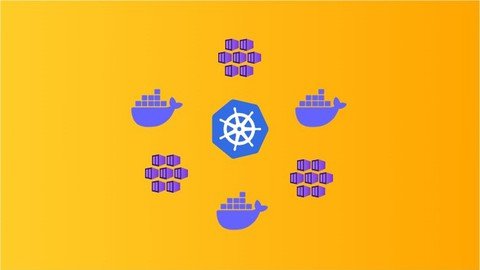
Docker & Kubernetes Interview Readiness Course
Genre: eLearning | MP4 | Video: h264, 1280x720 | Audio: AAC, 44.1 KHz
Language: English | Size: 833 MB | Duration: 1h 16m
Crack your next Docker and Kubernetes interview after completing this course

What you'll learn
You will know learn about Docker
You will learn the working of Docker and its components
You will learn about Kubernetes
You will learn about Architecture of Kubernetes
You will learn about different components in Kubernetes cluster
You will learn about Deployment and different ways of doing deployment on Kubernetes cluster
Requirements
Basics of Client server Architecture
Description
After this course you will build a good knowledge of Docker, Kubernetes and different components of the Kubernetes cluster and this knowledge is going to help you easily crack interviews by answering the questions.
In this course you will learn everything about Docker and Kubernetes, we will start by learning why we need docker, what is Docker, the advantages of using docker.
Architecture/working of docker and its components.
We will also talk about some of the best practices that should be followed while using Kubernetes.
Then we will move on to understand the different deployment strategies that we have been following and what are the limitations of those approaches.
Why containerization is the best deployment strategy available now.
Why we need Kubernetes.
What problem does Kubernetes solves.
2-What is Container, Docker, Container Deployment and Challenges
3-What is Kubernetes
4-Kubernetes cluster and concept of Node
5-Overview of Worker and Master Node and What is Namespaces
6-Worker Node, Kubelet, POD, Container
7-Master Node component - API Server
8-Master Node component - Controller Manager and its types
8-Master Node component - Scheduler
9-Master Node component - etcd key value store
10-Kubernetes Virtual Internal Network
11-Deep Dive into POD and Service component
12-Replica and ReplicaSets
13-What is Deployment, how deployment works What is, Kubectl, Helm chart
14-Options available for running Kubernetes cluster - Minikube, Azure Kubernetes Service, Elastic Kubernetes Service, Google Kubernetes Service
Who this course is for
Anyone who wants to learn about docker and kubernetes and crack interviews related to them
Screenshots


O1u4sLsfeCza2Ib7YPh0Argtyg7sLuzH.jpg

Intermediate Three.js with Shaders
Genre: eLearning | MP4 | Video: h264, 1280x720 | Audio: AAC, 48.0 KHz
Language: English | Size: 3.68 GB | Duration: 4h 18m
Create an interactive 3d globe with custom ThreeJS shaders

What you'll learn
Create and understand ThreeJS shader composition and setup
How to import textures into your shader to create a globe
How to create vertex and fragment shaders
How to import shaders into a vite project
Understand complex 3D terms like normals, attributes, varyings, and UVs
How to draw interactive data points onto a globe with latitude and longitude
How to import bulk data and read it onto a scene
How to animate generated meshes with GSAP
How to add click and drag functionality to the globe
How to scale a 3D scene for smaller screen sizes
How to add mobile event listeners
Requirements
You must have development environment with ThreeJS setup already - I use Vite here for mine, which you can learn how to do by taking my Modern ThreeJS course also on Udemy
Vite with ThreeJS installed is recommended for a frontend server, but not required
ThreeJS version ^0.128.0 is recommended (it's what's used in the course), but not required
Description
Welcome to the Intermediate ThreeJS with Shaders course, where you will learn how to create an interactive 3d globe with custom ThreeJS shaders.
My name is Christopher Lis, and I'm an award winning Full-Stack Engineer with over ten years of web development experience. I've directly worked with clients like Harvard University, The Basketball Tournament, and premium award winning agencies like Brave People.
The goal of this course is to get you writing your own custom ThreeJS shaders with GLSL, and to help you understand how to import these shaders into a practical ThreeJS scene. You'll also learn how to dynamically place data points on a globe based on the latitude and longitude of different countries. There are little to no videos out there that actually go into this topic in-depth so I figured I should tackle it.
In this course, you'll learn everything from
- Vertex Shaders
- Fragment Shaders
- Import Shaders with Vite Plugins
- Normals
- Uniforms
- Attributes
- Varyings
- Point clouds and particles
- Bulk Data Imports
- Rectangular Mesh Animation
- Click and Drag Functionality
- Scene Responsiveness
- Touch Event Listeners
And so much more.
If you're serious about taking your ThreeJS skills to the next level, then shaders are logically the next step after become acquainted with the framework. Let me guide you through the full production of a 3d scene you can actually use for a real website.
Who this course is for
Intermediate ThreeJS Developers who know how to create scenes with materials, geometries, and meshes
Screenshots


L5whnmRb9nn1ppXWGV5gOao5DxpH0SDl.jpg

Java Basics and More for Testers
Genre: eLearning | MP4 | Video: h264, 1280x720 | Audio: AAC, 44.1 KHz
Language: English | Size: 1.24 GB | Duration: 3h 21m
Java , Junit, TestNG and Git Basics

What you'll learn
Java For Testers
Basics of Java Programming Language
Testing Frameworks JUnit and TestNG
Github for Testers
Requirements
No programing language experience is required.
Description
Hello,
I am Anuja Jain and I have designed this course for Manual Testers who wants to learn automation testing. This course covers Complete Basics of Java Programming with Examples , but as it is focused for Testers I have included topics like Testing Frameworks JUnit and TestNG and Git Basics.
This course will make you ready to learn any Automation tool like Selenium , Appium ,RestAssured etc.. As you learn java you can learn any automation tool of your choice and become automation testers and update your skill-sets.
Tips For the Course-
Try examples by yourself as well during the course .This course is foundation for you before you learn any automation tool.
So code the concept examples yourself after watching the course videos.
Java For Testers Course Content-
Introduction -
Java Introduction
Java and Eclipse Installation
Hello World
Variables in Java
Data Types in Java
Operators in Java
Packages in Java
Loops and Conditional Statements
Jump Statements
Arrays in Java
Strings in Java
Constructors in Java
OOPS Concepts in Java
Inheritance in Java
Method Overloading and Method Overiding in Java
Abstraction in Java
Encapsulation in Java
Interfaces in Java
Exceptions in Java
Testing Frameworks -
JUnit Testing Framework- Introduction,Setup,Annotations,Assersions etc
TestNG Testing Framework -Introduction,Setup,Annotations,Assersions,Parameters,Priority,Grouping etc
Git Basics -
Introduction how to pull code, commit changes push to master branch etc..
Who this course is for
Who wants to learn java programming language
Who does not have coding background but want to start learning coding
Manual Testers who want to learn automation testing
Screenshots


ObduR3mbN8JPBhmr6VCSiwZweZJ63qOC.jpg

Microsoft Power BI: A Complete Guide [2022 Edition]
Genre: eLearning | MP4 | Video: h264, 1280x720 | Audio: AAC, 48.0 KHz
Language: English | Size: 6.23 GB | Duration: 7h 54m
Master Power BI within few hours & Be Ready to jump into the field of Analytics

What you'll learn
Learn to use the easiest Business Intelligence tool to create stunning reports and dashboards
Learn how to connect multiple sources of data in Power BI
Learn how to create advanced DAX measures and calculated columns for complex calculations.
Learn how to use charts using visuals like column, line, pie, combo, Funnel, Gauges and KPIs to name a few.
Learn to create powerful tables and matrix of reporting data.
Learn how you can visualize that data in a meaningful way to revile insights into your business like never before.
Learn how to turn data into insight and data into interactive visualizations to tell a story.
Learn how to collaborate and share contents on Microsoft's Powerful platform.
This hands-on course will prepare you to start your Data Analytics career
Requirements
Absolutely no experience is required. We will start from the basics and gradually build up your knowledge with clear and concise step by step instructions
No prior knowledge needed, covers Power BI end to end, while providing a wealth of practical tips for those that already know Power BI.
Power BI requires that you use a work or school email address to sign up. But even if you don't sign up, you will still be able to use most of the services without any difficulties
Description
You want to analyze data from single or multiple sources? You want to create your individual datasets based on these sources and transform your results into beautiful and easy-to-make visualizations? You also want to share your results with colleagues or collaborate on your projects? Finally, you want to be able to access your data from multiple devices?
Then the Power BI tools are the tools to choose for you!
In this course you will learn why Power BI offers you a comprehensive set of Business Intelligence tools for your data analysis goals and how to use these tools to fulfill all of the above tasks - and more. Imagine to quickly structure your data, to easily add calculations to it and to create and publish nice-looking charts in just a few minutes.
This is what you will learn
Get to know the different tools of the Power BI universe and learn how to use them
Understand Power BI Desktop and its components
Learn how to use the Query Editor to connect Power BI to various source types, how to work on the Data Model and understand the difference between those two steps
How to work in the different views of the Data Model
How to create calculated columns, measures and DAX functions
How to build relationships between different tables
How to create a report with different interactive visualization types
Learn how to use Power BI Service (= Power BI Pro) to create dashboards and to share and publish your results
How to access your results from multiple devices using Power BI Mobile
How to create custom visuals using typescript and the Power BI Developer Tools
And more!
This is what this course offers, but is this the right course for you?
If you...
...never worked with the Power BI tools before
...have a basic understanding of selected tools of the Power BI universe and want to learn how these tools work together
...want to understand the latest updated version of Power BI Service, including the newly introduced App Workspaces and the creation and publishing of Apps including your dashboards, reports and datasets
..want to understand the basic concepts regarding the creation of customized visuals using the Power BI Developer Tools
...then this is the right course for you.
I would be really happy to welcome you in this course!
Satyajit Pattnaik
Who this course is for
People who never worked with Power BI and who want to understand how to use these tools
Anyone who is interested in learning how to connect the different Power BI tools with each other
People who want to understand how to create customized visuals with the Power BI Developer tools
Who this course is for
Complete Beginners to the field of Data Analytics
Complete Beginners to the field of Business Intelligence
People who wants to improvise their dashboarding & presentation skills
Screenshots


[2022_Edition].part1.rar.html
[2022_Edition].part2.rar.html
[2022_Edition].part3.rar.html
[2022_Edition].part4.rar.html
[2022_Edition].part5.rar.html
[2022_Edition].part6.rar.html
[2022_Edition].part7.rar.html


th_JaLCwiB5xADHPXWbCrP7N6HmvDf7tYq4.jpg

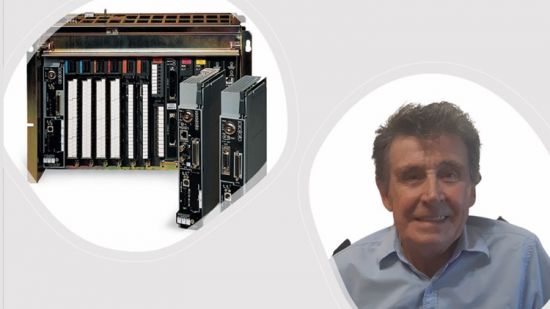
RSlogix PLC5 and SLC500 Training. The Basics
MP4 | Video: h264, 1280x720 | Audio: AAC, 44.1 KHz, 2 Ch
Genre: eLearning | Language: English + srt | Duration: 27 lectures (3h 2m) | Size: 1 GB

How to program and maintain an RSlogix PLC5 and an SLC500 PLC system
What you'll learn
You will learn how to set up a PLC5 and SLC500 from scratch.
The ladder logic programming rules in PLC5 and SLC500.
How to configure physical inputs and outputs on both platforms.
You will learn how to complete and implement a project right through to commissioning.
Requirements
There are no real pre requisites necessary, but it is advantageous if you are computer literate and familiar with electrical and instrumentation terminology.
Description
Due to many requests, I have decided to create a course covering the PLC 5 and SLC 500 PLC systems. The Basics. and it is for any of you who are still using and maintaining these systems even though they have been around for many years now. Some users simply love them and won't change systems unless they really have to.
My name is Jeff Sharman and I shall be your instructor during this training. I have had many years of practical experience in all aspects of PLC's, Instrumentation, and Control Systems as well as training both face to face and Online. I have travelled extensively throughout Africa and the Middle East both in a training and client support capacity.
I have been privileged to meet some of the most amazing people from all over the world. Lots of humourous moments also.
The course will start by giving you a general introduction to all the aspects that will be discussed.
Who Should Take This Course?
This course, RSlogix PLC 5 and SLC 500 Training. The Basics is designed for anyone already in the PLC and Instrumentation field, and wishes to learn PLC's right from the early days. Maybe they are being used in your operation even though they have been around a long time.
For anyone who just wishes to enhance their knowledge.
Listed below are some of the topics I will cover with you in this course.
Identifying the hardware components in both systems.
Setting up communications.
The software system.
Addressing in both systems.
Programming ladder. The rules.
Programming bit instructions.
Programming timers and counters.
Program flow
This is just a short description of some of the things you will learn in this course. There is a lot more in addition to this.
There are a number of quizzes that you can complete after each section to help you reinforce your knowledge and gain confidence.
Once you finish the course, you will receive a certificate of completion.
The majority of the course consists of video tutorials where I will explain all the different aspects of PLC 5 and SLC 500 Systems and demonstrate how it can be used.
The more you understand, the better you will be,
So if you are really serious about learning, Enroll Today.
Who this course is for
Instrument mechanics and technicians, Electrical technicians, Engineering personnel, Trainee personnel in the electrical and instrumentation fields, Software and Networking specialists
Homepage


Iz0lGphizHYPWMV0wxR1VzzcnrUknSAc.jpg

Vue JS 3: Composition API (with Pinia & Vite)
Genre: eLearning | MP4 | Video: h264, 1280x720 | Audio: AAC, 44.1 KHz
Language: English | Size: 4.9 GB | Duration: 6h 21m
Already know the Options API? Switch over to the Composition API as quickly as possible!

What you'll learn
How to switch over from Vue 2 & Options API to Vue 3 & Composition API
Core differences between Options API & Composition API
State Management using Pinia
Create a real-world app from scratch with Vue 3, Composition API, Pinia & Vite
Requirements
Basic understanding of Vue 2 & Options API
Basic understanding of HTML, CSS & JavaScript
Description
If you're already familiar with Vue 2 & The Options API, then this course will teach you everything you need to know to switch over to (and get started with) Vue 3 & the amazing new Composition API.
My name's Danny, I'm an Indie App Developer & Creator of Fudget, the highest rated personal finance app for iOS, Android, Mac & Windows.
And I've spent the last 12 months creating Fudget 2 - which is built on Vue 3 & The Composition API.
In this course you'll start by learning the key differences between the Options API & Composition API by creating a simple Options API app & converting it to the Composition API.
You'll then master all of the basics including
Reactive data with Refs & Reactive Objects
Methods, Computed Properties & Watchers
Lifecycle Hooks
Directives
Vue Router
Child Components - including the new ways of handling props, emits & modelValue
Dynamic Components
Composables - how to create them from scratch & how to import them from the VueUse library
And you'll learn State Management using Pinia, the incredible successor to Vuex
After learning the basics, you're gonna create a real world app called Noteballs from scratch - which has full CRUD capabilities, uses Pinia for State Management and demonstrates real-world use of all the basics you learned earlier.
After this course, you'll be able to create your own Vue 3 apps based entirely on the Composition API - from scratch.
This course requires a basic understanding of Vue 2 & The Options API, HTML, CSS & JavaScript.
Please check out the preview videos & I look forward to seeing you in the course.
Who this course is for
Developers familiar with Vue 2 & Options API who want to switch over to Vue 3 & Composition API
Screenshots


008e129a_medium.jpg

Banknifty Weekly Options : Trading Ideas & Trading Strategie
Instructors: Prathuish P Gopinathan
2 sections • 8 lectures • 57m total length
Video: MP4 1280x720 44 KHz | English + Sub
Updated 3/2022 | Size: 400 MB​

Weekly Option Trading Strategies
What you'll learn
Banknifty weekly option trading strategies
When not to trade banknifty weekly option
Nuances in trading banknifty weekly option
Trading strategies in weekly option
Requirements
This class would be useful for those who already know about option trading and traders in Banknifty weekly options
Description
In this class you will learn about all the nuances of trading bank nifty weekly options in Indian stock market.
Here you will learn
Some dumb things I did during my early days of weekly option trading, which you can avoid repeating.
Some novel set ups on bank nifty weekly option trading.
Some veteran strategies in weekly option
The course is right now in its early draft stage, more updates will be done in coming days.
I create these classes for you to understand, so if anything is unclear, feel free to ask, I be more than happy to help you figure it out or even reiterate the classes.
Strategies are being updated on daily basis as of now.
By finishing this course, you will be learning new methods and approaches in Bank nifty Weekly Option Trading. It will also help you to fine tune your existing trading strategies or methods in Bank nifty weekly options.
The focus of the class is purely for Bank nifty Weekly Options in Indian Capital Market with Thursday expiry. Hence it would not be good to apply in any other market.
You can comfortably apply these strategies in Thursday expiry following markets such as asx200 or similar products.
[Please do leave a review, be it good or bad, I would like to perfect this lectures, in ways possible, so your thoughts and criticism is most welcome.]
Who this course is for
Option Traders
Day Traders
Stock Traders
Futures Traders
Derivative Traders
Screenshots


fdea87c3-6e94-4bb1-992f-693b263f106c.png

Build Foldable and Responsive Android Apps with Jetpack Compose
Duration: 1h 8m | Video: .MP4, 1280x720, 30 fps | Audio: AAC, 48 kHz, 2ch | Size: 589 MB
Genre: eLearning | Language: English​

The mobile device landscape is quickly changing.*Consumers are now willing to pay $1000+ dollars for a cutting-edge foldable phone or a flagship tablet, and it is no longer acceptable to build applications that only cater to basic, flat-screen phones.*Android developers have spent too much time developing for the lowest common denominator.
Google has heard the collective voice of the consumers and has begun to offer first-class support and recommendations on how to build*applications that feel optimized for each of these modalities. Despite this push from the vendor, knowing how to put all of the necessary moving parts in order for a clean developer and user experience can be a challenge.
That is where this course steps in to help. In*just over 1 hour, I will teach you all that you need to know to build a fully-functioning, responsive, and optimized app that will display itself equally well on all of these device types
Foldable phones in book mode (vertical orientation, like the Samsung Galaxy Z Fold)
Foldable phones in table-top mode (horizontal orientation, like the Samsung Galaxy Z Flip)
Flat-screen phones
Small tablets
Large tablets
Desktop devices, like Chrome OS and Windows 11
As more and more vendors add premium phones to their lineup that continue to present new ways of presenting information, the consumer expectation has continued to keep its pace. Application developers have no choice but to adapt to these changes or be left behind.
Homepage
Screenshots


57e913e0-e423-4552-bab3-38425a30f557.png

Create 3D Neon Lights Tunnel Animation in Blender
Duration: 44m | Video: .MP4, 1280x720, 30 fps | Audio: AAC, 48 kHz, 2ch | Size: 424 MB
Genre: eLearning | Language: English​

This class will help you learn how to design 3D neon lights tunnel in Blender and then render animation or photos. Using this method you can make infinite unique animations or images that you can later use for your other projects, sell on photo or video stock platforms, use as background for your music videos, wallpapers for your devices, and many more ways. You don't need previous experience in 3D design or Blender as this class is beginner level. Just follow the steps explained through lessons.*What you will need only is to download*Blender*and install, to be able to work on your project.
Homepage
Screenshots


fd13eebe-151b-4474-ad02-8cd132722a11.png

Designing Medical Icons - Process and Tips inside Adobe Illustrator
Duration: 1h 16m | Video: .MP4, 1280x720, 30 fps | Audio: AAC, 48 kHz, 2ch | Size: 649 MB
Genre: eLearning | Language: English​

Four Basic Shapes, Circle Square, Line and Triangle when joined together OR minus from each other, can create wonders using the Pathfinder and Shape Builder Tools. These are followed by Automatic and Manual Method of making and breaking shapes to design something WONDERFUL...!!
I highly recommend students to go through the class project and do some practice, by following the process and strategies taught in the class, and share your work in the assignment area.
For this class project,*all you need to do is, observe your environment and pick any object that you like*and use that as a*topic to create set of icons extracted from that object;
For example, in this Medical Icons Set scenario we created a Design Set consisted of Following ICONs;
1.*Doctor Icon
2.*Nurse Icon
3.*Patient Registration Icon
4.*Patient*Information*Icon
5.*Ambulance*Icon
6.*Hospital Bed*Icon
7.*Blood Pressure Machine*Icon
8.*Blood Analysis*Icon
9.*Blood Bag*Icon
Homepage
Screenshots


005aa845-medium.jpg

Excel Date & Time Functions & Formatting in 30 Minutes
Duration: 27m | Video: .MP4, 1280x720, 30 fps | Audio: AAC, 48 kHz, 2ch | Size: 111 MB
Genre: eLearning | Language: English​

This class will*teach you how to work effectively with*date and time data in Microsoft Excel. Understanding how to work with dates and times in Excel is essential as data analysis so often involves date and time values. The class covers
How Excel treats date and time values
Formatting approaches and best practices
Popular date and time functions
Example use cases and tips
Who is this class for?
This class is for people who already have a foundational understanding of how to use Excel (e.g. you understand basic formulas, functions, and formatting), and want to get better at working with dates and times.
If you're completely or very new to Excel and want to get started learning, then my 'Excel for Beginners: Learn The Essentials in 50 Minutes' is a better place to start.
What will I get out of this class?
You'll*gain core knowledge about how Excel treats date and time data, that a lot of Excel users don't have!
You'll*be able to work with dates and times more efficiently, saving you time and energy!
You'll*be less likely to*make*common mistakes when working with dates and times
You'll be able to conduct more detailed analysis around dates and times
Interested in learning more about Excel? Check out other classes


Zurück
Oben Unten