• Regeln für den Video-Bereich:

    In den Börsenbereich gehören nur Angebote die bereits den Allgemeinen Regeln entsprechen.

    Einteilung

    - Folgende Formate gehören in die angegeben Bereiche:
    - Filme: Encodierte Filme von BluRay, DVD, R5, TV, Screener sowie Telesyncs im Format DivX, XviD und x264.
    - DVD: Filme im Format DVD5, DVD9 und HD2DVD.
    - HD: Encodierte Filme mit der Auflösung 720p oder darüber von BluRay, DVD, R5, TV, Screener sowie Telesyncs im Format x264.
    - 3D: Encodierte Filme von BluRay, die in einem 3D Format vorliegen. Dies gilt auch für Dokus, Animation usw.
    - Serien: Cartoon/Zeichentrick, Anime, Tutorials, Dokumentationen, Konzerte/Musik, Sonstiges sind demnach in die entsprechenden Bereiche einzuordnen, auch wenn sie beispielsweise im High Definition-Format oder als DVD5/DVD9/HD2DVD vorliegen. Ausnahme 3D.
    - Bereich Englisch: Englische Releases gehören immer in diesen Bereich.
    - Bereich Talk: Der Bereich, in dem über die Releases diskutiert werden kann, darf, soll und erwünscht ist.


    Angebot/Beitrag erstellen

    - Ein Beitrag darf erst dann erstellt werden, wenn der Upload bei mindestens einem OCH komplett ist. Platzhalter sind untersagt.
    - Bei einem Scenerelease hat der Threadtitel ausschließlich aus dem originalen, unveränderten Releasenamen zu bestehen. Es dürfen keine Veränderungen wie z.B. Sterne, kleine Buchstaben o.ä. vorgenommen werden. Ausnahme Serienbörse:
    - Bei einem Sammelthread für eine Staffel entfällt aus dem Releasename natürlich der Name der Folge. Beispiel: Die Simpsons S21 German DVDRip XviD - ITG
    - Dementsprechend sind also u.a. verboten: Erweiterungen wie "Tipp", "empfehlenswert", "only", "reup", usw. / jegliche andere Zusatzinformation oder Ergänzung, welche nicht in obiger Beschreibung zu finden ist.

    Aufbau des Angebots und Threadtitel

    Der Titel nach folgendem Muster erstellt zu werden. <Name> [3D] [Staffel] [German] <Jahr> <Tonspur> [DL] [Auflösung] <Quelle> <Codec> - <Group>
    Beispiel: The Dark Knight German 2008 AC3 DVDRip XviD - iND
    Beispiel: The Dark Knight 2008 DTS DL BDRip x264 - iND
    Beispiel: The Dark Knight 2008 AC3 DL BDRip XviD - iND
    Beispiel: The Dark Knight German 2008 AC3 720p BluRay x264 iND
    Beispiel: The Dark Knight 2008 DTS DL 1080p BluRay x264 iND
    Beispiel: Die Simpsons S01 German AC3 DVDRip XviD iND
    Beispiel: Die Simpsons S20 German AC3 720p BluRay x264 iND
    Beispiel: Sword Art Online II Ger Sub 2014 AAC 1080p WEBRip x264 - peppermint
    Entsprechend sind also u.a. verboten: Sonderzeichen wie Klammern, Sterne, Ausrufezeichen, Unterstriche, Anführungszeichen / Erweiterungen wie "Tipp", "empfehlenswert", "only", "reup", usw. / jegliche andere Zusatzinformation oder Ergänzung, welche nicht in obiger Beschreibung zu finden ist
    Ausnahmen hiervon können in den Bereichen geregelt sein.

    Die Beiträge sollen wie folgt aufgebaut werden:
    Überschrift entspricht dem Threadtitel
    Cover
    kurze Inhaltsbeschreibung
    Format, Größe, Dauer sind gut lesbar für Downloader außerhalb des Spoilers zu vermerken
    Nfo sind immer Anzugeben und selbige immer im Spoiler in Textform.
    Sind keine Nfo vorhanden z.B. Eigenpublikationen, sind im Spoiler folgende Dateiinformationen zusätzlich anzugeben :
    Quelle
    Video (Auflösung und Bitrate)
    Ton (Sprache, Format und Bitrate der einzelnen Spuren)
    Untertitel (sofern vorhanden)
    Hosterangabe in Textform außerhalb eines Spoiler mit allen enthaltenen Hostern.
    Bei SD kann auf diese zusätzlichen Dateiinformationen verzichtet werden.

    Alle benötigten Passwörter sind, sofern vorhanden, in Textform im Angebot anzugeben.
    Spoiler im Spoiler mit Kommentaren :"Schon Bedankt?" sind unerwünscht.


    Releases

    - Sind Retail-Release verfügbar, sind alle anderen Variationen untersagt. Ausnahmen: Alle deutschen Retail-Release sind CUT, in diesem Fall sind dubbed UNCUT-Release zulässig.
    - Im Serien-Bereich gilt speziell: Wenn ein Retail vor Abschluss einer laufenden Staffel erscheint, darf diese Staffel noch zu Ende gebracht werden.62
    - Gleiche Releases sind unbedingt zusammenzufassen. Das bedeutet, es ist zwingend erforderlich, vor dem Erstellen eines Themas per Suchfunktion zu überprüfen, ob bereits ein Beitrag mit demselben Release besteht. Ist dies der Fall, ist der bereits vorhandene Beitrag zu verwenden.
    - P2P und Scene Releases dürfen nicht verändert oder gar unter einem iND Tag eingestellt werden.


    Support, Diskussionen und Suche

    - Supportanfragen sind entweder per PN oder im Bereich Talk zu stellen.
    - Diskussionen und Bewertungen sind im Talk Bereich zu führen. Fragen an die Uploader haben ausschließlich via PN zu erfolgen, und sind in den Angeboten untersagt.
    - Anfragen zu Upload-Wünschen sind nur im Bereich Suche Video erlaubt. Antworten dürfen nur auf Angebote von MyBoerse.bz verlinkt werden.


    Verbote

    - Untersagt sind mehrere Formate in einem einzigen Angebotsthread, wie beispielsweise das gleichzeitige Anbieten von DivX/XviD, 720p und 1080p in einem Thread. Pro Format, Release und Auflösung ist ein eigener Thread zu eröffnen.
    - Grundsätzlich ebenso verboten sind Dupes. Uploader haben sich an geeigneter Stelle darüber zu informieren, ob es sich bei einem Release um ein Dupe handelt.
    - Gefakte, nur teilweise lauffähige oder unvollständige Angebote sind untersagt. Dies gilt auch für eigene Publikationen, die augenscheinlich nicht selbst von z.B. einer DVD gerippt wurden. Laufende Serien, bei denen noch nicht alle Folgen verfügbar sind, dürfen erstellt und regelmäßig geupdatet werden.
    - Untersagt sind Angebote, welche nur und ausschließlich in einer anderen Sprache als deutsch oder englisch vorliegen. Ausnahmen sind VORHER mit den Moderatoren zu klären.


    Verstoß gegen die Regeln

    - Angebote oder Beiträge, die gegen die Forenregeln verstoßen, sind über den "Melden"-Button im Beitrag zu melden.
  • Bitte registriere dich zunächst um Beiträge zu verfassen und externe Links aufzurufen.

*** Bestes IPTV *** bester Preis *** gratis Test ***


Englische Tutorials

42efa45d7d2bba362737f6ff3f180af6.png

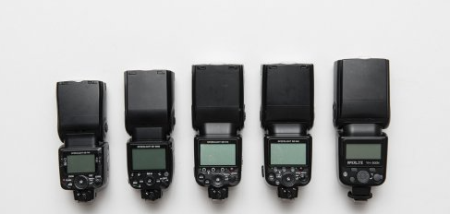
Introduction to Using Multiple Flashes
Instructors: Mike Hagen
Duration: 5h 12m • 27 Lessons
Video: MP4 1280x720 44 KHz | English
Size: 4.242 GB​

Take Control And Create The Best Lighting For Your Photography
If you want complete control over the image you're taking, you need to use multiple flashes. Mike Hagen will take what appears complex and explain how to make it achievable to help get your studio lighting to an elite level.
Mike Hagen will walk through how to build your lighting setup with two, three, four and even five flashes. If you're figuring out what lighting gear to purchase, this course will help by showing you
Camera settings and sync modes to capture the best exposure
How to use the various trigger methods
The different roles each light plays in creating your image
How to shape the light for the most control over your final image
How to build your knowledge comfortably from 1-5 lighting setups
Whether you're shooting portraits, buildings, or products - controlling all the light in your image can improve your photography from good to GREAT. Mike Hagen will teach you how to light and create every shadow and highlight by using multiple flashes in your photography.
Screenshots


3cf7841dbdcbd2b7e33892bf279d7a96.png

Learning Canvas (2022)
MP4 | Video: h264, 1280x720 | Audio: AAC, 44.1 KHz, 2 Ch
Skill Level: Beginner | Genre: eLearning | Language: English + srt | Duration: 1h 54m | Size: 304 MB

Learning management systems have revolutionized the way educators and corporate trainers are able to provide instruction. With an online platform, instructors and students can communicate, collaborate, share and access resources, submit assignments, and give feedback at any time. With online learning more important than ever, learning how to take advantage of all a learning management system has to offer is now a vital part of providing instruction. In this course, Oliver Schinkten explores how to set up and use Canvas, a leading LMS used by institutions and instructors around the globe. Oliver shows how to set up a class, work with students, teach online, and discusses best practices for leveraging Canvas for student success. He also covers grading, adding assignments, student communication, and adding multimedia. If you're looking to enhance the online component of your classes, this course is for you.
Homepage


2203142216550095.jpg

Learning Whimsical
MP4 | Video: h264, 1280x720 | Audio: AAC, 44.1 KHz, 2 Ch
Skill Level: Beginner + Intermediate| Genre: eLearning | Language: English + srt | Duration: 29m | Size: 98.4 MB

As an executive, manager, stakeholder, or UX designer, you need robust tools for remote collaboration. Do you want to discover what Whimsical can do? In this course, expert Lachezar Arabadzhiev demonstrates how to use Whimsical for remote collaboration and brainstorming. Lachezar shows you how to navigate the Whimsical UI, create a board, and use the available controls. He walks you through flowcharts, wireframes, and projects (formerly sticky notes). He also explains mind maps and docs. Lachezar goes over ways you can use Whimsical to manage a workspace, collaborate with others, and share your boards and visual creations. Plus, he describes how you can use voting and commenting to engage your audience.
Homepage


6bbc109a1188f81b9e8faec6eaaea3c3.png

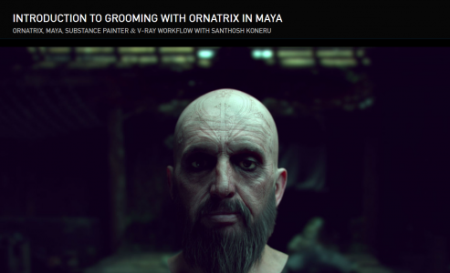
The Gnomon Workshop - Introduction to Grooming with Ornatrix in Maya
Instructors: SANTHOSH KONERU
Duration: 169 Minutes • 10 Lessons
Video: MP4 1920x1080 44 KHz | English
Size: 1.2 GB​

This introductory workshop reveals everything you need to know to create hair for both animated characters and still renders using Ornatrix in Maya. Santhosh Koneru, a 3D Generalist, details all the basics as well as the essential tools required to generate realistic hair for your 3D characters.
The focus of this video tutorial is on creating facial hair for a character that will eventually be animated. The workflow demonstrated can also be applied even if you only intend to render a still of your character for your portfolio.
Santhosh covers topics including the creation of Distribution Maps and Length/Thickness Maps using Substance Painter and shows how to extensively use Modifiers to match your hair groom with reference images. He shares shading techniques using the new V-Ray Hair Shader in V-Ray 5 for Maya and divulges tips for how to optimize your scenes for a CG cinematic project with additional advice on how to render projects on your home workstation. Santhosh also includes a quick overview of using dynamics in Ornatrix.
The goal of this workshop is to provide you with all the necessary knowledge of Ornatrix that you need to explore and create your own hairstyles for your 3D characters and creatures.
SOFTWARE USED
Ornatrix Maya V-Ray Substance Painter
Screenshots


925e2d13-5054-4b59-81b3-5e4d8910ccf3.png

Under-Ground Piping Networks & Stress Analysis
MP4 | Video: h264, 1280x720 | Audio: AAC, 44.1 KHz, 2 Ch
Genre: eLearning | Language: English + srt | Duration: 23 lectures (2h 51m) | Size: 1.28 GB

Piping & Stress Analysis for UG
What you'll learn
All about Under Ground Piping
Basic Definitions
Various Rules to be followed
General Terms : Catch basin, Manholes, Valve Pits, Diversion Pits, Invert Elevations, Listing Stations
Various Underground Networks : Oily water, Contaminated Rain water, Cooling Water, Closed drain networks
Trench Piping
Composite drawings
Scope & Responsibility Splits
Stress Analysis for Underground Networks
Step By Step Modelling
Load Cases, Caeser Results and Reports
Requirements
Willing Ness to Learn
Description
What you'll learn
All about Under Ground Piping
Basic Definitions
Various Rules to be followed
General Terms : Catch basin, Manholes, Valve Pits, Diversion Pits, Invert Elevations, Listing Stations
Various Underground Networks : Oily water, Contaminated Rain water, Cooling Water, Closed drain networks
Trench Piping
Composite drawings
Scope & Responsibility Splits
Stress Analysis: Complete content is prepared by Mr. Anup Dey (Special Thanks for valuable contribution)
Setting Ground Work
Documents/Input Required
Input parameters in Caesar
Settings Unit Systems
Pipe/Soil Properties
Pipeline Profile drawings
·Codes & Standards used
AG & UG Pipeline
Step By Step Modelling
Various tools of Caeser II
Pipeline, Fittings, Supports
Best Practices while modeling/Analysis
Modeling of Buried pipe
U/G Pipe modeler Tool
Parameters in Soil Modelers
Load Cases, Caeser Results and Reports
Creating Load Cases, w.r.t. Various parameters
Analyzing Caeser results
Generating stress reports
Concluding Stress Results and Reports
This covers, Why UG piping is required, what basic rules need to be followed. It covers most the underground items eg. Catch basin, Manholes, Valve Pits, Diversion Pits, Invert Elevations, Listing Stations. Various open and closed drain networks are also covered along with Cooling water network. Most of the critical things about Composite drawings are also covered eg What are those drawings and why those drawings are required, who are the various stakeholders involved and basic required to generate these drawings.
Various drawings, cross sectional views have been added at various stage of the course which can be very useful to understand the fundamentals.
In the end we will discuss the various scope & responsibility splits among various disciplines. all phases from Proposal to Feed to Detailed design stages have been covered to understand the scope & responsibilities of various disciplines.
In this course my Dear Friend Mr. Laxmikant Sawleshwarkar has helped a lot. His contributions have really helped to add more value to the content. I am sure he is going to contribute in upcoming courses too.
Dont miss to provide your feedback.
Who this course is for
Process industry people
Homepage


02422ce9-a3fb-4c00-8850-73f2e1f4b323.png

Funnel Analysis for Management Consultants & Analysts
Instructors: Asen Gyczew
7 sections • 51 lectures • 2h 39m
Video: MP4 1280x720 44 KHz | English + Sub
Updated 3/2022 | Size: 868 MB​

A practical guide on how to do funnel analyses & use them for decision making
What you'll learn
Define sales funnels for different analyses
Analyze funnels in Excel
Analyze funnels by cohorts
Use funnels to Increase Sales
Use funnels to manage new ideas
Use funnels to manage tests
Manage Projects with the help of funnels & funnel analysis
Requirements
Basic or intermediate Excel
Basic knowledge of economics
Description
What is the aim of this course?
Funnels and funnel analyses are great tools that can help you find problems and opportunities, optimize processes as well as manage projects. They are widely used by technological firms. However, many industries are still not using them, despite their big potential. In this course, I will teach you how to use funnel analyses to increase the profits of the firm.
In the course you will learn the following things
What are funnels?
How to analyze funnels in Excel
How funnels look like for e-commerce, marketplace, SaaS firms, and other business models
How to use funnels and funnel analysis to increase sales and profits
What are cohorts and how to use them to analyze funnels?
How to use funnels to manage tests, projects, or tasks
This course is based on my 15 years of experience as a consultant in top consulting firms and as a Board Member responsible for strategy, performance improvement, and turn-arounds in the biggest firms from Retail, FMCG, SMG, B2B, and services sectors that I worked for. I have carried or supervised over 90 different performance improvement projects in different industries that generated in total 2 billion of additional EBITDA. On the basis of what you will find in this course, I have trained in person over 100 consultants, business analysts, and managers who now are Partners in PE and VC funds, Investment Directors and Business Analysts in PE and VC, Operational Directors, COO, CRO, CEO, Directors in Consulting Companies, Board Members, etc. On top of that my courses on Udemy were already taken by more than 124 000 students including people working in EY, McKinsey, Walmart, Booz Allen Hamilton, Adidas, Naspers, Alvarez & Marsal, PwC, Dell, Walgreens, Orange, and many others.
I teach through case studies, so you will have a lot of lectures showing examples of analyses, tools that we use. To every lecture, you will find attached (in additional resources) the Excels as well as additional presentations, materials shown in the lectures so as a part of this course you will also get a library of ready-made analyses that can, with certain modification, be applied by you or your team in your work.
Why have I decided to create this course?
Many processes, especially related to sales, project management are very complicated. Therefore you have to analyze them by stages. In such situations, funnels and funnel analysis are extremely useful. Most firms, don't give you the full toolbox that you need to analyze funnels. This may lead to huge frustration during consulting projects and a lot of inefficiencies.
Therefore, I have decided to create this course that will help students understand funnels and funnel analyses as well as use them during consulting projects. The course will give you the knowledge and insight into real-life case studies that will make your life during a consulting project much easier. Thanks to this course, you will know when and how to use funnels. You will master how to analyze data and draw conclusions from the funnel analyses.
To sum it up, I believe that if you want to become a world-class Management Consultant or Business Analyst you have to have a pretty decent understanding of funnels and funnel analysis. That is why, I highly recommend this course to Management Consultants or Business Analysts, especially those that want to optimize sales, generate new business ideas, or manage projects. The course will help you become an expert in funnel analyses on the level of McKinsey, BCG, Bain, and other top consulting firms.
In what way will you benefit from this course?
The course is a practical, step-by-step guide loaded with tones of analyses, tricks, hints that will significantly improve the speed with which you understand, analyze the businesses. There is little theory - mainly examples, a lot of tips from my own experience as well as other notable examples worth mentioning. Our intention is that thanks to the course you will learn
What are funnels?
How to analyze funnels in Excel
How funnels look like for e-commerce, marketplace, SaaS firms, and other business models
How to use funnels and funnel analysis to increase sales and profits
What are cohorts and how to use them to analyze funnels?
How to use funnels to manage tests, projects, or tasks
You can also ask me any question either through the discussion field or by messaging me directly.
How the course is organized?
The course is divided currently into the following sections
Introduction. We begin with a little introduction to the course as well as some general info on how the course is organized
What are Funnel Analyses? Funnel Analysis can be used to map and analyze a series of events that lead to a particular goal. In this section, we will discuss what a funnel analysis is and how you can use it to achieve better business results.
Sales Funnels. Funnel analyses are used successfully in sales & marketing. In this section, we will show you how to analyze sales funnels in Excel.
Sales Funnels by Cohorts. Quite often you want to go deeper and analyze how the sales funnel looks like for different segments, cohorts. This is when cohort analysis comes in handy. In this section, we will see what cohorts are and how to combine them with funnel analyses.
Funnels in Testing. Funnel analyses can also be used for testing business ideas, small and big improvements. In this section, we will discuss how to do it in practice.
Funnels for Project Management. The Funnel Approach is also a great tool to manage projects or track the status of many projects in a visual way. We will discuss this in this section.
You will be able also to download many additional resources
1. Useful frameworks and techniques
2. Ready-made analyses presented in the course
3. Additional resources
4. Links to additional presentations, articles, and movies
5. Links to books worth reading
At the end of my course, students will be able to.
Define sales funnels for different analyses
Analyze the funnel in Excel
Analyze by cohorts funnels
Use funnels for Sales Increase
Use funnels for managing new ideas
Use funnels for managing tests
Manage Projects with the help of funnels & funnel analysis
Who should take this course? Who should not?
Management Consultants and Business Analysts
Sales Analysis
Data Analysts
Financial Controllers
Investment Analysts
Startup Founders
Project Managers
E-commerce Analysts
What will students need to know or do before starting this course?
Basic or intermediate Excel
Basic knowledge of economics
Basic or intermediate knowledge of finance & accounting
Who this course is for
Management Consultants
Business Analysts
Sales Analysts
Data Analysts
Financial Controllers
Investment Analysts
Startup Founders
Project Managers
E-commerce Analysts
Screenshots






 
0c911e67-2635-487e-a944-807f1ffc5b6e.png

Salesforce Lightning Flow Builder Complete Course
MP4 | Video: h264, 1280x720 | Audio: AAC, 44.1 KHz, 2 Ch
Genre: eLearning | Language: English + srt | Duration: 39 lectures (8h 6m) | Size: 3.45 GB

Learn the new Salesforce Lightning Flow Builder and learn to automate your business process using Salesforce flows
What you'll learn
They will learn to build complex business logic with lightning flows.
They will learn about Screen Flow, Record-Triggered Flow, Platform Event Triggered flow, Schedule Flows and Autolaunched Flow
They will learn to debug flows.
Learn to build complex Screen flow and other types of auto-launched flow
Requirements
Familiarity with Salesforce Out-Of-the-box features will be a big Plus.
Description
Updated Course: 3/5/2022
Lecture 1: Invoking flows from Process Builder
Lecture 2: Invoke flows from Apex
Update Course: 2/21/2022
Lecture 1: Added another example for Platform Event Triggered flow
Lecture 2: Login Flows in Salesforce
This course will get you up and running in Salesforce Flows from scratch and will turn you into a Flow master. There are many different automation options when it comes to Salesforce, but none are quit as powerful as Salesforce Flow.
This course is for admins/developers who are interested to learn the new Lightning automation tools. Also, this course is from basic to expert level with many live examples and each explained in detail with step-by-step implementation. This will help you to implement any real time business scenario. You will become an expert in Lightning flow builder to create any process automation with using all of flow elements. All the scenarios that I have covered in the course are real time flows that I have built in my previous workplaces.
After completing this course, you'll be able to
Create Child Record with flows without writing a single line code.
Create Real time Screen Flows
Learn about Loops, Decision Element, update Record, Create Record element in flow.
Build real time complex flows
Update fields using flows.
Auto Update Child Records using flows
Email alert using flows
Scheduling emails
Auto Create Records
Auto Post to chatter
Invoking flow from object specific action and buttons
Invoking flow from home page
Create Platform Event Triggered flow
Debugging flows
Fault Path in Flow
Create Schedule Flows and monitoring them
Create Record Triggered flows
Publish platform events from external system and creating new records using flows
The course is made very concisely keeping in mind that all the relevant information regarding salesforce lightning flow builder is covered. Each and every topic is covered in very engaging and interesting manner. This course is not a power-point presentation but its a complete hands -on course so you can learn by doing.
What all the scenarios we will cover in this course?
Create a form to capture User details and store it in the Lead record and also display a newly created Lead link
Conditionally display fields on the screen
Create Survey Form to capture User Feedback
Add Email Alert whenever the user submit a survey.
Display Total count of Contact Records in Display Text
Update Case with new data captured from user
Send Email Alert on Case Close
Copy Account Billing Information on Related Contact Records
Validate User Input to capture valid phone number and email.
Capture Account, Contact and Case Information via screen and create Account, Contact and Case record related to each other.
Update newly created lead with default values
Update opportunity Description field whenever Opportunity Stage Changes
Schedule a flow to run daily
Create a record whenever a new Platform Event is published
At the end of the course, you will be able to solve simple to complex business use cases using the Lightning Flow Builder. I am updating this course on each release and will keep adding new content in this course regularly.
Happy Learning!!
Who this course is for
This course is for Salesforce Admins who want to learn about building Flows
This course is for Salesforce Developers who wants to build Complex business Logic using Flows
Students who planning for Platform App Builder or Admin Certification.
Homepage


fefe514d830f00064fc8360305bdf4aa.png

Travel Photography: Creative Storytelling
Instructors: Ian Shive
Duration: 1h 12m • 9 Lessons
Video: MP4 1280x720 44 KHz | English
Level: Beginner | Size: 1 GB​

Capturing The Culture And Details From Your Travels
Whether you are an outdoor adventure photographer or you specialize in weddings, travel photography can round out your portfolio giving you a new creative outlet while adding new revenue for your business. Traveling is more than just seeing a beautiful skyline or view, it's about immersing yourself into the culture. In this unique course, outdoor photographer and filmmaker Ian Shive explains how to tell the story of your travels while capturing the daily details of your experience. He'll show you everything from capturing the mood of a cafe to photographing the people at the heart of the city, town or destination you are visiting. When it comes to travel photography the journey really is the destination.
Screenshots


8f8cf14b-e90c-4a5c-9863-b2a642e808f5.png

Build a weather app in Python and Tkinter
MP4 | Video: h264, 1280x720 | Audio: AAC, 44.1 KHz
Language: English | Size: 253 MB | Duration: 31m​

Practice Python, Tkinter and network communication by building a weather app from scratch
What you'll learn
Build a real world weather app
Communicate with a backend API
Build an interface
Use Python to build an app
Requirements
Python knowledge
Tkinter knowledge
Description
In this course we are building a weather app that communicates with a real world endpoint, retrieves up to date weather information for a location that the user has chosen, and displays that information in an app.
We will learn how to register for the free backend API and how to research the endpoint that we need to call.
We will use the requests library to communicate with the backend.
We will use the Tkinter library to build the interface of our application.
Finally we will build everything in Python.
This course is an exercise in working with Python. It will give you a good starting point to continue building your weather app if you choose to, but it will mostly provide you with a nice practice exercise to sharpen your Python skills.
Who this course is for
beginner python developers
intermediate python developers
Screenshots


3f1cfd10-d4fc-49a1-b555-19ddac688d62.png

Cleaning Up a Virus infected / malicious WordPress Website files/folders
Duration: 29m | Video: .MP4, 1280x720, 30 fps | Audio: AAC, 48 kHz, 2ch | Size: xxx MB
Genre: eLearning | Language: English​

There could be many instances, where your or your client's WordPress site may be hacked or a malicious code has been added. These codes can prevent access to the WordPress dashboard or could be redirected to some other websites. Thus, this course is designed to give you an insight into how you can clean your WordPress website*if it is infected. We will be cleaning all the WordPress files and folders except the database. Here's the brief of what's included in the course
Scanning the website Online: There are numerous online Website scanners that can let us know if the website is infected or not. Additionally, we can get more information about the infected website.
Backing up the WordPress Website: It is always a good idea to backup the website - as in the process of cleaning the site, if you happen to delete anything important, we can always restore it via the backup.
Brief about what makes up a WordPress site: Knowing about WordPress and how it is composed will make it a little clearer while working on cleaning the site.
Cleaning the WordPress files and folders manually: This possibly is a slow yet effective approach to clean the WordPress website manually. It can assure that the malicious code has been deleted.
Scanning the Website with a Free Plugin: To re-confirm if the site is cleaned or not, we will learn about a Free plugin that will scan the whole website and let us know if the site is infected or not.
Thus, this course offers useful information*on cleaning a WordPress website - so please join the course!
Homepage
Screenshots


997e0b08-bff8-44d6-8783-ceca4b2fa4b3.png

Clojure: The Complete Beginner's Guide
MP4 | Video: h264, 1280x720 | Audio: AAC, 44.1 KHz
Language: English | Size: 1.33 GB | Duration: 3h 46m​

Learn Clojure, a fun new functional programming language
What you'll learn
Basics of programming in Clojure
Advanced Clojure concepts
Working with IntelliJ IDEA
Working with REPL
Requirements
Interest in programming
Willingness to learn a fun new programming language
Description
Why learn Clojure
Clojure is a general purpose, Java inspired, functional programming language.
In 2019, the popular site StackOverflow rated Clojure as the highest paying programming language in the world, and second highest in the United States.
Many big players like LinkedIn, Cisco, CitiGroup etc use Clojure as one of their main languages.
This course teaches you
to install the Clojure environment on a PC or Mac
the language basics like
functions
data types
variables
etc
the fundamentals of
loops
sequences
exception handling
etc
advanced topics such as
namespaces
agents
reference values
etc
practical applications of all studied concepts
plenty of coding challenges
We will apply everything we learned through coding small applications to solidify what we are studying.
This course opens up many opportunities to work in a niche market, where your skills will be highly values by employers. There is a huge shortage of Clojure skills, and you can claim the top spot.
Clojure is also a fun language to learn. Being a LISP language, it makes it much easier to write code, with Clojure code being on average much smaller than Java or JavaScript. It's a great skill to have if you're looking to expand your programming tool belt.
Sign up today and let's start learning Clojure together.
30 day money back guarantee - provided by Udemy
Who this course is for
Beginner programmers
Beginner Clojure developers
Screenshots


04412a3e-619e-4c9d-b1d7-dc17a1f67364.png

Complete Guide to Marvelous Designer 11
Duration: 12h 14m | Video: .MP4, 1280x720, 30 fps | Audio: AAC, 48 kHz, 2ch | Size: 6.47 GB
Genre: eLearning | Language: English​

Do you find it difficult to create realistic looking cloth for your characters? Would you like to create any piece of clothing in a fast and efficient way for your productions?
If that is the case then I welcome you to Complete Guide to Marvelous Designer 11
WHY SHOULD YOU LEARN FROM ME
My name is Abraham Leal and I have 11 years of experience in the industry, I have been helping artist start their 3D Journey for the past 7 years. I currently lead my own indie studio in Mexico were we provide services for the local industries
BENEFITS
By the end of this class,
Create different types of Garments
Understand the principles of Tailoring and the kind of things we look for when creating cloth
Render amazing shots of your final cloths
WHAT WILL I LEARN
Marvelous Interface
Pattern Usage
Principles of Tailoring
Medieval Clothing
Prop Creation
Textures
Rendering
IS THIS CLASS RIGHT FOR ME
This class is aimed at beginner level students who want to learn how to use Marvelous designer from zero. However we will be covering a lot of information that should be helpful for artists of all levels. No previous experience is required however basic knowledge of other 3d software will be helpful.
WHO IS NOT THE IDEAL STUDENT
This class will cover everything from the ground up so no previous knowledge is required.
WHAT SHOULD I KNOW OR HAVE FOR THE CLASS
Marvelous Designer 11
Blender or Maya
Zbrush and Substance are optional
Join me and learn how to create amazing Cloth in no time!
Homepage
Screenshots


Zurück
Oben Unten