• Regeln für den Video-Bereich:

    In den Börsenbereich gehören nur Angebote die bereits den Allgemeinen Regeln entsprechen.

    Einteilung

    - Folgende Formate gehören in die angegeben Bereiche:
    - Filme: Encodierte Filme von BluRay, DVD, R5, TV, Screener sowie Telesyncs im Format DivX, XviD und x264.
    - DVD: Filme im Format DVD5, DVD9 und HD2DVD.
    - HD: Encodierte Filme mit der Auflösung 720p oder darüber von BluRay, DVD, R5, TV, Screener sowie Telesyncs im Format x264.
    - 3D: Encodierte Filme von BluRay, die in einem 3D Format vorliegen. Dies gilt auch für Dokus, Animation usw.
    - Serien: Cartoon/Zeichentrick, Anime, Tutorials, Dokumentationen, Konzerte/Musik, Sonstiges sind demnach in die entsprechenden Bereiche einzuordnen, auch wenn sie beispielsweise im High Definition-Format oder als DVD5/DVD9/HD2DVD vorliegen. Ausnahme 3D.
    - Bereich Englisch: Englische Releases gehören immer in diesen Bereich.
    - Bereich Talk: Der Bereich, in dem über die Releases diskutiert werden kann, darf, soll und erwünscht ist.


    Angebot/Beitrag erstellen

    - Ein Beitrag darf erst dann erstellt werden, wenn der Upload bei mindestens einem OCH komplett ist. Platzhalter sind untersagt.
    - Bei einem Scenerelease hat der Threadtitel ausschließlich aus dem originalen, unveränderten Releasenamen zu bestehen. Es dürfen keine Veränderungen wie z.B. Sterne, kleine Buchstaben o.ä. vorgenommen werden. Ausnahme Serienbörse:
    - Bei einem Sammelthread für eine Staffel entfällt aus dem Releasename natürlich der Name der Folge. Beispiel: Die Simpsons S21 German DVDRip XviD - ITG
    - Dementsprechend sind also u.a. verboten: Erweiterungen wie "Tipp", "empfehlenswert", "only", "reup", usw. / jegliche andere Zusatzinformation oder Ergänzung, welche nicht in obiger Beschreibung zu finden ist.

    Aufbau des Angebots und Threadtitel

    Der Titel nach folgendem Muster erstellt zu werden. <Name> [3D] [Staffel] [German] <Jahr> <Tonspur> [DL] [Auflösung] <Quelle> <Codec> - <Group>
    Beispiel: The Dark Knight German 2008 AC3 DVDRip XviD - iND
    Beispiel: The Dark Knight 2008 DTS DL BDRip x264 - iND
    Beispiel: The Dark Knight 2008 AC3 DL BDRip XviD - iND
    Beispiel: The Dark Knight German 2008 AC3 720p BluRay x264 iND
    Beispiel: The Dark Knight 2008 DTS DL 1080p BluRay x264 iND
    Beispiel: Die Simpsons S01 German AC3 DVDRip XviD iND
    Beispiel: Die Simpsons S20 German AC3 720p BluRay x264 iND
    Beispiel: Sword Art Online II Ger Sub 2014 AAC 1080p WEBRip x264 - peppermint
    Entsprechend sind also u.a. verboten: Sonderzeichen wie Klammern, Sterne, Ausrufezeichen, Unterstriche, Anführungszeichen / Erweiterungen wie "Tipp", "empfehlenswert", "only", "reup", usw. / jegliche andere Zusatzinformation oder Ergänzung, welche nicht in obiger Beschreibung zu finden ist
    Ausnahmen hiervon können in den Bereichen geregelt sein.

    Die Beiträge sollen wie folgt aufgebaut werden:
    Überschrift entspricht dem Threadtitel
    Cover
    kurze Inhaltsbeschreibung
    Format, Größe, Dauer sind gut lesbar für Downloader außerhalb des Spoilers zu vermerken
    Nfo sind immer Anzugeben und selbige immer im Spoiler in Textform.
    Sind keine Nfo vorhanden z.B. Eigenpublikationen, sind im Spoiler folgende Dateiinformationen zusätzlich anzugeben :
    Quelle
    Video (Auflösung und Bitrate)
    Ton (Sprache, Format und Bitrate der einzelnen Spuren)
    Untertitel (sofern vorhanden)
    Hosterangabe in Textform außerhalb eines Spoiler mit allen enthaltenen Hostern.
    Bei SD kann auf diese zusätzlichen Dateiinformationen verzichtet werden.

    Alle benötigten Passwörter sind, sofern vorhanden, in Textform im Angebot anzugeben.
    Spoiler im Spoiler mit Kommentaren :"Schon Bedankt?" sind unerwünscht.


    Releases

    - Sind Retail-Release verfügbar, sind alle anderen Variationen untersagt. Ausnahmen: Alle deutschen Retail-Release sind CUT, in diesem Fall sind dubbed UNCUT-Release zulässig.
    - Im Serien-Bereich gilt speziell: Wenn ein Retail vor Abschluss einer laufenden Staffel erscheint, darf diese Staffel noch zu Ende gebracht werden.62
    - Gleiche Releases sind unbedingt zusammenzufassen. Das bedeutet, es ist zwingend erforderlich, vor dem Erstellen eines Themas per Suchfunktion zu überprüfen, ob bereits ein Beitrag mit demselben Release besteht. Ist dies der Fall, ist der bereits vorhandene Beitrag zu verwenden.
    - P2P und Scene Releases dürfen nicht verändert oder gar unter einem iND Tag eingestellt werden.


    Support, Diskussionen und Suche

    - Supportanfragen sind entweder per PN oder im Bereich Talk zu stellen.
    - Diskussionen und Bewertungen sind im Talk Bereich zu führen. Fragen an die Uploader haben ausschließlich via PN zu erfolgen, und sind in den Angeboten untersagt.
    - Anfragen zu Upload-Wünschen sind nur im Bereich Suche Video erlaubt. Antworten dürfen nur auf Angebote von MyBoerse.bz verlinkt werden.


    Verbote

    - Untersagt sind mehrere Formate in einem einzigen Angebotsthread, wie beispielsweise das gleichzeitige Anbieten von DivX/XviD, 720p und 1080p in einem Thread. Pro Format, Release und Auflösung ist ein eigener Thread zu eröffnen.
    - Grundsätzlich ebenso verboten sind Dupes. Uploader haben sich an geeigneter Stelle darüber zu informieren, ob es sich bei einem Release um ein Dupe handelt.
    - Gefakte, nur teilweise lauffähige oder unvollständige Angebote sind untersagt. Dies gilt auch für eigene Publikationen, die augenscheinlich nicht selbst von z.B. einer DVD gerippt wurden. Laufende Serien, bei denen noch nicht alle Folgen verfügbar sind, dürfen erstellt und regelmäßig geupdatet werden.
    - Untersagt sind Angebote, welche nur und ausschließlich in einer anderen Sprache als deutsch oder englisch vorliegen. Ausnahmen sind VORHER mit den Moderatoren zu klären.


    Verstoß gegen die Regeln

    - Angebote oder Beiträge, die gegen die Forenregeln verstoßen, sind über den "Melden"-Button im Beitrag zu melden.
  • Bitte registriere dich zunächst um Beiträge zu verfassen und externe Links aufzurufen.

*** Bestes IPTV *** bester Preis *** gratis Test ***


Englische Tutorials

fcf0485f6dd2f23f94675d5dc057347f.jpg

The Gnomon Workshop - Superhero Concept Design for Film and TV
Instructors: LUCA NEMOLATO
Duration: 2h 45m • 11 Lessons
Video: MP4 1920x1080 44 KHz | English
Size: 1.2 GB​

DAZ STUDIO, ZBRUSH, MARVELOUS DESIGNER & PHOTOSHOP WORKFLOW WITH LUCA NEMOLATO
Learn how to create professional-quality superhero concept art for film and TV with this 2.5-hour workshop by Luca Nemolato. Guiding you through his tried-and-tested workflow for creating impressive character designs worthy of blockbuster movies, Luca shares his process and the personal techniques that he's been refining over many years of working professionally for the entertainment industry.
This intermediate-level workshop starts out in Daz Studio where Luca experiments with and establishes a pose for his character. This base model is then a foundational asset to take into ZBrush where all the resculpting work and detailing of the anatomy can take place. Luca shares his tips and tricks for sculpting superhero proportions in ZBrush with believable results.
From there, the work continues in Photoshop where Luca reveals how to sketch 2D designs over a rough KeyShot render of the 3D character to explore costume ideas. After designing a few options, the strongest is taken back into ZBrush as a reference, where Luca sculpts the detail and finalizes the overall design in 3D. Once satisfied with the character's final look and proportions, Marvelous Designer is brought into the mix to help create a realistic, layered cape as the finishing touch for Luca's superhero, Paladin.
As the last step in the workflow, Luca renders the final image using KeyShot. Here, he shares his personal techniques for creating knitted material fabric effects and textures, before returning to Photoshop for the final compositing, digital painting, and post-production work.
Screenshots


cae65e5f-708a-4fb2-8773-48ec6748e3cf.png

The Gnomon Workshop - Creating an FX Production Shot in Houdini
Instructors:
Duration: 3h • 16 Lessons
Video: MP4 1920x1080 44 KHz | English
SOFTWARE: Houdini | Size: 1.3 GB​

FROM TENDRILS TO SLIME TRAILS USING HOUDINI WITH SIMON LITTLEJOHN
Follow along as FX Supervisor, Simon Littlejohn, creates a series of effects using Houdini and Nuke, from bone-crushing tendrils to a slimy tentacle attack. Simon approaches the workshop as the creation of a complete shot, from start to finish, revealing his processes and techniques along the way.
With over a decade of industry experience, Simon walks through his tried-and-trusted methods for procedurally generating curves using for-loops, and shows how to attach those curves to any animated character using simple yet powerful VEX. From there, he instructs how to "grow" those curves over time in visually interesting patterns, and ultimately create high-fidelity 3D geometry from them. The second technique in this workshop details how to create a slime trail left behind as the tendrils take over the character's body. Simon shares how to create this highly controllable effect without the need for FLIP simulation, which can often be expensive and unpredictable.
The following effect focuses on shooting webbed tendrils from the character's body and attaching them to his surrounding environment. Simon explains how to create constraints using simple VEX, and run animated curves through a vellum simulation to aid in the realism of the effect. Additionally, you will discover how to create highly detailed webbing patterns that follow the animation of your curves. For the final effect, Simon revisits all the techniques covered to create a tentacle that bursts from the character's hand, firing directly into the camera.
Each effect demonstrated in this workshop is highly adaptable, and can be repurposed for a wide variety of needs. In the final segment of the tutorial, Simon discusses how to shade and render the effects, and offers his final thoughts as well as a review of the final render.
The downloadable resources provided with this workshop include the Houdini project and character files.
Screenshots


The Complete SAP ABAP CORE Programming + OOPS ALV+ CROSS APP

yioa9ejmh1tfx64wmfcx6m7j6d.jpg


The Complete SAP ABAP CORE Programming + OOPS ALV+ CROSS APP
MP4 | Video: h264, 1280x720 | Audio: AAC, 44.1 KHz
Language: English | Size: 67.6 GB | Duration: 145h 58m

A complete ABAP Programming Bundle includes ABAP CORE Programming, ABAP OOPS ALV, ABAP CROSS APPLICATIONS. Over 140 hour


What you'll learn
CORE Programming Complete Module 72 Hours Class.
OOPS complete Module over 28 hours.
OO ALV over 20 hours
CROSS APPLICATION over 45 hours

Requirements
Recommended to have the knowledge of any Programming Language.

Description
** Disclaimer ** -

I do NOT do Live Training. SAP is a registered trademark of SAP AG in Germany and many other countries. I am NOT associated with SAP.

SAP software and SAP GUI are proprietary SAP software. Neither Udemy nor me are authorized to provide SAP Access. You can officially get SAP Access to practice on SAP system from SAP's website. I am not allowed by Udemy to place a link here. Please google "SAP Access" and you can find the URL for the same.

SAP ABAP CORE Programming + OOPS ABAP + OO ALV ABAP + ABAP CROSS APP || Complete ABAP Bundle.

A complete ABAP Programming Bundle includes ABAP CORE Programming, OOPS ALV, CROSS APP.

ABAP (Advanced Business Application Programming) is the name of SAP's proprietary, fourth-generation programming language. It was specifically developed to allow the mass-processing of data in SAP business applications.

Course Duration:- 140+ Hours

ABAP CORE Programming :- 72 hours

OOPS ABAP :- 28 hours

OO ALV ABAP :- 20 hours

CROSS APP ABAP :- 45 hours

****CORE ABAP****

ABAP INTRODUCTION

ABAP BASIC STATEMENTS

STRING FUNCTIONS

INTERNAL TABLES

MESSAGE CLASSES

MODULARIZATION TECHNIQUES

FUNCTION MODULES

DEBUGGING

FILE HANDLING

BDC

LSMW

SMART FORMS

MODULE POOL PROGRAMMING

REPORTS

SELECTION SCREEN PROGRAMMING

DATABASE ACCESS

DICTIONARY OBJECTS

LOCAL STRUCTURES

****OOPS ALV****

OOPS CONCEPTS

EVENT HANDLING in Classes

ALV Reports using classes

STANDARD EVENT HANDLING in ALV Reports using Classes

ALV Reports using FUNCTION MODULES

STANDARD EVENT HANDLING in ALV Reports using Function Modules

****CROSS APP****

RFC's

ALE - IDOCS

BAPI's

SAP ENHANCEMENTS

Customer-Exits

BADI's

LSMW

ENHANCEMENT FRAMEWORK

Who this course is for
Students who are looking forward for a decent career in SAP ABAP. Professional & Consultants who wants to upgrade theirselves.

Homepage


008lecture7splitterwijtjz2.jpg


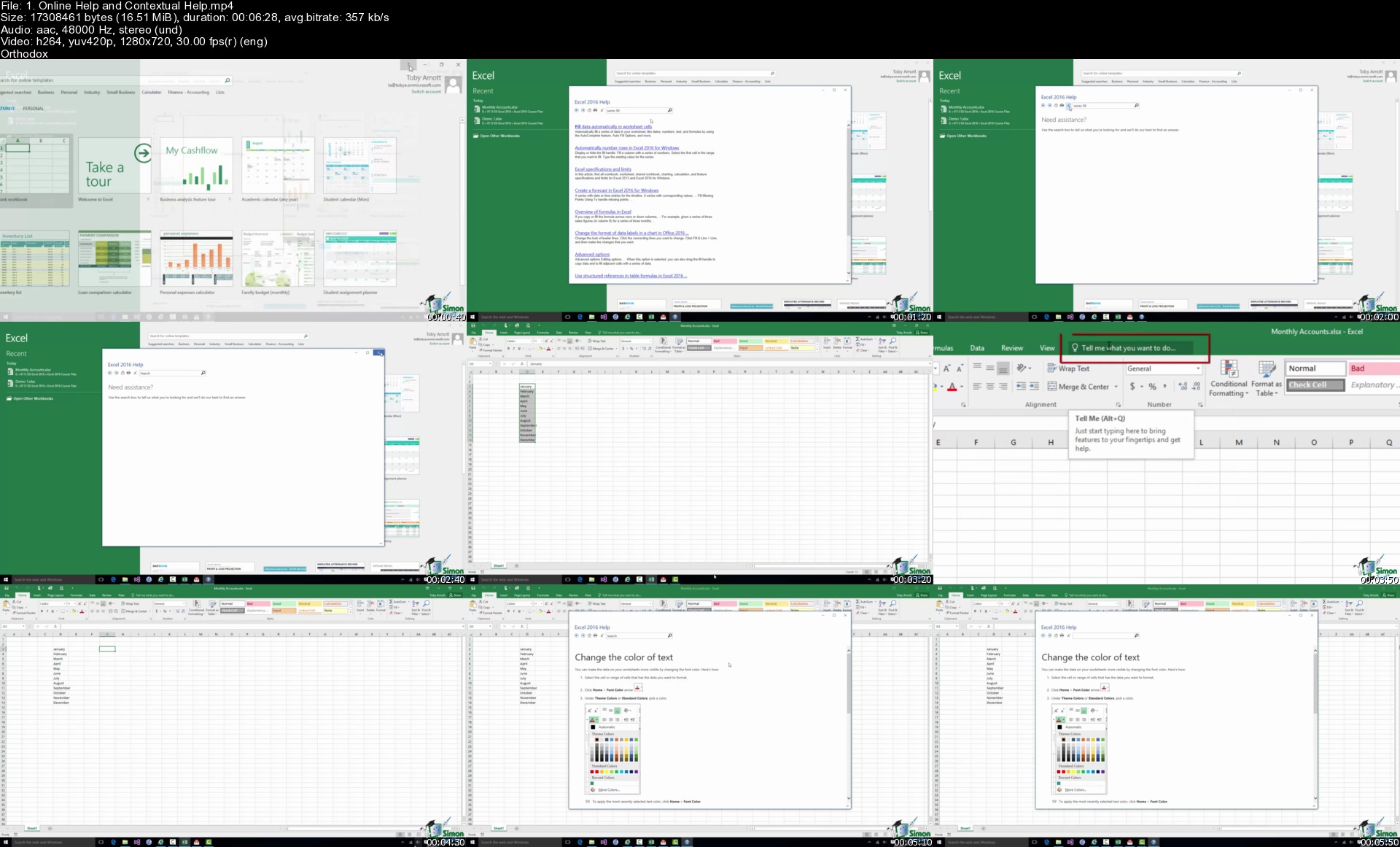
The Ultimate Microsoft Office 2016 Training Bundle

973394f5e74zhjwl.jpg


The Ultimate Microsoft Office 2016 Training Bundle
MP4 | Video: h264, 1280x720 | Audio: AAC, 44.1 KHz, 2 Ch
Genre: eLearning | Language: English + srt | Duration: 613 lectures (72h 3m) | Size: 16.4 GB

The Most Convenient Way to Boost Your Confidence And Learn MS Office 2016 Inside And Out-Quickly, No Travel or Classes


What you'll learn
Discover new and improved features in Excel 2016.
How to effectively use Excel 2016 on a touchscreen device.
How create, save, and open a workbook.
Learn how to personalize your use of Excel using Excel Options.
How to use and how to customize the Quick Access Toolbar.
Complete data entry, cell formatting, working with multiple worksheets and the "Ribbon" interface.
The basics of entering and editing data in a workbook.
Learn practical methods in which you can backup and recover your Excel spreadsheets.
Effectively use autofill and flashfill so you are more productive.
Discover the essentials of using fomulas and functions.
How to rename, insert, move, and reference an Excel 2016 worksheet.
Discover how to create charts and graphs
Learn practical methods to sort and filter your data
How to protect and secure your Excel data
Discover new features in PowerPoint 2016
Learn presentation tips for an effective presentation
Discover how to format text on a PowerPoint slide
Learn how to insert shapes, graphics and pictures to add some "zing" to your presentation
Add charts, graphs and tables to present information in a non-text format
Wow your audience by adding animations, audio and video
Discover practical tips to present your presentation to your audience
Learn time saving techniques including how to copy slides, and exporting your presentation
Customize PowerPoint for greater productivity by customizing the Microsoft Office Ribbon
Master the most common uses of Word
How to controlling page appearance including using columns, indents, footers, borders and watermarks
Learn to create many types of documents
How to create a mail merge
Printing envelopes and labels
Discover different page setup options
How to protect your document from changes
Learn how to spell check your documents
Insert pictures and graphics in your Word document
Discover how to insert and edit tables
Using "Go To, Find, and Replace"
How to create, save and open documents
Learn cool tips and tricks in the Ribbon
Discover common Excel hotkeys
How to use VLOOKUP and HLOOKUP
Learn how to use popular functions
Discover how to use named ranges
Discover the power of Dynamic Formulas and how to use them
Get advanced level tips for creating awesome charts and graphs
How to work with and analyze your data using data slicers, PivotTables, Power Query and PivotCharts
Setting up email accounts
Using Outlook on a touch device
Creating and sending email messages
Organizing email
Calendar appointments and attachments
Create and manage meetings
Adding email signatures
How to archive email
Spam and junk mail removal
Creating and managing tasks and reminders
Using the mail merge feature to import contact information to Microsoft Word
Adding, managing and searching contacts in the address book
Creating filters to automate incoming messages
Practice what you learned with included exercise files

Requirements
Microsoft Office 2016 desktop version for Windows installed and ready to use on your computer.


Description
** We've crammed 9 courses into this amazing Microsoft Office bundle. Unlock the secrets of Office 2016 or 365 with this 60+ hour mega-course. Practice exercises included**

Master the Ins and Outs of Microsoft Office and Boost Your Productivity

This 10 COURSE BUNDLE includes

Microsoft Excel 2016 (beginners) - learn the basics of spreadsheets

Microsoft Excel 2016 (intermediate) - take those spreadsheet skills to the next level

Microsoft Excel 2016 (advanced) - master spreadsheets

Microsoft Word 2016 - master documents

Microsoft PowerPoint 2016 - master presentations

Microsoft Access 2016 - master databases

Visual Basic for Applications (VBA) for Microsoft Excel - master spreadsheet automation

Microsoft Outlook 2016 - Master e-mail and calendar management

Macros and VBA for Beginners (added March 2021)

OneNote Desktop and Windows 10 (added March 2021)

Over 500, 5 Star Reviews

"Undoubtedly, this course covers a wide range of topics done in an extremely professional manner. This is worthy of every second and penny I invested in it. It helped me understand various contours of Microsoft Office." - Muhammad Bashir

"Very clear and thorough. Super for beginners." - Anna Wyk

"This is what I needed and what I was looking for. Excellent course." - Roberto Regalado

"My experience with this course was absolutely beneficial to me. The lecturers are so good at explaining the course and not forgetting the exercises they set up for you is amazing it really helps and it gives you experience as you go along with them." - Jennade Ramruthen

Improve Efficiency with Microsoft's Premier Office Management Software

Designed to help you accomplish office tasks easily and with greater efficiency, Microsoft Office is the choice of many office professionals. If you're working in an office, you'll likely need to use the Microsoft Office suite and it's likely you're working for it, rather than having it work for you. Turn that around today and finally learn all the deep, dark secrets of Microsoft Office from these 8 courses in one bundle.

Master Microsoft Excel, start at the beginning if you're brand new to spreadsheets or pick up at Intermediate or Advanced level. For those looking to go beyond normal data analysis, you'll learn how to handle databases using Microsoft Access or automate mundane tasks in Excel using VBA.

If that wasn't enough this bundle will teach you how to utilize PowerPoint to create stunning presentations, use Microsoft Word to create documents that inspire and make administration a breeze through learning about mail merge.

** Recently added - unlock the power of Microsoft Outlook 2016 and dramatically improve your productivity and sanity through a clear inbox.**

Bundle Overview

This course is designed for individuals and office professionals who need to master the capabilities of the 2016 or 365 editions of Microsoft Office. With more than 60 hours of video lectures across 8 courses, this course will help you master MS Office 2016, reduce your MS Office frustration and help you claw back the precious time you spend getting lost in these powerful business applications.

Excel 2016 Beginning/Intermediate: Create basic spreadsheets and use formulas for tracking expenses.

Excel 2016 Intermediate: Use complex formulas and perform data analysis on your organization's revenue and expense patterns.

Excel 2016 Advanced: Take your Excel skills to the ultimate level with advanced charts, graphs, formulas, and data analysis.

Word 2016: Create documents, embed videos, and set up online collaboration on joint projects for school or work.

PowerPoint 2016: Make impactful presentations for your next business meeting using animation, audio/video, and collaborative tools.

Access 2016 for Beginners: Become a master of data management, customer tracking, and buying patterns.

Microsoft Essential VBA for Excel: Learn how to automate repetitive and time-consuming Excel procedures and operations for maximum efficiency.

Master Microsoft Outlook 2016 the Easy Way: Introductory course on email efficiencies to help clear the email clutter and gain control of your inbox.

Macros and VBA for Beginners (added March 2021): Learn to create your first Macro and perform basic VBA in Excel

OneNote Desktop and Windows 10 (added March 2021): Learn all about using OneNote to store your notes and organize your life!

When you complete this course, you'll be well on your way to becoming a master of workplace efficiency with the tools available in Microsoft Office 2016.

Why Take This Course

Optimize your productivity at work or in your own business.

Get noticed by your boss and earn the respect of your colleagues. Become the office superstar by being the go-to expert on everything related to MS Office 2016.

Amazing value 9-courses in one bundle. You get professional quality training at a fraction of the normal price.

Why Simon Sez IT for Microsoft Office?

We know Microsoft Office. We've been teaching it for over 10 years and your expert instructors have taught thousands of people to learn Microsoft products.

We don't rush through content. We take the time to ensure you understand important principles before moving on.

Follow along. We provide downloadable practice files so you can practice as you learn.

** Updated May 2018: Outlook 2016 course added**

** Updated March 2021: OneNote and Macros and VBA for Beginners added**

Who this course is for
Those new to using Microsoft Excel, Outlook, Access, PowerPoint, and Word 2016
This course is created for absolute beginners.
If you want to refresh your memory and understanding of Excel, Outlook, Access, Word and PowerPoint
Users of earlier versions of Access, Excel, Outlook, Word and PowerPoint

Homepage


1.onlinehelpandcontexybkwa.jpg


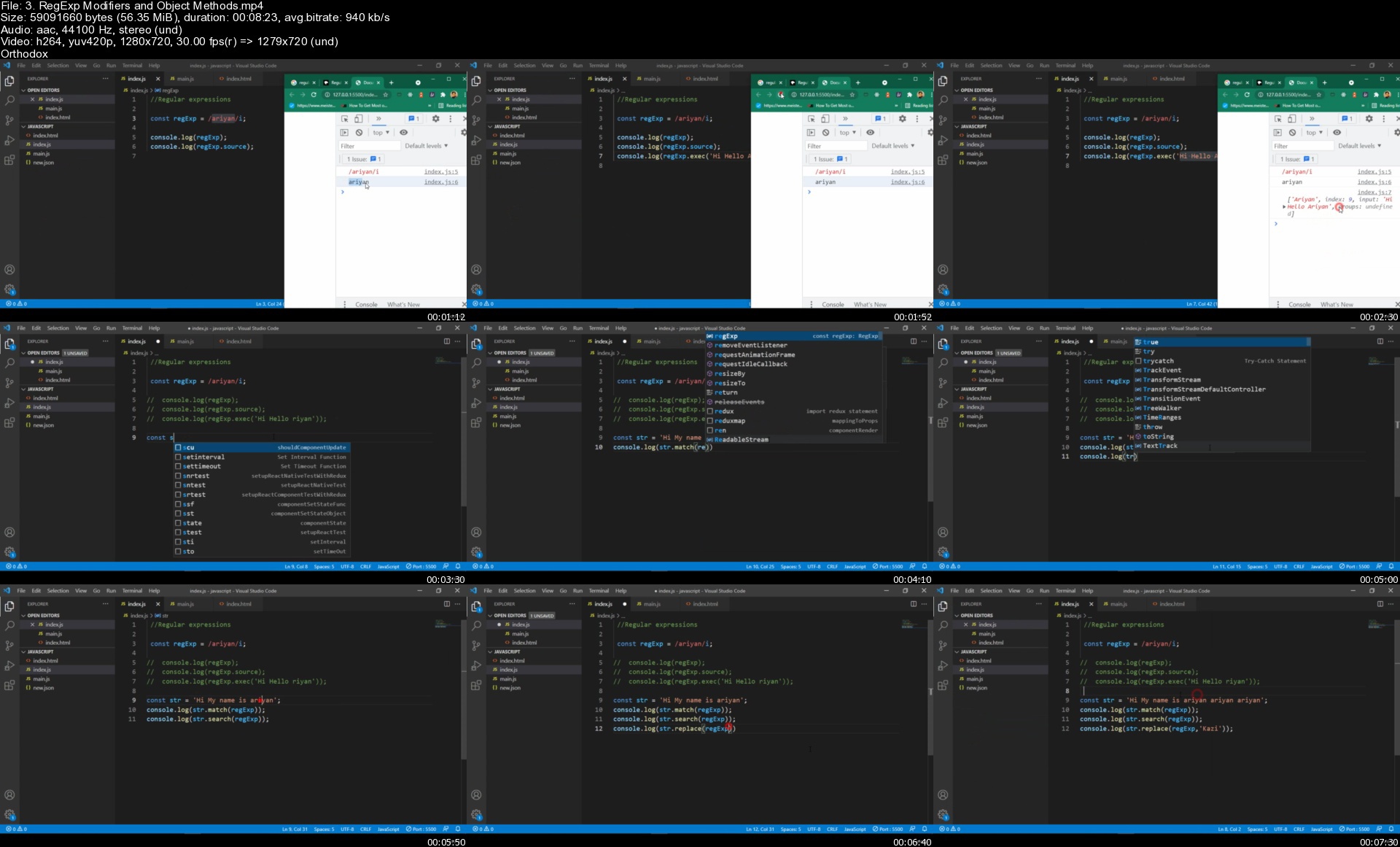
MERN Stack Real Time Chat App With Express, React, MongoDB

44969841e7a248jkt.jpg


MERN Stack Real Time Chat App With Express, React, MongoDB
MP4 | Video: h264, 1280x720 | Audio: AAC, 44.1 KHz, 2 Ch
Genre: eLearning | Language: English + srt | Duration: 342 lectures (45h 30m) | Size: 24.3 GB

In This Course You Will Build complete Real Time Live Chat Application by using MongoDB, Express, React, and Socket io


What you'll learn
Build Complete Live Chat App
React js Fundamental
Express js Fundamental
Node Js Fundamental
Socket io Fundamental
Learn how to build big full stack app from scratch
Learn how to implement React Hooks, Async/Await, React Router 6, Axios
Learn how to implement authentication and authorization
Learn how to implement ES6 in Node
Functional Component, Redux
User Data Store in Redux
Send Emoji and Image Message
Setup Real Time Active User
Setup Message Notification in Socket
Setup Real Time Delivered Message
JavaScript Fundamental

Requirements
Good Grasp of Javascript
Basic HTML, CSS, SCSS


Description
Welcome to "MERN Stack Real-Time Chat Application Project". In this course, we will be building an in-depth full-stack Live Chat application using Express, React, Node.js, Socket io, and MongoDB along with ES6+. We will start with a blank text editor and end with a deployed full-stack application. This course includes...

Building backend API with Node.js & Express

Extensive API testing with Postman

Integrating React with our backend in an elegant way, creating a great workflow

Connect with Socket io.

Building User Authentication with JSON Web Token

Get and Post Request using MongoDB

and much more...

This course project is probably the biggest and most exciting project you have built so far. It is packed with hundreds of tips and tricks that can help you build almost any type of full-stack app .

Master the art of building FullStack/MERN Stack apps by enrolling in this course and never look back. What you are now and what you will become after completing this course is going to be a groundbreaking step in your mern stack career.

You can build the biggest and most complex apps of your dream or as required at your job. Master the stack of all stacks and become the most productive and innovative developer of your team. I welcome you to be a part of this incredible journey.

How i design This course

This course will be all in one complete MERN Stack project course. For that reason first, you will learn JavaScript all fundamentals which is very important to build your strong foundation. Then you will learn react js by creating one complete project. you will learn node js/ express js / MongoDB and Socket io all basic fundamentals that you should know.

After compete total basic journey then you will build one complete real-time chat application from scratch.

In this Live Chat Application project, you will learn.

Design Login and Register Page

Create State and Register Page Handle

User Register BackEnd

User Data Store in Redux

Display User Register Success and Error Message

Setup User Login Backend

Messenger Page Design

Get Friends and Display

Handle Current Friend

Handle Send Message

Message Get and Display

Send Emoji and Image Message

Setup Real-Time Active User

Setup Message Notification in Socket

Get User and Last Message

Setup Real-Time Message Option

Setup Real-Time Delivered Message

Messenger Logout System

Setup Theme and Friend Search Option

Error Handle

What is the Best Part of this Course?

You will learn React Js Basic Fundamentals

You will learn Express js Basic Fundamentals

You will learn JavaScript Fundamentals

You will learn Node js Basic Fundamentals.

You will learn Socket io Basic Fundamentals

You will learn MongoDB Basic Fundamentals

Build Complete Real-Time Live Chat MERN Stack Application.

And More...

In this course, you will not just learn you actually doing it. Learn and apply this on a live project with me.

Sound Great right?

---------------------------------------------------------------------------------------------------------------------

Click the "Enroll Now" button at the top right now!

I am excited to see you on the course!

Sincerely,

Kazi Ariyan

Who this course is for
Anyone that wants to learn how to build a full stack MERN application
Who want to become MERN Stack Developer.

Homepage


3.regexpmodifiersando2fk1f.jpg


SAP Production Planning (PP) Module Online Practical Class

qkodkddzj1nxjnjvb0myr2ljr6.jpg


SAP Production Planning (PP) Module Online Practical Class
MP4 | Video: h264, 1280x720 | Audio: AAC, 44.1 KHz
Language: English | Size: 15.0 GB | Duration: 31h 37m

Production Planning and Control with SAP ERP


What you'll learn
Help students to become real time PP Consultants

Requirements
Fresher or Production/Manufacturing department

Description
Goals of this Course

This course provide you with the step-by-step approach to configure & implement two different production types in Production Planning module: Discrete Industry & Process Industry manufacturing. This course will lay the initial foundation in the form of configuration & will then explain how the configuration impacts actual business processes. The configuration to business process approach is maintained throughout the live course.

The goal is to provide comprehensive coverage to production planning workflow tools available. These tools are covered to bring greater optimization to business processes and greater return on investment in SAP ERP system. SAP PP is one of most important modules of SAP ERP which deals with the production planning processes like Material Requirement Planning, Capacity Planning, Movement of raw material and goods, Cost management etc. ... SAP PP is fully integrated with the other SAP modules such as SD, MM, QM, FICO, PM.

This course provide you with the step-by-step approach to configure & implement two different production types in Production Planning module: Discrete Industry & Process Industry manufacturing. This course will lay the initial foundation in the form of configuration & will then explain how the configuration impacts actual business processes. The configuration to business process approach is maintained throughout the live course.

The goal is to provide comprehensive coverage to production planning workflow tools available. These tools are covered to bring greater optimization to business processes and greater return on investment in SAP ERP system. SAP PP is one of most important modules of SAP ERP which deals with the production planning processes like Material Requirement Planning, Capacity Planning, Movement of raw material and goods, Cost management etc. ... SAP PP is fully integrated with the other SAP modules such as SD, MM, QM, FICO, PM.

Who this course is for
People who are interested in SAP Career

Homepage


004mrpevaluationsscrkc1.jpg


Descriptive Statistics (2022)

457094899556ej2f.jpg


Development Of Statistics: The Fundamentals Of Inferential And Descriptive Statistics
English | 2022 | ISBN: N/A | ASIN: B09TWZ527N | 145 pages | EPUB | 0.69 Mb

Official insights fill in as a reason for choices for legislators and strategy producers: majority rule social orders can't work as expected without a strong premise of dependable and objective measurements. In this book, you will learn
• Chronicled Development of Statistics
• Information Sampling
• Focal Tendency Measures
• Proportions Of Spread
• Proportions Of Position
• Planning Hypothesis Tests
• Likelihood and Bayes Theory
• Relapse Analysis
• Bunching Analysis


descriptivestatistics4sk4w.jpg


Download from RapidGator


Download from NitroFlare


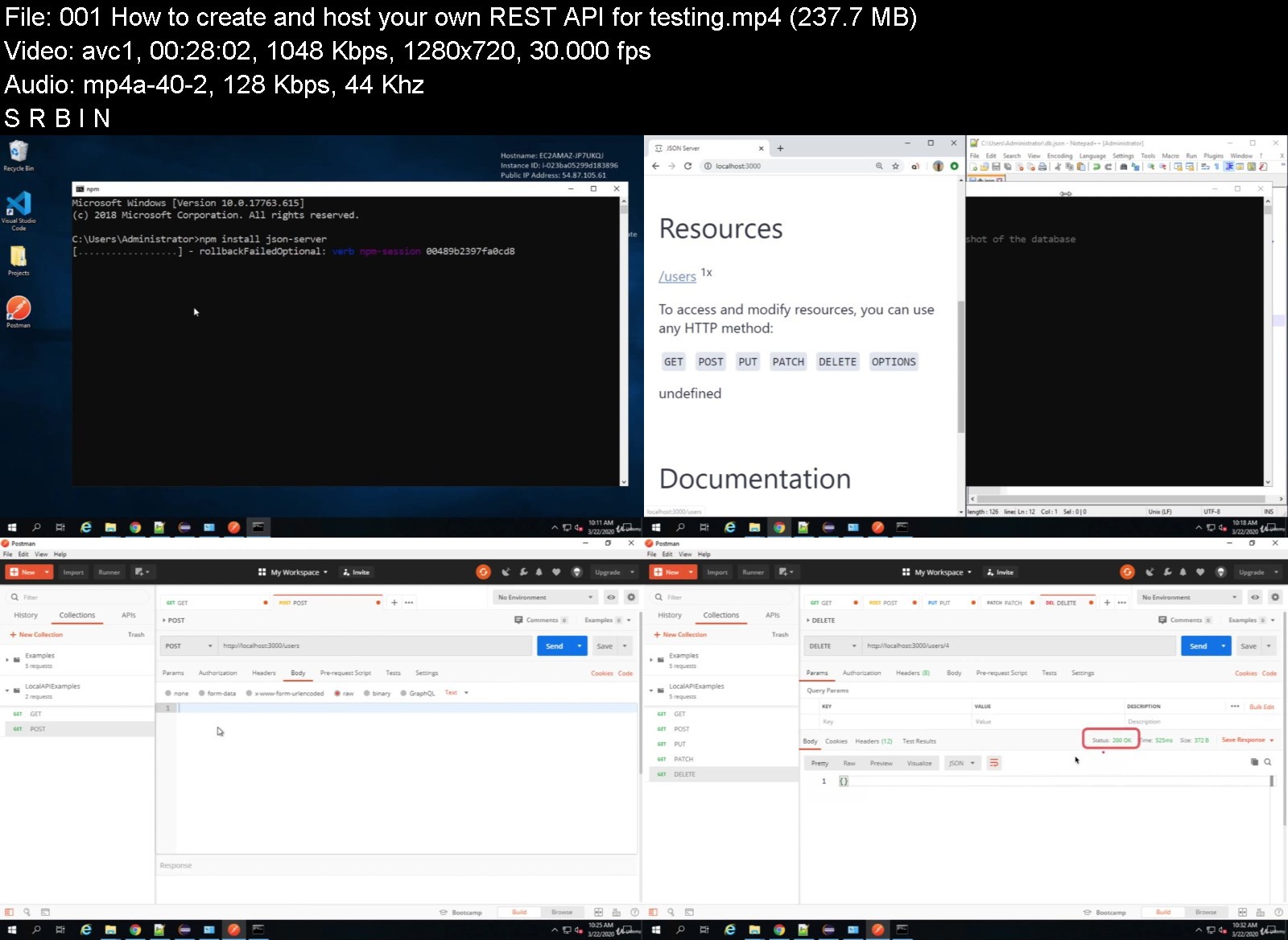
API Test Automation | POSTMAN | SOAPUI | KATALON | JMETER

pbmndndxgkbvyq1dvxpzc6mklj.jpg


API Test Automation | POSTMAN | SOAPUI | KATALON | JMETER
MP4 | Video: h264, 1280x720 | Audio: AAC, 44.1 KHz
Language: English | Size: 6.47 GB | Duration: 11h 40m

Step-by-Step training on API Basics, API Testing, API Automation, Postman, SoapUI, Katalon Studio, JMeter with Examples


What you'll learn
Basics of API
How APIs work
Basics of SOAP and REST
API Test Automation from scratch
SoapUI for API testing
Postman for API testing
Katalon Studio for API testing
Data Driven Testing
Command Line
JMeter for API testing
How to MOCK APIs
Best Practices for API testing and Automation
Requirements
No prior experience is required. We will start from the very basics and go Step by Step
Anyone with basic computers knowledge can take this course

Description
This is a complete hands-on course on API Test Automation. Learn API Testing & Automation from scratch using the most popular tools like Postman, SoapUI, JMeter, Katalon Studio.
After taking this course you will be able to
1. Understand the basics of API
2. Basics of API Testing & Automation
3. How to create API Test Automation frameworks
4. How to do API Test Automation using SoapUI
5. How to do API Test Automation using Postman
6. How to do API Test Automation using Katalon Studio
7. API Performance Testing with JMeter
You will learn all the tips and tricks and best practices, Ater this training, you can create API Testing & Automation frameworks, projects and solutions
Who this course is for
Anyone who wants to learn API Test Automation from scratch
Users who wants to learn API Basics and Testing Frameworks
Users who wants to learn API Testing with Postman, SoapUI, Katalon Studio, JMeter


apitestautomationpostowj1l.jpg


Download from RapidGator


Download from NitroFlare


SAP EWM - SAP Extended Warehouse Management

evrdvn1uew3ztwdqk6iw336k1b.jpg


SAP EWM - SAP Extended Warehouse Management
MP4 | Video: h264, 1280x720 | Audio: AAC, 44.1 KHz
Language: English | Size: 20.1 GB | Duration: 39h 41m

SAP EWM De-Centralized & SAP S/4 HANA Embedded EWM Online Training


What you'll learn
SAP Extended Warehouse Management (EWM)
Requirements
Basic Computer Knowledge

Description
In this video, you will learn about SAP Extended Warehouse Management (EWM De-Centralized & S/4 HANA Embedded EWM) module to boost your career in the SAP World. Understand the EWM business scenario, customizing/configuration of business requirement and testing with document flow in the system. In depth learning of the EWM functionalities, integration with backend SAP ECC/ERP system. Master Data set up of local and global data's. Extended functionalities of EWM such as Storage Control (POSC & LOSC), Post Processing Framework (PPF), Radio Frequency Framework (RF), Warehouse Monitor, Slotting, Quality Inspection Engine, Expected Goods Receipt, Value Added Services, etc. This course is suitable for candidates who want enter SAP career or who are already in the SAP career in other modules like Materials Management (MM) or Sales and Distribution (SD) or Production Planning (PP) or Warehouse Management (WM) or Advanced Business Application Programming (ABAP). SAP EWM is the latest Warehouse Solution by SAP and previous solution in SAP WM will retire by SAP in another few years and due to this there are lot of demands for SAP EWM Consultant in the market and many organizations are migrating their system from other WM solution to SAP EWM. By completing this course, you will able to take up new SAP EWM assignments/projects to deliver the solution to customer. Currently few lectures on SAP S/4 HANA EWM are published in the section 2 of the course and few more on the way to publish.
Who this course is for
Graduate Freshers and SAP Consultants


sapewmsapextendedware2vk6p.jpg


Download from RapidGator


Download from NitroFlare


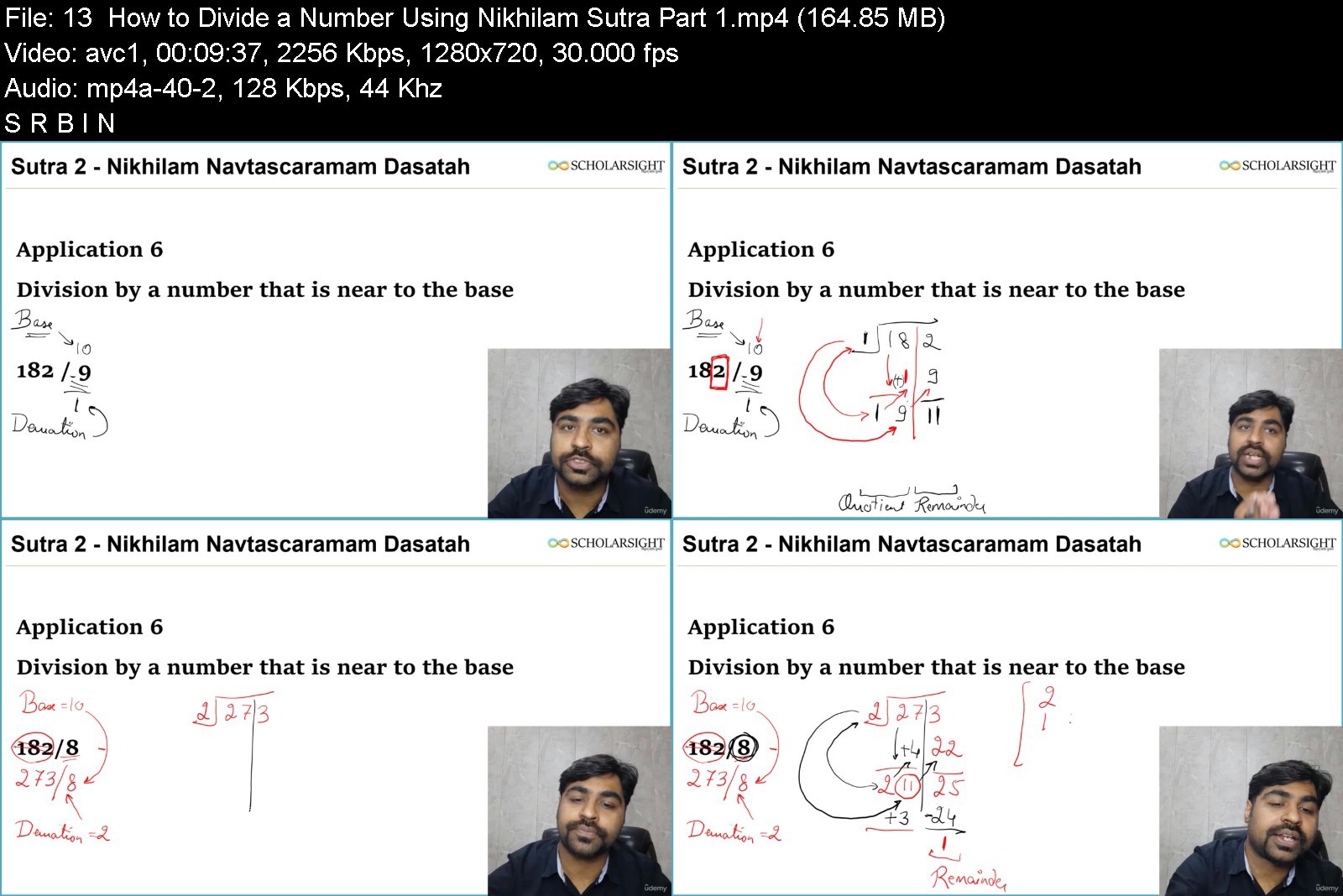
Vedic Mathematics Masterclass

45675468196306juv.jpg


Vedic Mathematics Masterclass
MP4 | Video: h264, 1280x720 | Audio: AAC, 44.1 KHz, 2 Ch
Genre: eLearning | Language: English + srt | Duration: 72 lectures (7h 36m) | Size: 6.55 GB

Learn Vedic Maths From Scratch to Advanced Level. Master Speed Maths Techniques From Ancient Vedic Texts


What you'll learn
Develop your numerical skills,
Train your mind for speed calculation,
Solve algebraic equations in a snap,
Develop the interest of **** in maths and science
Become and mathematics wizard
Ace numerical and reasoning sections of competitive exams
Become a better data scientist and researcher
Impress someone with your maths skills.
Requirements
No specific perquisites, we teach everything from scratch. An interest in maths and numbers will be helpful.
Description
Vedic Mathematics refers to a set of speed maths techniques often attributed to ancient Vedic text of India, especially Atharvaveda written around 3500 years ago in Ancient India. India has produced many noteworthy scholars and geniuses in mathematics, the most noteworthy among them being Srinivasa Ramanujan. Ramanujan became famous for doing large mathematical calculations in a snap or inventing mathematical formulas without any derivation. Many scholars are still deciphering his formulas to date.
Truly, practical mathematics in everyday life does not demand a derivation or outlining all the steps of calculation. **** often lose interest in Mathematics because the regular approach to mathematics is mundane as it involves going through long steps to get the result of a multiplication or division. In many competitive examinations, time is extremely important and Vedic Math can do calculations faster than a calculator.
What you can do with Vedic Maths?
Using Vedic Maths, you can
Develop your numerical skills,
Train your mind for speed calculation,
Solve algebraic equations in a snap,
Develop the interest of **** in maths and science
Become and mathematics wizard
Ace numerical and reasoning sections of competitive exams
Become a better data scientist and researcher
(or simply) Impress someone with your maths skills.
We have built the Vedic Mathematics Masterclass to help you learn Vedic Mathematics from Scratch to Advanced Level. The course offers a flow of Vedic Maths principles beginning with its first Sutra ('Rules') and takes your maths skills to an advanced level with numerous examples and exercises. Comprehensive coverage offered in this course would be of immense value for you in going through the length and breadth of this golden ancient heritage of India.
Sign Up to Master This Ancient Treasure of Knowledge and Become a Mathematics Genius!
Who this course is for
People interested in Vedic Maths
Learners looking to do speed calculation
Teachers and students interested inVedic Maths


vedicmathematicsmaste0tk3b.jpg


Download from RapidGator


Download from NitroFlare


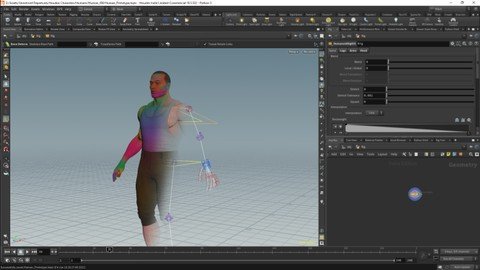
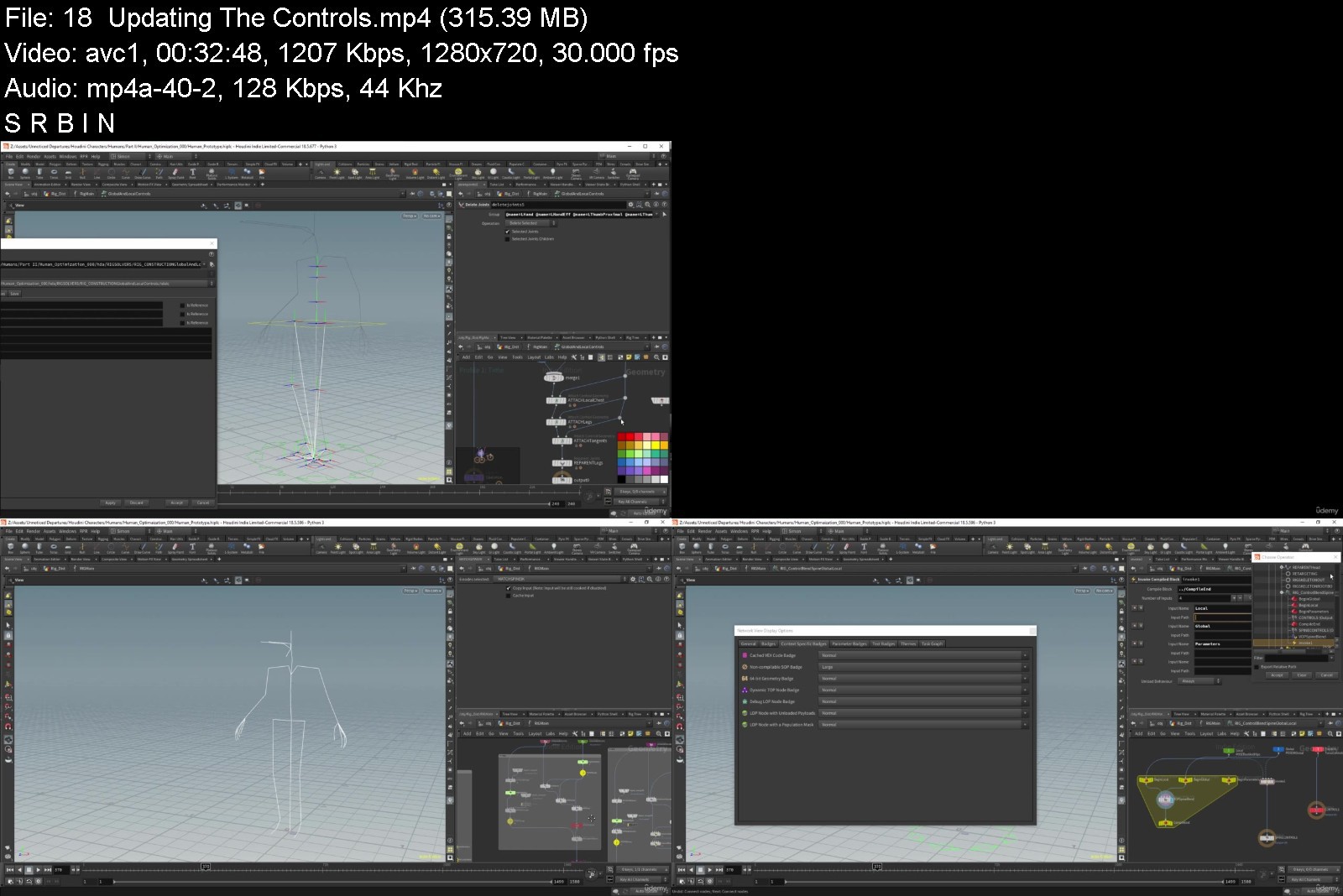
Humanoid Rigging For Games Using Houdini And KineFX

4e3bfnr56gobgro0wykyqlnk4b.jpg


Humanoid Rigging For Games Using Houdini And KineFX
Genre: eLearning | MP4 | Video: h264, 1280x720 | Audio: AAC, 44.1 KHz
Language: English | Size: 20.2 GB | Duration: 24h 7m


What you'll learn
We will create a basic humanoid rig in houdini.
Requirements
Students will need a basic understanding of the houdini interface.
Basic knowledge of VEX syntax.
Basic knwoledge of vecetor mathematics (Addition, Subtraction and Cross Products )
Basic knowledge of matrix Mathematicx

Description
In this course we will build a basic humanoid rig. This rig is designed to be compatible with game engines like Unity and should work with a lot of common motion capture libraries.
We will start be creating a reconfigurable skeleton that can be posed for multiple characters. This skeleton will also have three different spines this will allow us to examine. These will include two curved skeletons, one with four bones to be compatible with the Unity humanoid rig. The others skeletons are have more bones and will allow us to compare to pitfalls of using curved or straight spines.
We will create a custom reorient joints node that will allow us to have consistent orientations for all the joints.
For the rig we will be looking to implement IK and FK Controls. For the IK controls we will have both global and local controls. And we will be implementing number of methods to blend between global and local controls.
We will be creating a custom for the spine rotations with options for both linear and quaternion interpolation.
For the arms we will be creating a dynamic skeleton that moves based of the position of the arm. The Hand will have preset poses that we can blend between.
We will be building an export pipeline with options for 'level of detail' and exporting characters and animation.
Who this course is for
Intermediate Houdini users.
Indie game developers intersted in rigging with houdini.


humanoidriggingforgambijp3.jpg


Download from RapidGator


Download from NitroFlare


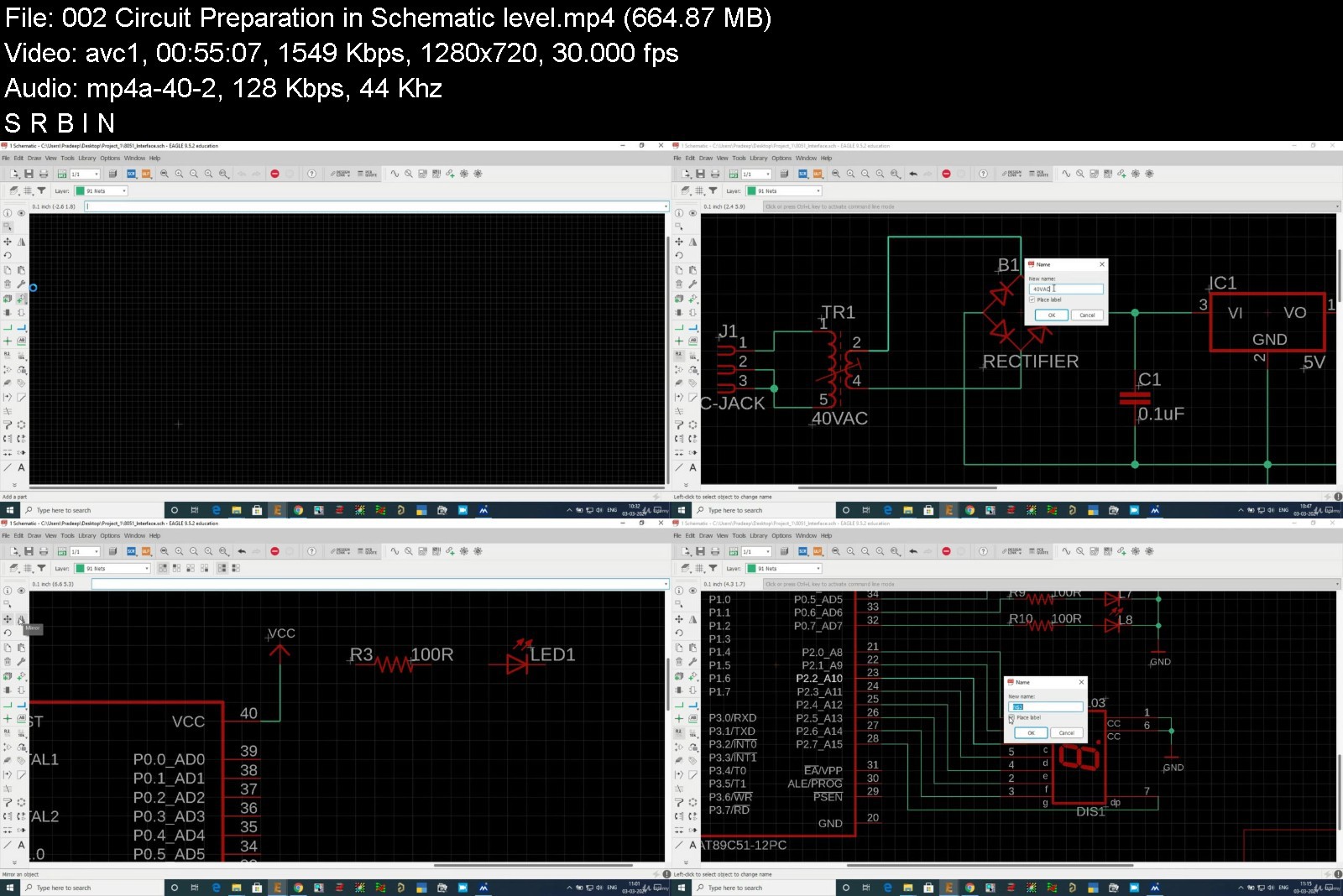
Complete Eagle CAD PCB Design: Theory and Practical approach

81uqo309pqx09ahb91hppg5klb.jpg


Complete Eagle CAD PCB Design: Theory and Practical approach
MP4 | Video: h264, 1280x720 | Audio: AAC, 44.1 KHz
Language: English | Size: 5.95 GB | Duration: 9h 37m

Complete PCB Design Course for Freshers & Professionals.


What you'll learn
Basic Electronics
Basics of Printed Circuit Board
Circuit Design and Analysis
Electronic components and instruments
Printed Circuit Board Layout Design
Board Design and Fabrication
Schematic creation
Library Creation: Symbol and Package (Footprint Creation)
Single sided Board Design
Double sided Board Design
Multilayer Board Design
Constraint Management
Via creation and application
Blind via, Berried via and Through hole via
Deign Rules Checking (DRC Errors)
Gerber creation
Gerber analysis and improvements
PCB Manufacturing overview
Requirements
Basic Electronics knowledge
BSc(Electronics)
Diploma (Electronics or Electrical)
BE (Electronics or Electrical)
Master degree in Electronics and Electrical

Description
PCB Design and electronics circuit are basements for all type of electronics products. PCBs are derived from the analog and digital circuits which are prepared according to the application required. Printed circuit boards are the main pillars of the Electronics world. Every Electronics products has PCB inside it, from consumer gadgets like computers, smart phones and gaming consoles to industry and even high-tech products.
Required eligibility
Diploma in Electrical or Electronics & Communication.
BE/BTech. in Electrical or Electronics & Communication.
BSc/MSc in Electronics & Communication.
ME/MTech. (E&CE) in Communication.
PCB Design Course Content is given below in brief
Schematic Design
Basic Electronics theory.
Basics of Circuit designing.
Schematic design preparation.
Schematic part editing and creation.
Net list and Net class creation.
Bill Of Material generation (BOM).
Electrical Rule Checking.
Footprint Creation
Through hole footprint creation.
Surface Mount Device footprint creation.
BGA/PGA footprint creation.
Board Designing
Board size and shape creation.
Component placements.
PCB Routing: 2 to 16 Layer routing.
Plane creation.
Design rule checking.
Gerber generation.
Skills you gain after the course completion
Basic Electronics and Electronic components expertise.
Circuit Designing (Power management circuit designing)
Circuit Simulation for best understanding of the subject.
Tools/Software Expertise.
Basic design module practice up to 4-Layers.
Advanced design module practice up to 16-Layers.
Design expertise
o Assignments consists single and double sided PCB.
o Assignments consists 2-Layers to 16-Layers design.
Library Module
o Symbol and Footprint design for all types of packages.
High speed placements & routing techniques.
Power integrity and Signal Integrity analysis.
Design for Manufacturing, Testing and Fabrication expertise.
Gerber generation and editing.
Benefits of choosing PCB Design Course
Strong hold in basic electronics.
Circuit Design capability.
Circuit analysis & ERC.
Components knowledge.
Power Supply designing.
Power Integrity Analysis.
Multiple PCB-CAD tool expertise.
Expert in library creation.
Multi-layer PCB designing.
Signal Integrity Analysis.
High speed PCB designing.
Gerber creation & editing.
Who this course is for
Diploma in Electronics and Communication
Diploma in Electronics and Electrical
Diploma in Electrical
Bachelor of Engineering in Electronics and Communication
Bachelor of Engineering in Electrical and Electronics
BSc in Electronics
MSc in Electronics
MS in Electronics
Post graduate in Electronics and communication
Hardware designers
PCB manufacturer
Electronic Components engineer
PCB design and developer
Circuit designers
Embedded engineers
Beginners interested in development of PCB


completeeaglecadpcbdes8jya.jpg


Download from RapidGator


Download from NitroFlare


Zurück
Oben Unten