• Regeln für den Video-Bereich:

    In den Börsenbereich gehören nur Angebote die bereits den Allgemeinen Regeln entsprechen.

    Einteilung

    - Folgende Formate gehören in die angegeben Bereiche:
    - Filme: Encodierte Filme von BluRay, DVD, R5, TV, Screener sowie Telesyncs im Format DivX, XviD und x264.
    - DVD: Filme im Format DVD5, DVD9 und HD2DVD.
    - HD: Encodierte Filme mit der Auflösung 720p oder darüber von BluRay, DVD, R5, TV, Screener sowie Telesyncs im Format x264.
    - 3D: Encodierte Filme von BluRay, die in einem 3D Format vorliegen. Dies gilt auch für Dokus, Animation usw.
    - Serien: Cartoon/Zeichentrick, Anime, Tutorials, Dokumentationen, Konzerte/Musik, Sonstiges sind demnach in die entsprechenden Bereiche einzuordnen, auch wenn sie beispielsweise im High Definition-Format oder als DVD5/DVD9/HD2DVD vorliegen. Ausnahme 3D.
    - Bereich Englisch: Englische Releases gehören immer in diesen Bereich.
    - Bereich Talk: Der Bereich, in dem über die Releases diskutiert werden kann, darf, soll und erwünscht ist.


    Angebot/Beitrag erstellen

    - Ein Beitrag darf erst dann erstellt werden, wenn der Upload bei mindestens einem OCH komplett ist. Platzhalter sind untersagt.
    - Bei einem Scenerelease hat der Threadtitel ausschließlich aus dem originalen, unveränderten Releasenamen zu bestehen. Es dürfen keine Veränderungen wie z.B. Sterne, kleine Buchstaben o.ä. vorgenommen werden. Ausnahme Serienbörse:
    - Bei einem Sammelthread für eine Staffel entfällt aus dem Releasename natürlich der Name der Folge. Beispiel: Die Simpsons S21 German DVDRip XviD - ITG
    - Dementsprechend sind also u.a. verboten: Erweiterungen wie "Tipp", "empfehlenswert", "only", "reup", usw. / jegliche andere Zusatzinformation oder Ergänzung, welche nicht in obiger Beschreibung zu finden ist.

    Aufbau des Angebots und Threadtitel

    Der Titel nach folgendem Muster erstellt zu werden. <Name> [3D] [Staffel] [German] <Jahr> <Tonspur> [DL] [Auflösung] <Quelle> <Codec> - <Group>
    Beispiel: The Dark Knight German 2008 AC3 DVDRip XviD - iND
    Beispiel: The Dark Knight 2008 DTS DL BDRip x264 - iND
    Beispiel: The Dark Knight 2008 AC3 DL BDRip XviD - iND
    Beispiel: The Dark Knight German 2008 AC3 720p BluRay x264 iND
    Beispiel: The Dark Knight 2008 DTS DL 1080p BluRay x264 iND
    Beispiel: Die Simpsons S01 German AC3 DVDRip XviD iND
    Beispiel: Die Simpsons S20 German AC3 720p BluRay x264 iND
    Beispiel: Sword Art Online II Ger Sub 2014 AAC 1080p WEBRip x264 - peppermint
    Entsprechend sind also u.a. verboten: Sonderzeichen wie Klammern, Sterne, Ausrufezeichen, Unterstriche, Anführungszeichen / Erweiterungen wie "Tipp", "empfehlenswert", "only", "reup", usw. / jegliche andere Zusatzinformation oder Ergänzung, welche nicht in obiger Beschreibung zu finden ist
    Ausnahmen hiervon können in den Bereichen geregelt sein.

    Die Beiträge sollen wie folgt aufgebaut werden:
    Überschrift entspricht dem Threadtitel
    Cover
    kurze Inhaltsbeschreibung
    Format, Größe, Dauer sind gut lesbar für Downloader außerhalb des Spoilers zu vermerken
    Nfo sind immer Anzugeben und selbige immer im Spoiler in Textform.
    Sind keine Nfo vorhanden z.B. Eigenpublikationen, sind im Spoiler folgende Dateiinformationen zusätzlich anzugeben :
    Quelle
    Video (Auflösung und Bitrate)
    Ton (Sprache, Format und Bitrate der einzelnen Spuren)
    Untertitel (sofern vorhanden)
    Hosterangabe in Textform außerhalb eines Spoiler mit allen enthaltenen Hostern.
    Bei SD kann auf diese zusätzlichen Dateiinformationen verzichtet werden.

    Alle benötigten Passwörter sind, sofern vorhanden, in Textform im Angebot anzugeben.
    Spoiler im Spoiler mit Kommentaren :"Schon Bedankt?" sind unerwünscht.


    Releases

    - Sind Retail-Release verfügbar, sind alle anderen Variationen untersagt. Ausnahmen: Alle deutschen Retail-Release sind CUT, in diesem Fall sind dubbed UNCUT-Release zulässig.
    - Im Serien-Bereich gilt speziell: Wenn ein Retail vor Abschluss einer laufenden Staffel erscheint, darf diese Staffel noch zu Ende gebracht werden.62
    - Gleiche Releases sind unbedingt zusammenzufassen. Das bedeutet, es ist zwingend erforderlich, vor dem Erstellen eines Themas per Suchfunktion zu überprüfen, ob bereits ein Beitrag mit demselben Release besteht. Ist dies der Fall, ist der bereits vorhandene Beitrag zu verwenden.
    - P2P und Scene Releases dürfen nicht verändert oder gar unter einem iND Tag eingestellt werden.


    Support, Diskussionen und Suche

    - Supportanfragen sind entweder per PN oder im Bereich Talk zu stellen.
    - Diskussionen und Bewertungen sind im Talk Bereich zu führen. Fragen an die Uploader haben ausschließlich via PN zu erfolgen, und sind in den Angeboten untersagt.
    - Anfragen zu Upload-Wünschen sind nur im Bereich Suche Video erlaubt. Antworten dürfen nur auf Angebote von MyBoerse.bz verlinkt werden.


    Verbote

    - Untersagt sind mehrere Formate in einem einzigen Angebotsthread, wie beispielsweise das gleichzeitige Anbieten von DivX/XviD, 720p und 1080p in einem Thread. Pro Format, Release und Auflösung ist ein eigener Thread zu eröffnen.
    - Grundsätzlich ebenso verboten sind Dupes. Uploader haben sich an geeigneter Stelle darüber zu informieren, ob es sich bei einem Release um ein Dupe handelt.
    - Gefakte, nur teilweise lauffähige oder unvollständige Angebote sind untersagt. Dies gilt auch für eigene Publikationen, die augenscheinlich nicht selbst von z.B. einer DVD gerippt wurden. Laufende Serien, bei denen noch nicht alle Folgen verfügbar sind, dürfen erstellt und regelmäßig geupdatet werden.
    - Untersagt sind Angebote, welche nur und ausschließlich in einer anderen Sprache als deutsch oder englisch vorliegen. Ausnahmen sind VORHER mit den Moderatoren zu klären.


    Verstoß gegen die Regeln

    - Angebote oder Beiträge, die gegen die Forenregeln verstoßen, sind über den "Melden"-Button im Beitrag zu melden.
  • Bitte registriere dich zunächst um Beiträge zu verfassen und externe Links aufzurufen.

*** Bestes IPTV *** bester Preis *** gratis Test ***


Englische Tutorials

4ce09211-73b4-4c55-a5f5-c3669d03c7e7.png

3 Ways to Make a GIF: Adobe Photoshop Basics
Duration: 1h 38m | Video: .MP4, 1280x720, 30 fps | Audio: AAC, 48 kHz, 2ch | Size: 980 MB
Genre: eLearning | Language: English​

If you have always seen GIFs and thought:
...but you don't know where to begin, then this is the class for you!
Animating your drawings, even in a really simple way, can be a great way to engage your audience and bring something new to your portfolio.
In this class, I will show you how to make 3 different types of GIFs
Color Changing GIF:*the image stays static but the colors change in each frame
Wobble Effect GIF:*the image stays the same but some subtle 'wobbling' movement is introduced
Image Changing GIF:*where the image changes in each frame
This course is aimed at beginners or anyone who would like to try making their artwork move.
We will be working by hand on paper, then taking our drawings into Photoshop to create the GIF's, but you don't need any prior knowledge of Photoshop to take this class.*It's useful if you are confident with drawing, but don't worry if you're not as I'll be giving you lots of ideas and templates for how to complete the drawing parts of the class project too.
In addition to learning how to make GIFs, if you are new to Photoshop as you follow along with me you will pick up lots of key Photoshop skills including, how to
digitize your hand drawings and clean them up
use layers
select parts of an image
Fill, color-match and adjust colors using different methods
The skills you will learn in this class can be applied to a wide variety of artwork styles, and can boost several areas of your creative practice - from creating social media campaigns, making your website, newsletter or emails stand out from the crowd, or simply using them as standalone artworks.
Once you know how to make GIFs you will have so much fun making your artwork move! Let's get animating!
Adobe Photoshop*are either registered trademarks or trademarks of Adobe in the United States and/or other countries.
Homepage
Screenshots






 
9694280e-215a-468c-9b59-9b45eb6dc427.pngg

Animation for Graphic Design: Make a Short Educational Video
Duration: 1h 10m | Video: .MP4, 1280x720, 30 fps | Audio: AAC, 48 kHz, 2ch | Size: 682 MB
Genre: eLearning | Language: English​

Are you interested in leveling up your graphic design skills to add that touch of *magic* to your work?
The world of graphic design is quickly moving in a more animated direction. Sentences fading in and out, icons bouncing together on the screen make for engaging imagery that is not only entertaining. Adding motion to your designs brings new meaning to your message! And learning even just a bit about animation allows you to keep up with the latest marketing and social media trends.
Throughout this class, you will learn how to
Sketch and storyboard your ideas
Build and organize*custom design assets in Adobe Illustrator
Design and compose your visuals in Adobe After Effects
Save your final video to share with your network!
We will create a super short 15-second animated educational video to get your hands dirty in animation for graphic design.
This class is for creatives with a design background who want to add an almost essential skill, animation, to their design toolkit. No prior animation knowledge is required and you will need access to Adobe After Effects and Illustrator.
To help you get started in animation, I'll provide*introductory animation and Adobe After Effects lessons*to get you familiar with the application, a guided worksheet to get you into the animation mindset, and tips and processes you'll need to start building your motion graphics knowledge.
When you're done, you'll have learned new skills in storyboarding, animating design elements, and composing on a timeline that will elevate your traditional graphic design skills.
This class is an introduction to motion graphics from the perspective of a graphic designer.
Homepage
Screenshots


77d3df2c-2f9d-4593-b1c7-795e956322fc.png

Blockchain: Beyond the Basics (2022)
MP4 | Video: h264, 1280x720 | Audio: AAC, 44.1 KHz, 2 Ch
Skill Level: Intermediate | Genre: eLearning | Language: English + srt | Duration: 1h 18m | Size: 517.3 MB

As the underlying code that makes Bitcoin and other cryptocurrencies function, Blockchain needs no introduction. It's a powerful and innovative enabler that's redefining how we store and update transactions on a network. Let instructor Jonathan Reichental take you on a deeper dive that explores the importance and ongoing relevance of Blockchain.
Learn about how the basic Blockchain technology works, including the concepts of cryptography, mining, public and private keys, and smart contracts. Find out how Blockchain enables the most popular cryptocurrency, Bitcoin, by examining how Bitcoin is generated, how it is transacted, and the requirements for participating as either an exchange, trader, or miner. Jonathan also puts Blockchain in a larger, more global context, exploring unique implementations of Blockchain technology in decentralized finance, nonfungible tokens, cross-border payments, identity management, and title registries.
Homepage


71824951-ddc4-4829-b4aa-2c330c2e595f.png

Building Web APIs with ASP.NET Core in .NET 6
MP4 | Video: h264, 1280x720 | Audio: AAC, 44.1 KHz, 2 Ch
Skill Level: Intermediate | Genre: eLearning | Language: English + srt | Duration: 2h 15m | Size: 377.1 MB

Web APIs drive the most popular web and mobile apps, as well as internet-enabled devices ranging from fridges to phones. Curious about how to build a web API of your own? In this course, instructor Christian Wenz shows you how to get started, taking you step by step through the process of building a web API with ASP.NET Core 6, the open-source framework for Windows, macOS, and Linux. Christian explains how routing works and how data is modeled in ASP.NET Core. He provides coverage of Entity Framework Core to help you grasp how data models in your projects connect to underlying databases, explains HTTP verbs like CRUD operations, and more.
Homepage


c1b8e3b7-0ffc-4227-bee5-18441656279f.png

Cryptocurrency 101 : Starters Guide
Duration: 1h 2m | Video: .MP4, 1280x720, 30 fps | Audio: AAC, 48 kHz, 2ch | Size: 338 MB
Genre: eLearning | Language: English​

You have heard the term "blockchain", right? But you are still not very clear what it is exactly. Or perhaps, you know something about it, but don't understand how it works, where its value comes from, and how is it developing currently.
It is the technology powering crypto-assets like Bitcoin, Ethereum and many others. And it has become the hottest field in the tech sector now.
Blockchain & Cryptocurrencies have the potential to change the world and few people realize all its far-reaching applications beyond Bitcoin.
Its disruptive potential has been compared to that of the Internet. That's why people call it "the Internet of money" or "the Internet of value".
Now, compare this course to having a roadmap to the Internet in the early 1990s.
Who this course is for
Anyone who wants to learn*more about cryptocurrency.
Anyone who wants to learn about creating a cryptocurrency wallet.
Anyone who wants to learn about Ethereum and its underlying technology.
Anyone who wants to*learn about NFTs and the exciting new era of digital art.
Anyone wanting to know more about Cryptocurrency scams and how to safeguard from them.
Anyone wanting to understand DeFi and how to benefit from the game changing world of finance.
Homepage
Screenshots


8ecee56e-bd08-497d-84e2-e877b7491ae0.png

Goal Setting: The Secrets Of The World's Top Achievers To Reach Goals
Duration: 1h 23m | Video: .MP4, 1280x720, 30 fps | Audio: AAC, 48 kHz, 2ch | Size: 742 MB
Genre: eLearning | Language: English​

Would You Like To Achieve Anything Faster?
Learn How The World's Top Achievers Think And Behave So They Can Accomplish Massive Goals In the Fastest Amount Of Time.
Welcome to the science of Goal Setting & Goal Achievement!
I had the privilege of learning and talking to the world's top achievers and I was fortunate to learn from them about how to master goal setting and goal achievement.
In this course, you'll learn these goal setting and goal achievement secrets.
This is what you'll learn
How to Achieve Your Goals Faster
The 7 Secrets Of the World's Top Achievers
How To Master your Time To Achieve More With Less Effort - Time Management Secrets
How To Find Purpose & Motivation In Your Goals & Life
How To Learn Anything Faster
How To Create Momentum So You Achieve Your Goals In the Fastest Amount Of Time
How To Solve Any Problems That Prevent You From Achieving Your Goals
How To Deal With Obstacles That May Come Up
Go ahead, enroll in this course now. The science of goal setting and goal achievement will transform your life. If you want to achieve all of your goals faster than ever and learn the secrets of goal setting and goal achievement
Homepage
Screenshots


8079602e-eed1-45a2-a338-98473f070c48.png

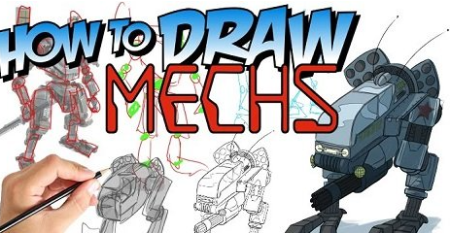
How To Draw MECHS - The Ultimate Guide
Duration: 3h 32m | Video: .MP4, 1280x720, 30 fps | Audio: AAC, 48 kHz, 2ch | Size: 2.4 GB
Genre: eLearning | Language: English​

Have you ever watched an animation with a cool bot in it? A robot or mech that just looks like it's a combination of our world, and someone's imagination? Do you remember as a kid watching The Transformers or Go-Bots and thinking of how cool it'd be to draw that?
Do you want to learn to draw something like that?
Well, this is the course for you. We will go through all the steps needed for you to be able to draw the coolest bots around. Referencing real world items, and using those to help us base our drawings and designs in reality.
Perspective Basics
Simplifying Perspective
Perspective Hacks
Articulated Frame
Types of Joints
Referencing Human Figures
Drawing Hands
Referencing Animals
Referencing Real World Vehicles
Adding Weapons
Choosing Function
Adding Mechanics (bolts, hoses, vents, wires, gutters)
Blobs to Bots
Putting it all together
Adding Paint and Effects
Are you ready to make some of your transformers dreams come true? Ready to take your drawing to the next level by combining the technical AND your imagination?
Follow Ed Foychuk here on Skillshare*as he takes you through over 3 hours of instruction. We promise you, you won't be disappointed!! Ed has tens of thousands of students, and a proven track record in instruction. With easy to follow videos and templates, How To Draw MECHS is the go-to course for ... Transforming your bot dreams (my one dad joke of the day. lol)
Homepage
Screenshots


7a382ffc-55ed-40b3-9c62-7b56dd08c0f7.png

How to Draw the Easter - Step by Step
Duration: 33m | Video: .MP4, 1280x720, 30 fps | Audio: AAC, 48 kHz, 2ch | Size: 242 MB
Genre: eLearning | Language: English​

In this drawing lesson, we are going to go over how to draw Easter Bunny. There are several different types of easter bunnies to draw. This is a step-by-step easy drawing course for beginners. I want everyone to be able to draw Easter Drawings.
Let's go over what is inside the course;
- Drawing Bunny Head
- Drawing Bunny Grabbing an Egg
- Drawing a Bunny inside an Egg
- Drawing Rabbit in a Basket
- Drawing Rabbit Eggs
- Drawing a Chick and Easter Eggs
This is a funny and quick drawing lesson. I'm excited to start. Let's get started.
Homepage
Screenshots


cce64c3f-1e3b-4de1-8306-fcd5b7d5d7b3.png

Learning Scala (2022)
MP4 | Video: h264, 1280x720 | Audio: AAC, 44.1 KHz, 2 Ch
Skill Level: Beginner | Genre: eLearning | Language: English + srt | Duration: 1h 40m | Size: 243.9 MB

Scala has become an increasingly popular programming language ever since it was publicly released in 2004. Designed in part to improve on some of the weaknesses of Java, Scala requires less code and supports both object-oriented programming and functional programming. And while Scala and Java are interoperable, you don't need any knowledge of Java to run Scala. This course with Amina Adewusi is aimed at programming beginners who have only basic programming experience. Amina provides a broad and friendly introduction to some of Scala's features that will set a foundation for more advanced lessons. She details everything you need to write Scala code and run it locally; examines values and types, functions, and control flows; looks at domain modeling; and explores Scala's collection types. If you're just starting on your programming journey, join Amina to see if Scala is right for you.
Homepage


f25e4a84-b55a-41ad-8a6a-fe0ee10ac608.png

Metaverse Essentials - Metaverse from Beginner to Advanced
Duration: 50m | Video: .MP4, 1280x720, 30 fps | Audio: AAC, 48 kHz, 2ch | Size: 519 MB
Genre: eLearning | Language: English​

Hi, my name is Amir Rimer.
Welcome to my step by step video course
Metaverse Essentials - Metaverse from Beginner to Advanced
In this course I will take you by the hand and teach you the basics of the Metaverse
But before I do that...
I will give some preface.
Meaning, I will explain even more basic concepts like: what is an NFT, what is the Blockchain, and even what is the Multiverse.
This course will be perfect for people who are completely new to the Metaverse.
Even if have never heard about blockchain or NFTs, don't worry, I will walk with you step by step and teach you everything there is to know in this course.
Once you finish the course, you will feel more comfortable to start your journey in the*Metaverse.
Here is exactly what you will learn inside the course
What Is An NFT
What Is A Blockchain
What is a universe vs multiverse
What is the Metaverse, and how to access the metaverse
What Is Web 1 and what is web 2?
What is Web 3.0 all about?
What is Web3 technology (In relation to gaming)
What is virtual reality VR and how does it work? (We will see examples from Meta Oculus Quest 2 , HTC Vive, and Playstation VR headsets
I will also include a class exercise, that you can use as a checklist to track your progress in this course.
The class exercise will be a downloadable PDF checklist which will be extremely helpful for following along with me in the lessons.
If you have never even heard about the Metaverse or heard about it but never took the time to really go into it, then this is an amazing chance with this Metaverse course for beginners.
Homepage
Screenshots


7c85ac0b-ae31-43fb-9042-5bcf120a4a89.png

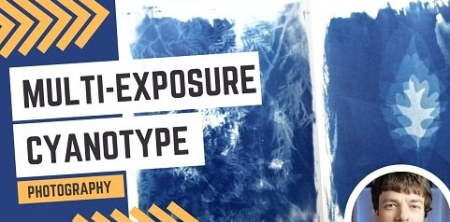
Multi-Exposure Cyanotype Photographs
Duration: 53m | Video: .MP4, 1280x720, 30 fps | Audio: AAC, 48 kHz, 2ch | Size: 376 MB
Genre: eLearning | Language: English​

This class is all about taking the fundamental element of exposure time in cyanotype and experimenting with the creative possibilities. In previous classes we've experimented with various subject matters and methods of exposure, and recently I've been showing some toning methods for attaining a variety of colors. But this class focuses on manipulating the exposure time in order to generate some uniquely beautiful results.
It's really one of the things that I love most about cyanotype: almost any variable can be experimented with and manipulated for my own creative ends.
There's no new supplies needed for this class if you've done cyanotype before, it's just a change in method. But if you need a refresher on the basics of how to make cyanotype prints, I recommend my classes below as the starting place.
Homepage
Screenshots


Zurück
Oben Unten