• Regeln für den Video-Bereich:

    In den Börsenbereich gehören nur Angebote die bereits den Allgemeinen Regeln entsprechen.

    Einteilung

    - Folgende Formate gehören in die angegeben Bereiche:
    - Filme: Encodierte Filme von BluRay, DVD, R5, TV, Screener sowie Telesyncs im Format DivX, XviD und x264.
    - DVD: Filme im Format DVD5, DVD9 und HD2DVD.
    - HD: Encodierte Filme mit der Auflösung 720p oder darüber von BluRay, DVD, R5, TV, Screener sowie Telesyncs im Format x264.
    - 3D: Encodierte Filme von BluRay, die in einem 3D Format vorliegen. Dies gilt auch für Dokus, Animation usw.
    - Serien: Cartoon/Zeichentrick, Anime, Tutorials, Dokumentationen, Konzerte/Musik, Sonstiges sind demnach in die entsprechenden Bereiche einzuordnen, auch wenn sie beispielsweise im High Definition-Format oder als DVD5/DVD9/HD2DVD vorliegen. Ausnahme 3D.
    - Bereich Englisch: Englische Releases gehören immer in diesen Bereich.
    - Bereich Talk: Der Bereich, in dem über die Releases diskutiert werden kann, darf, soll und erwünscht ist.


    Angebot/Beitrag erstellen

    - Ein Beitrag darf erst dann erstellt werden, wenn der Upload bei mindestens einem OCH komplett ist. Platzhalter sind untersagt.
    - Bei einem Scenerelease hat der Threadtitel ausschließlich aus dem originalen, unveränderten Releasenamen zu bestehen. Es dürfen keine Veränderungen wie z.B. Sterne, kleine Buchstaben o.ä. vorgenommen werden. Ausnahme Serienbörse:
    - Bei einem Sammelthread für eine Staffel entfällt aus dem Releasename natürlich der Name der Folge. Beispiel: Die Simpsons S21 German DVDRip XviD - ITG
    - Dementsprechend sind also u.a. verboten: Erweiterungen wie "Tipp", "empfehlenswert", "only", "reup", usw. / jegliche andere Zusatzinformation oder Ergänzung, welche nicht in obiger Beschreibung zu finden ist.

    Aufbau des Angebots und Threadtitel

    Der Titel nach folgendem Muster erstellt zu werden. <Name> [3D] [Staffel] [German] <Jahr> <Tonspur> [DL] [Auflösung] <Quelle> <Codec> - <Group>
    Beispiel: The Dark Knight German 2008 AC3 DVDRip XviD - iND
    Beispiel: The Dark Knight 2008 DTS DL BDRip x264 - iND
    Beispiel: The Dark Knight 2008 AC3 DL BDRip XviD - iND
    Beispiel: The Dark Knight German 2008 AC3 720p BluRay x264 iND
    Beispiel: The Dark Knight 2008 DTS DL 1080p BluRay x264 iND
    Beispiel: Die Simpsons S01 German AC3 DVDRip XviD iND
    Beispiel: Die Simpsons S20 German AC3 720p BluRay x264 iND
    Beispiel: Sword Art Online II Ger Sub 2014 AAC 1080p WEBRip x264 - peppermint
    Entsprechend sind also u.a. verboten: Sonderzeichen wie Klammern, Sterne, Ausrufezeichen, Unterstriche, Anführungszeichen / Erweiterungen wie "Tipp", "empfehlenswert", "only", "reup", usw. / jegliche andere Zusatzinformation oder Ergänzung, welche nicht in obiger Beschreibung zu finden ist
    Ausnahmen hiervon können in den Bereichen geregelt sein.

    Die Beiträge sollen wie folgt aufgebaut werden:
    Überschrift entspricht dem Threadtitel
    Cover
    kurze Inhaltsbeschreibung
    Format, Größe, Dauer sind gut lesbar für Downloader außerhalb des Spoilers zu vermerken
    Nfo sind immer Anzugeben und selbige immer im Spoiler in Textform.
    Sind keine Nfo vorhanden z.B. Eigenpublikationen, sind im Spoiler folgende Dateiinformationen zusätzlich anzugeben :
    Quelle
    Video (Auflösung und Bitrate)
    Ton (Sprache, Format und Bitrate der einzelnen Spuren)
    Untertitel (sofern vorhanden)
    Hosterangabe in Textform außerhalb eines Spoiler mit allen enthaltenen Hostern.
    Bei SD kann auf diese zusätzlichen Dateiinformationen verzichtet werden.

    Alle benötigten Passwörter sind, sofern vorhanden, in Textform im Angebot anzugeben.
    Spoiler im Spoiler mit Kommentaren :"Schon Bedankt?" sind unerwünscht.


    Releases

    - Sind Retail-Release verfügbar, sind alle anderen Variationen untersagt. Ausnahmen: Alle deutschen Retail-Release sind CUT, in diesem Fall sind dubbed UNCUT-Release zulässig.
    - Im Serien-Bereich gilt speziell: Wenn ein Retail vor Abschluss einer laufenden Staffel erscheint, darf diese Staffel noch zu Ende gebracht werden.62
    - Gleiche Releases sind unbedingt zusammenzufassen. Das bedeutet, es ist zwingend erforderlich, vor dem Erstellen eines Themas per Suchfunktion zu überprüfen, ob bereits ein Beitrag mit demselben Release besteht. Ist dies der Fall, ist der bereits vorhandene Beitrag zu verwenden.
    - P2P und Scene Releases dürfen nicht verändert oder gar unter einem iND Tag eingestellt werden.


    Support, Diskussionen und Suche

    - Supportanfragen sind entweder per PN oder im Bereich Talk zu stellen.
    - Diskussionen und Bewertungen sind im Talk Bereich zu führen. Fragen an die Uploader haben ausschließlich via PN zu erfolgen, und sind in den Angeboten untersagt.
    - Anfragen zu Upload-Wünschen sind nur im Bereich Suche Video erlaubt. Antworten dürfen nur auf Angebote von MyBoerse.bz verlinkt werden.


    Verbote

    - Untersagt sind mehrere Formate in einem einzigen Angebotsthread, wie beispielsweise das gleichzeitige Anbieten von DivX/XviD, 720p und 1080p in einem Thread. Pro Format, Release und Auflösung ist ein eigener Thread zu eröffnen.
    - Grundsätzlich ebenso verboten sind Dupes. Uploader haben sich an geeigneter Stelle darüber zu informieren, ob es sich bei einem Release um ein Dupe handelt.
    - Gefakte, nur teilweise lauffähige oder unvollständige Angebote sind untersagt. Dies gilt auch für eigene Publikationen, die augenscheinlich nicht selbst von z.B. einer DVD gerippt wurden. Laufende Serien, bei denen noch nicht alle Folgen verfügbar sind, dürfen erstellt und regelmäßig geupdatet werden.
    - Untersagt sind Angebote, welche nur und ausschließlich in einer anderen Sprache als deutsch oder englisch vorliegen. Ausnahmen sind VORHER mit den Moderatoren zu klären.


    Verstoß gegen die Regeln

    - Angebote oder Beiträge, die gegen die Forenregeln verstoßen, sind über den "Melden"-Button im Beitrag zu melden.
  • Bitte registriere dich zunächst um Beiträge zu verfassen und externe Links aufzurufen.

*** Bestes IPTV *** bester Preis *** gratis Test ***


Englische Tutorials

c375336e-96c0-4dc9-a1dc-c2724db2d17c.png

Convert Google Blogger Into Static Website (Multiple Pages)
MP4 | Video: h264, 1280x720 | Audio: AAC, 44.1 KHz, 2 Ch
Genre: eLearning | Language: English + srt | Duration: 37 lectures (1h 14m) | Size: 888.5 MB

You Will Learn Professionally How to Copy & Paste All Static Website Page Contents To Blogger. Read More In Description
What you'll learn
Overall You will learn how to add all codes of static website for free in blogger
You will learn how to format javascript according to Blogger needs
You will learn how to approach blogger platform's must follow template design rule
You will learn how to add Css elements in Blogger template
You will learn which element is helping to make Different Layouts in Pages for making static website . It's a world secret . Now exposed in this course! Enjoy!
You will learn how to copy image url of blogger in Mozilla Firefox
Requirements
Hi friends , Interest is the first requirement.
Understanding Blogger Platform. It's Features & Limitations . It was also explained here
Basic Knowledge of HTML & CSS & Javascript
Pre-created Code of Static Website (optional) Note: Above point is enough to create simple Static Website
First practice conversion with dummy blog & after that implement in the blog which you want Static Website Design.
It's your wish to have your own domain (optional) .
Description
Google Blogger can be used as Hosting for Static Website. We can't upload files in Blogger but we can add HTML, CSS , Javascript Code which are inside the html files to Blogger
Please note this course is about Google's blogger CMS(Content Management System) platform & not about blogging.
Also note this course is about Adding Static Website Content To Blogger by Customizing Blogger Template. Here we are not doing any Blogger Post and Widgets Customization . Finalized output will be a static website and will not be a Blogger template.
Also understand that , Dynamic type website is not possible in blogger.
Though you need to know some basic HTML , CSS and JS skills , from my understanding the first requirement is interest. So Beginner level is also enough. When you are interested to learn a topic , you will try to understand the topic. When you understand you can get the outline of the topic which is more than enough . Because not everyone can read and memorize all the tags,codes and updates.
In an hour you will understand blogger platform's another dimension.
Explained With Step by Step Videos . So it is very easy to follow.
Attached Blogger Template which has the output of Static website. Enjoy!
If you understand my course you can also create static websites even with Bootstrap Framework in Blogger.
What are you waiting for?
Join us now in this journey, Click Enroll Now and learn something new today!
Who this course is for
Google Blogger platform users who are curious to create this design
Staic Website Designers who want implement their website for free
For Blogger Geeks :)
Persons who want to create portfolio website for free
Persons who need simple static website for their shops.
Homepage


 
7f2da18c-5c8d-4545-bf42-ac026a59c650.png

Copywriting Fundamentals: With Practice Assignments
MP4 | Video: h264, 1280x720 | Audio: AAC, 44.1 KHz, 2 Ch
Genre: eLearning | Language: English + srt | Duration: 20 lectures (2h 41m) | Size: 591 MB

In just hours, master the basic concepts of marketing writing
What you'll learn
Through hands-on practice, know how to turn words into money
Analyze any persuasion challenge so as to identify the factors that will move readers to action
Include all the necessary elements in either the simplest, shortest marketing piece and more complicated ones
Differentiate an offering from the competition
Capture a reader's attention, explain what's on offer and clinch the deal
Gain confidence from a start-to-finish overview of effective copywriting
Requirements
Suitable for absolute beginners
Good review and practice for those with some experience
Description
Get a jump start in marketing writing by mastering its fundamental concepts.
Copywriting is a distinct skill with time-tested principles that enable you to get decent results knowing just the basics.
Whether you enjoy working with words or see marketing as an unavoidable part of survival for your business or your job, the basic concepts of copywriting show how to get started writing an effective promotional piece and how to finish it with all the elements it needs.
Through this concise, practical course, you master copywriting's fundamental principles, including features versus benefits, headlines and leads, dramatization of differences, credibility builders, social proof, offers and tone.
Unlike other online courses, this one gives you three real-life writing assignments and the opportunity to compare what you wrote with others' efforts. Commentary afterwards points out the must-do's on these assignments and many fine points to keep in mind. Seven other exercises and more than 80 visual and/or verbal examples keep the lessons lively and interactive.
Your instructor is veteran copywriter Marcia Yudkin, author of three books and four ebooks on copywriting. She has mentored dozens of aspiring freelancers and business owners in marketing writing.
No prior knowledge of copywriting is needed for the course. In just hours you'll have a basic knowledge of the topic and valuable practice in applying its basic concepts.
Who this course is for
Anyone seeking a practical (and potentially lucrative) new writing skill
Employees told to write a website, sales letter or ad who aren't sure how
Aspiring freelancers wanting a solid foundation for success
Managers or business owners who need to know how to assess the work of copywriters they hire
Homepage


0c97de7c-db16-429e-92bc-73420ff948f1.png

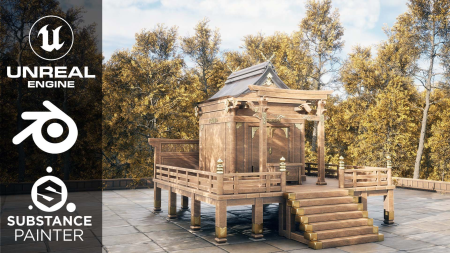
Creating a Japanese Shrine Environment in Unreal Engine 5
MP4 | Video: h264, 1920x1080 | Audio: AAC, 48 KHz
Language: English | Duration: 8h21m | Size: 6 GB​

Hello Everyone and welcome to this new class. In this class, we will go over the entire process of creating this Japanese Shrine environment using Unreal Engine 5, Blender, Substance Painter.
We will go over modelling in Blender, texturing using Substance Painter and setting up the scene, lighting and materials in Unreal Engine 5.
0288e9b3.jpg
SOFTWARES USED - (BLENDER, Substance Painter, Unreal Engine 5)
All the modelling will be done in Blender, However, the techniques used are universal and can be replicated in any other 3D modelling package. The materials and textures will be created using Substance Painter. Level art, lighting and composition will be done in Unreal Engine 5.
In this course, you will learn everything you need to know to create the final results that you see in the images and trailers. The same techniques can be applied to almost any type of environment.
This course has over 8 hours of content! (All the videos have audio commentary)
We will go over each and every step in this course together and nothing will be skipped. The course does not have any kind of timelapses so that you can follow every step easily.
We will start by gathering some reference images to gain some initial ideas and the mood for our scene. We will arrange these reference images in a free program called PureRef. After this we will move on to Blender and start modeling our shrine. We will go over the entire process of modelling this from start to finish in Blender only. We will be using reference images to closely create all the details and the ornamental style designs.
After we have modeled all our assets, we will export them to Substance Painter to start with the texturing. We will learn to create high quality and realistic materials and the key features of Substance Painter like Smart Masks, generators, smart materials etc.
After this we will import all our models into Unreal Engine and export the textures from Painter to Unreal Engine. To enhance our scene even further we will make use of the newly introduced Megascans trees that are provided to us for completely free as Unreal Engine users by Quixel. We will learn to use landscape tools, the foliage editing tools to place all these trees in our scene. We will also learn to customize the different settings of these trees like wind, seasons, leaf color, health etc.
The next step would be to setup our lighting and create a mood and atmosphere for our scene. We will make use of the new features of Unreal Engine such as Lumen to get realistic lighting for our scene, next we will set up a post-Processing volume to further enhance the visuals of our scene.
We will end this course by setting up different camera angles, taking high resolution screenshots for our portfolio and setting up a day-time lighting setup for our scene. We are going to learn a lot of things. So, I hope to see you there in the course, thank you.
Who is this course for?
Students that have basic knowledge of modelling, texturing and want to learn how to create environments. Everything in this course would be explained in detailed but some prior knowledge of the software would be helpful.
Screenshots


3373c997-bc6d-46b7-b143-f88747972dd8.png

Expressive Little Animals: Watercolor Painting in Technicolor Black + White
Instructors: Amarilys Henderson
Duration: 1h 50m • 15 Lessons
Video: MP4 1280x720 44 KHz | English
Level: Beginner | Size: 1.4 GB​

Tackle the trickiest colors in watercolor by painting beautiful animals! This comprehensive class will give you strategies and techniques for painting your own Expressive Little Animals in Technicolor Black & White!
Based on the book "Drawing and Painting Expressive Little Animals," authored by Amarilys and published by Quarry Books, offers several step-by-step video tutorials for a handful of animals. Create one or all of them to compile your own collection.
Learn how to create these rich, yummy colors and.
➕ make custom color mixes
➕ address fur textures
➕ learn Amarilys' easy scan clean up process in Photoshop
➕ create a repeat pattern for fabric on Spoonflower
➕ add metallic backgrounds for further wow with watercolors and iridescent inks
➕ detailed art supplies list and 27-page PDF written instructions
Resist blah-black and nothing-white in watercolor.
Screenshots


71506500-7ad4-4363-a36e-e1c73de29f66.png

Get Passive Income thru Stock Photography w/ NO PHOTO SKILLS
Last Update: 1/2021
Duration: 1h 25m | Video: .MP4, 1280x720 30 fps | Audio: AAC, 48 kHz, 2ch | Size: 1.38 GB
Genre: eLearning | Language: English​

a pragmatic approach to monetizing everyday sights with your cell phone camera
What you'll learn:
how to grow a steady stream of passive income through stock photography
how to discover what stock content to create
rudimentary photography & Photoshop skills
Requirements
You must own a cell phone or digital camera
Description
Passive income is the dream. And we all want to live the dream.
Unfortunately, real estate requires a huge down payment, the stock market requires immense skill (or insane luck!), and starting a business requires real blood, sweat, and tears. And I*don't know about you, but I'm a bit of a wimp.
Luckily I discovered stock photography a couple years ago and I*now make $500 per month in passive income. I*take BASIC pictures with NO*ARTISTIC*MERIT. These pictures and videos can easily be taken on a mobile phone and require no actors or models. Literally anyone can take the style of pictures I*do. This is not fine art. I use a pragmatic approach to capture valuable content and monetize it on various stock photography platforms.
Yes, it helps to be a photographer or videographer to understand the basics, but this course is geared towards anyone wanting to make a steady stream of passive income without the need to commit to large startup capital or time spent learning a new skill. This is for go-getters, the entrepreneurs, and all around business-minded people.
I'll take you step-by-step from planning a strategic shoot through uploading your content to stock photography sites and making real passive income
Who this course is for
go-getting, entrepreneurial and business types
those wanting a steady stream of passive income
photographers or videographers who want to futher monitize their skills
Homepage
Screenshots


53a7f68f-0059-49f6-ae0a-d8e0ab328aaf.png

How To Create A Podcast On Any Budget
Last Update: 2/2022
Duration: 1h 13m | Video: .MP4, 1280x720 30 fps | Audio: AAC, 48 kHz, 2ch | Size: 1.3 GB
Genre: eLearning | Language: English​

Full guide from planning, recording, editing and promoting
What you'll learn:
Recording a podcast
Promotion of a podcast
Conducting interviews
Identifying the target audience
Requirements
Laptop, Wi-fi, mobile phone
Description
If you don't know where to start when it comes to podcasting, this is the course for you. I'm talking about understanding podcast from its very basics and then I share the best practices for creating a successful podcast on any kind of budget. Part of this training is also a tutorial on using a free podcasting platform called Anchor FM that lets you record, edit and distribute your podcast for free.
I help my clients with podcast as well as I have my own podcast called Girl with a Camera. I've made a lot of mistakes along the way and I*will share all of them with you so you can avoid making them. I share my best strategies for promoting a podcast, how to market it, where and how to get analytics, but also possibly making money from your podcast.
This course is for everyone who wants to learn about podcasting. It doesn't matter whether you want to start a podcast for yourself or your company, I cover many examples of best practices for all types of podcasts.
After finishing this course, you will have a specific plan on how to name your podcast, what type of podcast works best for you, how to structure an episode, how to conduct interviews, how to identify your target audience and how to create a value for your listeners.
Be prepared for a ride!
Who this course is for
Absolutely everybody
Homepage
Screenshots


959886c5-d283-41f5-ae05-ea0f2f7f4f64.png

Introduction to VMware (2022)
MP4 | Video: h264, 1280x720 | Audio: AAC, 44.1 KHz, 2 Ch
Skill Level: Beginner | Genre: eLearning | Language: English + srt | Duration: 2h 2m | Size: 271.3 MB

Virtualization has quickly become one of the most important technologies in the world. It allows you to better manage your workloads by radically transforming traditional computing to make it more scalable. But have you ever thought about how virtualization actually works? In this introductory course, instructor Imran Afzal gives you a basic overview of this technology as he demonstrates how to leverage the various products offered by VMware, a leader in virtualization management software.
Learn more about the skills you need to be an effective system administrator in a virtual environment. Explore VMware products, how they work, core concepts, and why virtualization is so advantageous for IT professionals in today's hybridized, technological landscape. Discover the different components of the VMware vSphere environment, testing your new virtual management skills along the way in your very own vSphere lab.
Homepage


70c06fa4-d9f4-41d9-a878-e72e69e2458b.png

Learn & Deploy Streamlit for Data Science Web Apps
MP4 | Video: h264, 1920x1080 | Audio: AAC, 44 KHz
Language: English | Duration: 3h41m | Size: 1.3 GB​

Welcome to the course Introduction to
Streamlit is an open-source Python library that makes it easy to create and share beautiful, custom web apps for machine learning and data science that can be used to share analytics results, build complex interactive experiences, and illustrate new machine learning models. In just a few minutes you can build and deploy powerful data apps.
On top of that, developing and deploying Streamlit apps is incredibly fast and flexible, often turning application development time from days into hours.
In this course, we start out with the Streamlit basics. We will learn how to download and run demo Streamlit apps, how to edit demo apps using our own text editor, how to organize our Streamlit apps, and finally, how to make our very own. Then, we will explore the basics of data visualization in Streamlit. We will learn how to accept some initial user input, and then add some finishing touches to our own apps with text. At the end of this course, you should be comfortable starting to make your own Streamlit applications.
In particular, we will cover the following topics
Why Streamlit?
Installing Streamlit
Organizing Streamlit apps
Streamlit plotting demo
Making an app from scratch
Homepage
Screenshots


530b6d32-a97d-43d4-aaee-0101fbdfb453.png

MS Dynamics 365-Finance & Operations-MB300| 330 |310 (Part2)
MP4 | Video: h264, 1280x720 | Audio: AAC, 44.1 KHz, 2 Ch
Genre: eLearning | Language: English + srt | Duration: 27 lectures (4h 57m) | Size: 3.73 GB

Microsoft Dynamics 365, D365 Finance and Operations, D365 F&O, Dynamics AX - New Course 2022 Updated
What you'll learn
Creation of vendors in a new legal entity
Learning about vendor party association
Exploring vendor Credit rating, Credit limit, Vendor hold, Reason codes
Exploring vendor Currency, Invoice account, Delivery terms, Mode of delivery
Exploring Change management, Terms of payment, Method of payment setup in vendor master
Getting started with trade agreement set-up
Creation of first trade agreement journal
Exploring various scenarios with in PO using trade agreements
Deep dive into line discounts set-up
Line discounts and Purchase order detailed demo
Setting-up line discounts using percentage discounts
Realtime examples using line discounts by quantity
Additional features and scenarios using line discounts
Application of discount groups for price agreements
Adding vendor surcharges using purchase agreements
Line discounts Vs Multiline discounts
Exploring total discounts in D365
Manual Charge code set-up
Exploring different scenarios using manual charge codes in PO
Setting up automatic charge code at header level
Automatic charges and PO
Setting up and exploring automation charge code at line level
Vendor rebates using charge codes
Requirements
Required to watch the Part -1 of this course before proceeding with part 2
Basic knowledge about legal entity creation and other topics discussed in the part 1 of this course
Good to have a trail or test environment to practise all scenarios covered during this course
Description
The primary purpose of this course is to provide you with an in-depth knowledge of the concept and functionality of Microsoft Dynamics 365/AX for Finance and the supply chain. It is primarily designed for business users, students, and consultants who are interested in learning how to use the Microsoft D365 application. Microsoft Dynamics 365/AX for Finance and Operations is a very comprehensive business solution, which makes it impossible to explain all parts of the application in a single course. Hence, this will be a multi-part series and each one focusing on various concepts within Microsoft Dynamics 365. All those tutorial videos posted here are undoubtedly true value for money, I request you all to provide me with constant feedback to help me keep improving all my future parts. In order to benefit from my tutorials, it is recommended to have a separate test application to practice the scenarios along with me while watching my lectures.
1. Vendor Management - Deep-dive discussion
1.1 Prerequisites & course overview
1.2 Getting started with the creation of the first vendor in a new legal entity.
1.3 learning about parties, vendors, and party associations.
1.4 Exploring Credit rating, Credit limit, Vendor hold, Reason codes in vendor master
1.5 Exploring Currency, Invoice account, Delivery terms, Mode of delivery in a vendor
1.6 Introduction to Change management, Terms of payment, Method of payment setup
2. Trade agreements step by step guide
2.1 Getting started with trade agreement set-up
2.2 Creation of first trade agreement journal
2.3 Viewing the trade agreement price in the Purchase order
2.4 Editing the trade agreements and making changes to the price
3. Prices & discount agreements step by step guide
3.1 Deep dive into line discounts set-up
3.2 Application of line discounts within a Purchase order
3.3 Setting-up line discounts using percentage discounts
3.4 Exploring line discounts using discount percentages 1 & 2
3.5 Real-time examples using line discounts by quantity.
3.6 Additional features using line discounts.
4. Discount agreement deep-dive sessions
4.1 Application of discount groups for price agreements
4.2 Using vendor discount groups in price agreements
4.3 Adding vendor surcharges using purchase agreements
4.4 Line discounts Vs Multiline discounts
4.5 Exploring total discounts in D365
5. Everything about charge codes in Dynamics 365
5.1 Manual Charge code set-up
5.2 Exploring different scenarios using manual charge codes in PO
5.3 Setting up automatic charge code at header level
5.4 exploring auto charges within a PO
5.5 Setting up and exploring automation charge code at line level
5.6 Vendor rebates using charge codes.
Who this course is for
ERP consultants and Business users who want to become experts in D365 F&O Finance consulting
Those want to choose D365 Finance F&O consulting as their career path
Professionals working in Accounting & Supply chain domain and want to switch their career to D365 F&O consulting
Consultants who have experience on AX2009 and Dynamics AX2012 and upgrade their skills with D365 F&O
Dynamics 365 F&O Consultants who want to get certified on MB 300,MB 330, MB-310
Homepage


6474b476-092d-4ef5-9573-b0d954be7df2.png

Master Compositing For Advertising in Adobe Photoshop
Duration: 1h 52m | Video: .MP4, 1280x720, 30 fps | Audio: AAC, 48 kHz, 2ch | Size: 1.13 GB
Genre: eLearning | Language: English​

Do you wanna*Take your Photoshop Compositing Skills To The Next Level?
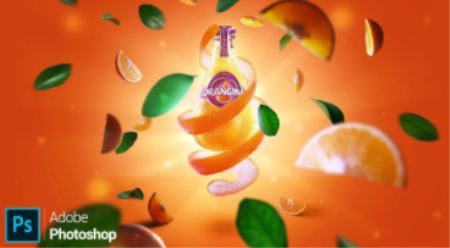
ever wondered how*those professional looking*ads are created and wanted to learn those skills, well you came to the right place,*in this course i will show you how to create a professional beverage ad in photoshop,*you will get two hours of high quality content in witch you will learn advanced Photo compositing and retouching techniques and be able to create*projects like this from scratch using your own shot at home images or any other stock images
hi,my name is Rabii and im a*professional Creative Retoucher with a*tremendous*experience in photoshop*and retouching,*dedicated to this industry and*strives to deliver amazing work that tells compelling stories and changes perspectives, and if you want to learn new amazing photo retouching and compositing techniques and your needs meet some of the listed below then this course is for you
Who is This Course For?
any photoshop user who has basic to intermediate knowledge about photoshop*and*wants to take his photo editing*skills to the next level
Anyone who wants to learn photo*compositing and*retouching
Photoshop Users who want to improve their current skills
beginner to Advanced photoshop users
What will you learn?
Master the Puppet Warp Tool
You'll learn how to use the puppet warp tool to bend and wrap thing around objects
Advanced Masking
We will dive into more advanced masking techniques by blending multiple objects together and incorporate them into the scene
In depth Color Correction
discover how to use Hue,Saturation and light together to perfectly color correct and blend objects
Advanced Photo compositing and Retouching Techniques
Get to know my secret techniques of combining multiple objects to one composition as well as getting the right perspective
Create realistic shadows and lighting effects
Learn how to paint advanced lighting effects to a main object to add attraction as well as adding realistic shadows
Create a depth of field effect
learn how to create a distance illusion in the scene by adding a depth of field effect and bringing focus to the main object
. and so much more!
The Course is Divided into 6 different sections
Section one contains lecture one*the course introduction*and lecture 2 source*images in which i will talk about the images used in this course and how to find them and use them
Section two contains lecture 3,4 and 5 where we will be*creating*the base background and learn how to make*the twisted peel using the puppet warp tool in photoshop
Section three contains lecture 6,7 and 8 in this section we will add the bottle and water droplets to the composition and do some*lighting color correction along the way
Section four contains lecture 9,10 and 11 in this section we will be adding the floating*orange slices and leaves then we are gonna be painting the lighting effects to the*scene
Section five contains lecture 12 and 13 in which we will be doing some color correction to the whole image and then we will finish it by doing some sharpening and finishing touches
Section six is the conclusion where i'll talk about final thoughts about the course and what you will*do next
Who is the target audience?
Anyone who has a basic knowledge in photoshop
Homepage
Screenshots


8592bcf4-5d08-4e54-874d-b7fff6027277.png

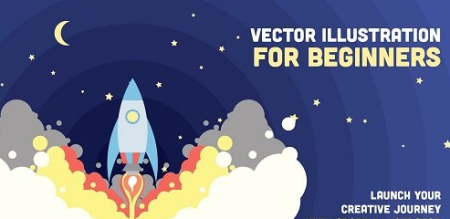
Vector Illustration for Beginners: Launching Your Creative Journey with Adobe Illustrator
MP4 | Video: h264, 1920x1080 | Audio: AAC, 48 KHz
Language: English | Duration: 1h7m | Size: 908 MB​

Launch your creative journey with vector illustration in Adobe Illustrator. Having a firm foundation in Adobe illustrator is an amazing way to get you to the next level in your illustration career. Whether you wanna design logos or editorial illustrations, Adobe Illustrator is an Industry standard for vector graphics, and once you learn the foundational skills there is no limit to what you can do. Vector Illustrations are infinitely scalable, so you never have to worry that the quality of your work is to low to display, it will remain crisp and clean no matter what size.
This class will take you through each step of the vector illustration process, covering a wide variety of tools and techniques that will give you a robust skillset to apply to your next project.
What you will Learn
Setting up you documents and workspace
Use the layers panel to separate artwork into manageable sections
Basics of the Pen Tool
Working with shapes and shape building tools
Essential keyboard shortcuts to speed up your workflow
Export Your Class Project
Learning a new program can be daunting, however throughout the class you will get a detailed explanation of the tools used to create your illustration so that you can build a firm foundation as the class progresses. Along with the main classes, there will be Micro Lessons that will quickly introduce key tools to get you familiar with how they work and then you will see a practical way to apply it to our illustration.
Screenshots


2ffd9fed-2adb-4038-b2d5-f553d9515ce3.png

Working with Vue 3 and Go
MP4 | Video: h264, 1280x720 | Audio: AAC, 44.1 KHz, 2 Ch
Genre: eLearning | Language: English + srt | Duration: 152 lectures (14h 49m) | Size: 5.3 GB

Learn how to work with Vue 3 and a Go back end from an award winning university professor
What you'll learn
Learn how to create interactive Web applications using Vue 3
Learn how to create a REST backend using Go (often referred to as Golang)
Learn how to create a secure user authentication system with Vue and Go
Learn best practices for creating a secure, scalable web application
Requirements
Some experience with HTML, Javascript, and Go
Description
Vue.js is, as they say on their website, an "approachable, performant and versatile framework for building web user interfaces." That sentence really does not give Vue its full due. It is arguably the best solution currently available for building highly interactive, easy to maintain, and feature-rich web applications currently available. Many developers find it easier to learn than React or Angular, and once you learn the basics, it is easy to move on to building more complex applications.
Go, commonly referred to as Golang, is an easy to learn, type safe, compiled programming language that has quickly become a favourite among people writing API back ends, network software, and similar products. The ease with which Go works with JSON, for example, makes it an ideal solution to develop a back end for a Single Page Application written in something like Vue.
This course will cover all of the things you need to know to start writing feature-rich, highly interactive applications using Vue.js version 3 for the front end, and Go for the back end API.
We will cover
Working with Vue 3 using a CDN
Working with Vue 3 using the vue-cli, node.js and npm
Learn both the Options API and the Composition API for Vue 3
How to work with props
How to build reusable Vue components
How to build and use a data store with Vue 3
Creating, validating, and posting forms using fetch and JSON
Emitting and processing events in Vue
Conditional rendering in Vue
Animations and transitions in Vue
Working with the Vue Router
Protecting routes in Vue (requiring user authentication)
Caching components using Vue's KeepAlive functionality
Implementing a REST API using Go
Routing with Go
Connecting to a Postgresql database with Go
Reading and writing JSON with Go
Complete user authentication with Go using stateful tokens
Testing our Go back end with unit and integration tests
And much more.
Vue is one of the most popular front end JavaScript frameworks out there, and Go is quickly becoming the must-know language for developers, so learning them is definitely a benefit for any developer.
Who this course is for
This course is intended for developers who have some experience with JavaScript, Go, and HTML
Homepage


Zurück
Oben Unten