• Regeln für den Video-Bereich:

    In den Börsenbereich gehören nur Angebote die bereits den Allgemeinen Regeln entsprechen.

    Einteilung

    - Folgende Formate gehören in die angegeben Bereiche:
    - Filme: Encodierte Filme von BluRay, DVD, R5, TV, Screener sowie Telesyncs im Format DivX, XviD und x264.
    - DVD: Filme im Format DVD5, DVD9 und HD2DVD.
    - HD: Encodierte Filme mit der Auflösung 720p oder darüber von BluRay, DVD, R5, TV, Screener sowie Telesyncs im Format x264.
    - 3D: Encodierte Filme von BluRay, die in einem 3D Format vorliegen. Dies gilt auch für Dokus, Animation usw.
    - Serien: Cartoon/Zeichentrick, Anime, Tutorials, Dokumentationen, Konzerte/Musik, Sonstiges sind demnach in die entsprechenden Bereiche einzuordnen, auch wenn sie beispielsweise im High Definition-Format oder als DVD5/DVD9/HD2DVD vorliegen. Ausnahme 3D.
    - Bereich Englisch: Englische Releases gehören immer in diesen Bereich.
    - Bereich Talk: Der Bereich, in dem über die Releases diskutiert werden kann, darf, soll und erwünscht ist.


    Angebot/Beitrag erstellen

    - Ein Beitrag darf erst dann erstellt werden, wenn der Upload bei mindestens einem OCH komplett ist. Platzhalter sind untersagt.
    - Bei einem Scenerelease hat der Threadtitel ausschließlich aus dem originalen, unveränderten Releasenamen zu bestehen. Es dürfen keine Veränderungen wie z.B. Sterne, kleine Buchstaben o.ä. vorgenommen werden. Ausnahme Serienbörse:
    - Bei einem Sammelthread für eine Staffel entfällt aus dem Releasename natürlich der Name der Folge. Beispiel: Die Simpsons S21 German DVDRip XviD - ITG
    - Dementsprechend sind also u.a. verboten: Erweiterungen wie "Tipp", "empfehlenswert", "only", "reup", usw. / jegliche andere Zusatzinformation oder Ergänzung, welche nicht in obiger Beschreibung zu finden ist.

    Aufbau des Angebots und Threadtitel

    Der Titel nach folgendem Muster erstellt zu werden. <Name> [3D] [Staffel] [German] <Jahr> <Tonspur> [DL] [Auflösung] <Quelle> <Codec> - <Group>
    Beispiel: The Dark Knight German 2008 AC3 DVDRip XviD - iND
    Beispiel: The Dark Knight 2008 DTS DL BDRip x264 - iND
    Beispiel: The Dark Knight 2008 AC3 DL BDRip XviD - iND
    Beispiel: The Dark Knight German 2008 AC3 720p BluRay x264 iND
    Beispiel: The Dark Knight 2008 DTS DL 1080p BluRay x264 iND
    Beispiel: Die Simpsons S01 German AC3 DVDRip XviD iND
    Beispiel: Die Simpsons S20 German AC3 720p BluRay x264 iND
    Beispiel: Sword Art Online II Ger Sub 2014 AAC 1080p WEBRip x264 - peppermint
    Entsprechend sind also u.a. verboten: Sonderzeichen wie Klammern, Sterne, Ausrufezeichen, Unterstriche, Anführungszeichen / Erweiterungen wie "Tipp", "empfehlenswert", "only", "reup", usw. / jegliche andere Zusatzinformation oder Ergänzung, welche nicht in obiger Beschreibung zu finden ist
    Ausnahmen hiervon können in den Bereichen geregelt sein.

    Die Beiträge sollen wie folgt aufgebaut werden:
    Überschrift entspricht dem Threadtitel
    Cover
    kurze Inhaltsbeschreibung
    Format, Größe, Dauer sind gut lesbar für Downloader außerhalb des Spoilers zu vermerken
    Nfo sind immer Anzugeben und selbige immer im Spoiler in Textform.
    Sind keine Nfo vorhanden z.B. Eigenpublikationen, sind im Spoiler folgende Dateiinformationen zusätzlich anzugeben :
    Quelle
    Video (Auflösung und Bitrate)
    Ton (Sprache, Format und Bitrate der einzelnen Spuren)
    Untertitel (sofern vorhanden)
    Hosterangabe in Textform außerhalb eines Spoiler mit allen enthaltenen Hostern.
    Bei SD kann auf diese zusätzlichen Dateiinformationen verzichtet werden.

    Alle benötigten Passwörter sind, sofern vorhanden, in Textform im Angebot anzugeben.
    Spoiler im Spoiler mit Kommentaren :"Schon Bedankt?" sind unerwünscht.


    Releases

    - Sind Retail-Release verfügbar, sind alle anderen Variationen untersagt. Ausnahmen: Alle deutschen Retail-Release sind CUT, in diesem Fall sind dubbed UNCUT-Release zulässig.
    - Im Serien-Bereich gilt speziell: Wenn ein Retail vor Abschluss einer laufenden Staffel erscheint, darf diese Staffel noch zu Ende gebracht werden.62
    - Gleiche Releases sind unbedingt zusammenzufassen. Das bedeutet, es ist zwingend erforderlich, vor dem Erstellen eines Themas per Suchfunktion zu überprüfen, ob bereits ein Beitrag mit demselben Release besteht. Ist dies der Fall, ist der bereits vorhandene Beitrag zu verwenden.
    - P2P und Scene Releases dürfen nicht verändert oder gar unter einem iND Tag eingestellt werden.


    Support, Diskussionen und Suche

    - Supportanfragen sind entweder per PN oder im Bereich Talk zu stellen.
    - Diskussionen und Bewertungen sind im Talk Bereich zu führen. Fragen an die Uploader haben ausschließlich via PN zu erfolgen, und sind in den Angeboten untersagt.
    - Anfragen zu Upload-Wünschen sind nur im Bereich Suche Video erlaubt. Antworten dürfen nur auf Angebote von MyBoerse.bz verlinkt werden.


    Verbote

    - Untersagt sind mehrere Formate in einem einzigen Angebotsthread, wie beispielsweise das gleichzeitige Anbieten von DivX/XviD, 720p und 1080p in einem Thread. Pro Format, Release und Auflösung ist ein eigener Thread zu eröffnen.
    - Grundsätzlich ebenso verboten sind Dupes. Uploader haben sich an geeigneter Stelle darüber zu informieren, ob es sich bei einem Release um ein Dupe handelt.
    - Gefakte, nur teilweise lauffähige oder unvollständige Angebote sind untersagt. Dies gilt auch für eigene Publikationen, die augenscheinlich nicht selbst von z.B. einer DVD gerippt wurden. Laufende Serien, bei denen noch nicht alle Folgen verfügbar sind, dürfen erstellt und regelmäßig geupdatet werden.
    - Untersagt sind Angebote, welche nur und ausschließlich in einer anderen Sprache als deutsch oder englisch vorliegen. Ausnahmen sind VORHER mit den Moderatoren zu klären.


    Verstoß gegen die Regeln

    - Angebote oder Beiträge, die gegen die Forenregeln verstoßen, sind über den "Melden"-Button im Beitrag zu melden.
  • Bitte registriere dich zunächst um Beiträge zu verfassen und externe Links aufzurufen.

*** Bestes IPTV *** bester Preis *** gratis Test ***


Englische Tutorials

f5e398fa-12ea-482b-9994-f561ea8ff5ae.png

Cybersecurity Threat Hunting Professional
Genre: eLearning | MP4 | Video: h264, 1280x720 | Audio: AAC, 44.1 KHz
Language: English | Size: 989 MB | Duration: 1h 27m
Cybersecurity Threat Hunting Professional

What you'll learn
The mindset set and skills required to be an effective Threat Hunter.
How to conduct basic threat hunts.
How to configure basic to advance environments to conduct threat hunting.
Understand the various approaches to threat hunting.
Understand the Threat Hunting loop & threat hunting Products
Requirements
The learner must have a basic understand of network and information security.
The learner must have a basic understand of programming or scripting-querying skills.
The learner must have a basic understand of ethical hacking methodology.
Description
About this course
Learn to develop the skills & mindset required to become a professional cybersecurity threat hunter.
Description
Are you trying to pivot in your IT\cybersecurity career? Then this course is a great way to find an area of cybersecurity in which you can develop your skills.
This course is also valuable for those who are already in cybersecurity and want to get a high-level understanding of what is involved in threat hunting.
This course can help you improve your chances of landing your first cybersecurity job because you will learn the skills that can help an organization become more secure in its operations.
This course is designed for entry-level or aspiring cybersecurity professionals.
What you'll learn
Section-1
What is Threat Hunting & Its Primary objective
Why conduct threat hunting
What threat hunting is not
Why Threat Hunt?
Attributes of an effective Threat Hunter
What is required for threat hunting
Terms associated with threat hunting
Threat Hunting Loop
What is Required for Successful Threat Hunting
Techniques for Successful Hunting
What makes Threat Hunting Effective
Threat Hunting approaches
Hypothesis Testing & Sources of Hypothesis.
7 Effective Threat Hunting Tips
SECTION-2
Threat Hunting Approaches.
Threat Hunting Tools & Products
Demo-Simulate a threat hunting hypothetical scenario
Indicators of threat attacks\IoC
Demo of basic threat hunt using system monitor & the event viewer
Section-3
Next steps to developing practical threat hunting skills
Who this course is for
This course is intended for persons who are already familiar with cybersecurity and want to specialize in Threat Hunting
This course is also designed for the general IT professional who just want to have a basic understand of what is involved in threat hunting at an high level.
Screenshots






 
b857cfa7-ffef-4477-b097-ac52618ecd14.png

Emerging Financial Risk Management
MP4 | Video: h264, 1280x720 | Audio: AAC, 44.1 KHz, 2 Ch
Skill Level: Beginner | Genre: eLearning | Language: English + srt | Duration: 1h 13m | Size: 1.41 GB

Risk isn't something to be afraid of, but you always have to keep it in mind. Your profit margins and productivity depend upon it-without risk, there can be no reward. In this course, instructor Dan Weedin gives you an overview of how emerging financial risk is changing with the rise of fully remote and hybrid work.
Learn about how to identify emerging risk, why risk matters to your business, and how to protect your profits, assets, and team members in times of change. Get leadership and financial risk planning skills related to cybertechnology, intellectual property, compliance and regulation, and crisis management. By the end of this course, you'll have the tools you need to mitigate financial risk more effectively with resilient leadership and strategic planning.


a4011179-fbf6-4351-a65e-03b723c025f8.png

English for **** (part 1)
MP4 | Video: h264, 1280x720 | Audio: AAC, 44.1 KHz, 2 Ch
Genre: eLearning | Language: English + srt | Duration: 10 lectures (2h 43m) | Size: 2.95 GB


Great vocabulary usage video course for young learners
What you'll learn
Learn English vocabulary on 10 interesting and practical topics.
Understand meaning of English words and phrases watching videos.
Repeat new words playing games.
Use new vocabulary in phrases and sentences.
Requirements
No previous experience or special equipment needed. Children watch, listen and repeat words and phrases.
Description
Many parents from all over the world dream of their children speak fluent English. This English course is a perfect tool to help parents get their **** interested in foreign language.
This video course is intended for purchase by adults and designed for young English learners (with parental guidance) who never studied English before or just started their language education. The whole course is conducted in English. For the best results course is recommended for **** from 3 years old and older.
This course consists of 10 lectures each of which covers one interesting and practical topic. Every video is structured and includes teacher's greetings, vocabulary learning, educational video, game, new vocabulary usage in phrases and sentences, practical task, and closing part.
This video course contains great visual materials like pictures and animated stickers, so **** can easily understand the meaning of the new foreign words. Course has text support for new words and sentences to develop not only listening and speaking but also reading skills.
Children watch lectures, listen to and repeat after the teacher. Every video is from 12 to 20 minutes long, which is perfect to keep even small children engaged without need for parents to be present. Course can be vied as many times as child wants; however, it is recommended to view the whole course at least 1-2 times.
After completing this course, young learners will get familiar with everyday vocabulary and will be able to have a simple conversation in English on one of the course topics.
Who this course is for
This English course is designed for **** (with parental guidance) (fundamental/beginner levels) to learn 10 interesting and practical topic in English.
Homepage


e8b9c19d-dad5-41b6-847f-6c15246e5f43.png

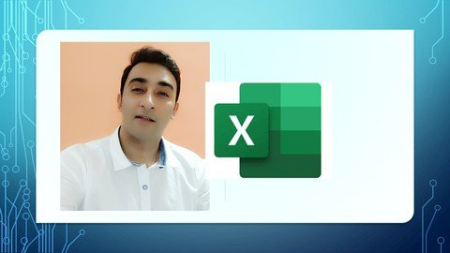
Excel Pivots & Dashboards (Basic to Super Advance)
Genre: eLearning | MP4 | Video: h264, 1280x720 | Audio: AAC, 44.1 KHz
Language: English | Size: 3.03 GB | Duration: 5h 57m
Data Analysis, Summary Reports, Dashboards using Advance Pivots - Super Advance knowledge coming in your way.

What you'll learn
Take your data analysis talent from ZERO level to PROFESSIONAL level with Excel Pivot Tables
Learn to use the most POWERFUL tool in Excel to easily summarize and create fantastic reports
Excel Pivots from Basic to Super Advance Level - Covering every thing about Pivots
If you have always wanted to analyze & summarize data in seconds, then this is the right course.
You will learn how to Create Dashboards, Slicers, Pivot amazing features and so much. Pls check the course Curriculum for more details
Requirements
Microsoft Excel 2010-2021 or Office 365 - Perfect choice For Window users
Mac users are welcome, but please make a note that the Pivot Table interface varies across platforms
Need to know Basic Excel and Basic of Charts for one of the topic in this course called Pivot Charts.
Description
Complete Training on Excel Pivots , Slicers , Pivot Charts and Dashboards using all these tools.
Deep dive into Pivot functioning by doing different level of exercises.
Rules to follow in Pivots - Data headers and data point layouts
Know the Pivot Designs, subtotal feature, Grand Total Feature, Repeat labels, Blank lines and many more.
Know the tabular form, compact form and others and their benefits. Shortcut keys to be used in Pivots
What is there in right click on pivot options - Hidden features like refresh on open, No data show, errors handling, blank data handling and many more.
How to summarize the data using Row or column fields - Benefits and disadvantages.
How to create Pivot percentage numbers and cumulative totals or comparisons in totals like may be if you want to summarize the data on process contribution over single item.
Ranking calculation in Pivots - its amazing
How to Create Slicers in Pivots and use in dashboards.
How to link many pivots with one single slicer only and why we should know that. Introducing the report connection. Easy and powerful.
How to customize the Slicers if you do not wish to use the ready made Slicer designs - its magnificent. Deep dive into slicer formatting.
Learn how to use filters and slicers to make INTERACTIVE views of data without using any VBA Coding and formulas.
How to create formula in Pivots and how to use that.
Conditional Formatting in Pivots - Its amazing
Learn how to create Pivot Charts
How to create Pivot Dashboards in excel using all mentioned above features.
Who this course is for
All those students who take a keen interest in Data Analysis , want to create excel reports, produce one click summary reports.
Those who know basic or advance excel but do not know Pivots in-depth. You dont need to be an expert in excel to start this course. Just that you have to be data enthusiastic
Professionals who want to pursue a career in data analysis or business intelligence
Screenshots


f0ecd4e9-1ed7-4d6f-9aa6-e3feb452cb00.png

Fix your work life balance: create harmony from stress
MP4 | Video: h264, 1280x720 | Audio: AAC, 44.1 KHz
Language: English | Size: 311 MB | Duration: 46m
Work life balance reimagined
What you'll learn​

Reduce stress - learn to prioritize without negative pressure
Control your time management - get more done that you want to get done
Learn what matters most - examine your obligations and preferences
Fix your work life balance - balance work, life, happiness
Requirements
No previous experience or work required
Description
Are you sick of hearing: "there aren't enough hours in the day"? Especially when you are the one saying it?
You don't get to choose all the things you have to do in a day, you have work, you have obligations, you have responsibilities. And all those things are competing for your time and attention.
What if that is the problem at the heart of it all: the competition?
Life should be a sequence of harmonious relationships between our needs and tasks and daily endeavors. Not a competition.
This is the problem with "Work-Life Balance". It supposes that work and life are out here fighting each other for space. But it shouldn't be that way. Work isn't in competition with life: work is part of life.
Let's forget everything we know about work-life balance and aim instead for Life Balance.
This course will teach you all about
Your personal identifications and why they are causing your stress
The elements of life that go into creating balance
How to find your priorities and needs in life balance
How to build your plan to achieve life balance
The goal of the course is to make you see all the various parts of your life in a new way, learn to isolate the rule important elements of each, and then build a plan to fit them all into your life. Not everything you would or could do: the parts that really matter.
Grab a pen and some paper, get ready for some self-analysis, and let's get started!
What students are saying
"Very well thought-out and logical. Great course!"
Who this course is for
You are constantly tired and overworked
You always feel behind
You always feel like you "should be doing something else"
You struggle to fit everything into your day
Screenshots


903656ac-01ca-42bc-9f3e-7d38ddcc1851.png

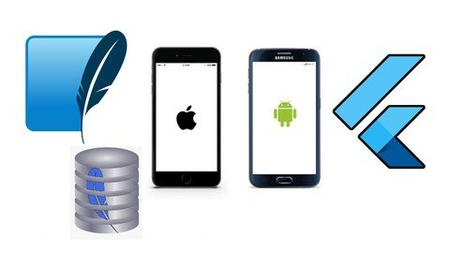
Full Stack Web Development Foundations: Scratch to Advanced
MP4 | Video: h264, 1280x720 | Audio: AAC, 44.1 KHz, 2 Ch
Genre: eLearning | Language: English + srt | Duration: 32 lectures (1h 50m) | Size: 981.9 MB

Become Full Stack Web Developer From Scratch. Course Covers HTML Web Forms, CSS, JavaScript, PHP, SQL, School Project
What you'll learn
Learn to Build a Dynamic Database Driven Website from Scratch
Become a Full Stack Web Developer in a Simple Easy To Understand Way
Learn to Build a Login Sign Up Form From Scratch
Learn to Build a Contact Us From From Scratch
Learn CSS, HTML, JavaScript, PHP, and SQL in the Simplest Manner
Learn to Host Your Dynamic Website Online
Requirements
No programming background required. We cover everything from scratch
A computer or laptop with internet connection will be required to follow along the lessons
Description
Do you want to build and manage your own dynamic data-driven website but don't know how to begin?
Do you want to learn Web Development from scratch but are unable to do so because of the technicalities of programming and too much content is making you feel lost?
Are you a researcher and curious to learn about web technologies?
If the answer to any of the above questions is yes, then this course is for you. Web development is a complex topic and could be a time bewildering experience for many! We are interacting with web data and night and web development skills are as essential as reading, writing, and arithmetic.
Why you should learn web development?
Web development is an essential skill, as essential as reading, writing, and arithmetic. Do not leave yourself behind in learning and mastering it.
If you know web development you can build a website online without investing lots of money in an external programmer or company.
If you are looking to make a career in Web Development, this course will get you started immediately.
You can build your own personal or a dynamic portfolio website using this course.
You can program your research survey or experiment online and collect data effortlessly
Web development is fun! You must try it.
What does this course cover?
We have built this course to offer a comprehensive yet focussed coverage of core web development skills covering the following topics
How to conceptualize and plan a dynamic website from scratch?
How to design any HTML form?
How to Style HTML form with CSS?
How to write inline CSS or connect an HTML form with an external CSS?
How to make your HTML form interactive with Javascript?
How to add validators like name validation, password validation, email, phone, and other types of validators in your Web Form?
How to program a form using PHP?
What is Database and how to create a SQL Database?
How to host your dynamic website online?
How to create a fully functional login sign up form using a demo School project?
This course comes with a 30-Days Money back guarantee! No Questions Asked! So your investment is fully safe. Make full use of this opportunity and Sign up for the course now to start the web development journey today!
Who this course is for
Beginners with no background in Web Development or technology who want to become an independent full stack web developer
Homepage


885f66da-f1db-49d7-b784-363e69a6f859.png

Getting Started with Premiere Pro for the Non-Video Pro (2022)
MP4 | Video: h264, 1280x720 | Audio: AAC, 44.1 KHz, 2 Ch
Skill Level: Beginner | Genre: eLearning | Language: English + srt | Duration: 3h 41m | Size: 3.86 GB

Do you find yourself needing to edit video but don't know where to begin? If you use Adobe Creative Cloud, you have access to a great application-Adobe Premiere Pro-but it can be a little daunting to learn alone. This course can help you get started. It doesn't rely on any background experience with video production or editing. It just walks you through all the basics you need, from organizing your media to finalizing your project, with detailed instructions covering every step in between. You can get results right away and get up and running for your first project in Premiere Pro.


th_Ta7lePAw5JemOvJvHa2cqMZ69GDlTiKo.jpg

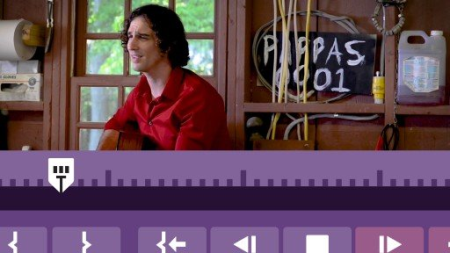
Hands-On Yoga Massage Workshop
Duration: 1h 31m | Video: .MP4, 1280x720, 30 fps | Audio: AAC, 48 kHz, 2ch | Size: 1.06 GB
Genre: eLearning | Language: English​

This course will be for yoga teachers looking to improve their hands on techniques, massage therapists looking to grow their practice, and enthusiasts who simply would love to do this with a partner. Join me and learn Yoga Massage!
Homepage
Screenshots


f3084ffc-e57b-4aaf-9ad5-31b3afb54f50.png

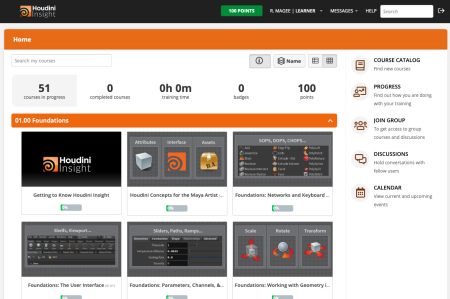
Houdini Insight - Houdini Office Hours - 2018 Sessions
Video: MPEG4 Video (H264) 1920x1078 25fps 893kbps | Audio: AAC 44100Hz stereo 127kbps
Genre: eLearning | Duration: 1hrs+ | Language: English | File size: 1.8 GB​

The Houdini Insight LMS[Learning Management System] is an online community designed for educators who have 10 or more licenses in their lab and are incorporating Houdini into their program. This learning system provides access to educational material that can be used to develop personal skills while supporting teachers in the classroom. The LMS offers a wide range of tools for the Houdini Education community to share resources and learn as a group.
Screenshots


26c9f8f3-58cf-46e8-8321-6faf743ca861.png

How To Make People and Objects FLOAT in Photoshop
Duration: 10m | Video: .MP4, 1280x720, 30 fps | Audio: AAC, 48 kHz, 2ch | Size: 147 MB
Genre: eLearning | Language: English


Hey guys!
Todays video is a different one to the usual premiere pro tutorials. Instead, I'm going to be showing you how to make objects and people float in images. There are multiple ways of doing this edit however this is just my preferred method and its always worked for me!
Homepage
Screenshots


c4560059-acc4-4cf5-9d04-ccba72cca283.png

How to Give an Amazing 10 Minute Foot/Leg Massage
Duration: 10m | Video: .MP4, 1280x720, 30 fps | Audio: AAC, 48 kHz, 2ch | Size: 121 MB
Genre: eLearning | Language: English


In this mini class I'm going to teach you how to give an amazing 20 minute foot massage, 10 minutes on each foot. This is a really fun way to treat a loved one.
Homepage
Screenshots


588b2c33-1cba-42a9-bd09-6cb8eefd3d24.png

How to Give the Best Shoulder/Face/Scalp Massage
Duration: 11m | Video: .MP4, 1280x720, 30 fps | Audio: AAC, 48 kHz, 2ch | Size: 129 MB
Genre: eLearning | Language: English


In this mini course Registered Massage Therapist and Yoga Teacher Mike Everson will show you how to give the best 10 minute shoulder, face and scalp massage. From what i've heard many times over the years this is peoples favourite part of going to see a barber, hairstylist, aesthetician or massage therapist.
Homepage
Screenshots


Zurück
Oben Unten